
Use cases
Make small code improvements
Use SuperPlane to turn focused code improvements into verified pull requests.Turn small and well scoped improvements into verified pull requests without spending more engineering time coordinating the work than the change requires. Small interface fixes, cleanup tasks, copy changes, minor refactors and developer experience improvements often stay in the backlog because they compete with larger work.
SuperPlane gives these tasks a repeatable path from backlog through implementation and verification to a pull request that is ready for review.
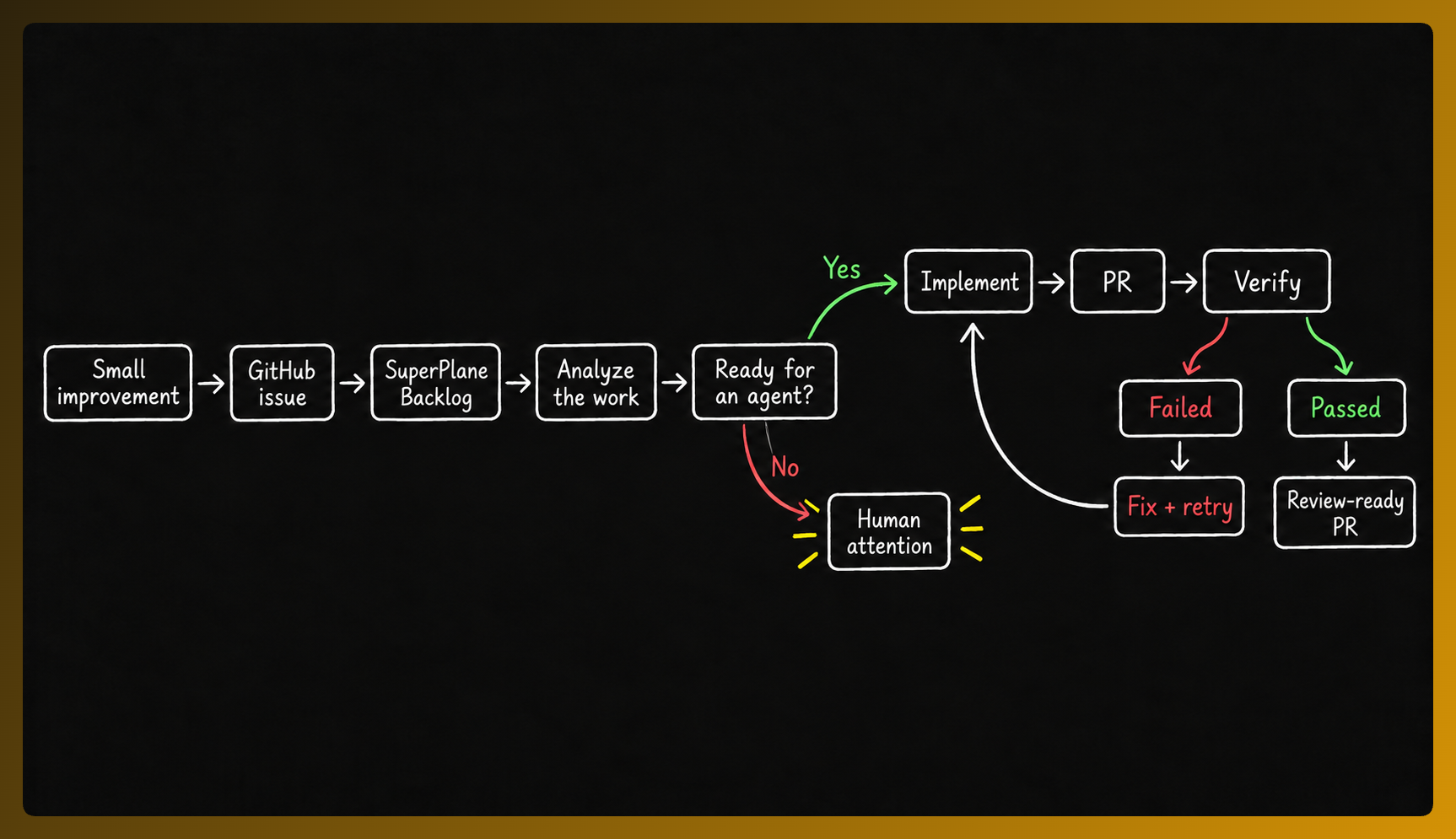
The challenge
Section titled “The challenge”Small engineering improvements are easy to postpone. A developer may notice that:
- A component needs a small visual adjustment
- A label or piece of copy should change
- Duplicated code could be simplified
- A minor interaction could be improved
- An accessibility issue needs attention
- An unnecessary element should be removed
None of these changes may justify interrupting a developer working on a larger feature. Over time they accumulate.
Writing ten lines of code is rarely the difficult part. The work around those lines still needs someone to:
- Pick up the issue.
- Find where the change belongs.
- Keep the scope small.
- Preserve nearby behavior.
- Run the relevant checks.
- Open a pull request.
- Review the diff.
- Respond when something fails.
SuperPlane turns that coordination into a repeatable factory workflow.
How SuperPlane handles small improvements?
Section titled “How SuperPlane handles small improvements?”1. The improvement enters the backlog
Section titled “1. The improvement enters the backlog”Create the improvement as a normal GitHub issue. Once the repository is connected SuperPlane brings that work into the factory Backlog.
The issue remains the definition of the work. SuperPlane adds the process for getting it finished.
2. SuperPlane checks whether the task is suitable
Section titled “2. SuperPlane checks whether the task is suitable”Not every small issue is easy to automate. A request such as “Make this page better” still requires interpretation. A stronger task clearly identifies:
- What should change
- Where it should change
- What should stay untouched
- What result is expected
SuperPlane analyzes the available context before the task moves into implementation.
- Focused scope
- Clear expected result
- Small surface area
- Easy verification
3. The agent makes the targeted change
Section titled “3. The agent makes the targeted change”Once you start the task it moves into Implement. For a small code improvement the implementation agent should usually do less, not more.
The goal is not to rewrite nearby code. It is to solve the issue while keeping the change focused and easy to review.
Example: add a theme toggle
Section titled “Example: add a theme toggle”The Factory Starter App has a GitHub issue requesting a toggle that switches the website between light and dark themes. The issue gives the factory enough context to understand the goal without turning it into a redesign.
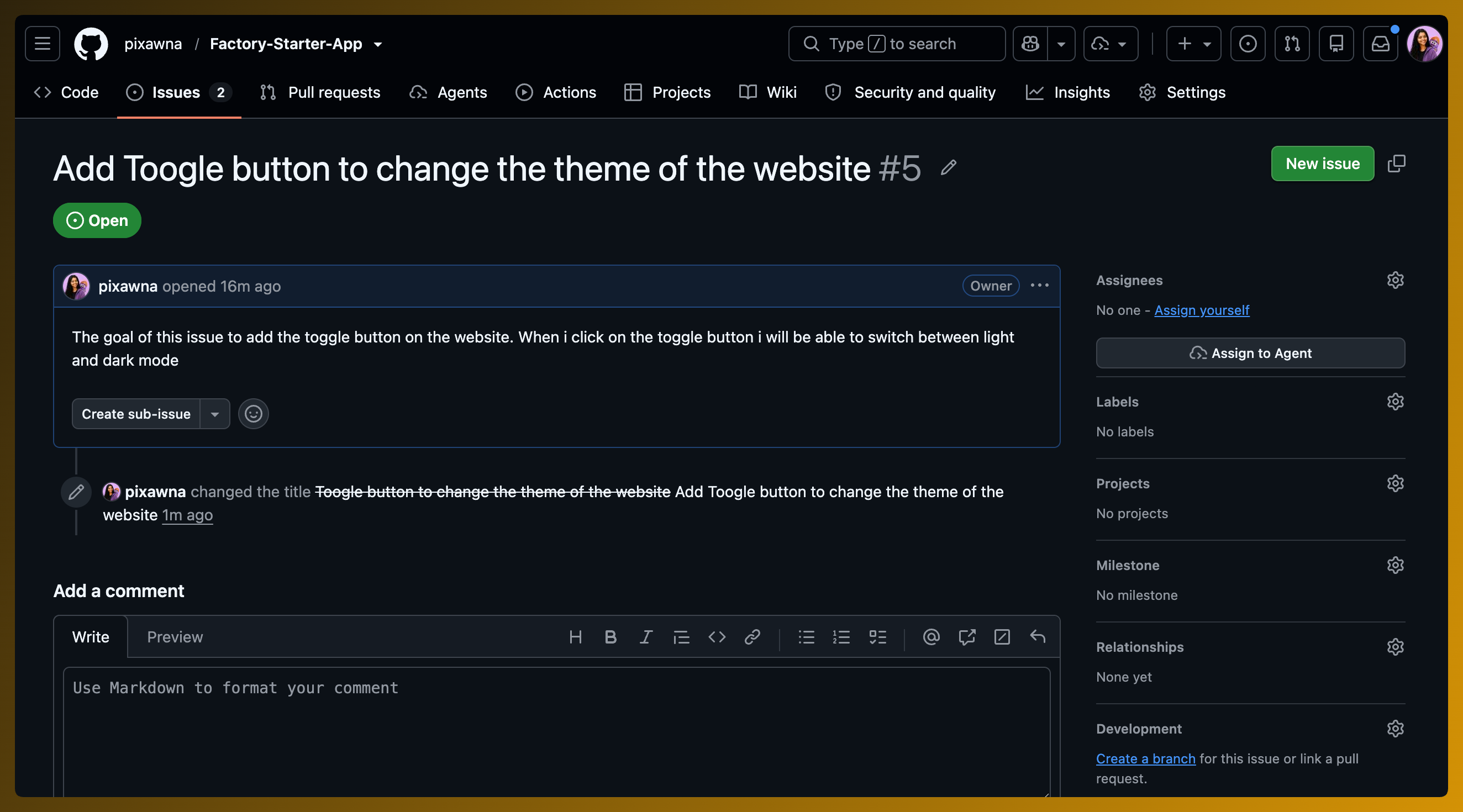
This is a good factory task because it is small, bounded and easy to review. It asks for a specific improvement to the existing codebase without requiring a new product decision.
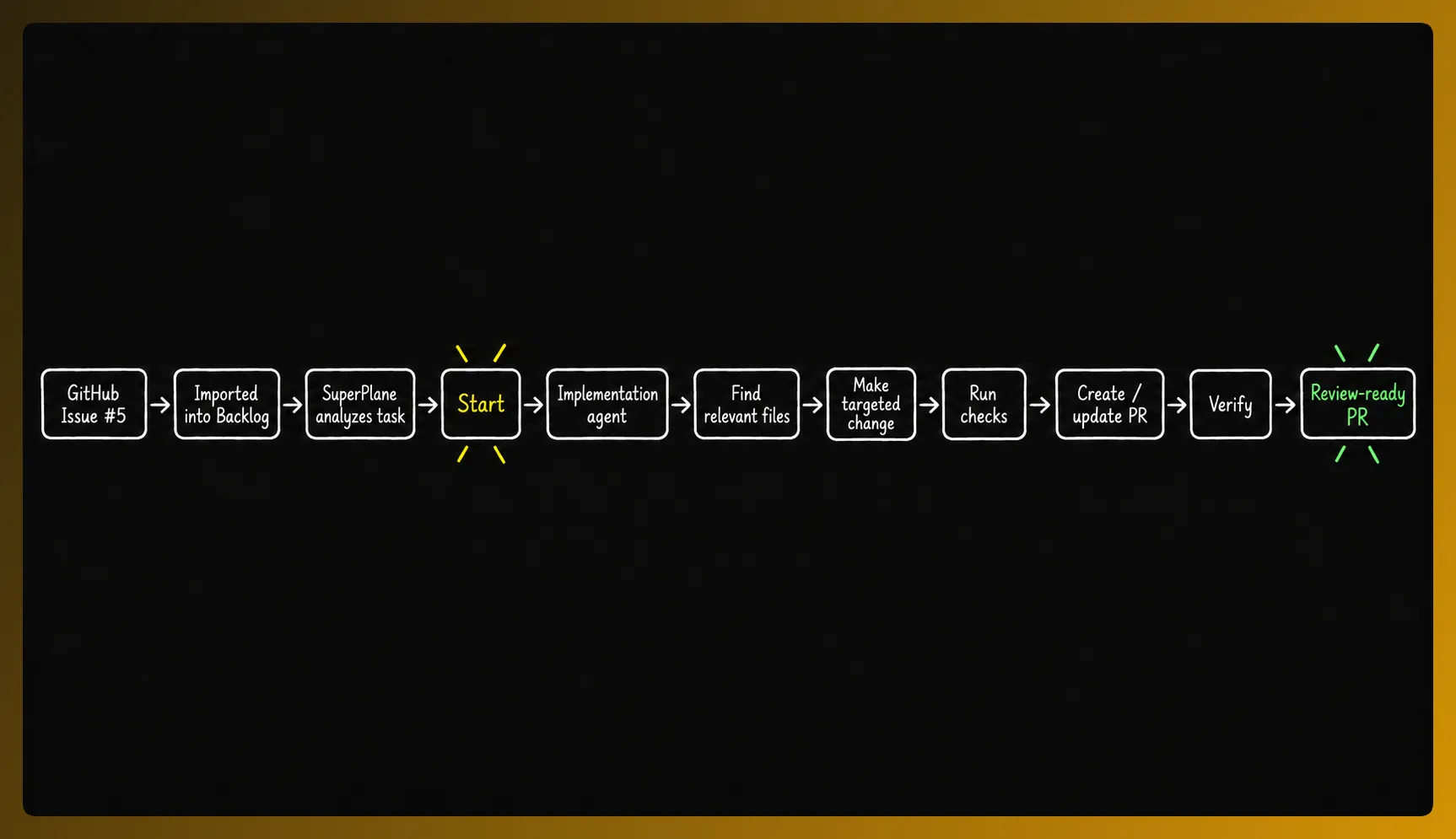
Before trying this example, follow Build your first Factory to connect a repository and prepare the workflow. The example uses the Factory Starter App and its deployed website.
Follow issue #5 through the factory
Section titled “Follow issue #5 through the factory”1. Backlog
Section titled “1. Backlog”SuperPlane imports the GitHub issue into Backlog and analyzes its suitability. The clear scope and visible result give the task a high confidence score, so it is ready to start.
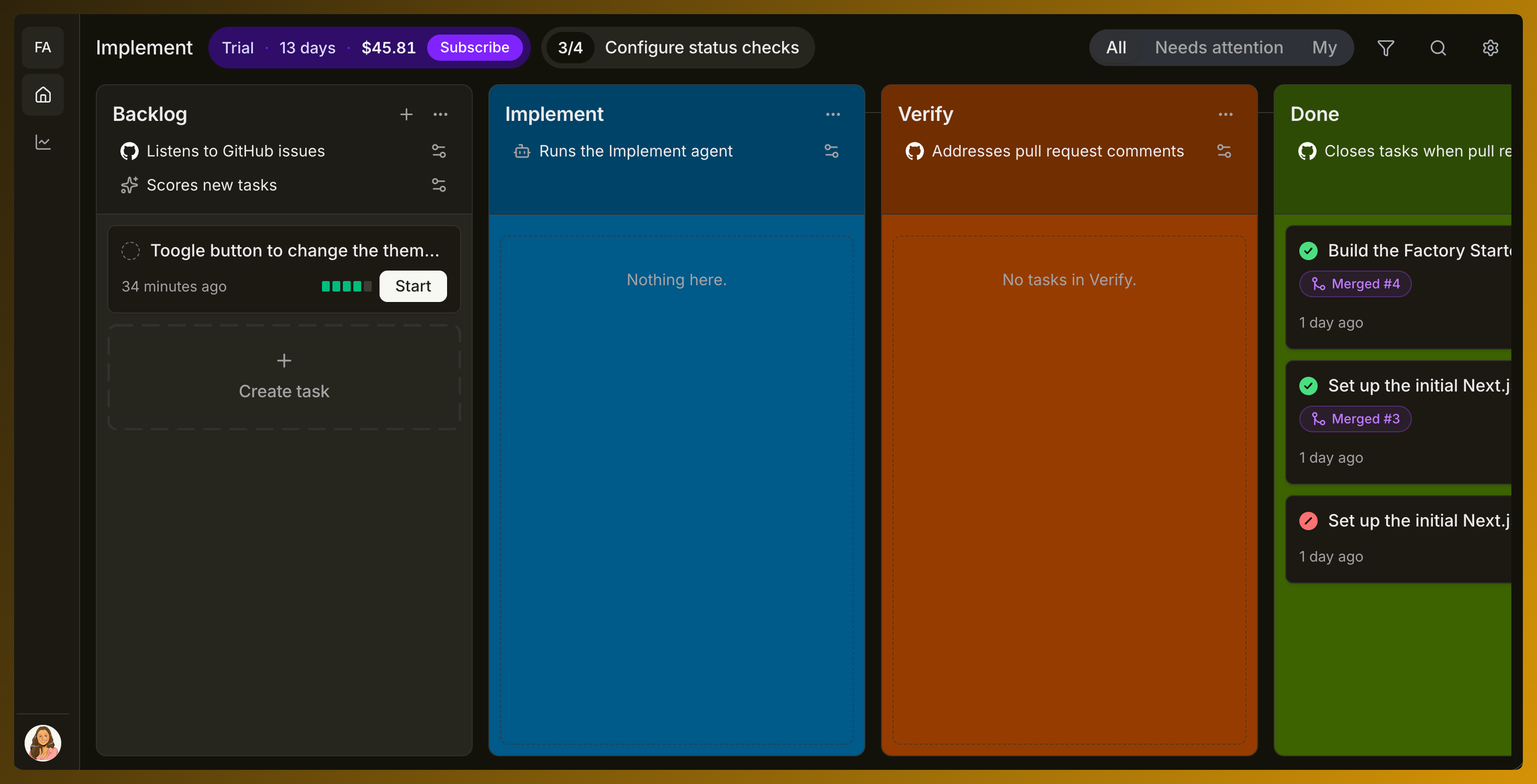
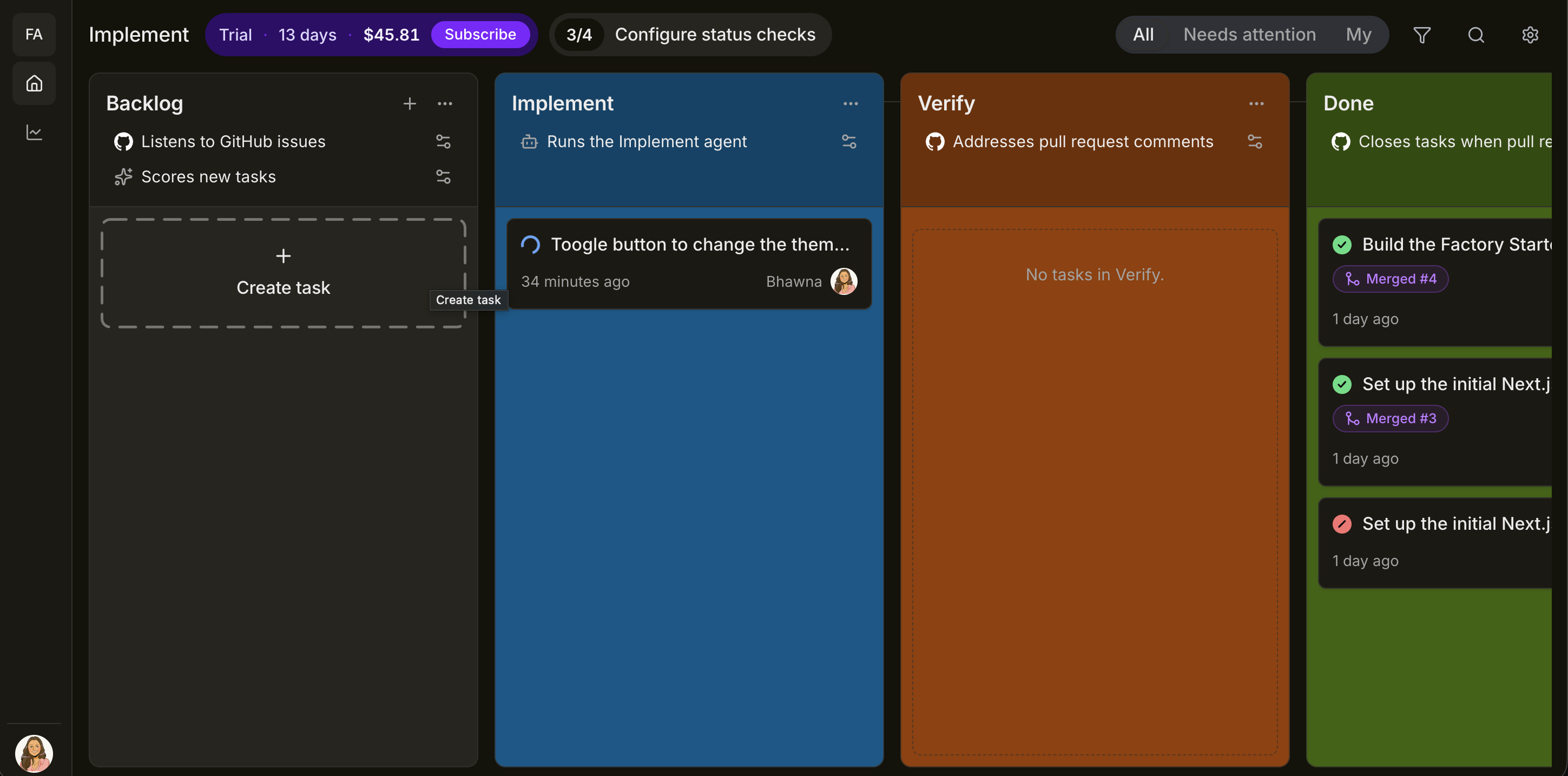
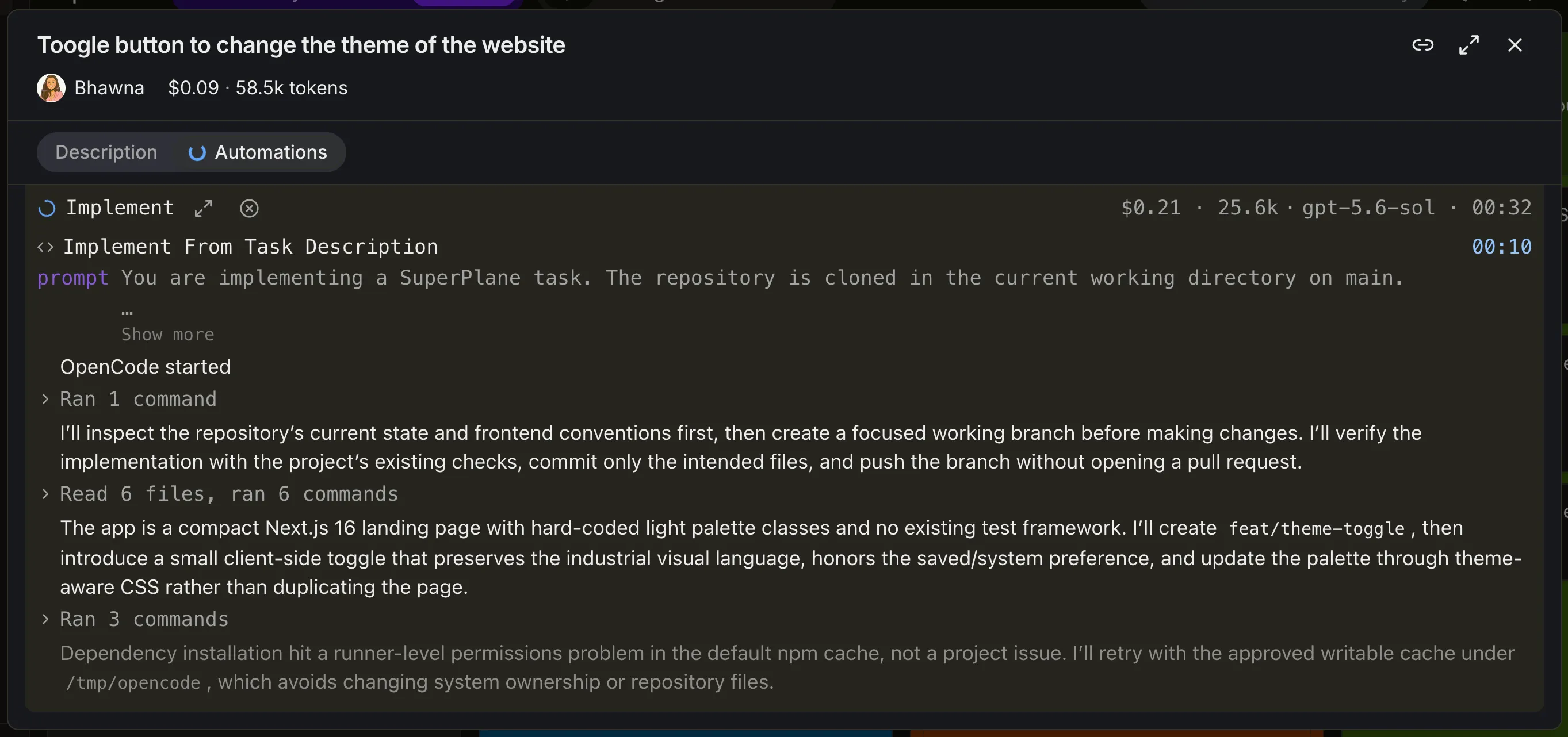
2. Implement
Section titled “2. Implement”Starting the task moves it into Implement. The configured agent reads the issue, inspects the application and changes only the files required for the theme toggle.
3. Verify
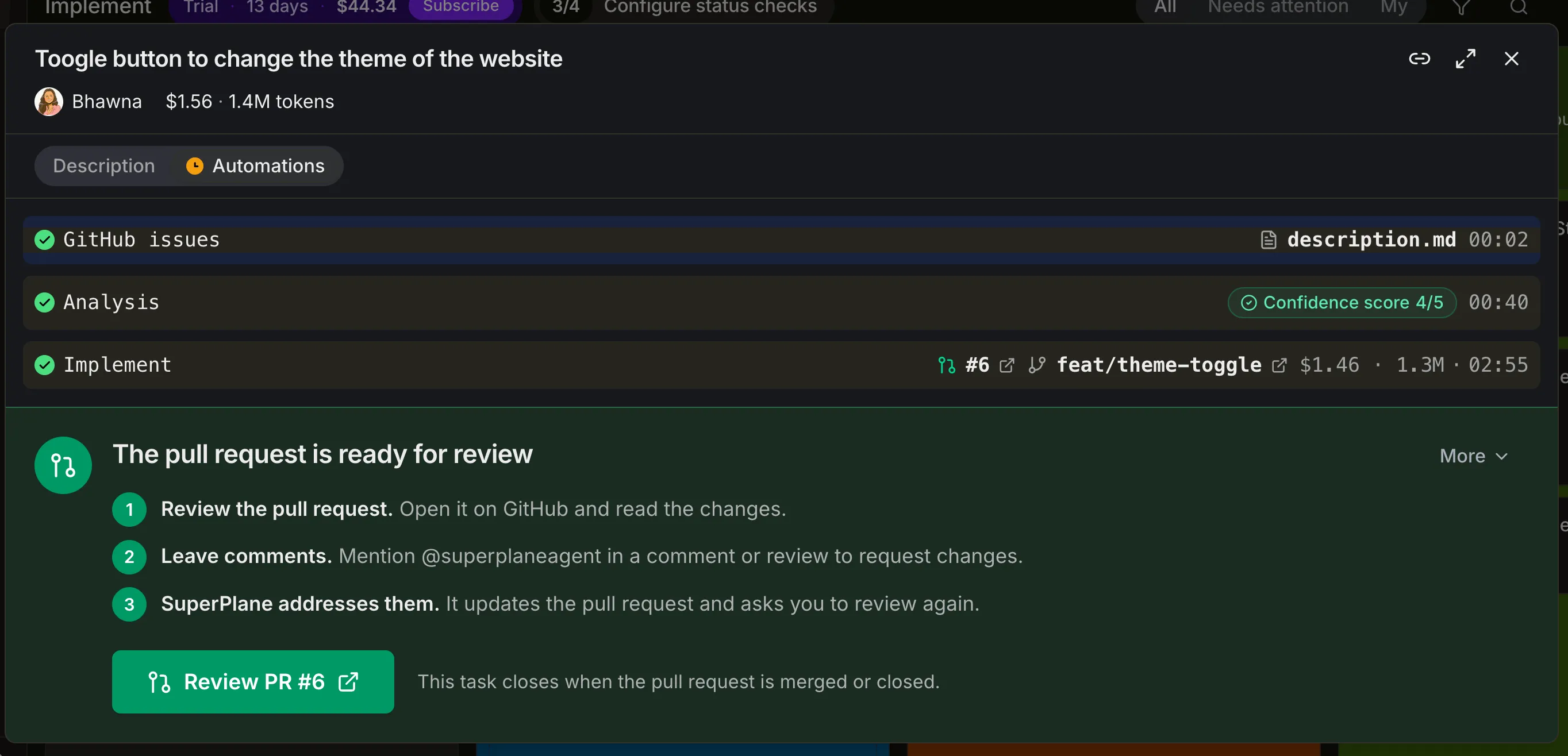
Section titled “3. Verify”After implementation SuperPlane checks the result and prepares the pull request for review. The task view keeps the completed analysis and implementation steps together with the review instructions.
4. Review
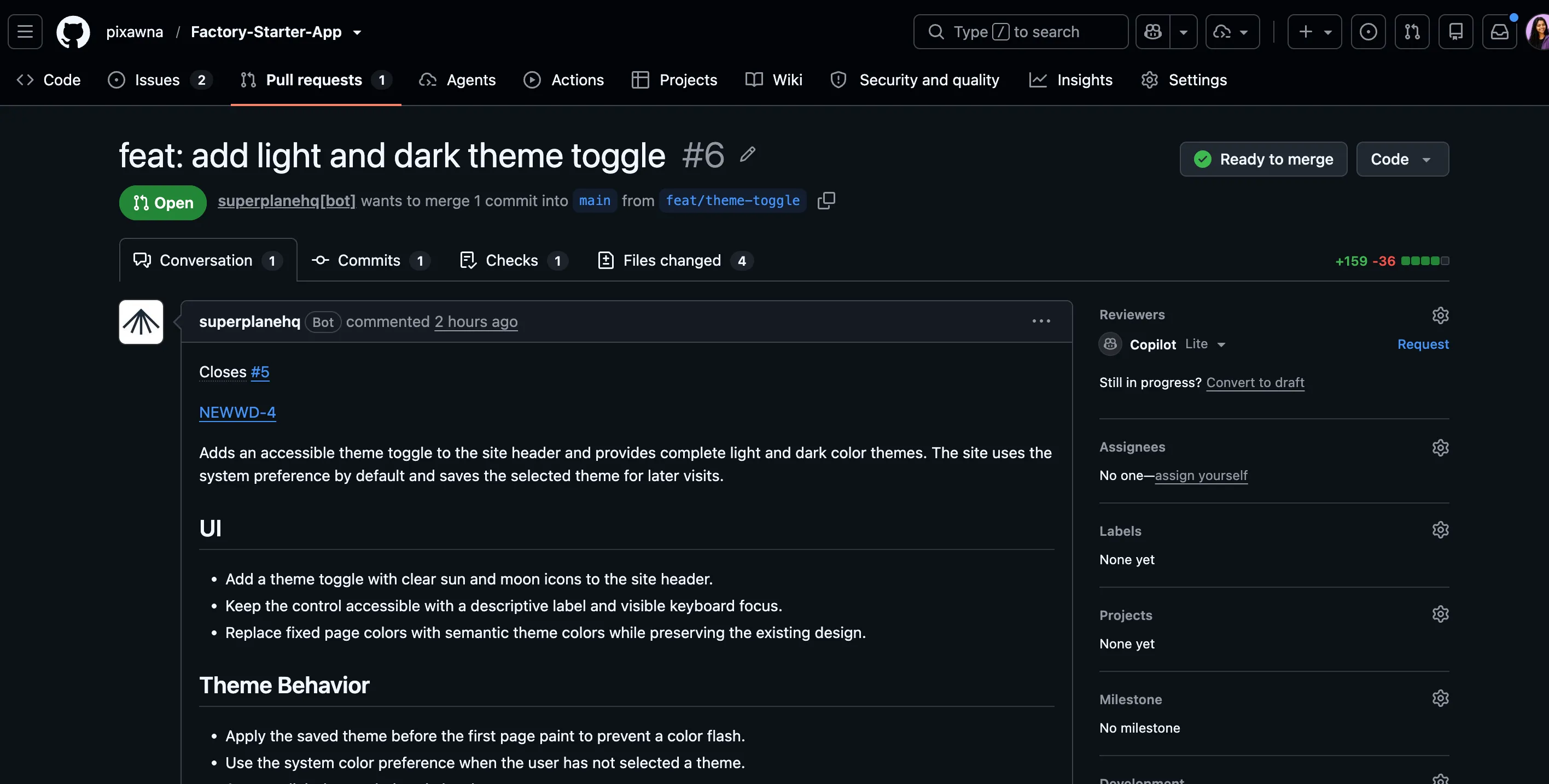
Section titled “4. Review”The pull request contains the focused theme toggle change and links back to the original issue. A reviewer can inspect the diff, leave feedback or merge the result.
5. Done
Section titled “5. Done”When the pull request is merged the task moves to Done. The board keeps the completed work and its pull request visible as part of the factory history.
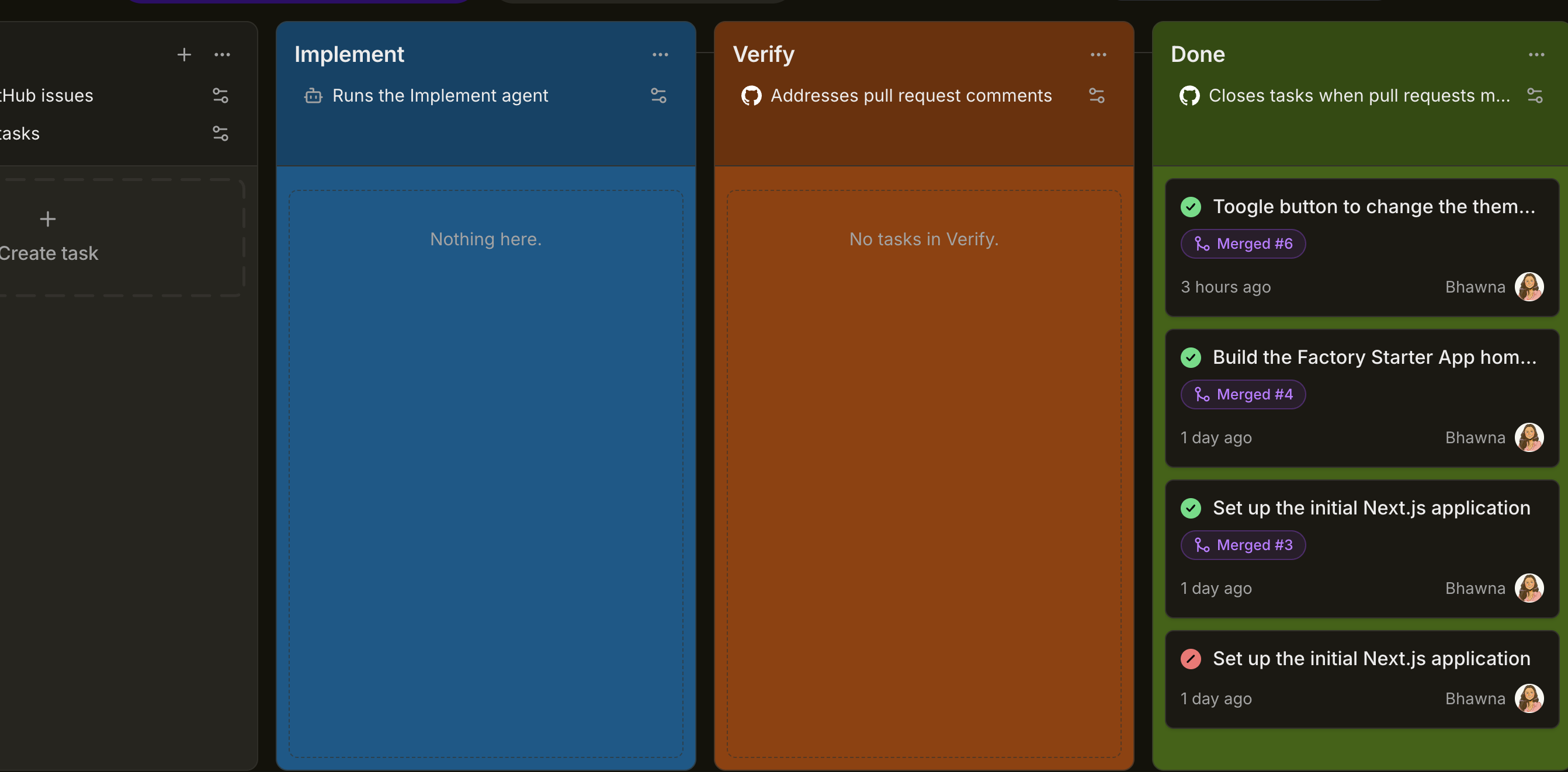
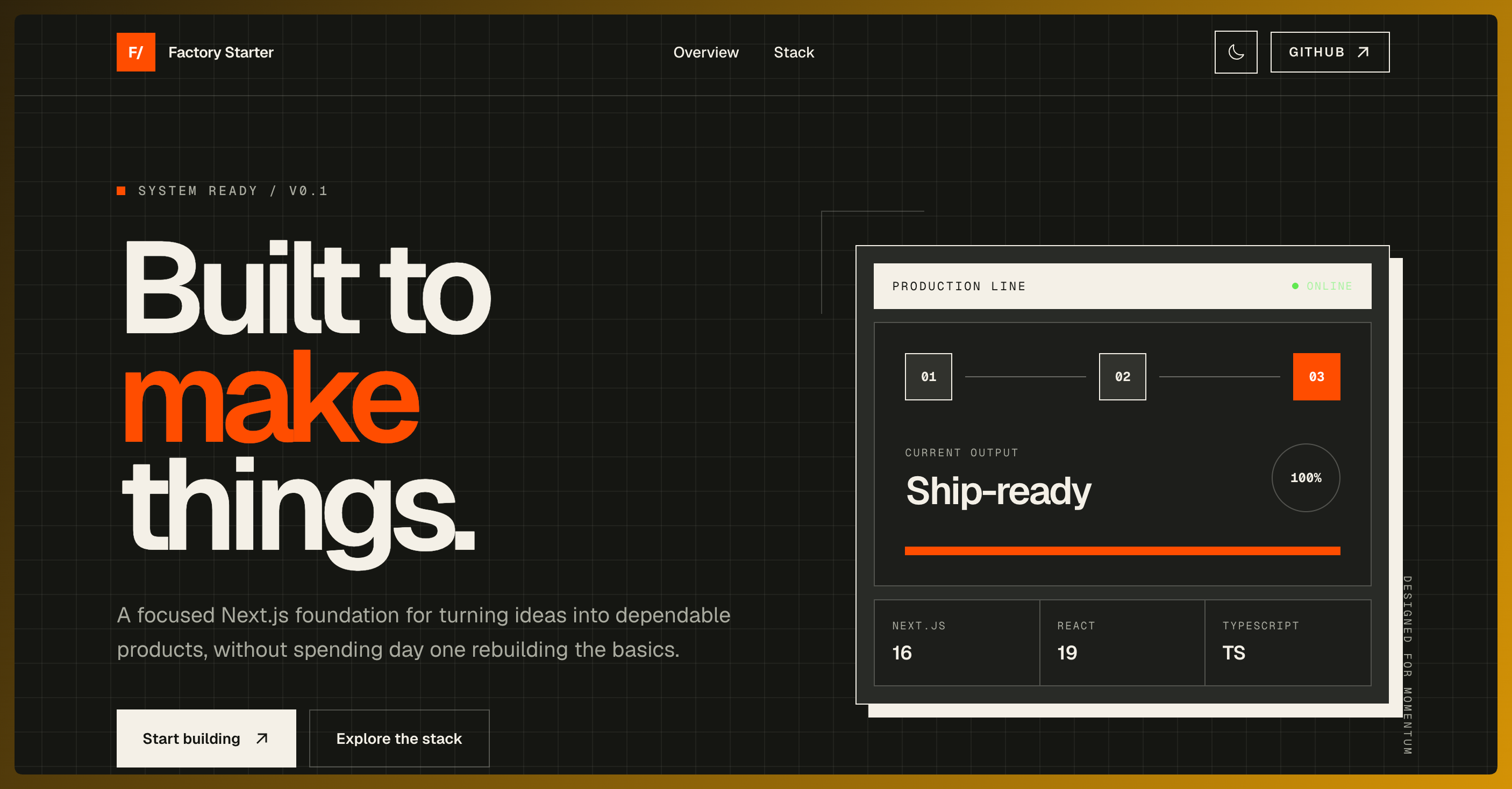
The deployed application now includes the requested theme toggle while preserving the original interface and layout.
Next steps
Section titled “Next steps”Small improvements work best when the issue has a narrow boundary and a result that tests or review can confirm. Keep larger redesigns and architecture decisions with the team until the expected outcome is clear.