
Software Factory fundamentals
People and automations
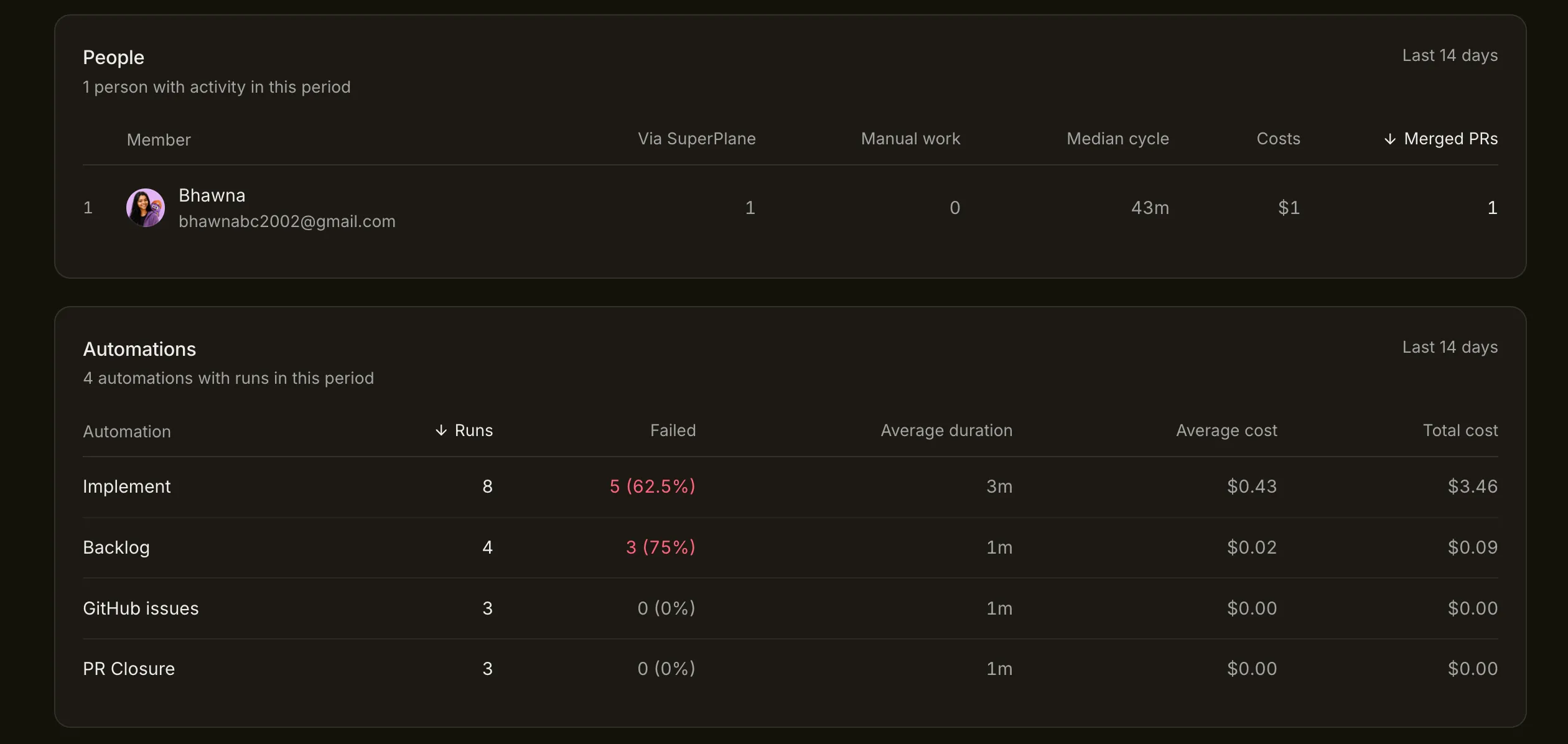
Use attribution and run-level metrics to understand how Factory work is completed.The People and Automations tables explain who participated in completed work and which workflows consumed time or cost. Use them to find ownership and reliability patterns, not to rank people against agents.
Read the People table
Section titled “Read the People table”Each row summarizes activity associated with a workspace member during the selected period.
| Column | How to use it |
|---|---|
| Via SuperPlane | Merged pull requests created through Factory work associated with the member |
| Manual work | Merged pull requests created outside the Factory and associated with the member |
| Median cycle | Middle cycle time for the member’s completed Factory work |
| Costs | Recorded Factory cost associated with that work |
| Merged PRs | Total merged pull requests represented in the row |
Attribution gives context. It does not measure effort, difficulty or code quality. A person may own approvals for automated work while completing larger manual changes outside the Factory.
Read the Automations table
Section titled “Read the Automations table”The automation rows connect each workflow with its execution history.
| Column | What to investigate |
|---|---|
| Runs | Whether activity matches the tasks and events expected in this period |
| Failed | Whether one automation is producing a disproportionate number of unsuccessful runs |
| Average duration | Whether execution time changed after a workflow or integration update |
| Average cost | Whether one run has become more expensive |
| Total cost | Which automation contributes most to workspace spend |
Failure rate needs context. A Backlog automation may process every discovered issue while Implement runs only after approval. A pull request closure automation can run frequently at almost no model cost. Compare an automation with its own purpose and past behavior.
Diagnose an automation with poor results
Section titled “Diagnose an automation with poor results”Open its recent runs and separate three cases:
- System failure: A credential, provider, network call or runner prevented execution.
- Task failure: The workflow ran but the requested result did not pass its checks.
- Expected branch: A filter or policy rejected work as designed.
Do not count an intentional branch as broken automation. Name output routes and record task outcomes so the table leads to an understandable run history.
Review performance as a team
Section titled “Review performance as a team”Use the report to choose a workflow improvement with a named owner. For example, narrow Backlog intake, repair a failing repository connection or adjust the model used by one stage. Review the same automation in the next period and inspect the underlying tasks before declaring the change successful.
Return to Factory performance for the complete review method.