
Use cases
Fix a GitHub issue
Use SuperPlane to turn a focused GitHub issue into a verified pull request that is ready for review.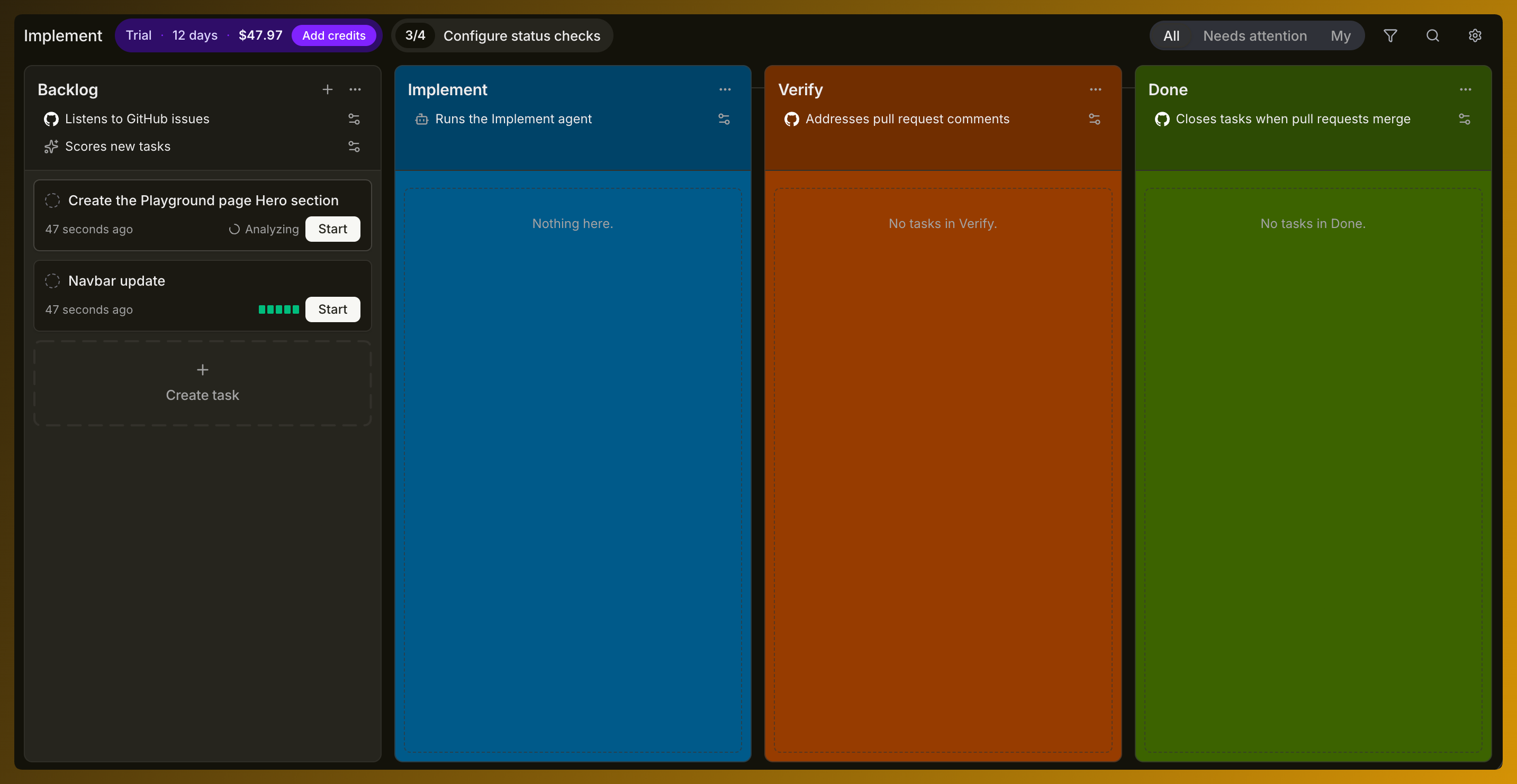
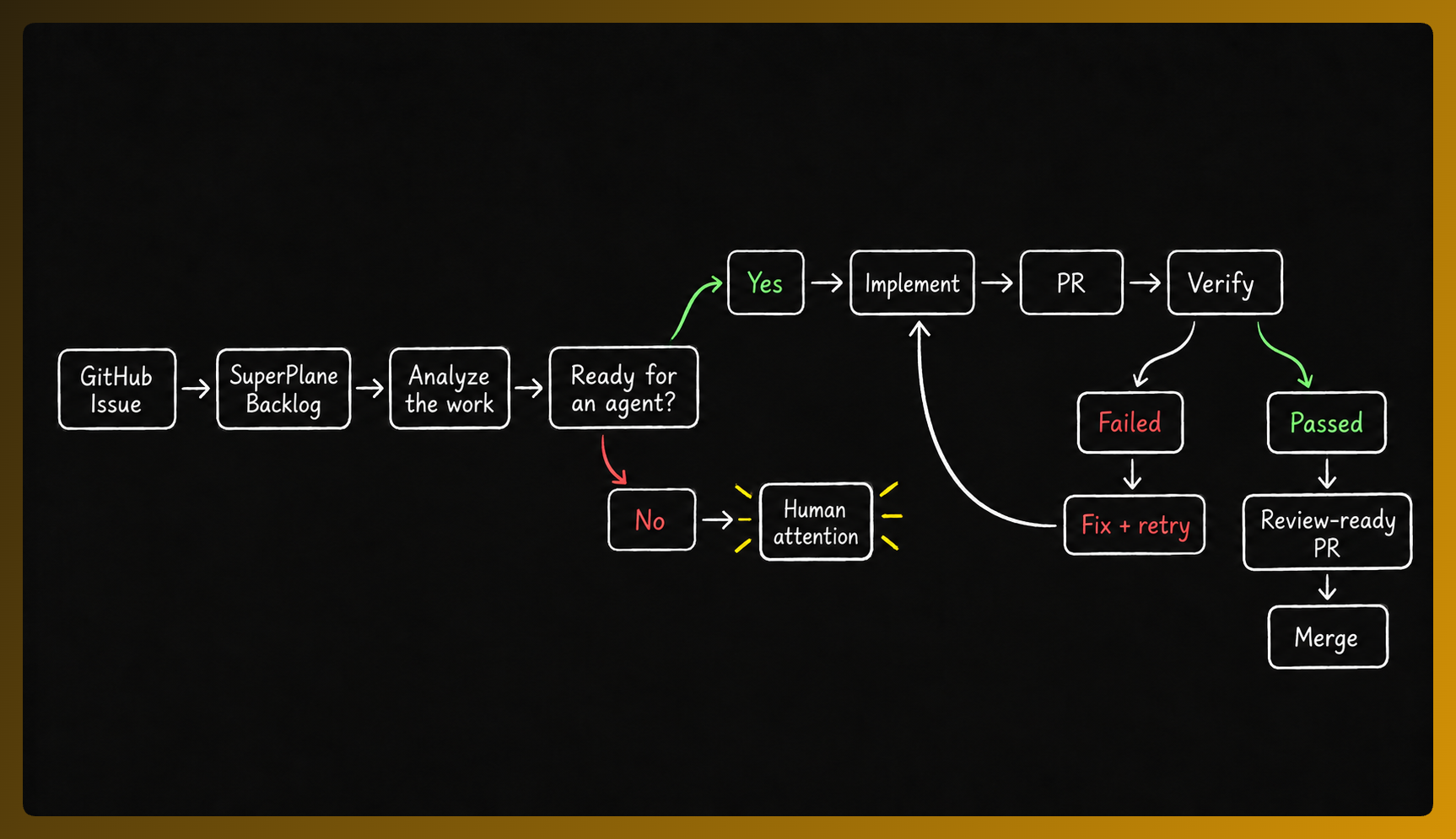
Turn a well-scoped GitHub issue into a verified pull request without coordinating every step by hand. SuperPlane listens for work in your repository, evaluates which issues are suitable for an agent, runs the implementation workflow, verifies the result and asks your team for judgment when needed.
The challenge
Section titled “The challenge”A GitHub issue may look simple, but finishing it usually involves much more than writing code. An engineer still needs to:
- Understand the issue and its context.
- Decide whether it is safe to delegate.
- Inspect the repository.
- Plan the change.
- Implement it.
- Run tests and continuous integration checks.
- Create a pull request.
- Respond to failed checks or review comments.
- Decide whether the result is ready to merge.
Coding agents can help with individual steps. Engineers often still coordinate the process around them. A software factory turns that process into a visible and repeatable workflow.
How SuperPlane fixes a GitHub issue?
Section titled “How SuperPlane fixes a GitHub issue?”1. The issue enters the backlog
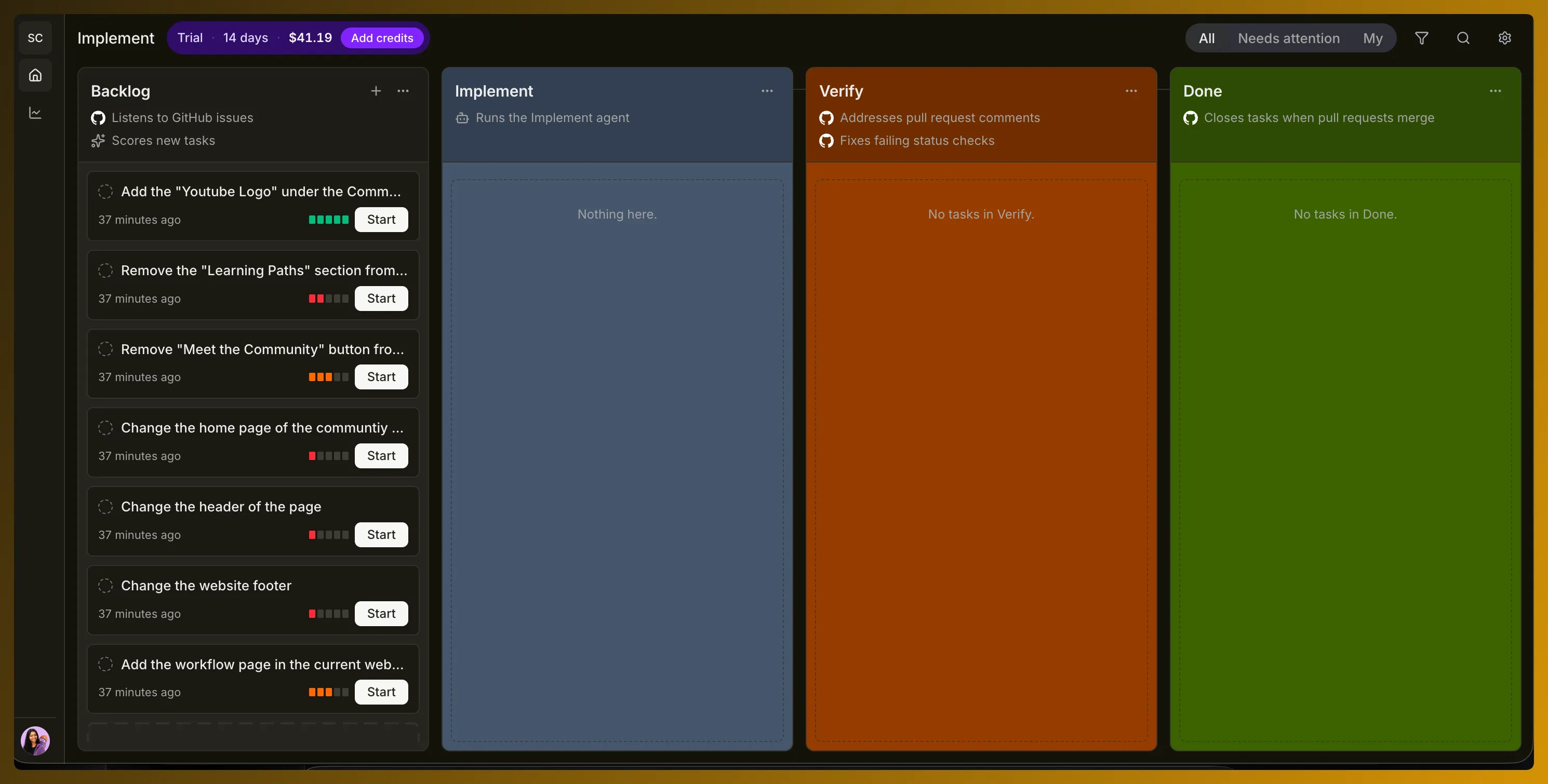
Section titled “1. The issue enters the backlog”Once your repository is connected SuperPlane can listen for GitHub issues and bring them into the factory Backlog. The GitHub issue remains the source of the work. SuperPlane adds the execution process around it.
2. SuperPlane analyzes the work
Section titled “2. SuperPlane analyzes the work”Before an agent starts coding SuperPlane evaluates whether the issue is a good candidate for automated execution. The assessment considers:
- How focused the scope is
- How much context is available
- Whether the expected result can be checked
- Whether relevant tests are available
Focused work can move forward with higher confidence. Ambiguous work or work that needs judgment stays with the team.
3. The implementation agent works on the issue
Section titled “3. The implementation agent works on the issue”When the task starts it moves into Implement. The configured agent receives the task and works against the repository.
The exact implementation process depends on how you configure the agent.
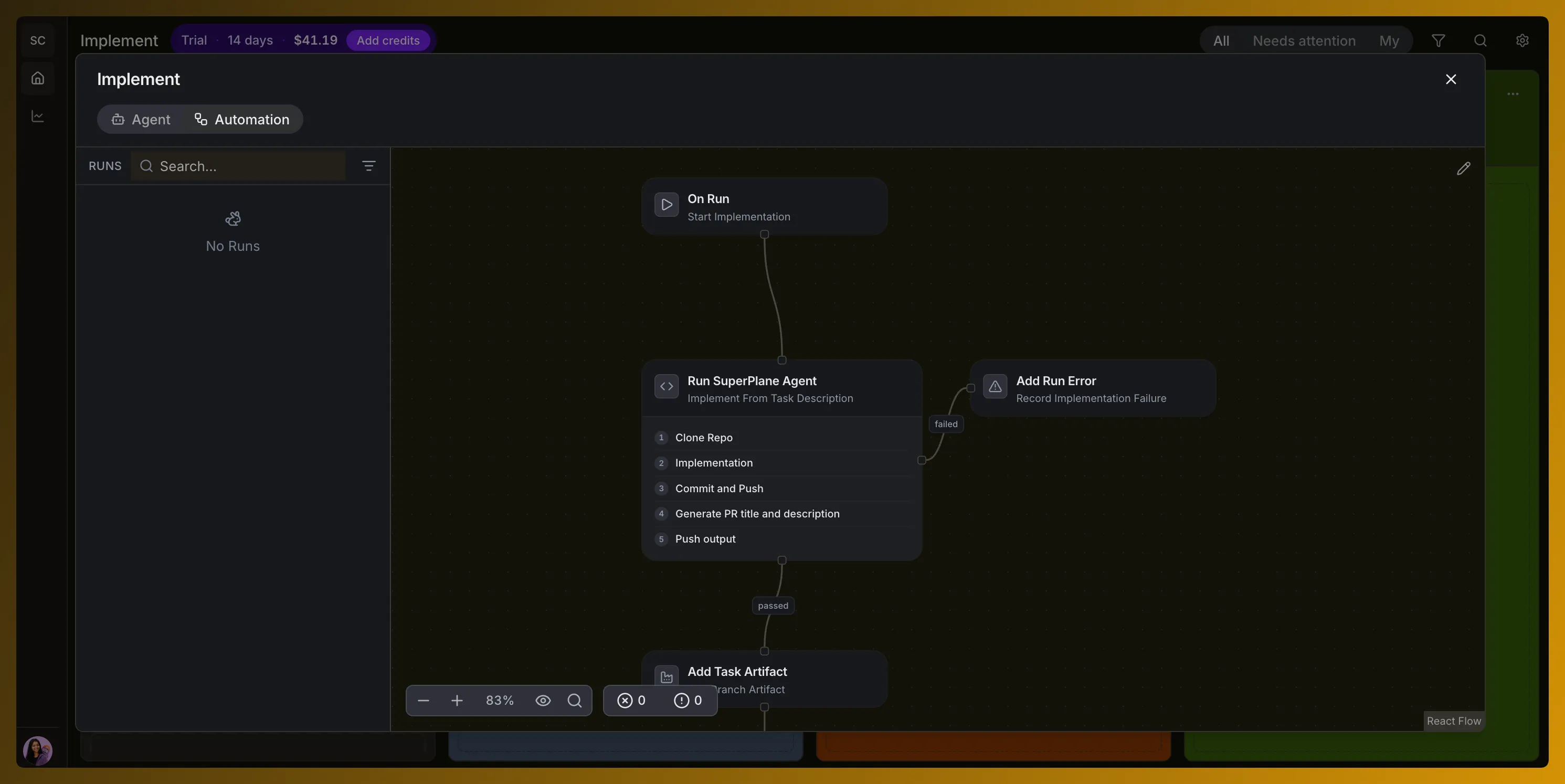
The automation controls the process. It owns rules such as required checks, review policies, allowed scope and escalation behavior. The model focuses on the assigned engineering work.
4. Verify the pull request
Section titled “4. Verify the pull request”Once implementation produces a pull request SuperPlane moves the task into Verify. This stage checks whether the result is ready for review. Depending on your factory it can include:
- Continuous integration status checks
- Tests
- Pull request review comments
- Agent review
- Deterministic validation
- Human approval
If a check fails or a reviewer requests a change the workflow can return that context to the agent for another attempt. Human judgment remains available for decisions the factory should not make on its own.