
Documentation
Install on a single VM
Install SuperPlane with Docker Compose on one Linux virtual machine.Install SuperPlane on one Linux VM with Docker Compose. You need a DNS name that points at the VM before you start. Plan for 30 minutes. Runner tasks are optional and run as containers on the same VM.
flowchart LR
  browser[Browser] --> caddy[Caddy]
  caddy --> app[SuperPlane]
  app --> db[Postgres]
  app --> queue[RabbitMQ]
  fleet[Fleet Manager] --> app
  fleet --> runners[Runner containers]
Caddy receives HTTPS on ports 80 and 443. SuperPlane stores data in Postgres and files on a local volume. When you enable runners, Fleet Manager starts one runner container for each task.
Requirements
Section titled “Requirements”- Ubuntu 24.04 on a 64-bit VM.
- 4 vCPUs, 16 GB of memory, and 100 GB of disk. A runner task can use 8 GB of memory. The default fleet runs at most 2 tasks at a time.
- A DNS A record for the name you will use, such as
superplane.example.com. The record must point at the VM before you install. - Inbound TCP 22, 80, and 443. Do not publish any other application port.
1. Install Docker
Section titled “1. Install Docker”Install Docker Engine and the Compose plugin from the Docker apt repository.
sudo apt-get updatesudo apt-get install -y ca-certificates curlsudo install -m 0755 -d /etc/apt/keyringssudo curl -fsSL https://download.docker.com/linux/ubuntu/gpg -o /etc/apt/keyrings/docker.ascsudo chmod a+r /etc/apt/keyrings/docker.ascecho "deb [arch=$(dpkg --print-architecture) signed-by=/etc/apt/keyrings/docker.asc] https://download.docker.com/linux/ubuntu $(. /etc/os-release && echo "$VERSION_CODENAME") stable" | sudo tee /etc/apt/sources.list.d/docker.list >/dev/nullsudo apt-get updatesudo apt-get install -y docker-ce docker-ce-cli containerd.io docker-buildx-plugin docker-compose-pluginsudo systemctl enable --now dockersudo usermod -aG docker "$USER"Open a new login shell so your user can run Docker. docker compose version prints a v2 version.
2. Download the release
Section titled “2. Download the release”v1.0.0-rc4 is the current SuperPlane release. The archive contains Compose, the installer, and Caddy.
VERSION=v1.0.0-rc4curl -fsSL -o superplane-single-host.tar.gz \ "https://github.com/superplanehq/superplane/releases/download/${VERSION}/superplane-single-host.tar.gz"tar -xzf superplane-single-host.tar.gzcd superplane3. Install SuperPlane
Section titled “3. Install SuperPlane”Run the installer from the superplane directory. Enter the DNS name when it asks. Do not include https://.
./install.shThe installer writes superplane.env and rabbitmq.env with mode 600, creates an OIDC key in oidc/, and starts the stack. rabbitmq.env holds only the RabbitMQ user and password. Postgres, RabbitMQ, and file storage use Docker volumes. RabbitMQ is not published on the host.
Caddy requests a certificate from Let’s Encrypt. The DNS name must already point at this VM, and ports 80 and 443 must be open.
Confirm the services and the health check:
docker compose pscurl -fsS "https://superplane.example.com/health"Every service is running or healthy. The health check returns HTTP 200 and no body.
4. Create the owner account
Section titled “4. Create the owner account”Open https://superplane.example.com/setup.
-
On Create the owner account, enter the name, email, and password. The password needs 8 or more characters, one number, and one capital letter. Select Continue.
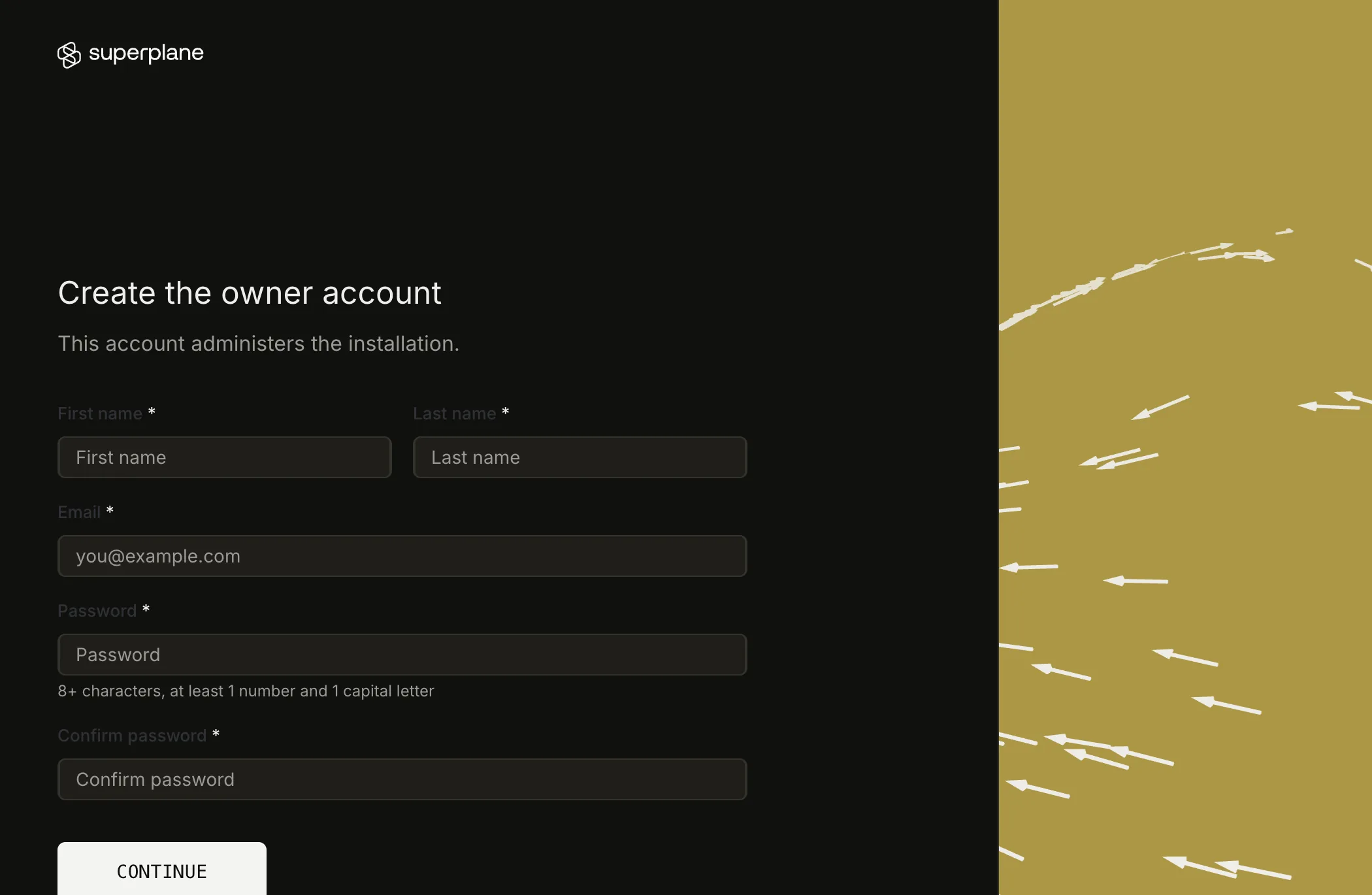
Create the owner account. -
On Choose an edition, select Continue with Community. Select Enterprise only when you have a license file or a license key.
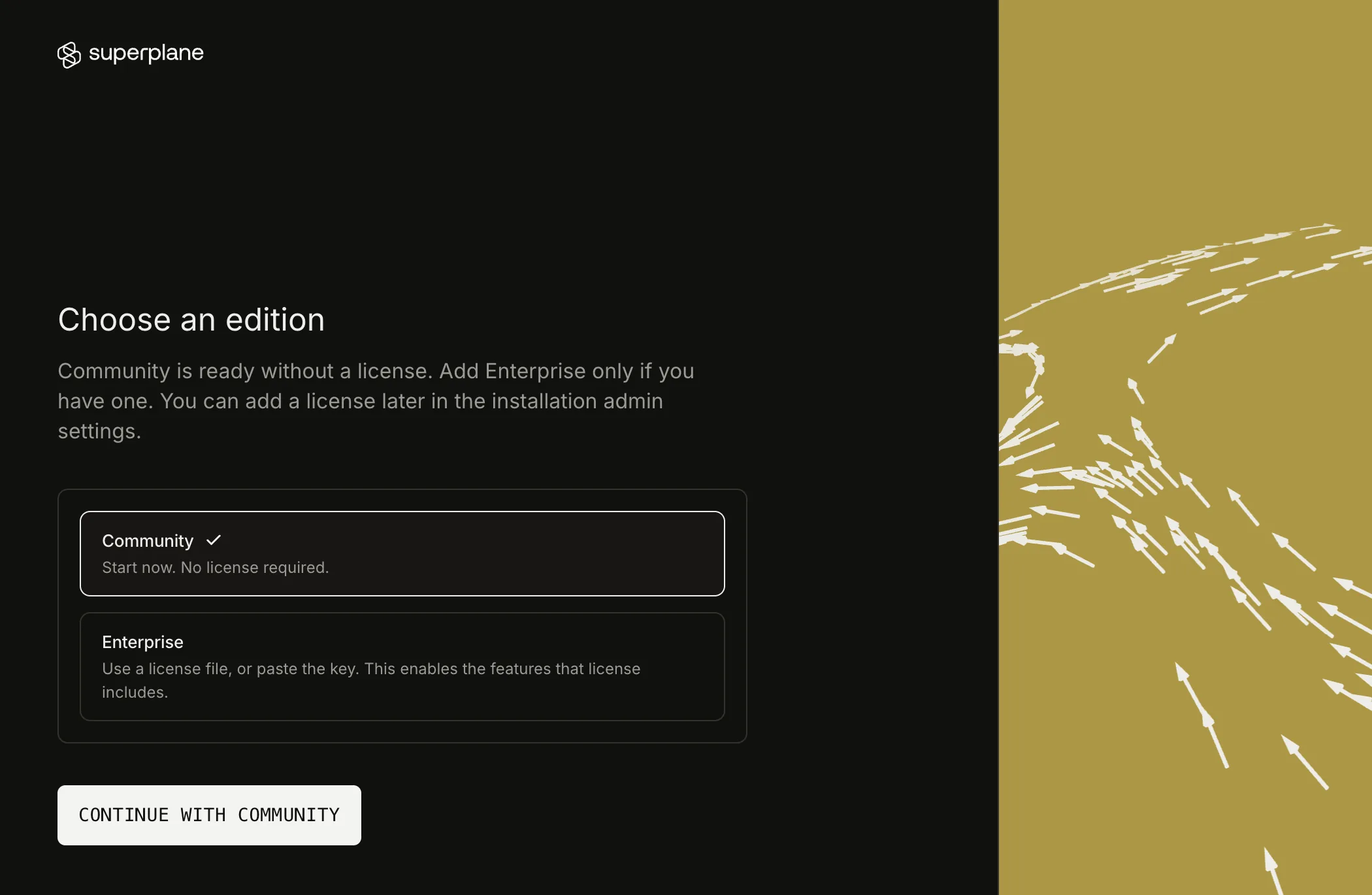
-
On Send email from this installation, select Skip for now. You can add SMTP later in installation settings.
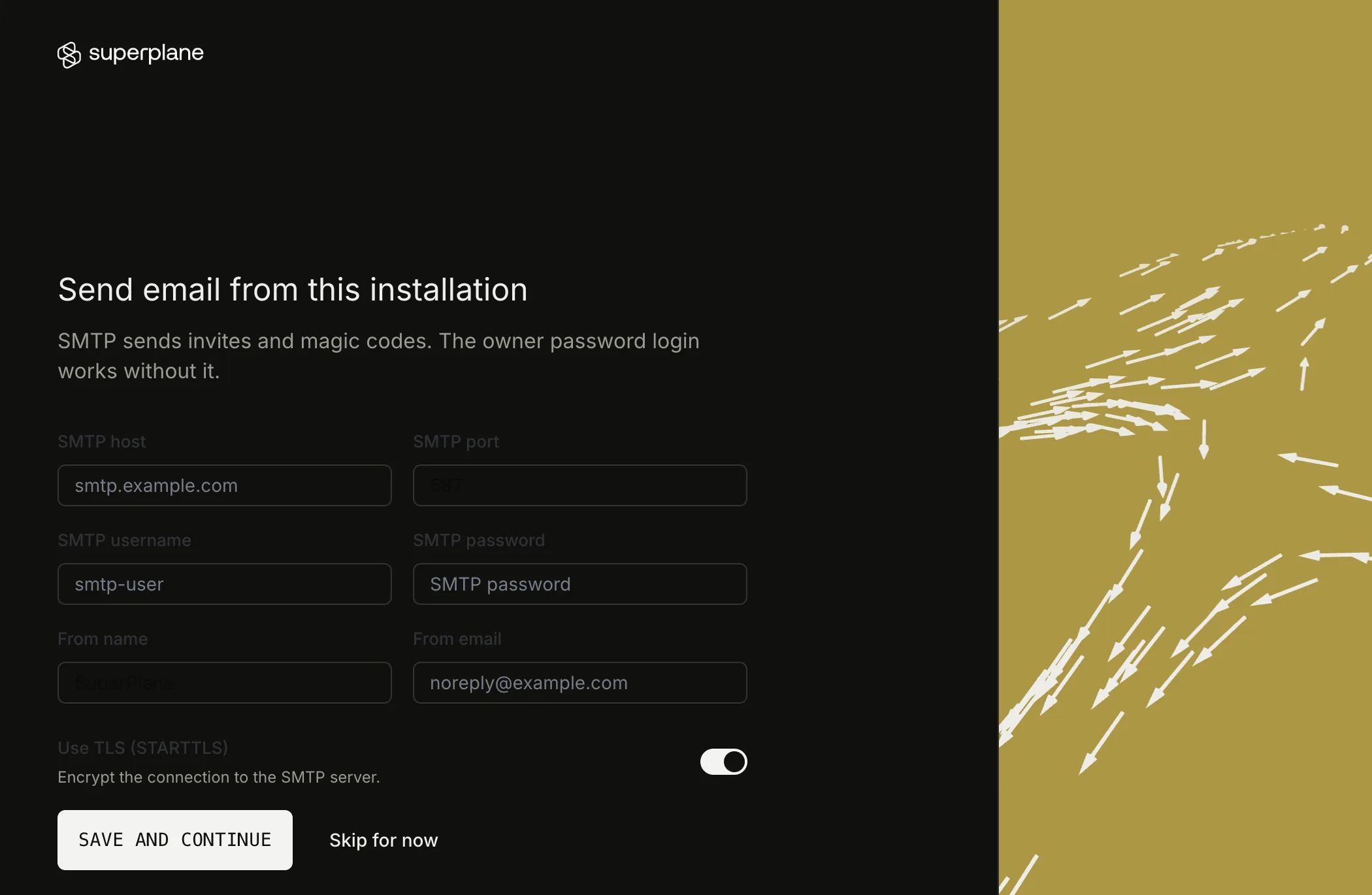
5. Start runners
Section titled “5. Start runners”Runner nodes, including Run Bash and factory agents, need Fleet Manager. Skip this step when you do not need those nodes.
- On Set up runner fleets, select Set up fleets.
- Select This VM, then select Continue.
- On Start runners on this VM, copy the command. Run it in the install directory.
The command starts with ./enable-runners.sh and includes an installation admin token. The page creates that token. Do not type a token by hand.
The script writes fleet-manager.env with mode 600, pulls the runner image, and starts Fleet Manager. The first pull is large. Fleet Manager then starts a runner container on the superplane_default network for each task and removes it when the task finishes. The page shows Finish installation when the fleet is ready.
Create a canvas with a Run Bash node and run it. A container named superplane-runner- appears in docker ps while the task runs.
Configuration
Section titled “Configuration”superplane.env holds the install configuration. ./install.sh adds missing keys and keeps existing secrets. Do not delete these values:
| Key | Purpose |
|---|---|
BASE_URL | Public https:// URL. Caddy uses SUPERPLANE_DOMAIN. |
DB_PASSWORD | Postgres password. Also set as POSTGRES_PASSWORD. |
RABBITMQ_URL | App connection to RabbitMQ. The broker is not on the host network. |
ENCRYPTION_KEY and ENCRYPTION_MASTER_KEYS | Decrypt data that SuperPlane stores. |
JWT_SECRET | Sign login tokens. |
BLOB_STORAGE_SIGNING_KEY | Sign file download URLs. Files are stored at BLOB_STORAGE_LOCAL_PATH. |
OIDC_KEYS_PATH | Directory of the OIDC signing key. The key file is in oidc/ on the host. |
fleet-manager.yaml selects the fleet for this machine: e1-large-amd64 or e1-large-arm64. maxCapacity is 2. Raise it only when the VM has memory for more 8 GB tasks.
To send email, set RESEND_API_KEY, EMAIL_FROM_NAME, and EMAIL_FROM_ADDRESS in superplane.env, then run docker compose up -d.
Persistent storage
Section titled “Persistent storage”| Volume | Contents |
|---|---|
postgres-data | SuperPlane database |
blob-data | Uploaded files |
rabbitmq-data | Queue state |
runner-active-logs | Runner logs before they are stored |
caddy-data | Certificates |
oidc/ on the host | OIDC signing key |
docker compose restart and a VM reboot keep these volumes. docker compose down -v deletes them.
Health and restarts
Section titled “Health and restarts”Each service uses restart: always. Docker starts the stack after a reboot.
docker compose pscurl -fsS "https://superplane.example.com/health"docker compose logs app --tail=80docker compose restart restarts every service. Log files rotate at 50 MB, with 5 files kept for each service.
Backup and restore
Section titled “Backup and restore”Run the backup from the install directory. Copy the backup directory off the VM.
mkdir -p "$HOME/superplane-backup"docker compose exec -T db pg_dump -U postgres -Fc superplane >"$HOME/superplane-backup/superplane.dump"tar -czf "$HOME/superplane-backup/config.tar.gz" superplane.env rabbitmq.env oidc fleet-manager.yaml fleet-manager.env Caddyfiledocker run --rm \ -v superplane_blob-data:/data:ro \ -v "$HOME/superplane-backup":/backup \ alpine tar -C /data -czf /backup/blobs.tar.gz .Restore onto a new VM that does not already run this Compose project. Extract the same release, then restore the config before you start the app.
mkdir -p "$HOME/superplane-restore"tar -C "$HOME/superplane-restore" -xzf superplane-single-host.tar.gzcd "$HOME/superplane-restore/superplane"tar -xzf "$HOME/superplane-backup/config.tar.gz"docker compose up -d dbdocker compose exec -T db pg_restore -U postgres -d superplane --clean --if-exists <"$HOME/superplane-backup/superplane.dump"docker run --rm \ -v superplane_blob-data:/data \ -v "$HOME/superplane-backup":/backup \ alpine tar -C /data -xzf /backup/blobs.tar.gzdocker compose up -d --waitLog in with the owner account from the backup. Canvases and uploaded files are present. A wrong superplane.env makes stored secrets fail to decrypt.
Upgrade
Section titled “Upgrade”Download the new superplane-single-host.tar.gz. From the existing install directory, replace the Compose file and the scripts. Leave superplane.env, oidc/, fleet-manager.env, and Caddyfile in place.
mkdir -p /tmp/superplane-releasetar -C /tmp/superplane-release -xzf superplane-single-host.tar.gzcp /tmp/superplane-release/superplane/docker-compose.yml .cp /tmp/superplane-release/superplane/install.sh .cp /tmp/superplane-release/superplane/enable-runners.sh .chmod +x install.sh enable-runners.sh./install.sh./install.sh keeps the existing secrets, pulls the new images, and migrates the database on startup. When runners are already enabled, open Start runners on this VM and run the command again so Fleet Manager uses the new runner image.
Uninstall
Section titled “Uninstall”docker compose --profile runners down -v --remove-orphansDelete superplane.env, rabbitmq.env, fleet-manager.env, and oidc/ after the backup is stored somewhere else. Those files can decrypt the database.