
Getting started
Learn how Superplane works
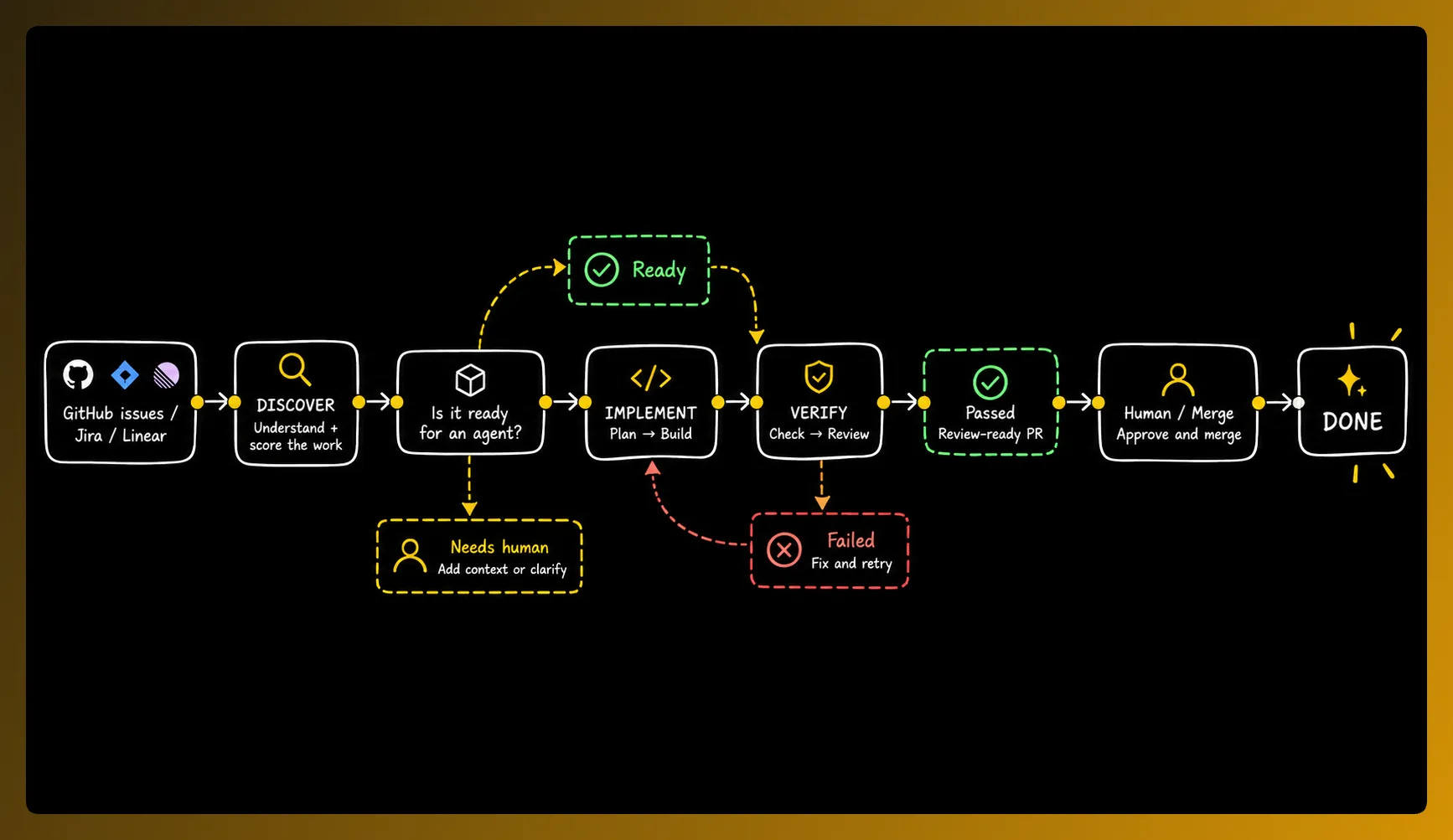
Understand how SuperPlane imports tasks, runs agents and verifies their results.SuperPlane connects your development tickets, coding agents, source control, continuous integration (CI) and review process into a software factory. Intake automations import matching tickets and record confidence scores. Factory lines then give agents a controlled path to execute approved tasks, apply configured checks and bring your team in when human judgment is needed.
1. Work enters the factory
Section titled “1. Work enters the factory”Start with the work your team already has
Section titled “Start with the work your team already has”SuperPlane connects to the tools where engineering work already lives. Connect a GitHub repository and issues can appear in the factory backlog without developers copying tasks into another system. You can also assign tasks through Jira and Linear.
Each issue becomes a piece of work that SuperPlane tracks from intake through implementation and verification. Your existing tools remain part of the workflow. SuperPlane coordinates them and lets you use your preferred coding agent and model provider.
2. Discover what agents should work on
Section titled “2. Discover what agents should work on”Not every ticket should go to an agent
Section titled “Not every ticket should go to an agent”Before implementation begins the Backlog automation can inspect the task and repository context and report a confidence check. The score and its reason show whether the request has a bounded scope, enough context and an observable success condition. Your routing rule decides whether a task can move forward or must stay visible for the team.
The assessment considers scope, available context and test coverage. It helps your team decide which tasks are ready before an agent starts work.
3. Follow the work on one board
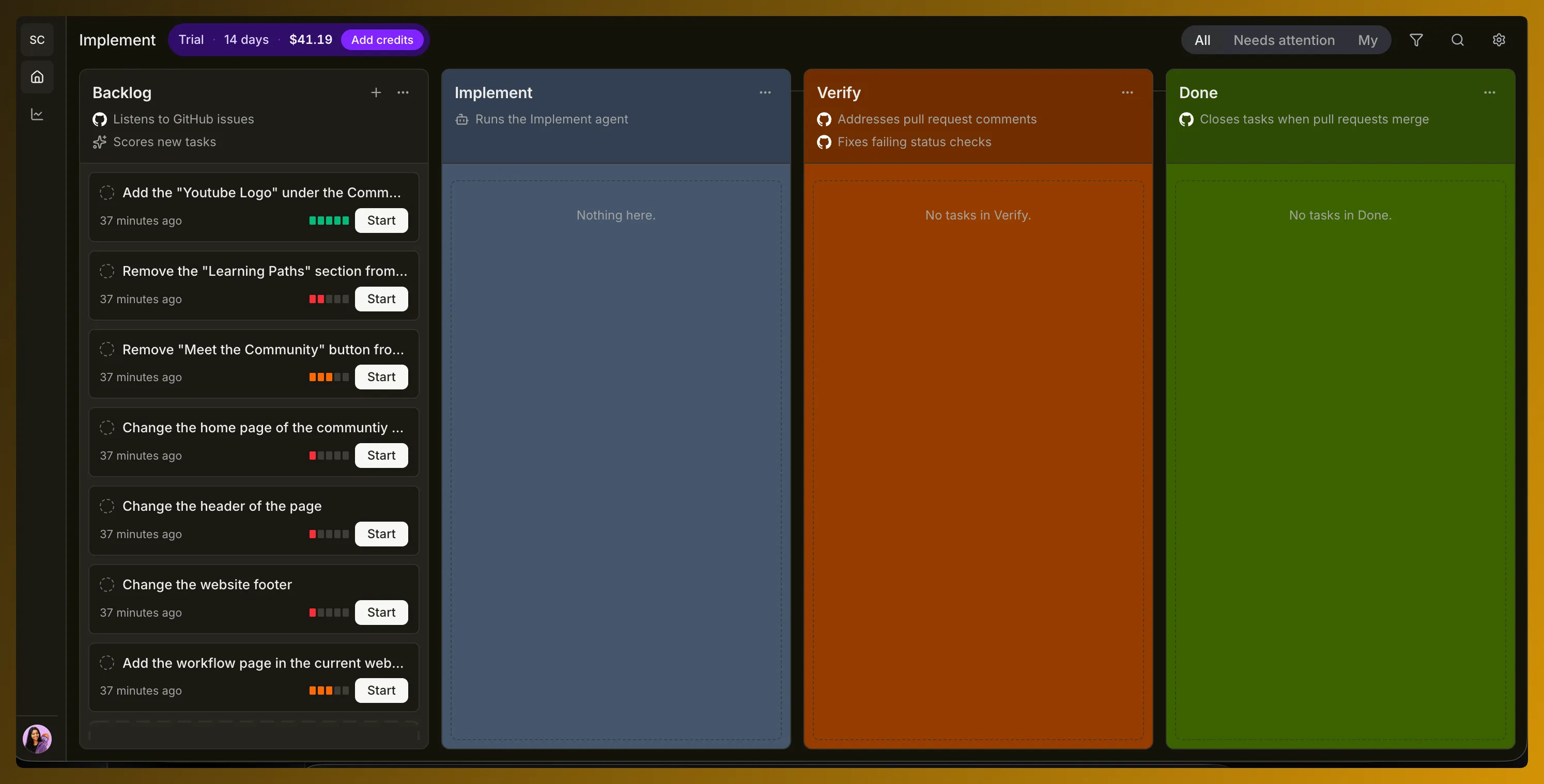
Section titled “3. Follow the work on one board”Every task has a visible state
Section titled “Every task has a visible state”Once work enters SuperPlane you can see where it is in the software factory.
| Stage | What it means |
|---|---|
| Backlog | Work has been discovered and is being evaluated or waiting to start. |
| Implement | An agent is working on the change. |
| Verify | SuperPlane is checking the result including pull request feedback and status checks. |
| Done | The pull request has completed the factory workflow. |
4. Agents do the engineering work
Section titled “4. Agents do the engineering work”Configure the worker for each stage
Section titled “Configure the worker for each stage”When a task enters an agent powered stage SuperPlane runs the configured agent with the model, instructions, tools and execution steps you define.
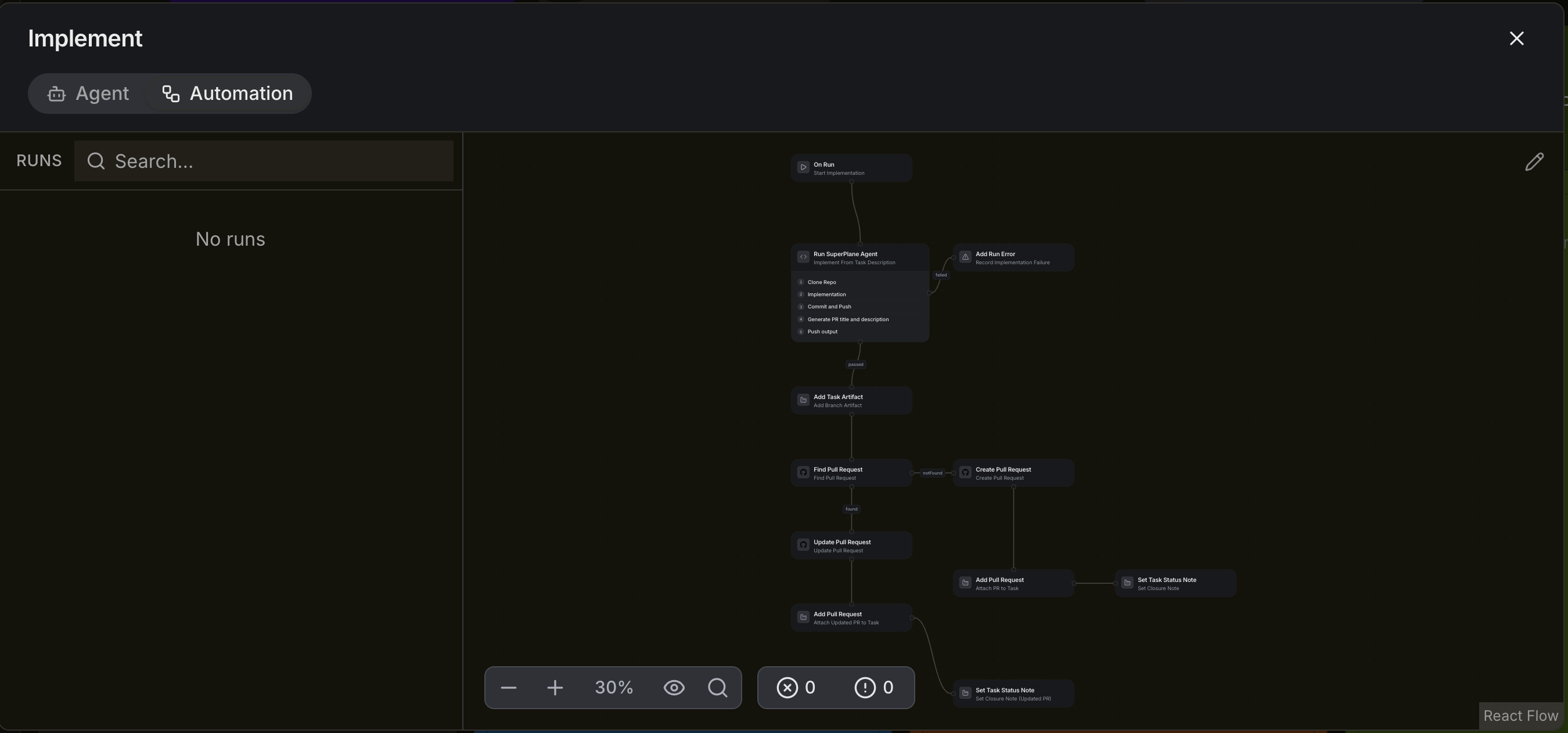
An implementation agent can follow this sequence:
- Clone the repository
- Understand and implement the task
- Commit and push the change
- Prepare the pull request
- Publish the result
5. Automations control how work moves
Section titled “5. Automations control how work moves”Agents work while automations orchestrate
Section titled “Agents work while automations orchestrate”An agent performs a piece of engineering work. An automation defines what happens around that work.
The Implement automation can start the agent, capture errors and artifacts, find or create the pull request, attach it to the task and update task progress. The logic for completing engineering work does not need to live inside one enormous agent prompt.
6. Verify the result
Section titled “6. Verify the result”A generated pull request is not the finish line
Section titled “A generated pull request is not the finish line”After implementation SuperPlane continues working on the result. The Verify stage handles failing status checks and pull request feedback. If something fails that feedback can return to the workflow for another attempt.
7. Humans stay in control
Section titled “7. Humans stay in control”Automate bounded work without automating judgment
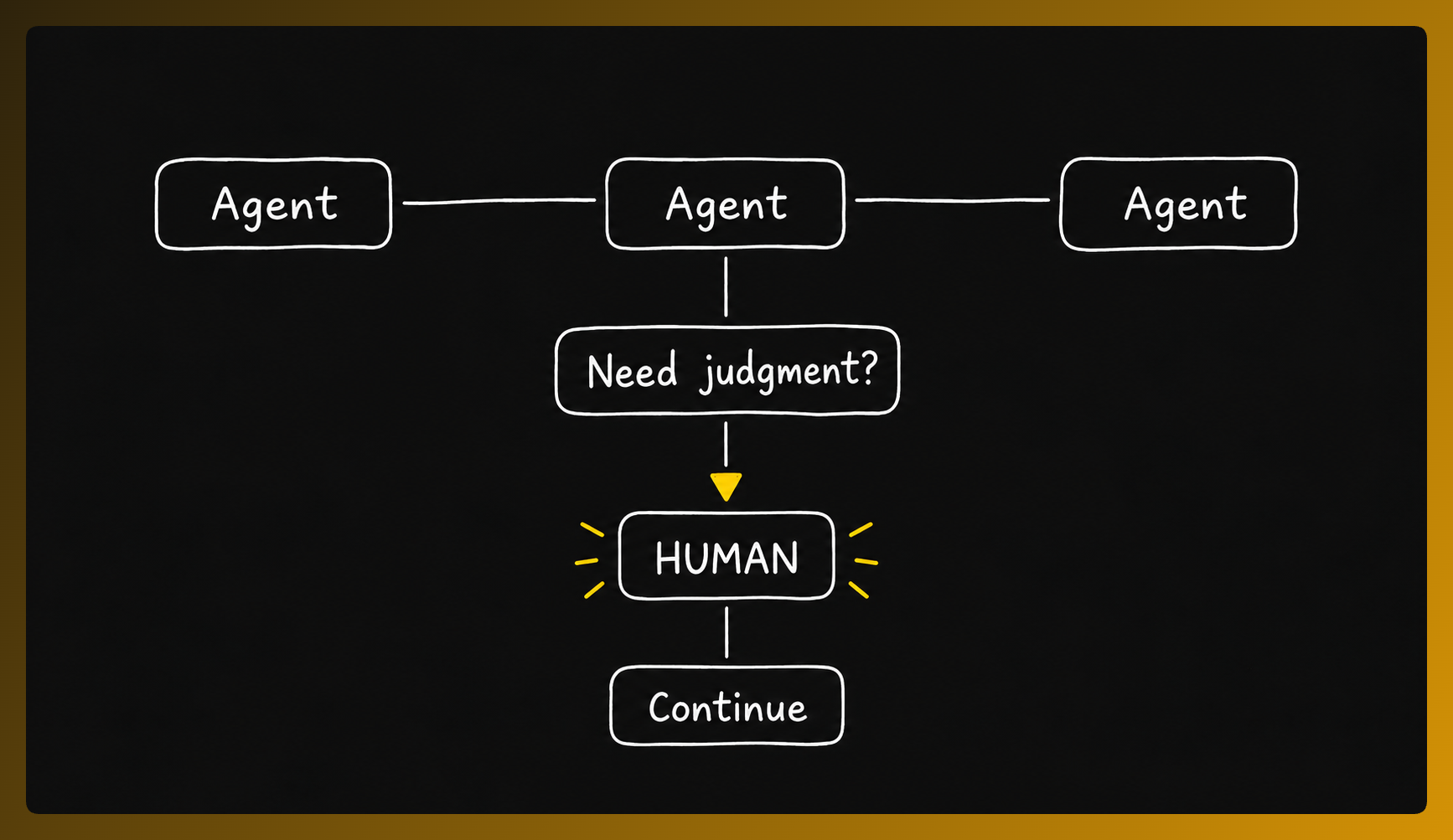
Section titled “Automate bounded work without automating judgment”SuperPlane does not remove developers from every decision. The factory continues automatically when the outcome is clear and stops when the next step requires judgment.
A person remains responsible for decisions such as accepting uncertain work, reviewing important changes or merging the final pull request.
Who benefits from SuperPlane?
Section titled “Who benefits from SuperPlane?”SuperPlane helps engineering teams and individual developers use agents for repeatable work without managing every task step by step.
- Work through bugs, dependency updates and small improvements with a consistent process for deciding what agents can take on.
- Turn defined issues into pull requests with the configured status checks and run evidence attached while bringing people in when the work needs judgment.
- Standardize agent driven work across repositories with the same implementation, verification and review guardrails.
SuperPlane helps determine which backlog items can be automated. It does not send every ticket to an agent.
Key terms
Section titled “Key terms”- Software factory: The overall system that moves engineering work from discovery through implementation, verification and review.
- Task: A piece of engineering work moving through the factory with its context, progress and outputs.
- Backlog: Work that SuperPlane has discovered but has not yet entered implementation.
- Confidence score: A recorded check that reports whether a task meets the intake criteria configured by the Factory and includes a reason for the result.
- Agent: The worker that understands a task, modifies code, fixes failures or prepares a pull request.
- Automation: The process that controls what runs, what happens after success or failure and how a task moves forward.
- Stage: A state in the task lifecycle such as Backlog, Implement, Verify or Done.
- Verification: The checks that determine whether the agent result is ready for review.