# SuperPlane Docs (Full)
> Comprehensive companion to `/llms.txt` with full page content for the current docs table of contents.
SuperPlane Factory turns approved software tasks into tracked agent work.
## 1. Get Started
- [Introduction](https://docs.superplane.com/get-started/overview/): Learn how SuperPlane imports development tickets, runs coding agents and checks their changes.
- [Learn how Superplane works](https://docs.superplane.com/get-started/how-superplane-works/): Understand how SuperPlane imports tasks, runs agents and verifies their results.
- [Quickstart](https://docs.superplane.com/get-started/quickstart/): Get your SuperPlane workspace ready and bring your work into the software factory in under 5 minutes.
- [Video Walkthrough](https://docs.superplane.com/get-started/video-walkthrough/): Watch a SuperPlane task move from Backlog to Done in under four minutes.
- [Build your first Factory](https://docs.superplane.com/get-started/build-first-factory/): Turn GitHub issues into a working Next.js application and deploy it with Vercel.
- [Migrate from Conductor](https://docs.superplane.com/get-started/migrate-from-conductor/): Move your repositories, task context and agent workflow from Conductor to SuperPlane.
## 2. Software Factory Fundamentals
- [How one-shot engineering works](https://docs.superplane.com/fundamentals/one-shot-engineering/): Learn how SuperPlane moves bounded tasks through configured implementation and verification steps.
- [Pipeline overview](https://docs.superplane.com/fundamentals/factory-pipeline/): Follow a task from intake through implementation, verification and completion.
- [Work intake and backlog](https://docs.superplane.com/fundamentals/work-intake/): Turn incoming requests into clear tasks that are safe to start.
- [Intakes overview](https://docs.superplane.com/intakes/overview/): Choose where Factory tasks come from and decide which requests enter the backlog.
- [Source control and work intake](https://docs.superplane.com/integrations/source-control/): Connect repositories, issues, branches, pull requests and review events to SuperPlane.
- [GitHub](https://docs.superplane.com/components/github/): Manage and react to changes in your GitHub repositories
- [Jira](https://docs.superplane.com/components/jira/): Manage issues in Jira
- [Linear](https://docs.superplane.com/components/linear/): Manage and react to issues in Linear
- [Sentry](https://docs.superplane.com/components/sentry/): React to issue events and manage issues and metric alerts in Sentry
- [Implement](https://docs.superplane.com/fundamentals/implement/): See how an approved task becomes a reviewable software change.
- [Verify](https://docs.superplane.com/fundamentals/verify/): Decide whether an implementation satisfies the task and is ready for review.
- [Done](https://docs.superplane.com/fundamentals/done/): Understand what completion means and what the Factory preserves afterward.
- [Automation overview](https://docs.superplane.com/fundamentals/automations/): Adapt each Factory stage to your tools, policies and engineering process.
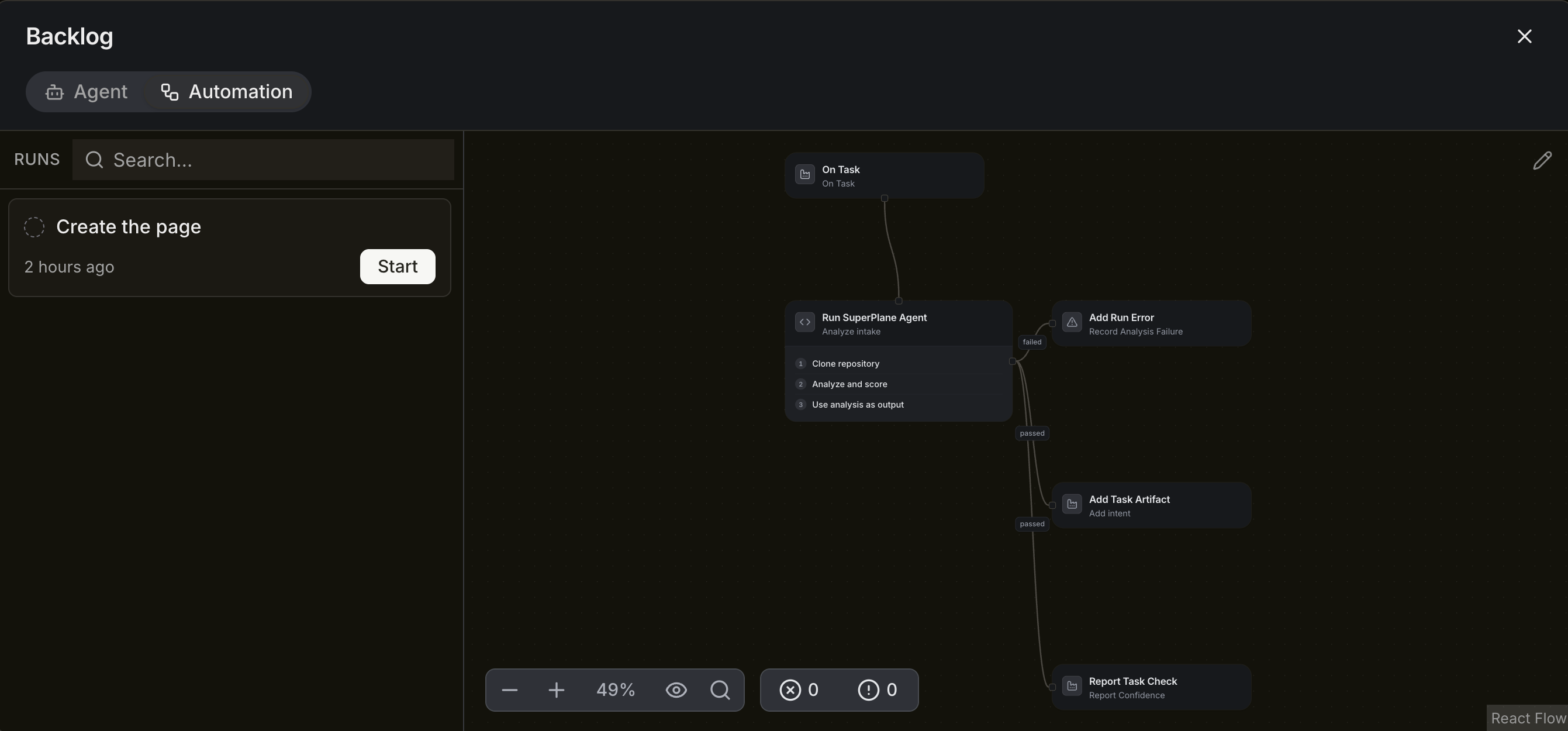
- [Backlog automation](https://docs.superplane.com/fundamentals/automation-backlog/): Customize how the Factory imports, enriches and qualifies incoming work.
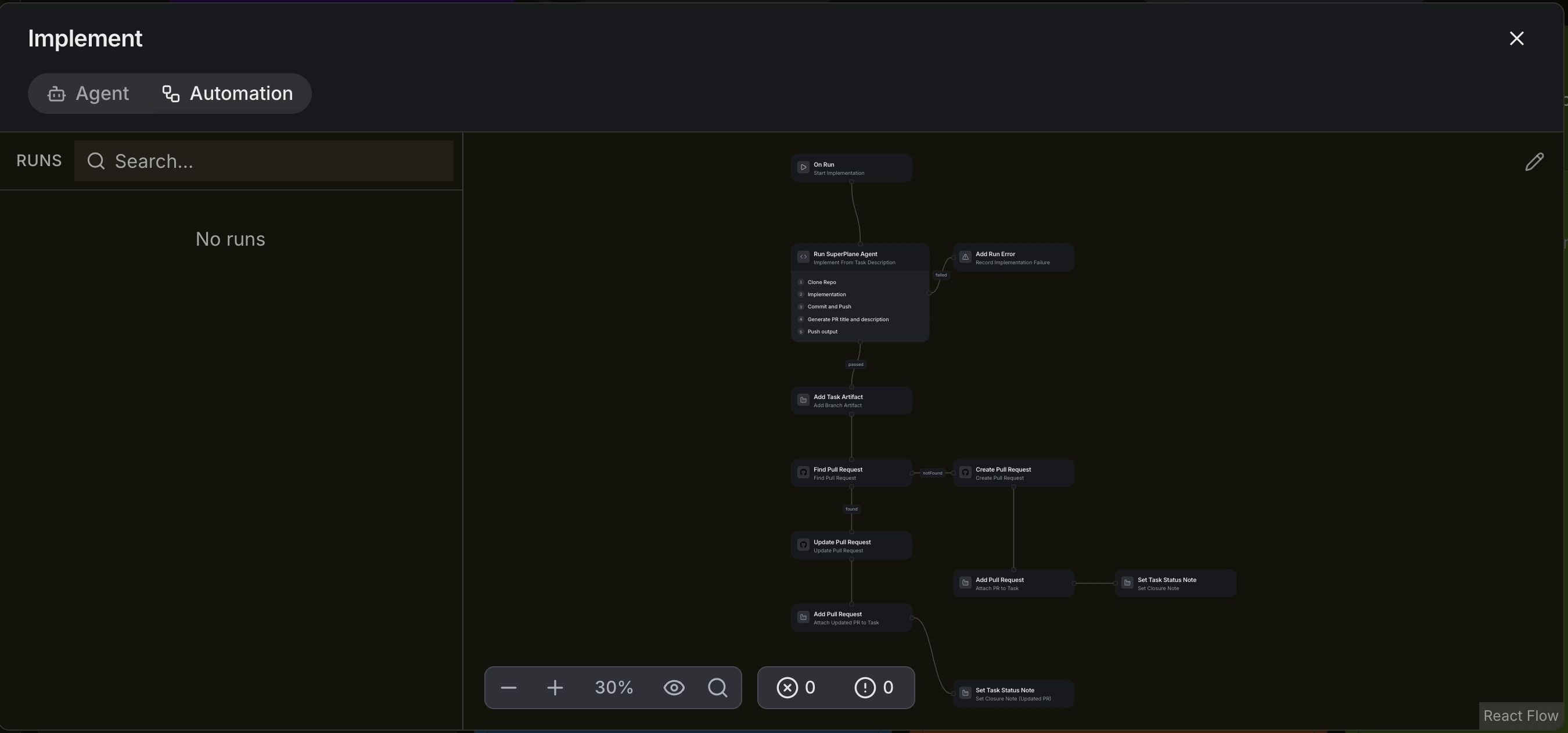
- [Implement automation](https://docs.superplane.com/fundamentals/automation-implement/): Customize how an agent changes code and creates pull requests across workspace repositories.
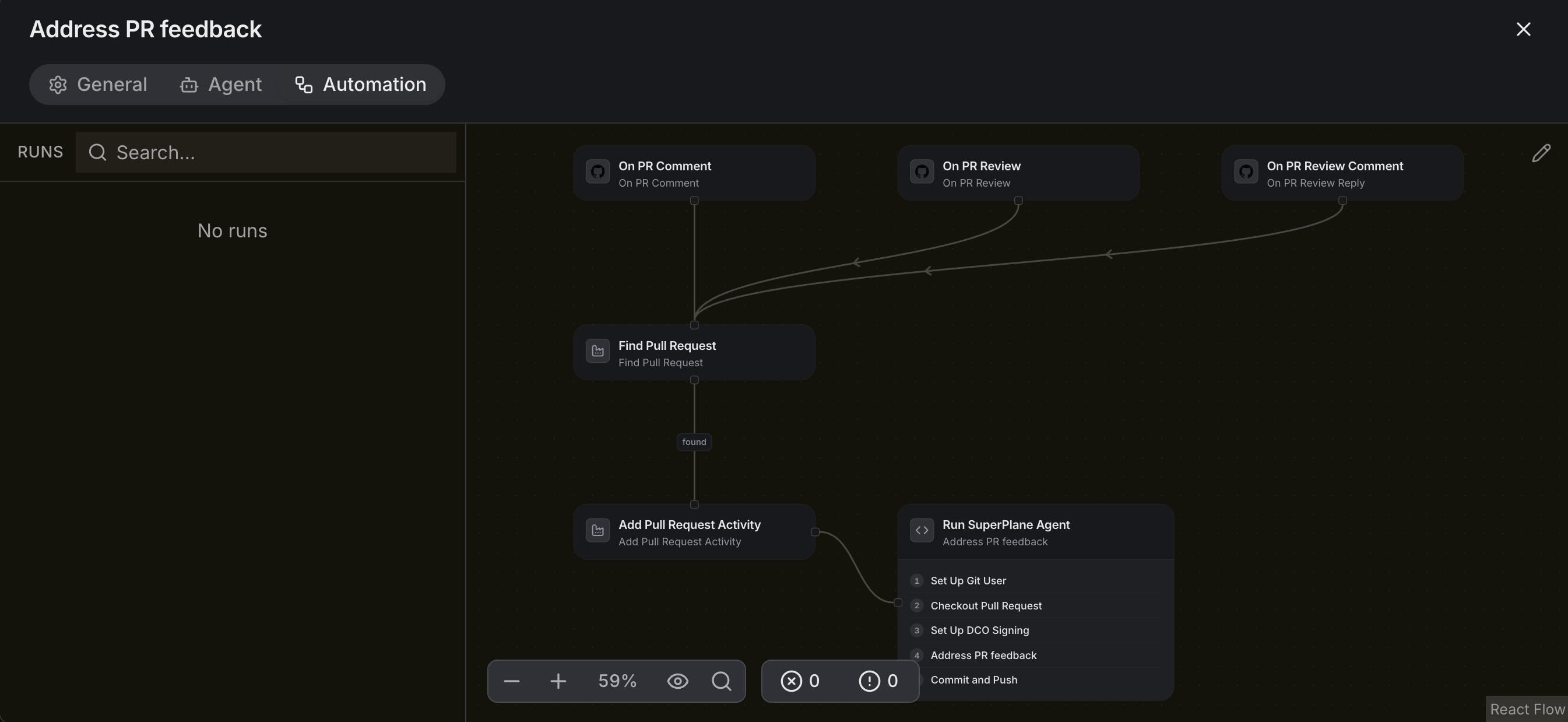
- [Verify automation](https://docs.superplane.com/fundamentals/automation-verify/): Customize checks, pull request feedback and correction routes.
- [Done automation](https://docs.superplane.com/fundamentals/automation-done/): Define completion, update connected systems and preserve the final result.
- [Performance overview](https://docs.superplane.com/fundamentals/factory-performance/): Read delivery, cycle-time and cost signals from completed Factory work.
- [Task time](https://docs.superplane.com/fundamentals/performance-task-time/): Understand cycle time, active execution and waiting in the Factory.
- [Costs](https://docs.superplane.com/fundamentals/performance-costs/): Connect token and compute spend to completed tasks and workflow choices.
- [People and automations](https://docs.superplane.com/fundamentals/performance-people-automations/): Use attribution and run-level metrics to understand how Factory work is completed.
## 3. Developer tools
- [Connect an MCP client](https://docs.superplane.com/agents/mcp/): Connect an editor or agent to the SuperPlane MCP server with OAuth.
- [Install and connect the CLI](https://docs.superplane.com/cli/): Install the SuperPlane CLI, authenticate with an API token and inspect workspace tasks.
## 4. Use Cases
- [Use cases overview](https://docs.superplane.com/use-cases/overview/): Explore practical work that a SuperPlane Factory can implement, verify and return for review.
- [Fix a GitHub issue](https://docs.superplane.com/use-cases/fix-github-issue/): Use SuperPlane to turn a focused GitHub issue into a verified pull request that is ready for review.
- [Update dependencies](https://docs.superplane.com/use-cases/dependency-updates/): Use SuperPlane to take a dependency update through implementation, CI feedback and human review.
- [Make small code improvements](https://docs.superplane.com/use-cases/small-code-improvements/): Use SuperPlane to turn focused code improvements into verified pull requests.
## 5. Integrations and Components
- [Source control and work intake](https://docs.superplane.com/integrations/source-control/): Connect repositories, issues, branches, pull requests and review events to SuperPlane.
- [Agent tools](https://docs.superplane.com/integrations/agent-tools/): Manage tasks, owners, checks and artifacts from agent prompts or runner Bash steps.
- [CI/CD](https://docs.superplane.com/integrations/ci-cd/): Start delivery jobs, wait for checks and route results through Factory workflows.
- [Observability](https://docs.superplane.com/integrations/observability/): Connect alerts, telemetry, dashboards and incident signals to automated workflows.
- [Cloud and infrastructure](https://docs.superplane.com/integrations/cloud-infrastructure/): Connect cloud services, deployment platforms, registries and infrastructure tools.
- [Custom integrations](https://docs.superplane.com/integrations/custom-integrations/): Connect services that do not have a dedicated SuperPlane component.
- [All components](https://docs.superplane.com/components/): Browse every built-in and integration component available in SuperPlane.
## 6. Billing
- [Overview](https://docs.superplane.com/billing/overview/): Compare SuperPlane plans, understand usage credits and choose how you pay for models.
- [Costs and budgets](https://docs.superplane.com/billing/costs-budgets/): Estimate plan and usage charges, fund credits and control software factory spending.
- [Model sources](https://docs.superplane.com/billing/model-sources/): Compare model sources and plan availability, then choose how your workspace runs agents.
- [Bring your own subscription](https://docs.superplane.com/billing/bring-your-own-subscription/): Run Codex in a workspace on each task owner's ChatGPT subscription.
## 7. Self-hosting
- [Overview](https://docs.superplane.com/self-hosting/overview/): Install SuperPlane on one VM, or install SuperPlane Enterprise on Kubernetes in AWS, Azure, or Google Cloud.
- [Install on a single VM](https://docs.superplane.com/self-hosting/single-vm/): Install SuperPlane with Docker Compose on one Linux virtual machine.
- [Install on your cloud](https://docs.superplane.com/self-hosting/install/): Install SuperPlane Enterprise on Kubernetes in AWS, Azure, or Google Cloud with Terraform.
- [Troubleshooting](https://docs.superplane.com/self-hosting/troubleshooting/): Fix quota, DNS, certificate, and runner errors on a self-hosted SuperPlane installation.
- [Upgrade and uninstall](https://docs.superplane.com/self-hosting/upgrade-and-uninstall/): Upgrade or remove a single-VM install, or a Terraform install on AWS, Azure, or Google Cloud.
## 8. Open Source
- [Why SuperPlane is open source](https://docs.superplane.com/open-source/why-open-source/): Learn why SuperPlane keeps the software factory open, inspectable and adaptable.
- [Contributing](https://docs.superplane.com/open-source/contributing/): Help improve SuperPlane through code, documentation, ideas and feedback.
- [Community](https://docs.superplane.com/open-source/community/): Ask questions, follow the project and meet people building with SuperPlane.
## 9. Support and Help
- [Report a bug](https://docs.superplane.com/troubleshooting/report-bug/): Collect safe diagnostic details and submit a useful SuperPlane issue.
## 10. Release Notes
- [Latest release](https://docs.superplane.com/release-notes/latest/): Product releases, integration updates and reliability improvements for SuperPlane.
- [Product & Integration updates](https://docs.superplane.com/release-notes/product-updates/): Follow SuperPlane product announcements, engineering stories and ideas from the team.
## Component details
- [AWS](https://docs.superplane.com/components/aws/): Manage resources and execute AWS commands in workflows
- [Bitbucket](https://docs.superplane.com/components/bitbucket/): React to events in your Bitbucket repositories
- [CircleCI](https://docs.superplane.com/components/circleci/): Trigger and monitor CircleCI pipelines
- [Claude](https://docs.superplane.com/components/claude/): Use Claude models in workflows
- [Cloudflare](https://docs.superplane.com/components/cloudflare/): Manage Cloudflare zones, rules and DNS
- [Cloudsmith](https://docs.superplane.com/components/cloudsmith/): Automate repository, package and artifact management on Cloudsmith
- [Coolify](https://docs.superplane.com/components/coolify/): List and control Coolify applications and services and trigger deployments
- [Core](https://docs.superplane.com/components/core/): Built-in SuperPlane components.
- [Cursor](https://docs.superplane.com/components/cursor/): Build workflows with Cursor AI Agents and track usage
- [Dash0](https://docs.superplane.com/components/dash0/): Connect to Dash0 to query data using Prometheus API
- [Datadog](https://docs.superplane.com/components/datadog/): Create events in Datadog
- [Daytona](https://docs.superplane.com/components/daytona/): Execute code in isolated sandbox environments
- [DigitalOcean](https://docs.superplane.com/components/digitalocean/): Manage and monitor your DigitalOcean infrastructure
- [Discord](https://docs.superplane.com/components/discord/): Send messages to Discord channels and fetch mentions
- [DockerHub](https://docs.superplane.com/components/dockerhub/): Manage and react to DockerHub repositories and tags
- [Elastic](https://docs.superplane.com/components/elastic/): Index documents into Elasticsearch and receive Kibana webhooks
- [FireHydrant](https://docs.superplane.com/components/firehydrant/): Manage and react to incidents in FireHydrant
- [GitHub](https://docs.superplane.com/components/github/): Manage and react to changes in your GitHub repositories
- [GitLab](https://docs.superplane.com/components/gitlab/): Manage and react to changes in your GitLab repositories
- [Google Cloud](https://docs.superplane.com/components/googlecloud/): Manage and use Google Cloud resources in your workflows
- [Grafana](https://docs.superplane.com/components/grafana/): Connect Grafana alerts, alert rules, dashboards, annotations, silences and data queries to SuperPlane workflows
- [Harness](https://docs.superplane.com/components/harness/): Run and monitor Harness pipelines from SuperPlane workflows
- [Hetzner Cloud](https://docs.superplane.com/components/hetznercloud/): Create and delete Hetzner Cloud servers/load balancers, manage snapshots and interact with Hetzner Object Storage via the S3-compatible API
- [Honeycomb](https://docs.superplane.com/components/honeycomb/): Monitor observability alerts and send events to Honeycomb datasets
- [Incident](https://docs.superplane.com/components/incident/): Manage and react to incidents in incident.io
- [JFrog Artifactory](https://docs.superplane.com/components/jfrogartifactory/): Manage artifacts in JFrog Artifactory repositories
- [Jira](https://docs.superplane.com/components/jira/): Manage issues in Jira
- [LaunchDarkly](https://docs.superplane.com/components/launchdarkly/): Manage feature flags and react to flag changes in LaunchDarkly
- [Linear](https://docs.superplane.com/components/linear/): Manage and react to issues in Linear
- [Logfire](https://docs.superplane.com/components/logfire/): Set up Logfire for AI Observability
- [Microsoft Azure](https://docs.superplane.com/components/microsoftazure/): Manage and automate Microsoft Azure resources and services
- [Microsoft Teams](https://docs.superplane.com/components/microsoftteams/): Send and receive messages in Microsoft Teams channels
- [New Relic](https://docs.superplane.com/components/newrelic/): React to alerts and query telemetry data from New Relic
- [Octopus Deploy](https://docs.superplane.com/components/octopusdeploy/): Deploy releases and react to deployment events in Octopus Deploy
- [OpenAI](https://docs.superplane.com/components/openai/): Generate text responses with OpenAI models
- [OpenRouter](https://docs.superplane.com/components/openrouter/): Run prompts across hundreds of models through OpenRouter
- [Oracle Cloud Infrastructure](https://docs.superplane.com/components/oraclecloudinfrastructure/): Manage Oracle Cloud Infrastructure resources in workflows
- [PagerDuty](https://docs.superplane.com/components/pagerduty/): Manage and react to incidents in PagerDuty
- [Perplexity](https://docs.superplane.com/components/perplexity/): Run AI agents with Perplexity
- [Prometheus](https://docs.superplane.com/components/prometheus/): Monitor alerts from Prometheus and Alertmanager
- [Render](https://docs.superplane.com/components/render/): Deploy and manage Render services and react to Render deploy/build events
- [Rootly](https://docs.superplane.com/components/rootly/): Manage and react to incidents in Rootly
- [Semaphore](https://docs.superplane.com/components/semaphore/): Run and react to your Semaphore workflows
- [SendGrid](https://docs.superplane.com/components/sendgrid/): Send transactional and marketing email with SendGrid
- [Sentry](https://docs.superplane.com/components/sentry/): React to issue events and manage issues and metric alerts in Sentry
- [ServiceNow](https://docs.superplane.com/components/servicenow/): Manage and react to incidents in ServiceNow
- [Slack](https://docs.superplane.com/components/slack/): Send and react to Slack messages and interactions
- [SMTP](https://docs.superplane.com/components/smtp/): Send emails via any SMTP server
- [Statuspage](https://docs.superplane.com/components/statuspage/): Create and manage incidents on your Atlassian Statuspage
- [Telegram](https://docs.superplane.com/components/telegram/): Send messages and react to events via Telegram bots
## Full Content
### 1. Get Started
#### Introduction
Source URL: https://docs.superplane.com/get-started/overview/
import GettingStartedGuides from "../../../components/GettingStartedGuides.astro";
import { CardGrid, Icon, LinkCard, Tabs, TabItem } from "@astrojs/starlight/components";
An introduction to SuperPlane.
SuperPlane is an **open source software factory for teams**. It turns well-defined backlog issues into pull requests ready for review. Coding agents make the changes. SuperPlane coordinates execution, CI checks and feedback. Your team reviews the result and decides what to merge.
When checks fail, the factory sends the details back to the agent for another attempt. Shared rules keep the process consistent, giving engineers more time for work that needs their judgment.
## What SuperPlane does?
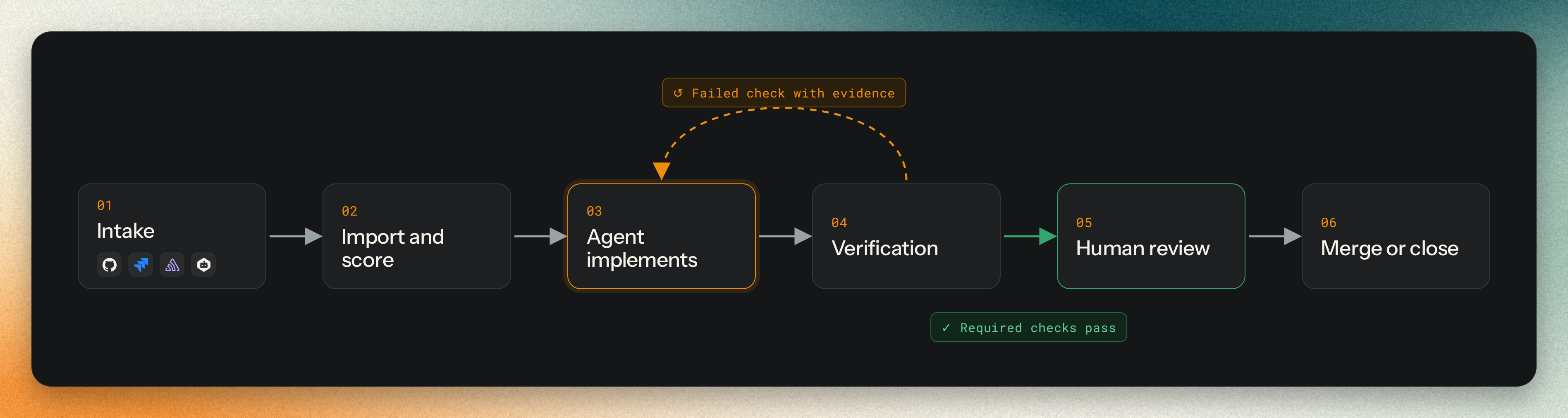
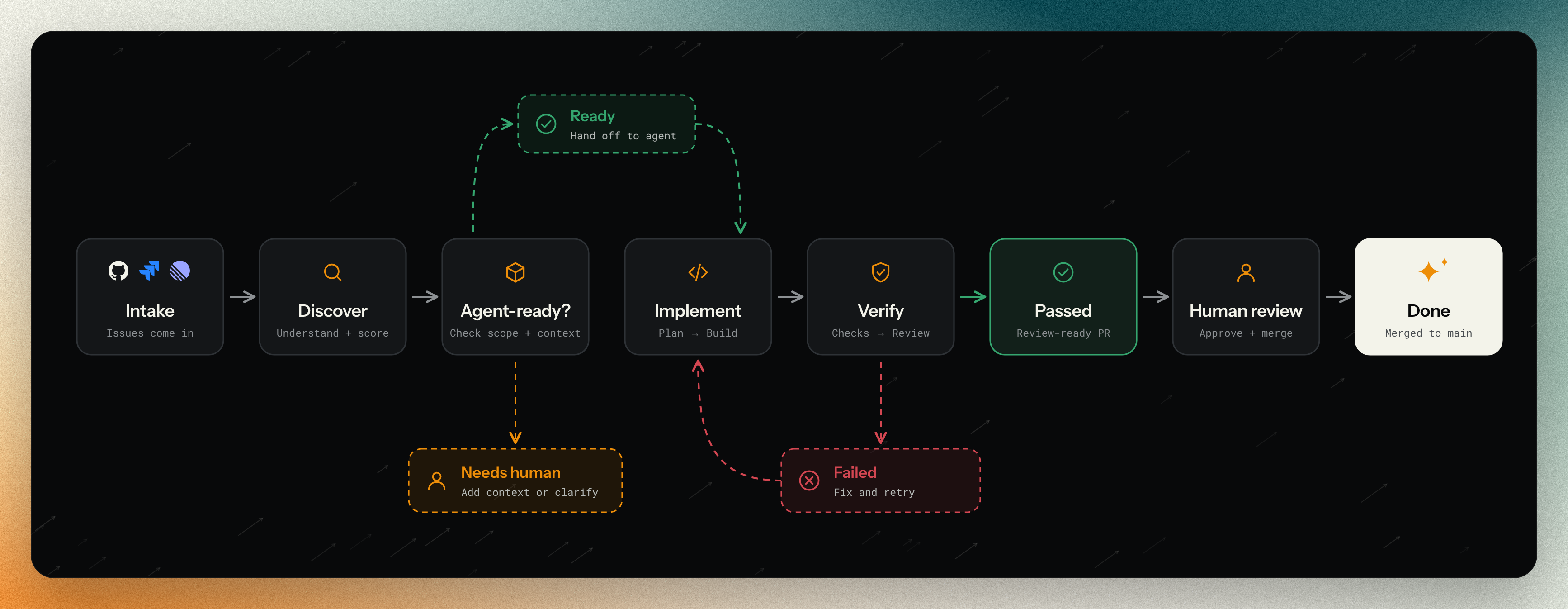
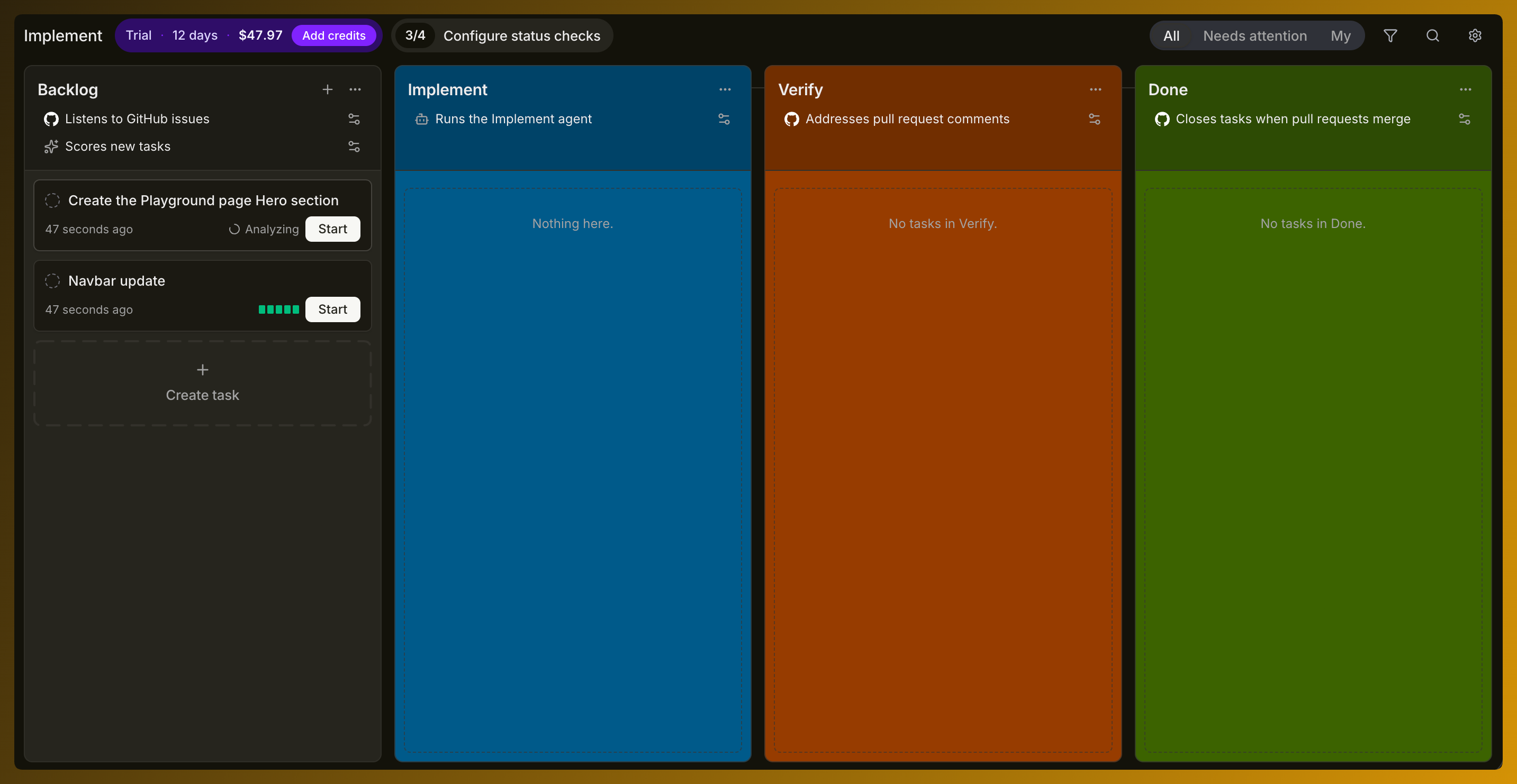
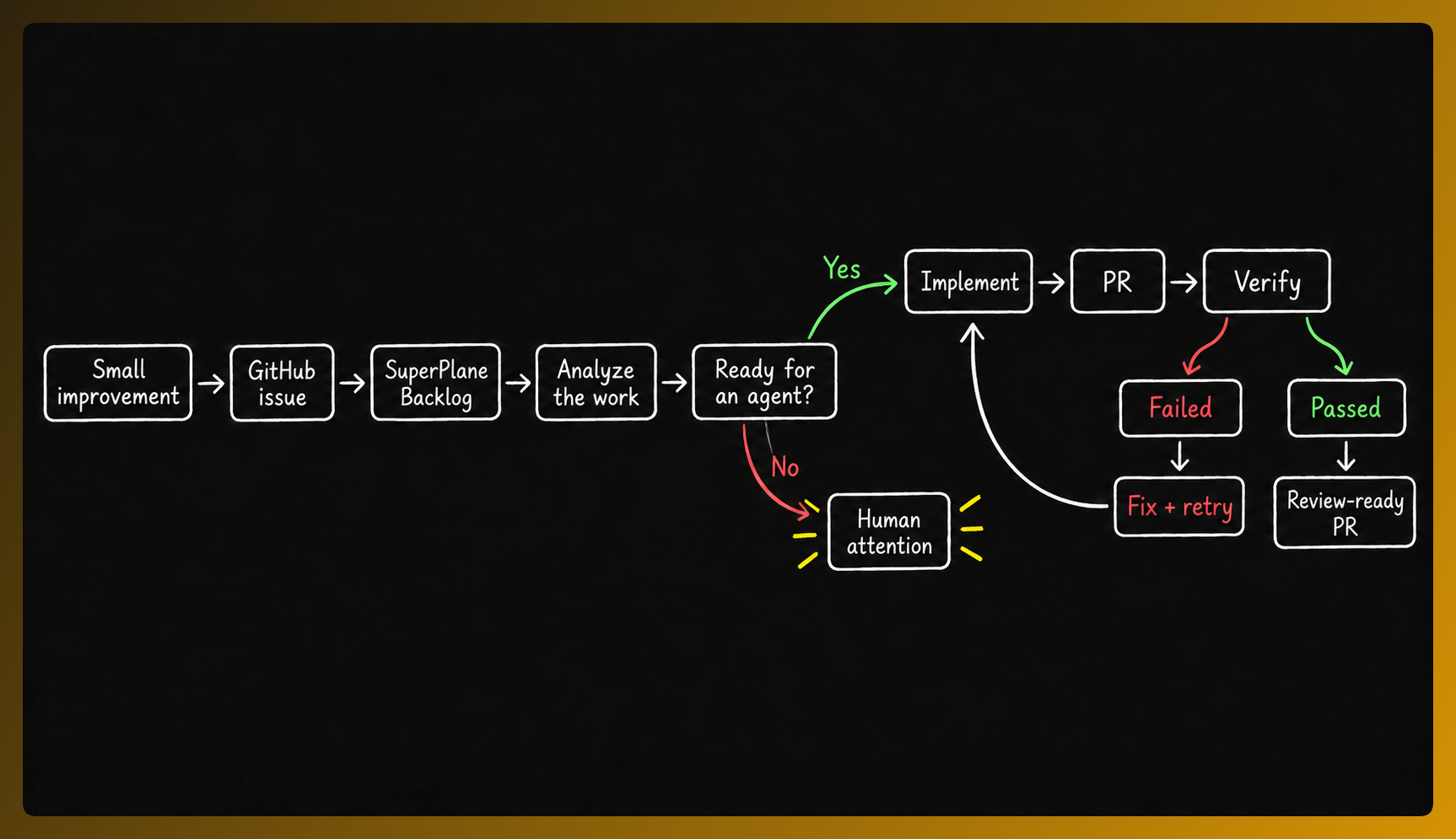
SuperPlane connects the intake and configure the Factory to listen for matching development issues. The [intake](/intakes/overview) automatically imports each issue and records a confidence score from the checks configured by agent. It helps separate bounded work with an observable outcome from work that still needs clarification.
When your team starts a task, SuperPlane dispatches the configured coding agent on a runner. The implementation automation records the run, branch and pull request. The verification automation then evaluates required status checks and pull request feedback. A failed check can return to the agent with its output attached; a passing result proceeds to human review.
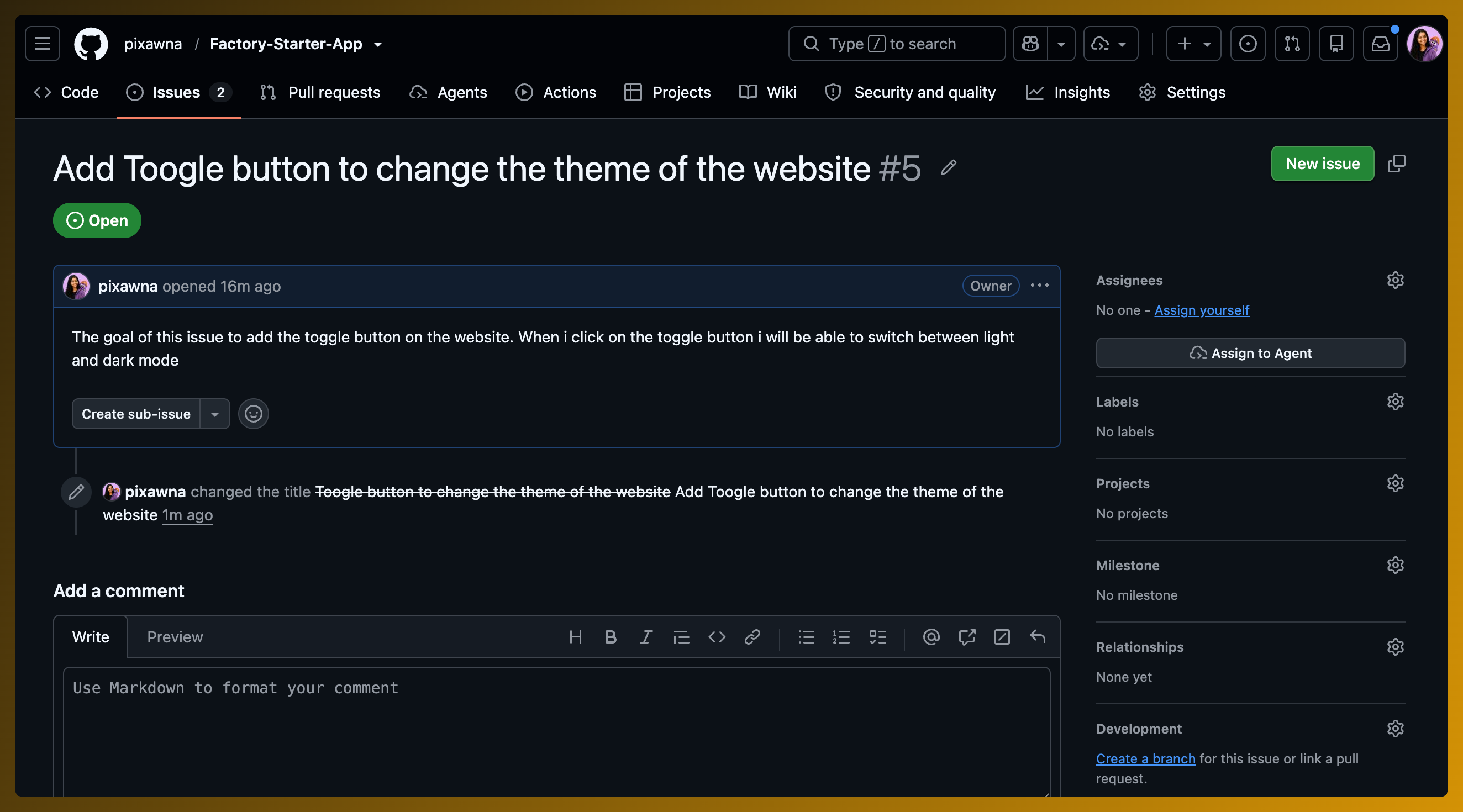
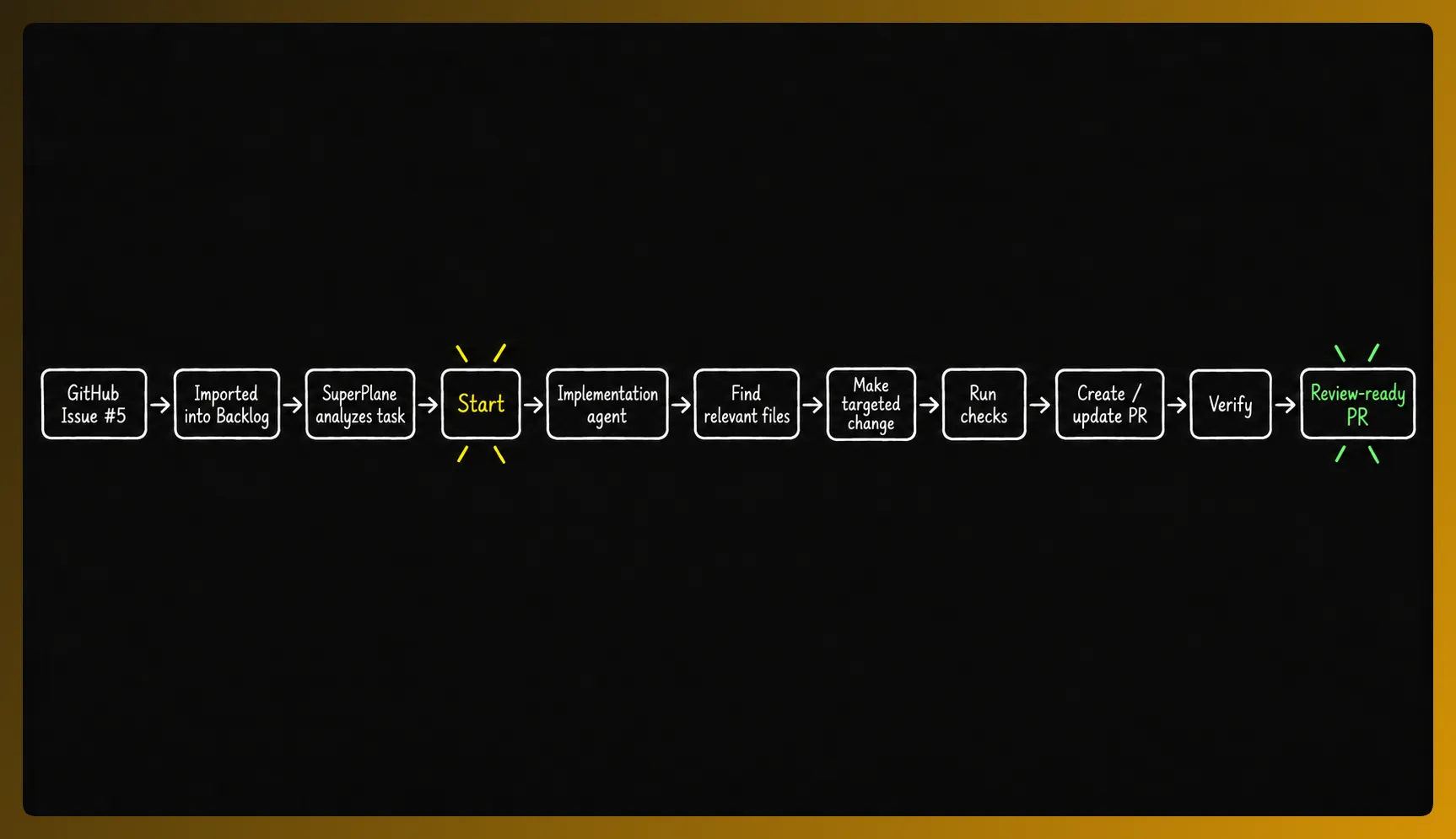
For example, an issue that says **“Add the YouTube channel to the Community page”** can specify the target page, URL, accessible label and required new-tab behavior. SuperPlane can import that issue, run the change, check the link and build and present the resulting pull request with its run history. A person reviews the final diff and decides whether to merge it.
### What you can do with SuperPlane?
- **Import Intakes :** Listen issues from Sentry, linear, GitHub, Notion and more coming with that record a confidence score before execution starts.
- **Run coding agents on configured compute:** Start an agent with the repository, task context, model, tools and runner settings defined by the Factory.
- **Apply verification on every run:** Evaluate CI status, repository checks and review feedback before the task reaches a person.
- **Connect your engineering stack:** Build automations with more than 400 integration components across source control, CI/CD, observability, incident response, cloud infrastructure and AI providers.
- **Route failures with evidence:** Attach command output, check results and pull request feedback to the next attempt instead of asking an engineer to reconstruct the failure.
- **Keep an execution record:** Track task state, automation runs, artifacts, cost and the final outcome in a shared workspace.
## The software factory adds a process around the agent
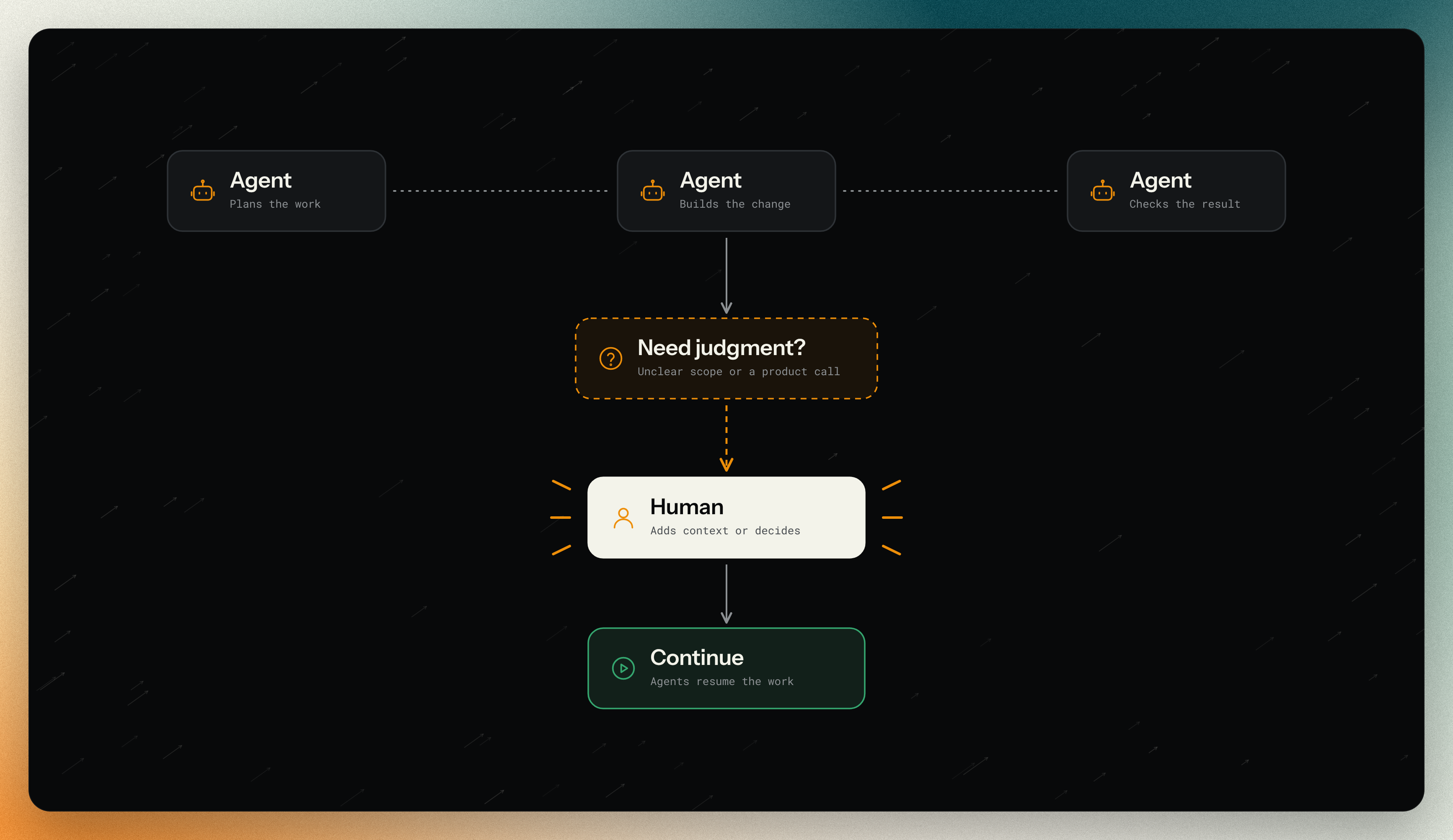
A coding agent can inspect a repository, edit files and run commands. The software factory decides when that agent runs, which context and compute it receives, which checks must pass and when the result needs a person.
The normal path has one human review after the required automated checks pass. The Factory can pause earlier when a task needs a product, security or scope decision, but those exceptions are not additional review stages in the standard path.
## Example: add a YouTube link from a GitHub issue
## How a factory differs from an interactive coding agent?
A coding agent works on a task. SuperPlane coordinates the process around it: shared instructions, automated checks and a record your team can review.
Interactive coding agent sessionYou start and supervise a session on local or remote compute.
SuperPlane FactoryRuns tasks on configured runners. Your laptop can stay offline.
Instructions
Interactive coding agent sessionFollows the prompt, tools and settings supplied for that session.
SuperPlane FactoryReuses shared automations across tasks. Your team defines how work runs and where it goes next.
Verification
Interactive coding agent sessionCan run tests. Session instructions determine which checks run and how failures are handled.
SuperPlane FactoryRecords required checks and sends failures back with evidence. Passing work moves to human review.
Continuity
Interactive coding agent sessionProgress usually lives in the session. Handoffs depend on what you save or share.
SuperPlane FactoryKeeps task history, outputs and pull requests in one workspace. Teammates can inspect the same record.
Responsibility
Interactive coding agent sessionImplements the requested change. You manage the surrounding process.
SuperPlane FactoryCoordinates intake, implementation and checks. Your team decides whether to merge.
Read [Learn how Superplane works](/get-started/how-superplane-works) to learn how SuperPlane applies this model.
## Need help? Share in the community
We would love to hear from you or help you get started. Use these channels to connect with the SuperPlane community.
#### Learn how Superplane works
Source URL: https://docs.superplane.com/get-started/how-superplane-works/
import { Icon } from "@astrojs/starlight/components";
SuperPlane connects your **development tickets**, **coding agents**, **source control**, **continuous integration (CI)** and **review process** into a software factory. Intake automations import matching tickets and record confidence scores. Factory lines then give agents a controlled path to execute approved tasks, apply configured checks and bring your team in when human judgment is needed.
## 1. Import work from your existing tools
SuperPlane connects to the tools where engineering work already lives. Connect a GitHub repository and issues can appear in the factory backlog without developers copying tasks into another system. You can also assign tasks through Jira, Sentry, Linear, Notion and so on.
Each issue becomes a piece of work that SuperPlane tracks from intake through implementation and verification. Your existing tools remain part of the workflow. SuperPlane coordinates them and lets you use your preferred coding agent and model provider.
Read about [Intakes](/intakes/overview) to learn how to choose sources and define which requests enter your backlog.
## 2. Assess which tasks are ready for agents
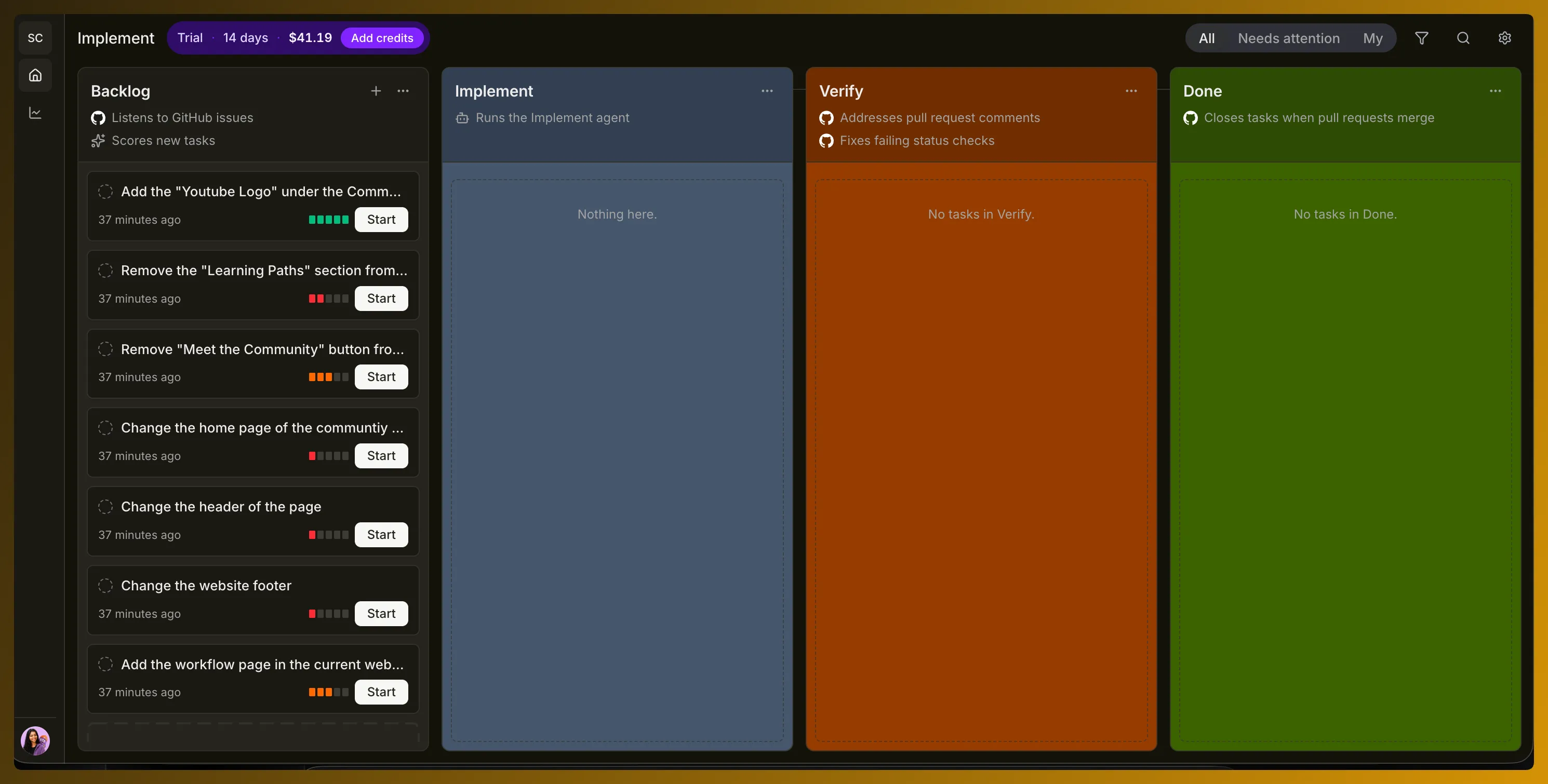
Before implementation begins the Backlog automation can inspect the task and repository context and report a confidence check. The score and its reason show whether the request has a bounded scope, enough context and an observable success condition. Your routing rule decides whether a task can move forward or must stay visible for the team.
The assessment considers scope, available context and test coverage. It helps your team decide which tasks are ready before an agent starts work.
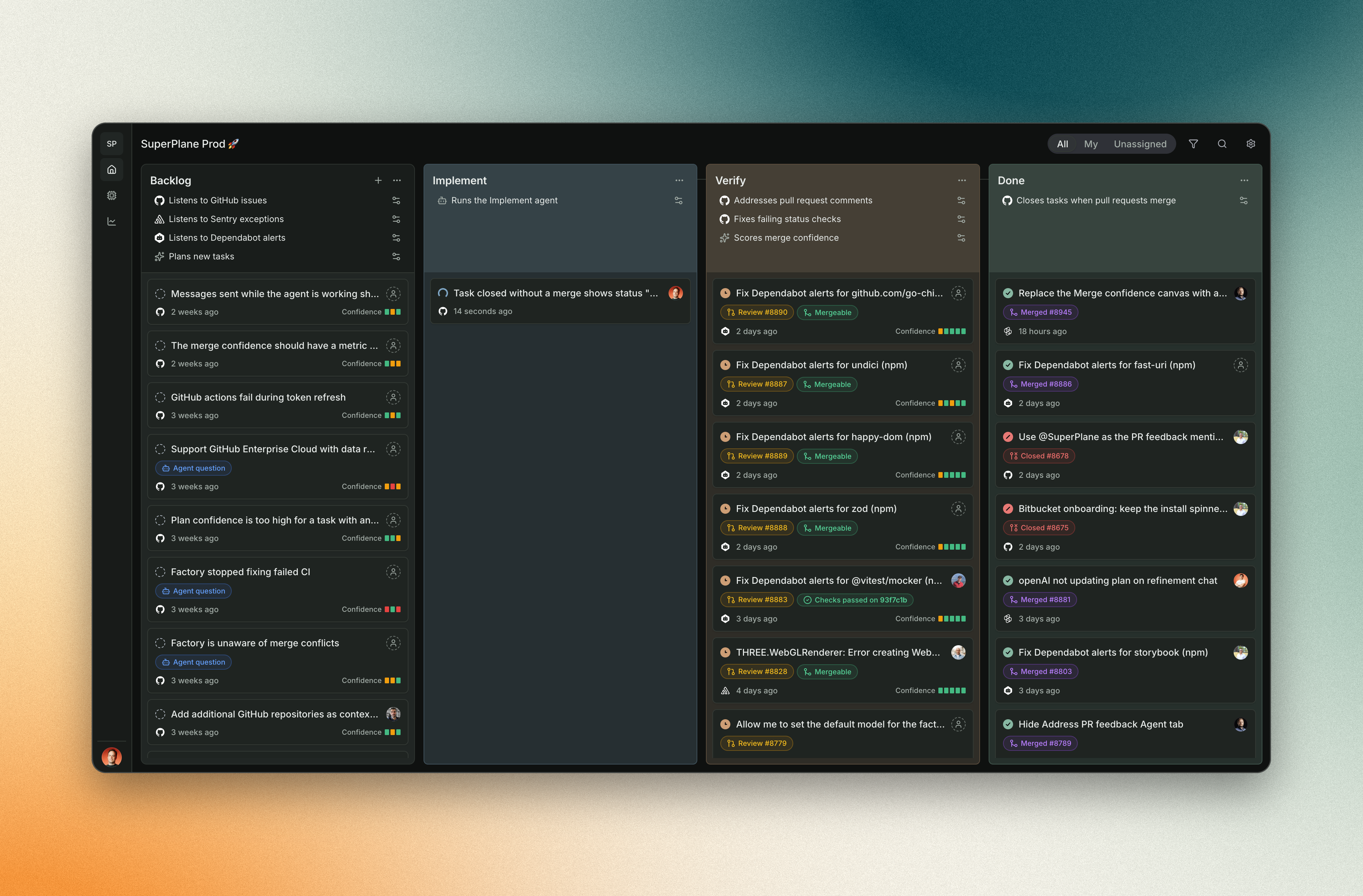
## 3. Track task progress on one board
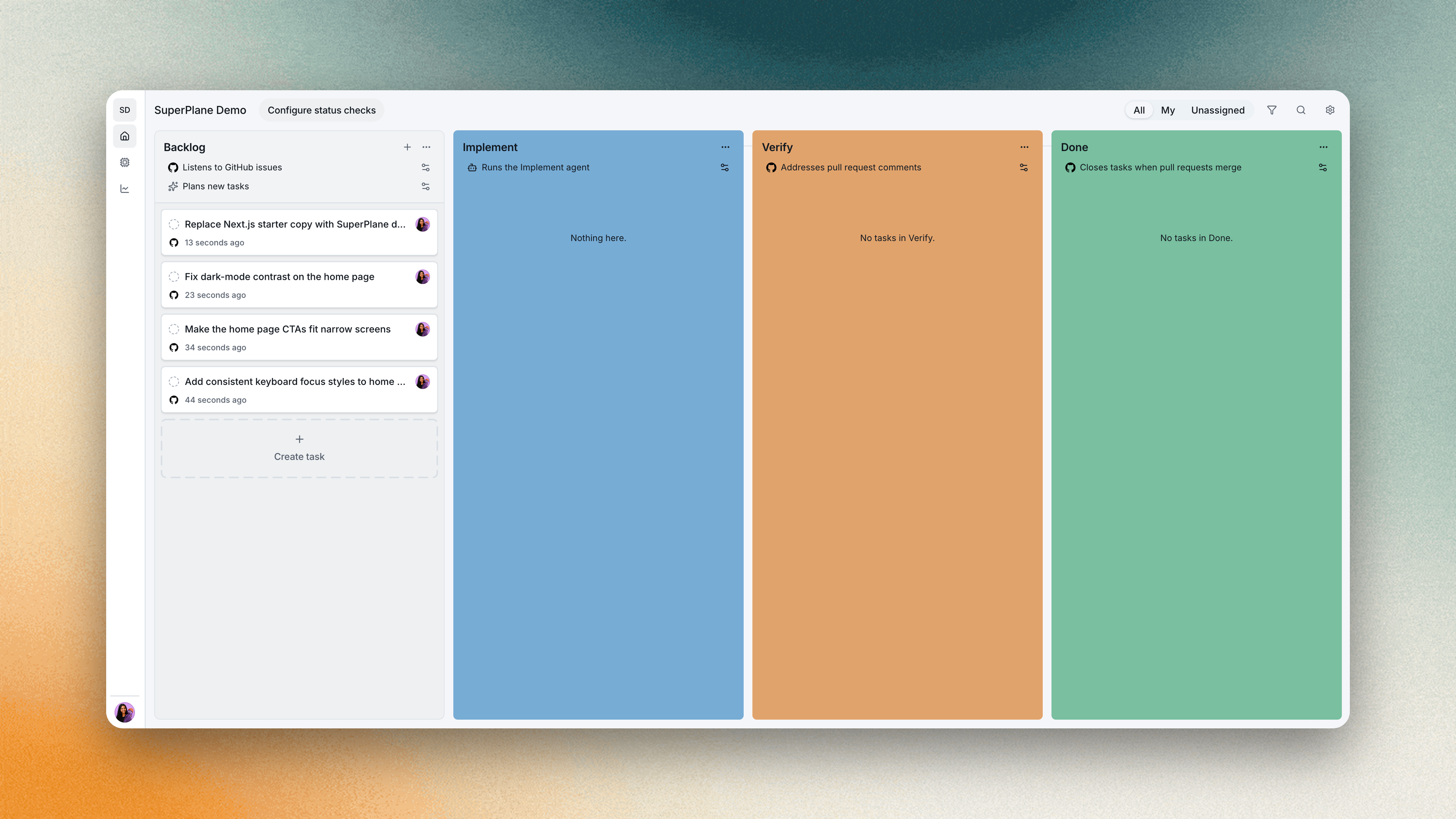
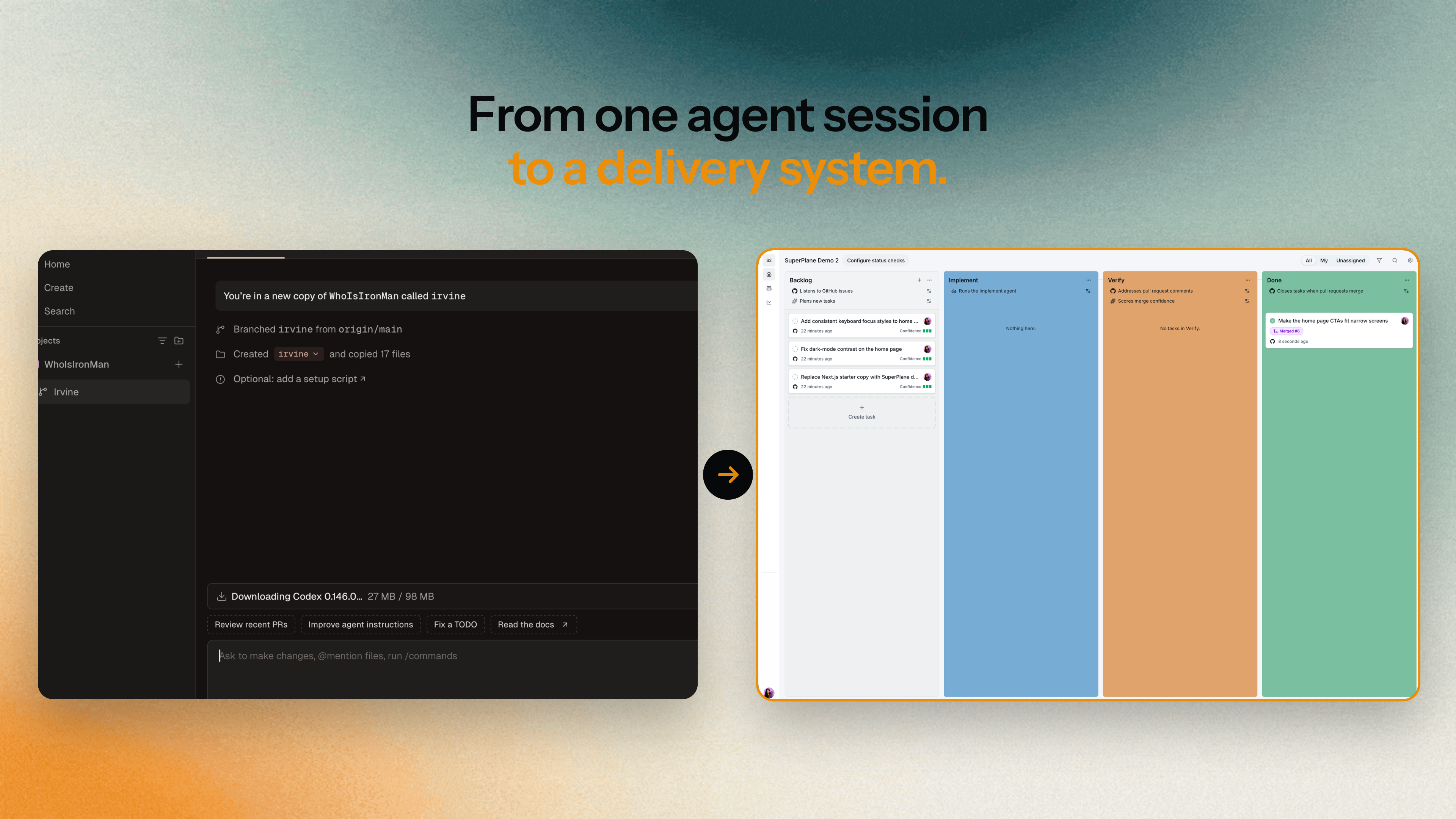
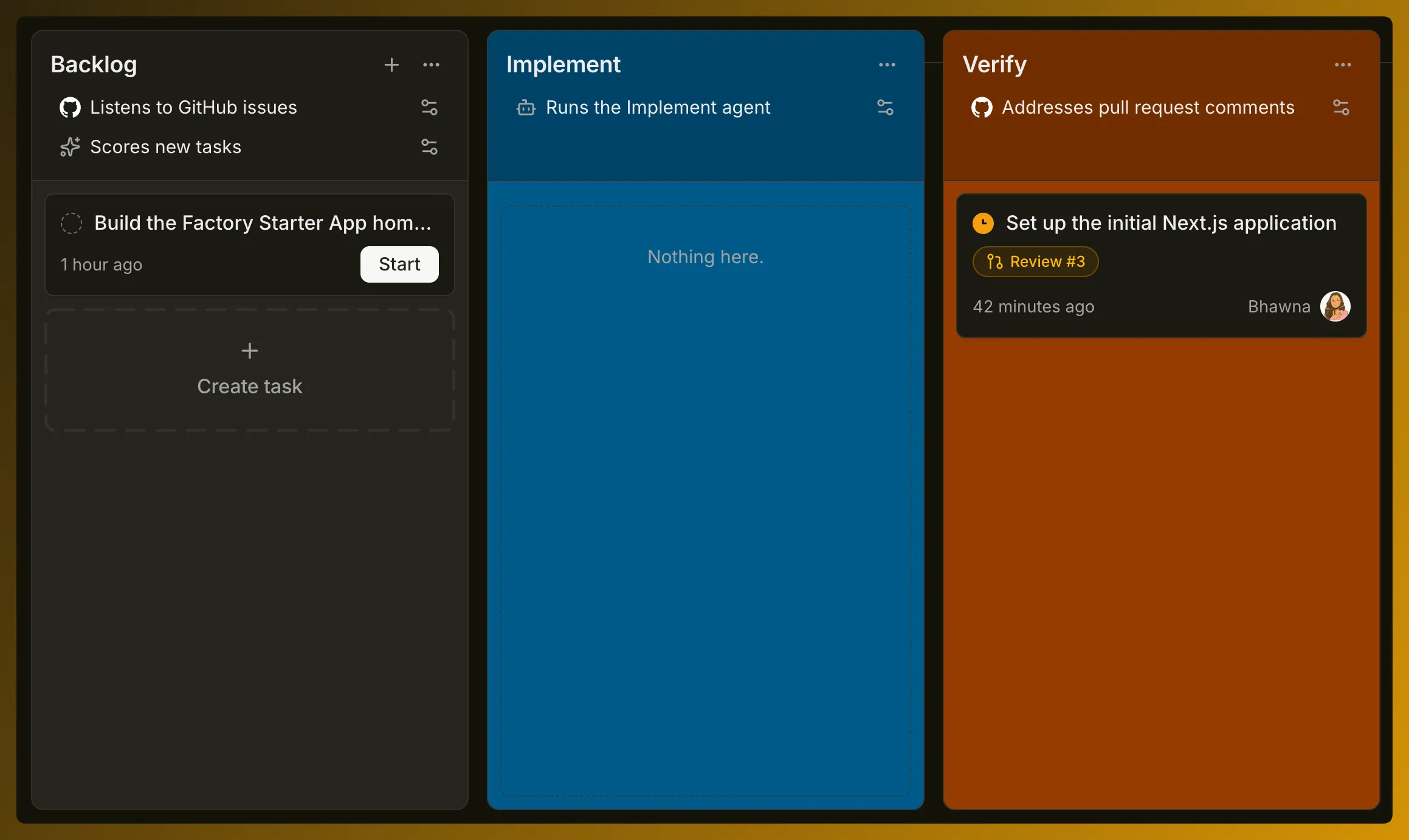
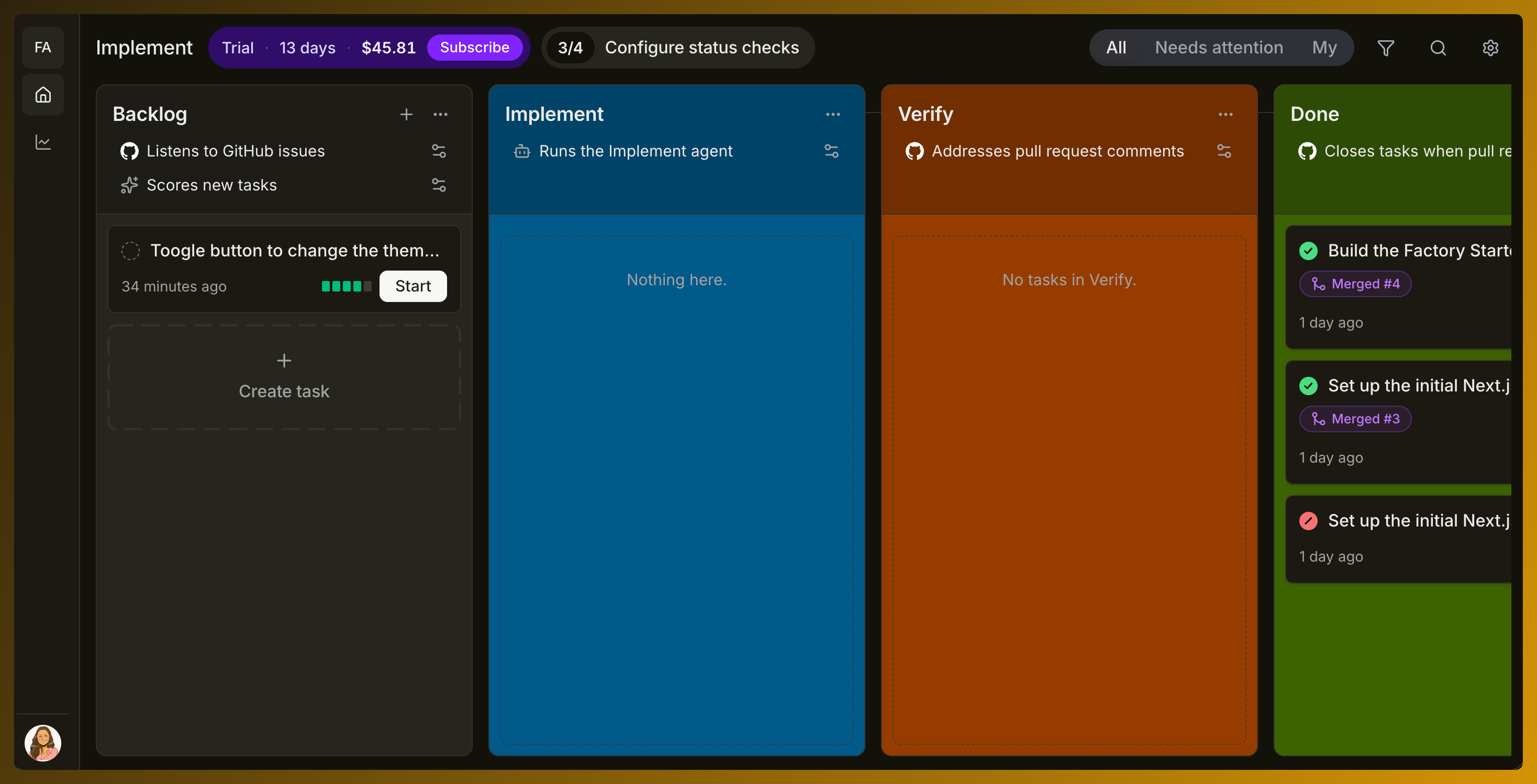
See which tasks are waiting, in progress or complete. Each task moves through four stages:
| Stage | What happens here |
| --- | --- |
| **Backlog** | Tasks are assessed or waiting to start. |
| **Implement** | An agent makes the code change. |
| **Verify** | Status checks and pull request feedback are evaluated. |
| **Done** | The task has completed the factory workflow. |
## 4. Configure agents for each stage
When a task enters a stage, SuperPlane runs the agent with the model, instructions, tools and execution steps you define.
Use SuperPlane’s built-in models or connect your own ChatGPT subscription to run Codex. Choose a different model for each stage to match the work it needs to do.
## 5. Verify changes and handle failures
After implementation SuperPlane continues working on the result. The Verify stage handles failing status checks and pull request feedback. If something fails that feedback can return to the workflow for another attempt or otherwise you can merge the PR.
## 6. Keep people in control of decisions
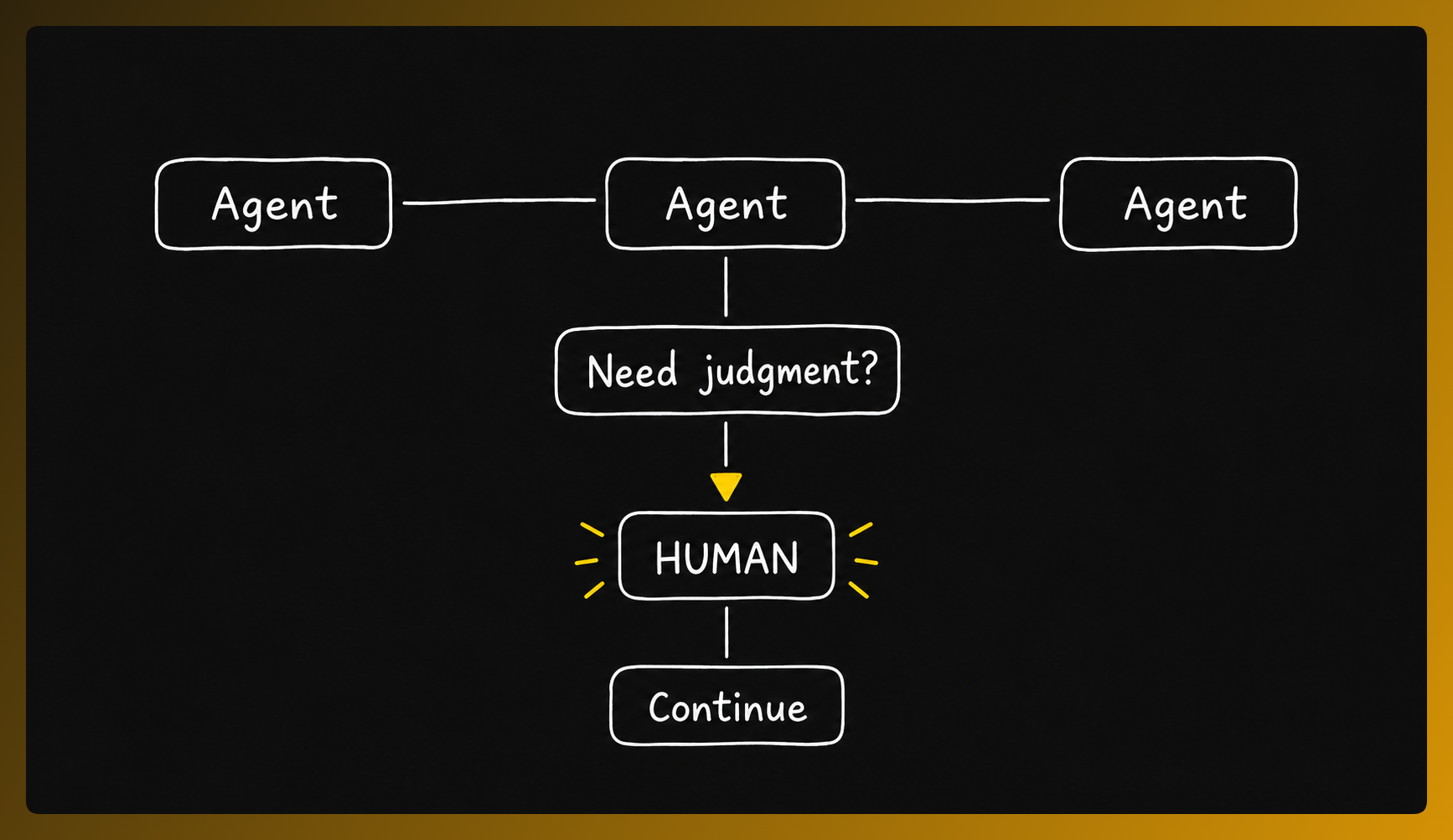
SuperPlane does not remove developers from every decision. The factory continues automatically when the outcome is clear and stops when the next step requires judgment.
A person remains responsible for decisions such as accepting uncertain work, reviewing important changes or merging the final pull request.
## Who benefits from SuperPlane?
- **Developers:** Hand off routine fixes. Keep your focus on the hard problems.
- **Engineering teams:** Turn ready backlog tasks into pull requests, with checks and run history attached.
- **Platform teams:** Define the process once. Reuse agent settings and verification rules across repositories.
## Key terms
Software factory
The system that coordinates task intake, agent work, verification and human review.
Intake
The automation that imports matching requests from your existing tools into the backlog.
Task
One piece of engineering work, with its context, progress and outputs.
Backlog
Tasks being assessed or waiting for implementation.
Confidence score
An assessment of whether a task meets your configured criteria, with a reason for the result.
Stage
A step in the task lifecycle: Backlog, Implement, Verify or Done.
Agent
The worker that implements changes, fixes failures or prepares pull requests.
Automation
The rules and actions that run work and decide what happens next.
Verification
The checks used to decide whether a change is ready for human review.
#### Quickstart
Source URL: https://docs.superplane.com/get-started/quickstart/
import { Aside, Icon } from "@astrojs/starlight/components";
In this guide, we’ll create a SuperPlane workspace, connect it to a GitHub repository through an intake, and set up our first Software Factory. By the end, you’ll be ready to run a task through implementation, verification, and review using your own Software Factory.
Ready to build your workspace?Sign in to SuperPlane and follow the setup steps below.
## Prerequisites
For the smoothest first run have the following ready:
- A [SuperPlane account](https://app.superplane.com/).
- Access to a GitHub repository that you are comfortable connecting.
- Permission to install or authorize the GitHub integration for that repository.
- A repository with a few open issues for SuperPlane to analyze.
- A normal development setup with existing tests or continuous integration (CI) checks.
Good first tasks
Fix a small bug
Update documentation
Fix a failing test
Update a dependency
Make a small code improvement
Save for later
Redesign the entire architecture
Build a large open ended feature
Complete a task that needs major product decisions
## 1. Create your SuperPlane account
Create your [SuperPlane account](https://app.superplane.com/). The onboarding flow guides you through setting up your workspace and connecting your GitHub repository. Follow the steps below to get started.
Need more guidance? Follow [Build your first Factory](/get-started/build-first-factory) for detailed instructions or watch the [Video Walkthrough](/get-started/video-walkthrough) to see the process in action.
## 2. Let SuperPlane prepare the workspace
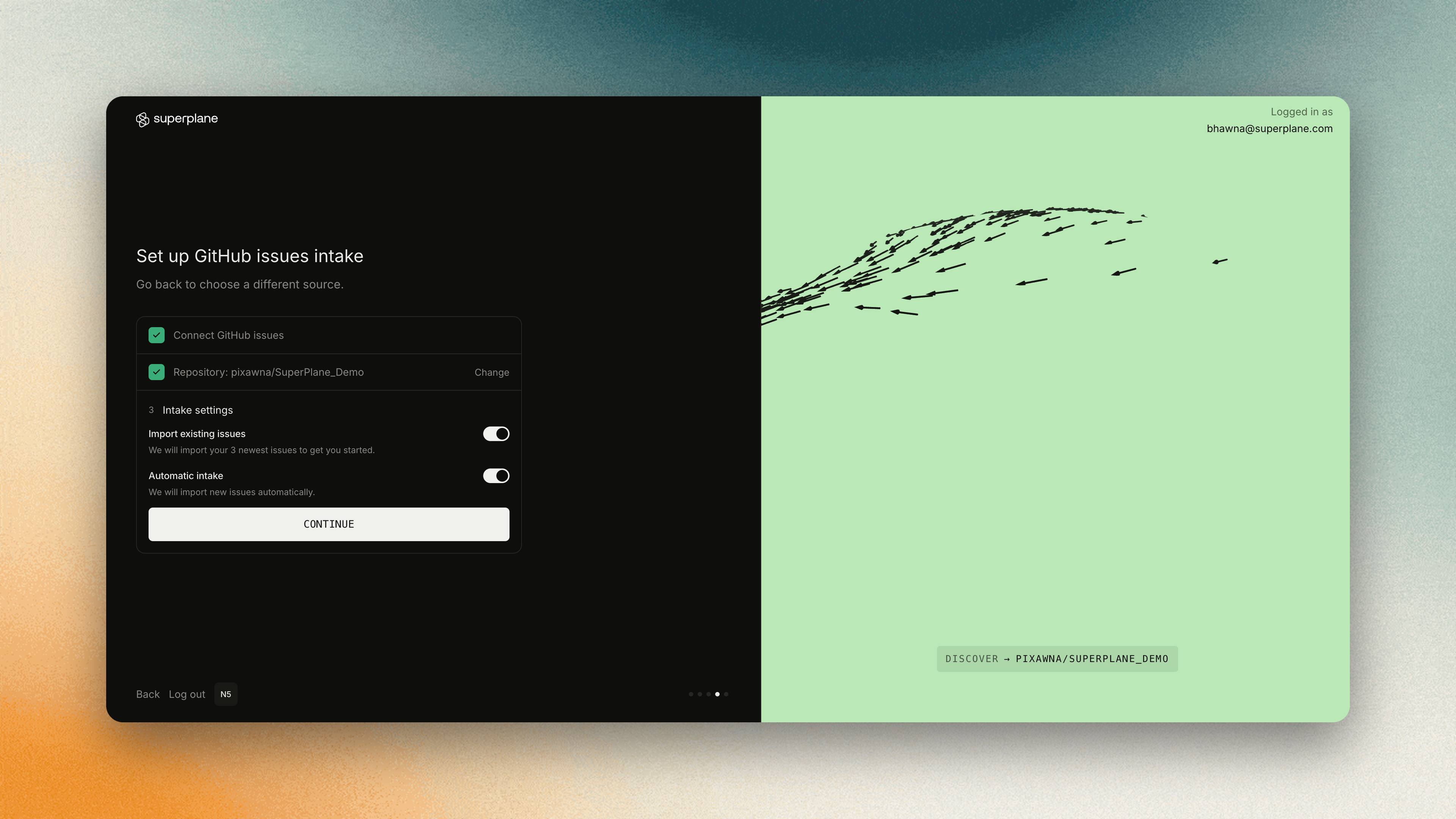
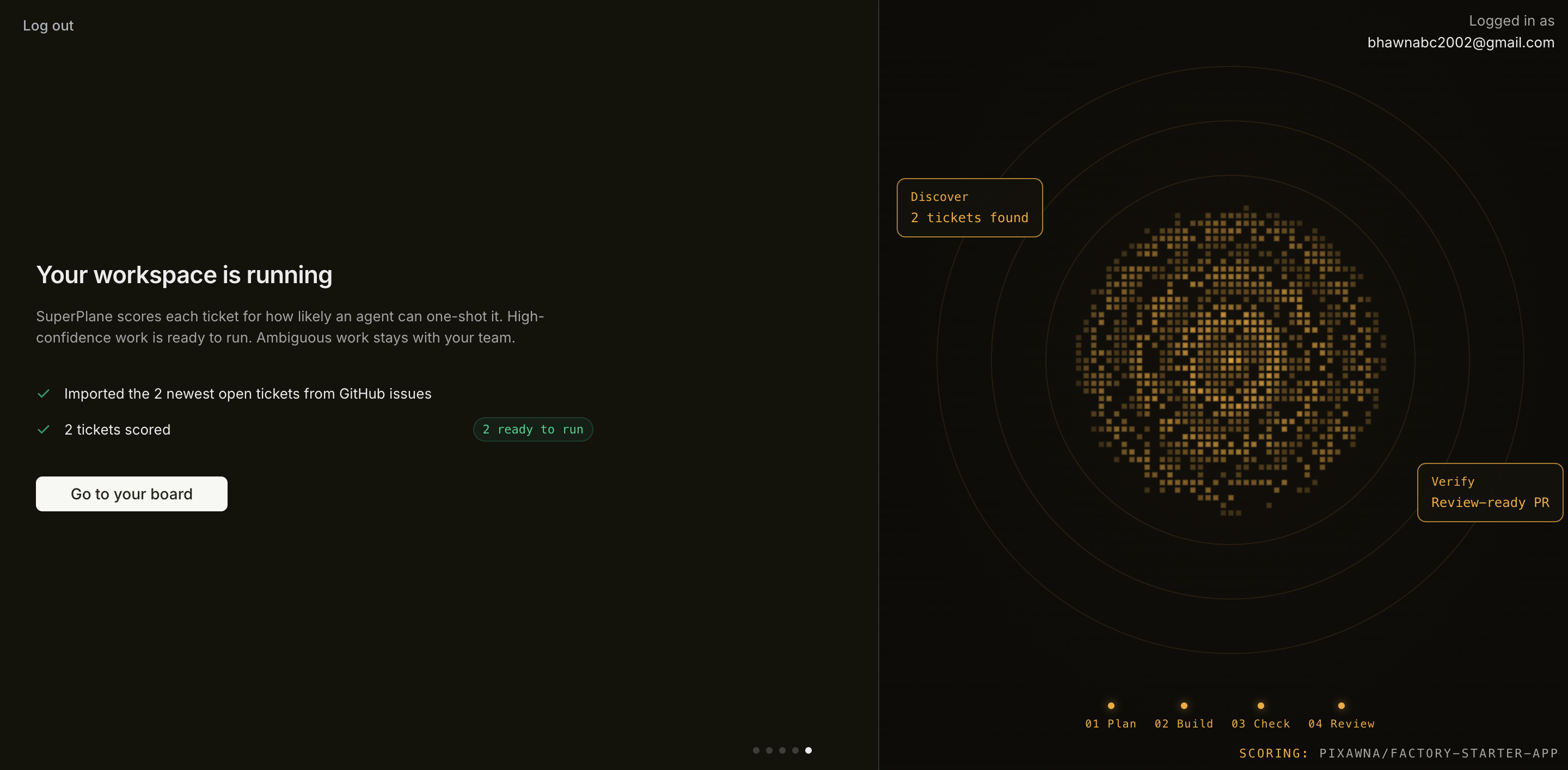
Connect the repository through GitHub during onboarding. SuperPlane prepares the workspace and begins bringing work into the factory.
Intake will automatically imports your recent GitHub Issues and starts reviewing their suitability for agent execution. You do not need to copy tickets into SuperPlane.
## 3. Open your factory board
Select **Go to your board** to see your tasks across four stages:
| Stage | What happens |
| --- | --- |
| **Backlog** | Incoming tasks are assessed and wait to start. |
| **Implement** | An agent plans and makes the code changes. |
| **Verify** | Checks and pull request feedback help validate the changes. |
| **Done** | The task has completed the factory workflow. |
Start with **Backlog**. This is where you’ll find imported tasks before an agent begins work.
## 4. Understand what happens next
When you start a task it moves through implementation and verification. A failed check can return the task to the agent with feedback. Work reaches Done when the completion rule is satisfied, such as attaching a pull request after every required status check passes.
Congratulations, you created your first software factory. Have questions or want to see the complete workflow? Follow the [guided walkthrough](/get-started/video-walkthrough).
## Tips for your first run
- **Start small:** Choose a focused task with a defined expected outcome.
- **Add enough context:** Describe what should change, where it should change and what success looks like.
- **Choose the right repository:** Use one with a few open issues and existing tests or CI checks.
- **Use the defaults first:** Complete the first run before you change agents, automations or verification steps.
## Next steps
#### Video Walkthrough
Source URL: https://docs.superplane.com/get-started/video-walkthrough/
import { CardGrid, LinkCard } from "@astrojs/starlight/components";
import VideoPlayer from "../../../components/VideoPlayer.astro";
## See how a software factory run in the background
**In this video, you will see:**
- How a task moves from **Backlog** to "**Done** stage.
- The task moving to **Implement** while an agent works on the change.
- SuperPlane checking the result in **Verify** & wait for the human approval.
- Completed work reaching **Done**.
Starting a task authorizes code work for that task. Review the title, description, repository and factory line before you confirm.
#### Build your first Factory
Source URL: https://docs.superplane.com/get-started/build-first-factory/
import { Aside, CardGrid, LinkCard, TabItem, Tabs } from "@astrojs/starlight/components";
Starting with the one demo application and will be using SuperPlane to complete two focused issues. Then review and merge the changes and deploy the application with Vercel.
This guide uses the SuperPlane Demo repository. Instead of asking different agent to solve the issues in one run, you will send small pieces of engineering work through the same factory to get the desired result.
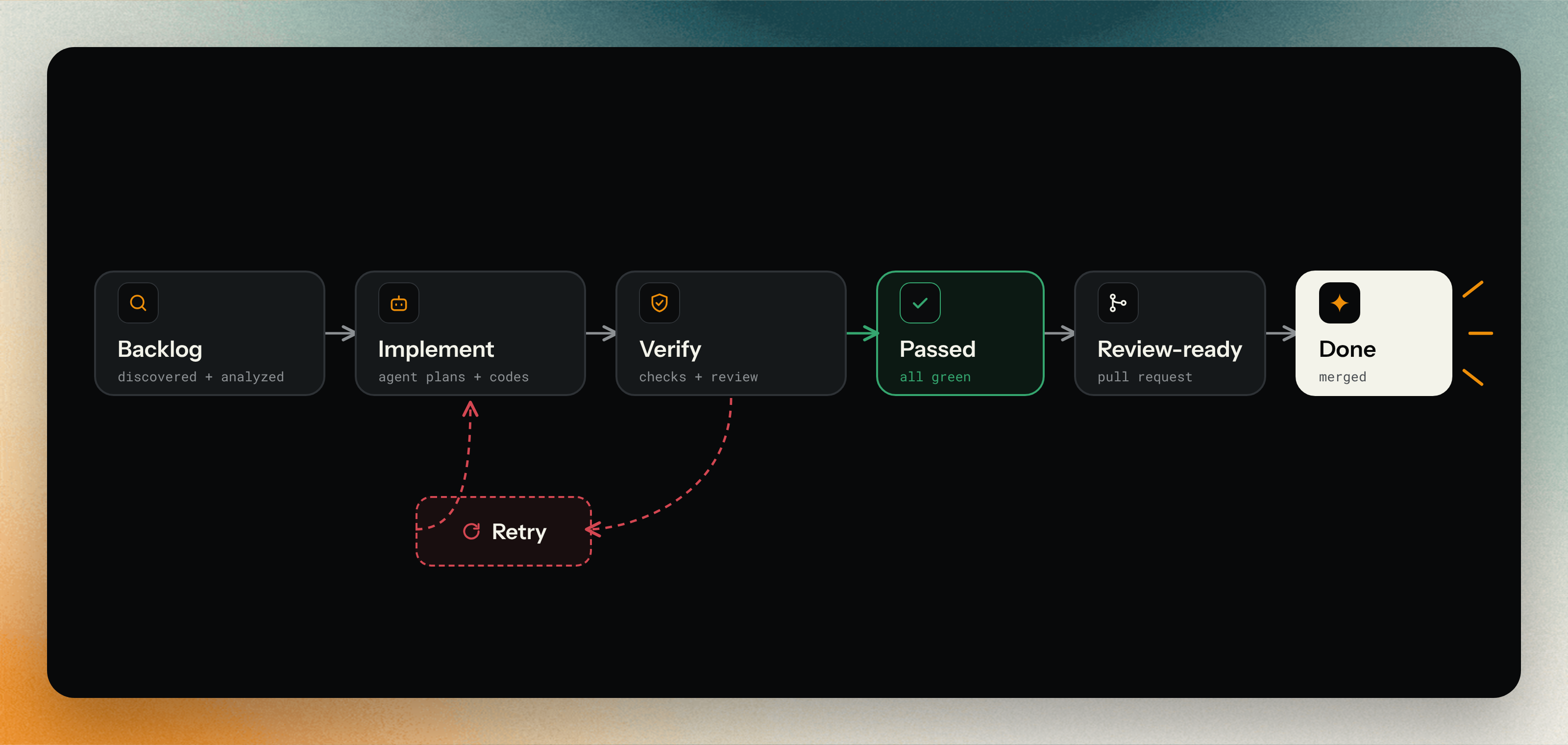
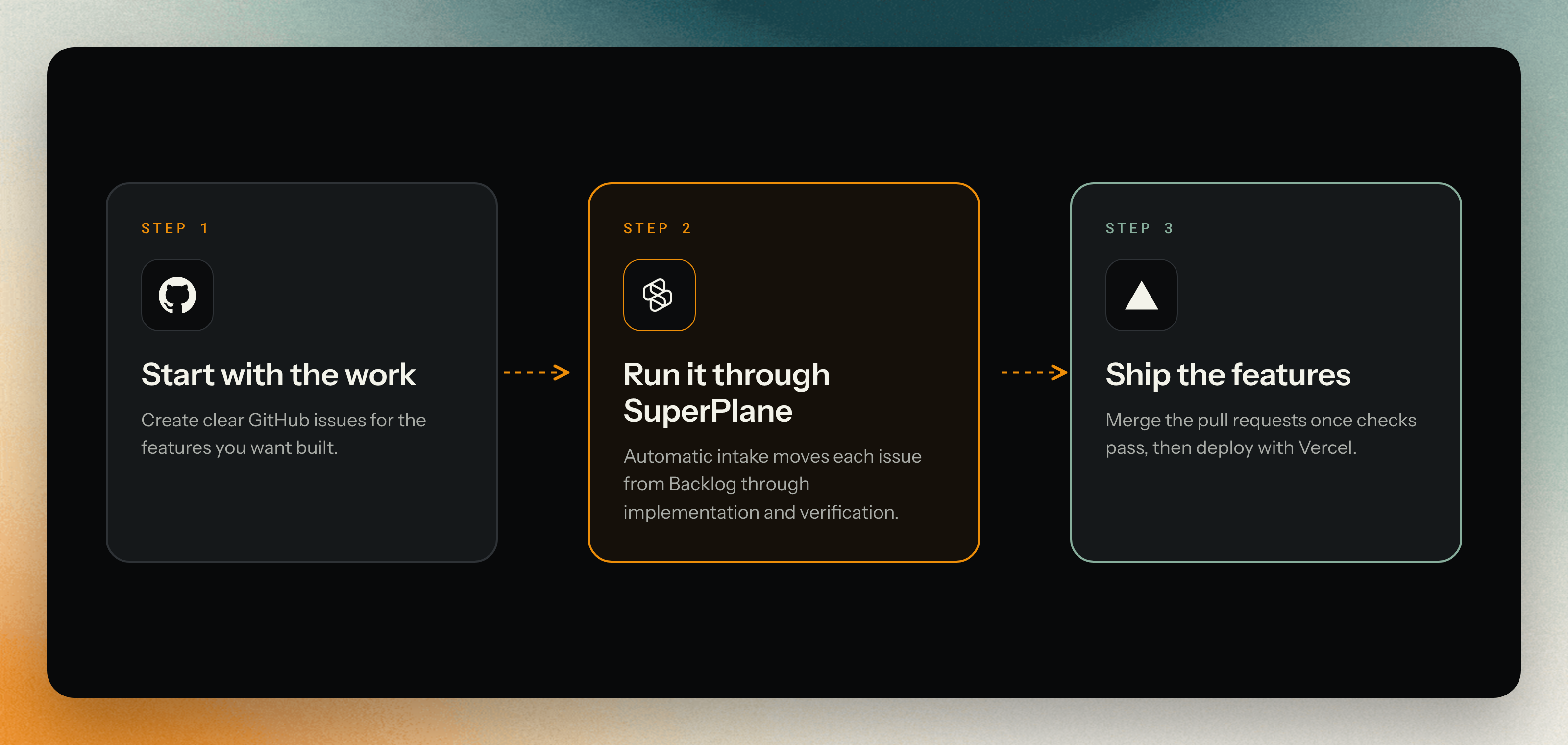
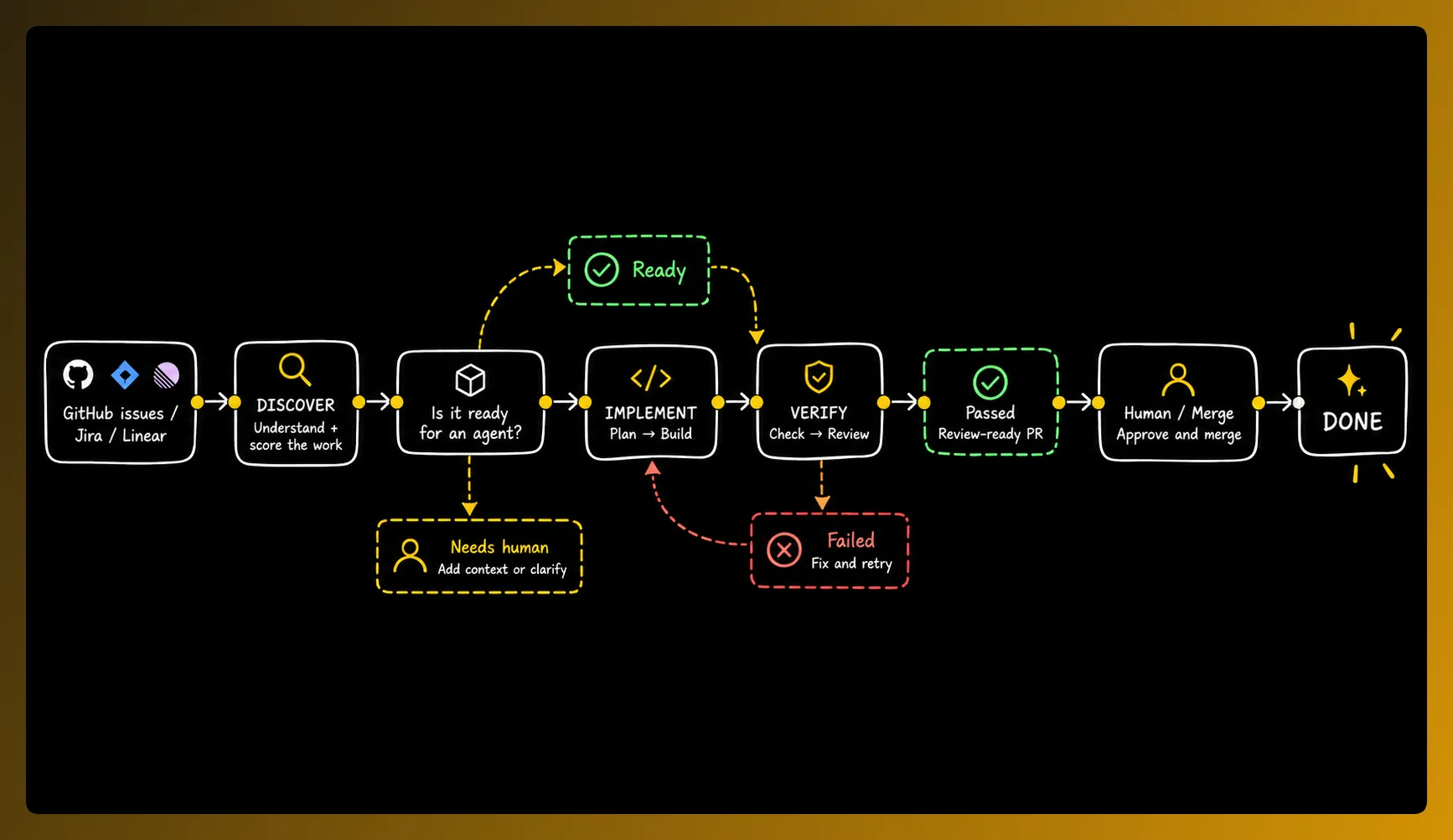
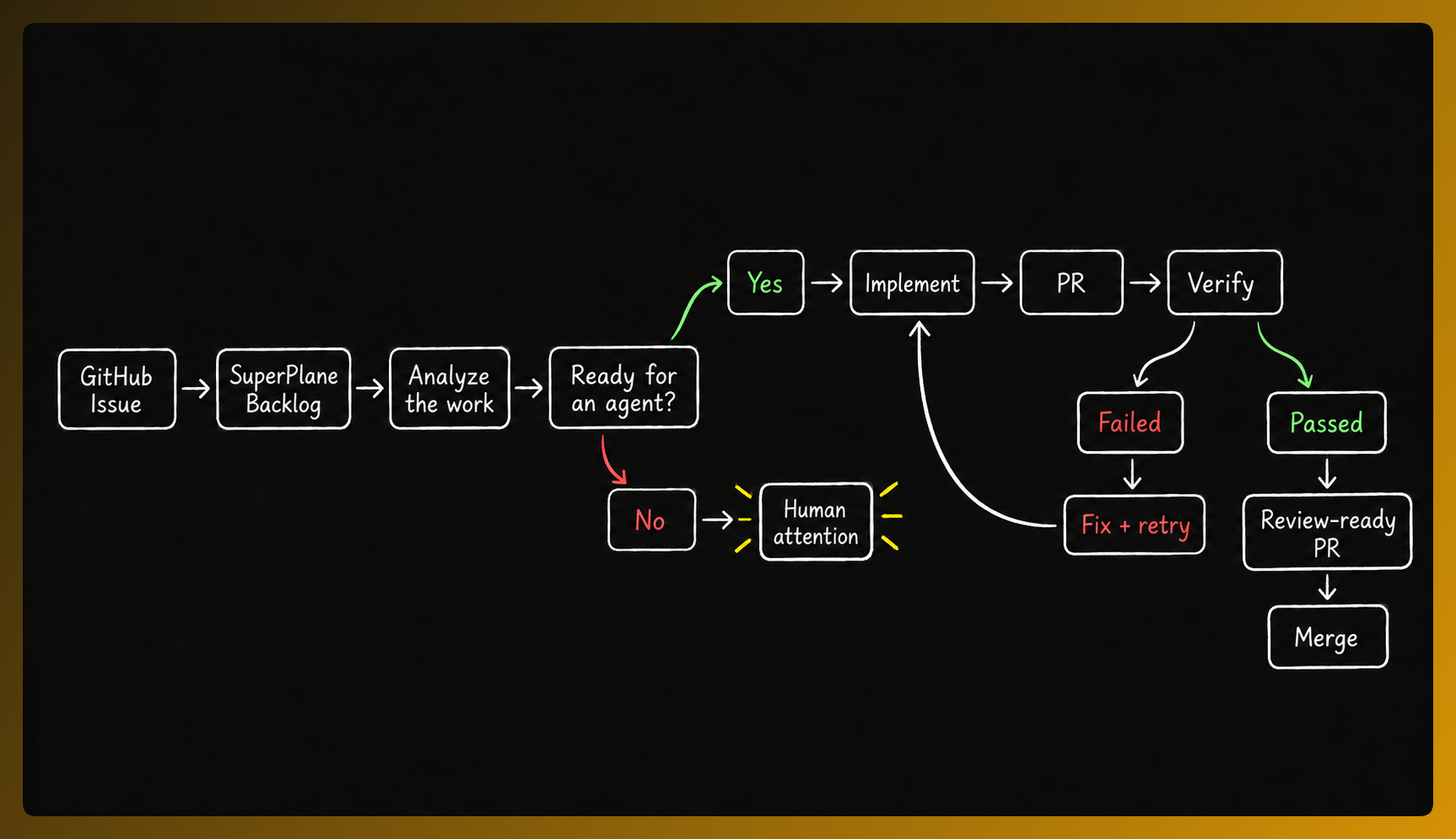
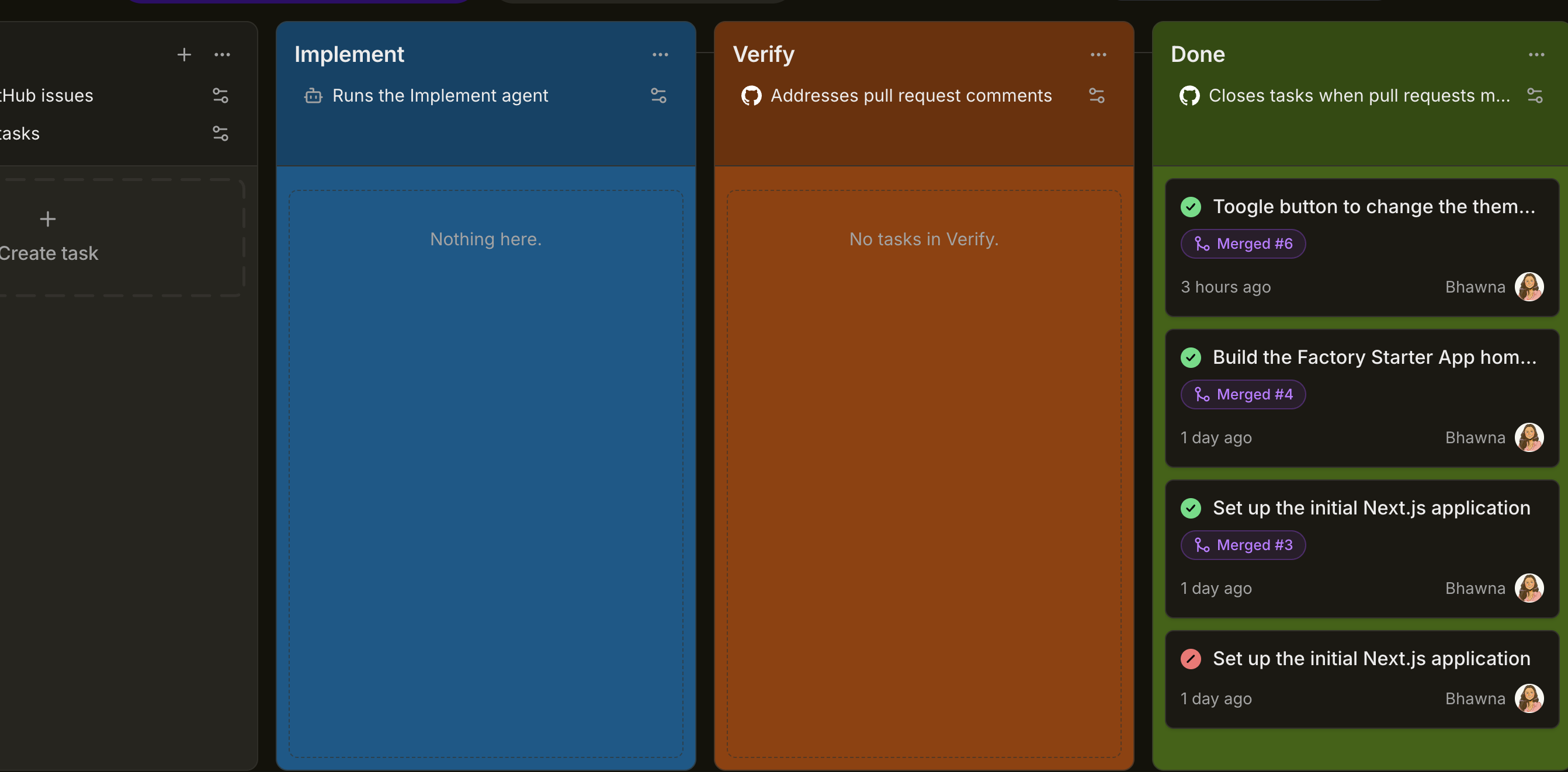
By the end, your work will have followed this path:
## What you’ll do
Make four small improvements to the demo homepage:
1. **Update the text:** Introduce the SuperPlane demo in place of the default Next.js instructions.
2. **Fix dark mode:** Make text readable and give the page and content area distinct background colors.
3. **Fit buttons on mobile:** Keep buttons from overflowing on narrow screens.
4. **Highlight keyboard focus:** Show a visible outline when users tab to a link.
Create one GitHub issue per task. This gives the factory a clear change to make and check. In this walkthrough, we’ll complete the first two tasks.
## 1. Let's Start with the repository
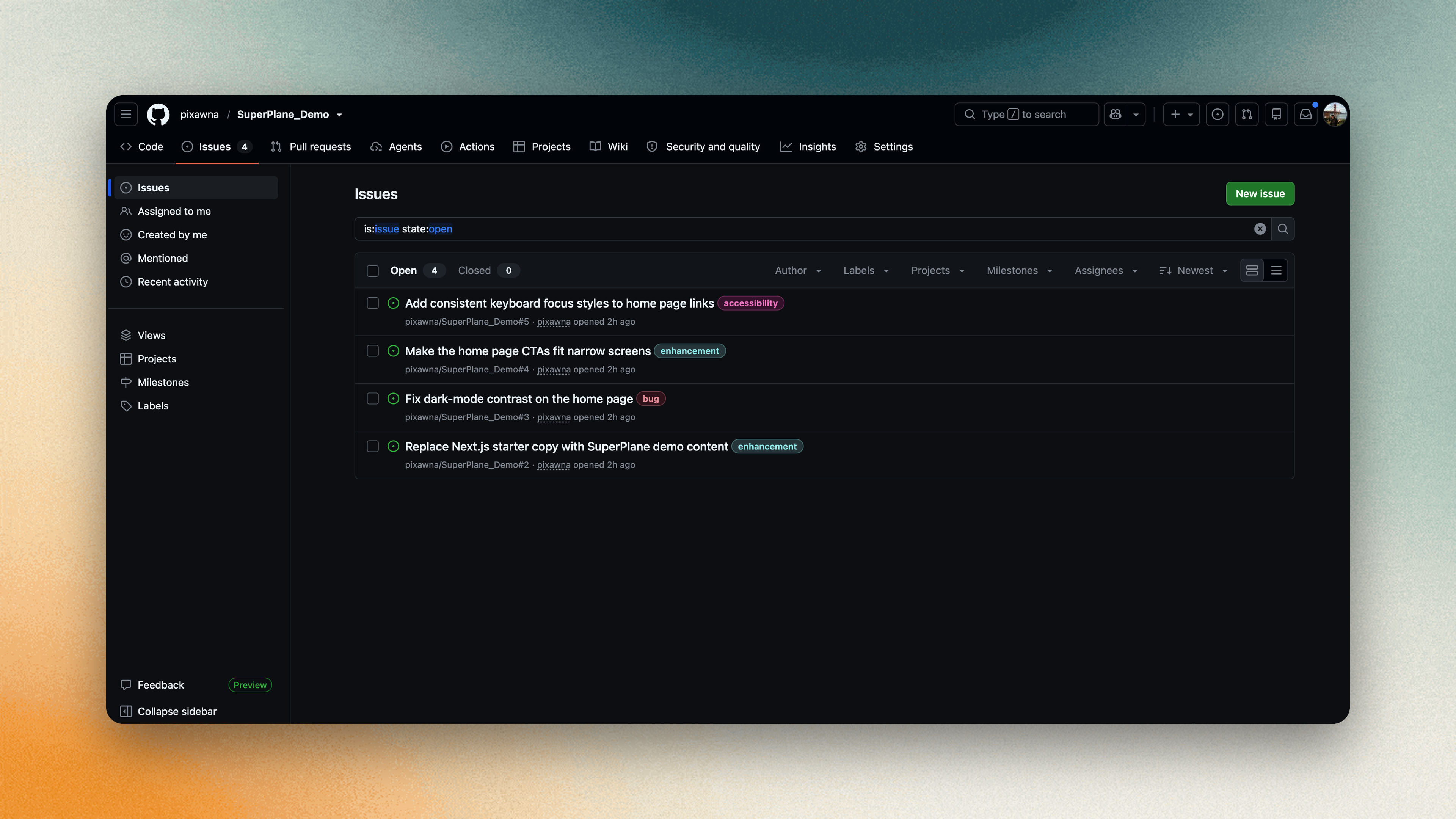
Open the SuperPlane Demo repository. The repository already contains a starter Next.js application and focused issues. Use your own copy of the project to follow along and make sure its issues are available for SuperPlane to import.
## 2. Connect the repository to SuperPlane
Create your SuperPlane account and Complete the onboarding steps to bring the project into SuperPlane.
Still have issues? No worries we got you covered, complete the [Quickstart](/get-started/quickstart) first or you can follow the below video
Once connected, the issues you just created should begin appearing in the **Backlog**.
## 3. Start the first issue
Open Backlog and select **Make the home page CTAs fit narrow screens**. Before an agent changes code, SuperPlane analyzes whether the task is fully Automatable or not through confidence score.
Review the task context. When the scope and expected result look right, select **Start**.
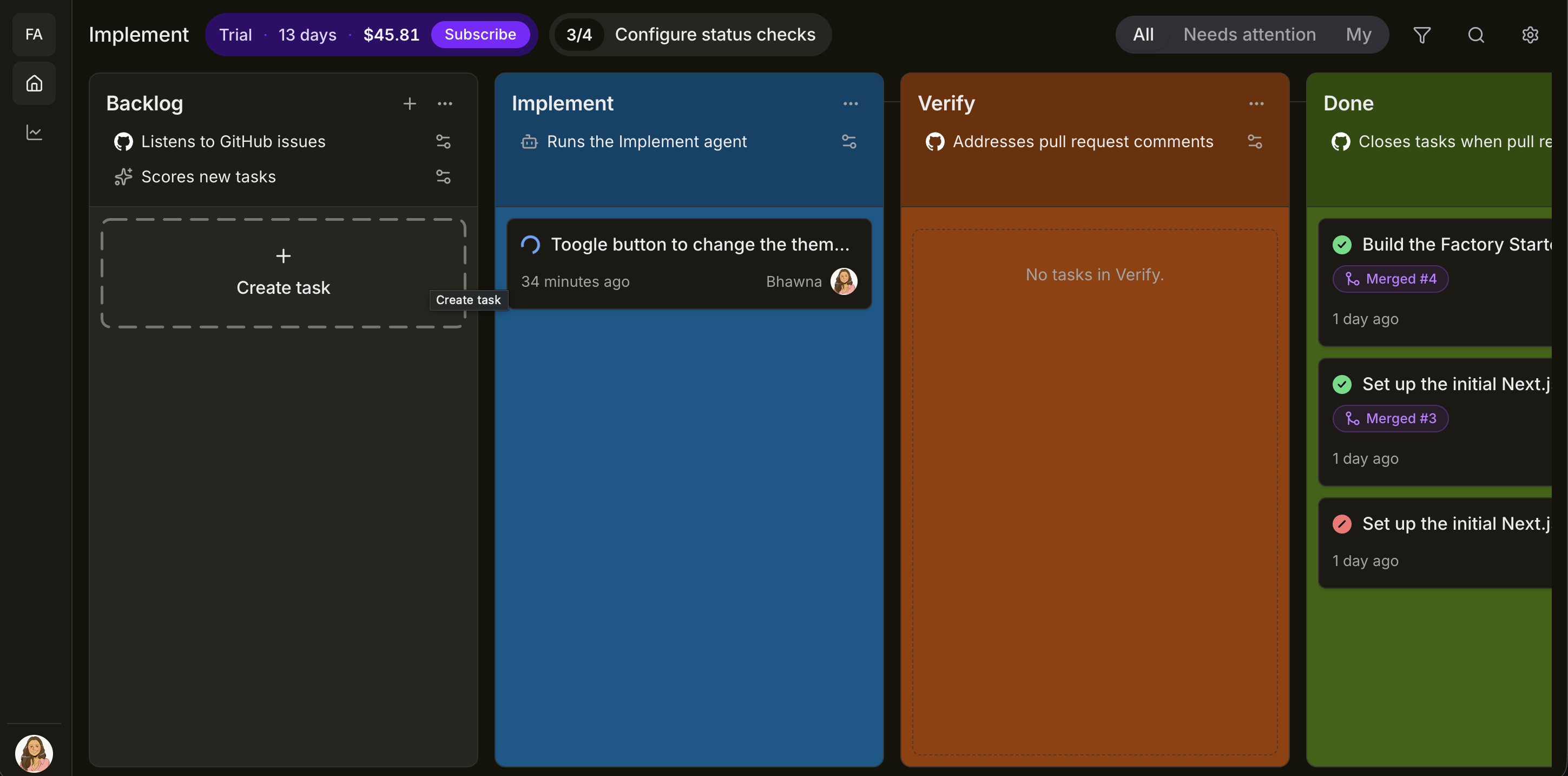
## 4. Watch the factory implement it
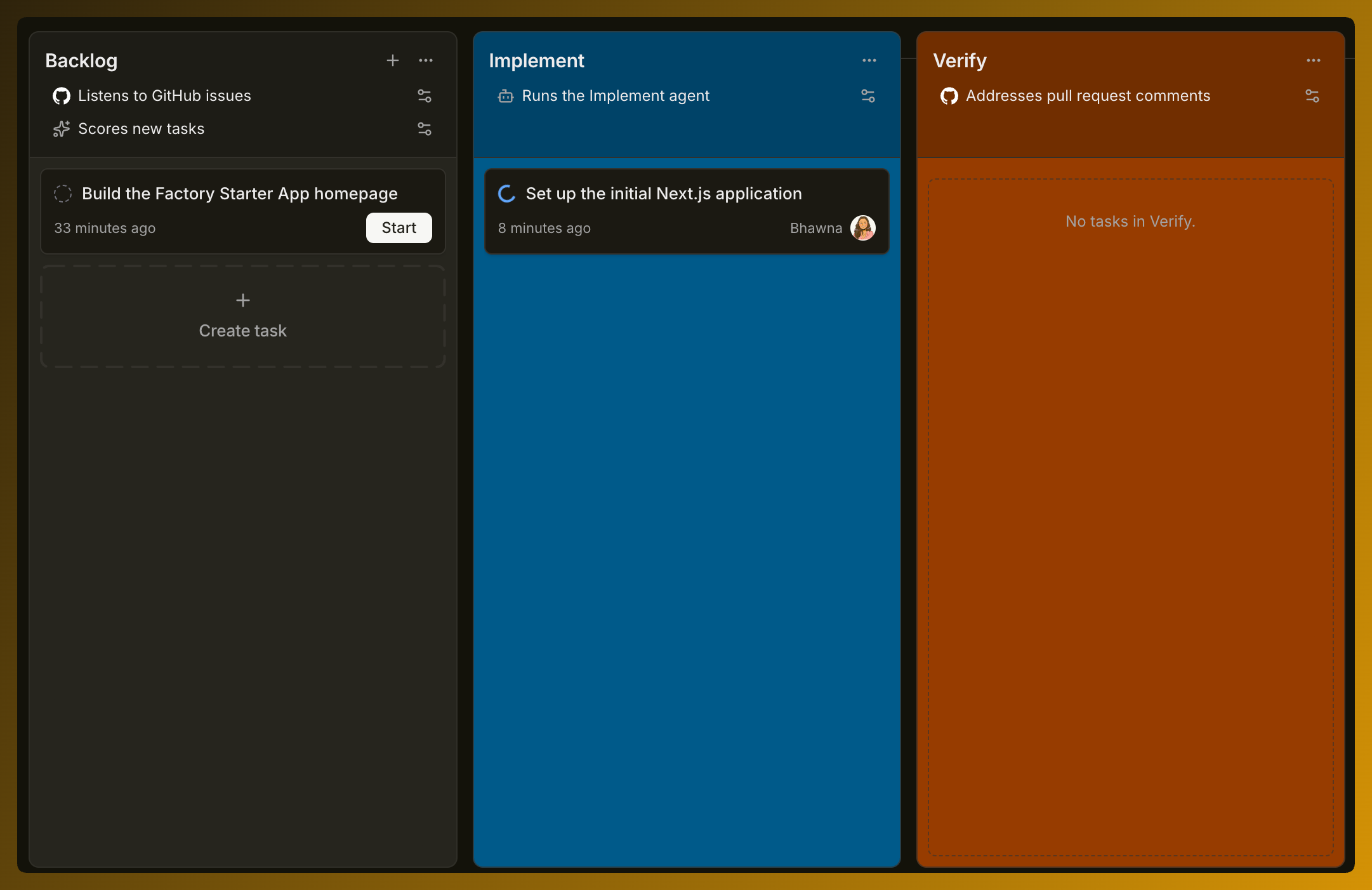
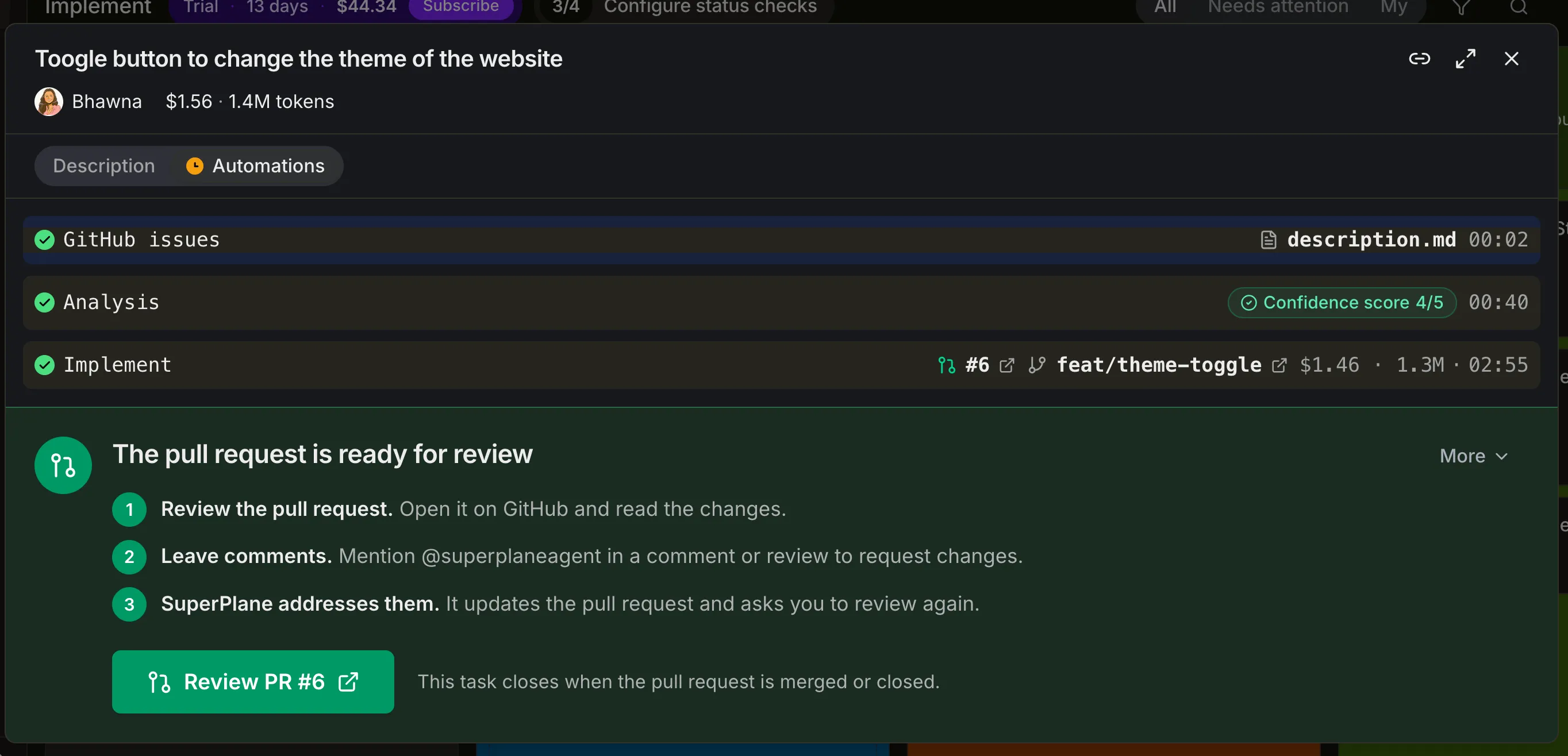
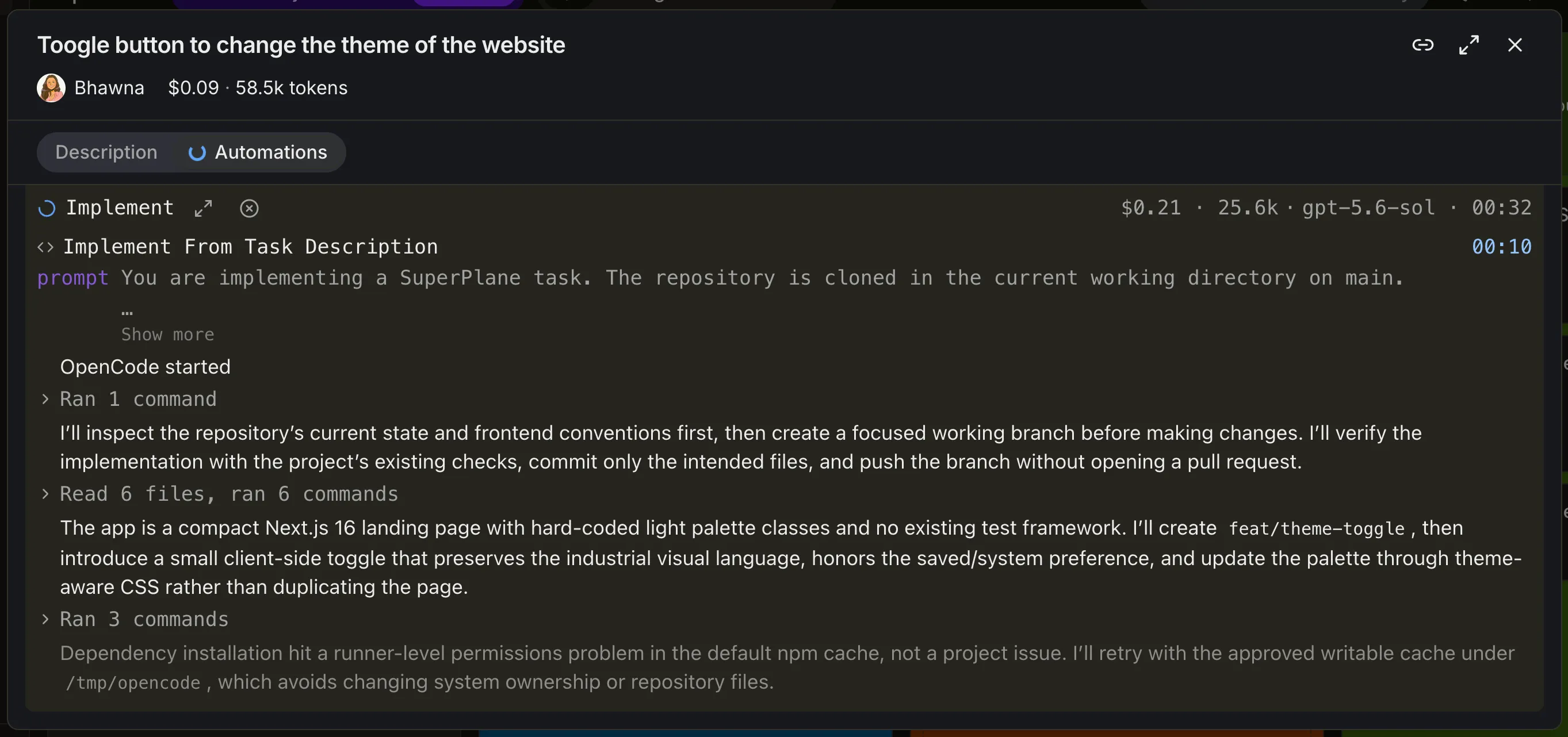
Starting the task moves it into Implement. The configured coding agent works on the repository while the factory controls the process around it. You do not need to describe these operational steps in every issue. The implementation process belongs to the factory. Check how's the work is moving end-to-end from backlog to implementation phase.
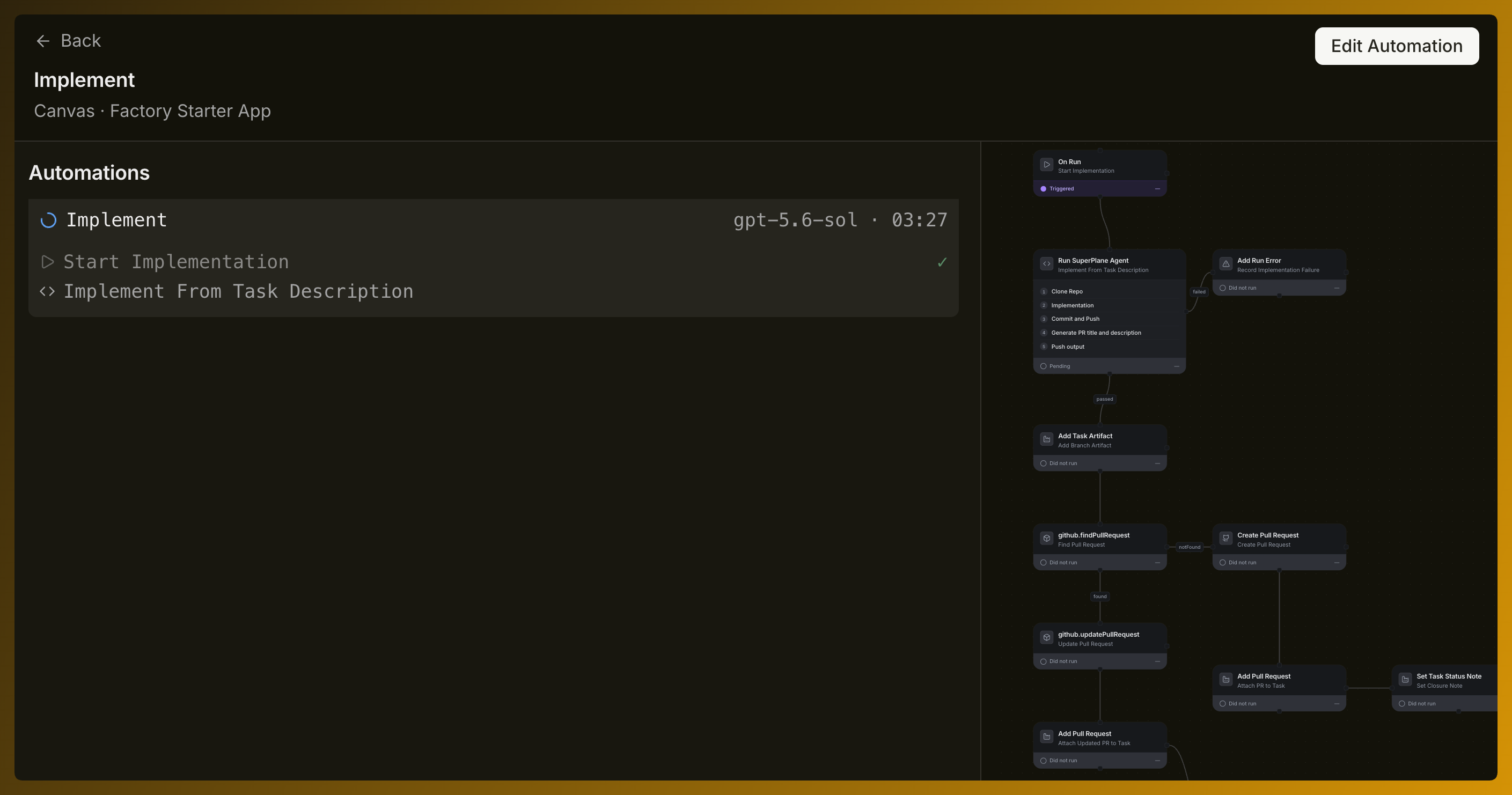
Even if you wanted you can change the model based at each step shown in the video to performs the work. The automation steps define what the agent does during implementation. Concurrency controls how much work can run at the same time.
## 5. Verify the first change
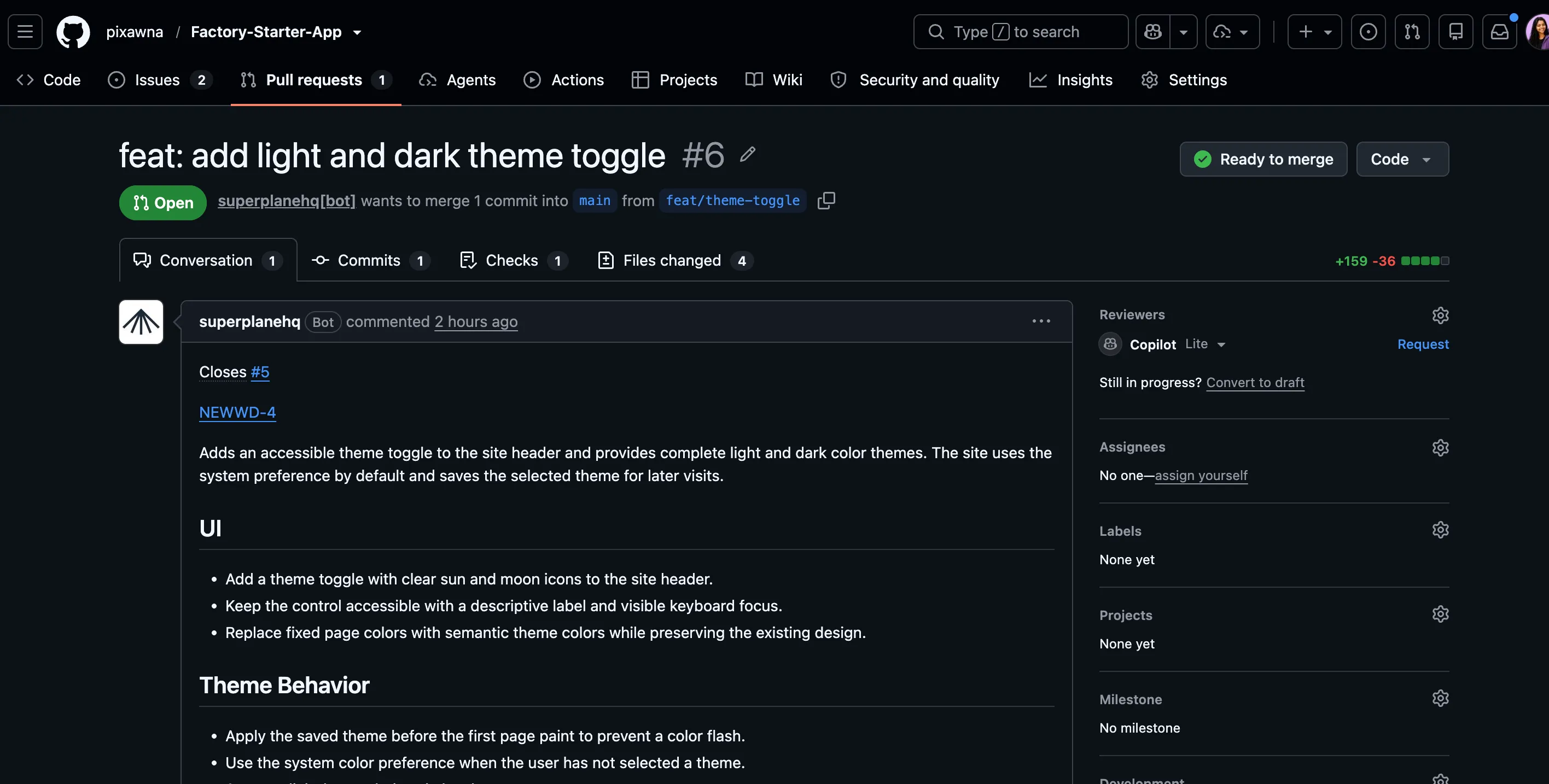
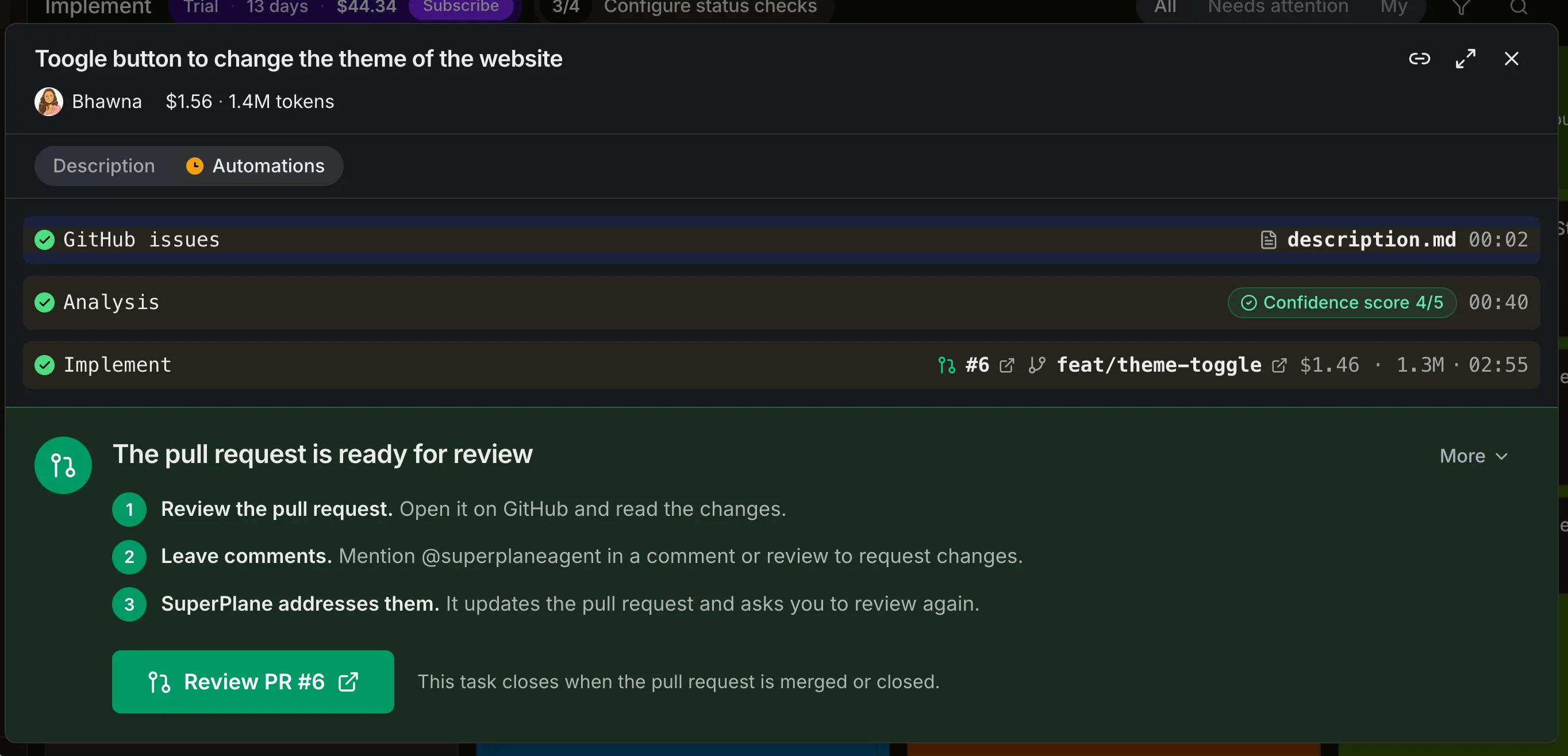
When implementation completes, the task moves to Verify. Open the linked pull request and confirm that the application builds and it did the same we expected to get it done.
#### Migrate from Conductor
Source URL: https://docs.superplane.com/get-started/migrate-from-conductor/
import { Aside, Icon, Steps } from "@astrojs/starlight/components";
Conductor is [joining Meta](https://www.conductor.build/announcement) and is winding down. This guide will help you move your repositories, unfinished work and agent workflow to SuperPlane, where tasks move through intake, implementation, verification and human review inside the Open Source Software Factory.
The local Conductor app continues to receive new models and critical fixes until early 2027, when it begins winding down.
Start with [Save your existing work](#before-november-13) to your own Open source Software factory on SuperPlane. For the detailed overview how to get it done, see our blog post [How to migrate from Conductor Cloud to SuperPlane](https://superplane.com/blog/how-to-migrate-from-conductor-cloud-to-superplane/)
## How Conductor maps to SuperPlane?
In Conductor, a workspace holds a checkout and agent sessions for a piece of work. In SuperPlane, connect your repository to a workspace and track work as tasks through **Backlog, Implement, Verify** and **Done**. Automations control the steps around each Agent Run, including checks and pull request handling.
| Conductor | SuperPlane | Notes |
| --- | --- | --- |
| Repository | [Repository](/get-started/quickstart) | Connect your existing GitHub repository. |
| Workspace | [Task](/fundamentals/factory-pipeline) | Track each piece of work on the Factory board. |
| Branch | Branch | Keep saved changes and branches in GitHub. |
| Prompt and chat | [Task description](#5-create-your-first-superplane-task) | Summarize decisions and remaining work. |
| Setup scripts | [Agent setup](#3-transfer-your-repository-setup) | Reuse setup commands from your repository. |
| Conductor variables | Runner settings | Update paths, variables and ports for the runner. |
| Environment files and secrets | Credentials | Reconnect services and supply required environment values. |
| Agent logins | [Model source](#2-choose-your-model-source) | Use SuperPlane models, an API key or ChatGPT for Codex. |
| GitHub or Linear issues | [Intakes](/intakes/overview) | Import matching requests into Backlog. |
| Create a pull request | [Implement](/fundamentals/implement) | Create or update a pull request for the task. |
| Checks and feedback | [Verify](/fundamentals/verify) | Run required checks and address pull request feedback. |
| Conductor Cloud | [Hosted app](https://app.superplane.com/) or [self-hosted](/self-hosting/overview) | Use the hosted app or your own infrastructure. |
| API access | [API](https://superplane.com/api/), [CLI](/cli) and [MCP](/agents/mcp) | Connect scripts, terminals and editors. |
Use these mappings to move your work into the Factory. Save existing code through Git and review the repository, model source and task context before starting a migrated task.
## Before November 13
Conductor Cloud stops accepting new messages on November 13, 2026. Gather your code, task context and project setup while the workspaces are still active, so you can use them when setting up SuperPlane.
1. ### Make your code available in GitHub
Review each cloud workspace for changes that exist only there. Commit the source files you need and push the branch to GitHub. Back up ignored configuration files, such as `.env`, separately.
2. ### Keep the context behind open work
Save the decisions, plans and remaining work from your Conductor sessions. Open **Settings → Account → Export data** to download an archive you can refer to when creating SuperPlane tasks. For a local copy of a cloud workspace and its chats, right-click it and select **Transfer to local**. [Conductor’s announcement](https://www.conductor.build/announcement) explains the export options.
3. ### Record your setup requirements
Collect the installation and repository setup scripts from your [Cloud Computer configuration](https://www.conductor.build/docs/cloud/cloud-computer). Record the required environment-variable names and where your team stores their values. Conductor hides saved secrets, so retrieve those values from their original source when configuring SuperPlane.
## Migration steps
Start with the repository, code and notes you saved above. If you used Conductor locally, commit and push the changes you want to keep before connecting the repository to SuperPlane.
### 1. Create a workspace and connect GitHub
Sign in to [SuperPlane](https://app.superplane.com/) and follow the onboarding flow. Connect your GitHub account, authorize the SuperPlane GitHub App and choose the repository you used in Conductor. You need write access to that repository.
Choose **GitHub issues** as your work source. Review **Import existing issues** and **Automatic intake** so SuperPlane brings in the work you intend to migrate. The [Quickstart](/get-started/quickstart) walks through the setup.
For an existing workspace, open **Settings → Agent** and review **Repositories** before starting work. Confirm the primary repository and configured access for each additional repository.
### 2. Choose your model source
Open **Settings → Models** and select **Change model source**. Choose the source your workspace will use:
- **SuperPlane:** Use models managed by SuperPlane.
- **Your API key:** Connect a Claude, OpenAI or OpenRouter key.
- **ChatGPT subscriptions:** Run Codex with a connected ChatGPT account.
For ChatGPT, connect your account under **Settings → Account → Codex**. When selecting ChatGPT for the workspace, choose a connected member as the **Default task owner**. Each task uses its owner's subscription.
Select the models the workspace can use, then click **Save models**. See [SuperPlane pricing](https://superplane.com/pricing/) for plan availability and usage charges.
### 3. Transfer your repository setup
Open your workspace's **Agent** page. In **Setup steps**, click **Edit**, enter the commands your project needs before an agent starts, then click **Save setup steps**. Enter one command per line, using the installation and repository setup scripts you saved from Conductor as a starting point.
Before reusing commands from `conductor.json`, `.conductor/settings.toml` or Conductor settings:
- Replace paths to your Mac and references to `CONDUCTOR_*` variables with values that work on the runner.
- Call reusable scripts from the repository so your team can maintain them with the code.
- Keep build, test and lint commands, coding conventions and task boundaries in `AGENTS.md` or the instruction file your selected agent uses.
If your Conductor agent used external tools, reconnect the required Model Context Protocol (MCP) servers from the **Agent** page using **Connect**. Review their access and credentials before starting a task.
### 4. Restore connections and credentials
Open **Settings → Integrations** and reconnect the services your repository and checks need. GitHub access and model provider connections must be authorized in SuperPlane.
For integration credentials you need to bring over:
1. Open **Settings → Secrets** and select **Create secret**.
2. Enter a **Secret name** and add the required keys and values.
3. Click **Create secret**, then select the saved secret in the connection that needs it.
SuperPlane hides secret values after saving. Keep your original values in your team's secret store, and keep `.env` files and credential values out of Git commits and task descriptions.
### 5. Create your first SuperPlane task
Choose a focused issue that has not entered implementation, such as a small bug fix or documentation update. Create or update it in GitHub with:
- The expected result and the files or behavior in scope.
- The commands or checks that confirm success.
- Relevant decisions from your Conductor sessions and links to any saved work.
Open **Backlog** and confirm that the intake has imported the issue with the right repository and context. Follow [Intakes](/intakes/overview) if you need to review which requests enter the backlog.
Keep existing pull requests under review in GitHub while you test the first Factory task. A branch or pull request link gives the agent context; it does not select that branch for the new run. Confirm the repository and base branch before handing off unfinished work.
### 6. Start a task and review the result
Review the task's confidence assessment and its reason. Clarify the scope and acceptance criteria before selecting **Start**.
Follow the task through the Factory:
1. In **Implement**, inspect the agent's progress and check that repository setup succeeds.
2. In **Verify**, open the linked pull request and review the required checks and feedback. Failed checks can return to the agent for a correction.
3. Review the final diff against the original issue and follow your team's merge process. The task reaches **Done** when the Factory's completion condition is satisfied.
If the run stops because a dependency, credential or model connection is missing, resolve it before retrying. Use [Build your first Factory](/get-started/build-first-factory) for a complete example from issue to reviewed change.
### 7. Invite teammates
Open **Settings → Members** for your organization and select **Invite member**. Enter the person's **Email address**, choose their **Role** and click **Send invitation**. You can also use **Copy link** to share the generated invitation with that person.
After they join, confirm that reviewers can open the workspace and inspect task history and linked pull requests. If you use ChatGPT subscriptions for Codex, each member who will own tasks needs to connect their own ChatGPT account.
## What's different
After the move, follow work through the Factory board and review the evidence attached to each task. These are the main changes from a Conductor workflow.
| Area | Conductor | SuperPlane |
| --- | --- | --- |
| Unit of work | A [workspace](https://www.conductor.build/docs/concepts/workflow) contains a branch, working files and agent sessions. | A [task](/fundamentals/factory-pipeline) moves through Backlog, Implement, Verify and Done. |
| Starting work | Create a workspace from a branch, issue or pull request. | [Intakes](/intakes/overview) bring requests into Backlog. Review a task before starting it. |
| Project setup | Local setup scripts, or a shared [Cloud Computer](https://www.conductor.build/docs/cloud/cloud-computer) with repository setup scripts. | Save setup commands per workspace in [Agent setup](#3-transfer-your-repository-setup). Tasks run on configured runners. |
| Checks and review | Run tests and inspect changes through workspace tools and GitHub checks. | [Verify](/fundamentals/verify) evaluates checks and pull request feedback, then returns failures to the agent for correction. Your team reviews the result. |
| Work history | Chats, diffs and branch state belong to the workspace. | The task record links the original request, agent runs, check results and pull request. |
| Model access | Connect coding-agent accounts, subscriptions or API keys. | Choose a workspace [model source](#2-choose-your-model-source): SuperPlane models, a provider key or ChatGPT for Codex. |
| Deployment | Use the local Mac app or Conductor Cloud. | Use the [hosted web app](https://app.superplane.com/) or [run SuperPlane on your infrastructure](/self-hosting/overview). |
Sandbox time is charged separately, including when you use your own API key or ChatGPT subscription. See [SuperPlane pricing](https://superplane.com/pricing/) for plans and usage charges.
## Need help? Let us know
Ask the SuperPlane team for help moving your work from Conductor, connecting your repository or running your first factory task.
### 2. Software Factory Fundamentals
#### How one-shot engineering works
Source URL: https://docs.superplane.com/fundamentals/one-shot-engineering/
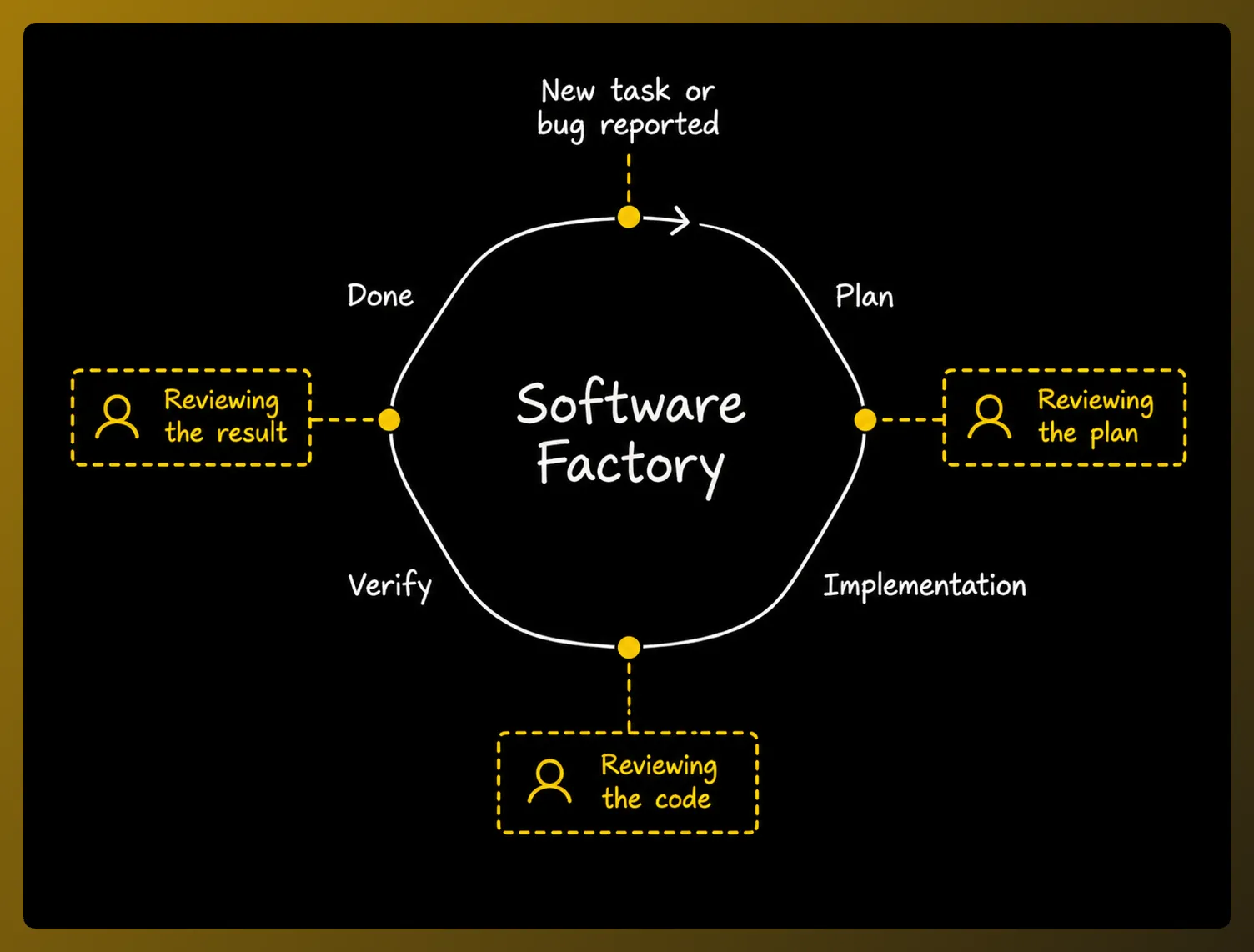
One-shot engineering moves a bounded software task from a clear request through implementation and configured checks with one deliberate human handoff. Your team decides what should be done and where judgment is required. The software factory coordinates the repeatable work in between.
It does not mean giving a model one prompt and trusting whatever comes back. The “one shot” belongs to the engineering process, not to a single agent response.
The factory owns the process. Agents perform the work inside it.
## What changes with one-shot engineering?
Coding agents are already good at inspecting repositories, editing files and running commands. The harder problem is everything around the code: deciding which work is safe to delegate, enforcing the same rules on every run, responding to failed checks and knowing when a person should step in.
One-shot engineering moves that coordination into a defined workflow.
One clear inputA scoped issue with enough context to act on.
One governed pathKnown stages, tools, checks and approval points.
One visible resultA pull request with its execution history and evidence.
Human judgment when neededThe workflow pauses instead of guessing.
The important shift is the unit of automation. A coding assistant automates an action. A software factory automates the path from intent to a result your team can review.
People review decisions and results. The factory carries work between those points.
## Start with work that can be checked
Not every backlog item should be sent to an agent. One-shot engineering begins by separating work with a bounded scope and observable success condition from unresolved judgment.
A strong candidate usually has:
- A focused outcome
- Enough repository and issue context
- A small or clearly bounded surface area
- Tests, checks or review criteria that can confirm the result
- A safe point where a person can inspect the change before merge
| Strong starting point | Keep with the team for now |
| --- | --- |
| A reproducible bug with an expected result | A problem that still needs investigation or product direction |
| A narrow maintenance task | A broad architecture change |
| A failing test with a known contract | A behavior change with unclear acceptance criteria |
| A small interface or accessibility fix | A subjective redesign |
Confidence is not a promise that an agent will succeed. It is a decision about whether the task has enough structure for the factory to attempt it safely. If the scope is unclear SuperPlane can keep the task in Backlog and ask for more context.
## The one-shot path
### 1. Discover and understand the work
Work begins in the tools your team already uses. A GitHub issue or another connected source enters the factory Backlog. SuperPlane examines the issue, repository context and available checks before deciding whether the task is ready for an agent.
This first step matters because an unsuitable task does not become safer simply because the model is capable. The factory should know what success looks like before implementation begins.
### 2. Put the rules in the workflow
The workflow defines the allowed path before an agent starts. It can specify the repository, branch behavior, available tools, required checks, review policy, approval points and escalation rules.
The workflow owns the rules.The agent works inside them.
This keeps the process consistent when the model changes, when another person starts the task or when the same pattern is used in a different repository.
An automation makes the execution path explicit instead of hiding it inside one long prompt.
### 3. Let the agent implement the change
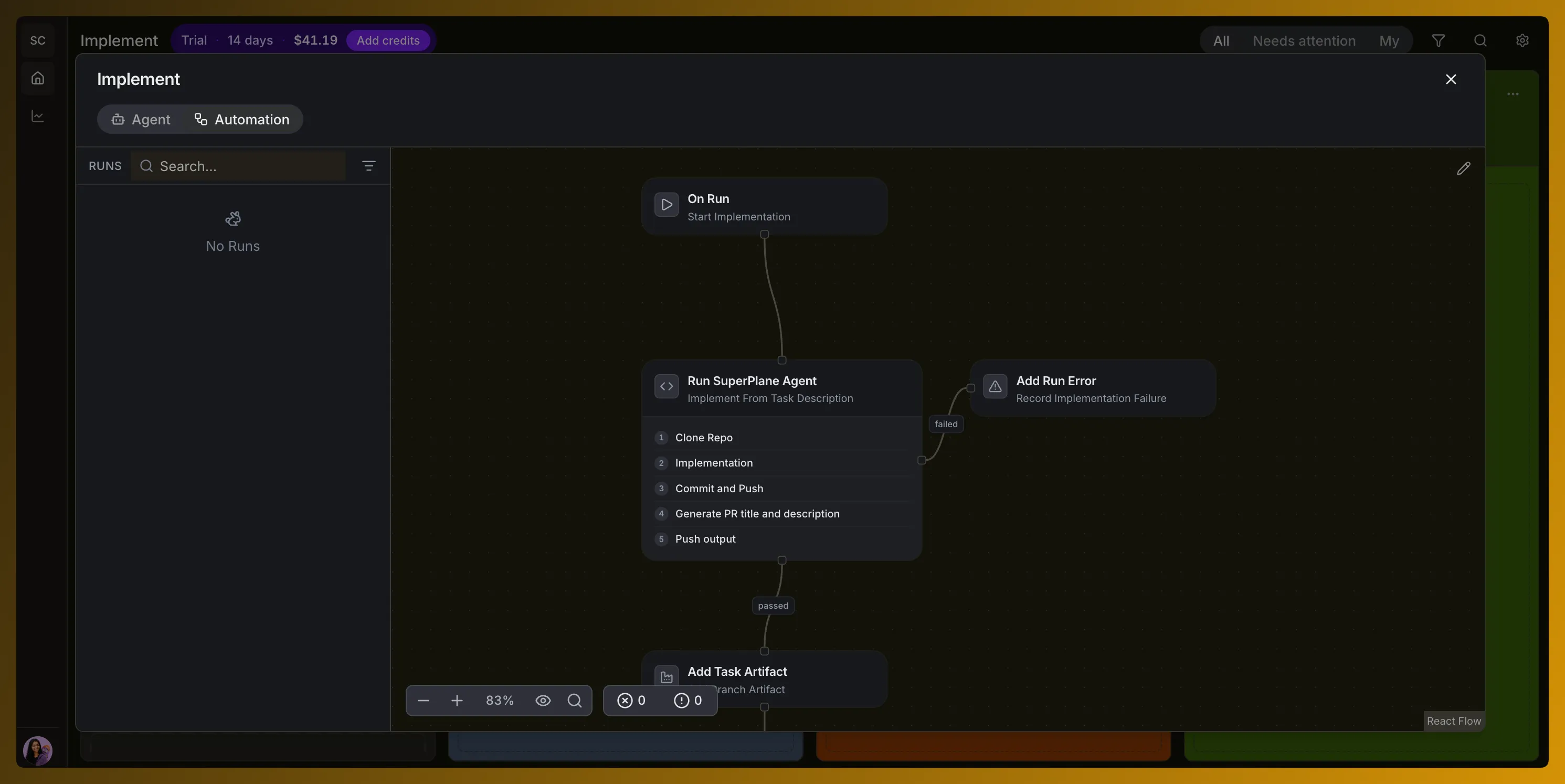
In Implement the configured agent receives the task, inspects the relevant code and makes the change. A typical run can clone the repository, edit the required files, run local checks, commit the result and prepare a pull request.
The agent is responsible for the engineering work. SuperPlane is responsible for carrying inputs and outputs between stages, recording what happened and deciding what runs next.
### 4. Verify and recover
A pull request is an output, not proof that the task is complete. The Verify stage checks the result against the rules defined by the factory. Verification can include tests, continuous integration status, deterministic validation, pull request feedback and human approval.
Verification keeps the result and the remaining decision visible before the task reaches Done.
Failure is part of the workflow. If a test fails SuperPlane preserves the error and the execution context, then returns actionable feedback to the next attempt. The agent does not need a person to copy logs from one tool into another. If the workflow cannot resolve the problem safely it stops and asks for attention.
A failed check can return to implementation. An ambiguous decision returns to a person.
### 5. Hand back a reviewable result
The end of a one-shot run is not “the agent finished.” It is a result that a reviewer can understand and evaluate.
The completed task should make it clear:
- Which issue started the work
- What changed
- Which checks ran
- Whether any failure required another attempt
- What pull request contains the result
- Which decision still belongs to a person
That evidence is what turns generated code into engineering work that can move through a team’s normal review process.
## Humans stay responsible for judgment
One-shot engineering reduces manual coordination between defined workflow steps. It does not remove ownership.
People still choose priorities, clarify ambiguous work, approve sensitive changes and decide whether a pull request should merge. A well designed factory makes those moments explicit. It does not ask a person to watch every command and it does not let an agent quietly make decisions outside its boundary.
Human involvement is most valuable at decisions, not at every mechanical handoff.
## What to measure?
The goal is not to maximize the number of tasks sent to agents. It is to increase the number of bounded tasks that pass the team's configured checks without creating more cleanup for engineers.
Useful signals include:
- The share of backlog tasks that have enough confidence to start
- The share of factory pull requests that are ready for approval
- How often a person must intervene before the configured checks finish
- How often verification catches and repairs a failure
- The time from issue selection to a reviewed pull request
These measures reveal where the factory needs better task context, stronger checks or a clearer approval boundary. They also discourage a common failure mode: counting generated pull requests without asking whether those pull requests were useful.
## The practical definition
A task has been one-shot when it moves from a clear request to a verified and reviewable result without a person coordinating every intermediate step.
That outcome depends on three things working together:
1. **A suitable task:** The scope and expected result are clear.
2. **A governed workflow:** Tools, checks and decision points are defined before execution.
3. **A recoverable process:** Failures keep their context and either retry safely or reach a person.
The model matters, but it is only one worker in the system. The factory is what makes the result repeatable.
## Next steps
#### Pipeline overview
Source URL: https://docs.superplane.com/fundamentals/factory-pipeline/
The Factory pipeline is the operating path that turns an incoming request into a checked result. It gives people and agents the same view of what is happening, what evidence exists and who must decide what happens next.
Work follows a visible path from discovery to a verified result.
## Pipeline at a glance
The board is more than a set of status columns. Each stage has a different responsibility and a clear exit condition.
| Stage | The question it answers | Expected result |
| --- | --- | --- |
| **Backlog** | Is this task clear, useful and safe to start? | An approved task with enough context to act on |
| **Implement** | Can an agent produce the requested change within the stated constraints? | A branch or pull request with an explanation of the work |
| **Verify** | Does the result satisfy the task and the repository's checks? | Evidence that the change works or useful feedback for another attempt |
| **Done** | Have the Factory's completion rules been met? | A completed task with its result and history preserved |
This separation matters. A change can be technically complete but still fail verification. A pull request can pass its checks but still require a product decision. Keeping these states distinct makes failure visible instead of hiding it behind a single progress label.
## What moves through the pipeline?
A task is the unit of work. It begins with a request from an issue tracker or another connected source and gathers context as it moves. The task can hold links, agent output, pull requests, checks, approvals and notes from the people involved.
An automation defines what a stage does. A run is one execution of that automation for a particular task. This distinction is useful when debugging: the stage describes the policy while the run shows exactly what happened this time.
Qualify the taskImplement the changeVerify the resultRecord completion
## A pipeline should survive interruption
Software work rarely runs in one uninterrupted session. An API can time out, a check can fail or an approval can take several hours. SuperPlane keeps the run state and the messages produced by each step so the workflow can continue from a known point. It does not need to reconstruct the process from chat history or ask an agent to remember what happened.
Durability also makes retries safer. The Factory can return a failed check to the implementation stage with the relevant output attached. A person can review the same trail before approving a sensitive action. Both continue from recorded evidence.
## The board is the shared view
The board shows where every task sits and whether it needs attention. Open the task to inspect its source, recent activity, attached artifacts and the run that moved it there.
The board keeps active work, waiting work and completed work in one view.
## Read the pipeline stage by stage
#### Work intake and backlog
Source URL: https://docs.superplane.com/fundamentals/work-intake/
Work intake is where a request becomes Factory work. The goal is not to send every open issue to an agent. It is to identify work with a clear outcome, enough repository context and a verification path that can catch a wrong result.
Connected work is discovered and assessed before it enters execution.
## Where tasks come from?
A Factory can receive work from a connected issue tracker such as GitHub or from a task created directly on the board. The source remains attached so the team can return to the original discussion and expected result.
Automatic intake is useful when the rules are narrow. For example, a Factory can listen for issues from one repository or with a particular label. Manual intake remains useful for one-off work and requests that need context before they are ready for the team backlog.
## What makes a task ready?
Strong tasks describe a result that another person can check. They do not need to prescribe every code edit but they should remove avoidable guesswork.
A ready task usually contains:
- **The problem:** What is wrong or missing today?
- **The expected behavior:** What should be true after the change?
- **The boundary:** Which part of the product or repository is in scope?
- **The evidence:** Which test, check or observation can prove the result?
- **The constraints:** Are there compatibility, security or design requirements the agent must preserve?
Repository conventions still matter. Test commands, contribution guidance and local instructions help the agent act like a contributor to this codebase rather than a visitor making an isolated patch.
## Confidence is a routing signal
SuperPlane can run configured checks against imported tasks and record a confidence score. Treat that score as triage, not as a promise. It helps your team identify requests with bounded scope, sufficient context and an observable success condition while leaving ambiguous requests where a person can improve them.
Ready to startThe outcome is specific, the affected area is bounded and a reliable check exists.
Needs clarificationThe request depends on a product choice, crosses unclear boundaries or has no observable success condition.
An unclear task should not become a more detailed agent prompt by accident. Improve the source issue first when the missing information changes what should be built.
## Starting work is an authorization boundary
The **Start** action tells the Factory that the task is ready for its line. This is a small but important control point. Discovery can run continuously while implementation begins only after the task meets your team's rules.
Before you start a task, confirm that:
- the repository and target area are correct
- the request has one primary outcome
- risky assumptions are written down
- the completion check is available to the workflow
- a person is identified for decisions the workflow cannot make
Backlog keeps discovered work visible until it is ready to enter the line.
Once the task is approved, [Implement](/fundamentals/implement) receives the request and its accumulated context.
#### Intakes overview
Source URL: https://docs.superplane.com/intakes/overview/
Use intakes to bring work from your existing tools into a Factory. Start with a connected repository or issue tracker, then define which requests belong in the backlog. This page helps you choose a source and plan the rules before configuring the workflow.
## Choose a source
For your first GitHub repository, follow the [Quickstart](/get-started/quickstart). For other sources, use the integration components in a custom automation.
| Source | Reference |
| --- | --- |
| GitHub | [Issues and repository events](/components/github) |
| Jira | [Jira issues](/components/jira) |
| Linear | [Linear issues and events](/components/linear) |
| Sentry | [Sentry events and actions](/components/sentry) |
Component references describe available events and actions. Connecting a source alone does not define how its events become Factory tasks; configure that behavior in your intake automation.
## Define what to import
Choose a repository or project and a narrow set of matching requests. Use filters such as labels or issue state where the source supports them.
Each task needs enough context to act on:
- The requested change and expected result.
- The repository and area in scope.
- A link to the original request.
- A test or check that can confirm completion.
Read [work intake and backlog](/fundamentals/work-intake) for task readiness criteria.
## Assess work before starting it
The Backlog automation can inspect a task and record a confidence score with a reason. Use that result to route work, rather than treating it as a guarantee of success.
Keep requests with missing context in the backlog until someone clarifies them. Define separately when implementation may start. See [Backlog automation](/fundamentals/automation-backlog) for filtering, assessment and routing rules.
## Try one task first
Import one bounded request and confirm its source and context are attached. Check the assessment result before starting implementation. Once the task follows the expected path, expand the intake rules to more work.
Follow [Build your first Factory](/get-started/build-first-factory) to run tasks through implementation, verification and review.
#### Source control and work intake
Source URL: https://docs.superplane.com/integrations/source-control/
Source-control integrations give a Factory access to backlog items and the reviewable outputs of agent work. Grant only the repositories and actions required by the workflow.
## Source control
- [GitHub](/components/github) manages issues, branches, pull requests, comments, checks and repository events.
- [GitLab](/components/gitlab) reacts to repository changes and manages GitLab resources.
- [Bitbucket](/components/bitbucket) reacts to events in Bitbucket repositories.
## Work intake
- [GitHub](/components/github) provides issue intake during the guided Factory setup.
- [Jira](/components/jira) manages Jira issues in custom workflows.
- [Linear](/components/linear) manages and reacts to Linear issues.
- [ServiceNow](/components/servicenow) connects service-management records and events.
## Access guidance
Use a dedicated connection with the minimum repository scope. Confirm that it can read the backlog, create the required branch and pull request and receive the review events used by the line.
#### GitHub
Source URL: https://docs.superplane.com/components/github/
Manage and react to changes in your GitHub repositories
import { CardGrid, LinkCard } from "@astrojs/starlight/components";
## Triggers
## Actions
## On Branch Created
**Trigger key:** `github.onBranchCreated`
The On Branch Created trigger starts a workflow execution when a new branch is created in a GitHub repository.
### Use Cases
- **Branch automation**: Set up environments or resources for new branches
- **Branch validation**: Validate branch naming conventions
- **Notification workflows**: Notify teams when important branches are created
- **Branch processing**: Process or configure branches automatically
### Configuration
- **Repository**: Select the GitHub repository to monitor
- **Branches**: Configure which branches to listen for using predicates (e.g., equals "main", starts with "feature-")
### Event Data
Each branch event includes:
- **ref**: The branch reference (e.g., "refs/heads/feature/new-feature")
- **ref_type**: Type of reference (branch)
- **repository**: Repository information
- **sender**: User who created the branch
### Webhook Setup
This trigger automatically sets up a GitHub webhook when configured. The webhook is managed by SuperPlane and will be cleaned up when the trigger is removed.
### Example Data
```json
{
"data": {
"description": "Example repository for webhook payloads",
"master_branch": "main",
"pusher_type": "user",
"ref": "feature/new-endpoint",
"ref_type": "branch",
"repository": {
"full_name": "acme/widgets",
"html_url": "https://github.com/acme/widgets",
"id": 123456
},
"sender": {
"html_url": "https://github.com/octocat",
"id": 101,
"login": "octocat"
}
},
"timestamp": "2026-01-16T17:56:16.680755501Z",
"type": "github.branchCreated"
}
```
## On Check Run
**Trigger key:** `github.onCheckRun`
The On Check Run trigger starts a workflow execution when a GitHub Checks API check run changes.
GitHub check runs are created by GitHub Apps and power many pull request checks such as Cloudflare Pages, DCO, Sourcery and GitHub Actions check runs. They are separate from legacy Commit Statuses API statuses. Use On Commit Status for legacy commit status events.
### Use Cases
- **Pull request automation**: React when Checks API checks complete or fail
- **Quality gates**: Continue workflows only after a specific check run reaches the expected state
- **Notifications**: Notify teams when app-provided checks fail or require action
- **Merge orchestration**: Combine this trigger with List Check Runs For Ref to decide whether all checks are green
### Configuration
- **Repository**: Select the GitHub repository to monitor
- **Statuses**: Select check run statuses to listen for (queued, in_progress, completed, requested, waiting, pending)
- **Conclusions** *(optional)*: Filter completed check runs by conclusion
- **Names** *(optional)*: Filter check run names using predicates, e.g. equals "DCO" or matches "Cloudflare.*"
- **Branches** *(optional)*: Filter check suite head branches using predicates
- **Pull requests only**: Emit only check runs that GitHub associates with at least one pull request
### Event Data
Each event includes:
- **action**: The check_run webhook action
- **check_run**: Check run details, including name, status, conclusion, head SHA, app, pull requests and URLs
- **repository**: Repository information
- **sender**: User or app actor associated with the webhook event
### Webhook Setup
This trigger automatically sets up a GitHub webhook when configured. The webhook is managed by SuperPlane and will be cleaned up when the trigger is removed.
### Notes
GitHub may return an empty pull_requests array for check runs created from forked repository pushes. When Pull requests only is enabled, those fork-originated check runs may be filtered out because GitHub does not include PR metadata in the webhook payload.
### Example Data
```json
{
"data": {
"action": "completed",
"check_run": {
"app": {
"name": "DCO"
},
"check_suite": {
"head_branch": "feature/snake-updates",
"head_sha": "d6f3c8a2e8b7f0a9c0a1f67f0c5d7b2a1d9e3f44"
},
"completed_at": "2026-06-01T12:02:00Z",
"conclusion": "success",
"details_url": "https://github.com/acme/snaketoy/runs/123456789",
"head_sha": "d6f3c8a2e8b7f0a9c0a1f67f0c5d7b2a1d9e3f44",
"html_url": "https://github.com/acme/snaketoy/runs/123456789",
"id": 123456789,
"name": "DCO",
"pull_requests": [
{
"base": {
"ref": "main"
},
"head": {
"ref": "feature/snake-updates",
"sha": "d6f3c8a2e8b7f0a9c0a1f67f0c5d7b2a1d9e3f44"
},
"html_url": "https://github.com/acme/snaketoy/pull/42",
"number": 42
}
],
"started_at": "2026-06-01T12:00:00Z",
"status": "completed"
},
"repository": {
"full_name": "acme/snaketoy",
"html_url": "https://github.com/acme/snaketoy"
},
"sender": {
"html_url": "https://github.com/octocat",
"login": "octocat"
}
},
"timestamp": "2026-06-01T12:02:01Z",
"type": "github.checkRun"
}
```
## On Commit Status
**Trigger key:** `github.onCommitStatus`
The On Commit Status trigger starts a workflow execution when a GitHub commit status is created or updated.
GitHub commit statuses are the legacy status objects created through the Commit Statuses API. They are separate from GitHub Checks API check runs, which power many PR checks from GitHub Apps such as Cloudflare Pages, DCO and Sourcery. This trigger does not receive those check-run events. For GitHub Actions workflows, use the On Workflow Run trigger instead.
### Use Cases
- **Merge automation**: Re-evaluate pull request merge criteria when required status checks change
- **CI/CD orchestration**: React to status updates from external CI systems
- **Quality gates**: Route workflows based on commit status context and state
- **Notifications**: Notify teams when important status checks fail or recover
### Configuration
- **Repository**: Select the GitHub repository to monitor
- **States**: Select which commit status states to listen for (error, failure, pending, success)
- **Contexts** *(optional)*: Configure which status contexts to listen for using predicates (e.g., equals "ci/build", matches "deploy/.*")
- **Branches** *(optional)*: Configure which branch names to listen for using predicates. GitHub includes branches that contain the status SHA.
### Event Data
Each status event includes:
- **state**: The new commit status state (error, failure, pending, success)
- **context**: The status context, such as "ci/build"
- **sha**: Commit SHA for the status
- **description**: Optional status description
- **target_url**: Optional link added to the status
- **branches**: Branches containing the status SHA
- **commit**: Commit information
- **repository**: Repository information
- **sender**: User who created the status event. This is not necessarily the commit author
### Webhook Setup
This trigger automatically sets up a GitHub webhook when configured. The webhook is managed by SuperPlane and will be cleaned up when the trigger is removed.
### Example Data
```json
{
"data": {
"branches": [
{
"commit": {
"sha": "d6f3c8a2e8b7f0a9c0a1f67f0c5d7b2a1d9e3f44",
"url": "https://api.github.com/repos/acme-labs/snaketoy/commits/d6f3c8a2e8b7f0a9c0a1f67f0c5d7b2a1d9e3f44"
},
"name": "main",
"protected": true
}
],
"commit": {
"commit": {
"message": "Add checkout validation"
},
"html_url": "https://github.com/acme-labs/snaketoy/commit/d6f3c8a2e8b7f0a9c0a1f67f0c5d7b2a1d9e3f44",
"sha": "d6f3c8a2e8b7f0a9c0a1f67f0c5d7b2a1d9e3f44"
},
"context": "ci/build",
"created_at": "2026-01-16T17:56:16Z",
"description": "Build completed successfully",
"id": 15384176893,
"repository": {
"full_name": "acme-labs/snaketoy",
"html_url": "https://github.com/acme-labs/snaketoy",
"id": 101,
"name": "snaketoy"
},
"sender": {
"html_url": "https://github.com/octocat",
"id": 583231,
"login": "octocat"
},
"sha": "d6f3c8a2e8b7f0a9c0a1f67f0c5d7b2a1d9e3f44",
"state": "success",
"target_url": "https://github.com/acme-labs/snaketoy/actions/runs/123456789",
"updated_at": "2026-01-16T17:57:20Z"
},
"timestamp": "2026-01-16T17:56:16.680755501Z",
"type": "github.status"
}
```
## On Issue
**Trigger key:** `github.onIssue`
The On Issue trigger starts a workflow execution when issue events occur in a GitHub repository.
### Use Cases
- **Issue automation**: Automate responses to new or updated issues
- **Notification workflows**: Send notifications when issues are created or closed
- **Task management**: Sync issues with external task management systems
- **Label automation**: Automatically label or categorize issues
### Configuration
- **Repository**: Select the GitHub repository to monitor
- **Actions**: Select which issue actions to listen for (opened, closed, reopened, etc.)
### Event Data
Each issue event includes:
- **action**: The action that triggered the event (opened, closed, reopened, etc.)
- **issue**: Complete issue information including title, body, state, labels, assignees
- **repository**: Repository information
- **sender**: User who triggered the event
### Webhook Setup
This trigger automatically sets up a GitHub webhook when configured. The webhook is managed by SuperPlane and will be cleaned up when the trigger is removed.
### Example Data
```json
{
"data": {
"action": "opened",
"issue": {
"html_url": "https://github.com/acme/widgets/issues/42",
"number": 42,
"state": "open",
"title": "Fix flaky build",
"user": {
"login": "octocat"
}
},
"repository": {
"full_name": "acme/widgets",
"html_url": "https://github.com/acme/widgets",
"id": 123456
},
"sender": {
"html_url": "https://github.com/octocat",
"id": 101,
"login": "octocat"
}
},
"timestamp": "2026-01-16T17:56:16.680755501Z",
"type": "github.issue"
}
```
## On Issue Comment
**Trigger key:** `github.onIssueComment`
The On Issue Comment trigger starts a workflow execution when comments are added to issues.
### Use Cases
- **Command processing**: Process slash commands in issue comments (e.g., /assign, /close)
- **Bot interactions**: Respond to comments with automated actions
- **Issue automation**: Automate issue management based on comment content
- **Notification systems**: Notify teams when important comments are added
### Configuration
- **Repository**: Select the GitHub repository to monitor
- **Content Filter**: Optional regex pattern to filter comments (e.g., `/solve` to only trigger on comments containing "/solve")
### Event Data
Each comment event includes:
- **comment**: Comment information including body, author, created timestamp
- **issue**: Issue information the comment was added to
- **repository**: Repository information
- **sender**: User who added the comment
### Webhook Setup
This trigger automatically sets up a GitHub webhook when configured. The webhook is managed by SuperPlane and will be cleaned up when the trigger is removed.
### Example Data
```json
{
"data": {
"action": "created",
"comment": {
"body": "I can reproduce this",
"html_url": "https://github.com/acme/widgets/issues/42#issuecomment-5001",
"id": 5001
},
"issue": {
"html_url": "https://github.com/acme/widgets/issues/42",
"number": 42,
"title": "Fix flaky build"
},
"repository": {
"full_name": "acme/widgets",
"html_url": "https://github.com/acme/widgets",
"id": 123456
},
"sender": {
"html_url": "https://github.com/octocat",
"id": 101,
"login": "octocat"
}
},
"timestamp": "2026-01-16T17:56:16.680755501Z",
"type": "github.issueComment"
}
```
## On PR Comment
**Trigger key:** `github.onPRComment`
The On PR Comment trigger starts a workflow execution when comments are added on a pull request conversation.
### Use Cases
- **Command processing**: Process slash commands in PR conversation comments (e.g., /deploy, /test)
- **Bot interactions**: Respond to comments with automated actions
- **Notification systems**: Notify teams when important PR conversation comments are added
### Configuration
- **Repository**: Select the GitHub repository to monitor
- **Content Filter**: Optional filter on comments. Mentions that start with @ match as an exact GitHub username. Other values are regular expressions.
- **Ignore Bots**: Skip comments written by GitHub Apps and bots
- **Allowed Bots**: React to comments from these GitHub Apps or bots even when the comment does not match the content filter. Enter the bot login, for example coderabbitai.
### Event Data
Each comment event includes:
- **comment**: Comment information including body, author, created timestamp
- **issue**: Issue/PR information; for this trigger it is always a pull request issue
- **repository**: Repository information
- **sender**: User who added the comment
SuperPlane passes through the full GitHub webhook payload under data for the issue_comment event type.
Common expression paths:
- PR number: `root().data.issue.number`
- PR title: `root().data.issue.title`
- PR URL: `root().data.issue.pull_request.html_url`
- Comment body: `root().data.comment.body`
### Webhook Setup
This trigger automatically sets up a GitHub webhook when configured. The webhook is managed by SuperPlane and will be cleaned up when the trigger is removed.
### Example Data
```json
{
"data": {
"action": "created",
"comment": {
"author_association": "CONTRIBUTOR",
"body": "Looks good to me — can we also update the README example to match the new title?",
"created_at": "2026-02-25T18:14:22Z",
"html_url": "https://github.com/acme-labs/snaketoy/pull/42#issuecomment-4928173041",
"id": 4928173041,
"issue_url": "https://api.github.com/repos/acme-labs/snaketoy/issues/42",
"node_id": "IC_kwDOQ7c2jM7zXq2R",
"performed_via_github_app": null,
"pin": null,
"reactions": {
"+1": 2,
"-1": 0,
"confused": 0,
"eyes": 1,
"heart": 0,
"hooray": 1,
"laugh": 0,
"rocket": 0,
"total_count": 4,
"url": "https://api.github.com/repos/acme-labs/snaketoy/issues/comments/4928173041/reactions"
},
"updated_at": "2026-02-25T18:14:29Z",
"url": "https://api.github.com/repos/acme-labs/snaketoy/issues/comments/4928173041",
"user": {
"avatar_url": "https://avatars.githubusercontent.com/u/124578901?v=4",
"events_url": "https://api.github.com/users/jules-ramirez/events{/privacy}",
"followers_url": "https://api.github.com/users/jules-ramirez/followers",
"following_url": "https://api.github.com/users/jules-ramirez/following{/other_user}",
"gists_url": "https://api.github.com/users/jules-ramirez/gists{/gist_id}",
"gravatar_id": "",
"html_url": "https://github.com/jules-ramirez",
"id": 124578901,
"login": "jules-ramirez",
"node_id": "MDQ6VXNlcjEyNDU3ODkwMQ==",
"organizations_url": "https://api.github.com/users/jules-ramirez/orgs",
"received_events_url": "https://api.github.com/users/jules-ramirez/received_events",
"repos_url": "https://api.github.com/users/jules-ramirez/repos",
"site_admin": false,
"starred_url": "https://api.github.com/users/jules-ramirez/starred{/owner}{/repo}",
"subscriptions_url": "https://api.github.com/users/jules-ramirez/subscriptions",
"type": "User",
"url": "https://api.github.com/users/jules-ramirez",
"user_view_type": "public"
}
},
"issue": {
"active_lock_reason": null,
"assignee": null,
"assignees": [],
"author_association": "MEMBER",
"body": "This PR renames the game title shown in the UI and updates the page header accordingly.",
"closed_at": null,
"comments": 3,
"comments_url": "https://api.github.com/repos/acme-labs/snaketoy/issues/42/comments",
"created_at": "2026-02-25T18:02:11Z",
"draft": false,
"events_url": "https://api.github.com/repos/acme-labs/snaketoy/issues/42/events",
"html_url": "https://github.com/acme-labs/snaketoy/pull/42",
"id": 5129048832,
"labels": [
{
"color": "a2eeef",
"default": true,
"description": "New feature or request",
"id": 889120331,
"name": "enhancement",
"node_id": "LA_kwDOQ7c2jM8AAAABN9qLiw",
"url": "https://api.github.com/repos/acme-labs/snaketoy/labels/enhancement"
}
],
"labels_url": "https://api.github.com/repos/acme-labs/snaketoy/issues/42/labels{/name}",
"locked": false,
"milestone": null,
"node_id": "PR_kwDOQ7c2jM7hY2qB",
"number": 42,
"performed_via_github_app": null,
"pull_request": {
"diff_url": "https://github.com/acme-labs/snaketoy/pull/42.diff",
"html_url": "https://github.com/acme-labs/snaketoy/pull/42",
"merged_at": null,
"patch_url": "https://github.com/acme-labs/snaketoy/pull/42.patch",
"url": "https://api.github.com/repos/acme-labs/snaketoy/pulls/42"
},
"reactions": {
"+1": 5,
"-1": 0,
"confused": 0,
"eyes": 2,
"heart": 1,
"hooray": 0,
"laugh": 0,
"rocket": 1,
"total_count": 9,
"url": "https://api.github.com/repos/acme-labs/snaketoy/issues/42/reactions"
},
"repository_url": "https://api.github.com/repos/acme-labs/snaketoy",
"state": "open",
"state_reason": null,
"timeline_url": "https://api.github.com/repos/acme-labs/snaketoy/issues/42/timeline",
"title": "Rename title from 'Snake' to 'Snake Toy'",
"updated_at": "2026-02-25T18:14:29Z",
"url": "https://api.github.com/repos/acme-labs/snaketoy/issues/42",
"user": {
"avatar_url": "https://avatars.githubusercontent.com/u/90231477?v=4",
"events_url": "https://api.github.com/users/renato-dev/events{/privacy}",
"followers_url": "https://api.github.com/users/renato-dev/followers",
"following_url": "https://api.github.com/users/renato-dev/following{/other_user}",
"gists_url": "https://api.github.com/users/renato-dev/gists{/gist_id}",
"gravatar_id": "",
"html_url": "https://github.com/renato-dev",
"id": 90231477,
"login": "renato-dev",
"node_id": "MDQ6VXNlcjkwMjMxNDc3",
"organizations_url": "https://api.github.com/users/renato-dev/orgs",
"received_events_url": "https://api.github.com/users/renato-dev/received_events",
"repos_url": "https://api.github.com/users/renato-dev/repos",
"site_admin": false,
"starred_url": "https://api.github.com/users/renato-dev/starred{/owner}{/repo}",
"subscriptions_url": "https://api.github.com/users/renato-dev/subscriptions",
"type": "User",
"url": "https://api.github.com/users/renato-dev",
"user_view_type": "public"
}
},
"repository": {
"allow_forking": true,
"archive_url": "https://api.github.com/repos/acme-labs/snaketoy/{archive_format}{/ref}",
"archived": false,
"assignees_url": "https://api.github.com/repos/acme-labs/snaketoy/assignees{/user}",
"blobs_url": "https://api.github.com/repos/acme-labs/snaketoy/git/blobs{/sha}",
"branches_url": "https://api.github.com/repos/acme-labs/snaketoy/branches{/branch}",
"clone_url": "https://github.com/acme-labs/snaketoy.git",
"collaborators_url": "https://api.github.com/repos/acme-labs/snaketoy/collaborators{/collaborator}",
"comments_url": "https://api.github.com/repos/acme-labs/snaketoy/comments{/number}",
"commits_url": "https://api.github.com/repos/acme-labs/snaketoy/commits{/sha}",
"compare_url": "https://api.github.com/repos/acme-labs/snaketoy/compare/{base}...{head}",
"contents_url": "https://api.github.com/repos/acme-labs/snaketoy/contents/{+path}",
"contributors_url": "https://api.github.com/repos/acme-labs/snaketoy/contributors",
"created_at": "2024-08-11T13:09:40Z",
"default_branch": "main",
"deployments_url": "https://api.github.com/repos/acme-labs/snaketoy/deployments",
"description": "A tiny snake fangame written in JavaScript + HTML5 canvas",
"disabled": false,
"downloads_url": "https://api.github.com/repos/acme-labs/snaketoy/downloads",
"events_url": "https://api.github.com/repos/acme-labs/snaketoy/events",
"fork": false,
"forks": 7,
"forks_count": 7,
"forks_url": "https://api.github.com/repos/acme-labs/snaketoy/forks",
"full_name": "acme-labs/snaketoy",
"git_commits_url": "https://api.github.com/repos/acme-labs/snaketoy/git/commits{/sha}",
"git_refs_url": "https://api.github.com/repos/acme-labs/snaketoy/git/refs{/sha}",
"git_tags_url": "https://api.github.com/repos/acme-labs/snaketoy/git/tags{/sha}",
"git_url": "git://github.com/acme-labs/snaketoy.git",
"has_discussions": true,
"has_downloads": true,
"has_issues": true,
"has_pages": false,
"has_projects": true,
"has_pull_requests": true,
"has_wiki": true,
"homepage": "https://acme.example/snaketoy",
"hooks_url": "https://api.github.com/repos/acme-labs/snaketoy/hooks",
"html_url": "https://github.com/acme-labs/snaketoy",
"id": 712304981,
"is_template": false,
"issue_comment_url": "https://api.github.com/repos/acme-labs/snaketoy/issues/comments{/number}",
"issue_events_url": "https://api.github.com/repos/acme-labs/snaketoy/issues/events{/number}",
"issues_url": "https://api.github.com/repos/acme-labs/snaketoy/issues{/number}",
"keys_url": "https://api.github.com/repos/acme-labs/snaketoy/keys{/key_id}",
"labels_url": "https://api.github.com/repos/acme-labs/snaketoy/labels{/name}",
"language": "JavaScript",
"languages_url": "https://api.github.com/repos/acme-labs/snaketoy/languages",
"license": {
"key": "mit",
"name": "MIT License",
"node_id": "MDc6TGljZW5zZTEz",
"spdx_id": "MIT",
"url": "https://api.github.com/licenses/mit"
},
"merges_url": "https://api.github.com/repos/acme-labs/snaketoy/merges",
"milestones_url": "https://api.github.com/repos/acme-labs/snaketoy/milestones{/number}",
"mirror_url": null,
"name": "snaketoy",
"node_id": "MDEwOlJlcG9zaXRvcnk3MTIzMDQ5ODE=",
"notifications_url": "https://api.github.com/repos/acme-labs/snaketoy/notifications{?since,all,participating}",
"open_issues": 12,
"open_issues_count": 12,
"owner": {
"avatar_url": "https://avatars.githubusercontent.com/u/55120911?v=4",
"events_url": "https://api.github.com/users/acme-labs/events{/privacy}",
"followers_url": "https://api.github.com/users/acme-labs/followers",
"following_url": "https://api.github.com/users/acme-labs/following{/other_user}",
"gists_url": "https://api.github.com/users/acme-labs/gists{/gist_id}",
"gravatar_id": "",
"html_url": "https://github.com/acme-labs",
"id": 55120911,
"login": "acme-labs",
"node_id": "MDEyOk9yZ2FuaXphdGlvbjU1MTIwOTEx",
"organizations_url": "https://api.github.com/users/acme-labs/orgs",
"received_events_url": "https://api.github.com/users/acme-labs/received_events",
"repos_url": "https://api.github.com/users/acme-labs/repos",
"site_admin": false,
"starred_url": "https://api.github.com/users/acme-labs/starred{/owner}{/repo}",
"subscriptions_url": "https://api.github.com/users/acme-labs/subscriptions",
"type": "Organization",
"url": "https://api.github.com/users/acme-labs",
"user_view_type": "public"
},
"private": false,
"pull_request_creation_policy": "all",
"pulls_url": "https://api.github.com/repos/acme-labs/snaketoy/pulls{/number}",
"pushed_at": "2026-02-25T18:13:58Z",
"releases_url": "https://api.github.com/repos/acme-labs/snaketoy/releases{/id}",
"size": 1380,
"ssh_url": "git@github.com:acme-labs/snaketoy.git",
"stargazers_count": 24,
"stargazers_url": "https://api.github.com/repos/acme-labs/snaketoy/stargazers",
"statuses_url": "https://api.github.com/repos/acme-labs/snaketoy/statuses/{sha}",
"subscribers_url": "https://api.github.com/repos/acme-labs/snaketoy/subscribers",
"subscription_url": "https://api.github.com/repos/acme-labs/snaketoy/subscription",
"svn_url": "https://github.com/acme-labs/snaketoy",
"tags_url": "https://api.github.com/repos/acme-labs/snaketoy/tags",
"teams_url": "https://api.github.com/repos/acme-labs/snaketoy/teams",
"topics": [
"game",
"canvas",
"javascript"
],
"trees_url": "https://api.github.com/repos/acme-labs/snaketoy/git/trees{/sha}",
"updated_at": "2026-02-12T09:41:27Z",
"url": "https://api.github.com/repos/acme-labs/snaketoy",
"visibility": "public",
"watchers": 24,
"watchers_count": 24,
"web_commit_signoff_required": false
},
"sender": {
"avatar_url": "https://avatars.githubusercontent.com/u/55120911?v=4",
"events_url": "https://api.github.com/users/acme-ci/events{/privacy}",
"followers_url": "https://api.github.com/users/acme-ci/followers",
"following_url": "https://api.github.com/users/acme-ci/following{/other_user}",
"gists_url": "https://api.github.com/users/acme-ci/gists{/gist_id}",
"gravatar_id": "",
"html_url": "https://github.com/acme-ci",
"id": 77100412,
"login": "acme-ci",
"node_id": "MDQ6VXNlcjc3MTAwNDEy",
"organizations_url": "https://api.github.com/users/acme-ci/orgs",
"received_events_url": "https://api.github.com/users/acme-ci/received_events",
"repos_url": "https://api.github.com/users/acme-ci/repos",
"site_admin": false,
"starred_url": "https://api.github.com/users/acme-ci/starred{/owner}{/repo}",
"subscriptions_url": "https://api.github.com/users/acme-ci/subscriptions",
"type": "User",
"url": "https://api.github.com/users/acme-ci",
"user_view_type": "public"
}
},
"timestamp": "2026-02-25T18:14:31.384219122Z",
"type": "github.prComment"
}
```
## On PR Review
**Trigger key:** `github.onPRReview`
The On PR Review trigger starts a workflow execution when a pull request review is submitted.
It loads every inline comment that belongs to that review before it emits an event.
A review with several comments therefore produces one run, not one run per comment.
### Use Cases
- **Review automation**: Address a submitted review as one unit of work
- **Factory feedback**: Start one agent run when a reviewer mentions the factory
- **Review notifications**: Notify a team when a review is submitted
### Configuration
- **Repository**: Select the GitHub repository to monitor
- **Content Filter**: Optional filter on the review summary and inline comments. Mentions that start with @ match as an exact GitHub username. Other values are regular expressions.
- **Ignore Bots**: Skip reviews written by GitHub Apps and bots
- **Allowed Bots**: React to reviews from these GitHub Apps or bots even when the review does not match the content filter. Enter the bot login, for example coderabbitai.
### Event Data
This trigger handles the GitHub `pull_request_review` event with action `submitted`.
SuperPlane passes through the full GitHub webhook payload under data and adds:
- **review_comments**: Inline comments fetched for the submitted review
Common expression paths:
- PR number: `root().data.pull_request.number`
- PR URL: `root().data.pull_request.html_url`
- Review body: `root().data.review.body`
- Review comments: `root().data.review_comments`
### Webhook Setup
This trigger automatically sets up a GitHub webhook when configured. The webhook is managed by SuperPlane and will be cleaned up when the trigger is removed.
### Example Data
```json
{
"data": {
"action": "submitted",
"pull_request": {
"head": {
"ref": "feat/rename-title",
"sha": "d6f3c8a2e8b7f0a9c0a1f67f0c5d7b2a1d9e3f44"
},
"html_url": "https://github.com/acme-labs/snaketoy/pull/42",
"number": 42,
"title": "Rename the game title to Snake Toy"
},
"repository": {
"full_name": "acme-labs/snaketoy",
"name": "snaketoy"
},
"review": {
"body": "Please address the inline comments @superplaneagent",
"html_url": "https://github.com/acme-labs/snaketoy/pull/42#pullrequestreview-987654321",
"id": 987654321,
"state": "changes_requested",
"user": {
"login": "jules-ramirez",
"type": "User"
}
},
"review_comments": [
{
"body": "Small nit: could we also update the page heading to match the new title?",
"html_url": "https://github.com/acme-labs/snaketoy/pull/42#discussion_r3179045528",
"id": 3179045528,
"line": 6,
"path": "index.html",
"user": {
"login": "jules-ramirez",
"type": "User"
}
}
]
},
"timestamp": "2026-02-25T18:22:21.000000000Z",
"type": "github.prReview"
}
```
## On PR Review Comment
**Trigger key:** `github.onPRReviewComment`
The On PR Review Comment trigger starts a workflow execution when review comments are added to pull requests.
### Use Cases
- **Code review automation**: React to line-level review comments
- **Review workflows**: Trigger follow-up workflows when a review is submitted
- **Notification systems**: Notify teams when new review comments are posted
### Configuration
- **Repository**: Select the GitHub repository to monitor
- **Content Filter**: Optional filter on comment/review body. Mentions that start with @ match as an exact GitHub username. Other values are regular expressions.
- **Include Review Submissions**: Also start a run when a pull request review is submitted
- **Comment Scope**: All comments, or replies only
- **Ignore Bots**: Skip comments and reviews written by GitHub Apps and bots
- **Allowed Bots**: React to comments and reviews from these GitHub Apps or bots even when they do not match the content filter. Enter the bot login, for example coderabbitai.
### Event Data
This trigger handles two GitHub webhook events:
- **pull_request_review_comment**: line-level code review comments (`comment` and `pull_request`)
- **pull_request_review**: submitted review comments (`review` and `pull_request`)
SuperPlane passes through the full GitHub webhook payload under data.
Common expression paths:
- PR number: `root().data.pull_request.number`
- Branch name: `root().data.pull_request.head.ref`
- Head SHA: `root().data.pull_request.head.sha`
- Review comment body: `root().data.comment.body` (pull_request_review_comment)
- Review submission body: `root().data.review.body` (pull_request_review)
The Example Data below shows the pull_request_review_comment shape. A pull_request_review submission replaces `comment` with a `review` object instead, e.g.:
```json
{
"action": "submitted",
"review": {
"id": 987654321,
"body": "LGTM! Nice cleanup on the title rename.",
"state": "approved",
"html_url": "https://github.com/acme-labs/snaketoy/pull/42#pullrequestreview-987654321",
"user": { "login": "jules-ramirez" }
},
"pull_request": { "number": 42, "html_url": "https://github.com/acme-labs/snaketoy/pull/42" }
}
```
### Webhook Setup
This trigger automatically sets up a GitHub webhook when configured. The webhook is managed by SuperPlane and will be cleaned up when the trigger is removed.
### Example Data
```json
{
"data": {
"action": "created",
"comment": {
"_links": {
"html": {
"href": "https://github.com/acme-labs/snaketoy/pull/42#discussion_r3179045528"
},
"pull_request": {
"href": "https://api.github.com/repos/acme-labs/snaketoy/pulls/42"
},
"self": {
"href": "https://api.github.com/repos/acme-labs/snaketoy/pulls/comments/3179045528"
}
},
"author_association": "CONTRIBUTOR",
"body": "Small nit: could we also update the page heading to match the new title?",
"commit_id": "d6f3c8a2e8b7f0a9c0a1f67f0c5d7b2a1d9e3f44",
"created_at": "2026-02-25T18:22:13Z",
"diff_hunk": "@@ -3,7 +3,7 @@\n \u003chead\u003e\n \u003cmeta charset=\"UTF-8\"\u003e\n \u003cmeta name=\"viewport\" content=\"width=device-width, user-scalable=no, initial-scale=1\"\u003e\n- \u003ctitle\u003eSnake\u003c/title\u003e\n+ \u003ctitle\u003eSnake Toy\u003c/title\u003e",
"html_url": "https://github.com/acme-labs/snaketoy/pull/42#discussion_r3179045528",
"id": 3179045528,
"line": 6,
"node_id": "PRRC_kwDOQ7c2jM6_9s1Y",
"original_commit_id": "d6f3c8a2e8b7f0a9c0a1f67f0c5d7b2a1d9e3f44",
"original_line": 6,
"original_position": 5,
"original_start_line": null,
"path": "index.html",
"position": 5,
"pull_request_review_id": 4632189077,
"pull_request_url": "https://api.github.com/repos/acme-labs/snaketoy/pulls/42",
"reactions": {
"+1": 1,
"-1": 0,
"confused": 0,
"eyes": 0,
"heart": 0,
"hooray": 0,
"laugh": 0,
"rocket": 0,
"total_count": 1,
"url": "https://api.github.com/repos/acme-labs/snaketoy/pulls/comments/3179045528/reactions"
},
"side": "RIGHT",
"start_line": null,
"start_side": null,
"subject_type": "line",
"updated_at": "2026-02-25T18:22:21Z",
"url": "https://api.github.com/repos/acme-labs/snaketoy/pulls/comments/3179045528",
"user": {
"avatar_url": "https://avatars.githubusercontent.com/u/124578901?v=4",
"events_url": "https://api.github.com/users/jules-ramirez/events{/privacy}",
"followers_url": "https://api.github.com/users/jules-ramirez/followers",
"following_url": "https://api.github.com/users/jules-ramirez/following{/other_user}",
"gists_url": "https://api.github.com/users/jules-ramirez/gists{/gist_id}",
"gravatar_id": "",
"html_url": "https://github.com/jules-ramirez",
"id": 124578901,
"login": "jules-ramirez",
"node_id": "MDQ6VXNlcjEyNDU3ODkwMQ==",
"organizations_url": "https://api.github.com/users/jules-ramirez/orgs",
"received_events_url": "https://api.github.com/users/jules-ramirez/received_events",
"repos_url": "https://api.github.com/users/jules-ramirez/repos",
"site_admin": false,
"starred_url": "https://api.github.com/users/jules-ramirez/starred{/owner}{/repo}",
"subscriptions_url": "https://api.github.com/users/jules-ramirez/subscriptions",
"type": "User",
"url": "https://api.github.com/users/jules-ramirez",
"user_view_type": "public"
}
},
"pull_request": {
"_links": {
"comments": {
"href": "https://api.github.com/repos/acme-labs/snaketoy/issues/42/comments"
},
"commits": {
"href": "https://api.github.com/repos/acme-labs/snaketoy/pulls/42/commits"
},
"html": {
"href": "https://github.com/acme-labs/snaketoy/pull/42"
},
"issue": {
"href": "https://api.github.com/repos/acme-labs/snaketoy/issues/42"
},
"review_comment": {
"href": "https://api.github.com/repos/acme-labs/snaketoy/pulls/comments{/number}"
},
"review_comments": {
"href": "https://api.github.com/repos/acme-labs/snaketoy/pulls/42/comments"
},
"self": {
"href": "https://api.github.com/repos/acme-labs/snaketoy/pulls/42"
},
"statuses": {
"href": "https://api.github.com/repos/acme-labs/snaketoy/statuses/d6f3c8a2e8b7f0a9c0a1f67f0c5d7b2a1d9e3f44"
}
},
"active_lock_reason": null,
"assignee": null,
"assignees": [],
"author_association": "MEMBER",
"auto_merge": null,
"base": {
"label": "acme-labs:main",
"ref": "main",
"repo": {
"allow_auto_merge": false,
"allow_forking": true,
"allow_merge_commit": true,
"allow_rebase_merge": true,
"allow_squash_merge": true,
"allow_update_branch": false,
"archive_url": "https://api.github.com/repos/acme-labs/snaketoy/{archive_format}{/ref}",
"archived": false,
"assignees_url": "https://api.github.com/repos/acme-labs/snaketoy/assignees{/user}",
"blobs_url": "https://api.github.com/repos/acme-labs/snaketoy/git/blobs{/sha}",
"branches_url": "https://api.github.com/repos/acme-labs/snaketoy/branches{/branch}",
"clone_url": "https://github.com/acme-labs/snaketoy.git",
"collaborators_url": "https://api.github.com/repos/acme-labs/snaketoy/collaborators{/collaborator}",
"comments_url": "https://api.github.com/repos/acme-labs/snaketoy/comments{/number}",
"commits_url": "https://api.github.com/repos/acme-labs/snaketoy/commits{/sha}",
"compare_url": "https://api.github.com/repos/acme-labs/snaketoy/compare/{base}...{head}",
"contents_url": "https://api.github.com/repos/acme-labs/snaketoy/contents/{+path}",
"contributors_url": "https://api.github.com/repos/acme-labs/snaketoy/contributors",
"created_at": "2024-08-11T13:09:40Z",
"default_branch": "main",
"delete_branch_on_merge": false,
"deployments_url": "https://api.github.com/repos/acme-labs/snaketoy/deployments",
"description": "A tiny snake fangame written in JavaScript + HTML5 canvas",
"disabled": false,
"downloads_url": "https://api.github.com/repos/acme-labs/snaketoy/downloads",
"events_url": "https://api.github.com/repos/acme-labs/snaketoy/events",
"fork": false,
"forks": 7,
"forks_count": 7,
"forks_url": "https://api.github.com/repos/acme-labs/snaketoy/forks",
"full_name": "acme-labs/snaketoy",
"git_commits_url": "https://api.github.com/repos/acme-labs/snaketoy/git/commits{/sha}",
"git_refs_url": "https://api.github.com/repos/acme-labs/snaketoy/git/refs{/sha}",
"git_tags_url": "https://api.github.com/repos/acme-labs/snaketoy/git/tags{/sha}",
"git_url": "git://github.com/acme-labs/snaketoy.git",
"has_discussions": true,
"has_downloads": true,
"has_issues": true,
"has_pages": false,
"has_projects": true,
"has_pull_requests": true,
"has_wiki": true,
"homepage": "https://acme.example/snaketoy",
"hooks_url": "https://api.github.com/repos/acme-labs/snaketoy/hooks",
"html_url": "https://github.com/acme-labs/snaketoy",
"id": 712304981,
"is_template": false,
"issue_comment_url": "https://api.github.com/repos/acme-labs/snaketoy/issues/comments{/number}",
"issue_events_url": "https://api.github.com/repos/acme-labs/snaketoy/issues/events{/number}",
"issues_url": "https://api.github.com/repos/acme-labs/snaketoy/issues{/number}",
"keys_url": "https://api.github.com/repos/acme-labs/snaketoy/keys{/key_id}",
"labels_url": "https://api.github.com/repos/acme-labs/snaketoy/labels{/name}",
"language": "JavaScript",
"languages_url": "https://api.github.com/repos/acme-labs/snaketoy/languages",
"license": {
"key": "mit",
"name": "MIT License",
"node_id": "MDc6TGljZW5zZTEz",
"spdx_id": "MIT",
"url": "https://api.github.com/licenses/mit"
},
"merge_commit_message": "PR_TITLE",
"merge_commit_title": "MERGE_MESSAGE",
"merges_url": "https://api.github.com/repos/acme-labs/snaketoy/merges",
"milestones_url": "https://api.github.com/repos/acme-labs/snaketoy/milestones{/number}",
"mirror_url": null,
"name": "snaketoy",
"node_id": "MDEwOlJlcG9zaXRvcnk3MTIzMDQ5ODE=",
"notifications_url": "https://api.github.com/repos/acme-labs/snaketoy/notifications{?since,all,participating}",
"open_issues": 12,
"open_issues_count": 12,
"owner": {
"avatar_url": "https://avatars.githubusercontent.com/u/55120911?v=4",
"events_url": "https://api.github.com/users/acme-labs/events{/privacy}",
"followers_url": "https://api.github.com/users/acme-labs/followers",
"following_url": "https://api.github.com/users/acme-labs/following{/other_user}",
"gists_url": "https://api.github.com/users/acme-labs/gists{/gist_id}",
"gravatar_id": "",
"html_url": "https://github.com/acme-labs",
"id": 55120911,
"login": "acme-labs",
"node_id": "MDEyOk9yZ2FuaXphdGlvbjU1MTIwOTEx",
"organizations_url": "https://api.github.com/users/acme-labs/orgs",
"received_events_url": "https://api.github.com/users/acme-labs/received_events",
"repos_url": "https://api.github.com/users/acme-labs/repos",
"site_admin": false,
"starred_url": "https://api.github.com/users/acme-labs/starred{/owner}{/repo}",
"subscriptions_url": "https://api.github.com/users/acme-labs/subscriptions",
"type": "Organization",
"url": "https://api.github.com/users/acme-labs",
"user_view_type": "public"
},
"private": false,
"pull_request_creation_policy": "all",
"pulls_url": "https://api.github.com/repos/acme-labs/snaketoy/pulls{/number}",
"pushed_at": "2026-02-25T18:21:49Z",
"releases_url": "https://api.github.com/repos/acme-labs/snaketoy/releases{/id}",
"size": 1380,
"squash_merge_commit_message": "COMMIT_MESSAGES",
"squash_merge_commit_title": "COMMIT_OR_PR_TITLE",
"ssh_url": "git@github.com:acme-labs/snaketoy.git",
"stargazers_count": 24,
"stargazers_url": "https://api.github.com/repos/acme-labs/snaketoy/stargazers",
"statuses_url": "https://api.github.com/repos/acme-labs/snaketoy/statuses/{sha}",
"subscribers_url": "https://api.github.com/repos/acme-labs/snaketoy/subscribers",
"subscription_url": "https://api.github.com/repos/acme-labs/snaketoy/subscription",
"svn_url": "https://github.com/acme-labs/snaketoy",
"tags_url": "https://api.github.com/repos/acme-labs/snaketoy/tags",
"teams_url": "https://api.github.com/repos/acme-labs/snaketoy/teams",
"topics": [
"game",
"javascript",
"canvas"
],
"trees_url": "https://api.github.com/repos/acme-labs/snaketoy/git/trees{/sha}",
"updated_at": "2026-02-12T09:41:27Z",
"url": "https://api.github.com/repos/acme-labs/snaketoy",
"use_squash_pr_title_as_default": false,
"visibility": "public",
"watchers": 24,
"watchers_count": 24,
"web_commit_signoff_required": false
},
"sha": "2d5a1dfbba9d0a8a7f7b14b08a1b6c7c1e2f3a4b",
"user": {
"avatar_url": "https://avatars.githubusercontent.com/u/90231477?v=4",
"events_url": "https://api.github.com/users/renato-dev/events{/privacy}",
"followers_url": "https://api.github.com/users/renato-dev/followers",
"following_url": "https://api.github.com/users/renato-dev/following{/other_user}",
"gists_url": "https://api.github.com/users/renato-dev/gists{/gist_id}",
"gravatar_id": "",
"html_url": "https://github.com/renato-dev",
"id": 90231477,
"login": "renato-dev",
"node_id": "MDQ6VXNlcjkwMjMxNDc3",
"organizations_url": "https://api.github.com/users/renato-dev/orgs",
"received_events_url": "https://api.github.com/users/renato-dev/received_events",
"repos_url": "https://api.github.com/users/renato-dev/repos",
"site_admin": false,
"starred_url": "https://api.github.com/users/renato-dev/starred{/owner}{/repo}",
"subscriptions_url": "https://api.github.com/users/renato-dev/subscriptions",
"type": "User",
"url": "https://api.github.com/users/renato-dev",
"user_view_type": "public"
}
},
"body": "Renames the UI title and keeps the game logic unchanged.",
"closed_at": null,
"comments_url": "https://api.github.com/repos/acme-labs/snaketoy/issues/42/comments",
"commits_url": "https://api.github.com/repos/acme-labs/snaketoy/pulls/42/commits",
"created_at": "2026-02-25T18:02:11Z",
"diff_url": "https://github.com/acme-labs/snaketoy/pull/42.diff",
"draft": false,
"head": {
"label": "renato-dev:rename-title",
"ref": "rename-title",
"repo": {
"default_branch": "main",
"description": "A tiny snake fangame written in JavaScript + HTML5 canvas",
"fork": false,
"forks_count": 7,
"full_name": "acme-labs/snaketoy",
"html_url": "https://github.com/acme-labs/snaketoy",
"id": 712304981,
"language": "JavaScript",
"name": "snaketoy",
"node_id": "MDEwOlJlcG9zaXRvcnk3MTIzMDQ5ODE=",
"open_issues_count": 12,
"owner": {
"avatar_url": "https://avatars.githubusercontent.com/u/55120911?v=4",
"html_url": "https://github.com/acme-labs",
"id": 55120911,
"login": "acme-labs",
"node_id": "MDEyOk9yZ2FuaXphdGlvbjU1MTIwOTEx",
"site_admin": false,
"type": "Organization"
},
"private": false,
"stargazers_count": 24,
"url": "https://api.github.com/repos/acme-labs/snaketoy",
"watchers_count": 24
},
"sha": "d6f3c8a2e8b7f0a9c0a1f67f0c5d7b2a1d9e3f44",
"user": {
"avatar_url": "https://avatars.githubusercontent.com/u/90231477?v=4",
"events_url": "https://api.github.com/users/renato-dev/events{/privacy}",
"followers_url": "https://api.github.com/users/renato-dev/followers",
"following_url": "https://api.github.com/users/renato-dev/following{/other_user}",
"gists_url": "https://api.github.com/users/renato-dev/gists{/gist_id}",
"gravatar_id": "",
"html_url": "https://github.com/renato-dev",
"id": 90231477,
"login": "renato-dev",
"node_id": "MDQ6VXNlcjkwMjMxNDc3",
"organizations_url": "https://api.github.com/users/renato-dev/orgs",
"received_events_url": "https://api.github.com/users/renato-dev/received_events",
"repos_url": "https://api.github.com/users/renato-dev/repos",
"site_admin": false,
"starred_url": "https://api.github.com/users/renato-dev/starred{/owner}{/repo}",
"subscriptions_url": "https://api.github.com/users/renato-dev/subscriptions",
"type": "User",
"url": "https://api.github.com/users/renato-dev",
"user_view_type": "public"
}
},
"html_url": "https://github.com/acme-labs/snaketoy/pull/42",
"id": 4982710331,
"issue_url": "https://api.github.com/repos/acme-labs/snaketoy/issues/42",
"labels": [],
"locked": false,
"merge_commit_sha": "8b1a4c7d9e0f2a3b4c5d6e7f8a9b0c1d2e3f4a5b",
"merged_at": null,
"milestone": null,
"node_id": "PR_kwDOQ7c2jM7hY2qB",
"number": 42,
"patch_url": "https://github.com/acme-labs/snaketoy/pull/42.patch",
"requested_reviewers": [],
"requested_teams": [],
"review_comment_url": "https://api.github.com/repos/acme-labs/snaketoy/pulls/comments{/number}",
"review_comments_url": "https://api.github.com/repos/acme-labs/snaketoy/pulls/42/comments",
"state": "open",
"statuses_url": "https://api.github.com/repos/acme-labs/snaketoy/statuses/d6f3c8a2e8b7f0a9c0a1f67f0c5d7b2a1d9e3f44",
"title": "Rename title from 'Snake' to 'Snake Toy'",
"updated_at": "2026-02-25T18:22:21Z",
"url": "https://api.github.com/repos/acme-labs/snaketoy/pulls/42",
"user": {
"avatar_url": "https://avatars.githubusercontent.com/u/90231477?v=4",
"events_url": "https://api.github.com/users/renato-dev/events{/privacy}",
"followers_url": "https://api.github.com/users/renato-dev/followers",
"following_url": "https://api.github.com/users/renato-dev/following{/other_user}",
"gists_url": "https://api.github.com/users/renato-dev/gists{/gist_id}",
"gravatar_id": "",
"html_url": "https://github.com/renato-dev",
"id": 90231477,
"login": "renato-dev",
"node_id": "MDQ6VXNlcjkwMjMxNDc3",
"organizations_url": "https://api.github.com/users/renato-dev/orgs",
"received_events_url": "https://api.github.com/users/renato-dev/received_events",
"repos_url": "https://api.github.com/users/renato-dev/repos",
"site_admin": false,
"starred_url": "https://api.github.com/users/renato-dev/starred{/owner}{/repo}",
"subscriptions_url": "https://api.github.com/users/renato-dev/subscriptions",
"type": "User",
"url": "https://api.github.com/users/renato-dev",
"user_view_type": "public"
}
},
"repository": {
"created_at": "2024-08-11T13:09:40Z",
"default_branch": "main",
"description": "A tiny snake fangame written in JavaScript + HTML5 canvas",
"fork": false,
"forks_count": 7,
"full_name": "acme-labs/snaketoy",
"html_url": "https://github.com/acme-labs/snaketoy",
"id": 712304981,
"language": "JavaScript",
"name": "snaketoy",
"node_id": "MDEwOlJlcG9zaXRvcnk3MTIzMDQ5ODE=",
"open_issues_count": 12,
"owner": {
"avatar_url": "https://avatars.githubusercontent.com/u/55120911?v=4",
"html_url": "https://github.com/acme-labs",
"id": 55120911,
"login": "acme-labs",
"node_id": "MDEyOk9yZ2FuaXphdGlvbjU1MTIwOTEx",
"site_admin": false,
"type": "Organization"
},
"private": false,
"pushed_at": "2026-02-25T18:21:49Z",
"stargazers_count": 24,
"updated_at": "2026-02-12T09:41:27Z",
"url": "https://api.github.com/repos/acme-labs/snaketoy",
"visibility": "public",
"watchers_count": 24
},
"sender": {
"avatar_url": "https://avatars.githubusercontent.com/u/77100412?v=4",
"events_url": "https://api.github.com/users/acme-ci/events{/privacy}",
"followers_url": "https://api.github.com/users/acme-ci/followers",
"following_url": "https://api.github.com/users/acme-ci/following{/other_user}",
"gists_url": "https://api.github.com/users/acme-ci/gists{/gist_id}",
"gravatar_id": "",
"html_url": "https://github.com/acme-ci",
"id": 77100412,
"login": "acme-ci",
"node_id": "MDQ6VXNlcjc3MTAwNDEy",
"organizations_url": "https://api.github.com/users/acme-ci/orgs",
"received_events_url": "https://api.github.com/users/acme-ci/received_events",
"repos_url": "https://api.github.com/users/acme-ci/repos",
"site_admin": false,
"starred_url": "https://api.github.com/users/acme-ci/starred{/owner}{/repo}",
"subscriptions_url": "https://api.github.com/users/acme-ci/subscriptions",
"type": "User",
"url": "https://api.github.com/users/acme-ci",
"user_view_type": "public"
}
},
"timestamp": "2026-02-25T18:22:23.912774300Z",
"type": "github.prReviewComment"
}
```
## On Pull Request
**Trigger key:** `github.onPullRequest`
The On Pull Request trigger starts a workflow execution when pull request events occur in a GitHub repository.
### Use Cases
- **PR automation**: Automate actions when PRs are opened, merged, or closed
- **Code review workflows**: Trigger review processes or notifications
- **CI/CD integration**: Run tests or builds on PR events
- **Status updates**: Update systems when PR status changes
### Configuration
- **Repository**: Select the GitHub repository to monitor
- **Actions**: Select which PR actions to listen for (opened, edited, closed, synchronize, etc.)
### Event Data
Each PR event includes:
- **action**: The action that triggered the event (opened, edited, closed, synchronize, etc.)
- **changes**: When action is edited, includes what changed (title, body, base branch)
- **pull_request**: Complete PR information including title, body, state, labels
- **repository**: Repository information
- **sender**: User who triggered the event
### Webhook Setup
This trigger automatically sets up a GitHub webhook when configured. The webhook is managed by SuperPlane and will be cleaned up when the trigger is removed.
### Example Data
```json
{
"data": {
"action": "opened",
"number": 101,
"pull_request": {
"_links": {
"comments": {
"href": "https://api.github.com/repos/acme/widgets/issues/101/comments"
},
"commits": {
"href": "https://api.github.com/repos/acme/widgets/pulls/101/commits"
},
"html": {
"href": "https://github.com/acme/widgets/pull/101"
},
"issue": {
"href": "https://api.github.com/repos/acme/widgets/issues/101"
},
"review_comment": {
"href": "https://api.github.com/repos/acme/widgets/pulls/comments{/number}"
},
"review_comments": {
"href": "https://api.github.com/repos/acme/widgets/pulls/101/comments"
},
"self": {
"href": "https://api.github.com/repos/acme/widgets/pulls/101"
},
"statuses": {
"href": "https://api.github.com/repos/acme/widgets/statuses/9c1f3e2a7b6d4c5e8f9a0b1c2d3e4f5a6b7c8d9e"
}
},
"active_lock_reason": null,
"assignee": null,
"assignees": [],
"author_association": "CONTRIBUTOR",
"auto_merge": null,
"base": {
"label": "acme:main",
"ref": "main",
"repo": {
"full_name": "acme/widgets",
"html_url": "https://github.com/acme/widgets",
"id": 123456
},
"sha": "5e6f708192a3b4c5d6e7f8090a1b2c3d4e5f6a7b",
"user": {
"html_url": "https://github.com/acme",
"id": 200001,
"login": "acme"
}
},
"body": "Adds a new `/status` endpoint for health checks.",
"closed_at": null,
"comments_url": "https://api.github.com/repos/acme/widgets/issues/101/comments",
"commits_url": "https://api.github.com/repos/acme/widgets/pulls/101/commits",
"created_at": "2026-01-16T17:50:00Z",
"diff_url": "https://github.com/acme/widgets/pull/101.diff",
"draft": false,
"head": {
"label": "octocat:add-status-endpoint",
"ref": "add-status-endpoint",
"repo": {
"full_name": "acme/widgets",
"html_url": "https://github.com/acme/widgets",
"id": 123456
},
"sha": "9c1f3e2a7b6d4c5e8f9a0b1c2d3e4f5a6b7c8d9e",
"user": {
"html_url": "https://github.com/octocat",
"id": 101,
"login": "octocat"
}
},
"html_url": "https://github.com/acme/widgets/pull/101",
"id": 987654321,
"issue_url": "https://api.github.com/repos/acme/widgets/issues/101",
"labels": [
{
"color": "a2eeef",
"default": true,
"description": "New feature or request",
"id": 1362934389,
"name": "enhancement",
"node_id": "MDU6TGFiZWwxMzYyOTM0Mzg5",
"url": "https://api.github.com/repos/acme/widgets/labels/enhancement"
}
],
"locked": false,
"merge_commit_sha": null,
"merged_at": null,
"milestone": null,
"node_id": "PR_kwDOQ7c2jM7hY2qC",
"number": 101,
"patch_url": "https://github.com/acme/widgets/pull/101.patch",
"requested_reviewers": [],
"requested_teams": [],
"review_comment_url": "https://api.github.com/repos/acme/widgets/pulls/comments{/number}",
"review_comments_url": "https://api.github.com/repos/acme/widgets/pulls/101/comments",
"state": "open",
"statuses_url": "https://api.github.com/repos/acme/widgets/statuses/9c1f3e2a7b6d4c5e8f9a0b1c2d3e4f5a6b7c8d9e",
"title": "Add new endpoint",
"updated_at": "2026-01-16T17:50:00Z",
"url": "https://api.github.com/repos/acme/widgets/pulls/101",
"user": {
"html_url": "https://github.com/octocat",
"id": 101,
"login": "octocat"
}
},
"repository": {
"full_name": "acme/widgets",
"html_url": "https://github.com/acme/widgets",
"id": 123456
},
"sender": {
"html_url": "https://github.com/octocat",
"id": 101,
"login": "octocat"
}
},
"timestamp": "2026-01-16T17:56:16.680755501Z",
"type": "github.pullRequest"
}
```
## On Push
**Trigger key:** `github.onPush`
The On Push trigger starts a workflow execution when code is pushed to a GitHub repository.
### Use Cases
- **CI/CD automation**: Trigger builds and deployments on code pushes
- **Code quality checks**: Run linting and tests on every push
- **Notification workflows**: Send notifications when code is pushed
- **Documentation updates**: Automatically update documentation on push
### Configuration
- **Repository**: Select the GitHub repository to monitor
- **Refs**: Configure which branches/tags to monitor (e.g., `refs/heads/main`, `refs/tags/*`)
- **Paths** *(optional)*: Glob patterns (GitHub Actions–style) for added, modified and removed files. Use `!` prefix to exclude (for example `billing/**` with `!billing/**/*.md`). Patterns starting only with `!` assume an include of `**`. Lists stored as legacy ref-style predicates still honor `equals` values as globs; `matches` must be replaced with glob patterns. If the webhook has no per-commit file lists (empty `commits` or missing `added`/`modified`/`removed` arrays), a configured path filter cannot match and the trigger will not fire. Leave empty to fire on all pushes.
### Event Data
Each push event includes:
- **repository**: Repository information
- **ref**: The branch or tag that was pushed to
- **commits**: Array of commit information (each with `added`, `modified`, `removed` file arrays)
- **pusher**: Information about who pushed
- **before/after**: Commit SHAs before and after the push
### Webhook Setup
This trigger automatically sets up a GitHub webhook when configured. The webhook is managed by SuperPlane and will be cleaned up when the trigger is removed.
### Example Data
```json
{
"data": {
"after": "4f9c2e1a7b3d45c0d1e9f23456789abcdeffed01",
"base_ref": null,
"before": "1a2b3c4d5e6f708192a3b4c5d6e7f8090a1b2c3d",
"commits": [
{
"added": [],
"author": {
"date": "2026-03-10T14:22:11+01:00",
"email": "alex.doe@example.com",
"name": "Alex Doe",
"username": "alexdoe"
},
"committer": {
"date": "2026-03-10T14:22:11+01:00",
"email": "noreply@example.com",
"name": "GitHub",
"username": "web-flow"
},
"distinct": true,
"id": "4f9c2e1a7b3d45c0d1e9f23456789abcdeffed01",
"message": "feat: add lightweight metrics endpoint (#42)\n\nAdds a basic /metrics handler with a minimal gauge.",
"modified": [
"cmd/server/main.go",
"pkg/metrics/handler.go",
"docs/metrics.md"
],
"removed": [],
"timestamp": "2026-03-10T14:22:11+01:00",
"tree_id": "7a8b9c0d1e2f3a4b5c6d7e8f90123456789abcde",
"url": "https://github.com/example-org/example-repo/commit/4f9c2e1a7b3d45c0d1e9f23456789abcdeffed01"
}
],
"compare": "https://github.com/example-org/example-repo/compare/1a2b3c4d5e6f...4f9c2e1a7b3d",
"created": false,
"deleted": false,
"forced": false,
"head_commit": {
"added": [],
"author": {
"date": "2026-03-10T14:22:11+01:00",
"email": "alex.doe@example.com",
"name": "Alex Doe",
"username": "alexdoe"
},
"committer": {
"date": "2026-03-10T14:22:11+01:00",
"email": "noreply@example.com",
"name": "GitHub",
"username": "web-flow"
},
"distinct": true,
"id": "4f9c2e1a7b3d45c0d1e9f23456789abcdeffed01",
"message": "feat: add lightweight metrics endpoint (#42)\n\nAdds a basic /metrics handler with a minimal gauge.",
"modified": [
"cmd/server/main.go",
"pkg/metrics/handler.go",
"docs/metrics.md"
],
"removed": [],
"timestamp": "2026-03-10T14:22:11+01:00",
"tree_id": "7a8b9c0d1e2f3a4b5c6d7e8f90123456789abcde",
"url": "https://github.com/example-org/example-repo/commit/4f9c2e1a7b3d45c0d1e9f23456789abcdeffed01"
},
"organization": {
"avatar_url": "https://avatars.githubusercontent.com/u/12345678?v=4",
"description": "Example organization for demo data",
"events_url": "https://api.github.com/orgs/example-org/events",
"hooks_url": "https://api.github.com/orgs/example-org/hooks",
"id": 12345678,
"issues_url": "https://api.github.com/orgs/example-org/issues",
"login": "example-org",
"members_url": "https://api.github.com/orgs/example-org/members{/member}",
"node_id": "O_kgDOBb1AaA",
"public_members_url": "https://api.github.com/orgs/example-org/public_members{/member}",
"repos_url": "https://api.github.com/orgs/example-org/repos",
"url": "https://api.github.com/orgs/example-org"
},
"pusher": {
"email": "alex.doe@example.com",
"name": "alexdoe"
},
"ref": "refs/heads/main",
"repository": {
"allow_forking": true,
"archive_url": "https://api.github.com/repos/example-org/example-repo/{archive_format}{/ref}",
"archived": false,
"assignees_url": "https://api.github.com/repos/example-org/example-repo/assignees{/user}",
"blobs_url": "https://api.github.com/repos/example-org/example-repo/git/blobs{/sha}",
"branches_url": "https://api.github.com/repos/example-org/example-repo/branches{/branch}",
"clone_url": "https://github.com/example-org/example-repo.git",
"collaborators_url": "https://api.github.com/repos/example-org/example-repo/collaborators{/collaborator}",
"comments_url": "https://api.github.com/repos/example-org/example-repo/comments{/number}",
"commits_url": "https://api.github.com/repos/example-org/example-repo/commits{/sha}",
"compare_url": "https://api.github.com/repos/example-org/example-repo/compare/{base}...{head}",
"contents_url": "https://api.github.com/repos/example-org/example-repo/contents/{+path}",
"contributors_url": "https://api.github.com/repos/example-org/example-repo/contributors",
"created_at": 1746900000,
"custom_properties": {},
"default_branch": "main",
"deployments_url": "https://api.github.com/repos/example-org/example-repo/deployments",
"description": "Example repository for webhook payloads",
"disabled": false,
"downloads_url": "https://api.github.com/repos/example-org/example-repo/downloads",
"events_url": "https://api.github.com/repos/example-org/example-repo/events",
"fork": false,
"forks": 2,
"forks_count": 2,
"forks_url": "https://api.github.com/repos/example-org/example-repo/forks",
"full_name": "example-org/example-repo",
"git_commits_url": "https://api.github.com/repos/example-org/example-repo/git/commits{/sha}",
"git_refs_url": "https://api.github.com/repos/example-org/example-repo/git/refs{/sha}",
"git_tags_url": "https://api.github.com/repos/example-org/example-repo/git/tags{/sha}",
"git_url": "git://github.com/example-org/example-repo.git",
"has_discussions": false,
"has_downloads": true,
"has_issues": true,
"has_pages": false,
"has_projects": true,
"has_wiki": false,
"homepage": null,
"hooks_url": "https://api.github.com/repos/example-org/example-repo/hooks",
"html_url": "https://github.com/example-org/example-repo",
"id": 987654321,
"is_template": false,
"issue_comment_url": "https://api.github.com/repos/example-org/example-repo/issues/comments{/number}",
"issue_events_url": "https://api.github.com/repos/example-org/example-repo/issues/events{/number}",
"issues_url": "https://api.github.com/repos/example-org/example-repo/issues{/number}",
"keys_url": "https://api.github.com/repos/example-org/example-repo/keys{/key_id}",
"labels_url": "https://api.github.com/repos/example-org/example-repo/labels{/name}",
"language": "TypeScript",
"languages_url": "https://api.github.com/repos/example-org/example-repo/languages",
"license": {
"key": "apache-2.0",
"name": "Apache License 2.0",
"node_id": "MDc6TGljZW5zZTI=",
"spdx_id": "Apache-2.0",
"url": "https://api.github.com/licenses/apache-2.0"
},
"master_branch": "main",
"merges_url": "https://api.github.com/repos/example-org/example-repo/merges",
"milestones_url": "https://api.github.com/repos/example-org/example-repo/milestones{/number}",
"mirror_url": null,
"name": "example-repo",
"node_id": "R_kgDOAbCdEf",
"notifications_url": "https://api.github.com/repos/example-org/example-repo/notifications{?since,all,participating}",
"open_issues": 5,
"open_issues_count": 5,
"organization": "example-org",
"owner": {
"avatar_url": "https://avatars.githubusercontent.com/u/12345678?v=4",
"email": null,
"events_url": "https://api.github.com/users/example-org/events{/privacy}",
"followers_url": "https://api.github.com/users/example-org/followers",
"following_url": "https://api.github.com/users/example-org/following{/other_user}",
"gists_url": "https://api.github.com/users/example-org/gists{/gist_id}",
"gravatar_id": "",
"html_url": "https://github.com/example-org",
"id": 12345678,
"login": "example-org",
"name": "example-org",
"node_id": "O_kgDOBb1AaA",
"organizations_url": "https://api.github.com/users/example-org/orgs",
"received_events_url": "https://api.github.com/users/example-org/received_events",
"repos_url": "https://api.github.com/users/example-org/repos",
"site_admin": false,
"starred_url": "https://api.github.com/users/example-org/starred{/owner}{/repo}",
"subscriptions_url": "https://api.github.com/users/example-org/subscriptions",
"type": "Organization",
"url": "https://api.github.com/users/example-org",
"user_view_type": "public"
},
"private": false,
"pulls_url": "https://api.github.com/repos/example-org/example-repo/pulls{/number}",
"pushed_at": 1760000000,
"releases_url": "https://api.github.com/repos/example-org/example-repo/releases{/id}",
"size": 48200,
"ssh_url": "git@github.com:example-org/example-repo.git",
"stargazers": 3,
"stargazers_count": 3,
"stargazers_url": "https://api.github.com/repos/example-org/example-repo/stargazers",
"statuses_url": "https://api.github.com/repos/example-org/example-repo/statuses/{sha}",
"subscribers_url": "https://api.github.com/repos/example-org/example-repo/subscribers",
"subscription_url": "https://api.github.com/repos/example-org/example-repo/subscription",
"svn_url": "https://github.com/example-org/example-repo",
"tags_url": "https://api.github.com/repos/example-org/example-repo/tags",
"teams_url": "https://api.github.com/repos/example-org/example-repo/teams",
"topics": [],
"trees_url": "https://api.github.com/repos/example-org/example-repo/git/trees{/sha}",
"updated_at": "2026-03-10T13:50:00Z",
"url": "https://api.github.com/repos/example-org/example-repo",
"visibility": "public",
"watchers": 3,
"watchers_count": 3,
"web_commit_signoff_required": false
},
"sender": {
"avatar_url": "https://avatars.githubusercontent.com/u/87654321?v=4",
"events_url": "https://api.github.com/users/octo-user/events{/privacy}",
"followers_url": "https://api.github.com/users/octo-user/followers",
"following_url": "https://api.github.com/users/octo-user/following{/other_user}",
"gists_url": "https://api.github.com/users/octo-user/gists{/gist_id}",
"gravatar_id": "",
"html_url": "https://github.com/octo-user",
"id": 87654321,
"login": "octo-user",
"node_id": "MDQ6VXNlcjg3NjU0MzIx",
"organizations_url": "https://api.github.com/users/octo-user/orgs",
"received_events_url": "https://api.github.com/users/octo-user/received_events",
"repos_url": "https://api.github.com/users/octo-user/repos",
"site_admin": false,
"starred_url": "https://api.github.com/users/octo-user/starred{/owner}{/repo}",
"subscriptions_url": "https://api.github.com/users/octo-user/subscriptions",
"type": "User",
"url": "https://api.github.com/users/octo-user",
"user_view_type": "public"
}
},
"timestamp": "2026-03-10T13:35:00.31254162Z",
"type": "github.push"
}
```
## On Release
**Trigger key:** `github.onRelease`
The On Release trigger starts a workflow execution when release events occur in a GitHub repository.
### Use Cases
- **Deployment automation**: Trigger deployments when releases are published
- **Notification workflows**: Send notifications about new releases
- **Release processing**: Process release artifacts or metadata
- **Distribution workflows**: Distribute releases to multiple systems
### Configuration
- **Repository**: Select the GitHub repository to monitor
- **Actions**: Select which release actions to listen for (published, created, etc.)
### Event Data
Each release event includes:
- **action**: The action that triggered the event (published, created, etc.)
- **release**: Complete release information including tag, name, body, assets
- **repository**: Repository information
- **sender**: User who triggered the event
### Webhook Setup
This trigger automatically sets up a GitHub webhook when configured. The webhook is managed by SuperPlane and will be cleaned up when the trigger is removed.
### Example Data
```json
{
"data": {
"action": "published",
"release": {
"html_url": "https://github.com/acme/widgets/releases/tag/v1.2.3",
"id": 3001,
"name": "Release 1.2.3",
"tag_name": "v1.2.3"
},
"repository": {
"full_name": "acme/widgets",
"html_url": "https://github.com/acme/widgets",
"id": 123456
},
"sender": {
"html_url": "https://github.com/octocat",
"id": 101,
"login": "octocat"
}
},
"timestamp": "2026-01-16T17:56:16.680755501Z",
"type": "github.release"
}
```
## On Tag Created
**Trigger key:** `github.onTagCreated`
The On Tag Created trigger starts a workflow execution when a new tag is created in a GitHub repository.
### Use Cases
- **Version tagging**: Trigger workflows when version tags are created
- **Release automation**: Automatically create releases from tags
- **Deployment triggers**: Deploy specific versions based on tags
- **Tag processing**: Process or validate tags as they're created
### Configuration
- **Repository**: Select the GitHub repository to monitor
- **Tags**: Configure which tags to listen for using predicates (e.g., equals "v*", starts with "release-")
### Event Data
Each tag event includes:
- **ref**: The tag reference (e.g., "refs/tags/v1.0.0")
- **ref_type**: Type of reference (tag)
- **repository**: Repository information
- **sender**: User who created the tag
### Webhook Setup
This trigger automatically sets up a GitHub webhook when configured. The webhook is managed by SuperPlane and will be cleaned up when the trigger is removed.
### Example Data
```json
{
"data": {
"description": "Example repository for webhook payloads",
"master_branch": "main",
"pusher_type": "user",
"ref": "v1.2.3",
"ref_type": "tag",
"repository": {
"full_name": "acme/widgets",
"html_url": "https://github.com/acme/widgets",
"id": 123456
},
"sender": {
"html_url": "https://github.com/octocat",
"id": 101,
"login": "octocat"
}
},
"timestamp": "2026-01-16T17:56:16.680755501Z",
"type": "github.tagCreated"
}
```
## On Workflow Run
**Trigger key:** `github.onWorkflowRun`
The On Workflow Run trigger starts a workflow execution when GitHub Actions workflow runs complete.
### Use Cases
- **Workflow orchestration**: Chain workflows together based on completion
- **Status monitoring**: Monitor CI/CD pipeline results
- **Notification workflows**: Send notifications when workflows succeed or fail
- **Post-processing**: Process artifacts or results after workflow completion
### Configuration
- **Repository**: Select the GitHub repository to monitor
- **Conclusions**: Select which workflow conclusions to listen for (success, failure, cancelled, etc.)
- **Workflow Files**: Optional list of specific workflow files to monitor (leave empty for all workflows)
### Event Data
Each workflow run event includes:
- **action**: The action that triggered the event (completed, requested, etc.)
- **workflow_run**: Complete workflow run information including status, conclusion, logs URL
- **repository**: Repository information
- **sender**: User who triggered the workflow
### Webhook Setup
This trigger automatically sets up a GitHub webhook when configured. The webhook is managed by SuperPlane and will be cleaned up when the trigger is removed.
### Example Data
```json
{
"data": {
"action": "completed",
"organization": {
"avatar_url": "https://avatars.githubusercontent.com/u/12345678?v=4",
"description": "Example organization for demo data",
"events_url": "https://api.github.com/orgs/example-org/events",
"hooks_url": "https://api.github.com/orgs/example-org/hooks",
"id": 12345678,
"issues_url": "https://api.github.com/orgs/example-org/issues",
"login": "example-org",
"members_url": "https://api.github.com/orgs/example-org/members{/member}",
"node_id": "O_kgDOBb1AaA",
"public_members_url": "https://api.github.com/orgs/example-org/public_members{/member}",
"repos_url": "https://api.github.com/orgs/example-org/repos",
"url": "https://api.github.com/orgs/example-org"
},
"repository": {
"created_at": "2024-05-10T12:00:00Z",
"default_branch": "main",
"description": "Example repository for webhook payloads",
"fork": false,
"full_name": "example-org/example-repo",
"html_url": "https://github.com/example-org/example-repo",
"id": 987654321,
"name": "example-repo",
"node_id": "R_kgDOAbCdEf",
"owner": {
"avatar_url": "https://avatars.githubusercontent.com/u/12345678?v=4",
"gravatar_id": "",
"html_url": "https://github.com/example-org",
"id": 12345678,
"login": "example-org",
"node_id": "O_kgDOBb1AaA",
"site_admin": false,
"type": "Organization",
"url": "https://api.github.com/users/example-org"
},
"private": false,
"pushed_at": "2026-03-10T14:22:11Z",
"updated_at": "2026-03-10T13:50:00Z",
"url": "https://api.github.com/repos/example-org/example-repo"
},
"sender": {
"avatar_url": "https://avatars.githubusercontent.com/u/87654321?v=4",
"gravatar_id": "",
"html_url": "https://github.com/alexdoe",
"id": 87654321,
"login": "alexdoe",
"node_id": "MDQ6VXNlcjg3NjU0MzIx",
"site_admin": false,
"type": "User",
"url": "https://api.github.com/users/alexdoe"
},
"workflow": {
"badge_url": "https://github.com/example-org/example-repo/workflows/CI/badge.svg",
"created_at": "2024-05-10T12:00:00Z",
"html_url": "https://github.com/example-org/example-repo/actions/workflows/ci.yml",
"id": 9876543,
"name": "CI",
"node_id": "W_kwDOBb1AaA0123456",
"path": ".github/workflows/ci.yml",
"state": "active",
"updated_at": "2026-03-01T10:00:00Z",
"url": "https://api.github.com/repos/example-org/example-repo/actions/workflows/9876543"
},
"workflow_run": {
"actor": {
"avatar_url": "https://avatars.githubusercontent.com/u/87654321?v=4",
"gravatar_id": "",
"html_url": "https://github.com/alexdoe",
"id": 87654321,
"login": "alexdoe",
"node_id": "MDQ6VXNlcjg3NjU0MzIx",
"site_admin": false,
"type": "User",
"url": "https://api.github.com/users/alexdoe"
},
"artifacts_url": "https://api.github.com/repos/example-org/example-repo/actions/runs/12345678901/artifacts",
"cancel_url": "https://api.github.com/repos/example-org/example-repo/actions/runs/12345678901/cancel",
"check_suite_id": 11223344556,
"check_suite_node_id": "CS_kwDOBb1AaA0000000",
"check_suite_url": "https://api.github.com/repos/example-org/example-repo/check-suites/11223344556",
"conclusion": "success",
"created_at": "2026-03-10T14:22:11Z",
"event": "push",
"head_branch": "main",
"head_commit": {
"author": {
"email": "alex.doe@example.com",
"name": "Alex Doe"
},
"committer": {
"email": "noreply@example.com",
"name": "GitHub"
},
"id": "4f9c2e1a7b3d45c0d1e9f23456789abcdeffed01",
"message": "feat: add lightweight metrics endpoint (#42)\n\nAdds a basic /metrics handler with a minimal gauge.",
"timestamp": "2026-03-10T14:22:11+01:00",
"tree_id": "7a8b9c0d1e2f3a4b5c6d7e8f90123456789abcde"
},
"head_repository": {
"description": "Example repository for webhook payloads",
"fork": false,
"full_name": "example-org/example-repo",
"html_url": "https://github.com/example-org/example-repo",
"id": 987654321,
"name": "example-repo",
"node_id": "R_kgDOAbCdEf",
"owner": {
"avatar_url": "https://avatars.githubusercontent.com/u/12345678?v=4",
"gravatar_id": "",
"html_url": "https://github.com/example-org",
"id": 12345678,
"login": "example-org",
"node_id": "O_kgDOBb1AaA",
"site_admin": false,
"type": "Organization",
"url": "https://api.github.com/users/example-org"
},
"private": false,
"url": "https://api.github.com/repos/example-org/example-repo"
},
"head_sha": "4f9c2e1a7b3d45c0d1e9f23456789abcdeffed01",
"html_url": "https://github.com/example-org/example-repo/actions/runs/12345678901",
"id": 12345678901,
"jobs_url": "https://api.github.com/repos/example-org/example-repo/actions/runs/12345678901/jobs",
"logs_url": "https://api.github.com/repos/example-org/example-repo/actions/runs/12345678901/logs",
"name": "CI",
"node_id": "WFR_kwLOBb1AaA123456789",
"path": ".github/workflows/ci.yml",
"pull_requests": [],
"referenced_workflows": [],
"repository": {
"clone_url": "https://github.com/example-org/example-repo.git",
"created_at": "2024-05-10T12:00:00Z",
"default_branch": "main",
"description": "Example repository for webhook payloads",
"fork": false,
"full_name": "example-org/example-repo",
"git_url": "git://github.com/example-org/example-repo.git",
"html_url": "https://github.com/example-org/example-repo",
"id": 987654321,
"name": "example-repo",
"node_id": "R_kgDOAbCdEf",
"owner": {
"avatar_url": "https://avatars.githubusercontent.com/u/12345678?v=4",
"gravatar_id": "",
"html_url": "https://github.com/example-org",
"id": 12345678,
"login": "example-org",
"node_id": "O_kgDOBb1AaA",
"site_admin": false,
"type": "Organization",
"url": "https://api.github.com/users/example-org"
},
"private": false,
"pushed_at": "2026-03-10T14:22:11Z",
"ssh_url": "git@github.com:example-org/example-repo.git",
"updated_at": "2026-03-10T13:50:00Z",
"url": "https://api.github.com/repos/example-org/example-repo"
},
"rerun_url": "https://api.github.com/repos/example-org/example-repo/actions/runs/12345678901/rerun",
"run_attempt": 1,
"run_number": 42,
"run_started_at": "2026-03-10T14:22:11Z",
"status": "completed",
"triggering_actor": {
"avatar_url": "https://avatars.githubusercontent.com/u/87654321?v=4",
"gravatar_id": "",
"html_url": "https://github.com/alexdoe",
"id": 87654321,
"login": "alexdoe",
"node_id": "MDQ6VXNlcjg3NjU0MzIx",
"site_admin": false,
"type": "User",
"url": "https://api.github.com/users/alexdoe"
},
"updated_at": "2026-03-10T14:25:30Z",
"url": "https://api.github.com/repos/example-org/example-repo/actions/runs/12345678901",
"workflow_id": 9876543,
"workflow_url": "https://api.github.com/repos/example-org/example-repo/actions/workflows/9876543"
}
},
"timestamp": "2026-03-10T14:25:30.31254162Z",
"type": "github.workflowRun"
}
```
## Add Issue Assignee
**Component key:** `github.addIssueAssignee`
The Add Issue Assignee component adds one or more assignees to an existing GitHub issue without affecting existing assignees.
### Use Cases
- **Auto-assignment**: Automatically assign issues to team members based on workflow triggers
- **Escalation**: Add additional assignees when issues require attention from specific people
- **On-call routing**: Assign issues to the current on-call engineer
### Configuration
- **Repository**: Select the GitHub repository containing the issue
- **Issue Number**: The issue number to add assignees to (supports expressions)
- **Assignees**: List of GitHub usernames to assign to the issue
### Output
Returns the updated issue object with all current information.
### Example Output
```json
{
"data": {
"assignees": [
{
"id": 1,
"login": "octocat"
}
],
"html_url": "https://github.com/acme/widgets/issues/42",
"id": 101,
"number": 42,
"state": "open",
"title": "Fix flaky build"
},
"timestamp": "2026-01-16T17:56:16.680755501Z",
"type": "github.issue"
}
```
## Add Issue Label
**Component key:** `github.addIssueLabel`
The Add Issue Label component adds one or more labels to an existing GitHub issue without affecting existing labels.
### Use Cases
- **Triage automation**: Automatically label issues based on content or source
- **Status tracking**: Add status labels as issues move through workflows
- **Priority tagging**: Apply priority labels based on external signals
### Configuration
- **Repository**: Select the GitHub repository containing the issue
- **Issue Number**: The issue number to add labels to (supports expressions)
- **Labels**: List of label names to add to the issue
### Output
Returns the full list of labels currently on the issue after the addition.
### Example Output
```json
{
"data": [
{
"color": "d73a4a",
"default": true,
"description": "Something isn't working",
"id": 208045946,
"name": "bug"
},
{
"color": "a2eeef",
"default": true,
"description": "New feature or request",
"id": 208045947,
"name": "enhancement"
}
],
"timestamp": "2026-01-16T17:56:16.680755501Z",
"type": "github.labels"
}
```
## Add Pull Request Reviewers
**Component key:** `github.addPullRequestReviewers`
The Add Pull Request Reviewers component adds individual users and/or teams as reviewers on a GitHub pull request.
### Use Cases
- **Automated reviewer assignment**: Request review from the relevant team when a pull request is opened
- **Escalation workflows**: Add additional reviewers when a pull request needs attention
- **On-call routing**: Request review from the current on-call engineer after checks pass
### Configuration
- **Repository**: Select the GitHub repository containing the pull request
- **Pull Request Number**: Pull request number to add reviewers to. Expressions are supported.
- **Reviewers**: GitHub usernames to request as reviewers
- **Team Reviewers**: Team slugs to request as team reviewers (optional)
At least one reviewer or team reviewer is required.
### Output
Returns the updated pull request object with the current requested reviewers.
### Example Output
```json
{
"data": {
"base": {
"label": "acme:main",
"ref": "main"
},
"created_at": "2026-04-22T10:00:00Z",
"draft": false,
"head": {
"label": "acme:feature-branch",
"ref": "feature-branch"
},
"html_url": "https://github.com/acme/widgets/pull/42",
"id": 1234567890,
"number": 42,
"requested_reviewers": [
{
"html_url": "https://github.com/octocat",
"id": 1,
"login": "octocat"
}
],
"requested_teams": [
{
"html_url": "https://github.com/orgs/acme/teams/justice-league",
"id": 1,
"slug": "justice-league"
}
],
"state": "open",
"title": "Add new feature",
"user": {
"html_url": "https://github.com/octocat",
"id": 1,
"login": "octocat"
}
},
"timestamp": "2026-04-22T10:00:00.000000000Z",
"type": "github.pullRequest"
}
```
## Add Reaction
**Component key:** `github.addReaction`
The Add Reaction component adds a reaction emoji to a GitHub comment.
### Use Cases
- **Acknowledge commands**: Add eyes to PR comments to indicate automation saw them
- **Workflow feedback**: React with +1 or rocket on success paths
- **Fast triage signals**: Use reactions to show status without posting extra comments
### Configuration
- **Repository**: Select the GitHub repository
- **Target**: Choose PR conversation comment or PR review line comment
- **Comment ID**: The GitHub comment ID to react to (supports expressions)
- **Reaction**: One of GitHub's supported reaction values
### Output
Returns the created GitHub reaction object, including id, content, user and timestamp.
### Example Output
```json
{
"data": {
"content": "eyes",
"created_at": "2026-01-16T17:56:16Z",
"id": 1,
"user": {
"login": "superplane-bot"
}
},
"timestamp": "2026-01-16T17:56:16.680755501Z",
"type": "github.reaction"
}
```
## Create Deployment
**Component key:** `github.createDeployment`
The Create Deployment component registers a deployment with GitHub for a given ref and environment. This drives the **View deployment** button and environment box on pull requests—the same surface area used by Railway, Vercel and Netlify.
### Use Cases
- **Preview environments**: Create a deployment when a PR opens, then post statuses after provision/build
- **Environment history**: Let GitHub track deployment activity per environment name
- **Ephemeral previews**: Set **Transient environment** so GitHub treats the deployment as short-lived
### Configuration
- **Repository**: GitHub repository for the deployment
- **Ref**: Branch name, tag, or commit SHA to deploy
- **Environment**: Environment name (for example preview-pr-42)
- **Description**: Optional deployment description
- **Task**: Optional deployment task (GitHub default is deploy if omitted)
- **Transient environment**: Mark as ephemeral so GitHub can auto-clean inactive deployments
- **Production environment**: Mark as production when applicable
- **Auto merge** (default off): Whether GitHub may auto-merge the default branch into the ref if needed
- **Required contexts**: Status check context names that must pass before the deployment is created (same names as commit status **context**). Leave empty to skip status gating (recommended for previews, avoids HTTP 409 when CI is pending). If you list one or more contexts, only those must be green. GitHub may respond with HTTP 202 while it prepares verification; this component retries automatically for a short period
### Output
Emits github.deployment with the created deployment, including id for **Create Deployment Status**.
### Example Output
```json
{
"data": {
"created_at": "2024-01-01T00:00:00Z",
"creator": {
"avatar_url": "https://avatars.githubusercontent.com/u/12345678?v=4",
"events_url": "https://api.github.com/users/example-user/events{/privacy}",
"followers_url": "https://api.github.com/users/example-user/followers",
"following_url": "https://api.github.com/users/example-user/following{/other_user}",
"gists_url": "https://api.github.com/users/example-user/gists{/gist_id}",
"gravatar_id": "",
"html_url": "https://github.com/example-user",
"id": 12345678,
"login": "example-user",
"node_id": "MDQ6VXNlcjEyMzQ1Njc4",
"organizations_url": "https://api.github.com/users/example-user/orgs",
"received_events_url": "https://api.github.com/users/example-user/received_events",
"repos_url": "https://api.github.com/users/example-user/repos",
"site_admin": false,
"starred_url": "https://api.github.com/users/example-user/starred{/owner}{/repo}",
"subscriptions_url": "https://api.github.com/users/example-user/subscriptions",
"type": "User",
"url": "https://api.github.com/users/example-user"
},
"description": "Test deployment",
"environment": "preview-pr-1",
"id": 1234567890,
"node_id": "DE_kwDOExampleNodeId12345",
"payload": {},
"ref": "feat/example-branch",
"repository_url": "https://api.github.com/repos/example-org/example-repo",
"sha": "abc123def456abc123def456abc123def456abc1",
"statuses_url": "https://api.github.com/repos/example-org/example-repo/deployments/1234567890/statuses",
"task": "deploy",
"updated_at": "2024-01-01T00:00:00Z",
"url": "https://api.github.com/repos/example-org/example-repo/deployments/1234567890"
},
"timestamp": "2024-01-01T00:00:00.000000000Z",
"type": "github.deployment"
}
```
## Create Deployment Status
**Component key:** `github.createDeploymentStatus`
The Create Deployment Status component posts a new status for an existing deployment. Use it after provisioning succeeds or fails, or to mark a preview as **inactive** when tearing down.
### Use Cases
- **Preview ready**: success with **Environment URL** for the **View deployment** link
- **Failed build or deploy**: failure or error with **Log URL**
- **Teardown**: inactive when the environment is removed
### Configuration
- **Repository**: GitHub repository
- **Deployment ID**: Numeric deployment id (often from a prior **Create Deployment** step)
- **State**: pending, queued, in_progress, success, failure, error, or inactive
- **Description**: Optional status description
- **Environment URL**: Live preview URL for **View deployment** (GitHub requires http(s); host-only values get https:// prepended)
- **Log URL**: Link to logs (same http(s) rules; GitHub validates this like target_url)
- **Environment**: Optional environment label override on the status
### Output
Emits github.deploymentStatus with the created status record.
### Example Output
```json
{
"data": {
"created_at": "2024-01-01T00:00:00Z",
"creator": {
"avatar_url": "https://avatars.githubusercontent.com/u/12345678?v=4",
"events_url": "https://api.github.com/users/example-user/events{/privacy}",
"followers_url": "https://api.github.com/users/example-user/followers",
"following_url": "https://api.github.com/users/example-user/following{/other_user}",
"gists_url": "https://api.github.com/users/example-user/gists{/gist_id}",
"gravatar_id": "",
"html_url": "https://github.com/example-user",
"id": 12345678,
"login": "example-user",
"node_id": "MDQ6VXNlcjEyMzQ1Njc4",
"organizations_url": "https://api.github.com/users/example-user/orgs",
"received_events_url": "https://api.github.com/users/example-user/received_events",
"repos_url": "https://api.github.com/users/example-user/repos",
"site_admin": false,
"starred_url": "https://api.github.com/users/example-user/starred{/owner}{/repo}",
"subscriptions_url": "https://api.github.com/users/example-user/subscriptions",
"type": "User",
"url": "https://api.github.com/users/example-user"
},
"deployment_url": "https://api.github.com/repos/example-org/example-repo/deployments/1234567890",
"description": "Test deployment status check",
"environment": "preview-pr-1",
"environment_url": "https://example.com",
"id": 9876543210,
"log_url": "https://example.com",
"node_id": "DES_kwDOExampleNodeId12345",
"repository_url": "https://api.github.com/repos/example-org/example-repo",
"state": "success",
"target_url": "https://example.com",
"updated_at": "2024-01-01T00:00:00Z",
"url": "https://api.github.com/repos/example-org/example-repo/deployments/1234567890/statuses/9876543210"
},
"timestamp": "2024-01-01T00:00:00.000000000Z",
"type": "github.deploymentStatus"
}
```
## Create Issue
**Component key:** `github.createIssue`
The Create Issue component creates a new issue in a specified GitHub repository.
### Use Cases
- **Automated bug reporting**: Create issues automatically when errors are detected
- **Task creation**: Generate issues from external systems or workflows
- **Notification tracking**: Convert notifications into trackable issues
- **Workflow automation**: Create issues as part of automated processes
### Configuration
- **Repository**: Select the GitHub repository where the issue will be created
- **Title**: The issue title (supports expressions)
- **Body**: The issue body/description (supports markdown and expressions)
- **Assignees**: Optional list of GitHub usernames to assign the issue to
- **Labels**: Optional list of labels to apply to the issue
### Output
Returns the created issue object with details including:
- Issue number
- URL
- State
- Created timestamp
- All issue metadata
### Example Output
```json
{
"data": {
"html_url": "https://github.com/acme/widgets/issues/42",
"id": 101,
"number": 42,
"state": "open",
"title": "Fix flaky build",
"user": {
"login": "octocat"
}
},
"timestamp": "2026-01-16T17:56:16.680755501Z",
"type": "github.issue"
}
```
## Create Issue Comment
**Component key:** `github.createIssueComment`
The Create Issue Comment component adds a comment to an existing GitHub issue or pull request.
Issues and pull requests share the same comment API in GitHub.
### Use Cases
- **Deployment updates**: Post deployment status or remediation updates to GitHub issues
- **Runbook linking**: Add runbook links, error details, or status for responders
- **Cross-platform sync**: Sync Slack or PagerDuty notes into GitHub as comments
- **Automated comments**: Add automated comments based on workflow events
### Configuration
- **Repository**: Select the GitHub repository containing the issue
- **Issue Number**: The issue or PR number to comment on (supports expressions)
- **Body**: The comment text (supports Markdown and expressions)
### Output
Returns the created comment object including:
- Comment ID and URL
- Comment body
- Author information
- Created timestamp
### Example Output
```json
{
"data": {
"body": "Deployment to production completed successfully.",
"created_at": "2026-01-16T17:56:16Z",
"html_url": "https://github.com/acme/widgets/issues/42#issuecomment-5001",
"id": 5001,
"updated_at": "2026-01-16T17:56:16Z",
"user": {
"login": "superplane-app[bot]"
}
},
"timestamp": "2026-01-16T17:56:16.680755501Z",
"type": "github.issueComment"
}
```
## Create Pull Request
**Component key:** `github.createPullRequest`
The Create Pull Request component creates a new pull request in a specified GitHub repository.
### Use Cases
- **Automated PR creation**: Open pull requests automatically as part of CI/CD pipelines
- **Branch promotion**: Create PRs to promote changes between branches
- **Workflow automation**: Generate PRs from external triggers or scheduled workflows
### Configuration
- **Repository**: Select the GitHub repository where the pull request will be created
- **Head**: The branch containing the changes (source branch)
- **Base**: The branch you want the changes pulled into (target branch, defaults to "main")
- **Title**: The pull request title (supports expressions)
- **Body**: Optional pull request description (supports markdown and expressions)
- **Draft**: Whether to create the pull request as a draft
### Output
Returns the created pull request object with details including:
- Pull request number
- URL
- State
- Head and base branch information
- Created timestamp
### Limitations
- Only same-repository pull requests are supported. Cross-repository
(fork) pull requests using GitHub's owner:branch head syntax are not
currently supported - both the head and base branch must live in the
selected repository.
### Example Output
```json
{
"data": {
"_links": {
"comments": {
"href": "https://api.github.com/repos/acme/widgets/issues/42/comments"
},
"commits": {
"href": "https://api.github.com/repos/acme/widgets/pulls/42/commits"
},
"html": {
"href": "https://github.com/acme/widgets/pull/42"
},
"issue": {
"href": "https://api.github.com/repos/acme/widgets/issues/42"
},
"review_comment": {
"href": "https://api.github.com/repos/acme/widgets/pulls/comments{/number}"
},
"review_comments": {
"href": "https://api.github.com/repos/acme/widgets/pulls/42/comments"
},
"self": {
"href": "https://api.github.com/repos/acme/widgets/pulls/42"
},
"statuses": {
"href": "https://api.github.com/repos/acme/widgets/statuses/a1b2c3d4e5f60718293a4b5c6d7e8f9012345678"
}
},
"additions": 10,
"assignee": {
"avatar_url": "https://avatars.githubusercontent.com/u/1?v=4",
"events_url": "https://api.github.com/users/octocat/events{/privacy}",
"followers_url": "https://api.github.com/users/octocat/followers",
"following_url": "https://api.github.com/users/octocat/following{/other_user}",
"gists_url": "https://api.github.com/users/octocat/gists{/gist_id}",
"gravatar_id": "",
"html_url": "https://github.com/octocat",
"id": 1,
"login": "octocat",
"node_id": "U_kgDOA000001",
"organizations_url": "https://api.github.com/users/octocat/orgs",
"received_events_url": "https://api.github.com/users/octocat/received_events",
"repos_url": "https://api.github.com/users/octocat/repos",
"site_admin": false,
"starred_url": "https://api.github.com/users/octocat/starred{/owner}{/repo}",
"subscriptions_url": "https://api.github.com/users/octocat/subscriptions",
"type": "User",
"url": "https://api.github.com/users/octocat"
},
"assignees": [
{
"avatar_url": "https://avatars.githubusercontent.com/u/1?v=4",
"events_url": "https://api.github.com/users/octocat/events{/privacy}",
"followers_url": "https://api.github.com/users/octocat/followers",
"following_url": "https://api.github.com/users/octocat/following{/other_user}",
"gists_url": "https://api.github.com/users/octocat/gists{/gist_id}",
"gravatar_id": "",
"html_url": "https://github.com/octocat",
"id": 1,
"login": "octocat",
"node_id": "U_kgDOA000001",
"organizations_url": "https://api.github.com/users/octocat/orgs",
"received_events_url": "https://api.github.com/users/octocat/received_events",
"repos_url": "https://api.github.com/users/octocat/repos",
"site_admin": false,
"starred_url": "https://api.github.com/users/octocat/starred{/owner}{/repo}",
"subscriptions_url": "https://api.github.com/users/octocat/subscriptions",
"type": "User",
"url": "https://api.github.com/users/octocat"
}
],
"author_association": "CONTRIBUTOR",
"base": {
"label": "acme:main",
"ref": "main",
"repo": {
"allow_auto_merge": false,
"allow_forking": true,
"allow_merge_commit": true,
"allow_rebase_merge": true,
"allow_squash_merge": true,
"allow_update_branch": false,
"archive_url": "https://api.github.com/repos/acme/widgets/{archive_format}{/ref}",
"archived": false,
"assignees_url": "https://api.github.com/repos/acme/widgets/assignees{/user}",
"blobs_url": "https://api.github.com/repos/acme/widgets/git/blobs{/sha}",
"branches_url": "https://api.github.com/repos/acme/widgets/branches{/branch}",
"clone_url": "https://github.com/acme/widgets.git",
"collaborators_url": "https://api.github.com/repos/acme/widgets/collaborators{/collaborator}",
"comments_url": "https://api.github.com/repos/acme/widgets/comments{/number}",
"commits_url": "https://api.github.com/repos/acme/widgets/commits{/sha}",
"compare_url": "https://api.github.com/repos/acme/widgets/compare/{base}...{head}",
"contents_url": "https://api.github.com/repos/acme/widgets/contents/{+path}",
"contributors_url": "https://api.github.com/repos/acme/widgets/contributors",
"created_at": "2025-01-10T08:00:00Z",
"default_branch": "main",
"delete_branch_on_merge": false,
"deployments_url": "https://api.github.com/repos/acme/widgets/deployments",
"description": "Widgets automation platform",
"disabled": false,
"downloads_url": "https://api.github.com/repos/acme/widgets/downloads",
"events_url": "https://api.github.com/repos/acme/widgets/events",
"fork": false,
"forks_count": 8,
"forks_url": "https://api.github.com/repos/acme/widgets/forks",
"full_name": "acme/widgets",
"git_commits_url": "https://api.github.com/repos/acme/widgets/git/commits{/sha}",
"git_refs_url": "https://api.github.com/repos/acme/widgets/git/refs{/sha}",
"git_tags_url": "https://api.github.com/repos/acme/widgets/git/tags{/sha}",
"git_url": "git://github.com/acme/widgets.git",
"has_discussions": false,
"has_downloads": true,
"has_issues": true,
"has_pages": false,
"has_projects": true,
"has_wiki": true,
"homepage": "https://widgets.acme.example",
"hooks_url": "https://api.github.com/repos/acme/widgets/hooks",
"html_url": "https://github.com/acme/widgets",
"id": 123456,
"is_template": false,
"issue_comment_url": "https://api.github.com/repos/acme/widgets/issues/comments{/number}",
"issue_events_url": "https://api.github.com/repos/acme/widgets/issues/events{/number}",
"issues_url": "https://api.github.com/repos/acme/widgets/issues{/number}",
"keys_url": "https://api.github.com/repos/acme/widgets/keys{/key_id}",
"labels_url": "https://api.github.com/repos/acme/widgets/labels{/name}",
"language": "Go",
"languages_url": "https://api.github.com/repos/acme/widgets/languages",
"license": {
"key": "mit",
"name": "MIT License",
"spdx_id": "MIT",
"url": "https://api.github.com/licenses/mit"
},
"merge_commit_message": "PR_TITLE",
"merge_commit_title": "MERGE_MESSAGE",
"merges_url": "https://api.github.com/repos/acme/widgets/merges",
"milestones_url": "https://api.github.com/repos/acme/widgets/milestones{/number}",
"name": "widgets",
"node_id": "R_kgDOAB1234",
"notifications_url": "https://api.github.com/repos/acme/widgets/notifications{?since,all,participating}",
"open_issues": 5,
"open_issues_count": 5,
"owner": {
"avatar_url": "https://avatars.githubusercontent.com/u/200001?v=4",
"events_url": "https://api.github.com/users/acme/events{/privacy}",
"followers_url": "https://api.github.com/users/acme/followers",
"following_url": "https://api.github.com/users/acme/following{/other_user}",
"gists_url": "https://api.github.com/users/acme/gists{/gist_id}",
"gravatar_id": "",
"html_url": "https://github.com/acme",
"id": 200001,
"login": "acme",
"node_id": "U_kgDOA200001",
"organizations_url": "https://api.github.com/users/acme/orgs",
"received_events_url": "https://api.github.com/users/acme/received_events",
"repos_url": "https://api.github.com/users/acme/repos",
"site_admin": false,
"starred_url": "https://api.github.com/users/acme/starred{/owner}{/repo}",
"subscriptions_url": "https://api.github.com/users/acme/subscriptions",
"type": "User",
"url": "https://api.github.com/users/acme"
},
"permissions": {
"admin": false,
"maintain": false,
"pull": true,
"push": true,
"triage": true
},
"private": false,
"pulls_url": "https://api.github.com/repos/acme/widgets/pulls{/number}",
"pushed_at": "2026-04-22T09:58:00Z",
"releases_url": "https://api.github.com/repos/acme/widgets/releases{/id}",
"size": 2048,
"squash_merge_commit_message": "COMMIT_MESSAGES",
"squash_merge_commit_title": "COMMIT_OR_PR_TITLE",
"ssh_url": "git@github.com:acme/widgets.git",
"stargazers_count": 120,
"stargazers_url": "https://api.github.com/repos/acme/widgets/stargazers",
"statuses_url": "https://api.github.com/repos/acme/widgets/statuses/{sha}",
"subscribers_url": "https://api.github.com/repos/acme/widgets/subscribers",
"subscription_url": "https://api.github.com/repos/acme/widgets/subscription",
"svn_url": "https://github.com/acme/widgets",
"tags_url": "https://api.github.com/repos/acme/widgets/tags",
"teams_url": "https://api.github.com/repos/acme/widgets/teams",
"topics": [
"automation",
"widgets"
],
"trees_url": "https://api.github.com/repos/acme/widgets/git/trees{/sha}",
"updated_at": "2026-04-22T09:58:00Z",
"url": "https://api.github.com/repos/acme/widgets",
"visibility": "public",
"watchers": 120,
"watchers_count": 120,
"web_commit_signoff_required": false
},
"sha": "5e6f708192a3b4c5d6e7f8090a1b2c3d4e5f6a7b",
"user": {
"avatar_url": "https://avatars.githubusercontent.com/u/200001?v=4",
"events_url": "https://api.github.com/users/acme/events{/privacy}",
"followers_url": "https://api.github.com/users/acme/followers",
"following_url": "https://api.github.com/users/acme/following{/other_user}",
"gists_url": "https://api.github.com/users/acme/gists{/gist_id}",
"gravatar_id": "",
"html_url": "https://github.com/acme",
"id": 200001,
"login": "acme",
"node_id": "U_kgDOA200001",
"organizations_url": "https://api.github.com/users/acme/orgs",
"received_events_url": "https://api.github.com/users/acme/received_events",
"repos_url": "https://api.github.com/users/acme/repos",
"site_admin": false,
"starred_url": "https://api.github.com/users/acme/starred{/owner}{/repo}",
"subscriptions_url": "https://api.github.com/users/acme/subscriptions",
"type": "User",
"url": "https://api.github.com/users/acme"
}
},
"body": "Adds the new feature described in the linked issue.",
"changed_files": 3,
"comments": 2,
"comments_url": "https://api.github.com/repos/acme/widgets/issues/42/comments",
"commits": 3,
"commits_url": "https://api.github.com/repos/acme/widgets/pulls/42/commits",
"created_at": "2026-04-22T10:00:00Z",
"deletions": 2,
"diff_url": "https://github.com/acme/widgets/pull/42.diff",
"draft": false,
"head": {
"label": "acme:feature-branch",
"ref": "feature-branch",
"repo": {
"allow_auto_merge": false,
"allow_forking": true,
"allow_merge_commit": true,
"allow_rebase_merge": true,
"allow_squash_merge": true,
"allow_update_branch": false,
"archive_url": "https://api.github.com/repos/acme/widgets/{archive_format}{/ref}",
"archived": false,
"assignees_url": "https://api.github.com/repos/acme/widgets/assignees{/user}",
"blobs_url": "https://api.github.com/repos/acme/widgets/git/blobs{/sha}",
"branches_url": "https://api.github.com/repos/acme/widgets/branches{/branch}",
"clone_url": "https://github.com/acme/widgets.git",
"collaborators_url": "https://api.github.com/repos/acme/widgets/collaborators{/collaborator}",
"comments_url": "https://api.github.com/repos/acme/widgets/comments{/number}",
"commits_url": "https://api.github.com/repos/acme/widgets/commits{/sha}",
"compare_url": "https://api.github.com/repos/acme/widgets/compare/{base}...{head}",
"contents_url": "https://api.github.com/repos/acme/widgets/contents/{+path}",
"contributors_url": "https://api.github.com/repos/acme/widgets/contributors",
"created_at": "2025-01-10T08:00:00Z",
"default_branch": "main",
"delete_branch_on_merge": false,
"deployments_url": "https://api.github.com/repos/acme/widgets/deployments",
"description": "Widgets automation platform",
"disabled": false,
"downloads_url": "https://api.github.com/repos/acme/widgets/downloads",
"events_url": "https://api.github.com/repos/acme/widgets/events",
"fork": false,
"forks_count": 8,
"forks_url": "https://api.github.com/repos/acme/widgets/forks",
"full_name": "acme/widgets",
"git_commits_url": "https://api.github.com/repos/acme/widgets/git/commits{/sha}",
"git_refs_url": "https://api.github.com/repos/acme/widgets/git/refs{/sha}",
"git_tags_url": "https://api.github.com/repos/acme/widgets/git/tags{/sha}",
"git_url": "git://github.com/acme/widgets.git",
"has_discussions": false,
"has_downloads": true,
"has_issues": true,
"has_pages": false,
"has_projects": true,
"has_wiki": true,
"homepage": "https://widgets.acme.example",
"hooks_url": "https://api.github.com/repos/acme/widgets/hooks",
"html_url": "https://github.com/acme/widgets",
"id": 123456,
"is_template": false,
"issue_comment_url": "https://api.github.com/repos/acme/widgets/issues/comments{/number}",
"issue_events_url": "https://api.github.com/repos/acme/widgets/issues/events{/number}",
"issues_url": "https://api.github.com/repos/acme/widgets/issues{/number}",
"keys_url": "https://api.github.com/repos/acme/widgets/keys{/key_id}",
"labels_url": "https://api.github.com/repos/acme/widgets/labels{/name}",
"language": "Go",
"languages_url": "https://api.github.com/repos/acme/widgets/languages",
"license": {
"key": "mit",
"name": "MIT License",
"spdx_id": "MIT",
"url": "https://api.github.com/licenses/mit"
},
"merge_commit_message": "PR_TITLE",
"merge_commit_title": "MERGE_MESSAGE",
"merges_url": "https://api.github.com/repos/acme/widgets/merges",
"milestones_url": "https://api.github.com/repos/acme/widgets/milestones{/number}",
"name": "widgets",
"node_id": "R_kgDOAB1234",
"notifications_url": "https://api.github.com/repos/acme/widgets/notifications{?since,all,participating}",
"open_issues": 5,
"open_issues_count": 5,
"owner": {
"avatar_url": "https://avatars.githubusercontent.com/u/200001?v=4",
"events_url": "https://api.github.com/users/acme/events{/privacy}",
"followers_url": "https://api.github.com/users/acme/followers",
"following_url": "https://api.github.com/users/acme/following{/other_user}",
"gists_url": "https://api.github.com/users/acme/gists{/gist_id}",
"gravatar_id": "",
"html_url": "https://github.com/acme",
"id": 200001,
"login": "acme",
"node_id": "U_kgDOA200001",
"organizations_url": "https://api.github.com/users/acme/orgs",
"received_events_url": "https://api.github.com/users/acme/received_events",
"repos_url": "https://api.github.com/users/acme/repos",
"site_admin": false,
"starred_url": "https://api.github.com/users/acme/starred{/owner}{/repo}",
"subscriptions_url": "https://api.github.com/users/acme/subscriptions",
"type": "User",
"url": "https://api.github.com/users/acme"
},
"permissions": {
"admin": false,
"maintain": false,
"pull": true,
"push": true,
"triage": true
},
"private": false,
"pulls_url": "https://api.github.com/repos/acme/widgets/pulls{/number}",
"pushed_at": "2026-04-22T09:58:00Z",
"releases_url": "https://api.github.com/repos/acme/widgets/releases{/id}",
"size": 2048,
"squash_merge_commit_message": "COMMIT_MESSAGES",
"squash_merge_commit_title": "COMMIT_OR_PR_TITLE",
"ssh_url": "git@github.com:acme/widgets.git",
"stargazers_count": 120,
"stargazers_url": "https://api.github.com/repos/acme/widgets/stargazers",
"statuses_url": "https://api.github.com/repos/acme/widgets/statuses/{sha}",
"subscribers_url": "https://api.github.com/repos/acme/widgets/subscribers",
"subscription_url": "https://api.github.com/repos/acme/widgets/subscription",
"svn_url": "https://github.com/acme/widgets",
"tags_url": "https://api.github.com/repos/acme/widgets/tags",
"teams_url": "https://api.github.com/repos/acme/widgets/teams",
"topics": [
"automation",
"widgets"
],
"trees_url": "https://api.github.com/repos/acme/widgets/git/trees{/sha}",
"updated_at": "2026-04-22T09:58:00Z",
"url": "https://api.github.com/repos/acme/widgets",
"visibility": "public",
"watchers": 120,
"watchers_count": 120,
"web_commit_signoff_required": false
},
"sha": "a1b2c3d4e5f60718293a4b5c6d7e8f9012345678",
"user": {
"avatar_url": "https://avatars.githubusercontent.com/u/200001?v=4",
"events_url": "https://api.github.com/users/acme/events{/privacy}",
"followers_url": "https://api.github.com/users/acme/followers",
"following_url": "https://api.github.com/users/acme/following{/other_user}",
"gists_url": "https://api.github.com/users/acme/gists{/gist_id}",
"gravatar_id": "",
"html_url": "https://github.com/acme",
"id": 200001,
"login": "acme",
"node_id": "U_kgDOA200001",
"organizations_url": "https://api.github.com/users/acme/orgs",
"received_events_url": "https://api.github.com/users/acme/received_events",
"repos_url": "https://api.github.com/users/acme/repos",
"site_admin": false,
"starred_url": "https://api.github.com/users/acme/starred{/owner}{/repo}",
"subscriptions_url": "https://api.github.com/users/acme/subscriptions",
"type": "User",
"url": "https://api.github.com/users/acme"
}
},
"html_url": "https://github.com/acme/widgets/pull/42",
"id": 1234567890,
"issue_url": "https://api.github.com/repos/acme/widgets/issues/42",
"labels": [
{
"color": "a2eeef",
"default": true,
"description": "New feature or request",
"id": 208045946,
"name": "enhancement",
"node_id": "MDU6TGFiZWwyMDgwNDU5NDY=",
"url": "https://api.github.com/repos/acme/widgets/labels/enhancement"
}
],
"locked": false,
"maintainer_can_modify": true,
"mergeable": true,
"mergeable_state": "clean",
"merged": false,
"milestone": {
"closed_issues": 8,
"created_at": "2026-01-05T10:00:00Z",
"creator": {
"avatar_url": "https://avatars.githubusercontent.com/u/1?v=4",
"events_url": "https://api.github.com/users/octocat/events{/privacy}",
"followers_url": "https://api.github.com/users/octocat/followers",
"following_url": "https://api.github.com/users/octocat/following{/other_user}",
"gists_url": "https://api.github.com/users/octocat/gists{/gist_id}",
"gravatar_id": "",
"html_url": "https://github.com/octocat",
"id": 1,
"login": "octocat",
"node_id": "U_kgDOA000001",
"organizations_url": "https://api.github.com/users/octocat/orgs",
"received_events_url": "https://api.github.com/users/octocat/received_events",
"repos_url": "https://api.github.com/users/octocat/repos",
"site_admin": false,
"starred_url": "https://api.github.com/users/octocat/starred{/owner}{/repo}",
"subscriptions_url": "https://api.github.com/users/octocat/subscriptions",
"type": "User",
"url": "https://api.github.com/users/octocat"
},
"description": "First stable release",
"due_on": "2026-03-01T08:00:00Z",
"html_url": "https://github.com/acme/widgets/milestone/1",
"id": 1002604,
"labels_url": "https://api.github.com/repos/acme/widgets/milestones/1/labels",
"node_id": "MDk6TWlsZXN0b25lMTAwMjYwNA==",
"number": 1,
"open_issues": 4,
"state": "open",
"title": "v1.0",
"updated_at": "2026-01-16T17:40:00Z",
"url": "https://api.github.com/repos/acme/widgets/milestones/1"
},
"node_id": "PR_kwDOABCD12MAAAABCDEFGH",
"number": 42,
"patch_url": "https://github.com/acme/widgets/pull/42.patch",
"rebaseable": true,
"requested_reviewers": [
{
"avatar_url": "https://avatars.githubusercontent.com/u/2?v=4",
"events_url": "https://api.github.com/users/hubot/events{/privacy}",
"followers_url": "https://api.github.com/users/hubot/followers",
"following_url": "https://api.github.com/users/hubot/following{/other_user}",
"gists_url": "https://api.github.com/users/hubot/gists{/gist_id}",
"gravatar_id": "",
"html_url": "https://github.com/hubot",
"id": 2,
"login": "hubot",
"node_id": "U_kgDOA000002",
"organizations_url": "https://api.github.com/users/hubot/orgs",
"received_events_url": "https://api.github.com/users/hubot/received_events",
"repos_url": "https://api.github.com/users/hubot/repos",
"site_admin": false,
"starred_url": "https://api.github.com/users/hubot/starred{/owner}{/repo}",
"subscriptions_url": "https://api.github.com/users/hubot/subscriptions",
"type": "User",
"url": "https://api.github.com/users/hubot"
}
],
"review_comment_url": "https://api.github.com/repos/acme/widgets/pulls/comments{/number}",
"review_comments": 1,
"review_comments_url": "https://api.github.com/repos/acme/widgets/pulls/42/comments",
"state": "open",
"statuses_url": "https://api.github.com/repos/acme/widgets/statuses/a1b2c3d4e5f60718293a4b5c6d7e8f9012345678",
"title": "Add new feature",
"updated_at": "2026-04-22T10:00:00Z",
"url": "https://api.github.com/repos/acme/widgets/pulls/42",
"user": {
"avatar_url": "https://avatars.githubusercontent.com/u/1?v=4",
"events_url": "https://api.github.com/users/octocat/events{/privacy}",
"followers_url": "https://api.github.com/users/octocat/followers",
"following_url": "https://api.github.com/users/octocat/following{/other_user}",
"gists_url": "https://api.github.com/users/octocat/gists{/gist_id}",
"gravatar_id": "",
"html_url": "https://github.com/octocat",
"id": 1,
"login": "octocat",
"node_id": "U_kgDOA000001",
"organizations_url": "https://api.github.com/users/octocat/orgs",
"received_events_url": "https://api.github.com/users/octocat/received_events",
"repos_url": "https://api.github.com/users/octocat/repos",
"site_admin": false,
"starred_url": "https://api.github.com/users/octocat/starred{/owner}{/repo}",
"subscriptions_url": "https://api.github.com/users/octocat/subscriptions",
"type": "User",
"url": "https://api.github.com/users/octocat"
}
},
"timestamp": "2026-04-22T10:00:00.000000000Z",
"type": "github.pullRequest"
}
```
## Create Release
**Component key:** `github.createRelease`
The Create Release component creates a new release in a GitHub repository.
### Use Cases
- **Automated releases**: Create releases automatically after successful builds
- **Version management**: Tag and release new versions of software
- **Deployment automation**: Create releases as part of deployment workflows
- **Release notes**: Automatically generate and publish release notes
### Configuration
- **Repository**: Select the GitHub repository
- **Version Strategy**: How to determine the version (manual tag, auto-increment)
- **Tag Name**: Git tag name for the release (supports expressions)
- **Name**: Release title/name (optional, supports expressions)
- **Body**: Release notes/description (optional, supports markdown and expressions)
- **Draft**: Create as draft release (not published)
- **Prerelease**: Mark as pre-release
- **Generate Release Notes**: Automatically generate release notes from commits
### Output
Returns the created release object with all release information including tag, assets and metadata.
### Example Output
```json
{
"data": {
"assets": [
{
"browser_download_url": "https://github.com/acme/widgets/releases/download/v1.2.3/app-v1.2.3.zip",
"content_type": "application/zip",
"download_count": 42,
"id": 1,
"label": "Application Bundle",
"name": "app-v1.2.3.zip",
"size": 1024000,
"state": "uploaded"
}
],
"author": {
"avatar_url": "https://github.com/images/error/octocat_happy.gif",
"html_url": "https://github.com/octocat",
"id": 1,
"login": "octocat"
},
"body": "## What's Changed\n\n- Feature A\n- Bug fix B",
"created_at": "2026-01-15T10:00:00Z",
"draft": false,
"html_url": "https://github.com/acme/widgets/releases/tag/v1.2.3",
"id": 3001,
"name": "Release 1.2.3",
"prerelease": false,
"published_at": "2026-01-16T12:00:00Z",
"tag_name": "v1.2.3",
"target_commitish": "main"
},
"timestamp": "2026-01-16T17:56:16.680755501Z",
"type": "github.release"
}
```
## Create Review
**Component key:** `github.createReview`
The Create Review component submits a pull request review (approve, request changes, or comment) on a GitHub pull request.
### Use Cases
- **Automation**: Auto-approve when checks pass
- **Quality gates**: Request changes when checks fail
- **Bots**: Post review feedback
### Configuration
- **Repository**: Select the GitHub repository
- **Pull Number**: Pull request number
- **Event**: APPROVE, REQUEST_CHANGES, or COMMENT
- **Body**: Optional review body (required for REQUEST_CHANGES and COMMENT)
### Output
Emits the submitted review object including:
- id, state, submitted_at
- body and user
### Example Output
```json
{
"data": {
"body": "LGTM. Approving after successful CI.",
"html_url": "https://github.com/acme/widgets/pull/42#pullrequestreview-9001",
"id": 9001,
"state": "APPROVED",
"submitted_at": "2026-01-25T12:34:56Z",
"user": {
"html_url": "https://github.com/octocat",
"id": 1,
"login": "octocat"
}
},
"timestamp": "2026-01-25T12:34:56.000000000Z",
"type": "github.pullRequestReview"
}
```
## Delete Release
**Component key:** `github.deleteRelease`
The Delete Release component removes a release from a GitHub repository.
### Use Cases
- **Cleanup**: Remove old or incorrect releases
- **Rollback**: Delete releases that were created in error
- **Maintenance**: Clean up draft or test releases
- **Automated cleanup**: Remove releases as part of maintenance workflows
### Configuration
- **Repository**: Select the GitHub repository
- **Release Strategy**: How to find the release (by tag name or latest)
- **Tag Name**: Git tag name of the release to delete (if using tag strategy)
- **Delete Tag**: Also delete the associated Git tag (optional)
### Output
Returns confirmation of the deletion.
### Example Output
```json
{
"data": {
"deleted_at": "2026-01-16T17:55:00Z",
"draft": false,
"html_url": "https://github.com/acme/widgets/releases/tag/v1.2.3",
"id": 3001,
"name": "Release 1.2.3",
"prerelease": false,
"tag_deleted": true,
"tag_name": "v1.2.3"
},
"timestamp": "2026-01-16T17:56:16.680755501Z",
"type": "github.release"
}
```
## Get Combined Commit Status
**Component key:** `github.getCombinedCommitStatus`
The Get Combined Commit Status component reads GitHub's combined commit status for a commit, branch, or tag.
This component uses the Commit Statuses API. It summarizes legacy commit statuses, such as statuses posted by external CI systems through GitHub's statuses endpoint. It does not include GitHub Checks API check runs.
### Use Cases
- **Status gates**: Check whether all commit status contexts are green before continuing
- **Pull request automation**: Pair with On Commit Status to re-evaluate a PR when one status changes
- **Branch protection helpers**: Inspect the aggregate status for a branch head or merge commit
- **Notifications**: Send concise status summaries when a commit is blocked by failed or pending statuses
### Configuration
- **Repository**: Select the GitHub repository
- **Ref**: Commit SHA, branch name, or tag name to inspect. Expressions are supported.
### Output
Emits a combined commit status object on the default output channel. The payload includes the combined **state**, **sha**, **total_count** and the latest status for each status context in **statuses**.
### Example Output
```json
{
"data": {
"commit_url": "https://api.github.com/repos/acme-labs/snaketoy/commits/d6f3c8a2e8b7f0a9c0a1f67f0c5d7b2a1d9e3f44",
"repository_url": "https://api.github.com/repos/acme-labs/snaketoy",
"sha": "d6f3c8a2e8b7f0a9c0a1f67f0c5d7b2a1d9e3f44",
"state": "failure",
"statuses": [
{
"context": "ci/build",
"created_at": "2026-01-16T17:45:00Z",
"description": "Build passed",
"state": "success",
"target_url": "https://ci.example.com/builds/123",
"updated_at": "2026-01-16T17:45:10Z"
},
{
"context": "ci/lint",
"created_at": "2026-01-16T17:45:20Z",
"description": "Lint failed",
"state": "failure",
"target_url": "https://ci.example.com/builds/124",
"updated_at": "2026-01-16T17:46:00Z"
},
{
"context": "deploy/preview",
"created_at": "2026-01-16T17:46:10Z",
"description": "Deployment pending",
"state": "pending",
"target_url": "https://deploy.example.com/previews/42",
"updated_at": "2026-01-16T17:46:10Z"
}
],
"total_count": 3
},
"timestamp": "2026-01-16T17:56:16.680755501Z",
"type": "github.combinedCommitStatus"
}
```
## Get Issue
**Component key:** `github.getIssue`
The Get Issue component retrieves a specific issue from a GitHub repository by its issue number.
### Use Cases
- **Issue lookup**: Fetch issue details for processing or display
- **Workflow automation**: Get issue information to make decisions in workflows
- **Data enrichment**: Retrieve issue data to combine with other information
- **Status checking**: Check issue status before performing actions
### Configuration
- **Repository**: Select the GitHub repository containing the issue
- **Issue Number**: The issue number to retrieve (supports expressions)
### Output
Returns the complete issue object including:
- Issue number, title and body
- State (open/closed)
- Labels and assignees
- Created and updated timestamps
- Author information
- Comments count and other metadata
### Example Output
```json
{
"data": {
"assignee": {
"avatar_url": "https://avatars.githubusercontent.com/u/1?v=4",
"events_url": "https://api.github.com/users/octocat/events{/privacy}",
"followers_url": "https://api.github.com/users/octocat/followers",
"following_url": "https://api.github.com/users/octocat/following{/other_user}",
"gists_url": "https://api.github.com/users/octocat/gists{/gist_id}",
"gravatar_id": "",
"html_url": "https://github.com/octocat",
"id": 1,
"login": "octocat",
"node_id": "U_kgDOA000001",
"organizations_url": "https://api.github.com/users/octocat/orgs",
"received_events_url": "https://api.github.com/users/octocat/received_events",
"repos_url": "https://api.github.com/users/octocat/repos",
"site_admin": false,
"starred_url": "https://api.github.com/users/octocat/starred{/owner}{/repo}",
"subscriptions_url": "https://api.github.com/users/octocat/subscriptions",
"type": "User",
"url": "https://api.github.com/users/octocat"
},
"assignees": [
{
"avatar_url": "https://avatars.githubusercontent.com/u/1?v=4",
"events_url": "https://api.github.com/users/octocat/events{/privacy}",
"followers_url": "https://api.github.com/users/octocat/followers",
"following_url": "https://api.github.com/users/octocat/following{/other_user}",
"gists_url": "https://api.github.com/users/octocat/gists{/gist_id}",
"gravatar_id": "",
"html_url": "https://github.com/octocat",
"id": 1,
"login": "octocat",
"node_id": "U_kgDOA000001",
"organizations_url": "https://api.github.com/users/octocat/orgs",
"received_events_url": "https://api.github.com/users/octocat/received_events",
"repos_url": "https://api.github.com/users/octocat/repos",
"site_admin": false,
"starred_url": "https://api.github.com/users/octocat/starred{/owner}{/repo}",
"subscriptions_url": "https://api.github.com/users/octocat/subscriptions",
"type": "User",
"url": "https://api.github.com/users/octocat"
}
],
"author_association": "CONTRIBUTOR",
"body": "The CI build fails intermittently on the integration test suite. Steps to reproduce are in the linked run.",
"closed_at": "2026-01-16T17:50:00Z",
"closed_by": {
"avatar_url": "https://avatars.githubusercontent.com/u/1?v=4",
"events_url": "https://api.github.com/users/octocat/events{/privacy}",
"followers_url": "https://api.github.com/users/octocat/followers",
"following_url": "https://api.github.com/users/octocat/following{/other_user}",
"gists_url": "https://api.github.com/users/octocat/gists{/gist_id}",
"gravatar_id": "",
"html_url": "https://github.com/octocat",
"id": 1,
"login": "octocat",
"node_id": "U_kgDOA000001",
"organizations_url": "https://api.github.com/users/octocat/orgs",
"received_events_url": "https://api.github.com/users/octocat/received_events",
"repos_url": "https://api.github.com/users/octocat/repos",
"site_admin": false,
"starred_url": "https://api.github.com/users/octocat/starred{/owner}{/repo}",
"subscriptions_url": "https://api.github.com/users/octocat/subscriptions",
"type": "User",
"url": "https://api.github.com/users/octocat"
},
"comments": 3,
"comments_url": "https://api.github.com/repos/acme/widgets/issues/42/comments",
"created_at": "2026-01-15T09:30:00Z",
"events_url": "https://api.github.com/repos/acme/widgets/issues/42/events",
"html_url": "https://github.com/acme/widgets/issues/42",
"id": 1,
"labels": [
{
"color": "d73a4a",
"default": true,
"description": "Something isn't working",
"id": 1362934389,
"name": "bug",
"node_id": "MDU6TGFiZWwxMzYyOTM0Mzg5",
"url": "https://api.github.com/repos/acme/widgets/labels/bug"
}
],
"labels_url": "https://api.github.com/repos/acme/widgets/issues/42/labels{/name}",
"locked": false,
"milestone": {
"closed_issues": 8,
"created_at": "2026-01-05T10:00:00Z",
"creator": {
"avatar_url": "https://avatars.githubusercontent.com/u/1?v=4",
"events_url": "https://api.github.com/users/octocat/events{/privacy}",
"followers_url": "https://api.github.com/users/octocat/followers",
"following_url": "https://api.github.com/users/octocat/following{/other_user}",
"gists_url": "https://api.github.com/users/octocat/gists{/gist_id}",
"gravatar_id": "",
"html_url": "https://github.com/octocat",
"id": 1,
"login": "octocat",
"node_id": "U_kgDOA000001",
"organizations_url": "https://api.github.com/users/octocat/orgs",
"received_events_url": "https://api.github.com/users/octocat/received_events",
"repos_url": "https://api.github.com/users/octocat/repos",
"site_admin": false,
"starred_url": "https://api.github.com/users/octocat/starred{/owner}{/repo}",
"subscriptions_url": "https://api.github.com/users/octocat/subscriptions",
"type": "User",
"url": "https://api.github.com/users/octocat"
},
"description": "First stable release",
"due_on": "2026-03-01T08:00:00Z",
"html_url": "https://github.com/acme/widgets/milestone/1",
"id": 1002604,
"labels_url": "https://api.github.com/repos/acme/widgets/milestones/1/labels",
"node_id": "MDk6TWlsZXN0b25lMTAwMjYwNA==",
"number": 1,
"open_issues": 4,
"state": "open",
"title": "v1.0",
"updated_at": "2026-01-16T17:40:00Z",
"url": "https://api.github.com/repos/acme/widgets/milestones/1"
},
"node_id": "I_kwDOAB1234M5abcde",
"number": 42,
"reactions": {
"+1": 3,
"-1": 0,
"confused": 0,
"eyes": 0,
"heart": 1,
"hooray": 0,
"laugh": 1,
"rocket": 0,
"total_count": 5,
"url": "https://api.github.com/repos/acme/widgets/issues/42/reactions"
},
"repository_url": "https://api.github.com/repos/acme/widgets",
"state": "closed",
"state_reason": "completed",
"title": "Fix flaky build",
"type": {
"color": "red",
"created_at": "2025-01-10T08:00:00Z",
"description": "An unexpected problem or behavior",
"id": 1,
"name": "Bug",
"node_id": "IT_kwDOAB1234",
"updated_at": "2025-01-10T08:00:00Z"
},
"updated_at": "2026-01-16T17:50:00Z",
"url": "https://api.github.com/repos/acme/widgets/issues/42",
"user": {
"avatar_url": "https://avatars.githubusercontent.com/u/1?v=4",
"events_url": "https://api.github.com/users/octocat/events{/privacy}",
"followers_url": "https://api.github.com/users/octocat/followers",
"following_url": "https://api.github.com/users/octocat/following{/other_user}",
"gists_url": "https://api.github.com/users/octocat/gists{/gist_id}",
"gravatar_id": "",
"html_url": "https://github.com/octocat",
"id": 1,
"login": "octocat",
"node_id": "U_kgDOA000001",
"organizations_url": "https://api.github.com/users/octocat/orgs",
"received_events_url": "https://api.github.com/users/octocat/received_events",
"repos_url": "https://api.github.com/users/octocat/repos",
"site_admin": false,
"starred_url": "https://api.github.com/users/octocat/starred{/owner}{/repo}",
"subscriptions_url": "https://api.github.com/users/octocat/subscriptions",
"type": "User",
"url": "https://api.github.com/users/octocat"
}
},
"timestamp": "2026-01-16T17:56:16.680755501Z",
"type": "github.issue"
}
```
## Get Release
**Component key:** `github.getRelease`
The Get Release component retrieves release information from a GitHub repository.
### Use Cases
- **Release Monitoring**: Get details about a specific release
- **Deployment Pipelines**: Fetch release assets and metadata for deployment
- **Version Tracking**: Monitor release status and changelog
- **CI/CD Integration**: Retrieve release information for build processes
### Configuration
- **Repository**: Select the GitHub repository
- **Release Strategy**: How to find the release (by tag name, by ID, or latest)
- **Tag Name**: Git tag name of the release (if using tag strategy)
- **Release ID**: Numeric release ID (if using ID strategy)
### Output
Returns release information including:
- Release ID, name and tag name
- Release body/description
- Draft and prerelease status
- Created and published timestamps
- Author information
- Asset URLs
### Example Output
```json
{
"data": {
"assets": [
{
"browser_download_url": "https://github.com/acme/widgets/releases/download/v1.2.3/app-v1.2.3.zip",
"content_type": "application/zip",
"download_count": 42,
"id": 1,
"label": "Application Bundle",
"name": "app-v1.2.3.zip",
"size": 1024000
}
],
"author": {
"avatar_url": "https://github.com/images/error/octocat_happy.gif",
"html_url": "https://github.com/octocat",
"id": 1,
"login": "octocat"
},
"body": "## What's Changed\n\n- Feature A\n- Bug fix B",
"created_at": "2026-01-15T10:00:00Z",
"draft": false,
"html_url": "https://github.com/acme/widgets/releases/tag/v1.2.3",
"id": 3001,
"name": "Release 1.2.3",
"prerelease": false,
"published_at": "2026-01-16T12:00:00Z",
"tag_name": "v1.2.3"
},
"timestamp": "2026-01-16T17:56:16.680755501Z",
"type": "github.release"
}
```
## Get Repository Permission
**Component key:** `github.getRepositoryPermission`
The Get Repository Permission component retrieves a user's effective permission level for a GitHub repository.
### Use Cases
- **Access checks**: Verify if a user has expected repository access
- **Automation gates**: Branch workflow behavior by repository permissions
- **Auditing**: Inspect repository roles in automated compliance checks
- **Triage routing**: Route incidents based on whether a user can push/administer
### Example Output
```json
{
"data": {
"permission": "admin",
"role_name": "admin",
"user": {
"html_url": "https://github.com/octocat",
"id": 1,
"login": "octocat"
}
},
"timestamp": "2026-02-26T14:30:00Z",
"type": "github.repositoryPermission"
}
```
## Get Workflow Usage
**Component key:** `github.getWorkflowUsage`
The Get Workflow Usage component retrieves billable GitHub Actions usage (minutes) for the installation's organization.
### Prerequisites
This action calls GitHub's **billing usage** API, which requires the GitHub App to have **Organization permission: Organization administration (read)**.
**Important**: Existing installations will need to approve the new permission when prompted by GitHub. Until the permission is granted, this action will return a 403 error.
**Note**: This component uses GitHub's enhanced billing usage report API, which provides detailed usage information.
### Behavior
- Returns billing data for the **current billing cycle**
- Only private repositories on GitHub-hosted runners accrue billable minutes
- Public repositories and self-hosted runners show zero billable usage
- Can filter by specific repositories when selected
- Uses enhanced billing platform API for accurate reporting
### Configuration
- **Repositories** (optional, multiselect): Select one or more specific repositories to track. These will be included in the output for reference (max 5) and stored in node metadata with full repository details (ID, name, URL). When repositories are selected, only usage for those repositories is included in the totals.
### Output
Returns usage data with:
- `minutes_used`: Total billable minutes used in the current billing cycle
- `minutes_used_breakdown`: Map of minutes by runner SKU (e.g., "Actions Linux": 120, "Actions Windows": 60, "Actions macOS": 30)
- `included_minutes`: Always 0 (not provided by enhanced billing API)
- `total_paid_minutes_used`: Estimated paid minutes based on cost data
- `repositories`: List of selected repositories for tracking (max 5)
**Note**: Breakdown is by runner SKU (OS and type), not by individual workflow.
### Node Metadata
The component stores repository information in node metadata:
- Repository ID, name and URL for each selected repository (max 5)
- This metadata is displayed in the workflow canvas for easy reference
### Use Cases
- **Billing Monitoring**: Track GitHub Actions usage for billing purposes
- **Quota Management**: Monitor usage to avoid exceeding billing quotas
- **Cost Control**: Alert when usage approaches limits or budget thresholds
- **Usage Reporting**: Generate monthly or periodic usage reports for compliance
- **Resource Planning**: Analyze runner usage patterns by OS type
### References
- [GitHub Billing Usage API](https://docs.github.com/rest/billing/usage)
- [GitHub Enhanced Billing Platform](https://docs.github.com/billing/using-the-new-billing-platform)
- [Permissions required for GitHub Apps - Organization Administration](https://docs.github.com/en/rest/overview/permissions-required-for-github-apps#organization-permissions-for-administration)
- [Viewing your usage of metered products](https://docs.github.com/en/billing/managing-billing-for-github-actions/viewing-your-github-actions-usage)
### Example Output
```json
{
"data": {
"included_minutes": 0,
"minutes_used": 1840.5,
"minutes_used_breakdown": {
"Actions Linux": 1200,
"Actions Windows": 400.5,
"Actions macOS": 240
},
"repositories": [
"repo1",
"repo2",
"repo3"
],
"total_paid_minutes_used": 150
},
"timestamp": "2026-02-17T20:00:00Z",
"type": "github.workflowUsage"
}
```
## List Check Runs For Ref
**Component key:** `github.listCheckRunsForRef`
The List Check Runs For Ref component retrieves GitHub Checks API check runs for a commit SHA, branch, or tag.
Use it after On Check Run or other GitHub triggers to inspect the full set of Checks API results for the same ref before deciding whether to continue.
### Use Cases
- **PR quality gates**: Continue only when all check runs for a PR commit are complete and green
- **Check aggregation**: Inspect the full Checks API state after one check run changes
- **Notifications**: Build summaries for failed or pending check runs
### Configuration
- **Repository**: Select the GitHub repository
- **Ref**: Commit SHA, branch, or tag ref
- **Check Name** *(optional)*: Return only check runs with this name
- **Status** *(optional)*: Return only check runs with this status
- **Filter**: Use latest to return the latest run per check suite, or all to include all matching runs
### Output
Returns GitHub's check run list response, including total_count and check_runs. Each check run includes its name, status, conclusion, URLs, app metadata, associated pull requests and timestamps.
### Example Output
```json
{
"data": {
"check_runs": [
{
"app": {
"name": "DCO"
},
"conclusion": "success",
"details_url": "https://github.com/acme/snaketoy/runs/123456789",
"head_sha": "d6f3c8a2e8b7f0a9c0a1f67f0c5d7b2a1d9e3f44",
"html_url": "https://github.com/acme/snaketoy/runs/123456789",
"id": 123456789,
"name": "DCO",
"pull_requests": [
{
"html_url": "https://github.com/acme/snaketoy/pull/42",
"number": 42
}
],
"status": "completed"
},
{
"app": {
"name": "Cloudflare Pages"
},
"conclusion": "success",
"details_url": "https://dash.cloudflare.com/example",
"head_sha": "d6f3c8a2e8b7f0a9c0a1f67f0c5d7b2a1d9e3f44",
"html_url": "https://github.com/acme/snaketoy/runs/987654321",
"id": 987654321,
"name": "Cloudflare Pages",
"pull_requests": [
{
"html_url": "https://github.com/acme/snaketoy/pull/42",
"number": 42
}
],
"status": "completed"
}
],
"total_count": 2
},
"timestamp": "2026-06-01T12:02:02Z",
"type": "github.checkRuns"
}
```
## Mark Pull Request Ready for Review
**Component key:** `github.markPullRequestReadyForReview`
The Mark Pull Request Ready for Review component takes a draft pull request out of the draft state, the same as clicking "Ready for review" on GitHub.
### Use Cases
- **Promote drafts automatically**: Mark a draft pull request ready once CI checks pass
- **Release trains**: Open drafts early and promote them for review when the branch is ready
- **Bot workflows**: Let an automation open work as a draft and hand it to reviewers when complete
### Configuration
- **Repository**: Select the GitHub repository containing the pull request
- **Pull Request Number**: Pull request number to mark ready for review. Expressions are supported.
### Behavior
This component is idempotent: if the pull request is already out of the draft state, it succeeds without calling GitHub again and emits the pull request as it is.
### Permissions
GitHub only exposes this operation through its GraphQL API, so the integration needs the **Pull Requests: Read & Write** permission.
### Output
Returns the pull request object after it has been marked ready for review.
### Example Output
```json
{
"data": {
"base": {
"label": "acme:main",
"ref": "main"
},
"created_at": "2026-04-22T10:00:00Z",
"draft": false,
"head": {
"label": "acme:feature-branch",
"ref": "feature-branch"
},
"html_url": "https://github.com/acme/widgets/pull/42",
"id": 1234567890,
"number": 42,
"state": "open",
"title": "Add new feature",
"user": {
"html_url": "https://github.com/octocat",
"id": 1,
"login": "octocat"
}
},
"timestamp": "2026-04-22T10:00:00.000000000Z",
"type": "github.pullRequest"
}
```
## Merge Pull Request
**Component key:** `github.mergePullRequest`
The Merge Pull Request component merges an open pull request in a GitHub repository.
### Use Cases
- **Automated PR merge gates**: Merge a pull request after status checks or check runs pass
- **Release automation**: Merge approved promotion branches into a release branch
- **Queue workflows**: Merge pull requests from a controlled SuperPlane workflow
### Configuration
- **Repository**: Select the GitHub repository containing the pull request
- **Pull Request Number**: Pull request number to merge. Expressions are supported.
- **Merge Method**: Merge strategy to use. Defaults to "merge".
- **Expected SHA**: Optional head SHA guard. GitHub rejects the merge if the pull request head has changed.
- **Commit Title**: Optional title for the merge commit, squash commit, or rebase commit.
- **Commit Message**: Optional commit message for the merge commit or squash commit.
### Output
Returns GitHub's merge result, including whether the pull request was merged, the resulting commit SHA and GitHub's message.
### Example Output
```json
{
"data": {
"merged": true,
"message": "Pull Request successfully merged",
"sha": "0e98bc41ab56cee9ff17883607b56f96e7814c98"
},
"timestamp": "2026-04-22T10:00:00.000000000Z",
"type": "github.pullRequestMerge"
}
```
## Publish Commit Status
**Component key:** `github.publishCommitStatus`
The Publish Commit Status component creates a status check on a GitHub commit, commonly used for CI/CD integrations.
### Use Cases
- **CI/CD integration**: Report build and test results to GitHub
- **Status reporting**: Update commit status from external systems
- **Deployment tracking**: Mark commits as deployed or failed
- **Quality gates**: Report code quality check results
### Configuration
- **Repository**: Select the GitHub repository
- **Commit SHA**: The full 40-character commit SHA (supports expressions)
- **State**: Status state - pending, success, failure, or error
- **Context**: A label to identify this status check (e.g., "ci/build", "deploy/production")
- **Description**: Short description of the status (max ~140 characters, optional)
- **Target URL**: Link to build logs, test results, or deployment details (optional)
### Output
Returns the created status object with all status information.
### Example Output
```json
{
"data": {
"context": "ci/build",
"created_at": "2026-01-16T17:45:00Z",
"creator": {
"html_url": "https://github.com/octocat",
"id": 583231,
"login": "octocat"
},
"description": "All checks passed",
"id": 15384176900,
"node_id": "S_kwDOQ7c2jM6qX9zZ",
"state": "success",
"target_url": "https://ci.example.com/builds/123",
"updated_at": "2026-01-16T17:45:10Z",
"url": "https://api.github.com/repos/acme-labs/snaketoy/statuses/d6f3c8a2e8b7f0a9c0a1f67f0c5d7b2a1d9e3f44"
},
"timestamp": "2026-01-16T17:56:16.680755501Z",
"type": "github.commitStatus"
}
```
## Remove Issue Assignee
**Component key:** `github.removeIssueAssignee`
The Remove Issue Assignee component removes one or more assignees from an existing GitHub issue without affecting other assignees.
### Use Cases
- **De-escalation**: Remove assignees when issues are resolved or transferred
- **Rotation**: Remove previous on-call assignees when rotating responsibilities
- **Cleanup**: Remove assignees who are no longer involved with an issue
### Configuration
- **Repository**: Select the GitHub repository containing the issue
- **Issue Number**: The issue number to remove assignees from (supports expressions)
- **Assignees**: List of GitHub usernames to remove from the issue
### Output
Returns the updated issue object with all current information.
### Example Output
```json
{
"data": {
"assignees": [],
"html_url": "https://github.com/acme/widgets/issues/42",
"id": 101,
"number": 42,
"state": "open",
"title": "Fix flaky build"
},
"timestamp": "2026-01-16T17:56:16.680755501Z",
"type": "github.issue"
}
```
## Remove Issue Label
**Component key:** `github.removeIssueLabel`
The Remove Issue Label component removes one or more labels from an existing GitHub issue without affecting other labels.
### Use Cases
- **Triage cleanup**: Remove temporary triage labels after processing
- **Status transitions**: Remove old status labels when issues move forward
- **Automated cleanup**: Strip labels that no longer apply based on workflow events
### Configuration
- **Repository**: Select the GitHub repository containing the issue
- **Issue Number**: The issue number to remove labels from (supports expressions)
- **Labels**: List of label names to remove from the issue
### Output
Returns the remaining list of labels on the issue after the removal.
### Example Output
```json
{
"data": [
{
"color": "a2eeef",
"default": true,
"description": "New feature or request",
"id": 208045947,
"name": "enhancement"
}
],
"timestamp": "2026-01-16T17:56:16.680755501Z",
"type": "github.labels"
}
```
## Run Workflow
**Component key:** `github.runWorkflow`
The Run Workflow component triggers a GitHub Actions workflow and waits for it to complete.
### Use Cases
- **CI/CD orchestration**: Trigger builds and deployments from SuperPlane workflows
- **Automated testing**: Run test suites as part of workflow automation
- **Multi-stage pipelines**: Coordinate complex deployment pipelines
- **Workflow chaining**: Chain multiple GitHub Actions workflows together
### How It Works
1. Dispatches the specified GitHub Actions workflow with optional inputs
2. Waits for the workflow run to complete (monitored via webhook and polling)
3. Routes execution based on workflow conclusion:
- **Passed channel**: Workflow completed successfully
- **Failed channel**: Workflow failed or was cancelled
### Configuration
- **Repository**: Select the GitHub repository containing the workflow
- **Workflow File**: Path to the workflow file (e.g., `.github/workflows/ci.yml`)
- **Branch or Tag**: Git reference to run the workflow on (default: main)
- **Inputs**: Optional workflow inputs as key-value pairs (supports expressions)
### Output Channels
- **Passed**: Emitted when workflow completes successfully
- **Failed**: Emitted when workflow fails or is cancelled
### Notes
- The component automatically sets up webhook monitoring for workflow completion
- Falls back to polling if webhook doesn't arrive
- Can be cancelled, which will cancel the running GitHub Actions workflow
### Example Output
```json
{
"data": {
"conclusion": "success",
"html_url": "https://github.com/acme/widgets/actions/runs/9001",
"id": 9001,
"status": "completed"
},
"timestamp": "2026-01-16T17:56:16.680755501Z",
"type": "github.workflow.finished"
}
```
## Update Issue
**Component key:** `github.updateIssue`
The Update Issue component modifies an existing GitHub issue with new information.
### Use Cases
- **Status updates**: Change issue state (open/closed) based on workflow results
- **Label management**: Add or update labels on issues
- **Assignee updates**: Assign issues to team members automatically
- **Content updates**: Update issue title or body with new information
### Configuration
- **Repository**: Select the GitHub repository containing the issue
- **Issue Number**: The issue number to update (supports expressions)
- **Title**: New title for the issue (optional, supports expressions)
- **Body**: New body/description for the issue (optional, supports expressions)
- **State**: Change issue state to "open" or "closed" (optional)
- **Assignees**: List of GitHub usernames to assign the issue to (optional)
- **Labels**: List of labels to apply to the issue (optional)
### Output
Returns the updated issue object with all current information.
### Example Output
```json
{
"data": {
"html_url": "https://github.com/acme/widgets/issues/42",
"id": 101,
"number": 42,
"state": "closed",
"title": "Fix flaky build",
"updated_at": "2026-01-16T17:40:00Z"
},
"timestamp": "2026-01-16T17:56:16.680755501Z",
"type": "github.issue"
}
```
## Update Issue Comment
**Component key:** `github.updateIssueComment`
The **Update Issue Comment** component edits an existing comment on a GitHub issue or pull request.
### Use Cases
- **Status updates**: Update a summary comment on a PR instead of posting new comments on every run
- **Living reports**: Keep a single comment with the latest test results, coverage, or review status
- **Avoid spam**: Update one comment instead of flooding a PR with repeated bot comments
### Configuration
- **Repository**: Select the GitHub repository
- **Comment ID**: The numeric ID of the comment to update (supports expressions)
- **Body**: The new comment text (supports Markdown and expressions)
### Output
Returns the updated comment object including comment ID, URL, body and timestamps.
### Notes
- The comment ID is returned in the output of `github.createIssueComment` as `id`
- You can store the comment ID in canvas memory on first run, then use it for subsequent updates
- The authenticated user must have permission to edit the comment (must be the comment author or have admin access)
### Example Output
```json
{
"data": {
"author_association": "NONE",
"body": "## Docs Review Summary\n\n**Verdict:** No update needed\n\nAll changes are internal refactors with no user-facing impact.",
"created_at": "2026-01-16T17:56:16Z",
"html_url": "https://github.com/acme/widgets/issues/42#issuecomment-1234567890",
"id": 1234567890,
"issue_url": "https://api.github.com/repos/acme/widgets/issues/42",
"node_id": "IC_kwDOExample",
"reactions": {
"+1": 0,
"-1": 0,
"confused": 0,
"eyes": 0,
"heart": 0,
"hooray": 0,
"laugh": 0,
"rocket": 0,
"total_count": 0,
"url": "https://api.github.com/repos/acme/widgets/issues/comments/1234567890/reactions"
},
"updated_at": "2026-01-16T18:30:00Z",
"url": "https://api.github.com/repos/acme/widgets/issues/comments/1234567890",
"user": {
"avatar_url": "https://avatars.githubusercontent.com/u/12345678?v=4",
"html_url": "https://github.com/apps/superplane-app",
"id": 12345678,
"login": "superplane-app[bot]",
"node_id": "BOT_kwExample",
"site_admin": false,
"type": "Bot",
"url": "https://api.github.com/users/superplane-app[bot]"
}
},
"timestamp": "2026-01-16T18:30:00.680755501Z",
"type": "github.issueComment"
}
```
## Update Pull Request
**Component key:** `github.updatePullRequest`
The Update Pull Request component updates an existing pull request in a GitHub repository. Use it instead of Update Issue when the change is about a pull request - GitHub models a pull request's title, body, state, labels and assignees on its underlying issue, but "Update Issue" is confusing to reach for when working with pull requests.
### Use Cases
- **Retitle/rebody automation**: Update a pull request's title or description as a workflow progresses
- **Open/close automation**: Close a pull request when it is superseded, or reopen one automatically
- **Retargeting**: Change the base branch a pull request merges into
- **Label and assignee management**: Replace a pull request's labels or assignees from a workflow
### Configuration
- **Repository**: Select the GitHub repository containing the pull request
- **Pull Request Number**: Pull request number to update. Supports expressions.
- **Title**, **Body**, **State**, **Base Branch**, **Replace Assignees**, **Replace Labels**: each field has its own toggle. Only toggled-on fields are changed; toggled-off fields are left untouched on the pull request.
At least one field must be toggled on.
### Replacing labels and assignees
**Replace Assignees** and **Replace Labels** replace the pull request's full set when toggled on, including replacing it with an empty list to clear all assignees or labels.
### Output
Returns the updated pull request object with all current information.
### Example Output
```json
{
"data": {
"_links": {
"comments": {
"href": "https://api.github.com/repos/acme/widgets/issues/42/comments"
},
"commits": {
"href": "https://api.github.com/repos/acme/widgets/pulls/42/commits"
},
"html": {
"href": "https://github.com/acme/widgets/pull/42"
},
"issue": {
"href": "https://api.github.com/repos/acme/widgets/issues/42"
},
"review_comment": {
"href": "https://api.github.com/repos/acme/widgets/pulls/comments{/number}"
},
"review_comments": {
"href": "https://api.github.com/repos/acme/widgets/pulls/42/comments"
},
"self": {
"href": "https://api.github.com/repos/acme/widgets/pulls/42"
},
"statuses": {
"href": "https://api.github.com/repos/acme/widgets/statuses/a1b2c3d4e5f60718293a4b5c6d7e8f9012345678"
}
},
"additions": 10,
"assignee": {
"avatar_url": "https://avatars.githubusercontent.com/u/1?v=4",
"events_url": "https://api.github.com/users/octocat/events{/privacy}",
"followers_url": "https://api.github.com/users/octocat/followers",
"following_url": "https://api.github.com/users/octocat/following{/other_user}",
"gists_url": "https://api.github.com/users/octocat/gists{/gist_id}",
"gravatar_id": "",
"html_url": "https://github.com/octocat",
"id": 1,
"login": "octocat",
"node_id": "U_kgDOA000001",
"organizations_url": "https://api.github.com/users/octocat/orgs",
"received_events_url": "https://api.github.com/users/octocat/received_events",
"repos_url": "https://api.github.com/users/octocat/repos",
"site_admin": false,
"starred_url": "https://api.github.com/users/octocat/starred{/owner}{/repo}",
"subscriptions_url": "https://api.github.com/users/octocat/subscriptions",
"type": "User",
"url": "https://api.github.com/users/octocat"
},
"assignees": [
{
"avatar_url": "https://avatars.githubusercontent.com/u/1?v=4",
"events_url": "https://api.github.com/users/octocat/events{/privacy}",
"followers_url": "https://api.github.com/users/octocat/followers",
"following_url": "https://api.github.com/users/octocat/following{/other_user}",
"gists_url": "https://api.github.com/users/octocat/gists{/gist_id}",
"gravatar_id": "",
"html_url": "https://github.com/octocat",
"id": 1,
"login": "octocat",
"node_id": "U_kgDOA000001",
"organizations_url": "https://api.github.com/users/octocat/orgs",
"received_events_url": "https://api.github.com/users/octocat/received_events",
"repos_url": "https://api.github.com/users/octocat/repos",
"site_admin": false,
"starred_url": "https://api.github.com/users/octocat/starred{/owner}{/repo}",
"subscriptions_url": "https://api.github.com/users/octocat/subscriptions",
"type": "User",
"url": "https://api.github.com/users/octocat"
}
],
"author_association": "CONTRIBUTOR",
"base": {
"label": "acme:release",
"ref": "release",
"repo": {
"allow_auto_merge": false,
"allow_forking": true,
"allow_merge_commit": true,
"allow_rebase_merge": true,
"allow_squash_merge": true,
"allow_update_branch": false,
"archive_url": "https://api.github.com/repos/acme/widgets/{archive_format}{/ref}",
"archived": false,
"assignees_url": "https://api.github.com/repos/acme/widgets/assignees{/user}",
"blobs_url": "https://api.github.com/repos/acme/widgets/git/blobs{/sha}",
"branches_url": "https://api.github.com/repos/acme/widgets/branches{/branch}",
"clone_url": "https://github.com/acme/widgets.git",
"collaborators_url": "https://api.github.com/repos/acme/widgets/collaborators{/collaborator}",
"comments_url": "https://api.github.com/repos/acme/widgets/comments{/number}",
"commits_url": "https://api.github.com/repos/acme/widgets/commits{/sha}",
"compare_url": "https://api.github.com/repos/acme/widgets/compare/{base}...{head}",
"contents_url": "https://api.github.com/repos/acme/widgets/contents/{+path}",
"contributors_url": "https://api.github.com/repos/acme/widgets/contributors",
"created_at": "2025-01-10T08:00:00Z",
"default_branch": "main",
"delete_branch_on_merge": false,
"deployments_url": "https://api.github.com/repos/acme/widgets/deployments",
"description": "Widgets automation platform",
"disabled": false,
"downloads_url": "https://api.github.com/repos/acme/widgets/downloads",
"events_url": "https://api.github.com/repos/acme/widgets/events",
"fork": false,
"forks_count": 8,
"forks_url": "https://api.github.com/repos/acme/widgets/forks",
"full_name": "acme/widgets",
"git_commits_url": "https://api.github.com/repos/acme/widgets/git/commits{/sha}",
"git_refs_url": "https://api.github.com/repos/acme/widgets/git/refs{/sha}",
"git_tags_url": "https://api.github.com/repos/acme/widgets/git/tags{/sha}",
"git_url": "git://github.com/acme/widgets.git",
"has_discussions": false,
"has_downloads": true,
"has_issues": true,
"has_pages": false,
"has_projects": true,
"has_wiki": true,
"homepage": "https://widgets.acme.example",
"hooks_url": "https://api.github.com/repos/acme/widgets/hooks",
"html_url": "https://github.com/acme/widgets",
"id": 123456,
"is_template": false,
"issue_comment_url": "https://api.github.com/repos/acme/widgets/issues/comments{/number}",
"issue_events_url": "https://api.github.com/repos/acme/widgets/issues/events{/number}",
"issues_url": "https://api.github.com/repos/acme/widgets/issues{/number}",
"keys_url": "https://api.github.com/repos/acme/widgets/keys{/key_id}",
"labels_url": "https://api.github.com/repos/acme/widgets/labels{/name}",
"language": "Go",
"languages_url": "https://api.github.com/repos/acme/widgets/languages",
"license": {
"key": "mit",
"name": "MIT License",
"spdx_id": "MIT",
"url": "https://api.github.com/licenses/mit"
},
"merge_commit_message": "PR_TITLE",
"merge_commit_title": "MERGE_MESSAGE",
"merges_url": "https://api.github.com/repos/acme/widgets/merges",
"milestones_url": "https://api.github.com/repos/acme/widgets/milestones{/number}",
"name": "widgets",
"node_id": "R_kgDOAB1234",
"notifications_url": "https://api.github.com/repos/acme/widgets/notifications{?since,all,participating}",
"open_issues": 5,
"open_issues_count": 5,
"owner": {
"avatar_url": "https://avatars.githubusercontent.com/u/200001?v=4",
"events_url": "https://api.github.com/users/acme/events{/privacy}",
"followers_url": "https://api.github.com/users/acme/followers",
"following_url": "https://api.github.com/users/acme/following{/other_user}",
"gists_url": "https://api.github.com/users/acme/gists{/gist_id}",
"gravatar_id": "",
"html_url": "https://github.com/acme",
"id": 200001,
"login": "acme",
"node_id": "U_kgDOA200001",
"organizations_url": "https://api.github.com/users/acme/orgs",
"received_events_url": "https://api.github.com/users/acme/received_events",
"repos_url": "https://api.github.com/users/acme/repos",
"site_admin": false,
"starred_url": "https://api.github.com/users/acme/starred{/owner}{/repo}",
"subscriptions_url": "https://api.github.com/users/acme/subscriptions",
"type": "User",
"url": "https://api.github.com/users/acme"
},
"permissions": {
"admin": false,
"maintain": false,
"pull": true,
"push": true,
"triage": true
},
"private": false,
"pulls_url": "https://api.github.com/repos/acme/widgets/pulls{/number}",
"pushed_at": "2026-04-22T09:58:00Z",
"releases_url": "https://api.github.com/repos/acme/widgets/releases{/id}",
"size": 2048,
"squash_merge_commit_message": "COMMIT_MESSAGES",
"squash_merge_commit_title": "COMMIT_OR_PR_TITLE",
"ssh_url": "git@github.com:acme/widgets.git",
"stargazers_count": 120,
"stargazers_url": "https://api.github.com/repos/acme/widgets/stargazers",
"statuses_url": "https://api.github.com/repos/acme/widgets/statuses/{sha}",
"subscribers_url": "https://api.github.com/repos/acme/widgets/subscribers",
"subscription_url": "https://api.github.com/repos/acme/widgets/subscription",
"svn_url": "https://github.com/acme/widgets",
"tags_url": "https://api.github.com/repos/acme/widgets/tags",
"teams_url": "https://api.github.com/repos/acme/widgets/teams",
"topics": [
"automation",
"widgets"
],
"trees_url": "https://api.github.com/repos/acme/widgets/git/trees{/sha}",
"updated_at": "2026-04-22T09:58:00Z",
"url": "https://api.github.com/repos/acme/widgets",
"visibility": "public",
"watchers": 120,
"watchers_count": 120,
"web_commit_signoff_required": false
},
"sha": "7d8e9f0a1b2c3d4e5f60718293a4b5c6d7e8f901",
"user": {
"avatar_url": "https://avatars.githubusercontent.com/u/200001?v=4",
"events_url": "https://api.github.com/users/acme/events{/privacy}",
"followers_url": "https://api.github.com/users/acme/followers",
"following_url": "https://api.github.com/users/acme/following{/other_user}",
"gists_url": "https://api.github.com/users/acme/gists{/gist_id}",
"gravatar_id": "",
"html_url": "https://github.com/acme",
"id": 200001,
"login": "acme",
"node_id": "U_kgDOA200001",
"organizations_url": "https://api.github.com/users/acme/orgs",
"received_events_url": "https://api.github.com/users/acme/received_events",
"repos_url": "https://api.github.com/users/acme/repos",
"site_admin": false,
"starred_url": "https://api.github.com/users/acme/starred{/owner}{/repo}",
"subscriptions_url": "https://api.github.com/users/acme/subscriptions",
"type": "User",
"url": "https://api.github.com/users/acme"
}
},
"body": "Adds the new feature described in the linked issue.",
"changed_files": 3,
"comments": 2,
"comments_url": "https://api.github.com/repos/acme/widgets/issues/42/comments",
"commits": 3,
"commits_url": "https://api.github.com/repos/acme/widgets/pulls/42/commits",
"created_at": "2026-04-22T10:00:00Z",
"deletions": 2,
"diff_url": "https://github.com/acme/widgets/pull/42.diff",
"draft": false,
"head": {
"label": "acme:feature-branch",
"ref": "feature-branch",
"repo": {
"allow_auto_merge": false,
"allow_forking": true,
"allow_merge_commit": true,
"allow_rebase_merge": true,
"allow_squash_merge": true,
"allow_update_branch": false,
"archive_url": "https://api.github.com/repos/acme/widgets/{archive_format}{/ref}",
"archived": false,
"assignees_url": "https://api.github.com/repos/acme/widgets/assignees{/user}",
"blobs_url": "https://api.github.com/repos/acme/widgets/git/blobs{/sha}",
"branches_url": "https://api.github.com/repos/acme/widgets/branches{/branch}",
"clone_url": "https://github.com/acme/widgets.git",
"collaborators_url": "https://api.github.com/repos/acme/widgets/collaborators{/collaborator}",
"comments_url": "https://api.github.com/repos/acme/widgets/comments{/number}",
"commits_url": "https://api.github.com/repos/acme/widgets/commits{/sha}",
"compare_url": "https://api.github.com/repos/acme/widgets/compare/{base}...{head}",
"contents_url": "https://api.github.com/repos/acme/widgets/contents/{+path}",
"contributors_url": "https://api.github.com/repos/acme/widgets/contributors",
"created_at": "2025-01-10T08:00:00Z",
"default_branch": "main",
"delete_branch_on_merge": false,
"deployments_url": "https://api.github.com/repos/acme/widgets/deployments",
"description": "Widgets automation platform",
"disabled": false,
"downloads_url": "https://api.github.com/repos/acme/widgets/downloads",
"events_url": "https://api.github.com/repos/acme/widgets/events",
"fork": false,
"forks_count": 8,
"forks_url": "https://api.github.com/repos/acme/widgets/forks",
"full_name": "acme/widgets",
"git_commits_url": "https://api.github.com/repos/acme/widgets/git/commits{/sha}",
"git_refs_url": "https://api.github.com/repos/acme/widgets/git/refs{/sha}",
"git_tags_url": "https://api.github.com/repos/acme/widgets/git/tags{/sha}",
"git_url": "git://github.com/acme/widgets.git",
"has_discussions": false,
"has_downloads": true,
"has_issues": true,
"has_pages": false,
"has_projects": true,
"has_wiki": true,
"homepage": "https://widgets.acme.example",
"hooks_url": "https://api.github.com/repos/acme/widgets/hooks",
"html_url": "https://github.com/acme/widgets",
"id": 123456,
"is_template": false,
"issue_comment_url": "https://api.github.com/repos/acme/widgets/issues/comments{/number}",
"issue_events_url": "https://api.github.com/repos/acme/widgets/issues/events{/number}",
"issues_url": "https://api.github.com/repos/acme/widgets/issues{/number}",
"keys_url": "https://api.github.com/repos/acme/widgets/keys{/key_id}",
"labels_url": "https://api.github.com/repos/acme/widgets/labels{/name}",
"language": "Go",
"languages_url": "https://api.github.com/repos/acme/widgets/languages",
"license": {
"key": "mit",
"name": "MIT License",
"spdx_id": "MIT",
"url": "https://api.github.com/licenses/mit"
},
"merge_commit_message": "PR_TITLE",
"merge_commit_title": "MERGE_MESSAGE",
"merges_url": "https://api.github.com/repos/acme/widgets/merges",
"milestones_url": "https://api.github.com/repos/acme/widgets/milestones{/number}",
"name": "widgets",
"node_id": "R_kgDOAB1234",
"notifications_url": "https://api.github.com/repos/acme/widgets/notifications{?since,all,participating}",
"open_issues": 5,
"open_issues_count": 5,
"owner": {
"avatar_url": "https://avatars.githubusercontent.com/u/200001?v=4",
"events_url": "https://api.github.com/users/acme/events{/privacy}",
"followers_url": "https://api.github.com/users/acme/followers",
"following_url": "https://api.github.com/users/acme/following{/other_user}",
"gists_url": "https://api.github.com/users/acme/gists{/gist_id}",
"gravatar_id": "",
"html_url": "https://github.com/acme",
"id": 200001,
"login": "acme",
"node_id": "U_kgDOA200001",
"organizations_url": "https://api.github.com/users/acme/orgs",
"received_events_url": "https://api.github.com/users/acme/received_events",
"repos_url": "https://api.github.com/users/acme/repos",
"site_admin": false,
"starred_url": "https://api.github.com/users/acme/starred{/owner}{/repo}",
"subscriptions_url": "https://api.github.com/users/acme/subscriptions",
"type": "User",
"url": "https://api.github.com/users/acme"
},
"permissions": {
"admin": false,
"maintain": false,
"pull": true,
"push": true,
"triage": true
},
"private": false,
"pulls_url": "https://api.github.com/repos/acme/widgets/pulls{/number}",
"pushed_at": "2026-04-22T09:58:00Z",
"releases_url": "https://api.github.com/repos/acme/widgets/releases{/id}",
"size": 2048,
"squash_merge_commit_message": "COMMIT_MESSAGES",
"squash_merge_commit_title": "COMMIT_OR_PR_TITLE",
"ssh_url": "git@github.com:acme/widgets.git",
"stargazers_count": 120,
"stargazers_url": "https://api.github.com/repos/acme/widgets/stargazers",
"statuses_url": "https://api.github.com/repos/acme/widgets/statuses/{sha}",
"subscribers_url": "https://api.github.com/repos/acme/widgets/subscribers",
"subscription_url": "https://api.github.com/repos/acme/widgets/subscription",
"svn_url": "https://github.com/acme/widgets",
"tags_url": "https://api.github.com/repos/acme/widgets/tags",
"teams_url": "https://api.github.com/repos/acme/widgets/teams",
"topics": [
"automation",
"widgets"
],
"trees_url": "https://api.github.com/repos/acme/widgets/git/trees{/sha}",
"updated_at": "2026-04-22T09:58:00Z",
"url": "https://api.github.com/repos/acme/widgets",
"visibility": "public",
"watchers": 120,
"watchers_count": 120,
"web_commit_signoff_required": false
},
"sha": "a1b2c3d4e5f60718293a4b5c6d7e8f9012345678",
"user": {
"avatar_url": "https://avatars.githubusercontent.com/u/200001?v=4",
"events_url": "https://api.github.com/users/acme/events{/privacy}",
"followers_url": "https://api.github.com/users/acme/followers",
"following_url": "https://api.github.com/users/acme/following{/other_user}",
"gists_url": "https://api.github.com/users/acme/gists{/gist_id}",
"gravatar_id": "",
"html_url": "https://github.com/acme",
"id": 200001,
"login": "acme",
"node_id": "U_kgDOA200001",
"organizations_url": "https://api.github.com/users/acme/orgs",
"received_events_url": "https://api.github.com/users/acme/received_events",
"repos_url": "https://api.github.com/users/acme/repos",
"site_admin": false,
"starred_url": "https://api.github.com/users/acme/starred{/owner}{/repo}",
"subscriptions_url": "https://api.github.com/users/acme/subscriptions",
"type": "User",
"url": "https://api.github.com/users/acme"
}
},
"html_url": "https://github.com/acme/widgets/pull/42",
"id": 1234567890,
"issue_url": "https://api.github.com/repos/acme/widgets/issues/42",
"labels": [
{
"color": "a2eeef",
"default": true,
"description": "New feature or request",
"id": 208045946,
"name": "enhancement",
"node_id": "MDU6TGFiZWwyMDgwNDU5NDY=",
"url": "https://api.github.com/repos/acme/widgets/labels/enhancement"
}
],
"locked": false,
"maintainer_can_modify": true,
"mergeable": true,
"mergeable_state": "clean",
"merged": false,
"milestone": {
"closed_issues": 8,
"created_at": "2026-01-05T10:00:00Z",
"creator": {
"avatar_url": "https://avatars.githubusercontent.com/u/1?v=4",
"events_url": "https://api.github.com/users/octocat/events{/privacy}",
"followers_url": "https://api.github.com/users/octocat/followers",
"following_url": "https://api.github.com/users/octocat/following{/other_user}",
"gists_url": "https://api.github.com/users/octocat/gists{/gist_id}",
"gravatar_id": "",
"html_url": "https://github.com/octocat",
"id": 1,
"login": "octocat",
"node_id": "U_kgDOA000001",
"organizations_url": "https://api.github.com/users/octocat/orgs",
"received_events_url": "https://api.github.com/users/octocat/received_events",
"repos_url": "https://api.github.com/users/octocat/repos",
"site_admin": false,
"starred_url": "https://api.github.com/users/octocat/starred{/owner}{/repo}",
"subscriptions_url": "https://api.github.com/users/octocat/subscriptions",
"type": "User",
"url": "https://api.github.com/users/octocat"
},
"description": "First stable release",
"due_on": "2026-03-01T08:00:00Z",
"html_url": "https://github.com/acme/widgets/milestone/1",
"id": 1002604,
"labels_url": "https://api.github.com/repos/acme/widgets/milestones/1/labels",
"node_id": "MDk6TWlsZXN0b25lMTAwMjYwNA==",
"number": 1,
"open_issues": 4,
"state": "open",
"title": "v1.0",
"updated_at": "2026-01-16T17:40:00Z",
"url": "https://api.github.com/repos/acme/widgets/milestones/1"
},
"node_id": "PR_kwDOABCD12MAAAABCDEFGH",
"number": 42,
"patch_url": "https://github.com/acme/widgets/pull/42.patch",
"rebaseable": true,
"requested_reviewers": [
{
"avatar_url": "https://avatars.githubusercontent.com/u/2?v=4",
"events_url": "https://api.github.com/users/hubot/events{/privacy}",
"followers_url": "https://api.github.com/users/hubot/followers",
"following_url": "https://api.github.com/users/hubot/following{/other_user}",
"gists_url": "https://api.github.com/users/hubot/gists{/gist_id}",
"gravatar_id": "",
"html_url": "https://github.com/hubot",
"id": 2,
"login": "hubot",
"node_id": "U_kgDOA000002",
"organizations_url": "https://api.github.com/users/hubot/orgs",
"received_events_url": "https://api.github.com/users/hubot/received_events",
"repos_url": "https://api.github.com/users/hubot/repos",
"site_admin": false,
"starred_url": "https://api.github.com/users/hubot/starred{/owner}{/repo}",
"subscriptions_url": "https://api.github.com/users/hubot/subscriptions",
"type": "User",
"url": "https://api.github.com/users/hubot"
}
],
"review_comment_url": "https://api.github.com/repos/acme/widgets/pulls/comments{/number}",
"review_comments": 1,
"review_comments_url": "https://api.github.com/repos/acme/widgets/pulls/42/comments",
"state": "open",
"statuses_url": "https://api.github.com/repos/acme/widgets/statuses/a1b2c3d4e5f60718293a4b5c6d7e8f9012345678",
"title": "Add new feature",
"updated_at": "2026-04-22T11:15:00Z",
"url": "https://api.github.com/repos/acme/widgets/pulls/42",
"user": {
"avatar_url": "https://avatars.githubusercontent.com/u/1?v=4",
"events_url": "https://api.github.com/users/octocat/events{/privacy}",
"followers_url": "https://api.github.com/users/octocat/followers",
"following_url": "https://api.github.com/users/octocat/following{/other_user}",
"gists_url": "https://api.github.com/users/octocat/gists{/gist_id}",
"gravatar_id": "",
"html_url": "https://github.com/octocat",
"id": 1,
"login": "octocat",
"node_id": "U_kgDOA000001",
"organizations_url": "https://api.github.com/users/octocat/orgs",
"received_events_url": "https://api.github.com/users/octocat/received_events",
"repos_url": "https://api.github.com/users/octocat/repos",
"site_admin": false,
"starred_url": "https://api.github.com/users/octocat/starred{/owner}{/repo}",
"subscriptions_url": "https://api.github.com/users/octocat/subscriptions",
"type": "User",
"url": "https://api.github.com/users/octocat"
}
},
"timestamp": "2026-04-22T11:15:00.000000000Z",
"type": "github.pullRequest"
}
```
## Update Release
**Component key:** `github.updateRelease`
The Update Release component modifies an existing GitHub release.
### Use Cases
- **Release updates**: Update release notes or metadata after creation
- **Draft to published**: Convert draft releases to published releases
- **Metadata updates**: Update release name, description, or tags
- **Prerelease management**: Change prerelease status
### Configuration
- **Repository**: Select the GitHub repository
- **Release Strategy**: How to find the release (by tag name or latest)
- **Tag Name**: Git tag name of the release to update (if using tag strategy)
- **Name**: New release title/name (optional, supports expressions)
- **Body**: New release notes/description (optional, supports markdown and expressions)
- **Draft**: Update draft status
- **Prerelease**: Update prerelease status
- **Generate Release Notes**: Regenerate release notes from commits
### Output
Returns the updated release object with all current information.
### Example Output
```json
{
"data": {
"draft": false,
"html_url": "https://github.com/acme/widgets/releases/tag/v1.2.3",
"id": 3001,
"name": "Release 1.2.3",
"prerelease": false,
"tag_name": "v1.2.3"
},
"timestamp": "2026-01-16T17:56:16.680755501Z",
"type": "github.release"
}
```
## Wait For Pull Request Checks
**Component key:** `github.waitForPullRequestChecks`
The Wait For Pull Request Checks component watches GitHub Checks and Commit Statuses for one commit.
It combines both GitHub status systems into one snapshot. It then waits until the selected checks become terminal.
GitHub does not report the expected total number of checks. When you leave the check name list empty, the component waits for a quiet period after the last change. That quiet period is the completeness signal. When you specify check names, the component finishes as soon as every named check is terminal.
### Use Cases
- **Factory quality gates**: Wait for pull request checks before an agent starts a fix
- **Release gates**: Continue only when selected checks pass
- **Failure summaries**: Collect every selected failed check in one payload
### Configuration
- **Repository**: Select the GitHub repository
- **Ref**: Full commit SHA to watch
- **Check Names** *(optional)*: Exact check or status names to require. An empty list waits for all observed checks.
- **Quiet Period Seconds**: Seconds to wait after the last check change when the name list is empty. Default: 60. Named checks skip this wait.
- **Timeout Seconds**: Maximum wait time. Default: 3600.
### Output Channels
- **Passed**: No selected check failed. For an empty name list, this is after the quiet period.
- **Failed**: A selected check has a failing conclusion
- **Timed Out**: The timeout expired, or a selected check never appeared
Each output includes the repository, SHA, all observed checks, selected checks, failed checks and timestamps.
### Notes
- The component listens for check_run, check_suite and status webhooks
- A five-minute poll runs only when a webhook does not arrive
- Unknown non-terminal conclusions stay pending
### Example Output
```json
{
"data": {
"checks": [
{
"conclusion": "success",
"detailsUrl": "https://github.com/testhq/hello/runs/1",
"key": "check-run:github-actions:DCO",
"kind": "check_run",
"name": "DCO",
"status": "completed"
}
],
"completedAt": "2026-08-31T12:01:05Z",
"failedChecks": [],
"repository": "hello",
"selectedChecks": [
{
"conclusion": "success",
"detailsUrl": "https://github.com/testhq/hello/runs/1",
"key": "check-run:github-actions:DCO",
"kind": "check_run",
"name": "DCO",
"status": "completed"
}
],
"sha": "d6f3c8a2e8b7f0a9c0a1f67f0c5d7b2a1d9e3f44",
"startedAt": "2026-08-31T12:00:00Z"
},
"timestamp": "2026-08-31T12:01:05Z",
"type": "github.pullRequestChecks"
}
```
#### Jira
Source URL: https://docs.superplane.com/components/jira/
Manage issues in Jira
import { CardGrid, LinkCard } from "@astrojs/starlight/components";
## Triggers
## Actions
## Instructions
SuperPlane connects to Jira with OAuth.
1. Click the **Connect** button with Client ID and Client Secret empty to see the steps for creating an Atlassian OAuth app.
## On Alert
**Trigger key:** `jira.onAlert`
The On Alert trigger starts a workflow execution when an alert changes state in Jira Service Management Operations (Ops).
### Use Cases
- **Escalation automation**: Notify a channel or page someone when a new alert fires
- **Incident linkage**: Open a Jira incident when a high-priority alert is created
- **Reporting**: Track alert volume and acknowledgement time
### Configuration
- **Team** (optional): JSM Operations team to scope alerts to; leave empty to listen for alerts from every team
- **Events**: Which alert events to listen for (Created, Acknowledged, Closed, Deleted)
### Webhook Setup
This is provisioned automatically as a dedicated outgoing Webhook integration in JSM Ops for this
trigger - unlike `jira.onIssue`, JSM Ops has no "one URL per connection" limit, so each
`jira.onAlert` trigger gets its own registration, removed automatically when the trigger is deleted.
**Requires a Premium or Enterprise Jira Service Management plan** - Atlassian gates outgoing
webhook integrations to those tiers and requires the `enableOpsFeatures` option on this connection
to be turned on (Settings tab), since it needs the JSM Ops OAuth scopes.
### Output
Emits one event per matching alert webhook with:
- **action**: `created`, `acknowledged`, `closed`, or `deleted`
- **alert**: The alert (alertId, tinyId, alias, message, priority, tags, source, username)
### Example Data
```json
{
"data": {
"action": "created",
"alert": {
"alertId": "9e1c6a9e-1234-4a1a-8f1a-0a1b2c3d4e5f",
"message": "CPU usage above 90% on payments-api",
"priority": "P2",
"source": "Datadog",
"tags": [
"production",
"payments"
],
"tinyId": "123"
}
},
"timestamp": "2026-07-17T09:30:00Z",
"type": "jira.alert"
}
```
## On Incident
**Trigger key:** `jira.onIncident`
The On Incident trigger starts a workflow execution when an incident is created, updated, or deleted on a Jira Service Management service desk.
An incident is a Jira issue on a request type that belongs to the Incident management work
category (the same request types `jira.createIncident` can open) - this trigger reuses the
project-wide issue webhook every `jira.onIssue` trigger shares and matches events to the
request types you select here by their underlying issue type.
### Use Cases
- **Incident response automation**: Page a team or open a channel when a new incident is created
- **Status sync**: Mirror incident updates into another tool
- **Reporting**: Track incident volume and resolution over time
### Configuration
- **Service Desk**: The Jira Service Management service desk to listen for incidents on
- **Request Types**: One or more incident request types on that service desk to listen for
- **Events**: Which incident events to listen for (Created, Updated, Deleted)
### Webhook Setup
This is provisioned automatically, sharing the same webhook registration `jira.onIssue` uses - see that trigger's documentation for how Jira's dynamic webhook registration works.
### Output
Emits one event per matching incident webhook with:
- **action**: `created`, `updated`, or `deleted`
- **issue**: The full issue (id, key, self, fields)
- **user**: The user who triggered the event
- **changelog**: The list of changed fields (only present for updates)
### Example Data
```json
{
"data": {
"action": "created",
"issue": {
"fields": {
"assignee": {
"accountId": "5f8a1c2b3d4e5f6a7b8c9d0e",
"displayName": "Alice Smith",
"emailAddress": "alice@example.com"
},
"created": "2026-07-17T09:30:00.000+0000",
"issuetype": {
"name": "IT Help"
},
"labels": [
"auth",
"regression"
],
"priority": {
"name": "High"
},
"project": {
"id": "10000",
"key": "ENG",
"name": "Engineering"
},
"reporter": {
"accountId": "5f8a1c2b3d4e5f6a7b8c9d0f",
"displayName": "Bob Jones",
"emailAddress": "bob@example.com"
},
"status": {
"name": "To Do",
"statusCategory": {
"key": "new",
"name": "To Do"
}
},
"summary": "Login page returns 500 on invalid password",
"updated": "2026-07-17T09:30:00.000+0000"
},
"id": "10001",
"key": "ENG-42",
"self": "https://your-domain.atlassian.net/rest/api/3/issue/10001"
},
"user": {
"accountId": "5f8a1c2b3d4e5f6a7b8c9d0f",
"displayName": "Bob Jones",
"emailAddress": "bob@example.com"
}
},
"timestamp": "2026-07-17T09:30:00Z",
"type": "jira.incident"
}
```
## On Issue
**Trigger key:** `jira.onIssue`
The On Issue trigger starts a workflow execution when issue events occur in a Jira project.
### Use Cases
- **Issue automation**: Automate responses to new or updated Jira issues
- **Notification workflows**: Send notifications when issues are created or updated
- **Sync workflows**: Mirror Jira issues into other tools
### Configuration
- **Project**: The Jira project to listen for issue events in
- **Events**: Which issue events to listen for (Created, Updated, Deleted)
### Webhook Setup
This is provisioned automatically. Jira's dynamic webhook registration API (`POST /rest/api/3/webhook`) only allows a single registered callback URL per OAuth connection, so SuperPlane registers one shared webhook per Jira integration - every `jira.onIssue` trigger on that connection listens through it, each matching only the events for its own configured project. The shared webhook is removed automatically once the last trigger using it is deleted.
### Output
Emits one event per matching issue webhook with:
- **action**: `created`, `updated`, or `deleted`
- **issue**: The full issue (id, key, self, fields)
- **user**: The user who triggered the event
- **changelog**: The list of changed fields (only present for updates)
### Example Data
```json
{
"data": {
"action": "created",
"issue": {
"fields": {
"assignee": {
"accountId": "5f8a1c2b3d4e5f6a7b8c9d0e",
"displayName": "Alice Smith",
"emailAddress": "alice@example.com"
},
"created": "2026-07-17T09:30:00.000+0000",
"issuetype": {
"name": "Bug"
},
"labels": [
"auth",
"regression"
],
"priority": {
"name": "High"
},
"project": {
"id": "10000",
"key": "ENG",
"name": "Engineering"
},
"reporter": {
"accountId": "5f8a1c2b3d4e5f6a7b8c9d0f",
"displayName": "Bob Jones",
"emailAddress": "bob@example.com"
},
"status": {
"name": "To Do",
"statusCategory": {
"key": "new",
"name": "To Do"
}
},
"summary": "Login page returns 500 on invalid password",
"updated": "2026-07-17T09:30:00.000+0000"
},
"id": "10001",
"key": "ENG-42",
"self": "https://your-domain.atlassian.net/rest/api/3/issue/10001"
},
"user": {
"accountId": "5f8a1c2b3d4e5f6a7b8c9d0f",
"displayName": "Bob Jones",
"emailAddress": "bob@example.com"
}
},
"timestamp": "2026-07-17T09:30:00Z",
"type": "jira.issue"
}
```
## On Issue Comment
**Trigger key:** `jira.onIssueComment`
The On Issue Comment trigger starts a workflow execution when a comment is added, edited, or removed on an issue in a Jira project.
### Use Cases
- **Customer response workflows**: React when a customer comments on a service desk request
- **Notification workflows**: Send notifications when someone comments on an issue
- **Sync workflows**: Mirror Jira comments into other tools
### Configuration
- **Project**: The Jira project to listen for comment events in
- **Events**: Which comment events to listen for (Created, Updated, Deleted)
- **Content Filter** (optional): Regex pattern to filter comments by content, e.g. `urgent` to
only trigger on comments containing "urgent". A comment with no extractable text never matches
when a filter is set.
### Webhook Setup
This is provisioned automatically, sharing the same webhook registration `jira.onIssue` uses - see that trigger's documentation for how Jira's dynamic webhook registration works.
### Output
Emits one event per matching comment webhook with:
- **action**: `created`, `updated`, or `deleted`
- **comment**: The comment (id, body, author, updateAuthor)
- **issue**: The full issue the comment belongs to (id, key, self, fields)
### Example Data
```json
{
"data": {
"action": "created",
"comment": {
"author": {
"accountId": "5f8a1c2b3d4e5f6a7b8c9d0e",
"displayName": "Alice Smith",
"emailAddress": "alice@example.com"
},
"body": "Thanks for the update, looking into this now.",
"id": "10019",
"updateAuthor": {
"accountId": "5f8a1c2b3d4e5f6a7b8c9d0e",
"displayName": "Alice Smith",
"emailAddress": "alice@example.com"
}
},
"issue": {
"fields": {
"issuetype": {
"name": "Bug"
},
"project": {
"id": "10000",
"key": "ENG",
"name": "Engineering"
},
"status": {
"name": "To Do",
"statusCategory": {
"key": "new",
"name": "To Do"
}
},
"summary": "Login page returns 500 on invalid password"
},
"id": "10001",
"key": "ENG-42",
"self": "https://your-domain.atlassian.net/rest/api/3/issue/10001"
}
},
"timestamp": "2026-07-17T09:30:00Z",
"type": "jira.issueComment"
}
```
## Approve Workflow
**Component key:** `jira.approveWorkflow`
The Approve Workflow component approves or declines a Jira Service Management request approval.
### Use Cases
- **Automated approval routing**: submit a JSM approval decision after external checks pass
- **Escalation handling**: decline requests when a SuperPlane workflow detects a failed precondition
- **Audit context**: add a customer request comment before submitting the approval decision
### Configuration
- **Issue Key**: JSM request issue key, for example `ITSM-123`.
- **Decision**: Approve or decline.
- **Approval Selector**: Choose the latest pending approval or pick a specific one from the list.
- **Approval**: The pending approval to decide. Required when picking a specific approval.
- **Comment**: Optional public customer request comment posted before the approval decision.
### Output
Returns the updated approval payload from Jira Service Management.
### Notes
- Requires the API token's user to be in the approver list.
- This component only works on Jira Service Management customer requests, not standard Jira issues.
### Example Output
```json
{
"data": {
"approvers": [
{
"approver": {
"accountId": "5b10a2844c20165700ede21g",
"displayName": "Alice Example",
"emailAddress": "alice@example.com"
},
"approverDecision": "approved"
}
],
"completedDate": {
"iso8601": "2026-01-19T13:15:00+0000",
"jira": "2026-01-19T13:15:00.000+0000"
},
"finalDecision": "approved",
"id": "1",
"name": "Manager approval"
},
"timestamp": "2026-01-19T13:15:00Z",
"type": "jira.approval"
}
```
## Create Alert
**Component key:** `jira.createAlert`
The Create Alert component opens a new alert on Jira Service Management.
### Use Cases
- **Monitoring integrations**: Raise an alert from metrics or logs
- **Automation**: Drive on-call notifications from workflows
### Configuration
- **Message** (required): Alert message text.
- **Description**, **Note**, **Alias**, **Entity**, **Source** (optional): Standard Ops alert fields.
- **Priority** (optional): Typically P1–P5; choose "Don't set" to omit.
- **Tags** / **Actions** (optional): Lists of strings.
- **Responders** / **Visible to** (optional): Rows with **id** and **type** (team, user, escalation, or schedule).
- **Extra properties** (optional): JSON object merged into the API **extraProperties** field.
### Output
After the Ops API accepts create, SuperPlane waits for asynchronous processing via the alerts **request status** API, then **GET**s the resulting alert.
The payload matches **Get Alert** (full Ops alert JSON: **id**, **message**, **status**, etc.).
If Jira delays processing beyond the polling window the step fails — use **Get Alert** with the Ops request id noted in logs if Atlassian exposes it.
### Notes
- Requires Jira Service Management Ops permissions and API scopes for alerts on your Atlassian site; the integration stores your site **cloud id** during sync.
### Example Output
```json
{
"data": {
"acknowledged": false,
"actions": [],
"alias": "alias",
"count": 2,
"createdAt": "2026-01-19T12:00:00Z",
"description": "description",
"entity": "an entity",
"extraProperties": {},
"id": "439aa701-7cd6-4549-8992-d06650561222-1779166598474",
"integrationName": "",
"integrationType": "",
"lastOccuredAt": "2026-01-19T12:00:00Z",
"message": "message",
"owner": "",
"priority": "P2",
"responders": [],
"seen": false,
"services": [],
"snoozed": false,
"source": "source",
"status": "open",
"tags": [
"test-tag"
],
"tinyId": "4",
"updatedAt": "2026-01-19T12:00:00Z"
},
"timestamp": "2026-01-19T12:00:00Z",
"type": "jira.alert.created"
}
```
## Create Heartbeat
**Component key:** `jira.createHeartbeat`
The Create Heartbeat component registers a new heartbeat in Jira Service Management Operations.
### Use Cases
- **Cron monitoring**: Register an expected ping interval for scheduled jobs or agents
- **Infrastructure checks**: Create heartbeats when provisioning monitored systems
- **Automation setup**: Pair with Ping Heartbeat in workflows that report liveness
### Configuration
- **Team**: JSM Operations team that owns the heartbeat
- **Name** (required): Unique heartbeat name within the team
- **Interval** (required): How often a ping is expected (minimum 1)
- **Interval unit**: minutes, hours, or days
- **Enabled**: Whether monitoring is active (defaults to enabled)
- **Description**, **alert message**, **alert tags**, **alert priority**: Optional expiration alert settings
### Output
Returns the created heartbeat object from the JSM Operations API, including **name**, **interval**, **intervalUnit**, **enabled** and **status**.
### Notes
- Requires Jira Service Management Operations (Premium) with heartbeats enabled on your site.
- Re-sync the Jira integration so SuperPlane has your Atlassian cloud id.
### Example Output
```json
{
"data": {
"alertMessage": "The alert has been raised",
"alertPriority": "P3",
"alertTags": [
"tag1"
],
"description": "my new heartbeat",
"enabled": true,
"interval": 1,
"intervalUnit": "minutes",
"name": "DNS checker",
"ownerTeamId": "b071f2e7-2159-4110-aa25-7718b2713ed5",
"status": "Pending"
},
"timestamp": "2026-01-19T12:00:00Z",
"type": "jira.heartbeat.created"
}
```
## Create Incident
**Component key:** `jira.createIncident`
The Create Incident component opens a new incident in Jira Service Management.
### Use Cases
- **Alert-driven incidents**: Create an incident from a monitoring or ticketing workflow
- **Cross-tool orchestration**: Open a JSM incident when another system reports an outage
- **Responder assignment**: Pass responders and other fields supported by your service desk
### Configuration
- **Service desk**: Choose a Jira Service Management service desk (from your site via the JSM API)
- **Request type**: Choose a request type on that service desk (lists after a service desk is selected)
- **Summary** (required): Short title for the incident; sent as the Jira **summary** field (Jira requires this). You can set this directly, or supply summary only via **Additional fields**.
- **Description** (optional): Plain text stored as Jira description (Atlassian Document Format).
- **Due date** (optional): Jira **duedate** (use your site date format, typically YYYY-MM-DD).
- **Priority** (optional): Jira priority **name** (for example Medium).
- **Impact** (optional): Impact level from your Jira request type (options load after service desk and request type are selected).
- **Urgency** (optional): Urgency level from your Jira request type (options load after service desk and request type are selected).
- **Original estimate** (optional): Jira **timetracking.originalEstimate** (for example 2h, 1d).
- **Custom fields** (optional): List of Jira field ids with JSON values—for affected services, pending reason, or any customfield_*; the value must be valid JSON (object or string) as Jira expects for that field type.
- **Additional fields** (optional): JSON object merged into the API **fields** map (same pattern as other integrations such as Honeycomb **Fields JSON**).
- **Update** (optional): JSON object for the Incidents API **update** property.
- **Alert IDs** (optional): List of alert id strings to associate with the incident.
### Output
Returns **id** (numeric issue id), **key** (e.g. ITSM-30) and **self** (issue REST URL) from the create response.
### Notes
- Requires a Jira Cloud site with Jira Service Management and a synced SuperPlane Jira integration (cloud id is resolved automatically).
- **Request types** must belong to Jira's **Incident management** work category; other request types (for example service requests) are hidden from the picker when Jira returns a practice field on request types. If your site uses an unrecognized practice value, contact support with a sample from GET /rest/servicedeskapi/servicedesk/{serviceDeskId}/requesttype/{requestTypeId} with expand=practice.
- Field ids such as responders are site-specific; use **Custom fields** or **Additional fields** with values that match your JSM configuration.
### Example Output
```json
{
"data": {
"id": "10050",
"key": "ITSM-30",
"self": "https://your-domain.atlassian.net/rest/api/3/issue/10050"
},
"timestamp": "2026-01-19T12:00:00Z",
"type": "jira.incident.created"
}
```
## Create Issue
**Component key:** `jira.createIssue`
The Create Issue component creates a new issue in Jira.
### Use Cases
- **Task creation**: Automatically create tasks from workflow events
- **Bug tracking**: Create bugs from error detection systems
- **Feature requests**: Generate feature request issues from external inputs
### Configuration
- **Project**: The Jira project to create the issue in
- **Issue Type**: The type of issue (scoped to the chosen project)
- **Summary**: The issue summary/title
- **Description**: Optional description text
- **Assignee**: Optional Jira user to assign the issue to
- **Status**: Optional initial status. Jira always creates issues in the workflow's initial state, so when this is set the component executes a transition immediately after create. The status must be reachable via a transition from the initial state.
### Output
Returns the created issue including:
- **id**: The issue ID
- **key**: The issue key (e.g. PROJ-123)
- **self**: API URL for the issue
- **fields**: Full issue fields after any status transition
### Example Output
```json
{
"data": {
"fields": {
"assignee": {
"accountId": "5b10a2844c20165700ede21g",
"displayName": "Alice Example",
"emailAddress": "alice@example.com"
},
"created": "2026-01-19T12:00:00.000+0000",
"issuetype": {
"name": "Bug"
},
"labels": [
"backend",
"p1"
],
"priority": {
"name": "High"
},
"project": {
"id": "10000",
"key": "PROJ",
"name": "Proj"
},
"reporter": {
"accountId": "5b10ac8d82e05b22cc7d4ef5",
"displayName": "Bob Example"
},
"status": {
"name": "To Do",
"statusCategory": {
"key": "new",
"name": "To Do"
}
},
"summary": "Investigate timeout on checkout flow",
"updated": "2026-01-19T12:00:00.000+0000"
},
"id": "10001",
"key": "PROJ-123",
"self": "https://your-domain.atlassian.net/rest/api/3/issue/10001"
},
"timestamp": "2026-01-19T12:00:00Z",
"type": "jira.issue"
}
```
## Delete Alert
**Component key:** `jira.deleteAlert`
The Delete Alert component removes an alert from Jira Service Management.
Deletion is processed asynchronously like other mutating Ops operations.
### Configuration
- **Alert**: Pick the Ops alert to delete from the integration resource list.
### Output
Includes the API acknowledgement (**requestId**, etc.) and **deleted**: true for workflow convenience.
### Example Output
```json
{
"data": {
"alertId": "439aa701-7cd6-4549-8992-d06650561222-1779166598474",
"deleted": true,
"requestId": "82e59857-e111-44a3-9f72-013783b94f52",
"result": "Request will be processed"
},
"timestamp": "2026-01-19T12:00:00Z",
"type": "jira.alert.deleted"
}
```
## Delete Heartbeat
**Component key:** `jira.deleteHeartbeat`
The Delete Heartbeat component removes a heartbeat from Jira Service Management Operations.
### Use Cases
- **Decommissioning**: Remove heartbeats when systems are retired
- **Test cleanup**: Delete heartbeats created during automation tests
- **Lifecycle management**: Tear down monitoring when workflows are disabled
### Configuration
- **Team**: Team that owns the heartbeat
- **Heartbeat**: Name of the heartbeat to delete
### Output
Confirms deletion with **deleted** set to true and the **name** of the removed heartbeat.
### Notes
- Requires Jira Service Management Operations with heartbeats enabled.
- Deletion is permanent; recreate the heartbeat if needed.
### Example Output
```json
{
"data": {
"deleted": true,
"name": "DNS checker"
},
"timestamp": "2026-01-19T12:00:00Z",
"type": "jira.heartbeat.deleted"
}
```
## Delete Incident
**Component key:** `jira.deleteIncident`
The Delete Incident component removes an incident from Jira Service Management.
### Use Cases
- **Automated cleanup**: Remove incidents created during tests or erroneous automation
- **Lifecycle workflows**: Delete when a duplicate or mistaken incident is closed upstream
### Configuration
- **Project** (optional): Narrows the issue picker to one Jira project (up to 500 most recently updated issues in that project).
- **Issue**: The incident issue to delete (issue key from Jira search).
### Output
Confirms deletion with **deleted** set to true.
### Example Output
```json
{
"data": {
"deleted": true
},
"timestamp": "2026-01-19T12:00:00Z",
"type": "jira.incident.deleted"
}
```
## Delete Issue
**Component key:** `jira.deleteIssue`
The Delete Issue component permanently removes an issue from Jira.
### Use Cases
- **Cleanup**: remove placeholder or duplicate issues created by automated flows
- **CRUD completion**: pair with create/update flows for full lifecycle management
### Configuration
- **Project**: The Jira project the issue belongs to
- **Issue Key**: The issue key (e.g. `PROJ-123`)
- **Delete Subtasks**: Also delete the issue's subtasks (Jira returns an error if subtasks exist and this is false)
### Output
Returns the deleted issue's `id` and `key`, plus `deleted: true`.
### Example Output
```json
{
"data": {
"deleted": true,
"id": "10001",
"key": "PROJ-123"
},
"timestamp": "2026-01-19T13:00:00Z",
"type": "jira.issueDeleted"
}
```
## Get Alert
**Component key:** `jira.getAlert`
The Get Alert component returns full alert details from Jira Service Management.
### Configuration
- **Alert**: Pick a recent Ops alert from the integration resource list (same as Update / Delete Alert).
### Output
Payload type **jira.alert.fetched** with the alert object (message, status, priority, responders, tags, etc.).
### Example Output
```json
{
"data": {
"acknowledged": false,
"actions": [],
"alias": "alias",
"count": 3,
"createdAt": "2026-01-19T12:00:00Z",
"description": "description",
"entity": "entity",
"extraProperties": {},
"id": "20bfb3c4-ded8-4123-b9d2-c7840a0d4589-1779115726660",
"integrationName": "",
"integrationType": "",
"lastOccuredAt": "2026-01-19T12:00:00Z",
"message": "message",
"owner": "",
"priority": "P2",
"responders": [],
"seen": false,
"services": [],
"snoozed": false,
"source": "source",
"status": "open",
"tags": [],
"tinyId": "3",
"updatedAt": "2026-01-19T12:00:00Z"
},
"timestamp": "2026-01-19T12:00:00Z",
"type": "jira.alert.fetched"
}
```
## Get Incident
**Component key:** `jira.getIncident`
The Get Incident component returns incident details from Jira Service Management.
### Use Cases
- **Enrichment**: Load incident DTO after an issue webhook or workflow step
- **Status checks**: Read priority, status, responders and affected services from JSM
### Configuration
- **Project** (optional): When set, the issue picker lists issues in that project (by project key), paged from Jira search (up to 500, most recently updated first). Leave empty to list issues updated in roughly the last 90 days across projects you can access (same cap and ordering).
- **Issue**: Choose an issue by key (from Jira search). The stored value is the issue key; numeric ids still work when they are saved as the issue reference.
### Output
Payload type jira.incident.fetched with the incident object returned by Atlassian (summary, reporter, priority, status, responders, etc.).
### Example Output
```json
{
"data": {
"priority": {
"id": "1",
"name": "High"
},
"summary": "Example incident"
},
"timestamp": "2026-01-19T12:00:00Z",
"type": "jira.incident.fetched"
}
```
## Get Issue
**Component key:** `jira.getIssue`
The Get Issue component retrieves a Jira issue and its fields for downstream routing and inspection.
### Use Cases
- **Routing decisions**: inspect status, assignee, labels, or priority before branching
- **Escalation context**: include issue details in notifications or downstream tickets
- **Cross-tool sync**: enrich workflows that mirror Jira state into other systems
### Configuration
- **Project**: The Jira project the issue belongs to
- **Issue Key**: The issue key (e.g. `PROJ-123`)
- **Expand**: Optional comma-separated Jira expand values, such as `renderedFields,names`
### Output
Returns the Jira issue object including `id`, `key`, `self` and the full `fields` map.
### Example Output
```json
{
"data": {
"fields": {
"assignee": {
"accountId": "5b10a2844c20165700ede21g",
"displayName": "Alice Example",
"emailAddress": "alice@example.com"
},
"created": "2026-01-19T12:00:00.000+0000",
"issuetype": {
"name": "Bug"
},
"labels": [
"backend",
"p1"
],
"priority": {
"name": "High"
},
"project": {
"id": "10000",
"key": "PROJ",
"name": "Proj"
},
"reporter": {
"accountId": "5b10ac8d82e05b22cc7d4ef5",
"displayName": "Bob Example"
},
"status": {
"name": "In Progress",
"statusCategory": {
"key": "indeterminate",
"name": "In Progress"
}
},
"summary": "Investigate timeout on checkout flow",
"updated": "2026-01-19T12:30:00.000+0000"
},
"id": "10001",
"key": "PROJ-123",
"self": "https://your-domain.atlassian.net/rest/api/3/issue/10001"
},
"timestamp": "2026-01-19T12:00:00Z",
"type": "jira.issue"
}
```
## Get Workflow
**Component key:** `jira.getWorkflow`
The Get Workflow component returns the Jira workflow that governs a given issue.
### Use Cases
- **State-machine introspection**: see every status in the workflow plus where the issue is right now
- **Routing decisions**: branch on which transitions are currently reachable before running `transitionIssue`
- **Operator dashboards**: render the workflow as a graph next to the issue
### Configuration
- **Project**: The Jira project the issue belongs to.
- **Issue Key**: Jira issue key, for example `PROJ-123`.
### Output
Returns:
- `workflowName` and `workflowSchemeName` — the workflow scheme assigned to the project and the workflow it routes the issue's type to.
- `currentStatus` / `currentStatusId` — where the issue is now.
- `statuses` — every status the workflow defines (with `isCurrent` set on the current one).
- `availableTransitions` — transitions reachable from the issue's current state, each with the transition id, name and target status.
### Notes
- Resolving the bound workflow goes `issue → project + issue type → workflow scheme → workflow`. Team-managed (next-gen) projects don't expose a workflow scheme; in that case `workflowName` and `statuses` are empty but `currentStatus` and `availableTransitions` are still populated.
- The `availableTransitions` list reflects workflow rules, conditions and the calling user's permissions — it is exactly what Jira would offer in the issue view.
### Example Output
```json
{
"data": {
"availableTransitions": [
{
"id": "21",
"name": "Stop progress",
"toStatus": "To Do",
"toStatusId": "10001"
},
{
"id": "31",
"name": "Resolve",
"toStatus": "Done",
"toStatusId": "10003"
}
],
"currentStatus": "In Progress",
"currentStatusId": "10002",
"issueKey": "PROJ-123",
"issueType": "Task",
"projectKey": "PROJ",
"statuses": [
{
"category": "TODO",
"id": "10001",
"name": "To Do"
},
{
"category": "IN_PROGRESS",
"id": "10002",
"isCurrent": true,
"name": "In Progress"
},
{
"category": "DONE",
"id": "10003",
"name": "Done"
}
],
"workflowName": "Software Simplified Workflow",
"workflowSchemeId": "101010",
"workflowSchemeName": "Default workflow scheme"
},
"timestamp": "2026-01-19T12:00:00Z",
"type": "jira.workflow"
}
```
## Ping Heartbeat
**Component key:** `jira.pingHeartbeat`
The Ping Heartbeat component reports that a monitored system is alive.
### Use Cases
- **Scheduled jobs**: Ping at the end of a cron workflow so JSM detects missed runs
- **Deploy pipelines**: Confirm a service is up after deployment
- **Agent check-ins**: Let automation prove an external process completed
### Configuration
- **Team**: Team that owns the heartbeat
- **Heartbeat**: Heartbeat name to ping (from the team's heartbeat list)
### Output
Returns the API **message** (for example "PONG - Heartbeat received").
### Notes
- Requires Jira Service Management Operations with heartbeats enabled.
- The heartbeat must already exist (use Create Heartbeat or configure it in JSM).
### Example Output
```json
{
"data": {
"message": "PONG - Heartbeat received"
},
"timestamp": "2026-01-19T12:00:00Z",
"type": "jira.heartbeat.pinged"
}
```
## Transition Issue
**Component key:** `jira.transitionIssue`
The Transition Issue component moves a Jira issue through its workflow.
### Use Cases
- **Automated triage**: move issues into the next workflow status after a SuperPlane event
- **Cross-tool state sync**: mirror status changes from incident or deployment systems
- **Resolution automation**: close issues with a transition-scoped resolution and comment
### Configuration
- **Project**: Optional Jira project used to narrow the status picker.
- **Issue Key**: Jira issue key, for example `PROJ-123`.
- **Target Status**: Status to move the issue to. It must be reachable from the issue's current status.
- **Comment**: Optional transition comment.
- **Resolution**: Optional Jira resolution name to set during the transition.
### Output
Returns the refreshed Jira issue after the transition.
### Notes
- Jira does not allow direct status writes. This component finds an available transition whose target status matches the requested status.
- Workflow conditions and validators still apply.
### Example Output
```json
{
"data": {
"fields": {
"project": {
"id": "10000",
"key": "PROJ",
"name": "Proj"
},
"resolution": {
"name": "Done"
},
"status": {
"name": "Done",
"statusCategory": {
"key": "done",
"name": "Done"
}
},
"summary": "Investigate timeout on checkout flow",
"updated": "2026-01-19T13:00:00.000+0000"
},
"id": "10001",
"key": "PROJ-123",
"self": "https://your-domain.atlassian.net/rest/api/3/issue/10001"
},
"timestamp": "2026-01-19T13:00:00Z",
"type": "jira.issue"
}
```
## Update Alert
**Component key:** `jira.updateAlert`
The Update Alert component runs updates on alerts on Jira Service Management.
Toggle each optional subsection you need; untouched sections are not sent to Jira.
### Optional updates
- **Description** → updates alert description
- **Message** → updates alert message
- **Priority** → updates alert priority (omit with "Don't set")
- **Assignment** → assigns the alert to a Jira user (Atlassian account ID from the assignee picker)
- **New note** → adds a new note
- **Update existing note** → updates existing note with nested **note id** + **note** text
- **Acknowledge alert** → acknowledges alert
- **Close alert** → closes alert
After updates, SuperPlane polls the **last asynchronous** Ops response (when applicable) and emits a fresh **GET alert** payload like **Get Alert**.
### Example Output
```json
{
"data": {
"acknowledged": true,
"actions": [],
"alias": "alias",
"count": 3,
"createdAt": "2026-01-19T12:00:00Z",
"description": "description",
"entity": "entity",
"extraProperties": {},
"id": "20bfb3c4-ded8-4123-b9d2-c7840a0d4589-1779115726660",
"integrationName": "",
"integrationType": "",
"lastOccuredAt": "2026-01-19T12:00:00Z",
"message": "message",
"owner": "",
"priority": "P5",
"responders": [],
"seen": false,
"services": [],
"snoozed": false,
"source": "source",
"status": "open",
"tags": [],
"tinyId": "3",
"updatedAt": "2026-01-19T12:00:00Z"
},
"timestamp": "2026-01-19T12:00:00Z",
"type": "jira.alert.updated"
}
```
## Update Heartbeat
**Component key:** `jira.updateHeartbeat`
The Update Heartbeat component changes settings on an existing JSM Operations heartbeat.
### Use Cases
- **Tune intervals**: Adjust expected ping frequency after operational changes
- **Enable/disable monitoring**: Turn heartbeats on or off from automation
- **Alert tuning**: Update expiration alert message, tags, or priority
### Configuration
- **Team** and **Heartbeat** (required): Identify the heartbeat to update
- **Optional fields** use toggles: only enabled fields are sent to the Jira API
- Heartbeat **name** cannot be changed (create a new heartbeat instead)
### Output
Returns the updated heartbeat object from the JSM Operations API.
### Notes
- Enable at least one optional field toggle before saving or running the node.
- Requires Jira Service Management Operations with heartbeats enabled.
### Example Output
```json
{
"data": {
"alertMessage": "The alert has been raised",
"alertPriority": "P3",
"alertTags": [
"tag1"
],
"description": "my new heartbeat",
"enabled": true,
"interval": 5,
"intervalUnit": "minutes",
"name": "DNS checker",
"ownerTeamId": "b071f2e7-2159-4110-aa25-7718b2713ed5",
"status": "Responsive"
},
"timestamp": "2026-01-19T12:00:00Z",
"type": "jira.heartbeat.updated"
}
```
## Update Issue
**Component key:** `jira.updateIssue`
The Update Issue component updates fields on an existing Jira issue.
### Use Cases
- **Automated triage**: change status, priority, or assignee when a workflow processes the issue
- **Cross-tool sync**: mirror state from another system into Jira
- **Bulk relabeling**: apply labels based on workflow inputs
### Configuration
- **Project**: The Jira project the issue belongs to
- **Issue Key**: The issue key (e.g. `PROJ-123`)
- **Summary**, **Description**, **Issue Type**, **Assignee**, **Priority**, **Labels**: Optional fields to update. At least one must be supplied.
- **Notify Users**: Whether to send notification emails (defaults to Jira's behaviour)
### Output
Returns the updated Jira issue as fetched after the update.
### Example Output
```json
{
"data": {
"fields": {
"assignee": {
"accountId": "5b10a2844c20165700ede21g",
"displayName": "Alice Example"
},
"issuetype": {
"name": "Bug"
},
"labels": [
"backend",
"p1",
"in-review"
],
"priority": {
"name": "Medium"
},
"project": {
"id": "10000",
"key": "PROJ",
"name": "Proj"
},
"status": {
"name": "In Review"
},
"summary": "Investigate timeout on checkout flow (updated)",
"updated": "2026-01-19T12:45:00.000+0000"
},
"id": "10001",
"key": "PROJ-123",
"self": "https://your-domain.atlassian.net/rest/api/3/issue/10001"
},
"timestamp": "2026-01-19T12:45:00Z",
"type": "jira.issue"
}
```
#### Linear
Source URL: https://docs.superplane.com/components/linear/
Manage and react to issues in Linear
import { CardGrid, LinkCard } from "@astrojs/starlight/components";
## Triggers
## Actions
## Instructions
SuperPlane connects to Linear with OAuth.
1. Click the **Connect** button with client id and secret empty to start the setup wizard.
The connection requests the **read**, **write** and **admin** scopes. Write covers creating and editing
issues, comments, attachments and reactions; admin is needed because the triggers register webhooks,
which Linear restricts to workspace admins.
Components act as the user who authorizes the connection, so that user needs access to the teams you
automate. Linear also lets only a comment's own author edit it, so **Update Issue Comment** can only
change comments that this same connection posted.
## On Issue
**Trigger key:** `linear.onIssue`
The On Issue trigger starts a workflow execution when issue events occur in a Linear team.
### Use Cases
- **Notify Slack** when an issue is created so the team can triage it
- **Create a GitHub issue** when a Linear issue is created, for traceability
- **Update external dashboards** when an issue is completed or deleted
### Configuration
- **Team** (required): Linear team to monitor
- **Actions** (required): Which issue actions to listen for (created, updated, deleted). Default: created.
- **Labels** (optional): Only trigger for issues carrying specific labels
### Outputs
- **Default channel**: Emits the Linear webhook payload, including `action`, `actor`, the issue
`url` and a `data` object with the issue `identifier`, `title`, `state`, `team` and `labels`.
### Webhook Setup
This trigger registers a Linear webhook automatically when configured and removes it when the
trigger is deleted. Linear only allows webhook management for workspace admins or OAuth tokens with
the **admin** scope, so the Linear connection must be authorized by a **workspace admin**.
### Example Data
```json
{
"data": {
"action": "create",
"actor": {
"email": "john@example.com",
"id": "b5ea5f1f-8adc-4f52-b4bd-ab4e84cf51ba",
"name": "John Doe",
"type": "user",
"url": "https://linear.app/acme/profiles/john"
},
"createdAt": "2026-03-26T19:29:35.841Z",
"data": {
"assigneeId": "aacdca22-6266-4c0a-ab3c-8fa70a26765c",
"createdAt": "2026-03-26T19:29:35.841Z",
"creatorId": "b5ea5f1f-8adc-4f52-b4bd-ab4e84cf51ba",
"description": "The deploy job fails when retried after a timeout.",
"id": "2174add1-f7c8-44e3-bbf3-2d60b5ea8bc9",
"identifier": "ENG-142",
"labelIds": [
"3f0c1a55-9d2e-4a1b-8c3f-77a1b2c3d4e5"
],
"labels": [
{
"id": "3f0c1a55-9d2e-4a1b-8c3f-77a1b2c3d4e5",
"name": "bug"
}
],
"number": 142,
"parentId": null,
"previousIdentifiers": [],
"priority": 2,
"priorityLabel": "High",
"projectId": "7a1e6b70-1b5c-4a9c-9b1e-0d2f4a8e3c11",
"state": {
"id": "f2f2b3d1-6a55-4f22-9f70-1a2b3c4d5e6f",
"name": "Todo",
"type": "unstarted"
},
"stateId": "f2f2b3d1-6a55-4f22-9f70-1a2b3c4d5e6f",
"subscriberIds": [
"b5ea5f1f-8adc-4f52-b4bd-ab4e84cf51ba"
],
"team": {
"id": "9cfb482a-81e3-4154-b5b9-2c805e70a02d",
"key": "ENG",
"name": "Engineering"
},
"teamId": "9cfb482a-81e3-4154-b5b9-2c805e70a02d",
"title": "Deploy pipeline fails on retry",
"updatedAt": "2026-03-26T19:29:35.841Z"
},
"organizationId": "dc844923-f9a4-40a3-825c-dea7747e57d6",
"type": "Issue",
"url": "https://linear.app/acme/issue/ENG-142/deploy-pipeline-fails-on-retry",
"webhookId": "000042e3-d123-4980-b49f-8e140eef9329",
"webhookTimestamp": 1774553375841
},
"timestamp": "2026-03-26T19:29:35.841265352Z",
"type": "linear.issue"
}
```
## On Issue Attachment
**Trigger key:** `linear.onIssueAttachment`
The On Issue Attachment trigger starts a workflow execution when a link attachment is
added, updated or removed on an issue in a Linear team.
### Use Cases
- **Triage on evidence**: Raise priority when an alert or error report is attached to an issue
- **React to linked work**: Start a workflow when a pull request is attached
- **Clean-up**: Act when an attachment is removed from an issue
### Configuration
- **Team** (required): Linear team to monitor
- **Actions** (required): Which attachment actions to listen for (added, updated, removed).
Default: added.
### Outputs
- **Default channel**: Emits the Linear webhook payload, including `action`,
`actor` and a `data` object with the attachment `title`,
`subtitle`, `url` and `id`.
Linear's attachment payload identifies the issue only by `issueId`, so this trigger looks
the issue up and adds an `issue` object with its `identifier`, `title`
and `url`. If that lookup fails the event is still delivered, without the `issue`
object.
### Deduplication
Linear deduplicates attachments by URL within an issue, so re-attaching an existing URL arrives as an
`update` rather than a `create`. Select **Updated** to catch those.
### Webhook Setup
This trigger registers a Linear webhook automatically when configured and removes it when the
trigger is deleted. Linear only allows webhook management for workspace admins or OAuth tokens with
the **admin** scope, so the Linear connection must be authorized by a **workspace admin**.
### Example Data
```json
{
"data": {
"action": "create",
"actor": {
"email": "ada@example.com",
"id": "5b2c1d0e-7a8f-4c9b-a1d2-3e4f5a6b7c8d",
"name": "Ada Lovelace",
"type": "user",
"url": "https://linear.app/acme/profiles/ada"
},
"createdAt": "2026-03-27T16:42:11.123Z",
"data": {
"createdAt": "2026-03-27T16:42:11.123Z",
"creatorId": "5b2c1d0e-7a8f-4c9b-a1d2-3e4f5a6b7c8d",
"groupBySource": false,
"id": "a7c41e88-1b2d-4f6a-9c3e-5d8f0a1b2c3d",
"issue": {
"id": "2174add1-f7c8-44e3-bbf3-2d60b5ea8bc9",
"identifier": "ENG-142",
"title": "Deploy pipeline fails on retry",
"url": "https://linear.app/acme/issue/ENG-142/deploy-pipeline-fails-on-retry"
},
"issueId": "2174add1-f7c8-44e3-bbf3-2d60b5ea8bc9",
"metadata": {},
"sourceType": "unknown",
"subtitle": "Succeeded in 4m 12s",
"title": "Deploy - staging",
"updatedAt": "2026-03-27T16:42:11.123Z",
"url": "https://app.superplane.com/runs/8f21c4d0"
},
"organizationId": "dc844923-1f0a-4b6e-9d7c-2a3b4c5d6e7f",
"type": "Attachment",
"webhookId": "000042e3-5c6d-4e8f-9a0b-1c2d3e4f5a6b",
"webhookTimestamp": 1774629731123
},
"timestamp": "2026-03-27T16:42:11.123456789Z",
"type": "linear.attachment"
}
```
## On Issue Comment
**Trigger key:** `linear.onIssueComment`
The On Issue Comment trigger starts a workflow execution when a comment is created,
updated or deleted on an issue in a Linear team.
### Use Cases
- **Run a command** when someone comments a keyword like `/deploy` on an issue
- **Sync discussion** to another tool when a comment is added
- **Notify a channel** when an issue gets new activity
### Configuration
- **Team** (required): Linear team to monitor
- **Actions** (required): Which comment actions to listen for (created, updated, deleted). Default: created.
- **Content Filter** (optional): Regex pattern to filter comments by content, e.g. `/deploy` to
only trigger on comments containing "/deploy". A comment delivered without a body never matches.
### Outputs
- **Default channel**: Emits the Linear webhook payload, including `action`, `actor`, the comment
`url` and a `data` object with the comment `body`, its `user` and the `issue` it belongs to.
### Webhook Setup
This trigger registers a Linear webhook automatically when configured and removes it when the
trigger is deleted. Linear only allows webhook management for workspace admins or OAuth tokens with
the **admin** scope, so the Linear connection must be authorized by a **workspace admin**.
### Example Data
```json
{
"data": {
"action": "create",
"actor": {
"email": "ada@example.com",
"id": "5b2c1d0e-7a8f-4c9b-a1d2-3e4f5a6b7c8d",
"name": "Ada Lovelace",
"type": "user",
"url": "https://linear.app/acme/profiles/ada"
},
"createdAt": "2026-03-27T16:42:11.123Z",
"data": {
"body": "Deploy pipeline is green again — root cause was a flaky runner.",
"createdAt": "2026-03-27T16:42:11.123Z",
"id": "d3f9b0a2-4c1e-4b6a-9f2e-8a1b2c3d4e5f",
"issue": {
"id": "2174add1-f7c8-44e3-bbf3-2d60b5ea8bc9",
"identifier": "ENG-142",
"teamId": "9cfb482a-81e3-4154-b5b9-2c805e70a02d",
"title": "Deploy pipeline fails on retry",
"url": "https://linear.app/acme/issue/ENG-142/deploy-pipeline-fails-on-retry"
},
"issueId": "2174add1-f7c8-44e3-bbf3-2d60b5ea8bc9",
"reactionData": [],
"updatedAt": "2026-03-27T16:42:11.123Z",
"url": "https://linear.app/acme/issue/ENG-142/deploy-pipeline-fails-on-retry#comment-d3f9b0a2",
"user": {
"displayName": "ada",
"email": "ada@example.com",
"id": "5b2c1d0e-7a8f-4c9b-a1d2-3e4f5a6b7c8d",
"name": "Ada Lovelace"
},
"userId": "5b2c1d0e-7a8f-4c9b-a1d2-3e4f5a6b7c8d"
},
"organizationId": "dc844923-f9a4-40a3-825c-dea7747e57d6",
"type": "Comment",
"url": "https://linear.app/acme/issue/ENG-142/deploy-pipeline-fails-on-retry#comment-d3f9b0a2",
"webhookId": "000042e3-d123-4980-b49f-8e140eef9329",
"webhookTimestamp": 1774629731123
},
"timestamp": "2026-03-27T16:42:11.123456789Z",
"type": "linear.comment"
}
```
## On Issue Label
**Trigger key:** `linear.onIssueLabel`
The On Issue Label trigger starts a workflow execution when one of the selected labels is
added to an issue in a Linear team.
### Use Cases
- **Kick off automation** when a `factory` label is added to an issue
- **Route work** to a pipeline when a `ready-for-deploy` label is applied
- **Notify a team** when a triage label lands on an issue
### Configuration
- **Team** (required): Linear team to monitor
- **Labels** (required): The label(s) to watch for. The trigger fires only when one of these is
added to an issue, not on later edits of an already-labelled issue.
### Outputs
- **Default channel**: Emits the Linear webhook payload, including `action`, `actor`, the issue
`url` and a `data` object with the issue `identifier`, `title`, `state`, `team` and `labels`.
### Webhook Setup
This trigger registers a Linear webhook automatically when configured and removes it when the
trigger is deleted. Linear only allows webhook management for workspace admins or OAuth tokens with
the **admin** scope, so the Linear connection must be authorized by a **workspace admin**.
### Example Data
```json
{
"data": {
"action": "update",
"actor": {
"email": "john@example.com",
"id": "b5ea5f1f-8adc-4f52-b4bd-ab4e84cf51ba",
"name": "John Doe",
"type": "user",
"url": "https://linear.app/acme/profiles/john"
},
"createdAt": "2026-03-26T19:29:35.841Z",
"data": {
"assigneeId": "aacdca22-6266-4c0a-ab3c-8fa70a26765c",
"createdAt": "2026-03-26T19:20:11.004Z",
"creatorId": "b5ea5f1f-8adc-4f52-b4bd-ab4e84cf51ba",
"description": "The deploy job fails when retried after a timeout.",
"id": "2174add1-f7c8-44e3-bbf3-2d60b5ea8bc9",
"identifier": "ENG-142",
"labelIds": [
"3f0c1a55-9d2e-4a1b-8c3f-77a1b2c3d4e5",
"8b1d2c3e-4f5a-6b7c-8d9e-0f1a2b3c4d5e"
],
"labels": [
{
"id": "3f0c1a55-9d2e-4a1b-8c3f-77a1b2c3d4e5",
"name": "bug"
},
{
"id": "8b1d2c3e-4f5a-6b7c-8d9e-0f1a2b3c4d5e",
"name": "factory"
}
],
"number": 142,
"parentId": null,
"previousIdentifiers": [],
"priority": 2,
"priorityLabel": "High",
"projectId": "7a1e6b70-1b5c-4a9c-9b1e-0d2f4a8e3c11",
"state": {
"id": "f2f2b3d1-6a55-4f22-9f70-1a2b3c4d5e6f",
"name": "Todo",
"type": "unstarted"
},
"stateId": "f2f2b3d1-6a55-4f22-9f70-1a2b3c4d5e6f",
"subscriberIds": [
"b5ea5f1f-8adc-4f52-b4bd-ab4e84cf51ba"
],
"team": {
"id": "9cfb482a-81e3-4154-b5b9-2c805e70a02d",
"key": "ENG",
"name": "Engineering"
},
"teamId": "9cfb482a-81e3-4154-b5b9-2c805e70a02d",
"title": "Deploy pipeline fails on retry",
"updatedAt": "2026-03-26T19:29:35.841Z"
},
"organizationId": "dc844923-f9a4-40a3-825c-dea7747e57d6",
"type": "Issue",
"updatedFrom": {
"labelIds": [
"3f0c1a55-9d2e-4a1b-8c3f-77a1b2c3d4e5"
],
"updatedAt": "2026-03-26T19:20:11.004Z"
},
"url": "https://linear.app/acme/issue/ENG-142/deploy-pipeline-fails-on-retry",
"webhookId": "000042e3-d123-4980-b49f-8e140eef9329",
"webhookTimestamp": 1774553375841
},
"timestamp": "2026-03-26T19:29:35.841265352Z",
"type": "linear.issue"
}
```
## Add Issue Comment
**Component key:** `linear.addIssueComment`
The Add Issue Comment component adds a comment to an existing Linear issue.
### Use Cases
- **Automated updates**: Post deployment status or workflow results onto the issue
- **Runbook linking**: Drop runbook links, error details, or context for responders
- **Cross-tool sync**: Mirror notes from Slack or another tracker into Linear
### Configuration
- **Issue** (required): The issue to comment on, by identifier (e.g. ENG-142) or ID. Supports
expressions.
- **Body** (required): The comment text, written in Markdown. Supports expressions.
### Output
Returns the created comment, including its `id`, `body`, `url`,
`createdAt`, the `user` who authored it and the `issue` it was added to.
### Permissions
The user who authorized the Linear connection must be able to comment on the issue. SuperPlane's
OAuth connection includes the **write** scope, which covers creating comments.
### Example Output
```json
{
"data": {
"body": "Deploy pipeline is green again — root cause was a flaky runner.",
"createdAt": "2026-03-27T16:42:11.123Z",
"id": "d3f9b0a2-4c1e-4b6a-9f2e-8a1b2c3d4e5f",
"issue": {
"id": "2174add1-f7c8-44e3-bbf3-2d60b5ea8bc9",
"identifier": "ENG-142",
"title": "Deploy pipeline fails on retry",
"url": "https://linear.app/acme/issue/ENG-142/deploy-pipeline-fails-on-retry"
},
"updatedAt": "2026-03-27T16:42:11.123Z",
"url": "https://linear.app/acme/issue/ENG-142/deploy-pipeline-fails-on-retry#comment-d3f9b0a2",
"user": {
"displayName": "ada",
"email": "ada@example.com",
"id": "5b2c1d0e-7a8f-4c9b-a1d2-3e4f5a6b7c8d",
"name": "Ada Lovelace"
}
},
"timestamp": "2026-03-27T16:42:11.123456789Z",
"type": "linear.comment"
}
```
## Add Issue Label
**Component key:** `linear.addIssueLabel`
The Add Issue Label component adds one or more labels to an existing Linear issue,
keeping any labels already on it.
### Use Cases
- **Triage automation**: Label issues automatically based on workflow signals
- **Status tracking**: Add labels as an issue moves through a workflow
- **Cross-tool sync**: Apply labels from another system onto a Linear issue
### Configuration
- **Team** (required): The Linear team whose labels populate the picker. Select the team the
issue belongs to.
- **Issue** (required): The issue to label, by identifier (e.g. ENG-142) or ID. Supports expressions.
- **Labels** (optional): One or more existing labels to add. Existing labels on the issue are kept.
- **New Labels** (optional): Names of labels to create if they don't exist yet, then add. A name
that already matches a team or workspace label is reused instead of creating a duplicate. New
labels are created in the selected team.
At least one label must be provided across the two fields.
### Output
Returns the updated issue, including its `identifier`, `url`, `title`,
`state`, `team`, `assignee`, `priorityLabel` and the full
set of `labels` after the addition.
### Permissions
The user who authorized the Linear connection must be able to edit the issue. SuperPlane's OAuth
connection includes the **write** scope, which covers adding and creating labels. Labels are added
one at a time, so a mid-way failure may leave some already applied.
### Example Output
```json
{
"data": {
"assignee": {
"displayName": "jane",
"email": "jane@example.com",
"id": "aacdca22-6266-4c0a-ab3c-8fa70a26765c",
"name": "Jane Doe"
},
"branchName": "jane/eng-142-deploy-pipeline-fails-on-retry",
"createdAt": "2026-03-26T19:29:35.841Z",
"creator": {
"displayName": "john",
"email": "john@example.com",
"id": "b5ea5f1f-8adc-4f52-b4bd-ab4e84cf51ba",
"name": "John Doe"
},
"description": "The deploy job fails when retried after a timeout.",
"id": "2174add1-f7c8-44e3-bbf3-2d60b5ea8bc9",
"identifier": "ENG-142",
"labels": [
{
"id": "3f0c1a55-9d2e-4a1b-8c3f-77a1b2c3d4e5",
"name": "bug"
},
{
"id": "8b2d4e66-1c3a-4f5b-9d7e-2a4c6e8f0b12",
"name": "regression"
}
],
"number": 142,
"priority": 1,
"priorityLabel": "Urgent",
"project": {
"id": "7a1e6b70-1b5c-4a9c-9b1e-0d2f4a8e3c11",
"name": "Q3 Reliability"
},
"state": {
"id": "a1b2c3d4-5e6f-4a7b-8c9d-0e1f2a3b4c5d",
"name": "In Progress",
"type": "started"
},
"team": {
"id": "9cfb482a-81e3-4154-b5b9-2c805e70a02d",
"key": "ENG",
"name": "Engineering"
},
"title": "Deploy pipeline fails on retry",
"updatedAt": "2026-03-27T14:05:52.238Z",
"url": "https://linear.app/acme/issue/ENG-142/deploy-pipeline-fails-on-retry"
},
"timestamp": "2026-03-27T14:05:52.238104773Z",
"type": "linear.issue"
}
```
## Add Reaction
**Component key:** `linear.addReaction`
The Add Reaction component adds an emoji reaction to a Linear issue or to a comment on one.
### Use Cases
- **Acknowledge commands**: React with 👀 so the author sees a `/deploy` comment was picked up
- **Signal results**: React with ✅ or ❌ when the run finishes, without another notification
- **Quiet status**: Reactions notify nobody, unlike a comment per run
### Configuration
- **Target** (required): React to the issue itself, or to a comment on it. Default: issue.
- **Issue** (required for the issue target): The issue, by identifier (e.g. ENG-142) or ID
- **Comment** (required for the comment target): The comment ID to react to
- **Reaction** (required): The emoji to add. Default: eyes.
### Re-running
Adding a reaction that is already present is treated as success, so this component is safe to
re-run. Linear also normalizes emoji aliases - thumbsup is stored as `+1` - which this
component accounts for.
### Output
Returns the created reaction, including its `id`, `emoji` and the
`user` it is attributed to. Keep the `id` if a later step needs to remove it.
### Permissions
The user who authorized the Linear connection must be able to see the issue. SuperPlane's OAuth
connection includes the **write** scope, which covers adding reactions.
### Example Output
```json
{
"data": {
"createdAt": "2026-03-27T16:42:11.123Z",
"emoji": "eyes",
"id": "c9e1f7a3-5b2d-4e8c-9a0f-1b2c3d4e5f60",
"user": {
"displayName": "ada",
"email": "ada@example.com",
"id": "5b2c1d0e-7a8f-4c9b-a1d2-3e4f5a6b7c8d",
"name": "Ada Lovelace"
}
},
"timestamp": "2026-03-27T16:42:11.123456789Z",
"type": "linear.reaction"
}
```
## Create Attachment
**Component key:** `linear.createAttachment`
The Create Attachment component adds a link attachment to an existing Linear issue.
Attachments render as cards on the issue instead of messages in the comment thread.
### Use Cases
- **Status tiles**: Attach a deploy or pipeline run and keep it current as the run progresses
- **Cross-linking**: Attach the pull request, dashboard, or alert behind an issue
- **Traceability**: Attach the SuperPlane run that acted on the issue
### Configuration
- **Issue** (required): The issue to attach to, by identifier (e.g. ENG-142) or ID. Supports
expressions.
- **Title** (required): The attachment's headline. Supports expressions.
- **URL** (required): The link the attachment points to. Supports expressions.
- **Subtitle** (optional): Secondary line shown under the title. Supports expressions.
- **Icon URL** (optional): Icon shown on the attachment card. Linear downloads the image when the
attachment is created, so the URL must be publicly reachable — an unreachable one fails the whole
step, not just the icon. Linear does not expose the icon on the attachment afterwards, so it is not
part of this component's output.
### Deduplication
Linear deduplicates attachments by URL within an issue. Creating an attachment with a URL that is
already attached **updates that attachment in place** rather than adding a second one and Linear
sends an `update` webhook action rather than `create`. This makes the component
safe to run repeatedly: keep the URL stable and vary the title or subtitle to show progress, without
the notification noise a new comment per run would cause.
### Output
Returns the created attachment, including its `id`, `title`, `subtitle`,
`url`, the `creator` and the `issue` it belongs to. Keep the
`id` if a later step needs to delete the attachment.
### Permissions
The user who authorized the Linear connection must be able to edit the issue. SuperPlane's OAuth
connection includes the **write** scope, which covers creating attachments.
### Example Output
```json
{
"data": {
"createdAt": "2026-03-27T16:42:11.123Z",
"creator": {
"displayName": "ada",
"email": "ada@example.com",
"id": "5b2c1d0e-7a8f-4c9b-a1d2-3e4f5a6b7c8d",
"name": "Ada Lovelace"
},
"id": "a7c41e88-1b2d-4f6a-9c3e-5d8f0a1b2c3d",
"issue": {
"id": "2174add1-f7c8-44e3-bbf3-2d60b5ea8bc9",
"identifier": "ENG-142",
"title": "Deploy pipeline fails on retry",
"url": "https://linear.app/acme/issue/ENG-142/deploy-pipeline-fails-on-retry"
},
"subtitle": "Succeeded in 4m 12s",
"title": "Deploy - staging",
"updatedAt": "2026-03-27T16:42:11.123Z",
"url": "https://app.superplane.com/runs/8f21c4d0"
},
"timestamp": "2026-03-27T16:42:11.123456789Z",
"type": "linear.attachment"
}
```
## Create Issue
**Component key:** `linear.createIssue`
The Create Issue component creates a new issue in a Linear team.
### Use Cases
- **Bug tracking**: Open a Linear issue when an alert fires or a pipeline fails
- **Task creation**: Turn incoming requests into tracked work automatically
- **Traceability**: Mirror an issue from another tracker into Linear
### Configuration
- **Team** (required): The Linear team to create the issue in
- **Title** (required): The issue title
- **Description** (optional): Issue description, written in Markdown
- **Project** (optional): Project to add the issue to
- **Status** (optional): Workflow state for the new issue. Leave empty to use the team's default — Linear
puts new issues in the first Backlog state, or in Triage when the team has triage enabled.
- **Assignee** (optional): Team member to assign the issue to
- **Priority** (optional): No priority, Urgent, High, Medium or Low
- **Labels** (optional): Labels to apply to the issue
### Output
Returns the created issue, including its `identifier` (e.g. ENG-142), `url`, `title`,
`state`, `team`, `assignee`, `priorityLabel` and `labels`.
### Permissions
The user who authorized the Linear connection must be a member of the selected team. SuperPlane's
OAuth connection includes the **write** scope, which covers creating issues.
### Example Output
```json
{
"data": {
"assignee": {
"displayName": "jane",
"email": "jane@example.com",
"id": "aacdca22-6266-4c0a-ab3c-8fa70a26765c",
"name": "Jane Doe"
},
"branchName": "jane/eng-142-deploy-pipeline-fails-on-retry",
"createdAt": "2026-03-26T19:29:35.841Z",
"creator": {
"displayName": "john",
"email": "john@example.com",
"id": "b5ea5f1f-8adc-4f52-b4bd-ab4e84cf51ba",
"name": "John Doe"
},
"description": "The deploy job fails when retried after a timeout.",
"id": "2174add1-f7c8-44e3-bbf3-2d60b5ea8bc9",
"identifier": "ENG-142",
"labels": [
{
"id": "3f0c1a55-9d2e-4a1b-8c3f-77a1b2c3d4e5",
"name": "bug"
}
],
"number": 142,
"priority": 2,
"priorityLabel": "High",
"project": {
"id": "7a1e6b70-1b5c-4a9c-9b1e-0d2f4a8e3c11",
"name": "Q3 Reliability"
},
"state": {
"id": "f2f2b3d1-6a55-4f22-9f70-1a2b3c4d5e6f",
"name": "Todo",
"type": "unstarted"
},
"team": {
"id": "9cfb482a-81e3-4154-b5b9-2c805e70a02d",
"key": "ENG",
"name": "Engineering"
},
"title": "Deploy pipeline fails on retry",
"updatedAt": "2026-03-26T19:29:35.841Z",
"url": "https://linear.app/acme/issue/ENG-142/deploy-pipeline-fails-on-retry"
},
"timestamp": "2026-03-26T19:29:35.841265352Z",
"type": "linear.issue"
}
```
## Delete Attachment
**Component key:** `linear.deleteAttachment`
The Delete Attachment component removes a link attachment from a Linear issue.
### Use Cases
- **Clear stale links**: Drop a preview environment attachment once the environment is torn down
- **Tidy up**: Remove an attachment a workflow added earlier in the run
- **Replace**: Delete an attachment before attaching a different URL in its place
### Configuration
- **Issue** (optional): The issue whose attachments fill the picker below. Only used to populate the
picker, so it can be left empty when the attachment comes from an expression.
- **Attachment** (required): The attachment to delete. Pick one from the issue, or switch the field
to an expression to supply an ID resolved at run time.
### Finding the attachment ID
Linear has no delete-by-URL, so this component needs the attachment's ID. Either pick it from the
issue, or carry it through from a previous step: the **Create Attachment** output and the
**On Issue Attachment** trigger payload both expose `id`.
### Output
Returns the deleted attachment's `id` and a `deleted` flag.
### Permissions
The user who authorized the Linear connection must be able to edit the issue. SuperPlane's OAuth
connection includes the **write** scope, which covers deleting attachments.
### Example Output
```json
{
"data": {
"deleted": true,
"id": "a7c41e88-1b2d-4f6a-9c3e-5d8f0a1b2c3d"
},
"timestamp": "2026-03-27T16:42:11.123456789Z",
"type": "linear.attachment"
}
```
## Get Issue
**Component key:** `linear.getIssue`
The Get Issue component fetches a single issue from Linear by its identifier or ID.
### Use Cases
- **Read state, then act**: Look up an issue's current status, assignee, or labels before deciding what to do next
- **Data enrichment**: Pull issue details into a workflow to combine with other information
- **Status checking**: Check whether an issue is done before performing an action
### Configuration
- **Issue** (required): The issue to fetch. Accepts either the human-readable identifier (e.g. ENG-142)
or the issue's UUID. Supports expressions, so the value can come from an upstream event.
### Output
Returns the issue, including its `identifier` (e.g. ENG-142), `url`, `title`,
`description`, `state`, `team`, `assignee`, `creator`, `project`,
`priorityLabel` and `labels`.
### Permissions
SuperPlane's OAuth connection includes the **read** scope, which covers reading issues. The issue must
be visible to the user who authorized the Linear connection.
### Example Output
```json
{
"data": {
"assignee": {
"displayName": "jane",
"email": "jane@example.com",
"id": "aacdca22-6266-4c0a-ab3c-8fa70a26765c",
"name": "Jane Doe"
},
"branchName": "jane/eng-142-deploy-pipeline-fails-on-retry",
"createdAt": "2026-03-26T19:29:35.841Z",
"creator": {
"displayName": "john",
"email": "john@example.com",
"id": "b5ea5f1f-8adc-4f52-b4bd-ab4e84cf51ba",
"name": "John Doe"
},
"description": "The deploy job fails when retried after a timeout.",
"id": "2174add1-f7c8-44e3-bbf3-2d60b5ea8bc9",
"identifier": "ENG-142",
"labels": [
{
"id": "3f0c1a55-9d2e-4a1b-8c3f-77a1b2c3d4e5",
"name": "bug"
}
],
"number": 142,
"priority": 2,
"priorityLabel": "High",
"project": {
"id": "7a1e6b70-1b5c-4a9c-9b1e-0d2f4a8e3c11",
"name": "Q3 Reliability"
},
"state": {
"id": "a1b2c3d4-5e6f-4a7b-8c9d-0e1f2a3b4c5d",
"name": "In Progress",
"type": "started"
},
"team": {
"id": "9cfb482a-81e3-4154-b5b9-2c805e70a02d",
"key": "ENG",
"name": "Engineering"
},
"title": "Deploy pipeline fails on retry",
"updatedAt": "2026-03-27T08:12:04.512Z",
"url": "https://linear.app/acme/issue/ENG-142/deploy-pipeline-fails-on-retry"
},
"timestamp": "2026-03-27T08:12:04.512873941Z",
"type": "linear.issue"
}
```
## Remove Issue Label
**Component key:** `linear.removeIssueLabel`
The Remove Issue Label component removes one or more labels from an existing Linear issue,
leaving its other labels untouched.
### Use Cases
- **Status transitions**: Clear `in-progress` once a workflow finishes
- **Triage cleanup**: Strip a temporary triage label after processing
- **Undo**: Remove a label a previous step added
### Configuration
- **Team** (required): The Linear team whose labels populate the picker below
- **Issue** (required): The issue to remove labels from, by identifier (e.g. ENG-142) or ID. Supports
expressions.
- **Labels** (required): One or more labels to remove. Other labels on the issue are kept.
- **Fail if not found** (optional): By default a label that is not on the issue is skipped, so the
component is safe to re-run. Turn this on to fail the execution instead.
### Output
Returns the updated issue, including its full remaining set of `labels`.
### Permissions
The user who authorized the Linear connection must be able to edit the issue. SuperPlane's OAuth
connection includes the **write** scope, which covers removing labels.
### Example Output
```json
{
"data": {
"createdAt": "2026-03-27T16:42:11.123Z",
"id": "2174add1-f7c8-44e3-bbf3-2d60b5ea8bc9",
"identifier": "ENG-142",
"labels": [
{
"id": "b1c2d3e4-f5a6-4b7c-8d9e-0f1a2b3c4d5e",
"name": "bug"
}
],
"number": 142,
"priority": 2,
"priorityLabel": "High",
"state": {
"id": "9f0c2f1a-3b4c-4d5e-8f60-a1b2c3d4e5f6",
"name": "In Progress",
"type": "started"
},
"team": {
"id": "9cfb482a-1d2e-4f30-8a5b-6c7d8e9f0a1b",
"key": "ENG",
"name": "Engineering"
},
"title": "Deploy pipeline fails on retry",
"updatedAt": "2026-03-27T16:45:02.981Z",
"url": "https://linear.app/acme/issue/ENG-142/deploy-pipeline-fails-on-retry"
},
"timestamp": "2026-03-27T16:45:02.981456789Z",
"type": "linear.issue"
}
```
## Update Issue
**Component key:** `linear.updateIssue`
The Update Issue component modifies an existing Linear issue: its title, description, status,
assignee, priority, labels, or project.
### Use Cases
- **Status updates**: Move an issue to a new workflow state based on workflow results
- **Automated triage**: Set the priority, assignee, or labels when a workflow processes the issue
- **Cross-tool sync**: Mirror state from another system into Linear
### Configuration
- **Team** (required): The Linear team whose statuses, members, labels and projects populate the pickers
below. Select the team the issue belongs to.
- **Issue** (required): The issue to update, by identifier (e.g. ENG-142) or ID. Supports expressions.
- **Title** (toggle): New title for the issue
- **Description** (toggle): New description, written in Markdown
- **Status** (toggle): New workflow state for the issue
- **Assignee** (toggle): Team member to assign the issue to
- **Priority** (toggle): No priority, Urgent, High, Medium or Low
- **Labels** (toggle): Labels to set on the issue, replacing any existing labels
- **Project** (toggle): Project to move the issue to
Each field besides Team and Issue is toggled on individually, so only the fields you enable are sent in
the update. At least one must be enabled. Enabling a field with an empty value clears it - toggling on
Assignee with no one selected unassigns the issue, toggling on Labels with nothing selected removes all
of them and toggling on Project with nothing selected removes the issue from its project. Title and
Status are the exception: Linear does not allow a blank title or a missing status, so they must have a
value when enabled.
### Output
Returns the updated issue, including its `identifier`, `url`, `title`, `state`,
`team`, `assignee`, `priorityLabel`, `project` and `labels`.
### Permissions
The user who authorized the Linear connection must be able to edit the issue. SuperPlane's OAuth
connection includes the **write** scope, which covers updating issues.
### Example Output
```json
{
"data": {
"assignee": {
"displayName": "jane",
"email": "jane@example.com",
"id": "aacdca22-6266-4c0a-ab3c-8fa70a26765c",
"name": "Jane Doe"
},
"branchName": "jane/eng-142-deploy-pipeline-fails-on-retry",
"createdAt": "2026-03-26T19:29:35.841Z",
"creator": {
"displayName": "john",
"email": "john@example.com",
"id": "b5ea5f1f-8adc-4f52-b4bd-ab4e84cf51ba",
"name": "John Doe"
},
"description": "The deploy job fails when retried after a timeout.",
"id": "2174add1-f7c8-44e3-bbf3-2d60b5ea8bc9",
"identifier": "ENG-142",
"labels": [
{
"id": "3f0c1a55-9d2e-4a1b-8c3f-77a1b2c3d4e5",
"name": "bug"
}
],
"number": 142,
"priority": 1,
"priorityLabel": "Urgent",
"project": {
"id": "7a1e6b70-1b5c-4a9c-9b1e-0d2f4a8e3c11",
"name": "Q3 Reliability"
},
"state": {
"id": "a1b2c3d4-5e6f-4a7b-8c9d-0e1f2a3b4c5d",
"name": "In Progress",
"type": "started"
},
"team": {
"id": "9cfb482a-81e3-4154-b5b9-2c805e70a02d",
"key": "ENG",
"name": "Engineering"
},
"title": "Deploy pipeline fails on retry",
"updatedAt": "2026-03-27T14:05:52.238Z",
"url": "https://linear.app/acme/issue/ENG-142/deploy-pipeline-fails-on-retry"
},
"timestamp": "2026-03-27T14:05:52.238104773Z",
"type": "linear.issue"
}
```
## Update Issue Comment
**Component key:** `linear.updateIssueComment`
The Update Issue Comment component edits an existing comment on a Linear issue.
### Use Cases
- **Living status**: Keep one comment up to date with the latest deployment or test results instead of
posting a new one on every run
- **Progressive detail**: Start with a short note and append findings as a workflow discovers them
- **Correct mistakes**: Fix a comment an earlier step posted with incomplete information
### Configuration
- **Issue** (optional): The issue whose comments fill the picker below. Only used to populate the
picker, so it can be left empty when the comment comes from an expression.
- **Comment** (required): The comment to update. Pick one from the issue, or switch the field to an
expression to supply an ID resolved at run time.
- **Body** (required): The new comment text, written in Markdown. It is the only field Linear lets a
comment update change and it cannot be empty. Supports expressions.
### Finding the comment ID
Comments have no human-readable identifier, so this component needs the comment's UUID. Either pick it
from the issue, or carry it through from a previous step: the **Add Issue Comment** output and the
**On Issue Comment** trigger payload both expose `id`.
### Output
Returns the updated comment, including its `id`, `body`, `url`,
`createdAt`, `updatedAt`, `editedAt`, the `user` who authored
it and the `issue` it belongs to. Linear sets `editedAt` on the first edit, so it
marks the comment as edited from then on.
### Permissions
Linear only lets the comment's author edit it, so the user who authorized the Linear connection must be
the one who posted the comment. SuperPlane's OAuth connection includes the **write** scope, which
covers editing comments.
### Example Output
```json
{
"data": {
"body": "Deploy pipeline is green again — root cause was a flaky runner. Retried 3 times, all passing.",
"createdAt": "2026-03-27T16:42:11.123Z",
"editedAt": "2026-03-27T18:05:47.482Z",
"id": "d3f9b0a2-4c1e-4b6a-9f2e-8a1b2c3d4e5f",
"issue": {
"id": "2174add1-f7c8-44e3-bbf3-2d60b5ea8bc9",
"identifier": "ENG-142",
"title": "Deploy pipeline fails on retry",
"url": "https://linear.app/acme/issue/ENG-142/deploy-pipeline-fails-on-retry"
},
"updatedAt": "2026-03-27T18:05:47.482Z",
"url": "https://linear.app/acme/issue/ENG-142/deploy-pipeline-fails-on-retry#comment-d3f9b0a2",
"user": {
"displayName": "ada",
"email": "ada@example.com",
"id": "5b2c1d0e-7a8f-4c9b-a1d2-3e4f5a6b7c8d",
"name": "Ada Lovelace"
}
},
"timestamp": "2026-03-27T18:05:47.482913204Z",
"type": "linear.comment"
}
```
#### Sentry
Source URL: https://docs.superplane.com/components/sentry/
React to issue events and manage issues and metric alerts in Sentry
import { CardGrid, LinkCard } from "@astrojs/starlight/components";
## Triggers
## Actions
## Instructions
**Setup steps:**
1. Create a [personal auth token](https://sentry.io/settings/account/api/auth-tokens/) in Sentry with the permissions below. Copy the token.
> **Token Permissions:**
> Project -> `Read` · Releases -> `Read & Write` (`project:releases`) · Team -> `Read` · Issue & Event -> `Read & Write` · Organization -> `Read & Write`
2. In Sentry, go to **Settings → Integrations → Custom Integrations → Create New Integration → Internal Integration**.
3. Name it (e.g. `SuperPlane`), leave **Webhook URL** empty and save. Copy the **Client Secret** shown on the bottom of the integration page.
4. Fill in **Sentry URL**, **User Token**, **Integration Name** and **Client Secret** below, then save. SuperPlane configures the webhook and subscribes to issue events automatically.
## On Issue Event
**Trigger key:** `sentry.onIssue`
The On Issue Event trigger starts a workflow execution when Sentry sends issue webhooks for the connected organization.
### Use Cases
- **Escalation workflows**: react when a new issue is created in Sentry
- **Triage automation**: assign follow-up actions when issues are assigned or resolved
- **Cross-tool sync**: mirror Sentry issue state changes into incident or ticketing systems
### Configuration
- **Project**: Optionally limit the trigger to a single Sentry project
- **Actions**: Select which issue actions should trigger the workflow
### Event Data
The trigger emits the full Sentry webhook payload, including:
- **action**: the issue event action
- **data.issue**: the Sentry issue object
- **actor**: the user or team that triggered the event when available
### Setup
This trigger uses the webhook URL configured on your Sentry internal integration. SuperPlane verifies each webhook signature using your Sentry client secret before routing the event to matching triggers.
### Example Data
```json
{
"data": {
"action": "created",
"actor": {
"id": "789",
"name": "Person",
"type": "user"
},
"data": {
"issue": {
"assignedTo": {
"id": "789",
"name": "Person",
"type": "user"
},
"culprit": "SentryCustomError(frontend/src/util)",
"firstSeen": "2022-04-04T18:17:18.320000Z",
"id": "123",
"lastSeen": "2022-04-04T18:17:18.320000Z",
"level": "error",
"permalink": "https://your-org.sentry.io/issues/123/",
"project": {
"id": "456",
"name": "ipe",
"slug": "ipe"
},
"shortId": "IPE-1",
"status": "unresolved",
"substatus": "new",
"title": "Error #1: This is a test error!",
"web_url": "https://your-org.sentry.io/issues/123/"
}
},
"installation": {
"uuid": "7a485448-a9e2-4c85-8a3c-4f44175783c9"
},
"resource": "issue",
"timestamp": "2022-04-04T18:17:18.320000Z"
},
"timestamp": "2022-04-04T18:17:18.320000Z",
"type": "sentry.issue"
}
```
## Create Alert
**Component key:** `sentry.createAlert`
The Create Alert component creates a Sentry metric alert rule for a selected project.
### Use Cases
- **Coverage automation**: create alert rules automatically after provisioning a service
- **Policy enforcement**: ensure critical projects always have baseline metric alerts
- **Release safety**: create release-specific alert rules after deploy workflows
### Configuration
- **Project**: Sentry project that owns the metric alert rule
- **Name**: Alert rule name shown in Sentry
- **Aggregate**: Metric expression such as `count()`
- **Query**: Optional event search query to narrow the alert
- **Time Window**: Evaluation window in minutes
- **Threshold Type**: Whether the threshold fires above or below the configured value
- **Environment**: Optional environment filter
- **Event Types**: Event types included in the alert evaluation
- **Critical / Warning**: Thresholds and notification targets for each trigger level. Select the target type first, then choose a Sentry user or team.
### Output
Returns the created Sentry metric alert rule, including triggers, actions and project association.
### Example Output
```json
{
"data": {
"aggregate": "count()",
"dataset": "events",
"dateCreated": "2026-03-26T09:15:00Z",
"dateModified": "2026-03-26T09:15:00Z",
"environment": "production",
"eventTypes": [
"default",
"error"
],
"id": "19436",
"name": "SuperPlane metric alert example",
"organizationId": "4511070267441152",
"owner": null,
"projects": [
"go-gin"
],
"query": "environment:production",
"queryType": 0,
"resolveThreshold": null,
"thresholdType": 0,
"timeWindow": 60,
"triggers": [
{
"actions": [
{
"alertRuleTriggerId": "28750",
"dateCreated": "2026-03-26T09:15:00Z",
"id": "26870",
"inputChannelId": null,
"integrationId": null,
"priority": null,
"sentryAppId": null,
"targetIdentifier": "4346509",
"targetType": "user",
"type": "email"
}
],
"alertRuleId": "19436",
"alertThreshold": 5,
"dateCreated": "2026-03-26T09:15:00Z",
"id": "28750",
"label": "critical",
"resolveThreshold": 2,
"thresholdType": 0
}
]
},
"timestamp": "2026-03-26T09:15:00Z",
"type": "sentry.alertRule"
}
```
## Create Deploy
**Component key:** `sentry.createDeploy`
The Create Deploy component marks a deploy against an existing Sentry release.
### Use Cases
- **Deployment tracking**: record when a release reaches staging or production
- **Release automation**: pair with Create Release in CI/CD canvases
- **Operational context**: give Sentry deployment timing and environment information for later triage
### Configuration
- **Project**: Optional Sentry project to associate with the deploy
- **Release**: Select the existing Sentry release to deploy
- **Environment**: The target environment, such as staging or production
- **Name**: Optional deploy name
- **Deploy URL**: Optional URL for the deployment
- **Started At**: Optional deployment start time
- **Finished At**: Optional deployment finish time
### Output
Returns the created deploy record, including environment, timestamps, URL and release version.
### Example Output
```json
{
"data": {
"dateFinished": "2026-03-25T10:24:12.000Z",
"dateStarted": "2026-03-25T10:20:00.000Z",
"environment": "production",
"id": "1234567",
"name": "Deploy #42",
"projects": [
"go-gin"
],
"releaseVersion": "2026.03.25",
"url": "https://example.com/deploys/42"
},
"timestamp": "2026-03-25T10:24:12.000Z",
"type": "sentry.deploy"
}
```
## Create Release
**Component key:** `sentry.createRelease`
The Create Release component registers a new release in Sentry for a selected project.
### Use Cases
- **Release tracking**: create a release after a build or deploy succeeds
- **Commit association**: attach commits and refs so Sentry can correlate new issues with code changes
- **Post-deploy automation**: feed the created release into downstream deployment and monitoring steps
### Configuration
- **Project**: Select the Sentry project this release applies to
- **Version**: The release version identifier
- **Ref**: Optional commit or tag reference for the release
- **Release URL**: Optional URL for the release, build, or changelog
- **Commits**: Optional commit metadata to associate with the release
- **Refs**: Optional repository head/previous commit refs for release comparison
### Output
Returns the created Sentry release object, including version, associated projects, deploy count and release metadata.
### Example Output
```json
{
"data": {
"commitCount": 2,
"dateCreated": "2026-03-25T10:12:55.109Z",
"dateReleased": "2026-03-25T10:15:00.000Z",
"deployCount": 0,
"id": 2,
"newGroups": 0,
"projects": [
{
"name": "go-gin",
"slug": "go-gin"
}
],
"ref": "6ba09a7c53235ee8a8fa5ee4c1ca8ca886e7fdbb",
"shortVersion": "2026.03.25",
"url": "https://github.com/superplanehq/superplane/releases/tag/2026.03.25",
"version": "2026.03.25"
},
"timestamp": "2026-03-25T10:15:00.000Z",
"type": "sentry.release"
}
```
## Delete Alert
**Component key:** `sentry.deleteAlert`
The Delete Alert component deletes an existing Sentry metric alert rule.
### Use Cases
- **Alert cleanup**: remove obsolete rules after a service is retired
- **Policy rotation**: delete temporary alert rules after a rollout is complete
- **CRUD completion**: pair with alert listing and update workflows
### Configuration
- **Project**: Optional project to narrow alert rule selection
- **Alert Rule**: Metric alert rule to delete
### Output
Returns the deleted alert ID and name so downstream steps can record the removal.
### Example Output
```json
{
"data": {
"deleted": true,
"id": "19436",
"name": "SuperPlane metric alert example"
},
"timestamp": "2026-03-26T09:25:00Z",
"type": "sentry.alertDeleted"
}
```
## Get Alert
**Component key:** `sentry.getAlert`
The Get Alert component retrieves a Sentry metric alert rule and returns its full configuration.
### Use Cases
- **Conditional logic**: inspect alert thresholds and projects before taking action
- **Alert enrichment**: include alert configuration in downstream notifications or tickets
- **Auditing**: fetch a specific metric alert rule for verification or reporting
### Configuration
- **Project**: Optional project to narrow alert selection
- **Alert Rule**: The metric alert rule to retrieve
### Output
Returns the selected metric alert rule, including projects, query, thresholds, triggers and action details.
### Example Output
```json
{
"data": {
"aggregate": "count()",
"createdBy": {
"email": "washington@example.com",
"name": "Washington"
},
"dataset": "events",
"dateCreated": "2026-03-25T10:00:00Z",
"dateModified": "2026-03-25T10:05:00Z",
"environment": "production",
"eventTypes": [
"error"
],
"id": "177412243058",
"name": "High error rate in production",
"owner": "team:42",
"projects": [
"backend"
],
"query": "event.type:error environment:production",
"timeWindow": 60,
"triggers": [
{
"actions": [
{
"id": "394280",
"inputChannelId": "#alerts",
"targetIdentifier": "30489048931789",
"targetType": "specific",
"type": "slack"
}
],
"alertThreshold": 100,
"id": "294385908",
"label": "critical"
}
]
},
"timestamp": "2026-03-25T10:05:00Z",
"type": "sentry.alertRule"
}
```
## Get Issue
**Component key:** `sentry.getIssue`
The Get Issue component retrieves a Sentry issue and enriches it with recent events for downstream routing and escalation.
### Use Cases
- **Routing decisions**: inspect assignee, status, project and issue frequency before branching
- **Escalation context**: include recent events and tags in notifications or ticket creation
- **Release correlation**: check whether an issue is already tied to a release before actioning it
### Configuration
- **Issue**: Select the Sentry issue to retrieve
### Output
Returns the Sentry issue object including:
- issue metadata such as title, status, assignee, tags and frequency stats
- recent issue events for additional context
### Example Output
```json
{
"data": {
"assignedTo": {
"id": "42",
"name": "Platform",
"type": "team"
},
"count": "7",
"events": [
{
"dateCreated": "2026-03-24T13:03:56Z",
"eventID": "evt_1",
"id": "evt_1",
"message": "RuntimeError: SuperPlane trigger validation test 008",
"platform": "other",
"tags": [
{
"key": "environment",
"value": "production"
}
],
"title": "RuntimeError: SuperPlane trigger validation test 008"
}
],
"id": "106740394",
"numComments": 0,
"permalink": "https://washington-x2.sentry.io/issues/106740394/",
"priority": "high",
"project": {
"id": "4511070273339472",
"name": "go-gin",
"slug": "go-gin"
},
"shortId": "GO-GIN-G",
"stats": {
"24h": [
[
1711270800,
7
]
]
},
"status": "unresolved",
"tags": [
{
"key": "environment",
"value": "production"
},
{
"key": "level",
"value": "error"
}
],
"title": "RuntimeError: SuperPlane trigger validation test 008",
"userCount": 3,
"web_url": "https://washington-x2.sentry.io/issues/106740394/"
},
"timestamp": "2026-03-24T13:03:56Z",
"type": "sentry.issue"
}
```
## Link GitHub Issue
**Component key:** `sentry.linkGitHubIssue`
The Link GitHub Issue component connects a Sentry issue to an existing GitHub issue using the GitHub integration installed in your Sentry organization.
### Use Cases
- **Automated triage**: link a GitHub issue created by an upstream workflow to the triggering Sentry exception
- **Cross-tool traceability**: connect incident tickets to the Sentry issues that caused them
- **Release follow-up**: associate remediation tasks in GitHub with unresolved Sentry errors
### Prerequisites
- A GitHub integration must be installed in your Sentry organization (**Settings → Integrations → GitHub**)
- The Sentry personal token must include **Issue & Event → Read & Write**
### Configuration
- **Issue**: Select the Sentry issue to link
- **GitHub Integration**: Select the GitHub integration installed in Sentry
- **Repository**: GitHub repository in owner/repo format
- **GitHub Issue Number**: The number of the existing GitHub issue to link
- **Comment**: Optional comment added when the link is created
### Output
Returns the external issue link object created by Sentry, including the linked issue URL and display name.
### Example Output
```json
{
"data": {
"displayName": "example-org/example-repo#42",
"id": 5,
"integrationId": 123456,
"key": "42",
"url": "https://github.com/example-org/example-repo/issues/42"
},
"timestamp": "2026-07-05T15:00:00.000000Z",
"type": "sentry.externalIssue"
}
```
## List Alerts
**Component key:** `sentry.listAlerts`
The List Alerts component lists Sentry metric alert rules for the connected organization.
### Use Cases
- **Alert audits**: review metric alert coverage for an organization or project
- **Conditional workflows**: branch based on whether matching alert rules already exist
- **Reporting**: feed alert rule inventories into downstream notification or documentation steps
### Configuration
- **Project**: Optional Sentry project to filter alert rules
### Output
Returns an object containing the list of matching metric alert rules and their configuration details.
### Example Output
```json
{
"data": {
"alerts": [
{
"aggregate": "count()",
"dataset": "events",
"dateCreated": "2026-03-25T10:00:00Z",
"dateModified": "2026-03-25T10:05:00Z",
"environment": "production",
"eventTypes": [
"error"
],
"id": "177412243058",
"name": "High error rate in production",
"owner": "team:42",
"projects": [
"backend"
],
"query": "event.type:error environment:production",
"timeWindow": 60,
"triggers": [
{
"actions": [
{
"id": "394280",
"inputChannelId": "#alerts",
"targetIdentifier": "30489048931789",
"targetType": "specific",
"type": "slack"
}
],
"alertThreshold": 100,
"id": "294385908",
"label": "critical"
}
]
}
]
},
"timestamp": "2026-03-25T10:05:00Z",
"type": "sentry.alertRules"
}
```
## Update Alert
**Component key:** `sentry.updateAlert`
The Update Alert component updates an existing Sentry metric alert rule.
### Use Cases
- **Threshold tuning**: adjust thresholds after an incident review
- **Ownership updates**: redirect alert notifications to a different user or team
- **Environment changes**: tighten or loosen alert conditions for a new rollout
### Configuration
- **Project**: Optional project to narrow alert rule selection or replace the rule's project
- **Alert Rule**: Existing Sentry alert rule to update
- **Name / Aggregate / Query / Time Window / Threshold Type / Environment / Event Types**: Optional overrides for the existing rule
- **Critical / Warning**: Optional updates to trigger thresholds and notification targets. Select the target type first, then choose a Sentry user or team.
### Output
Returns the updated Sentry metric alert rule after the change is applied.
### Example Output
```json
{
"data": {
"aggregate": "count()",
"dataset": "events",
"dateCreated": "2026-03-26T09:15:00Z",
"dateModified": "2026-03-26T09:25:00Z",
"environment": "production",
"eventTypes": [
"error"
],
"id": "19436",
"name": "SuperPlane metric alert example",
"organizationId": "4511070267441152",
"owner": null,
"projects": [
"go-gin"
],
"query": "environment:production level:error",
"queryType": 0,
"resolveThreshold": null,
"thresholdType": 0,
"timeWindow": 30,
"triggers": [
{
"actions": [
{
"alertRuleTriggerId": "28750",
"dateCreated": "2026-03-26T09:15:00Z",
"id": "26870",
"inputChannelId": null,
"integrationId": null,
"priority": null,
"sentryAppId": null,
"targetIdentifier": "4346509",
"targetType": "user",
"type": "email"
}
],
"alertRuleId": "19436",
"alertThreshold": 10,
"dateCreated": "2026-03-26T09:15:00Z",
"id": "28750",
"label": "critical",
"resolveThreshold": 3,
"thresholdType": 0
}
]
},
"timestamp": "2026-03-26T09:25:00Z",
"type": "sentry.alertRule"
}
```
## Update Issue
**Component key:** `sentry.updateIssue`
The Update Issue component updates an existing issue in Sentry.
### Use Cases
- **Resolve issues automatically** after a remediation workflow succeeds
- **Reopen issues** when a related deployment regresses
- **Route ownership** by assigning issues to a user or team
- **Escalate triage** by changing issue priority
- **Mark issues reviewed** after automation handles the first response
- **Manage visibility and subscriptions** for follow-up workflows
### Configuration
- **Issue**: Select the Sentry issue to update
- **Status**: Optional new issue status
- **Priority**: Optional issue priority
- **Assigned To**: Optional assignee from the selected issue's Sentry project
- **Seen**: Optional reviewed flag for the connected user
- **Public**: Optional issue sharing visibility
- **Subscribed**: Optional workflow subscription for the connected user
### Output
Returns the updated Sentry issue object.
### Example Output
```json
{
"data": {
"assignedTo": {
"id": "789",
"name": "Person",
"type": "user"
},
"culprit": "SentryCustomError(frontend/src/util)",
"firstSeen": "2022-04-04T18:17:18.320000Z",
"id": "123",
"lastSeen": "2022-04-04T18:17:18.320000Z",
"level": "error",
"permalink": "https://your-org.sentry.io/issues/123/",
"project": {
"id": "456",
"name": "ipe",
"slug": "ipe"
},
"shortId": "IPE-1",
"status": "resolved",
"substatus": "resolved",
"title": "Error #1: This is a test error!",
"web_url": "https://your-org.sentry.io/issues/123/"
},
"timestamp": "2022-04-04T18:17:18.320000Z",
"type": "sentry.issue"
}
```
#### Implement
Source URL: https://docs.superplane.com/fundamentals/implement/
Implement is where an approved task becomes a concrete change. The Factory owns the sequence and the guardrails. The coding agent works inside them: it inspects the repository, changes the code, runs the available checks and prepares the result for review.
A task leaves Backlog only after the team authorizes execution.
## The workflow and the agent have different jobs
The workflow decides when implementation begins, what context enters the run and what must happen after it. The agent decides how to perform the assigned code change within that boundary.
This division keeps process rules outside the prompt. A repository connection, a pull request requirement or a failure route should be a visible part of the automation. The agent prompt can then focus on the work itself.
## A typical implementation run
The exact graph is configurable but most implementation runs follow the same practical shape.
Read the taskInspect the repositoryPlan the changeEdit and checkCreate or update the pull request
### Understand before editing
The agent starts with the task, source issue and repository instructions. It should find the relevant code path and identify the behavior that must stay unchanged. For a small task, this may be only a few files. For a broader task, the plan creates a useful checkpoint before code is touched.
### Produce a reviewable change
Implementation is not complete when files have changed locally. The result needs a durable form that the rest of the engineering system can inspect. That normally means a commit on a branch and a pull request that explains the change, its checks and any remaining uncertainty.
### Keep the process observable
Every component in the automation receives an input and emits an output. Those messages build a record of the run. You can inspect the path that executed, the step that failed and the artifact created for the task.
The implementation run and its workflow path remain visible together.
## Durable execution changes how failures are handled
A long-running implementation can cross API calls, agent sessions and external checks. SuperPlane records the state between those steps. If a service is temporarily unavailable, the run can resume from a known boundary instead of beginning the entire task again.
Durability does not mean retrying every failure blindly. A retry is appropriate for a transient system error. A failing test is useful information about the change and should be returned to the agent with its output. A product decision should pause for a person. Each case needs a different route.
## What should leave Implement?
Before the task moves forward, the stage should have produced:
- a change tied to the original task
- a branch or pull request that the team can inspect
- a concise explanation of what changed
- the checks already run during implementation
- explicit notes about assumptions or unresolved questions
The next stage should not have to reconstruct the agent's intent. It should receive the change and the evidence needed to evaluate it. Continue to [Verify](/fundamentals/verify).
#### Verify
Source URL: https://docs.superplane.com/fundamentals/verify/
Verify answers a stricter question than “Did the agent finish?” It asks whether the result satisfies the original task, preserves the repository's required behavior and has enough evidence for a reviewer to trust the handoff.
Verification begins with the proposed change and the evidence produced during implementation.
## Build an evidence stack
No single signal proves every kind of software change. A useful Verify stage combines evidence that matches the risk of the task.
| Evidence | What it can establish |
| --- | --- |
| **Repository checks** | The change passes tests, type checks, linting and build rules enforced by the project |
| **Pull request state** | The branch is current, the expected files changed and required review policies are satisfied |
| **Task-specific checks** | The behavior requested in the issue can be observed or reproduced |
| **Agent review** | The diff can be inspected for omissions, unintended scope and inconsistency with the request |
| **Human review** | A responsible person accepts decisions that require product, security or operational judgment |
Choose checks before execution when possible. Verification is strongest when its success condition comes from the task and repository rather than from the agent that wrote the code.
## A failed check is feedback
When a deterministic check fails, return the relevant output to implementation. The agent needs the command, failure message and current task context. It should not receive a vague instruction to “try again.”
This creates a bounded correction loop:
Run the required checksCapture the failureReturn focused feedbackRecheck the new result
Limit the loop. Repeated failure can signal a poorly scoped task, a missing dependency or a decision the agent cannot make. At that point the useful action is to ask for attention rather than spend another attempt on the same assumption.
## Separate run health from result quality
A workflow step can execute successfully and still produce an unacceptable result. It can also encounter a temporary API failure before the code is evaluated. Keep these cases distinct:
- **Execution failure:** The component could not complete because an external service, credential or runtime failed.
- **Verification failure:** The component ran and the change did not meet a required condition.
The first may need an operational retry. The second should change the code or the task. Keeping both visible makes recovery faster and reporting more honest.
## Know when to ask a person
Human attention is appropriate when the answer depends on judgment rather than computation. Examples include accepting a user-facing tradeoff, approving a sensitive dependency, interpreting an ambiguous requirement or deciding whether a broader refactor belongs in scope.
Reviewers see the task and implementation context before deciding what happens next.
## Exit criteria
A task can leave Verify when the Factory's required checks have passed and all required decisions are recorded. Depending on the Factory, that may mean the pull request is ready for normal team review or already approved for merge.
Passing verification moves the task to [Done](/fundamentals/done). Failing verification returns useful context to the stage that can act on it.
#### Done
Source URL: https://docs.superplane.com/fundamentals/done/
Done means the task satisfied the completion rules defined by the Factory. It does not simply mean that an agent stopped running. The requested result exists, the required evidence has been collected and any approval or merge condition has been met.
The useful output of a Factory is a result the engineering team can inspect and trust.
## Define completion deliberately
Different lines can have different definitions of Done. A scoped documentation fix may complete when its pull request passes the build and is ready for review. A production repair may need an approval, a merge and a check that confirms the original alert has cleared.
Write the rule around the outcome you need rather than the last action the agent performed. “Pull request created” proves that an artifact exists. “Required checks passed and review is requested” proves that it reached a useful engineering handoff.
## What the task should preserve?
A completed task should remain understandable after the people involved have moved on. Its record can include:
- the original issue or request
- the branch, commit and pull request
- agent output and task notes
- checks performed and their results
- human approvals or decisions
- retries, failures and recovery paths
- timestamps for the important stage changes
This history is useful during code review but its value lasts longer. It explains why a change entered the repository and which controls were applied. When a similar task fails later, the team has a real execution record to compare instead of an incomplete chat transcript.
## Done can still hand work to a person
Factories do not need to merge every pull request automatically. A task can complete its automated line after the configured checks pass and leave the pull request and recorded evidence for the repository's normal owners to review. For lower-risk work, the Factory can include approval and merge in its completion rule.
The important point is that the boundary is explicit. People should know whether Done means “ready for review,” “approved” or “merged” for this Factory.
Done records completed results without hiding the path that produced them.
## Learn from completed work
Done is also the source of useful operating data. Compare similar work over time and look for patterns such as:
- how long tasks wait before they start
- how much time each stage takes
- how often verification returns work for correction
- where people are asked to intervene
- which task shapes complete reliably
These signals help improve task selection and workflow design. A rising completion count is less useful if retries or manual interventions rise with it.
## Continue exploring
#### Automation overview
Source URL: https://docs.superplane.com/fundamentals/automations/
An automation defines what happens when work reaches a Factory stage. Edit its canvas to choose the trigger, agent, integrations, checks, failure routes and human decisions that fit your team.
## Keep policy outside the agent prompt
The automation owns the process. It decides which events start work, which services can be called and what must happen after each result. An agent handles the part that requires judgment, such as understanding an issue, changing code or reviewing a pull request.
This separation makes the workflow easier to inspect. A required check remains a visible node instead of a sentence buried in a long prompt. A failure path can record context and stop work even if the agent does not respond as expected.
| Building block | Use it for |
| --- | --- |
| **Trigger** | Start from a task, pull request event, schedule or external signal |
| **Component** | Run one action in SuperPlane or a connected service |
| **Agent** | Interpret context and produce an answer or software change |
| **Connection** | Route a named result such as success, failure or approval to the next node |
| **Run** | Inspect the inputs, outputs and path for one execution |
## Edit an automation
Open a Factory stage and select the **Automation** tab to inspect its canvas. Select the edit icon to change the graph.
You can edit in two ways:
- **Use the canvas:** Add components, configure their fields and connect output channels to the next action.
- **Use the agent:** Describe the outcome you want. The agent can propose canvas changes, add integrations and rewire affected nodes within your permissions.
Describe the outcome to the agent or edit the canvas directly.
Review the staged graph before you select **Save**. Check both the success path and the failure path. A workflow that handles only success is incomplete once it reaches real repositories and external services.
## Add an integration at the step that needs it
Integration components let a canvas receive events or perform actions in another system. Connect only the services required by that stage.
- Use [source control and work intake](/integrations/source-control) to receive issues, create branches and manage pull requests.
- Use [coding agents and AI](/components#coding-agents-and-ai) for planning, implementation and review. Set who pays for workspace agents in [Model sources](/billing/model-sources).
- Use [continuous integration and delivery](/integrations/ci-cd) for builds, tests and deployment status.
- Use [observability](/integrations/observability) when a workflow needs production signals.
- Use [cloud and infrastructure](/integrations/cloud-infrastructure) for environments, compute and deployment actions.
- Browse [all components](/components) for the available triggers and actions.
Configure credentials through the integration flow. Do not place tokens or keys in task text, prompts or canvas values.
## Customize the result without wasting usage
Customization comes from better boundaries more than longer prompts. Give each agent one job, pass only the context it needs and define the output that the next node expects.
Use these controls to keep usage proportionate to the work:
- Use deterministic components for filters, status changes, routing and notifications.
- Choose a model for the stage instead of using the most expensive model everywhere.
- Limit concurrency where multiple tasks would compete for the same repository or environment.
- Send focused test failures back to the agent instead of the full run history.
- Stop repeated attempts when the task needs access, clarification or approval.
- Measure cost per completed result, not only cost per agent call.
See [Costs and budgets](/billing/costs-budgets) for usage planning. External services may charge separately for actions performed through their integrations.
## Customize each Factory stage
#### Backlog automation
Source URL: https://docs.superplane.com/fundamentals/automation-backlog/
The Backlog automation turns an incoming issue or manual request into a task the Factory can evaluate. Customize it to collect the right context, report confidence and keep unclear work out of implementation.
The Backlog canvas analyzes each task and records the result before work starts.
## Decide what enters the backlog
Start with the event that represents work for your team. GitHub issues are a common source but a custom Factory can listen to another source-control system, issue tracker, webhook or manual task.
Filter early when the source contains work the Factory should never consider. Repository, project, label and issue state are reliable routing signals. Keep product judgment in the source process instead of asking an agent to infer whether every issue belongs in scope.
Browse [source control and work intake](/integrations/source-control) for supported issue and repository services.
## Give the analysis enough context
The analysis agent should receive the task description and the repository context needed to assess it. Ask for a structured result that downstream nodes can use. Useful fields include:
- a short statement of the requested outcome
- the likely code area or repository
- missing information that blocks implementation
- a confidence result with a brief reason
- a recommendation to start or ask for clarification
Avoid sending an entire repository or unrelated issue history into every scoring run. A smaller input reduces cost and makes the reason for the result easier to inspect.
## Route every result deliberately
The example canvas uses separate routes after the agent:
- **Passed:** Attach the analysis as a task artifact and report the confidence check.
- **Failed:** Record the run error so the task shows why analysis did not finish.
Add a human route when a low-confidence task needs a decision. A person can improve the source issue, narrow its scope or reject it before implementation spends model and machine usage.
## Keep the start decision visible
Scoring helps sort work but it should not silently authorize every change. Keep the **Start** action when your team wants to review tasks before code execution. If you automate that decision, define a narrow rule such as a trusted repository, an approved label and a confidence threshold.
## Control backlog cost
Backlog analysis runs once for every matching request, so small choices multiply quickly.
- Filter unsupported work before an agent node.
- Use a smaller model for classification when it produces a reliable structured result.
- Limit the repository context to files and metadata needed for scoring.
- Do not rerun analysis until the task or its context changes.
- Record the reason for rejection so a person can fix the request without another exploratory run.
Once the task is approved, [Implement automation](/fundamentals/automation-implement) controls the code work.
#### Implement automation
Source URL: https://docs.superplane.com/fundamentals/automation-implement/
The Implement automation converts an approved task into changes and pull requests across workspace repositories. Customize the agent, repository instructions, validation commands, artifact handling and failure behavior for your codebase.
The agent opens pull requests and attaches them to the task. The canvas records implementation failures.
## Shape the agent around the repository
The task says what must change. Repository instructions say how work is done here. Include the commands, conventions and boundaries that a contributor needs to follow.
Configure the agent with:
- the target repository and base branch
- the task description and attached analysis
- project instructions such as `AGENTS.md` or contribution guidance
- the build, test and lint commands relevant to the change
- files or directories that must not change
- the required output such as a commit, branch and pull request summary
Set the workspace model source in [Model sources](/billing/model-sources). Choose a model that matches the change.
## Keep repository actions explicit
Open **Settings → Agent** and review **Repositories**. The agent can change the primary repository and enabled **Read & Write** repositories from the same provider. **Read Only** repositories remain reference material.
The default Implement workflow uses agent-owned pull request creation:
1. Run the implementation agent.
2. Commit changes in each affected repository.
3. Use the SuperPlane pull request operation for each changed repository.
4. Confirm that each pull request is attached to the task.
The pull request operation updates an existing pull request or opens one when needed. Verify receives stored links for every changed repository. A workspace with one repository uses the same workflow.
## Design the failure path before increasing volume
Connect the agent's failure output to a node that records the error. Preserve the task, run and relevant logs so a person can distinguish a transient service failure from a code failure.
Do not retry unchanged work without a reason. Retry a temporary provider error. Return a failing test through Verify. Pause when credentials are missing or the task requires a product decision.
## Spend model usage where it improves the result
Implementation is usually the most expensive stage because it combines model tokens and machine time. Keep tasks narrow and use the SuperPlane pull request operation to attach review links.
- Use the smallest model that can complete this class of work reliably.
- Pass the relevant task context instead of every prior message.
- Run focused checks during implementation and reserve the full required suite for Verify.
- Limit parallel tasks when they touch the same repository or environment.
- Compare cost per accepted pull request across similar task types.
Continue to [Verify automation](/fundamentals/automation-verify) to process checks and review feedback.
#### Verify automation
Source URL: https://docs.superplane.com/fundamentals/automation-verify/
The Verify automation decides whether an implementation is ready to move forward. Customize it around the evidence your repository trusts, then route failed checks and pull request feedback back to the step that can act on them.
Pull request comments and reviews can start a focused correction run.
## Start from the events your review process uses
A Verify canvas can react to continuous integration status, pull request comments, review submissions or replies to review threads. Use the event that carries enough context to identify the task and pull request.
The example listens for several GitHub review events. Each path finds the pull request, records the activity and sends the feedback to an agent. Browse [continuous integration and delivery](/integrations/ci-cd) for check providers and [source control](/integrations/source-control) for review events.
## Put deterministic evidence first
Run objective checks before asking another model to judge the change. Builds, tests, type checks, lint rules and policy checks give the workflow stable signals that are cheaper to repeat.
Use an agent review when the requirement cannot be reduced to a command. Give it the original task, the current diff and a focused rubric. Ask for structured findings that another node can route instead of an open-ended opinion.
## Send focused feedback to implementation
A correction run needs the failed requirement and enough evidence to reproduce it. Include:
- the check or review event that triggered the run
- the relevant failure output or comment thread
- the current pull request and branch
- the original task boundary
- the check that must pass after the correction
Avoid replaying the complete execution history when a short failure excerpt identifies the problem. Focused context improves the response and reduces token use.
## Bound the correction loop
Define what happens after the agent pushes a correction. The pull request should return through the required checks before the task advances.
Set a limit for repeated failures. Route the task to human attention when the same check keeps failing, the feedback conflicts with the original scope or a reviewer asks for a product decision. Preserve every attempt in the task history so the reviewer can see what changed.
## Match verification cost to risk
Do not use the same verification stack for every task. A text-only change may need a documentation build and link check. A dependency update may need security scanning and a broader test suite. A production fix may need an observability check after merge.
Run inexpensive deterministic checks first. Start model-based review only after those checks pass and require a person only where judgment changes the outcome.
When all required evidence passes, [Done automation](/fundamentals/automation-done) applies the Factory's completion rule.
#### Done automation
Source URL: https://docs.superplane.com/fundamentals/automation-done/
The Done automation closes the loop after verification. Customize it to define what completion means, update connected systems and leave the task with a record that another engineer can understand later.
Done records the outcome after the Factory's required checks and decisions have completed.
## Choose the completion boundary
Done should represent an outcome rather than the moment an agent stops. Decide which boundary fits the Factory:
- **Ready for review:** Required checks pass and the pull request is handed to its owners.
- **Approved:** Required reviewers or policy gates have accepted the result.
- **Merged:** The pull request is merged into the target branch.
- **Verified in production:** The change is merged and the original production signal confirms recovery.
Use one meaning consistently within a Factory. If different task classes need different boundaries, route them through separate paths or lines so the board remains honest.
## Update the systems that follow the work
The final path can use integration components to close the source issue, update a ticket, post a notification or publish a deployment result. Browse [Integrations and Components](/components) to find the service and action you need.
Keep side effects explicit. A merge, issue closure or deployment should have its own node with a visible success and failure route. Do not hide these actions inside an agent prompt.
## Preserve a useful completion record
Before the task closes, attach the information that explains the result:
- the final pull request and commit
- the checks that established success
- approvals and recorded decisions
- the deployment or release reference when relevant
- a short closure note for the next reader
This record supports review, auditing and future debugging. It also gives [Factory performance](/fundamentals/factory-performance) reliable stage and completion data.
## Keep the final step inexpensive
Most Done actions are deterministic. Use integration components for status updates and notifications. Add an agent only when the completion note needs synthesis that a template cannot produce.
If you generate a summary, pass the original task, final pull request and verification results. Avoid sending every intermediate log. The final note should describe what changed, what proved it and what remains for a person.
Return to [Automation overview](/fundamentals/automations) to review editing, integration and cost guidance across the full Factory.
#### Performance overview
Source URL: https://docs.superplane.com/fundamentals/factory-performance/
Factory performance connects completed tasks with pull request activity, elapsed time and recorded cost. Use the Velocity view to understand how work moves through one workspace and where the process needs attention.
Velocity brings delivery, time and cost into the same reporting period.
## Start with the reporting window
Select **14d** or **30d** before reading the report. Every summary and chart should be interpreted within that period. When enough earlier data exists, use the comparison to understand direction rather than treating one number as a permanent baseline.
A new Factory may have only a few closed tasks. In that case, read the individual task records before drawing a conclusion from the percentage or median. One failed task can dominate a small sample.
## Read the four headline metrics together
| Metric | What it tells you | What it does not tell you |
| --- | --- | --- |
| **Tasks closed** | How many Factory tasks reached a recorded closed outcome in the period | Whether every result was useful or merged |
| **Task waste** | The share of closed work recorded without a useful delivery outcome | Why the work failed or whether the task was worth attempting |
| **Median cycle time** | The middle completion time for tasks closed in the period | How long every task took or where the time accumulated |
| **Cost per task** | The recorded spend relative to closed Factory work | The value of the change or every charge from connected providers |
Do not optimize one metric in isolation. More closed tasks can hide more wasted work. Lower cost can be a poor trade when it creates retries. Faster execution can still leave tasks waiting for review.
## Understand what the Factory delivered
The merged pull request chart adds repository context to the task totals. Change the grouping to answer a specific question:
- **Who created:** Compare pull requests created through SuperPlane with manual repository work.
- **Outcome:** Separate results by the recorded pull request outcome.
- **Intake source:** See which source supplied the work that reached delivery.
These views explain the shape of delivery. They are not a contest between people and agents. Manual work may include larger changes, emergency fixes or work outside the Factory's intended scope.
## Move from a metric to the task record
When a number changes, inspect the tasks behind it. A useful performance review follows this path:
Notice the trendChoose a comparable segmentInspect the task historyChange the workflowReview the next period
Open the task and review its source, stage history, automation runs, pull request, checks and recorded decisions. The metric points to the pattern. The task record explains what happened.
## Compare like with like
Keep the repository, task shape and completion rule consistent when you compare periods. A documentation edit, dependency upgrade and production repair have different validation paths. Combining them can make a healthy workflow look slow or make a risky workflow look efficient.
Use Factory performance to improve selection and process design. Do not use it as an individual productivity score.
## Explore the report
#### Task time
Source URL: https://docs.superplane.com/fundamentals/performance-task-time/
Task time shows how long completed Factory work takes and where that elapsed time accumulates. Use it to separate slow execution from work that waits for review, approval or the next dispatch.
Cycle time includes both active execution and time spent waiting between decisions.
## Read median cycle time
Cycle time measures elapsed time for SuperPlane tasks that closed in the selected period. The report uses the median so one stalled task does not pull the headline as far as an average would.
The median describes the middle task in this sample. It does not mean half of every task was spent in the same stage. Check the number of closed tasks shown under the metric before comparing it with another period.
## Separate running from waiting
The time view distinguishes two parts of the workflow:
- **Time running:** Time when an automation or agent is actively executing work.
- **Time in Waiting:** Review time or a pause before the next dispatch. It is not agent runtime.
This distinction changes the remedy. Slow running time can point to a long test suite, a broad agent task, a constrained runner or a slow external service. Long waiting time can point to a concurrency limit, review delay, approval gate or work that needs human attention.
## Investigate a slower period
Start with the days where the chart rises. Review the closed tasks from those days and ask:
1. Did one task wait much longer than the others?
2. Was the task queued before a line stage could accept it?
3. Did verification return the task for another implementation attempt?
4. Did an approval or pull request review remain open?
5. Did an external continuous integration or repository event arrive late?
Use the run history for execution delays and the task chronology for time between stages. The two records answer different questions.
## Improve time without weakening the checks
Do not remove a useful verification step only to shorten cycle time. First reduce avoidable waiting and repeated work.
- Clarify intake so implementation does not begin with missing requirements.
- Set concurrency from the capacity of the repository, reviewer pool and test environment.
- Return focused failure output to the agent.
- Route product decisions to a person before another attempt starts.
- Automate status updates that otherwise wait for manual coordination.
Compare similar tasks after the change. A lower median is meaningful only when accepted output and task waste remain stable or improve.
Continue to [Costs](/fundamentals/performance-costs) to see what the completed work consumed.
#### Costs
Source URL: https://docs.superplane.com/fundamentals/performance-costs/
Factory cost reporting shows the token and compute spend recorded for tasks that closed in the selected period. Use the total view to understand the mix of spend and the per-task view to see whether the cost of completing work is changing.
Total cost separates managed model usage from execution compute.
## Understand the cost categories
- **Tokens:** Recorded model input and output usage for supported managed models.
- **Compute:** Recorded machine time used by supported managed execution.
- **Total cost:** The token and compute amounts attributed to the completed-task view.
Connected model, cloud or continuous integration providers may charge outside SuperPlane. Their charges are not automatically represented by these charts. Use provider budgets alongside the Factory report.
## Read per-task cost as a trend
Per-task cost shows the median spend for a task that closed, grouped by day. It is more useful than the total when task volume changes between periods.
Per-task cost makes a rising cost visible even when only a few tasks close.
A higher value is not automatically a problem. The period may contain broader tasks or a stronger verification policy. Compare tasks with similar scope and completion rules before changing the workflow.
## Trace a cost increase to its cause
Review the affected tasks and their automation runs. Look for:
- repeated agent attempts with unchanged context
- a larger model used for task classification or summaries
- prompts that include unrelated repository or run history
- long machine sessions before a failure is reported
- verification loops caused by the same missing requirement
- tasks that closed without an accepted result
The automation table can show which workflow has high average or total cost. The task record then shows whether the spend came from useful work, recovery or avoidable repetition.
## Reduce avoidable spend
Start with workflow design before weakening model quality or tests.
- Filter unsupported tasks before an agent runs.
- Match the model to the stage and task complexity.
- Use deterministic components for routing, status changes and notifications.
- Pass focused context between correction attempts.
- Stop a retry loop when the next step requires a person.
- Set concurrency that avoids duplicated or conflicting repository work.
Review [Costs and budgets](/billing/costs-budgets) for billing behavior, allowances and external controls.
#### People and automations
Source URL: https://docs.superplane.com/fundamentals/performance-people-automations/
The People and Automations tables explain who participated in completed work and which workflows consumed time or cost. Use them to find ownership and reliability patterns, not to rank people against agents.
Attribution and automation data help connect workspace totals to the process that produced them.
## Read the People table
Each row summarizes activity associated with a workspace member during the selected period.
| Column | How to use it |
| --- | --- |
| **Via SuperPlane** | Merged pull requests created through Factory work associated with the member |
| **Manual work** | Merged pull requests created outside the Factory and associated with the member |
| **Median cycle** | Middle cycle time for the member's completed Factory work |
| **Costs** | Recorded Factory cost associated with that work |
| **Merged PRs** | Total merged pull requests represented in the row |
Attribution gives context. It does not measure effort, difficulty or code quality. A person may own approvals for automated work while completing larger manual changes outside the Factory.
## Read the Automations table
The automation rows connect each workflow with its execution history.
| Column | What to investigate |
| --- | --- |
| **Runs** | Whether activity matches the tasks and events expected in this period |
| **Failed** | Whether one automation is producing a disproportionate number of unsuccessful runs |
| **Average duration** | Whether execution time changed after a workflow or integration update |
| **Average cost** | Whether one run has become more expensive |
| **Total cost** | Which automation contributes most to workspace spend |
Failure rate needs context. A Backlog automation may process every discovered issue while Implement runs only after approval. A pull request closure automation can run frequently at almost no model cost. Compare an automation with its own purpose and past behavior.
## Diagnose an automation with poor results
Open its recent runs and separate three cases:
- **System failure:** A credential, provider, network call or runner prevented execution.
- **Task failure:** The workflow ran but the requested result did not pass its checks.
- **Expected branch:** A filter or policy rejected work as designed.
Do not count an intentional branch as broken automation. Name output routes and record task outcomes so the table leads to an understandable run history.
## Review performance as a team
Use the report to choose a workflow improvement with a named owner. For example, narrow Backlog intake, repair a failing repository connection or adjust the model used by one stage. Review the same automation in the next period and inspect the underlying tasks before declaring the change successful.
Return to [Factory performance](/fundamentals/factory-performance) for the complete review method.
### 3. Developer tools
#### Connect an MCP client
Source URL: https://docs.superplane.com/agents/mcp/
Connect your editor or agent to a SuperPlane workspace through the Model Context Protocol (MCP). This guide covers the cloud endpoint, client configuration and OAuth authorization for users who already have access to a workspace.
## Before you connect
Use an MCP client that supports remote Streamable HTTP servers and OAuth. Sign in to your SuperPlane account and confirm that you can access the workspace you want to use.
The cloud server endpoint is [the SuperPlane MCP server](https://app.superplane.com/mcp):
```text
https://app.superplane.com/mcp
```
The endpoint accepts MCP requests. Opening it as a web page does not start the client connection or show a documentation page.
## Configure your client
For Cursor, add this entry to your `mcp.json`. Keep any existing servers in the same object:
```json
{
"mcpServers": {
"superplane": {
"url": "https://app.superplane.com/mcp"
}
}
}
```
For Claude Code, register the remote HTTP server from your terminal:
```bash
claude mcp add --transport http superplane https://app.superplane.com/mcp
```
You can also open your workspace settings in SuperPlane and use the MCP server connection guide for your client. Client configuration formats differ; use the format for your editor.
## Authorize workspace access
1. Start the connection from your MCP client.
2. Follow the client's sign-in prompt to the SuperPlane authorization page.
3. Sign in, select the organization and workspaces you want the client to access, then approve the connection.
4. Return to your client and check that the SuperPlane tools are listed.
OAuth handles authorization. Do not paste an API token into the example client configuration. The client can only access the workspaces and operations authorized for that connection.
## Verify the connection
Ask the client to inspect the available SuperPlane tools and read tasks from an authorized workspace. If no tools appear, check that the endpoint uses `/mcp`, that your client supports remote HTTP with OAuth and that you completed the sign-in prompt.
If access is denied, confirm your workspace membership and reconnect with the intended organization. To remove access, revoke the connected client from the workspace's MCP server settings.
## Connect to a self-hosted installation
Replace `https://app.superplane.com` with your installation's public origin and keep the `/mcp` path. Complete authorization on that installation. See [self-hosting](/self-hosting/overview) for deployment setup.
## Related tools
- [Install and connect the CLI](/cli) for terminal and script access.
- [API reference](https://superplane.com/api/) for the OpenAPI specification.
- [MCP client configuration source](https://github.com/superplanehq/superplane/blob/main/web_src/src/lib/workspaceMCPClientConfig.ts) for supported configuration examples.
#### Install and connect the CLI
Source URL: https://docs.superplane.com/cli/
Use the SuperPlane command-line interface (CLI) to inspect workspaces and tasks from your terminal or scripts. This guide covers installation, API token authentication and read-only commands for users who already have access to a SuperPlane organization.
## Install the CLI
The npm package supports macOS and Linux on x64 and arm64. With Node.js and npm installed, run:
```bash
npm install -g @superplane/cli
superplane --help
```
The package downloads the matching platform binary from [the SuperPlane installer service](https://install.superplane.com/install.sh). For installation without npm, download and review the installer, then run it:
```bash
curl -fsSL https://install.superplane.com/install.sh -o install-superplane.sh
sh install-superplane.sh
superplane --help
```
Windows is not supported by the npm distribution. See [the CLI distribution instructions](https://github.com/superplanehq/superplane/blob/main/release/superplane-cli-npm/README.md) for supported platforms and installation alternatives.
## Authenticate with an API token
Obtain an API token for the organization you intend to use. Set the installation URL and token in your shell; replace `your_access_token_here` with your token:
```bash
export SUPERPLANE_URL=https://app.superplane.com
export SUPERPLANE_TOKEN=your_access_token_here
superplane whoami
```
For unattended scripts, inject the token through your secret manager or CI secret configuration. Do not commit tokens to source control or include them in shared logs.
To save the organization as your current CLI context, run:
```bash
superplane connect "$SUPERPLANE_URL" "$SUPERPLANE_TOKEN"
```
The command validates the token and saves a local context. Environment variables override the saved context. To use the saved context in later commands, remove the environment overrides:
```bash
unset SUPERPLANE_URL SUPERPLANE_TOKEN
superplane whoami
```
## Inspect workspaces and tasks
List the workspaces you can access:
```bash
superplane workspace list
```
Select an active workspace, replacing `your_workspace_key` with a key from the list, then list its tasks:
```bash
superplane workspace active your_workspace_key
superplane tasks list
```
For structured output in a script, request JSON:
```bash
superplane tasks list --output json
```
Use command help to inspect the options supported by your installed version:
```bash
superplane workspace --help
superplane tasks --help
```
## Connect to a self-hosted installation
Set `SUPERPLANE_URL` to your installation's public origin and use a token issued by that installation. Do not append `/api/v1` to the base URL. See [self-hosting](/self-hosting/overview) for deployment setup.
## Related tools
- [Connect an MCP client](/agents/mcp) for editor and agent access through OAuth.
- [API reference](https://superplane.com/api/) for endpoint definitions and client generation.
### 4. Use Cases
#### Use cases overview
Source URL: https://docs.superplane.com/use-cases/overview/
SuperPlane is most useful when engineering work has a clear boundary and a result that your repository checks or a reviewer can confirm. A Factory takes that work from intake through implementation and verification while your team keeps control of priorities and final approval.
Choose a use case below to see how to prepare the task, run it through the factory and review the result.
## Choose a use case
## When a Factory is a good fit?
The best starting tasks are routine enough to describe and important enough to verify.
Clear scopeThe task names one outcome and defines what should not change.
Known contextThe repository, issue and relevant product behavior are available to the agent.
Checkable resultTests, builds or review criteria can confirm whether the work is complete.
Safe approval pointA person can inspect the pull request before the change is merged.
Work that needs an unresolved product decision, broad architectural judgment or direct production access should return to a person before implementation continues.
## Build beyond these examples
These pages show common starting points. You can use the same factory model for other repeatable work by combining triggers, agents, checks and review steps around a clear result.
#### Fix a GitHub issue
Source URL: https://docs.superplane.com/use-cases/fix-github-issue/
Turn a well-scoped GitHub issue into a verified pull request without coordinating every step by hand. SuperPlane listens for work in your repository, evaluates which issues are suitable for an agent, runs the implementation workflow, verifies the result and asks your team for judgment when needed.
SuperPlane surrounds the coding agent with intake, verification and human review.
## The challenge
A GitHub issue may look simple, but finishing it usually involves much more than writing code. An engineer still needs to:
1. Understand the issue and its context.
2. Decide whether it is safe to delegate.
3. Inspect the repository.
4. Plan the change.
5. Implement it.
6. Run tests and continuous integration checks.
7. Create a pull request.
8. Respond to failed checks or review comments.
9. Decide whether the result is ready to merge.
Coding agents can help with individual steps. Engineers often still coordinate the process around them. A software factory turns that process into a visible and repeatable workflow.
## How SuperPlane fixes a GitHub issue?
### 1. The issue enters the backlog
Once your repository is connected SuperPlane can listen for GitHub issues and bring them into the factory Backlog. The GitHub issue remains the source of the work. SuperPlane adds the execution process around it.
Connected GitHub issues appear in Backlog with a confidence indicator and a clear action to start the work.
### 2. SuperPlane analyzes the work
Before an agent starts coding SuperPlane evaluates whether the issue is a good candidate for automated execution. The assessment considers:
- How focused the scope is
- How much context is available
- Whether the expected result can be checked
- Whether relevant tests are available
Focused work can move forward with higher confidence. Ambiguous work or work that needs judgment stays with the team.
The YouTube logo issue has a high confidence indicator, so it can move into implementation without a manual approval step.
### 3. The implementation agent works on the issue
When the task starts it moves into Implement. The configured agent receives the task and works against the repository.
Read issueInspect repositoryPlan the changeModify codeRun testsPush changesPrepare pull request
The exact implementation process depends on how you configure the agent.
The implementation automation runs the agent, records failures and attaches the resulting artifacts to the task.
The automation controls the process. It owns rules such as required checks, review policies, allowed scope and escalation behavior. The model focuses on the assigned engineering work.
AgentPerforms the engineering work.
AutomationControls how the work moves.
### 4. Verify the pull request
Once implementation produces a pull request SuperPlane moves the task into Verify. This stage checks whether the result is ready for review. Depending on your factory it can include:
- Continuous integration status checks
- Tests
- Pull request review comments
- Agent review
- Deterministic validation
- Human approval
If a check fails or a reviewer requests a change the workflow can return that context to the agent for another attempt. Human judgment remains available for decisions the factory should not make on its own.
## Next steps
#### Update dependencies
Source URL: https://docs.superplane.com/use-cases/dependency-updates/
import { Steps } from "@astrojs/starlight/components";
Dependency updates are recurring maintenance for software teams. They address security issues and keep projects supported. Use this guide to review, apply and test one update through SuperPlane before approving its pull request.
Common dependencies include:
- **Libraries and frameworks**
- **Container images**
- **Language runtimes**
Before you start, connect your repository with the [Quickstart](/get-started/quickstart) and review how the [factory workflow](/fundamentals/factory-pipeline) uses continuous integration (CI) checks.
Start with one repository, one package and an exact target version. Prioritize the update using three factors:
- **Criticality:** Check whether it fixes a security issue, addresses a bug affecting your application or keeps the dependency within its support window.
- **Release cycle:** Review how frequently the dependency publishes versions and how your team will handle that work without building a backlog.
- **Effort:** Identify the repositories or services that need the update and the compatibility checks, code changes and tests each requires.
For example, `@types/node` supplies type definitions for Node.js APIs. It helps TypeScript check code during development rather than supplying the runtime implementation. An update can still require changes to type checks or build configuration. See [TypeScript's type declaration guide](https://www.typescriptlang.org/docs/handbook/2/type-declarations.html).
Application dependencies need checks of the behavior that uses them. For `@aws-sdk/client-dynamodb`, exercise the database operations your application relies on. If several services use the client, include those projects in the review and testing plan. The [AWS JavaScript guide for DynamoDB](https://docs.aws.amazon.com/amazondynamodb/latest/developerguide/programming-with-javascript.html) explains the client's role.
Prioritize the reason for a release alongside its frequency. A security fix can need attention ahead of a routine feature update.
## Why are we still doing this manually?
[GitHub Dependabot](https://docs.github.com/en/code-security/concepts/supply-chain-security/dependabot-version-updates) checks for new dependency releases and opens pull requests to update dependency files. It supports [npm, pnpm, Yarn and Docker](https://docs.github.com/en/code-security/reference/supply-chain-security/supported-ecosystems-and-repositories), with configurable update schedules and groups.
The remaining work depends on how your application uses the dependency. When a build fails or an API changes, an engineer needs to:
- **Check the impact:** Understand which application behavior the update could affect.
- **Fix failures:** Investigate the cause and make the required compatibility changes.
- **Review the result:** Check the diff and test evidence before approving the change.
Bring the relevant release notes, CI logs and application requirements into the task. This gives the agent the context needed to investigate the update and gives reviewers evidence to evaluate the result.
## Why can dependency updates still get stuck with a coding agent?
A coding agent can investigate a Dependabot pull request that fails CI, fix affected code and rerun tests. Specify the target version, expected application behavior and required checks before starting a run.
For example, a newer HTTP client version might change timeout behavior. State whether the agent may adapt application code to preserve the existing behavior or must stop because the fix goes beyond the dependency update. Include a test of that behavior in the acceptance checks.
Define which compatibility changes are allowed and when the agent must stop. Return each failed CI check to the next attempt with its command and output attached. Route changes that require a broader application decision to a person.
If an engineer copies CI logs into a chat, restarts the agent and inspects every attempt, the update still requires manual coordination. A shared workflow connects the dependency issue, agent run and verification results so failures reach the next attempt and reviewers can inspect the resulting change.
## How does SuperPlane turn dependency updates into a repeatable workflow?
SuperPlane coordinates the dependency issue, coding agent, CI feedback and human review in one workflow. A task moves through **Backlog**, **Implement**, **Verify** and **Done** while its source, runs and pull request stay attached. Configure the checks and approval rules for your repository.
The SuperPlane repository's factory board includes dependency tasks in Verify and merged results in Done.
### Real example: patch fast-uri
In the SuperPlane repository, [PR #8886](https://github.com/superplanehq/superplane/pull/8886) updated `fast-uri` from `3.1.8` to `3.1.9` in the Bitbucket Forge app. Created via SuperPlane, it changed only `forge/bitbucket/package-lock.json`: the existing dependency range already accepted the patched version, so no manifest change was needed.
A maintainer merged the pull request after two GitHub checks passed. Its notes recorded successful installation and a version check, alongside an unrelated `undici` audit finding. That remaining finding stayed visible for review.
If you run into setup issues, follow [Build your first Factory](/get-started/build-first-factory) to connect a repository and complete your first run. Confirm that the agent can install dependencies and run the required checks, including access to any private package registry.
### Run a dependency issue through the factory
Use these four stages for a task like the `fast-uri` update:
1. ### Intake
Create a GitHub issue naming one package, the exact target version and acceptance checks. Include the relevant release notes, allowed compatibility changes and stopping rules. Use an [intake](/intakes/overview) to import the issue into **Backlog**. Confirm the repository and scope before selecting **Start**.
2. ### Implement
Configure the [Implement automation](/fundamentals/implement) to run the agent with the issue and repository instructions. Have the agent update the manifest and lockfile where needed, make only the permitted compatibility changes and create or update a pull request. In the `fast-uri` example, only the lockfile needed to change.
3. ### Verify
Run the build, tests and relevant security checks configured for the repository. Use [Verify](/fundamentals/verify) to evaluate their results and pull request feedback. Route a failing check's command and output back to the agent for another attempt, with a retry limit. Pause for attention when credentials are missing, attempts are exhausted or the fix requires a broader scope decision.
4. ### Human review
Open the linked pull request and review its diff, version resolution, required checks and remaining findings. Merge when the checks and your team's review requirements are satisfied. **Done** follows the factory's [configured completion rule](/fundamentals/done).
Keep environment failures separate from compatibility failures. If installation stops because the runner cannot authenticate to a private registry, fix access before retrying the dependency change. Retrying implementation without that correction does not produce new compatibility evidence.
## Start small today but Automate more tomorrow
Start with dependency updates and use each run to improve setup, checks and feedback. Once the workflow handles those updates reliably, expand to failing tests, small bugs and routine fixes with clear acceptance checks.
Track the results before increasing automation:
- **Successful pull requests:** Count updates that pass the required checks and are accepted in review.
- **Failures:** Record where tasks stop and which failures repeat.
- **Engineering time saved:** Compare time spent investigating, coordinating and reviewing updates with your current process. Include the time spent configuring and maintaining the factory.
- **Human intervention:** Record how frequently a person must clarify the task, restart work or make a decision.
Keep your existing CI and review process, then automate more of the repeated steps as confidence grows. Your first software factory does not need to handle hundreds of engineering tasks. It needs to reliably handle one. Start with the boring work, build confidence and expand from there.
#### Make small code improvements
Source URL: https://docs.superplane.com/use-cases/small-code-improvements/
Turn small and well scoped improvements into verified pull requests without spending more engineering time coordinating the work than the change requires. Small interface fixes, cleanup tasks, copy changes, minor refactors and developer experience improvements often stay in the backlog because they compete with larger work.
SuperPlane gives these tasks a repeatable path from backlog through implementation and verification to a pull request that is ready for review.
A software factory coordinates the work around a focused code change.
## The challenge
Small engineering improvements are easy to postpone. A developer may notice that:
- A component needs a small visual adjustment
- A label or piece of copy should change
- Duplicated code could be simplified
- A minor interaction could be improved
- An accessibility issue needs attention
- An unnecessary element should be removed
None of these changes may justify interrupting a developer working on a larger feature. Over time they accumulate.
Writing ten lines of code is rarely the difficult part. The work around those lines still needs someone to:
1. Pick up the issue.
2. Find where the change belongs.
3. Keep the scope small.
4. Preserve nearby behavior.
5. Run the relevant checks.
6. Open a pull request.
7. Review the diff.
8. Respond when something fails.
SuperPlane turns that coordination into a repeatable factory workflow.
## How SuperPlane handles small improvements?
### 1. The improvement enters the backlog
Create the improvement as a normal GitHub issue. Once the repository is connected SuperPlane brings that work into the factory Backlog.
The issue remains the definition of the work. SuperPlane adds the process for getting it finished.
GitHubIssue describes the small code improvement.
SuperPlaneBacklog receives and tracks the work.
### 2. SuperPlane checks whether the task is suitable
Not every small issue is easy to automate. A request such as “Make this page better” still requires interpretation. A stronger task clearly identifies:
- What should change
- Where it should change
- What should stay untouched
- What result is expected
SuperPlane analyzes the available context before the task moves into implementation.
A strong small improvement has:
Focused scope
Clear expected result
Small surface area
Easy verification
### 3. The agent makes the targeted change
Once you start the task it moves into Implement. For a small code improvement the implementation agent should usually do less, not more.
Read the issueFind relevant codeUnderstand nearby behaviorMake the smallest changeRun checksPush changesPrepare pull request
The goal is not to rewrite nearby code. It is to solve the issue while keeping the change focused and easy to review.
## Example: add a theme toggle
The Factory Starter App has a GitHub issue requesting a toggle that switches the website between light and dark themes. The issue gives the factory enough context to understand the goal without turning it into a redesign.
Issue #5 defines one visible improvement with a clear expected result.
This is a good factory task because it is small, bounded and easy to review. It asks for a specific improvement to the existing codebase without requiring a new product decision.
The factory keeps the issue moving while preserving clear checkpoints for the team.
Before trying this example, follow [Build your first Factory](/get-started/build-first-factory) to connect a repository and prepare the workflow. The example uses the [Factory Starter App](https://github.com/pixawna/Factory-Starter-App) and its [deployed website](https://factoryapp-ashen.vercel.app/).
## Follow issue #5 through the factory
### 1. Backlog
SuperPlane imports the GitHub issue into Backlog and analyzes its suitability. The clear scope and visible result give the task a high confidence score, so it is ready to start.
The issue is visible in Backlog with its confidence indicator and Start action.
### 2. Implement
Starting the task moves it into Implement. The configured agent reads the issue, inspects the application and changes only the files required for the theme toggle.
The factory board shows the task moving from Backlog into Implement.The task view records the agent run, repository context and implementation progress.
### 3. Verify
After implementation SuperPlane checks the result and prepares the pull request for review. The task view keeps the completed analysis and implementation steps together with the review instructions.
Verification confirms the result and gives the reviewer a clear next action.
### 4. Review
The pull request contains the focused theme toggle change and links back to the original issue. A reviewer can inspect the diff, leave feedback or merge the result.
The pull request is ready to merge with the scope and behavior summarized for review.
### 5. Done
When the pull request is merged the task moves to Done. The board keeps the completed work and its pull request visible as part of the factory history.
The merged pull request closes the factory task.
The deployed application now includes the requested theme toggle while preserving the original interface and layout.
Open the Factory Starter App to try the completed improvement.
## Next steps
Small improvements work best when the issue has a narrow boundary and a result that tests or review can confirm. Keep larger redesigns and architecture decisions with the team until the expected outcome is clear.
### 5. Integrations and Components
#### Source control and work intake
Source URL: https://docs.superplane.com/integrations/source-control/
Source-control integrations give a Factory access to backlog items and the reviewable outputs of agent work. Grant only the repositories and actions required by the workflow.
## Source control
- [GitHub](/components/github) manages issues, branches, pull requests, comments, checks and repository events.
- [GitLab](/components/gitlab) reacts to repository changes and manages GitLab resources.
- [Bitbucket](/components/bitbucket) reacts to events in Bitbucket repositories.
## Work intake
- [GitHub](/components/github) provides issue intake during the guided Factory setup.
- [Jira](/components/jira) manages Jira issues in custom workflows.
- [Linear](/components/linear) manages and reacts to Linear issues.
- [ServiceNow](/components/servicenow) connects service-management records and events.
## Access guidance
Use a dedicated connection with the minimum repository scope. Confirm that it can read the backlog, create the required branch and pull request and receive the review events used by the line.
#### Agent tools
Source URL: https://docs.superplane.com/integrations/agent-tools/
import { Tabs, TabItem } from "@astrojs/starlight/components";
Use SuperPlane tools in your automations to manage tasks, owners, checks and artifacts. Describe the result in an agent prompt, or call `superplane task` from a runner Bash step. The agent receives tool descriptions through Model Context Protocol (MCP) and selects the tools it needs.
SuperPlane supplies each run's credentials and adds the Bash command to its `PATH`. Changes apply to the current task; task queries and creation use its workspace. Check queries accept an explicit task. Both interfaces use the same permissions.
Select **Prompt (MCP)** or **Bash** in any example to switch all examples on this page.
## Tasks
### Find tasks
Find tasks in the current workspace, with the most recently updated tasks first.
```text
Find the 20 most recently updated open tasks in this workspace.
Identify any that overlap with this task.
```
```sh
superplane task list --state open --limit 20
```
Repeat `--state` to query multiple states, for example `--state draft --state open`.
Tool reference: list_tasks
**Input:**
- **state** (optional): `draft`, `open` or `closed`. Give one value or a list.
- **limit** (optional): 1 to 100. The default is 100.
**Output:** **tasks**. Each task has **id**, **key**, **title**, **state** and **url**.
### Create a task
Create an unassigned draft task in the current workspace.
```text
If this task is too complex to complete in one run, break it into smaller draft tasks.
Give each task a clear scope and acceptance criteria.
```
```sh
superplane task create \
--title "Investigate slow queries" \
--description "Review the query results from the daily report."
```
Tool reference: create_task
**Input:**
- **title** (required): Up to 256 characters.
- **description** (optional): Up to 20000 characters.
**Output:** The new task with **id**, **key**, **title**, **state** and **url**.
### Close a task
Close the current task and stop its other runs.
```text
If this task meets all its acceptance criteria, close it as completed.
Otherwise, leave it open and explain what remains.
```
```sh
superplane task close --result completed
```
To reject a draft task, use `--result rejected`.
Tool reference: close_task
**Input:**
- **result** (optional): `completed`, `rejected` or `failed`. The default is `completed`. A draft task can only be `rejected`.
**Output:** The closed task with **id**, **key**, **title**, **state**, **result** and **url**.
## People and ownership
### List members
List organization members, their roles and their open task counts.
```text
List the people in this organization, their roles and their open task counts.
Identify who has the fewest open tasks.
```
```sh
superplane task members
```
Tool reference: list_members
**Input:** none.
**Output:** **members**, sorted by name. Each member has **user_id**, **name**, **email**, **github_login**, **roles** (for example `Owner`) and **open_tasks** (the draft and open tasks that the person owns in the workspace).
### Assign an owner
Set one person as the owner of the current task, replacing its current owners.
```text
If this task has no owner, assign it to someone who recently changed the code it affects.
Explain why you chose that person. Keep the existing owner if there is one.
```
Use a user ID or GitHub login from `superplane task members`:
```sh
superplane task owner assign \
--user your_github_login \
--only-if-unassigned
```
Tool reference: assign_task_owner
Previous name: `assign_owner`.
**Input:**
- **user** (required): A `user_id` or `github_login` from `list_members`.
- **reason** (optional): One sentence that people see on the task, for example `You changed pkg/payments/charge.go 3 times this month.` Up to 280 characters.
- **only_if_unassigned** (optional): When `true`, do nothing if the task already has an owner.
**Output:** **status** is `assigned` with the new **owner**, or `kept` with the current **owners**.
A closed or archived task cannot change owners.
## Checks
### Read checks
Read the checks recorded on a task.
```text
Review the checks on task SUPER-123.
Summarize any warnings or critical findings that need attention.
```
Replace `your_task_key` with a task key or ID from `superplane task list`:
```sh
superplane task check list --task your_task_key
```
Tool reference: list_checks
**Input:**
- **task** (required): The **id** or **key** of the task, for example from `list_tasks`.
**Output:** **checks**. Each check has **key**, **name**, **score**, **max_score**, **level** and **reason**.
### Report a check
Record a score and a reason on the current task.
```text
Review this change for UI changes.
Record your findings as a check on this task, with a score and a reason.
```
Report the test result before the Bash step exits:
```sh
if make test; then
superplane task check add \
--key tests --name Tests \
--score 1 --max-score 1 --level positive \
--reason "Tests passed."
else
superplane task check add \
--key tests --name Tests \
--score 0 --max-score 1 --level critical \
--reason "Tests failed."
exit 1
fi
```
Tool reference: add_checks
**Input:**
- **checks** (required): A list of checks. Each check has:
- **key**: A stable ID, for example `api-latency`. A check with the same key is replaced.
- **name**: The label that people see, for example `API latency`.
- **score** and **max_score**: For example `2` of `5`.
- **level**: `positive`, `caution` or `critical`. It sets the color.
- **reason**: One sentence that explains the score.
**Output:** **checks**, the saved checks.
### Remove checks
Remove custom checks from the current task.
```text
Remove the check with key tests from this task because it belongs to an obsolete test run.
```
```sh
superplane task check remove --key tests
```
Repeat `--key` to remove multiple checks.
Tool reference: remove_checks
**Input:**
- **keys** (required): The keys of the checks to remove.
**Output:** **removed**, the keys that SuperPlane removed.
## Artifacts
### List artifacts
List the current task's attachments without reading their content.
```text
List the links attached to this task so I can find its previews and related work.
```
```sh
superplane task artifact list --type link
```
Tool reference: list_artifacts
**Input:**
- **type** (optional): `markdown`, `link` or `file`.
**Output:** **artifacts**. Each artifact has **id**, **key**, **type**, **title**, **url** and **created_at**.
### Read an artifact
Read an attachment or a local task file. An agent can also inspect images.
```text
Read the test report attached to this task.
Summarize the failures and suggest what to investigate next.
```
```sh
superplane task artifact get --key test-report
```
Use exactly one of `--id`, `--key` or `--path`. Shell paths start at the current working directory. Local files must stay inside `SUPERPLANE_TASK_DIR`.
For images, the Bash command returns metadata and does not count as image inspection. An agent must use MCP `get_artifact` to inspect screenshots and posters before upload.
Tool reference: get_artifact
Use it for every image that a person attached to the task, and for every screenshot before you attach it with `add_artifact`.
Previous names: `inspect_attachment` and `inspect_screenshot`.
**Input:** give one of:
- **id** or **key**: An artifact from `list_artifacts`.
- **path**: A file in the task directory, for example an attachment or a screenshot in `evidence/`.
**Output:**
- For an artifact: the artifact, plus **body** for markdown, **url** for a link, or **public_url**, **content_type** and **size_bytes** for a file.
- For a path: **filename**, **mimeType**, **sizeBytes** and **sha256**.
- For an image: the image too.
Screenshots in `evidence/` are up to 5 MiB. Other images are up to 70 MiB. SuperPlane records the hash of each screenshot that the agent reads.
### Attach an artifact
Attach a link, a Markdown note, an image or a video to the current task.
```text
Attach https://staging.example.com to this task as Staging.
Replace the previous staging link if one exists.
```
Run your deployment script, then attach its URL. Configure deployment credentials through the Bash step's secrets.
```sh
set -e
./script/deploy staging
superplane task artifact add-link \
--url https://staging.example.com \
--name Staging \
--key staging
```
The stable key replaces the previous staging artifact on later runs.
To attach a Markdown note, read its body from a file:
```sh
superplane task artifact add-markdown \
--file ./REPORT.md --name "Test report" --key test-report
```
To upload a video, use a file in the task directory:
```sh
superplane task artifact add-file \
--file "$SUPERPLANE_TASK_DIR/evidence/demo.mp4" \
--name Demo --key demo
```
Shell file paths start at the current working directory. Uploads must stay inside `SUPERPLANE_TASK_DIR` and support PNG, JPEG, WebP, WebM and MP4 files, up to 100 MiB. Use `--poster path_to_poster` to attach an inspected poster to a video.
An agent must inspect screenshots and posters through MCP `get_artifact` before upload. The Bash `artifact get` command does not record image inspection.
Tool reference: add_artifact
Previous name for files: `upload_artifact`.
**Input:**
- **type** (required): `markdown`, `link` or `file`.
- **body**: The markdown, for `markdown`.
- **url**: An `http` or `https` URL, for `link`.
- **path**: A file in the task directory, for `file`. Up to 100 MiB.
- **posterPath** (optional): For a video, an image that the task shows in place of the video.
- **title** (optional): The label that people see. For a file, the default is the filename.
- **key** (optional): A stable ID. An artifact with the same key is replaced. Without a key, each call adds a new artifact.
**Output:** The saved artifact with **artifact_id**, **type**, **title**, **key** and **url**. A file also has **file_id**, **filename**, **content_type**, **size_bytes**, **public_url** and **markdown**, a snippet that shows the file in a pull request description.
Read each screenshot and poster with `get_artifact` first. If the file changes, read it again.
### Remove an artifact
Remove an attachment from the current task.
```text
Remove the staging link from this task because the environment is no longer available.
```
```sh
superplane task artifact remove --key staging
```
To remove an artifact without a key, use `--name Staging`.
Tool reference: remove_artifact
**Input:**
- **key** or **title** (one is required). A title removes the newest artifact with that title and no key.
**Output:** **id** and **title** of the removed artifact.
## Runner command details
SuperPlane supplies `superplane task` inside the run environment. The separately installed SuperPlane CLI has different commands and does not expose all these tools.
List the runner commands:
```sh
superplane task --help
```
Most commands print JSON. Artifact creation commands print the link URL or artifact title. A failed command prints an error to standard error and exits with code `1`.
### Current limits
The runner tools cannot move tasks between columns or filter tasks by column. Owner assignment applies only to the current task, including when a run creates additional tasks.
#### CI/CD
Source URL: https://docs.superplane.com/integrations/ci-cd/
CI/CD integrations connect implementation work to the checks and delivery processes that confirm whether a change is ready.
## Supported tools
- [CircleCI](/components/circleci)
- [Harness](/components/harness)
- [Octopus Deploy](/components/octopusdeploy)
- [Render](/components/render)
- [Semaphore](/components/semaphore)
- [Cloudsmith](/components/cloudsmith)
- [JFrog Artifactory](/components/jfrogartifactory)
## Workflow pattern
Trigger the required pipeline after a branch or pull request is ready. Wait for the result, attach the check to the task and route failure output back to the responsible automation.
Keep production deployments behind the approval and policy checks required by your team.
#### Observability
Source URL: https://docs.superplane.com/integrations/observability/
Observability integrations let SuperPlane receive operational signals and collect evidence for investigation, verification and incident response.
## Telemetry and alerts
- [Datadog](/components/datadog)
- [Dash0](/components/dash0)
- [Grafana](/components/grafana)
- [Honeycomb](/components/honeycomb)
- [Logfire](/components/logfire)
- [New Relic](/components/newrelic)
- [Prometheus](/components/prometheus)
- [Sentry](/components/sentry)
## Incident workflows
Use [PagerDuty](/components/pagerduty), [FireHydrant](/components/firehydrant), [incident.io](/components/incident), or [Rootly](/components/rootly) to react to incident events and coordinate follow-up work.
Start with read-only investigation. Require approval before an automation changes production systems.
#### Cloud and infrastructure
Source URL: https://docs.superplane.com/integrations/cloud-infrastructure/
Cloud and infrastructure components let an automation inspect or change external systems. Use narrow credentials and approval gates for actions that affect production.
## Cloud providers
- [AWS](/components/aws)
- [Google Cloud](/components/googlecloud)
- [Microsoft Azure](/components/microsoftazure)
- [Oracle Cloud Infrastructure](/components/oraclecloudinfrastructure)
- [DigitalOcean](/components/digitalocean)
- [Hetzner Cloud](/components/hetznercloud)
- [Cloudflare](/components/cloudflare)
## Platforms and registries
Use [DockerHub](/components/dockerhub), [Coolify](/components/coolify), [Render](/components/render), [Cloudsmith](/components/cloudsmith), or [JFrog Artifactory](/components/jfrogartifactory) as part of build and delivery workflows.
Separate read access from change access where the provider supports it. Record approvals in the workflow before a destructive or production action.
#### Custom integrations
Source URL: https://docs.superplane.com/integrations/custom-integrations/
Use core components to connect an HTTP API, GraphQL endpoint, webhook, or SSH host when no dedicated integration exists.
## HTTP and GraphQL
The [HTTP Request](/components/core#http-request) component calls REST-style endpoints. The [GraphQL Request](/components/core#graph-ql-request) component sends a GraphQL document over HTTP and returns the response data.
## Webhooks
The [Webhook](/components/core#webhook) trigger gives an external system a URL that can start an automation. Configure authentication and validate every incoming payload before it controls a sensitive action.
## SSH
The [SSH Command](/components/core#ssh-command) component runs commands on a remote host. Store keys or passwords in an organization secret and select the secret from the component configuration.
## Safe integration design
Use the smallest required permission set, add timeouts and failure paths and remove credentials from logs and outputs. Put a human approval before high-impact changes.
#### All components
Source URL: https://docs.superplane.com/components/
Components are the triggers and actions that form SuperPlane workflows. Choose a category, then open a provider page for its configuration, events, actions and output.
## Core workflow components
- [Core](/components/core) — triggers, approvals, control flow, HTTP, GraphQL, SSH, memory and Factory actions.
- [Daytona](/components/daytona) — isolated code execution environments.
## Source control and work intake
- [Bitbucket](/components/bitbucket)
- [GitHub](/components/github)
- [GitLab](/components/gitlab)
- [Jira](/components/jira)
- [Linear](/components/linear)
- [ServiceNow](/components/servicenow)
## Coding agents and AI
Workspace agents use one model source. See [Model sources](/billing/model-sources).
- [Claude](/components/claude)
- [Cursor](/components/cursor)
- [OpenAI](/components/openai)
- [OpenRouter](/components/openrouter)
- [Perplexity](/components/perplexity)
## CI/CD and delivery
- [CircleCI](/components/circleci)
- [Cloudsmith](/components/cloudsmith)
- [DockerHub](/components/dockerhub)
- [Harness](/components/harness)
- [JFrog Artifactory](/components/jfrogartifactory)
- [Octopus Deploy](/components/octopusdeploy)
- [Render](/components/render)
- [Semaphore](/components/semaphore)
## Cloud and infrastructure
- [AWS](/components/aws)
- [Cloudflare](/components/cloudflare)
- [Coolify](/components/coolify)
- [DigitalOcean](/components/digitalocean)
- [Google Cloud](/components/googlecloud)
- [Hetzner Cloud](/components/hetznercloud)
- [Microsoft Azure](/components/microsoftazure)
- [Oracle Cloud Infrastructure](/components/oraclecloudinfrastructure)
## Observability and incidents
- [Dash0](/components/dash0)
- [Datadog](/components/datadog)
- [Elastic](/components/elastic)
- [FireHydrant](/components/firehydrant)
- [Grafana](/components/grafana)
- [Honeycomb](/components/honeycomb)
- [incident.io](/components/incident)
- [Logfire](/components/logfire)
- [New Relic](/components/newrelic)
- [PagerDuty](/components/pagerduty)
- [Prometheus](/components/prometheus)
- [Rootly](/components/rootly)
- [Sentry](/components/sentry)
- [Statuspage](/components/statuspage)
## Communication
- [Discord](/components/discord)
- [Microsoft Teams](/components/microsoftteams)
- [SendGrid](/components/sendgrid)
- [Slack](/components/slack)
- [SMTP](/components/smtp)
- [Telegram](/components/telegram)
## Delivery controls
- [LaunchDarkly](/components/launchdarkly)
Use [Custom integrations](/integrations/custom-integrations) when a service does not have a dedicated provider component.
### 6. Billing
#### Overview
Source URL: https://docs.superplane.com/billing/overview/
Choose a plan for your team's size and the number of tasks you run at once. Your hosted SuperPlane bill combines the plan fee with sandbox time and any SuperPlane-provided model tokens. If you connect your own API key or Codex subscription, that account covers model use while sandbox time still uses SuperPlane credits.
See [SuperPlane pricing](https://superplane.com/pricing/) for current prices, plan availability and commercial terms. Prices below are in United States dollars; usage is additional to the monthly plan fee.
## Choose a plan
No monthly subscription
Pay-as-you-go
$0per month + usage
Run a limited number of tasks in parallel and pay for the usage you consume.
## Compare plan features
All plans support SuperPlane-provided models, Codex subscriptions and standard integrations. Choose Team or Enterprise when you need your own API keys or budget limits.
| Feature | Pay-as-you-go | Starter | Team | Enterprise |
| --- | --- | --- | --- | --- |
| Seats | 10 | 10 | Up to 50 | Unlimited |
| Parallel tasks | 5 | Unlimited | Unlimited | Custom |
| Codex subscription | Included | Included | Included | Included |
| Provider API keys | Not included | Not included | Included | Included |
| Budget limits | Not included | Not included | Included | Included |
| Custom roles and user groups | Not included | Not included | Included | Included |
| Priority support | Not included | Not included | Included | Included |
| Your organization's model infrastructure | Not included | Not included | Not included | Included |
| Enterprise integrations | Not included | Not included | Not included | Included |
| Single sign-on and automated provisioning | Not included | Not included | Not included | Included |
| Audit logs and configurable data retention | Not included | Not included | Not included | Included |
| Enterprise self-hosting and deployment assistance | Not included | Not included | Not included | Included |
Enterprise integrations include services such as GitHub Enterprise and GitLab Enterprise. Enterprise model providers can use your organization's inference infrastructure, such as AWS Bedrock. See the [full plan comparison](https://superplane.com/pricing/) for details.
## Understand usage charges
The monthly plan fee and usage are separate. Buy credits for sandbox time and SuperPlane-provided tokens. Billing is centralized for your organization.
Sandbox timeCharged separately
Uses SuperPlane credits with every model source.
SuperPlane-provided tokensAPI rate + 10%
Applies to Pay-as-you-go, Starter and Team. Enterprise rates are custom.
Your connected model accountNo token markup
Use your Codex subscription on any plan, or your API keys on Team and Enterprise.
### Sandbox time
Sandbox time covers the compute used to run your tasks. It remains a SuperPlane usage charge when you connect your own API key or ChatGPT subscription. Review sandbox consumption in your organization's billing settings alongside model usage.
### Model use
With SuperPlane-provided models, credits cover tokens at the provider's API rate plus 10% on Pay-as-you-go, Starter and Team. The pricing page lists models from OpenAI, Anthropic, Gemini, xAI Grok, DeepSeek, Qwen and Kimi. Enterprise model pricing follows your agreement.
With [your own API key](/billing/model-sources#compare-the-sources), your provider bills model tokens separately. With [your ChatGPT subscription](/billing/bring-your-own-subscription), Codex uses the task owner's connected account. SuperPlane adds no token markup to either option. Read [Model sources](/billing/model-sources) to choose a source for your workspace.
## Fund your usage
Top up your organization's credit balance when needed, or schedule automatic purchases. A Pay-as-you-go account has no monthly subscription fee, but it still requires a payment card and charges for usage.
Use [Costs and budgets](/billing/costs-budgets) to estimate spending, review repeated runs and configure the budget controls available on your plan.
## Self-hosting
Community version
Run SuperPlane on your infrastructure
Cover your infrastructure and model costs directly. Enterprise self-hosting adds custom commercial terms and priority support.
#### Costs and budgets
Source URL: https://docs.superplane.com/billing/costs-budgets/
Plan for the monthly subscription, sandbox time and model use separately. Fund your organization's usage with credits, then review spending as you run tasks. Team and Enterprise include budget limits for groups, users, workspaces and individual tasks.
Use [Billing overview](/billing/overview) to compare plans, and check [SuperPlane pricing](https://superplane.com/pricing/) for current rates and commercial terms.
## Know what contributes to cost
| Cost | How it is charged | Where you pay |
| --- | --- | --- |
| Monthly plan | No monthly fee on Pay-as-you-go; per organization on Starter; per user on Team; custom on Enterprise. | SuperPlane subscription. |
| Sandbox time | Compute used by task runs, including runs on your own model account. | SuperPlane credits. |
| SuperPlane-provided tokens | Provider API rate plus 10% on Pay-as-you-go, Starter and Team; custom rates on Enterprise. | SuperPlane credits. |
| Your provider API key | Your provider's token charges, with no SuperPlane token markup. Available on Team and Enterprise. | Your provider account. |
| Your Codex subscription | Model use through the task owner's connected ChatGPT subscription. Available on all plans. | Your ChatGPT account. |
External services you connect can bill you separately. A retry can consume more sandbox time and model usage, so include repeated attempts when you estimate the cost of completing a task.
## Estimate monthly spending
Start with the subscription for your plan, then add expected sandbox charges and SuperPlane-provided model usage. Track charges to external model accounts separately so you can see the full cost of your workflow.
Run a small set of similar tasks before increasing volume. Record sandbox time, model usage, retry count and cost for each completed result. Use that baseline to estimate the credits you need for your expected task volume.
## Keep credits available
Buy credits for sandbox time and SuperPlane-provided model tokens. Top up when needed or schedule automatic purchases through your organization's billing settings. Review the credit balance alongside recent consumption before starting more work.
Connecting your own provider key or ChatGPT subscription changes how model use is paid for. Sandbox time still draws from SuperPlane credits.
## Set budget limits
Team and Enterprise include spending limits per group, user or workspace, plus a maximum spend per task. Use these controls to define how much work a team or workspace can consume and to bound the cost of an individual task.
Choose limits based on your observed task costs and expected volume. Review them when you change models, expand repository coverage or increase parallel work. See [SuperPlane pricing](https://superplane.com/pricing/) for budget feature availability.
Use provider budgets and alerts for charges billed to your own API keys. Keep the connected account's subscription limits in mind when running Codex through ChatGPT.
## Reduce avoidable usage
- Keep tasks focused and define acceptance criteria before starting them.
- Choose a model that matches the work each stage needs to do.
- Check failed runs before retrying to avoid repeating the same setup or credential error.
- Increase parallel work after you understand its effect on cost and throughput.
- Review spend on unsuccessful attempts alongside cost per completed task.
## Related pages
- [Billing overview](/billing/overview)
- [Model sources](/billing/model-sources)
- [Bring your own subscription](/billing/bring-your-own-subscription)
#### Model sources
Source URL: https://docs.superplane.com/billing/model-sources/
Choose one model source for each workspace: SuperPlane-provided models, your provider API key or members' ChatGPT subscriptions for Codex. The source applies to the workspace's agents. Open **Settings → Models** and click **Change model source** to view the sources your organization can use.
## Compare the sources
| Source | Available plans | How model use is paid for |
| --- | --- | --- |
| SuperPlane | All plans. | SuperPlane credits at provider API rates plus 10% on Pay-as-you-go, Starter and Team; custom rates on Enterprise. |
| Your API key | Team and Enterprise. | Your Anthropic, OpenAI or OpenRouter account pays for tokens. SuperPlane adds no token markup. |
| ChatGPT subscriptions | All plans. | Each task uses its owner's connected ChatGPT subscription for Codex. SuperPlane adds no token markup. |
Sandbox time uses SuperPlane credits with every source. A connected provider key or Codex subscription does not cover sandbox charges. Read [Costs and budgets](/billing/costs-budgets) to plan usage and [SuperPlane pricing](https://superplane.com/pricing/) for current plan terms.
Enterprise can also connect your organization's inference infrastructure, such as AWS Bedrock. [Contact the SuperPlane team](https://superplane.com/demo/) to discuss that setup.
## Set up a source
[Bring your own subscription](/billing/bring-your-own-subscription) connects personal ChatGPT subscriptions for Codex on any plan.
After the source is active, choose models on the same page. Keep **Use all available models** selected, or clear it and select the models agents can use. Click **Save models**.
You can view **Models** when you can read the workspace. You can change the source and the model list when you can update the workspace.
## Related pages
- [Billing overview](/billing/overview)
- [Costs and budgets](/billing/costs-budgets)
#### Bring your own subscription
Source URL: https://docs.superplane.com/billing/bring-your-own-subscription/
Bring your own subscription (BYOS) runs Codex on a personal ChatGPT subscription on any SuperPlane plan. Each member connects their own ChatGPT account. A task uses that task owner's subscription and the models the workspace allows.
SuperPlane adds no token markup to model use through your connected ChatGPT account. Sandbox time still uses SuperPlane credits. See [SuperPlane pricing](https://superplane.com/pricing/) for current plan terms.
## Connect your ChatGPT account
You can connect your ChatGPT account once per organization and use it in every workspace in that organization.
1. Open **Settings → Account → Codex**.
2. In ChatGPT, allow device sign-in in Security settings. See [device code authentication](https://learn.chatgpt.com/docs/auth#preferred-device-code-authentication-beta).
3. Click **Connect ChatGPT**.
4. Copy the sign-in code.
5. Click **Open ChatGPT** and enter the code.
6. Wait until ChatGPT is connected.
The usage card shows the last snapshot SuperPlane saved at sign-in or during a Codex run.
## Select ChatGPT for the workspace
1. Open **Settings → Models**.
2. Click **Change model source**.
3. Click **Select ChatGPT subscriptions**.
4. Choose a **Default task owner** who has ChatGPT connected.
5. Click **Switch to Codex**.
The default task owner is the person SuperPlane assigns when an intake creates a task. Codex runs that task on the owner's ChatGPT subscription. A new intake task has no owner yet, so SuperPlane needs a connected member before it can create the task.
:::note[NOTE]
This replaces the default owner on every intake, including scheduled intakes and intakes that already name another owner.
:::
If no member is connected, click **Connect Codex** in the dialog and finish sign-in. Then choose the default owner.
You need the **Maintainer** or **Admin** role to switch the source.
## Choose models
The model list combines catalogs from members who have ChatGPT connected. A task uses models that its owner's subscription includes and that the workspace allows.
1. Keep **Use all available models** selected, or clear it and select models.
2. Click **Save models**.
Models marked **Unavailable from connected members** are saved on the workspace and missing from the connected members' catalogs. Select an available model, or ask a connected member to click **Refresh usage and models**.
In the **Models** page, the member table lists who has ChatGPT connected and the last saved usage snapshot. Open the row menu and click **Set as default task owner**. Confirm **Save default owner**. That confirmation replaces the default owner on every intake.
## Assign work
Set the task owner to a member who has ChatGPT connected in this organization. That owner's subscription runs the task. Each member's connection stays on that member's account.
When the owner has no ChatGPT connection, choose another owner or ask that person to connect under **Account → Codex**.
## What you pay
The task owner's ChatGPT subscription covers Codex model use, subject to that account's limits. SuperPlane records the run and charges sandbox time separately through your organization's credits. See [Costs and budgets](/billing/costs-budgets).
## Related pages
- [Model sources](/billing/model-sources)
### 7. Self-hosting
#### Overview
Source URL: https://docs.superplane.com/self-hosting/overview/
import { Aside, LinkCard, CardGrid } from "@astrojs/starlight/components";
Run SuperPlane on your own machines. [Install on a single VM](/self-hosting/single-vm) uses Docker Compose on one Linux machine. [Install on your cloud](/self-hosting/install) uses Terraform and Kubernetes on AWS, Azure, or Google Cloud. You then create the owner account. Cloud installs also install Fleet Manager from the browser.
```mermaid
flowchart LR
tf[Terraform] --> cluster["Kubernetes cluster (EKS, AKS, or GKE)"]
tf --> data["Managed Postgres and object storage"]
tf --> app["SuperPlane Helm release"]
app --> setup["Owner setup at /setup"]
setup --> fm["Fleet Manager Helm release"]
fm --> vms["Runner VMs from runner images"]
```
Terraform creates the cluster and the application. Owner setup installs Fleet Manager, which starts the runner virtual machines.
The browser steps are the same on each cloud. Three things differ:
- **AWS.** DNS is a CNAME to the load balancer, after Terraform. Runner images are public AMIs in `us-east-1`.
- **Azure.** DNS is an A record to the load balancer, after Terraform. Runner images are in the SuperPlane community gallery.
- **Google Cloud.** Create the static IP and the A record before Terraform. Public runner images are not published yet. Build the runner image with Packer before Terraform.
The cloud account pays for the cluster, the database, the load balancer, and any runner machines that stay running.
#### Install on a single VM
Source URL: https://docs.superplane.com/self-hosting/single-vm/
import { Aside, Steps } from "@astrojs/starlight/components";
Install SuperPlane on one Linux virtual machine (VM) with Docker Compose. This guide covers a public installation with automatic HTTPS.
Complete the DNS and host requirements before you start.
## Requirements
- A Linux VM with an `amd64` or `arm64` architecture.
- Administrator access to the VM.
- Docker Engine and Docker Compose v2.
- Bash, cURL, tar, and OpenSSL.
- Outbound HTTPS access to GitHub Releases, GitHub Container Registry (`ghcr.io`), and Docker Hub.
- A hostname that you control, such as `superplane.example.com`.
- Inbound TCP ports 80 and 443.
Reserve 2 vCPUs, 8 GB of memory, and 30 GB of disk for each concurrent runner. The default fleet keeps one runner ready and permits five concurrent runners.
At full capacity, the runners can use 10 vCPUs, 40 GB of memory, and 150 GB of disk. These values exclude the core SuperPlane services.
## 1. Configure DNS
Create an A record for IPv4 or an AAAA record for IPv6. Point the record to the VM's public address.
If you publish both record types, point both records to the VM. Check the public records before installation:
```bash
dig +short superplane.example.com A @8.8.8.8
dig +short superplane.example.com AAAA @8.8.8.8
```
The commands must return the VM's public addresses. A blank result is valid when you do not publish that record type.
If DNS returns multiple addresses, each address must reach the VM on ports 80 and 443.
## 2. Download the release
Connect to the VM. Download and extract the current SuperPlane release:
```bash
VERSION=@@SUPERPLANE_IMAGE_TAG@@
curl -fsSL -o superplane-single-host.tar.gz \
"https://github.com/superplanehq/superplane/releases/download/${VERSION}/superplane-single-host.tar.gz"
tar -xzf superplane-single-host.tar.gz
cd superplane
```
The release uses Fleet Manager `@@FLEET_MANAGER_VERSION@@` and Runner `@@RUNNER_VERSION@@`. Do not change these image versions.
## 3. Install SuperPlane
Run the installer from the extracted `superplane` directory:
```bash
# Create the configuration and secrets.
# Pull the required images and start SuperPlane.
./install.sh
```
Enter the hostname when the installer asks for it. Do not include `https://`.
The installer also requests an HTTPS certificate for the hostname.
The installer starts Fleet Manager and the local runner fleet. Fleet Manager uses the Docker socket to start runner containers.
To change runner capacity, set these variables when you run the installer:
```bash
SUPERPLANE_RUNNER_MAX_CAPACITY=8 \
SUPERPLANE_RUNNER_WARM_CAPACITY=2 \
./install.sh
```
The maximum capacity must be a positive integer. The warm capacity must be between zero and the maximum capacity.
## 4. Verify the installation
Check the services and the health endpoint:
```bash
docker compose ps
curl -fsS "https://superplane.example.com/health"
```
Each service must show `running` or `healthy`. The health endpoint must return HTTP 200.
## 5. Create the owner account
Open `https://superplane.example.com/setup`.
1. On **Create the owner account**, enter the name, email, and password. The password needs 8 or more characters, one number, and one capital letter. Select **Continue**.
Create the owner account.
2. On **Choose an edition**, select **Continue with Community**. Select **Enterprise** only when you have a license file or a license key.
3. On **Send email from this installation**, select **Skip for now**. You can add SMTP later in the installation settings.
## 6. Next steps
Use the [quickstart](/get-started/quickstart) to connect a repository and create your first task.
If the installation fails, use [Troubleshooting](/self-hosting/troubleshooting). Use [Upgrade and uninstall](/self-hosting/upgrade-and-uninstall) to manage the installation.
#### Install on your cloud
Source URL: https://docs.superplane.com/self-hosting/install/
import { Aside, Steps, Tabs, TabItem } from "@astrojs/starlight/components";
Install SuperPlane from published images. Terraform creates the cluster. You create the owner account in the browser, then run the Fleet Manager commands the product prints.
Select **AWS**, **Azure**, or **Google Cloud** once. The tabs on this page stay in sync. Plan for 45 minutes.
## Before you begin
- A domain you control, such as `superplane.example.com`.
- Terraform 1.5 or later, kubectl, Helm 3.12 or later, and git.
- Bash on Linux or macOS. On Windows, use [WSL](https://learn.microsoft.com/windows/wsl/install). The commands on this page do not run in PowerShell.
- One machine for every step. Terraform keeps its state in the checkout, and later steps read it.
## 1. Sign in
Install the [AWS CLI](https://docs.aws.amazon.com/cli/latest/userguide/getting-started-install.html). The account must be able to create EKS, VPC, RDS, S3, EFS, IAM, and EC2 resources.
```bash
export AWS_PROFILE=your_aws_profile
aws sts get-caller-identity
```
Terraform cannot use an `aws login` source profile to assume a role, but the AWS CLI can. When `terraform plan` reports `failed to load assume role`, export the credentials and clear the profile:
```bash
eval "$(aws configure export-credentials --profile your_aws_profile --format env)"
unset AWS_PROFILE
aws sts get-caller-identity
```
Clear `AWS_PROFILE` so Terraform uses the exported credentials. Run the export again when those credentials expire.
Install the [Azure CLI](https://learn.microsoft.com/cli/azure/install-azure-cli). You need Owner on the subscription, or Contributor plus User Access Administrator. Assign the roles on the subscription, not on a resource group. Terraform creates resource groups and role assignments.
List the subscriptions you can use, then select one. Copy the value from the `SubscriptionId` column.
```bash
az login
az account list -o table
az account set --subscription your_subscription_id
az account show --query id -o tsv
```
After a role change, run `az login` again so the CLI picks up the new role.
Install the [gcloud CLI](https://cloud.google.com/sdk/docs/install), [Packer](https://developer.hashicorp.com/packer/install) 1.16.1 or later, and `jq`. You need Owner on the project, and billing must be on. Terraform and Packer use application-default credentials.
```bash
export PROJECT_ID=your_gcp_project
gcloud auth login
gcloud auth application-default login
gcloud config set project "$PROJECT_ID"
```
## 2. Prepare the account
Use `us-east-1`. Copy the newest public AMI for each architecture into `terraform.tfvars`. The AMI does not select the Runner release. Fleet Manager installs Runner `@@RUNNER_VERSION@@`.
```bash
aws ec2 describe-images \
--region us-east-1 \
--owners 802589444644 \
--filters 'Name=name,Values=superplane-runner-*' 'Name=is-public,Values=true' \
--query 'sort_by(Images,&CreationDate)[].[Architecture,ImageId,CreationDate]' \
--output table
```
Check the resource providers. Every namespace must print `Registered`:
```bash
for p in Microsoft.ContainerService Microsoft.Compute Microsoft.Network \
Microsoft.Storage Microsoft.DBforPostgreSQL Microsoft.ManagedIdentity; do
echo "$p $(az provider show --namespace "$p" --query registrationState -o tsv)"
done
```
Register each namespace that is not `Registered`, then run the check again. Registration can take a few minutes.
```bash
az provider register --namespace namespace_name
```
Stay in `eastus` with `runner_zones = ["1"]` unless you need another region. `eastus` and `westus3` have both architectures. In `eastus`, arm64 is not offered in zone 2.
List the public runner images. Copy the newest `ImageId` for each architecture into `terraform.tfvars`. Run the command in `eastus` or `westus3`. The image does not select the Runner release. Fleet Manager installs Runner `@@RUNNER_VERSION@@`.
```bash
for arch in amd64 arm64; do
echo "$arch"
az sig image-version list-community \
--location eastus \
--public-gallery-name Superplane-ba852f02-dd01-43eb-b8c4-67a57fdd8af8 \
--gallery-image-definition "superplane-runner-${arch}" \
--query "[].{Version:name,ImageId:uniqueId}" \
-o table
done
```
| Region | amd64 (`Standard_D2ds_v4`) | arm64 (`Standard_D2pds_v6`) |
| --- | --- | --- |
| eastus | zones 1, 2, 3 | zones 1, 3 |
| centralus | not offered | zones 1, 2, 3 |
| westus2 | not offered | zone 1 |
| westus3 | zones 1, 2, 3 | zones 1, 2, 3 |
Check whether the subscription can create a PostgreSQL server in the region:
```bash
az postgres flexible-server list-skus --location eastus -o table
```
If this command prints no SKUs, set `create_postgresql_flexible_server = false` before the first apply. PostgreSQL then runs in the cluster. Azure restricts PostgreSQL in some regions for new subscriptions. The table output is then empty, and `-o json` shows `Provisioning is restricted in this region`.
Check the vCPU quota. Step 3 creates two cluster nodes, which use 4 regional vCPUs. Each runner machine uses 2 more. The default fleet can grow to 10 machines, which needs 24 regional vCPUs. A new subscription can have as few as 4, which leaves no room for a runner.
```bash
az vm list-usage --location eastus \
--query "[?name.value=='cores' || name.value=='standardDSv4Family' || name.value=='standardDDSv4Family' || name.value=='StandardDpdsv6Family'].{Quota:name.localizedValue,Used:currentValue,Limit:limit}" \
-o table
```
The cluster nodes count against **Standard DSv4 Family vCPUs**. The amd64 runners count against **Standard DDSv4 Family vCPUs**. Each family needs room, and `Limit` minus `Used` on **Total Regional vCPUs** caps the fleet size. To run more machines, [request a quota increase](https://learn.microsoft.com/azure/quotas/per-vm-quota-requests) for the region and the VM family, or lower **Maximum capacity** in step 8.
Create the address and the DNS record before Terraform. Let's Encrypt checks public DNS during the apply.
```bash
gcloud services enable compute.googleapis.com iam.googleapis.com --project="$PROJECT_ID"
gcloud compute addresses create superplane-ip --global --ip-version=IPV4
gcloud compute addresses describe superplane-ip --global --format='get(address)'
```
Create an A record from your domain to that address.
```bash
dig +short superplane.example.com @8.8.8.8
```
The answer must be the static IP. Google Cloud has no public runner image yet, so you build one in step 3.
## 3. Set the Terraform variables
Clone the Terraform installer at a fixed release tag. This keeps the infrastructure configuration stable until you choose to upgrade it.
```bash
git clone --branch v0.1.1 --depth 1 https://github.com/superplanehq/terraform.git
cd terraform
```
```bash
cd aws
cp terraform.tfvars.example terraform.tfvars
```
```hcl
domain_name = "superplane.example.com"
letsencrypt_email = "you@example.com"
region = "us-east-1"
runner_image_amd64 = "latest_amd64_ami"
runner_image_arm64 = "latest_arm64_ami"
superplane_chart_version = "@@SUPERPLANE_CHART_VERSION@@"
```
Use the AMI IDs from the command above. `x86_64` is amd64. Leave `superplane_image_tag` and `helm_chart_path` empty. The chart version has no `v` prefix. An empty image tag selects the image for that chart. The plan stops when `runner_image_amd64` is empty. An empty arm64 AMI disables that architecture in the fleet wizard.
```bash
cd azure
cp terraform.tfvars.example terraform.tfvars
```
Replace the contents of `terraform.tfvars` with these values. The example file lists other variables in comments. Its `node_count` comment shows `1`. Keep `2`.
```hcl
subscription_id = "your_subscription_id"
domain_name = "superplane.example.com"
letsencrypt_email = "you@example.com"
location = "eastus"
runner_zones = ["1"]
runner_image_amd64 = "latest_amd64_image_id"
runner_image_arm64 = "latest_arm64_image_id"
superplane_chart_version = "@@SUPERPLANE_CHART_VERSION@@"
node_count = 2
```
Keep `node_count = 2`. One 2-vCPU node runs SuperPlane, but it has no room for the database migration job during an upgrade, so the upgrade never finishes. Use the image ids from the list command. Leave `superplane_image_tag` and `helm_chart_path` empty. The chart version has no `v` prefix. An empty image tag selects the image for that chart. When the PostgreSQL check in step 2 printed no SKUs, add `create_postgresql_flexible_server = false`.
Terraform names the resource groups and the cluster `superplane` by default. When the subscription already has an installation, give this one its own names. The PostgreSQL server name must be unique across Azure:
```hcl
resource_group_name = "your_install_name"
cluster_name = "your_install_name"
db_server_name = "your_install_name-db"
```
Terraform also creates `your_install_name-runners` for the runner machines.
Terraform requires a runner image before the apply. Build the amd64 image from the repository root:
```bash
git clone https://github.com/superplanehq/superplane.git ../superplane
packer init ../superplane/release/runner/packer/gce/runner.pkr.hcl
packer build \
-var project_id="$PROJECT_ID" \
-var architecture=amd64 \
-var machine_type=e2-standard-4 \
../superplane/release/runner/packer/gce/runner.pkr.hcl
echo "projects/$PROJECT_ID/global/images/$(jq -r '.builds[-1].artifact_id' ../superplane/release/runner/packer/gce/manifest.json)"
```
The build connects over SSH from a public IP in the `default` network. When the network blocks inbound SSH, use the Identity-Aware Proxy steps in the [GCE runner image guide](https://github.com/superplanehq/superplane/blob/main/release/runner/packer/gce/README.md).
```bash
cd gcp
cp terraform.tfvars.example terraform.tfvars
```
```hcl
project_id = "your_gcp_project"
domain_name = "superplane.example.com"
static_ip_name = "superplane-ip"
letsencrypt_email = "you@example.com"
runner_image_amd64 = "projects/your_gcp_project/global/images/image_name"
superplane_chart_version = "@@SUPERPLANE_CHART_VERSION@@"
```
Use the image path that the build printed. The plan stops when `runner_image_amd64` is empty. Leave `superplane_image_tag` and `superplane_chart_path` empty. The chart version has no `v` prefix. An empty image tag selects the image for that chart. A plain commit SHA in `superplane_image_tag` loads the UI from `assets.superplane.com`, and the browser blocks it on your domain. Keep `machine_type` at `e2-standard-2` or larger.
## 4. Apply
```bash
terraform init
terraform plan -out tfplan
terraform apply tfplan
```
The apply takes 15–25 minutes. On Google Cloud it also waits for the certificate, which can add about 15 minutes.
On Azure, the ingress IP exists before the apply ends. When the host in `domain_name` already has a DNS record, update it early to shorten the certificate wait in step 6. In another terminal, print the IP from the resource group AKS manages, `MC___`:
```bash
az network public-ip list --resource-group MC_superplane_superplane_eastus \
--query "[].ipAddress" -o tsv
```
Point the A record at that IP. Step 6 confirms it.
## 5. Connect kubectl
```bash
terraform output -raw kubectl_config_command
```
Run the printed command.
The command updates kubeconfig for the EKS cluster.
The command uses the resource group and cluster from `terraform.tfvars`. When it reports that a different object already exists in your kubeconfig, check that the existing context belongs to a cluster you removed. The context is the cluster name with `-admin`, such as `superplane-admin`:
```bash
kubectl --context superplane-admin get nodes
```
A removed cluster fails with `no such host`. Then run the printed command again with `--overwrite-existing`. When the command lists nodes, the cluster still exists: set a different `cluster_name` instead.
The command gets credentials for zone `us-central1-a` unless you changed `zone`.
```bash
kubectl config current-context
kubectl get nodes
```
The context names the cluster Terraform created, and every node is `Ready`. Every `kubectl` and `helm` command after this step runs against that context.
## 6. Point DNS at SuperPlane
```bash
kubectl get svc -n traefik traefik \
-o jsonpath='{.status.loadBalancer.ingress[0].hostname}'
```
Create a CNAME for the host in `domain_name`. For `superplane.example.com`, the name is `superplane`. Point it at the hostname above.
```bash
dig +short superplane.example.com CNAME @8.8.8.8
```
The command must print the load balancer hostname.
```bash
kubectl get svc -n ingress-nginx ingress-nginx-controller \
-o jsonpath='{.status.loadBalancer.ingress[0].ip}'
```
Create an A record for the host in `domain_name`. For `superplane.example.com`, the name is `superplane`. Point it at that IP.
```bash
dig +short superplane.example.com @8.8.8.8
```
The command must print that IP.
The A record already exists. Confirm it still matches the static IP:
```bash
dig +short superplane.example.com @8.8.8.8
```
An entry in `/etc/hosts` does not issue the certificate. Wait until the certificate is ready. AWS and Azure usually take 5–10 minutes. Google Cloud can take 15.
```bash
kubectl get certificate -n superplane
kubectl get pods -n superplane
```
The certificate is `Ready`, and every pod is `Running`.
## 7. Create the owner account
```bash
terraform output -raw superplane_url
```
SuperPlane creates an organization named Demo for this account.
1. On **Create the owner account**, enter the first name, last name, and email. Enter the password twice. The password needs 8 or more characters, one number, and one capital letter.
The checkbox under the form is selected by default. It sends the owner email and the organization name with the anonymous install report. Clear it to leave them out. Select **Continue**.
Create the owner account. This screen is the same on every cloud.
2. On **Choose an edition**, select **Enterprise**. Add your license file or license key, then continue.
3. On **Send email from this installation**, select **Skip for now**.
## 8. Install Fleet Manager
1. On **Set up runner fleets**, select **Set up fleets**.
2. On **Choose a cloud provider**, select the provider Terraform loaded, then select **Continue**.
3. On **Configure the default fleet**, keep `e1-large-amd64`. The default **Warm capacity** is `1`. The default **Maximum capacity** is `10`. Change either value when you need a different number of machines. Each AWS or Azure machine uses 2 vCPUs. On Azure, keep the machines within the free regional vCPUs from the quota check in step 2. A machine past the quota fails with `QuotaExceeded`. Select **Generate install command**.
The machine type list follows the provider. Capacity is the same on every cloud.
4. On **Create the chart values**, copy the command. Run it on the machine where you ran Terraform, in the cloud directory, such as `terraform/azure`. It writes `fleet-manager-values.yaml` in the current directory, and the Helm command in the next step reads the file from there. Select **Continue**.
5. On **Install the chart**, check the command before you run it. This SuperPlane release supports Fleet Manager `@@FLEET_MANAGER_VERSION@@` and Runner `@@RUNNER_VERSION@@`.
In `fleet-manager-values.yaml`, set `image.tag` to `@@FLEET_MANAGER_VERSION@@`. Set every `runnerVersion` to `@@RUNNER_VERSION@@`. In the Helm command, set `--version` to `@@FLEET_MANAGER_CHART_VERSION@@`. The setup page can show a newer Fleet Manager or Runner. Use the versions on this page. A newer Fleet Manager cannot create runners, and the log shows `unknown field "fleetManagerId"`.
Helm installs into the current kubectl context. Before you run Helm, confirm that the context is the one from step 5:
```bash
kubectl config current-context
```
When you manage more than one cluster, add `--kube-context your_context` to the Helm command.
Run the command in the same directory. When the page says Fleet Manager created the selected fleets, select **Finish installation**.
The Fleet Manager log can show `fleet not found` (404) once, right after the install. Ignore it when the next lines show the fleet reconciling:
```bash
kubectl logs -n superplane deploy/fleet-manager-fleet-manager --tail=20
```
The machine type is `m8a.large` for amd64 and `m8g.large` for arm64. If the file contains ``, the AMI was empty at apply time. Set it, run `terraform apply` again, and reload the wizard.
The amd64 size is `Standard_D2ds_v4`. For arm64, set `vmSize` to `Standard_D2pds_v6`. A `v5` size fails Trusted Launch. If the file contains ``, set `zones` to the same list as `runner_zones`, then run Helm.
The default machine type is `e2-standard-4`. The fleet uses the image from `runner_image_amd64`. For an arm64 fleet, build an arm64 image in a zone that has T2A machines, set `runner_image_arm64`, and run `terraform apply` again.
## 9. Next
Start a task on the default fleet. With the default capacity, one machine is ready and the fleet can run 10 machines. The [quickstart](/get-started/quickstart) connects a repository. Use your installation URL.
When something fails, use [Troubleshooting](/self-hosting/troubleshooting). To move to a newer chart or remove the stack, use [Upgrade and uninstall](/self-hosting/upgrade-and-uninstall).
#### Troubleshooting
Source URL: https://docs.superplane.com/self-hosting/troubleshooting/
Use this page when an install stops. For a [single VM](/self-hosting/single-vm), read the Compose logs. For a [cloud install](/self-hosting/install), read the Fleet Manager log. Match the error text, then apply the fix.
```bash
docker compose logs app --tail=50
docker compose logs caddy --tail=50
docker compose --profile runners logs fleet-manager --tail=50
```
```bash
kubectl logs -n superplane deploy/fleet-manager-fleet-manager --tail=20
```
| Symptom | Provider | Fix |
| --- | --- | --- |
| Certificate stays pending | Single VM | The DNS A record must point at the VM. Ports 80 and 443 must reach Caddy. Run `docker compose logs caddy --tail=50`. |
| `app` is not healthy | Single VM | Run `docker compose logs app --tail=80`. `superplane.env` must set `BLOB_STORAGE_PROVIDER=filesystem`. Run `./install.sh` again. It keeps the existing secrets. |
| No runner container starts | Single VM | On **Set up runner fleets**, select **This VM** and run the command from that page. Then run `docker compose --profile runners ps`. |
| `runner version does not match` | Single VM | Set `runnerVersion` in `fleet-manager.yaml` to `@@RUNNER_VERSION@@`. That tag must match `ghcr.io/superplanehq/runner`. Run `./install.sh`, then run the command on **Start runners on this VM** again. |
| The network remains in use after Compose removal | Single VM | A managed runner can keep the network in use. Follow [single-VM removal](/self-hosting/upgrade-and-uninstall#uninstall-a-single-vm) to remove only this installation’s resources. |
| Fleet setup fails after a new Fleet Manager chart, or the log shows `unknown field "fleetManagerId"` and no runner machine starts | AWS, Azure, Google Cloud | This SuperPlane release supports Fleet Manager `@@FLEET_MANAGER_VERSION@@` and Runner `@@RUNNER_VERSION@@`. Set `image.tag` to `@@FLEET_MANAGER_VERSION@@`. Set every `runnerVersion` to `@@RUNNER_VERSION@@`. Set Helm `--version` to `@@FLEET_MANAGER_CHART_VERSION@@`. Run Helm again. |
| Helm reports `failed to perform "FetchReference"` and `not found` | AWS, Azure, Google Cloud | The command names a chart version that is not published. Set Helm `--version` to `@@FLEET_MANAGER_CHART_VERSION@@` and `image.tag` to `@@FLEET_MANAGER_VERSION@@`. Run Helm again. |
| Helm changed Fleet Manager on another cluster | AWS, Azure, Google Cloud | Helm used the current kubectl context. Select the affected context, run `helm history fleet-manager -n superplane`, then `helm rollback fleet-manager previous_revision -n superplane`. Install on the intended cluster with `--kube-context your_context`. |
| `AuthorizationFailed` on `register/action` or `roleAssignments/write` | Azure | The account has no role on the subscription. Assign Owner, or Contributor plus User Access Administrator, on the subscription. A role on a resource group is not enough. Run `az login` again. |
| A rollout exceeds its deadline, `superplane-migrate` stays `Pending`, or events show `Insufficient cpu` | Azure | The cluster has one 2-vCPU node, which cannot run the migration job or old and new pods together. The apply can still succeed. Set `node_count = 2` and apply again. The second node uses 2 more regional vCPUs. |
| `SkuNotAvailable` or `NotAvailableForSubscription` | Azure | Change the region or `runner_zones`. See the region table in the install guide. |
| `QuotaExceeded` | Azure | Request quota for DDSv4 or Dpdsv6, or lower maximum capacity. A new subscription often has 4 regional vCPUs, which fits the two nodes and no runner. |
| On-Demand vCPU limit reached | AWS | Request more Standard vCPU quota (quota code `L-1216C47A`), or lower maximum capacity. |
| `failed to load assume role` | AWS | The profile assumes a role from an `aws login` source profile. Export the CLI credentials, run `unset AWS_PROFILE`, then run plan again. See the AWS sign-in step. |
| arm64 runner fails Trusted Launch | Azure | Set `vmSize` to `Standard_D2pds_v6`. Do not use a `v5` size. Run Helm again. |
| Values file contains `` | Azure | Set `zones` to `terraform output -raw runner_zones`, then run Helm again. |
| `ParameterOutOfRange: The value of the 'Version' should be in: []` | Azure | Set `create_postgresql_flexible_server = false` and apply again. |
| AMI not found, or the wizard disables a fleet | AWS | Stay in `us-east-1`. Run the image command in the install guide and set both AMI IDs to the newest match. Apply again and reload the wizard. |
| Runner image not found | Azure | Use `eastus` or `westus3` for both architectures. |
| Pods stay `Pending` | Google Cloud | Set `machine_type` to `e2-standard-2` or larger and apply again. That change replaces the cluster. |
| The page loads, then scripts fail | Google Cloud | Clear `superplane_image_tag` so the chart selects its image. A plain commit SHA is blocked on your domain. Apply again and hard-refresh. |
| `ZONE_RESOURCE_POOL_EXHAUSTED` | Google Cloud | Add zones in `runner_zones` and apply again. |
| Certificate stays pending | AWS, Azure, Google Cloud | The DNS name must be the host in `domain_name`. On AWS, `dig +short your_domain CNAME @8.8.8.8` must print the load balancer hostname. On Azure and Google Cloud, `dig +short your_domain @8.8.8.8` must print the address. |
| No runner machine appears | AWS, Azure | Run `helm list -n superplane`. Raise `maxCapacity` when every machine is busy. |
| `fleet not found` (404) once in the log | AWS, Azure, Google Cloud | Ignore that line when later lines show reconciliation. |
| `terraform destroy` stops on the load balancer | AWS | Follow the [AWS installer README](https://github.com/superplanehq/terraform/blob/v0.1.1/aws/README.md#if-traefik-or-the-internet-gateway-does-not-delete). Do not delete the Terraform state. |
A first task with warm capacity `0` waits while the machine boots. That wait is the cold start, not a failed install.
#### Upgrade and uninstall
Source URL: https://docs.superplane.com/self-hosting/upgrade-and-uninstall/
import { Aside, Tabs, TabItem } from "@astrojs/starlight/components";
Use the section that matches the install. A [single VM](/self-hosting/single-vm) upgrades with `./install.sh`. A [cloud install](/self-hosting/install) upgrades with Terraform.
## Upgrade a single VM
Download the new `superplane-single-host.tar.gz` from the [SuperPlane releases](https://github.com/superplanehq/superplane/releases). From the existing install directory, replace the Compose file, `install.sh`, and `uninstall.sh`. Leave `superplane.env`, `oidc/`, `fleet-manager.env`, and `Caddyfile` in place.
```bash
mkdir -p /tmp/superplane-release
tar -C /tmp/superplane-release -xzf superplane-single-host.tar.gz
cp /tmp/superplane-release/superplane/docker-compose.yml .
cp /tmp/superplane-release/superplane/install.sh .
cp /tmp/superplane-release/superplane/uninstall.sh .
chmod +x install.sh uninstall.sh
./install.sh
```
`./install.sh` keeps the existing secrets, pulls the new images, and migrates the database when the app starts. It starts Fleet Manager with the other services. Confirm the health check:
```bash
docker compose ps
curl -fsS "https://superplane.example.com/health"
```
## Uninstall a single VM
Stop new work and wait for current tasks to finish. From the installation directory, remove the services, managed runners, and project network:
```bash
./uninstall.sh --force
```
The script preserves data volumes, configuration, and OIDC keys. The `--force` flag permits interruption of running runners, including idle runners. Review the confirmation before you continue. Add `--yes` to skip confirmation for unattended removal.
When preserving data, the script uses the application API to retire runners before removing their containers. If retirement fails, run `./install.sh` to resume before you retry removal.
Run `./install.sh` from the same directory to restart with preserved data. Confirm service health and runner availability before you accept new work.
To remove the installation and its data, use:
```bash
./uninstall.sh --force --purge
```
If you already removed the services while preserving volumes, run `./install.sh` before purging so the script can verify resource ownership. Delete retained configuration and secrets only when you no longer need them.
The script does not delete the VM or its cloud disks. Remove those resources separately when you no longer need the installation.
## Upgrade a cloud install
1. An install from installer tag `v0.1.0` pins older Fleet Manager and Runner releases. First move the checkout to `v0.1.1` with `git fetch --depth 1 origin tag v0.1.1` and `git checkout v0.1.1`. Then set `superplane_chart_version` to `@@SUPERPLANE_CHART_VERSION@@`. Leave `superplane_image_tag` empty. The chart version has no `v` prefix.
2. On Azure, check that `terraform.tfvars` sets `node_count = 2` or more. With one node, the migration job stays `Pending`, and the new pods wait for it. Adding a node uses 2 more regional vCPUs.
3. Set the new runner image IDs from the release notes. On Google Cloud, build a new image with Packer when the runner tools change, or keep the current image. `runner_image_amd64` must not be empty. From installer tag `v0.1.1`, AWS and Google Cloud always create the runner infrastructure, and Google Cloud always creates the GCS bucket. Remove `enable_runners` and `enable_gcs_blob_storage` from `terraform.tfvars`.
4. Apply, then run the Fleet Manager Helm command from **Fleet setup** again. Set `image.tag` to `@@FLEET_MANAGER_VERSION@@`. Set every `runnerVersion` to `@@RUNNER_VERSION@@`. Set Helm `--version` to `@@FLEET_MANAGER_CHART_VERSION@@`. Do not install a newer Fleet Manager chart or Runner. The plan can remove the `name` label from the `superplane` namespace. The Fleet Manager Helm command adds that label, so the change is expected.
```bash
terraform plan -out tfplan
terraform apply tfplan
```
5. Confirm the installation:
```bash
kubectl get pods -n superplane
kubectl get certificate -n superplane
```
To change how many runner machines stay up, edit `warmCapacity` and `maxCapacity` in `fleet-manager-values.yaml` and run that same Helm command. Each AWS or Azure machine uses 2 vCPUs. The Google Cloud default machine type uses 4.
## Uninstall a cloud install
Export anything you need first. This deletes the cluster, the database, and file storage.
```bash
export AWS_REGION=us-east-1
FLEET_MANAGER_ID=$(helm get values fleet-manager -n superplane --all --output json | jq -er '.manager.id')
RUNNER_INSTANCE_PROFILE_ARN=$(aws iam get-instance-profile \
--instance-profile-name "$(terraform output -raw runner_instance_profile_name)" \
--query 'InstanceProfile.Arn' --output text)
helm uninstall fleet-manager -n superplane
```
Set `AWS_REGION` from `region` in `terraform.tfvars`. Terminate any instances that are still running:
```bash
aws ec2 describe-instances --region "$AWS_REGION" \
--filters "Name=tag:superplane_fleet_manager_id,Values=${FLEET_MANAGER_ID}" \
"Name=iam-instance-profile.arn,Values=${RUNNER_INSTANCE_PROFILE_ARN}" \
"Name=instance-state-name,Values=pending,running,stopping,stopped" \
--query 'Reservations[].Instances[].InstanceId' --output text
```
Turn off RDS deletion protection, apply that change, and empty the S3 bucket from `terraform output -raw blob_storage_bucket`:
```hcl
rds_deletion_protection = false
```
```bash
terraform plan -target=aws_db_instance.superplane -out tfplan
terraform apply tfplan
```
```bash
helm uninstall fleet-manager -n superplane
az vm list -g "$(terraform output -raw runner_resource_group)" -d -o table
```
When the list shows `sprunner-` virtual machines, delete them. Their disks and network interfaces go with them:
```bash
az vm delete --yes --ids $(az vm list -g "$(terraform output -raw runner_resource_group)" \
--query "[?starts_with(name, 'sprunner-')].id" -o tsv)
```
```bash
helm uninstall fleet-manager -n superplane
```
Turn off deletion protection, then destroy. Terraform does not delete the static IP.
```hcl
gke_deletion_protection = false
sql_deletion_protection = false
blob_bucket_force_destroy = true
```
```bash
terraform plan -out tfplan
terraform apply tfplan
terraform plan -destroy -out tfplan
terraform apply tfplan
gcloud compute addresses delete superplane-ip --global
```
On AWS and Azure, destroy after the steps in the tab:
```bash
terraform plan -destroy -out tfplan
terraform apply tfplan
```
`terraform apply tfplan` deletes resources because the plan is a destroy plan. If the AWS destroy stops on the load balancer, use the [AWS installer README](https://github.com/superplanehq/terraform/blob/v0.1.1/aws/README.md#destroy). Do not delete the Terraform state while a destroy is incomplete.
### Remove an Azure install without the Terraform state
When the Terraform state is lost, delete the installation's resource groups. Azure deletes the cluster's node resource group, which starts with `MC_`, together with the cluster. Use the names from `resource_group_name`. The default is `superplane`.
```bash
az group delete --name your_install_name-runners --yes
az group delete --name your_install_name --yes
```
This also deletes any runner machines that are still in the runner group. Delete the DNS record for the installation separately.
### 8. Open Source
#### Why SuperPlane is open source
Source URL: https://docs.superplane.com/open-source/why-open-source/
SuperPlane sits between a piece of engineering work and the code that reaches review. It can read an issue, start an agent, run checks and open a pull request. A system with that much responsibility should not be a black box.
That is why the SuperPlane engine is open source under the Apache 2.0 license. You can see how the factory makes decisions, run it in your environment and shape it around the way your team builds software.
The short versionYour factory should work for your team. You should be able to see how it works.
## Why this matters?
01
The factory is inspectable
Automation can create branches, change code, run tests and request approvals. Open source lets your team inspect that path from the first event to the final result.
02
You control where work runs
Some teams can use managed infrastructure. Others need code, credentials and agent activity to stay inside their own environment. SuperPlane supports both without changing the workflow model.
03
Your stack stays yours
Engineering teams use different repositories, agents, checks and approval rules. An open foundation makes it possible to connect the tools you already trust instead of rebuilding your process around a closed platform.
04
The project improves in public
Issues, fixes and new integrations are easier to evaluate when the work is visible. You can follow a change, test it in context and contribute where your experience can help.
## What is Open?
The public repository contains the engine, web interface, API definitions, integrations, development environment and tests. It is the same foundation used to build SuperPlane.
Apache 2.0A permissive license for using, modifying and distributing the project.
Public developmentSource, issues, releases and contribution guidelines are available on GitHub.
Flexible operationRun SuperPlane in the cloud or on your own infrastructure and choose the models that fit your work.
## Open source and SuperPlane Cloud
The open source project gives you the factory and the freedom to operate it. SuperPlane Cloud is the managed path for teams that want to use the same foundation without running the supporting infrastructure themselves.
The choice is operational. The workflow stays understandable and the engine stays open.
## Common questions
Can I inspect and change SuperPlane?
Yes. The source is public and licensed under Apache 2.0. Review the license before distributing modified versions or using the project in another product.
Can I use my own models and engineering tools?
Yes. SuperPlane is designed to coordinate the agents, source control, checks and review systems that make sense for your team.
Do I need to run SuperPlane myself?
No. You can operate the open source project on your infrastructure or use SuperPlane Cloud as the managed option.
How can I take part?
Read the contribution guide, open a focused issue or join the community to discuss an idea before you build it.
#### Contributing
Source URL: https://docs.superplane.com/open-source/contributing/
SuperPlane grows through the people who use it, question it and improve it. You do not need to begin with a large code change. A clear bug report or a better explanation can be just as useful.
Visit the SuperPlane repository to open an issue or prepare a pull request.
## Ways to contribute
- Report a bug with the steps needed to reproduce it.
- Suggest a feature and explain the problem it would solve.
- Improve documentation, examples or setup instructions.
- Add or improve an integration.
- Write tests or fix a confirmed issue.
- Review an open pull request.
- Answer a question in the community.
- Share how your team uses SuperPlane.
## Before you start
Search the open issues to see whether the work is already being discussed. For a larger change, open an issue first so the approach can be agreed before you spend time implementing it.
Keep each contribution focused on one problem. Follow the repository instructions and run the checks required for the files you change. Remove credentials, customer data and private repository content from code, fixtures, logs and screenshots.
## Send a pull request
Explain the problem, describe the change and include a concrete test plan. Make sure every commit includes the required DCO signoff before requesting a review.
#### Community
Source URL: https://docs.superplane.com/open-source/community/
import { Icon } from "@astrojs/starlight/components";
We would love to hear from you or help you get started. Use these channels to connect with the SuperPlane community.
## When you ask for help?
Include what you were trying to do, the workflow stage involved and the exact result you saw. Remove credentials, tokens, customer data and private repository content before posting.
For a reproducible product problem, follow the [bug report checklist](/troubleshooting/report-bug).
### 9. Support and Help
#### Report a bug
Source URL: https://docs.superplane.com/troubleshooting/report-bug/
Report a reproducible product problem through GitHub. Include enough context to identify the failing path without exposing credentials, customer data or private source code.
Send a useful bug report
A focused report helps the team reproduce the problem and identify the affected workflow.
01
Collect the details
SuperPlane version and deployment type
Browser and operating system
Workspace area, task state and failed component
Steps to reproduce the problem
Expected and actual results
Relevant error text, timestamps and sanitized logs
02
Remove sensitive data
Remove API keys, session values, tokens, secret fields, repository code, personal data and internal URLs from every attachment.
Before submittingSearch existing issues and add information there when the same problem is already tracked.
Factory first onboarding and expanded integrations
This release introduces a factory first onboarding flow, direct links to workflow runs and a broader set of GitLab capabilities. It also adds Linear integration and improves cross app runs, runner tasks and canvas versioning.
What else is in this release
↗ New capabilities
New apps open on a factory first landing page with inline setup and a direct path to production.
The new run() expression exposes the run ID, URL and start time so components can link back to the workflow that created an output.
Linear joins the integrations list with actions and triggers for creating, finding and updating issues.
↗ Integrations
GitLab adds new push, branch, issue and merge request capabilities.
GitHub adds an action for updating pull requests.
Claude and Cursor gain structured output support plus improved agent configuration and session recovery.
↗ Reliability and security
Cross app runs can run synchronously with a configurable timeout while active runs can be cancelled asynchronously.
Canvas history and staged drafts stay synchronized when you return to the current version.
API keys support scopes and expiration while organization boundaries and outgoing mail headers receive stronger protection.
Dashboards, run inspection and broadcast messaging
This release adds richer console dashboards, a faster run inspector and one way broadcast messaging between apps. It also makes long configuration fields easier to edit and expands file support across integrations.
What else is in this release
↗ New capabilities
Scorecard widgets show a key metric with status, target progress and a trend.
Apps can broadcast one way messages to other apps in the same organization.
Multi line configuration fields can open in a focused full page editor.
↗ Improvements
The run inspector displays queued steps, runner logs and clearer runtime controls.
GitLab adds deployment and merge request actions.
Claude, OpenAI, Cursor, Discord and GitHub gain broader file and artifact support.
A refined app experience and new integrations
This release refreshes the canvas experience with dark mode, a redesigned runs sidebar and a clearer editing workflow. It expands GitLab, Cloudsmith and GCP integrations and adds structured output to AI prompt components.
What else is in this release
↗ App experience
Dark mode applies across the app and remembers your preference.
The runs sidebar provides a dedicated inspection view for inputs, outputs and timelines.
App starring and pinning keep important workflows easy to reach.
↗ Integrations and agents
Hetzner Object Storage joins the S3 compatible storage integrations.
GitLab, Cloudsmith, GCP and AWS receive new actions and triggers.
OpenAI and Claude prompt components accept file attachments and structured JSON output.
Looking for an earlier version?Browse the complete release history and download version specific assets on GitHub.Open the release archive ↗
### Component details
#### AWS
Source URL: https://docs.superplane.com/components/aws/
Manage resources and execute AWS commands in workflows
import { CardGrid, LinkCard } from "@astrojs/starlight/components";
## Triggers
## Actions
## Instructions
Initially, you can leave the **"IAM Role ARN"** field empty, as you will be guided through the identity provider and IAM role creation process.
## CloudWatch • On Alarm
**Trigger key:** `aws.cloudwatch.onAlarm`
The On Alarm trigger starts a workflow execution when a CloudWatch alarm transitions to the ALARM state.
### Use Cases
- **Incident response**: Notify responders and open incidents when alarms fire
- **Auto-remediation**: Execute rollback or recovery workflows immediately
- **Audit and reporting**: Track alarm transitions over time
### Configuration
- **Region**: AWS region where alarms are evaluated
- **Alarms**: Optional alarm name filters (supports equals, not-equals and regex matches)
- **State**: Only trigger for alarms in the specified state (OK, ALARM, or INSUFFICIENT_DATA)
### Event Data
Each alarm event includes:
- **detail.alarmName**: CloudWatch alarm name
- **detail.state.value**: Current alarm state
- **detail.previousState.value**: Previous alarm state
### Example Data
```json
{
"data": {
"account": "123456789012",
"detail": {
"alarmName": "HighCPUUtilization",
"previousState": {
"reason": "Threshold Crossed: 1 datapoint [35.0 (20/11/24 20:29:00)] was not greater than or equal to the threshold (90.0).",
"timestamp": "2024-11-20T20:30:33.000+0000",
"value": "OK"
},
"state": {
"reason": "Threshold Crossed: 1 datapoint [95.0 (20/11/24 20:34:00)] was greater than or equal to the threshold (90.0).",
"timestamp": "2024-11-20T20:35:33.000+0000",
"value": "ALARM"
}
},
"detail-type": "CloudWatch Alarm State Change",
"id": "2f1ecf5c-8bc9-4b7d-9e76-8df420e8e1a7",
"region": "us-east-1",
"resources": [
"arn:aws:cloudwatch:us-east-1:123456789012:alarm:HighCPUUtilization"
],
"source": "aws.cloudwatch",
"time": "2024-11-20T20:35:33Z",
"version": "0"
},
"timestamp": "2026-02-10T12:00:00Z",
"type": "aws.cloudwatch.alarm"
}
```
## CodeArtifact • On Package Version
**Trigger key:** `aws.codeArtifact.onPackageVersion`
The On Package Version trigger starts a workflow execution when a package version is created, modified, or deleted in AWS CodeArtifact.
### Use Cases
- **Release automation**: Trigger downstream workflows when a new package version is published
- **Dependency monitoring**: Notify teams about changes to shared libraries
- **Compliance checks**: Validate artifacts before promotion
### Example Data
```json
{
"data": {
"account": "123456789012",
"detail": {
"changes": {
"assetsAdded": 1,
"assetsRemoved": 0,
"assetsUpdated": 0,
"metadataUpdated": false,
"statusChanged": true
},
"domainName": "example-domain",
"domainOwner": "123456789012",
"eventDeduplicationId": "5f87d1a3-2c1f-4ab0-8f55-8f4c2b4a5c76",
"operationType": "Created",
"packageFormat": "npm",
"packageName": "@scope/example-package",
"packageNamespace": null,
"packageVersion": "1.2.3",
"packageVersionRevision": "E30D52B451F42F41",
"packageVersionState": "Published",
"repositoryAdministrator": "arn:aws:sts::123456789012:assumed-role/ExampleRole/example-user",
"repositoryName": "example-repo",
"sequenceNumber": 1
},
"detail-type": "CodeArtifact Package Version State Change",
"id": "d9e9ff4a-3514-3d2c-b6b8-1fb5e0b9d3b2",
"region": "us-east-1",
"resources": [
"arn:aws:codeartifact:us-east-1:123456789012:repository/example-domain/example-repo"
],
"source": "aws.codeartifact",
"time": "2024-11-20T20:35:33Z",
"version": "0"
},
"timestamp": "2026-03-10T14:25:30.31254162Z",
"type": "aws.codeartifact.package.version"
}
```
## CodePipeline • On Pipeline
**Trigger key:** `aws.codepipeline.onPipeline`
The On Pipeline trigger starts a workflow execution when AWS CodePipeline emits a pipeline execution state change event.
### Use Cases
- **Deployment visibility**: Start workflows whenever pipeline state changes
- **Incident response**: Notify teams when a pipeline fails or is canceled
- **Workflow orchestration**: Trigger follow-up automations on specific pipeline states
### Configuration
- **Region**: AWS region where pipeline execution events are observed
- **Pipelines**: Optional pipeline name filters (supports equals, not-equals and regex matches)
- **Pipeline States**: Optional list of states to match (for example STARTED, SUCCEEDED, FAILED)
### Event Data
Each event includes:
- **detail.pipeline**: CodePipeline pipeline name
- **detail.execution-id**: Pipeline execution ID
- **detail.state**: Pipeline execution state
### Example Data
```json
{
"data": {
"account": "123456789012",
"detail": {
"execution-id": "00000000-0000-0000-0000-000000000001",
"execution-trigger": {
"trigger-detail": "arn:aws:sts::123456789012:assumed-role/superplane-demo-role/SuperPlane-00000000-0000-0000-0000-000000000000",
"trigger-type": "StartPipelineExecution"
},
"pipeline": "demo-pipeline",
"pipeline-execution-attempt": 1,
"start-time": "2026-02-24T15:21:42.016Z",
"state": "STARTED",
"version": 1
},
"detail-type": "CodePipeline Pipeline Execution State Change",
"id": "00000000-0000-0000-0000-000000000002",
"region": "us-east-1",
"resources": [
"arn:aws:codepipeline:us-east-1:123456789012:demo-pipeline"
],
"source": "aws.codepipeline",
"time": "2026-02-24T15:21:42Z",
"version": "0"
},
"timestamp": "2026-02-24T15:21:52.212Z",
"type": "aws.codepipeline.pipeline"
}
```
## EC2 • On Alarm
**Trigger key:** `aws.ec2.onAlarm`
The On Alarm trigger starts a workflow execution when a CloudWatch alarm attached to a specific EC2 instance transitions to the configured state.
### Use Cases
- **Incident response**: Trigger remediation workflows when a CPU, network, or status-check alarm fires
- **Auto-scaling**: React to alarms on individual instances without polling
- **Audit**: Record alarm state transitions for specific instances over time
### Configuration
- **Region**: AWS region where the instance and alarms reside
- **Instance**: EC2 instance whose alarms to monitor (required)
- **Alarm State**: Only trigger for a specific state: ALARM, OK, or INSUFFICIENT_DATA (required)
- **Alarm**: Optionally restrict to a single alarm selected from the alarms attached to the chosen instance; leave empty to trigger on any alarm for that instance
### Event Data
Each matched event includes the full EventBridge payload:
- **detail.alarmName**: CloudWatch alarm name
- **detail.state.value**: Current alarm state (ALARM / OK / INSUFFICIENT_DATA)
- **detail.previousState.value**: Previous alarm state
- **detail.configuration**: Full alarm configuration including metric, threshold and dimensions
- **region**, **account**, **time**: Event envelope fields
### Example Data
```json
{
"data": {
"account": "123456789012",
"detail": {
"alarmName": "high cpu usage",
"configuration": {
"description": "The alarm",
"metrics": [
{
"id": "56cf46e9-e800-a52b-b55b-7f3c770c24ef",
"metricStat": {
"metric": {
"dimensions": {
"InstanceId": "i-1234567890abcdef0"
},
"name": "CPUUtilization",
"namespace": "AWS/EC2"
},
"period": 30,
"stat": "Average"
},
"returnData": true
}
]
},
"previousState": {
"reason": "Threshold Crossed: 1 datapoint [0.3166666666666666 (03/06/26 14:15:00)] was not greater than the threshold (20.0).",
"reasonData": "{\"version\":\"1.0\",\"queryDate\":\"2026-06-03T14:15:45.660+0000\",\"startDate\":\"2026-06-03T14:15:00.000+0000\",\"statistic\":\"Average\",\"period\":30,\"recentDatapoints\":[0.3166666666666666],\"threshold\":20.0,\"evaluatedDatapoints\":[{\"timestamp\":\"2026-06-03T14:15:00.000+0000\",\"sampleCount\":1.0,\"value\":0.3166666666666666}]}",
"timestamp": "2026-06-03T14:15:45.663+0000",
"value": "OK"
},
"state": {
"reason": "Threshold Crossed: 1 datapoint [31.3283485070315 (03/06/26 15:45:00)] was greater than the threshold (20.0).",
"reasonData": "{\"version\":\"1.0\",\"queryDate\":\"2026-06-03T15:46:15.660+0000\",\"startDate\":\"2026-06-03T15:45:00.000+0000\",\"statistic\":\"Average\",\"period\":30,\"recentDatapoints\":[31.3283485070315],\"threshold\":20.0,\"evaluatedDatapoints\":[{\"timestamp\":\"2026-06-03T15:45:00.000+0000\",\"sampleCount\":2.0,\"value\":31.3283485070315}]}",
"timestamp": "2026-06-03T15:46:15.662+0000",
"value": "ALARM"
}
},
"detail-type": "CloudWatch Alarm State Change",
"id": "ccc0350a-524d-2f57-068b-1cebb2a4b6c0",
"region": "us-east-1",
"resources": [
"arn:aws:cloudwatch:us-east-1:123456789012:alarm:high cpu usage"
],
"source": "aws.cloudwatch",
"time": "2026-06-03T15:46:15Z",
"version": "0"
},
"timestamp": "2026-06-03T15:46:16.233981639Z",
"type": "aws.ec2.alarm"
}
```
## EC2 • On Image
**Trigger key:** `aws.ec2.onImage`
The On Image trigger starts a workflow execution when an EC2 AMI changes state.
### Use Cases
- **Image pipeline orchestration**: Continue workflows when a new AMI becomes available
- **Failure handling**: Alert and remediate when AMI creation fails
- **Compliance workflows**: Run validation and distribution after image creation
### Configuration
- **Region**: AWS region where AMI state changes are monitored
- **Image State**: State to trigger on (pending, available, failed)
### Event Data
Each AMI state event includes:
- **detail.ImageId**: AMI ID (for example: ami-1234567890abcdef0)
- **detail.State**: AMI state
- **detail.ErrorMessage**: Error message for failed states (if available)
### Example Data
```json
{
"data": {
"account": "123456789012",
"detail": {
"ImageId": "ami-07f0e4f3e9c123abc",
"State": "available"
},
"detail-type": "EC2 AMI State Change",
"id": "f74f3de5-f9b7-4f3d-909a-531fc3ff2f14",
"region": "us-east-1",
"resources": [
"arn:aws:ec2:us-east-1::image/ami-07f0e4f3e9c123abc"
],
"source": "aws.ec2",
"time": "2026-02-10T12:10:00Z",
"version": "0"
},
"timestamp": "2026-02-10T12:10:01Z",
"type": "aws.ec2.image"
}
```
## ECR • On Image Push
**Trigger key:** `aws.ecr.onImagePush`
The On Image Push trigger starts a workflow execution when an image is pushed to an ECR repository.
### Use Cases
- **Build pipelines**: Trigger builds and deployments on container pushes
- **Security automation**: Kick off scans or alerts for newly pushed images
- **Release workflows**: Promote artifacts when a tag is published
### Configuration
- **Repositories**: Optional filters for ECR repository names
- **Image Tags**: Optional filters for image tags (for example: `latest` or `^v[0-9]+`)
### Event Data
Each image push event includes:
- **detail.repository-name**: ECR repository name
- **detail.image-tag**: Tag that was pushed
- **detail.image-digest**: Digest of the image
### Example Data
```json
{
"data": {
"account": "123456789012",
"detail": {
"action-type": "PUSH",
"image-digest": "sha256:2c26b46b68ffc68ff99b453c1d30413413422f1642f0e2b8c7b8a0b8a96a909e",
"image-tag": "latest",
"repository-arn": "arn:aws:ecr:us-east-1:123456789012:repository/my-repo",
"repository-name": "my-repo",
"result": "SUCCESS"
},
"detail-type": "ECR Image Action",
"id": "c1b45a2c-9c3f-4c52-bc98-5ea31ce17692",
"region": "us-east-1",
"resources": [
"arn:aws:ecr:us-east-1:123456789012:repository/my-repo"
],
"source": "aws.ecr",
"time": "2024-01-01T12:00:00Z",
"version": "0"
},
"timestamp": "2026-02-03T12:00:00Z",
"type": "aws.ecr.image.push"
}
```
## ECR • On Image Scan
**Trigger key:** `aws.ecr.onImageScan`
The On Image Scan trigger starts a workflow execution when an ECR image scan completes.
### Use Cases
- **Security automation**: Notify teams or open issues on new findings
- **Compliance checks**: Gate promotions based on severity thresholds
- **Reporting**: Aggregate scan findings across repositories
### Configuration
- **Repositories**: Optional filters for ECR repository names
### Notes
- **Enhanced scanning**: Enhanced scanning events are sent by Amazon Inspector (aws.inspector2)
### Event Data
Each image scan event includes:
- **detail.scan-status**: Scan status (for example: COMPLETE)
- **detail.repository-name**: ECR repository name
- **detail.image-digest**: Digest of the image
- **detail.image-tags**: Tags associated with the image
- **detail.finding-severity-counts**: Counts per severity level (if any)
### Example Data
```json
{
"data": {
"account": "123456789012",
"detail": {
"finding-severity-counts": {
"CRITICAL": 10,
"MEDIUM": 9
},
"image-digest": "sha256:7f5b2640fe6fb4f46592dfd3410c4a79dac4f89e4782432e0378abcd1234",
"image-tags": [],
"repository-name": "my-repo",
"scan-status": "COMPLETE"
},
"detail-type": "ECR Image Scan",
"id": "df8b66c7-62c7-4b8a-9a6b-6ad7d6d8b3a2",
"region": "us-east-1",
"resources": [
"arn:aws:ecr:us-east-1:123456789012:repository/my-repo"
],
"source": "aws.ecr",
"time": "2024-01-01T12:00:00Z",
"version": "0"
},
"timestamp": "2026-03-10T14:25:30.31254162Z",
"type": "aws.ecr.image.scan"
}
```
## SNS • On Topic Message
**Trigger key:** `aws.sns.onTopicMessage`
The On Topic Message trigger starts a workflow execution when a message is published to an AWS SNS topic.
### Use Cases
- **Event-driven automation**: React to messages published by external systems
- **Notification processing**: Handle SNS payloads in workflow steps
- **Routing and enrichment**: Trigger downstream workflows based on topic activity
### How it works
During setup, SuperPlane creates a webhook endpoint for this trigger and subscribes it to the selected SNS topic using HTTPS. SNS sends notification payloads to the webhook endpoint, which then emits workflow events.
### Example Data
```json
{
"data": {
"account": "123456789012",
"detail": {
"message": "{\"orderId\":\"ord_123\",\"status\":\"created\"}",
"messageId": "95df01b4-ee98-5cb9-9903-4c221d41eb5e",
"subject": "order.created",
"timestamp": "2026-01-10T10:00:00Z",
"topicArn": "arn:aws:sns:us-east-1:123456789012:orders-events"
},
"message": "{\"orderId\":\"ord_123\",\"status\":\"created\"}",
"messageAttributes": {
"eventType": {
"Type": "String",
"Value": "order.created"
}
},
"messageId": "95df01b4-ee98-5cb9-9903-4c221d41eb5e",
"region": "us-east-1",
"subject": "order.created",
"timestamp": "2026-01-10T10:00:00Z",
"topicArn": "arn:aws:sns:us-east-1:123456789012:orders-events",
"type": "Notification"
},
"timestamp": "2026-01-10T10:00:02.000000000Z",
"type": "aws.sns.topic.message"
}
```
## CloudWatch • Add Log Event
**Component key:** `aws.cloudwatch.addLogEvent`
The Add Log Event component writes a single log event to a CloudWatch Logs log stream, creating the stream first if it doesn't exist yet.
### Use Cases
- **Workflow auditing**: Record workflow decisions or approvals in a searchable log group
- **External event logging**: Forward events from other systems into CloudWatch Logs for correlation with application logs
- **Custom instrumentation**: Emit structured log lines that downstream Logs Insights queries can pick up
### How It Works
1. Creates the log stream if it doesn't already exist
2. Writes the message as a log event, using the given timestamp or the current time
### Configuration
- **Region**: AWS region of the log group
- **Log Group**: Target log group
- **Log Stream**: Name of the log stream to write to; created automatically if missing
- **Message**: The log event message
- **Timestamp**: Optional; defaults to now (UTC). Must be within the last 14 days and no more than 2 hours in the future
- **Timezone**: Timezone the timestamp is in, when it has no UTC offset of its own (e.g. picked from the date/time widget). Defaults to UTC; ignored for timestamps that already carry an offset
### Output
- `logGroup`, `logStream`, `message`, `timestamp`
### Example Output
```json
{
"data": {
"logGroup": "/aws/lambda/my-function",
"logStream": "workflow-run-42",
"message": "Deployment approved by felix.gateru@example.com",
"timestamp": "2026-05-29T09:00:00Z"
},
"timestamp": "2026-05-29T09:00:00.657831534Z",
"type": "aws.cloudwatch.logEvent"
}
```
## CloudWatch • Create Alarm
**Component key:** `aws.cloudwatch.createAlarm`
The Create Alarm component creates a CloudWatch metric alarm on any metric published to CloudWatch.
### Use Cases
- **Proactive monitoring**: Add alarms for new services, queues, functions or instances as they are provisioned
- **Auto-remediation**: Notify SNS topics that fan out to remediation workflows when a threshold is crossed
- **Compliance**: Guarantee every workload has the required alarms configured automatically
### Configuration
- **Region**: AWS region where the metric lives and the alarm is created
- **Alarm Name**: Unique alarm name within the region
- **Namespace**: CloudWatch namespace of the metric (e.g. `AWS/EC2`, `AWS/Lambda`, or a custom namespace)
- **Metric Name**: Metric to watch, listed from the selected namespace
- **Dimensions**: Dimension set that identifies the metric. Leave empty to alarm on the namespace-wide aggregate
- **Statistic**: Aggregation applied over each period (Average, Sum, Minimum, Maximum, SampleCount)
- **Comparison Operator**: How the statistic is compared to the threshold
- **Threshold**: Value the statistic is compared against
- **Period**: Evaluation window in seconds (default: 300)
- **Evaluation Periods**: Periods evaluated before the alarm changes state (default: 1)
- **Datapoints To Alarm** *(toggleable)*: Breaching datapoints required within the evaluation periods ("M out of N")
- **Alarm Description** *(toggleable)*: Free-text description
- **Treat Missing Data** *(toggleable)*: Missing data handling (missing, ignore, breaching, notBreaching)
- **Unit** *(toggleable)*: Metric unit. Leave unset unless the metric is published with several units
- **Actions Enabled**: Whether alarm actions run on state changes (default: enabled)
- **Alarm Actions** *(toggleable)*: SNS topics notified when the alarm enters ALARM
- **EC2 Action** *(toggleable)*: EC2 automation CloudWatch runs when the alarm enters ALARM — Recover, Reboot, Stop or Terminate. Shown for `AWS/EC2` alarms and requires an InstanceId dimension
- **OK Actions** *(toggleable)*: SNS topics notified when the alarm returns to OK
- **Insufficient Data Actions** *(toggleable)*: SNS topics notified when the alarm enters INSUFFICIENT_DATA
### Output
Emits the created alarm on the default output channel, including `alarmName`, `alarmArn`,
`namespace`, `metricName`, `dimensions`, `statistic`, `threshold`,
`comparisonOperator`, `stateValue`, the configured actions and `consoleUrl`.
### Example Output
```json
{
"data": {
"actionsEnabled": true,
"alarmActions": [
"arn:aws:sns:us-east-1:123456789012:ops-alerts"
],
"alarmArn": "arn:aws:cloudwatch:us-east-1:123456789012:alarm:api-high-cpu",
"alarmConfigurationUpdatedTimestamp": "2026-06-03T16:36:13.412Z",
"alarmDescription": "API instances above 80% CPU",
"alarmName": "api-high-cpu",
"comparisonOperator": "GreaterThanThreshold",
"consoleUrl": "https://us-east-1.console.aws.amazon.com/cloudwatch/home?region=us-east-1#alarmsV2:alarm/api-high-cpu",
"datapointsToAlarm": 2,
"dimensions": [
{
"name": "InstanceId",
"value": "i-1234567890abcdef0"
}
],
"evaluateLowSampleCountPercentile": "",
"evaluationPeriods": 3,
"extendedStatistic": "",
"insufficientDataActions": [],
"metricName": "CPUUtilization",
"namespace": "AWS/EC2",
"okActions": [
"arn:aws:sns:us-east-1:123456789012:ops-alerts"
],
"period": 300,
"region": "us-east-1",
"stateReason": "Unchecked: Initial alarm creation",
"stateReasonData": "",
"stateTransitionedTimestamp": "",
"stateUpdatedTimestamp": "2026-06-03T16:36:13.412Z",
"stateValue": "INSUFFICIENT_DATA",
"statistic": "Average",
"threshold": 80,
"thresholdMetricId": "",
"treatMissingData": "missing",
"unit": "Percent"
},
"timestamp": "2026-06-03T16:36:13.985915034Z",
"type": "aws.cloudwatch.alarm"
}
```
## CloudWatch • Delete Alarm
**Component key:** `aws.cloudwatch.deleteAlarm`
The Delete Alarm component removes a CloudWatch metric alarm.
The alarm is read before it is deleted, so the emitted payload is a snapshot of what was removed —
for a single-metric alarm, enough to recreate it with Create Alarm if the deletion needs to be undone.
### Use Cases
- **Cleanup**: Remove temporary alarms raised by automation workflows
- **Decommissioning**: Delete monitoring for resources being retired
- **Rollback**: Undo alarm creation steps in a failed provisioning run
### Configuration
- **Region**: AWS region where the alarm lives
- **Alarm**: CloudWatch alarm to delete (`cloudwatch.alarm` resource picker)
### Output
Emits the alarm as it was immediately before deletion on the default output channel, with the same
fields as Get Alarm plus `deleted`. The console URL is omitted, since it no longer resolves.
Deleting an alarm that does not exist fails. This component deletes metric alarms; composite alarms
are not handled. An alarm driven by metric math, anomaly detection or a Metrics Insights query is
deleted, but its metric definition is not captured in the snapshot, so Create Alarm cannot restore it.
### Example Output
```json
{
"data": {
"actionsEnabled": true,
"alarmActions": [
"arn:aws:sns:us-east-1:123456789012:ops-alerts"
],
"alarmArn": "arn:aws:cloudwatch:us-east-1:123456789012:alarm:api-high-cpu",
"alarmConfigurationUpdatedTimestamp": "2026-06-04T09:12:44.108Z",
"alarmDescription": "API instances above 90% CPU",
"alarmName": "api-high-cpu",
"comparisonOperator": "GreaterThanThreshold",
"datapointsToAlarm": 2,
"deleted": true,
"dimensions": [
{
"name": "InstanceId",
"value": "i-1234567890abcdef0"
}
],
"evaluateLowSampleCountPercentile": "",
"evaluationPeriods": 3,
"extendedStatistic": "",
"insufficientDataActions": [],
"metricName": "CPUUtilization",
"namespace": "AWS/EC2",
"okActions": [
"arn:aws:sns:us-east-1:123456789012:ops-alerts"
],
"period": 300,
"region": "us-east-1",
"stateReason": "Threshold Crossed: 1 datapoint [72.4 (04/06/26 09:07:00)] was not greater than the threshold (90.0).",
"stateReasonData": "{\"version\":\"1.0\",\"queryDate\":\"2026-06-04T09:12:44.101+0000\",\"statistic\":\"Average\",\"period\":300,\"recentDatapoints\":[72.4],\"threshold\":90.0}",
"stateTransitionedTimestamp": "2026-06-04T09:12:44.108Z",
"stateUpdatedTimestamp": "2026-06-04T09:12:44.108Z",
"stateValue": "OK",
"statistic": "Average",
"threshold": 90,
"thresholdMetricId": "",
"treatMissingData": "missing",
"unit": "Percent"
},
"timestamp": "2026-06-04T09:14:11.902154337Z",
"type": "aws.cloudwatch.alarm.deleted"
}
```
## CloudWatch • Get Alarm
**Component key:** `aws.cloudwatch.getAlarm`
The Get Alarm component describes a CloudWatch metric alarm and emits its current details.
### Use Cases
- **State inspection**: Check whether an alarm is in ALARM, OK or INSUFFICIENT_DATA before taking action
- **Conditional workflows**: Branch on the alarm threshold, statistic or missing-data handling
- **Audit**: Record the alarm configuration at a point in time, before or after a change
### Configuration
- **Region**: AWS region where the alarm lives
- **Alarm**: CloudWatch alarm to describe (`cloudwatch.alarm` resource picker)
### Output
Emits the alarm on the default output channel, with the same fields as Create Alarm:
- `alarmName`, `alarmArn`, `alarmDescription`, `namespace`, `metricName`, `dimensions`
- `statistic`, `extendedStatistic`, `unit`, `period`, `evaluationPeriods`, `datapointsToAlarm`
- `threshold`, `comparisonOperator`, `treatMissingData`, `actionsEnabled`
- `stateValue`, `stateReason`, `stateUpdatedTimestamp`, `stateTransitionedTimestamp`
- `alarmActions`, `okActions`, `insufficientDataActions`, `region`, `consoleUrl`
This component reads metric alarms; composite alarms are not returned. An alarm driven by metric
math, anomaly detection or a Metrics Insights query is returned, but its metric definition is not:
`namespace`, `metricName`, `statistic` and `period` come back empty.
### Example Output
```json
{
"data": {
"actionsEnabled": true,
"alarmActions": [
"arn:aws:sns:us-east-1:123456789012:ops-alerts"
],
"alarmArn": "arn:aws:cloudwatch:us-east-1:123456789012:alarm:api-high-cpu",
"alarmConfigurationUpdatedTimestamp": "2026-06-04T09:12:44.108Z",
"alarmDescription": "API instances above 90% CPU",
"alarmName": "api-high-cpu",
"comparisonOperator": "GreaterThanThreshold",
"consoleUrl": "https://us-east-1.console.aws.amazon.com/cloudwatch/home?region=us-east-1#alarmsV2:alarm/api-high-cpu",
"datapointsToAlarm": 2,
"dimensions": [
{
"name": "InstanceId",
"value": "i-1234567890abcdef0"
}
],
"evaluateLowSampleCountPercentile": "",
"evaluationPeriods": 3,
"extendedStatistic": "",
"insufficientDataActions": [],
"metricName": "CPUUtilization",
"namespace": "AWS/EC2",
"okActions": [
"arn:aws:sns:us-east-1:123456789012:ops-alerts"
],
"period": 300,
"region": "us-east-1",
"stateReason": "Threshold Crossed: 1 datapoint [95.8 (04/06/26 09:07:00)] was greater than the threshold (90.0).",
"stateReasonData": "{\"version\":\"1.0\",\"queryDate\":\"2026-06-04T09:12:44.101+0000\",\"statistic\":\"Average\",\"period\":300,\"recentDatapoints\":[95.8],\"threshold\":90.0}",
"stateTransitionedTimestamp": "2026-06-04T09:12:44.108Z",
"stateUpdatedTimestamp": "2026-06-04T09:12:44.108Z",
"stateValue": "ALARM",
"statistic": "Average",
"threshold": 90,
"thresholdMetricId": "",
"treatMissingData": "missing",
"unit": "Percent"
},
"timestamp": "2026-06-04T09:13:02.774310588Z",
"type": "aws.cloudwatch.alarm"
}
```
## CloudWatch • Query Logs
**Component key:** `aws.cloudwatch.queryLogs`
The Query Logs component runs a CloudWatch Logs Insights query over one or more log groups and returns the matching rows.
### Use Cases
- **Incident investigation**: Pull recent error logs when responding to an alert
- **Auditing**: Search for specific events across log groups over a time window
- **Reporting**: Aggregate log data (e.g. `stats count(*) by field`) for dashboards
### How It Works
1. Starts a Logs Insights query with `StartQuery` over the selected log groups and lookback window
2. Polls `GetQueryResults` until the query reaches a terminal state
3. Emits the matched rows once the query completes
### Configuration
- **Region**: AWS region of the log groups
- **Log Groups**: One or more CloudWatch log groups to query
- **Query String**: Logs Insights query, e.g. `fields @timestamp, @message | sort @timestamp desc`. Leave off a trailing `limit` command so the Limit field below governs the row count
- **Lookback Period**: How far back to search, relative to now
- **Limit**: Maximum number of log events to return (up to 10000)
### Output
- `queryId`, `status`, `start`, `end`
- `rows`: array of objects, one per matched log event, mapping field name to value
- `statistics`: `bytesScanned`, `recordsMatched`, `recordsScanned`
### Important Notes
- Queries time out after 60 minutes on the AWS side; this component gives up polling after about 10 minutes and fails the execution
- A single query can return at most 10000 rows
### Example Output
```json
{
"data": {
"end": "2026-05-29T09:00:00Z",
"logGroups": [
"/aws/lambda/my-function"
],
"queryId": "12ab3456-12ab-123a-789e-1234567890ab",
"queryString": "fields @timestamp, @message | sort @timestamp desc",
"rows": [
{
"@message": "START RequestId: 3f2a1c9e-1234-4a5b-8b9c-0d1e2f3a4b5c Version: $LATEST",
"@timestamp": "2026-05-29 08:59:42.123"
},
{
"@message": "END RequestId: 3f2a1c9e-1234-4a5b-8b9c-0d1e2f3a4b5c",
"@timestamp": "2026-05-29 08:59:41.987"
}
],
"start": "2026-05-29T08:00:00Z",
"statistics": {
"bytesScanned": 20480,
"recordsMatched": 2,
"recordsScanned": 512
},
"status": "Complete"
},
"timestamp": "2026-05-29T09:00:01.123456Z",
"type": "aws.cloudwatch.queryResult"
}
```
## CloudWatch • Update Alarm
**Component key:** `aws.cloudwatch.updateAlarm`
The Update Alarm component modifies an existing CloudWatch metric alarm.
Only the properties you enable are changed; everything else is read from the current alarm and
sent back unchanged, because CloudWatch replaces the whole alarm configuration on every update.
### Use Cases
- **Threshold tuning**: Raise or lower thresholds without recreating the alarm
- **Operational changes**: Adjust periods, statistics or missing-data handling as workloads change
- **Notification updates**: Change which SNS topics are notified on each state transition
- **Self-healing**: Attach or change an EC2 recover/reboot action on an existing alarm
- **Maintenance windows**: Disable alarm actions during planned work and re-enable them afterwards
### Configuration
- **Region**: AWS region where the alarm lives
- **Alarm**: CloudWatch alarm to update (`cloudwatch.alarm` resource picker)
- **Threshold** *(toggleable)*: New threshold and comparison operator (both set together)
- **Statistic** *(toggleable)*: Aggregation applied over each period
- **Period** *(toggleable)*: Evaluation window in seconds
- **Evaluation Periods** *(toggleable)*: Periods evaluated before the alarm changes state
- **Datapoints To Alarm** *(toggleable)*: Breaching datapoints required within the evaluation periods
- **Alarm Description** *(toggleable)*: Free-text description
- **Treat Missing Data** *(toggleable)*: Missing data handling (missing, ignore, breaching, notBreaching)
- **Unit** *(toggleable)*: Metric unit. Choose **No unit** to remove it, which is how you recover an alarm whose unit matches no datapoints. This is not the same as the literal **None** unit, which still filters datapoints
- **Actions Enabled** *(toggleable)*: Whether alarm actions run on state changes
- **Alarm Actions** *(toggleable)*: SNS topics notified when the alarm enters ALARM
- **EC2 Action** *(toggleable)*: EC2 automation CloudWatch runs when the alarm enters ALARM. Only valid on an `AWS/EC2` alarm with an InstanceId dimension
- **OK Actions** *(toggleable)*: SNS topics notified when the alarm returns to OK
- **Insufficient Data Actions** *(toggleable)*: SNS topics notified when the alarm enters INSUFFICIENT_DATA
At least one toggleable property must be enabled. Alarms built on metric math, anomaly detection or
Metrics Insights queries cannot be updated by this component.
### Output
Emits the updated alarm on the default output channel, with the same fields as Create Alarm.
### Example Output
```json
{
"data": {
"actionsEnabled": true,
"alarmActions": [
"arn:aws:sns:us-east-1:123456789012:ops-alerts"
],
"alarmArn": "arn:aws:cloudwatch:us-east-1:123456789012:alarm:api-high-cpu",
"alarmConfigurationUpdatedTimestamp": "2026-06-04T09:12:44.108Z",
"alarmDescription": "API instances above 90% CPU",
"alarmName": "api-high-cpu",
"comparisonOperator": "GreaterThanThreshold",
"consoleUrl": "https://us-east-1.console.aws.amazon.com/cloudwatch/home?region=us-east-1#alarmsV2:alarm/api-high-cpu",
"datapointsToAlarm": 2,
"dimensions": [
{
"name": "InstanceId",
"value": "i-1234567890abcdef0"
}
],
"evaluateLowSampleCountPercentile": "",
"evaluationPeriods": 3,
"extendedStatistic": "",
"insufficientDataActions": [],
"metricName": "CPUUtilization",
"namespace": "AWS/EC2",
"okActions": [
"arn:aws:sns:us-east-1:123456789012:ops-alerts"
],
"period": 300,
"region": "us-east-1",
"stateReason": "Threshold Crossed: 1 datapoint [72.4 (04/06/26 09:07:00)] was not greater than the threshold (90.0).",
"stateReasonData": "{\"version\":\"1.0\",\"queryDate\":\"2026-06-04T09:12:44.101+0000\",\"statistic\":\"Average\",\"period\":300,\"recentDatapoints\":[72.4],\"threshold\":90.0}",
"stateTransitionedTimestamp": "2026-06-04T09:12:44.108Z",
"stateUpdatedTimestamp": "2026-06-04T09:12:44.108Z",
"stateValue": "OK",
"statistic": "Average",
"threshold": 90,
"thresholdMetricId": "",
"treatMissingData": "missing",
"unit": "Percent"
},
"timestamp": "2026-06-04T09:12:45.221408917Z",
"type": "aws.cloudwatch.alarm"
}
```
## CodeArtifact • Copy Package Versions
**Component key:** `aws.codeArtifact.copyPackageVersions`
The Copy Package Versions component copies one or more package versions from a source repository to a destination repository in the same domain.
### Use Cases
- **Promotion**: Copy approved versions from staging to production
- **Replication**: Mirror packages across repositories
- **Migration**: Move versions between repos in the same domain
### Example Output
```json
{
"data": {
"failedVersions": {},
"successfulVersions": {
"1.0.0": {
"revision": "REVISION1",
"status": "Published"
},
"1.0.1": {
"revision": "REVISION2",
"status": "Published"
}
}
},
"timestamp": "2026-03-26T19:29:35.841265352Z",
"type": "aws.codeartifact.package.versions.copied"
}
```
## CodeArtifact • Create Repository
**Component key:** `aws.codeArtifact.createRepository`
The Create Repository component creates a new repository in an AWS CodeArtifact domain.
### Use Cases
- **Automated setup**: Create repositories as part of onboarding or pipeline setup
- **Environment replication**: Mirror repository structure across domains
- **Workflow provisioning**: Create a destination repository before copying packages
### Example Output
```json
{
"data": {
"repository": {
"administratorAccount": "123456789012",
"arn": "arn:aws:codeartifact:us-east-1:123456789012:repository/example-domain/my-repo",
"createdTime": 1706961600,
"description": "Example repository created by workflow",
"domainName": "example-domain",
"domainOwner": "123456789012",
"name": "my-repo"
}
},
"timestamp": "2026-03-26T19:29:35.841265352Z",
"type": "aws.codeartifact.repository"
}
```
## CodeArtifact • Delete Package Versions
**Component key:** `aws.codeArtifact.deletePackageVersions`
The Delete Package Versions component permanently removes package versions and their assets. Deleted versions cannot be restored. To remove from view but keep the option to restore later, use Update Package Versions Status to set status to Archived instead.
### Use Cases
- **Cleanup**: Remove obsolete or invalid versions
- **Compliance**: Permanently remove versions that must not be retained
- **Storage**: Free space by deleting unused versions
### Example Output
```json
{
"data": {
"failedVersions": {},
"successfulVersions": {
"1.0.0": {
"revision": "REVISION1",
"status": "Deleted"
}
}
},
"timestamp": "2026-03-26T19:29:35.841265352Z",
"type": "aws.codeartifact.packageVersions"
}
```
## CodeArtifact • Delete Repository
**Component key:** `aws.codeArtifact.deleteRepository`
The Delete Repository component deletes a repository from an AWS CodeArtifact domain.
### Use Cases
- **Cleanup**: Remove repositories after migration or deprecation
- **Environment teardown**: Delete temporary repositories created by workflows
- **Lifecycle management**: Enforce retention by deleting old repositories
### Example Output
```json
{
"data": {
"repository": {
"administratorAccount": "123456789012",
"arn": "arn:aws:codeartifact:us-east-1:123456789012:repository/example-domain/my-repo",
"createdTime": 1706961600,
"description": "Deleted repository",
"domainName": "example-domain",
"domainOwner": "123456789012",
"name": "my-repo"
}
},
"timestamp": "2026-03-26T19:29:35.841265352Z",
"type": "aws.codeartifact.repository"
}
```
## CodeArtifact • Dispose Package Versions
**Component key:** `aws.codeArtifact.disposePackageVersions`
The Dispose Package Versions component deletes the assets of package versions and sets their status to Disposed. The version record remains so you can still see it in ListPackageVersions with status Disposed; assets cannot be restored.
### Use Cases
- **Retention**: Keep version metadata for audit while removing binary assets
- **Storage**: Free asset storage while preserving version history
- **Lifecycle**: Mark versions as disposed after a retention period
### Example Output
```json
{
"data": {
"failedVersions": {},
"successfulVersions": {
"1.0.0": {
"revision": "REVISION1",
"status": "Disposed"
}
}
},
"timestamp": "2026-03-26T19:29:35.841265352Z",
"type": "aws.codeartifact.packageVersions"
}
```
## CodeArtifact • Get Package Version
**Component key:** `aws.codeArtifact.getPackageVersion`
The Get Package Version component retrieves metadata for a specific package version in AWS CodeArtifact.
### Use Cases
- **Release automation**: Resolve package metadata before promotion
- **Audit trails**: Capture version details for reporting
- **Dependency checks**: Validate status and origin of package versions
### Example Output
```json
{
"data": {
"assets": [
{
"hashes": {
"sha256": "1234567890abcdef1234567890abcdef1234567890abcdef1234567890abcdef"
},
"name": "example-package-1.2.3.tgz",
"size": 1234567890
}
],
"package": {
"displayName": "example-package",
"format": "npm",
"homePage": "https://example.com/example-package",
"licenses": [
{
"name": "MIT",
"url": "https://opensource.org/licenses/MIT"
}
],
"namespace": "@scope",
"origin": {
"domainEntryPoint": {
"externalConnectionName": "npmjs",
"repositoryName": "example-repo"
},
"originType": "EXTERNAL"
},
"packageName": "@scope/example-package",
"revision": "E30D52B451F42F41",
"sourceCodeRepository": "https://github.com/example/example-package",
"status": "Published",
"summary": "Example package for demonstration.",
"version": "1.2.3"
}
},
"timestamp": "2026-02-03T12:00:00Z",
"type": "aws.codeartifact.package.version"
}
```
## CodeArtifact • Update Package Versions Status
**Component key:** `aws.codeArtifact.updatePackageVersionsStatus`
The Update Package Versions Status component sets the status of package versions to Archived, Published, or Unlisted.
### Use Cases
- **Lifecycle management**: Archive old versions or publish after validation
- **Visibility**: Unlist versions without deleting them
- **Compliance**: Align version status with release policies
### Example Output
```json
{
"data": {
"failedVersions": {},
"successfulVersions": {
"1.0.0": {
"revision": "REVISION1",
"status": "Archived"
},
"1.0.1": {
"revision": "REVISION2",
"status": "Archived"
}
}
},
"timestamp": "2026-03-26T19:29:35.841265352Z",
"type": "aws.codeartifact.packageVersions"
}
```
## CodePipeline • Get Pipeline
**Component key:** `aws.codepipeline.getPipeline`
The Get Pipeline component retrieves the full definition of an AWS CodePipeline pipeline.
### Use Cases
- **Pipeline inspection**: Fetch pipeline stages, actions and configuration
- **Workflow branching**: Route workflow based on pipeline structure or version
- **Audit and compliance**: Retrieve pipeline definitions for auditing purposes
### Configuration
- **Region**: AWS region where the pipeline exists
- **Pipeline**: Pipeline name to retrieve
### Output
Emits the full pipeline definition including:
- Pipeline name, version and role ARN
- All stages and their actions
- Pipeline metadata (ARN, creation date, last updated date)
### Example Output
```json
{
"data": {
"metadata": {
"created": "2025-01-15T10:30:00Z",
"pipelineArn": "arn:aws:codepipeline:us-east-1:123456789012:my-deploy-pipeline",
"updated": "2026-02-20T14:00:00Z"
},
"pipeline": {
"name": "my-deploy-pipeline",
"roleArn": "arn:aws:iam::123456789012:role/pipeline-role",
"stages": [
{
"actions": [
{
"actionTypeId": {
"category": "Source",
"owner": "AWS",
"provider": "CodeStarSourceConnection",
"version": "1"
},
"name": "SourceAction"
}
],
"name": "Source"
},
{
"actions": [
{
"actionTypeId": {
"category": "Deploy",
"owner": "AWS",
"provider": "CodeDeploy",
"version": "1"
},
"name": "DeployAction"
}
],
"name": "Deploy"
}
],
"version": 3
}
},
"timestamp": "2026-02-22T10:00:00.000000000Z",
"type": "aws.codepipeline.pipeline"
}
```
## CodePipeline • Get Pipeline Execution
**Component key:** `aws.codepipeline.getPipelineExecution`
The Get Pipeline Execution component retrieves the details of a specific AWS CodePipeline execution.
### Use Cases
- **Execution inspection**: Fetch the status, trigger and artifact revisions of a pipeline run
- **Post-deploy checks**: After a RunPipeline component, fetch details of that execution for logging
- **Workflow branching**: Route workflow based on execution status or trigger type
- **Audit and compliance**: Retrieve execution details for auditing purposes
### Configuration
- **Region**: AWS region where the pipeline exists
- **Pipeline**: Pipeline name
- **Execution ID**: The ID of the specific execution to retrieve
### Output
Emits the full pipeline execution details including:
- Execution ID, status and status summary
- Pipeline name and version
- Trigger type and detail
- Artifact revisions (source code revisions involved)
- Execution mode and type
### Example Output
```json
{
"data": {
"artifactRevisions": [
{
"name": "SourceArtifact",
"revisionChangeIdentifier": "abc123def456789",
"revisionId": "abc123def456789",
"revisionSummary": "Merge pull request #42 from feature/add-auth",
"revisionUrl": "https://github.com/example/repo/commit/abc123def456789"
}
],
"executionMode": "SUPERSEDED",
"executionType": "STANDARD",
"pipelineExecutionId": "a1b2c3d4-5678-90ab-cdef-111122223333",
"pipelineName": "my-deploy-pipeline",
"pipelineVersion": 3,
"status": "Succeeded",
"statusSummary": "Pipeline completed successfully",
"trigger": {
"triggerDetail": "arn:aws:iam::123456789012:user/developer",
"triggerType": "StartPipelineExecution"
}
},
"timestamp": "2026-02-23T10:00:00.000000000Z",
"type": "aws.codepipeline.pipeline.execution"
}
```
## CodePipeline • Retry Stage Execution
**Component key:** `aws.codepipeline.retryStageExecution`
The Retry Stage Execution component retries a stage within an existing AWS CodePipeline execution.
### Use Cases
- **Recover failed deployments**: Retry only failed actions in a failed stage
- **Re-run full stage**: Retry all actions for a stage when needed
- **Workflow recovery**: Continue orchestration after a transient failure
### Configuration
- **Region**: AWS region where the pipeline exists
- **Pipeline**: Pipeline name
- **Stage**: Stage name to retry
- **Pipeline Execution**: Source execution to retry from
- **Retry Mode**: Choose between failed actions only or all actions
### Output
Emits retry result metadata including:
- Pipeline name and stage
- Selected retry mode
- Source execution ID
- New execution ID created by the retry
### Example Output
```json
{
"data": {
"pipeline": {
"name": "my-pipeline",
"newExecutionId": "4444-5555-6666",
"retryMode": "FAILED_ACTIONS",
"sourceExecutionId": "1111-2222-3333",
"stage": "Deploy"
}
},
"timestamp": "2026-02-23T10:00:00.000000000Z",
"type": "aws.codepipeline.stage.retry"
}
```
## CodePipeline • Run Pipeline
**Component key:** `aws.codepipeline.runPipeline`
The Run Pipeline component triggers an AWS CodePipeline execution and waits for it to complete.
### Use Cases
- **CI/CD orchestration**: Trigger deployments from SuperPlane workflows
- **Pipeline automation**: Run CodePipeline pipelines as part of workflow automation
- **Multi-stage deployments**: Coordinate complex deployment pipelines
- **Workflow chaining**: Chain multiple CodePipeline pipelines together
### How It Works
1. Starts a CodePipeline execution with the specified pipeline name
2. Waits for the pipeline to complete (monitored via EventBridge webhook and polling)
3. Routes execution based on pipeline result:
- **Passed channel**: Pipeline completed successfully
- **Failed channel**: Pipeline failed or was cancelled
### Configuration
- **Region**: AWS region where the pipeline exists
- **Pipeline**: Pipeline name or ARN to execute
### Output Channels
- **Passed**: Emitted when pipeline completes successfully
- **Failed**: Emitted when pipeline fails or is cancelled
### Notes
- The component automatically sets up EventBridge monitoring for pipeline completion
- Falls back to polling if webhook doesn't arrive
- Can be cancelled, which will stop the running pipeline execution
### Example Output
```json
{
"data": {
"detail": {
"execution-id": "a1b2c3d4-5678-90ab-cdef-111122223333",
"pipeline": "my-deploy-pipeline",
"state": "SUCCEEDED",
"version": 1
},
"pipeline": {
"executionId": "a1b2c3d4-5678-90ab-cdef-111122223333",
"name": "my-deploy-pipeline",
"state": "SUCCEEDED",
"status": "Succeeded"
}
},
"timestamp": "2026-02-10T14:35:22.518372841Z",
"type": "aws.codepipeline.pipeline.finished"
}
```
## EC2 • Allocate Elastic IP
**Component key:** `aws.ec2.allocateElasticIP`
The Allocate Elastic IP component allocates a new Elastic IP address to your AWS account in the selected region.
### Use Cases
- **Static public IPs**: Reserve a public IPv4 address before launching or exposing a service
- **Failover workflows**: Allocate a replacement Elastic IP during disaster recovery
- **Pre-provisioning**: Reserve an address ahead of association with an instance or network interface
- **BYOIP and IPAM**: Allocate from your own address pools or VPC IPAM pools
### Configuration
- **Region**: AWS region where the Elastic IP will be allocated
- **IP source**: Where the address comes from:
- **Amazon's pool**: Default public IPv4 address from AWS
- **BYOIP pool**: Address from a public IPv4 pool you brought to your account
- **Customer-owned pool**: Address from an on-premises pool for use with an Outpost
- **IPAM pool**: Address from a VPC IPAM pool with a public IPv4 CIDR
- **Pool**: Required when using BYOIP, customer-owned, or IPAM sources (searchable pickers scoped to the selected region)
- **Address** (optional): Request a specific IPv4 address from the selected pool
- **Tags** (optional): Key/value tags applied to the Elastic IP at allocation time
### Output
Emits the allocated Elastic IP details on the default output channel:
- `allocationId`, `publicIp`, `domain`, `region`
### Important Notes
- Elastic IPs are allocated to your account and incur charges when not associated with a running instance
- The address is allocated for use in a VPC (`domain: vpc`)
- BYOIP, customer-owned and IPAM pools must already exist in the target region
### Example Output
```json
{
"data": {
"allocationId": "eipalloc-0abc1234567890def",
"domain": "vpc",
"publicIp": "203.0.113.10",
"region": "us-east-1"
},
"timestamp": "2026-05-21T12:01:00Z",
"type": "aws.ec2.elastic-ip.allocated"
}
```
## EC2 • Copy Image
**Component key:** `aws.ec2.copyImage`
The Copy Image component copies an AMI to another AWS region.
### Use Cases
- **Multi-region rollouts**: Replicate golden images to deployment regions
- **Disaster recovery**: Keep AMI backups in secondary regions
- **Promotion workflows**: Copy validated images across environments
### Configuration
- **Destination Region**: AWS region where the copied AMI is created
- **Source Region**: AWS region where the source AMI exists
- **Source Image ID**: AMI ID to copy
- **Image Name**: Name for the copied AMI
- **Description**: Optional AMI description
### Completion behavior
- The component waits for EventBridge `EC2 AMI State Change` events for the copied AMI.
- It completes when the AMI state becomes `available`.
- It fails if the AMI state becomes `failed`.
### Example Output
```json
{
"data": {
"image": {
"architecture": "x86_64",
"creationDate": "2026-02-19T09:00:00.000Z",
"description": "Copied for disaster recovery",
"hypervisor": "xen",
"imageId": "ami-0c0ffee1234567890",
"imageType": "machine",
"name": "my-app-2026-02-19",
"ownerId": "123456789012",
"region": "us-west-2",
"rootDeviceName": "/dev/xvda",
"rootDeviceType": "ebs",
"state": "available",
"virtualizationType": "hvm"
}
},
"timestamp": "2026-02-19T09:00:00Z",
"type": "aws.ec2.image"
}
```
## EC2 • Create Image
**Component key:** `aws.ec2.createImage`
The Create Image component creates a new Amazon Machine Image (AMI) from an EC2 instance.
### Use Cases
- **Golden image pipelines**: Build immutable infrastructure images from validated instances
- **Backup workflows**: Snapshot instance state before deployments or migrations
- **Release automation**: Produce versioned AMIs as part of CI/CD
### Configuration
- **Region**: AWS region where the instance runs
- **Instance**: EC2 instance ID to create an image from
- **Image Name**: Name for the AMI
- **Description**: Optional image description
- **No Reboot**: If enabled, create the image without rebooting the instance
### Completion behavior
- The component waits for EventBridge `EC2 AMI State Change` events for the created AMI.
- It completes when the AMI state becomes `available`.
- It fails if the AMI state becomes `failed`.
### Example Output
```json
{
"data": {
"image": {
"architecture": "x86_64",
"creationDate": "2026-02-18T12:00:00.000Z",
"description": "Golden image for production",
"hypervisor": "xen",
"imageId": "ami-07f0e4f3e9c123abc",
"imageType": "machine",
"name": "my-app-2026-02-18",
"ownerId": "123456789012",
"region": "us-east-1",
"rootDeviceName": "/dev/xvda",
"rootDeviceType": "ebs",
"state": "available",
"virtualizationType": "hvm"
}
},
"timestamp": "2026-02-18T12:00:00Z",
"type": "aws.ec2.image"
}
```
## EC2 • Create Instance
**Component key:** `aws.ec2.createInstance`
The Create Instance component launches a new Amazon EC2 instance and waits until it reaches **running** state before emitting.
### Use Cases
- **Ephemeral compute**: Provision temporary VMs for tests, builds, or automation
- **Environment provisioning**: Launch instances as part of deployment workflows
- **On-demand capacity**: Create additional compute when triggered by events
### Configuration
- **Name**: Required value for the `Name` tag
- **Region**: AWS region where the instance will be launched
- **Operating System**: Quick Start operating system family, similar to the AWS launch wizard
- **Image**: Public AMI for the selected operating system. These are filtered to only show currently available images in the selected region for the chosen OS family
- **Instance Type**: EC2 instance type from the current generation catalog
- **Subnet**: VPC subnet for the primary network interface
- **Firewall**: Create a launch security group (like the AWS launch wizard) or use one or more existing security groups
- **IAM Instance Profile** (optional): IAM instance profile name or ARN attached to the launched instance
- **Allow SSH/HTTP/HTTPS from the internet**: Ingress rules when creating a new security group
- **Configure Root Volume** (optional): Override the AMI root volume device name, size, type, IOPS, delete-on-termination and encryption settings
- **Additional Block Devices** (optional): Extra EBS volumes attached at launch
- **Key Pair** (optional): EC2 key pair for SSH access. These are filtered to show only key pairs available in the selected region
- **User Data** (optional): Shell script or cloud-init payload executed at launch
- **Associate Public IP Address**: Assign a public IPv4 address when the subnet supports it
- **Tags** (optional): Additional tags applied to both instance and volume resources. The `Name` tag is set from the Name field
- **Wait For Running Timeout**: Maximum time to wait for the instance to reach running state
- **Wait For Status Checks**: Also wait for EC2 instance and system status checks to pass
### Output
Emits instance details on the created output channel, including:
- `instanceId` — EC2 instance ID
- `state` — should be `running`
- `publicIpAddress` / `privateIpAddress` — network addresses when available
- `publicDnsName` / `privateDnsName` — DNS names when available
- `name` — the Name tag value
- `availabilityZone` — EC2 availability zone
- `tags` — instance tags as key/value pairs
### runnerBash Migration
| `aws ec2 run-instances` flag | `aws.ec2.createInstance` field |
|---|---|
| `--image-id` | `image` |
| `--instance-type` | `instanceType` |
| `--subnet-id` | `subnet` |
| `--security-group-ids` | `securityGroup` |
| `--iam-instance-profile Name=...` | `iamInstanceProfile` |
| `--associate-public-ip-address` | `associatePublicIpAddress` |
| `--user-data file://...` | `userData` |
| `--block-device-mappings` | `configureRootVolume` and `additionalBlockDevices` |
| `--tag-specifications` | `name` and `tags` |
### Example Output
```json
{
"data": {
"availabilityZone": "us-east-1a",
"imageId": "ami-07f0e4f3e9c123abc",
"instanceId": "i-0abc1234567890def",
"instanceType": "t3.micro",
"keyName": "my-key",
"launchTime": "2026-05-21T12:00:00.000Z",
"name": "ephemeral-builder",
"privateDnsName": "ip-10-0-1-25.ec2.internal",
"privateIpAddress": "10.0.1.25",
"publicDnsName": "ec2-54-198-10-42.compute-1.amazonaws.com",
"publicIpAddress": "54.198.10.42",
"region": "us-east-1",
"state": "running",
"subnetId": "subnet-0abc1234567890def",
"tags": [
{
"key": "Name",
"value": "ephemeral-builder"
},
{
"key": "purpose",
"value": "release-canary"
}
],
"vpcId": "vpc-0abc1234567890def"
},
"timestamp": "2026-05-21T12:01:00Z",
"type": "aws.ec2.instance"
}
```
## EC2 • Create Load Balancer
**Component key:** `aws.ec2.createLoadBalancer`
The Create Load Balancer component provisions an Elastic Load Balancer (ELBv2) and waits until it reaches **active** state before emitting.
### Use Cases
- **Traffic distribution**: Add a load balancer in front of EC2 instances or ECS services
- **Environment provisioning**: Create load balancers as part of infrastructure workflows
- **Blue/green deployments**: Stand up a new load balancer before switching traffic
### Configuration
- **Name**: Name for the load balancer (must be unique per account/region)
- **Region**: AWS region where the load balancer will be created
- **Type**: Load balancer type:
- `application` — Layer 7; routes HTTP/HTTPS traffic
- `network` — Layer 4; routes TCP, TLS, UDP, or TCP_UDP traffic
- `gateway` — Layer 3; routes traffic through third-party virtual appliances using GENEVE
- **Scheme** (Application and Network only): `internet-facing` (public DNS) or `internal` (private VPC only). Not applicable for Gateway load balancers.
- **Subnets**: Subnets to attach to the load balancer. Application and Network load balancers require at least two subnets in different Availability Zones; Gateway load balancers require at least one.
- **Security Groups** (Application only): Security groups to associate with the load balancer.
- **IP Address Type** (optional): Address family for the load balancer:
- `ipv4` — IPv4 only (default)
- `dualstack` — IPv4 and IPv6
- `dualstack-without-public-ipv4` — IPv6 public, IPv4 private only
- **Listener Protocol** (optional): Protocol for the default listener. Valid values depend on the load balancer type:
- Application: `HTTP`, `HTTPS`
- Network: `TCP`, `TLS`, `UDP`, `TCP_UDP`
- Gateway: `GENEVE`
- **Listener Port** (optional): Port the listener receives traffic on (1–65535). Shown when a Listener Protocol is selected.
- **Target Group** (optional): Target group to forward listener traffic to. Shown when a Listener Protocol is selected.
### Output
Emits load balancer details on the default output channel, including:
- `loadBalancerArn` — full ARN of the load balancer
- `name` — load balancer name
- `dnsName` — DNS name for routing traffic
- `scheme` — `internet-facing` or `internal`
- `type` — `application`, `network`, or `gateway`
- `state` — should be `active`
- `vpcId` — VPC the load balancer is associated with
### Example Output
```json
{
"data": {
"dnsName": "my-load-balancer-123456789.us-east-1.elb.amazonaws.com",
"loadBalancerArn": "arn:aws:elasticloadbalancing:us-east-1:123456789012:loadbalancer/app/my-load-balancer/50dc6c495c0c9188",
"name": "my-load-balancer",
"region": "us-east-1",
"scheme": "internet-facing",
"state": "active",
"type": "application",
"vpcId": "vpc-0598c7d356eba48d7"
},
"timestamp": "2026-05-21T12:00:00Z",
"type": "aws.ec2.loadBalancer"
}
```
## EC2 • Delete Instance
**Component key:** `aws.ec2.deleteInstance`
The Delete Instance component terminates an Amazon EC2 instance and waits until AWS reports it as **terminated**.
### Use Cases
- **Ephemeral cleanup**: Tear down temporary instances after a workflow finishes
- **Cost controls**: Delete unused instances from automation
- **Incident remediation**: Terminate unhealthy instances after replacement capacity exists
### Configuration
- **Region**: AWS region where the instance runs
- **Instance**: EC2 instance ID to terminate
### Output
Emits a deletion payload on the default output channel:
- `state` — `terminated`
### Example Output
```json
{
"data": {
"instanceId": "i-0abc1234567890def",
"state": "terminated"
},
"timestamp": "2026-05-21T12:05:00Z",
"type": "aws.ec2.instance.deleted"
}
```
## EC2 • Delete Load Balancer
**Component key:** `aws.ec2.deleteLoadBalancer`
The Delete Load Balancer component deletes an Elastic Load Balancer (ELBv2) and waits until AWS confirms deletion.
### Use Cases
- **Environment teardown**: Remove load balancers when decommissioning an environment
- **Cost control**: Delete unused load balancers after a workflow finishes
- **Blue/green cleanup**: Remove the old load balancer after a successful deployment
### Configuration
- **Region**: AWS region where the load balancer resides
- **Load Balancer**: ARN of the load balancer to delete
### Output
Emits a deletion payload on the default output channel once AWS confirms the load balancer is gone:
- `loadBalancerArn` — ARN of the deleted load balancer
- `state` — `deleted`
### Example Output
```json
{
"data": {
"loadBalancerArn": "arn:aws:elasticloadbalancing:us-east-1:123456789012:loadbalancer/app/my-load-balancer/50dc6c495c0c9188",
"state": "deleted"
},
"timestamp": "2026-05-21T12:05:00Z",
"type": "aws.ec2.loadBalancer.deleted"
}
```
## EC2 • Deregister Image
**Component key:** `aws.ec2.deregisterImage`
The Deregister Image component removes an AMI from your account in a region.
### Use Cases
- **Image lifecycle cleanup**: Remove unused AMIs after promotion
- **Compliance operations**: Retire images that should no longer be launched
- **Automation rollback**: Clean up AMIs created by failed workflows
### Configuration
- **Region**: AWS region where the AMI exists
- **Image ID**: AMI ID to deregister
- **Delete Snapshots**: If enabled, delete the snapshots associated with the AMI
### Example Output
```json
{
"data": {
"deregistered": true,
"imageId": "ami-07f0e4f3e9c123abc",
"region": "us-east-1",
"requestId": "req-deregister"
},
"timestamp": "2026-02-19T09:10:00Z",
"type": "aws.ec2.image.deregistered"
}
```
## EC2 • Disable Image
**Component key:** `aws.ec2.disableImage`
The Disable Image component disables an AMI so it cannot be launched.
### Use Cases
- **Risk containment**: Prevent new launches from vulnerable images
- **Release control**: Temporarily block image usage during maintenance
- **Lifecycle governance**: Enforce policies before image retirement
### Configuration
- **Region**: AWS region where the AMI exists
- **Image ID**: AMI ID to disable
### Example Output
```json
{
"data": {
"disabled": true,
"imageId": "ami-07f0e4f3e9c123abc",
"region": "us-east-1",
"requestId": "req-disable"
},
"timestamp": "2026-02-19T09:30:00Z",
"type": "aws.ec2.image.disabled"
}
```
## EC2 • Disable Image Deprecation
**Component key:** `aws.ec2.disableImageDeprecation`
The Disable Image Deprecation component removes the deprecation schedule from an AMI.
### Use Cases
- **Release extension**: Keep an image available longer than planned
- **Rollback support**: Reopen older images for temporary use
- **Policy exceptions**: Remove deprecation when operational needs change
### Configuration
- **Region**: AWS region where the AMI exists
- **Image ID**: AMI ID to remove deprecation from
### Example Output
```json
{
"data": {
"deprecationEnabled": false,
"imageId": "ami-07f0e4f3e9c123abc",
"region": "us-east-1",
"requestId": "req-disable-deprecation"
},
"timestamp": "2026-02-19T09:50:00Z",
"type": "aws.ec2.image.deprecationDisabled"
}
```
## EC2 • Enable Image
**Component key:** `aws.ec2.enableImage`
The Enable Image component enables a previously disabled AMI.
### Use Cases
- **Release promotion**: Re-enable AMIs after staged validation
- **Operational recovery**: Restore image availability after temporary restrictions
- **Lifecycle workflows**: Toggle image launchability based on policy checks
### Configuration
- **Region**: AWS region where the AMI exists
- **Image ID**: AMI ID to enable
### Example Output
```json
{
"data": {
"enabled": true,
"imageId": "ami-07f0e4f3e9c123abc",
"region": "us-east-1",
"requestId": "req-enable"
},
"timestamp": "2026-02-19T09:20:00Z",
"type": "aws.ec2.image.enabled"
}
```
## EC2 • Enable Image Deprecation
**Component key:** `aws.ec2.enableImageDeprecation`
The Enable Image Deprecation component sets a deprecation time for an AMI.
### Use Cases
- **Release lifecycle**: Schedule AMI retirement dates
- **Compliance enforcement**: Ensure images expire on policy deadlines
- **Operational hygiene**: Phase out outdated images in a controlled window
### Configuration
- **Region**: AWS region where the AMI exists
- **Image ID**: AMI ID to deprecate
- **Deprecate At**: RFC3339 timestamp when deprecation takes effect
### Example Output
```json
{
"data": {
"deprecateAt": "2026-04-01T00:00:00Z",
"deprecationEnabled": true,
"imageId": "ami-07f0e4f3e9c123abc",
"region": "us-east-1",
"requestId": "req-enable-deprecation"
},
"timestamp": "2026-02-19T09:40:00Z",
"type": "aws.ec2.image.deprecationEnabled"
}
```
## EC2 • Get Image
**Component key:** `aws.ec2.getImage`
The Get Image component retrieves metadata for an EC2 AMI.
### Use Cases
- **Release automation**: Validate AMI metadata before deployment
- **Operational checks**: Inspect AMI state and ownership in workflows
- **Traceability**: Resolve AMI details by image ID
### Configuration
- **Region**: AWS region of the AMI
- **Image ID**: AMI ID (for example: ami-1234567890abcdef0)
### Example Output
```json
{
"data": {
"image": {
"architecture": "x86_64",
"creationDate": "2026-02-18T12:00:00.000Z",
"description": "Golden image for production",
"hypervisor": "xen",
"imageId": "ami-1234567890abcdef0",
"imageType": "machine",
"name": "my-app-2026-02-18",
"ownerId": "123456789012",
"region": "us-east-1",
"rootDeviceName": "/dev/xvda",
"rootDeviceType": "ebs",
"state": "available",
"virtualizationType": "hvm"
}
},
"timestamp": "2026-02-18T12:00:00Z",
"type": "aws.ec2.image"
}
```
## EC2 • Get Instance
**Component key:** `aws.ec2.getInstance`
The Get Instance component describes an EC2 instance and emits its current details.
### Use Cases
- **State inspection**: Check whether an instance is running or stopped before taking action
- **IP resolution**: Retrieve the public or private IP address of an instance at runtime
- **Metadata lookup**: Fetch instance type, AMI, VPC and tags mid-workflow
### Configuration
- **Region**: AWS region where the instance runs
- **Instance**: EC2 instance to describe
### Output
Emits the instance details on the default output channel:
- `instanceId`, `state`, `instanceType`, `imageId`
- `publicIpAddress`, `privateIpAddress`, `publicDnsName`, `privateDnsName`
- `subnetId`, `vpcId`, `region`, `name`, `launchTime`
### Example Output
```json
{
"data": {
"imageId": "ami-07f0e4f3e9c123abc",
"instanceId": "i-0abc1234567890def",
"instanceType": "t3.micro",
"keyName": "my-key",
"launchTime": "2026-05-21T12:00:00.000Z",
"name": "my-server",
"privateDnsName": "ip-10-0-1-25.ec2.internal",
"privateIpAddress": "10.0.1.25",
"publicDnsName": "ec2-54-198-10-42.compute-1.amazonaws.com",
"publicIpAddress": "54.198.10.42",
"region": "us-east-1",
"state": "running",
"subnetId": "subnet-0abc1234567890def",
"vpcId": "vpc-0abc1234567890def"
},
"timestamp": "2026-05-21T12:01:00Z",
"type": "aws.ec2.instance"
}
```
## EC2 • Get Instance Metrics
**Component key:** `aws.ec2.getInstanceMetrics`
The Get Instance Metrics component retrieves CloudWatch metrics for an EC2 instance over a configurable lookback window.
> **Note:** CPU and network metrics are available for all instances. Memory metrics require the **CloudWatch Agent** to be installed and running on the instance.
### Use Cases
- **Performance monitoring**: Sample CPU and network utilisation before making scaling decisions
- **Incident investigation**: Pull recent metrics when responding to an alert
- **Capacity planning**: Gather trend data to inform right-sizing
- **Automated scaling**: Use metric outputs to conditionally trigger resize or power operations
### Configuration
- **Region**: AWS region where the instance runs
- **Instance**: EC2 instance to query metrics for
- **Lookback Period**: How far back to retrieve metrics — 1h, 6h, 24h, 7d, or 14d
- **Include Memory**: Fetch memory usage (requires the CloudWatch Agent on the instance)
### Output
Returns averaged and aggregated metrics over the lookback window:
- `instanceId`, `region`, `lookbackPeriod`, `start`, `end`
- `avgCpuUsagePercent`: Average CPU utilisation percentage (null when CloudWatch returns no datapoints for the window)
- `totalNetworkInBytes`: Total inbound network bytes over the window
- `totalNetworkOutBytes`: Total outbound network bytes over the window
- `avgNetworkInBytesPerSec`: Average inbound bytes per second
- `avgNetworkOutBytesPerSec`: Average outbound bytes per second
- `avgMemoryUsagePercent`: Average memory utilisation (null when the CloudWatch Agent is unavailable, returns no datapoints, or the memory request fails)
### Important Notes
- CPU and network metrics use **basic monitoring** (5-minute resolution) by default; enable **detailed monitoring** on the instance for 1-minute resolution
- Memory metrics require the [CloudWatch Agent](https://docs.aws.amazon.com/AmazonCloudWatch/latest/monitoring/Install-CloudWatch-Agent.html) to be installed on the instance
- All metric values are rounded to two decimal places
### Example Output
```json
{
"data": {
"avgCpuUsagePercent": 0.18,
"avgNetworkInBytesPerSec": 107.25,
"avgNetworkOutBytesPerSec": 11.63,
"end": "2026-05-29T08:50:49Z",
"instanceId": "i-0abc1234567890def",
"lookbackPeriod": "7d",
"region": "eu-north-1",
"start": "2026-05-22T08:50:49Z",
"totalNetworkInBytes": 64866070,
"totalNetworkOutBytes": 7032351
},
"timestamp": "2026-05-29T08:50:50.657831534Z",
"type": "aws.ec2.instance.metrics"
}
```
## EC2 • Manage Elastic IP
**Component key:** `aws.ec2.manageElasticIP`
The Manage Elastic IP component associates or disassociates an Elastic IP address with an EC2 instance.
### Use Cases
- **Static addressing**: Attach a reserved Elastic IP to an instance after launch
- **Failover**: Re-associate an Elastic IP to a replacement instance
- **Cleanup**: Disassociate an Elastic IP before releasing it
### Configuration
- **Region**: AWS region where the Elastic IP and instance reside
- **Operation**: Choose **Associate** or **Disassociate**
- **Elastic IP** (associate only): The allocated Elastic IP to attach
- **Instance** (associate only): EC2 instance to associate the Elastic IP with
- **Association** (disassociate only): The active Elastic IP association to remove
### Output
Emits operation-specific details on the default output channel:
- **Associate**: `associationId`, `allocationId`, `instanceId`, `region`
- **Disassociate**: `associationId`, `region`
### Important Notes
- The Elastic IP must be allocated before it can be associated
- Disassociating is required before releasing an Elastic IP
- Re-association to a different instance is allowed when the address is already associated elsewhere
### Example Output
```json
{
"data": {
"allocationId": "eipalloc-0abc1234567890def",
"associationId": "eipassoc-0abc1234567890def",
"instanceId": "i-0abc1234567890def",
"region": "us-east-1"
},
"timestamp": "2026-05-21T12:03:00Z",
"type": "aws.ec2.elastic-ip.associated"
}
```
## EC2 • Manage Instance Power
**Component key:** `aws.ec2.manageInstancePower`
The Manage Instance Power component performs power management operations on an EC2 instance.
### Use Cases
- **Scheduled workloads**: Start or stop instances on demand from a workflow
- **Cost optimisation**: Stop or hibernate non-production instances outside business hours
- **Maintenance workflows**: Stop an instance before resizing or patching, start it after
- **Recovery**: Reboot an instance experiencing issues
### Configuration
- **Region**: AWS region where the instance runs
- **Instance**: EC2 instance to manage
- **Operation**: The power operation to perform:
- **Start**: Start a stopped instance and wait for it to reach running state
- **Stop**: Gracefully stop a running instance and wait for stopped state
- **Reboot**: Reboot a running instance (completes once the reboot signal is sent)
- **Hibernate**: Stop an instance and save RAM to disk (instance must have hibernation enabled)
### Output
Emits instance details on the default output channel once the operation completes:
- `instanceId`, `state`, `region`
- `publicIpAddress`, `privateIpAddress` (start only)
### Important Notes
- **Hibernate** requires the instance to have been launched with hibernation enabled
- **Reboot** emits immediately after the reboot signal is accepted; it does not wait for the OS to come back online
### Example Output
```json
{
"data": {
"imageId": "ami-0215d085326c25744",
"instanceId": "i-0abc1234567890def",
"instanceType": "t3.micro",
"launchTime": "2026-05-28T09:41:14.000Z",
"name": "preview-pr-5",
"privateDnsName": "ip-10.0.1.25.eu-north-1.compute.internal",
"privateIpAddress": "10.0.1.25",
"publicDnsName": "ec2-54-198-10-42.eu-north-1.compute.amazonaws.com",
"publicIpAddress": "54.198.10.42",
"region": "eu-north-1",
"state": "running",
"subnetId": "subnet-0e7c8aa9b0a82aec5",
"vpcId": "vpc-0049650f5a479c14b"
},
"timestamp": "2026-05-28T09:41:26.29656651Z",
"type": "aws.ec2.instance.power.started"
}
```
## EC2 • Release Elastic IP
**Component key:** `aws.ec2.releaseElasticIP`
The Release Elastic IP component releases an allocated Elastic IP address from your AWS account.
### Use Cases
- **Cost optimisation**: Release unused Elastic IPs to avoid idle charges
- **Cleanup workflows**: Remove temporary addresses after a workflow completes
- **Decommissioning**: Release addresses when tearing down infrastructure
### Configuration
- **Region**: AWS region where the Elastic IP was allocated
- **Elastic IP**: The allocated Elastic IP to release
### Output
Emits a release confirmation on the default output channel:
- `allocationId`, `region`
### Important Notes
- The Elastic IP must be disassociated before it can be released
- Released addresses may be allocated to another AWS account and cannot always be recovered
### Example Output
```json
{
"data": {
"allocationId": "eipalloc-0abc1234567890def",
"region": "us-east-1"
},
"timestamp": "2026-05-21T12:02:00Z",
"type": "aws.ec2.elastic-ip.released"
}
```
## EC2 • Update Instance
**Component key:** `aws.ec2.updateInstance`
The Update Instance component resizes an EC2 instance to a new instance type and/or updates its security groups.
### Use Cases
- **Right-sizing**: Scale an instance up or down based on observed utilisation
- **Automated resizing**: Use the output of Get Instance Metrics to conditionally resize
- **Security posture updates**: Replace the security groups attached to a running instance
### Configuration
- **Region**: AWS region where the instance runs
- **Instance**: EC2 instance to update
- **New Instance Type**: Target instance type (e.g. `t3.medium`). The instance is stopped automatically, resized and restarted. At least one of this field or Security Groups must be set.
- **Security Group**: Replace the instance's security group. Takes effect immediately for VPC instances; does not require a stop/start cycle.
- **Restart After Resize**: Whether to start the instance after changing its type (default true). If unchecked the instance remains stopped after the type change.
### Instance Type Change Lifecycle
1. The component records the current state of the instance.
2. If the instance is running it is stopped automatically.
3. Once stopped, `ModifyInstanceAttribute` is called with the new instance type.
4. If the instance was originally running and **Restart After Resize** is enabled, the instance is started again and the component waits for it to reach `running` state.
### Output
Emits updated instance details on the default output channel:
- `instanceId`, `instanceType`, `state`, `region`
- `publicIpAddress`, `privateIpAddress`, `name`
### Example Output
```json
{
"data": {
"imageId": "ami-0215d085326c25744",
"instanceId": "i-03976dc68f19ba526",
"instanceType": "t3.micro",
"keyName": "my-key",
"launchTime": "2026-05-29T08:52:02.000Z",
"name": "ephemeral-builder",
"privateDnsName": "ip-10-0-1-25.ec2.internal",
"privateIpAddress": "10.0.1.25",
"publicDnsName": "ec2-54-198-10-42.compute-1.amazonaws.com",
"publicIpAddress": "54.198.10.42",
"region": "eu-north-1",
"state": "running",
"subnetId": "subnet-0e7c8aa9b0a82aec5",
"vpcId": "vpc-0049650f5a479c14b"
},
"timestamp": "2026-05-29T08:52:13.71956816Z",
"type": "aws.ec2.instance.updated"
}
```
## ECR • Get Image
**Component key:** `aws.ecr.getImage`
The Get Image component retrieves image metadata from an ECR repository by digest, tag, or both.
### Use Cases
- **Release automation**: Fetch image details before deployment
- **Audit trails**: Resolve digests and tags for traceability
- **Security workflows**: Enrich findings with image metadata
### Configuration
- **Region**: AWS region of the ECR repository
- **Repository**: ECR repository name or ARN
- **Image Digest**: Digest of the image (optional)
- **Image Tag**: Tag of the image (optional)
At least one of **Image Digest** or **Image Tag** is required. If both are provided, the request includes both.
### Example Output
```json
{
"data": {
"artifactMediaType": "application/vnd.docker.container.image.v1+json",
"imageDigest": "sha256:8f1d3e4f5a6b7c8d9e0f11121314151617181920212223242526272829303132",
"imageManifestMediaType": "application/vnd.docker.distribution.manifest.v2+json",
"imagePushedAt": "2026-02-03T12:00:00Z",
"imageSizeInBytes": 48273912,
"imageTags": [
"latest",
"v1.2.3"
],
"registryId": "123456789012",
"repositoryName": "my-repo"
},
"timestamp": "2026-02-03T12:00:00Z",
"type": "aws.ecr.image"
}
```
## ECR • Get Image Scan Findings
**Component key:** `aws.ecr.getImageScanFindings`
The Get Image Scan Findings component retrieves vulnerability scan results for an ECR image.
### Use Cases
- **Security automation**: Pull scan findings to drive alerting or approvals
- **Compliance checks**: Validate images against severity thresholds
- **Reporting**: Capture scan summaries and findings for audits
### Configuration
- **Region**: AWS region of the ECR repository
- **Repository**: ECR repository name or ARN
- **Image Digest**: Digest of the image (optional)
- **Image Tag**: Tag of the image (optional)
At least one of **Image Digest** or **Image Tag** is required. If both are provided, the request includes both.
### Example Output
```json
{
"data": {
"imageId": {
"imageDigest": "sha256:8f1d3e4f5a6b7c8d9e0f11121314151617181920212223242526272829303132",
"imageTag": "latest"
},
"imageScanFindings": {
"findingSeverityCounts": {
"HIGH": 1
},
"findings": [
{
"attributes": [
{
"key": "package_name",
"value": "openssl"
},
{
"key": "package_version",
"value": "1.1.1k"
}
],
"description": "Example vulnerability in a package.",
"name": "CVE-2024-12345",
"severity": "HIGH",
"uri": "https://example.com/cve-2024-12345"
}
],
"imageScanCompletedAt": "2026-02-03T12:05:00Z",
"vulnerabilitySourceUpdatedAt": "2026-02-03T00:00:00Z"
},
"imageScanStatus": {
"description": "Scan completed",
"status": "COMPLETE"
},
"registryId": "123456789012",
"repositoryName": "my-repo"
},
"timestamp": "2026-02-03T12:05:00Z",
"type": "aws.ecr.image.scanFindings"
}
```
## ECR • Scan Image
**Component key:** `aws.ecr.scanImage`
The Scan Image component scans an ECR image for vulnerabilities.
### Use Cases
- **Security automation**: Scan images for vulnerabilities
- **Compliance checks**: Validate images against severity thresholds
- **Reporting**: Capture scan summaries and findings for audits
### Configuration
- **Region**: AWS region of the ECR repository
- **Repository**: ECR repository name or ARN
- **Image Digest**: Digest of the image (optional)
- **Image Tag**: Tag of the image (optional)
At least one of **Image Digest** or **Image Tag** is required. If both are provided, the request includes both.
### Example Output
```json
{
"data": {
"imageId": {
"imageDigest": "sha256:8f1d3e4f5a6b7c8d9e0f11121314151617181920212223242526272829303132",
"imageTag": "latest"
},
"imageScanFindings": {
"findingSeverityCounts": {
"HIGH": 1
},
"findings": [
{
"attributes": [
{
"key": "package_name",
"value": "openssl"
},
{
"key": "package_version",
"value": "1.1.1k"
}
],
"description": "Example vulnerability in a package.",
"name": "CVE-2024-12345",
"severity": "HIGH",
"uri": "https://example.com/cve-2024-12345"
}
],
"imageScanCompletedAt": "2026-02-03T12:05:00Z",
"vulnerabilitySourceUpdatedAt": "2026-02-03T00:00:00Z"
},
"imageScanStatus": {
"description": "Scan completed",
"status": "COMPLETE"
},
"registryId": "123456789012",
"repositoryName": "my-repo"
},
"timestamp": "2026-02-03T12:05:00Z",
"type": "aws.ecr.image.scanFindings"
}
```
## ECS • Create Service
**Component key:** `aws.ecs.createService`
The Create Service component creates a new ECS service in a cluster.
### Use Cases
- **Provisioning workflows**: Create a service during environment setup
- **Deployment automation**: Roll out new workloads from workflows
- **Infrastructure orchestration**: Configure ECS service settings as part of release pipelines
### Notes
- You can pass advanced ECS CreateService fields through **Additional ECS API Arguments**.
- Do not combine **Launch Type** with **Capacity Provider Strategy**.
### Example Output
```json
{
"data": {
"service": {
"clusterArn": "arn:aws:ecs:us-east-1:111122223333:cluster/superplane-demo-cluster",
"createdAt": "2026-02-12T08:15:10Z",
"desiredCount": 2,
"enableExecuteCommand": true,
"launchType": "FARGATE",
"pendingCount": 0,
"platformVersion": "1.4.0",
"propagateTags": "SERVICE",
"runningCount": 2,
"schedulingStrategy": "REPLICA",
"serviceArn": "arn:aws:ecs:us-east-1:111122223333:service/superplane-demo-cluster/superplane-api",
"serviceName": "superplane-api",
"status": "ACTIVE",
"taskDefinition": "arn:aws:ecs:us-east-1:111122223333:task-definition/superplane-api:5",
"taskSets": []
}
},
"timestamp": "2026-02-12T08:15:32.101112131Z",
"type": "aws.ecs.service"
}
```
## ECS • Describe Service
**Component key:** `aws.ecs.describeService`
The Describe Service component fetches details about a single ECS service.
### Use Cases
- **Deployment checks**: Inspect running/desired task counts before or after deployment
- **Operational visibility**: Fetch service status and task definition details in workflows
- **Automation branching**: Route workflow execution based on ECS service state
### Example Output
```json
{
"data": {
"service": {
"clusterArn": "arn:aws:ecs:us-west-1:123456789012:cluster/production-cluster-alpha",
"createdAt": "2026-01-20T10:12:33Z",
"deployments": [
{
"createdAt": "2026-01-20T10:12:33Z",
"desiredCount": 3,
"id": "ecs-svc/8473629182736450912",
"pendingCount": 0,
"runningCount": 3,
"status": "PRIMARY",
"taskDefinition": "arn:aws:ecs:us-west-1:123456789012:task-definition/api-gateway-service:7",
"updatedAt": "2026-01-20T10:18:11Z"
}
],
"desiredCount": 3,
"enableExecuteCommand": true,
"events": [
{
"createdAt": "2026-01-20T10:18:11Z",
"id": "d91b5e4a-7a5f-4b1d-bdb4-3d4f8f8a9912",
"message": "(service api-gateway-service-prod) has reached a steady state."
},
{
"createdAt": "2026-01-20T10:17:02Z",
"id": "a12f9c47-92c3-4c9f-8d12-88d6ab3f8e72",
"message": "(service api-gateway-service-prod) (deployment ecs-svc/8473629182736450912) deployment completed."
},
{
"createdAt": "2026-01-20T10:13:05Z",
"id": "c7a8e3b1-11f2-4fbc-9d8e-2194bb0eaf55",
"message": "(service api-gateway-service-prod) has started 3 tasks: (task 9f8e7d6c5b4a3210e1f2a3b4c5d6e7f8)."
}
],
"launchType": "FARGATE",
"networkConfiguration": {
"awsvpcConfiguration": {
"assignPublicIp": "DISABLED",
"securityGroups": [
"sg-0a1b2c3d4e5f6a7b8",
"sg-1b2c3d4e5f6a7b8c9"
],
"subnets": [
"subnet-01a2b3c4d5e6f7a8b",
"subnet-09f8e7d6c5b4a3210"
]
}
},
"pendingCount": 0,
"platformVersion": "1.4.0",
"propagateTags": "SERVICE",
"runningCount": 3,
"schedulingStrategy": "REPLICA",
"serviceArn": "arn:aws:ecs:us-west-1:123456789012:service/production-cluster-alpha/api-gateway-service-prod",
"serviceName": "api-gateway-service-prod",
"status": "ACTIVE",
"taskDefinition": "arn:aws:ecs:us-west-1:123456789012:task-definition/api-gateway-service:7",
"taskSets": []
}
},
"timestamp": "2026-01-20T12:45:09.123456789Z",
"type": "aws.ecs.service"
}
```
## ECS • Execute Command
**Component key:** `aws.ecs.executeCommand`
The Execute Command component runs ECS Exec against a running task container.
### Use Cases
- **Operational debugging**: Run diagnostics inside a live task
- **Runtime inspection**: Check process state or config from workflows
- **Automated remediation**: Trigger one-off commands in containerized services
### Notes
- ECS Exec must be enabled and properly configured for the task/service.
- Interactive mode opens an ECS session and returns session connection details.
### Example Output
```json
{
"data": {
"command": {
"clusterArn": "arn:aws:ecs:us-east-1:111122223333:cluster/superplane-demo-cluster",
"containerArn": "arn:aws:ecs:us-east-1:111122223333:container/superplane-demo-cluster/aaaaaaaa11111111bbbbbbbb22222222/2d7f98c1e4d14f98a4d1f36e6f4f5d23",
"containerName": "api",
"interactive": false,
"session": {
"sessionId": "ecs-execute-command-0f2ea5a931534f9f8f37f7e706a2c100",
"streamUrl": "wss://ssmmessages.us-east-1.amazonaws.com/v1/data-channel/ecs-execute-command-0f2ea5a931534f9f8f37f7e706a2c100?role=publish_subscribe",
"tokenValue": "AQoDYXdzEJr//////////wEaDAi4cUd2QqXQwq2NAiD3rWkK9mYc9..."
},
"taskArn": "arn:aws:ecs:us-east-1:111122223333:task/superplane-demo-cluster/aaaaaaaa11111111bbbbbbbb22222222"
}
},
"timestamp": "2026-02-12T09:10:21.445566778Z",
"type": "aws.ecs.executeCommand"
}
```
## ECS • Run Task
**Component key:** `aws.ecs.runTask`
The Run Task component starts one or more ECS tasks and completes based on task lifecycle events.
### Use Cases
- **One-off workloads**: Execute ad-hoc jobs on ECS
- **Batch processing**: Trigger task runs from workflow events
- **Operational automation**: Run remediation or maintenance tasks
### Completion behavior
- Always waits for tasks to leave startup states (for example, PENDING) before completing.
- If **Timeout (seconds)** is set, waits for all tracked tasks to reach STOPPED, or completes with timeout when that deadline is reached.
### Notes
- For Fargate tasks, set **Network Configuration** using the ECS awsvpcConfiguration format.
- Use **Capacity Provider Strategy** when you want ECS to choose capacity providers; it cannot be combined with **Launch Type**.
### Example Output
```json
{
"data": {
"failures": [],
"tasks": [
{
"clusterArn": "arn:aws:ecs:us-east-1:111122223333:cluster/superplane-demo-cluster",
"createdAt": "2026-02-10T14:30:01Z",
"desiredStatus": "RUNNING",
"group": "family:superplane-ecs-task",
"lastStatus": "RUNNING",
"launchType": "FARGATE",
"platformVersion": "1.4.0",
"startedBy": "",
"stoppedReason": "",
"taskArn": "arn:aws:ecs:us-east-1:111122223333:task/superplane-demo-cluster/aaaaaaaa11111111bbbbbbbb22222222",
"taskDefinitionArn": "arn:aws:ecs:us-east-1:111122223333:task-definition/superplane-ecs-task:1"
}
],
"timedOut": false
},
"timestamp": "2026-02-10T14:30:37.633534466Z",
"type": "aws.ecs.task"
}
```
## ECS • Stop Task
**Component key:** `aws.ecs.stopTask`
The Stop Task component requests ECS to stop a running task and waits for the task to reach STOPPED.
### Use Cases
- **Operational control**: Stop ad-hoc or long-running tasks from workflows
- **Remediation**: Terminate unhealthy tasks during automated incident response
- **Cost control**: Stop no-longer-needed background workloads
### Notes
- ECS sends a SIGTERM signal and then force-stops the task if it does not exit gracefully.
- **Reason** is optional and appears in ECS task stop metadata when provided.
### Example Output
```json
{
"data": {
"task": {
"clusterArn": "arn:aws:ecs:us-east-1:111122223333:cluster/superplane-demo-cluster",
"createdAt": "2026-02-10T14:30:01Z",
"desiredStatus": "STOPPED",
"group": "family:superplane-ecs-task",
"lastStatus": "STOPPED",
"launchType": "FARGATE",
"platformVersion": "1.4.0",
"startedBy": "",
"stoppedReason": "stopping",
"taskArn": "arn:aws:ecs:us-east-1:111122223333:task/superplane-demo-cluster/aaaaaaaa11111111bbbbbbbb22222222",
"taskDefinitionArn": "arn:aws:ecs:us-east-1:111122223333:task-definition/superplane-ecs-task:1"
}
},
"timestamp": "2026-02-10T14:31:19.987196041Z",
"type": "aws.ecs.task"
}
```
## ECS • Update Service
**Component key:** `aws.ecs.updateService`
The Update Service component updates configuration for an existing ECS service.
### Use Cases
- **Deployments**: Roll out a new task definition
- **Scaling workflows**: Change desired count dynamically
- **Operational tuning**: Update deployment, network, or tag behavior
### Notes
- You can pass advanced ECS UpdateService fields through **Additional ECS API Arguments**.
- Do not combine **Launch Type** with **Capacity Provider Strategy**.
### Example Output
```json
{
"data": {
"service": {
"clusterArn": "arn:aws:ecs:us-east-1:111122223333:cluster/superplane-demo-cluster",
"createdAt": "2026-02-12T08:15:10Z",
"desiredCount": 3,
"enableExecuteCommand": true,
"launchType": "FARGATE",
"pendingCount": 1,
"platformVersion": "1.4.0",
"propagateTags": "SERVICE",
"runningCount": 2,
"schedulingStrategy": "REPLICA",
"serviceArn": "arn:aws:ecs:us-east-1:111122223333:service/superplane-demo-cluster/superplane-api",
"serviceName": "superplane-api",
"status": "ACTIVE",
"taskDefinition": "arn:aws:ecs:us-east-1:111122223333:task-definition/superplane-api:6",
"taskSets": []
}
},
"timestamp": "2026-02-12T09:00:03.987654321Z",
"type": "aws.ecs.service"
}
```
## Lambda • Run Function
**Component key:** `aws.lambda.runFunction`
The Run Lambda component invokes a Lambda function.
### Use Cases
- **Automated workflows**: Trigger Lambda functions from SuperPlane workflows
- **Event processing**: Process events from other applications
- **Data transformation**: Transform data in real-time
- **API integrations**: Call Lambda functions from other applications
### How It Works
1. Invokes the specified Lambda function with the provided payload
2. Returns the function's response including status code, payload and log output
3. Optionally creates a new Lambda function from inline JavaScript code
### Example Output
```json
{
"data": {
"payload": {
"message": "hello from lambda"
},
"report": {
"billedDuration": "100 ms",
"duration": "89.81 ms",
"initDuration": "160.97 ms",
"maxMemoryUsed": "82 MB",
"memorySize": "128 MB"
},
"requestId": "9f8d2b5e-1c7a-4d62-8f1a-0f8b8e4f3a12"
},
"timestamp": "2026-03-26T19:29:35.841265352Z",
"type": "aws.lambda.run"
}
```
## Prometheus • Create Rule Group Namespace
**Component key:** `aws.prometheus.createRuleGroupNamespace`
The Create Rule Group Namespace component creates a new rule group namespace in an Amazon Managed Service for Prometheus workspace, uploading a YAML document with one or more Prometheus alerting or recording rule groups.
### Configuration
- **Region**: AWS region of the workspace
- **Workspace**: Target workspace
- **Name**: Name for the new rule group namespace
- **Rules Document (YAML)**: YAML document containing one or more rule groups
- **Client Token**: Optional idempotency token
- **Tags**: Optional namespace tags
### Example Rules Document
```yaml
groups:
- name: example-alerts
rules:
- alert: HighErrorRate
expr: rate(http_requests_total{status="500"}[5m]) > 0.05
for: 5m
labels:
severity: critical
annotations:
summary: High error rate detected
```
### Example Output
```json
{
"data": {
"namespace": {
"arn": "arn:aws:aps:us-east-1:123456789012:rulegroupsnamespace/ws-22222222-2222-4222-8222-222222222222/example-alerts",
"name": "example-alerts",
"status": {
"statusCode": "CREATING"
},
"tags": {
"purpose": "example"
}
},
"workspaceId": "ws-22222222-2222-4222-8222-222222222222"
},
"timestamp": "2026-01-01T00:10:00.000000000Z",
"type": "aws.prometheus.ruleGroupNamespace"
}
```
## Prometheus • Create Workspace
**Component key:** `aws.prometheus.createWorkspace`
The Create Workspace component creates an Amazon Managed Service for Prometheus workspace.
### Configuration
- **Region**: AWS region for the workspace
- **Alias**: Optional workspace alias
- **KMS Key ARN**: Optional customer managed AWS KMS key ARN for encryption
- **Client Token**: Optional idempotency token
- **Tags**: Optional workspace tags
### Example Output
```json
{
"data": {
"workspace": {
"alias": "example-workspace-created",
"arn": "arn:aws:aps:us-east-1:123456789012:workspace/ws-22222222-2222-4222-8222-222222222222",
"status": {
"statusCode": "CREATING"
},
"tags": {
"purpose": "example"
},
"workspaceId": "ws-22222222-2222-4222-8222-222222222222"
}
},
"timestamp": "2026-01-01T00:10:00.000000000Z",
"type": "aws.prometheus.workspace"
}
```
## Prometheus • Delete Rule Group Namespace
**Component key:** `aws.prometheus.deleteRuleGroupNamespace`
The Delete Rule Group Namespace component permanently removes a rule group namespace and all its associated alerting and recording rules from an Amazon Managed Service for Prometheus workspace.
### Configuration
- **Region**: AWS region of the workspace
- **Workspace**: Target workspace
- **Namespace**: Target rule group namespace
- **Client Token**: Optional idempotency token
### Example Output
```json
{
"data": {
"deleted": true,
"namespace": "example-alerts",
"workspaceId": "ws-11111111-1111-4111-8111-111111111111"
},
"timestamp": "2026-01-01T00:20:00.000000000Z",
"type": "aws.prometheus.ruleGroupNamespace.deleted"
}
```
## Prometheus • Delete Workspace
**Component key:** `aws.prometheus.deleteWorkspace`
The Delete Workspace component deletes an Amazon Managed Service for Prometheus workspace.
### Notes
AWS does not immediately delete metrics data that has already been ingested. It is permanently deleted within one month.
### Configuration
- **Region**: AWS region of the workspace
- **Workspace**: Target workspace
- **Client Token**: Optional idempotency token
### Example Output
```json
{
"data": {
"deleted": true,
"workspaceId": "ws-11111111-1111-4111-8111-111111111111"
},
"timestamp": "2026-01-01T00:15:00.000000000Z",
"type": "aws.prometheus.workspace.deleted"
}
```
## Prometheus • Get Rule Group Namespace
**Component key:** `aws.prometheus.getRuleGroupNamespace`
The Get Rule Group Namespace component retrieves the configuration and current status of a rule group namespace, including its rules document and creation timestamp.
### Configuration
- **Region**: AWS region of the workspace
- **Workspace**: Target workspace
- **Namespace**: Target rule group namespace
### Example Output
```json
{
"data": {
"namespace": {
"arn": "arn:aws:aps:us-east-1:123456789012:rulegroupsnamespace/ws-11111111-1111-4111-8111-111111111111/example-alerts",
"createdAt": "2026-01-01T00:00:00Z",
"data": "groups:\n - name: example-alerts\n rules:\n - alert: HighErrorRate\n expr: rate(http_requests_total{status=\"500\"}[5m]) \u003e 0.05\n for: 5m\n labels:\n severity: critical\n annotations:\n summary: High error rate detected\n",
"modifiedAt": "2026-01-01T00:00:00Z",
"name": "example-alerts",
"status": {
"statusCode": "ACTIVE"
},
"tags": {
"environment": "example"
}
},
"workspaceId": "ws-11111111-1111-4111-8111-111111111111"
},
"timestamp": "2026-01-01T00:05:00.000000000Z",
"type": "aws.prometheus.ruleGroupNamespace"
}
```
## Prometheus • Get Workspace
**Component key:** `aws.prometheus.getWorkspace`
The Get Workspace component retrieves details for an Amazon Managed Service for Prometheus workspace.
### Configuration
- **Region**: AWS region of the workspace
- **Workspace**: Target workspace
### Example Output
```json
{
"data": {
"workspace": {
"alias": "example-workspace",
"arn": "arn:aws:aps:us-east-1:123456789012:workspace/ws-11111111-1111-4111-8111-111111111111",
"createdAt": "2026-01-01T00:00:00Z",
"prometheusEndpoint": "https://aps-workspaces.us-east-1.amazonaws.com/workspaces/ws-11111111-1111-4111-8111-111111111111/",
"status": {
"statusCode": "ACTIVE"
},
"tags": {
"environment": "example"
},
"workspaceId": "ws-11111111-1111-4111-8111-111111111111"
}
},
"timestamp": "2026-01-01T00:05:00.000000000Z",
"type": "aws.prometheus.workspace"
}
```
## Prometheus • Query
**Component key:** `aws.prometheus.query`
The Query component executes an instant PromQL query against an Amazon Managed Service for Prometheus workspace.
### Configuration
- **Region**: AWS region of the workspace
- **Workspace**: Target workspace
- **Query**: Required PromQL expression to evaluate. Example: `up`
- **Time**: Optional evaluation timestamp in RFC3339 or Unix format
- **Timeout**: Optional query timeout duration
- **Query sample thresholds**: Optional warning and error thresholds for query samples processed
### Output
Emits one `aws.prometheus.query` payload with the result type and results.
### Example Output
```json
{
"data": {
"result": [
{
"metric": {
"component": "run_promql_query",
"instance": "host.docker.internal:8000"
},
"value": [
1781107045,
"94.39090288589495"
]
},
{
"metric": {
"component": "run_promql_range_query",
"instance": "host.docker.internal:8000"
},
"value": [
1781107045,
"72.52482929121066"
]
}
],
"resultType": "vector"
},
"timestamp": "2026-01-01T00:05:00.000000000Z",
"type": "aws.prometheus.query"
}
```
## Prometheus • Query Range
**Component key:** `aws.prometheus.queryRange`
The Query Range component executes a range PromQL query against an Amazon Managed Service for Prometheus workspace.
### Configuration
- **Region**: AWS region of the workspace
- **Workspace**: Target workspace
- **Query**: Required PromQL expression to evaluate. Example: `up`
- **Start**: Required start timestamp in RFC3339 or Unix format. Example: `2026-01-01T00:00:00Z`
- **End**: Required end timestamp in RFC3339 or Unix format. Example: `2026-01-02T00:00:00Z`
- **Step**: Required query resolution step. Example: `15s`
- **Timeout**: Optional query timeout duration
- **Query sample thresholds**: Optional warning and error thresholds for query samples processed
### Output
Emits one `aws.prometheus.queryRange` payload with the result type and results.
### Example Output
```json
{
"data": {
"result": [
{
"metric": {
"component": "run_promql_query"
},
"values": [
[
1781102220,
"0.620012400248005"
],
[
1781102250,
"0.5400108002160044"
],
[
1781105820,
"0.48"
]
]
}
],
"resultType": "matrix"
},
"timestamp": "2026-01-01T00:05:00.000000000Z",
"type": "aws.prometheus.queryRange"
}
```
## Prometheus • Update Rule Group Namespace
**Component key:** `aws.prometheus.updateRuleGroupNamespace`
The Update Rule Group Namespace component replaces the rules document of an existing rule group namespace with a new YAML definition. This is a full replacement — the entire rules document is overwritten.
### Configuration
- **Region**: AWS region of the workspace
- **Workspace**: Target workspace
- **Namespace**: Target rule group namespace
- **Rules Document (YAML)**: New YAML document containing one or more rule groups
- **Client Token**: Optional idempotency token
### Example Rules Document
```yaml
groups:
- name: example-alerts
rules:
- alert: HighErrorRate
expr: rate(http_requests_total{status="500"}[5m]) > 0.05
for: 5m
labels:
severity: critical
annotations:
summary: High error rate detected
```
### Example Output
```json
{
"data": {
"namespace": {
"arn": "arn:aws:aps:us-east-1:123456789012:rulegroupsnamespace/ws-11111111-1111-4111-8111-111111111111/example-alerts",
"name": "example-alerts",
"status": {
"statusCode": "UPDATING"
}
},
"workspaceId": "ws-11111111-1111-4111-8111-111111111111"
},
"timestamp": "2026-01-01T00:15:00.000000000Z",
"type": "aws.prometheus.ruleGroupNamespace.updated"
}
```
## Prometheus • Update Workspace
**Component key:** `aws.prometheus.updateWorkspace`
The Update Workspace component updates the alias for an Amazon Managed Service for Prometheus workspace.
### Configuration
- **Region**: AWS region of the workspace
- **Workspace**: Target workspace
- **Alias**: New workspace alias
- **Client Token**: Optional idempotency token
### Example Output
```json
{
"data": {
"alias": "example-workspace-updated",
"updated": true,
"workspaceId": "ws-22222222-2222-4222-8222-222222222222"
},
"timestamp": "2026-01-01T00:20:00.000000000Z",
"type": "aws.prometheus.workspace.updated"
}
```
## Route 53 • Create DNS Record
**Component key:** `aws.route53.createRecord`
The Create DNS Record component creates a new DNS record in an AWS Route 53 hosted zone.
### Use Cases
- **Domain management**: Create DNS records for new services or endpoints
- **Automated provisioning**: Set up DNS entries as part of infrastructure workflows
- **Multi-environment setup**: Create environment-specific DNS records automatically
### How It Works
1. Connects to AWS Route 53 using the integration credentials
2. Creates a new DNS record in the specified hosted zone
3. Returns the change status and submission timestamp
### Example Output
```json
{
"data": {
"change": {
"id": "/change/C1234567890ABC",
"status": "INSYNC",
"submittedAt": "2026-01-28T10:30:00.000Z"
},
"record": {
"name": "api.example.com",
"type": "A"
}
},
"timestamp": "2026-01-28T10:30:00.000Z",
"type": "aws.route53.change"
}
```
## Route 53 • Delete DNS Record
**Component key:** `aws.route53.deleteRecord`
The Delete DNS Record component deletes a DNS record from an AWS Route 53 hosted zone.
### Use Cases
- **Cleanup**: Remove DNS records when decommissioning services
- **Environment teardown**: Delete DNS entries for temporary environments
- **Migration**: Remove old DNS records after migrating to new endpoints
### How It Works
1. Connects to AWS Route 53 using the integration credentials
2. Deletes the specified DNS record from the hosted zone
3. The record name, type, TTL and values must match the existing record exactly
4. Returns the change status and submission timestamp
### Example Output
```json
{
"data": {
"change": {
"id": "/change/C5555555555GHI",
"status": "INSYNC",
"submittedAt": "2026-01-28T10:30:00.000Z"
},
"record": {
"name": "api.example.com",
"type": "A"
}
},
"timestamp": "2026-01-28T10:30:00.000Z",
"type": "aws.route53.change"
}
```
## Route 53 • Upsert DNS Record
**Component key:** `aws.route53.upsertRecord`
The Upsert DNS Record component creates or updates a DNS record in an AWS Route 53 hosted zone.
### Use Cases
- **Idempotent updates**: Safely create or update DNS records without checking existence first
- **Rolling deployments**: Update DNS records to point to new infrastructure
- **Failover management**: Switch DNS records between primary and secondary endpoints
### How It Works
1. Connects to AWS Route 53 using the integration credentials
2. Creates the DNS record if it doesn't exist, or updates it if it does
3. Returns the change status and submission timestamp
### Example Output
```json
{
"data": {
"change": {
"id": "/change/C9876543210DEF",
"status": "INSYNC",
"submittedAt": "2026-01-28T10:30:00.000Z"
},
"record": {
"name": "api.example.com",
"type": "A"
}
},
"timestamp": "2026-01-28T10:30:00.000Z",
"type": "aws.route53.change"
}
```
## SNS • Create Topic
**Component key:** `aws.sns.createTopic`
The Create Topic component creates an AWS SNS topic and returns its metadata.
### Use Cases
- **Provisioning workflows**: Create topics as part of environment setup
- **Automation bootstrap**: Prepare topics before publishing messages
- **Self-service operations**: Provision messaging resources on demand
### Example Output
```json
{
"data": {
"attributes": {
"DisplayName": "Orders Events",
"Owner": "123456789012",
"TopicArn": "arn:aws:sns:us-east-1:123456789012:orders-events"
},
"contentBasedDeduplication": false,
"displayName": "Orders Events",
"fifoTopic": false,
"name": "orders-events",
"owner": "123456789012",
"topicArn": "arn:aws:sns:us-east-1:123456789012:orders-events"
},
"timestamp": "2026-01-10T10:00:02.000000000Z",
"type": "aws.sns.topic"
}
```
## SNS • Delete Topic
**Component key:** `aws.sns.deleteTopic`
The Delete Topic component deletes an AWS SNS topic.
### Use Cases
- **Cleanup workflows**: Remove temporary topics after execution
- **Lifecycle management**: Decommission unused messaging resources
- **Rollback automation**: Remove topics created in failed provisioning runs
### Example Output
```json
{
"data": {
"deleted": true,
"topicArn": "arn:aws:sns:us-east-1:123456789012:orders-events"
},
"timestamp": "2026-01-10T10:00:02.000000000Z",
"type": "aws.sns.topic.deleted"
}
```
## SNS • Get Subscription
**Component key:** `aws.sns.getSubscription`
The Get Subscription component retrieves metadata and attributes for an AWS SNS subscription.
### Use Cases
- **Subscription audits**: Inspect endpoint and delivery configuration
- **Workflow enrichment**: Load subscription metadata before downstream actions
- **Validation**: Confirm subscription existence and protocol
### Example Output
```json
{
"data": {
"attributes": {
"Endpoint": "https://example.com/sns/events",
"Protocol": "https",
"RawMessageDelivery": "true",
"TopicArn": "arn:aws:sns:us-east-1:123456789012:orders-events"
},
"endpoint": "https://example.com/sns/events",
"owner": "123456789012",
"pendingConfirmation": false,
"protocol": "https",
"rawMessageDelivery": true,
"subscriptionArn": "arn:aws:sns:us-east-1:123456789012:orders-events:7f8a3d50-f160-4d2d-8f8a-fb95d7f86a51",
"topicArn": "arn:aws:sns:us-east-1:123456789012:orders-events"
},
"timestamp": "2026-01-10T10:00:02.000000000Z",
"type": "aws.sns.subscription"
}
```
## SNS • Get Topic
**Component key:** `aws.sns.getTopic`
The Get Topic component retrieves metadata and attributes for an AWS SNS topic.
### Use Cases
- **Configuration audits**: Verify topic settings and attributes
- **Workflow enrichment**: Load topic metadata before downstream actions
- **Validation**: Confirm topic existence and ownership
### Example Output
```json
{
"data": {
"attributes": {
"DisplayName": "Orders Events",
"Owner": "123456789012",
"TopicArn": "arn:aws:sns:us-east-1:123456789012:orders-events"
},
"contentBasedDeduplication": false,
"displayName": "Orders Events",
"fifoTopic": false,
"name": "orders-events",
"owner": "123456789012",
"topicArn": "arn:aws:sns:us-east-1:123456789012:orders-events"
},
"timestamp": "2026-01-10T10:00:02.000000000Z",
"type": "aws.sns.topic"
}
```
## SNS • Publish Message
**Component key:** `aws.sns.publishMessage`
The Publish Message component sends a message to an AWS SNS topic.
### Use Cases
- **Event fan-out**: Broadcast workflow results to multiple subscribers
- **Notifications**: Send operational updates to users and systems
- **Automation**: Trigger downstream subscribers through SNS delivery
### Example Output
```json
{
"data": {
"messageId": "a730a53a-a86d-5fcb-9ad1-ff72b8d0f104",
"topicArn": "arn:aws:sns:us-east-1:123456789012:orders-events"
},
"timestamp": "2026-01-10T10:00:02.000000000Z",
"type": "aws.sns.message.published"
}
```
## SQS • Create Queue
**Component key:** `aws.sqs.createQueue`
The Create Queue component creates a new AWS SQS queue.
### Configuration
- **Region**: AWS region for the SQS queue
- **Queue Name**: Name of the queue to create
### Example Output
```json
{
"data": {
"queueName": "my-created-queue",
"queueUrl": "https://sqs.us-east-1.amazonaws.com/123456789012/my-created-queue"
},
"timestamp": "2026-02-11T12:00:00Z",
"type": "aws.sqs.queue"
}
```
## SQS • Delete Queue
**Component key:** `aws.sqs.deleteQueue`
The Delete Queue component deletes an AWS SQS queue.
### Configuration
- **Region**: AWS region of the SQS queue
- **Queue**: Target SQS queue to delete
### Example Output
```json
{
"data": {
"deleted": true,
"queueUrl": "https://sqs.us-east-1.amazonaws.com/123456789012/my-queue"
},
"timestamp": "2026-02-11T12:00:00Z",
"type": "aws.sqs.queue.deleted"
}
```
## SQS • Get Queue
**Component key:** `aws.sqs.getQueue`
The Get Queue component retrieves metadata and attributes for an AWS SQS queue.
### Configuration
- **Region**: AWS region of the SQS queue
- **Queue**: Target SQS queue
### Example Output
```json
{
"data": {
"attributes": {
"DelaySeconds": "0",
"MaximumMessageSize": "262144",
"MessageRetentionPeriod": "345600",
"QueueArn": "arn:aws:sqs:us-east-1:123456789012:my-queue",
"ReceiveMessageWaitTimeSeconds": "0",
"VisibilityTimeout": "30"
},
"queueUrl": "https://sqs.us-east-1.amazonaws.com/123456789012/my-queue"
},
"timestamp": "2026-02-11T12:00:00Z",
"type": "aws.sqs.queue"
}
```
## SQS • Purge Queue
**Component key:** `aws.sqs.purgeQueue`
The Purge Queue component removes all messages from an AWS SQS queue.
### Configuration
- **Region**: AWS region of the SQS queue
- **Queue**: Target SQS queue to purge
### Example Output
```json
{
"data": {
"purged": true,
"queueUrl": "https://sqs.us-east-1.amazonaws.com/123456789012/my-queue"
},
"timestamp": "2026-02-11T12:00:00Z",
"type": "aws.sqs.queue.purged"
}
```
## SQS • Send Message
**Component key:** `aws.sqs.sendMessage`
The Send Message component publishes a message to an AWS SQS queue.
### Configuration
- **Region**: AWS region of the SQS queue
- **Queue**: Target SQS queue
- **Message Body**: The message payload to send
### Example Output
```json
{
"data": {
"messageId": "d84c1b4d-1f3b-4b6c-9d9f-5c3a2b1f9e7a",
"queueUrl": "https://sqs.us-east-1.amazonaws.com/123456789012/my-queue"
},
"timestamp": "2026-02-11T12:00:00Z",
"type": "aws.sqs.message"
}
```
#### Bitbucket
Source URL: https://docs.superplane.com/components/bitbucket/
React to events in your Bitbucket repositories
import { CardGrid, LinkCard } from "@astrojs/starlight/components";
## Triggers
## Instructions
To configure Bitbucket with SuperPlane:
- **API Token mode**:
- Go to **Atlassian Settings → Security → Create API token**.
- Select **Bitbucket** App.
- Create a token with admin:workspace:bitbucket scope.
- **Workspace Access Token mode**:
- Go to **Bitbucket Workspace Settings → Security → Access tokens**.
- Create a workspace access token.
- **Copy the token** and your workspace slug (for example: `my-workspace`) below.
## On Push
**Trigger key:** `bitbucket.onPush`
The On Push trigger starts a workflow execution when code is pushed to a Bitbucket repository.
### Use Cases
- **CI/CD automation**: Trigger builds and deployments on code pushes
- **Code quality checks**: Run linting and tests on every push
- **Notification workflows**: Send notifications when code is pushed
### Configuration
- **Repository**: Select the Bitbucket repository to monitor
- **Refs**: Configure which branches to monitor (e.g., `refs/heads/main`)
### Event Data
Each push event includes:
- **repository**: Repository information
- **push.changes**: Array of reference changes with new/old commit details
- **actor**: Information about who pushed
### Webhook Setup
This trigger automatically sets up a Bitbucket webhook when configured. The webhook is managed by SuperPlane and will be cleaned up when the trigger is removed.
### Example Data
```json
{
"data": {
"actor": {
"display_name": "John Doe",
"links": {
"avatar": {
"href": "https://bitbucket.org/account/johndoe/avatar/"
},
"html": {
"href": "https://bitbucket.org/johndoe/"
}
},
"nickname": "johndoe",
"type": "user",
"uuid": "{d301aafa-d676-4ee0-a3f1-8b94c681feaa}"
},
"push": {
"changes": [
{
"closed": false,
"commits": [
{
"author": {
"raw": "John Doe \u003cjohn@example.com\u003e",
"type": "author"
},
"hash": "709d658dc5b6d6afcd46049c2f332ee3f515a67d",
"links": {
"html": {
"href": "https://bitbucket.org/my-workspace/my-repo/commits/709d658dc5b6d6afcd46049c2f332ee3f515a67d"
}
},
"message": "Add new feature\n",
"type": "commit"
}
],
"created": false,
"forced": false,
"new": {
"name": "main",
"target": {
"author": {
"raw": "John Doe \u003cjohn@example.com\u003e",
"type": "author",
"user": {
"display_name": "John Doe",
"type": "user",
"uuid": "{d301aafa-d676-4ee0-a3f1-8b94c681feaa}"
}
},
"date": "2024-01-15T10:30:00+00:00",
"hash": "709d658dc5b6d6afcd46049c2f332ee3f515a67d",
"links": {
"html": {
"href": "https://bitbucket.org/my-workspace/my-repo/commits/709d658dc5b6d6afcd46049c2f332ee3f515a67d"
}
},
"message": "Add new feature\n",
"type": "commit"
},
"type": "branch"
},
"old": {
"name": "main",
"target": {
"author": {
"raw": "John Doe \u003cjohn@example.com\u003e",
"type": "author"
},
"date": "2024-01-14T15:00:00+00:00",
"hash": "1e65c05c1d5171631d92438a13901ca7dae9618c",
"message": "Previous commit\n",
"type": "commit"
},
"type": "branch"
},
"truncated": false
}
]
},
"repository": {
"full_name": "my-workspace/my-repo",
"links": {
"html": {
"href": "https://bitbucket.org/my-workspace/my-repo"
}
},
"name": "my-repo",
"type": "repository",
"uuid": "{b7f10c3a-2a1e-4c36-af54-7e818f3b6e1d}"
}
},
"timestamp": "2024-01-15T10:30:00Z",
"type": "bitbucket.push"
}
```
#### CircleCI
Source URL: https://docs.superplane.com/components/circleci/
Trigger and monitor CircleCI pipelines
import { CardGrid, LinkCard } from "@astrojs/starlight/components";
## Triggers
## Actions
## Instructions
Create a Personal API Token in CircleCI → User Settings → Personal API Tokens
## On Workflow Completed
**Trigger key:** `circleci.onWorkflowCompleted`
Triggers when a CircleCI workflow completes.
### Use Cases
- **Workflow chaining**: Start SuperPlane workflows when CircleCI workflows complete
- **Status monitoring**: Monitor CI/CD workflow results
- **Notifications**: Send alerts when workflows succeed or fail
- **Post-processing**: Process artifacts after workflow completion
### Configuration
- **Project Slug**: The CircleCI project slug (e.g., gh/username/repo)
### Event Data
Each workflow completion event includes:
- **workflow**: Workflow information including ID, name, status and URL
- **pipeline**: Parent pipeline information including ID, number and trigger details
- **project**: Project information
- **organization**: Organization information
### Webhook Setup
This trigger automatically sets up a CircleCI webhook when configured. The webhook is managed by SuperPlane and cleaned up when the trigger is removed.
### Example Data
```json
{
"data": {
"happened_at": "2021-09-01T22:49:34.317Z",
"id": "3888f21b-eaa7-38e3-8f3d-75a63bba8895",
"pipeline": {
"created_at": "2021-09-01T22:49:03.544Z",
"id": "1285fe1d-d3a6-44fc-8886-8979558254c4",
"number": 130
},
"project": {
"id": "84996744-a854-4f5e-aea3-04e2851dc1d2",
"name": "repo",
"slug": "github/username/repo"
},
"type": "workflow-completed",
"workflow": {
"created_at": "2021-09-01T22:49:03.616Z",
"id": "fda08377-fe7e-46b1-8992-3a7aaecac9c3",
"name": "build-test-deploy",
"status": "success",
"stopped_at": "2021-09-01T22:49:34.170Z",
"url": "https://app.circleci.com/pipelines/github/username/repo/130/workflows/fda08377-fe7e-46b1-8992-3a7aaecac9c3"
}
},
"timestamp": "2021-09-01T22:49:34.317Z",
"type": "circleci.workflow.completed"
}
```
## Get Flaky Tests
**Component key:** `circleci.getFlakyTests`
The Get Flaky Tests component identifies flaky tests in a CircleCI project using the Insights API.
### Use Cases
- **Test reliability**: Identify tests that pass and fail inconsistently
- **CI stability**: Find flaky tests that cause unreliable builds
- **Quality improvement**: Prioritize fixing flaky tests for better developer experience
### Configuration
- **Project Slug**: CircleCI project slug (e.g., gh/username/repo)
### Output
Emits a `circleci.flakyTests` payload with a list of flaky tests and their flakiness data.
### Example Output
```json
{
"data": {
"flakyTests": [
{
"classname": "auth_test.go",
"file": "pkg/auth/auth_test.go",
"jobName": "test",
"pipelineName": "build-pipeline",
"source": "go",
"testName": "TestUserAuthentication",
"timesFlaky": 8,
"workflowName": "build-test-deploy"
},
{
"classname": "cache_test.go",
"file": "pkg/cache/cache_test.go",
"jobName": "test",
"pipelineName": "build-pipeline",
"source": "go",
"testName": "TestCacheInvalidation",
"timesFlaky": 3,
"workflowName": "build-test-deploy"
}
],
"totalFlakyTests": 2
},
"timestamp": "2021-09-01T22:55:34.317Z",
"type": "circleci.flakyTests"
}
```
## Get Last Workflow
**Component key:** `circleci.getLastWorkflow`
The Get Last Workflow component retrieves the most recent workflow for a CircleCI project.
### Use Cases
- **Latest status check**: Get the most recent workflow to check project health
- **Branch monitoring**: Monitor the latest workflow on a specific branch
- **Status filtering**: Find the last workflow with a specific status (e.g., last successful build)
### How It Works
1. Fetches recent pipelines for the project (optionally filtered by branch)
2. Iterates through pipelines to find workflows
3. Returns the first workflow matching the optional status filter
### Configuration
- **Project Slug**: CircleCI project slug (e.g., gh/username/repo)
- **Branch**: Optional branch filter
- **Status**: Optional workflow status filter (success, failed, etc.)
### Output
Emits a `circleci.workflow` payload with the most recent matching workflow details.
### Example Output
```json
{
"data": {
"createdAt": "2021-09-01T22:49:03.544Z",
"id": "fda08377-fe7e-46b1-8992-3a7aaecac9c3",
"name": "build-test-deploy",
"pipelineId": "1285fe1d-d3a6-44fc-8886-8979558254c4",
"status": "success",
"stoppedAt": "2021-09-01T22:55:34.317Z"
},
"timestamp": "2021-09-01T22:55:34.317Z",
"type": "circleci.workflow"
}
```
## Get Recent Workflow Runs
**Component key:** `circleci.getRecentWorkflowRuns`
The Get Recent Workflow Runs component fetches recent individual runs for a named CircleCI workflow via the Insights API.
### Use Cases
- **Workflow health monitoring**: See recent run statuses and durations at a glance
- **Performance tracking**: Monitor how long workflow runs take over time
- **Branch comparison**: Compare recent runs across branches
### How It Works
1. Calls the CircleCI Insights endpoint for the given project and workflow name
2. Returns a list of individual workflow runs (up to 90 days back)
3. Each run includes its status, duration, branch, timestamps and credits used
### Configuration
- **Project Slug**: CircleCI project slug (e.g., gh/username/repo)
- **Workflow Name**: Name of the workflow to fetch runs for
- **Branch**: Optional branch filter (defaults to the project's default branch)
### Output
Emits a `circleci.workflowRuns` payload containing an array of recent workflow runs with fields like `id`, `status`, `duration`, `branch`, `createdAt`, `stoppedAt` and `creditsUsed`.
### Example Output
```json
{
"data": {
"runs": [
{
"branch": "main",
"createdAt": "2021-09-01T22:49:03.544Z",
"creditsUsed": 150,
"duration": 384,
"id": "fda08377-fe7e-46b1-8992-3a7aaecac9c3",
"isApproval": false,
"status": "success",
"stoppedAt": "2021-09-01T22:55:27.544Z"
},
{
"branch": "main",
"createdAt": "2021-08-31T14:22:10.000Z",
"creditsUsed": 160,
"duration": 412,
"id": "b2c3d4e5-f6a7-8901-bcde-f12345678901",
"isApproval": false,
"status": "failed",
"stoppedAt": "2021-08-31T14:29:02.000Z"
}
]
},
"timestamp": "2021-09-01T22:55:34.317Z",
"type": "circleci.workflowRuns"
}
```
## Get Test Metrics
**Component key:** `circleci.getTestMetrics`
The Get Test Metrics component fetches test performance data from the CircleCI Insights API.
### Use Cases
- **Test health monitoring**: Track most failed and slowest tests
- **CI optimization**: Identify tests that slow down your pipeline
- **Quality tracking**: Monitor test success rates across runs
### Configuration
- **Project Slug**: CircleCI project slug (e.g., gh/username/repo)
- **Workflow Name**: Name of the workflow to get test metrics for
### Output
Emits a `circleci.testMetrics` payload with most failed tests, slowest tests and test run summaries.
### Example Output
```json
{
"data": {
"mostFailedTests": [
{
"classname": "auth_test.go",
"failedRuns": 5,
"flaky": true,
"testName": "TestUserAuthentication",
"totalRuns": 42
}
],
"slowestTests": [
{
"classname": "migration_test.go",
"failedRuns": 1,
"flaky": false,
"p50DurationSecs": 12.5,
"testName": "TestDatabaseMigration",
"totalRuns": 42
}
],
"testRuns": [
{
"pipelineNumber": 130,
"successRate": 0.95,
"testCounts": {
"error": 0,
"failure": 2,
"skipped": 1,
"success": 38,
"total": 41
},
"workflowId": "fda08377-fe7e-46b1-8992-3a7aaecac9c3"
}
],
"totalTestRuns": 42
},
"timestamp": "2021-09-01T22:55:34.317Z",
"type": "circleci.testMetrics"
}
```
## Get Workflow
**Component key:** `circleci.getWorkflow`
The Get Workflow component fetches details for a CircleCI workflow.
### Use Cases
- **Workflow inspection**: Fetch current workflow status, jobs and metadata
- **Workflow context**: Use workflow fields to drive branching decisions in later steps
### Configuration
- **Workflow ID**: The ID of the CircleCI workflow to retrieve (supports expressions)
### Output
Emits a `circleci.workflow` payload containing workflow fields like `id`, `name`, `status`, `createdAt` and `stoppedAt`.
### Example Output
```json
{
"data": {
"createdAt": "2021-09-01T22:49:03.544Z",
"id": "fda08377-fe7e-46b1-8992-3a7aaecac9c3",
"jobs": [
{
"id": "a1b2c3d4-e5f6-7890-abcd-ef1234567890",
"jobNumber": 42,
"name": "build",
"projectSlug": "gh/acme/my-app",
"startedAt": "2021-09-01T22:49:05.000Z",
"status": "success",
"stoppedAt": "2021-09-01T22:52:10.000Z",
"type": "build"
},
{
"id": "b2c3d4e5-f6a7-8901-bcde-f12345678901",
"jobNumber": 43,
"name": "test",
"projectSlug": "gh/acme/my-app",
"startedAt": "2021-09-01T22:52:15.000Z",
"status": "success",
"stoppedAt": "2021-09-01T22:54:30.000Z",
"type": "build"
}
],
"name": "build-test-deploy",
"status": "success",
"stoppedAt": "2021-09-01T22:55:34.317Z"
},
"timestamp": "2021-09-01T22:55:34.317Z",
"type": "circleci.workflow"
}
```
## Run Pipeline
**Component key:** `circleci.runPipeline`
The Run Pipeline component starts a CircleCI pipeline and waits for it to complete.
### Use Cases
- **CI/CD orchestration**: Trigger builds and deployments from SuperPlane workflows
- **Pipeline automation**: Run CircleCI pipelines as part of workflow automation
- **Multi-stage deployments**: Coordinate complex deployment pipelines
- **Workflow chaining**: Chain multiple CircleCI workflows together
### How It Works
1. Triggers a CircleCI pipeline with the specified location (branch or tag) and parameters
2. Waits for all workflows in the pipeline to complete (monitored via webhook)
3. Routes execution based on workflow results:
- **Success channel**: All workflows completed successfully
- **Failed channel**: Any workflow failed or was cancelled
### Configuration
- **Project Slug**: CircleCI project slug (e.g., gh/username/repo)
- **Location**: Branch or tag to run the pipeline
- **Pipeline definition ID**: Find in CircleCI: Project Settings → Project Setup.
- **Parameters**: Optional pipeline parameters as key-value pairs (supports expressions)
### Output Channels
- **Success**: Emitted when all workflows complete successfully
- **Failed**: Emitted when any workflow fails or is cancelled
### Example Output
```json
{
"data": {
"pipeline": {
"created_at": "2021-09-01T22:49:03.544Z",
"id": "1285fe1d-d3a6-44fc-8886-8979558254c4",
"number": 130
},
"workflows": [
{
"id": "fda08377-fe7e-46b1-8992-3a7aaecac9c3",
"name": "build-test-deploy",
"status": "success"
}
]
},
"timestamp": "2021-09-01T22:49:34.317Z",
"type": "circleci.workflow.completed"
}
```
#### Claude
Source URL: https://docs.superplane.com/components/claude/
Use Claude models in workflows
import { CardGrid, LinkCard } from "@astrojs/starlight/components";
## Actions
## Instructions
To get new Claude API key, go to [platform.claude.com](https://platform.claude.com).
## Files & artifacts
The Files API is in beta: SuperPlane enables it per request via the `anthropic-beta` header, so no console toggle is needed and a standard API key suffices. Files and sessions are scoped to the API key's workspace. For **Run Managed Agent** artifacts, the agent must save its deliverables under `/mnt/session/outputs/`.
## Create Batch Message
**Component key:** `claude.createBatchMessage`
The Create Batch Message component uses [Anthropic's Message Batches API](https://platform.claude.com/docs/en/build-with-claude/batch-processing) to run one or more prompts over an array of inputs in a single batch, at a lower cost than issuing them individually.
Every batch is built from a matrix: an array of **Items** (the N data points, e.g. a list of pull requests) crossed with one or more prompts. **Mode** controls whether that's a single prompt (1 x N) or several (M x N).
### Use Cases
- **Update the same kind of resource, one at a time or many at once**: pass a one-element array to update a single pull request, or the full list to update every open one, with the same node.
- **Multiple derived outputs per item**: generate a title suggestion, a description suggestion and a risk assessment for every pull request in one batch (Multiple Prompts mode).
- **Bulk classification or extraction**: run the same prompt over many inputs at once, at a lower cost than individual requests.
### How It Works
1. Evaluates **Items** to an array, then builds one request per item (Single Prompt) or one request per (prompt, item) pair (Multiple Prompts).
2. Submits them as a single batch and polls it until it ends.
3. Emits **Results**: one entry per element of Items, in the same order.
Batches typically complete within an hour, but can take up to 24 hours. This component polls with increasing backoff and keeps the execution open (without emitting) until the batch ends.
### Configuration
- **Items**: An expression evaluating to the array to run over, e.g. `$['List Open Pull Requests'].body`. Use a one-element array to run over a single item.
- **Model**: The Claude model used for every request.
- **System Message**: (Optional) Context applied to every request.
- **Mode**: Whether one prompt or several are applied to each item.
- **Single Prompt**: one prompt, applied to every element of Items.
- **Multiple Prompts**: several prompts, each applied to every element of Items.
- **Prompt** (Single Prompt mode): The prompt sent for every item. Plain text is sent verbatim; use `{{ item }}` and `{{ index }}` to reference the current item and its position, e.g. `Suggest a title for PR #{{ item.number }}: {{ item.body }}`.
- **Prompts** (Multiple Prompts mode): A short list of prompts (each with an **ID** and its own text, using `{{ item }}`/`{{ index }}` the same way). Each one is sent for every element of Items.
- **Structured Output**: (Optional) A JSON Schema every response must conform to.
### Output
Emits a single payload once the batch ends, containing:
- **status**: `ended`, `timeout`, or `error`.
- **batchId**: The Anthropic batch ID.
- **requestCounts**: How many requests succeeded, errored, were canceled, or expired.
- **results**: One entry per element of Items, in order (`results[i]` corresponds to the i-th item). In Single Prompt mode each entry has its own `text`/`parsed`/etc. directly; in Multiple Prompts mode each entry has a `prompts` object keyed by prompt ID, e.g. `results[i].prompts.title.text`.
### Notes
- Requires a valid Claude API key configured in the integration.
- A batch can contain up to 1000 requests (prompts x items, in Multiple Prompts mode).
- Cancelling the workflow execution requests cancellation of the batch on Anthropic's side; requests already completed are unaffected.
### Example Output
```json
{
"data": {
"batchId": "msgbatch_01HkcTjaV5uDC8jWR4ZsqFqz",
"requestCounts": {
"canceled": 0,
"errored": 0,
"expired": 0,
"processing": 0,
"succeeded": 2
},
"results": [
{
"index": 0,
"stopReason": "end_turn",
"text": "Paris is the capital of France.",
"type": "succeeded",
"usage": {
"input_tokens": 12,
"output_tokens": 9
}
},
{
"index": 1,
"stopReason": "end_turn",
"text": "Berlin is the capital of Germany.",
"type": "succeeded",
"usage": {
"input_tokens": 12,
"output_tokens": 9
}
}
],
"status": "ended"
},
"timestamp": "2026-07-07T12:00:00Z",
"type": "claude.createBatchMessage.result"
}
```
## Get Daily Usage
**Component key:** `claude.getDailyUsage`
The Get Daily Usage component fetches usage metrics from Anthropic's Admin API,
combining raw API/SDK token usage with Claude Code productivity metrics.
### Use Cases
- **Usage reporting**: Track token consumption and Claude Code productivity across the org
- **Cost tracking**: Monitor estimated Claude Code spend by model
- **Analytics dashboards**: Build custom dashboards combining both data sources
### How It Works
1. Fetches token usage for the date range from the Messages usage report
2. Fetches productivity metrics (sessions, lines of code, commits, PRs, tool actions) for the
date range from the Claude Code usage report
3. Aggregates both into rollup totals, per-model/per-actor breakdowns and a daily time series
### Configuration
- **Start Date**: Start of the date range (YYYY-MM-DD format, defaults to 7 days ago)
- **End Date**: End of the date range (YYYY-MM-DD format, defaults to today)
### Output
- **messages**: Token usage totals and per-model breakdown (no cost data; Messages usage has
no dollar figure attached)
- **claudeCode**: Sessions, lines of code, commits, pull requests, tool action accept/reject
counts, estimated cost and per-model/per-actor breakdowns
- **daily**: Org-wide per-day rollup combining both reports, for trend charts
### Notes
- Requires an Admin API key configured in the integration, separate from the regular API key
- The date range cannot exceed 31 days
- The Claude Code usage report only accepts one day per call, so the component issues one
request per day in the range
### Example Output
```json
{
"data": {
"period": {
"startDate": "2026-06-26",
"endDate": "2026-07-03"
},
"messages": {
"inputTokens": 1250000,
"outputTokens": 380000,
"cacheReadTokens": 900000,
"cacheCreationTokens": 60000,
"webSearchRequests": 42,
"byModel": [
{
"model": "claude-sonnet-5",
"inputTokens": 1250000,
"outputTokens": 380000,
"cacheReadTokens": 900000,
"cacheCreationTokens": 60000
}
]
},
"claudeCode": {
"sessions": 87,
"linesAdded": 15400,
"linesRemoved": 6200,
"commits": 63,
"pullRequests": 21,
"toolActionsAccepted": 512,
"toolActionsRejected": 34,
"estimatedCostUsd": 42.17,
"byModel": [
{
"model": "claude-sonnet-5",
"inputTokens": 45230,
"outputTokens": 12450,
"estimatedCostUsd": 1.86
}
],
"byActor": [
{
"actor": "developer@company.com",
"type": "user_actor",
"sessions": 12,
"linesAdded": 2200,
"linesRemoved": 900,
"commits": 9,
"pullRequests": 3
}
]
},
"daily": [
{
"date": "2026-06-26",
"messagesInputTokens": 178571,
"messagesOutputTokens": 54285,
"codeSessions": 12,
"codeLinesAdded": 2200,
"codeLinesRemoved": 900,
"codeCommits": 9,
"codePullRequests": 3,
"codeEstimatedCostUsd": 6.02
}
]
},
"timestamp": "2026-07-03T19:29:35.841265352Z",
"type": "claude.getDailyUsage.result"
}
```
## Run Managed Agent
**Component key:** `claude.runAgent`
The **Run Managed Agent** component uses [Claude Managed Agents](https://platform.claude.com/docs/en/managed-agents/overview) to start a **session** with a configured agent and environment, sends your task as a **user message** and waits until the **session** reaches a terminal state (idle or terminated) by polling. Log streaming is not used.
### Prerequisites
- A **Claude API key** on the integration.
- An **agent** and **environment** already created in the Anthropic API (or Console). This step lists them for selection.
### Configuration
- **Agent** and optional **Version**: the Managed Agent to run. Pick an agent, then optionally pin a **Version** (the latest is used when left unset).
- **Environment**: The environment the session runs in.
- **Prompt**: The user message (task) sent to the agent.
- **Vault IDs** (optional): For MCP tools that need vault-backed credentials.
- **Keep Session After Run** (optional): By default the session is deleted once the run finishes. Enable this to keep it so you can read the full transcript in the Anthropic Console when debugging. It applies only to runs that finish — a cancelled run is always cleaned up. Kept sessions are never reclaimed automatically, so delete them yourself when you're done.
- **Structured Output** (optional): A JSON Schema the agent is asked to match in its final message. Managed Agents sessions have no server-enforced equivalent to the Messages API's `output_config.format` used by Text Prompt, so this works by appending instructions to the task asking the agent to include a JSON code block matching the schema, then best-effort parsing it from the final message. Treat the result as best-effort, not a guarantee — validate before relying on it downstream.
### Output
Emits a finished payload with **session** status, **session id** and the final **agent message** when available so downstream steps can branch or consume the result. For failure cases the status is still emitted when the **session** is *terminated* or the step times out.
When Structured Output is configured, **parsed** carries the JSON object extracted from the final message — only when the session finished normally (idle), never on a timeout, error, or terminated session.
Files the agent saves under `/mnt/session/outputs/` are emitted as **artifacts** with their content included in the payload (text files as plain text, everything else base64-encoded; files over 10MB carry metadata and a download link only). Instruct the agent in the task to save its deliverables there.
### Example Output
```json
{
"data": {
"artifacts": [
{
"content": "# Report\n\nAll checks passed.\n",
"downloadUrl": "https://api.anthropic.com/v1/files/file_011CNha8iCJcU1wXNR6q4V8w/content",
"encoding": "text",
"fileId": "file_011CNha8iCJcU1wXNR6q4V8w",
"filename": "report.md",
"mimeType": "text/markdown",
"sizeBytes": 4096
}
],
"lastMessage": "Finished the requested task.",
"messages": [
"Let me check the documentation...",
"Finished the requested task."
],
"sessionId": "sess_01ExampleManagedSession",
"status": "idle"
},
"timestamp": "2026-04-26T12:00:00Z",
"type": "claude.runAgent.finished"
}
```
## Run Code Agent
**Component key:** `claude.runCodeAgent`
The **Run Code Agent** component runs an autonomous Claude coding agent using [Claude Managed Agents](https://platform.claude.com/docs/en/managed-agents/overview). You pick a repository (or an existing pull request) and describe a task; the component provisions a network-enabled sandbox with a scoped GitHub token and the agent clones the repo, does the work, commits, pushes and opens or updates a pull request — entirely on its own.
### Prerequisites
- A **Claude API key** on the integration.
- A **GitHub token** (stored as a SuperPlane secret) with permission to read the repo and open pull requests.
### Modes
- **Repository** — start new work: the agent branches from the base branch, implements the task and opens a PR.
- **Pull request** — update an existing PR: the agent checks out the PR's branch, applies the task and pushes to it. Only same-repository pull requests are supported; PRs opened from forks are rejected.
### Debugging
By default the session and its sandbox are torn down as soon as the run finishes. Enable **Keep Session After Run** to keep them, so you can read the agent's full transcript in the Anthropic Console. The vault holding your GitHub token is always reclaimed, whether or not you keep the session.
The setting applies only to runs that **finish** — including ones that fail or time out, which are usually the ones worth reading. A run that is cancelled, or that errors before the agent starts, is always torn down: there is no transcript to read and nothing would ever reclaim the sandbox afterwards.
Kept sessions and environments are not reclaimed automatically, so delete them yourself once you're done debugging.
### Structured Output
Optional: a JSON Schema the agent is asked to match in its final message, in addition to the PR it opens. Managed Agents sessions have no server-enforced equivalent to the Messages API's `output_config.format` used by Text Prompt, so this works by appending instructions to the task asking the agent to include a JSON code block matching the schema, then best-effort parsing it from the final message. Treat the result as best-effort, not a guarantee — validate before relying on it downstream.
### Output
Emits the final **status**, the **pull request URL**, the working **branch** and a **summary** so downstream steps can branch or post the result.
When Structured Output is configured, **parsed** carries the JSON object extracted from the final message — only when the session finished normally (idle), never on a timeout, error, or terminated session.
Files the agent saves under `/mnt/session/outputs/` are additionally emitted as **artifacts** with their content included in the payload (text files as plain text, everything else base64-encoded; files over 10MB carry metadata and a download link only).
### Example Output
```json
{
"data": {
"artifacts": [
{
"content": "# Migration notes\n\nRenamed the legacy column.\n",
"downloadUrl": "https://api.anthropic.com/v1/files/file_011CNha8iCJcU1wXNR6q4V8w/content",
"encoding": "text",
"fileId": "file_011CNha8iCJcU1wXNR6q4V8w",
"filename": "migration-notes.md",
"mimeType": "text/markdown",
"sizeBytes": 2048
}
],
"branch": "claude/agent-1a2b3c4d5e6f",
"lastMessage": "Done. PR_URL=https://github.com/owner/repo/pull/42",
"prUrl": "https://github.com/owner/repo/pull/42",
"sessionId": "sess_01ExampleCodeSession",
"status": "idle"
},
"timestamp": "2026-07-02T12:00:00Z",
"type": "claude.runCodeAgent"
}
```
## Text Prompt
**Component key:** `claude.textPrompt`
The Text Prompt component uses Anthropic's Claude models to generate text responses.
### Use Cases
- **Summarization**: Generate summaries of incidents or deployments.
- **Code Analysis**: specific code review or PR comments.
- **Content Generation**: Create documentation or drafting communications.
### Configuration
- **Model**: The Claude model to use.
- **System Message**: (Optional) Context to define the assistant's behavior or persona.
- **Prompt**: The main user message or instruction.
- **Files**: (Optional) Files from the Files tab (images, PDFs, or text) to attach alongside the prompt.
- **Code Execution**: (Optional) Allow Claude to write and run code in Anthropic's sandbox. Files it creates are emitted as artifacts.
- **Structured Output**: (Optional) A JSON Schema the response must match, available on the parsed output.
### Output
Returns a payload containing:
- **text**: The content generated by Claude.
- **usage**: Input and output token counts.
- **stopReason**: Why the generation ended (e.g., "end_turn", "max_tokens").
- **model**: The specific model version used.
- **parsed**: When Structured Output is configured, the response parsed into an object (only on a normal end_turn completion).
- **artifacts**: When Code Execution is enabled, the files Claude generated, with the file content included: text files as plain text (`encoding: "text"`), everything else base64-encoded (`encoding: "base64"`). Each artifact carries fileId, filename, mimeType, sizeBytes and a downloadUrl; files over 10MB include metadata and the download link only.
### Notes
- Requires a valid Claude API key configured in integration
- Response quality and speed depend on the selected model
- Token usage is tracked and may incur costs based on your Claude plan
### Example Output
```json
{
"data": {
"artifacts": [
{
"content": "service,status\napi,deployed\n",
"downloadUrl": "https://api.anthropic.com/v1/files/file_011CNha8iCJcU1wXNR6q4V8w/content",
"encoding": "text",
"fileId": "file_011CNha8iCJcU1wXNR6q4V8w",
"filename": "deployment-summary.csv",
"mimeType": "text/csv",
"sizeBytes": 2048
}
],
"id": "msg_01X9JGt5...123456",
"model": "claude-3-5-sonnet-latest",
"parsed": {
"severity": "low",
"summary": "Deployment completed successfully"
},
"response": {
"content": [
{
"text": "Here is the summary of the deployment logs you requested...",
"type": "text"
}
],
"id": "msg_01X9JGt5...123456",
"model": "claude-3-5-sonnet-latest",
"role": "assistant",
"stop_reason": "end_turn",
"type": "message",
"usage": {
"input_tokens": 45,
"output_tokens": 120
}
},
"stopReason": "end_turn",
"text": "Here is the summary of the deployment logs you requested...",
"usage": {
"input_tokens": 45,
"output_tokens": 120
}
},
"timestamp": "2026-02-06T12:00:00Z",
"type": "claude.message"
}
```
#### Cloudflare
Source URL: https://docs.superplane.com/components/cloudflare/
Manage Cloudflare zones, rules and DNS
import { CardGrid, LinkCard } from "@astrojs/starlight/components";
## Triggers
## Actions
## Instructions
To connect Cloudflare to SuperPlane:
1. In the [Cloudflare dashboard](https://dash.cloudflare.com/), open the account you want to connect, then go to **Manage Account → Account API Tokens** and click **Create Token → Create Custom Token**. Creating an account-owned token requires **Super Administrator** access on the Cloudflare account.
2. Name the token and keep the first policy scoped to **Entire Account**. Select these permissions:
- **Developer Platform** → **Workers KV Storage** → **Edit**
- **Developer Platform** → **Workers Scripts** → **Edit**
- **Developer Platform** → **Workers** → **Edit**
- **Network Services** → **Account Load Balancers** → **Edit**
- **Network Services** → **Load Balancing: Monitors and Pools** → **Edit**
- **Account & Billing** → **Notifications** → **Edit**
- **Account & Billing** → **Account Settings** → **Edit**
- **Cloudflare One** → **Cloudflare Tunnel** → **Edit**
3. Click **Add policy**. In the new policy, change the scope dropdown from **Entire Account** to **All Domains** or **Specified Domains** for only the domains SuperPlane should manage. The DNS and zone rows below are only available after switching this policy to a domain scope:
- **DNS & Zones** → **Zone** → **Read**
- **DNS & Zones** → **DNS** → **Edit**
- **Caching** → **Cache Purge** → **Purge**
- **SSL and Certificates** → **SSL and Certificates** → **Edit**
- **Rules & Configuration** → **Dynamic URL Redirects** → **Edit**
- **Rules & Configuration** → **Origin** → **Edit**
- **Developer Platform** → **Workers Routes** → **Edit**
- **Network Services** → **Zone Load Balancers** → **Edit**
4. Optionally set an expiration date, review, create the token and paste the generated token below. Cloudflare only shows the token once.
5. Copy the **Account ID** from the same account's home page right sidebar and paste it into **Account ID** below.
## On Load Balancing Health Alert
**Trigger key:** `cloudflare.onLoadBalancingHealthAlert`
The On Load Balancing Health Alert trigger starts a workflow from Cloudflare Load Balancing health notifications.
### Use Cases
- **Pool unhealthy**: React when a load balancer pool becomes unhealthy
- **Origin unhealthy**: Notify or remediate when an endpoint/origin fails health checks
- **Failover awareness**: Detect health changes that cause Cloudflare to route traffic away from unhealthy pools
### Configuration
- **Pool**: Optional pool filter. Leave empty to listen across pools available to the account.
- **New Health**: Health states to listen for. Defaults to `Unhealthy`.
- **Event Source**: Listen for pool events, origin events, or both.
### Webhook Setup
SuperPlane automatically creates a Cloudflare Alerting webhook destination and notification policy for `load_balancing_health_alert`. Cloudflare signs requests with the generated webhook secret and SuperPlane verifies the `cf-webhook-auth` header before emitting an event.
### Workflow execution details
In the workflow execution chain, the trigger's **Details** tab lists:
- **Triggered At**: When SuperPlane recorded the webhook event.
- **Alert Type**: For example `load_balancing_health_alert`.
- **Event Source**: `pool` or `origin`.
- **New Health**: The health state in the notification (for example `Unhealthy`).
- **Pool**: Pool name when Cloudflare sends it; otherwise the pool ID.
The trigger **title** still prefers an origin name, then pool name, then load balancer name when those fields are present in the payload. Use the **Payload** tab (or expressions such as `$.trigger.data`) for every field Cloudflare sends, including **origin name**, **load balancer id/name** and **account id**.
### Example Data
```json
{
"data": {
"account_id": "account_abc123",
"alert_type": "load_balancing_health_alert",
"event_source": "origin",
"load_balancer_id": "lb_123",
"load_balancer_name": "api.example.com",
"new_health": "Unhealthy",
"origin_name": "api-primary",
"pool_id": "pool_xyz789",
"pool_name": "Production pool"
},
"timestamp": "2026-03-26T19:29:35.841265352Z",
"type": "cloudflare.loadBalancing.healthAlert"
}
```
## On Tunnel Health
**Trigger key:** `cloudflare.onTunnelHealth`
The On Tunnel Health trigger starts a workflow from Cloudflare `tunnel_health_event` notifications (Cloudflare Tunnel / cloudflared).
### Use Cases
- **Degraded or down**: React when tunnel connectivity drops below healthy thresholds
- **Recovery**: Resume normal processing when the tunnel returns to a healthy state
### Configuration
- **Tunnel**: Optional. SuperPlane adds this tunnel to the Cloudflare notification policy **and** requires the webhook payload's `tunnel_id` to match (case-insensitive), so a mis-scoped or forged request is less likely to start your workflow. Leave **Tunnel** empty to accept any tunnel on the account (policy and webhook checks both allow any tunnel id present in the payload).
> **Note**: Cloudflare's **Send test** notification may include a sample `tunnel_id` that does not match your real tunnel. With a tunnel selected, that test delivery will not emit until you clear the tunnel filter or use a payload that matches your tunnel id.
### Webhook Setup
SuperPlane provisions a Cloudflare Alerting webhook destination and a notification policy for `tunnel_health_event`. Cloudflare signs requests with the generated webhook secret and SuperPlane verifies the `cf-webhook-auth` header before emitting an event.
### Workflow execution details
The trigger **Payload** tab (and expressions such as `$.trigger.data`) use a merged view of the webhook JSON: fields inside `data` are combined with top-level fields (for example `alert_type`, `account_id`) so everything is available in one object.
### Example Data
```json
{
"data": {
"account_id": "90ddd046-218b-d375-f20e-9f9082cc0c6d",
"alert_name": "tunnel_health_event",
"alert_type": "tunnel_health_event",
"dashboard_link": "dash.cloudflare.com/aBcD1234efgh567i890j1kl234567m89",
"name": "SuperPlane Tunnel Health Alert",
"new_status": "TUNNEL_STATUS_TYPE_DEGRADED",
"policy_id": "fe9eda012119414084b1c9ffc9a1e2c9",
"policy_name": "SuperPlane Tunnel Health Alert",
"severity": "INFO",
"status_reason": "status change",
"text": "A Cloudflare Tunnel in your account has changed its connection status.\nTunnel: tunnel-name (aBcD1234efgh567i890j1kl234567m80) \nNew status: TUNNEL_STATUS_TYPE_DEGRADED (status change)",
"timestamp": "2022-10-27T06:00:22Z",
"ts": 1778597408,
"tunnel_id": "aBcD1234efgh567i890j1kl234567m80",
"tunnel_name": "tunnel-name"
},
"timestamp": "2026-05-12T14:50:14.036687251Z",
"type": "cloudflare.tunnel.healthEvent"
}
```
## Create DNS Record
**Component key:** `cloudflare.createDnsRecord`
The Create DNS Record component creates a DNS record in a Cloudflare zone.
### Use Cases
- **Provisioning**: Add records when new environments are created
- **Verification**: Create TXT or CNAME records for domain ownership checks
- **Releases**: Add or update canary or migration records
### Configuration
- **Zone**: Select the Cloudflare zone or enter a domain name
- **Type**: DNS record type (A, AAAA, CNAME, MX, TXT, NS, etc.)
- **Name**: Record name (e.g., `www`, `api`, or `@` for apex)
- **Content**: Record value (IP, hostname, or text)
- **TTL**: Time-to-live in seconds (use `1` for auto)
- **Proxied**: Proxy through Cloudflare (A, AAAA, CNAME only)
- **Priority**: Priority value (MX or SRV only)
### Output
Emits the created DNS record on the default channel. If the zone is not found, the record is invalid, or a duplicate exists, the run fails.
### Example Output
```json
{
"data": {
"content": "192.0.2.1",
"id": "record_abc123",
"name": "api.example.com",
"proxied": false,
"ttl": 1,
"type": "A"
},
"timestamp": "2026-03-26T19:29:35.841265352Z",
"type": "cloudflare.dnsRecord"
}
```
## Create KV Namespace
**Component key:** `cloudflare.createKVNamespace`
The Create KV Namespace component creates a new Cloudflare Workers KV namespace.
### Use Cases
- **Feature flags**: Provision a dedicated namespace to store feature flag state
- **Session storage**: Create a namespace for application session data
- **Configuration store**: Set up a namespace for dynamic configuration values
### Configuration
- **Title**: A human-readable name for the namespace (must be unique per account)
### Output
Returns the created namespace with its assigned ID and title.
### Example Output
```json
{
"data": {
"accountId": "90ddd046218bd375f20e9f9082cc0c6d",
"namespace": {
"id": "0f2ac74b498b48028cb68387c421e279",
"supports_url_encoding": true,
"title": "my-kv-namespace"
}
},
"timestamp": "2026-05-05T06:54:57.198268018Z",
"type": "cloudflare.kv.namespace.created"
}
```
## Create Load Balancer
**Component key:** `cloudflare.createLoadBalancer`
The Create Load Balancer component creates a new Cloudflare Load Balancer attached to a zone.
### Use Cases
- **Traffic distribution**: Route traffic across multiple origin pools
- **Blue/green deployments**: Create a load balancer backed by your new (green) pool
- **Multi-region failover**: Define ordered pools with a fallback for automatic failover
### Configuration
- **Zone**: The zone to attach the load balancer to
- **Name**: The hostname of the load balancer (e.g. `lb.example.com`)
- **Fallback Pool**: Pool to use when all default pools are unhealthy
- **Default Pools**: Ordered list of pools to route traffic to
- **Steering Policy**: How traffic is distributed across pools
- **Session Affinity**: How client sessions are pinned to a pool
- **Pool Weights**: Per-pool weights used when steering policy is set to Random
### Output
Returns the created load balancer with its assigned ID and full configuration.
### Example Output
```json
{
"data": {
"loadBalancer": {
"default_pools": [
"64d858d71f1e9839fdfb0d2ca78951f5"
],
"description": "description",
"enabled": true,
"fallback_pool": "64d858d71f1e9839fdfb0d2ca78951f5",
"id": "f7adb491a20dcab2e29a3141f2f197f7",
"name": "example.org",
"networks": [
"cloudflare"
],
"proxied": true,
"random_steering": {
"default_weight": 1
},
"session_affinity": "none",
"session_affinity_attributes": {
"samesite": "Auto",
"secure": "Auto",
"zero_downtime_failover": "none"
},
"steering_policy": "random",
"ttl": 30
},
"zoneId": "8132be7b33d9dc874ee6da0fa112945b"
},
"timestamp": "2026-05-05T13:00:33.465739808Z",
"type": "cloudflare.loadBalancer.created"
}
```
## Create Monitor
**Component key:** `cloudflare.createMonitor`
The Create Monitor component creates a Cloudflare Load Balancing health monitor.
### Use Cases
- **Health checks**: Monitor HTTP, HTTPS, TCP, ICMP, UDP, or SMTP endpoints
- **Failover**: Attach the new monitor to a pool so unhealthy origins are removed from load balancer rotation
- **Release safety**: Create monitor definitions as part of load balancing setup automation
### Configuration
- **Name / Type / Path / Port**: Basic monitor settings. Path is required for HTTP and HTTPS monitors. Port is required for HTTP, HTTPS, TCP, UDP ICMP and SMTP monitors.
- **Advanced Health Check Settings**: Optional method, expected response, headers, redirects, TLS, probe zone, **interval** and **timeout** (seconds; omit both to let Cloudflare pick plan defaults), **retries** and consecutive thresholds. Plan minimum interval: Pro 60s, Business 15s, Enterprise 10s.
- **Pool**: Optional pool to attach the created monitor to immediately.
### Output
Emits the created monitor and, when configured, the attached pool.
### Example Output
```json
{
"data": {
"accountId": "account_abc123",
"monitor": {
"consecutive_down": 3,
"consecutive_up": 2,
"description": "Login page monitor",
"expected_codes": "2xx",
"id": "monitor_abc123",
"interval": 60,
"method": "GET",
"path": "/health",
"retries": 0,
"timeout": 5,
"type": "https"
},
"monitorId": "monitor_abc123",
"pool": {
"id": "pool_xyz789",
"monitor": "monitor_abc123",
"name": "Production pool"
},
"poolId": "pool_xyz789"
},
"timestamp": "2026-03-26T19:29:35.841265352Z",
"type": "cloudflare.monitor.created"
}
```
## Create Origin Rule
**Component key:** `cloudflare.createOriginRule`
The Create Origin Rule component creates a Cloudflare origin rule that routes matching requests to a different origin server.
### Configuration
- **Zone**: Select the Cloudflare zone where the rule should run
- **Apply To**: Apply to all incoming requests or build a custom filter
- **Match Rules**: Field/operator/value predicates used to build the Cloudflare expression
- **DNS Record**: Optional hostname Cloudflare should resolve and route to
- **Destination Port**: Optional destination port override
- **Host Header**: Optional HTTP Host header override
- **SNI**: Optional SNI override
- **Enabled**: Whether the rule is active
### Output
Emits the created origin rule on the default channel.
### Example Output
```json
{
"data": {
"rule": {
"action": "route",
"action_parameters": {
"host_header": "api.example.com",
"origin": {
"host": "api-origin.example.com",
"port": 8443
}
},
"description": "Route API requests",
"enabled": true,
"expression": "starts_with(http.request.uri.path, \"/api/\")",
"id": "rule123"
},
"zoneId": "zone123"
},
"timestamp": "2026-05-06T12:00:00Z",
"type": "cloudflare.createOriginRule"
}
```
## Create Pool
**Component key:** `cloudflare.createPool`
The Create Pool component creates a new Cloudflare Load Balancer origin pool.
### Use Cases
- **Canary deployments**: Provision a new origin pool for a canary release
- **Blue/green deployments**: Create the green pool before switching traffic
- **Multi-region**: Add origin servers in new regions
### Configuration
- **Name**: A unique, human-readable name for the pool
- **Description**: Optional description
- **Origins**: List of origin servers with name, address, enabled flag, weight, optional port and optional coordinates
- **Enabled**: Whether the pool is active
- **Minimum Origins**: Minimum number of healthy origins before marking pool unhealthy
- **Origin Steering Policy**: How requests are distributed across origins
- **Monitor**: (Optional) Health monitor to use for origin health checks
- **Load Shedding**: (Optional) Configure load shedding for the pool
### Output
Returns the created origin pool with its assigned ID and full configuration.
### Example Output
```json
{
"data": {
"accountId": "90ddd046218bd375f20e9f9082cc0c6d",
"pool": {
"description": "my pool",
"enabled": true,
"id": "483e85c07a861ae7a8813ef010be7036",
"minimum_origins": 1,
"name": "my-pool",
"origin_steering": {
"policy": "random"
},
"origins": [
{
"address": "192.0.2.1",
"enabled": true,
"name": "server-1",
"port": 2013,
"weight": 1
}
]
}
},
"timestamp": "2026-05-05T06:54:57.198268018Z",
"type": "cloudflare.pool.created"
}
```
## Create Tunnel
**Component key:** `cloudflare.createTunnel`
The Create Tunnel component provisions a Cloudflare Tunnel under your account.
### Use Cases
- **Expose internal services**: Pair with ingress rules so private origins are reachable through Cloudflare without opening inbound firewall ports
- **Automation**: Create tunnels as part of environment provisioning
### Configuration
- **Name**: A unique name for the tunnel
- **Config source**: `cloudflare` (managed in Zero Trust) or `local` (managed via local cloudflared configuration)
### Output
Returns the tunnel resource from the Cloudflare API, including its ID. When Cloudflare returns a connector token, it is included in the output (treat it as a secret).
> **Note**: Deleting a tunnel does not automatically remove all public hostname routes; use Cloudflare Zero Trust or DNS workflows as needed.
### Example Output
```json
{
"data": {
"accountId": "90ddd046218bd375f20e9f9082cc0c6d",
"tunnel": {
"account_tag": "90ddd046218bd375f20e9f9082cc0c6d",
"config_src": "cloudflare",
"created_at": "2026-05-12T14:40:05.379813Z",
"id": "432c983d-7934-47a8-923f-bfa017eef9c4",
"metadata": {},
"name": "my-test-tunnel",
"status": "inactive",
"token": "eyJhIjoiOTBkZGQwNDYyMThiZDM3NWYy...rTE0rM1hHaHhNMEVpa0QvK2RacE0xQUM1N1dHZEVHMHZxS1h4SHV1UER3PT0ifQ=="
},
"tunnelId": "432c983d-7934-47a8-923f-bfa017eef9c4"
},
"timestamp": "2026-05-12T14:40:06.391597638Z",
"type": "cloudflare.tunnel.created"
}
```
## Delete Certificate Pack
**Component key:** `cloudflare.deleteCertificatePack`
The Delete Certificate Pack component removes a custom SSL/TLS certificate pack from a Cloudflare zone.
### Use Cases
- **Environment teardown**: Remove certificates issued for preview environments when they are decommissioned
- **Certificate rotation**: Delete old certificate packs as part of a renewal workflow
- **Cleanup**: Remove certificates that failed validation or are no longer needed
### Configuration
- **Certificate Pack**: The certificate pack to delete (shown as `zone/pack-id`). Can be set from a prior Order Certificate Pack component via an expression.
### Output
Emits the deleted pack ID, resolved zone ID, zone name when known from integration metadata, certificate hostnames when returned by the Cloudflare API (before deletion) and `deleted: true`.
### Example Output
```json
{
"data": {
"deleted": true,
"hosts": [
"preview-123.example.com"
],
"packId": "cc15b64a-e432-4210-a51d-b7042fd55ac0",
"zoneId": "abc123def456abc123def456abc12345",
"zoneName": "example.com"
},
"timestamp": "2026-05-11T10:00:00.000000000Z",
"type": "cloudflare.certificate_pack.deleted"
}
```
## Delete DNS Record
**Component key:** `cloudflare.deleteDnsRecord`
The Delete DNS Record component removes a DNS record from a Cloudflare zone.
### Use Cases
- **Deprovisioning**: Remove DNS records when services or environments are torn down
- **Cleanup**: Delete temporary verification records (e.g. migration or certificate validation)
- **Maintenance**: Remove stale or incorrect records as part of workflow automation
### Configuration
- **Record**: Select the DNS record to delete (e.g. zone-id/record-id or record name)
### Output
Emits the deleted DNS record (zoneId, recordId, record) on the default channel. If the record is not found or deletion fails, the component goes to an error state and does not emit.
### Example Output
```json
{
"data": {
"record": {
"content": "example.com",
"id": "record_abc123",
"name": "app.example.com",
"proxied": false,
"ttl": 360,
"type": "CNAME"
},
"recordId": "record_abc123",
"zoneId": "zone_xyz789"
},
"timestamp": "2026-03-26T19:29:35.841265352Z",
"type": "cloudflare.dnsRecord"
}
```
## Delete KV Namespace
**Component key:** `cloudflare.deleteKVNamespace`
The Delete KV Namespace component permanently removes a Cloudflare Workers KV namespace and all of its key-value pairs.
### Use Cases
- **Environment teardown**: Remove namespaces as part of infrastructure cleanup
- **Pipeline cleanup**: Delete temporary namespaces created during a workflow
### Configuration
- **Namespace**: The KV namespace to delete
### Output
Emits a confirmation with the account ID, namespace ID and a deleted flag.
> **Warning**: This operation is irreversible. All keys stored in the namespace will be permanently deleted.
### Example Output
```json
{
"data": {
"accountId": "90ddd046218bd375f20e9f9082cc0c6d",
"deleted": true,
"namespace": {
"id": "8cc7c421092f456389b23bac8c6b609c"
}
},
"timestamp": "2026-05-07T05:56:34.511115884Z",
"type": "cloudflare.kv.namespace.deleted"
}
```
## Delete KV Value
**Component key:** `cloudflare.deleteKVValue`
The Delete KV Value component removes a key-value pair from a Cloudflare Workers KV namespace.
### Use Cases
- **Cleanup**: Remove stale keys as part of a teardown workflow
- **Feature flag rollback**: Delete a flag to revert to default behaviour
- **Session invalidation**: Remove session keys to force re-authentication
### Configuration
- **Namespace**: The ID of the KV namespace to delete from
- **Key**: The key to delete
### Output
Emits a confirmation with the account ID, namespace ID and key that was deleted.
> **Warning**: This operation is irreversible. The key and its value will be permanently removed.
### Example Output
```json
{
"data": {
"accountId": "90ddd046218bd375f20e9f9082cc0c6d",
"deleted": true,
"key": "my-key",
"namespaceId": "0f2ac74b498b48028cb68387c421e279"
},
"timestamp": "2026-05-05T06:54:57.198268018Z",
"type": "cloudflare.kv.value.deleted"
}
```
## Delete Load Balancer
**Component key:** `cloudflare.deleteLoadBalancer`
The Delete Load Balancer component permanently removes a Cloudflare Load Balancer from a zone.
### Use Cases
- **Teardown**: Remove a load balancer as part of environment cleanup
- **Blue/green decommission**: Delete the old load balancer after traffic has been fully migrated
### Configuration
- **Load Balancer**: The load balancer to delete
### Output
Emits a confirmation with the zone ID and load balancer ID of the deleted load balancer.
> **Warning**: This operation is irreversible. Deleting the load balancer will immediately stop routing traffic through it.
### Example Output
```json
{
"data": {
"deleted": true,
"loadBalancerId": "699d98642c564d2e855e9661899b7252",
"zoneId": "023e105f4ecef8ad9ca31a8372d0c353"
},
"timestamp": "2026-05-05T06:54:57.198268018Z",
"type": "cloudflare.loadBalancer.deleted"
}
```
## Delete Monitor
**Component key:** `cloudflare.deleteMonitor`
The Delete Monitor component removes a Cloudflare Load Balancing health monitor.
### Use Cases
- **Cleanup**: Delete monitor definitions when load balancing resources are decommissioned
- **Rollback**: Remove monitors created during test or migration workflows
### Configuration
- **Monitor**: The monitor to delete.
- **Force**: Delete even when Cloudflare reports that pools or other resources reference the monitor.
### Output
Emits the deleted monitor ID and any references Cloudflare reported before deletion.
### Example Output
```json
{
"data": {
"accountId": "account_abc123",
"deleted": true,
"monitorId": "monitor_abc123",
"references": []
},
"timestamp": "2026-03-26T19:29:35.841265352Z",
"type": "cloudflare.monitor.deleted"
}
```
## Delete Origin Rule
**Component key:** `cloudflare.deleteOriginRule`
The Delete Origin Rule component removes a Cloudflare origin rule from a zone.
### Configuration
- **Rule**: Select the origin rule to delete
### Output
Emits the deleted origin rule on the default channel.
### Example Output
```json
{
"data": {
"rule": {
"action": "route",
"action_parameters": {
"origin": {
"host": "api-origin.example.com"
}
},
"description": "Route API requests",
"enabled": true,
"expression": "starts_with(http.request.uri.path, \"/api/\")",
"id": "rule123"
},
"zoneId": "zone123"
},
"timestamp": "2026-05-06T12:00:00Z",
"type": "cloudflare.deleteOriginRule"
}
```
## Delete Pool
**Component key:** `cloudflare.deletePool`
The Delete Pool component permanently removes a Cloudflare Load Balancer origin pool.
### Use Cases
- **Blue/green deployments**: Clean up the old (blue) pool after traffic has shifted
- **Environment teardown**: Remove pools as part of infrastructure cleanup
### Configuration
- **Pool ID**: The origin pool to delete
### Output
Emits a confirmation with the account ID and pool ID of the deleted pool.
> **Warning**: This operation is irreversible. Ensure the pool is not attached to any load balancer before deleting.
### Example Output
```json
{
"data": {
"accountId": "90ddd046218bd375f20e9f9082cc0c6d",
"deleted": true,
"poolId": "f7be7edc94014415ba06bca7b13c5c5a"
},
"timestamp": "2026-05-05T05:59:02.93536262Z",
"type": "cloudflare.pool.deleted"
}
```
## Delete Tunnel
**Component key:** `cloudflare.deleteTunnel`
The Delete Tunnel component permanently removes a Cloudflare Tunnel.
### Use Cases
- **Teardown**: Remove tunnels when an environment is decommissioned
- **Rotation**: Delete an old tunnel after migrating to a new one
### Configuration
- **Tunnel**: The tunnel ID to delete
### Output
Emits confirmation with the account ID and tunnel ID.
> **Warning**: This operation is irreversible. Active traffic using the tunnel will fail until reconfigured.
### Example Output
```json
{
"data": {
"accountId": "90ddd046218bd375f20e9f9082cc0c6d",
"deleted": true,
"tunnelId": "3c683924-6802-47c9-860a-f27a66e684a2"
},
"timestamp": "2026-05-12T14:02:15.319225119Z",
"type": "cloudflare.tunnel.deleted"
}
```
## Delete Worker
**Component key:** `cloudflare.deleteWorker`
The Delete Worker component removes a Worker script.
### Configuration
- **Worker Script**: Worker to delete (picker lists scripts for the account).
- **Force**: When enabled, Cloudflare deletes the script even when blocked by bindings (see Cloudflare API `force` query parameter).
### Output
Emits the account ID and Worker Script that were deleted.
> **Warning**: This operation is irreversible for the Worker script.
### Example Output
```json
{
"data": {
"accountId": "90ddd046218bd375f20e9f9082cc0c6d",
"deleted": true,
"workerScript": "my-worker"
},
"timestamp": "2026-05-05T12:00:00.000000000Z",
"type": "cloudflare.worker.deleted"
}
```
## Deploy Worker
**Component key:** `cloudflare.deployWorker`
The Deploy Worker component uploads a single-module Worker (`worker.js`) to a **Worker script name** in your account. When **Provision Worker if missing** is enabled (default), it first calls Cloudflare's Create Worker API so a **new** name works without a separate step. After upload, SuperPlane always creates a **deployment** so the new version serves 100% of traffic (`cloudflare.worker.deployed`).
### Script source
- **Inline**: paste the full contents of `worker.js` (ES module exporting `fetch`).
- **URL**: provide an **https** URL that returns the script body (max 2 MiB).
### Configuration
- **Worker script name**: Name of the Worker in your account (same name used in routes and the dashboard). Used for both provisioning and upload.
- **Provision Worker if missing** (default on): Calls `POST .../workers/workers` with the optional metadata fields in **Provision settings** when that section is visible. If the Worker already exists, the error is ignored and upload continues.
- **Provision settings** (optional): Tags, Logpush, Observability, Subdomain, Tail consumers — sent only on the provision step when it runs; omit toggles to leave those keys out of the API request.
- **Compatibility date** (optional): Passed to the **script upload** metadata. If omitted, SuperPlane sends a recent default so Cloudflare treats the upload as a modern module Worker.
- **Compatibility flags** (optional): comma- or newline-separated flags for the upload metadata.
- **Deployment message** (optional): annotation stored on the deployment.
### Output
Emits the account ID, script name, new version ID and deployment object.
### Example Output
```json
{
"data": {
"accountId": "90ddd046218bd375f20e9f9082cc0c6d",
"deployment": {
"created_on": "2026-05-05T12:00:00Z",
"id": "182bd5e5-6e1a-4fe4-a799-aa6d9a6ab26e",
"source": "api",
"strategy": "percentage",
"versions": [
{
"percentage": 100,
"version_id": "18f97339-c287-4872-9bdd-e2135c07ec12"
}
]
},
"scriptName": "my-worker",
"versionId": "18f97339-c287-4872-9bdd-e2135c07ec12"
},
"timestamp": "2026-05-05T12:00:00.000000000Z",
"type": "cloudflare.worker.deployed"
}
```
## Get KV Value
**Component key:** `cloudflare.getKVValue`
The Get KV Value component reads a value by key from a Cloudflare Workers KV namespace.
### Use Cases
- **Feature flag checks**: Read a feature flag value before proceeding
- **Configuration lookup**: Retrieve dynamic configuration at workflow runtime
- **Audit**: Capture the current value of a key as part of a pipeline snapshot
### Configuration
- **Namespace**: The ID of the KV namespace to read from
- **Key**: The key to retrieve
### Output
Returns the account ID, namespace ID, key and the retrieved value string.
### Example Output
```json
{
"data": {
"accountId": "90ddd046218bd375f20e9f9082cc0c6d",
"key": "my-key",
"namespaceId": "0f2ac74b498b48028cb68387c421e279",
"value": "my-value"
},
"timestamp": "2026-05-05T06:54:57.198268018Z",
"type": "cloudflare.kv.value.fetched"
}
```
## Get Load Balancer
**Component key:** `cloudflare.getLoadBalancer`
The Get Load Balancer component fetches the current state of a Cloudflare Load Balancer.
### Use Cases
- **Pre-flight validation**: Confirm a load balancer exists before updating it
- **Audit**: Capture a snapshot of the load balancer configuration at a point in time
- **Conditional logic**: Branch a workflow based on the current steering policy or pool set
### Configuration
- **Load Balancer**: The load balancer to retrieve
### Output
Returns the full load balancer configuration including pools, steering policy and session affinity settings.
### Example Output
```json
{
"data": {
"loadBalancer": {
"default_pools": [
"17b5962d775c646f3f9725cbc7a53df4"
],
"description": "Example load balancer",
"enabled": true,
"fallback_pool": "17b5962d775c646f3f9725cbc7a53df4",
"id": "699d98642c564d2e855e9661899b7252",
"name": "lb.example.com",
"proxied": true,
"session_affinity": "none",
"steering_policy": "random"
},
"loadBalancerId": "699d98642c564d2e855e9661899b7252",
"zoneId": "023e105f4ecef8ad9ca31a8372d0c353"
},
"timestamp": "2026-05-05T06:54:57.198268018Z",
"type": "cloudflare.loadBalancer.fetched"
}
```
## Get Monitor
**Component key:** `cloudflare.getMonitor`
The Get Monitor component fetches the current configuration of a Cloudflare Load Balancing health monitor.
### Use Cases
- **Pre-flight validation**: Confirm a monitor exists and inspect its configuration before modifying it
- **Audit**: Capture a snapshot of monitor settings at a point in time
- **Workflow data**: Expose monitor configuration as payload data for downstream nodes
### Configuration
- **Monitor**: The health monitor to retrieve
### Output
Returns the full monitor configuration including type, path, port, intervals and health thresholds.
### Example Output
```json
{
"data": {
"accountId": "account_abc123",
"monitor": {
"consecutive_down": 3,
"consecutive_up": 2,
"description": "Login page monitor",
"expected_codes": "2xx",
"id": "monitor_abc123",
"interval": 60,
"method": "GET",
"path": "/health",
"port": 443,
"retries": 0,
"timeout": 5,
"type": "https"
},
"monitorId": "monitor_abc123"
},
"timestamp": "2026-05-11T10:00:00.000000000Z",
"type": "cloudflare.monitor.fetched"
}
```
## Get Pool
**Component key:** `cloudflare.getPool`
The Get Pool component fetches the current state of a Cloudflare Load Balancer origin pool.
### Use Cases
- **Health checks**: Inspect origin health and pool status in a workflow
- **Pre-flight validation**: Confirm a pool exists before updating it
- **Audit**: Capture a snapshot of pool configuration at a point in time
### Configuration
- **Pool ID**: The origin pool to retrieve
### Output
Returns the full pool configuration including its origins, enabled state and health monitor.
### Example Output
```json
{
"data": {
"accountId": "90ddd046218bd375f20e9f9082cc0c6d",
"pool": {
"description": "my updated pool",
"enabled": true,
"id": "f7be7edc94014415ba06bca7b13c5c5a",
"minimum_origins": 1,
"name": "my-updated-pool",
"origin_steering": {
"policy": "random"
},
"origins": [
{
"address": "192.0.2.1:2015",
"enabled": false,
"name": "server-1",
"weight": 1
}
]
},
"poolId": "f7be7edc94014415ba06bca7b13c5c5a"
},
"timestamp": "2026-05-05T05:58:40.060373991Z",
"type": "cloudflare.pool.fetched"
}
```
## Get Tunnel
**Component key:** `cloudflare.getTunnel`
The Get Tunnel component fetches the current state of a Cloudflare Tunnel (cloudflared).
### Use Cases
- **Health and status checks**: Inspect tunnel status in a workflow
- **Validation**: Confirm a tunnel exists before updating routes or DNS
### Configuration
- **Tunnel**: The tunnel ID to retrieve
### Output
Returns the tunnel object from the Cloudflare API (ID, name, status, config source, timestamps and related fields).
### Example Output
```json
{
"data": {
"accountId": "90ddd046218bd375f20e9f9082cc0c6d",
"tunnel": {
"account_tag": "90ddd046218bd375f20e9f9082cc0c6d",
"config_src": "local",
"created_at": "2026-05-12T13:59:00.953876Z",
"id": "3c683924-6802-47c9-860a-f27a66e684a2",
"metadata": {},
"name": "my-test-tunnel",
"status": "active"
},
"tunnelId": "3c683924-6802-47c9-860a-f27a66e684a2"
},
"timestamp": "2026-05-12T14:01:27.023693818Z",
"type": "cloudflare.tunnel.fetched"
}
```
## Get Worker
**Component key:** `cloudflare.getWorker`
The Get Worker component loads Workers script **settings** (bindings, compatibility, usage model, etc.) and the list of **deployments** (newest first per Cloudflare).
### Configuration
- **Worker Script**: The Worker script in your Cloudflare account (picker lists scripts for the account).
### Output
Emits `settings` and `deployments` for use in later workflow steps.
### Example Output
```json
{
"data": {
"accountId": "90ddd046218bd375f20e9f9082cc0c6d",
"deployments": [
{
"created_on": "2026-05-05T12:00:00Z",
"id": "182bd5e5-6e1a-4fe4-a799-aa6d9a6ab26e",
"source": "api",
"strategy": "percentage",
"versions": [
{
"percentage": 100,
"version_id": "18f97339-c287-4872-9bdd-e2135c07ec12"
}
]
}
],
"settings": {
"bindings": [],
"compatibility_date": "2024-01-01",
"usage_model": "standard"
},
"workerScript": "my-worker"
},
"timestamp": "2026-05-05T12:00:00.000000000Z",
"type": "cloudflare.worker.fetched"
}
```
## Order Certificate Pack
**Component key:** `cloudflare.orderCertificatePack`
The Order Certificate Pack component orders an advanced SSL/TLS certificate pack for custom hostnames in a Cloudflare zone.
### Use Cases
- **Preview environments**: Automatically provision SSL certificates for dynamically created preview subdomains
- **Custom domains**: Issue certificates for customer-owned domains behind Cloudflare
- **Wildcard coverage**: Order a certificate that covers both the apex and wildcard subdomains
### Configuration
- **Zone**: The Cloudflare zone to issue the certificate in
- **Hosts**: One or more hostnames the certificate should cover. Include both apex and wildcard variants (e.g., `example.com` and `*.example.com`) if needed.
- **Certificate Authority**: The CA to use — Let's Encrypt (free, automated), Google, or SSL.com.
- **Validation Method**: How domain ownership is verified — TXT record, HTTP file, or email.
- **Certificate Validity Period**: How long the certificate should be valid. Available for Google and SSL.com certificates.
- **Cloudflare Branding**: Whether to include Cloudflare branding on the certificate (optional).
### Output
Emits the resolved zone ID, zone name when known from integration metadata, pack ID and the ordered certificate pack object (including covered hostnames). Status will typically be `initializing` or `pending_validation` immediately after ordering.
### Example Output
```json
{
"data": {
"pack": {
"certificate_authority": "lets_encrypt",
"hosts": [
"preview-123.example.com"
],
"id": "cc15b64a-e432-4210-a51d-b7042fd55ac0",
"status": "initializing",
"type": "advanced",
"validation_method": "txt"
},
"packId": "cc15b64a-e432-4210-a51d-b7042fd55ac0",
"zoneId": "abc123def456abc123def456abc12345",
"zoneName": "example.com"
},
"timestamp": "2026-05-11T10:00:00.000000000Z",
"type": "cloudflare.certificate_pack.ordered"
}
```
## Purge Cache
**Component key:** `cloudflare.purgeCache`
The Purge Cache component clears cached content from the Cloudflare CDN.
### Use Cases
- **Deployments**: Immediately serve fresh content after a release without waiting for TTL expiry
- **Hotfixes**: Force CDN edge nodes to re-fetch updated assets after a critical fix
- **Preview environments**: Clear cache for specific preview subdomain URLs
### Configuration
- **Zone**: The Cloudflare zone whose cache to purge
- **Mode**:
- *Everything*: Purge all cached content in the zone (equivalent to "Purge Everything" in the dashboard). Use with care — this can spike origin traffic.
- *Files*: Purge one or more specific URLs. Supports both plain URLs and URLs with custom cache headers.
- *Tags*: Purge by Cache-Tag header values (Enterprise plan only).
- *Hosts*: Purge all files cached under one or more hostnames (Enterprise plan only).
- *Prefixes*: Purge all cached assets whose URL starts with one of the provided prefixes.
### Output
Emits the Cloudflare purge result ID, zone ID, zone name (when known from integration metadata) and the purge scope (mode + items).
### Example Output
```json
{
"data": {
"files": [
"https://example.com/assets/main.css",
"https://example.com/assets/app.js"
],
"id": "9a7806061c88ada191ed06f989cc3dac",
"mode": "files",
"zoneId": "abc123def456abc123def456abc12345",
"zoneName": "example.com"
},
"timestamp": "2026-05-11T10:00:00.000000000Z",
"type": "cloudflare.cache.purged"
}
```
## Put KV Value
**Component key:** `cloudflare.putKVValue`
The Put KV Value component writes a key-value pair to a Cloudflare Workers KV namespace.
### Use Cases
- **Feature flags**: Toggle features by writing flag values into KV storage
- **Cache invalidation**: Store cache keys or version stamps
- **Dynamic configuration**: Update runtime configuration values from a workflow
### Configuration
- **Namespace**: The ID of the KV namespace to write to
- **Key**: The key name (up to 512 bytes, printable non-whitespace characters)
- **Value**: The value to store (up to 25 MiB)
- **Expiration TTL**: (Optional) Number of seconds until the key expires (minimum 60)
### Output
Emits a confirmation with the account ID, namespace ID and key that was written.
### Example Output
```json
{
"data": {
"accountId": "90ddd046218bd375f20e9f9082cc0c6d",
"key": "my-key",
"namespaceId": "0f2ac74b498b48028cb68387c421e279",
"written": true
},
"timestamp": "2026-05-05T06:54:57.198268018Z",
"type": "cloudflare.kv.value.put"
}
```
## Update DNS Record
**Component key:** `cloudflare.updateDNSRecord`
The Update DNS Record component updates an existing DNS record in a Cloudflare zone.
### Use Cases
- **Infrastructure changes**: Update record content when an IP or target changes
- **Release automation**: Switch a record to proxied or adjust TTL during a migration
- **Verification**: Update TXT records for ownership verification as part of workflows
### Configuration
- **Record**: DNS record to update (e.g. zone-id/record-id or app.example.com)
- **Content**: New record value
- **TTL**: TTL in seconds (default 360)
- **Proxied**: Whether Cloudflare should proxy traffic for this record
### Output
Emits the updated DNS record (id, type, name, content, proxied, ttl) on the default channel. If the update fails (e.g. record not found, invalid update), the component goes to an error state and does not emit.
### Example Output
```json
{
"data": {
"record": {
"content": "203.0.113.10",
"id": "record_abc123",
"name": "app.example.com",
"proxied": true,
"ttl": 1,
"type": "A"
},
"recordId": "record_abc123",
"zoneId": "zone_xyz789"
},
"timestamp": "2026-03-26T19:29:35.841265352Z",
"type": "cloudflare.dnsRecord"
}
```
## Update Load Balancer
**Component key:** `cloudflare.updateLoadBalancer`
The Update Load Balancer component modifies an existing Cloudflare Load Balancer.
### Use Cases
- **Traffic shifting**: Change pool weights to shift traffic between canary and stable pools
- **Blue/green cutover**: Switch default pools to point at the green pool
- **Session affinity changes**: Enable or disable sticky sessions for a release
- **Steering policy update**: Switch from random to geo or latency-based steering
### Configuration
- **Load Balancer**: The load balancer to update
- **Steering Policy**: (Optional) New distribution policy across pools
- **Pool Weights**: (Optional) Per-pool weights for random steering
- **Session Affinity**: (Optional) How client sessions are pinned to a specific pool
- **Session Affinity TTL**: (Optional) Duration of session affinity in seconds
- **Fallback Pool**: (Optional) New fallback pool
- **Default Pools**: (Optional) New ordered list of active pools
### Output
Returns the updated load balancer configuration.
### Example Output
```json
{
"data": {
"loadBalancer": {
"default_pools": [
"9290f38c5d07c2e2f4df57b1f61d4196",
"17b5962d775c646f3f9725cbc7a53df4"
],
"description": "Example load balancer",
"enabled": true,
"fallback_pool": "17b5962d775c646f3f9725cbc7a53df4",
"id": "699d98642c564d2e855e9661899b7252",
"name": "lb.example.com",
"proxied": true,
"random_steering": {
"pool_weights": {
"17b5962d775c646f3f9725cbc7a53df4": 0.1,
"9290f38c5d07c2e2f4df57b1f61d4196": 0.9
}
},
"session_affinity": "cookie",
"session_affinity_ttl": 1800,
"steering_policy": "random"
},
"loadBalancerId": "699d98642c564d2e855e9661899b7252",
"zoneId": "023e105f4ecef8ad9ca31a8372d0c353"
},
"timestamp": "2026-05-05T06:54:57.198268018Z",
"type": "cloudflare.loadBalancer.updated"
}
```
## Update Monitor
**Component key:** `cloudflare.updateMonitor`
The Update Monitor component modifies an existing Cloudflare Load Balancing health monitor.
### Use Cases
- **Adjust thresholds**: Change health check intervals, timeouts, or consecutive up/down counts
- **Change protocol**: Switch a monitor from HTTP to HTTPS or TCP
- **Update endpoint**: Modify the path or port being checked
- **Tune headers**: Add or remove request headers sent during health checks
### Configuration
- **Monitor**: The health monitor to update (required)
- **Type / Description / Path / Port**: Override basic monitor settings. Only toggled fields are applied.
- **Advanced Health Check Settings**: Override method, expected response, headers, redirect, TLS and timing thresholds.
### Output
Returns the updated monitor configuration after the change is applied.
### Example Output
```json
{
"data": {
"accountId": "account_abc123",
"monitor": {
"consecutive_down": 3,
"consecutive_up": 2,
"description": "Updated login page monitor",
"expected_codes": "2xx",
"id": "monitor_abc123",
"interval": 30,
"method": "GET",
"path": "/healthz",
"port": 443,
"retries": 2,
"timeout": 5,
"type": "https"
},
"monitorId": "monitor_abc123"
},
"timestamp": "2026-05-11T10:00:00.000000000Z",
"type": "cloudflare.monitor.updated"
}
```
## Update Origin Rule
**Component key:** `cloudflare.updateOriginRule`
The Update Origin Rule component updates a Cloudflare origin rule, such as changing the origin host for matching requests.
### Configuration
- **Rule**: Select the origin rule to update
- **Apply To**: Apply to all incoming requests or build a custom filter
- **Match Rules**: Field/operator/value predicates used to build the Cloudflare expression
- **DNS Record**: Optional hostname Cloudflare should resolve and route to
- **Destination Port**: Optional destination port override
- **Host Header**: Optional HTTP Host header override
- **SNI**: Optional SNI override
- **Enabled**: Whether the rule is active
### Output
Emits the updated origin rule on the default channel.
### Example Output
```json
{
"data": {
"rule": {
"action": "route",
"action_parameters": {
"origin": {
"host": "new-api-origin.example.com"
}
},
"description": "Route API requests",
"enabled": true,
"expression": "starts_with(http.request.uri.path, \"/api/\")",
"id": "rule123"
},
"zoneId": "zone123"
},
"timestamp": "2026-05-06T12:00:00Z",
"type": "cloudflare.updateOriginRule"
}
```
## Update Pool
**Component key:** `cloudflare.updatePool`
The Update Pool component modifies an existing Cloudflare Load Balancer origin pool.
### Use Cases
- **Canary deployments**: Shift traffic weight from stable to canary origin
- **Blue/green deployments**: Disable blue origins and enable green origins
- **Scaling**: Add or remove origin servers dynamically
- **Health management**: Enable or disable individual origins without removing them
### Configuration
- **Pool ID**: The ID of the pool to update
- **Origins**: Full list of origin servers with updated weights or enabled status
- **Name**: Optional new name for the pool
- **Description**: Optional new description
- **Enabled**: Enable or disable the entire pool
- **Minimum Origins**: Minimum number of healthy origins before pool is marked unhealthy
- **Origin Steering Policy**: How requests are distributed across origins
- **Monitor**: Health monitor ID for origin health checks
- **Load Shedding**: Configure load shedding for the pool
### Output
Returns the updated origin pool configuration.
### Example Output
```json
{
"data": {
"accountId": "90ddd046218bd375f20e9f9082cc0c6d",
"pool": {
"description": "my updated pool",
"enabled": true,
"id": "f7be7edc94014415ba06bca7b13c5c5a",
"minimum_origins": 1,
"name": "my-updated-pool",
"origin_steering": {
"policy": "random"
},
"origins": [
{
"address": "192.0.2.1:2015",
"enabled": false,
"name": "server-1",
"weight": 1
}
]
},
"poolId": "f7be7edc94014415ba06bca7b13c5c5a"
},
"timestamp": "2026-05-05T05:57:59.044021383Z",
"type": "cloudflare.pool.updated"
}
```
## Update Redirect Rule
**Component key:** `cloudflare.updateRedirectRule`
The Update Redirect Rule component modifies an existing redirect rule in a Cloudflare zone.
### Use Cases
- **URL management**: Update redirect rules dynamically based on workflow events
- **A/B testing**: Switch redirect targets for testing purposes
- **Maintenance**: Temporarily redirect traffic during maintenance
- **Migration**: Update redirects as part of site migration workflows
### Configuration
- **Zone**: Select the Cloudflare zone containing the redirect rule
- **Rule ID**: The ID of the redirect rule to update
- **Description**: Optional description for the rule
- **Match Type**: How to match URLs (exact match or expression-based)
- **Source URL Pattern**: URL pattern to match (for exact match type)
- **Expression**: Cloudflare expression for matching (for expression type)
- **Target URL**: The URL to redirect to (supports expressions)
- **Status Code**: HTTP status code for redirect (301, 302, 307, 308)
- **Preserve Query String**: Whether to preserve query parameters in redirect
- **Enabled**: Whether the rule is active
### Output
Returns the updated redirect rule with all current configuration.
### Example Output
```json
{
"data": {
"enabled": true,
"rule": {
"action": "redirect",
"action_parameters": {
"from_value": {
"preserve_query_string": false,
"status_code": 301,
"target_url": {
"value": "https://example.com/new-path"
}
}
},
"description": "Redirect old path to new path",
"enabled": true,
"expression": "http.request.uri.path eq \"/old-path\"",
"id": "rule_abc123"
},
"ruleId": "rule_abc123",
"zoneId": "zone_xyz789"
},
"timestamp": "2026-03-26T19:29:35.841265352Z",
"type": "cloudflare.redirectRule"
}
```
## Update Worker Route
**Component key:** `cloudflare.updateWorkerRoute`
The Update Worker Route component manages **zone routes** for Workers.
### Create vs update
- Leave **Route ID** empty to **create** a new route (`POST /zones/{zone}/workers/routes`).
- Set **Route ID** to **update** an existing route (`PUT /zones/{zone}/workers/routes/{id}`).
### Configuration
- **Zone**: Cloudflare zone for the route.
- **Pattern**: URL pattern (for example `example.com/*`).
- **Worker Script**: Worker script invoked for matching traffic (picker lists scripts for the account).
### Output
Emits the route id, pattern and script returned by the Cloudflare API.
### Example Output
```json
{
"data": {
"accountId": "90ddd046218bd375f20e9f9082cc0c6d",
"route": {
"id": "023e105f4ecef8ad9ca31a8372d0c353",
"pattern": "example.com/*",
"script": "my-worker"
},
"zoneId": "023e105f4ecef8ad9ca31a8372d0c353"
},
"timestamp": "2026-05-05T12:00:00.000000000Z",
"type": "cloudflare.workerRoute.created"
}
```
#### Cloudsmith
Source URL: https://docs.superplane.com/components/cloudsmith/
Automate repository, package and artifact management on Cloudsmith
import { CardGrid, LinkCard } from "@astrojs/starlight/components";
## Triggers
## Actions
## Instructions
## Cloudsmith Service Account API Key
SuperPlane authenticates to Cloudsmith using a service account API key, which is not tied to an individual user.
1. In the Cloudsmith web dashboard, go to the **Accounts** tab and click on **Services**
2. Click **New Service**. Name the service **SuperPlane**, add an optional description and assign the **Manager** role.
3. Click on **Create Service** and copy the generated API key.
4. Paste the API key below.
5. To give the service access to any repository, click on your Repository and then **Settings** → **Access control → Privileges for specific services** and add the service with the **Admin** privilege.
> **Note:** The **Promote Package** action (copy or move a package between repositories) requires **Admin** privilege on **both** the source and destination repositories. Make sure the service account has been granted Admin access to every repository it needs to promote packages to or from.
> **Note:** The vulnerability policy actions (create, get, delete) are organization-scoped. The service account must have permission to manage policies in the target organization.
## On Package Created
**Trigger key:** `cloudsmith.onPackageCreated`
The On Package Created trigger starts a workflow whenever a new package is uploaded to the selected repository.
### Use Cases
- **Ingestion pipelines**: React to new artifacts as they land — promote, tag, or notify
- **Auditing**: Record who uploaded which package and when
- **Fan-out**: Kick off downstream checks (e.g. fetch repository details) for each new package
### Configuration
- **Repository**: The repository to watch, in the form `owner/repository` (required)
### Webhook Setup
This trigger provisions a Cloudsmith webhook automatically: on setup it registers SuperPlane's webhook URL on the selected repository for the `package.created` event and removes it when the trigger is deleted. The Cloudsmith service account needs the **Admin** privilege on the repository for this. Each delivery is signed (HMAC-SHA1) with a per-node secret and verified on receipt, so forged or unsigned requests are rejected.
### Output
Emits the new package's details: **namespace**, **repository**, **name**, **version**, **slug_perm**, **format**, **license**, **uploader**, **uploaded_at** and **status**.
### Example Data
```json
{
"data": {
"event": "package.created",
"format": "npm",
"license": "MIT",
"name": "sp-compliance-mit",
"namespace": "weskk",
"repository": "superplane-compliance",
"slug_perm": "wxu9RDqPfCj0",
"status": "Completed",
"uploaded_at": "2026-06-17T14:50:00.843111Z",
"uploader": "superplane-dnig",
"version": "1.0.0"
},
"timestamp": "2026-06-17T14:50:00Z",
"type": "cloudsmith.package.created"
}
```
## On Security Scan Completed
**Trigger key:** `cloudsmith.onSecurityScanCompleted`
The On Security Scan Completed trigger starts a workflow whenever Cloudsmith finishes scanning a package in the selected repository for vulnerabilities.
### Use Cases
- **Block vulnerable packages**: Quarantine or reject a package when its scan finds High/Critical vulnerabilities
- **Security alerts**: Notify a channel when vulnerabilities are detected
- **Audit**: Record the scan outcome for every package
### Configuration
- **Repository**: The repository to watch, in the form `owner/repository` (required)
### Webhook Setup
This trigger provisions a Cloudsmith webhook automatically: on setup it registers SuperPlane's webhook URL on the selected repository for the `package.security_scanned` event and removes it when the trigger is deleted. The Cloudsmith service account needs the **Admin** privilege on the repository for this. Each delivery is signed (HMAC-SHA1) with a per-node secret and verified on receipt, so forged or unsigned requests are rejected.
### Output
Emits the package's identity (**namespace**, **repository**, **name**, **version**, **slug_perm**, **format**) and the scan results: **security_scan_status**, **has_vulnerabilities**, **max_severity**, **num_vulnerabilities** and **vulnerability_scan_results_url**. Because this fires when the scan *completes*, the vulnerability fields are settled — filter downstream, e.g. only act when `max_severity` is High/Critical.
### Example Data
```json
{
"data": {
"event": "package.security_scanned",
"format": "npm",
"has_vulnerabilities": true,
"max_severity": "High",
"name": "sp-compliance-gpl",
"namespace": "weskk",
"num_vulnerabilities": 2,
"repository": "superplane-compliance",
"security_scan_status": "2 Vulnerabilities Detected",
"slug_perm": "f3XvJCI9ufJa",
"version": "1.0.0",
"vulnerability_scan_results_url": "https://api.cloudsmith.io/v1/vulnerabilities/weskk/superplane-compliance/f3XvJCI9ufJa/"
},
"timestamp": "2026-06-18T14:17:58Z",
"type": "cloudsmith.package.securityScanned"
}
```
## Create Vulnerability Policy
**Component key:** `cloudsmith.createVulnerabilityPolicy`
The Create Vulnerability Policy component creates a package vulnerability policy for a Cloudsmith organization.
A vulnerability policy quarantines packages whose security scan detects vulnerabilities at or above a minimum severity.
### Use Cases
- **Automated guardrails**: Provision a policy as part of bootstrapping a new organization or repository set
- **Policy-as-code**: Manage vulnerability policies from a workflow instead of the Cloudsmith UI
- **Severity gating**: Quarantine packages that introduce High or Critical vulnerabilities
### Configuration
- **Organization** (required): The organization the policy belongs to.
- **Name** (required): A descriptive name for the policy (max 100 characters).
- **Description**: An optional description (max 250 characters).
- **Minimum Severity**: The lowest severity that triggers the policy (`Low`, `Medium`, `High`, `Critical`). Defaults to `Critical`.
- **Package Query**: An optional Cloudsmith search query restricting which packages the policy applies to.
- **Quarantine on Violation**: Whether matching packages are quarantined when the policy is violated.
- **Allow Unknown Severity**: Whether vulnerabilities with an unknown severity are permitted.
### Output
Returns the created policy including:
- **name** / **description**: Policy name and description
- **min_severity**: Minimum severity that triggers the policy
- **package_query_string**: The package query the policy applies to
- **on_violation_quarantine**: Whether matching packages are quarantined
- **allow_unknown_severity**: Whether unknown-severity vulnerabilities are allowed
- **slug_perm**: Permanent identifier of the policy
- **created_at** / **updated_at**: Policy timestamps
### Example Output
```json
{
"data": {
"allow_unknown_severity": false,
"created_at": "2026-01-15T10:00:00.000Z",
"description": "Quarantine packages with critical vulnerabilities",
"min_severity": "Critical",
"name": "Block critical vulnerabilities",
"on_violation_quarantine": true,
"package_query_string": "format:docker",
"slug_perm": "abc123def456",
"updated_at": "2026-01-15T10:00:00.000Z"
},
"timestamp": "2026-01-15T10:00:00.000Z",
"type": "cloudsmith.vulnerabilityPolicy.created"
}
```
## Delete Package
**Component key:** `cloudsmith.deletePackage`
The Delete Package component deletes a package from a Cloudsmith repository.
### Configuration
- **Repository**: The repository that contains the package.
- **Package Identifier**: The Cloudsmith package identifier (`slug_perm`).
### Output
Emits the deleted package identifier on the default channel.
### Example Output
```json
{
"data": {
"package": "example-package-id",
"repository": "example-owner/example-repo"
},
"timestamp": "2026-01-01T00:00:00Z",
"type": "cloudsmith.package.deleted"
}
```
## Delete Vulnerability Policy
**Component key:** `cloudsmith.deleteVulnerabilityPolicy`
The Delete Vulnerability Policy component removes a package vulnerability policy from a Cloudsmith organization.
Cloudsmith does not support deactivating a policy, so deleting it is the way to stop it from being enforced.
### Use Cases
- **Decommissioning**: Remove a policy that is no longer needed
- **Policy rotation**: Delete an old policy before creating a replacement
- **Cleanup**: Tear down policies created for short-lived environments
### Configuration
- **Organization** (required): The organization the policy belongs to.
- **Policy** (required): The policy to delete (its permanent slug). Supports expressions.
### Output
Returns confirmation of the deletion including:
- **organization**: The organization the policy belonged to
- **slug_perm**: Permanent identifier of the deleted policy
- **deleted**: Always `true` on success
### Example Output
```json
{
"data": {
"deleted": true,
"organization": "acme",
"slug_perm": "abc123def456"
},
"timestamp": "2026-01-15T10:00:00.000Z",
"type": "cloudsmith.vulnerabilityPolicy.deleted"
}
```
## Get Package
**Component key:** `cloudsmith.getPackage`
The Get Package component retrieves complete metadata for a specific Cloudsmith package,
including sync status, quarantine state and security scan results.
### Use Cases
- **Release gating**: Check that a package is Available and sync-completed before triggering downstream deployment steps
- **Quarantine detection**: Detect when a package has been quarantined or has policy violations
- **Audit trails**: Record full package metadata (checksums, format, upload time) for compliance
- **Downstream enrichment**: Pass package details such as format or CDN URL to later workflow steps
- **Checksum verification**: Retrieve SHA-256 or MD5 checksums to validate package integrity
- **Security insights**: Check the security scan status and link to full vulnerability results
### Configuration
- **Repository** (required): The repository containing the package, in the form `owner/repository`.
- **Package** (required): The unique package identifier (`slug_perm`). Supports expressions — use `{{ $['On Package Uploaded'].package.slug_perm }}` to reference an upstream trigger.
### Output
Returns the complete package object including:
- **name** / **version**: Package name and version string
- **format**: Package format (e.g., `python`, `debian`, `docker`, `maven`)
- **status** / **status_str**: Overall status code and label (e.g. `Available`, `Quarantined`, `Failed`)
- **stage** / **stage_str**: Processing stage (e.g. `Fully Synchronised`)
- **sync_progress**: Sync completion percentage (0–100)
- **is_sync_completed** / **is_sync_failed**: Final sync outcome flags
- **is_quarantined**: Whether the package has been quarantined
- **security_scan_status**: Result of the most recent security scan
- **vulnerability_scan_results_url**: URL to full vulnerability scan results
- **checksum_md5** / **checksum_sha1** / **checksum_sha256** / **checksum_sha512**: Package checksums
- **size** / **size_str**: Package size in bytes and human-readable form
- **cdn_url** / **self_html_url**: Download and web UI URLs
- **uploaded_at**: ISO 8601 upload timestamp
### Example Output
```json
{
"data": {
"cdn_url": "https://dl.cloudsmith.io/basic/example-owner/example-repo/docker/example-package-id.manifest.json",
"checksum_md5": "00000000000000000000000000000000",
"checksum_sha1": "0000000000000000000000000000000000000000",
"checksum_sha256": "0000000000000000000000000000000000000000000000000000000000000000",
"checksum_sha512": "0000000000000000000000000000000000000000000000000000000000000000000000000000000000000000000000000000",
"description": "Example package payload",
"display_name": "example-app",
"filename": "example-app",
"format": "docker",
"is_quarantined": true,
"is_sync_awaiting": false,
"is_sync_completed": true,
"is_sync_failed": false,
"is_sync_in_flight": false,
"is_sync_in_progress": false,
"name": "example-app",
"namespace": "example-owner",
"policy_violated": false,
"repository": "example-repo",
"security_scan_completed_at": "2026-01-01T02:00:00Z",
"security_scan_started_at": "2026-01-01T01:59:00Z",
"security_scan_status": "Scan Detected Vulnerabilities",
"self_html_url": "https://cloudsmith.io/~example-owner/repos/example-repo/packages/detail/docker/example-app/example-version/a=amd64;xpo=linux/",
"self_url": "https://api.cloudsmith.io/v1/packages/example-owner/example-repo/example-package-id/",
"self_webapp_url": "https://app.cloudsmith.com/example-owner/r/example-repo/docker/example-app/example-version/example-package-id",
"size": 123456,
"size_str": "",
"slug": "example-app-abc1",
"slug_perm": "example-package-id",
"stage": 9,
"stage_str": "Fully Synchronised",
"stage_updated_at": "2026-01-01T01:58:00Z",
"status": 7,
"status_reason": "",
"status_str": "Quarantined",
"status_updated_at": "2026-01-01T02:05:00Z",
"summary": "",
"sync_finished_at": "2026-01-01T02:03:00Z",
"sync_progress": 100,
"tags": {
"version": [
"latest"
]
},
"tags_immutable": {},
"uploaded_at": "2026-01-01T01:55:00Z",
"uploader": "example-user",
"version": "example-version",
"vulnerability_scan_results_url": "https://api.cloudsmith.io/v1/vulnerabilities/example-owner/example-repo/example-package-id/"
},
"timestamp": "2026-01-01T02:06:00Z",
"type": "cloudsmith.package.fetched"
}
```
## Get Package Vulnerabilities
**Component key:** `cloudsmith.getPackageVulnerabilities`
The Get Package Vulnerabilities component retrieves the most recent vulnerability scan
result for a specific Cloudsmith package.
### Use Cases
- **Release gating**: Block promotion of packages that have known vulnerabilities
- **Audit reporting**: Record vulnerability counts and max severity for compliance dashboards
- **Automated response**: Route critical findings to an on-call team or trigger quarantine
- **Scan verification**: Confirm a scan has completed and check its outcome after **Scan Package**
### Configuration
- **Repository** (required): The repository containing the package, in the form `owner/repository`.
- **Package** (required): The unique package identifier (`slug_perm`). Supports expressions — use
`{{ $['On Vulnerability Scan Completed'].data.slug_perm }}` to reference an upstream trigger.
### Output
Returns the most recent scan result for the package:
- **identifier**: Unique ID for this scan result entry
- **created_at**: When the scan was completed (ISO 8601)
- **has_vulnerabilities**: Whether any vulnerabilities were detected
- **num_vulnerabilities**: Total number of vulnerabilities found
- **max_severity**: Highest severity level detected (e.g. `Critical`, `High`, `Medium`, `Low`)
- **scan_id**: Internal scan identifier (may be `null`)
- **package**: Nested object with the scanned package details:
- **identifier**: Package `slug_perm`
- **name**: Package name
- **version**: Package version or digest
- **url**: Direct API URL for the package
### Example Output
```json
{
"data": {
"created_at": "2026-01-01T02:00:00Z",
"has_vulnerabilities": true,
"identifier": "example-scan-identifier",
"max_severity": "High",
"num_vulnerabilities": 1,
"package": {
"identifier": "EXAMPLE123",
"name": "example-app",
"url": "https://api.cloudsmith.io/v1/packages/example-owner/example-repo/EXAMPLE123/",
"version": "example-version"
},
"scan_id": null
},
"timestamp": "2026-01-01T02:05:00Z",
"type": "cloudsmith.package.vulnerabilities"
}
```
## Get Repository
**Component key:** `cloudsmith.getRepository`
The Get Repository component retrieves detailed information about a specific Cloudsmith repository.
### Use Cases
- **Status checks**: Verify a repository exists and is reachable before publishing or promoting packages
- **Information retrieval**: Read repository visibility, namespace and configuration
- **Storage monitoring**: Track storage usage, package counts and download metrics
- **Compliance checks**: Inspect quarantined or policy-violating package counts before downstream actions
### Configuration
- **Repository**: The repository to retrieve (required, supports expressions). The value is the repository identifier in the form `owner/repository`.
### Output
Returns the repository object including:
- **name**: A descriptive name for the repository
- **slug**: The slug that identifies the repository in URIs
- **namespace**: The namespace (owner) the repository belongs to
- **repository_type_str**: The visibility of the repository (Public, Private, Open-Source)
- **storage_region**: The Cloudsmith region in which package files are stored
- **size** / **size_str**: The calculated storage size of the repository
- **package_count**: The number of packages in the repository
- **num_downloads**: The number of downloads for packages in the repository
- **num_quarantined_packages**: The number of quarantined packages
- **num_policy_violated_packages**: The number of packages with policy violations
### Example Output
```json
{
"data": {
"cdn_url": "https://dl.cloudsmith.io/public/acme/production",
"content_kind": "Standard",
"created_at": "2026-01-15T09:42:11.123456Z",
"description": "Production packages for the ACME platform",
"is_open_source": false,
"is_private": true,
"is_public": false,
"name": "Production",
"namespace": "acme",
"namespace_url": "https://api.cloudsmith.io/v1/namespaces/acme/",
"num_downloads": 18234,
"num_policy_violated_packages": 2,
"num_quarantined_packages": 1,
"package_count": 312,
"package_group_count": 47,
"repository_type_str": "Private",
"self_html_url": "https://cloudsmith.io/~acme/repos/production/",
"self_url": "https://api.cloudsmith.io/v1/repos/acme/production/",
"self_webapp_url": "https://cloudsmith.io/~acme/repos/production/",
"size": 524288000,
"size_str": "500.0 MB",
"slug": "production",
"slug_perm": "abcdef123456",
"storage_region": "us-ohio"
},
"timestamp": "2026-03-12T21:13:32.946693411Z",
"type": "cloudsmith.repository.fetched"
}
```
## Get Vulnerability Policy
**Component key:** `cloudsmith.getVulnerabilityPolicy`
The Get Vulnerability Policy component retrieves a single package vulnerability policy for a Cloudsmith organization.
### Use Cases
- **Drift detection**: Read a policy's current settings to confirm they match the intended configuration
- **Auditing**: Record policy settings for compliance reporting
- **Conditional workflows**: Branch downstream steps on a policy's minimum severity or quarantine behaviour
### Configuration
- **Organization** (required): The organization the policy belongs to.
- **Policy** (required): The policy to retrieve (its permanent slug). Supports expressions.
### Output
Returns the policy including:
- **name** / **description**: Policy name and description
- **min_severity**: Minimum severity that triggers the policy
- **package_query_string**: The package query the policy applies to
- **on_violation_quarantine**: Whether matching packages are quarantined
- **allow_unknown_severity**: Whether unknown-severity vulnerabilities are allowed
- **slug_perm**: Permanent identifier of the policy
- **created_at** / **updated_at**: Policy timestamps
### Example Output
```json
{
"data": {
"allow_unknown_severity": false,
"created_at": "2026-01-15T10:00:00.000Z",
"description": "Quarantine packages with critical vulnerabilities",
"min_severity": "Critical",
"name": "Block critical vulnerabilities",
"on_violation_quarantine": true,
"package_query_string": "format:docker",
"slug_perm": "abc123def456",
"updated_at": "2026-01-20T14:30:00.000Z"
},
"timestamp": "2026-01-15T10:00:00.000Z",
"type": "cloudsmith.vulnerabilityPolicy.fetched"
}
```
## List Packages
**Component key:** `cloudsmith.listPackages`
The List Packages component fetches all packages in a Cloudsmith repository and optionally filters them by sync status, quarantine state, or vulnerability scan result.
### Use Cases
- **Release auditing**: List all fully synchronized packages before a release gate
- **Quarantine monitoring**: Enumerate quarantined packages for a security review workflow
- **Vulnerability triage**: Retrieve packages with detected vulnerabilities and route them to a remediation step
- **Inventory**: Collect a complete snapshot of packages in a repository for reporting
### Configuration
- **Repository** (required): The repository to list packages from, in the form `owner/repository`.
- **Sync Status** (optional): Filter by package synchronization state (`Any`, `Fully Synchronised`, `Awaiting Sync`, `Sync Failed`).
- **Quarantine Status** (optional): Filter by quarantine state (`Any`, `Quarantined`, `Not Quarantined`).
- **Vulnerability Status** (optional): Filter by security scan result (`Any`, `No Vulnerabilities`, `Vulnerabilities Found`).
### Output
Emits a single payload containing a `packages` array. Each entry includes:
- **display_name** / **format**: Package display name and format
- **status_str** / **stage_str**: Human-readable status and sync stage
- **is_quarantined** / **policy_violated**: Quarantine and policy state
- **description** / **license**: Package description and license
- **slug_perm** / **repository**: Permanent identifier and repository slug
- **tags**: Package tags
### Example Output
```json
{
"data": {
"packages": [
{
"description": "Example application container image",
"display_name": "example-app",
"format": "docker",
"is_quarantined": false,
"license": "MIT",
"policy_violated": false,
"repository": "example-repo",
"security_scan_status": "No Vulnerabilities Found",
"slug_perm": "example-pkg-id-1",
"stage_str": "Fully Synchronised",
"status_str": "Available",
"tags": {}
},
{
"description": "Example application container image (previous release)",
"display_name": "example-app",
"format": "docker",
"is_quarantined": true,
"license": "MIT",
"policy_violated": true,
"repository": "example-repo",
"security_scan_status": "Scan Detected Vulnerabilities",
"slug_perm": "example-pkg-id-2",
"stage_str": "Fully Synchronised",
"status_str": "Available",
"tags": {}
}
]
},
"timestamp": "2026-01-15T14:35:00Z",
"type": "cloudsmith.packages.listed"
}
```
## Promote Package
**Component key:** `cloudsmith.promotePackage`
The Promote Package component copies or moves a package from a source repository to a destination repository within the same Cloudsmith namespace.
### Use Cases
- **Promotion pipelines**: Move a package from staging to production after all checks pass
- **Multi-environment distribution**: Copy a package to multiple target repositories simultaneously
- **Artifact archiving**: Move packages from active repositories to archive repositories
- **Release management**: Promote a vetted version from a dev channel to a release channel
### Configuration
- **Source Repository** (required): The repository that currently holds the package, in the form `owner/repository`.
- **Package** (required): The unique package identifier (`slug_perm`). Supports expressions — use `{{ $['On Package Created'].data.slug_perm }}` to reference an upstream trigger.
- **Destination Repository** (required): The target repository to promote the package into, in the form `owner/repository`.
- **Mode** (required): Whether to `copy` (keep the original) or `move` (remove from source).
### Output
Returns the promoted package as it appears in the destination repository, including:
- **name** / **version**: Package name and version
- **format**: Package format (e.g., `docker`, `python`, `debian`)
- **repository** / **namespace**: Where the package now lives
- **self_webapp_url**: URL to the promoted package in the Cloudsmith web app
- **slug_perm**: Permanent identifier of the package in the destination
- **uploaded_at**: Original upload timestamp
### Example Output
```json
{
"data": {
"cdn_url": "https://dl.cloudsmith.io/basic/example-owner/example-prod-repo/docker/example-app.manifest.json",
"checksum_md5": "00000000000000000000000000000000",
"checksum_sha1": "0000000000000000000000000000000000000000",
"checksum_sha256": "0000000000000000000000000000000000000000000000000000000000000000",
"checksum_sha512": "0000000000000000000000000000000000000000000000000000000000000000000000000000000000000000000000000000",
"display_name": "example-app",
"format": "docker",
"is_quarantined": false,
"is_sync_awaiting": false,
"is_sync_completed": true,
"is_sync_failed": false,
"is_sync_in_flight": false,
"is_sync_in_progress": false,
"name": "example-app",
"namespace": "example-owner",
"policy_violated": false,
"repository": "example-prod-repo",
"security_scan_status": "No Vulnerabilities Found",
"self_html_url": "https://cloudsmith.io/~example-owner/repos/example-prod-repo/packages/detail/docker/example-app/1.2.0/",
"self_url": "https://api.cloudsmith.io/v1/packages/example-owner/example-prod-repo/example-pkg-prod-id/",
"self_webapp_url": "https://app.cloudsmith.com/example-owner/r/example-prod-repo/docker/example-app/1.2.0/example-pkg-prod-id",
"size": 54525952,
"size_str": "52.0 MB",
"slug": "example-app-xyz9",
"slug_perm": "example-pkg-prod-id",
"stage": 9,
"stage_str": "Fully Synchronised",
"status": 2,
"status_str": "Available",
"sync_progress": 100,
"tags": {},
"tags_immutable": {},
"uploaded_at": "2026-01-15T14:30:00Z",
"uploader": "example-user",
"version": "1.2.0"
},
"timestamp": "2026-01-15T15:00:00Z",
"type": "cloudsmith.package.promoted"
}
```
## Quarantine Package
**Component key:** `cloudsmith.quarantinePackage`
The Quarantine Package component quarantines or releases a Cloudsmith package.
### Actions
- **Quarantine**: Makes the package unavailable for download while keeping it in the repository.
Useful when a package has known vulnerabilities or should not be consumed.
- **Release**: Removes the quarantine on a previously quarantined package, making it available
for download again once any remediation steps are complete.
### Use Cases
- **Vulnerability response**: Automatically quarantine packages when critical vulnerabilities are detected
- **Policy enforcement**: Quarantine packages that violate license or security policies
- **Incident response**: Immediately isolate a compromised package version
- **Remediation workflow**: Release a package after confirming vulnerabilities have been addressed
### Configuration
- **Repository** (required): The repository containing the package, in the form `owner/repository`.
- **Package** (required): The unique package identifier (`slug_perm`). Supports expressions — use
`{{ $['On Vulnerability Scan Completed'].data.slug_perm }}` to reference an upstream trigger.
- **Action** (required): Whether to quarantine or release the package.
### Output
Returns the updated Cloudsmith package object reflecting the new quarantine state, including:
- **name** / **version**: Package identifiers
- **status** / **status_str**: Updated status — `Quarantined` after quarantine, or the previous
status (e.g. `Available`) after release
- **format**: Package format
- **cdn_url** / **self_html_url**: Download and web UI URLs
### Example Output
```json
{
"data": {
"cdn_url": "https://dl.cloudsmith.io/basic/example-owner/example-repo/docker/manifest.json",
"checksum_md5": "00000000000000000000000000000000",
"checksum_sha1": "0000000000000000000000000000000000000000",
"checksum_sha256": "0000000000000000000000000000000000000000000000000000000000000000",
"checksum_sha512": "0000000000000000000000000000000000000000000000000000000000000000000000000000000000000000000000000000",
"description": "Example quarantined package record",
"format": "docker",
"name": "example-app",
"namespace": "example-owner",
"repository": "example-repo",
"self_html_url": "https://cloudsmith.io/~example-owner/repos/example-repo/packages/detail/docker/example-app/example-version/",
"self_url": "https://api.cloudsmith.io/v1/packages/example-owner/example-repo/EXAMPLE123/",
"size": 123456,
"size_str": "",
"slug": "example-app-er5g",
"slug_perm": "EXAMPLE123",
"status": 7,
"status_str": "Quarantined",
"summary": "",
"uploaded_at": "2026-01-01T01:00:00Z",
"version": "example-version-hash"
},
"timestamp": "2026-01-01T01:05:00Z",
"type": "cloudsmith.package.quarantined"
}
```
## Resync Package
**Component key:** `cloudsmith.resyncPackage`
The Resync Package component schedules a Cloudsmith package for resynchronization.
### Configuration
- **Repository**: The repository that contains the package.
- **Package Identifier**: The Cloudsmith package identifier (`slug_perm`).
### Output
Emits the package returned by Cloudsmith on the default channel.
### Example Output
```json
{
"data": {
"cdn_url": "https://dl.cloudsmith.io/basic/example-owner/example-repo/docker/example-package-id.manifest.json",
"checksum_md5": "00000000000000000000000000000000",
"checksum_sha1": "0000000000000000000000000000000000000000",
"checksum_sha256": "0000000000000000000000000000000000000000000000000000000000000000",
"checksum_sha512": "0000000000000000000000000000000000000000000000000000000000000000000000000000000000000000000000000000",
"description": "Example resynced package payload",
"display_name": "example-app",
"filename": "example-app",
"format": "docker",
"is_quarantined": false,
"is_sync_completed": false,
"name": "example-app",
"namespace": "example-owner",
"repository": "example-repo",
"self_html_url": "https://cloudsmith.io/~example-owner/repos/example-repo/packages/detail/docker/example-app/example-version/a=amd64;xpo=linux;id=example-package-id/",
"self_url": "https://api.cloudsmith.io/v1/packages/example-owner/example-repo/example-package-id/",
"self_webapp_url": "https://app.cloudsmith.com/example-owner/r/example-repo/docker/example-app/example-version/example-package-id",
"size": 123456,
"size_str": "",
"slug": "example-app-abc1",
"slug_perm": "example-package-id",
"status": 2,
"status_str": "Queued",
"summary": "",
"tags": {
"version": [
"latest"
]
},
"tags_immutable": {},
"uploaded_at": "2026-01-01T00:00:00Z",
"version": "example-version"
},
"timestamp": "2026-01-01T00:05:00Z",
"type": "cloudsmith.package.resynced"
}
```
## Scan Package
**Component key:** `cloudsmith.scanPackage`
The Scan Package component schedules a vulnerability scan for a specific Cloudsmith package.
### Use Cases
- **On-demand scanning**: Trigger a fresh scan after a package is uploaded or updated
- **Pre-promotion checks**: Scan a package before promoting it to a production repository
- **Scheduled audits**: Periodically re-scan packages to catch newly published CVEs
### Configuration
- **Repository** (required): The repository containing the package, in the form `owner/repository`.
- **Package** (required): The unique package identifier (`slug_perm`). Supports expressions.
### Output
Emits the repository and package identifiers confirming the scan was scheduled. Scan results
are asynchronous — use the **On Vulnerability Scan Completed** trigger or the
**Get Package Vulnerabilities** action to retrieve results once the scan finishes.
### Example Output
```json
{
"data": {
"package": "example-package-id",
"repository": "example-owner/example-repo"
},
"timestamp": "2026-01-01T00:00:00Z",
"type": "cloudsmith.package.scan_scheduled"
}
```
## Tag Package
**Component key:** `cloudsmith.tagPackage`
The Tag Package component updates tags for a Cloudsmith package.
### Configuration
- **Repository**: The repository that contains the package.
- **Package Identifier**: The Cloudsmith package identifier (`slug_perm`).
- **Action**: `Add`, `Clear`, `Replace`, or `Remove`.
- **Tags**: Tags to apply. Not required when the action is `Clear`.
- **Immutable**: Marks newly created tags immutable when supported by Cloudsmith.
### Output
Emits the updated package returned by Cloudsmith on the default channel.
### Example Output
```json
{
"data": {
"cdn_url": "https://dl.cloudsmith.io/basic/example-owner/example-repo/docker/example-package-id.manifest.json",
"checksum_md5": "00000000000000000000000000000000",
"checksum_sha1": "0000000000000000000000000000000000000000",
"checksum_sha256": "0000000000000000000000000000000000000000000000000000000000000000",
"checksum_sha512": "0000000000000000000000000000000000000000000000000000000000000000000000000000000000000000000000000000",
"description": "Example tagged package payload",
"display_name": "example-app",
"filename": "example-app",
"format": "docker",
"is_quarantined": false,
"is_sync_completed": true,
"name": "example-app",
"namespace": "example-owner",
"repository": "example-repo",
"self_html_url": "https://cloudsmith.io/~example-owner/repos/example-repo/packages/detail/docker/example-app/example-version/",
"self_url": "https://api.cloudsmith.io/v1/packages/example-owner/example-repo/example-package-id/",
"self_webapp_url": "https://app.cloudsmith.com/example-owner/r/example-repo/docker/example-app/example-version/example-package-id",
"size": 123456,
"size_str": "",
"slug": "example-app-abc1",
"slug_perm": "example-package-id",
"status": 4,
"status_str": "Completed",
"summary": "",
"tags": {
"info": [
"example"
],
"version": [
"latest"
]
},
"tags_immutable": {},
"uploaded_at": "2026-01-01T00:00:00Z",
"version": "example-version"
},
"timestamp": "2026-06-19T10:21:49.411256712Z",
"type": "cloudsmith.package.tagged"
}
```
#### Coolify
Source URL: https://docs.superplane.com/components/coolify/
List and control Coolify applications and services and trigger deployments
import { CardGrid, LinkCard } from "@astrojs/starlight/components";
## Actions
## Instructions
**Setup steps:**
1. **Base URL:** Use your Coolify instance URL (for example `https://coolify.example.com` for self-hosted, or `https://app.coolify.io` for Coolify Cloud).
2. **API Token:** In Coolify, go to **Keys & Tokens → API tokens**, click **Create new token**, give it a name, select the required permissions (read + write) and copy the generated token.
3. The API token is **team-scoped** — SuperPlane will see all applications and services available to that team.
## Control Application
**Component key:** `coolify.controlApplication`
The Control Application component invokes a lifecycle operation on a Coolify application.
### How It Works
1. Calls `GET /api/v1/applications/{uuid}/{operation}` on the configured Coolify instance
2. Emits the API confirmation message on the default output channel
### Configuration
- **Application**: The Coolify application to control
- **Operation**: One of `start`, `stop`, or `restart`
### Example Output
```json
{
"data": {
"applicationUuid": "abc123def456",
"message": "Application restarting.",
"operation": "restart"
},
"timestamp": "2024-01-15T10:30:00Z",
"type": "coolify.application.controlled"
}
```
## Control Service
**Component key:** `coolify.controlService`
The Control Service component invokes a lifecycle operation on a Coolify service (one-click or custom Docker Compose stack).
### How It Works
1. Calls `GET /api/v1/services/{uuid}/{operation}` on the configured Coolify instance
2. Emits the API confirmation message on the default output channel
### Configuration
- **Service**: The Coolify service to control
- **Operation**: One of `start`, `stop`, or `restart`
### Example Output
```json
{
"data": {
"message": "Service restarting.",
"operation": "restart",
"serviceUuid": "svc111aaa222"
},
"timestamp": "2024-01-15T10:30:00Z",
"type": "coolify.service.controlled"
}
```
## Deploy Application
**Component key:** `coolify.deployApplication`
The Deploy Application component queues a deployment for a Coolify application. It does not wait for the deployment to finish — the execution emits as soon as Coolify acknowledges the request.
### How It Works
1. Calls `GET /api/v1/deploy?uuid={uuid}&force={force}` on the configured Coolify instance
2. Emits the queued deployment metadata (deployment UUID, message) on the default output channel and finishes immediately
### Configuration
- **Application**: The Coolify application to deploy
- **Force**: When enabled, Coolify rebuilds the image instead of redeploying the existing one (defaults to false)
### Output
A `coolify.application.deploy.queued` payload with `applicationUuid`, `deploymentUuid` (when returned) and `message`.
### Example Output
```json
{
"data": {
"applicationUuid": "abc123def456",
"deploymentUuid": "deploy-uuid-xyz",
"force": false,
"message": "Deployment queued."
},
"timestamp": "2024-01-15T10:30:00Z",
"type": "coolify.application.deploy.queued"
}
```
## List Applications
**Component key:** `coolify.listApplications`
The List Applications component fetches every application available to the Coolify API token and emits the list on the default output channel.
### How It Works
1. Calls `GET /api/v1/applications` on the configured Coolify instance
2. Emits the array of applications, each with `uuid`, `name`, `status`, `fqdn`, `description`, `gitRepository` and `gitBranch`
### Use Cases
- Iterate over every application with a downstream `forEach` to act on each (e.g. restart all)
- Filter applications by status before invoking lifecycle actions
- Surface application details into other workflows
### Example Output
```json
{
"data": {
"applications": [
{
"description": "Marketing site",
"fqdn": "https://app.example.com",
"gitBranch": "main",
"gitRepository": "https://github.com/example/frontend",
"name": "frontend",
"status": "running",
"uuid": "abc123def456"
},
{
"fqdn": "https://api.example.com",
"gitBranch": "main",
"gitRepository": "https://github.com/example/api",
"name": "api",
"status": "exited",
"uuid": "def456abc789"
}
],
"count": 2
},
"timestamp": "2024-01-15T10:30:00Z",
"type": "coolify.applications.listed"
}
```
## List Services
**Component key:** `coolify.listServices`
The List Services component fetches every Coolify service (one-click and custom Docker Compose stacks) available to the API token and emits the list on the default output channel.
### How It Works
1. Calls `GET /api/v1/services` on the configured Coolify instance
2. Emits the array of services, each with `uuid`, `name`, `status`, `fqdn`, `description` and `serverUuid`
### Use Cases
- Iterate over every service with a downstream `forEach` to act on each
- Filter services by status before invoking lifecycle actions
- Inventory services across an environment
### Example Output
```json
{
"data": {
"count": 2,
"services": [
{
"description": "Primary database",
"name": "postgres",
"serverUuid": "srv999zzz000",
"status": "running",
"uuid": "svc111aaa222"
},
{
"fqdn": "https://analytics.example.com",
"name": "plausible",
"serverUuid": "srv999zzz000",
"status": "running",
"uuid": "svc333bbb444"
}
]
},
"timestamp": "2024-01-15T10:30:00Z",
"type": "coolify.services.listed"
}
```
#### Core
Source URL: https://docs.superplane.com/components/core/
Built-in SuperPlane components.
import { CardGrid, LinkCard } from "@astrojs/starlight/components";
## Triggers
## Actions
## On Broadcast
**Trigger key:** `onBroadcast`
Receive broadcast messages from another SuperPlane app
### Example Data
```json
{
"data": {
"app": {
"id": "123",
"name": "Another App"
},
"node": {
"id": "123",
"name": "Node Name"
},
"payload": {
"message": "Hello, World!"
}
},
"timestamp": "2024-01-01T09:00:00Z",
"type": "app.broadcast"
}
```
## On Error
**Trigger key:** `onError`
The On Error trigger reacts to unexpected failures anywhere in the canvas.
### How It Works
Whenever any node in the same canvas finishes in the **error** state (it could not
execute - e.g. a network failure, invalid credentials, or an unhandled exception),
every On Error node in that canvas fires a new run. This happens independently of how
your nodes are connected: On Error nodes do not need an incoming connection.
If you place multiple On Error nodes on a canvas, all of them receive every error.
> Note: this reacts to the **error** state, not the **failed** state. A component that
> executed successfully but produced a failure outcome (e.g. an HTTP request returning
> 404, or a rejected approval) does **not** trigger On Error. Use a Filter or the
> component's failure output channel for those cases.
### Event Data
Each emitted event carries:
- `node`: the node that errored - its `id`, `name` and `component` type
- `error`: the failure `reason` and human-readable `message`
- `run`: the `id` of the run that failed
- `root`: the event that started the failed run - the originating `node` and
its `payload`
- `payloads`: the payloads emitted by every upstream node in the failed run,
keyed by node name
### Examples
- `$['On Error'].node.name`: the name of the node that errored
- `$['On Error'].error.message`: the error message
- `$['On Error'].root.payload.data.version`: data from the event that triggered the failed run
- `$['On Error'].payloads['Build'].data.version`: data from an upstream node in the failed run
### Example Data
```json
{
"data": {
"error": {
"message": "request timeout after 30s",
"reason": "error"
},
"node": {
"component": "http",
"id": "http-deploy-to-prod-a1b2c3",
"name": "Deploy to Prod"
},
"payloads": {
"Manual Run": {
"data": {
"version": "1.4.2"
},
"type": "manual.run"
}
},
"root": {
"node": {
"component": "start",
"id": "manual-run-9z8y7x",
"name": "Manual Run"
},
"payload": {
"data": {
"version": "1.4.2"
},
"type": "manual.run"
}
},
"run": {
"id": "8f1c2d3e-4a5b-6c7d-8e9f-0a1b2c3d4e5f"
}
},
"timestamp": "2024-01-01T09:00:00Z",
"type": "onError.triggered"
}
```
## On Run
**Trigger key:** `onRun`
Handle runs started from another app
### Example Data
```json
{
"data": {
"app": {
"id": "123",
"name": "Source App"
},
"parameters": {
"parameter": "hello"
}
},
"timestamp": "2026-07-19T12:00:00Z",
"type": "app.invocation"
}
```
## On Work Order
**Trigger key:** `onWorkOrder`
The On Work Order trigger starts a workflow when a work order is created in the factory that owns this app.
Use it on a factory-owned app, such as the generated Backlog automation that scores new work orders.
### Event Data
Each event has type `workOrder.created`. The payload is:
```
{
"workOrder": {
"id": "...",
"title": "...",
"description": "...",
"number": 12,
"state": "draft",
"origin": { "url": "...", "label": "..." }
}
}
```
`origin` is present only when the work order was created from an intake item.
### Example Data
```json
{
"data": {
"workOrder": {
"description": "The billing page empty state does not name the next action.",
"id": "123",
"number": 12,
"origin": {
"label": "acme/app#42",
"url": "https://github.com/acme/app/issues/42"
},
"state": "draft",
"title": "Show a clearer empty state"
}
},
"timestamp": "2026-01-01T00:00:00Z",
"type": "workOrder.created"
}
```
## Schedule
**Trigger key:** `schedule`
The Schedule trigger starts workflow executions automatically based on a configured schedule.
### Use Cases
- **Periodic tasks**: Run daily reports, backups, or maintenance tasks
- **Data synchronization**: Regularly sync data between systems
- **Monitoring**: Periodic health checks and monitoring
- **Batch processing**: Process data on a recurring schedule
### Schedule Types
- **Minutes**: Trigger every N minutes (1-59)
- **Hours**: Trigger every N hours at a specific minute (1-23 hours)
- **Days**: Trigger every N days at a specific time (1-31 days)
- **Weeks**: Trigger every N weeks on specific weekdays at a specific time (1-52 weeks)
- **Months**: Trigger every N months on a specific day and time (1-24 months)
- **Cron**: Use a cron expression for advanced scheduling patterns
### Timezone Support
For days, weeks, months and cron schedules, you can specify a timezone to ensure triggers occur at the correct local time.
### Cron Expressions
Supports both 5-field and 6-field cron expressions:
- **5-field**: `minute hour day month dayofweek` (e.g., `30 14 * * MON-FRI`)
- **6-field**: `second minute hour day month dayofweek` (e.g., `0 30 14 * * MON-FRI`)
### Event Data
Each scheduled execution includes calendar information:
- **calendar**: Year, month, day, hour, minute, second, week_day
- **timezone**: Timezone information (for applicable schedule types)
### Examples
- **Every 15 minutes**: Minutes schedule with 15-minute interval
- **Daily at 9 AM**: Days schedule with hour=9, minute=0
- **Weekdays at 2 PM**: Weeks schedule with weekDays=[Monday-Friday], hour=14
- **First of every month**: Months schedule with dayOfMonth=1
### Example Data
```json
{
"data": {
"calendar": {
"day": "1",
"hour": "09",
"minute": "00",
"month": "January",
"second": "00",
"week_day": "Monday",
"year": "2024"
},
"timezone": "+00:00"
},
"timestamp": "2024-01-01T09:00:00Z",
"type": "scheduler.tick"
}
```
## Manual Run
**Trigger key:** `start`
The Manual Run trigger allows you to start workflow executions manually from the SuperPlane UI or CLI.
### Use Cases
- **Testing workflows**: Manually trigger workflows during development and testing
- **One-off tasks**: Run workflows on-demand for specific operations
- **Debugging**: Manually execute workflows to debug issues
- **Ad-hoc processing**: Process data when needed without automation
### How It Works
1. Add the Manual Run trigger as the starting node of your workflow
2. Configure one or more templates, each with a name, default payload and optional parameters
3. Click the "Run" button in the workflow UI, or invoke the `run` hook via the API/CLI to start an execution
4. The workflow begins immediately with the configured payload for the selected template
### Configuration
Each Manual Run trigger exposes a list of templates. A template has:
- `name` (required): a label used as the run target (and the event channel)
- `parameters` (optional): a list of typed parameters exposed to payload expressions as `parameters["name"]` and used by the run form
- `payload` (required): a default JSON object emitted when the template is used. Supports expressions such as `{{ now() }}` and `{{ parameters["my parameter"] }}` in JSON values.
Each parameter has a `name` (plain text), required `type` (`string`, `text`, `number`, `boolean`, or `select`), an optional `title` for the run form label (defaults to `name` when unset) and an optional default (`defaultString`, `defaultNumber`, or `defaultBoolean`) whose editor matches the selected type. `string` is a single-line input and `text` renders a multi-line textarea; both use `defaultString`. Select parameters also require an `options` list of `label` / `value` pairs; run-time values use the option `value` strings.
### Event Data
Manual runs emit an event with type `manual.run`. The data is the selected template's payload after expression resolution.
### Example Data
```json
{
"data": {
"message": "Hello, World!"
},
"timestamp": "2024-01-01T00:00:00Z",
"type": "manual.run"
}
```
## Webhook
**Trigger key:** `webhook`
The Webhook trigger starts a new workflow execution when an HTTP request is received at the generated webhook URL.
### Use Cases
- **External system integration**: Receive events from third-party services
- **CI/CD pipelines**: Trigger workflows from build systems
- **Form submissions**: Process data from web forms
- **Event notifications**: Receive notifications from external applications
### How It Works
1. When you add a Webhook trigger to a workflow, SuperPlane generates a unique webhook URL
2. Configure the authentication method for the webhook
3. External systems can send HTTP requests to this URL
4. Each request starts a new workflow execution with the request data
### Authentication Methods
- **Signature (HMAC)**: Verify requests using an HMAC-SHA256 signature
- **Bearer Token**: Require a Bearer token in the `Authorization` header
- **Header Token**: Require a raw token in a custom header (default: `X-Webhook-Token`)
- **None (unsafe)**: No authentication (not recommended for production)
### Request Data
The webhook payload includes:
- **body**: Parsed request body (JSON if possible, otherwise raw data)
- **headers**: All HTTP headers from the request
### Security
- Each webhook has a unique secret key for authentication
- Secrets can be reset using the "Reset Authentication" action
- Maximum payload size: 512KB
### Example Usage
Send a POST request to the webhook URL with your payload. The workflow will receive the data and start execution.
### Example Data
```json
{
"data": {
"body": {
"event": "push",
"repository": "superplanehq/superplane"
},
"headers": {
"X-Event": [
"push"
]
}
},
"timestamp": "2026-01-19T12:00:00Z",
"type": "webhook"
}
```
## Add Memory
**Component key:** `addMemory`
The Add Memory component appends one or more items to canvas-level memory storage.
### Use Cases
- Persist identifiers for later cleanup paths
- Store cross-run mappings (for example pull request to resource ID)
- Keep structured operational context per canvas
### How It Works
1. Reads `namespace` and value fields from configuration
2. Appends a new memory row for the current canvas
3. Emits `memory.added` with the saved payload
### List Mode
Enable "Input is a list" to add one memory row per element of a list expression.
Configure `listSource` (the expression that yields the list) and `itemVariable`
(the name to reference each element in field-value expressions, defaults to `item`).
A single `memory.added` event is emitted with all written rows and the total `count`.
### Example Output
```json
{
"data": {
"data": {
"namespace": "machines",
"values": {
"creator": "alex",
"id": "1",
"pull_request": "123"
}
}
},
"timestamp": "2026-01-19T12:00:00Z",
"type": "memory.added"
}
```
## Add Pull Request
**Component key:** `addPullRequest`
The Add Pull Request component records a pull request on a work order.
Required fields are `repository`, `number` and `url`. `provider` defaults to `github`. `state` defaults to `open`.
`state`, `merged` and `draft` accept expressions, so you can pass a GitHub webhook payload through as-is. A GitHub-shaped `state: "closed"` + `merged: true` becomes SuperPlane state `merged`.
Set `mergedAt` or `closedAt` (RFC3339) when the pull request is already merged or closed so Velocity uses the real day.
`orderId` defaults to `{{ order().id }}`. In a flow that is not dispatched from a factory line, replace it with the work order id from a previous step. This component can only be used in factory-owned apps.
### Example Output
```json
{
"data": {
"pullRequest": {
"id": "2b3cf24d-c0e2-4d42-bbe7-4c30ff2cb2a4",
"number": 42,
"provider": "github",
"repository": "acme/app",
"state": "open",
"title": "Fix retry handling",
"url": "https://github.com/acme/app/pull/42",
"workOrderId": "9ac921bc-68e4-46dc-a78b-60b955f3bbf2"
}
},
"timestamp": "2026-01-01T00:00:00Z",
"type": "workOrder.pullRequestAdded"
}
```
## Add Pull Request Activity
**Component key:** `addPullRequestActivity`
The Add Pull Request Activity component creates one activity for the current canvas run.
Set `pullRequestId` from Find Pull Request output. Use `revision` to bind the activity to one pull request head SHA. Check handlers use a revision. Discussion handlers omit it so the activity stays pull-request-scoped.
Use `access` to request `concurrent` or `exclusive` access. Concurrent activities can observe a pull request without changing it. Exclusive access is required before a run changes the pull request. If exclusive access is not available, the component waits and retries.
Use `description` to record why this run is linked. The field accepts event data, for example `{{ root().data.comment.body }}`.
If another active activity already owns the same handler and revision, this node finishes without output. The existing activity keeps running. A newer pull request head does not stop an in-flight activity.
This component can only be used in factory-owned apps.
### Example Output
```json
{
"data": {
"currentHead": "d1209da000000000000000000000000000000000",
"description": "Waiting for checks on d1209da",
"pullRequest": {
"id": "2b3cf24d-c0e2-4d42-bbe7-4c30ff2cb2a4",
"number": 42,
"url": "https://github.com/acme/app/pull/42"
},
"workOrder": {
"id": "9ac921bc-68e4-46dc-a78b-60b955f3bbf2",
"key": "SP-123",
"number": 123
}
},
"timestamp": "2026-01-01T00:00:00Z",
"type": "pullRequest.activityAdded"
}
```
## Add Run Error
**Component key:** `addRunError`
The Add Run Error component appends an error entry to the current run.
### Use Cases
- **Channel-based failures**: Mark the run as failed when a component emits on a failed output channel instead of failing the execution
- **Handled failures**: Record that a business operation failed even though downstream nodes continue
- **Parallel branches**: Each branch can report its own failure; all entries are collected on the run
### Behavior
- Appends an error message to the run
- A run with one or more recorded errors is treated as failed when it finishes
- Downstream nodes still receive an event on the default output channel
- The execution itself passes unless storing the error exceeds platform limits
### Example Output
```json
{
"data": {
"message": "pipeline failed"
},
"timestamp": "2026-07-20T12:00:00Z",
"type": "addRunError.finished"
}
```
## Add Work Order Artifact
**Component key:** `addWorkOrderArtifact`
The Add Work Order Artifact component stores a typed artifact against a work order.
Supported types:
- **Markdown note** (`markdown`): requires `body`; optional `title`.
- **Branch** (`branch`): requires `name` and `repository` (`owner/repo` or a repository http(s) URL), or an explicit `url`. SuperPlane writes a GitHub tree URL from the repository and branch name at attach time.
- **Link** (`link`): requires `url` (must be http or https); optional `title` for the artifact chip's label — e.g. attach a preview-environment URL as "Preview".
Use the Add Pull Request component to attach a pull request to a work order.
Markdown and link types accept a free-form `data` list of `{name, value}` entries that gets merged into the artifact's `data` map. Typed inputs take precedence over free-form entries with the same key.
Set `artifactKey` to tag the artifact with a queryable key so a later `findWorkOrder` (`by: artifactKey`) step can resolve this work order. Keys are unique per factory.
`orderId` explicitly targets the work order — it defaults to `{{ order().id }}`, the work order driving the current run, which only resolves when the flow was dispatched from a factory line. In a flow triggered by an external event, replace it with e.g. `{{ previous().data.workOrder.id }}`. This component can only be used in factory-owned apps.
### Example Output
```json
{
"data": {
"artifact": {
"data": {
"body": "Investigation notes.",
"title": "Design notes"
},
"id": "art-123",
"type": "markdown"
}
},
"timestamp": "2026-01-01T00:00:00Z",
"type": "workOrder.artifactAdded"
}
```
## Add Work Order Comment
**Component key:** `addWorkOrderComment`
The Add Work Order Comment component appends a comment from this automation to the work order's activity timeline. Authorship is captured automatically — the timeline shows which canvas node and app wrote the comment, without any configurable label.
`orderId` explicitly targets the work order — it defaults to `{{ order().id }}`, the work order driving the current run, which only resolves when the flow was dispatched from a factory line. In a flow triggered by an external event, replace it with e.g. `{{ previous().data.workOrder.id }}` after a `findWorkOrder` step. This component can only be used in factory-owned apps.
### Example Output
```json
{
"data": {
"body": "Ready for review"
},
"timestamp": "2026-01-01T00:00:00Z",
"type": "workOrder.commentAdded"
}
```
## Approval
**Component key:** `approval`
The Approval component pauses workflow execution and waits for manual approval from specified users, groups, or roles before continuing.
### Use Cases
- **Deployment approvals**: Require approval before deploying to production
- **Financial transactions**: Get approval for high-value operations
- **Content moderation**: Review content before publishing
- **Compliance workflows**: Ensure regulatory approvals are obtained
### How It Works
1. When the Approval component executes, it creates approval requirements based on the configured approvers
2. The workflow pauses and waits for all required approvals
3. Approvers can approve or reject from the workflow UI
4. Once all approvals are collected, the workflow continues:
- **Approved channel**: All required approvers approved
- **Rejected channel**: At least one approver rejected
### Configuration
- **Approvers**: List of users, groups, or roles who must approve
- **Everyone**: Any authenticated user can approve
- **Specific user**: Only the specified user can approve
- **Group**: Any member of the specified group can approve
- **Role**: Any user with the specified role can approve
### Output Channels
- **Approved**: Emitted when all required approvers have approved
- **Rejected**: Emitted when at least one approver rejects (after all have responded)
### Actions
- **approve**: Approve a pending requirement (can include an optional comment)
- **reject**: Reject a pending requirement (requires a reason)
### Example Output
```json
{
"data": {
"records": [
{
"approval": {
"approvedAt": "2024-01-01T12:00:00Z",
"comment": "Looks good"
},
"index": 0,
"state": "approved",
"type": "user",
"user": {
"email": "alex@example.com",
"id": "user_123",
"name": "Alex Doe"
}
}
],
"result": "approved"
},
"timestamp": "2026-01-16T17:56:16.680755501Z",
"type": "approval.finished"
}
```
## Broadcast Message
**Component key:** `broadcastMessage`
Broadcast a message to other SuperPlane apps subscribed to this app
### Example Output
```json
{
"data": {
"message": "broadcast message"
},
"timestamp": "2024-01-01T09:00:00Z",
"type": "app.broadcast"
}
```
## Create Work Order
**Component key:** `createWorkOrder`
The Create Work Order component creates a new work order in the factory. This component can only be used in factory-owned apps.
### Example Output
```json
{
"data": {
"workOrder": {
"description": "Work Order 1 description",
"id": "123",
"title": "Work Order 1"
}
},
"timestamp": "2026-01-01T00:00:00Z",
"type": "workOrder.created"
}
```
## Delete Memory
**Component key:** `deleteMemory`
The Delete Memory component removes memory rows from canvas-level memory storage.
### Use Cases
- Remove stale IDs after cleanup is complete
- Keep memory stores bounded over time
### How It Works
1. Reads `namespace` and `matchList` from configuration
2. Deletes memory rows matching all configured key/value pairs
3. Emits `memory.deleted` to the `deleted` or `notFound` channel
### Output Channels
- **Deleted**: At least one matching memory row was removed
- **Not Found**: No matching memory rows were removed
### Example Output
```json
{
"data": {
"data": {
"count": 1,
"deleted": [
{
"creator": "igor",
"pull_request": 123,
"sandbox_id": "sbx-001"
}
],
"matches": {
"creator": "igor",
"pull_request": 123
},
"namespace": "machines"
}
},
"timestamp": "2026-02-28T00:00:00Z",
"type": "memory.deleted"
}
```
## Display
**Component key:** `display`
The Display component displays a debug message from the latest execution.
### Use Cases
- **Debugging**: Display a message from the latest execution to help debug the workflow.
- **Notifications**: Display a message from the latest execution to notify the user.
- **Logging**: Display a message from the latest execution to log the workflow.
### Example Output
```json
{
"data": {
"message": "Hello, World!"
},
"timestamp": "2026-01-16T17:56:16.680755501Z",
"type": "display.executed"
}
```
## Filter
**Component key:** `filter`
The Filter component evaluates a boolean expression against incoming events and only forwards events that match the condition.
### Use Cases
- **Data validation**: Only process events that meet certain criteria
- **Event filtering**: Filter out unwanted events before processing
- **Conditional routing**: Stop processing events that don't match requirements
- **Data quality**: Ensure only valid data continues through the workflow
### How It Works
1. The Filter component evaluates a boolean expression against the incoming event data
2. If the expression evaluates to `true`, the event is emitted to the default output channel
3. If the expression evaluates to `false`, the execution passes without emitting (effectively filtering out the event)
### Expression Environment
The expression has access to:
- **$**: The run context data
- **root()**: Access to the root event data
- **previous()**: Access to previous node outputs (optionally with depth parameter)
- **app()**: Access to the current app's metadata — `app().id`, `app().name`, `app().description` and `app().url`
- **run()**: Access to the current run's metadata — `run().id`, `run().url` (a direct link to the run in the SuperPlane UI) and `run().started_at` (a timestamp)
### Examples
- `$["Node Name"].status == "active"`: Only forward events where status is "active"
- `$["Node Name"].amount > 1000`: Filter events with amount greater than 1000
- `$["Node Name"].user.role == "admin" && $["Node Name"].action == "delete"`: Complex condition checking multiple fields
### Example Output
```json
{
"data": {},
"timestamp": "2026-01-16T17:56:16.680755501Z",
"type": "filter.executed"
}
```
## Find Pull Request
**Component key:** `findPullRequest`
The Find Pull Request component looks up a pull request in the current factory. It does not create a pull request and it does not link the current run.
Supply at least one complete identity:
- Provider and external id
- Provider, repository and number
- URL
On a match, emits `pullRequest.found` with the pull request and its work order on the `found` channel. When nothing matches, emits `pullRequest.notFound` on the `notFound` channel instead of failing the run. This component can only be used in factory-owned apps.
### Output Channels
- **Found**: A pull request matched the lookup
- **Not Found**: No pull request matched the lookup
### Example Output
```json
{
"data": {
"pullRequest": {
"id": "2b3cf24d-c0e2-4d42-bbe7-4c30ff2cb2a4",
"number": 42,
"url": "https://github.com/acme/app/pull/42"
},
"workOrder": {
"id": "9ac921bc-68e4-46dc-a78b-60b955f3bbf2",
"key": "SP-123",
"number": 123
}
},
"timestamp": "2026-01-01T00:00:00Z",
"type": "pullRequest.found"
}
```
## Find Work Order
**Component key:** `findWorkOrder`
The Find Work Order component resolves a work order without requiring the current run to be attached to one — the missing piece for flows that don't start on a factory line, e.g. a `github.onPullRequest` merged event that needs to close the order a pull request belongs to.
Lookup modes:
- **Work Order ID** (`by: id`): resolves `orderId` directly.
- **Artifact Key** (`by: artifactKey`): resolves the work order that owns the artifact tagged with `artifactKey` (set via `addWorkOrderArtifact`'s `artifactKey` field — e.g. the pull request's URL).
On a match, emits `workOrder.found` with `{ workOrder }` on the `found` channel, so downstream components can target it with `orderId: {{ previous().data.workOrder.id }}`. When nothing matches, emits on the `notFound` channel instead of failing the run — a PR merge unrelated to any tracked order shouldn't red a flow and downstream components can wire the `notFound` channel to a no-op if they don't need to react to it. Misconfiguration (invalid id, wrong factory, etc.) still fails the run. This component can only be used in factory-owned apps.
### Output Channels
- **Found**: A work order matched the lookup
- **Not Found**: No work order matched the lookup
### Example Output
```json
{
"data": {
"workOrder": {
"id": "wo-123",
"state": "open",
"title": "Work Order 1"
}
},
"timestamp": "2026-01-01T00:00:00Z",
"type": "workOrder.found"
}
```
## For Each
**Component key:** `forEach`
The For Each component reads an array from the upstream payload and emits one downstream event per element.
### Use Cases
- Iterate over a list of results and process each one independently
- Split runner output arrays into per-item workflow paths
- Process each page, service, or record with the same downstream steps
### How It Works
1. Evaluates the configured array expression against the incoming event data
2. Emits one `foreach.item` event to the `item` channel for each element
3. If the array is empty, passes without emitting any events
### Limits
- At most 100 items per execution. Larger arrays fail with an error.
- Self-hosted deployments can raise this cap with the `SUPERPLANE_MAX_EMIT_COUNT` environment variable.
### Output Fields (per item)
- **item**: The array element value
- **index**: Zero-based index of the element
- **totalCount**: Total number of items in the array
### Expression Environment
- **$**: The run context data
- **root()**: Access root event data
- **previous()**: Access previous node outputs
### Example Output
```json
{
"data": {
"index": 0,
"item": {
"cost_usd": 42.5,
"service": "EC2"
},
"totalCount": 3
},
"timestamp": "2026-01-16T17:56:16.680755501Z",
"type": "foreach.item"
}
```
## GraphQL Request
**Component key:** `graphql`
The GraphQL component runs a GraphQL document against a URL using the standard **GraphQL over HTTP** JSON body shape.
### Request
- **URL** — GraphQL HTTP endpoint (supports expressions)
- **Query** — Multi-line GraphQL document (no JSON escaping in the canvas)
- **Variables** — Key/value pairs merged into the request variables object
- **Headers** — Request headers
- **Authorization** — Optional bearer token stored in an organization Secret
### Response
- **status** - Response status code
- **headers** - Response headers
- **body** - Response body converted to JSON
### Example Output
```json
{
"data": {
"body": {
"data": {
"viewer": {
"login": "octocat"
}
}
},
"headers": {
"Content-Type": [
"application/json"
]
},
"status": 200
},
"timestamp": "2026-01-16T17:56:16.680755501Z",
"type": "graphql.request.finished"
}
```
## HTTP Request
**Component key:** `http`
The HTTP component allows you to make HTTP requests to external APIs and services as part of your workflow.
### Use Cases
- **API integration**: Call external REST APIs
- **Webhook notifications**: Send notifications to external systems
- **Data fetching**: Retrieve data from external services
- **Service orchestration**: Coordinate with microservices
### Supported Methods
- GET, POST, PUT, DELETE, PATCH, HEAD
HEAD requests do not send a body and the response body is empty by design.
Use HEAD for health checks, URL validation, or to inspect response headers
and status without downloading the full response payload.
### Request Configuration
- **URL**: The endpoint to call (supports expressions)
- **Method**: HTTP method to use
- **Query Parameters**: Optional URL query parameters
- **Headers**: Custom HTTP headers (header names cannot use expressions)
- **Authorization** (optional): Bearer Token, Basic Auth password, or custom header value
- **Body**: Request body in various formats:
- **JSON**: Structured JSON payload
- **Form Data**: URL-encoded form data
- **Plain Text**: Raw text content
- **XML**: XML formatted content
- **Timeout**: Request timeout in seconds (default 30, maximum 300)
### Response Handling
The component emits the response with:
- **status**: HTTP status code
- **headers**: Response headers
- **body**: Parsed response body (JSON if possible, otherwise string)
### Example Output
```json
{
"data": {
"body": {
"message": "ok"
},
"error": "Error to read request body: EOF",
"headers": {
"Content-Type": [
"application/json"
]
},
"status": 200
},
"timestamp": "2026-01-16T17:56:16.680755501Z",
"type": "http.request.finished"
}
```
## If
**Component key:** `if`
The If component evaluates a boolean expression and routes events to different output channels based on the result.
### Use Cases
- **Conditional branching**: Route events down different paths based on conditions
- **Decision logic**: Implement if-then-else logic in workflows
- **Data routing**: Send events to different processing paths
- **Workflow control**: Control workflow flow based on event properties
### How It Works
1. The If component evaluates a boolean expression against the incoming event data
2. If the expression evaluates to `true`, the event is emitted to the "True" output channel
3. If the expression evaluates to `false`, the event is emitted to the "False" output channel
### Output Channels
- **True**: Events where the expression evaluates to `true`
- **False**: Events where the expression evaluates to `false`
### Expression Environment
The expression has access to:
- **$**: The run context data
- **root()**: Access to the root event data
- **previous()**: Access to previous node outputs (optionally with depth parameter)
- **app()**: Access to the current app's metadata — `app().id`, `app().name`, `app().description` and `app().url`
- **run()**: Access to the current run's metadata — `run().id`, `run().url` (a direct link to the run in the SuperPlane UI) and `run().started_at` (a timestamp)
### Examples
- `$["Node Name"].status == "approved"`: Route approved items to True channel
- `$["Node Name"].amount > 1000`: Route high-value items to True channel
- `$["Node Name"].user.role == "admin"`: Route admin actions to True channel
### Example Output
```json
{
"data": {},
"timestamp": "2026-01-16T17:56:16.680755501Z",
"type": "if.executed"
}
```
## Loop
**Component key:** `loop`
The Loop component runs downstream steps repeatedly until an exit condition becomes true.
### Use Cases
- Poll an API until a resource reaches a ready state
- Retry a workflow segment until validation passes
- Paginate through results until all pages are processed
- Run approval or review cycles until consensus is reached
### How It Works
1. On the first run, Loop emits to the **Next** channel and starts the loop session
2. Connect downstream nodes to the Next output and wire the last step back to Loop
3. When those steps finish, Loop evaluates the **Until Expression**
4. If the expression is `true`, Loop emits on **Done** and the loop ends
5. If the expression is `false`, Loop emits on **Next** again for another iteration
### Wiring
```
Trigger → Loop → Step A → Step B ──┐
↑ │
└────────────────────┘
```
Edges back into Loop are allowed so downstream steps can return control for the next condition check.
### Output Channels
- **Done**: Emitted once when the loop stops. Payload is under `data.done` with `iterations`, `stopReason` (`conditionTrue` or `max_iterations`) and `elapsedMs`
- **Next**: Emitted at the start of each iteration. Payload is under `data.next` with `iteration` and `maxIterations`
### Limits
- **Max Iterations** caps how many iterations are allowed (default 10, maximum 100)
- **Timeout** caps the total wall-clock time of a single run (default 3600s, maximum 86400s). If the loop is still running when the timeout elapses, the run fails. This prevents a stuck run (e.g. downstream never reports back) from blocking subsequent runs on the node.
### Delay Between Iterations
Optionally wait before starting the next iteration. Uses the same fixed or exponential backoff strategies as the HTTP component retry settings. The first iteration always starts immediately; delays apply between subsequent iterations only.
### Expression Environment
The until expression has access to:
- **$**: The run context data, including outputs from the latest iteration
- **root()**: Access root event data
- **previous()**: Access previous node outputs
### Example Output
```json
{
"data": {
"done": {
"elapsedMs": 4521,
"iterations": 3,
"stopReason": "conditionTrue"
}
},
"timestamp": "2026-01-16T17:56:16.680755501Z",
"type": "loop.done"
}
```
## Merge
**Component key:** `merge`
The Merge component waits for events from all upstream nodes before forwarding a combined result downstream.
### Use Cases
- **Parallel processing**: Wait for multiple parallel operations to complete
- **Data aggregation**: Combine results from multiple sources
- **Synchronization**: Synchronize multiple workflow branches
- **Fan-in patterns**: Collect outputs from multiple upstream nodes
### How It Works
1. The Merge component waits for events from all distinct upstream source nodes
2. Once all inputs are received, it emits the combined data to the Success channel
3. Optional timeout and conditional stop features allow early completion
### Configuration Options
- **Enable Timeout**: Cancel merge after a specified time if not all inputs are received
- **Enable Conditional Stop**: Stop waiting early when a condition is met (e.g., if one branch fails)
### Output Channels
- **Success**: Emitted when all upstream inputs are received
- **Timeout**: Emitted if the timeout is reached before all inputs are received
- **Fail**: Emitted if the conditional stop expression evaluates to true
### Behavior
- Tracks distinct source nodes (ignoring multiple channels from the same source)
- Combines all received event data into the output
- Supports timeout to prevent indefinite waiting
- Supports conditional early stop based on expression evaluation
### Example Output
```json
{
"data": {
"eventIDs": [
"event_1",
"event_2"
],
"groupKey": "merge-group-123",
"sources": [
"node_a",
"node_b"
],
"stopEarly": false
},
"timestamp": "2026-01-16T17:56:16.680755501Z",
"type": "merge.finished"
}
```
## No Operation
**Component key:** `noop`
The No Operation component is a pass-through component that forwards events to downstream nodes without any modification or processing.
### Use Cases
- **Testing workflows**: Use this component to test workflow connections and flow without side effects
- **Placeholder nodes**: Temporarily replace components during workflow development
- **Event forwarding**: Simply forward events when no processing is needed
### Behavior
When executed, the No Operation component immediately emits the incoming event data to the default output channel without any transformation. It has no configuration options and requires no setup.
### Example Output
```json
{
"data": {},
"timestamp": "2026-01-16T17:56:16.680755501Z",
"type": "noop.finished"
}
```
## Read Memory
**Component key:** `readMemory`
The Read Memory component looks up values from canvas-level memory storage.
### Use Cases
- Retrieve previously stored IDs before cleanup actions
- Check whether related data already exists
- Rehydrate context from prior runs
### How It Works
1. Reads `namespace`, `resultMode`, `emitMode` and `matchList` from configuration
2. Finds memory rows matching all configured key/value pairs
3. Emits `memory.read` to the `found` or `notFound` channel
### Output Channels
- **Found**: At least one matching memory row was found
- **Not Found**: No matching memory rows were found
### Limits
- When **Emit Mode** is `oneByOne`, at most 100 events are emitted per execution.
- Self-hosted deployments can raise this cap with the `SUPERPLANE_MAX_EMIT_COUNT` environment variable.
### Example Output
```json
{
"data": {
"count": 1,
"emitMode": "allAtOnce",
"matches": {
"creator": "igor",
"pull_request": 123
},
"namespace": "machines",
"resultMode": "latest",
"values": [
{
"creator": "igor",
"pull_request": 123,
"sandbox_id": "sbx-001"
}
]
},
"timestamp": "2026-02-28T00:00:00Z",
"type": "memory.read"
}
```
## Report Work Order Check
**Component key:** `reportWorkOrderCheck`
The Report Work Order Check component stores a scored check against a work order. Checks appear as scorecards on the work order page, next to the description.
Each check is identified by its `checkKey` (for example `risk-review`). The first report creates the check. A later report with the same key updates the check in place and keeps the prior score, so the UI can show the movement between runs. Every report also adds an entry to the work order timeline.
A check is either scored or a pass/fail verdict, controlled by `format`:
- `fraction` and `percent` are scored checks. Set `score` and `maxScore`.
- `boolean` is a pass/fail verdict (e.g. CI status). Set `passed` to true or false instead of a score; a pass shows as healthy, a fail as critical.
For scored checks, the level (healthy / neutral / needs attention / critical) is computed from the score and the thresholds you configure:
- `direction` says which way is bad: `higherIsBetter` (e.g. coverage) or `lowerIsBetter` (e.g. risk).
- `cautionAt` and `criticalAt` are score thresholds. When the score crosses a threshold in the bad direction, the check shows that level.
- With no thresholds set, the check stays neutral.
For example, a risk score from 0 to 10 where lower is better, with `cautionAt: 5` and `criticalAt: 8`: a score of 3 is healthy, 6 needs attention, 9 is critical.
`score`, `maxScore` and `passed` accept expressions, so a preceding automation run can feed them (e.g. `{{ previous().data.risk.score }}`). Use `analysis` for the full markdown report — it renders when a user opens the check.
`orderId` explicitly targets the work order — it defaults to `{{ order().id }}`, the work order driving the current run. This component can only be used in factory-owned apps.
### Example Output
```json
{
"data": {
"check": {
"format": "fraction",
"id": "chk-123",
"key": "risk-review",
"level": "positive",
"maxScore": 10,
"name": "Risk review",
"score": 3
}
},
"timestamp": "2026-01-01T00:00:00Z",
"type": "workOrder.checkReported"
}
```
## Run App
**Component key:** `runApp`
Run another SuperPlane app and wait for its run to finish.
### Configuration
- **App**: The SuperPlane app to invoke
- **Node**: The On Run trigger in the target app
- **Parameters**: Values passed to the target app's On Run trigger
- **Timeout**: Maximum wait time in seconds for the child run (default 3600). When the timeout expires before the child run finishes, the child run is cancelled and the parent continues through the Failed output channel.
### Example Output
```json
{
"data": {
"run": {
"id": "123",
"result": "passed"
}
},
"timestamp": "2026-07-19T12:00:00Z",
"type": "app.invocation.passed"
}
```
## Run Shell Commands
**Component key:** `runner`
Runs shell commands on a fleet runner.
### Execution
- **Host**: Commands run directly on the runner machine (Bash with a PTY).
- **Docker**: Commands run inside a container started from **Docker image**. The runner pulls the image, starts a long-lived container and executes your script via `docker exec`. The image must include a usable `sleep` (common base images do).
### Configuration
- **Machine type**: Runner fleet registered on the task-broker (required).
- **Execution mode**: Host (default) or Docker.
- **Container base image**: Choose a common public image, or **Other (custom image)** to enter any OCI reference.
- **Custom container image**: Shown only for **Other**; use a normal reference (`my.registry.example.com/org/repo:1.2.3` or `debian:bookworm-slim@sha256:…`). Private registries require the runner to be configured with registry credentials.
- **Execution timeout**: Optional wall-clock limit in seconds (1–86400). Defaults to **3600** (1 hour) when unset or **0**.
- **Commands**: One or more shell commands, one per line.
- **Environment variables**: Optional key/value pairs available during command execution. Values can be literal strings (with expression support) or organization secret keys.
### Output channels
- **Passed**: The commands finished with exit code **0**.
- **Failed**: The commands finished with non-zero exit code.
### Structured result
If the completed broker task includes valid JSON in **result**, SuperPlane includes it on the `runner.finished` event payload next to **status** and **exit_code** (the exact shape depends on your runner / task implementation).
### Example Output
```json
{
"data": [
{
"exit_code": 0,
"result": {
"example": "value"
},
"status": "succeeded"
}
],
"timestamp": "2026-01-16T17:56:16.680755501Z",
"type": "runner.finished"
}
```
## Run Bash
**Component key:** `runnerBash`
Runs a Bash script on a fleet runner.
### Execution
- **Host**: Script runs with Bash on the runner machine.
- **Docker**: Script runs inside a container started from **Docker image**. Use an image that includes Bash (for example **Debian Bookworm (slim)**).
### Script contract
Your script runs as-is. The runner sets:
- `SUPERPLANE_PAYLOAD_FILE` — path to a JSON file with upstream canvas data (same shape as workflow expressions)
- `SUPERPLANE_RESULT_FILE` — path where your script must write a JSON-serializable **result**
Stdout and stderr (for example `echo`) stream to **View logs**. Write the structured **result** to `SUPERPLANE_RESULT_FILE`; it is emitted on the finished event as **result**.
Example:
```bash
##!/usr/bin/env bash
set -euo pipefail
num=$(jq -r '."GitHub PR".data.number' "$SUPERPLANE_PAYLOAD_FILE")
echo "Processing PR #$num"
printf '{"pr":%s}\n' "$num" > "$SUPERPLANE_RESULT_FILE"
```
### Configuration
- **Machine type**: Runner fleet registered on the task-broker (required).
- **Execution mode**: Host (default) or Docker.
- **Container base image**: Defaults to a Debian image in Docker mode.
- **Execution timeout**: Optional wall-clock limit in seconds (1–86400). Defaults to **3600** (1 hour) when unset or **0**.
- **Script**: Bash source executed by the runner.
- **Setup commands**: Optional shell commands (one per line) run before the script in the same environment and working directory.
- **Environment variables**: Optional key/value pairs available during execution.
### Output channels
- **Passed**: The script finished with exit code **0**.
- **Failed**: The script finished with non-zero exit code.
### Example Output
```json
{
"data": [
{
"exit_code": 0,
"result": {
"example": "value"
},
"status": "succeeded"
}
],
"timestamp": "2026-01-16T17:56:16.680755501Z",
"type": "runnerBash.finished"
}
```
## Run Claude Code
**Component key:** `runnerClaudeCode`
Runs [Claude Code](https://code.claude.com/docs/en/headless) in non-interactive mode on a fleet runner.
### Prerequisites
- The `claude` CLI is installed on the runner machine and available on `PATH`.
- An Anthropic API key stored as a SuperPlane secret, a Claude integration, or SuperPlane-hosted credentials.
### Steps
Configure an ordered list of **bash** and **prompt** steps:
- **bash** — shell commands (clone a repo, install deps, run tests, push).
- **prompt** — a Claude Code turn. Later prompts continue the same session.
Example:
1. bash — `git clone …`
2. prompt — implement the feature
3. prompt — run tests and fix failures
4. bash — `git push`
### Configuration
- **Machine type**: Runner fleet registered on the task-broker (required).
- **Steps**: Ordered bash/prompt actions (at least one prompt required).
- **Anthropic API Key**: SuperPlane secret, Claude integration, or SuperPlane-hosted credentials used as `ANTHROPIC_API_KEY`.
- **Model**: Optional model id or alias (for example `sonnet`). SuperPlane-hosted credentials require a model from the installation allowlist.
- **Working directory**: Optional starting directory.
- **Execution timeout**: Optional wall-clock limit in seconds (1–86400). Defaults to **3600** (1 hour).
### Output
Prompt steps stream agent activity to **View logs**. The finished event includes the latest Claude `result`.
### Output channels
- **Passed**: All steps finished with exit code **0**.
- **Failed**: A bash or prompt step failed (non-zero exit).
### Example Output
```json
{
"data": [
{
"exit_code": 0,
"result": {
"result": "Done.",
"session_id": "session-123",
"type": "result"
},
"status": "succeeded"
}
],
"timestamp": "2026-01-16T17:56:16.680755501Z",
"type": "runnerClaudeCode.finished"
}
```
## Run Codex
**Component key:** `runnerCodex`
Runs the OpenAI Codex CLI in non-interactive mode on a fleet runner.
### Prerequisites
- The `codex` CLI is installed on the runner machine and available on `PATH`.
- An OpenAI API key stored as a SuperPlane secret, an OpenAI integration, or SuperPlane-hosted credentials.
### Steps
Configure an ordered list of **bash** and **prompt** steps:
- **bash** — shell commands (clone a repo, install deps, run tests, push).
- **prompt** — a Codex turn. Later prompts continue in the same working directory.
### Configuration
- **Machine type**: Runner fleet registered on the task-broker (required).
- **Steps**: Ordered bash/prompt actions (at least one prompt required).
- **Credentials**: SuperPlane secret, OpenAI integration, or SuperPlane-hosted credentials used as `OPENAI_API_KEY`.
- **Model**: Optional Codex model id. SuperPlane-hosted credentials require a model from the installation allowlist.
- **Working directory**: Optional starting directory.
- **Execution timeout**: Optional wall-clock limit in seconds (1–86400). Defaults to **3600** (1 hour).
### Output channels
- **Passed**: All steps finished with exit code **0**.
- **Failed**: A bash or prompt step failed (non-zero exit).
### Example Output
```json
{
"data": [
{
"exit_code": 0,
"result": {
"result": "Done.",
"type": "result"
},
"status": "succeeded"
}
],
"timestamp": "2026-01-16T17:56:16.680755501Z",
"type": "runnerCodex.finished"
}
```
## Run JavaScript
**Component key:** `runnerJS`
Runs JavaScript on a fleet runner.
### Execution
- **Host**: Script runs with Node.js on the runner machine.
- **Docker**: Script runs inside a container started from **Docker image**. Use a Node.js image (for example **Node.js 22 (Bookworm)**) so `node` is available.
### Script contract
Your script must define `function main()`. The runner injects upstream canvas data as the global `$` object (same shape as workflow expressions). Return a JSON-serializable value from `main()`; it is emitted on the finished event as **result**.
Example:
```javascript
function main() {
return { pr: $['GitHub PR'].data.number };
}
```
### Configuration
- **Machine type**: Runner fleet registered on the task-broker (required).
- **Execution mode**: Host (default) or Docker.
- **Container base image**: Defaults to a Node.js image in Docker mode.
- **Execution timeout**: Optional wall-clock limit in seconds (1–86400). Defaults to **3600** (1 hour) when unset or **0**.
- **Script**: JavaScript source executed by Node.js.
- **Setup commands**: Optional shell commands (one per line) run before the script in the same environment and working directory.
- **Environment variables**: Optional key/value pairs available during execution.
### Output channels
- **Passed**: The script finished with exit code **0**.
- **Failed**: The script finished with non-zero exit code.
### Example Output
```json
{
"data": [
{
"exit_code": 0,
"result": {
"example": "value"
},
"status": "succeeded"
}
],
"timestamp": "2026-01-16T17:56:16.680755501Z",
"type": "runnerJS.finished"
}
```
## Run OpenRouter Agent
**Component key:** `runnerOpenRouter`
Runs a SuperPlane-shipped OpenRouter agent on a fleet runner. Prompt turns can use bash, read, edit and write tools.
### Prerequisites
- Node.js on the runner `PATH`.
- An OpenRouter API key stored as a SuperPlane secret, or SuperPlane-hosted credentials.
### Steps
Configure an ordered list of **bash** and **prompt** steps:
- **bash** — shell commands (clone a repo, install deps, run tests, push).
- **prompt** — one OpenRouter agent loop in the same working directory (up to max turns).
### Configuration
- **Machine type**: Runner fleet registered on the task-broker (required).
- **Steps**: Ordered bash/prompt actions (at least one prompt required).
- **Credentials**: SuperPlane secret, OpenRouter integration, or SuperPlane-hosted credentials used as `OPENROUTER_API_KEY`.
- **Model**: Required OpenRouter model id (`provider/model`). SuperPlane-hosted credentials require a model from the installation allowlist.
- **Working directory**: Optional starting directory.
- **Execution timeout**: Optional wall-clock limit in seconds (1–86400). Defaults to **3600** (1 hour).
- **Max turns per prompt**: Optional limit on model turns for each prompt step (1–256). Defaults to **128**. After this limit, SuperPlane asks for a final reply without tools.
### Output channels
- **Passed**: All steps finished with exit code **0**.
- **Failed**: A bash or prompt step failed (non-zero exit).
### Example Output
```json
{
"data": [
{
"exit_code": 0,
"result": {
"result": "Done.",
"type": "result"
},
"status": "succeeded"
}
],
"timestamp": "2026-01-16T17:56:16.680755501Z",
"type": "runnerOpenRouter.finished"
}
```
## Run Python
**Component key:** `runnerPython`
Runs Python on a fleet runner.
### Execution
- **Host**: Script runs with Python 3 on the runner machine.
- **Docker**: Script runs inside a container started from **Docker image**. Use a Python image (for example **Python 3.12 (slim)**) so `python3` is available.
### Script contract
Your script must define `def main(payload):`. The runner passes upstream canvas data as the `payload` argument (same shape as workflow expressions). Return a JSON-serializable value from `main()`; it is emitted on the finished event as **result**.
Example:
```python
def main(payload):
return {"pr": payload["GitHub PR"]["data"]["number"]}
```
### Configuration
- **Machine type**: Runner fleet registered on the task-broker (required).
- **Execution mode**: Host (default) or Docker.
- **Container base image**: Defaults to a Python image in Docker mode.
- **Execution timeout**: Optional wall-clock limit in seconds (1–86400). Defaults to **3600** (1 hour) when unset or **0**.
- **Script**: Python source executed by Python 3.
- **Setup commands**: Optional shell commands (one per line) run before the script in the same environment and working directory.
- **Environment variables**: Optional key/value pairs available during execution.
### Output channels
- **Passed**: The script finished with exit code **0**.
- **Failed**: The script finished with non-zero exit code.
### Example Output
```json
{
"data": [
{
"exit_code": 0,
"result": {
"example": "value"
},
"status": "succeeded"
}
],
"timestamp": "2026-01-16T17:56:16.680755501Z",
"type": "runnerPython.finished"
}
```
## Set Work Order Status Note
**Component key:** `setWorkOrderStatusNote`
The Set Work Order Status Note component announces what a waiting work order is blocked on and what resolves it. The note shows as a "next step" panel on the work order page — for example, a PR watcher can announce "Review the pull request: when it merges, this work order completes automatically."
Each note is identified by its `noteKey` (for example `pr-closure`). The first set creates the note. A later set with the same key updates that note in place. A different key sits beside it, so one work order can carry several waits at once (a PR review and a later decision prompt). Any state change (close, reopen, back to draft) clears every note. The work order must be open.
- `headline` is the short instruction shown as the panel title (e.g. "Review the pull request").
- `body` is an optional markdown paragraph with the details — what happens on each outcome.
- `ctaLabel` and `ctaUrl` render an optional action button that links to where the wait resolves (e.g. the pull request). Set both or neither.
- `showOnlyWhenWaiting` hides the note while a line is running. The default is off, so the note stays visible during a run.
`orderId` explicitly targets the work order — it defaults to `{{ order().id }}`, the work order driving the current run. This component can only be used in factory-owned apps.
Setting a note also emails the work order's owners and creator (excluding whoever triggered the run), so they know it's waiting on their review — every set sends a fresh email, including one that just updates an existing note's body. Recipients can turn this off in their notification settings without affecting other work order emails.
### Example Output
```json
{
"data": {
"statusNote": {
"body": "When PR #42 merges, this work order completes automatically.",
"ctaLabel": "Review PR #42",
"ctaUrl": "https://github.com/acme/app/pull/42",
"headline": "Review the pull request",
"key": "pr-closure",
"kind": "info"
}
},
"timestamp": "2026-01-01T00:00:00Z",
"type": "workOrder.statusNoteSet"
}
```
## SSH Command
**Component key:** `ssh`
Run one or more commands on a remote host via SSH.
### Authentication
Choose **SSH key** or **Password**, then select the organization Secret and the key name within that secret that holds the credential.
- **SSH key**: Secret key containing the private key (PEM/OpenSSH). Optionally a second secret+key for passphrase if the key is encrypted.
- **Password**: Secret key containing the password.
### Configuration
- **Host**, **Port** (default 22), **Username**: Connection details.
- **Command source**: Choose **Inline** to type commands directly, or **From file** to load them from a file in the app's repository (e.g. scripts/deploy.sh).
- **Commands** (inline mode): One or more commands to run, one per line (supports expressions). Each non-empty line becomes a command joined with &&. The output payload is based on the last command.
- **Command file** (file mode): Path to a file in the app's repository (e.g. `scripts/deploy.sh`).
- **Working directory**: Optional; Changes to this directory before running the command.
- **Environment variables**: Optional list of key/value pairs available during command execution.
- **Timeout (seconds)**: How long the command may run (default 60).
- **Connection retry** (optional): Enable to retry connecting when the host is not reachable yet (e.g. server still booting). Set number of retries and interval between attempts.
- **Execution retry** (optional): Enable to retry running the command when the exit status is not 0. Set number of retries and interval between attempts.
### Output
- **success**: Exit code 0
- **failed**: Non-zero exit code
### Example Output
```json
{
"data": {
"exitCode": 0,
"stderr": "",
"stdout": "Hello, World!\n"
},
"timestamp": "2026-01-19T12:00:00Z",
"type": "ssh.command.executed"
}
```
## Time Gate
**Component key:** `timeGate`
The Time Gate component delays event processing until the next valid day and time window, with optional excluded dates.
### Use Cases
- **Business hours**: Only process events during business hours
- **Scheduled releases**: Delay deployments until off-peak hours
- **Holiday handling**: Exclude specific dates from processing
- **Time-based routing**: Route events based on time of day or specific dates
### Configuration
- **Active Days**: Days of the week when the gate can open
- **Active Time**: Start and end times in HH:MM-HH:MM format (24-hour)
- **Timezone**: Timezone offset for time calculations (default: current)
- **Exclude Dates**: Specific MM/DD dates that override the rules above
### Behavior
- Events wait until the next valid time window is reached
- Exclude dates override the day/time rules
- Can be manually pushed through using the "Push Through" action
- Automatically schedules execution when the time window is reached
### Example Output
```json
{
"data": {},
"timestamp": "2026-01-16T17:56:16.680755501Z",
"type": "timegate.finished"
}
```
## Update Memory
**Component key:** `updateMemory`
The Update Memory component updates matching rows in canvas-level memory storage.
### Use Cases
- Patch stored records after external state changes
- Enrich existing memory rows with additional fields
- Keep identifiers and status data in sync
### How It Works
1. Reads `namespace`, `matchList` and `valueList` from configuration
2. Updates all matching memory rows in a single SQL operation
3. Emits `memory.updated` to the `found` or `notFound` channel
### Output Channels
- **Found**: At least one matching memory row was updated
- **Not Found**: No matching memory rows were updated
### List Mode
Enable "Input is a list" to iterate over a list expression and run one update per element.
Both `matchList` and `valueList` field values are evaluated per element with the iteration
variable in scope (defaults to `item`), so expressions like `item.uuid` resolve to the current
element's value on every iteration. This means each item updates only its own matched row.
All resulting updates are reported in a single `memory.updated` event.
To use a single global match across iterations, write a `{{ ... }}` template (resolved before
iteration starts) instead of a bare expression.
### Example Output
```json
{
"data": {
"data": {
"count": 1,
"matches": {
"creator": "igor",
"pull_request": 123
},
"namespace": "machines",
"updated": [
{
"creator": "igor",
"pull_request": 123,
"sandbox_id": "sbx-001",
"status": "running",
"updated_by": "workflow"
}
],
"values": {
"status": "running",
"updated_by": "workflow"
}
}
},
"timestamp": "2026-02-28T00:00:00Z",
"type": "memory.updated"
}
```
## Update Pull Request
**Component key:** `updatePullRequest`
The Update Pull Request component updates a factory pull request by `pullRequestId`. External-event canvases should run Find Pull Request first and pass its output id.
Mutable fields: repository, external id, URL, title, state, merged timestamp and closed timestamp. The component does not move the pull request to a different work order.
`state`, `merged` and `draft` accept expressions. A GitHub-shaped `state: "closed"` + `merged: true` becomes SuperPlane state `merged`. This component can only be used in factory-owned apps.
### Example Output
```json
{
"data": {
"pullRequest": {
"id": "2b3cf24d-c0e2-4d42-bbe7-4c30ff2cb2a4",
"number": 42,
"provider": "github",
"repository": "acme/app",
"state": "merged",
"url": "https://github.com/acme/app/pull/42"
}
},
"timestamp": "2026-01-01T00:00:00Z",
"type": "workOrder.pullRequestUpdated"
}
```
## Update Pull Request Activity
**Component key:** `updatePullRequestActivity`
The Update Pull Request Activity component updates the activity that belongs to the current canvas run.
Use `description` to replace the displayed activity text. Use `access` to keep the current access or request exclusive access. If exclusive access is not available, the component waits and retries.
The component emits `limitReached` when an exclusive request hits the attempt limit. That exclusive request also records a run error, so the canvas run fails. A description-only update after the limit emits `default`. A newer pull request head does not stop this activity.
This component can only be used in factory-owned apps.
### Example Output
```json
{
"data": {
"attempt": 1,
"attemptLimit": 3,
"currentHead": "d1209da000000000000000000000000000000000",
"description": "Fixing failed checks on d1209da",
"pullRequest": {
"id": "2b3cf24d-c0e2-4d42-bbe7-4c30ff2cb2a4",
"number": 42
}
},
"timestamp": "2026-01-01T00:00:00Z",
"type": "pullRequest.activityUpdated"
}
```
## Update Work Order Status
**Component key:** `updateWorkOrderStatus`
The Update Work Order Status component transitions a work order through the lifecycle: draft → open → closed, plus open ↔ draft (back to draft), closed → open (reopen) and draft → closed (abandon before dispatch). When closing, a result must be provided; from open any of completed / rejected / failed is valid, from draft only rejected is valid (an unopened order never ran).
`orderId` explicitly targets the work order — it defaults to `{{ order().id }}`, the work order driving the current run, which only resolves when the flow was dispatched from a factory line. In a flow triggered by an external event such as `github.onPullRequest`, replace it with `{{ previous().data.workOrder.id }}` after a `findWorkOrder` step. This component can only be used in factory-owned apps.
### Example Output
```json
{
"data": {
"workOrder": {
"id": "wo-123",
"result": "completed",
"state": "closed",
"title": "Work Order 1"
}
},
"timestamp": "2026-01-01T00:00:00Z",
"type": "workOrder.statusUpdated"
}
```
## Upsert Memory
**Component key:** `upsertMemory`
The Upsert Memory component updates matching rows in canvas-level memory storage and creates a new row when no matches are found.
### Use Cases
- Keep one record per identifier (for example environment or pull request)
- Replace ad-hoc update-then-add branching with one component
- Persist latest status snapshots with stable matching keys
### How It Works
1. Reads `namespace`, `matchList` and `valueList` from configuration
2. Attempts to update all matching memory rows
3. If no rows were updated, inserts a new memory row with the values
4. Emits `memory.upserted` to the default channel with `operation` set to `updated` or `created`
### Simplified Matching
If `matchList` is empty, the component treats the namespace as a singleton record and upserts at namespace level.
This lets you store just one field (for example `value`) without extra marker fields.
### Output
Always emits to the default channel. Check `data.operation` to know whether the component updated existing rows or created a new row.
### List Mode
Enable "Input is a list" to iterate over a list expression and run one upsert per element.
Both `matchList` and `valueList` field values are evaluated per element with the iteration
variable in scope (defaults to `item`), so expressions like `item.uuid` resolve to the current
element's value on every iteration. This means each item upserts against its own matched row.
All upserts are reported in a single `memory.upserted` event with per-item operation results.
To use a single global match across iterations, write a `{{ ... }}` template (resolved before
iteration starts) instead of a bare expression.
### Example Output
```json
{
"data": {
"data": {
"count": 1,
"matches": {
"environment": "production",
"latest_deployment_source": "manual_run"
},
"namespace": "deployments",
"operation": "updated",
"records": [
{
"environment": "production",
"latest_deployment": "v1.0.1",
"latest_deployment_source": "manual_run"
}
],
"values": {
"environment": "production",
"latest_deployment": "v1.0.1",
"latest_deployment_source": "manual_run"
}
}
},
"timestamp": "2026-02-28T00:00:00Z",
"type": "memory.upserted"
}
```
## Wait
**Component key:** `wait`
The Wait component pauses workflow execution for a specified duration or until a specific time is reached.
### Use Cases
- **Rate limiting**: Add delays between API calls
- **Scheduled execution**: Wait until a specific time before proceeding
- **Retry delays**: Wait before retrying failed operations
- **Time-based workflows**: Delay processing until a specific date/time
### Wait Modes
- **Interval**: Wait for a fixed duration (seconds, minutes, or hours)
- Supports expressions for dynamic wait times
- Example: `{{$['Node Name'].data.retry_delay}}` or `{{$['Node Name'].data.status == "urgent" ? 0 : 30}}`
- **Countdown**: Wait until a specific date/time is reached
- Supports ISO 8601 date formats
- Supports expressions for dynamic target times
- Example: `{{$['Node Name'].data.release_date}}` or `{{$['Node Name'].data.run_time + duration("48h")}}`
### Behavior
- Execution pauses until the wait period completes
- Can be manually pushed through using the "Push Through" action
- Automatically resumes when the wait time expires
- Emits metadata including start time, finish time and result
### Output
The component emits a payload with:
- **started_at**: When the wait began
- **finished_at**: When the wait completed
- **result**: Completion status (completed, cancelled)
- **reason**: How it completed (timeout, manual_override, user_cancel)
### Example Output
```json
{
"data": {
"actor": {
"display_name": "Alex Doe",
"email": "alex@example.com"
},
"finished_at": "2024-01-01T12:05:00Z",
"reason": "timeout",
"result": "completed",
"started_at": "2024-01-01T12:00:00Z"
},
"timestamp": "2026-01-16T17:56:16.680755501Z",
"type": "wait.finished"
}
```
#### Cursor
Source URL: https://docs.superplane.com/components/cursor/
Build workflows with Cursor AI Agents and track usage
import { CardGrid, LinkCard } from "@astrojs/starlight/components";
## Actions
## Instructions
To get your API keys, visit the [Cursor Dashboard](https://cursor.com/dashboard). You may need separate keys for Agents and Admin features.
## Get Daily Usage Data
**Component key:** `cursor.getDailyUsageData`
The Get Daily Usage Data component fetches team usage metrics from Cursor's Admin API.
### Use Cases
- **Usage reporting**: Track team productivity and AI usage patterns
- **Cost tracking**: Monitor usage-based requests and subscription consumption
- **Analytics dashboards**: Build custom dashboards with Cursor usage data
### How It Works
1. Fetches usage data for the specified date range from Cursor's Admin API
2. Returns detailed metrics per user including lines added/deleted, requests and model usage
### Configuration
- **Start Date**: Start of the date range (YYYY-MM-DD format, defaults to 7 days ago)
- **End Date**: End of the date range (YYYY-MM-DD format, defaults to today)
### Output
The output includes per-user daily metrics:
- Lines added/deleted (total and accepted)
- Tab completions shown/accepted
- Composer, chat and agent requests
- Subscription vs usage-based request counts
- Most used model and file extensions
### Notes
- Requires a valid Cursor Admin API key configured in the integration
- Only returns data for active users
### Example Output
```json
{
"data": {
"data": [
{
"acceptedLinesAdded": 1102,
"acceptedLinesDeleted": 645,
"agentRequests": 12,
"chatRequests": 128,
"composerRequests": 45,
"date": 1710720000000,
"email": "developer@company.com",
"isActive": true,
"mostUsedModel": "gpt-4",
"subscriptionIncludedReqs": 180,
"totalAccepts": 73,
"totalApplies": 87,
"totalLinesAdded": 1543,
"totalLinesDeleted": 892,
"totalRejects": 14,
"totalTabsAccepted": 289,
"totalTabsShown": 342,
"usageBasedReqs": 5
}
],
"period": {
"endDate": 1710892800000,
"startDate": 1710720000000
}
},
"timestamp": "2026-03-26T19:29:35.841265352Z",
"type": "cursor.getDailyUsageData.result"
}
```
## Launch Cloud Agent
**Component key:** `cursor.launchAgent`
The Launch Cloud Agent component triggers a Cursor AI coding agent and waits for it to complete.
### Use Cases
- **Automated code generation**: Generate code from natural language prompts
- **PR fixes**: Automatically fix issues on existing pull requests
- **Code refactoring**: Refactor code based on instructions
- **Feature implementation**: Implement new features from specifications
### How It Works
1. Launches a Cursor Cloud Agent with the specified prompt and configuration
2. Waits for the agent to complete (monitored via webhook and polling)
3. On success, fetches the agent's conversation and artifacts and emits the result together with the messages and artifact links
### Output
On completion the component emits:
- **status**, **agentId**, **prUrl**, **summary**, **branchName**
- **messages**: the agent's full conversation history (chronological); each message has an `id`, `type` (`user_message` or `assistant_message`) and `text`
- **lastMessage**: convenience pointer to the final assistant reply — or, if the agent produced no assistant reply, the last message overall (use this, or select from `messages` via an expression)
- **artifacts**: files the agent produced, each with `path`, `sizeBytes`, `updatedAt` and a presigned `url` (with `expiresAt`) that downstream components can consume directly (e.g. Discord file attachments)
### Example Output
```json
{
"data": {
"agentId": "agent_12345",
"artifacts": [
{
"expiresAt": "2026-03-26T20:29:35Z",
"path": "artifacts/report.md",
"sizeBytes": 1024,
"updatedAt": "2026-03-26T19:20:00Z",
"url": "https://storage.cursor.com/agents/agent_12345/artifacts/report.md?sig=abc123"
}
],
"branchName": "cursor/agent-550e8400",
"lastMessage": {
"id": "msg_002",
"text": "Refactored login logic and added unit tests.",
"type": "assistant_message"
},
"messages": [
{
"id": "msg_001",
"text": "Refactor the login logic and add tests.",
"type": "user_message"
},
{
"id": "msg_002",
"text": "Refactored login logic and added unit tests.",
"type": "assistant_message"
}
],
"prUrl": "https://github.com/org/repo/pull/42",
"status": "FINISHED",
"summary": "Refactored login logic."
},
"timestamp": "2026-03-26T19:29:35.841265352Z",
"type": "cursor.launchAgent.finished"
}
```
#### Dash0
Source URL: https://docs.superplane.com/components/dash0/
Connect to Dash0 to query data using Prometheus API
import { CardGrid, LinkCard } from "@astrojs/starlight/components";
## Triggers
## Actions
## Instructions
To connect Dash0 to SuperPlane:
1. Go to **Settings → Auth Tokens → + Add** to create a new API token.
2. Give the token a name, grant it access to the Default or all Datasets, all Signal types and all Permissions.
3. Click **Save** and copy the **Token** into the **API Token** field below.
4. Go to **Settings → Endpoints → Prometheus API** and copy the **Endpoint** into the **Prometheus API Base URL** field below.
5. Click **Connect** to finish setup.
## On Alert Notification
**Trigger key:** `dash0.onAlertNotification`
The On Alert Notification trigger starts a workflow execution when Dash0 sends an alert notification webhook.
### Setup
Connect the Dash0 integration in SuperPlane. A webhook notification channel is created automatically in Dash0 with routing for all alert check notifications. Add this trigger to a workflow and publish the canvas to start receiving events.
### Event Data
The trigger emits the full JSON payload received from Dash0 as `dash0.alertNotification`.
### Example Data
```json
{
"data": {
"issue": {
"checkrules": [
{
"annotations": {
"summary": "High error rate detected"
},
"description": "Alert when API error rate is high",
"expression": "sum(rate(http_requests_total{status=~\"5..\"}[5m])) \u003e 0.05",
"for": "5m",
"id": "check_456",
"interval": "1m",
"keepFiringFor": "10m",
"labels": {
"env": "prod",
"service": "api"
},
"name": "API availability",
"thresholds": {
"critical": 0.05
},
"url": "https://app.dash0.com/check-rules/check_456"
}
],
"dataset": "default",
"description": "Error rate exceeded threshold for API availability check.",
"end": "",
"id": "issue_123",
"issueIdentifier": "availability-api-high-error-rate",
"labels": [
{
"key": "service",
"value": {
"stringValue": "api"
}
},
{
"key": "env",
"value": {
"stringValue": "prod"
}
}
],
"start": "2026-02-20T12:00:00Z",
"status": "critical",
"summary": "High error rate on API availability check",
"url": "https://app.dash0.com/issues/issue_123"
}
},
"timestamp": "2026-02-20T12:00:00Z",
"type": "dash0.alertNotification"
}
```
## On Synthetic Check Notification
**Trigger key:** `dash0.onSyntheticCheckNotification`
The On Synthetic Check Notification trigger starts a workflow execution when Dash0 sends a synthetic check notification webhook.
### Setup
Connect the Dash0 integration in SuperPlane. A webhook notification channel is created automatically in Dash0 with routing for all synthetic check notifications. Add this trigger to a workflow and publish the canvas to start receiving events.
### Event Data
The trigger emits the full JSON payload received from Dash0 as `dash0.syntheticCheckNotification`.
### Labels Format
Synthetic check notifications use a tuple-based label format where each label is an array of `[index, {key, value}]`.
The trigger normalizes these labels into a flat `{key: value}` map in the emitted payload for easier downstream consumption.
### Example Data
```json
{
"data": {
"issue": {
"checkrules": [
{
"annotations": {
"summary": "API health check failure detected"
},
"description": "Monitor API health endpoint availability",
"expression": "",
"for": "5m",
"id": "check_101",
"interval": "1m",
"keepFiringFor": "10m",
"labels": {
"env": "prod",
"service": "api"
},
"name": "API Health Check",
"thresholds": {},
"url": "https://app.dash0.com/check-rules/check_101"
}
],
"dataset": "default",
"description": "Synthetic check detected failures for API health endpoint.",
"end": "",
"id": "issue_789",
"issueIdentifier": "synthetic-check-api-health",
"labels": [
[
"0",
{
"key": "dash0.resource.type",
"value": {
"stringValue": "synthetic"
}
}
],
[
"1",
{
"key": "dash0.synthetic_check.attempt_id",
"value": {
"stringValue": "73768e2c"
}
}
],
[
"2",
{
"key": "dash0.synthetic_check.failed_critical_assertions",
"value": {
"stringValue": "{\"be-brussels\":[{\"actualValue\":\"503\",\"assertion\":{\"kind\":\"status_code\",\"spec\":{\"operator\":\"is\",\"value\":\"200\"}},\"explanation\":\"Expected value to be 200, but got 503\"}]}"
}
}
],
[
"3",
{
"key": "dash0.synthetic_check.id",
"value": {
"stringValue": "api-health-check"
}
}
],
[
"4",
{
"key": "dash0.synthetic_check.name",
"value": {
"stringValue": "API Health Check"
}
}
]
],
"start": "2026-02-20T12:00:00Z",
"status": "critical",
"summary": "Synthetic check failed: API Health Check",
"url": "https://app.dash0.com/issues/issue_789"
}
},
"timestamp": "2026-02-20T12:00:00Z",
"type": "dash0.syntheticCheckNotification"
}
```
## Create Check Rule
**Component key:** `dash0.createCheckRule`
The Create Check Rule component creates a Prometheus-style alert check rule in Dash0 to monitor metrics and trigger alerts based on PromQL expressions.
### Use Cases
- **Service health monitoring**: Create alerts for service error rates, latency, or availability
- **Resource monitoring**: Alert on high CPU, memory, or disk usage
- **Business metrics**: Monitor key business metrics and trigger alerts when thresholds are exceeded
- **SLO enforcement**: Create alerts based on Service Level Objectives (SLOs)
### Configuration
#### Name & Expression
- **Name**: Human-readable name for the check rule
- **Expression**: PromQL expression to evaluate. Supports $__threshold variable for dynamic thresholding
#### Thresholds
- **Degraded**: Threshold value for degraded state (warning)
- **Critical**: Threshold value for critical state (alert)
- Required when using $__threshold in the expression
#### Evaluation
- **Interval**: How often to evaluate the expression (1m, 5m, 10m)
- **For**: Grace period before triggering (pending duration)
- **Keep Firing For**: Grace period before resolving (resolution duration)
#### Metadata
- **Summary**: Short templatable summary (max 255 chars)
- **Description**: Detailed templatable description (max 2048 chars)
- **Labels**: Prometheus labels for routing and grouping
- **Annotations**: Prometheus annotations for additional context
#### Control
- **Enabled**: Whether the check rule is active
- **Dataset**: Dash0 dataset to query (defaults to "default")
### Output
Returns the created check rule details from the Dash0 API, including the rule ID and full configuration.
### Example Output
```json
{
"data": {
"annotations": {
"runbook": "https://wiki.example.com/runbooks/high-error-rate",
"summary": "Error rate is {{ $value }} errors/sec"
},
"dataset": "default",
"description": "The error rate has exceeded the configured threshold",
"enabled": true,
"expression": "sum(rate(http_requests_total{status=~\"5..\"}[5m])) \u003e $__threshold",
"for": "0s",
"id": "high-error-rate-alert",
"interval": "1m",
"keepFiringFor": "0s",
"labels": {
"severity": "high",
"team": "backend"
},
"name": "High error rate alert",
"summary": "Error rate is high",
"thresholds": {
"critical": 50,
"degraded": 10
}
},
"timestamp": "2026-03-06T12:00:00Z",
"type": "dash0.checkRule.created"
}
```
## Create HTTP Synthetic Check
**Component key:** `dash0.createHttpSyntheticCheck`
The Create Synthetic Check component creates an HTTP synthetic check in Dash0 to monitor the availability and performance of your endpoints.
### Use Cases
- **Uptime monitoring**: Create checks to monitor API endpoints and websites
- **Performance validation**: Set response time thresholds to catch regressions
- **Deployment verification**: Create synthetic checks after deployments to verify availability
- **Multi-region monitoring**: Monitor endpoints from multiple global locations
### Configuration
#### Name & Dataset
- **Name**: Display name of the synthetic check
- **Dataset**: The Dash0 dataset to create the check in (defaults to "default")
#### Request
- **URL**: Target URL to monitor
- **Method**: HTTP method (GET, POST, PUT, PATCH, DELETE, HEAD)
- **Redirects**: Whether to follow HTTP redirects
- **Allow Insecure**: Skip TLS certificate validation (useful for staging environments)
- **Headers**: Custom HTTP request headers
- **Body**: Request body payload (for POST/PUT/PATCH)
#### Schedule
- **Interval**: How often the check runs (e.g. 30s, 1m, 5m, 1h, 2d)
- **Locations**: Probe locations (Frankfurt, Oregon, North Virginia, London, Brussels, Melbourne)
- **Strategy**: Execution strategy (all locations or round-robin)
#### Assertions
Each assertion has a kind, severity (critical or degraded) and kind-specific parameters:
- **Status Code**: Validate the HTTP response status code
- **Timing**: Set thresholds for response, request, SSL, connection, DNS, or total time
- **Error Type**: Detect specific error types (DNS, connection, SSL, timeout)
- **SSL Certificate Validity**: Enforce minimum days until certificate expiration
- **Response Header**: Validate presence or value of a specific response header
- **JSON Body**: Validate JSON response fields using JSONPath expressions
- **Text Body**: Match plain-text response content
#### Retries
- **Attempts**: Number of retry attempts on failure
- **Delay**: Delay between retries (e.g. 1s, 2s, 5s)
### Output
Returns the created synthetic check details from the Dash0 API, including the check ID and full configuration.
### Example Output
```json
{
"data": {
"kind": "Dash0SyntheticCheck",
"metadata": {
"annotations": {},
"labels": {
"dash0.com/dataset": "default",
"dash0.com/id": "64617368-3073-796e-7468-abc123def456",
"dash0.com/origin": "api-abc12345-6789-0123-4567-890abcdef012",
"dash0.com/version": "1"
},
"name": "login-api-health-check"
},
"spec": {
"enabled": true,
"plugin": {
"display": {
"name": "Login API health check"
},
"kind": "http",
"spec": {
"assertions": {
"criticalAssertions": [
{
"kind": "status_code",
"spec": {
"operator": "is",
"value": "200"
}
},
{
"kind": "timing",
"spec": {
"operator": "lte",
"type": "response",
"value": "5000ms"
}
}
],
"degradedAssertions": [
{
"kind": "timing",
"spec": {
"operator": "lte",
"type": "response",
"value": "2000ms"
}
}
]
},
"request": {
"headers": [],
"method": "get",
"queryParameters": [],
"redirects": "follow",
"tls": {
"allowInsecure": false
},
"tracing": {
"addTracingHeaders": true
},
"url": "https://api.example.com/health"
},
"retries": {
"kind": "fixed",
"spec": {
"attempts": 3,
"delay": "1s"
}
}
}
},
"schedule": {
"interval": "1m",
"locations": [
"de-frankfurt",
"us-oregon"
],
"strategy": "all_locations"
}
}
},
"timestamp": "2026-01-19T12:00:00Z",
"type": "dash0.syntheticCheck.created"
}
```
## Delete Check Rule
**Component key:** `dash0.deleteCheckRule`
The Delete Check Rule component removes a check rule (Prometheus alert rule) from Dash0 by its ID or origin. Use the check rule ID from a Create/Get/Update output or from the Dash0 dashboard.
### Use Cases
- **Cleanup**: Remove obsolete or test check rules
- **Automation**: Delete check rules as part of automated workflows
- **Resource management**: Clean up check rules when services are decommissioned
### Configuration
- **Check Rule**: The Dash0 check rule ID or origin to delete (required)
- **Dataset**: The dataset the check rule belongs to (defaults to "default")
### Output
Returns a confirmation payload indicating successful deletion.
### Example Output
```json
{
"data": {
"deleted": true,
"id": "api-b8dad545-7920-49f9-96be-df053cda312d"
},
"timestamp": "2026-03-06T12:00:00Z",
"type": "dash0.checkRule.deleted"
}
```
## Delete HTTP Synthetic Check
**Component key:** `dash0.deleteHttpSyntheticCheck`
The Delete HTTP Synthetic Check component removes a synthetic check from Dash0 by its ID. Use the check ID from a Create/Get/Update output (e.g. metadata.labels["dash0.com/id"]) or from the Dash0 dashboard.
### Configuration
- **Check ID**: The Dash0 synthetic check ID to delete (required).
- **Dataset**: The dataset the check belongs to (defaults to "default").
### Output
Returns a confirmation payload (e.g. deleted id).
### Example Output
```json
{
"data": {
"deleted": true,
"id": "64617368-3073-796e-7468-abc123def456"
},
"timestamp": "2026-01-19T12:00:00Z",
"type": "dash0.syntheticCheck.deleted"
}
```
## Get Check Rule
**Component key:** `dash0.getCheckRule`
The Get Check Rule component retrieves the full configuration of an existing check rule (Prometheus alert rule) from Dash0.
### Use Cases
- **Configuration review**: Fetch current check rule settings for audit or documentation
- **Workflow integration**: Retrieve check rule details to use in subsequent workflow steps
- **Health monitoring**: Check if alert rules are properly configured
### Configuration
- **Check Rule**: The ID or origin of the check rule to retrieve (from Dash0)
- **Dataset**: The Dash0 dataset the check rule belongs to (defaults to "default")
### Output
Returns the complete check rule configuration from the Dash0 API, including:
- Name and expression (PromQL query)
- Thresholds (degraded and critical)
- Evaluation settings (interval, for, keepFiringFor)
- Labels and annotations
- Enabled status
### Example Output
```json
{
"data": {
"annotations": {
"runbook": "https://wiki.example.com/runbooks/high-error-rate",
"summary": "Error rate is {{ $value }} errors/sec"
},
"dataset": "default",
"description": "The error rate has exceeded the configured threshold",
"enabled": true,
"expression": "sum(rate(http_requests_total{status=~\"5..\"}[5m])) \u003e $__threshold",
"for": "0s",
"id": "high-error-rate-alert",
"interval": "1m",
"keepFiringFor": "0s",
"labels": {
"severity": "high",
"team": "backend"
},
"name": "High error rate alert",
"summary": "Error rate is high",
"thresholds": {
"critical": 50,
"degraded": 10
}
},
"timestamp": "2026-03-06T12:00:00Z",
"type": "dash0.checkRule.fetched"
}
```
## Get HTTP Synthetic Check
**Component key:** `dash0.getHttpSyntheticCheck`
The Get HTTP Synthetic Check component retrieves the full configuration and operational metrics of an existing HTTP synthetic check from Dash0.
### Use Cases
- **Health dashboards**: Fetch current uptime and performance metrics for display in workflows
- **Audit and reporting**: Retrieve check configurations for compliance or documentation
- **Incident response**: Quickly gather check status and recent performance data during incidents
### Configuration
- **Check ID**: The ID of the synthetic check to retrieve (from Dash0)
- **Dataset**: The Dash0 dataset the check belongs to (defaults to "default")
### Output Channels
- **Healthy**: The check is passing — the most recent run outcome is "Healthy"
- **Degraded**: The check is degraded — the most recent run outcome is "Degraded"
- **Critical**: The check is failing — the most recent run outcome is "Critical"
### Output
Returns a combined payload with:
#### Configuration
The full synthetic check configuration from the Dash0 API, including:
- Name, URL, HTTP method
- Schedule (interval, locations, strategy)
- Assertions (critical and degraded thresholds)
- Retry settings
#### Metrics
Operational metrics from the Dash0 Prometheus API:
- **Healthy Runs (24h/7d)**: Number of successful check runs
- **Critical Runs (24h/7d)**: Number of failed check runs
- **Total Runs (24h/7d)**: Total number of check runs
- **Avg Duration (24h/7d)**: Mean end-to-end response time (in milliseconds)
- **Last Outcome**: Most recent run outcome (Healthy or Critical)
Note: Metrics are fetched on a best-effort basis. If Prometheus metrics are unavailable for a check, the configuration is still returned with null metric values.
### Example Output
```json
{
"data": {
"configuration": {
"kind": "Dash0SyntheticCheck",
"metadata": {
"annotations": {},
"description": "",
"labels": {
"dash0.com/dataset": "default",
"dash0.com/id": "64617368-3073-796e-7468-73599f287bf4",
"dash0.com/origin": "",
"dash0.com/version": "21"
},
"name": "New synthetic check"
},
"spec": {
"display": {
"name": "New synthetic check"
},
"enabled": true,
"labels": {},
"notifications": {
"channels": [],
"onlyCriticalChannels": []
},
"plugin": {
"kind": "http",
"spec": {
"assertions": {
"criticalAssertions": [
{
"kind": "status_code",
"spec": {
"operator": "is",
"value": "200"
}
}
],
"degradedAssertions": [
{
"kind": "timing",
"spec": {
"operator": "lte",
"type": "total",
"value": "2000ms"
}
}
]
},
"request": {
"headers": [],
"method": "get",
"queryParameters": [],
"redirects": "follow",
"tls": {
"allowInsecure": false
},
"tracing": {
"addTracingHeaders": true
},
"url": "https://example.com/health"
}
}
},
"retries": {
"kind": "off",
"spec": {}
},
"schedule": {
"interval": "1m",
"locations": [
"be-brussels"
],
"strategy": "all_locations"
}
}
},
"metrics": {
"avgDuration24hMs": 1004,
"avgDuration7dMs": 1004,
"criticalRuns24h": 2275,
"criticalRuns7d": 2438,
"healthyRuns24h": 6,
"healthyRuns7d": 37,
"lastOutcome": "Healthy",
"totalRuns24h": 2281,
"totalRuns7d": 2475
}
},
"timestamp": "2026-03-03T11:00:00Z",
"type": "dash0.syntheticCheck.fetched"
}
```
## List Issues
**Component key:** `dash0.listIssues`
The List Issues component queries Dash0 to retrieve all current issues and routes execution based on issue severity.
### Use Cases
- **Health monitoring**: Check system health and route based on issue severity
- **Alert routing**: Route alerts to different channels based on issue status
- **Issue tracking**: Monitor and process active issues
- **Automated remediation**: Trigger remediation workflows based on issues
### Configuration
- **Check Rules**: Optional list of check rules to filter issues (leave empty to get all issues)
### Output Channels
- **Clear**: No active issues detected
- **Degraded**: One or more degraded issues detected
- **Critical**: One or more critical issues detected
### Output
Returns a list of issues with:
- **check_rule**: The check rule that generated the issue
- **status**: Issue status (clear, degraded, critical)
- **labels**: Metric labels associated with the issue
- **metadata**: Additional issue metadata
### Example Output
```json
{
"data": {
"data": {
"result": [
{
"metric": {
"service_name": "test"
},
"value": [
1234567890,
"1"
],
"values": [
[
1234567890,
"1"
],
[
1234567900,
"2"
]
]
}
],
"resultType": "vector"
},
"status": "success"
},
"timestamp": "2026-01-19T12:00:00Z",
"type": "dash0.issues.list"
}
```
## Query Prometheus
**Component key:** `dash0.queryPrometheus`
The Query Prometheus component executes PromQL queries against the Dash0 Prometheus API.
### Use Cases
- **Metrics monitoring**: Query application and infrastructure metrics
- **Alerting**: Check metric thresholds and trigger alerts
- **Data analysis**: Analyze time-series data from your applications
- **Performance monitoring**: Monitor system performance metrics
### Configuration
- **PromQL Query**: The Prometheus Query Language query to execute (supports expressions)
- **Dataset**: The dataset to query (default: "default")
- **Query Type**:
- **Instant**: Query a single point in time
- **Range**: Query a time range with optional start, end and step parameters
### Output
Returns the Prometheus query response including:
- **status**: Query status (success or error)
- **data**: Query results with metric labels and values
- **dataType**: Result type (vector, matrix, scalar, or string)
### Notes
- Requires Dash0 API token and base URL configured in application settings
- Supports all standard PromQL functions and operators
- Range queries require start, end and step parameters
### Example Output
```json
{
"data": {
"data": {
"result": [
{
"metric": {
"service_name": "test"
},
"value": [
1234567890,
"1"
],
"values": [
[
1234567890,
"1"
],
[
1234567900,
"2"
]
]
}
],
"resultType": "vector"
},
"status": "success"
},
"timestamp": "2026-01-19T12:00:00Z",
"type": "dash0.prometheus.response"
}
```
## Send Log Event
**Component key:** `dash0.sendLogEvent`
The Send Log Event component sends log records from workflows to Dash0 via OTLP HTTP ingestion.
### Use Cases
- **Audit trails**: Record workflow events (deployments, approvals, alerts) as log lines
- **Observability correlation**: Tie workflow activity to traces and metrics in Dash0
- **Event tracking**: Create searchable log entries for workflow milestones
- **Debugging**: Send diagnostic information from workflows to Dash0 Logs Explorer
### Configuration
- **Severity**: Log severity level (TRACE, DEBUG, INFO, WARN, ERROR, FATAL)
- **Event Name**: Optional name for this log event (e.g. deployment.completed)
- **Service Name**: Optional service identifier (becomes OTLP resource attribute 'service.name')
- **Body**: The log message content (plain text or JSON string)
- **Attributes**: Optional key-value pairs for additional log metadata
- **Dataset**: Optional dataset name for log organization (defaults to "default")
### Output
Returns a confirmation that the log was sent along with the log record details:
- **sent**: Boolean indicating success
- **severityText**: The log severity level
- **body**: The log message content
- **eventName**: The event name (if provided)
- **serviceName**: The service name (if provided)
- **attributes**: Additional metadata (if provided)
- **dataset**: The dataset name
- **timestamp**: When the log was sent
### Notes
- Requires Dash0 API token and base URL configured in application settings
- Logs appear in Dash0 Logs Explorer and can be correlated with traces and metrics
- Use INFO severity for normal workflow events, WARN/ERROR for issues
### Example Output
```json
{
"data": {
"attributes": {
"env": "production"
},
"body": "Deployment started",
"dataset": "default",
"eventName": "deployment.created",
"sent": true,
"serviceName": "api-gateway",
"severityText": "INFO"
},
"timestamp": "2026-03-11T16:05:54.753430237Z",
"type": "dash0.log.sent"
}
```
## Update Check Rule
**Component key:** `dash0.updateCheckRule`
The Update Check Rule component updates an existing check rule (Prometheus alert rule) in Dash0. Use the check rule ID from a previous Create Check Rule output or from the Dash0 dashboard.
### Use Cases
- **Threshold adjustment**: Update alert thresholds based on changing conditions
- **Expression refinement**: Modify the PromQL query to better detect issues
- **Notification changes**: Update labels and annotations for better routing
- **Enable/disable**: Temporarily disable check rules during maintenance
### Configuration
- **Check Rule**: The Dash0 check rule ID to update (required)
- **Dataset**: The dataset the check rule belongs to (defaults to "default")
- **Name**, **Expression**, **Thresholds**, **Interval**, etc.: Same as Create Check Rule; the full spec is sent to replace the existing check rule
### Output
Returns the updated check rule details from the Dash0 API, including the rule ID and full configuration.
### Example Output
```json
{
"data": {
"annotations": {
"runbook": "https://wiki.example.com/runbooks/high-error-rate",
"summary": "Error rate is {{ $value }} errors/sec"
},
"dataset": "default",
"description": "The error rate has exceeded the configured threshold",
"enabled": true,
"expression": "sum(rate(http_requests_total{status=~\"5..\"}[5m])) \u003e $__threshold",
"for": "30s",
"id": "high-error-rate-alert",
"interval": "1m",
"keepFiringFor": "5m",
"labels": {
"severity": "high",
"team": "backend"
},
"name": "High error rate alert",
"summary": "Error rate is high",
"thresholds": {
"critical": 75,
"degraded": 15
}
},
"timestamp": "2026-03-06T12:00:00Z",
"type": "dash0.checkRule.updated"
}
```
## Update HTTP Synthetic Check
**Component key:** `dash0.updateHttpSyntheticCheck`
The Update HTTP Synthetic Check component updates an existing synthetic check in Dash0. Use the check ID from a previous Create HTTP Synthetic Check output (e.g. metadata.labels["dash0.com/id"]) or from the Dash0 dashboard.
### Configuration
- **Check ID**: The Dash0 synthetic check ID to update (required).
- **Dataset**: The dataset the check belongs to (defaults to "default").
- **Name**, **Request**, **Schedule**, **Assertions**, **Retries**: Same as Create HTTP Synthetic Check; the full spec is sent to replace the existing check.
### Example Output
```json
{
"data": {
"kind": "Dash0SyntheticCheck",
"metadata": {
"annotations": {},
"labels": {
"dash0.com/dataset": "default",
"dash0.com/id": "64617368-3073-796e-7468-abc123def456",
"dash0.com/origin": "api-abc12345-6789-0123-4567-890abcdef012",
"dash0.com/version": "2"
},
"name": "login-api-health-check"
},
"spec": {
"enabled": true,
"plugin": {
"display": {
"name": "Login API health check"
},
"kind": "http",
"spec": {
"assertions": {
"criticalAssertions": [
{
"kind": "status_code",
"spec": {
"operator": "is",
"value": "200"
}
}
],
"degradedAssertions": []
},
"request": {
"headers": [],
"method": "get",
"queryParameters": [],
"redirects": "follow",
"tls": {
"allowInsecure": false
},
"tracing": {
"addTracingHeaders": true
},
"url": "https://api.example.com/health"
},
"retries": {
"kind": "fixed",
"spec": {
"attempts": 3,
"delay": "1s"
}
}
}
},
"schedule": {
"interval": "1m",
"locations": [
"de-frankfurt",
"us-oregon"
],
"strategy": "all_locations"
}
}
},
"timestamp": "2026-01-19T12:00:00Z",
"type": "dash0.syntheticCheck.updated"
}
```
#### Datadog
Source URL: https://docs.superplane.com/components/datadog/
Create events in Datadog
import { CardGrid, LinkCard } from "@astrojs/starlight/components";
## Actions
## Instructions
To configure Datadog to work with SuperPlane:
1. **Get API Keys**: In Datadog, go to Organization Settings > API Keys to get your API Key
2. **Get Application Key**: Go to Organization Settings > Application Keys to create an Application Key
3. **Select Site**: Choose the Datadog site that matches your account (US1, US3, US5, EU, or AP1)
4. **Enter Credentials**: Provide your API Key, Application Key and Site in the integration configuration
## Create Event
**Component key:** `datadog.createEvent`
The Create Event component creates a new event in Datadog.
### Use Cases
- **Deployment tracking**: Log deployment events to correlate with metrics
- **Incident annotation**: Add context to incidents with custom events
- **Workflow notifications**: Create events to track workflow execution milestones
### Outputs
The component emits an event containing:
- `id`: The unique identifier of the created event
- `title`: The event title
- `text`: The event body
- `date_happened`: Unix timestamp when the event occurred
- `alert_type`: The severity level (info, warning, error, success)
- `priority`: Event priority (normal, low)
- `tags`: Array of tags attached to the event
- `url`: Link to view the event in Datadog
### Example Output
```json
{
"data": {
"alert_type": "info",
"date_happened": 1704067200,
"id": 1234567890,
"priority": "normal",
"tags": [
"env:prod",
"service:web"
],
"text": "Application v1.2.3 has been deployed successfully",
"title": "Deployment completed",
"url": "https://app.datadoghq.com/event/event?id=1234567890"
},
"timestamp": "2026-01-19T12:00:00Z",
"type": "datadog.event"
}
```
#### Daytona
Source URL: https://docs.superplane.com/components/daytona/
Execute code in isolated sandbox environments
import { CardGrid, LinkCard } from "@astrojs/starlight/components";
## Actions
## Create Repository Sandbox
**Component key:** `daytona.createRepositorySandbox`
The Create Repository Sandbox component creates a new Daytona sandbox, clones a repository and runs a bootstrap script.
### Use Cases
- **Ephemeral dev environments**: Spin up a fresh environment for a repository on demand
- **CI-like workflows**: Clone code and run setup scripts before downstream tasks
- **Automated validation**: Prepare repository state before executing tests or commands
### Notes
- The component waits for the sandbox to reach the "started" state
- Clone and bootstrap run sequentially in the same session
- If clone or bootstrap fails, the component returns an error
### Example Output
```json
{
"data": {
"bootstrap": {
"from": "file",
"path": "scripts/bootstrap.sh"
},
"directory": "/home/daytona/example-app",
"repository": "https://github.com/superplanehq/example-app.git",
"sandboxId": "sandbox-abc123def456",
"sandboxStartedAt": "2026-01-19T12:00:00Z",
"secrets": [
{
"name": "API_KEY",
"type": "env",
"value": {
"key": "API_KEY",
"secret": "api-key-secret"
}
}
],
"timeout": 300
},
"timestamp": "2026-01-19T12:00:00Z",
"type": "daytona.repository.sandbox"
}
```
## Create Sandbox
**Component key:** `daytona.createSandbox`
The Create Sandbox component creates an isolated environment for executing code safely.
### Use Cases
- **AI code execution**: Run AI-generated code in a secure sandbox
- **Code testing**: Test untrusted code without affecting your infrastructure
- **Development environments**: Create ephemeral development environments
### Common Pattern
Use this pattern when you want to create a sandbox, run one or more commands in it and delete it when the flow is done.
1. Add a **Create Sandbox** node. Its output includes the sandbox ID that downstream nodes need:
```json
{
"data": {
"id": "sandbox-abc123def456",
"state": "started"
},
"type": "daytona.sandbox"
}
```
2. Connect an **Execute Command** node immediately after **Create Sandbox** and set **Sandbox** to:
```text
{{ previous().data.id }}
```
3. **Execute Command** returns the command result, not the sandbox ID:
```json
{
"data": {
"exitCode": 0,
"result": "npm test\nPASS\n",
"timeout": false
},
"type": "daytona.command.response"
}
```
4. If you add more command nodes, reference the original create node by name so every command uses the same sandbox:
```text
{{ $["Create Sandbox"].data.id }}
```
5. Add **Delete Sandbox** at the end of the flow and use the same sandbox reference:
```text
{{ $["Create Sandbox"].data.id }}
```
### Configuration
- **Snapshot**: Base environment snapshot (optional, uses default if not specified)
- **Target**: Target region for the sandbox (optional)
- **Auto Stop Interval**: Time in minutes before the sandbox auto-stops
- **Environment Variables**: Key-value pairs to set as environment variables in the sandbox
### Output
Returns the sandbox information including:
- **id**: The unique sandbox identifier (use this in subsequent execute/delete operations)
- **state**: The current state of the sandbox (e.g., "started")
### Notes
- The component polls the sandbox state until it reaches "started"
- Each sandbox is fully isolated
- Remember to delete sandboxes when done to free resources
### Example Output
```json
{
"data": {
"id": "sandbox-abc123def456",
"state": "started"
},
"timestamp": "2026-01-19T12:00:00Z",
"type": "daytona.sandbox"
}
```
## Delete Sandbox
**Component key:** `daytona.deleteSandbox`
The Delete Sandbox component removes an existing Daytona sandbox.
### Use Cases
- **Resource cleanup**: Delete sandboxes after code execution is complete
- **Cost management**: Remove unused sandboxes to free resources
- **Workflow cleanup**: Clean up sandboxes at the end of automation workflows
### Configuration
- **Sandbox**: The ID or name of the sandbox to delete. If this node runs immediately after **Create Sandbox**, use `{{ previous().data.id }}`. If it runs after one or more command nodes, use `{{ $["Create Sandbox"].data.id }}` so the cleanup step still points to the original sandbox.
- **Force**: Optional flag to force deletion even if sandbox is running
### Output
Returns deletion confirmation including:
- **deleted**: Boolean indicating successful deletion
- **id**: The ID of the deleted sandbox
### Notes
- Always delete sandboxes when they are no longer needed
- Sandboxes will auto-stop after the configured interval, but explicit deletion frees resources immediately
### Example Output
```json
{
"data": {
"deleted": true,
"id": "sandbox-abc123def456"
},
"timestamp": "2026-01-19T12:00:00Z",
"type": "daytona.delete.response"
}
```
## Execute Code
**Component key:** `daytona.executeCode`
The Execute Code component runs code in an existing Daytona sandbox.
### Use Cases
- **AI code execution**: Run AI-generated code safely
- **Code testing**: Execute untrusted code in isolation
- **Script automation**: Run Python, TypeScript, or JavaScript scripts
- **Data processing**: Execute data transformation scripts
### Configuration
- **Sandbox**: The sandbox ID to execute code in (from Create Sandbox or Create Repository Sandbox output). Supports expressions, e.g. `{{ previous().data.id }}` or `{{ $["Create Repository Sandbox"].data.sandboxId }}`
- **Code**: The code to execute (supports expressions)
- **Language**: The programming language (python, typescript, javascript)
- **Timeout**: Optional execution timeout in milliseconds
### Output
Returns the execution result including:
- **exitCode**: The process exit code (0 for success)
- **result**: The stdout/output from the code execution
### Notes
- The sandbox must be created first using createSandbox
- Code output is captured from stdout
- Non-zero exit codes indicate execution errors
### Example Output
```json
{
"data": {
"exitCode": 0,
"result": "Hello, World!\n"
},
"timestamp": "2026-01-19T12:00:00Z",
"type": "daytona.execute.response"
}
```
## Execute Command
**Component key:** `daytona.executeCommand`
The Execute Command component runs shell commands in an existing Daytona sandbox.
### Use Cases
- **Package installation**: Install dependencies (pip install, npm install)
- **File operations**: Create, move, or delete files in the sandbox
- **System commands**: Run any shell command in the isolated environment
- **Build processes**: Execute build scripts or compilation commands
### Configuration
- **Sandbox**: The sandbox ID to run commands in (from **Create Sandbox** or **Create Repository Sandbox** output). Supports expressions, e.g. `{{ previous().data.id }}` or `{{ $["Create Repository Sandbox"].data.sandboxId }}`
- **Command**: The shell command to execute
- **Working Directory**: Optional working directory for the command
- **Environment Variables**: Optional key-value pairs exported before command execution
- **Timeout**: Optional execution timeout in seconds
### Common Patterns
When **Execute Command** runs immediately after **Create Sandbox**, set **Sandbox** to:
```text
{{ previous().data.id }}
```
If you want to run a second or third command in the same sandbox, keep referencing the original create node by name:
```text
{{ $["Create Sandbox"].data.id }}
```
This is more reliable than `previous()` once the previous node is another **Execute Command** node.
### Output
Routes to one of two channels:
- **success**: Exit code is 0
- **failed**: Exit code is non-zero
The payload includes:
- **exitCode**: The process exit code (0 for success)
- **timeout**: Whether the command timed out
- **result**: The stdout/output from the command execution
### Notes
- The sandbox must be created first using createSandbox
- Commands run in a shell environment
- Non-zero exit codes indicate command failures
### Example Output
```json
{
"data": {
"exitCode": 0,
"result": "Successfully installed requests-2.31.0\n",
"timeout": false
},
"timestamp": "2026-01-19T12:00:00Z",
"type": "daytona.command.response"
}
```
## Get Preview URL
**Component key:** `daytona.getPreviewUrl`
The Get Preview URL component generates a Daytona preview URL for a specific sandbox port.
### Use Cases
- **Open sandbox web apps**: Access a web app running in a sandbox from a browser
- **Share previews**: Generate signed URLs that can be opened without custom headers
- **Automation**: Generate preview links for downstream steps and notifications
### Configuration
- **Sandbox**: Sandbox to generate the preview URL for
- **Port**: Sandbox port to preview (default: 3000)
- **Signed URL**: Whether to generate a signed preview URL (default: true)
- **Expires In Seconds**: Signed URL expiration in seconds (default: 60, max: 86400)
### URL Formats
- **Standard URL** (`signed=false`): `https://{port}-{sandboxId}.{daytonaProxyDomain}`
Requires `x-daytona-preview-token` header with the returned token
- **Signed URL** (`signed=true`): `https://{port}-{token}.{daytonaProxyDomain}`
Authentication is embedded in the URL, no custom header required
### Output
Returns preview URL information including:
- **sandbox**: The sandbox ID used in the request
- **port**: The target sandbox port
- **signed**: Whether the generated URL is signed
- **url**: Generated preview URL
- **token**: Preview token (embedded token for signed URLs, header token for standard URLs)
- **expiresInSeconds**: Expiration for signed URLs
### Notes
- The target port must be serving HTTP traffic in the sandbox, otherwise preview access may fail
- Signed URLs can be opened directly in browsers
- Standard URLs require `x-daytona-preview-token` header for private sandboxes
### Example Output
```json
{
"data": {
"expiresInSeconds": 3600,
"port": 3000,
"sandbox": "sandbox-abc123def456",
"signed": true,
"token": "signed-token-abc123",
"url": "https://3000-signed-token-abc123.preview.daytona.app"
},
"timestamp": "2026-01-19T12:00:00Z",
"type": "daytona.preview.response"
}
```
#### DigitalOcean
Source URL: https://docs.superplane.com/components/digitalocean/
Manage and monitor your DigitalOcean infrastructure
import { CardGrid, LinkCard } from "@astrojs/starlight/components";
## Actions
## Instructions
## DigitalOcean Personal Access Token
Generate a [DigitalOcean Personal Access Token](https://cloud.digitalocean.com/account/api/tokens) and copy it.
- Token name: `SuperPlane Integration`
- Expiration: **No expiry** (or choose an appropriate expiration)
- Scopes: **Full Access** (or customize as needed)
## Access Key (optional)
Only required for **Spaces Object Storage** components.
Create an [Access Key ID & Secret Access Key](https://cloud.digitalocean.com/spaces/access_keys) and copy the generated pair.
- Scope: **Full Access** (all buckets) or **Limited Access** (specific buckets)
> **Note:** The Personal Access Token and Secret Access Key are shown only once — store them somewhere safe before continuing.
## Add Data Source
**Component key:** `digitalocean.addDataSource`
The Add Data Source component adds a new data source to an existing knowledge base on the DigitalOcean Gradient AI Platform.
### How it works
Adds a single data source — either a Spaces bucket or a web/sitemap URL — to a knowledge base. When **Index after adding** is enabled (the default), the component also starts an indexing job and waits for it to complete before emitting the output.
### Data Source Types
- **Spaces Bucket or Folder** — indexes all supported files in a DigitalOcean Spaces bucket or folder
- **Web or Sitemap URL** — crawls a public website (seed URL) or a list of URLs from a sitemap
### Chunking Strategies
Each data source has its own independent chunking configuration:
- **Section-based** (default) — splits on structural elements like headings and paragraphs; fast and low-cost
- **Semantic** — groups sentences by meaning; slower but context-aware
- **Hierarchical** — creates parent (context) and child (retrieval) chunk pairs
- **Fixed-length** — splits strictly by token count; best for logs and unstructured text
### Indexing
When **Index after adding** is enabled, the component starts an indexing job scoped **only to the newly added data source** and polls every 30 seconds until the job completes. Other existing data sources in the knowledge base are not re-indexed. Disable it if you want to add multiple data sources first and index them all at once using the Index Knowledge Base component.
### Output
Returns the added data source details:
- **dataSourceUUID**: UUID of the newly added data source
- **knowledgeBaseUUID**: UUID of the knowledge base
- **knowledgeBaseName**: Name of the knowledge base
When indexing is enabled, the output also includes:
- **indexingJob**: Full indexing job details (status, totalTokens, completedDataSources, totalDataSources, startedAt, finishedAt)
### Example Output
```json
{
"data": {
"dataSourceName": "https://example.com/",
"dataSourceUUID": "e374bb5e-33e6-11f1-b074-4e01edede4",
"indexingJob": {
"completedDataSources": 1,
"finishedAt": "2026-04-09T07:37:51Z",
"startedAt": "2026-04-09T07:36:58Z",
"status": "INDEX_JOB_STATUS_COMPLETED",
"totalDataSources": 1,
"totalTokens": "21"
},
"knowledgeBaseName": "ecommerce-knowledge-base",
"knowledgeBaseUUID": "3b88fe18-31bb-11f1-b074-4e013hhjte4"
},
"timestamp": "2026-04-09T07:38:01.304486131Z",
"type": "digitalocean.data_source.added"
}
```
## Assign Reserved IP
**Component key:** `digitalocean.assignReservedIP`
The Assign Reserved IP component assigns or unassigns a DigitalOcean Reserved IP to a droplet.
### Use Cases
- **Blue/green deployments**: Reassign a reserved IP to the new deployment with zero downtime
- **Failover**: Quickly reassign a reserved IP from a failed droplet to a healthy replacement
- **Maintenance**: Temporarily unassign a reserved IP while a droplet is being serviced
### Configuration
- **Reserved IP**: The reserved IP address to manage (required)
- **Action**: The operation to perform: assign or unassign (required)
- **Droplet ID**: The target droplet for the assignment (required when action is assign)
### Output
Returns the action result including:
- **id**: Action ID
- **status**: Final action status (completed)
- **type**: Type of action performed (assign or unassign)
- **started_at**: When the action started
- **completed_at**: When the action completed
- **resource_id**: Reserved IP resource identifier
### Important Notes
- The component polls until the action completes
- For **assign**, the reserved IP will be unassigned from any current droplet first
- For **unassign**, the **Droplet ID** field is ignored
### Example Output
```json
{
"data": {
"completed_at": "2026-03-13T10:10:05Z",
"id": 2048576123,
"region_slug": "nyc3",
"resource_id": 2335912909,
"resource_type": "floating_ip",
"started_at": "2026-03-13T10:10:00Z",
"status": "completed",
"type": "assign_ip"
},
"timestamp": "2026-03-13T10:10:08.000000000Z",
"type": "digitalocean.reservedip.assign"
}
```
## Attach Knowledge Base
**Component key:** `digitalocean.attachKnowledgeBase`
The Attach Knowledge Base component connects a knowledge base to an existing Gradient AI agent, enabling the agent to use it for retrieval-augmented generation (RAG).
### Use Cases
- **Post-creation wiring**: After creating a new knowledge base, attach it to an agent to make it immediately available
- **Blue/green KB deployment**: Attach a newly indexed knowledge base to an agent as part of a promotion pipeline
- **Multi-KB agents**: Add additional knowledge bases to an agent that already has others attached
### Configuration
- **Agent**: The agent to attach the knowledge base to (required)
- **Knowledge Base**: The knowledge base to attach — only shows knowledge bases not already attached to the selected agent (required)
### Output
Returns confirmation of the attachment including:
- **agentUUID**: UUID of the agent
- **knowledgeBaseUUID**: UUID of the attached knowledge base
### Example Output
```json
{
"data": {
"agentUUID": "20cd8434-6ea1-11f0-bf8f-4e013e2ddde4",
"knowledgeBaseUUID": "a1b2c3d4-0000-0000-0000-000000000001"
},
"timestamp": "2025-01-01T00:00:00Z",
"type": "digitalocean.knowledge_base.attached"
}
```
## Copy Object
**Component key:** `digitalocean.copyObject`
The Copy Object component copies an object from one location to another within DigitalOcean Spaces. When **Delete Source** is enabled, the source object is deleted after a successful copy, effectively moving the object.
### Prerequisites
Spaces Access Key ID and Secret Access Key must be configured in the DigitalOcean integration settings.
### Configuration
- **Source Bucket**: The bucket containing the object to copy
- **Source File Path**: The path to the source object (e.g. reports/daily.csv). Supports expressions.
- **Destination Bucket**: The bucket to copy the object into (can be the same bucket)
- **Destination File Path**: The path for the copied object (e.g. archive/2026/daily.csv). Supports expressions.
- **Visibility**: Access control for the destination object — Private (default) or Public
- **Delete Source**: When enabled, the source object is deleted after a successful copy (move operation)
### Output
- **sourceBucket**: The source bucket name
- **sourceFilePath**: The source object path
- **destinationBucket**: The destination bucket name
- **destinationFilePath**: The destination object path
- **endpoint**: The full Spaces URL of the copied object
- **eTag**: MD5 hash of the copied object
- **moved**: `true` if the source was deleted, `false` otherwise
### Notes
- Both buckets must be in the same region
- Copying an object to the same path overwrites it
- Metadata and tags are copied from the source object by default
### Use Cases
- **Archiving**: Move processed files to an archive bucket or folder
- **Promotion**: Copy an artifact from a staging bucket to production
- **Backup**: Duplicate a file before modifying it
- **Renaming**: Move a file to a new path within the same bucket
### Example Output
```json
{
"data": {
"destinationBucket": "my-company-archive",
"destinationFilePath": "archive/2026/daily.csv",
"eTag": "a1b2c3d4ef567890a1b2c3d4ef567890",
"endpoint": "https://my-company-archive.fra1.digitaloceanspaces.com/archive/2026/daily.csv",
"moved": false,
"sourceBucket": "my-company-assets",
"sourceFilePath": "reports/daily.csv"
},
"timestamp": "2026-03-25T09:00:00Z",
"type": "digitalocean.spaces.object.copied"
}
```
## Create Alert Policy
**Component key:** `digitalocean.createAlertPolicy`
The Create Alert Policy component creates a monitoring alert policy that triggers notifications when droplet metrics cross defined thresholds.
> **Note:** Monitoring is only available for droplets that had monitoring enabled during creation. Droplets created without monitoring will not report metrics or trigger alerts.
### Use Cases
- **Capacity management**: Get notified when CPU or memory usage consistently exceeds a safe operating level
- **Performance monitoring**: Detect and respond to high load averages or network saturation
- **Automated workflows**: Chain downstream actions when infrastructure metrics breach limits
### Configuration
- **Description**: Human-readable name for the alert policy (required)
- **Metric Type**: The droplet metric to monitor, such as CPU Usage or Memory Usage (required)
- **Comparison**: Alert when the value is GreaterThan or LessThan the threshold (required)
- **Threshold Value**: The numeric threshold that triggers the alert (required)
- **Evaluation Window**: The rolling time window over which the metric is averaged (required)
- **Droplets**: Specific droplets to scope the policy to (optional)
- **Tags**: Monitor all droplets with matching tags (optional)
- **Enabled**: Whether the alert policy is immediately active (default: true)
- **Email Notifications**: Email addresses to notify when the alert fires (optional)
- **Slack Channel**: Slack channel to post alerts to, e.g. #alerts (optional)
- **Slack Webhook URL**: Incoming webhook URL for the Slack workspace (required when Slack Channel is set)
### Output
Returns the created alert policy including:
- **uuid**: Alert policy UUID for use in Get/Delete operations
- **description**: Human-readable description
- **type**: Metric type being monitored
- **compare**: Comparison operator (GreaterThan/LessThan)
- **value**: Threshold value
- **window**: Evaluation window
- **enabled**: Whether the policy is active
- **alerts**: Configured notification channels (email and/or Slack)
### Important Notes
- At least one notification channel (email or Slack) is required
- **Slack Channel** and **Slack Webhook URL** must be provided together
- Scoping by **Droplets** and **Tags** are independent — you can use either, both, or neither (applies to all droplets)
### Example Output
```json
{
"data": {
"alerts": {
"email": [
"sammy@digitalocean.com"
]
},
"compare": "GreaterThan",
"description": "High CPU Usage",
"enabled": true,
"entities": [
"558899681"
],
"tags": [],
"type": "v1/insights/droplet/cpu",
"uuid": "ffcaf816-f6a5-4b4a-b4c4-e84532755e82",
"value": 20,
"window": "5m"
},
"timestamp": "2026-03-18T09:29:00.308296519Z",
"type": "digitalocean.alertpolicy.created"
}
```
## Create App
**Component key:** `digitalocean.createApp`
The Create App component provisions a new application on DigitalOcean's App Platform from a GitHub, GitLab, or Bitbucket repository.
The component requires that you have connected your Git provider in your DigitalOcean account and granted access to the repository you want to deploy.
You can do so by creating a sample app in the DigitalOcean control panel as illustrated here: https://docs.digitalocean.com/products/app-platform/getting-started/deploy-sample-apps/
### Use Cases
- **Deploy web services**: Provision web services and APIs with configurable instance sizes and HTTP ports
- **Deploy static sites**: Host static websites and single-page applications with custom build and output directories
- **Deploy workers**: Run background workers for processing tasks
- **Deploy jobs**: Run one-off or scheduled jobs (pre-deploy, post-deploy, or failed-deploy)
- **Automated provisioning**: Create app instances as part of infrastructure automation workflows
- **Multi-environment setup**: Deploy separate app instances for dev, staging and production
### Configuration
- **Name**: The name for the app (required)
- **Region**: The region to deploy the app in (required)
- **Component Type**: The type of component - Service, Static Site, Worker, or Job (required, defaults to Service)
- **Source Provider**: The source code provider - GitHub, GitLab, or Bitbucket (required)
- **Repository**: The repository in owner/repo format (required, shown based on selected provider)
- **Branch**: The branch to deploy from (defaults to "main", shown based on selected provider)
- **Deploy on Push**: Automatically deploy when code is pushed to the branch (default: true)
- **Environment Slug**: The runtime environment/buildpack (e.g., go, node-js, python, html)
- **Build Command**: Custom build command (e.g., npm install && npm run build)
- **Run Command**: Custom run command for services, workers and jobs (e.g., npm start)
- **Source Directory**: Path to the source code within the repository (defaults to /)
- **HTTP Port**: The port the service listens on (services only)
- **Instance Size**: The instance size slug (e.g., apps-s-1vcpu-1gb) for services, workers and jobs
- **Instance Count**: Number of instances to run (services, workers and jobs)
- **Output Directory**: Build output directory for static sites (e.g., build, dist, public)
- **Index Document**: Index document for static sites (defaults to index.html)
- **Error Document**: Custom error document for static sites (e.g., 404.html)
- **Catchall Document**: Catchall document for single-page applications (e.g., index.html)
- **Environment Variables**: Key-value pairs for environment variables (optional)
#### Ingress Configuration
- **Ingress Path**: Path prefix for routing traffic to the component (e.g., /api for services, / for static sites)
- **CORS Allow Origins**: Origins allowed for Cross-Origin Resource Sharing (e.g., https://example.com)
- **CORS Allow Methods**: HTTP methods allowed for CORS requests (e.g., GET, POST, PUT)
#### Database Configuration
- **Add Database**: Attach a database to the app
- **Database Component Name**: Name used to reference the database in env vars (e.g., ${db.DATABASE_URL})
- **Database Engine**: PostgreSQL, MySQL, Redis, or MongoDB
- **Database Version**: Engine version (e.g., 16 for PostgreSQL)
- **Use Managed Database**: Connect to an existing DigitalOcean Managed Database cluster instead of a dev database
- **Database Cluster Name**: Name of the existing managed database cluster (required for managed databases)
- **Database Name / User**: Optional database name and user for managed database connections
#### VPC Configuration
- **VPC**: ID of the VPC to deploy into. Apps in a VPC can communicate with other resources over the private network.
### Output
Returns the created app including:
- **id**: The unique app ID
- **name**: The app name
- **default_ingress**: The default ingress URL
- **live_url**: The live URL for the app
- **region**: The region where the app is deployed
- **active_deployment**: Information about the active deployment
### Notes
- The app will be created with a single component of the selected type
- Deployments are asynchronous and may take several minutes to complete
- The component emits an output once the deployment reaches ACTIVE status
- If the deployment fails, the component will report the failure
- Dev databases are free and suitable for development; use managed databases for production
- Use bindable variables (e.g., ${db.DATABASE_URL}) to reference database connection details in environment variables
### Example Output
```json
{
"data": {
"defaultIngress": "https://my-app-22-b6v8c.ondigitalocean.app",
"id": "6d8abe1c-7cc5-4db3-b1aa-d9cdd1c127e7",
"liveURL": "https://my-app-22-b6v8c.ondigitalocean.app",
"name": "my-app-22",
"region": {
"continent": "Asia",
"data_centers": [
"blr1"
],
"flag": "india",
"label": "Bangalore",
"slug": "blr"
}
},
"timestamp": "2026-03-24T07:01:24.678254095Z",
"type": "digitalocean.app.created"
}
```
## Create DNS Record
**Component key:** `digitalocean.createDNSRecord`
The Create DNS Record component creates a new DNS record for a domain managed by DigitalOcean.
### Use Cases
- **Service discovery**: Add A or CNAME records when provisioning new services
- **Email routing**: Create MX records for custom mail delivery
- **Verification**: Add TXT records for domain ownership verification
- **Subdomain management**: Dynamically create subdomains as part of provisioning workflows
### Configuration
- **Domain**: The DigitalOcean-managed domain to add the record to (required)
- **Type**: The DNS record type (required): A, AAAA, CNAME, MX, NS, TXT, SRV, CAA
- **Name**: The subdomain name for the record (required, use @ for root)
- **Data**: The record value, e.g. an IP address or hostname (required, supports expressions)
- **TTL**: Time-to-live in seconds (optional, defaults to 1800)
- **Priority**: Record priority for MX/SRV records (optional)
- **Port**: Port number for SRV records (optional)
- **Weight**: Weight for SRV records (optional)
### Output
Returns the created DNS record including:
- **id**: Record ID
- **type**: Record type
- **name**: Subdomain name
- **data**: Record value
- **ttl**: Time-to-live
- **priority**: Priority (for MX/SRV)
- **port**: Port (for SRV)
- **weight**: Weight (for SRV)
### Example Output
```json
{
"data": {
"data": "167.71.224.221.felixgateru2.com",
"id": 1812548333,
"name": "_sip._tcp",
"port": 8000,
"priority": 1,
"ttl": 1800,
"type": "SRV",
"weight": 1
},
"timestamp": "2026-03-16T09:50:03.222782653Z",
"type": "digitalocean.dns.record.created"
}
```
## Create Database
**Component key:** `digitalocean.createDatabase`
The Create Database component adds a new database to an existing DigitalOcean Managed Database cluster.
### Use Cases
- **Application bootstrap**: Create an application-specific database as part of environment setup
- **Tenant provisioning**: Add a dedicated database for a new customer or workspace
- **Migration workflows**: Prepare a destination database before importing data
### Configuration
- **Database Cluster**: The managed database cluster that will contain the new database (required)
- **Database Name**: The name of the database to create (required, supports expressions)
### Output
Returns the created database including:
- **name**: The created database name
- **databaseClusterId**: The cluster UUID
- **databaseClusterName**: The cluster name
### Important Notes
- If you use custom token scopes, this action requires `database:create` and `database:read`
- Database management is not supported for Caching or Valkey clusters
### Example Output
```json
{
"data": {
"databaseClusterId": "9cc10173-e9ea-4176-9dbc-a4cee4c4ff30",
"databaseClusterName": "primary-postgres",
"name": "app_db"
},
"timestamp": "2026-03-27T09:15:00Z",
"type": "digitalocean.database.created"
}
```
## Create Database Cluster
**Component key:** `digitalocean.createDatabaseCluster`
The Create Database Cluster component provisions a new DigitalOcean Managed Database cluster and waits until it is online.
### Use Cases
- **Environment bootstrap**: Provision a managed database cluster before creating apps or databases
- **Platform setup**: Create a dedicated cluster for a service, team, or customer environment
- **Migration workflows**: Stand up a new cluster before importing data or cutover
### Configuration
- **Name**: The database cluster name (required)
- **Engine**: The database engine to provision, such as PostgreSQL or MySQL (required)
- **Version**: The engine version to provision (required)
- **Region**: The DigitalOcean region for the cluster (required)
- **Size**: The node size slug for the cluster, for example `db-s-1vcpu-1gb` (required)
- **Node Count**: The number of nodes in the cluster (required)
### Output
Returns the created database cluster including:
- **id**: The cluster UUID
- **name**: The cluster name
- **engine**: The provisioned engine
- **version**: The engine version
- **region**: The cluster region
- **size**: The selected node size slug
- **num_nodes**: The number of nodes
- **status**: The current cluster status
- **connection**: Connection information when available
### Important Notes
- If you use custom token scopes, this action requires `database:create` and `database:read`
- Valid versions, sizes and node counts depend on the selected engine. Use the DigitalOcean Database Options API or dashboard values when configuring this component
- The component polls until the cluster status becomes `online`
### Example Output
```json
{
"data": {
"connection": {
"host": "superplane-db-do-user-123456-0.j.db.ondigitalocean.com",
"port": 25060,
"ssl": true,
"uri": "postgres://doadmin:[email protected]:25060/defaultdb?sslmode=require",
"user": "doadmin"
},
"created_at": "2026-03-27T13:00:00Z",
"engine": "pg",
"id": "65b497a5-1674-4b1a-a122-01aebe761ef7",
"name": "superplane-db",
"num_nodes": 1,
"private_network_uuid": "7e6d2691-182b-4dd1-8452-529f88feb996",
"region": "nyc1",
"size": "db-s-1vcpu-1gb",
"status": "online",
"version": "18.0"
},
"timestamp": "2026-03-27T13:00:05Z",
"type": "digitalocean.database.cluster.created"
}
```
## Create Droplet
**Component key:** `digitalocean.createDroplet`
The Create Droplet component creates a new droplet in DigitalOcean.
### Use Cases
- **Infrastructure provisioning**: Automatically provision droplets from workflow events
- **Scaling**: Create new instances in response to load or alerts
- **Environment setup**: Spin up droplets for testing or staging environments
### Configuration
- **Name**: The hostname for the droplet (required, supports expressions)
- **Region**: Region slug where the droplet will be created (required)
- **Size**: Size slug for the droplet (required)
- **Image**: Image slug or ID for the droplet OS (required)
- **SSH Keys**: SSH keys to add to the droplet. Must have been added to the DigitalOcean team. (optional)
- **Tags**: Tags to apply to the droplet (optional)
- **User Data**: Cloud-init user data script (optional)
- **Backups**: Enable automated backups for the droplet (optional)
- **IPv6**: Enable IPv6 networking on the droplet (optional)
- **Monitoring**: Enable DigitalOcean monitoring agent on the droplet (optional)
- **VPC UUID**: UUID of the VPC to create the droplet in (optional)
### Output
Returns the created droplet object including:
- **id**: Droplet ID
- **name**: Droplet hostname
- **status**: Current droplet status
- **region**: Region information
- **networks**: Network information including IP addresses
### Example Output
```json
{
"data": {
"disk": 25,
"id": 98765432,
"image": {
"id": 12345,
"name": "Ubuntu 24.04 (LTS) x64",
"slug": "ubuntu-24-04-x64"
},
"memory": 1024,
"name": "my-droplet",
"networks": {
"v4": [
{
"ip_address": "104.131.186.241",
"type": "public"
}
]
},
"region": {
"name": "New York 3",
"slug": "nyc3"
},
"size_slug": "s-1vcpu-1gb",
"status": "new",
"tags": [
"web"
],
"vcpus": 1
},
"timestamp": "2026-03-12T21:10:00.000000000Z",
"type": "digitalocean.droplet.created"
}
```
## Create GPU Droplet
**Component key:** `digitalocean.createGPUDroplet`
The Create GPU Droplet component creates a new GPU-powered droplet in DigitalOcean.
### Use Cases
- **AI/ML workloads**: Provision GPU-powered instances for training and inference
- **High-performance computing**: Spin up GPU instances for compute-intensive tasks
- **Rendering workloads**: Create GPU droplets for 3D rendering pipelines
### Configuration
- **Name**: The hostname for the GPU droplet (required, supports expressions)
- **Region**: Region slug where the GPU droplet will be created (required, only shows GPU-capable regions)
- **Size**: GPU size slug for the droplet (required, only shows GPU sizes)
- **Image Type**: Choose between a pre-configured one-click application or a base OS image (required)
- **One-Click Application**: Pre-configured GPU-optimized applications like ML-in-a-Box (with PyTorch, TensorFlow, CUDA), CUDA Toolkit and other marketplace apps (shown when Image Type is "One-Click Application")
- **Base OS Image**: GPU-compatible base operating systems including Ubuntu, Debian, Rocky Linux and Fedora (shown when Image Type is "Base OS Image")
- **SSH Keys**: SSH keys to add to the droplet. Must have been added to the DigitalOcean team. (optional)
- **Tags**: Tags to apply to the droplet (optional)
- **User Data**: Cloud-init user data script (optional)
- **Backups**: Enable automated backups for the droplet (optional)
- **IPv6**: Enable IPv6 networking on the droplet (optional)
- **Monitoring**: Enable DigitalOcean monitoring agent on the droplet (optional)
- **VPC**: UUID of the VPC to create the droplet in (optional)
### Output
Returns the created GPU droplet object including:
- **id**: Droplet ID
- **name**: Droplet hostname
- **status**: Current droplet status
- **region**: Region information
- **size_slug**: GPU size identifier
- **networks**: Network information including IP addresses
### Example Output
```json
{
"data": {
"disk": 720,
"id": 412345678,
"image": {
"id": 98765,
"name": "GPU H100 Base - Ubuntu 22.04",
"slug": "gpu-h100-base-ubuntu-22-04"
},
"memory": 245760,
"name": "my-gpu-droplet",
"networks": {
"v4": [
{
"ip_address": "143.198.100.50",
"type": "public"
}
]
},
"region": {
"name": "Toronto 1",
"slug": "tor1"
},
"size_slug": "gpu-h100x1-80gb",
"status": "active",
"tags": [
"gpu",
"ml-training"
],
"vcpus": 20
},
"timestamp": "2026-03-12T21:10:00.000000000Z",
"type": "digitalocean.gpuDroplet.created"
}
```
## Create Knowledge Base
**Component key:** `digitalocean.createKnowledgeBase`
The Create Knowledge Base component creates a new knowledge base on the DigitalOcean Gradient AI Platform, ready for use with AI agents via retrieval-augmented generation (RAG).
### How it works
A knowledge base converts your data sources into vector embeddings using the selected embedding model. Those embeddings are stored in an OpenSearch database — either a newly provisioned one or one you already have. Once created, the knowledge base can be attached to any Gradient AI agent.
### Data Sources
You can add multiple data sources of different types:
- **Spaces Bucket or Folder** — indexes all supported files in a DigitalOcean Spaces bucket or folder
- **Web or Sitemap URL** — crawls a public website (seed URL) or a list of URLs from a sitemap
Each data source has its own independent chunking strategy.
### Chunking Strategies
- **Section-based** (default) — splits on structural elements like headings and paragraphs; fast and low-cost
- **Semantic** — groups sentences by meaning; slower but context-aware
- **Hierarchical** — creates parent (context) and child (retrieval) chunk pairs
- **Fixed-length** — splits strictly by token count; best for logs and unstructured text
### OpenSearch Database
The knowledge base requires an OpenSearch database to store the vector embeddings:
- **Create new** — provisions a new database automatically sized to your data
- **Use existing** — connects to a database you already have by providing its ID
### Output
Returns the created knowledge base including:
- **uuid**: Knowledge base UUID for use in downstream components
- **name**: Name of the knowledge base
- **region**: Datacenter region
- **embeddingModelUUID**: UUID of the embedding model used
- **projectId**: Associated project ID
- **databaseId**: UUID of the OpenSearch database (populated after provisioning completes for new databases)
- **createdAt**: Creation timestamp
### Example Output
```json
{
"data": {
"createdAt": "2025-01-01T00:00:00Z",
"databaseId": "abf1055a-745d-4c24-a1db-1959ea819264",
"embeddingModelUUID": "05700391-7aa8-11ef-bf8f-4e013e2ddde4",
"name": "my-knowledge-base",
"projectId": "37455431-84bd-4fa2-94cf-e8486f8f8c5e",
"region": "tor1",
"tags": [
"docs",
"production"
],
"uuid": "20cd8434-6ea1-11f0-bf8f-4e013e2ddde4"
},
"timestamp": "2025-01-01T00:00:00Z",
"type": "digitalocean.knowledge_base.created"
}
```
## Create Load Balancer
**Component key:** `digitalocean.createLoadBalancer`
The Create Load Balancer component creates a new load balancer in DigitalOcean and waits until it is active.
### Use Cases
- **Traffic distribution**: Distribute incoming requests across multiple droplets
- **High availability**: Ensure zero-downtime deployments by routing traffic across instances
- **Scalable infrastructure**: Provision load balancers as part of automated environment setup
### Configuration
- **Name**: The name of the load balancer (required, only letters, numbers and hyphens)
- **Region**: Region where the load balancer will be created (required)
- **Forwarding Rules**: One or more forwarding rules specifying entry/target protocol, port and optional TLS passthrough (required)
- **Droplets**: The droplets to add as targets — must be in the same region as the load balancer (optional, mutually exclusive with Tag)
- **Tag**: Tag used to dynamically target droplets (optional, mutually exclusive with Droplets)
### Output
Returns the created load balancer object including:
- **id**: Load balancer ID (UUID)
- **name**: Load balancer name
- **ip**: Assigned public IP address
- **status**: Current status (active)
- **region**: Region information
- **forwarding_rules**: Configured forwarding rules
- **droplet_ids**: Targeted droplet IDs
### Important Notes
- The component polls until the load balancer status becomes **active**
- Specify either **Droplet IDs** or **Tag** to define targets, not both
- The load balancer name must contain only letters, numbers and hyphens
- All specified droplets must be in the same region as the load balancer
### Example Output
```json
{
"data": {
"algorithm": "round_robin",
"created_at": "2026-03-13T10:00:00Z",
"droplet_ids": [
98765432,
98765433
],
"forwarding_rules": [
{
"entry_port": 80,
"entry_protocol": "http",
"target_port": 80,
"target_protocol": "http"
}
],
"id": "4de7ac8b-495b-4884-9a69-1050c6793cd6",
"ip": "104.131.186.241",
"name": "my-load-balancer",
"region": {
"name": "New York 3",
"slug": "nyc3"
},
"status": "active",
"tag": ""
},
"timestamp": "2026-03-13T10:01:15.000000000Z",
"type": "digitalocean.loadbalancer.created"
}
```
## Create Snapshot
**Component key:** `digitalocean.createSnapshot`
The Create Snapshot component creates a point-in-time snapshot of a DigitalOcean Droplet.
### Use Cases
- **Backup**: Create a backup before performing risky operations on a droplet
- **Image creation**: Create a custom image from an existing droplet for reuse
- **Migration**: Snapshot a droplet before migrating to a different region or size
### Configuration
- **Droplet**: The ID of the droplet to snapshot (required)
- **Name**: A human-readable name for the snapshot (required)
### Output
Returns the snapshot details including:
- **id**: Snapshot ID
- **name**: Snapshot name
- **created_at**: When the snapshot was created
- **resource_id**: The ID of the droplet that was snapshotted
- **regions**: Regions where the snapshot is available
- **min_disk_size**: Minimum disk size required to use this snapshot
- **size_gigabytes**: Size of the snapshot in GB
### Example Output
```json
{
"data": {
"created_at": "2026-03-13T13:35:43Z",
"id": 220464921,
"min_disk_size": 10,
"name": "superplane-1773328904",
"regions": [
"blr1"
],
"resource_id": "98145763",
"resource_type": "droplet",
"size_gigabytes": 2.04
},
"timestamp": "2026-03-13T13:36:14.803060936Z",
"type": "digitalocean.snapshot.created"
}
```
## Delete Alert Policy
**Component key:** `digitalocean.deleteAlertPolicy`
The Delete Alert Policy component permanently removes a monitoring alert policy from your DigitalOcean account.
### Use Cases
- **Cleanup**: Remove alert policies that are no longer needed
- **Policy rotation**: Delete old policies as part of a replace workflow
- **Automated teardown**: Remove monitoring policies when decommissioning environments
### Configuration
- **Alert Policy**: The alert policy to delete (required, supports expressions)
### Output
Returns information about the deleted policy:
- **alertPolicyUuid**: The UUID of the alert policy that was deleted
### Important Notes
- This operation is **permanent** and cannot be undone
- If the policy does not exist (already deleted), the component completes successfully (idempotent)
### Example Output
```json
{
"data": {
"alertPolicyUuid": "669adfc8-d72b-4d2d-80ed-bea78d6e1562"
},
"timestamp": "2026-03-17T10:00:00Z",
"type": "digitalocean.alertpolicy.deleted"
}
```
## Delete App
**Component key:** `digitalocean.deleteApp`
The Delete App component removes a DigitalOcean App Platform application.
### Use Cases
- **Cleanup**: Remove applications that are no longer needed
- **Environment teardown**: Delete temporary or test app instances
- **Resource management**: Free up resources by deleting unused apps
### Configuration
- **App**: The app to delete (required)
### Output
Returns confirmation of the deleted app including:
- **appId**: The ID of the deleted app
### Notes
- This operation is idempotent - deleting an already deleted app will succeed
- All deployments and associated resources will be removed
- This action cannot be undone
### Example Output
```json
{
"data": {
"appId": "20e27025-f9c1-4da4-bfc4-00a13eb9ff42"
},
"timestamp": "2026-03-24T05:59:24.092664924Z",
"type": "digitalocean.app.deleted"
}
```
## Delete DNS Record
**Component key:** `digitalocean.deleteDNSRecord`
The Delete DNS Record component permanently removes a DNS record from a DigitalOcean-managed domain.
### Use Cases
- **Cleanup**: Remove DNS records for decommissioned services
- **Rotation**: Delete old records as part of a DNS rotation workflow
- **Automated teardown**: Remove service discovery records when tearing down infrastructure
### Configuration
- **Domain**: The DigitalOcean-managed domain containing the record (required)
- **Record ID**: The ID of the DNS record to delete (required, supports expressions)
### Output
Returns information about the deleted record:
- **recordId**: The ID of the record that was deleted
- **domain**: The domain the record belonged to
### Important Notes
- This operation is **permanent** and cannot be undone
- Deleting a record that does not exist is treated as a success (idempotent)
- Record IDs can be obtained from the output of createDNSRecord or upsertDNSRecord
### Example Output
```json
{
"data": {
"deleted": true,
"domain": "example.com",
"recordId": 12345678
},
"timestamp": "2026-03-13T10:05:00.000000000Z",
"type": "digitalocean.dns.record.deleted"
}
```
## Delete Data Source
**Component key:** `digitalocean.deleteDataSource`
The Delete Data Source component removes a data source from an existing knowledge base on the DigitalOcean Gradient AI Platform.
### How it works
Deletes a single data source from a knowledge base. DigitalOcean automatically triggers a re-indexing job after every deletion to clean up stale embeddings from the OpenSearch database. The component waits for that job to complete before emitting the output.
### Output
Returns the deleted data source details:
- **dataSourceUUID**: UUID of the deleted data source
- **knowledgeBaseUUID**: UUID of the knowledge base
- **knowledgeBaseName**: Name of the knowledge base
### Example Output
```json
{
"data": {
"dataSourceUUID": "650d31b0-3338-11f1-b074-4e013e2bere4",
"indexingJob": {
"completedDataSources": 1,
"finishedAt": "2026-04-09T10:29:39Z",
"startedAt": "2026-04-09T10:28:58Z",
"status": "INDEX_JOB_STATUS_COMPLETED",
"totalDataSources": 1,
"totalTokens": ""
},
"knowledgeBaseName": "ecommerce-knowledge-base-v2",
"knowledgeBaseUUID": "3f3d8984-32a2-11f1-b074-4e01dffdde4"
},
"timestamp": "2026-04-09T10:29:59.190938313Z",
"type": "digitalocean.data_source.deleted"
}
```
## Delete Database
**Component key:** `digitalocean.deleteDatabase`
The Delete Database component permanently removes a database from a DigitalOcean Managed Database cluster.
### Use Cases
- **Cleanup**: Remove databases that are no longer needed after a workflow completes
- **Environment teardown**: Delete temporary or preview-environment databases
- **Tenant offboarding**: Remove customer-specific databases during deprovisioning
### Configuration
- **Database Cluster**: The managed database cluster containing the database (required)
- **Database**: The database to delete (required)
### Output
Returns information about the deleted database:
- **name**: The deleted database name
- **databaseClusterId**: The cluster UUID
- **databaseClusterName**: The cluster name
- **deleted**: Whether the delete request succeeded
### Important Notes
- If you use custom token scopes, this action requires `database:delete` and `database:read`
- Database management is not supported for Caching or Valkey clusters
- Deleting a database that no longer exists is treated as a success
### Example Output
```json
{
"data": {
"databaseClusterId": "9cc10173-e9ea-4176-9dbc-a4cee4c4ff30",
"databaseClusterName": "primary-postgres",
"deleted": true,
"name": "app_db"
},
"timestamp": "2026-03-27T09:20:00Z",
"type": "digitalocean.database.deleted"
}
```
## Delete Droplet
**Component key:** `digitalocean.deleteDroplet`
The Delete Droplet component permanently deletes a droplet from your DigitalOcean account.
### Use Cases
- **Cleanup**: Remove temporary or test droplets after use
- **Cost optimization**: Automatically tear down unused infrastructure
- **Automated workflows**: Delete droplets as part of deployment rollback or cleanup processes
- **Environment management**: Remove ephemeral environments after testing
### Configuration
- **Droplet**: The droplet to delete (required, supports expressions)
### Output
Returns information about the deleted droplet:
- **dropletId**: The ID of the droplet that was deleted
### Important Notes
- This operation is **permanent** and cannot be undone
- All data on the droplet will be lost
- The droplet will be shut down if it's running before deletion
- Any snapshots of the droplet will remain in your account
### Example Output
```json
{
"data": {
"dropletId": 557784760
},
"timestamp": "2026-03-12T21:25:45.688697002Z",
"type": "digitalocean.droplet.deleted"
}
```
## Delete GPU Droplet
**Component key:** `digitalocean.deleteGPUDroplet`
The Delete GPU Droplet component permanently deletes a GPU droplet from your DigitalOcean account.
### Use Cases
- **Cleanup**: Remove temporary GPU droplets after training or inference tasks
- **Cost optimization**: Automatically tear down expensive GPU infrastructure when not in use
- **Automated workflows**: Delete GPU droplets as part of ML pipeline cleanup
- **Environment management**: Remove ephemeral GPU environments after testing
### Configuration
- **Droplet**: The GPU droplet to delete (required, supports expressions)
### Output
Returns information about the deleted GPU droplet:
- **dropletId**: The ID of the GPU droplet that was deleted
### Important Notes
- This operation is **permanent** and cannot be undone
- All data on the GPU droplet will be lost
- The droplet will be shut down if it's running before deletion
- Any snapshots of the GPU droplet will remain in your account
### Example Output
```json
{
"data": {
"dropletId": 957784760
},
"timestamp": "2026-03-12T21:25:45.688697002Z",
"type": "digitalocean.gpuDroplet.deleted"
}
```
## Delete Knowledge Base
**Component key:** `digitalocean.deleteKnowledgeBase`
The Delete Knowledge Base component removes a knowledge base from the DigitalOcean Gradient AI Platform.
### How it works
Deletes the specified knowledge base. Optionally, you can also delete the associated OpenSearch database that stores the vector embeddings.
### Use Cases
- **Cleanup**: Remove knowledge bases that are no longer needed
- **Resource management**: Free up resources by deleting unused knowledge bases and their databases
- **Rotation**: Delete an old knowledge base after a new one has been verified and attached
### Configuration
- **Knowledge Base**: The knowledge base to delete (required)
- **Delete OpenSearch Database**: Whether to also delete the associated OpenSearch database (optional, defaults to off)
### Output
Returns confirmation of the deletion including:
- **knowledgeBaseUUID**: UUID of the deleted knowledge base
- **databaseDeleted**: Whether the OpenSearch database was also deleted
- **databaseId**: UUID of the deleted database (included when the database was deleted)
- **databaseName**: Name of the deleted database (included when the database was deleted)
### Notes
- If the knowledge base is currently attached to any agents, it will automatically be removed from those agents upon deletion. Consider using the Detach Knowledge Base component first if you need more control over the detachment process.
- Deleting the OpenSearch database is irreversible and will remove all vector embeddings
### Example Output
```json
{
"data": {
"databaseDeleted": true,
"databaseId": "9cc10173-e9ea-4176-9dbc-a4cee4c4ff30",
"databaseName": "my-knowledge-base-os",
"knowledgeBaseUUID": "a1b2c3d4-0000-0000-0000-000000000001"
},
"timestamp": "2025-01-01T00:00:00Z",
"type": "digitalocean.knowledge_base.deleted"
}
```
## Delete Load Balancer
**Component key:** `digitalocean.deleteLoadBalancer`
The Delete Load Balancer component permanently deletes a load balancer from your DigitalOcean account.
### Use Cases
- **Cleanup**: Remove load balancers after decommissioning a service
- **Cost optimization**: Automatically tear down unused load balancers
- **Environment management**: Delete load balancers as part of environment teardown workflows
### Configuration
- **Load Balancer**: The load balancer to delete (required, supports expressions)
### Output
Returns information about the deleted load balancer:
- **loadBalancerID**: The UUID of the load balancer that was deleted
### Important Notes
- This operation is **permanent** and cannot be undone
- Deleting a load balancer does not delete the targeted droplets
- If the load balancer does not exist (404), the component emits success (idempotent)
### Example Output
```json
{
"data": {
"loadBalancerID": "4de7ac8b-495b-4884-9a69-1050c6793cd6"
},
"timestamp": "2026-03-13T10:05:30.000000000Z",
"type": "digitalocean.loadbalancer.deleted"
}
```
## Delete Object
**Component key:** `digitalocean.deleteObject`
The Delete Object component permanently removes an object from a DigitalOcean Spaces bucket.
### Prerequisites
Spaces Access Key ID and Secret Access Key must be configured in the DigitalOcean integration settings.
### Configuration
- **Bucket**: The Spaces bucket containing the object. The dropdown lists all buckets — the region is determined automatically.
- **File Path**: The full path to the object within the bucket (e.g. reports/daily.csv). Supports expressions to reference a path from an upstream component.
### Output
- **bucket**: The bucket name
- **filePath**: The path of the deleted object
- **deleted**: Always `true` on success
### Notes
- This operation is **permanent** and cannot be undone
- The operation succeeds even if the object does not exist (idempotent)
### Use Cases
- **Cleanup**: Remove temporary or processed files after a workflow completes
- **Rotation**: Delete old reports or artifacts as part of a file rotation policy
- **Pipeline teardown**: Remove objects created during a pipeline run
### Example Output
```json
{
"data": {
"bucket": "my-company-assets",
"deleted": true,
"filePath": "reports/daily.csv"
},
"timestamp": "2026-03-25T09:00:00Z",
"type": "digitalocean.spaces.object.deleted"
}
```
## Delete Snapshot
**Component key:** `digitalocean.deleteSnapshot`
The Delete Snapshot component deletes a DigitalOcean snapshot image.
### Use Cases
- **Cleanup**: Remove old snapshots to free up storage and reduce costs
- **Lifecycle management**: Automatically delete snapshots after they are no longer needed
- **Rotation**: Delete older snapshots as part of a snapshot rotation policy
### Configuration
- **Snapshot**: The snapshot to delete (required)
### Output
Returns confirmation of the deleted snapshot including:
- **snapshotId**: The ID of the deleted snapshot
- **deleted**: Confirmation that the snapshot was deleted
### Example Output
```json
{
"data": {
"deleted": true,
"snapshotId": "220431883"
},
"timestamp": "2026-03-13T06:27:06.208635289Z",
"type": "digitalocean.snapshot.deleted"
}
```
## Detach Knowledge Base
**Component key:** `digitalocean.detachKnowledgeBase`
The Detach Knowledge Base component removes a knowledge base from an existing Gradient AI agent.
### Use Cases
- **Rollback**: Remove a knowledge base that is causing poor agent responses
- **Cleanup**: Detach an outdated knowledge base before attaching a freshly indexed one
- **Rotation**: As part of a blue/green pipeline, detach the old knowledge base after the new one is verified
### Configuration
- **Agent**: The agent to detach the knowledge base from (required)
- **Knowledge Base**: The knowledge base to detach — only shows knowledge bases currently attached to the selected agent (required)
### Output
Returns confirmation of the detachment including:
- **agentUUID**: UUID of the agent
- **knowledgeBaseUUID**: UUID of the detached knowledge base
### Example Output
```json
{
"data": {
"agentUUID": "20cd8434-6ea1-11f0-bf8f-4e013e2ddde4",
"knowledgeBaseUUID": "a1b2c3d4-0000-0000-0000-000000000001"
},
"timestamp": "2025-01-01T00:00:00Z",
"type": "digitalocean.knowledge_base.detached"
}
```
## Get Alert Policy
**Component key:** `digitalocean.getAlertPolicy`
The Get Alert Policy component retrieves the full details of a monitoring alert policy.
### Use Cases
- **Policy inspection**: Verify the current configuration of an alert policy
- **Conditional logic**: Check whether a policy is enabled before modifying it downstream
- **Audit workflows**: Retrieve alert policy details as part of a compliance or reporting pipeline
### Configuration
- **Alert Policy**: The alert policy to retrieve (required, supports expressions)
### Output
Returns the alert policy object including:
- **uuid**: Alert policy UUID
- **description**: Human-readable description
- **type**: Metric type being monitored (e.g. v1/insights/droplet/cpu)
- **compare**: Comparison operator (GreaterThan/LessThan)
- **value**: Threshold value
- **window**: Evaluation window (5m, 10m, 30m, 1h)
- **entities**: Scoped droplet IDs
- **tags**: Scoped droplet tags
- **enabled**: Whether the policy is active
- **alerts**: Configured notification channels
### Example Output
```json
{
"data": {
"alerts": {
"email": [
"sammy@digitalocean.com"
]
},
"compare": "GreaterThan",
"description": "High CPU Usage",
"enabled": true,
"entities": [
"558899681"
],
"tags": [],
"type": "v1/insights/droplet/cpu",
"uuid": "ffcaf816-f6a5-4b4a-b4c4-e84532755e82",
"value": 20,
"window": "5m"
},
"timestamp": "2026-03-18T09:54:58.914731251Z",
"type": "digitalocean.alertpolicy.fetched"
}
```
## Get App
**Component key:** `digitalocean.getApp`
The Get App component retrieves detailed information about a specific DigitalOcean App Platform application.
### Use Cases
- **Status checks**: Verify app state and deployment status before performing operations
- **Information retrieval**: Get current app configuration, URLs and deployment details
- **Pre-flight validation**: Check app exists before operations like update or delete
- **Monitoring**: Track app configuration, active deployments and ingress URLs
- **Integration workflows**: Retrieve app details for use in downstream workflow steps
### Configuration
- **App ID**: The unique identifier of the app to retrieve (required)
### Output
Returns the app object including:
- **id**: The unique app ID
- **name**: The app name
- **default_ingress**: The default ingress URL
- **live_url**: The live URL for the app
- **region**: The region where the app is deployed
- **active_deployment**: Information about the active deployment
- **in_progress_deployment**: Information about any in-progress deployment
- **spec**: Complete app specification including services, workers, jobs, static sites, databases and configuration
### Notes
- The app ID can be obtained from the output of the Create App component or from the DigitalOcean dashboard
- The component returns the current state of the app, including all deployed components
- Use this component to verify deployment status before performing updates or other operations
### Example Output
```json
{
"data": {
"active_deployment": {
"cause": "initial deployment",
"created_at": "2026-03-24T10:17:51Z",
"id": "a5ad056d-523a-48e2-9715-76db183f5a15",
"phase": "ACTIVE",
"progress": {
"steps": [
{
"ended_at": "2026-03-24T10:18:56.473548704Z",
"name": "build",
"started_at": "2026-03-24T10:17:57.360621633Z",
"status": "SUCCESS",
"steps": [
{
"ended_at": "2026-03-24T10:18:23.527631658Z",
"name": "initialize",
"started_at": "2026-03-24T10:17:57.360716517Z",
"status": "SUCCESS"
},
{
"ended_at": "2026-03-24T10:18:54.938686340Z",
"name": "components",
"started_at": "2026-03-24T10:18:23.527664326Z",
"status": "SUCCESS",
"steps": [
{
"name": "my-app",
"status": "SUCCESS"
}
]
}
]
},
{
"ended_at": "2026-03-24T10:19:06.689255599Z",
"name": "deploy",
"started_at": "2026-03-24T10:19:02.998040282Z",
"status": "SUCCESS",
"steps": [
{
"ended_at": "2026-03-24T10:19:04.851886393Z",
"name": "initialize",
"started_at": "2026-03-24T10:19:02.998063884Z",
"status": "SUCCESS"
},
{
"ended_at": "2026-03-24T10:19:04.851934987Z",
"name": "components",
"started_at": "2026-03-24T10:19:04.851916324Z",
"status": "SUCCESS"
},
{
"ended_at": "2026-03-24T10:19:06.689152591Z",
"name": "finalize",
"started_at": "2026-03-24T10:19:04.852021129Z",
"status": "SUCCESS"
}
]
}
],
"success_steps": 5,
"total_steps": 5
},
"spec": {
"ingress": {
"rules": [
{
"component": {
"name": "my-app"
},
"match": {
"path": {
"prefix": "/"
}
}
}
]
},
"name": "my-app",
"region": "blr",
"static_sites": [
{
"github": {
"branch": "main",
"deploy_on_push": true,
"repo": "digitalocean/hello-world"
},
"name": "my-app"
}
]
},
"static_sites": [
{
"name": "my-app",
"source_commit_hash": "8ac84464242f1b430147319deb28abb5a20049b8"
}
],
"updated_at": "2026-03-24T10:19:07Z"
},
"created_at": "2026-03-24T10:17:51Z",
"default_ingress": "https://my-app-ixj6x.ondigitalocean.app",
"id": "eb0fc7fa-8294-48c5-8a48-77d47fc6c89e",
"last_deployment_created_at": "2026-03-24T10:17:51Z",
"live_domain": "my-app-ixj6x.ondigitalocean.app",
"live_url": "https://my-app-ixj6x.ondigitalocean.app",
"live_url_base": "https://my-app-ixj6x.ondigitalocean.app",
"pending_deployment": {
"id": ""
},
"region": {
"continent": "Asia",
"data_centers": [
"blr1"
],
"flag": "india",
"label": "Bangalore",
"slug": "blr"
},
"spec": {
"ingress": {
"rules": [
{
"component": {
"name": "my-app"
},
"match": {
"path": {
"prefix": "/"
}
}
}
]
},
"name": "my-app",
"region": "blr",
"static_sites": [
{
"github": {
"branch": "main",
"deploy_on_push": true,
"repo": "digitalocean/hello-world"
},
"name": "my-app"
}
]
},
"updated_at": "2026-03-24T10:19:13Z"
},
"timestamp": "2026-03-26T08:21:30.077395918Z",
"type": "digitalocean.app.fetched"
}
```
## Get Cluster Configuration
**Component key:** `digitalocean.getClusterConfiguration`
The Get Cluster Configuration component retrieves the active configuration for a DigitalOcean Managed Database cluster.
### Use Cases
- **Audit workflows**: Inspect the active cluster configuration for reporting or compliance checks
- **Validation**: Compare the current cluster configuration before updates or maintenance
- **Operational visibility**: Retrieve engine-specific settings that affect behavior and performance
### Configuration
- **Database Cluster**: The managed database cluster to inspect (required)
### Output
Returns the cluster configuration including:
- **databaseClusterId**: The cluster UUID
- **databaseClusterName**: The cluster name
- **config**: The configuration object returned by the DigitalOcean API
### Important Notes
- If you use custom token scopes, this action requires `database:read`
- The keys inside `config` vary by database engine
### Example Output
```json
{
"data": {
"config": {
"autovacuum_naptime": 60,
"backtrack_commit_timeout": 30,
"default_toast_compression": "pglz",
"idle_in_transaction_session_timeout": 0,
"jit": true,
"max_parallel_workers": 8
},
"databaseClusterId": "65b497a5-1674-4b1a-a122-01aebe761ef7",
"databaseClusterName": "superplane-db-test"
},
"timestamp": "2026-03-27T11:10:00.000000000Z",
"type": "digitalocean.database.cluster.config.fetched"
}
```
## Get Database
**Component key:** `digitalocean.getDatabase`
The Get Database component retrieves a managed database from a DigitalOcean cluster and enriches it with cluster context.
### Use Cases
- **Routing decisions**: Inspect the database and cluster state before directing traffic or jobs
- **Operational checks**: Review engine, region and connection details before maintenance steps
- **Audit workflows**: Retrieve the current database and cluster context for reporting or validation
### Configuration
- **Database Cluster**: The managed database cluster containing the database (required)
- **Database**: The database to retrieve (required)
### Output
Returns the requested database enriched with cluster details, including:
- **name**: The database name
- **databaseClusterId**: The cluster UUID
- **databaseClusterName**: The cluster name
- **engine**: The cluster engine
- **version**: The cluster engine version
- **region**: The cluster region
- **status**: The cluster status
- **connection**: Connection information when available
- **database**: The raw database object returned by the API
### Important Notes
- If you use custom token scopes, this action requires `database:read`
- Database management is not supported for Caching or Valkey clusters
### Example Output
```json
{
"data": {
"connection": {
"database": "defaultdb",
"host": "superplane-db-test-do-user-1234567-0.j.db.ondigitalocean.com",
"port": 25060,
"ssl": true,
"uri": "postgresql://doadmin@superplane-db-test-do-user-1234567-0.j.db.ondigitalocean.com:25060/defaultdb?sslmode=require",
"user": "doadmin"
},
"database": {
"name": "app_db"
},
"databaseClusterId": "65b497a5-1674-4b1a-a122-01aebe761ef7",
"databaseClusterName": "superplane-db-test",
"engine": "pg",
"name": "app_db",
"region": "nyc1",
"status": "online",
"version": "17"
},
"timestamp": "2026-03-27T11:12:00.000000000Z",
"type": "digitalocean.database.fetched"
}
```
## Get Database Cluster
**Component key:** `digitalocean.getDatabaseCluster`
The Get Database Cluster component retrieves the details of an existing DigitalOcean Managed Database cluster.
### Use Cases
- **Status checks**: Verify a cluster is online before creating databases or users
- **Information retrieval**: Fetch connection details, sizing, engine and region information
- **Pre-flight validation**: Confirm a cluster exists before downstream operations
### Configuration
- **Database Cluster**: The managed database cluster to retrieve (required)
### Output
Returns the database cluster including:
- **id**: The cluster UUID
- **name**: The cluster name
- **engine**: The configured engine
- **version**: The engine version
- **region**: The cluster region
- **size**: The node size slug
- **num_nodes**: The number of nodes
- **status**: The cluster status
- **connection**: Connection information when available
### Important Notes
- If you use custom token scopes, this action requires `database:read`
- The returned connection information depends on the cluster type and provisioning state.
### Example Output
```json
{
"data": {
"connection": {
"host": "superplane-db-do-user-123456-0.j.db.ondigitalocean.com",
"port": 25060,
"ssl": true,
"uri": "postgres://doadmin:[email protected]:25060/defaultdb?sslmode=require",
"user": "doadmin"
},
"created_at": "2026-03-27T13:00:00Z",
"engine": "pg",
"id": "65b497a5-1674-4b1a-a122-01aebe761ef7",
"name": "superplane-db",
"num_nodes": 1,
"private_network_uuid": "7e6d2691-182b-4dd1-8452-529f88feb996",
"region": "nyc1",
"size": "db-s-1vcpu-1gb",
"status": "online",
"version": "18.0"
},
"timestamp": "2026-03-27T13:05:00Z",
"type": "digitalocean.database.cluster.fetched"
}
```
## Get Droplet
**Component key:** `digitalocean.getDroplet`
The Get Droplet component retrieves detailed information about a specific droplet.
### Use Cases
- **Status checks**: Verify droplet state before performing operations
- **Information retrieval**: Get current IP addresses, configuration and status
- **Pre-flight validation**: Check droplet exists before operations like snapshot or power management
- **Monitoring**: Track droplet configuration and network details
### Configuration
- **Droplet**: The droplet to retrieve (required, supports expressions)
### Output
Returns the droplet object including:
- **id**: Droplet ID
- **name**: Droplet hostname
- **status**: Current droplet status (new, active, off, archive)
- **memory**: RAM in MB
- **vcpus**: Number of virtual CPUs
- **disk**: Disk size in GB
- **region**: Region information
- **image**: Image information
- **size_slug**: Size identifier
- **networks**: Network information including IP addresses
- **tags**: Applied tags
### Example Output
```json
{
"data": {
"disk": 25,
"id": 557784760,
"image": {
"id": 220345895,
"name": "superplane-1773328904",
"slug": ""
},
"memory": 1024,
"name": "superplane-1773328904-s-1vcpu-1gb-nyc3-01",
"networks": {
"v4": [
{
"ip_address": "192.0.2.1",
"type": "public"
},
{
"ip_address": "10.108.0.3",
"type": "private"
}
]
},
"region": {
"name": "New York 3",
"slug": "nyc3"
},
"size_slug": "s-1vcpu-1gb",
"status": "active",
"tags": [],
"vcpus": 1
},
"timestamp": "2026-03-12T21:13:32.946693411Z",
"type": "digitalocean.droplet.fetched"
}
```
## Get Droplet Metrics
**Component key:** `digitalocean.getDropletMetrics`
The Get Droplet Metrics component retrieves CPU usage, memory utilization and network bandwidth metrics for a droplet over a specified lookback window.
> **Note:** Monitoring is only available for droplets that had monitoring enabled during creation. Droplets created without monitoring will not report metrics.
### Use Cases
- **Performance monitoring**: Sample current resource utilization before scaling decisions
- **Incident investigation**: Pull recent metrics when responding to an alert
- **Capacity planning**: Gather trend data to inform right-sizing of infrastructure
- **Automated scaling**: Use metric outputs to conditionally trigger resize or power operations
### Configuration
- **Droplet**: The droplet to fetch metrics for (required, supports expressions)
- **Lookback Period**: How far back to retrieve metrics — 1h, 6h, 24h, 7d, or 14d (required)
### Output
Returns a combined metrics payload with averaged values over the lookback window:
- **dropletId**: The ID of the queried droplet
- **start**: ISO 8601 timestamp of the start of the metrics window
- **end**: ISO 8601 timestamp of the end of the metrics window
- **lookbackPeriod**: The selected lookback period
- **avgCpuUsagePercent**: Average CPU usage percentage over the window
- **avgMemoryUsagePercent**: Average memory utilization percentage, computed from (total − available) / total × 100
- **avgPublicOutboundBandwidthMbps**: Average public outbound bandwidth in Mbps (as reported by the DigitalOcean API)
- **avgPublicInboundBandwidthMbps**: Average public inbound bandwidth in Mbps (as reported by the DigitalOcean API)
All metric values are rounded to two decimal places.
### Important Notes
- Metrics are only available for droplets with the DigitalOcean Monitoring Agent installed
- The Monitoring Agent is pre-installed on droplets using official DigitalOcean images created after 2018
- Data point resolution varies by window: shorter windows return finer-grained data
### Example Output
```json
{
"data": {
"avgCpuUsagePercent": 0.18,
"avgMemoryUsagePercent": 34.39,
"avgPublicInboundBandwidthMbps": 0.36,
"avgPublicOutboundBandwidthMbps": 0.15,
"dropletId": "559378149",
"end": "2026-03-19T08:36:34Z",
"lookbackPeriod": "1h",
"start": "2026-03-19T07:36:34Z"
},
"timestamp": "2026-03-19T08:36:37.115389929Z",
"type": "digitalocean.droplet.metrics"
}
```
## Get GPU Droplet
**Component key:** `digitalocean.getGPUDroplet`
The Get GPU Droplet component retrieves detailed information about a specific GPU droplet.
### Use Cases
- **Status checks**: Verify GPU droplet state before performing operations
- **Information retrieval**: Get current IP addresses, GPU configuration and status
- **Pre-flight validation**: Check GPU droplet exists before operations like snapshot or power management
- **Monitoring**: Track GPU droplet configuration and network details
### Configuration
- **Droplet**: The GPU droplet to retrieve (required, supports expressions)
### Output
Returns the GPU droplet object including:
- **id**: Droplet ID
- **name**: Droplet hostname
- **status**: Current droplet status (new, active, off, archive)
- **memory**: RAM in MB
- **vcpus**: Number of virtual CPUs
- **disk**: Disk size in GB
- **region**: Region information
- **image**: Image information
- **size_slug**: GPU size identifier
- **networks**: Network information including IP addresses
- **tags**: Applied tags
### Example Output
```json
{
"data": {
"disk": 720,
"id": 412345678,
"image": {
"id": 98765,
"name": "GPU H100 Base - Ubuntu 22.04",
"slug": "gpu-h100-base-ubuntu-22-04"
},
"memory": 245760,
"name": "my-gpu-droplet",
"networks": {
"v4": [
{
"ip_address": "143.198.100.50",
"type": "public"
},
{
"ip_address": "10.132.0.5",
"type": "private"
}
]
},
"region": {
"name": "Toronto 1",
"slug": "tor1"
},
"size_slug": "gpu-h100x1-80gb",
"status": "active",
"tags": [
"gpu",
"ml-training"
],
"vcpus": 20
},
"timestamp": "2026-03-12T21:13:32.946693411Z",
"type": "digitalocean.gpuDroplet.fetched"
}
```
## Get Knowledge Base
**Component key:** `digitalocean.getKnowledgeBase`
The Get Knowledge Base component retrieves comprehensive information about an existing knowledge base on the DigitalOcean Gradient AI Platform.
### How it works
Fetches the knowledge base details including its OpenSearch database, all attached data sources and the latest indexing job status.
### Use Cases
- **Pre-flight checks**: Inspect a knowledge base before attaching it to an agent or running evaluations
- **Health monitoring**: Check indexing status and data source count on a schedule
- **Teardown workflows**: Fetch the database ID before deleting the knowledge base
- **Auditing**: Verify region, embedding model and data source configuration
### Output
Returns the full knowledge base object including:
- **uuid**, **name**, **status**, **region**, **tags** — core properties
- **embeddingModelUUID**, **embeddingModelName** — embedding model details
- **projectId**, **projectName** — associated project
- **database** — OpenSearch database object with id, name and status
- **dataSources** — array of all attached data sources with type and source details
- **lastIndexingJob** — full indexing job details: status, phase, totalTokens, data source progress, timing and report availability
- **createdAt**, **updatedAt** — timestamps
### Example Output
```json
{
"data": {
"createdAt": "2025-01-01T00:00:00Z",
"dataSources": [
{
"chunkingAlgorithm": "CHUNKING_ALGORITHM_SECTION_BASED",
"createdAt": "2025-01-01T00:00:00Z",
"spacesBucket": "tor1/product-data",
"type": "spaces",
"updatedAt": "2025-06-01T00:00:00Z",
"uuid": "a1b2c3d4-0000-0000-0000-000000000001"
},
{
"chunkingAlgorithm": "CHUNKING_ALGORITHM_SEMANTIC",
"crawlingOption": "SCOPED",
"createdAt": "2025-02-01T00:00:00Z",
"type": "web",
"updatedAt": "2025-06-01T00:00:00Z",
"uuid": "a1b2c3d4-0000-0000-0000-000000000002",
"webURL": "https://docs.example.com"
}
],
"database": {
"id": "abf1055a-745d-4c24-a1db-1959ea819264",
"name": "product-catalog-os",
"status": "online"
},
"databaseStatus": "ONLINE",
"embeddingModelName": "GTE Large EN v1.5",
"embeddingModelUUID": "05700391-7aa8-11ef-bf8f-4e013e2ddde4",
"lastIndexingJob": {
"completedDataSources": 2,
"createdAt": "2025-06-01T00:00:00Z",
"finishedAt": "2025-06-01T00:05:32Z",
"isReportAvailable": true,
"phase": "BATCH_JOB_PHASE_COMPLETE",
"startedAt": "2025-06-01T00:00:00Z",
"status": "INDEX_JOB_STATUS_COMPLETED",
"totalDataSources": 2,
"totalTokens": "12345",
"uuid": "b2c3d4e5-0000-0000-0000-000000000001"
},
"name": "product-catalog-v2",
"projectId": "37455431-84bd-4fa2-94cf-e8486f8f8c5e",
"projectName": "AI Agents",
"region": "tor1",
"tags": [
"production",
"docs"
],
"updatedAt": "2025-06-01T00:00:00Z",
"uuid": "20cd8434-6ea1-11f0-bf8f-4e013e2ddde4"
},
"timestamp": "2025-06-01T00:05:32Z",
"type": "digitalocean.knowledge_base.fetched"
}
```
## Get Object
**Component key:** `digitalocean.getObject`
The Get Object component retrieves an object and its metadata from a DigitalOcean Spaces bucket.
### Prerequisites
Spaces Access Key ID and Secret Access Key must be configured in the DigitalOcean integration settings. The integration works without them for other components (Droplets, DNS, etc.), but they are required for any Spaces operation.
### Configuration
- **Bucket**: The Spaces bucket to read from. The dropdown lists all buckets across all regions — the region is determined automatically.
- **File Path**: The path to the object within the bucket (e.g. reports/daily.csv)
- **Include Body**: Download the object content. Only supported for text-based content types (JSON, YAML, CSV, plain text, etc.)
### Output Channels
- **Found**: The object exists — metadata, tags and optional body are returned
- **Not Found**: The object does not exist in the bucket (404)
### Output
- **bucket**: The bucket name
- **filePath**: The path to the object within the bucket
- **endpoint**: The full Spaces URL of the object
- **contentType**: MIME type of the object
- **size**: Human-readable file size (e.g. 1.23 MiB)
- **lastModified**: When the object was last modified (RFC1123 format)
- **eTag**: MD5 hash of the object content — changes when the file changes
- **metadata**: Custom metadata key-value pairs set on the object (x-amz-meta-* headers)
- **tags**: Key-value tags applied to the object
- **body**: Object content as a string (only present for text-based content types when Include Body is enabled)
### Use Cases
- **Config reading**: Fetch a JSON or YAML config file and use its contents in downstream workflow steps
- **File existence check**: Verify a file exists before triggering a process — route to notFound if it is missing
- **Change detection**: Compare ETag or LastModified with a previously stored value to detect updates
- **Backup verification**: Confirm a backup file was written today by checking LastModified
- **Tag-based routing**: Read object tags to drive workflow logic (e.g. status=ready)
### Example Output
```json
{
"data": {
"bucket": "my-company-assets",
"contentType": "text/csv",
"eTag": "a1b2c3d4ef567890a1b2c3d4ef567890",
"endpoint": "https://my-company-assets.fra1.digitaloceanspaces.com/reports/daily.csv",
"filePath": "reports/daily.csv",
"lastModified": "Wed, 25 Mar 2026 08:45:00 GMT",
"metadata": {
"env": "production",
"uploaded-by": "pipeline"
},
"size": "41.31 KiB",
"tags": {
"env": "production",
"status": "ready"
}
},
"timestamp": "2026-03-25T09:00:00Z",
"type": "digitalocean.spaces.object.fetched"
}
```
## Index Knowledge Base
**Component key:** `digitalocean.indexKnowledgeBase`
The Index Knowledge Base component triggers a new indexing job on an existing knowledge base and polls until it completes.
### How it works
Starts an indexing job that re-processes all data sources attached to the knowledge base. The component polls the job status every 30 seconds until the indexing job finishes successfully or fails.
### Use Cases
- **Content refresh**: Re-index a knowledge base after updating files in a Spaces bucket or changing a website
- **Scheduled re-indexing**: Combine with a Schedule trigger to re-index on a regular cadence (e.g. nightly)
- **Pipeline orchestration**: Re-index after an upstream component adds or modifies data sources
### Output
Returns the completed indexing job details:
- **knowledgeBaseUUID**: UUID of the knowledge base
- **knowledgeBaseName**: Name of the knowledge base
- **jobUUID**: UUID of the indexing job
- **status**: Final job status (e.g. INDEX_JOB_STATUS_COMPLETED)
- **phase**: Final job phase (e.g. BATCH_JOB_PHASE_SUCCEEDED)
- **totalTokens**: Total tokens consumed by the indexing job
- **completedDataSources**: Number of data sources that finished indexing
- **totalDataSources**: Total number of data sources
- **startedAt**, **finishedAt**: Timing information
- **isReportAvailable**: Whether a detailed indexing report is available
### Example Output
```json
{
"data": {
"completedDataSources": 2,
"finishedAt": "2025-06-01T00:05:32Z",
"isReportAvailable": true,
"jobUUID": "b2c3d4e5-0000-0000-0000-000000000001",
"knowledgeBaseName": "product-catalog-v2",
"knowledgeBaseUUID": "20cd8434-6ea1-11f0-bf8f-4e013e2ddde4",
"phase": "BATCH_JOB_PHASE_SUCCEEDED",
"startedAt": "2025-06-01T00:00:00Z",
"status": "INDEX_JOB_STATUS_COMPLETED",
"totalDataSources": 2,
"totalTokens": "1500"
},
"timestamp": "2025-06-01T00:05:32Z",
"type": "digitalocean.knowledge_base.indexed"
}
```
## Manage Droplet Power
**Component key:** `digitalocean.manageDropletPower`
The Manage Droplet Power component performs power management operations on a droplet.
### Use Cases
- **Automated restarts**: Reboot droplets on a schedule or in response to alerts
- **Cost optimization**: Power off droplets during non-business hours
- **Maintenance workflows**: Shutdown droplets before updates, power on after completion
- **Recovery procedures**: Power cycle droplets experiencing issues
### Configuration
- **Droplet**: The droplet to manage (required, supports expressions)
- **Operation**: The power operation to perform (required):
- **power_on**: Power on a powered-off droplet
- **power_off**: Power off a running droplet (forced shutdown)
- **shutdown**: Gracefully shutdown a running droplet
- **reboot**: Gracefully reboot a running droplet
- **power_cycle**: Power cycle a droplet (forced reboot)
### Output
Returns the action result including:
- **id**: Action ID
- **status**: Final action status (completed or errored)
- **type**: Type of action performed
- **started_at**: When the action started
- **completed_at**: When the action completed
- **resource_id**: Droplet ID
- **region**: Region slug
### Important Notes
- **power_off** and **power_cycle** are forced operations and may cause data loss
- **shutdown** and **reboot** are graceful and wait for the OS to complete the operation
- The component waits for the action to complete before emitting
- Actions may take several minutes depending on the droplet state
### Example Output
```json
{
"data": {
"completed_at": "2026-03-12T22:27:14Z",
"id": 3087531973,
"region_slug": "fra1",
"resource_id": 557861237,
"resource_type": "droplet",
"started_at": "2026-03-12T22:27:07Z",
"status": "completed",
"type": "power_off"
},
"timestamp": "2026-03-12T22:27:20.613332846Z",
"type": "digitalocean.droplet.power.power_off"
}
```
## Put Object
**Component key:** `digitalocean.putObject`
The Put Object component uploads a text-based object to a DigitalOcean Spaces bucket.
### Prerequisites
Spaces Access Key ID and Secret Access Key must be configured in the DigitalOcean integration settings.
### Configuration
- **Bucket**: The Spaces bucket to upload to. The dropdown lists all buckets — the region is determined automatically.
- **File Path**: The full path including file name and extension (e.g. reports/2024/daily.csv). The content type is detected automatically from the extension.
- **Body**: The text content to upload. Supports expressions to pass content from upstream components (e.g. `{{ $['HTTP Request'].body }}`). Only text-based formats are supported (JSON, CSV, YAML, plain text, XML, etc.)
- **ACL**: Access control — `private` (default) restricts access to the owner, `public-read` makes the object publicly accessible.
- **Metadata**: Optional key-value pairs stored as object metadata (x-amz-meta-* headers). Supports expressions.
- **Tags**: Optional key-value tags applied to the object. Can be changed later without re-uploading. Supports expressions.
### Output
- **bucket**: The bucket name
- **filePath**: The path to the uploaded object
- **endpoint**: The full Spaces URL of the object
- **eTag**: MD5 hash of the uploaded content
- **contentType**: Detected MIME type based on file extension
- **size**: Human-readable size of the uploaded content
- **metadata**: Metadata set on the object (only present if metadata was provided)
- **tags**: Tags set on the object (only present if tags were provided)
### Use Cases
- **Config publishing**: Upload a generated JSON or YAML config file to Spaces for downstream services to consume
- **Report storage**: Save a CSV or text report generated by an upstream component
- **Objectcopy**: Combine with Get Object to copy an object across buckets, preserving metadata and tags
### Example Output
```json
{
"data": {
"bucket": "my-company-assets",
"contentType": "text/csv",
"eTag": "a1b2c3d4ef567890a1b2c3d4ef567890",
"endpoint": "https://my-company-assets.fra1.digitaloceanspaces.com/reports/daily.csv",
"filePath": "reports/daily.csv",
"metadata": {
"uploaded-by": "pipeline"
},
"size": "128 B",
"tags": {
"env": "production"
}
},
"timestamp": "2026-03-25T09:00:00Z",
"type": "digitalocean.spaces.object.uploaded"
}
```
## Run Evaluation
**Component key:** `digitalocean.runEvaluation`
The Run Evaluation component triggers a Gradient AI evaluation test case against an agent, waits for it to complete and reports whether the agent passed or failed.
### How it works
Runs a pre-configured evaluation test case against the selected agent. The test case already defines the prompts, metrics and pass/fail thresholds. The component polls until the evaluation finishes, then fetches the results and routes to the appropriate output channel.
### Use Cases
- **Blue/green deployments**: Evaluate a staging agent before promoting it to production
- **Regression testing**: Automatically verify agent quality after knowledge base or configuration changes
- **Continuous validation**: Schedule periodic evaluations to detect quality drift
### Configuration
- **Test Case**: A pre-configured evaluation test case with prompts, metrics and thresholds (required)
- **Agent**: The agent to evaluate (required)
- **Run Name**: A name for this evaluation run, visible in the DigitalOcean console (required, max 64 characters). Supports expressions for dynamic naming.
### Output Channels
- **Passed**: The evaluation completed and the agent met all pass criteria defined in the test case
- **Failed**: The evaluation completed but the agent did not meet the pass criteria, or the evaluation run itself errored
### Output
Returns the evaluation results including:
- **evaluationRunUUID**: UUID of the evaluation run
- **testCaseUUID / testCaseName**: The test case that was run
- **agentUUID / agentName**: The agent that was evaluated
- **passed**: Whether the agent passed the evaluation
- **status**: Final status of the evaluation run
- **starMetric**: The primary metric result (name, numberValue, stringValue)
- **runLevelMetrics**: All run-level metric results (name, numberValue, stringValue)
- **prompts**: Per-prompt results including input, output, ground truth and per-prompt metric scores
- **startedAt / finishedAt**: Timing information
- **errorDescription**: Present on the Failed channel if the run itself errored
### Notes
- The evaluation typically takes 1–5 minutes depending on the number of prompts and complexity
- The component polls every 30 seconds until completion
- If the evaluation run itself fails (API error, timeout, etc.), the result is emitted to the Failed channel with the error description
### Example Output
```json
{
"data": {
"agentName": "support-agent",
"agentUUID": "7d5c762a-2e66-11f1-b074-4e013e2ddde4",
"evaluationRunUUID": "ba42b577-9dab-40a9-a375-315a5be1922e",
"finishedAt": "2025-01-01T00:03:44Z",
"passed": true,
"prompts": [
{
"groundTruth": "A Droplet is a virtual machine that runs on DigitalOcean's cloud infrastructure.",
"input": "What is a Droplet?",
"metrics": [
{
"metricName": "Correctness (general hallucinations)",
"numberValue": 100,
"stringValue": ""
},
{
"metricName": "Retrieved context relevance",
"numberValue": 0,
"stringValue": ""
}
],
"output": "A Droplet is a type of virtual private server (VPS) provided by a cloud platform."
},
{
"groundTruth": "Droplets have flexible pricing based on instance type, region and options you select.",
"input": "What is the pricing for Droplet?",
"metrics": [
{
"metricName": "Correctness (general hallucinations)",
"numberValue": 66.67,
"stringValue": ""
},
{
"metricName": "Retrieved context relevance",
"numberValue": 0,
"stringValue": ""
}
],
"output": "The pricing for Droplet starts at $5/month for a basic plan."
}
],
"runLevelMetrics": [
{
"metricName": "Retrieved context relevance",
"numberValue": 0,
"stringValue": ""
},
{
"metricName": "Response-context completeness",
"numberValue": 0,
"stringValue": ""
},
{
"metricName": "Correctness (general hallucinations)",
"numberValue": 93.33,
"stringValue": ""
}
],
"starMetric": {
"metricName": "Correctness (general hallucinations)",
"numberValue": 93.33,
"stringValue": ""
},
"startedAt": "2025-01-01T00:00:00Z",
"status": "successful",
"testCaseName": "Product Knowledge Baseline",
"testCaseUUID": "c6d75370-2f3e-11f1-b074-4e013e2ddde4"
},
"timestamp": "2025-01-01T00:03:44Z",
"type": "digitalocean.evaluation.passed"
}
```
## Update Alert Policy
**Component key:** `digitalocean.updateAlertPolicy`
The Update Alert Policy component modifies an existing monitoring alert policy with new settings.
> **Note:** Monitoring is only available for droplets that had monitoring enabled during creation. Droplets created without monitoring will not report metrics or trigger alerts.
### Use Cases
- **Threshold tuning**: Adjust alert thresholds in response to changing baselines or scaling events
- **Enable/disable policies**: Toggle alert policies on or off as part of maintenance windows or incident management
- **Notification changes**: Update notification channels (email or Slack) without recreating the policy
- **Automated policy management**: Programmatically adjust alert policies as part of infrastructure workflows
### Configuration
- **Alert Policy**: The alert policy to update (required, supports expressions)
- **Description**: Human-readable name for the alert policy (required)
- **Metric Type**: The droplet metric to monitor, such as CPU Usage or Memory Usage (required)
- **Comparison**: Alert when the value is GreaterThan or LessThan the threshold (required)
- **Threshold Value**: The numeric threshold that triggers the alert (required)
- **Evaluation Window**: The rolling time window over which the metric is averaged (required)
- **Droplets**: Specific droplets to scope the policy to (optional)
- **Tags**: Monitor all droplets with matching tags (optional)
- **Enabled**: Whether the alert policy is active (default: true)
- **Email Notifications**: Email addresses to notify when the alert fires (optional)
- **Slack Channel**: Slack channel to post alerts to, e.g. #alerts (optional)
- **Slack Webhook URL**: Incoming webhook URL for the Slack workspace (required when Slack Channel is set)
### Output
Returns the updated alert policy including:
- **uuid**: Alert policy UUID
- **description**: Human-readable description
- **type**: Metric type being monitored
- **compare**: Comparison operator (GreaterThan/LessThan)
- **value**: Threshold value
- **window**: Evaluation window
- **enabled**: Whether the policy is active
- **alerts**: Configured notification channels (email and/or Slack)
### Important Notes
- The update operation replaces the entire alert policy — all fields must be provided, not just the ones being changed
- At least one notification channel (email or Slack) is required
- **Slack Channel** and **Slack Webhook URL** must be provided together
- Scoping by **Droplets** and **Tags** are independent — you can use either, both, or neither (applies to all droplets)
### Example Output
```json
{
"data": {
"alerts": {
"email": [
"sammy@digitalocean.com"
]
},
"compare": "GreaterThan",
"description": "High CPU Usage",
"enabled": true,
"entities": [
"558899681"
],
"tags": [],
"type": "v1/insights/droplet/cpu",
"uuid": "ffcaf816-f6a5-4b4a-b4c4-e84532755e82",
"value": 80,
"window": "5m"
},
"timestamp": "2026-03-18T09:29:00.308296519Z",
"type": "digitalocean.alertpolicy.updated"
}
```
## Update App
**Component key:** `digitalocean.updateApp`
The Update App component modifies an existing DigitalOcean App Platform application.
### Use Cases
- **Update configuration**: Change app settings like environment variables, branch, build commands and more
- **Rename apps**: Update the app name
- **Migrate regions**: Move the app to a different region
- **Inject secrets**: Add or update environment variables such as database connection strings
- **Switch branches**: Change the deployed branch without recreating the app
- **Scale resources**: Adjust instance size and count for services, workers and jobs
- **Configure networking**: Update ingress paths, CORS settings and VPC connections
- **Manage databases**: Add or update database attachments (dev or managed)
### Configuration
- **App**: The app to update (required)
- **Name**: Update the app name (optional)
- **Region**: Update the region the app is deployed in (optional)
- **Branch**: The branch to deploy from (optional, applies to all components' source providers)
- **Deploy on Push**: Toggle automatic deployment when code is pushed to the branch
- **Environment Slug**: Update the runtime environment/buildpack
- **Build Command**: Update the build command
- **Run Command**: Update the run command (services, workers, jobs)
- **Source Directory**: Update the source directory path
- **HTTP Port**: Update the service listening port
- **Instance Size**: Update the instance size slug
- **Instance Count**: Update the number of instances
- **Output Directory**: Update the static site output directory
- **Index/Error/Catchall Document**: Update static site document settings
- **Environment Variables**: Key-value pairs to add or update (merges with existing)
#### Ingress Configuration
- **Ingress Path**: Update the path prefix for routing traffic
- **CORS Allow Origins**: Update allowed origins for Cross-Origin Resource Sharing
- **CORS Allow Methods**: Update HTTP methods allowed for CORS requests
#### Database Configuration
- **Add Database**: Attach a new database to the app
- **Database Component Name, Engine, Version**: Configure the database
- **Use Managed Database**: Connect to an existing managed database cluster
#### VPC Configuration
- **VPC**: Update the VPC ID for the app
### Output
Returns the updated app including:
- **id**: The unique app ID
- **name**: The app name
- **region**: The region where the app is deployed
- **live_url**: The live URL for the app
- **default_ingress**: The default ingress URL
- **active_deployment**: Information about the updated deployment
### Notes
- Environment variables are merged with existing ones (not replaced)
- Build/runtime settings are applied to all matching components
- Updating an app triggers a new deployment
- The component emits an output once the deployment reaches ACTIVE status
- If the deployment fails, the component will report the failure
- Dev databases are free and suitable for development; use managed databases for production
### Example Output
```json
{
"data": {
"defaultIngress": "https://my-app-22-b6v8c.ondigitalocean.app",
"id": "6d8abe1c-7cc5-4db3-b1aa-d9cdd1c127e7",
"liveURL": "https://my-app-22-b6v8c.ondigitalocean.app",
"name": "my-app-22",
"region": {
"continent": "Asia",
"data_centers": [
"blr1"
],
"flag": "india",
"label": "Bangalore",
"slug": "blr"
}
},
"timestamp": "2026-03-24T07:06:01.044139416Z",
"type": "digitalocean.app.updated"
}
```
## Update GPU Droplet
**Component key:** `digitalocean.updateGPUDroplet`
The Update GPU Droplet component allows renaming and upsizing an existing GPU droplet.
### Use Cases
- **Renaming**: Update the hostname of a GPU droplet
- **Upsizing**: Scale up a GPU droplet to a larger GPU size for more compute power
- **Combined updates**: Rename and upsize in a single operation
### Configuration
- **Droplet**: The GPU droplet to update (required, supports expressions)
- **New Name**: The new hostname for the GPU droplet (optional, supports expressions)
- **New GPU Size**: The new GPU size to upsize the droplet to (optional, only upsizing is supported)
### Output
Returns the updated GPU droplet object including:
- **id**: Droplet ID
- **name**: Updated droplet hostname
- **status**: Current droplet status
- **size_slug**: New GPU size identifier (if resized)
- **region**: Region information
- **networks**: Network information including IP addresses
### Important Notes
- At least one of **New Name** or **New GPU Size** must be provided
- Only **upsizing** is supported — you cannot downsize a GPU droplet
- The GPU droplet must be powered off before resizing
- If both rename and resize are specified, rename is performed first
- The component waits for each operation to complete before proceeding
### Example Output
```json
{
"data": {
"disk": 2046,
"id": 412345678,
"image": {
"id": 98765,
"name": "GPU H100 Base - Ubuntu 22.04",
"slug": "gpu-h100-base-ubuntu-22-04"
},
"memory": 655360,
"name": "my-gpu-droplet-renamed",
"networks": {
"v4": [
{
"ip_address": "143.198.100.50",
"type": "public"
},
{
"ip_address": "10.132.0.5",
"type": "private"
}
]
},
"region": {
"name": "Toronto 1",
"slug": "tor1"
},
"size_slug": "gpu-h100x8-640gb",
"status": "active",
"tags": [
"gpu",
"ml-training"
],
"vcpus": 160
},
"timestamp": "2026-03-12T22:30:00.000000000Z",
"type": "digitalocean.gpuDroplet.updated"
}
```
## Upsert DNS Record
**Component key:** `digitalocean.upsertDNSRecord`
The Upsert DNS Record component idempotently creates or updates a DNS record for a DigitalOcean-managed domain.
It first looks up existing records with the same name and type. If a match is found it updates the record in-place; otherwise it creates a new one.
### Use Cases
- **Idempotent provisioning**: Safely run DNS setup steps multiple times without creating duplicates
- **IP updates**: Keep A/AAAA records in sync with changing IP addresses
- **Dynamic configuration**: Update TXT records (e.g. SPF, DKIM) as part of automated workflows
### Configuration
- **Domain**: The DigitalOcean-managed domain to manage the record in (required)
- **Type**: The DNS record type (required): A, AAAA, CNAME, MX, NS, TXT, SRV, CAA
- **Name**: The subdomain name for the record (required, use @ for root)
- **Data**: The record value, e.g. an IP address or hostname (required, supports expressions)
- **TTL**: Time-to-live in seconds (optional, defaults to 1800)
- **Priority**: Record priority for MX/SRV records (optional)
- **Port**: Port number for SRV records (optional)
- **Weight**: Weight for SRV records (optional)
### Output
Returns the created or updated DNS record including:
- **id**: Record ID
- **type**: Record type
- **name**: Subdomain name
- **data**: Record value
- **ttl**: Time-to-live
- **priority**: Priority (for MX/SRV)
- **port**: Port (for SRV)
- **weight**: Weight (for SRV)
### Example Output
```json
{
"data": {
"data": "192.0.2.2",
"id": 12345678,
"name": "www",
"port": null,
"priority": null,
"ttl": 1800,
"type": "A",
"weight": null
},
"timestamp": "2026-03-13T10:10:00.000000000Z",
"type": "digitalocean.dns.record.upserted"
}
```
#### Discord
Source URL: https://docs.superplane.com/components/discord/
Send messages to Discord channels and fetch mentions
import { CardGrid, LinkCard } from "@astrojs/starlight/components";
## Actions
## Instructions
To set up Discord integration:
1. Go to the **Discord Developer Portal** (https://discord.com/developers/applications)
2. Click **New Application** and give it a name
3. Go to **OAuth2** → **URL Generator**:
- Under **Scopes**, select **bot**
- Under **Bot Permissions**, select **View Channels**, **Send Messages**, **Attach Files** and **Read Message History**. **Attach Files** is required for the Send Text Message component to upload file attachments.
- Copy the generated URL and open it in a new tab to invite the bot to your server
4. Go to the **Bot** section:
- Click **Add Bot** (if not already added)
- Uncheck the **Public Bot** option
- Under **Token**, click **Reset Token** then **Copy** to get your bot token
5. Paste the **Bot Token** in the **Bot Token** field below
## Get Last Mention
**Component key:** `discord.getLastMention`
The Get Last Mention component fetches recent messages from a Discord channel and returns the latest one that mentions your bot.
### Use Cases
- **Command polling**: Retrieve the most recent mention command in a channel
- **Manual workflows**: Pull latest bot mention on demand in a workflow step
- **Mention auditing**: Inspect the latest mention payload before replying
### Configuration
- **Channel**: Discord channel to search for mentions
- **Since**: Optional date string lower-bound for mentions (only mentions at or after this time are considered). Supports expressions.
Accepted formats include ISO 8601 (recommended) and Go's default timestamp format (e.g. 2026-03-16 04:17:08.750328135 +0000 UTC).
### Output
The payload includes:
- **channel_id**: Channel queried
- **mention**: Full message payload for the latest bot mention (when found)
Output channels:
- **found**: Emitted when a matching mention is found
- **notFound**: Emitted when no matching mention is found
### Notes
- Requires the bot permission **Read Message History** in the selected channel
- Only non-bot-authored messages are considered
- Datetimes without timezone in **Since** are interpreted as UTC
### Example Output
```json
{
"data": {
"channel_id": "1381731186335651880",
"mention": {
"author": {
"bot": false,
"id": "98432147091234567",
"username": "pedro"
},
"channel_id": "1381731186335651880",
"content": "\u003c@1372980427293554709\u003e can you run /deploy?",
"guild_id": "1381731029892325376",
"id": "1381731283190517770",
"mentions": [
{
"bot": true,
"id": "1372980427293554709",
"username": "superplane-bot"
}
],
"timestamp": "2026-03-10T15:04:05.000Z"
}
},
"timestamp": "2026-03-10T15:04:05.000Z",
"type": "discord.getLastMention.result"
}
```
## Send Text Message
**Component key:** `discord.sendTextMessage`
The Send Text Message component sends a message to a Discord channel.
### Use Cases
- **Notifications**: Send notifications about workflow events or system status
- **Alerts**: Alert teams about important events or errors
- **Updates**: Provide status updates on long-running processes
### Configuration
- **Channel**: Select the Discord channel to send the message to
- **Content**: Plain text message content (max 2000 characters)
- **Embed Title**: Optional title for a rich embed
- **Embed Description**: Optional description for a rich embed
- **Embed Color**: Hex color code for the embed (e.g., #5865F2)
- **Embed URL**: Optional URL to link from the embed title
- **Files**: Optional files to attach. Each entry picks a **Source**:
- **URL** — a public http(s) link; the file is downloaded and attached.
- **Inline content** — the file content itself, e.g. an AI component artifact: set **Content** to `{{ $['Text Prompt'].data.artifacts[0].content }}`, pick the **MIME Type** and set **Encoding** to match the artifact's `encoding` field (text for plain text, base64 for binary files like images).
An optional **Filename** names the attachment; when omitted it is derived from the URL or the file's detected type.
### Output
Returns metadata about the sent message including message ID, channel ID and author information.
### Notes
- Either content, embed (title/description), or files must be provided
- Up to 10 files per message, 8 MiB each (Discord limits)
- The Discord bot must be installed and have permission to post to the selected channel
- Supports Discord's rich embed formatting for visually appealing messages
### Example Output
```json
{
"data": {
"author": {
"bot": true,
"id": "1111111111111111111",
"username": "Webhook"
},
"channel_id": "9876543210987654321",
"content": "Hello from SuperPlane",
"id": "1234567890123456789",
"timestamp": "2026-01-16T12:00:00.000Z"
},
"timestamp": "2026-01-16T17:56:16.680755501Z",
"type": "discord.message.sent"
}
```
#### DockerHub
Source URL: https://docs.superplane.com/components/dockerhub/
Manage and react to DockerHub repositories and tags
import { CardGrid, LinkCard } from "@astrojs/starlight/components";
## Triggers
## Actions
## Instructions
To generate a DockerHub access token:
- Go to **DockerHub** → **Account Settings** → **Personal Access Tokens**
- Generate a new token
- **Copy the token** and enter your DockerHub username and the token below
## On Image Push
**Trigger key:** `dockerhub.onImagePush`
The On Image Push trigger starts a workflow execution when an image tag is pushed to DockerHub.
### Use Cases
- **Build pipelines**: Trigger builds and deployments on container pushes
- **Release workflows**: Promote artifacts when a new tag is published
- **Security automation**: Kick off scans or alerts for newly pushed images
### Configuration
- **Repository**: DockerHub repository name, in the format of `namespace/name`
- **Tags**: Optional filters for image tags (for example: `latest` or `^v[0-9]+`)
### Webhook Setup
This trigger generates a webhook URL in SuperPlane. Add that URL as a DockerHub webhook for the selected repository so DockerHub can deliver push events.
### Example Data
```json
{
"data": {
"callback_url": "https://hub.docker.com/u/superplane/demo/hook/abcd/",
"push_data": {
"pushed_at": 1736400000,
"pusher": "superplane-bot",
"tag": "v1.2.3"
},
"repository": {
"description": "Demo image for SuperPlane workflows",
"is_private": false,
"name": "demo",
"namespace": "superplane",
"pull_count": 3456,
"repo_name": "superplane/demo",
"repo_url": "https://hub.docker.com/r/superplane/demo",
"star_count": 12,
"status": "Active"
}
},
"timestamp": "2026-02-03T12:00:00Z",
"type": "dockerhub.image.push"
}
```
## Get Image Tag
**Component key:** `dockerhub.getImageTag`
The Get Image Tag component retrieves metadata for a DockerHub image tag.
### Use Cases
- **Release automation**: Fetch tag metadata for deployments
- **Audit trails**: Resolve tag details for traceability
- **Insights**: Inspect image sizes, digests and last pushed times
### Configuration
- **Repository**: DockerHub repository name, in the format of `namespace/name`
- **Tag**: Image tag to retrieve (for example: `latest` or `v1.2.3`)
### Example Output
```json
{
"data": {
"full_size": 52837442,
"id": 123456,
"images": [
{
"architecture": "amd64",
"digest": "sha256:fe12ab34cd56ef78ab90cd12ef34ab56cd78ef90ab12cd34ef56ab78cd90ef12",
"last_pulled": "2025-01-06T11:02:10.123456Z",
"last_pushed": "2025-01-05T21:06:53.506400Z",
"os": "linux",
"size": 52837442,
"status": "active"
}
],
"last_updated": "2025-01-05T21:06:53.506400Z",
"last_updater": 1234,
"last_updater_username": "superplane-bot",
"name": "latest",
"repository": 98765,
"status": "active",
"tag_last_pulled": "2025-01-06T11:02:10.123456Z",
"tag_last_pushed": "2025-01-05T21:06:53.506400Z",
"v2": "true"
},
"timestamp": "2026-02-03T12:00:00Z",
"type": "dockerhub.tag"
}
```
#### Elastic
Source URL: https://docs.superplane.com/components/elastic/
Index documents into Elasticsearch and receive Kibana webhooks
import { CardGrid, LinkCard } from "@astrojs/starlight/components";
## Triggers
## Actions
## Instructions
To connect Elastic to SuperPlane:
1. Paste your **Elasticsearch URL** and **Kibana URL**. In Elastic Cloud, open https://cloud.elastic.co/home and copy both endpoints from the same deployment under the manage section.
2. In Settings, create an API key and paste it into SuperPlane. The key must be able to access Elasticsearch, Kibana cases and Kibana connectors.
## When Alert Fires
**Trigger key:** `elastic.onAlertFires`
The When Alert Fires trigger starts a workflow execution when a Kibana alert rule fires via a webhook connector.
### Shared Connector
SuperPlane creates **one Kibana Webhook connector per integration**, shared across all triggers that use the same Kibana instance. Each incoming request is routed to the correct trigger using the `eventType` field in the request body — this trigger only processes requests where `eventType` is `"alert_fired"`. Requests intended for other trigger types (e.g. `"document_indexed"`) are silently ignored.
### Setup
1. Select the Kibana alert rule in SuperPlane and save the trigger.
2. SuperPlane automatically creates or reuses the shared Kibana Webhook connector and attaches it to the selected rule if it is missing.
This provisioning happens when the live version is published. Autosave on a draft version does not create the connector.
#### Kibana action body
SuperPlane configures the rule action body with these fields:
```json
{
"eventType": "alert_fired",
"ruleId": "{{rule.id}}",
"ruleName": "{{rule.name}}",
"spaceId": "{{rule.spaceId}}",
"tags": {{rule.tags}},
"severity": "{{context.severity}}",
"status": "{{rule.status}}"
}
```
The `eventType` field is required for routing. Kibana substitutes `{{rule.id}}` and `{{rule.name}}` at delivery time. Fields omitted from the body will not be filterable in SuperPlane.
### Filtering
Select at least one **Rule**. Additional filter fields are optional. When multiple values are provided in a list, any value matching is sufficient (OR). All active filter types must match simultaneously (AND across types).
**Rule ID** is the most reliable selector because rule names are user-editable. Use it when you need precise per-rule routing.
### Webhook Verification
SuperPlane generates a random signing secret and configures the Kibana connector to include it on every request. Requests without the correct secret are rejected automatically.
### Event Data
Each received alert emits the parsed JSON body sent by Kibana directly as the event data. Use the workflow event timestamp to know when SuperPlane received it.
### Example Data
```json
{
"data": {
"context": {
"message": "Error rate exceeded threshold: 15%",
"threshold": 10,
"value": 15
},
"eventType": "alert_fired",
"ruleId": "abc-123",
"ruleName": "High error rate detected",
"severity": "critical",
"spaceId": "default",
"status": "active",
"tags": [
"infrastructure",
"prod"
]
},
"timestamp": "2026-03-12T09:00:00Z",
"type": "elastic.alert"
}
```
## When Case Status Changes
**Trigger key:** `elastic.onCaseStatusChange`
The When Case Status Changes trigger fires a workflow execution when a Kibana Security case changes status.
### Shared Connector
SuperPlane creates **one Kibana Webhook connector per integration**, shared across Elastic triggers that use the same Kibana instance. Each incoming request is routed to the correct trigger instance using two fields in the request body:
- `eventType`: must be `"case_status_changed"`.
- `routeKey`: a unique ID assigned per trigger node so multiple case-status triggers can coexist safely.
### How it works
1. When the trigger is saved, SuperPlane creates or reuses the shared Kibana Webhook connector.
2. SuperPlane automatically provisions a Kibana **Elasticsearch query** rule against `.kibana_alerting_cases` using `cases.updated_at` as the time field.
3. Every minute, that Kibana rule checks for case updates in the current window and fires the shared connector when matches are found.
4. SuperPlane receives the webhook, verifies the secret, validates the routing fields, then queries Kibana for cases updated since the stored checkpoint.
5. SuperPlane compares each returned case's current status to the last status stored in trigger metadata and only emits when the value changed.
6. SuperPlane emits one `elastic.case.status.changed` event per matching case whose status actually changed.
Provisioning happens when the live version is published. Autosave on a draft version does not create the connector or rule.
### Configuration
- **Cases**: Select one or more specific cases to monitor.
- **Statuses** *(optional)*: Only fire when a case has one of these statuses. Leave empty to fire for any case update.
- **Severities** *(optional)*: Only fire for cases with one of these severities. Leave empty to accept all severities.
- **Tags** *(optional)*: Only fire for cases that include at least one tag matching any of these predicates. Leave empty to accept all cases.
### Event Data
The trigger emits the full case details including id, title, status, severity, version, tags, description and timestamps.
### Example Data
```json
{
"data": {
"createdAt": "2026-03-12T09:00:00.000Z",
"description": "Elevated error rate detected in production.",
"id": "3c0a2b10-4e5f-11ee-be56-0242ac120002",
"severity": "high",
"status": "in-progress",
"tags": [
"production",
"incident"
],
"title": "Production incident",
"updatedAt": "2026-03-12T10:00:00.000Z",
"version": "WzE3LDFd"
},
"timestamp": "2026-03-12T10:00:00Z",
"type": "elastic.case.status.changed"
}
```
## On Document Indexed
**Trigger key:** `elastic.onDocumentIndexed`
The On Document Indexed trigger starts a workflow execution when a new document is indexed into an Elasticsearch index.
### Shared Connector
SuperPlane creates **one Kibana Webhook connector per integration**, shared across all triggers that use the same Kibana instance. Each incoming request is routed to the correct trigger instance using two fields in the request body:
- `eventType`: must be `"document_indexed"` — requests with any other value are silently ignored, allowing the shared connector to serve both this trigger and others (e.g. When Alert Fires).
- `routeKey`: a unique ID assigned per trigger node — allows multiple On Document Indexed nodes on the same canvas to each react only to their own Kibana rule.
### How it works
1. When the trigger is saved, SuperPlane creates or reuses the shared Kibana Webhook connector and provisions a Kibana Elasticsearch query rule for the configured index.
2. Every minute, the rule checks for documents with an `@timestamp` value within the current window. When matches are found, Kibana fires the connector.
3. SuperPlane receives the webhook, queries Elasticsearch for all documents newer than its stored checkpoint and emits one event per document.
Provisioning happens when the live version is published. Autosave on a draft version does not create the connector or rule.
### Configuration
- **Index**: The Elasticsearch index to monitor for new documents.
> **Note**: This trigger requires an `@timestamp` field mapped as `date` on indexed documents. Documents without that field will be missed. To ensure all documents are captured, configure an ingest pipeline on the index to auto-populate the field if absent:
> ```json
> { "set": { "field": "@timestamp", "value": "{{{_ingest.timestamp}}}", "override": false } }
> ```
### Webhook Verification
SuperPlane generates a random signing secret and configures the Kibana connector to include it on every request. Requests without the correct secret are rejected automatically.
### Event Data
The webhook acts as a signal. When it fires, SuperPlane queries Elasticsearch for documents newer than the stored checkpoint and emits one event per document containing its ID, index and full source.
### Example Data
```json
{
"data": {
"id": "doc-1",
"index": "workflow-audit",
"source": {
"@timestamp": "2026-03-12T09:00:00Z",
"message": "deployment started",
"service": "api"
}
},
"timestamp": "2026-03-12T09:00:00Z",
"type": "elastic.document.indexed"
}
```
## Create Case
**Component key:** `elastic.createCase`
The Create Case component opens a new case in Kibana Security.
### Configuration
- **Title**: The case title
- **Severity**: Case severity (low, medium, high, or critical)
- **Owner**: The Kibana application that owns the case
- **Description**: A description of the case
- **Tags**: Optional list of tags to attach to the case
### Outputs
The component emits an event containing:
- `id`: The case ID assigned by Kibana
- `title`: The case title
- `status`: The initial case status
- `severity`: The case severity
- `version`: The case version (can be provided to later updates for explicit optimistic locking)
- `createdAt`: The timestamp when the case was created
### Example Output
```json
{
"data": {
"createdAt": "2026-03-12T09:00:00.000Z",
"id": "3c0a2b10-4e5f-11ee-be56-0242ac120002",
"severity": "high",
"status": "open",
"title": "Production incident",
"version": "WzE2LDFd"
},
"timestamp": "2026-03-12T09:00:00Z",
"type": "elastic.case.created"
}
```
## Get Case
**Component key:** `elastic.getCase`
The Get Case component retrieves an existing case from Kibana Security by its ID.
### Configuration
- **Case**: The Kibana case to retrieve
### Outputs
The component emits an event containing:
- `id`: The case ID
- `title`: The case title
- `description`: The case description
- `status`: The case status
- `severity`: The case severity
- `tags`: The case tags
- `version`: The current case version returned by Kibana
- `createdAt`: The timestamp when the case was created
- `updatedAt`: The timestamp when the case was last updated
### Example Output
```json
{
"data": {
"createdAt": "2026-03-12T09:00:00.000Z",
"description": "Elevated error rate detected in production.",
"id": "3c0a2b10-4e5f-11ee-be56-0242ac120002",
"severity": "high",
"status": "open",
"tags": [
"production",
"incident"
],
"title": "Production incident",
"updatedAt": "2026-03-12T10:00:00.000Z",
"version": "WzE2LDFd"
},
"timestamp": "2026-03-12T09:00:00Z",
"type": "elastic.case.retrieved"
}
```
## Get Document
**Component key:** `elastic.getDocument`
The Get Document component retrieves a JSON document from an Elasticsearch index by its ID.
### Configuration
- **Index**: The Elasticsearch index to read from
- **Document**: The document to retrieve
### Outputs
The component emits an event containing:
- `id`: The document ID
- `index`: The index the document was read from
- `version`: The document version number
- `source`: The document fields
### Example Output
```json
{
"data": {
"id": "aB3kLmN4oPqR",
"index": "workflow-audit",
"source": {
"env": "production",
"message": "deployment started"
},
"version": 3
},
"timestamp": "2026-03-12T09:00:00Z",
"type": "elastic.document.retrieved"
}
```
## Index Document
**Component key:** `elastic.indexDocument`
The Index Document component writes a JSON document to an Elasticsearch index.
### Use Cases
- **Audit logging**: Record workflow actions in Elasticsearch for centralized search and dashboards
- **Incident records**: Index structured incident data for analysis and alerting
- **Workflow output**: Store results from any workflow step for downstream querying
### Configuration
- **Index**: The Elasticsearch index name to write to (e.g. `workflow-audit`)
- **Document**: The JSON object to index. The editor starts with an `@timestamp` template so documents are compatible with On Document Indexed by default.
- **Document ID** *(optional)*: A stable ID for idempotent writes. If omitted, Elasticsearch generates one automatically. Providing an ID means re-runs update the existing document rather than creating a duplicate.
### Outputs
The component emits an event containing:
- `id`: The document ID assigned by Elasticsearch
- `index`: The index the document was written to
- `result`: Operation result (`created` or `updated`)
- `version`: The document version number
### Example Output
```json
{
"data": {
"id": "aB3kLmN4oPqR",
"index": "workflow-audit",
"result": "created",
"version": 1
},
"timestamp": "2026-03-12T09:00:00Z",
"type": "elastic.document.indexed"
}
```
## Update Case
**Component key:** `elastic.updateCase`
The Update Case component applies a partial update to an existing Kibana Security case.
### Configuration
- **Case**: The Kibana case to update
- **Title**: New title for the case (optional)
- **Description**: New description for the case (optional)
- **Status**: New status for the case (optional)
- **Severity**: New severity for the case (optional)
- **Tags**: New tags for the case (optional)
### Outputs
The component emits an event containing:
- `id`: The case ID
- `title`: The updated case title
- `status`: The updated case status
- `severity`: The updated case severity
- `version`: The new case version
- `updatedAt`: The timestamp when the case was last updated
### Example Output
```json
{
"data": {
"id": "3c0a2b10-4e5f-11ee-be56-0242ac120002",
"severity": "high",
"status": "in-progress",
"title": "Production incident",
"updatedAt": "2026-03-12T10:00:00.000Z",
"version": "WzE3LDFd"
},
"timestamp": "2026-03-12T09:00:00Z",
"type": "elastic.case.updated"
}
```
## Update Document
**Component key:** `elastic.updateDocument`
The Update Document component applies a partial update to an existing document in an Elasticsearch index.
### Configuration
- **Index**: The Elasticsearch index containing the document
- **Document**: The document to update
- **Fields**: The fields to merge into the existing document (partial update). The editor starts with an `@timestamp` template for convenience.
### Outputs
The component emits an event containing:
- `id`: The document ID
- `index`: The index the document belongs to
- `result`: Operation result (`updated`)
- `version`: The new document version number
### Example Output
```json
{
"data": {
"id": "aB3kLmN4oPqR",
"index": "workflow-audit",
"result": "updated",
"version": 4
},
"timestamp": "2026-03-12T09:00:00Z",
"type": "elastic.document.updated"
}
```
#### FireHydrant
Source URL: https://docs.superplane.com/components/firehydrant/
Manage and react to incidents in FireHydrant
import { CardGrid, LinkCard } from "@astrojs/starlight/components";
## Triggers
## Actions
## Instructions
To connect FireHydrant, create an API key:
1. Go to **Settings → API Keys → Create API Key** in your FireHydrant account. This requires Owner permissions.
2. The API key should have **Write Access** in order to create incidents and webhooks.
3. Copy the API key and paste it into the configuration for this integration.
## On Incident
**Trigger key:** `firehydrant.onIncident`
The On Incident trigger starts a workflow execution when a FireHydrant incident is created or reaches a specific milestone.
### Use Cases
- **Incident response**: Automatically notify Slack, update a status page, or create a Jira ticket when an incident is opened
- **Alert escalation**: Trigger escalation workflows when critical incidents are created
- **Milestone tracking**: React to incidents reaching specific milestones such as mitigated or resolved
- **Cross-tool sync**: Sync new FireHydrant incidents to other incident management tools
### Configuration
- **Current Milestone**: Select which incident milestones to trigger on (started, acknowledged, mitigated, resolved, etc.). The workflow will trigger when an incident is created or updated to match any of the selected milestones.
- **Severities** (optional): Filter by severity levels. Only incidents matching the selected severities will trigger the workflow. If empty, all severities are accepted.
### Event Data
Each incident event includes:
- **name**: Incident name/title
- **number**: Incident number
- **severity**: Severity level
- **priority**: Priority level
- **current_milestone**: Current milestone (e.g., started, acknowledged)
- **summary**: Incident summary
### Webhook Setup
This trigger automatically sets up a FireHydrant webhook endpoint when configured. The endpoint is managed by SuperPlane and will be cleaned up when the trigger is removed.
### Example Data
```json
{
"data": {
"event": "incident.created",
"incident": {
"conference_bridges": [
{
"id": "cb-9f1a2c3d",
"name": "Zoom War Room",
"provider": "zoom",
"url": "https://zoom.us/j/9876543210"
}
],
"counts": {
"starred_events": 3,
"starred_messages": 12
},
"created_at": "2026-03-02 14:43:05 UTC",
"current_milestone": "started",
"custom_fields": [
{
"display_name": "Detected by",
"id": "b370d5b8-9ef1-49d5-be4a-96ee6e536c8b",
"value": "Datadog Monitor: DB Health Check"
}
],
"customer_impact_summary": "All production API requests are failing due to database deletion. Users cannot log in or access core features.",
"description": "Primary production database was accidentally deleted during maintenance.",
"follow_ups": [
{
"id": "fu-123",
"status": "pending",
"title": "Implement database deletion safeguards"
}
],
"id": "21fe20b5-8012-4a51-a34c-623b1389af66",
"impacts": [
{
"description": "Production users unable to access platform",
"id": "impact-1",
"type": "customer"
}
],
"incident_channels": [
{
"id": "ic-789",
"name": "#incident-001",
"type": "slack",
"visibility": "private"
}
],
"labels": [
"database",
"production",
"outage"
],
"last_note": "Engineering team restoring latest backup from 14:30 UTC.",
"milestones": [
{
"created_at": "2026-03-02 14:43:05 UTC",
"duration": "",
"id": "d0eaad5c-6922-4f35-adfb-9cf481d39f46",
"name": "Started",
"occurred_at": "2026-03-02 14:43:05 UTC",
"original_milestone_id": "99e55a31-894a-4e76-b680-89b3acab0d7b",
"type": "started",
"updated_at": "2026-03-02 14:43:06 UTC",
"updated_by_id": "bd23faac-dcda-4fd7-a968-4e0b6a04bf35",
"updated_by_type": "Bot"
}
],
"name": "Production Database Accidentally Deleted",
"number": 42,
"priority": "P1",
"private_status_page_url": "https://app.firehydrant.io/incidents/internal/status_page/mock-url",
"role_assignments": [
{
"role": "Incident Commander",
"user_id": "user-111",
"user_name": "Alice Johnson"
},
{
"role": "Communications Lead",
"user_id": "user-222",
"user_name": "Bob Smith"
}
],
"severity": "SEV1",
"started_at": "2026-03-02 14:43:05 UTC",
"summary": "Production outage caused by accidental database deletion.",
"tags": [
"critical",
"customer-impacting"
],
"tasks": [
{
"description": "Restore database from latest backup",
"id": "task-1",
"status": "in_progress"
},
{
"description": "Validate data integrity after restore",
"id": "task-2",
"status": "pending"
}
],
"team_assignments": [
{
"team_id": "team-ops",
"team_name": "Operations"
},
{
"team_id": "team-eng",
"team_name": "Engineering"
}
],
"updated_at": "2026-03-02 14:45:10 +0000"
},
"operation": "CREATED",
"resource_type": "incident"
},
"timestamp": "2026-03-02T14:43:07.292043553Z",
"type": "firehydrant.incident.created"
}
```
## Create Incident
**Component key:** `firehydrant.createIncident`
The Create Incident component creates a new incident in FireHydrant.
### Use Cases
- **Alert escalation**: Create incidents from monitoring alerts or error tracking
- **Cross-tool sync**: Open a FireHydrant incident from other SuperPlane triggers (e.g., PagerDuty, Rootly, GitHub)
- **Manual incident creation**: Create incidents from workflow events
- **Automated response**: Automatically declare incidents when thresholds are breached
### Configuration
- **Name**: Incident name/title (required, supports expressions)
- **Summary**: Short summary of the incident (optional, supports expressions)
- **Description**: Detailed description of the incident (optional, supports expressions)
- **Severity**: Severity level, e.g., SEV1, SEV2 (optional, populated from FireHydrant)
- **Priority**: Priority level, e.g., P1, P2 (optional, populated from FireHydrant)
### Output
Returns the created incident object including:
- **id**: Incident ID
- **name**: Incident name
- **description**: Incident description
- **summary**: Incident summary
- **customer_impact_summary**: Summary of customer impact
- **current_milestone**: Current milestone (e.g., started, acknowledged)
- **number**: Incident number
- **incident_url**: URL to the incident in FireHydrant
- **severity**: Severity level
- **priority**: Priority level
- **tag_list**: List of tags associated with the incident
- **impacts**: List of impacts associated with the incident
- **milestones**: List of milestones associated with the incident
### Example Output
```json
{
"data": {
"current_milestone": "started",
"customer_impact_summary": "Some customers are experiencing slow performance and intermittent errors when accessing the application.",
"description": "Users are experiencing slow database queries and connection timeouts.",
"id": "04d9fd1a-ba9c-417d-b396-58a6e2c374de",
"impacts": [],
"incident_url": "https://app.firehydrant.com/incidents/04d9fd1a-ba9c-417d-b396-58a6e2c374de",
"milestones": [
{
"occurred_at": "2026-01-19T12:00:00Z",
"type": "started"
}
],
"name": "Database connection issues",
"number": 603,
"priority": "P1",
"severity": "SEV1",
"summary": "Database connection pool exhausted causing cascading failures.",
"tag_list": []
},
"timestamp": "2026-01-19T12:00:00Z",
"type": "firehydrant.incident"
}
```
#### GitHub
Source URL: https://docs.superplane.com/components/github/
Manage and react to changes in your GitHub repositories
import { CardGrid, LinkCard } from "@astrojs/starlight/components";
## Triggers
## Actions
## On Branch Created
**Trigger key:** `github.onBranchCreated`
The On Branch Created trigger starts a workflow execution when a new branch is created in a GitHub repository.
### Use Cases
- **Branch automation**: Set up environments or resources for new branches
- **Branch validation**: Validate branch naming conventions
- **Notification workflows**: Notify teams when important branches are created
- **Branch processing**: Process or configure branches automatically
### Configuration
- **Repository**: Select the GitHub repository to monitor
- **Branches**: Configure which branches to listen for using predicates (e.g., equals "main", starts with "feature-")
### Event Data
Each branch event includes:
- **ref**: The branch reference (e.g., "refs/heads/feature/new-feature")
- **ref_type**: Type of reference (branch)
- **repository**: Repository information
- **sender**: User who created the branch
### Webhook Setup
This trigger automatically sets up a GitHub webhook when configured. The webhook is managed by SuperPlane and will be cleaned up when the trigger is removed.
### Example Data
```json
{
"data": {
"description": "Example repository for webhook payloads",
"master_branch": "main",
"pusher_type": "user",
"ref": "feature/new-endpoint",
"ref_type": "branch",
"repository": {
"full_name": "acme/widgets",
"html_url": "https://github.com/acme/widgets",
"id": 123456
},
"sender": {
"html_url": "https://github.com/octocat",
"id": 101,
"login": "octocat"
}
},
"timestamp": "2026-01-16T17:56:16.680755501Z",
"type": "github.branchCreated"
}
```
## On Check Run
**Trigger key:** `github.onCheckRun`
The On Check Run trigger starts a workflow execution when a GitHub Checks API check run changes.
GitHub check runs are created by GitHub Apps and power many pull request checks such as Cloudflare Pages, DCO, Sourcery and GitHub Actions check runs. They are separate from legacy Commit Statuses API statuses. Use On Commit Status for legacy commit status events.
### Use Cases
- **Pull request automation**: React when Checks API checks complete or fail
- **Quality gates**: Continue workflows only after a specific check run reaches the expected state
- **Notifications**: Notify teams when app-provided checks fail or require action
- **Merge orchestration**: Combine this trigger with List Check Runs For Ref to decide whether all checks are green
### Configuration
- **Repository**: Select the GitHub repository to monitor
- **Statuses**: Select check run statuses to listen for (queued, in_progress, completed, requested, waiting, pending)
- **Conclusions** *(optional)*: Filter completed check runs by conclusion
- **Names** *(optional)*: Filter check run names using predicates, e.g. equals "DCO" or matches "Cloudflare.*"
- **Branches** *(optional)*: Filter check suite head branches using predicates
- **Pull requests only**: Emit only check runs that GitHub associates with at least one pull request
### Event Data
Each event includes:
- **action**: The check_run webhook action
- **check_run**: Check run details, including name, status, conclusion, head SHA, app, pull requests and URLs
- **repository**: Repository information
- **sender**: User or app actor associated with the webhook event
### Webhook Setup
This trigger automatically sets up a GitHub webhook when configured. The webhook is managed by SuperPlane and will be cleaned up when the trigger is removed.
### Notes
GitHub may return an empty pull_requests array for check runs created from forked repository pushes. When Pull requests only is enabled, those fork-originated check runs may be filtered out because GitHub does not include PR metadata in the webhook payload.
### Example Data
```json
{
"data": {
"action": "completed",
"check_run": {
"app": {
"name": "DCO"
},
"check_suite": {
"head_branch": "feature/snake-updates",
"head_sha": "d6f3c8a2e8b7f0a9c0a1f67f0c5d7b2a1d9e3f44"
},
"completed_at": "2026-06-01T12:02:00Z",
"conclusion": "success",
"details_url": "https://github.com/acme/snaketoy/runs/123456789",
"head_sha": "d6f3c8a2e8b7f0a9c0a1f67f0c5d7b2a1d9e3f44",
"html_url": "https://github.com/acme/snaketoy/runs/123456789",
"id": 123456789,
"name": "DCO",
"pull_requests": [
{
"base": {
"ref": "main"
},
"head": {
"ref": "feature/snake-updates",
"sha": "d6f3c8a2e8b7f0a9c0a1f67f0c5d7b2a1d9e3f44"
},
"html_url": "https://github.com/acme/snaketoy/pull/42",
"number": 42
}
],
"started_at": "2026-06-01T12:00:00Z",
"status": "completed"
},
"repository": {
"full_name": "acme/snaketoy",
"html_url": "https://github.com/acme/snaketoy"
},
"sender": {
"html_url": "https://github.com/octocat",
"login": "octocat"
}
},
"timestamp": "2026-06-01T12:02:01Z",
"type": "github.checkRun"
}
```
## On Commit Status
**Trigger key:** `github.onCommitStatus`
The On Commit Status trigger starts a workflow execution when a GitHub commit status is created or updated.
GitHub commit statuses are the legacy status objects created through the Commit Statuses API. They are separate from GitHub Checks API check runs, which power many PR checks from GitHub Apps such as Cloudflare Pages, DCO and Sourcery. This trigger does not receive those check-run events. For GitHub Actions workflows, use the On Workflow Run trigger instead.
### Use Cases
- **Merge automation**: Re-evaluate pull request merge criteria when required status checks change
- **CI/CD orchestration**: React to status updates from external CI systems
- **Quality gates**: Route workflows based on commit status context and state
- **Notifications**: Notify teams when important status checks fail or recover
### Configuration
- **Repository**: Select the GitHub repository to monitor
- **States**: Select which commit status states to listen for (error, failure, pending, success)
- **Contexts** *(optional)*: Configure which status contexts to listen for using predicates (e.g., equals "ci/build", matches "deploy/.*")
- **Branches** *(optional)*: Configure which branch names to listen for using predicates. GitHub includes branches that contain the status SHA.
### Event Data
Each status event includes:
- **state**: The new commit status state (error, failure, pending, success)
- **context**: The status context, such as "ci/build"
- **sha**: Commit SHA for the status
- **description**: Optional status description
- **target_url**: Optional link added to the status
- **branches**: Branches containing the status SHA
- **commit**: Commit information
- **repository**: Repository information
- **sender**: User who created the status event. This is not necessarily the commit author
### Webhook Setup
This trigger automatically sets up a GitHub webhook when configured. The webhook is managed by SuperPlane and will be cleaned up when the trigger is removed.
### Example Data
```json
{
"data": {
"branches": [
{
"commit": {
"sha": "d6f3c8a2e8b7f0a9c0a1f67f0c5d7b2a1d9e3f44",
"url": "https://api.github.com/repos/acme-labs/snaketoy/commits/d6f3c8a2e8b7f0a9c0a1f67f0c5d7b2a1d9e3f44"
},
"name": "main",
"protected": true
}
],
"commit": {
"commit": {
"message": "Add checkout validation"
},
"html_url": "https://github.com/acme-labs/snaketoy/commit/d6f3c8a2e8b7f0a9c0a1f67f0c5d7b2a1d9e3f44",
"sha": "d6f3c8a2e8b7f0a9c0a1f67f0c5d7b2a1d9e3f44"
},
"context": "ci/build",
"created_at": "2026-01-16T17:56:16Z",
"description": "Build completed successfully",
"id": 15384176893,
"repository": {
"full_name": "acme-labs/snaketoy",
"html_url": "https://github.com/acme-labs/snaketoy",
"id": 101,
"name": "snaketoy"
},
"sender": {
"html_url": "https://github.com/octocat",
"id": 583231,
"login": "octocat"
},
"sha": "d6f3c8a2e8b7f0a9c0a1f67f0c5d7b2a1d9e3f44",
"state": "success",
"target_url": "https://github.com/acme-labs/snaketoy/actions/runs/123456789",
"updated_at": "2026-01-16T17:57:20Z"
},
"timestamp": "2026-01-16T17:56:16.680755501Z",
"type": "github.status"
}
```
## On Issue
**Trigger key:** `github.onIssue`
The On Issue trigger starts a workflow execution when issue events occur in a GitHub repository.
### Use Cases
- **Issue automation**: Automate responses to new or updated issues
- **Notification workflows**: Send notifications when issues are created or closed
- **Task management**: Sync issues with external task management systems
- **Label automation**: Automatically label or categorize issues
### Configuration
- **Repository**: Select the GitHub repository to monitor
- **Actions**: Select which issue actions to listen for (opened, closed, reopened, etc.)
### Event Data
Each issue event includes:
- **action**: The action that triggered the event (opened, closed, reopened, etc.)
- **issue**: Complete issue information including title, body, state, labels, assignees
- **repository**: Repository information
- **sender**: User who triggered the event
### Webhook Setup
This trigger automatically sets up a GitHub webhook when configured. The webhook is managed by SuperPlane and will be cleaned up when the trigger is removed.
### Example Data
```json
{
"data": {
"action": "opened",
"issue": {
"html_url": "https://github.com/acme/widgets/issues/42",
"number": 42,
"state": "open",
"title": "Fix flaky build",
"user": {
"login": "octocat"
}
},
"repository": {
"full_name": "acme/widgets",
"html_url": "https://github.com/acme/widgets",
"id": 123456
},
"sender": {
"html_url": "https://github.com/octocat",
"id": 101,
"login": "octocat"
}
},
"timestamp": "2026-01-16T17:56:16.680755501Z",
"type": "github.issue"
}
```
## On Issue Comment
**Trigger key:** `github.onIssueComment`
The On Issue Comment trigger starts a workflow execution when comments are added to issues.
### Use Cases
- **Command processing**: Process slash commands in issue comments (e.g., /assign, /close)
- **Bot interactions**: Respond to comments with automated actions
- **Issue automation**: Automate issue management based on comment content
- **Notification systems**: Notify teams when important comments are added
### Configuration
- **Repository**: Select the GitHub repository to monitor
- **Content Filter**: Optional regex pattern to filter comments (e.g., `/solve` to only trigger on comments containing "/solve")
### Event Data
Each comment event includes:
- **comment**: Comment information including body, author, created timestamp
- **issue**: Issue information the comment was added to
- **repository**: Repository information
- **sender**: User who added the comment
### Webhook Setup
This trigger automatically sets up a GitHub webhook when configured. The webhook is managed by SuperPlane and will be cleaned up when the trigger is removed.
### Example Data
```json
{
"data": {
"action": "created",
"comment": {
"body": "I can reproduce this",
"html_url": "https://github.com/acme/widgets/issues/42#issuecomment-5001",
"id": 5001
},
"issue": {
"html_url": "https://github.com/acme/widgets/issues/42",
"number": 42,
"title": "Fix flaky build"
},
"repository": {
"full_name": "acme/widgets",
"html_url": "https://github.com/acme/widgets",
"id": 123456
},
"sender": {
"html_url": "https://github.com/octocat",
"id": 101,
"login": "octocat"
}
},
"timestamp": "2026-01-16T17:56:16.680755501Z",
"type": "github.issueComment"
}
```
## On PR Comment
**Trigger key:** `github.onPRComment`
The On PR Comment trigger starts a workflow execution when comments are added on a pull request conversation.
### Use Cases
- **Command processing**: Process slash commands in PR conversation comments (e.g., /deploy, /test)
- **Bot interactions**: Respond to comments with automated actions
- **Notification systems**: Notify teams when important PR conversation comments are added
### Configuration
- **Repository**: Select the GitHub repository to monitor
- **Content Filter**: Optional filter on comments. Mentions that start with @ match as an exact GitHub username. Other values are regular expressions.
- **Ignore Bots**: Skip comments written by GitHub Apps and bots
- **Allowed Bots**: React to comments from these GitHub Apps or bots even when the comment does not match the content filter. Enter the bot login, for example coderabbitai.
### Event Data
Each comment event includes:
- **comment**: Comment information including body, author, created timestamp
- **issue**: Issue/PR information; for this trigger it is always a pull request issue
- **repository**: Repository information
- **sender**: User who added the comment
SuperPlane passes through the full GitHub webhook payload under data for the issue_comment event type.
Common expression paths:
- PR number: `root().data.issue.number`
- PR title: `root().data.issue.title`
- PR URL: `root().data.issue.pull_request.html_url`
- Comment body: `root().data.comment.body`
### Webhook Setup
This trigger automatically sets up a GitHub webhook when configured. The webhook is managed by SuperPlane and will be cleaned up when the trigger is removed.
### Example Data
```json
{
"data": {
"action": "created",
"comment": {
"author_association": "CONTRIBUTOR",
"body": "Looks good to me — can we also update the README example to match the new title?",
"created_at": "2026-02-25T18:14:22Z",
"html_url": "https://github.com/acme-labs/snaketoy/pull/42#issuecomment-4928173041",
"id": 4928173041,
"issue_url": "https://api.github.com/repos/acme-labs/snaketoy/issues/42",
"node_id": "IC_kwDOQ7c2jM7zXq2R",
"performed_via_github_app": null,
"pin": null,
"reactions": {
"+1": 2,
"-1": 0,
"confused": 0,
"eyes": 1,
"heart": 0,
"hooray": 1,
"laugh": 0,
"rocket": 0,
"total_count": 4,
"url": "https://api.github.com/repos/acme-labs/snaketoy/issues/comments/4928173041/reactions"
},
"updated_at": "2026-02-25T18:14:29Z",
"url": "https://api.github.com/repos/acme-labs/snaketoy/issues/comments/4928173041",
"user": {
"avatar_url": "https://avatars.githubusercontent.com/u/124578901?v=4",
"events_url": "https://api.github.com/users/jules-ramirez/events{/privacy}",
"followers_url": "https://api.github.com/users/jules-ramirez/followers",
"following_url": "https://api.github.com/users/jules-ramirez/following{/other_user}",
"gists_url": "https://api.github.com/users/jules-ramirez/gists{/gist_id}",
"gravatar_id": "",
"html_url": "https://github.com/jules-ramirez",
"id": 124578901,
"login": "jules-ramirez",
"node_id": "MDQ6VXNlcjEyNDU3ODkwMQ==",
"organizations_url": "https://api.github.com/users/jules-ramirez/orgs",
"received_events_url": "https://api.github.com/users/jules-ramirez/received_events",
"repos_url": "https://api.github.com/users/jules-ramirez/repos",
"site_admin": false,
"starred_url": "https://api.github.com/users/jules-ramirez/starred{/owner}{/repo}",
"subscriptions_url": "https://api.github.com/users/jules-ramirez/subscriptions",
"type": "User",
"url": "https://api.github.com/users/jules-ramirez",
"user_view_type": "public"
}
},
"issue": {
"active_lock_reason": null,
"assignee": null,
"assignees": [],
"author_association": "MEMBER",
"body": "This PR renames the game title shown in the UI and updates the page header accordingly.",
"closed_at": null,
"comments": 3,
"comments_url": "https://api.github.com/repos/acme-labs/snaketoy/issues/42/comments",
"created_at": "2026-02-25T18:02:11Z",
"draft": false,
"events_url": "https://api.github.com/repos/acme-labs/snaketoy/issues/42/events",
"html_url": "https://github.com/acme-labs/snaketoy/pull/42",
"id": 5129048832,
"labels": [
{
"color": "a2eeef",
"default": true,
"description": "New feature or request",
"id": 889120331,
"name": "enhancement",
"node_id": "LA_kwDOQ7c2jM8AAAABN9qLiw",
"url": "https://api.github.com/repos/acme-labs/snaketoy/labels/enhancement"
}
],
"labels_url": "https://api.github.com/repos/acme-labs/snaketoy/issues/42/labels{/name}",
"locked": false,
"milestone": null,
"node_id": "PR_kwDOQ7c2jM7hY2qB",
"number": 42,
"performed_via_github_app": null,
"pull_request": {
"diff_url": "https://github.com/acme-labs/snaketoy/pull/42.diff",
"html_url": "https://github.com/acme-labs/snaketoy/pull/42",
"merged_at": null,
"patch_url": "https://github.com/acme-labs/snaketoy/pull/42.patch",
"url": "https://api.github.com/repos/acme-labs/snaketoy/pulls/42"
},
"reactions": {
"+1": 5,
"-1": 0,
"confused": 0,
"eyes": 2,
"heart": 1,
"hooray": 0,
"laugh": 0,
"rocket": 1,
"total_count": 9,
"url": "https://api.github.com/repos/acme-labs/snaketoy/issues/42/reactions"
},
"repository_url": "https://api.github.com/repos/acme-labs/snaketoy",
"state": "open",
"state_reason": null,
"timeline_url": "https://api.github.com/repos/acme-labs/snaketoy/issues/42/timeline",
"title": "Rename title from 'Snake' to 'Snake Toy'",
"updated_at": "2026-02-25T18:14:29Z",
"url": "https://api.github.com/repos/acme-labs/snaketoy/issues/42",
"user": {
"avatar_url": "https://avatars.githubusercontent.com/u/90231477?v=4",
"events_url": "https://api.github.com/users/renato-dev/events{/privacy}",
"followers_url": "https://api.github.com/users/renato-dev/followers",
"following_url": "https://api.github.com/users/renato-dev/following{/other_user}",
"gists_url": "https://api.github.com/users/renato-dev/gists{/gist_id}",
"gravatar_id": "",
"html_url": "https://github.com/renato-dev",
"id": 90231477,
"login": "renato-dev",
"node_id": "MDQ6VXNlcjkwMjMxNDc3",
"organizations_url": "https://api.github.com/users/renato-dev/orgs",
"received_events_url": "https://api.github.com/users/renato-dev/received_events",
"repos_url": "https://api.github.com/users/renato-dev/repos",
"site_admin": false,
"starred_url": "https://api.github.com/users/renato-dev/starred{/owner}{/repo}",
"subscriptions_url": "https://api.github.com/users/renato-dev/subscriptions",
"type": "User",
"url": "https://api.github.com/users/renato-dev",
"user_view_type": "public"
}
},
"repository": {
"allow_forking": true,
"archive_url": "https://api.github.com/repos/acme-labs/snaketoy/{archive_format}{/ref}",
"archived": false,
"assignees_url": "https://api.github.com/repos/acme-labs/snaketoy/assignees{/user}",
"blobs_url": "https://api.github.com/repos/acme-labs/snaketoy/git/blobs{/sha}",
"branches_url": "https://api.github.com/repos/acme-labs/snaketoy/branches{/branch}",
"clone_url": "https://github.com/acme-labs/snaketoy.git",
"collaborators_url": "https://api.github.com/repos/acme-labs/snaketoy/collaborators{/collaborator}",
"comments_url": "https://api.github.com/repos/acme-labs/snaketoy/comments{/number}",
"commits_url": "https://api.github.com/repos/acme-labs/snaketoy/commits{/sha}",
"compare_url": "https://api.github.com/repos/acme-labs/snaketoy/compare/{base}...{head}",
"contents_url": "https://api.github.com/repos/acme-labs/snaketoy/contents/{+path}",
"contributors_url": "https://api.github.com/repos/acme-labs/snaketoy/contributors",
"created_at": "2024-08-11T13:09:40Z",
"default_branch": "main",
"deployments_url": "https://api.github.com/repos/acme-labs/snaketoy/deployments",
"description": "A tiny snake fangame written in JavaScript + HTML5 canvas",
"disabled": false,
"downloads_url": "https://api.github.com/repos/acme-labs/snaketoy/downloads",
"events_url": "https://api.github.com/repos/acme-labs/snaketoy/events",
"fork": false,
"forks": 7,
"forks_count": 7,
"forks_url": "https://api.github.com/repos/acme-labs/snaketoy/forks",
"full_name": "acme-labs/snaketoy",
"git_commits_url": "https://api.github.com/repos/acme-labs/snaketoy/git/commits{/sha}",
"git_refs_url": "https://api.github.com/repos/acme-labs/snaketoy/git/refs{/sha}",
"git_tags_url": "https://api.github.com/repos/acme-labs/snaketoy/git/tags{/sha}",
"git_url": "git://github.com/acme-labs/snaketoy.git",
"has_discussions": true,
"has_downloads": true,
"has_issues": true,
"has_pages": false,
"has_projects": true,
"has_pull_requests": true,
"has_wiki": true,
"homepage": "https://acme.example/snaketoy",
"hooks_url": "https://api.github.com/repos/acme-labs/snaketoy/hooks",
"html_url": "https://github.com/acme-labs/snaketoy",
"id": 712304981,
"is_template": false,
"issue_comment_url": "https://api.github.com/repos/acme-labs/snaketoy/issues/comments{/number}",
"issue_events_url": "https://api.github.com/repos/acme-labs/snaketoy/issues/events{/number}",
"issues_url": "https://api.github.com/repos/acme-labs/snaketoy/issues{/number}",
"keys_url": "https://api.github.com/repos/acme-labs/snaketoy/keys{/key_id}",
"labels_url": "https://api.github.com/repos/acme-labs/snaketoy/labels{/name}",
"language": "JavaScript",
"languages_url": "https://api.github.com/repos/acme-labs/snaketoy/languages",
"license": {
"key": "mit",
"name": "MIT License",
"node_id": "MDc6TGljZW5zZTEz",
"spdx_id": "MIT",
"url": "https://api.github.com/licenses/mit"
},
"merges_url": "https://api.github.com/repos/acme-labs/snaketoy/merges",
"milestones_url": "https://api.github.com/repos/acme-labs/snaketoy/milestones{/number}",
"mirror_url": null,
"name": "snaketoy",
"node_id": "MDEwOlJlcG9zaXRvcnk3MTIzMDQ5ODE=",
"notifications_url": "https://api.github.com/repos/acme-labs/snaketoy/notifications{?since,all,participating}",
"open_issues": 12,
"open_issues_count": 12,
"owner": {
"avatar_url": "https://avatars.githubusercontent.com/u/55120911?v=4",
"events_url": "https://api.github.com/users/acme-labs/events{/privacy}",
"followers_url": "https://api.github.com/users/acme-labs/followers",
"following_url": "https://api.github.com/users/acme-labs/following{/other_user}",
"gists_url": "https://api.github.com/users/acme-labs/gists{/gist_id}",
"gravatar_id": "",
"html_url": "https://github.com/acme-labs",
"id": 55120911,
"login": "acme-labs",
"node_id": "MDEyOk9yZ2FuaXphdGlvbjU1MTIwOTEx",
"organizations_url": "https://api.github.com/users/acme-labs/orgs",
"received_events_url": "https://api.github.com/users/acme-labs/received_events",
"repos_url": "https://api.github.com/users/acme-labs/repos",
"site_admin": false,
"starred_url": "https://api.github.com/users/acme-labs/starred{/owner}{/repo}",
"subscriptions_url": "https://api.github.com/users/acme-labs/subscriptions",
"type": "Organization",
"url": "https://api.github.com/users/acme-labs",
"user_view_type": "public"
},
"private": false,
"pull_request_creation_policy": "all",
"pulls_url": "https://api.github.com/repos/acme-labs/snaketoy/pulls{/number}",
"pushed_at": "2026-02-25T18:13:58Z",
"releases_url": "https://api.github.com/repos/acme-labs/snaketoy/releases{/id}",
"size": 1380,
"ssh_url": "git@github.com:acme-labs/snaketoy.git",
"stargazers_count": 24,
"stargazers_url": "https://api.github.com/repos/acme-labs/snaketoy/stargazers",
"statuses_url": "https://api.github.com/repos/acme-labs/snaketoy/statuses/{sha}",
"subscribers_url": "https://api.github.com/repos/acme-labs/snaketoy/subscribers",
"subscription_url": "https://api.github.com/repos/acme-labs/snaketoy/subscription",
"svn_url": "https://github.com/acme-labs/snaketoy",
"tags_url": "https://api.github.com/repos/acme-labs/snaketoy/tags",
"teams_url": "https://api.github.com/repos/acme-labs/snaketoy/teams",
"topics": [
"game",
"canvas",
"javascript"
],
"trees_url": "https://api.github.com/repos/acme-labs/snaketoy/git/trees{/sha}",
"updated_at": "2026-02-12T09:41:27Z",
"url": "https://api.github.com/repos/acme-labs/snaketoy",
"visibility": "public",
"watchers": 24,
"watchers_count": 24,
"web_commit_signoff_required": false
},
"sender": {
"avatar_url": "https://avatars.githubusercontent.com/u/55120911?v=4",
"events_url": "https://api.github.com/users/acme-ci/events{/privacy}",
"followers_url": "https://api.github.com/users/acme-ci/followers",
"following_url": "https://api.github.com/users/acme-ci/following{/other_user}",
"gists_url": "https://api.github.com/users/acme-ci/gists{/gist_id}",
"gravatar_id": "",
"html_url": "https://github.com/acme-ci",
"id": 77100412,
"login": "acme-ci",
"node_id": "MDQ6VXNlcjc3MTAwNDEy",
"organizations_url": "https://api.github.com/users/acme-ci/orgs",
"received_events_url": "https://api.github.com/users/acme-ci/received_events",
"repos_url": "https://api.github.com/users/acme-ci/repos",
"site_admin": false,
"starred_url": "https://api.github.com/users/acme-ci/starred{/owner}{/repo}",
"subscriptions_url": "https://api.github.com/users/acme-ci/subscriptions",
"type": "User",
"url": "https://api.github.com/users/acme-ci",
"user_view_type": "public"
}
},
"timestamp": "2026-02-25T18:14:31.384219122Z",
"type": "github.prComment"
}
```
## On PR Review
**Trigger key:** `github.onPRReview`
The On PR Review trigger starts a workflow execution when a pull request review is submitted.
It loads every inline comment that belongs to that review before it emits an event.
A review with several comments therefore produces one run, not one run per comment.
### Use Cases
- **Review automation**: Address a submitted review as one unit of work
- **Factory feedback**: Start one agent run when a reviewer mentions the factory
- **Review notifications**: Notify a team when a review is submitted
### Configuration
- **Repository**: Select the GitHub repository to monitor
- **Content Filter**: Optional filter on the review summary and inline comments. Mentions that start with @ match as an exact GitHub username. Other values are regular expressions.
- **Ignore Bots**: Skip reviews written by GitHub Apps and bots
- **Allowed Bots**: React to reviews from these GitHub Apps or bots even when the review does not match the content filter. Enter the bot login, for example coderabbitai.
### Event Data
This trigger handles the GitHub `pull_request_review` event with action `submitted`.
SuperPlane passes through the full GitHub webhook payload under data and adds:
- **review_comments**: Inline comments fetched for the submitted review
Common expression paths:
- PR number: `root().data.pull_request.number`
- PR URL: `root().data.pull_request.html_url`
- Review body: `root().data.review.body`
- Review comments: `root().data.review_comments`
### Webhook Setup
This trigger automatically sets up a GitHub webhook when configured. The webhook is managed by SuperPlane and will be cleaned up when the trigger is removed.
### Example Data
```json
{
"data": {
"action": "submitted",
"pull_request": {
"head": {
"ref": "feat/rename-title",
"sha": "d6f3c8a2e8b7f0a9c0a1f67f0c5d7b2a1d9e3f44"
},
"html_url": "https://github.com/acme-labs/snaketoy/pull/42",
"number": 42,
"title": "Rename the game title to Snake Toy"
},
"repository": {
"full_name": "acme-labs/snaketoy",
"name": "snaketoy"
},
"review": {
"body": "Please address the inline comments @superplaneagent",
"html_url": "https://github.com/acme-labs/snaketoy/pull/42#pullrequestreview-987654321",
"id": 987654321,
"state": "changes_requested",
"user": {
"login": "jules-ramirez",
"type": "User"
}
},
"review_comments": [
{
"body": "Small nit: could we also update the page heading to match the new title?",
"html_url": "https://github.com/acme-labs/snaketoy/pull/42#discussion_r3179045528",
"id": 3179045528,
"line": 6,
"path": "index.html",
"user": {
"login": "jules-ramirez",
"type": "User"
}
}
]
},
"timestamp": "2026-02-25T18:22:21.000000000Z",
"type": "github.prReview"
}
```
## On PR Review Comment
**Trigger key:** `github.onPRReviewComment`
The On PR Review Comment trigger starts a workflow execution when review comments are added to pull requests.
### Use Cases
- **Code review automation**: React to line-level review comments
- **Review workflows**: Trigger follow-up workflows when a review is submitted
- **Notification systems**: Notify teams when new review comments are posted
### Configuration
- **Repository**: Select the GitHub repository to monitor
- **Content Filter**: Optional filter on comment/review body. Mentions that start with @ match as an exact GitHub username. Other values are regular expressions.
- **Include Review Submissions**: Also start a run when a pull request review is submitted
- **Comment Scope**: All comments, or replies only
- **Ignore Bots**: Skip comments and reviews written by GitHub Apps and bots
- **Allowed Bots**: React to comments and reviews from these GitHub Apps or bots even when they do not match the content filter. Enter the bot login, for example coderabbitai.
### Event Data
This trigger handles two GitHub webhook events:
- **pull_request_review_comment**: line-level code review comments (`comment` and `pull_request`)
- **pull_request_review**: submitted review comments (`review` and `pull_request`)
SuperPlane passes through the full GitHub webhook payload under data.
Common expression paths:
- PR number: `root().data.pull_request.number`
- Branch name: `root().data.pull_request.head.ref`
- Head SHA: `root().data.pull_request.head.sha`
- Review comment body: `root().data.comment.body` (pull_request_review_comment)
- Review submission body: `root().data.review.body` (pull_request_review)
The Example Data below shows the pull_request_review_comment shape. A pull_request_review submission replaces `comment` with a `review` object instead, e.g.:
```json
{
"action": "submitted",
"review": {
"id": 987654321,
"body": "LGTM! Nice cleanup on the title rename.",
"state": "approved",
"html_url": "https://github.com/acme-labs/snaketoy/pull/42#pullrequestreview-987654321",
"user": { "login": "jules-ramirez" }
},
"pull_request": { "number": 42, "html_url": "https://github.com/acme-labs/snaketoy/pull/42" }
}
```
### Webhook Setup
This trigger automatically sets up a GitHub webhook when configured. The webhook is managed by SuperPlane and will be cleaned up when the trigger is removed.
### Example Data
```json
{
"data": {
"action": "created",
"comment": {
"_links": {
"html": {
"href": "https://github.com/acme-labs/snaketoy/pull/42#discussion_r3179045528"
},
"pull_request": {
"href": "https://api.github.com/repos/acme-labs/snaketoy/pulls/42"
},
"self": {
"href": "https://api.github.com/repos/acme-labs/snaketoy/pulls/comments/3179045528"
}
},
"author_association": "CONTRIBUTOR",
"body": "Small nit: could we also update the page heading to match the new title?",
"commit_id": "d6f3c8a2e8b7f0a9c0a1f67f0c5d7b2a1d9e3f44",
"created_at": "2026-02-25T18:22:13Z",
"diff_hunk": "@@ -3,7 +3,7 @@\n \u003chead\u003e\n \u003cmeta charset=\"UTF-8\"\u003e\n \u003cmeta name=\"viewport\" content=\"width=device-width, user-scalable=no, initial-scale=1\"\u003e\n- \u003ctitle\u003eSnake\u003c/title\u003e\n+ \u003ctitle\u003eSnake Toy\u003c/title\u003e",
"html_url": "https://github.com/acme-labs/snaketoy/pull/42#discussion_r3179045528",
"id": 3179045528,
"line": 6,
"node_id": "PRRC_kwDOQ7c2jM6_9s1Y",
"original_commit_id": "d6f3c8a2e8b7f0a9c0a1f67f0c5d7b2a1d9e3f44",
"original_line": 6,
"original_position": 5,
"original_start_line": null,
"path": "index.html",
"position": 5,
"pull_request_review_id": 4632189077,
"pull_request_url": "https://api.github.com/repos/acme-labs/snaketoy/pulls/42",
"reactions": {
"+1": 1,
"-1": 0,
"confused": 0,
"eyes": 0,
"heart": 0,
"hooray": 0,
"laugh": 0,
"rocket": 0,
"total_count": 1,
"url": "https://api.github.com/repos/acme-labs/snaketoy/pulls/comments/3179045528/reactions"
},
"side": "RIGHT",
"start_line": null,
"start_side": null,
"subject_type": "line",
"updated_at": "2026-02-25T18:22:21Z",
"url": "https://api.github.com/repos/acme-labs/snaketoy/pulls/comments/3179045528",
"user": {
"avatar_url": "https://avatars.githubusercontent.com/u/124578901?v=4",
"events_url": "https://api.github.com/users/jules-ramirez/events{/privacy}",
"followers_url": "https://api.github.com/users/jules-ramirez/followers",
"following_url": "https://api.github.com/users/jules-ramirez/following{/other_user}",
"gists_url": "https://api.github.com/users/jules-ramirez/gists{/gist_id}",
"gravatar_id": "",
"html_url": "https://github.com/jules-ramirez",
"id": 124578901,
"login": "jules-ramirez",
"node_id": "MDQ6VXNlcjEyNDU3ODkwMQ==",
"organizations_url": "https://api.github.com/users/jules-ramirez/orgs",
"received_events_url": "https://api.github.com/users/jules-ramirez/received_events",
"repos_url": "https://api.github.com/users/jules-ramirez/repos",
"site_admin": false,
"starred_url": "https://api.github.com/users/jules-ramirez/starred{/owner}{/repo}",
"subscriptions_url": "https://api.github.com/users/jules-ramirez/subscriptions",
"type": "User",
"url": "https://api.github.com/users/jules-ramirez",
"user_view_type": "public"
}
},
"pull_request": {
"_links": {
"comments": {
"href": "https://api.github.com/repos/acme-labs/snaketoy/issues/42/comments"
},
"commits": {
"href": "https://api.github.com/repos/acme-labs/snaketoy/pulls/42/commits"
},
"html": {
"href": "https://github.com/acme-labs/snaketoy/pull/42"
},
"issue": {
"href": "https://api.github.com/repos/acme-labs/snaketoy/issues/42"
},
"review_comment": {
"href": "https://api.github.com/repos/acme-labs/snaketoy/pulls/comments{/number}"
},
"review_comments": {
"href": "https://api.github.com/repos/acme-labs/snaketoy/pulls/42/comments"
},
"self": {
"href": "https://api.github.com/repos/acme-labs/snaketoy/pulls/42"
},
"statuses": {
"href": "https://api.github.com/repos/acme-labs/snaketoy/statuses/d6f3c8a2e8b7f0a9c0a1f67f0c5d7b2a1d9e3f44"
}
},
"active_lock_reason": null,
"assignee": null,
"assignees": [],
"author_association": "MEMBER",
"auto_merge": null,
"base": {
"label": "acme-labs:main",
"ref": "main",
"repo": {
"allow_auto_merge": false,
"allow_forking": true,
"allow_merge_commit": true,
"allow_rebase_merge": true,
"allow_squash_merge": true,
"allow_update_branch": false,
"archive_url": "https://api.github.com/repos/acme-labs/snaketoy/{archive_format}{/ref}",
"archived": false,
"assignees_url": "https://api.github.com/repos/acme-labs/snaketoy/assignees{/user}",
"blobs_url": "https://api.github.com/repos/acme-labs/snaketoy/git/blobs{/sha}",
"branches_url": "https://api.github.com/repos/acme-labs/snaketoy/branches{/branch}",
"clone_url": "https://github.com/acme-labs/snaketoy.git",
"collaborators_url": "https://api.github.com/repos/acme-labs/snaketoy/collaborators{/collaborator}",
"comments_url": "https://api.github.com/repos/acme-labs/snaketoy/comments{/number}",
"commits_url": "https://api.github.com/repos/acme-labs/snaketoy/commits{/sha}",
"compare_url": "https://api.github.com/repos/acme-labs/snaketoy/compare/{base}...{head}",
"contents_url": "https://api.github.com/repos/acme-labs/snaketoy/contents/{+path}",
"contributors_url": "https://api.github.com/repos/acme-labs/snaketoy/contributors",
"created_at": "2024-08-11T13:09:40Z",
"default_branch": "main",
"delete_branch_on_merge": false,
"deployments_url": "https://api.github.com/repos/acme-labs/snaketoy/deployments",
"description": "A tiny snake fangame written in JavaScript + HTML5 canvas",
"disabled": false,
"downloads_url": "https://api.github.com/repos/acme-labs/snaketoy/downloads",
"events_url": "https://api.github.com/repos/acme-labs/snaketoy/events",
"fork": false,
"forks": 7,
"forks_count": 7,
"forks_url": "https://api.github.com/repos/acme-labs/snaketoy/forks",
"full_name": "acme-labs/snaketoy",
"git_commits_url": "https://api.github.com/repos/acme-labs/snaketoy/git/commits{/sha}",
"git_refs_url": "https://api.github.com/repos/acme-labs/snaketoy/git/refs{/sha}",
"git_tags_url": "https://api.github.com/repos/acme-labs/snaketoy/git/tags{/sha}",
"git_url": "git://github.com/acme-labs/snaketoy.git",
"has_discussions": true,
"has_downloads": true,
"has_issues": true,
"has_pages": false,
"has_projects": true,
"has_pull_requests": true,
"has_wiki": true,
"homepage": "https://acme.example/snaketoy",
"hooks_url": "https://api.github.com/repos/acme-labs/snaketoy/hooks",
"html_url": "https://github.com/acme-labs/snaketoy",
"id": 712304981,
"is_template": false,
"issue_comment_url": "https://api.github.com/repos/acme-labs/snaketoy/issues/comments{/number}",
"issue_events_url": "https://api.github.com/repos/acme-labs/snaketoy/issues/events{/number}",
"issues_url": "https://api.github.com/repos/acme-labs/snaketoy/issues{/number}",
"keys_url": "https://api.github.com/repos/acme-labs/snaketoy/keys{/key_id}",
"labels_url": "https://api.github.com/repos/acme-labs/snaketoy/labels{/name}",
"language": "JavaScript",
"languages_url": "https://api.github.com/repos/acme-labs/snaketoy/languages",
"license": {
"key": "mit",
"name": "MIT License",
"node_id": "MDc6TGljZW5zZTEz",
"spdx_id": "MIT",
"url": "https://api.github.com/licenses/mit"
},
"merge_commit_message": "PR_TITLE",
"merge_commit_title": "MERGE_MESSAGE",
"merges_url": "https://api.github.com/repos/acme-labs/snaketoy/merges",
"milestones_url": "https://api.github.com/repos/acme-labs/snaketoy/milestones{/number}",
"mirror_url": null,
"name": "snaketoy",
"node_id": "MDEwOlJlcG9zaXRvcnk3MTIzMDQ5ODE=",
"notifications_url": "https://api.github.com/repos/acme-labs/snaketoy/notifications{?since,all,participating}",
"open_issues": 12,
"open_issues_count": 12,
"owner": {
"avatar_url": "https://avatars.githubusercontent.com/u/55120911?v=4",
"events_url": "https://api.github.com/users/acme-labs/events{/privacy}",
"followers_url": "https://api.github.com/users/acme-labs/followers",
"following_url": "https://api.github.com/users/acme-labs/following{/other_user}",
"gists_url": "https://api.github.com/users/acme-labs/gists{/gist_id}",
"gravatar_id": "",
"html_url": "https://github.com/acme-labs",
"id": 55120911,
"login": "acme-labs",
"node_id": "MDEyOk9yZ2FuaXphdGlvbjU1MTIwOTEx",
"organizations_url": "https://api.github.com/users/acme-labs/orgs",
"received_events_url": "https://api.github.com/users/acme-labs/received_events",
"repos_url": "https://api.github.com/users/acme-labs/repos",
"site_admin": false,
"starred_url": "https://api.github.com/users/acme-labs/starred{/owner}{/repo}",
"subscriptions_url": "https://api.github.com/users/acme-labs/subscriptions",
"type": "Organization",
"url": "https://api.github.com/users/acme-labs",
"user_view_type": "public"
},
"private": false,
"pull_request_creation_policy": "all",
"pulls_url": "https://api.github.com/repos/acme-labs/snaketoy/pulls{/number}",
"pushed_at": "2026-02-25T18:21:49Z",
"releases_url": "https://api.github.com/repos/acme-labs/snaketoy/releases{/id}",
"size": 1380,
"squash_merge_commit_message": "COMMIT_MESSAGES",
"squash_merge_commit_title": "COMMIT_OR_PR_TITLE",
"ssh_url": "git@github.com:acme-labs/snaketoy.git",
"stargazers_count": 24,
"stargazers_url": "https://api.github.com/repos/acme-labs/snaketoy/stargazers",
"statuses_url": "https://api.github.com/repos/acme-labs/snaketoy/statuses/{sha}",
"subscribers_url": "https://api.github.com/repos/acme-labs/snaketoy/subscribers",
"subscription_url": "https://api.github.com/repos/acme-labs/snaketoy/subscription",
"svn_url": "https://github.com/acme-labs/snaketoy",
"tags_url": "https://api.github.com/repos/acme-labs/snaketoy/tags",
"teams_url": "https://api.github.com/repos/acme-labs/snaketoy/teams",
"topics": [
"game",
"javascript",
"canvas"
],
"trees_url": "https://api.github.com/repos/acme-labs/snaketoy/git/trees{/sha}",
"updated_at": "2026-02-12T09:41:27Z",
"url": "https://api.github.com/repos/acme-labs/snaketoy",
"use_squash_pr_title_as_default": false,
"visibility": "public",
"watchers": 24,
"watchers_count": 24,
"web_commit_signoff_required": false
},
"sha": "2d5a1dfbba9d0a8a7f7b14b08a1b6c7c1e2f3a4b",
"user": {
"avatar_url": "https://avatars.githubusercontent.com/u/90231477?v=4",
"events_url": "https://api.github.com/users/renato-dev/events{/privacy}",
"followers_url": "https://api.github.com/users/renato-dev/followers",
"following_url": "https://api.github.com/users/renato-dev/following{/other_user}",
"gists_url": "https://api.github.com/users/renato-dev/gists{/gist_id}",
"gravatar_id": "",
"html_url": "https://github.com/renato-dev",
"id": 90231477,
"login": "renato-dev",
"node_id": "MDQ6VXNlcjkwMjMxNDc3",
"organizations_url": "https://api.github.com/users/renato-dev/orgs",
"received_events_url": "https://api.github.com/users/renato-dev/received_events",
"repos_url": "https://api.github.com/users/renato-dev/repos",
"site_admin": false,
"starred_url": "https://api.github.com/users/renato-dev/starred{/owner}{/repo}",
"subscriptions_url": "https://api.github.com/users/renato-dev/subscriptions",
"type": "User",
"url": "https://api.github.com/users/renato-dev",
"user_view_type": "public"
}
},
"body": "Renames the UI title and keeps the game logic unchanged.",
"closed_at": null,
"comments_url": "https://api.github.com/repos/acme-labs/snaketoy/issues/42/comments",
"commits_url": "https://api.github.com/repos/acme-labs/snaketoy/pulls/42/commits",
"created_at": "2026-02-25T18:02:11Z",
"diff_url": "https://github.com/acme-labs/snaketoy/pull/42.diff",
"draft": false,
"head": {
"label": "renato-dev:rename-title",
"ref": "rename-title",
"repo": {
"default_branch": "main",
"description": "A tiny snake fangame written in JavaScript + HTML5 canvas",
"fork": false,
"forks_count": 7,
"full_name": "acme-labs/snaketoy",
"html_url": "https://github.com/acme-labs/snaketoy",
"id": 712304981,
"language": "JavaScript",
"name": "snaketoy",
"node_id": "MDEwOlJlcG9zaXRvcnk3MTIzMDQ5ODE=",
"open_issues_count": 12,
"owner": {
"avatar_url": "https://avatars.githubusercontent.com/u/55120911?v=4",
"html_url": "https://github.com/acme-labs",
"id": 55120911,
"login": "acme-labs",
"node_id": "MDEyOk9yZ2FuaXphdGlvbjU1MTIwOTEx",
"site_admin": false,
"type": "Organization"
},
"private": false,
"stargazers_count": 24,
"url": "https://api.github.com/repos/acme-labs/snaketoy",
"watchers_count": 24
},
"sha": "d6f3c8a2e8b7f0a9c0a1f67f0c5d7b2a1d9e3f44",
"user": {
"avatar_url": "https://avatars.githubusercontent.com/u/90231477?v=4",
"events_url": "https://api.github.com/users/renato-dev/events{/privacy}",
"followers_url": "https://api.github.com/users/renato-dev/followers",
"following_url": "https://api.github.com/users/renato-dev/following{/other_user}",
"gists_url": "https://api.github.com/users/renato-dev/gists{/gist_id}",
"gravatar_id": "",
"html_url": "https://github.com/renato-dev",
"id": 90231477,
"login": "renato-dev",
"node_id": "MDQ6VXNlcjkwMjMxNDc3",
"organizations_url": "https://api.github.com/users/renato-dev/orgs",
"received_events_url": "https://api.github.com/users/renato-dev/received_events",
"repos_url": "https://api.github.com/users/renato-dev/repos",
"site_admin": false,
"starred_url": "https://api.github.com/users/renato-dev/starred{/owner}{/repo}",
"subscriptions_url": "https://api.github.com/users/renato-dev/subscriptions",
"type": "User",
"url": "https://api.github.com/users/renato-dev",
"user_view_type": "public"
}
},
"html_url": "https://github.com/acme-labs/snaketoy/pull/42",
"id": 4982710331,
"issue_url": "https://api.github.com/repos/acme-labs/snaketoy/issues/42",
"labels": [],
"locked": false,
"merge_commit_sha": "8b1a4c7d9e0f2a3b4c5d6e7f8a9b0c1d2e3f4a5b",
"merged_at": null,
"milestone": null,
"node_id": "PR_kwDOQ7c2jM7hY2qB",
"number": 42,
"patch_url": "https://github.com/acme-labs/snaketoy/pull/42.patch",
"requested_reviewers": [],
"requested_teams": [],
"review_comment_url": "https://api.github.com/repos/acme-labs/snaketoy/pulls/comments{/number}",
"review_comments_url": "https://api.github.com/repos/acme-labs/snaketoy/pulls/42/comments",
"state": "open",
"statuses_url": "https://api.github.com/repos/acme-labs/snaketoy/statuses/d6f3c8a2e8b7f0a9c0a1f67f0c5d7b2a1d9e3f44",
"title": "Rename title from 'Snake' to 'Snake Toy'",
"updated_at": "2026-02-25T18:22:21Z",
"url": "https://api.github.com/repos/acme-labs/snaketoy/pulls/42",
"user": {
"avatar_url": "https://avatars.githubusercontent.com/u/90231477?v=4",
"events_url": "https://api.github.com/users/renato-dev/events{/privacy}",
"followers_url": "https://api.github.com/users/renato-dev/followers",
"following_url": "https://api.github.com/users/renato-dev/following{/other_user}",
"gists_url": "https://api.github.com/users/renato-dev/gists{/gist_id}",
"gravatar_id": "",
"html_url": "https://github.com/renato-dev",
"id": 90231477,
"login": "renato-dev",
"node_id": "MDQ6VXNlcjkwMjMxNDc3",
"organizations_url": "https://api.github.com/users/renato-dev/orgs",
"received_events_url": "https://api.github.com/users/renato-dev/received_events",
"repos_url": "https://api.github.com/users/renato-dev/repos",
"site_admin": false,
"starred_url": "https://api.github.com/users/renato-dev/starred{/owner}{/repo}",
"subscriptions_url": "https://api.github.com/users/renato-dev/subscriptions",
"type": "User",
"url": "https://api.github.com/users/renato-dev",
"user_view_type": "public"
}
},
"repository": {
"created_at": "2024-08-11T13:09:40Z",
"default_branch": "main",
"description": "A tiny snake fangame written in JavaScript + HTML5 canvas",
"fork": false,
"forks_count": 7,
"full_name": "acme-labs/snaketoy",
"html_url": "https://github.com/acme-labs/snaketoy",
"id": 712304981,
"language": "JavaScript",
"name": "snaketoy",
"node_id": "MDEwOlJlcG9zaXRvcnk3MTIzMDQ5ODE=",
"open_issues_count": 12,
"owner": {
"avatar_url": "https://avatars.githubusercontent.com/u/55120911?v=4",
"html_url": "https://github.com/acme-labs",
"id": 55120911,
"login": "acme-labs",
"node_id": "MDEyOk9yZ2FuaXphdGlvbjU1MTIwOTEx",
"site_admin": false,
"type": "Organization"
},
"private": false,
"pushed_at": "2026-02-25T18:21:49Z",
"stargazers_count": 24,
"updated_at": "2026-02-12T09:41:27Z",
"url": "https://api.github.com/repos/acme-labs/snaketoy",
"visibility": "public",
"watchers_count": 24
},
"sender": {
"avatar_url": "https://avatars.githubusercontent.com/u/77100412?v=4",
"events_url": "https://api.github.com/users/acme-ci/events{/privacy}",
"followers_url": "https://api.github.com/users/acme-ci/followers",
"following_url": "https://api.github.com/users/acme-ci/following{/other_user}",
"gists_url": "https://api.github.com/users/acme-ci/gists{/gist_id}",
"gravatar_id": "",
"html_url": "https://github.com/acme-ci",
"id": 77100412,
"login": "acme-ci",
"node_id": "MDQ6VXNlcjc3MTAwNDEy",
"organizations_url": "https://api.github.com/users/acme-ci/orgs",
"received_events_url": "https://api.github.com/users/acme-ci/received_events",
"repos_url": "https://api.github.com/users/acme-ci/repos",
"site_admin": false,
"starred_url": "https://api.github.com/users/acme-ci/starred{/owner}{/repo}",
"subscriptions_url": "https://api.github.com/users/acme-ci/subscriptions",
"type": "User",
"url": "https://api.github.com/users/acme-ci",
"user_view_type": "public"
}
},
"timestamp": "2026-02-25T18:22:23.912774300Z",
"type": "github.prReviewComment"
}
```
## On Pull Request
**Trigger key:** `github.onPullRequest`
The On Pull Request trigger starts a workflow execution when pull request events occur in a GitHub repository.
### Use Cases
- **PR automation**: Automate actions when PRs are opened, merged, or closed
- **Code review workflows**: Trigger review processes or notifications
- **CI/CD integration**: Run tests or builds on PR events
- **Status updates**: Update systems when PR status changes
### Configuration
- **Repository**: Select the GitHub repository to monitor
- **Actions**: Select which PR actions to listen for (opened, edited, closed, synchronize, etc.)
### Event Data
Each PR event includes:
- **action**: The action that triggered the event (opened, edited, closed, synchronize, etc.)
- **changes**: When action is edited, includes what changed (title, body, base branch)
- **pull_request**: Complete PR information including title, body, state, labels
- **repository**: Repository information
- **sender**: User who triggered the event
### Webhook Setup
This trigger automatically sets up a GitHub webhook when configured. The webhook is managed by SuperPlane and will be cleaned up when the trigger is removed.
### Example Data
```json
{
"data": {
"action": "opened",
"number": 101,
"pull_request": {
"_links": {
"comments": {
"href": "https://api.github.com/repos/acme/widgets/issues/101/comments"
},
"commits": {
"href": "https://api.github.com/repos/acme/widgets/pulls/101/commits"
},
"html": {
"href": "https://github.com/acme/widgets/pull/101"
},
"issue": {
"href": "https://api.github.com/repos/acme/widgets/issues/101"
},
"review_comment": {
"href": "https://api.github.com/repos/acme/widgets/pulls/comments{/number}"
},
"review_comments": {
"href": "https://api.github.com/repos/acme/widgets/pulls/101/comments"
},
"self": {
"href": "https://api.github.com/repos/acme/widgets/pulls/101"
},
"statuses": {
"href": "https://api.github.com/repos/acme/widgets/statuses/9c1f3e2a7b6d4c5e8f9a0b1c2d3e4f5a6b7c8d9e"
}
},
"active_lock_reason": null,
"assignee": null,
"assignees": [],
"author_association": "CONTRIBUTOR",
"auto_merge": null,
"base": {
"label": "acme:main",
"ref": "main",
"repo": {
"full_name": "acme/widgets",
"html_url": "https://github.com/acme/widgets",
"id": 123456
},
"sha": "5e6f708192a3b4c5d6e7f8090a1b2c3d4e5f6a7b",
"user": {
"html_url": "https://github.com/acme",
"id": 200001,
"login": "acme"
}
},
"body": "Adds a new `/status` endpoint for health checks.",
"closed_at": null,
"comments_url": "https://api.github.com/repos/acme/widgets/issues/101/comments",
"commits_url": "https://api.github.com/repos/acme/widgets/pulls/101/commits",
"created_at": "2026-01-16T17:50:00Z",
"diff_url": "https://github.com/acme/widgets/pull/101.diff",
"draft": false,
"head": {
"label": "octocat:add-status-endpoint",
"ref": "add-status-endpoint",
"repo": {
"full_name": "acme/widgets",
"html_url": "https://github.com/acme/widgets",
"id": 123456
},
"sha": "9c1f3e2a7b6d4c5e8f9a0b1c2d3e4f5a6b7c8d9e",
"user": {
"html_url": "https://github.com/octocat",
"id": 101,
"login": "octocat"
}
},
"html_url": "https://github.com/acme/widgets/pull/101",
"id": 987654321,
"issue_url": "https://api.github.com/repos/acme/widgets/issues/101",
"labels": [
{
"color": "a2eeef",
"default": true,
"description": "New feature or request",
"id": 1362934389,
"name": "enhancement",
"node_id": "MDU6TGFiZWwxMzYyOTM0Mzg5",
"url": "https://api.github.com/repos/acme/widgets/labels/enhancement"
}
],
"locked": false,
"merge_commit_sha": null,
"merged_at": null,
"milestone": null,
"node_id": "PR_kwDOQ7c2jM7hY2qC",
"number": 101,
"patch_url": "https://github.com/acme/widgets/pull/101.patch",
"requested_reviewers": [],
"requested_teams": [],
"review_comment_url": "https://api.github.com/repos/acme/widgets/pulls/comments{/number}",
"review_comments_url": "https://api.github.com/repos/acme/widgets/pulls/101/comments",
"state": "open",
"statuses_url": "https://api.github.com/repos/acme/widgets/statuses/9c1f3e2a7b6d4c5e8f9a0b1c2d3e4f5a6b7c8d9e",
"title": "Add new endpoint",
"updated_at": "2026-01-16T17:50:00Z",
"url": "https://api.github.com/repos/acme/widgets/pulls/101",
"user": {
"html_url": "https://github.com/octocat",
"id": 101,
"login": "octocat"
}
},
"repository": {
"full_name": "acme/widgets",
"html_url": "https://github.com/acme/widgets",
"id": 123456
},
"sender": {
"html_url": "https://github.com/octocat",
"id": 101,
"login": "octocat"
}
},
"timestamp": "2026-01-16T17:56:16.680755501Z",
"type": "github.pullRequest"
}
```
## On Push
**Trigger key:** `github.onPush`
The On Push trigger starts a workflow execution when code is pushed to a GitHub repository.
### Use Cases
- **CI/CD automation**: Trigger builds and deployments on code pushes
- **Code quality checks**: Run linting and tests on every push
- **Notification workflows**: Send notifications when code is pushed
- **Documentation updates**: Automatically update documentation on push
### Configuration
- **Repository**: Select the GitHub repository to monitor
- **Refs**: Configure which branches/tags to monitor (e.g., `refs/heads/main`, `refs/tags/*`)
- **Paths** *(optional)*: Glob patterns (GitHub Actions–style) for added, modified and removed files. Use `!` prefix to exclude (for example `billing/**` with `!billing/**/*.md`). Patterns starting only with `!` assume an include of `**`. Lists stored as legacy ref-style predicates still honor `equals` values as globs; `matches` must be replaced with glob patterns. If the webhook has no per-commit file lists (empty `commits` or missing `added`/`modified`/`removed` arrays), a configured path filter cannot match and the trigger will not fire. Leave empty to fire on all pushes.
### Event Data
Each push event includes:
- **repository**: Repository information
- **ref**: The branch or tag that was pushed to
- **commits**: Array of commit information (each with `added`, `modified`, `removed` file arrays)
- **pusher**: Information about who pushed
- **before/after**: Commit SHAs before and after the push
### Webhook Setup
This trigger automatically sets up a GitHub webhook when configured. The webhook is managed by SuperPlane and will be cleaned up when the trigger is removed.
### Example Data
```json
{
"data": {
"after": "4f9c2e1a7b3d45c0d1e9f23456789abcdeffed01",
"base_ref": null,
"before": "1a2b3c4d5e6f708192a3b4c5d6e7f8090a1b2c3d",
"commits": [
{
"added": [],
"author": {
"date": "2026-03-10T14:22:11+01:00",
"email": "alex.doe@example.com",
"name": "Alex Doe",
"username": "alexdoe"
},
"committer": {
"date": "2026-03-10T14:22:11+01:00",
"email": "noreply@example.com",
"name": "GitHub",
"username": "web-flow"
},
"distinct": true,
"id": "4f9c2e1a7b3d45c0d1e9f23456789abcdeffed01",
"message": "feat: add lightweight metrics endpoint (#42)\n\nAdds a basic /metrics handler with a minimal gauge.",
"modified": [
"cmd/server/main.go",
"pkg/metrics/handler.go",
"docs/metrics.md"
],
"removed": [],
"timestamp": "2026-03-10T14:22:11+01:00",
"tree_id": "7a8b9c0d1e2f3a4b5c6d7e8f90123456789abcde",
"url": "https://github.com/example-org/example-repo/commit/4f9c2e1a7b3d45c0d1e9f23456789abcdeffed01"
}
],
"compare": "https://github.com/example-org/example-repo/compare/1a2b3c4d5e6f...4f9c2e1a7b3d",
"created": false,
"deleted": false,
"forced": false,
"head_commit": {
"added": [],
"author": {
"date": "2026-03-10T14:22:11+01:00",
"email": "alex.doe@example.com",
"name": "Alex Doe",
"username": "alexdoe"
},
"committer": {
"date": "2026-03-10T14:22:11+01:00",
"email": "noreply@example.com",
"name": "GitHub",
"username": "web-flow"
},
"distinct": true,
"id": "4f9c2e1a7b3d45c0d1e9f23456789abcdeffed01",
"message": "feat: add lightweight metrics endpoint (#42)\n\nAdds a basic /metrics handler with a minimal gauge.",
"modified": [
"cmd/server/main.go",
"pkg/metrics/handler.go",
"docs/metrics.md"
],
"removed": [],
"timestamp": "2026-03-10T14:22:11+01:00",
"tree_id": "7a8b9c0d1e2f3a4b5c6d7e8f90123456789abcde",
"url": "https://github.com/example-org/example-repo/commit/4f9c2e1a7b3d45c0d1e9f23456789abcdeffed01"
},
"organization": {
"avatar_url": "https://avatars.githubusercontent.com/u/12345678?v=4",
"description": "Example organization for demo data",
"events_url": "https://api.github.com/orgs/example-org/events",
"hooks_url": "https://api.github.com/orgs/example-org/hooks",
"id": 12345678,
"issues_url": "https://api.github.com/orgs/example-org/issues",
"login": "example-org",
"members_url": "https://api.github.com/orgs/example-org/members{/member}",
"node_id": "O_kgDOBb1AaA",
"public_members_url": "https://api.github.com/orgs/example-org/public_members{/member}",
"repos_url": "https://api.github.com/orgs/example-org/repos",
"url": "https://api.github.com/orgs/example-org"
},
"pusher": {
"email": "alex.doe@example.com",
"name": "alexdoe"
},
"ref": "refs/heads/main",
"repository": {
"allow_forking": true,
"archive_url": "https://api.github.com/repos/example-org/example-repo/{archive_format}{/ref}",
"archived": false,
"assignees_url": "https://api.github.com/repos/example-org/example-repo/assignees{/user}",
"blobs_url": "https://api.github.com/repos/example-org/example-repo/git/blobs{/sha}",
"branches_url": "https://api.github.com/repos/example-org/example-repo/branches{/branch}",
"clone_url": "https://github.com/example-org/example-repo.git",
"collaborators_url": "https://api.github.com/repos/example-org/example-repo/collaborators{/collaborator}",
"comments_url": "https://api.github.com/repos/example-org/example-repo/comments{/number}",
"commits_url": "https://api.github.com/repos/example-org/example-repo/commits{/sha}",
"compare_url": "https://api.github.com/repos/example-org/example-repo/compare/{base}...{head}",
"contents_url": "https://api.github.com/repos/example-org/example-repo/contents/{+path}",
"contributors_url": "https://api.github.com/repos/example-org/example-repo/contributors",
"created_at": 1746900000,
"custom_properties": {},
"default_branch": "main",
"deployments_url": "https://api.github.com/repos/example-org/example-repo/deployments",
"description": "Example repository for webhook payloads",
"disabled": false,
"downloads_url": "https://api.github.com/repos/example-org/example-repo/downloads",
"events_url": "https://api.github.com/repos/example-org/example-repo/events",
"fork": false,
"forks": 2,
"forks_count": 2,
"forks_url": "https://api.github.com/repos/example-org/example-repo/forks",
"full_name": "example-org/example-repo",
"git_commits_url": "https://api.github.com/repos/example-org/example-repo/git/commits{/sha}",
"git_refs_url": "https://api.github.com/repos/example-org/example-repo/git/refs{/sha}",
"git_tags_url": "https://api.github.com/repos/example-org/example-repo/git/tags{/sha}",
"git_url": "git://github.com/example-org/example-repo.git",
"has_discussions": false,
"has_downloads": true,
"has_issues": true,
"has_pages": false,
"has_projects": true,
"has_wiki": false,
"homepage": null,
"hooks_url": "https://api.github.com/repos/example-org/example-repo/hooks",
"html_url": "https://github.com/example-org/example-repo",
"id": 987654321,
"is_template": false,
"issue_comment_url": "https://api.github.com/repos/example-org/example-repo/issues/comments{/number}",
"issue_events_url": "https://api.github.com/repos/example-org/example-repo/issues/events{/number}",
"issues_url": "https://api.github.com/repos/example-org/example-repo/issues{/number}",
"keys_url": "https://api.github.com/repos/example-org/example-repo/keys{/key_id}",
"labels_url": "https://api.github.com/repos/example-org/example-repo/labels{/name}",
"language": "TypeScript",
"languages_url": "https://api.github.com/repos/example-org/example-repo/languages",
"license": {
"key": "apache-2.0",
"name": "Apache License 2.0",
"node_id": "MDc6TGljZW5zZTI=",
"spdx_id": "Apache-2.0",
"url": "https://api.github.com/licenses/apache-2.0"
},
"master_branch": "main",
"merges_url": "https://api.github.com/repos/example-org/example-repo/merges",
"milestones_url": "https://api.github.com/repos/example-org/example-repo/milestones{/number}",
"mirror_url": null,
"name": "example-repo",
"node_id": "R_kgDOAbCdEf",
"notifications_url": "https://api.github.com/repos/example-org/example-repo/notifications{?since,all,participating}",
"open_issues": 5,
"open_issues_count": 5,
"organization": "example-org",
"owner": {
"avatar_url": "https://avatars.githubusercontent.com/u/12345678?v=4",
"email": null,
"events_url": "https://api.github.com/users/example-org/events{/privacy}",
"followers_url": "https://api.github.com/users/example-org/followers",
"following_url": "https://api.github.com/users/example-org/following{/other_user}",
"gists_url": "https://api.github.com/users/example-org/gists{/gist_id}",
"gravatar_id": "",
"html_url": "https://github.com/example-org",
"id": 12345678,
"login": "example-org",
"name": "example-org",
"node_id": "O_kgDOBb1AaA",
"organizations_url": "https://api.github.com/users/example-org/orgs",
"received_events_url": "https://api.github.com/users/example-org/received_events",
"repos_url": "https://api.github.com/users/example-org/repos",
"site_admin": false,
"starred_url": "https://api.github.com/users/example-org/starred{/owner}{/repo}",
"subscriptions_url": "https://api.github.com/users/example-org/subscriptions",
"type": "Organization",
"url": "https://api.github.com/users/example-org",
"user_view_type": "public"
},
"private": false,
"pulls_url": "https://api.github.com/repos/example-org/example-repo/pulls{/number}",
"pushed_at": 1760000000,
"releases_url": "https://api.github.com/repos/example-org/example-repo/releases{/id}",
"size": 48200,
"ssh_url": "git@github.com:example-org/example-repo.git",
"stargazers": 3,
"stargazers_count": 3,
"stargazers_url": "https://api.github.com/repos/example-org/example-repo/stargazers",
"statuses_url": "https://api.github.com/repos/example-org/example-repo/statuses/{sha}",
"subscribers_url": "https://api.github.com/repos/example-org/example-repo/subscribers",
"subscription_url": "https://api.github.com/repos/example-org/example-repo/subscription",
"svn_url": "https://github.com/example-org/example-repo",
"tags_url": "https://api.github.com/repos/example-org/example-repo/tags",
"teams_url": "https://api.github.com/repos/example-org/example-repo/teams",
"topics": [],
"trees_url": "https://api.github.com/repos/example-org/example-repo/git/trees{/sha}",
"updated_at": "2026-03-10T13:50:00Z",
"url": "https://api.github.com/repos/example-org/example-repo",
"visibility": "public",
"watchers": 3,
"watchers_count": 3,
"web_commit_signoff_required": false
},
"sender": {
"avatar_url": "https://avatars.githubusercontent.com/u/87654321?v=4",
"events_url": "https://api.github.com/users/octo-user/events{/privacy}",
"followers_url": "https://api.github.com/users/octo-user/followers",
"following_url": "https://api.github.com/users/octo-user/following{/other_user}",
"gists_url": "https://api.github.com/users/octo-user/gists{/gist_id}",
"gravatar_id": "",
"html_url": "https://github.com/octo-user",
"id": 87654321,
"login": "octo-user",
"node_id": "MDQ6VXNlcjg3NjU0MzIx",
"organizations_url": "https://api.github.com/users/octo-user/orgs",
"received_events_url": "https://api.github.com/users/octo-user/received_events",
"repos_url": "https://api.github.com/users/octo-user/repos",
"site_admin": false,
"starred_url": "https://api.github.com/users/octo-user/starred{/owner}{/repo}",
"subscriptions_url": "https://api.github.com/users/octo-user/subscriptions",
"type": "User",
"url": "https://api.github.com/users/octo-user",
"user_view_type": "public"
}
},
"timestamp": "2026-03-10T13:35:00.31254162Z",
"type": "github.push"
}
```
## On Release
**Trigger key:** `github.onRelease`
The On Release trigger starts a workflow execution when release events occur in a GitHub repository.
### Use Cases
- **Deployment automation**: Trigger deployments when releases are published
- **Notification workflows**: Send notifications about new releases
- **Release processing**: Process release artifacts or metadata
- **Distribution workflows**: Distribute releases to multiple systems
### Configuration
- **Repository**: Select the GitHub repository to monitor
- **Actions**: Select which release actions to listen for (published, created, etc.)
### Event Data
Each release event includes:
- **action**: The action that triggered the event (published, created, etc.)
- **release**: Complete release information including tag, name, body, assets
- **repository**: Repository information
- **sender**: User who triggered the event
### Webhook Setup
This trigger automatically sets up a GitHub webhook when configured. The webhook is managed by SuperPlane and will be cleaned up when the trigger is removed.
### Example Data
```json
{
"data": {
"action": "published",
"release": {
"html_url": "https://github.com/acme/widgets/releases/tag/v1.2.3",
"id": 3001,
"name": "Release 1.2.3",
"tag_name": "v1.2.3"
},
"repository": {
"full_name": "acme/widgets",
"html_url": "https://github.com/acme/widgets",
"id": 123456
},
"sender": {
"html_url": "https://github.com/octocat",
"id": 101,
"login": "octocat"
}
},
"timestamp": "2026-01-16T17:56:16.680755501Z",
"type": "github.release"
}
```
## On Tag Created
**Trigger key:** `github.onTagCreated`
The On Tag Created trigger starts a workflow execution when a new tag is created in a GitHub repository.
### Use Cases
- **Version tagging**: Trigger workflows when version tags are created
- **Release automation**: Automatically create releases from tags
- **Deployment triggers**: Deploy specific versions based on tags
- **Tag processing**: Process or validate tags as they're created
### Configuration
- **Repository**: Select the GitHub repository to monitor
- **Tags**: Configure which tags to listen for using predicates (e.g., equals "v*", starts with "release-")
### Event Data
Each tag event includes:
- **ref**: The tag reference (e.g., "refs/tags/v1.0.0")
- **ref_type**: Type of reference (tag)
- **repository**: Repository information
- **sender**: User who created the tag
### Webhook Setup
This trigger automatically sets up a GitHub webhook when configured. The webhook is managed by SuperPlane and will be cleaned up when the trigger is removed.
### Example Data
```json
{
"data": {
"description": "Example repository for webhook payloads",
"master_branch": "main",
"pusher_type": "user",
"ref": "v1.2.3",
"ref_type": "tag",
"repository": {
"full_name": "acme/widgets",
"html_url": "https://github.com/acme/widgets",
"id": 123456
},
"sender": {
"html_url": "https://github.com/octocat",
"id": 101,
"login": "octocat"
}
},
"timestamp": "2026-01-16T17:56:16.680755501Z",
"type": "github.tagCreated"
}
```
## On Workflow Run
**Trigger key:** `github.onWorkflowRun`
The On Workflow Run trigger starts a workflow execution when GitHub Actions workflow runs complete.
### Use Cases
- **Workflow orchestration**: Chain workflows together based on completion
- **Status monitoring**: Monitor CI/CD pipeline results
- **Notification workflows**: Send notifications when workflows succeed or fail
- **Post-processing**: Process artifacts or results after workflow completion
### Configuration
- **Repository**: Select the GitHub repository to monitor
- **Conclusions**: Select which workflow conclusions to listen for (success, failure, cancelled, etc.)
- **Workflow Files**: Optional list of specific workflow files to monitor (leave empty for all workflows)
### Event Data
Each workflow run event includes:
- **action**: The action that triggered the event (completed, requested, etc.)
- **workflow_run**: Complete workflow run information including status, conclusion, logs URL
- **repository**: Repository information
- **sender**: User who triggered the workflow
### Webhook Setup
This trigger automatically sets up a GitHub webhook when configured. The webhook is managed by SuperPlane and will be cleaned up when the trigger is removed.
### Example Data
```json
{
"data": {
"action": "completed",
"organization": {
"avatar_url": "https://avatars.githubusercontent.com/u/12345678?v=4",
"description": "Example organization for demo data",
"events_url": "https://api.github.com/orgs/example-org/events",
"hooks_url": "https://api.github.com/orgs/example-org/hooks",
"id": 12345678,
"issues_url": "https://api.github.com/orgs/example-org/issues",
"login": "example-org",
"members_url": "https://api.github.com/orgs/example-org/members{/member}",
"node_id": "O_kgDOBb1AaA",
"public_members_url": "https://api.github.com/orgs/example-org/public_members{/member}",
"repos_url": "https://api.github.com/orgs/example-org/repos",
"url": "https://api.github.com/orgs/example-org"
},
"repository": {
"created_at": "2024-05-10T12:00:00Z",
"default_branch": "main",
"description": "Example repository for webhook payloads",
"fork": false,
"full_name": "example-org/example-repo",
"html_url": "https://github.com/example-org/example-repo",
"id": 987654321,
"name": "example-repo",
"node_id": "R_kgDOAbCdEf",
"owner": {
"avatar_url": "https://avatars.githubusercontent.com/u/12345678?v=4",
"gravatar_id": "",
"html_url": "https://github.com/example-org",
"id": 12345678,
"login": "example-org",
"node_id": "O_kgDOBb1AaA",
"site_admin": false,
"type": "Organization",
"url": "https://api.github.com/users/example-org"
},
"private": false,
"pushed_at": "2026-03-10T14:22:11Z",
"updated_at": "2026-03-10T13:50:00Z",
"url": "https://api.github.com/repos/example-org/example-repo"
},
"sender": {
"avatar_url": "https://avatars.githubusercontent.com/u/87654321?v=4",
"gravatar_id": "",
"html_url": "https://github.com/alexdoe",
"id": 87654321,
"login": "alexdoe",
"node_id": "MDQ6VXNlcjg3NjU0MzIx",
"site_admin": false,
"type": "User",
"url": "https://api.github.com/users/alexdoe"
},
"workflow": {
"badge_url": "https://github.com/example-org/example-repo/workflows/CI/badge.svg",
"created_at": "2024-05-10T12:00:00Z",
"html_url": "https://github.com/example-org/example-repo/actions/workflows/ci.yml",
"id": 9876543,
"name": "CI",
"node_id": "W_kwDOBb1AaA0123456",
"path": ".github/workflows/ci.yml",
"state": "active",
"updated_at": "2026-03-01T10:00:00Z",
"url": "https://api.github.com/repos/example-org/example-repo/actions/workflows/9876543"
},
"workflow_run": {
"actor": {
"avatar_url": "https://avatars.githubusercontent.com/u/87654321?v=4",
"gravatar_id": "",
"html_url": "https://github.com/alexdoe",
"id": 87654321,
"login": "alexdoe",
"node_id": "MDQ6VXNlcjg3NjU0MzIx",
"site_admin": false,
"type": "User",
"url": "https://api.github.com/users/alexdoe"
},
"artifacts_url": "https://api.github.com/repos/example-org/example-repo/actions/runs/12345678901/artifacts",
"cancel_url": "https://api.github.com/repos/example-org/example-repo/actions/runs/12345678901/cancel",
"check_suite_id": 11223344556,
"check_suite_node_id": "CS_kwDOBb1AaA0000000",
"check_suite_url": "https://api.github.com/repos/example-org/example-repo/check-suites/11223344556",
"conclusion": "success",
"created_at": "2026-03-10T14:22:11Z",
"event": "push",
"head_branch": "main",
"head_commit": {
"author": {
"email": "alex.doe@example.com",
"name": "Alex Doe"
},
"committer": {
"email": "noreply@example.com",
"name": "GitHub"
},
"id": "4f9c2e1a7b3d45c0d1e9f23456789abcdeffed01",
"message": "feat: add lightweight metrics endpoint (#42)\n\nAdds a basic /metrics handler with a minimal gauge.",
"timestamp": "2026-03-10T14:22:11+01:00",
"tree_id": "7a8b9c0d1e2f3a4b5c6d7e8f90123456789abcde"
},
"head_repository": {
"description": "Example repository for webhook payloads",
"fork": false,
"full_name": "example-org/example-repo",
"html_url": "https://github.com/example-org/example-repo",
"id": 987654321,
"name": "example-repo",
"node_id": "R_kgDOAbCdEf",
"owner": {
"avatar_url": "https://avatars.githubusercontent.com/u/12345678?v=4",
"gravatar_id": "",
"html_url": "https://github.com/example-org",
"id": 12345678,
"login": "example-org",
"node_id": "O_kgDOBb1AaA",
"site_admin": false,
"type": "Organization",
"url": "https://api.github.com/users/example-org"
},
"private": false,
"url": "https://api.github.com/repos/example-org/example-repo"
},
"head_sha": "4f9c2e1a7b3d45c0d1e9f23456789abcdeffed01",
"html_url": "https://github.com/example-org/example-repo/actions/runs/12345678901",
"id": 12345678901,
"jobs_url": "https://api.github.com/repos/example-org/example-repo/actions/runs/12345678901/jobs",
"logs_url": "https://api.github.com/repos/example-org/example-repo/actions/runs/12345678901/logs",
"name": "CI",
"node_id": "WFR_kwLOBb1AaA123456789",
"path": ".github/workflows/ci.yml",
"pull_requests": [],
"referenced_workflows": [],
"repository": {
"clone_url": "https://github.com/example-org/example-repo.git",
"created_at": "2024-05-10T12:00:00Z",
"default_branch": "main",
"description": "Example repository for webhook payloads",
"fork": false,
"full_name": "example-org/example-repo",
"git_url": "git://github.com/example-org/example-repo.git",
"html_url": "https://github.com/example-org/example-repo",
"id": 987654321,
"name": "example-repo",
"node_id": "R_kgDOAbCdEf",
"owner": {
"avatar_url": "https://avatars.githubusercontent.com/u/12345678?v=4",
"gravatar_id": "",
"html_url": "https://github.com/example-org",
"id": 12345678,
"login": "example-org",
"node_id": "O_kgDOBb1AaA",
"site_admin": false,
"type": "Organization",
"url": "https://api.github.com/users/example-org"
},
"private": false,
"pushed_at": "2026-03-10T14:22:11Z",
"ssh_url": "git@github.com:example-org/example-repo.git",
"updated_at": "2026-03-10T13:50:00Z",
"url": "https://api.github.com/repos/example-org/example-repo"
},
"rerun_url": "https://api.github.com/repos/example-org/example-repo/actions/runs/12345678901/rerun",
"run_attempt": 1,
"run_number": 42,
"run_started_at": "2026-03-10T14:22:11Z",
"status": "completed",
"triggering_actor": {
"avatar_url": "https://avatars.githubusercontent.com/u/87654321?v=4",
"gravatar_id": "",
"html_url": "https://github.com/alexdoe",
"id": 87654321,
"login": "alexdoe",
"node_id": "MDQ6VXNlcjg3NjU0MzIx",
"site_admin": false,
"type": "User",
"url": "https://api.github.com/users/alexdoe"
},
"updated_at": "2026-03-10T14:25:30Z",
"url": "https://api.github.com/repos/example-org/example-repo/actions/runs/12345678901",
"workflow_id": 9876543,
"workflow_url": "https://api.github.com/repos/example-org/example-repo/actions/workflows/9876543"
}
},
"timestamp": "2026-03-10T14:25:30.31254162Z",
"type": "github.workflowRun"
}
```
## Add Issue Assignee
**Component key:** `github.addIssueAssignee`
The Add Issue Assignee component adds one or more assignees to an existing GitHub issue without affecting existing assignees.
### Use Cases
- **Auto-assignment**: Automatically assign issues to team members based on workflow triggers
- **Escalation**: Add additional assignees when issues require attention from specific people
- **On-call routing**: Assign issues to the current on-call engineer
### Configuration
- **Repository**: Select the GitHub repository containing the issue
- **Issue Number**: The issue number to add assignees to (supports expressions)
- **Assignees**: List of GitHub usernames to assign to the issue
### Output
Returns the updated issue object with all current information.
### Example Output
```json
{
"data": {
"assignees": [
{
"id": 1,
"login": "octocat"
}
],
"html_url": "https://github.com/acme/widgets/issues/42",
"id": 101,
"number": 42,
"state": "open",
"title": "Fix flaky build"
},
"timestamp": "2026-01-16T17:56:16.680755501Z",
"type": "github.issue"
}
```
## Add Issue Label
**Component key:** `github.addIssueLabel`
The Add Issue Label component adds one or more labels to an existing GitHub issue without affecting existing labels.
### Use Cases
- **Triage automation**: Automatically label issues based on content or source
- **Status tracking**: Add status labels as issues move through workflows
- **Priority tagging**: Apply priority labels based on external signals
### Configuration
- **Repository**: Select the GitHub repository containing the issue
- **Issue Number**: The issue number to add labels to (supports expressions)
- **Labels**: List of label names to add to the issue
### Output
Returns the full list of labels currently on the issue after the addition.
### Example Output
```json
{
"data": [
{
"color": "d73a4a",
"default": true,
"description": "Something isn't working",
"id": 208045946,
"name": "bug"
},
{
"color": "a2eeef",
"default": true,
"description": "New feature or request",
"id": 208045947,
"name": "enhancement"
}
],
"timestamp": "2026-01-16T17:56:16.680755501Z",
"type": "github.labels"
}
```
## Add Pull Request Reviewers
**Component key:** `github.addPullRequestReviewers`
The Add Pull Request Reviewers component adds individual users and/or teams as reviewers on a GitHub pull request.
### Use Cases
- **Automated reviewer assignment**: Request review from the relevant team when a pull request is opened
- **Escalation workflows**: Add additional reviewers when a pull request needs attention
- **On-call routing**: Request review from the current on-call engineer after checks pass
### Configuration
- **Repository**: Select the GitHub repository containing the pull request
- **Pull Request Number**: Pull request number to add reviewers to. Expressions are supported.
- **Reviewers**: GitHub usernames to request as reviewers
- **Team Reviewers**: Team slugs to request as team reviewers (optional)
At least one reviewer or team reviewer is required.
### Output
Returns the updated pull request object with the current requested reviewers.
### Example Output
```json
{
"data": {
"base": {
"label": "acme:main",
"ref": "main"
},
"created_at": "2026-04-22T10:00:00Z",
"draft": false,
"head": {
"label": "acme:feature-branch",
"ref": "feature-branch"
},
"html_url": "https://github.com/acme/widgets/pull/42",
"id": 1234567890,
"number": 42,
"requested_reviewers": [
{
"html_url": "https://github.com/octocat",
"id": 1,
"login": "octocat"
}
],
"requested_teams": [
{
"html_url": "https://github.com/orgs/acme/teams/justice-league",
"id": 1,
"slug": "justice-league"
}
],
"state": "open",
"title": "Add new feature",
"user": {
"html_url": "https://github.com/octocat",
"id": 1,
"login": "octocat"
}
},
"timestamp": "2026-04-22T10:00:00.000000000Z",
"type": "github.pullRequest"
}
```
## Add Reaction
**Component key:** `github.addReaction`
The Add Reaction component adds a reaction emoji to a GitHub comment.
### Use Cases
- **Acknowledge commands**: Add eyes to PR comments to indicate automation saw them
- **Workflow feedback**: React with +1 or rocket on success paths
- **Fast triage signals**: Use reactions to show status without posting extra comments
### Configuration
- **Repository**: Select the GitHub repository
- **Target**: Choose PR conversation comment or PR review line comment
- **Comment ID**: The GitHub comment ID to react to (supports expressions)
- **Reaction**: One of GitHub's supported reaction values
### Output
Returns the created GitHub reaction object, including id, content, user and timestamp.
### Example Output
```json
{
"data": {
"content": "eyes",
"created_at": "2026-01-16T17:56:16Z",
"id": 1,
"user": {
"login": "superplane-bot"
}
},
"timestamp": "2026-01-16T17:56:16.680755501Z",
"type": "github.reaction"
}
```
## Create Deployment
**Component key:** `github.createDeployment`
The Create Deployment component registers a deployment with GitHub for a given ref and environment. This drives the **View deployment** button and environment box on pull requests—the same surface area used by Railway, Vercel and Netlify.
### Use Cases
- **Preview environments**: Create a deployment when a PR opens, then post statuses after provision/build
- **Environment history**: Let GitHub track deployment activity per environment name
- **Ephemeral previews**: Set **Transient environment** so GitHub treats the deployment as short-lived
### Configuration
- **Repository**: GitHub repository for the deployment
- **Ref**: Branch name, tag, or commit SHA to deploy
- **Environment**: Environment name (for example preview-pr-42)
- **Description**: Optional deployment description
- **Task**: Optional deployment task (GitHub default is deploy if omitted)
- **Transient environment**: Mark as ephemeral so GitHub can auto-clean inactive deployments
- **Production environment**: Mark as production when applicable
- **Auto merge** (default off): Whether GitHub may auto-merge the default branch into the ref if needed
- **Required contexts**: Status check context names that must pass before the deployment is created (same names as commit status **context**). Leave empty to skip status gating (recommended for previews, avoids HTTP 409 when CI is pending). If you list one or more contexts, only those must be green. GitHub may respond with HTTP 202 while it prepares verification; this component retries automatically for a short period
### Output
Emits github.deployment with the created deployment, including id for **Create Deployment Status**.
### Example Output
```json
{
"data": {
"created_at": "2024-01-01T00:00:00Z",
"creator": {
"avatar_url": "https://avatars.githubusercontent.com/u/12345678?v=4",
"events_url": "https://api.github.com/users/example-user/events{/privacy}",
"followers_url": "https://api.github.com/users/example-user/followers",
"following_url": "https://api.github.com/users/example-user/following{/other_user}",
"gists_url": "https://api.github.com/users/example-user/gists{/gist_id}",
"gravatar_id": "",
"html_url": "https://github.com/example-user",
"id": 12345678,
"login": "example-user",
"node_id": "MDQ6VXNlcjEyMzQ1Njc4",
"organizations_url": "https://api.github.com/users/example-user/orgs",
"received_events_url": "https://api.github.com/users/example-user/received_events",
"repos_url": "https://api.github.com/users/example-user/repos",
"site_admin": false,
"starred_url": "https://api.github.com/users/example-user/starred{/owner}{/repo}",
"subscriptions_url": "https://api.github.com/users/example-user/subscriptions",
"type": "User",
"url": "https://api.github.com/users/example-user"
},
"description": "Test deployment",
"environment": "preview-pr-1",
"id": 1234567890,
"node_id": "DE_kwDOExampleNodeId12345",
"payload": {},
"ref": "feat/example-branch",
"repository_url": "https://api.github.com/repos/example-org/example-repo",
"sha": "abc123def456abc123def456abc123def456abc1",
"statuses_url": "https://api.github.com/repos/example-org/example-repo/deployments/1234567890/statuses",
"task": "deploy",
"updated_at": "2024-01-01T00:00:00Z",
"url": "https://api.github.com/repos/example-org/example-repo/deployments/1234567890"
},
"timestamp": "2024-01-01T00:00:00.000000000Z",
"type": "github.deployment"
}
```
## Create Deployment Status
**Component key:** `github.createDeploymentStatus`
The Create Deployment Status component posts a new status for an existing deployment. Use it after provisioning succeeds or fails, or to mark a preview as **inactive** when tearing down.
### Use Cases
- **Preview ready**: success with **Environment URL** for the **View deployment** link
- **Failed build or deploy**: failure or error with **Log URL**
- **Teardown**: inactive when the environment is removed
### Configuration
- **Repository**: GitHub repository
- **Deployment ID**: Numeric deployment id (often from a prior **Create Deployment** step)
- **State**: pending, queued, in_progress, success, failure, error, or inactive
- **Description**: Optional status description
- **Environment URL**: Live preview URL for **View deployment** (GitHub requires http(s); host-only values get https:// prepended)
- **Log URL**: Link to logs (same http(s) rules; GitHub validates this like target_url)
- **Environment**: Optional environment label override on the status
### Output
Emits github.deploymentStatus with the created status record.
### Example Output
```json
{
"data": {
"created_at": "2024-01-01T00:00:00Z",
"creator": {
"avatar_url": "https://avatars.githubusercontent.com/u/12345678?v=4",
"events_url": "https://api.github.com/users/example-user/events{/privacy}",
"followers_url": "https://api.github.com/users/example-user/followers",
"following_url": "https://api.github.com/users/example-user/following{/other_user}",
"gists_url": "https://api.github.com/users/example-user/gists{/gist_id}",
"gravatar_id": "",
"html_url": "https://github.com/example-user",
"id": 12345678,
"login": "example-user",
"node_id": "MDQ6VXNlcjEyMzQ1Njc4",
"organizations_url": "https://api.github.com/users/example-user/orgs",
"received_events_url": "https://api.github.com/users/example-user/received_events",
"repos_url": "https://api.github.com/users/example-user/repos",
"site_admin": false,
"starred_url": "https://api.github.com/users/example-user/starred{/owner}{/repo}",
"subscriptions_url": "https://api.github.com/users/example-user/subscriptions",
"type": "User",
"url": "https://api.github.com/users/example-user"
},
"deployment_url": "https://api.github.com/repos/example-org/example-repo/deployments/1234567890",
"description": "Test deployment status check",
"environment": "preview-pr-1",
"environment_url": "https://example.com",
"id": 9876543210,
"log_url": "https://example.com",
"node_id": "DES_kwDOExampleNodeId12345",
"repository_url": "https://api.github.com/repos/example-org/example-repo",
"state": "success",
"target_url": "https://example.com",
"updated_at": "2024-01-01T00:00:00Z",
"url": "https://api.github.com/repos/example-org/example-repo/deployments/1234567890/statuses/9876543210"
},
"timestamp": "2024-01-01T00:00:00.000000000Z",
"type": "github.deploymentStatus"
}
```
## Create Issue
**Component key:** `github.createIssue`
The Create Issue component creates a new issue in a specified GitHub repository.
### Use Cases
- **Automated bug reporting**: Create issues automatically when errors are detected
- **Task creation**: Generate issues from external systems or workflows
- **Notification tracking**: Convert notifications into trackable issues
- **Workflow automation**: Create issues as part of automated processes
### Configuration
- **Repository**: Select the GitHub repository where the issue will be created
- **Title**: The issue title (supports expressions)
- **Body**: The issue body/description (supports markdown and expressions)
- **Assignees**: Optional list of GitHub usernames to assign the issue to
- **Labels**: Optional list of labels to apply to the issue
### Output
Returns the created issue object with details including:
- Issue number
- URL
- State
- Created timestamp
- All issue metadata
### Example Output
```json
{
"data": {
"html_url": "https://github.com/acme/widgets/issues/42",
"id": 101,
"number": 42,
"state": "open",
"title": "Fix flaky build",
"user": {
"login": "octocat"
}
},
"timestamp": "2026-01-16T17:56:16.680755501Z",
"type": "github.issue"
}
```
## Create Issue Comment
**Component key:** `github.createIssueComment`
The Create Issue Comment component adds a comment to an existing GitHub issue or pull request.
Issues and pull requests share the same comment API in GitHub.
### Use Cases
- **Deployment updates**: Post deployment status or remediation updates to GitHub issues
- **Runbook linking**: Add runbook links, error details, or status for responders
- **Cross-platform sync**: Sync Slack or PagerDuty notes into GitHub as comments
- **Automated comments**: Add automated comments based on workflow events
### Configuration
- **Repository**: Select the GitHub repository containing the issue
- **Issue Number**: The issue or PR number to comment on (supports expressions)
- **Body**: The comment text (supports Markdown and expressions)
### Output
Returns the created comment object including:
- Comment ID and URL
- Comment body
- Author information
- Created timestamp
### Example Output
```json
{
"data": {
"body": "Deployment to production completed successfully.",
"created_at": "2026-01-16T17:56:16Z",
"html_url": "https://github.com/acme/widgets/issues/42#issuecomment-5001",
"id": 5001,
"updated_at": "2026-01-16T17:56:16Z",
"user": {
"login": "superplane-app[bot]"
}
},
"timestamp": "2026-01-16T17:56:16.680755501Z",
"type": "github.issueComment"
}
```
## Create Pull Request
**Component key:** `github.createPullRequest`
The Create Pull Request component creates a new pull request in a specified GitHub repository.
### Use Cases
- **Automated PR creation**: Open pull requests automatically as part of CI/CD pipelines
- **Branch promotion**: Create PRs to promote changes between branches
- **Workflow automation**: Generate PRs from external triggers or scheduled workflows
### Configuration
- **Repository**: Select the GitHub repository where the pull request will be created
- **Head**: The branch containing the changes (source branch)
- **Base**: The branch you want the changes pulled into (target branch, defaults to "main")
- **Title**: The pull request title (supports expressions)
- **Body**: Optional pull request description (supports markdown and expressions)
- **Draft**: Whether to create the pull request as a draft
### Output
Returns the created pull request object with details including:
- Pull request number
- URL
- State
- Head and base branch information
- Created timestamp
### Limitations
- Only same-repository pull requests are supported. Cross-repository
(fork) pull requests using GitHub's owner:branch head syntax are not
currently supported - both the head and base branch must live in the
selected repository.
### Example Output
```json
{
"data": {
"_links": {
"comments": {
"href": "https://api.github.com/repos/acme/widgets/issues/42/comments"
},
"commits": {
"href": "https://api.github.com/repos/acme/widgets/pulls/42/commits"
},
"html": {
"href": "https://github.com/acme/widgets/pull/42"
},
"issue": {
"href": "https://api.github.com/repos/acme/widgets/issues/42"
},
"review_comment": {
"href": "https://api.github.com/repos/acme/widgets/pulls/comments{/number}"
},
"review_comments": {
"href": "https://api.github.com/repos/acme/widgets/pulls/42/comments"
},
"self": {
"href": "https://api.github.com/repos/acme/widgets/pulls/42"
},
"statuses": {
"href": "https://api.github.com/repos/acme/widgets/statuses/a1b2c3d4e5f60718293a4b5c6d7e8f9012345678"
}
},
"additions": 10,
"assignee": {
"avatar_url": "https://avatars.githubusercontent.com/u/1?v=4",
"events_url": "https://api.github.com/users/octocat/events{/privacy}",
"followers_url": "https://api.github.com/users/octocat/followers",
"following_url": "https://api.github.com/users/octocat/following{/other_user}",
"gists_url": "https://api.github.com/users/octocat/gists{/gist_id}",
"gravatar_id": "",
"html_url": "https://github.com/octocat",
"id": 1,
"login": "octocat",
"node_id": "U_kgDOA000001",
"organizations_url": "https://api.github.com/users/octocat/orgs",
"received_events_url": "https://api.github.com/users/octocat/received_events",
"repos_url": "https://api.github.com/users/octocat/repos",
"site_admin": false,
"starred_url": "https://api.github.com/users/octocat/starred{/owner}{/repo}",
"subscriptions_url": "https://api.github.com/users/octocat/subscriptions",
"type": "User",
"url": "https://api.github.com/users/octocat"
},
"assignees": [
{
"avatar_url": "https://avatars.githubusercontent.com/u/1?v=4",
"events_url": "https://api.github.com/users/octocat/events{/privacy}",
"followers_url": "https://api.github.com/users/octocat/followers",
"following_url": "https://api.github.com/users/octocat/following{/other_user}",
"gists_url": "https://api.github.com/users/octocat/gists{/gist_id}",
"gravatar_id": "",
"html_url": "https://github.com/octocat",
"id": 1,
"login": "octocat",
"node_id": "U_kgDOA000001",
"organizations_url": "https://api.github.com/users/octocat/orgs",
"received_events_url": "https://api.github.com/users/octocat/received_events",
"repos_url": "https://api.github.com/users/octocat/repos",
"site_admin": false,
"starred_url": "https://api.github.com/users/octocat/starred{/owner}{/repo}",
"subscriptions_url": "https://api.github.com/users/octocat/subscriptions",
"type": "User",
"url": "https://api.github.com/users/octocat"
}
],
"author_association": "CONTRIBUTOR",
"base": {
"label": "acme:main",
"ref": "main",
"repo": {
"allow_auto_merge": false,
"allow_forking": true,
"allow_merge_commit": true,
"allow_rebase_merge": true,
"allow_squash_merge": true,
"allow_update_branch": false,
"archive_url": "https://api.github.com/repos/acme/widgets/{archive_format}{/ref}",
"archived": false,
"assignees_url": "https://api.github.com/repos/acme/widgets/assignees{/user}",
"blobs_url": "https://api.github.com/repos/acme/widgets/git/blobs{/sha}",
"branches_url": "https://api.github.com/repos/acme/widgets/branches{/branch}",
"clone_url": "https://github.com/acme/widgets.git",
"collaborators_url": "https://api.github.com/repos/acme/widgets/collaborators{/collaborator}",
"comments_url": "https://api.github.com/repos/acme/widgets/comments{/number}",
"commits_url": "https://api.github.com/repos/acme/widgets/commits{/sha}",
"compare_url": "https://api.github.com/repos/acme/widgets/compare/{base}...{head}",
"contents_url": "https://api.github.com/repos/acme/widgets/contents/{+path}",
"contributors_url": "https://api.github.com/repos/acme/widgets/contributors",
"created_at": "2025-01-10T08:00:00Z",
"default_branch": "main",
"delete_branch_on_merge": false,
"deployments_url": "https://api.github.com/repos/acme/widgets/deployments",
"description": "Widgets automation platform",
"disabled": false,
"downloads_url": "https://api.github.com/repos/acme/widgets/downloads",
"events_url": "https://api.github.com/repos/acme/widgets/events",
"fork": false,
"forks_count": 8,
"forks_url": "https://api.github.com/repos/acme/widgets/forks",
"full_name": "acme/widgets",
"git_commits_url": "https://api.github.com/repos/acme/widgets/git/commits{/sha}",
"git_refs_url": "https://api.github.com/repos/acme/widgets/git/refs{/sha}",
"git_tags_url": "https://api.github.com/repos/acme/widgets/git/tags{/sha}",
"git_url": "git://github.com/acme/widgets.git",
"has_discussions": false,
"has_downloads": true,
"has_issues": true,
"has_pages": false,
"has_projects": true,
"has_wiki": true,
"homepage": "https://widgets.acme.example",
"hooks_url": "https://api.github.com/repos/acme/widgets/hooks",
"html_url": "https://github.com/acme/widgets",
"id": 123456,
"is_template": false,
"issue_comment_url": "https://api.github.com/repos/acme/widgets/issues/comments{/number}",
"issue_events_url": "https://api.github.com/repos/acme/widgets/issues/events{/number}",
"issues_url": "https://api.github.com/repos/acme/widgets/issues{/number}",
"keys_url": "https://api.github.com/repos/acme/widgets/keys{/key_id}",
"labels_url": "https://api.github.com/repos/acme/widgets/labels{/name}",
"language": "Go",
"languages_url": "https://api.github.com/repos/acme/widgets/languages",
"license": {
"key": "mit",
"name": "MIT License",
"spdx_id": "MIT",
"url": "https://api.github.com/licenses/mit"
},
"merge_commit_message": "PR_TITLE",
"merge_commit_title": "MERGE_MESSAGE",
"merges_url": "https://api.github.com/repos/acme/widgets/merges",
"milestones_url": "https://api.github.com/repos/acme/widgets/milestones{/number}",
"name": "widgets",
"node_id": "R_kgDOAB1234",
"notifications_url": "https://api.github.com/repos/acme/widgets/notifications{?since,all,participating}",
"open_issues": 5,
"open_issues_count": 5,
"owner": {
"avatar_url": "https://avatars.githubusercontent.com/u/200001?v=4",
"events_url": "https://api.github.com/users/acme/events{/privacy}",
"followers_url": "https://api.github.com/users/acme/followers",
"following_url": "https://api.github.com/users/acme/following{/other_user}",
"gists_url": "https://api.github.com/users/acme/gists{/gist_id}",
"gravatar_id": "",
"html_url": "https://github.com/acme",
"id": 200001,
"login": "acme",
"node_id": "U_kgDOA200001",
"organizations_url": "https://api.github.com/users/acme/orgs",
"received_events_url": "https://api.github.com/users/acme/received_events",
"repos_url": "https://api.github.com/users/acme/repos",
"site_admin": false,
"starred_url": "https://api.github.com/users/acme/starred{/owner}{/repo}",
"subscriptions_url": "https://api.github.com/users/acme/subscriptions",
"type": "User",
"url": "https://api.github.com/users/acme"
},
"permissions": {
"admin": false,
"maintain": false,
"pull": true,
"push": true,
"triage": true
},
"private": false,
"pulls_url": "https://api.github.com/repos/acme/widgets/pulls{/number}",
"pushed_at": "2026-04-22T09:58:00Z",
"releases_url": "https://api.github.com/repos/acme/widgets/releases{/id}",
"size": 2048,
"squash_merge_commit_message": "COMMIT_MESSAGES",
"squash_merge_commit_title": "COMMIT_OR_PR_TITLE",
"ssh_url": "git@github.com:acme/widgets.git",
"stargazers_count": 120,
"stargazers_url": "https://api.github.com/repos/acme/widgets/stargazers",
"statuses_url": "https://api.github.com/repos/acme/widgets/statuses/{sha}",
"subscribers_url": "https://api.github.com/repos/acme/widgets/subscribers",
"subscription_url": "https://api.github.com/repos/acme/widgets/subscription",
"svn_url": "https://github.com/acme/widgets",
"tags_url": "https://api.github.com/repos/acme/widgets/tags",
"teams_url": "https://api.github.com/repos/acme/widgets/teams",
"topics": [
"automation",
"widgets"
],
"trees_url": "https://api.github.com/repos/acme/widgets/git/trees{/sha}",
"updated_at": "2026-04-22T09:58:00Z",
"url": "https://api.github.com/repos/acme/widgets",
"visibility": "public",
"watchers": 120,
"watchers_count": 120,
"web_commit_signoff_required": false
},
"sha": "5e6f708192a3b4c5d6e7f8090a1b2c3d4e5f6a7b",
"user": {
"avatar_url": "https://avatars.githubusercontent.com/u/200001?v=4",
"events_url": "https://api.github.com/users/acme/events{/privacy}",
"followers_url": "https://api.github.com/users/acme/followers",
"following_url": "https://api.github.com/users/acme/following{/other_user}",
"gists_url": "https://api.github.com/users/acme/gists{/gist_id}",
"gravatar_id": "",
"html_url": "https://github.com/acme",
"id": 200001,
"login": "acme",
"node_id": "U_kgDOA200001",
"organizations_url": "https://api.github.com/users/acme/orgs",
"received_events_url": "https://api.github.com/users/acme/received_events",
"repos_url": "https://api.github.com/users/acme/repos",
"site_admin": false,
"starred_url": "https://api.github.com/users/acme/starred{/owner}{/repo}",
"subscriptions_url": "https://api.github.com/users/acme/subscriptions",
"type": "User",
"url": "https://api.github.com/users/acme"
}
},
"body": "Adds the new feature described in the linked issue.",
"changed_files": 3,
"comments": 2,
"comments_url": "https://api.github.com/repos/acme/widgets/issues/42/comments",
"commits": 3,
"commits_url": "https://api.github.com/repos/acme/widgets/pulls/42/commits",
"created_at": "2026-04-22T10:00:00Z",
"deletions": 2,
"diff_url": "https://github.com/acme/widgets/pull/42.diff",
"draft": false,
"head": {
"label": "acme:feature-branch",
"ref": "feature-branch",
"repo": {
"allow_auto_merge": false,
"allow_forking": true,
"allow_merge_commit": true,
"allow_rebase_merge": true,
"allow_squash_merge": true,
"allow_update_branch": false,
"archive_url": "https://api.github.com/repos/acme/widgets/{archive_format}{/ref}",
"archived": false,
"assignees_url": "https://api.github.com/repos/acme/widgets/assignees{/user}",
"blobs_url": "https://api.github.com/repos/acme/widgets/git/blobs{/sha}",
"branches_url": "https://api.github.com/repos/acme/widgets/branches{/branch}",
"clone_url": "https://github.com/acme/widgets.git",
"collaborators_url": "https://api.github.com/repos/acme/widgets/collaborators{/collaborator}",
"comments_url": "https://api.github.com/repos/acme/widgets/comments{/number}",
"commits_url": "https://api.github.com/repos/acme/widgets/commits{/sha}",
"compare_url": "https://api.github.com/repos/acme/widgets/compare/{base}...{head}",
"contents_url": "https://api.github.com/repos/acme/widgets/contents/{+path}",
"contributors_url": "https://api.github.com/repos/acme/widgets/contributors",
"created_at": "2025-01-10T08:00:00Z",
"default_branch": "main",
"delete_branch_on_merge": false,
"deployments_url": "https://api.github.com/repos/acme/widgets/deployments",
"description": "Widgets automation platform",
"disabled": false,
"downloads_url": "https://api.github.com/repos/acme/widgets/downloads",
"events_url": "https://api.github.com/repos/acme/widgets/events",
"fork": false,
"forks_count": 8,
"forks_url": "https://api.github.com/repos/acme/widgets/forks",
"full_name": "acme/widgets",
"git_commits_url": "https://api.github.com/repos/acme/widgets/git/commits{/sha}",
"git_refs_url": "https://api.github.com/repos/acme/widgets/git/refs{/sha}",
"git_tags_url": "https://api.github.com/repos/acme/widgets/git/tags{/sha}",
"git_url": "git://github.com/acme/widgets.git",
"has_discussions": false,
"has_downloads": true,
"has_issues": true,
"has_pages": false,
"has_projects": true,
"has_wiki": true,
"homepage": "https://widgets.acme.example",
"hooks_url": "https://api.github.com/repos/acme/widgets/hooks",
"html_url": "https://github.com/acme/widgets",
"id": 123456,
"is_template": false,
"issue_comment_url": "https://api.github.com/repos/acme/widgets/issues/comments{/number}",
"issue_events_url": "https://api.github.com/repos/acme/widgets/issues/events{/number}",
"issues_url": "https://api.github.com/repos/acme/widgets/issues{/number}",
"keys_url": "https://api.github.com/repos/acme/widgets/keys{/key_id}",
"labels_url": "https://api.github.com/repos/acme/widgets/labels{/name}",
"language": "Go",
"languages_url": "https://api.github.com/repos/acme/widgets/languages",
"license": {
"key": "mit",
"name": "MIT License",
"spdx_id": "MIT",
"url": "https://api.github.com/licenses/mit"
},
"merge_commit_message": "PR_TITLE",
"merge_commit_title": "MERGE_MESSAGE",
"merges_url": "https://api.github.com/repos/acme/widgets/merges",
"milestones_url": "https://api.github.com/repos/acme/widgets/milestones{/number}",
"name": "widgets",
"node_id": "R_kgDOAB1234",
"notifications_url": "https://api.github.com/repos/acme/widgets/notifications{?since,all,participating}",
"open_issues": 5,
"open_issues_count": 5,
"owner": {
"avatar_url": "https://avatars.githubusercontent.com/u/200001?v=4",
"events_url": "https://api.github.com/users/acme/events{/privacy}",
"followers_url": "https://api.github.com/users/acme/followers",
"following_url": "https://api.github.com/users/acme/following{/other_user}",
"gists_url": "https://api.github.com/users/acme/gists{/gist_id}",
"gravatar_id": "",
"html_url": "https://github.com/acme",
"id": 200001,
"login": "acme",
"node_id": "U_kgDOA200001",
"organizations_url": "https://api.github.com/users/acme/orgs",
"received_events_url": "https://api.github.com/users/acme/received_events",
"repos_url": "https://api.github.com/users/acme/repos",
"site_admin": false,
"starred_url": "https://api.github.com/users/acme/starred{/owner}{/repo}",
"subscriptions_url": "https://api.github.com/users/acme/subscriptions",
"type": "User",
"url": "https://api.github.com/users/acme"
},
"permissions": {
"admin": false,
"maintain": false,
"pull": true,
"push": true,
"triage": true
},
"private": false,
"pulls_url": "https://api.github.com/repos/acme/widgets/pulls{/number}",
"pushed_at": "2026-04-22T09:58:00Z",
"releases_url": "https://api.github.com/repos/acme/widgets/releases{/id}",
"size": 2048,
"squash_merge_commit_message": "COMMIT_MESSAGES",
"squash_merge_commit_title": "COMMIT_OR_PR_TITLE",
"ssh_url": "git@github.com:acme/widgets.git",
"stargazers_count": 120,
"stargazers_url": "https://api.github.com/repos/acme/widgets/stargazers",
"statuses_url": "https://api.github.com/repos/acme/widgets/statuses/{sha}",
"subscribers_url": "https://api.github.com/repos/acme/widgets/subscribers",
"subscription_url": "https://api.github.com/repos/acme/widgets/subscription",
"svn_url": "https://github.com/acme/widgets",
"tags_url": "https://api.github.com/repos/acme/widgets/tags",
"teams_url": "https://api.github.com/repos/acme/widgets/teams",
"topics": [
"automation",
"widgets"
],
"trees_url": "https://api.github.com/repos/acme/widgets/git/trees{/sha}",
"updated_at": "2026-04-22T09:58:00Z",
"url": "https://api.github.com/repos/acme/widgets",
"visibility": "public",
"watchers": 120,
"watchers_count": 120,
"web_commit_signoff_required": false
},
"sha": "a1b2c3d4e5f60718293a4b5c6d7e8f9012345678",
"user": {
"avatar_url": "https://avatars.githubusercontent.com/u/200001?v=4",
"events_url": "https://api.github.com/users/acme/events{/privacy}",
"followers_url": "https://api.github.com/users/acme/followers",
"following_url": "https://api.github.com/users/acme/following{/other_user}",
"gists_url": "https://api.github.com/users/acme/gists{/gist_id}",
"gravatar_id": "",
"html_url": "https://github.com/acme",
"id": 200001,
"login": "acme",
"node_id": "U_kgDOA200001",
"organizations_url": "https://api.github.com/users/acme/orgs",
"received_events_url": "https://api.github.com/users/acme/received_events",
"repos_url": "https://api.github.com/users/acme/repos",
"site_admin": false,
"starred_url": "https://api.github.com/users/acme/starred{/owner}{/repo}",
"subscriptions_url": "https://api.github.com/users/acme/subscriptions",
"type": "User",
"url": "https://api.github.com/users/acme"
}
},
"html_url": "https://github.com/acme/widgets/pull/42",
"id": 1234567890,
"issue_url": "https://api.github.com/repos/acme/widgets/issues/42",
"labels": [
{
"color": "a2eeef",
"default": true,
"description": "New feature or request",
"id": 208045946,
"name": "enhancement",
"node_id": "MDU6TGFiZWwyMDgwNDU5NDY=",
"url": "https://api.github.com/repos/acme/widgets/labels/enhancement"
}
],
"locked": false,
"maintainer_can_modify": true,
"mergeable": true,
"mergeable_state": "clean",
"merged": false,
"milestone": {
"closed_issues": 8,
"created_at": "2026-01-05T10:00:00Z",
"creator": {
"avatar_url": "https://avatars.githubusercontent.com/u/1?v=4",
"events_url": "https://api.github.com/users/octocat/events{/privacy}",
"followers_url": "https://api.github.com/users/octocat/followers",
"following_url": "https://api.github.com/users/octocat/following{/other_user}",
"gists_url": "https://api.github.com/users/octocat/gists{/gist_id}",
"gravatar_id": "",
"html_url": "https://github.com/octocat",
"id": 1,
"login": "octocat",
"node_id": "U_kgDOA000001",
"organizations_url": "https://api.github.com/users/octocat/orgs",
"received_events_url": "https://api.github.com/users/octocat/received_events",
"repos_url": "https://api.github.com/users/octocat/repos",
"site_admin": false,
"starred_url": "https://api.github.com/users/octocat/starred{/owner}{/repo}",
"subscriptions_url": "https://api.github.com/users/octocat/subscriptions",
"type": "User",
"url": "https://api.github.com/users/octocat"
},
"description": "First stable release",
"due_on": "2026-03-01T08:00:00Z",
"html_url": "https://github.com/acme/widgets/milestone/1",
"id": 1002604,
"labels_url": "https://api.github.com/repos/acme/widgets/milestones/1/labels",
"node_id": "MDk6TWlsZXN0b25lMTAwMjYwNA==",
"number": 1,
"open_issues": 4,
"state": "open",
"title": "v1.0",
"updated_at": "2026-01-16T17:40:00Z",
"url": "https://api.github.com/repos/acme/widgets/milestones/1"
},
"node_id": "PR_kwDOABCD12MAAAABCDEFGH",
"number": 42,
"patch_url": "https://github.com/acme/widgets/pull/42.patch",
"rebaseable": true,
"requested_reviewers": [
{
"avatar_url": "https://avatars.githubusercontent.com/u/2?v=4",
"events_url": "https://api.github.com/users/hubot/events{/privacy}",
"followers_url": "https://api.github.com/users/hubot/followers",
"following_url": "https://api.github.com/users/hubot/following{/other_user}",
"gists_url": "https://api.github.com/users/hubot/gists{/gist_id}",
"gravatar_id": "",
"html_url": "https://github.com/hubot",
"id": 2,
"login": "hubot",
"node_id": "U_kgDOA000002",
"organizations_url": "https://api.github.com/users/hubot/orgs",
"received_events_url": "https://api.github.com/users/hubot/received_events",
"repos_url": "https://api.github.com/users/hubot/repos",
"site_admin": false,
"starred_url": "https://api.github.com/users/hubot/starred{/owner}{/repo}",
"subscriptions_url": "https://api.github.com/users/hubot/subscriptions",
"type": "User",
"url": "https://api.github.com/users/hubot"
}
],
"review_comment_url": "https://api.github.com/repos/acme/widgets/pulls/comments{/number}",
"review_comments": 1,
"review_comments_url": "https://api.github.com/repos/acme/widgets/pulls/42/comments",
"state": "open",
"statuses_url": "https://api.github.com/repos/acme/widgets/statuses/a1b2c3d4e5f60718293a4b5c6d7e8f9012345678",
"title": "Add new feature",
"updated_at": "2026-04-22T10:00:00Z",
"url": "https://api.github.com/repos/acme/widgets/pulls/42",
"user": {
"avatar_url": "https://avatars.githubusercontent.com/u/1?v=4",
"events_url": "https://api.github.com/users/octocat/events{/privacy}",
"followers_url": "https://api.github.com/users/octocat/followers",
"following_url": "https://api.github.com/users/octocat/following{/other_user}",
"gists_url": "https://api.github.com/users/octocat/gists{/gist_id}",
"gravatar_id": "",
"html_url": "https://github.com/octocat",
"id": 1,
"login": "octocat",
"node_id": "U_kgDOA000001",
"organizations_url": "https://api.github.com/users/octocat/orgs",
"received_events_url": "https://api.github.com/users/octocat/received_events",
"repos_url": "https://api.github.com/users/octocat/repos",
"site_admin": false,
"starred_url": "https://api.github.com/users/octocat/starred{/owner}{/repo}",
"subscriptions_url": "https://api.github.com/users/octocat/subscriptions",
"type": "User",
"url": "https://api.github.com/users/octocat"
}
},
"timestamp": "2026-04-22T10:00:00.000000000Z",
"type": "github.pullRequest"
}
```
## Create Release
**Component key:** `github.createRelease`
The Create Release component creates a new release in a GitHub repository.
### Use Cases
- **Automated releases**: Create releases automatically after successful builds
- **Version management**: Tag and release new versions of software
- **Deployment automation**: Create releases as part of deployment workflows
- **Release notes**: Automatically generate and publish release notes
### Configuration
- **Repository**: Select the GitHub repository
- **Version Strategy**: How to determine the version (manual tag, auto-increment)
- **Tag Name**: Git tag name for the release (supports expressions)
- **Name**: Release title/name (optional, supports expressions)
- **Body**: Release notes/description (optional, supports markdown and expressions)
- **Draft**: Create as draft release (not published)
- **Prerelease**: Mark as pre-release
- **Generate Release Notes**: Automatically generate release notes from commits
### Output
Returns the created release object with all release information including tag, assets and metadata.
### Example Output
```json
{
"data": {
"assets": [
{
"browser_download_url": "https://github.com/acme/widgets/releases/download/v1.2.3/app-v1.2.3.zip",
"content_type": "application/zip",
"download_count": 42,
"id": 1,
"label": "Application Bundle",
"name": "app-v1.2.3.zip",
"size": 1024000,
"state": "uploaded"
}
],
"author": {
"avatar_url": "https://github.com/images/error/octocat_happy.gif",
"html_url": "https://github.com/octocat",
"id": 1,
"login": "octocat"
},
"body": "## What's Changed\n\n- Feature A\n- Bug fix B",
"created_at": "2026-01-15T10:00:00Z",
"draft": false,
"html_url": "https://github.com/acme/widgets/releases/tag/v1.2.3",
"id": 3001,
"name": "Release 1.2.3",
"prerelease": false,
"published_at": "2026-01-16T12:00:00Z",
"tag_name": "v1.2.3",
"target_commitish": "main"
},
"timestamp": "2026-01-16T17:56:16.680755501Z",
"type": "github.release"
}
```
## Create Review
**Component key:** `github.createReview`
The Create Review component submits a pull request review (approve, request changes, or comment) on a GitHub pull request.
### Use Cases
- **Automation**: Auto-approve when checks pass
- **Quality gates**: Request changes when checks fail
- **Bots**: Post review feedback
### Configuration
- **Repository**: Select the GitHub repository
- **Pull Number**: Pull request number
- **Event**: APPROVE, REQUEST_CHANGES, or COMMENT
- **Body**: Optional review body (required for REQUEST_CHANGES and COMMENT)
### Output
Emits the submitted review object including:
- id, state, submitted_at
- body and user
### Example Output
```json
{
"data": {
"body": "LGTM. Approving after successful CI.",
"html_url": "https://github.com/acme/widgets/pull/42#pullrequestreview-9001",
"id": 9001,
"state": "APPROVED",
"submitted_at": "2026-01-25T12:34:56Z",
"user": {
"html_url": "https://github.com/octocat",
"id": 1,
"login": "octocat"
}
},
"timestamp": "2026-01-25T12:34:56.000000000Z",
"type": "github.pullRequestReview"
}
```
## Delete Release
**Component key:** `github.deleteRelease`
The Delete Release component removes a release from a GitHub repository.
### Use Cases
- **Cleanup**: Remove old or incorrect releases
- **Rollback**: Delete releases that were created in error
- **Maintenance**: Clean up draft or test releases
- **Automated cleanup**: Remove releases as part of maintenance workflows
### Configuration
- **Repository**: Select the GitHub repository
- **Release Strategy**: How to find the release (by tag name or latest)
- **Tag Name**: Git tag name of the release to delete (if using tag strategy)
- **Delete Tag**: Also delete the associated Git tag (optional)
### Output
Returns confirmation of the deletion.
### Example Output
```json
{
"data": {
"deleted_at": "2026-01-16T17:55:00Z",
"draft": false,
"html_url": "https://github.com/acme/widgets/releases/tag/v1.2.3",
"id": 3001,
"name": "Release 1.2.3",
"prerelease": false,
"tag_deleted": true,
"tag_name": "v1.2.3"
},
"timestamp": "2026-01-16T17:56:16.680755501Z",
"type": "github.release"
}
```
## Get Combined Commit Status
**Component key:** `github.getCombinedCommitStatus`
The Get Combined Commit Status component reads GitHub's combined commit status for a commit, branch, or tag.
This component uses the Commit Statuses API. It summarizes legacy commit statuses, such as statuses posted by external CI systems through GitHub's statuses endpoint. It does not include GitHub Checks API check runs.
### Use Cases
- **Status gates**: Check whether all commit status contexts are green before continuing
- **Pull request automation**: Pair with On Commit Status to re-evaluate a PR when one status changes
- **Branch protection helpers**: Inspect the aggregate status for a branch head or merge commit
- **Notifications**: Send concise status summaries when a commit is blocked by failed or pending statuses
### Configuration
- **Repository**: Select the GitHub repository
- **Ref**: Commit SHA, branch name, or tag name to inspect. Expressions are supported.
### Output
Emits a combined commit status object on the default output channel. The payload includes the combined **state**, **sha**, **total_count** and the latest status for each status context in **statuses**.
### Example Output
```json
{
"data": {
"commit_url": "https://api.github.com/repos/acme-labs/snaketoy/commits/d6f3c8a2e8b7f0a9c0a1f67f0c5d7b2a1d9e3f44",
"repository_url": "https://api.github.com/repos/acme-labs/snaketoy",
"sha": "d6f3c8a2e8b7f0a9c0a1f67f0c5d7b2a1d9e3f44",
"state": "failure",
"statuses": [
{
"context": "ci/build",
"created_at": "2026-01-16T17:45:00Z",
"description": "Build passed",
"state": "success",
"target_url": "https://ci.example.com/builds/123",
"updated_at": "2026-01-16T17:45:10Z"
},
{
"context": "ci/lint",
"created_at": "2026-01-16T17:45:20Z",
"description": "Lint failed",
"state": "failure",
"target_url": "https://ci.example.com/builds/124",
"updated_at": "2026-01-16T17:46:00Z"
},
{
"context": "deploy/preview",
"created_at": "2026-01-16T17:46:10Z",
"description": "Deployment pending",
"state": "pending",
"target_url": "https://deploy.example.com/previews/42",
"updated_at": "2026-01-16T17:46:10Z"
}
],
"total_count": 3
},
"timestamp": "2026-01-16T17:56:16.680755501Z",
"type": "github.combinedCommitStatus"
}
```
## Get Issue
**Component key:** `github.getIssue`
The Get Issue component retrieves a specific issue from a GitHub repository by its issue number.
### Use Cases
- **Issue lookup**: Fetch issue details for processing or display
- **Workflow automation**: Get issue information to make decisions in workflows
- **Data enrichment**: Retrieve issue data to combine with other information
- **Status checking**: Check issue status before performing actions
### Configuration
- **Repository**: Select the GitHub repository containing the issue
- **Issue Number**: The issue number to retrieve (supports expressions)
### Output
Returns the complete issue object including:
- Issue number, title and body
- State (open/closed)
- Labels and assignees
- Created and updated timestamps
- Author information
- Comments count and other metadata
### Example Output
```json
{
"data": {
"assignee": {
"avatar_url": "https://avatars.githubusercontent.com/u/1?v=4",
"events_url": "https://api.github.com/users/octocat/events{/privacy}",
"followers_url": "https://api.github.com/users/octocat/followers",
"following_url": "https://api.github.com/users/octocat/following{/other_user}",
"gists_url": "https://api.github.com/users/octocat/gists{/gist_id}",
"gravatar_id": "",
"html_url": "https://github.com/octocat",
"id": 1,
"login": "octocat",
"node_id": "U_kgDOA000001",
"organizations_url": "https://api.github.com/users/octocat/orgs",
"received_events_url": "https://api.github.com/users/octocat/received_events",
"repos_url": "https://api.github.com/users/octocat/repos",
"site_admin": false,
"starred_url": "https://api.github.com/users/octocat/starred{/owner}{/repo}",
"subscriptions_url": "https://api.github.com/users/octocat/subscriptions",
"type": "User",
"url": "https://api.github.com/users/octocat"
},
"assignees": [
{
"avatar_url": "https://avatars.githubusercontent.com/u/1?v=4",
"events_url": "https://api.github.com/users/octocat/events{/privacy}",
"followers_url": "https://api.github.com/users/octocat/followers",
"following_url": "https://api.github.com/users/octocat/following{/other_user}",
"gists_url": "https://api.github.com/users/octocat/gists{/gist_id}",
"gravatar_id": "",
"html_url": "https://github.com/octocat",
"id": 1,
"login": "octocat",
"node_id": "U_kgDOA000001",
"organizations_url": "https://api.github.com/users/octocat/orgs",
"received_events_url": "https://api.github.com/users/octocat/received_events",
"repos_url": "https://api.github.com/users/octocat/repos",
"site_admin": false,
"starred_url": "https://api.github.com/users/octocat/starred{/owner}{/repo}",
"subscriptions_url": "https://api.github.com/users/octocat/subscriptions",
"type": "User",
"url": "https://api.github.com/users/octocat"
}
],
"author_association": "CONTRIBUTOR",
"body": "The CI build fails intermittently on the integration test suite. Steps to reproduce are in the linked run.",
"closed_at": "2026-01-16T17:50:00Z",
"closed_by": {
"avatar_url": "https://avatars.githubusercontent.com/u/1?v=4",
"events_url": "https://api.github.com/users/octocat/events{/privacy}",
"followers_url": "https://api.github.com/users/octocat/followers",
"following_url": "https://api.github.com/users/octocat/following{/other_user}",
"gists_url": "https://api.github.com/users/octocat/gists{/gist_id}",
"gravatar_id": "",
"html_url": "https://github.com/octocat",
"id": 1,
"login": "octocat",
"node_id": "U_kgDOA000001",
"organizations_url": "https://api.github.com/users/octocat/orgs",
"received_events_url": "https://api.github.com/users/octocat/received_events",
"repos_url": "https://api.github.com/users/octocat/repos",
"site_admin": false,
"starred_url": "https://api.github.com/users/octocat/starred{/owner}{/repo}",
"subscriptions_url": "https://api.github.com/users/octocat/subscriptions",
"type": "User",
"url": "https://api.github.com/users/octocat"
},
"comments": 3,
"comments_url": "https://api.github.com/repos/acme/widgets/issues/42/comments",
"created_at": "2026-01-15T09:30:00Z",
"events_url": "https://api.github.com/repos/acme/widgets/issues/42/events",
"html_url": "https://github.com/acme/widgets/issues/42",
"id": 1,
"labels": [
{
"color": "d73a4a",
"default": true,
"description": "Something isn't working",
"id": 1362934389,
"name": "bug",
"node_id": "MDU6TGFiZWwxMzYyOTM0Mzg5",
"url": "https://api.github.com/repos/acme/widgets/labels/bug"
}
],
"labels_url": "https://api.github.com/repos/acme/widgets/issues/42/labels{/name}",
"locked": false,
"milestone": {
"closed_issues": 8,
"created_at": "2026-01-05T10:00:00Z",
"creator": {
"avatar_url": "https://avatars.githubusercontent.com/u/1?v=4",
"events_url": "https://api.github.com/users/octocat/events{/privacy}",
"followers_url": "https://api.github.com/users/octocat/followers",
"following_url": "https://api.github.com/users/octocat/following{/other_user}",
"gists_url": "https://api.github.com/users/octocat/gists{/gist_id}",
"gravatar_id": "",
"html_url": "https://github.com/octocat",
"id": 1,
"login": "octocat",
"node_id": "U_kgDOA000001",
"organizations_url": "https://api.github.com/users/octocat/orgs",
"received_events_url": "https://api.github.com/users/octocat/received_events",
"repos_url": "https://api.github.com/users/octocat/repos",
"site_admin": false,
"starred_url": "https://api.github.com/users/octocat/starred{/owner}{/repo}",
"subscriptions_url": "https://api.github.com/users/octocat/subscriptions",
"type": "User",
"url": "https://api.github.com/users/octocat"
},
"description": "First stable release",
"due_on": "2026-03-01T08:00:00Z",
"html_url": "https://github.com/acme/widgets/milestone/1",
"id": 1002604,
"labels_url": "https://api.github.com/repos/acme/widgets/milestones/1/labels",
"node_id": "MDk6TWlsZXN0b25lMTAwMjYwNA==",
"number": 1,
"open_issues": 4,
"state": "open",
"title": "v1.0",
"updated_at": "2026-01-16T17:40:00Z",
"url": "https://api.github.com/repos/acme/widgets/milestones/1"
},
"node_id": "I_kwDOAB1234M5abcde",
"number": 42,
"reactions": {
"+1": 3,
"-1": 0,
"confused": 0,
"eyes": 0,
"heart": 1,
"hooray": 0,
"laugh": 1,
"rocket": 0,
"total_count": 5,
"url": "https://api.github.com/repos/acme/widgets/issues/42/reactions"
},
"repository_url": "https://api.github.com/repos/acme/widgets",
"state": "closed",
"state_reason": "completed",
"title": "Fix flaky build",
"type": {
"color": "red",
"created_at": "2025-01-10T08:00:00Z",
"description": "An unexpected problem or behavior",
"id": 1,
"name": "Bug",
"node_id": "IT_kwDOAB1234",
"updated_at": "2025-01-10T08:00:00Z"
},
"updated_at": "2026-01-16T17:50:00Z",
"url": "https://api.github.com/repos/acme/widgets/issues/42",
"user": {
"avatar_url": "https://avatars.githubusercontent.com/u/1?v=4",
"events_url": "https://api.github.com/users/octocat/events{/privacy}",
"followers_url": "https://api.github.com/users/octocat/followers",
"following_url": "https://api.github.com/users/octocat/following{/other_user}",
"gists_url": "https://api.github.com/users/octocat/gists{/gist_id}",
"gravatar_id": "",
"html_url": "https://github.com/octocat",
"id": 1,
"login": "octocat",
"node_id": "U_kgDOA000001",
"organizations_url": "https://api.github.com/users/octocat/orgs",
"received_events_url": "https://api.github.com/users/octocat/received_events",
"repos_url": "https://api.github.com/users/octocat/repos",
"site_admin": false,
"starred_url": "https://api.github.com/users/octocat/starred{/owner}{/repo}",
"subscriptions_url": "https://api.github.com/users/octocat/subscriptions",
"type": "User",
"url": "https://api.github.com/users/octocat"
}
},
"timestamp": "2026-01-16T17:56:16.680755501Z",
"type": "github.issue"
}
```
## Get Release
**Component key:** `github.getRelease`
The Get Release component retrieves release information from a GitHub repository.
### Use Cases
- **Release Monitoring**: Get details about a specific release
- **Deployment Pipelines**: Fetch release assets and metadata for deployment
- **Version Tracking**: Monitor release status and changelog
- **CI/CD Integration**: Retrieve release information for build processes
### Configuration
- **Repository**: Select the GitHub repository
- **Release Strategy**: How to find the release (by tag name, by ID, or latest)
- **Tag Name**: Git tag name of the release (if using tag strategy)
- **Release ID**: Numeric release ID (if using ID strategy)
### Output
Returns release information including:
- Release ID, name and tag name
- Release body/description
- Draft and prerelease status
- Created and published timestamps
- Author information
- Asset URLs
### Example Output
```json
{
"data": {
"assets": [
{
"browser_download_url": "https://github.com/acme/widgets/releases/download/v1.2.3/app-v1.2.3.zip",
"content_type": "application/zip",
"download_count": 42,
"id": 1,
"label": "Application Bundle",
"name": "app-v1.2.3.zip",
"size": 1024000
}
],
"author": {
"avatar_url": "https://github.com/images/error/octocat_happy.gif",
"html_url": "https://github.com/octocat",
"id": 1,
"login": "octocat"
},
"body": "## What's Changed\n\n- Feature A\n- Bug fix B",
"created_at": "2026-01-15T10:00:00Z",
"draft": false,
"html_url": "https://github.com/acme/widgets/releases/tag/v1.2.3",
"id": 3001,
"name": "Release 1.2.3",
"prerelease": false,
"published_at": "2026-01-16T12:00:00Z",
"tag_name": "v1.2.3"
},
"timestamp": "2026-01-16T17:56:16.680755501Z",
"type": "github.release"
}
```
## Get Repository Permission
**Component key:** `github.getRepositoryPermission`
The Get Repository Permission component retrieves a user's effective permission level for a GitHub repository.
### Use Cases
- **Access checks**: Verify if a user has expected repository access
- **Automation gates**: Branch workflow behavior by repository permissions
- **Auditing**: Inspect repository roles in automated compliance checks
- **Triage routing**: Route incidents based on whether a user can push/administer
### Example Output
```json
{
"data": {
"permission": "admin",
"role_name": "admin",
"user": {
"html_url": "https://github.com/octocat",
"id": 1,
"login": "octocat"
}
},
"timestamp": "2026-02-26T14:30:00Z",
"type": "github.repositoryPermission"
}
```
## Get Workflow Usage
**Component key:** `github.getWorkflowUsage`
The Get Workflow Usage component retrieves billable GitHub Actions usage (minutes) for the installation's organization.
### Prerequisites
This action calls GitHub's **billing usage** API, which requires the GitHub App to have **Organization permission: Organization administration (read)**.
**Important**: Existing installations will need to approve the new permission when prompted by GitHub. Until the permission is granted, this action will return a 403 error.
**Note**: This component uses GitHub's enhanced billing usage report API, which provides detailed usage information.
### Behavior
- Returns billing data for the **current billing cycle**
- Only private repositories on GitHub-hosted runners accrue billable minutes
- Public repositories and self-hosted runners show zero billable usage
- Can filter by specific repositories when selected
- Uses enhanced billing platform API for accurate reporting
### Configuration
- **Repositories** (optional, multiselect): Select one or more specific repositories to track. These will be included in the output for reference (max 5) and stored in node metadata with full repository details (ID, name, URL). When repositories are selected, only usage for those repositories is included in the totals.
### Output
Returns usage data with:
- `minutes_used`: Total billable minutes used in the current billing cycle
- `minutes_used_breakdown`: Map of minutes by runner SKU (e.g., "Actions Linux": 120, "Actions Windows": 60, "Actions macOS": 30)
- `included_minutes`: Always 0 (not provided by enhanced billing API)
- `total_paid_minutes_used`: Estimated paid minutes based on cost data
- `repositories`: List of selected repositories for tracking (max 5)
**Note**: Breakdown is by runner SKU (OS and type), not by individual workflow.
### Node Metadata
The component stores repository information in node metadata:
- Repository ID, name and URL for each selected repository (max 5)
- This metadata is displayed in the workflow canvas for easy reference
### Use Cases
- **Billing Monitoring**: Track GitHub Actions usage for billing purposes
- **Quota Management**: Monitor usage to avoid exceeding billing quotas
- **Cost Control**: Alert when usage approaches limits or budget thresholds
- **Usage Reporting**: Generate monthly or periodic usage reports for compliance
- **Resource Planning**: Analyze runner usage patterns by OS type
### References
- [GitHub Billing Usage API](https://docs.github.com/rest/billing/usage)
- [GitHub Enhanced Billing Platform](https://docs.github.com/billing/using-the-new-billing-platform)
- [Permissions required for GitHub Apps - Organization Administration](https://docs.github.com/en/rest/overview/permissions-required-for-github-apps#organization-permissions-for-administration)
- [Viewing your usage of metered products](https://docs.github.com/en/billing/managing-billing-for-github-actions/viewing-your-github-actions-usage)
### Example Output
```json
{
"data": {
"included_minutes": 0,
"minutes_used": 1840.5,
"minutes_used_breakdown": {
"Actions Linux": 1200,
"Actions Windows": 400.5,
"Actions macOS": 240
},
"repositories": [
"repo1",
"repo2",
"repo3"
],
"total_paid_minutes_used": 150
},
"timestamp": "2026-02-17T20:00:00Z",
"type": "github.workflowUsage"
}
```
## List Check Runs For Ref
**Component key:** `github.listCheckRunsForRef`
The List Check Runs For Ref component retrieves GitHub Checks API check runs for a commit SHA, branch, or tag.
Use it after On Check Run or other GitHub triggers to inspect the full set of Checks API results for the same ref before deciding whether to continue.
### Use Cases
- **PR quality gates**: Continue only when all check runs for a PR commit are complete and green
- **Check aggregation**: Inspect the full Checks API state after one check run changes
- **Notifications**: Build summaries for failed or pending check runs
### Configuration
- **Repository**: Select the GitHub repository
- **Ref**: Commit SHA, branch, or tag ref
- **Check Name** *(optional)*: Return only check runs with this name
- **Status** *(optional)*: Return only check runs with this status
- **Filter**: Use latest to return the latest run per check suite, or all to include all matching runs
### Output
Returns GitHub's check run list response, including total_count and check_runs. Each check run includes its name, status, conclusion, URLs, app metadata, associated pull requests and timestamps.
### Example Output
```json
{
"data": {
"check_runs": [
{
"app": {
"name": "DCO"
},
"conclusion": "success",
"details_url": "https://github.com/acme/snaketoy/runs/123456789",
"head_sha": "d6f3c8a2e8b7f0a9c0a1f67f0c5d7b2a1d9e3f44",
"html_url": "https://github.com/acme/snaketoy/runs/123456789",
"id": 123456789,
"name": "DCO",
"pull_requests": [
{
"html_url": "https://github.com/acme/snaketoy/pull/42",
"number": 42
}
],
"status": "completed"
},
{
"app": {
"name": "Cloudflare Pages"
},
"conclusion": "success",
"details_url": "https://dash.cloudflare.com/example",
"head_sha": "d6f3c8a2e8b7f0a9c0a1f67f0c5d7b2a1d9e3f44",
"html_url": "https://github.com/acme/snaketoy/runs/987654321",
"id": 987654321,
"name": "Cloudflare Pages",
"pull_requests": [
{
"html_url": "https://github.com/acme/snaketoy/pull/42",
"number": 42
}
],
"status": "completed"
}
],
"total_count": 2
},
"timestamp": "2026-06-01T12:02:02Z",
"type": "github.checkRuns"
}
```
## Mark Pull Request Ready for Review
**Component key:** `github.markPullRequestReadyForReview`
The Mark Pull Request Ready for Review component takes a draft pull request out of the draft state, the same as clicking "Ready for review" on GitHub.
### Use Cases
- **Promote drafts automatically**: Mark a draft pull request ready once CI checks pass
- **Release trains**: Open drafts early and promote them for review when the branch is ready
- **Bot workflows**: Let an automation open work as a draft and hand it to reviewers when complete
### Configuration
- **Repository**: Select the GitHub repository containing the pull request
- **Pull Request Number**: Pull request number to mark ready for review. Expressions are supported.
### Behavior
This component is idempotent: if the pull request is already out of the draft state, it succeeds without calling GitHub again and emits the pull request as it is.
### Permissions
GitHub only exposes this operation through its GraphQL API, so the integration needs the **Pull Requests: Read & Write** permission.
### Output
Returns the pull request object after it has been marked ready for review.
### Example Output
```json
{
"data": {
"base": {
"label": "acme:main",
"ref": "main"
},
"created_at": "2026-04-22T10:00:00Z",
"draft": false,
"head": {
"label": "acme:feature-branch",
"ref": "feature-branch"
},
"html_url": "https://github.com/acme/widgets/pull/42",
"id": 1234567890,
"number": 42,
"state": "open",
"title": "Add new feature",
"user": {
"html_url": "https://github.com/octocat",
"id": 1,
"login": "octocat"
}
},
"timestamp": "2026-04-22T10:00:00.000000000Z",
"type": "github.pullRequest"
}
```
## Merge Pull Request
**Component key:** `github.mergePullRequest`
The Merge Pull Request component merges an open pull request in a GitHub repository.
### Use Cases
- **Automated PR merge gates**: Merge a pull request after status checks or check runs pass
- **Release automation**: Merge approved promotion branches into a release branch
- **Queue workflows**: Merge pull requests from a controlled SuperPlane workflow
### Configuration
- **Repository**: Select the GitHub repository containing the pull request
- **Pull Request Number**: Pull request number to merge. Expressions are supported.
- **Merge Method**: Merge strategy to use. Defaults to "merge".
- **Expected SHA**: Optional head SHA guard. GitHub rejects the merge if the pull request head has changed.
- **Commit Title**: Optional title for the merge commit, squash commit, or rebase commit.
- **Commit Message**: Optional commit message for the merge commit or squash commit.
### Output
Returns GitHub's merge result, including whether the pull request was merged, the resulting commit SHA and GitHub's message.
### Example Output
```json
{
"data": {
"merged": true,
"message": "Pull Request successfully merged",
"sha": "0e98bc41ab56cee9ff17883607b56f96e7814c98"
},
"timestamp": "2026-04-22T10:00:00.000000000Z",
"type": "github.pullRequestMerge"
}
```
## Publish Commit Status
**Component key:** `github.publishCommitStatus`
The Publish Commit Status component creates a status check on a GitHub commit, commonly used for CI/CD integrations.
### Use Cases
- **CI/CD integration**: Report build and test results to GitHub
- **Status reporting**: Update commit status from external systems
- **Deployment tracking**: Mark commits as deployed or failed
- **Quality gates**: Report code quality check results
### Configuration
- **Repository**: Select the GitHub repository
- **Commit SHA**: The full 40-character commit SHA (supports expressions)
- **State**: Status state - pending, success, failure, or error
- **Context**: A label to identify this status check (e.g., "ci/build", "deploy/production")
- **Description**: Short description of the status (max ~140 characters, optional)
- **Target URL**: Link to build logs, test results, or deployment details (optional)
### Output
Returns the created status object with all status information.
### Example Output
```json
{
"data": {
"context": "ci/build",
"created_at": "2026-01-16T17:45:00Z",
"creator": {
"html_url": "https://github.com/octocat",
"id": 583231,
"login": "octocat"
},
"description": "All checks passed",
"id": 15384176900,
"node_id": "S_kwDOQ7c2jM6qX9zZ",
"state": "success",
"target_url": "https://ci.example.com/builds/123",
"updated_at": "2026-01-16T17:45:10Z",
"url": "https://api.github.com/repos/acme-labs/snaketoy/statuses/d6f3c8a2e8b7f0a9c0a1f67f0c5d7b2a1d9e3f44"
},
"timestamp": "2026-01-16T17:56:16.680755501Z",
"type": "github.commitStatus"
}
```
## Remove Issue Assignee
**Component key:** `github.removeIssueAssignee`
The Remove Issue Assignee component removes one or more assignees from an existing GitHub issue without affecting other assignees.
### Use Cases
- **De-escalation**: Remove assignees when issues are resolved or transferred
- **Rotation**: Remove previous on-call assignees when rotating responsibilities
- **Cleanup**: Remove assignees who are no longer involved with an issue
### Configuration
- **Repository**: Select the GitHub repository containing the issue
- **Issue Number**: The issue number to remove assignees from (supports expressions)
- **Assignees**: List of GitHub usernames to remove from the issue
### Output
Returns the updated issue object with all current information.
### Example Output
```json
{
"data": {
"assignees": [],
"html_url": "https://github.com/acme/widgets/issues/42",
"id": 101,
"number": 42,
"state": "open",
"title": "Fix flaky build"
},
"timestamp": "2026-01-16T17:56:16.680755501Z",
"type": "github.issue"
}
```
## Remove Issue Label
**Component key:** `github.removeIssueLabel`
The Remove Issue Label component removes one or more labels from an existing GitHub issue without affecting other labels.
### Use Cases
- **Triage cleanup**: Remove temporary triage labels after processing
- **Status transitions**: Remove old status labels when issues move forward
- **Automated cleanup**: Strip labels that no longer apply based on workflow events
### Configuration
- **Repository**: Select the GitHub repository containing the issue
- **Issue Number**: The issue number to remove labels from (supports expressions)
- **Labels**: List of label names to remove from the issue
### Output
Returns the remaining list of labels on the issue after the removal.
### Example Output
```json
{
"data": [
{
"color": "a2eeef",
"default": true,
"description": "New feature or request",
"id": 208045947,
"name": "enhancement"
}
],
"timestamp": "2026-01-16T17:56:16.680755501Z",
"type": "github.labels"
}
```
## Run Workflow
**Component key:** `github.runWorkflow`
The Run Workflow component triggers a GitHub Actions workflow and waits for it to complete.
### Use Cases
- **CI/CD orchestration**: Trigger builds and deployments from SuperPlane workflows
- **Automated testing**: Run test suites as part of workflow automation
- **Multi-stage pipelines**: Coordinate complex deployment pipelines
- **Workflow chaining**: Chain multiple GitHub Actions workflows together
### How It Works
1. Dispatches the specified GitHub Actions workflow with optional inputs
2. Waits for the workflow run to complete (monitored via webhook and polling)
3. Routes execution based on workflow conclusion:
- **Passed channel**: Workflow completed successfully
- **Failed channel**: Workflow failed or was cancelled
### Configuration
- **Repository**: Select the GitHub repository containing the workflow
- **Workflow File**: Path to the workflow file (e.g., `.github/workflows/ci.yml`)
- **Branch or Tag**: Git reference to run the workflow on (default: main)
- **Inputs**: Optional workflow inputs as key-value pairs (supports expressions)
### Output Channels
- **Passed**: Emitted when workflow completes successfully
- **Failed**: Emitted when workflow fails or is cancelled
### Notes
- The component automatically sets up webhook monitoring for workflow completion
- Falls back to polling if webhook doesn't arrive
- Can be cancelled, which will cancel the running GitHub Actions workflow
### Example Output
```json
{
"data": {
"conclusion": "success",
"html_url": "https://github.com/acme/widgets/actions/runs/9001",
"id": 9001,
"status": "completed"
},
"timestamp": "2026-01-16T17:56:16.680755501Z",
"type": "github.workflow.finished"
}
```
## Update Issue
**Component key:** `github.updateIssue`
The Update Issue component modifies an existing GitHub issue with new information.
### Use Cases
- **Status updates**: Change issue state (open/closed) based on workflow results
- **Label management**: Add or update labels on issues
- **Assignee updates**: Assign issues to team members automatically
- **Content updates**: Update issue title or body with new information
### Configuration
- **Repository**: Select the GitHub repository containing the issue
- **Issue Number**: The issue number to update (supports expressions)
- **Title**: New title for the issue (optional, supports expressions)
- **Body**: New body/description for the issue (optional, supports expressions)
- **State**: Change issue state to "open" or "closed" (optional)
- **Assignees**: List of GitHub usernames to assign the issue to (optional)
- **Labels**: List of labels to apply to the issue (optional)
### Output
Returns the updated issue object with all current information.
### Example Output
```json
{
"data": {
"html_url": "https://github.com/acme/widgets/issues/42",
"id": 101,
"number": 42,
"state": "closed",
"title": "Fix flaky build",
"updated_at": "2026-01-16T17:40:00Z"
},
"timestamp": "2026-01-16T17:56:16.680755501Z",
"type": "github.issue"
}
```
## Update Issue Comment
**Component key:** `github.updateIssueComment`
The **Update Issue Comment** component edits an existing comment on a GitHub issue or pull request.
### Use Cases
- **Status updates**: Update a summary comment on a PR instead of posting new comments on every run
- **Living reports**: Keep a single comment with the latest test results, coverage, or review status
- **Avoid spam**: Update one comment instead of flooding a PR with repeated bot comments
### Configuration
- **Repository**: Select the GitHub repository
- **Comment ID**: The numeric ID of the comment to update (supports expressions)
- **Body**: The new comment text (supports Markdown and expressions)
### Output
Returns the updated comment object including comment ID, URL, body and timestamps.
### Notes
- The comment ID is returned in the output of `github.createIssueComment` as `id`
- You can store the comment ID in canvas memory on first run, then use it for subsequent updates
- The authenticated user must have permission to edit the comment (must be the comment author or have admin access)
### Example Output
```json
{
"data": {
"author_association": "NONE",
"body": "## Docs Review Summary\n\n**Verdict:** No update needed\n\nAll changes are internal refactors with no user-facing impact.",
"created_at": "2026-01-16T17:56:16Z",
"html_url": "https://github.com/acme/widgets/issues/42#issuecomment-1234567890",
"id": 1234567890,
"issue_url": "https://api.github.com/repos/acme/widgets/issues/42",
"node_id": "IC_kwDOExample",
"reactions": {
"+1": 0,
"-1": 0,
"confused": 0,
"eyes": 0,
"heart": 0,
"hooray": 0,
"laugh": 0,
"rocket": 0,
"total_count": 0,
"url": "https://api.github.com/repos/acme/widgets/issues/comments/1234567890/reactions"
},
"updated_at": "2026-01-16T18:30:00Z",
"url": "https://api.github.com/repos/acme/widgets/issues/comments/1234567890",
"user": {
"avatar_url": "https://avatars.githubusercontent.com/u/12345678?v=4",
"html_url": "https://github.com/apps/superplane-app",
"id": 12345678,
"login": "superplane-app[bot]",
"node_id": "BOT_kwExample",
"site_admin": false,
"type": "Bot",
"url": "https://api.github.com/users/superplane-app[bot]"
}
},
"timestamp": "2026-01-16T18:30:00.680755501Z",
"type": "github.issueComment"
}
```
## Update Pull Request
**Component key:** `github.updatePullRequest`
The Update Pull Request component updates an existing pull request in a GitHub repository. Use it instead of Update Issue when the change is about a pull request - GitHub models a pull request's title, body, state, labels and assignees on its underlying issue, but "Update Issue" is confusing to reach for when working with pull requests.
### Use Cases
- **Retitle/rebody automation**: Update a pull request's title or description as a workflow progresses
- **Open/close automation**: Close a pull request when it is superseded, or reopen one automatically
- **Retargeting**: Change the base branch a pull request merges into
- **Label and assignee management**: Replace a pull request's labels or assignees from a workflow
### Configuration
- **Repository**: Select the GitHub repository containing the pull request
- **Pull Request Number**: Pull request number to update. Supports expressions.
- **Title**, **Body**, **State**, **Base Branch**, **Replace Assignees**, **Replace Labels**: each field has its own toggle. Only toggled-on fields are changed; toggled-off fields are left untouched on the pull request.
At least one field must be toggled on.
### Replacing labels and assignees
**Replace Assignees** and **Replace Labels** replace the pull request's full set when toggled on, including replacing it with an empty list to clear all assignees or labels.
### Output
Returns the updated pull request object with all current information.
### Example Output
```json
{
"data": {
"_links": {
"comments": {
"href": "https://api.github.com/repos/acme/widgets/issues/42/comments"
},
"commits": {
"href": "https://api.github.com/repos/acme/widgets/pulls/42/commits"
},
"html": {
"href": "https://github.com/acme/widgets/pull/42"
},
"issue": {
"href": "https://api.github.com/repos/acme/widgets/issues/42"
},
"review_comment": {
"href": "https://api.github.com/repos/acme/widgets/pulls/comments{/number}"
},
"review_comments": {
"href": "https://api.github.com/repos/acme/widgets/pulls/42/comments"
},
"self": {
"href": "https://api.github.com/repos/acme/widgets/pulls/42"
},
"statuses": {
"href": "https://api.github.com/repos/acme/widgets/statuses/a1b2c3d4e5f60718293a4b5c6d7e8f9012345678"
}
},
"additions": 10,
"assignee": {
"avatar_url": "https://avatars.githubusercontent.com/u/1?v=4",
"events_url": "https://api.github.com/users/octocat/events{/privacy}",
"followers_url": "https://api.github.com/users/octocat/followers",
"following_url": "https://api.github.com/users/octocat/following{/other_user}",
"gists_url": "https://api.github.com/users/octocat/gists{/gist_id}",
"gravatar_id": "",
"html_url": "https://github.com/octocat",
"id": 1,
"login": "octocat",
"node_id": "U_kgDOA000001",
"organizations_url": "https://api.github.com/users/octocat/orgs",
"received_events_url": "https://api.github.com/users/octocat/received_events",
"repos_url": "https://api.github.com/users/octocat/repos",
"site_admin": false,
"starred_url": "https://api.github.com/users/octocat/starred{/owner}{/repo}",
"subscriptions_url": "https://api.github.com/users/octocat/subscriptions",
"type": "User",
"url": "https://api.github.com/users/octocat"
},
"assignees": [
{
"avatar_url": "https://avatars.githubusercontent.com/u/1?v=4",
"events_url": "https://api.github.com/users/octocat/events{/privacy}",
"followers_url": "https://api.github.com/users/octocat/followers",
"following_url": "https://api.github.com/users/octocat/following{/other_user}",
"gists_url": "https://api.github.com/users/octocat/gists{/gist_id}",
"gravatar_id": "",
"html_url": "https://github.com/octocat",
"id": 1,
"login": "octocat",
"node_id": "U_kgDOA000001",
"organizations_url": "https://api.github.com/users/octocat/orgs",
"received_events_url": "https://api.github.com/users/octocat/received_events",
"repos_url": "https://api.github.com/users/octocat/repos",
"site_admin": false,
"starred_url": "https://api.github.com/users/octocat/starred{/owner}{/repo}",
"subscriptions_url": "https://api.github.com/users/octocat/subscriptions",
"type": "User",
"url": "https://api.github.com/users/octocat"
}
],
"author_association": "CONTRIBUTOR",
"base": {
"label": "acme:release",
"ref": "release",
"repo": {
"allow_auto_merge": false,
"allow_forking": true,
"allow_merge_commit": true,
"allow_rebase_merge": true,
"allow_squash_merge": true,
"allow_update_branch": false,
"archive_url": "https://api.github.com/repos/acme/widgets/{archive_format}{/ref}",
"archived": false,
"assignees_url": "https://api.github.com/repos/acme/widgets/assignees{/user}",
"blobs_url": "https://api.github.com/repos/acme/widgets/git/blobs{/sha}",
"branches_url": "https://api.github.com/repos/acme/widgets/branches{/branch}",
"clone_url": "https://github.com/acme/widgets.git",
"collaborators_url": "https://api.github.com/repos/acme/widgets/collaborators{/collaborator}",
"comments_url": "https://api.github.com/repos/acme/widgets/comments{/number}",
"commits_url": "https://api.github.com/repos/acme/widgets/commits{/sha}",
"compare_url": "https://api.github.com/repos/acme/widgets/compare/{base}...{head}",
"contents_url": "https://api.github.com/repos/acme/widgets/contents/{+path}",
"contributors_url": "https://api.github.com/repos/acme/widgets/contributors",
"created_at": "2025-01-10T08:00:00Z",
"default_branch": "main",
"delete_branch_on_merge": false,
"deployments_url": "https://api.github.com/repos/acme/widgets/deployments",
"description": "Widgets automation platform",
"disabled": false,
"downloads_url": "https://api.github.com/repos/acme/widgets/downloads",
"events_url": "https://api.github.com/repos/acme/widgets/events",
"fork": false,
"forks_count": 8,
"forks_url": "https://api.github.com/repos/acme/widgets/forks",
"full_name": "acme/widgets",
"git_commits_url": "https://api.github.com/repos/acme/widgets/git/commits{/sha}",
"git_refs_url": "https://api.github.com/repos/acme/widgets/git/refs{/sha}",
"git_tags_url": "https://api.github.com/repos/acme/widgets/git/tags{/sha}",
"git_url": "git://github.com/acme/widgets.git",
"has_discussions": false,
"has_downloads": true,
"has_issues": true,
"has_pages": false,
"has_projects": true,
"has_wiki": true,
"homepage": "https://widgets.acme.example",
"hooks_url": "https://api.github.com/repos/acme/widgets/hooks",
"html_url": "https://github.com/acme/widgets",
"id": 123456,
"is_template": false,
"issue_comment_url": "https://api.github.com/repos/acme/widgets/issues/comments{/number}",
"issue_events_url": "https://api.github.com/repos/acme/widgets/issues/events{/number}",
"issues_url": "https://api.github.com/repos/acme/widgets/issues{/number}",
"keys_url": "https://api.github.com/repos/acme/widgets/keys{/key_id}",
"labels_url": "https://api.github.com/repos/acme/widgets/labels{/name}",
"language": "Go",
"languages_url": "https://api.github.com/repos/acme/widgets/languages",
"license": {
"key": "mit",
"name": "MIT License",
"spdx_id": "MIT",
"url": "https://api.github.com/licenses/mit"
},
"merge_commit_message": "PR_TITLE",
"merge_commit_title": "MERGE_MESSAGE",
"merges_url": "https://api.github.com/repos/acme/widgets/merges",
"milestones_url": "https://api.github.com/repos/acme/widgets/milestones{/number}",
"name": "widgets",
"node_id": "R_kgDOAB1234",
"notifications_url": "https://api.github.com/repos/acme/widgets/notifications{?since,all,participating}",
"open_issues": 5,
"open_issues_count": 5,
"owner": {
"avatar_url": "https://avatars.githubusercontent.com/u/200001?v=4",
"events_url": "https://api.github.com/users/acme/events{/privacy}",
"followers_url": "https://api.github.com/users/acme/followers",
"following_url": "https://api.github.com/users/acme/following{/other_user}",
"gists_url": "https://api.github.com/users/acme/gists{/gist_id}",
"gravatar_id": "",
"html_url": "https://github.com/acme",
"id": 200001,
"login": "acme",
"node_id": "U_kgDOA200001",
"organizations_url": "https://api.github.com/users/acme/orgs",
"received_events_url": "https://api.github.com/users/acme/received_events",
"repos_url": "https://api.github.com/users/acme/repos",
"site_admin": false,
"starred_url": "https://api.github.com/users/acme/starred{/owner}{/repo}",
"subscriptions_url": "https://api.github.com/users/acme/subscriptions",
"type": "User",
"url": "https://api.github.com/users/acme"
},
"permissions": {
"admin": false,
"maintain": false,
"pull": true,
"push": true,
"triage": true
},
"private": false,
"pulls_url": "https://api.github.com/repos/acme/widgets/pulls{/number}",
"pushed_at": "2026-04-22T09:58:00Z",
"releases_url": "https://api.github.com/repos/acme/widgets/releases{/id}",
"size": 2048,
"squash_merge_commit_message": "COMMIT_MESSAGES",
"squash_merge_commit_title": "COMMIT_OR_PR_TITLE",
"ssh_url": "git@github.com:acme/widgets.git",
"stargazers_count": 120,
"stargazers_url": "https://api.github.com/repos/acme/widgets/stargazers",
"statuses_url": "https://api.github.com/repos/acme/widgets/statuses/{sha}",
"subscribers_url": "https://api.github.com/repos/acme/widgets/subscribers",
"subscription_url": "https://api.github.com/repos/acme/widgets/subscription",
"svn_url": "https://github.com/acme/widgets",
"tags_url": "https://api.github.com/repos/acme/widgets/tags",
"teams_url": "https://api.github.com/repos/acme/widgets/teams",
"topics": [
"automation",
"widgets"
],
"trees_url": "https://api.github.com/repos/acme/widgets/git/trees{/sha}",
"updated_at": "2026-04-22T09:58:00Z",
"url": "https://api.github.com/repos/acme/widgets",
"visibility": "public",
"watchers": 120,
"watchers_count": 120,
"web_commit_signoff_required": false
},
"sha": "7d8e9f0a1b2c3d4e5f60718293a4b5c6d7e8f901",
"user": {
"avatar_url": "https://avatars.githubusercontent.com/u/200001?v=4",
"events_url": "https://api.github.com/users/acme/events{/privacy}",
"followers_url": "https://api.github.com/users/acme/followers",
"following_url": "https://api.github.com/users/acme/following{/other_user}",
"gists_url": "https://api.github.com/users/acme/gists{/gist_id}",
"gravatar_id": "",
"html_url": "https://github.com/acme",
"id": 200001,
"login": "acme",
"node_id": "U_kgDOA200001",
"organizations_url": "https://api.github.com/users/acme/orgs",
"received_events_url": "https://api.github.com/users/acme/received_events",
"repos_url": "https://api.github.com/users/acme/repos",
"site_admin": false,
"starred_url": "https://api.github.com/users/acme/starred{/owner}{/repo}",
"subscriptions_url": "https://api.github.com/users/acme/subscriptions",
"type": "User",
"url": "https://api.github.com/users/acme"
}
},
"body": "Adds the new feature described in the linked issue.",
"changed_files": 3,
"comments": 2,
"comments_url": "https://api.github.com/repos/acme/widgets/issues/42/comments",
"commits": 3,
"commits_url": "https://api.github.com/repos/acme/widgets/pulls/42/commits",
"created_at": "2026-04-22T10:00:00Z",
"deletions": 2,
"diff_url": "https://github.com/acme/widgets/pull/42.diff",
"draft": false,
"head": {
"label": "acme:feature-branch",
"ref": "feature-branch",
"repo": {
"allow_auto_merge": false,
"allow_forking": true,
"allow_merge_commit": true,
"allow_rebase_merge": true,
"allow_squash_merge": true,
"allow_update_branch": false,
"archive_url": "https://api.github.com/repos/acme/widgets/{archive_format}{/ref}",
"archived": false,
"assignees_url": "https://api.github.com/repos/acme/widgets/assignees{/user}",
"blobs_url": "https://api.github.com/repos/acme/widgets/git/blobs{/sha}",
"branches_url": "https://api.github.com/repos/acme/widgets/branches{/branch}",
"clone_url": "https://github.com/acme/widgets.git",
"collaborators_url": "https://api.github.com/repos/acme/widgets/collaborators{/collaborator}",
"comments_url": "https://api.github.com/repos/acme/widgets/comments{/number}",
"commits_url": "https://api.github.com/repos/acme/widgets/commits{/sha}",
"compare_url": "https://api.github.com/repos/acme/widgets/compare/{base}...{head}",
"contents_url": "https://api.github.com/repos/acme/widgets/contents/{+path}",
"contributors_url": "https://api.github.com/repos/acme/widgets/contributors",
"created_at": "2025-01-10T08:00:00Z",
"default_branch": "main",
"delete_branch_on_merge": false,
"deployments_url": "https://api.github.com/repos/acme/widgets/deployments",
"description": "Widgets automation platform",
"disabled": false,
"downloads_url": "https://api.github.com/repos/acme/widgets/downloads",
"events_url": "https://api.github.com/repos/acme/widgets/events",
"fork": false,
"forks_count": 8,
"forks_url": "https://api.github.com/repos/acme/widgets/forks",
"full_name": "acme/widgets",
"git_commits_url": "https://api.github.com/repos/acme/widgets/git/commits{/sha}",
"git_refs_url": "https://api.github.com/repos/acme/widgets/git/refs{/sha}",
"git_tags_url": "https://api.github.com/repos/acme/widgets/git/tags{/sha}",
"git_url": "git://github.com/acme/widgets.git",
"has_discussions": false,
"has_downloads": true,
"has_issues": true,
"has_pages": false,
"has_projects": true,
"has_wiki": true,
"homepage": "https://widgets.acme.example",
"hooks_url": "https://api.github.com/repos/acme/widgets/hooks",
"html_url": "https://github.com/acme/widgets",
"id": 123456,
"is_template": false,
"issue_comment_url": "https://api.github.com/repos/acme/widgets/issues/comments{/number}",
"issue_events_url": "https://api.github.com/repos/acme/widgets/issues/events{/number}",
"issues_url": "https://api.github.com/repos/acme/widgets/issues{/number}",
"keys_url": "https://api.github.com/repos/acme/widgets/keys{/key_id}",
"labels_url": "https://api.github.com/repos/acme/widgets/labels{/name}",
"language": "Go",
"languages_url": "https://api.github.com/repos/acme/widgets/languages",
"license": {
"key": "mit",
"name": "MIT License",
"spdx_id": "MIT",
"url": "https://api.github.com/licenses/mit"
},
"merge_commit_message": "PR_TITLE",
"merge_commit_title": "MERGE_MESSAGE",
"merges_url": "https://api.github.com/repos/acme/widgets/merges",
"milestones_url": "https://api.github.com/repos/acme/widgets/milestones{/number}",
"name": "widgets",
"node_id": "R_kgDOAB1234",
"notifications_url": "https://api.github.com/repos/acme/widgets/notifications{?since,all,participating}",
"open_issues": 5,
"open_issues_count": 5,
"owner": {
"avatar_url": "https://avatars.githubusercontent.com/u/200001?v=4",
"events_url": "https://api.github.com/users/acme/events{/privacy}",
"followers_url": "https://api.github.com/users/acme/followers",
"following_url": "https://api.github.com/users/acme/following{/other_user}",
"gists_url": "https://api.github.com/users/acme/gists{/gist_id}",
"gravatar_id": "",
"html_url": "https://github.com/acme",
"id": 200001,
"login": "acme",
"node_id": "U_kgDOA200001",
"organizations_url": "https://api.github.com/users/acme/orgs",
"received_events_url": "https://api.github.com/users/acme/received_events",
"repos_url": "https://api.github.com/users/acme/repos",
"site_admin": false,
"starred_url": "https://api.github.com/users/acme/starred{/owner}{/repo}",
"subscriptions_url": "https://api.github.com/users/acme/subscriptions",
"type": "User",
"url": "https://api.github.com/users/acme"
},
"permissions": {
"admin": false,
"maintain": false,
"pull": true,
"push": true,
"triage": true
},
"private": false,
"pulls_url": "https://api.github.com/repos/acme/widgets/pulls{/number}",
"pushed_at": "2026-04-22T09:58:00Z",
"releases_url": "https://api.github.com/repos/acme/widgets/releases{/id}",
"size": 2048,
"squash_merge_commit_message": "COMMIT_MESSAGES",
"squash_merge_commit_title": "COMMIT_OR_PR_TITLE",
"ssh_url": "git@github.com:acme/widgets.git",
"stargazers_count": 120,
"stargazers_url": "https://api.github.com/repos/acme/widgets/stargazers",
"statuses_url": "https://api.github.com/repos/acme/widgets/statuses/{sha}",
"subscribers_url": "https://api.github.com/repos/acme/widgets/subscribers",
"subscription_url": "https://api.github.com/repos/acme/widgets/subscription",
"svn_url": "https://github.com/acme/widgets",
"tags_url": "https://api.github.com/repos/acme/widgets/tags",
"teams_url": "https://api.github.com/repos/acme/widgets/teams",
"topics": [
"automation",
"widgets"
],
"trees_url": "https://api.github.com/repos/acme/widgets/git/trees{/sha}",
"updated_at": "2026-04-22T09:58:00Z",
"url": "https://api.github.com/repos/acme/widgets",
"visibility": "public",
"watchers": 120,
"watchers_count": 120,
"web_commit_signoff_required": false
},
"sha": "a1b2c3d4e5f60718293a4b5c6d7e8f9012345678",
"user": {
"avatar_url": "https://avatars.githubusercontent.com/u/200001?v=4",
"events_url": "https://api.github.com/users/acme/events{/privacy}",
"followers_url": "https://api.github.com/users/acme/followers",
"following_url": "https://api.github.com/users/acme/following{/other_user}",
"gists_url": "https://api.github.com/users/acme/gists{/gist_id}",
"gravatar_id": "",
"html_url": "https://github.com/acme",
"id": 200001,
"login": "acme",
"node_id": "U_kgDOA200001",
"organizations_url": "https://api.github.com/users/acme/orgs",
"received_events_url": "https://api.github.com/users/acme/received_events",
"repos_url": "https://api.github.com/users/acme/repos",
"site_admin": false,
"starred_url": "https://api.github.com/users/acme/starred{/owner}{/repo}",
"subscriptions_url": "https://api.github.com/users/acme/subscriptions",
"type": "User",
"url": "https://api.github.com/users/acme"
}
},
"html_url": "https://github.com/acme/widgets/pull/42",
"id": 1234567890,
"issue_url": "https://api.github.com/repos/acme/widgets/issues/42",
"labels": [
{
"color": "a2eeef",
"default": true,
"description": "New feature or request",
"id": 208045946,
"name": "enhancement",
"node_id": "MDU6TGFiZWwyMDgwNDU5NDY=",
"url": "https://api.github.com/repos/acme/widgets/labels/enhancement"
}
],
"locked": false,
"maintainer_can_modify": true,
"mergeable": true,
"mergeable_state": "clean",
"merged": false,
"milestone": {
"closed_issues": 8,
"created_at": "2026-01-05T10:00:00Z",
"creator": {
"avatar_url": "https://avatars.githubusercontent.com/u/1?v=4",
"events_url": "https://api.github.com/users/octocat/events{/privacy}",
"followers_url": "https://api.github.com/users/octocat/followers",
"following_url": "https://api.github.com/users/octocat/following{/other_user}",
"gists_url": "https://api.github.com/users/octocat/gists{/gist_id}",
"gravatar_id": "",
"html_url": "https://github.com/octocat",
"id": 1,
"login": "octocat",
"node_id": "U_kgDOA000001",
"organizations_url": "https://api.github.com/users/octocat/orgs",
"received_events_url": "https://api.github.com/users/octocat/received_events",
"repos_url": "https://api.github.com/users/octocat/repos",
"site_admin": false,
"starred_url": "https://api.github.com/users/octocat/starred{/owner}{/repo}",
"subscriptions_url": "https://api.github.com/users/octocat/subscriptions",
"type": "User",
"url": "https://api.github.com/users/octocat"
},
"description": "First stable release",
"due_on": "2026-03-01T08:00:00Z",
"html_url": "https://github.com/acme/widgets/milestone/1",
"id": 1002604,
"labels_url": "https://api.github.com/repos/acme/widgets/milestones/1/labels",
"node_id": "MDk6TWlsZXN0b25lMTAwMjYwNA==",
"number": 1,
"open_issues": 4,
"state": "open",
"title": "v1.0",
"updated_at": "2026-01-16T17:40:00Z",
"url": "https://api.github.com/repos/acme/widgets/milestones/1"
},
"node_id": "PR_kwDOABCD12MAAAABCDEFGH",
"number": 42,
"patch_url": "https://github.com/acme/widgets/pull/42.patch",
"rebaseable": true,
"requested_reviewers": [
{
"avatar_url": "https://avatars.githubusercontent.com/u/2?v=4",
"events_url": "https://api.github.com/users/hubot/events{/privacy}",
"followers_url": "https://api.github.com/users/hubot/followers",
"following_url": "https://api.github.com/users/hubot/following{/other_user}",
"gists_url": "https://api.github.com/users/hubot/gists{/gist_id}",
"gravatar_id": "",
"html_url": "https://github.com/hubot",
"id": 2,
"login": "hubot",
"node_id": "U_kgDOA000002",
"organizations_url": "https://api.github.com/users/hubot/orgs",
"received_events_url": "https://api.github.com/users/hubot/received_events",
"repos_url": "https://api.github.com/users/hubot/repos",
"site_admin": false,
"starred_url": "https://api.github.com/users/hubot/starred{/owner}{/repo}",
"subscriptions_url": "https://api.github.com/users/hubot/subscriptions",
"type": "User",
"url": "https://api.github.com/users/hubot"
}
],
"review_comment_url": "https://api.github.com/repos/acme/widgets/pulls/comments{/number}",
"review_comments": 1,
"review_comments_url": "https://api.github.com/repos/acme/widgets/pulls/42/comments",
"state": "open",
"statuses_url": "https://api.github.com/repos/acme/widgets/statuses/a1b2c3d4e5f60718293a4b5c6d7e8f9012345678",
"title": "Add new feature",
"updated_at": "2026-04-22T11:15:00Z",
"url": "https://api.github.com/repos/acme/widgets/pulls/42",
"user": {
"avatar_url": "https://avatars.githubusercontent.com/u/1?v=4",
"events_url": "https://api.github.com/users/octocat/events{/privacy}",
"followers_url": "https://api.github.com/users/octocat/followers",
"following_url": "https://api.github.com/users/octocat/following{/other_user}",
"gists_url": "https://api.github.com/users/octocat/gists{/gist_id}",
"gravatar_id": "",
"html_url": "https://github.com/octocat",
"id": 1,
"login": "octocat",
"node_id": "U_kgDOA000001",
"organizations_url": "https://api.github.com/users/octocat/orgs",
"received_events_url": "https://api.github.com/users/octocat/received_events",
"repos_url": "https://api.github.com/users/octocat/repos",
"site_admin": false,
"starred_url": "https://api.github.com/users/octocat/starred{/owner}{/repo}",
"subscriptions_url": "https://api.github.com/users/octocat/subscriptions",
"type": "User",
"url": "https://api.github.com/users/octocat"
}
},
"timestamp": "2026-04-22T11:15:00.000000000Z",
"type": "github.pullRequest"
}
```
## Update Release
**Component key:** `github.updateRelease`
The Update Release component modifies an existing GitHub release.
### Use Cases
- **Release updates**: Update release notes or metadata after creation
- **Draft to published**: Convert draft releases to published releases
- **Metadata updates**: Update release name, description, or tags
- **Prerelease management**: Change prerelease status
### Configuration
- **Repository**: Select the GitHub repository
- **Release Strategy**: How to find the release (by tag name or latest)
- **Tag Name**: Git tag name of the release to update (if using tag strategy)
- **Name**: New release title/name (optional, supports expressions)
- **Body**: New release notes/description (optional, supports markdown and expressions)
- **Draft**: Update draft status
- **Prerelease**: Update prerelease status
- **Generate Release Notes**: Regenerate release notes from commits
### Output
Returns the updated release object with all current information.
### Example Output
```json
{
"data": {
"draft": false,
"html_url": "https://github.com/acme/widgets/releases/tag/v1.2.3",
"id": 3001,
"name": "Release 1.2.3",
"prerelease": false,
"tag_name": "v1.2.3"
},
"timestamp": "2026-01-16T17:56:16.680755501Z",
"type": "github.release"
}
```
## Wait For Pull Request Checks
**Component key:** `github.waitForPullRequestChecks`
The Wait For Pull Request Checks component watches GitHub Checks and Commit Statuses for one commit.
It combines both GitHub status systems into one snapshot. It then waits until the selected checks become terminal.
GitHub does not report the expected total number of checks. When you leave the check name list empty, the component waits for a quiet period after the last change. That quiet period is the completeness signal. When you specify check names, the component finishes as soon as every named check is terminal.
### Use Cases
- **Factory quality gates**: Wait for pull request checks before an agent starts a fix
- **Release gates**: Continue only when selected checks pass
- **Failure summaries**: Collect every selected failed check in one payload
### Configuration
- **Repository**: Select the GitHub repository
- **Ref**: Full commit SHA to watch
- **Check Names** *(optional)*: Exact check or status names to require. An empty list waits for all observed checks.
- **Quiet Period Seconds**: Seconds to wait after the last check change when the name list is empty. Default: 60. Named checks skip this wait.
- **Timeout Seconds**: Maximum wait time. Default: 3600.
### Output Channels
- **Passed**: No selected check failed. For an empty name list, this is after the quiet period.
- **Failed**: A selected check has a failing conclusion
- **Timed Out**: The timeout expired, or a selected check never appeared
Each output includes the repository, SHA, all observed checks, selected checks, failed checks and timestamps.
### Notes
- The component listens for check_run, check_suite and status webhooks
- A five-minute poll runs only when a webhook does not arrive
- Unknown non-terminal conclusions stay pending
### Example Output
```json
{
"data": {
"checks": [
{
"conclusion": "success",
"detailsUrl": "https://github.com/testhq/hello/runs/1",
"key": "check-run:github-actions:DCO",
"kind": "check_run",
"name": "DCO",
"status": "completed"
}
],
"completedAt": "2026-08-31T12:01:05Z",
"failedChecks": [],
"repository": "hello",
"selectedChecks": [
{
"conclusion": "success",
"detailsUrl": "https://github.com/testhq/hello/runs/1",
"key": "check-run:github-actions:DCO",
"kind": "check_run",
"name": "DCO",
"status": "completed"
}
],
"sha": "d6f3c8a2e8b7f0a9c0a1f67f0c5d7b2a1d9e3f44",
"startedAt": "2026-08-31T12:00:00Z"
},
"timestamp": "2026-08-31T12:01:05Z",
"type": "github.pullRequestChecks"
}
```
#### GitLab
Source URL: https://docs.superplane.com/components/gitlab/
Manage and react to changes in your GitLab repositories
import { CardGrid, LinkCard } from "@astrojs/starlight/components";
## Triggers
## Actions
## Instructions
**Setup steps:**
1. Optionally set a **Group ID** (ID or full path, e.g. `my-org/my-subgroup`) to work with a group's projects. Leave it empty to use your personal projects.
2. Pick an **Auth Type** and connect:
- **App OAuth**: leave **Application ID** and **Secret** empty and click **Save** to start the setup wizard.
- **Personal Access Token**: [create a token](https://gitlab.com/-/user_settings/personal_access_tokens?name=SuperPlane&scopes=api,read_user,read_api,write_repository,read_repository) with scopes api, read_user, read_api, write_repository, read_repository (the link prefills them), paste it into **Access Token** and click **Save**.
**Note:** Triggers create project webhooks, so the connected user needs at least the **Maintainer** role on the projects you want to monitor. Components act as that user as well: creating, updating, or merging merge requests, approving, deploying, publishing commit statuses and editing issue comments follow the project's roles and protected branch/environment rules.
## On Branch Created
**Trigger key:** `gitlab.onBranchCreated`
The On Branch Created trigger starts a workflow execution when a new branch is created in a GitLab project.
### Use Cases
- **Preview environments**: Provision a temporary environment when a feature branch is created
- **Branch conventions**: Validate branch naming and alert on anomalies
- **Release tracking**: Open tracking issues or apply protective rules when release branches are created
### Configuration
- **Project** (required): GitLab project to monitor
- **Branches** (required): Configure branch filters using predicates. You can match full refs (refs/heads/main) or branch names (main).
### Event Data
GitLab signals branch creation with a push event whose "before" SHA is all zeros. Each event includes:
- **ref**: The branch reference that was created (e.g. refs/heads/feature/new-feature)
- **before**: All-zero SHA, indicating the branch did not exist before
- **after**: The SHA the new branch points to
- **user_name/user_username**: The user who created the branch
- **project**: Project information
### Webhook Setup
This trigger automatically sets up a GitLab webhook when configured. The webhook is managed by SuperPlane and will be cleaned up when the trigger is removed.
### Example Data
```json
{
"data": {
"after": "da1560886d4f094c3e6c9ef40349f7d38b5d27d7",
"before": "0000000000000000000000000000000000000000",
"checkout_sha": "da1560886d4f094c3e6c9ef40349f7d38b5d27d7",
"commits": [],
"event_name": "push",
"message": null,
"object_kind": "push",
"project": {
"avatar_url": null,
"ci_config_path": null,
"default_branch": "main",
"description": "",
"git_http_url": "https://gitlab.example.com/jsmith/example.git",
"git_ssh_url": "git@gitlab.example.com:jsmith/example.git",
"id": 15,
"name": "Example",
"namespace": "Jsmith",
"path_with_namespace": "jsmith/example",
"visibility_level": 0,
"web_url": "https://gitlab.example.com/jsmith/example"
},
"project_id": 15,
"push_options": {},
"ref": "refs/heads/feature/new-feature",
"ref_protected": false,
"repository": {
"description": "",
"git_http_url": "https://gitlab.example.com/jsmith/example.git",
"git_ssh_url": "git@gitlab.example.com:jsmith/example.git",
"homepage": "https://gitlab.example.com/jsmith/example",
"name": "Example",
"url": "git@gitlab.example.com:jsmith/example.git",
"visibility_level": 0
},
"total_commits_count": 0,
"user_avatar": "https://s.gravatar.com/avatar/d4c74594d841139328695756648b6bd6?s=80",
"user_email": "john@example.com",
"user_id": 4,
"user_name": "John Smith",
"user_username": "jsmith"
},
"timestamp": "2026-02-12T20:40:00.000000000Z",
"type": "gitlab.branchCreated"
}
```
## On Issue
**Trigger key:** `gitlab.onIssue`
The On Issue trigger starts a workflow execution when issue events occur in a GitLab project.
### Use Cases
- **Notify Slack** when an issue is created or assigned for triage
- **Create a Jira issue** when a GitLab issue is created for traceability
- **Update external dashboards** or close linked tickets when an issue is closed
### Configuration
- **Project** (required): GitLab project to monitor
- **Actions** (required): Select which issue actions to listen for. Default: opened.
- **Labels** (optional): Only trigger for issues with specific labels
### Outputs
- **Default channel**: Emits issue payload including issue IID, title, state, labels, assignees, author and action type
### Webhook Setup
This trigger automatically sets up a GitLab webhook when configured. The webhook is managed by SuperPlane and will be cleaned up when the trigger is removed.
### Example Data
```json
{
"data": {
"assignees": [
{
"avatar_url": "https://www.gravatar.com/avatar/abc123",
"id": 1,
"name": "John Doe",
"username": "johndoe"
}
],
"event_type": "issue",
"labels": [
{
"color": "#dc3545",
"created_at": "2026-01-01T00:00:00Z",
"description": "Bug reports",
"group_id": null,
"id": 206,
"project_id": 15,
"template": false,
"title": "bug",
"type": "ProjectLabel",
"updated_at": "2026-01-01T00:00:00Z"
}
],
"object_attributes": {
"action": "open",
"created_at": "2026-02-05T14:00:00Z",
"description": "This is an example issue description for testing the webhook",
"id": 301,
"iid": 1,
"state": "opened",
"title": "Example Issue",
"updated_at": "2026-02-05T14:00:00Z",
"url": "https://gitlab.com/group/my-project/-/issues/1"
},
"object_kind": "issue",
"project": {
"avatar_url": null,
"default_branch": "main",
"description": "Example project",
"git_http_url": "https://gitlab.com/group/my-project.git",
"git_ssh_url": "git@gitlab.com:group/my-project.git",
"id": 15,
"name": "my-project",
"namespace": "group",
"path_with_namespace": "group/my-project",
"visibility_level": 20,
"web_url": "https://gitlab.com/group/my-project"
},
"repository": {
"description": "Example project",
"homepage": "https://gitlab.com/group/my-project",
"name": "my-project",
"url": "git@gitlab.com:group/my-project.git"
},
"user": {
"avatar_url": "https://www.gravatar.com/avatar/abc123",
"email": "johndoe@example.com",
"id": 1,
"name": "John Doe",
"username": "johndoe"
}
},
"timestamp": "2026-02-05T14:00:00.000000000Z",
"type": "gitlab.issue"
}
```
## On Issue Comment
**Trigger key:** `gitlab.onIssueComment`
The On Issue Comment trigger starts a workflow execution when a comment is added to an issue in a GitLab project.
### Use Cases
- **Command processing**: Process slash commands in issue comments (e.g., `/sp-investigate` to trigger an agent that investigates whether the issue is worth fixing and rates its urgency)
- **Bot interactions**: Respond to issue comments with automated actions
- **Notification systems**: Notify teams when important issue comments are added
### Configuration
- **Project** (required): GitLab project to monitor
- **Content Filter** (optional): Regex pattern to filter comments by content (e.g., `/sp-investigate` to only trigger on comments containing "/sp-investigate")
### Event Data
Each comment event includes:
- **object_attributes**: Comment information including note body, author and URL
- **issue**: Issue the comment was added to
- **user**: User who added the comment
- **project**: Project information
Common expression paths:
- Issue IID: `root().data.issue.iid`
- Issue title: `root().data.issue.title`
- Comment body: `root().data.object_attributes.note`
- Comment URL: `root().data.object_attributes.url`
### Webhook Setup
This trigger automatically sets up a GitLab webhook when configured. The webhook is managed by SuperPlane and will be cleaned up when the trigger is removed.
### Example Data
```json
{
"data": {
"event_type": "note",
"issue": {
"author_id": 1,
"created_at": "2026-02-10 09:00:00 UTC",
"description": "Steps to reproduce: submit the login form with a wrong password.",
"id": 45,
"iid": 8,
"labels": [
"bug"
],
"state": "opened",
"title": "Login page throws 500 on invalid credentials",
"updated_at": "2026-02-12 20:40:00 UTC",
"url": "https://gitlab.example.com/group/example/-/issues/8"
},
"object_attributes": {
"action": "create",
"attachment": null,
"author_id": 1,
"created_at": "2026-02-12 20:40:00 UTC",
"discussion_id": "6c2bb44bdc7f5c8f21b9ff8422f3d60cc0e5e719",
"id": 1355,
"note": "/sp-investigate",
"noteable_id": 45,
"noteable_type": "Issue",
"project_id": 1,
"system": false,
"updated_at": "2026-02-12 20:40:00 UTC",
"url": "https://gitlab.example.com/group/example/-/issues/8#note_1355"
},
"object_kind": "note",
"project": {
"avatar_url": null,
"ci_config_path": null,
"default_branch": "main",
"description": "Project used to demonstrate issue comment webhook payloads.",
"git_http_url": "https://gitlab.example.com/group/example.git",
"git_ssh_url": "ssh://git@gitlab.example.com:group/example.git",
"id": 1,
"name": "Example Project",
"namespace": "group",
"path_with_namespace": "group/example",
"visibility_level": 20,
"web_url": "https://gitlab.example.com/group/example"
},
"project_id": 1,
"repository": {
"description": "Project used to demonstrate issue comment webhook payloads.",
"homepage": "https://gitlab.example.com/group/example",
"name": "Example Project",
"url": "ssh://git@gitlab.example.com/group/example.git"
},
"user": {
"avatar_url": "https://www.gravatar.com/avatar/1a29da0ccd099482194440fac762f5ccb4ec53227761d1859979367644a889a5?s=80\u0026d=identicon",
"email": "agarcia@example.com",
"id": 1,
"name": "Alex Garcia",
"username": "agarcia"
}
},
"timestamp": "2026-02-12T20:40:00.000000000Z",
"type": "gitlab.issueComment"
}
```
## On Job
**Trigger key:** `gitlab.onJob`
The On Job trigger starts a workflow execution when the status of a CI/CD job changes in a GitLab project.
Jobs are the individual units of work inside a pipeline. Where the On Pipeline trigger fires once for the pipeline as a whole, this trigger fires for each job, so you can react to one specific job - a deploy, a scan, a migration - without waiting for the rest of the pipeline.
### Use Cases
- **Per-job automation**: Run a workflow the moment the `deploy` job succeeds, without waiting for the whole pipeline
- **Targeted failure handling**: Page or open an issue when a named job fails
- **Stage gates**: React when a job in a specific stage finishes
- **Build observability**: Record durations, runners and failure reasons per job
### Configuration
- **Project** (required): GitLab project to monitor
- **Statuses** (required): Job statuses to listen for. Default: success, failed.
- **Names** *(optional)*: Filter on the job name, e.g. equals `deploy` or matches `test-.*`
- **Refs** *(optional)*: Filter on the branch or tag the job ran for
### Event Data
Each event includes:
- **build_name**, **build_stage**, **build_status**: The job, its stage and its new status
- **build_started_at**, **build_finished_at**, **build_duration**, **build_queued_duration**: Job timings
- **build_failure_reason**, **build_allow_failure**, **retries_count**: Failure and retry details
- **pipeline_id**, **ref**, **sha**, **tag**: The pipeline and ref the job belongs to
- **runner**: The runner that executed the job
- **commit**, **project**, **repository**, **user**, **environment**: Surrounding context
Note that GitLab excludes trigger jobs from this event and commit statuses published by external systems are not jobs, so they do not produce job events.
### Permissions
The connected token needs the `api` scope and the connected user needs at least the **Maintainer** role on the project so SuperPlane can create the webhook.
### Webhook Setup
This trigger automatically sets up a GitLab webhook when configured. The webhook is managed by SuperPlane and will be cleaned up when the trigger is removed.
### Example Data
```json
{
"data": {
"before_sha": "9d1a3c4e7b2f8a6d5c0e1b3a7f9d2c4e6b8a0f13",
"build_allow_failure": false,
"build_created_at": "2026-02-13T17:56:00.412Z",
"build_duration": 120.166,
"build_failure_reason": "unknown_failure",
"build_finished_at": "2026-02-13T17:59:30.284Z",
"build_id": 998876,
"build_name": "unit-tests",
"build_queued_duration": 3.204,
"build_stage": "test",
"build_started_at": "2026-02-13T17:57:30.118Z",
"build_status": "success",
"commit": {
"author_email": "jrivera@example.com",
"author_name": "Jamie Rivera",
"author_url": "https://gitlab.com/jrivera",
"duration": 240,
"finished_at": "2026-02-13T18:00:00.000Z",
"id": 12345,
"message": "Cache dependencies between CI jobs\n",
"name": "Pipeline for branch: main",
"sha": "f4f6c5a0d2e5ad34be4c17c3f166f4d2ff8b0a55",
"started_at": "2026-02-13T17:56:04.000Z",
"status": "success"
},
"environment": null,
"object_kind": "build",
"pipeline_id": 12345,
"project": {
"avatar_url": null,
"ci_config_path": ".gitlab-ci.yml",
"default_branch": "main",
"description": "Example project used by SuperPlane workflows.",
"git_http_url": "https://gitlab.com/group/example-project.git",
"git_ssh_url": "git@gitlab.com:group/example-project.git",
"id": 987,
"name": "example-project",
"namespace": "group",
"path_with_namespace": "group/example-project",
"visibility_level": 20,
"web_url": "https://gitlab.com/group/example-project"
},
"project_id": 987,
"project_name": "group/example-project",
"ref": "main",
"repository": {
"description": "Example project used by SuperPlane workflows.",
"git_http_url": "https://gitlab.com/group/example-project.git",
"git_ssh_url": "git@gitlab.com:group/example-project.git",
"homepage": "https://gitlab.com/group/example-project",
"name": "example-project",
"url": "git@gitlab.com:group/example-project.git",
"visibility_level": 20
},
"retries_count": 0,
"runner": {
"active": true,
"description": "shared-runners-manager-6.gitlab.com",
"id": 380987,
"is_shared": true,
"runner_type": "instance_type",
"tags": [
"linux",
"docker",
"shared-runner"
]
},
"sha": "f4f6c5a0d2e5ad34be4c17c3f166f4d2ff8b0a55",
"tag": false,
"user": {
"avatar_url": "https://gitlab.com/uploads/-/system/user/avatar/22/avatar.png",
"email": "jrivera@example.com",
"id": 22,
"name": "Jamie Rivera",
"username": "jrivera"
}
},
"timestamp": "2026-02-13T17:59:30.284000000Z",
"type": "gitlab.job"
}
```
## On MR Diff Note
**Trigger key:** `gitlab.onMRDiffNote`
The On MR Diff Note trigger starts a workflow execution when an inline comment is added to a merge request's diff in a GitLab project.
Diff notes (also known as inline comments) are comments left on a specific line of a merge request's changes, as opposed to a regular top-level merge request comment. Use `gitlab.onMergeComment` if you want to react to regular merge request discussion comments instead.
### Use Cases
- **Review triage**: Have an agent triage a merge request review by reading the diff note together with the file and line it was left on
- **Command processing**: Process slash commands left as inline review comments (e.g., /fix, /explain)
- **Notification systems**: Notify teams when important inline review comments are added
### Configuration
- **Project** (required): GitLab project to monitor
- **Content Filter** (optional): Regex pattern to filter comments by content (e.g., `/fix` to only trigger on comments containing "/fix")
### Event Data
Each diff note event includes:
- **object_attributes**: Comment information including note body, author, URL and the diff **position** (file paths, line numbers and commit SHAs the comment is anchored to)
- **merge_request**: Merge request the comment was added to
- **user**: User who added the comment
- **project**: Project information
Common expression paths:
- Merge request IID: `root().data.merge_request.iid`
- Merge request title: `root().data.merge_request.title`
- Comment body: `root().data.object_attributes.note`
- Diff file path: `root().data.object_attributes.position.new_path`
- Diff line number: `root().data.object_attributes.position.new_line`
### Webhook Setup
This trigger automatically sets up a GitLab webhook when configured. The webhook is managed by SuperPlane and will be cleaned up when the trigger is removed.
### Example Data
```json
{
"data": {
"event_type": "note",
"merge_request": {
"author_id": 1,
"created_at": "2026-02-12 18:30:00 UTC",
"description": "Adds support for additional GitLab webhook trigger types.",
"draft": false,
"id": 93,
"iid": 12,
"last_commit": {
"author": {
"email": "agarcia@example.com",
"name": "Alex Garcia"
},
"id": "372fa8f809fe161ee0f22e04d1a4074e0be6ac47",
"message": "Add merge request trigger",
"timestamp": "2026-02-12T18:25:00Z",
"url": "https://gitlab.example.com/group/example/-/commit/372fa8f809fe161ee0f22e04d1a4074e0be6ac47"
},
"merge_status": "can_be_merged",
"source_branch": "feature/merge-request-trigger",
"source_project_id": 1,
"state": "opened",
"target_branch": "main",
"target_project_id": 1,
"title": "Add merge request trigger",
"updated_at": "2026-02-13 10:15:00 UTC",
"url": "https://gitlab.example.com/group/example/-/merge_requests/12",
"work_in_progress": false
},
"object_attributes": {
"action": "create",
"attachment": null,
"author_id": 1,
"commit_id": "372fa8f809fe161ee0f22e04d1a4074e0be6ac47",
"created_at": "2026-02-13 10:15:00 UTC",
"discussion_id": "b4f2a7d4c3d5e6f7a8b9c0d1e2f3a4b5c6d7e8f9",
"id": 1401,
"line_code": "a5cc2925ca8258af241be7e5b0381edf30266302_10_10",
"note": "This variable name is misleading, can we rename it?",
"noteable_id": 93,
"noteable_type": "MergeRequest",
"position": {
"base_sha": "1234567890abcdef1234567890abcdef12345678",
"head_sha": "372fa8f809fe161ee0f22e04d1a4074e0be6ac47",
"new_line": 10,
"new_path": "src/handlers/login.go",
"old_line": 10,
"old_path": "src/handlers/login.go",
"position_type": "text",
"start_sha": "234567890abcdef1234567890abcdef123456789"
},
"project_id": 1,
"system": false,
"type": "DiffNote",
"updated_at": "2026-02-13 10:15:00 UTC",
"url": "https://gitlab.example.com/group/example/-/merge_requests/12#note_1401"
},
"object_kind": "note",
"project": {
"avatar_url": null,
"ci_config_path": null,
"default_branch": "main",
"description": "Project used to demonstrate merge request diff note webhook payloads.",
"git_http_url": "https://gitlab.example.com/group/example.git",
"git_ssh_url": "ssh://git@gitlab.example.com:group/example.git",
"id": 1,
"name": "Example Project",
"namespace": "group",
"path_with_namespace": "group/example",
"visibility_level": 20,
"web_url": "https://gitlab.example.com/group/example"
},
"project_id": 1,
"repository": {
"description": "Project used to demonstrate merge request diff note webhook payloads.",
"homepage": "https://gitlab.example.com/group/example",
"name": "Example Project",
"url": "ssh://git@gitlab.example.com/group/example.git"
},
"user": {
"avatar_url": "https://www.gravatar.com/avatar/1a29da0ccd099482194440fac762f5ccb4ec53227761d1859979367644a889a5?s=80\u0026d=identicon",
"email": "agarcia@example.com",
"id": 1,
"name": "Alex Garcia",
"username": "agarcia"
}
},
"timestamp": "2026-02-13T10:15:00.000000000Z",
"type": "gitlab.mrDiffNote"
}
```
## On Merge Comment
**Trigger key:** `gitlab.onMergeComment`
The On Merge Comment trigger starts a workflow execution when a comment is added to a merge request in a GitLab project.
### Use Cases
- **Command processing**: Process slash commands in merge request comments (e.g., /deploy, /test)
- **Bot interactions**: Respond to merge request comments with automated actions
- **Notification systems**: Notify teams when important merge request comments are added
### Configuration
- **Project** (required): GitLab project to monitor
- **Content Filter** (optional): Regex pattern to filter comments by content (e.g., `/deploy` to only trigger on comments containing "/deploy")
### Event Data
Each comment event includes:
- **object_attributes**: Comment information including note body, author and URL
- **merge_request**: Merge request the comment was added to
- **user**: User who added the comment
- **project**: Project information
Common expression paths:
- Merge request IID: `root().data.merge_request.iid`
- Merge request title: `root().data.merge_request.title`
- Comment body: `root().data.object_attributes.note`
- Comment URL: `root().data.object_attributes.url`
### Webhook Setup
This trigger automatically sets up a GitLab webhook when configured. The webhook is managed by SuperPlane and will be cleaned up when the trigger is removed.
### Example Data
```json
{
"data": {
"event_type": "note",
"merge_request": {
"author_id": 1,
"created_at": "2026-02-12 18:30:00 UTC",
"description": "Adds support for additional GitLab webhook trigger types.",
"draft": false,
"id": 93,
"iid": 12,
"last_commit": {
"author": {
"email": "agarcia@example.com",
"name": "Alex Garcia"
},
"id": "372fa8f809fe161ee0f22e04d1a4074e0be6ac47",
"message": "Add merge request trigger",
"timestamp": "2026-02-12T18:25:00Z",
"url": "https://gitlab.example.com/group/example/-/commit/372fa8f809fe161ee0f22e04d1a4074e0be6ac47"
},
"merge_status": "can_be_merged",
"source_branch": "feature/merge-request-trigger",
"source_project_id": 1,
"state": "opened",
"target_branch": "main",
"target_project_id": 1,
"title": "Add merge request trigger",
"updated_at": "2026-02-12 20:40:00 UTC",
"url": "https://gitlab.example.com/group/example/-/merge_requests/12",
"work_in_progress": false
},
"object_attributes": {
"action": "create",
"attachment": null,
"author_id": 1,
"commit_id": "",
"created_at": "2026-02-12 20:40:00 UTC",
"discussion_id": "6c2bb44bdc7f5c8f21b9ff8422f3d60cc0e5e719",
"id": 1244,
"line_code": null,
"note": "This looks good, but please update the docs before merging.",
"noteable_id": 93,
"noteable_type": "MergeRequest",
"project_id": 1,
"system": false,
"updated_at": "2026-02-12 20:40:00 UTC",
"url": "https://gitlab.example.com/group/example/-/merge_requests/12#note_1244"
},
"object_kind": "note",
"project": {
"avatar_url": null,
"ci_config_path": null,
"default_branch": "main",
"description": "Project used to demonstrate merge request comment webhook payloads.",
"git_http_url": "https://gitlab.example.com/group/example.git",
"git_ssh_url": "ssh://git@gitlab.example.com:group/example.git",
"id": 1,
"name": "Example Project",
"namespace": "group",
"path_with_namespace": "group/example",
"visibility_level": 20,
"web_url": "https://gitlab.example.com/group/example"
},
"project_id": 1,
"repository": {
"description": "Project used to demonstrate merge request comment webhook payloads.",
"homepage": "https://gitlab.example.com/group/example",
"name": "Example Project",
"url": "ssh://git@gitlab.example.com/group/example.git"
},
"user": {
"avatar_url": "https://www.gravatar.com/avatar/1a29da0ccd099482194440fac762f5ccb4ec53227761d1859979367644a889a5?s=80\u0026d=identicon",
"email": "agarcia@example.com",
"id": 1,
"name": "Alex Garcia",
"username": "agarcia"
}
},
"timestamp": "2026-02-12T20:40:00.000000000Z",
"type": "gitlab.mergeComment"
}
```
## On Merge Request
**Trigger key:** `gitlab.onMergeRequest`
The On Merge Request trigger starts a workflow execution when merge request events occur in a GitLab project.
### Use Cases
- **MR automation**: Automate actions when merge requests are opened, merged, or closed
- **Code review workflows**: Trigger review processes or notifications
- **CI/CD integration**: Run tests, builds, or preview environments on merge request events
- **Status updates**: Update systems when merge request status changes
### Configuration
- **Project** (required): GitLab project to monitor
- **Actions** (required): Select which merge request actions to listen for (open, close, reopen, update, approved, merge, etc.). Default: open.
### Event Data
Each merge request event includes:
- **object_attributes**: Complete merge request information including title, description, state, action, source/target branches and URL
- **changes**: When the merge request is updated, includes what changed (title, description, labels, etc.)
- **assignees**: Users assigned to the merge request
- **reviewers**: Users requested to review the merge request
- **labels**: Labels applied to the merge request
- **project**: Project information
- **repository**: Repository information
- **user**: User who triggered the event
Common expression paths:
- Merge request IID: `root().data.object_attributes.iid`
- Merge request title: `root().data.object_attributes.title`
- Action: `root().data.object_attributes.action`
- State: `root().data.object_attributes.state`
- Source branch: `root().data.object_attributes.source_branch`
- Target branch: `root().data.object_attributes.target_branch`
- Merge request URL: `root().data.object_attributes.url`
### Webhook Setup
This trigger automatically sets up a GitLab webhook when configured. The webhook is managed by SuperPlane and will be cleaned up when the trigger is removed.
### Example Data
```json
{
"data": {
"assignees": [
{
"avatar_url": "https://www.gravatar.com/avatar/ab12cd34?s=80\u0026d=identicon",
"email": "jrivera@example.com",
"id": 4,
"name": "Jamie Rivera",
"username": "jrivera"
}
],
"changes": {
"title": {
"current": "Add merge request trigger",
"previous": "Add trigger"
}
},
"event_type": "merge_request",
"labels": [
{
"id": 101,
"title": "backend"
}
],
"object_attributes": {
"action": "open",
"description": "Adds support for additional GitLab webhook trigger types.",
"draft": false,
"id": 93,
"iid": 12,
"merge_status": "can_be_merged",
"source_branch": "feature/merge-request-trigger",
"state": "opened",
"target_branch": "main",
"title": "Add merge request trigger",
"url": "https://gitlab.example.com/group/example/-/merge_requests/12",
"work_in_progress": false
},
"object_kind": "merge_request",
"project": {
"avatar_url": null,
"ci_config_path": null,
"default_branch": "main",
"description": "Project used to demonstrate merge request webhook payloads.",
"git_http_url": "https://gitlab.example.com/group/example.git",
"git_ssh_url": "ssh://git@gitlab.example.com:group/example.git",
"id": 1,
"name": "Example Project",
"namespace": "group",
"path_with_namespace": "group/example",
"visibility_level": 20,
"web_url": "https://gitlab.example.com/group/example"
},
"repository": {
"description": "Project used to demonstrate merge request webhook payloads.",
"git_http_url": "https://gitlab.example.com/group/example.git",
"git_ssh_url": "ssh://git@gitlab.example.com:group/example.git",
"homepage": "https://gitlab.example.com/group/example",
"name": "Example Project",
"url": "ssh://git@gitlab.example.com/group/example.git",
"visibility_level": 20
},
"reviewers": [
{
"avatar_url": "https://www.gravatar.com/avatar/ef56gh78?s=80\u0026d=identicon",
"email": "mlee@example.com",
"id": 6,
"name": "Morgan Lee",
"state": "unreviewed",
"username": "mlee"
}
],
"user": {
"avatar_url": "https://www.gravatar.com/avatar/1a29da0ccd099482194440fac762f5ccb4ec53227761d1859979367644a889a5?s=80\u0026d=identicon",
"email": "agarcia@example.com",
"id": 1,
"name": "Alex Garcia",
"username": "agarcia"
}
},
"timestamp": "2026-02-12T20:40:00.000000000Z",
"type": "gitlab.mergeRequest"
}
```
## On Milestone
**Trigger key:** `gitlab.onMilestone`
The On Milestone trigger starts a workflow execution when milestone events occur in a GitLab project.
### Configuration
- **Project** (required): GitLab project to monitor
- **Actions** (required): Select which milestone actions to listen for. Default: create.
### Outputs
- **Default channel**: Emits milestone payload data with action, project and object attributes
### Example Data
```json
{
"data": {
"action": "create",
"event_type": "milestone",
"object_attributes": {
"created_at": "2025-06-16 14:10:57 UTC",
"description": "First stable release",
"due_date": "2025-06-30",
"group_id": null,
"id": 61,
"iid": 10,
"project_id": 1,
"start_date": "2025-06-16",
"state": "active",
"title": "v1.0",
"updated_at": "2025-06-16 14:10:57 UTC"
},
"object_kind": "milestone",
"project": {
"avatar_url": null,
"ci_config_path": null,
"default_branch": "master",
"description": "Aut reprehenderit ut est.",
"git_http_url": "http://example.com/gitlabhq/gitlab-test.git",
"git_ssh_url": "git@example.com:gitlabhq/gitlab-test.git",
"homepage": "http://example.com/gitlabhq/gitlab-test",
"http_url": "http://example.com/gitlabhq/gitlab-test.git",
"id": 1,
"name": "Gitlab Test",
"namespace": "GitlabHQ",
"path_with_namespace": "gitlabhq/gitlab-test",
"ssh_url": "git@example.com:gitlabhq/gitlab-test.git",
"url": "http://example.com/gitlabhq/gitlab-test.git",
"visibility_level": 20,
"web_url": "http://example.com/gitlabhq/gitlab-test"
}
},
"timestamp": "2026-02-12T20:40:00.000000000Z",
"type": "gitlab.milestone"
}
```
## On Pipeline
**Trigger key:** `gitlab.onPipeline`
The On Pipeline trigger starts a workflow execution when pipeline events occur in a GitLab project.
### Configuration
- **Project** (required): GitLab project to monitor
- **Statuses** (required): Select which pipeline statuses to listen for. Default: success, failed, canceled.
### Outputs
- **Default channel**: Emits pipeline webhook payload data including status, ref, SHA and project information
### Webhook Setup
This trigger automatically sets up a GitLab webhook when configured. The webhook is managed by SuperPlane and will be cleaned up when the trigger is removed.
### Example Data
```json
{
"data": {
"merge_request": {
"iid": 12,
"title": "Improve CI pipeline"
},
"object_attributes": {
"created_at": "2026-02-10 12:00:00 UTC",
"duration": 190,
"finished_at": "2026-02-10 12:03:10 UTC",
"id": 12345,
"iid": 321,
"ref": "main",
"sha": "f4f6c5a0d2e5ad34be4c17c3f166f4d2ff8b0a55",
"source": "push",
"status": "success",
"updated_at": "2026-02-10 12:03:10 UTC",
"url": "https://gitlab.com/group/example-project/-/pipelines/12345"
},
"object_kind": "pipeline",
"project": {
"id": 987,
"name": "example-project",
"path_with_namespace": "group/example-project",
"web_url": "https://gitlab.com/group/example-project"
},
"user": {
"id": 22,
"name": "Jamie Rivera",
"username": "jrivera"
}
},
"timestamp": "2026-02-13T18:00:00.000000000Z",
"type": "gitlab.pipeline"
}
```
## On Push
**Trigger key:** `gitlab.onPush`
The On Push trigger starts a workflow execution when code is pushed to an existing branch in a GitLab project. New-branch creation is handled by the dedicated On Branch Created trigger and branch deletions are ignored.
### Use Cases
- **CI/CD automation**: Trigger builds and deployments when code is pushed to `main`
- **Policy gates**: Run linting, security, or policy checks on every push
- **Notifications**: Post a summary to Slack when code lands on a branch
### Configuration
- **Project** (required): GitLab project to monitor
- **Branches** (required): Configure branch filters using predicates. You can match full refs (refs/heads/main) or branch names (main).
### Event Data
Each push event includes:
- **ref**: The branch reference that was pushed to (e.g. refs/heads/main)
- **before/after**: Commit SHAs before and after the push
- **commits**: Array of commit information, each with added/modified/removed file lists
- **user_name/user_username**: The user who pushed
- **project**: Project information
### Webhook Setup
This trigger automatically sets up a GitLab webhook when configured. The webhook is managed by SuperPlane and will be cleaned up when the trigger is removed.
### Example Data
```json
{
"data": {
"after": "da1560886d4f094c3e6c9ef40349f7d38b5d27d7",
"before": "95790bf891e76fee5e1747ab589903a6a1f80f22",
"checkout_sha": "da1560886d4f094c3e6c9ef40349f7d38b5d27d7",
"commits": [
{
"added": [
"CHANGELOG.md"
],
"author": {
"email": "john@example.com",
"name": "John Smith"
},
"id": "b6568db1bc1dcd7f8b4d5a946b0b91f9dacd7327",
"message": "Update Catalog page",
"modified": [
"app/controller/application.rb"
],
"removed": [],
"timestamp": "2026-02-12T20:39:00+00:00",
"title": "Update Catalog page",
"url": "https://gitlab.example.com/jsmith/example/-/commit/b6568db1bc1dcd7f8b4d5a946b0b91f9dacd7327"
},
{
"added": [],
"author": {
"email": "john@example.com",
"name": "John Smith"
},
"id": "da1560886d4f094c3e6c9ef40349f7d38b5d27d7",
"message": "Fix catalog rendering bug",
"modified": [
"app/views/catalog/index.html.haml"
],
"removed": [],
"timestamp": "2026-02-12T20:40:00+00:00",
"title": "Fix catalog rendering bug",
"url": "https://gitlab.example.com/jsmith/example/-/commit/da1560886d4f094c3e6c9ef40349f7d38b5d27d7"
}
],
"event_name": "push",
"message": null,
"object_kind": "push",
"project": {
"avatar_url": null,
"ci_config_path": null,
"default_branch": "main",
"description": "",
"git_http_url": "https://gitlab.example.com/jsmith/example.git",
"git_ssh_url": "git@gitlab.example.com:jsmith/example.git",
"id": 15,
"name": "Example",
"namespace": "Jsmith",
"path_with_namespace": "jsmith/example",
"visibility_level": 0,
"web_url": "https://gitlab.example.com/jsmith/example"
},
"project_id": 15,
"push_options": {},
"ref": "refs/heads/main",
"ref_protected": true,
"repository": {
"description": "",
"git_http_url": "https://gitlab.example.com/jsmith/example.git",
"git_ssh_url": "git@gitlab.example.com:jsmith/example.git",
"homepage": "https://gitlab.example.com/jsmith/example",
"name": "Example",
"url": "git@gitlab.example.com:jsmith/example.git",
"visibility_level": 0
},
"total_commits_count": 2,
"user_avatar": "https://s.gravatar.com/avatar/d4c74594d841139328695756648b6bd6?s=80",
"user_email": "john@example.com",
"user_id": 4,
"user_name": "John Smith",
"user_username": "jsmith"
},
"timestamp": "2026-02-12T20:40:00.000000000Z",
"type": "gitlab.push"
}
```
## On Release
**Trigger key:** `gitlab.onRelease`
The On Release trigger starts a workflow execution when release events occur in a GitLab project.
### Configuration
- **Project** (required): GitLab project to monitor
- **Actions** (required): Select which release actions to listen for. Default: create.
### Outputs
- **Default channel**: Emits release payload data with action and release metadata
### Example Data
```json
{
"data": {
"action": "create",
"assets": {
"count": 2,
"links": [
{
"id": 1,
"link_type": "other",
"name": "Changelog",
"url": "https://example.net/changelog"
}
],
"sources": [
{
"format": "zip",
"url": "https://example.com/gitlab-org/release-webhook-example/-/archive/v1.1/release-webhook-example-v1.1.zip"
},
{
"format": "tar.gz",
"url": "https://example.com/gitlab-org/release-webhook-example/-/archive/v1.1/release-webhook-example-v1.1.tar.gz"
}
]
},
"commit": {
"author": {
"email": "user@example.com",
"name": "Example User"
},
"id": "ee0a3fb31ac16e11b9dbb596ad16d4af654d08f8",
"message": "Release v1.1",
"timestamp": "2020-10-31T14:58:32+11:00",
"title": "Release v1.1",
"url": "https://example.com/gitlab-org/release-webhook-example/-/commit/ee0a3fb31ac16e11b9dbb596ad16d4af654d08f8"
},
"created_at": "2020-11-02 12:55:12 UTC",
"description": "v1.1 has been released",
"id": 1,
"name": "v1.1",
"object_kind": "release",
"project": {
"avatar_url": null,
"ci_config_path": null,
"default_branch": "master",
"description": "",
"git_http_url": "https://example.com/gitlab-org/release-webhook-example.git",
"git_ssh_url": "ssh://git@example.com/gitlab-org/release-webhook-example.git",
"id": 1,
"name": "release-webhook-example",
"namespace": "Gitlab",
"path_with_namespace": "gitlab-org/release-webhook-example",
"visibility_level": 0,
"web_url": "https://example.com/gitlab-org/release-webhook-example"
},
"released_at": "2020-11-02 12:55:12 UTC",
"tag": "v1.1",
"url": "https://example.com/gitlab-org/release-webhook-example/-/releases/v1.1"
},
"timestamp": "2026-02-12T20:40:00.000000000Z",
"type": "gitlab.release"
}
```
## On Tag
**Trigger key:** `gitlab.onTag`
The On Tag trigger starts a workflow execution when tag push events occur in a GitLab project.
### Configuration
- **Project** (required): GitLab project to monitor
- **Tags** (required): Configure tag filters using predicates. You can match full refs (refs/tags/v1.0.0) or tag names (v1.0.0).
### Outputs
- **Default channel**: Emits tag push payload data including ref, before/after SHA and project information
### Example Data
```json
{
"data": {
"after": "82b3d5ae55f7080f1e6022629cdb57bfae7cccc7",
"before": "0000000000000000000000000000000000000000",
"checkout_sha": "82b3d5ae55f7080f1e6022629cdb57bfae7cccc7",
"commits": [],
"event_name": "tag_push",
"message": "Tag message",
"object_kind": "tag_push",
"project": {
"avatar_url": null,
"ci_config_path": null,
"default_branch": "master",
"description": "",
"git_http_url": "http://example.com/jsmith/example.git",
"git_ssh_url": "git@example.com:jsmith/example.git",
"id": 1,
"name": "Example",
"namespace": "Jsmith",
"path_with_namespace": "jsmith/example",
"visibility_level": 0,
"web_url": "http://example.com/jsmith/example"
},
"push_options": {},
"ref": "refs/tags/v1.0.0",
"ref_protected": true,
"repository": {
"description": "",
"git_http_url": "http://example.com/jsmith/example.git",
"git_ssh_url": "git@example.com:jsmith/example.git",
"homepage": "http://example.com/jsmith/example",
"name": "Example",
"url": "ssh://git@example.com/jsmith/example.git",
"visibility_level": 0
},
"total_commits_count": 0,
"user_email": "john@example.com",
"user_id": 1,
"user_name": "John Smith",
"user_username": "jsmith"
},
"timestamp": "2026-02-12T20:40:00.000000000Z",
"type": "gitlab.tag"
}
```
## On Vulnerability
**Trigger key:** `gitlab.onVulnerability`
The On Vulnerability trigger starts a workflow execution when vulnerability events occur in a GitLab project.
### Configuration
- **Project** (required): GitLab project to monitor
### Outputs
- **Default channel**: Emits vulnerability payload data including severity, state, location and linked issues
### Example Data
```json
{
"data": {
"object_attributes": {
"auto_resolved": false,
"confidence": "unknown",
"confidence_overridden": false,
"confirmed_at": "2025-01-08T00:46:14.413Z",
"confirmed_by_id": 1,
"created_at": "2025-01-08T00:46:14.413Z",
"cvss": [
{
"vector": "CVSS:3.1/AV:N/AC:L/PR:N/UI:N/S:U/C:N/I:N/A:H",
"vendor": "NVD"
}
],
"dismissed_at": null,
"dismissed_by_id": null,
"identifiers": [
{
"external_id": "29dce398-220a-4315-8c84-16cd8b6d9b05",
"external_type": "gemnasium",
"name": "Gemnasium-29dce398-220a-4315-8c84-16cd8b6d9b05",
"url": "https://gitlab.com/gitlab-org/security-products/gemnasium-db/-/blob/master/gem/rexml/CVE-2024-41123.yml"
},
{
"external_id": "CVE-2024-41123",
"external_type": "cve",
"name": "CVE-2024-41123",
"url": "https://cve.mitre.org/cgi-bin/cvename.cgi?name=CVE-2024-41123"
}
],
"issues": [
{
"created_at": "2025-01-08T00:46:14.429Z",
"title": "REXML ReDoS vulnerability",
"updated_at": "2025-01-08T00:46:14.429Z",
"url": "https://example.com/flightjs/Flight/-/issues/1"
}
],
"location": {
"dependency": {
"package": {
"name": "rexml"
},
"version": "3.3.1"
},
"file": "Gemfile.lock"
},
"project_id": 1,
"report_type": "dependency_scanning",
"resolved_at": null,
"resolved_by_id": null,
"resolved_on_default_branch": false,
"severity": "high",
"severity_overridden": false,
"state": "confirmed",
"title": "REXML DoS vulnerability",
"updated_at": "2025-01-08T00:46:14.413Z",
"url": "https://example.com/flightjs/Flight/-/security/vulnerabilities/1"
},
"object_kind": "vulnerability"
},
"timestamp": "2026-02-12T20:40:00.000000000Z",
"type": "gitlab.vulnerability"
}
```
## Accept Merge Request
**Component key:** `gitlab.acceptMergeRequest`
The Accept Merge Request component merges an open GitLab merge request.
### Use Cases
- **Automated merge gates**: Merge a merge request after agent checks, review pipelines, or policy checks pass
- **Release automation**: Merge approved promotion branches into a release branch
- **Queue workflows**: Merge merge requests from a controlled SuperPlane workflow
### Configuration
- **Project** (required): The GitLab project containing the merge request
- **Merge Request IID** (required): The internal ID (IID) of the merge request to merge (supports expressions)
- **Merge Commit Message**: Optional custom merge commit message
- **Squash**: If enabled, squash all commits into a single commit on merge
- **Squash Commit Message**: Optional custom squash commit message
- **Remove Source Branch**: If enabled, removes the source branch after merging
- **Expected SHA**: Optional head SHA guard. GitLab rejects the merge if the source branch head has changed.
### Permissions
The connected user must be allowed to merge into the target branch. Merging into
protected branches (e.g. the default branch) requires the **Maintainer** role by
default, unless the branch's **Allowed to merge** setting includes Developers.
### Output
Returns the merged merge request object, including state, merge commit SHA, source and target branches and the merge request URL.
### Example Output
```json
{
"data": {
"assignees": [
{
"avatar_url": "https://www.gravatar.com/avatar/abc123",
"id": 22,
"name": "Jamie Rivera",
"state": "active",
"username": "jrivera",
"web_url": "https://gitlab.example.com/jrivera"
}
],
"author": {
"avatar_url": "https://www.gravatar.com/avatar/abc123",
"id": 22,
"name": "Jamie Rivera",
"state": "active",
"username": "jrivera",
"web_url": "https://gitlab.example.com/jrivera"
},
"closed_at": null,
"closed_by": null,
"created_at": "2026-02-13T08:46:00.000Z",
"description": "Adds the new login page with SSO support",
"detailed_merge_status": "not_open",
"draft": false,
"id": 1,
"iid": 42,
"labels": [
"feature"
],
"merge_commit_sha": "9999999999999999999999999999999999999999",
"merge_error": null,
"merge_user": {
"avatar_url": "https://www.gravatar.com/avatar/e64c7d89f26bd1972efa854d13d7dd61?s=80\u0026d=identicon",
"id": 1,
"name": "Administrator",
"state": "active",
"username": "root",
"web_url": "https://gitlab.example.com/root"
},
"merged_at": "2026-02-13T11:16:17.520Z",
"milestone": null,
"project_id": 3,
"reviewers": [],
"sha": "8888888888888888888888888888888888888888",
"should_remove_source_branch": true,
"source_branch": "feature/login-page",
"squash": false,
"squash_commit_sha": null,
"state": "merged",
"target_branch": "main",
"title": "feat: add login page",
"updated_at": "2026-02-13T11:16:17.520Z",
"web_url": "https://gitlab.example.com/my-group/my-project/-/merge_requests/42"
},
"timestamp": "2026-02-13T11:16:17.520Z",
"type": "gitlab.mergeRequest"
}
```
## Add Issue Label
**Component key:** `gitlab.addIssueLabel`
The Add Issue Label component adds one or more labels to an existing GitLab issue without affecting existing labels.
### Use Cases
- **Triage automation**: Automatically label issues based on content or source
- **Status tracking**: Add status labels as issues move through workflows
- **Priority tagging**: Apply priority labels based on external signals
### Configuration
- **Project** (required): The GitLab project containing the issue
- **Issue IID** (required): The internal ID (IID) of the issue to add labels to (supports expressions)
- **Labels** (required): List of label names to add to the issue. If a label does not already exist, GitLab creates it.
### Output
Returns the full list of labels currently on the issue after the addition.
### Example Output
```json
{
"data": [
"bug",
"urgent",
"needs-triage"
],
"timestamp": "2026-02-13T11:16:17.520Z",
"type": "gitlab.labels"
}
```
## Add Merge Request Reviewers
**Component key:** `gitlab.addMergeRequestReviewers`
The Add Merge Request Reviewers component requests reviews from additional users on an existing GitLab merge request. Existing reviewers are kept.
### Use Cases
- **Automated review assignment**: Add reviewers after a merge request is opened as part of a workflow
- **Escalation**: Add a senior reviewer when checks fail or a change touches sensitive areas
- **Round-robin**: Assign reviewers from a rotation once a merge request is ready
### Configuration
- **Project** (required): The GitLab project containing the merge request
- **Merge Request IID** (required): The internal ID (IID) of the merge request (supports expressions)
- **Reviewers** (required): Users to request a review from. These are added to any existing reviewers.
### Permissions
The connected user needs at least the **Developer** role on the project to change reviewers.
### Output
Returns the updated merge request object, including its full reviewer list and URL.
### Example Output
```json
{
"data": {
"assignees": [],
"author": {
"avatar_url": "https://www.gravatar.com/avatar/abc123",
"id": 22,
"name": "Jamie Rivera",
"state": "active",
"username": "jrivera",
"web_url": "https://gitlab.example.com/jrivera"
},
"closed_at": null,
"closed_by": null,
"created_at": "2026-02-13T08:46:00.000Z",
"description": "Adds the new login page with SSO support",
"detailed_merge_status": "mergeable",
"draft": false,
"id": 1,
"iid": 42,
"labels": [
"feature"
],
"merge_commit_sha": null,
"merge_error": null,
"merge_user": null,
"merged_at": null,
"milestone": null,
"project_id": 3,
"reviewers": [
{
"avatar_url": "https://www.gravatar.com/avatar/def456",
"id": 30,
"name": "Alex Morgan",
"state": "active",
"username": "amorgan",
"web_url": "https://gitlab.example.com/amorgan"
},
{
"avatar_url": "https://www.gravatar.com/avatar/ghi789",
"id": 31,
"name": "Sam Chen",
"state": "active",
"username": "schen",
"web_url": "https://gitlab.example.com/schen"
}
],
"sha": "8888888888888888888888888888888888888888",
"should_remove_source_branch": true,
"source_branch": "feature/login-page",
"squash": false,
"squash_commit_sha": null,
"state": "opened",
"target_branch": "main",
"title": "feat: add login page",
"updated_at": "2026-02-13T09:30:00.000Z",
"web_url": "https://gitlab.example.com/my-group/my-project/-/merge_requests/42"
},
"timestamp": "2026-02-13T09:30:00.000Z",
"type": "gitlab.mergeRequest"
}
```
## Add Reaction
**Component key:** `gitlab.addReaction`
The Add Reaction component adds an award emoji reaction to a GitLab merge request or to a comment (note) on a merge request.
### Use Cases
- **Acknowledge commands**: Add eyes to merge request comments to indicate automation saw them
- **Workflow feedback**: React with thumbsup or rocket on success paths
- **Fast triage signals**: Use reactions to show status without posting extra comments
### Configuration
- **Project**: Select the GitLab project
- **Merge Request IID**: The internal ID (IID) of the merge request (supports expressions)
- **Target**: Choose whether to react to the merge request itself or to a comment on it
- **Note ID**: The comment (note) ID to react to. Required when the target is a comment.
- **Reaction**: The award emoji name
### Output
Returns the created GitLab award emoji object, including id, name, user and timestamp.
### Example Output
```json
{
"data": {
"awardable_id": 1,
"created_at": "2023-01-01T10:00:00.000Z",
"id": 25,
"name": "eyes",
"updated_at": "2023-01-01T10:00:00.000Z",
"user": {
"avatar_url": "https://www.gravatar.com/avatar/e64c7d89f26bd1972efa854d13d7dd61?s=80\u0026d=identicon",
"id": 1,
"name": "Administrator",
"state": "active",
"username": "root",
"web_url": "http://gitlab.example.com/root"
}
},
"timestamp": "2023-01-01T10:00:00.000Z",
"type": "gitlab.addReaction"
}
```
## Approve Merge Request
**Component key:** `gitlab.approveMergeRequest`
The Approve Merge Request component approves a GitLab merge request as the connected user.
### Use Cases
- **Automated approval gates**: Approve a merge request after agent checks, review pipelines, or policy checks pass
- **Bot reviews**: Approve merge requests from a controlled SuperPlane workflow
- **Compliance workflows**: Record an approval once external validations succeed
### Configuration
- **Project** (required): The GitLab project containing the merge request
- **Merge Request IID** (required): The internal ID (IID) of the merge request to approve (supports expressions)
- **Expected SHA**: Optional head SHA guard. GitLab rejects the approval if the source branch head has changed.
### Permissions
The connected user must be an eligible approver on the project: a direct member with
at least the **Developer** role. Merge request authors cannot approve their own merge
requests unless the project allows it.
### Output
Returns the merge request approval state, including the number of approvals required and left and who approved.
### Example Output
```json
{
"data": {
"approvals_left": 1,
"approvals_required": 2,
"approved_by": [
{
"approved_at": "2026-02-13T10:15:30.000Z",
"user": {
"avatar_url": "https://www.gravatar.com/avatar/e64c7d89f26bd1972efa854d13d7dd61?s=80\u0026d=identicon",
"id": 1,
"name": "Administrator",
"state": "active",
"username": "root",
"web_url": "https://gitlab.example.com/root"
}
}
],
"created_at": "2026-02-13T08:46:00.000Z",
"description": "Adds the new login page with SSO support",
"id": 1,
"iid": 42,
"merge_status": "can_be_merged",
"project_id": 3,
"state": "opened",
"title": "feat: add login page",
"updated_at": "2026-02-13T10:15:30.000Z"
},
"timestamp": "2026-02-13T10:15:30.000Z",
"type": "gitlab.mergeRequestApproval"
}
```
## Create Deployment
**Component key:** `gitlab.createDeployment`
The Create Deployment component records a deployment for a GitLab project environment.
### Use Cases
- **Deployment tracking**: Record deployments performed outside of GitLab CI/CD so they show up in the environment's deployment history
- **Release automation**: Mark a commit as deployed to an environment (staging, production) from a SuperPlane workflow
- **Status coordination**: Pair with **Create Deployment Status** to transition the deployment as your rollout progresses
### Configuration
- **Project** (required): The GitLab project to deploy in
- **Environment** (required): The target environment (e.g., production, staging). Pick an existing one from the dropdown, or switch to Expression and type a new name - GitLab creates it automatically on first deploy.
- **Ref** (required): The branch or tag being deployed (defaults to main). When you pick **Tag** in this field, the deployment is automatically recorded as a tag deployment.
- **Commit SHA** (required): The commit SHA being deployed. Supports expressions.
- **Ref is a tag**: Only needed when **Ref** comes from an expression that doesn't carry the tag prefix (e.g. a raw tag name). Not needed when using the Ref field's own Tag option.
- **Status**: The initial deployment status (defaults to running)
### Output
Returns the created deployment object, including:
- **id**: The deployment ID (use it with Create Deployment Status)
- **iid**: The project-relative deployment ID
- **status**: The deployment status
- **environment**: The environment the deployment targets
### Requirements
The connected user needs at least the **Developer** role on the project and for protected environments must be in the environment's **Allowed to deploy** list.
### Example Output
```json
{
"data": {
"created_at": "2026-02-13T18:00:00.000Z",
"deployable": null,
"environment": {
"external_url": "https://prod.example.com",
"id": 9,
"name": "production"
},
"id": 42,
"iid": 2,
"ref": "main",
"sha": "a91957a858320c0e17f3a0eca7cfacbff50ea29a",
"status": "running",
"updated_at": "2026-02-13T18:00:00.000Z",
"user": {
"avatar_url": "https://www.gravatar.com/avatar/e64c7d89f26bd1972efa854d13d7dd61?s=80\u0026d=identicon",
"id": 1,
"name": "Administrator",
"state": "active",
"username": "root",
"web_url": "http://gitlab.example.com/root"
}
},
"timestamp": "2026-02-13T18:00:00.000Z",
"type": "gitlab.deployment"
}
```
## Create Deployment Status
**Component key:** `gitlab.createDeploymentStatus`
The Create Deployment Status component updates the status of an existing GitLab deployment.
### Use Cases
- **Rollout progress**: Transition a deployment from running to success or failed as your workflow completes
- **Deployment tracking**: Keep an environment's deployment history in sync with an external rollout
- **Follow-up to Create Deployment**: Reference the deployment created upstream and mark its final outcome
### Configuration
- **Project** (required): The GitLab project containing the deployment
- **Deployment ID** (required): The ID of the deployment to update. Supports expressions, e.g. `{{ $['Create Deployment'].data.id }}`
- **Status** (required): The new deployment status (running, success, failed, canceled)
### Output
Returns the updated deployment object, including:
- **id**: The deployment ID
- **status**: The new deployment status
- **environment**: The environment the deployment targets
### Requirements
The connected user needs at least the **Developer** role on the project and for protected environments must be in the environment's **Allowed to deploy** list.
### Example Output
```json
{
"data": {
"created_at": "2026-02-13T18:00:00.000Z",
"deployable": null,
"environment": {
"external_url": "https://prod.example.com",
"id": 9,
"name": "production"
},
"id": 42,
"iid": 2,
"ref": "main",
"sha": "a91957a858320c0e17f3a0eca7cfacbff50ea29a",
"status": "success",
"updated_at": "2026-02-13T18:04:12.000Z",
"user": {
"avatar_url": "https://www.gravatar.com/avatar/e64c7d89f26bd1972efa854d13d7dd61?s=80\u0026d=identicon",
"id": 1,
"name": "Administrator",
"state": "active",
"username": "root",
"web_url": "http://gitlab.example.com/root"
}
},
"timestamp": "2026-02-13T18:04:12.000Z",
"type": "gitlab.deployment"
}
```
## Create Issue
**Component key:** `gitlab.createIssue`
The Create Issue component creates a new issue in a specified GitLab project.
### Use Cases
- **Automated Bug Reporting**: Create issues when a monitoring system detects an error
- **Task Management**: Automatically create tasks for new employee onboarding
- **Feedback Loop**: Turn customer feedback into actionable issues
### Configuration
- **Project** (required): The GitLab project where the issue will be created
- **Title** (required): The title of the new issue
- **Description** (optional): The description/body of the issue
- **Assignees** (optional): Users to assign the issue to
- **Labels** (optional): Labels to apply to the issue (e.g., bug, enhancement)
- **Milestone** (optional): Milestone to associate with the issue
- **Due Date** (optional): Date when the issue is due
### Output
The component outputs the created issue object, including:
- **id**: The internal ID of the issue
- **iid**: The project-relative ID of the issue
- **web_url**: The URL to view the issue in GitLab
- **state**: The current state of the issue (opened/closed)
### Example Output
```json
{
"data": {
"_links": {
"award_emoji": "http://gitlab.example.com/api/v4/projects/1/issues/1/award_emoji",
"notes": "http://gitlab.example.com/api/v4/projects/1/issues/1/notes",
"project": "http://gitlab.example.com/api/v4/projects/1",
"self": "http://gitlab.example.com/api/v4/projects/1/issues/1"
},
"assignee": {
"avatar_url": "https://www.gravatar.com/avatar/e64c7d89f26bd1972efa854d13d7dd61?s=80\u0026d=identicon",
"id": 1,
"name": "Administrator",
"state": "active",
"username": "root",
"web_url": "http://gitlab.example.com/root"
},
"assignees": [
{
"avatar_url": "https://www.gravatar.com/avatar/e64c7d89f26bd1972efa854d13d7dd61?s=80\u0026d=identicon",
"id": 1,
"name": "Administrator",
"state": "active",
"username": "root",
"web_url": "http://gitlab.example.com/root"
}
],
"author": {
"avatar_url": "https://www.gravatar.com/avatar/e64c7d89f26bd1972efa854d13d7dd61?s=80\u0026d=identicon",
"id": 1,
"name": "Administrator",
"state": "active",
"username": "root",
"web_url": "http://gitlab.example.com/root"
},
"blocking_issues_count": 0,
"closed_at": null,
"closed_by": null,
"confidential": false,
"created_at": "2023-01-01T10:00:00.000Z",
"description": "This is an example issue created via SuperPlane",
"discussion_locked": null,
"downvotes": 0,
"due_date": null,
"has_tasks": false,
"id": 1,
"iid": 1,
"issue_type": "issue",
"labels": [
"bug",
"urgent"
],
"merge_requests_count": 0,
"milestone": null,
"project_id": 3,
"references": {
"full": "gitlab-org/gitlab-test#1",
"relative": "#1",
"short": "#1"
},
"state": "opened",
"task_completion_status": {
"completed_count": 0,
"count": 0
},
"time_stats": {
"human_time_estimate": null,
"human_total_time_spent": null,
"time_estimate": 0,
"total_time_spent": 0
},
"title": "Example Issue",
"type": "ISSUE",
"updated_at": "2023-01-01T10:00:00.000Z",
"upvotes": 0,
"user_notes_count": 0,
"web_url": "http://gitlab.example.com/gitlab-org/gitlab-test/issues/1",
"weight": null
},
"timestamp": "2023-01-01T10:00:00.000Z",
"type": "gitlab.issue"
}
```
## Create Issue Comment
**Component key:** `gitlab.createIssueComment`
The Create Issue Comment component adds a comment (note) to an existing GitLab issue.
### Use Cases
- **Automated updates**: Post deployment status or remediation updates to GitLab issues
- **Runbook linking**: Add runbook links, error details, or status for responders
- **Cross-platform sync**: Sync Slack or PagerDuty notes into GitLab as comments
- **Automated comments**: Add automated comments based on workflow events
### Configuration
- **Project** (required): The GitLab project containing the issue
- **Issue IID** (required): The internal ID (IID) of the issue to comment on (supports expressions)
- **Body** (required): The comment text (supports Markdown and expressions)
### Output
Returns the created note object, including:
- **id**: The ID of the note
- **body**: The comment text
- **author**: The user who created the comment
- **created_at**: When the comment was created
### Example Output
```json
{
"data": {
"author": {
"avatar_url": "https://www.gravatar.com/avatar/e64c7d89f26bd1972efa854d13d7dd61?s=80\u0026d=identicon",
"id": 1,
"name": "Administrator",
"state": "active",
"username": "root",
"web_url": "http://gitlab.example.com/root"
},
"body": "This is an example comment created via SuperPlane",
"created_at": "2023-01-01T10:00:00.000Z",
"id": 302,
"noteable_id": 1,
"noteable_iid": 1,
"noteable_type": "Issue",
"system": false,
"updated_at": "2023-01-01T10:00:00.000Z"
},
"timestamp": "2023-01-01T10:00:00.000Z",
"type": "gitlab.createIssueComment"
}
```
## Create Merge Request Comment
**Component key:** `gitlab.createMergeComment`
The Create Merge Request Comment component adds a comment (note) to an existing GitLab merge request.
### Use Cases
- **Deployment updates**: Post deployment status or remediation updates to a merge request
- **Automated feedback**: Add automated review notes based on pipeline or workflow results
- **Cross-platform sync**: Sync Slack or PagerDuty notes into GitLab as merge request comments
### Configuration
- **Project** (required): The GitLab project containing the merge request
- **Merge Request IID** (required): The internal ID (IID) of the merge request to comment on (supports expressions)
- **Body** (required): The comment text. Supports Markdown formatting.
### Output
Returns the created note object, including:
- Note ID
- Note body
- Author information
- Created timestamp
### Example Output
```json
{
"data": {
"author": {
"avatar_url": "https://www.gravatar.com/avatar/e64c7d89f26bd1972efa854d13d7dd61?s=80\u0026d=identicon",
"id": 1,
"name": "Administrator",
"state": "active",
"username": "root",
"web_url": "http://gitlab.example.com/root"
},
"body": "This is an example comment created via SuperPlane",
"created_at": "2023-01-01T10:00:00.000Z",
"id": 302,
"noteable_id": 3,
"noteable_iid": 1,
"noteable_type": "MergeRequest",
"system": false,
"updated_at": "2023-01-01T10:00:00.000Z"
},
"timestamp": "2023-01-01T10:00:00.000Z",
"type": "gitlab.createMergeComment"
}
```
## Create Merge Request
**Component key:** `gitlab.createMergeRequest`
The Create Merge Request component opens a new merge request in a specified GitLab project.
### Use Cases
- **Automated fixes**: An agent commits a fix on a branch and opens a merge request for review
- **Dependency updates**: Open a merge request when a dependency or changelog bump is generated
- **Release automation**: Open a merge request to promote a branch into a release branch
### Configuration
- **Project** (required): The GitLab project where the merge request will be created
- **Source Branch** (required): The branch containing the changes (supports expressions)
- **Target Branch** (required): The branch you want the changes merged into (e.g. main)
- **Title** (required): The title of the new merge request
- **Description** (optional): The description/body of the merge request
- **Assignees** (optional): Users to assign the merge request to
- **Reviewers** (optional): Users to request a review from
- **Labels** (optional): Labels to apply to the merge request
- **Milestone** (optional): Milestone to associate with the merge request
- **Remove Source Branch** (optional): Remove the source branch when the merge request is merged
- **Squash** (optional): Squash commits into a single commit when merging
### Permissions
The connected user needs at least the **Developer** role on the project to create a merge request.
### Output
The component outputs the created merge request object, including:
- **iid**: The project-relative ID of the merge request
- **web_url**: The URL to view the merge request in GitLab
- **source_branch** and **target_branch**: The branches involved
- **state**: The current state of the merge request (opened)
### Example Output
```json
{
"data": {
"assignees": [
{
"avatar_url": "https://www.gravatar.com/avatar/abc123",
"id": 22,
"name": "Jamie Rivera",
"state": "active",
"username": "jrivera",
"web_url": "https://gitlab.example.com/jrivera"
}
],
"author": {
"avatar_url": "https://www.gravatar.com/avatar/abc123",
"id": 22,
"name": "Jamie Rivera",
"state": "active",
"username": "jrivera",
"web_url": "https://gitlab.example.com/jrivera"
},
"closed_at": null,
"closed_by": null,
"created_at": "2026-02-13T08:46:00.000Z",
"description": "Adds the new login page with SSO support",
"detailed_merge_status": "mergeable",
"draft": false,
"id": 1,
"iid": 42,
"labels": [
"feature"
],
"merge_commit_sha": null,
"merge_error": null,
"merge_user": null,
"merged_at": null,
"milestone": null,
"project_id": 3,
"reviewers": [
{
"avatar_url": "https://www.gravatar.com/avatar/def456",
"id": 30,
"name": "Alex Morgan",
"state": "active",
"username": "amorgan",
"web_url": "https://gitlab.example.com/amorgan"
}
],
"sha": "8888888888888888888888888888888888888888",
"should_remove_source_branch": true,
"source_branch": "feature/login-page",
"squash": false,
"squash_commit_sha": null,
"state": "opened",
"target_branch": "main",
"title": "feat: add login page",
"updated_at": "2026-02-13T08:46:00.000Z",
"web_url": "https://gitlab.example.com/my-group/my-project/-/merge_requests/42"
},
"timestamp": "2026-02-13T08:46:00.000Z",
"type": "gitlab.mergeRequest"
}
```
## Create Release
**Component key:** `gitlab.createRelease`
The Create Release component creates a new release in a GitLab project, optionally creating the underlying tag at the same time.
### Use Cases
- **Automated releases**: Cut a release automatically after a pipeline succeeds
- **Tag and release together**: Create the git tag and its release notes in one step
- **Scheduled releases**: Set a future release date to publish an upcoming release
### Configuration
- **Project** (required): The GitLab project to release in
- **Tag Name** (required): The tag to create the release for (supports expressions)
- **Ref** (optional): Branch, tag, or commit SHA to create the tag from. Required if the tag doesn't already exist
- **Release Name** (optional): The release title
- **Description** (optional): Release notes, in Markdown
- **Milestones** (optional): Project milestones to associate with the release
- **Released At** (optional): Set a date in the future to schedule an upcoming release, or in the past to backdate it. Defaults to now
### Output
Returns the created release object.
### Example Output
```json
{
"data": {
"_links": {
"closed_issues_url": "https://gitlab.com/root/example-project/-/issues?release_tag=v1.0.0\u0026scope=all\u0026state=closed",
"closed_merge_requests_url": "https://gitlab.com/root/example-project/-/merge_requests?release_tag=v1.0.0\u0026scope=all\u0026state=closed",
"edit_url": "https://gitlab.com/root/example-project/-/releases/v1.0.0/edit",
"merged_merge_requests_url": "https://gitlab.com/root/example-project/-/merge_requests?release_tag=v1.0.0\u0026scope=all\u0026state=merged",
"opened_issues_url": "https://gitlab.com/root/example-project/-/issues?release_tag=v1.0.0\u0026scope=all\u0026state=opened",
"opened_merge_requests_url": "https://gitlab.com/root/example-project/-/merge_requests?release_tag=v1.0.0\u0026scope=all\u0026state=opened",
"self": "https://gitlab.com/root/example-project/-/releases/v1.0.0"
},
"assets": {
"count": 2,
"links": [],
"sources": [
{
"format": "zip",
"url": "https://gitlab.com/root/example-project/-/archive/v1.0.0/example-project-v1.0.0.zip"
},
{
"format": "tar.gz",
"url": "https://gitlab.com/root/example-project/-/archive/v1.0.0/example-project-v1.0.0.tar.gz"
}
]
},
"author": {
"avatar_url": "https://www.gravatar.com/avatar/0?s=80\u0026d=identicon",
"id": 1,
"name": "Administrator",
"state": "active",
"username": "root",
"web_url": "https://gitlab.com/root"
},
"commit": {
"author_email": "admin@example.com",
"author_name": "Administrator",
"authored_date": "2026-01-03T01:55:18.000Z",
"committed_date": "2026-01-03T01:55:18.000Z",
"committer_email": "admin@example.com",
"committer_name": "Administrator",
"created_at": "2026-01-03T01:55:18.000Z",
"id": "588440f66559714280628a4f9799f0c4eb880a7",
"message": "Merge branch 'feature' into 'main'\n",
"parent_ids": [
"281d3a76f31c812dbf48abce82ccf6860adedd81"
],
"short_id": "588440f6",
"title": "Merge branch 'feature' into 'main'"
},
"commit_path": "/root/example-project/-/commit/588440f66559714280628a4f9799f0c4eb880a7",
"created_at": "2026-01-03T01:56:19.539Z",
"description": "## What's Changed\n\n- Added new feature\n- Fixed a bug",
"evidence_sha": "760d6cdfb0879c95bc55d7b072f1252c8cdcf5cf",
"evidences": [
{
"collected_at": "2026-01-03T01:56:19.552Z",
"filepath": "https://gitlab.com/root/example-project/-/releases/v1.0.0/evidences/1.json",
"sha": "760d6cdfb0879c95bc55d7b072f1252c8cdcf5cf"
}
],
"milestones": [
{
"created_at": "2025-12-01T09:30:00.000Z",
"description": "",
"due_date": "2026-01-01",
"id": 51,
"iid": 1,
"issue_stats": {
"closed": 5,
"total": 5
},
"project_id": 24,
"start_date": "2025-12-01",
"state": "closed",
"title": "v1.0",
"updated_at": "2026-01-02T10:00:00.000Z",
"web_url": "https://gitlab.com/root/example-project/-/milestones/1"
}
],
"name": "Release 1.0.0",
"released_at": "2026-01-03T01:56:19.539Z",
"tag_name": "v1.0.0",
"tag_path": "/root/example-project/-/tags/v1.0.0",
"upcoming_release": false
},
"timestamp": "2026-01-03T01:56:19.552000000Z",
"type": "gitlab.release"
}
```
## Delete Release
**Component key:** `gitlab.deleteRelease`
The Delete Release component removes a release from a GitLab project.
### Use Cases
- **Cleanup**: Remove draft or test releases created in error
- **Rollback**: Delete a release that shouldn't have been published
- **Automated maintenance**: Remove releases as part of a cleanup workflow
### Configuration
- **Project** (required): The GitLab project containing the release
- **Release Strategy** (required): Identify the release by a specific tag, or use the project's latest release
- **Tag Name** (required if strategy is "Specific tag"): The tag of the release to delete
- **Also delete Git tag** (optional): GitLab does not delete the underlying tag when a release is deleted, so enable this to remove it too
### Output
Returns the deleted release object, plus a "tag_deleted" field that is true only if the Git tag was also requested and successfully removed.
### Example Output
```json
{
"data": {
"_links": {
"closed_issues_url": "https://gitlab.com/root/example-project/-/issues?release_tag=v1.0.0\u0026scope=all\u0026state=closed",
"closed_merge_requests_url": "https://gitlab.com/root/example-project/-/merge_requests?release_tag=v1.0.0\u0026scope=all\u0026state=closed",
"edit_url": "https://gitlab.com/root/example-project/-/releases/v1.0.0/edit",
"merged_merge_requests_url": "https://gitlab.com/root/example-project/-/merge_requests?release_tag=v1.0.0\u0026scope=all\u0026state=merged",
"opened_issues_url": "https://gitlab.com/root/example-project/-/issues?release_tag=v1.0.0\u0026scope=all\u0026state=opened",
"opened_merge_requests_url": "https://gitlab.com/root/example-project/-/merge_requests?release_tag=v1.0.0\u0026scope=all\u0026state=opened",
"self": "https://gitlab.com/root/example-project/-/releases/v1.0.0"
},
"assets": {
"count": 2,
"links": [],
"sources": [
{
"format": "zip",
"url": "https://gitlab.com/root/example-project/-/archive/v1.0.0/example-project-v1.0.0.zip"
},
{
"format": "tar.gz",
"url": "https://gitlab.com/root/example-project/-/archive/v1.0.0/example-project-v1.0.0.tar.gz"
}
]
},
"author": {
"avatar_url": "https://www.gravatar.com/avatar/0?s=80\u0026d=identicon",
"id": 1,
"name": "Administrator",
"state": "active",
"username": "root",
"web_url": "https://gitlab.com/root"
},
"commit": {
"author_email": "admin@example.com",
"author_name": "Administrator",
"authored_date": "2026-01-03T01:55:18.000Z",
"committed_date": "2026-01-03T01:55:18.000Z",
"committer_email": "admin@example.com",
"committer_name": "Administrator",
"created_at": "2026-01-03T01:55:18.000Z",
"id": "588440f66559714280628a4f9799f0c4eb880a7",
"message": "Merge branch 'feature' into 'main'\n",
"parent_ids": [
"281d3a76f31c812dbf48abce82ccf6860adedd81"
],
"short_id": "588440f6",
"title": "Merge branch 'feature' into 'main'"
},
"commit_path": "/root/example-project/-/commit/588440f66559714280628a4f9799f0c4eb880a7",
"created_at": "2026-01-03T01:56:19.539Z",
"description": "## What's Changed\n\n- Added new feature\n- Fixed a bug",
"evidence_sha": "760d6cdfb0879c95bc55d7b072f1252c8cdcf5cf",
"evidences": [
{
"collected_at": "2026-01-03T01:56:19.552Z",
"filepath": "https://gitlab.com/root/example-project/-/releases/v1.0.0/evidences/1.json",
"sha": "760d6cdfb0879c95bc55d7b072f1252c8cdcf5cf"
}
],
"milestones": [
{
"created_at": "2025-12-01T09:30:00.000Z",
"description": "",
"due_date": "2026-01-01",
"id": 51,
"iid": 1,
"issue_stats": {
"closed": 5,
"total": 5
},
"project_id": 24,
"start_date": "2025-12-01",
"state": "closed",
"title": "v1.0",
"updated_at": "2026-01-02T10:00:00.000Z",
"web_url": "https://gitlab.com/root/example-project/-/milestones/1"
}
],
"name": "Release 1.0.0",
"released_at": "2026-01-03T01:56:19.539Z",
"tag_deleted": true,
"tag_name": "v1.0.0",
"tag_path": "/root/example-project/-/tags/v1.0.0",
"upcoming_release": false
},
"timestamp": "2026-01-03T01:56:19.552000000Z",
"type": "gitlab.release"
}
```
## Get Commit Status
**Component key:** `gitlab.getCommitStatus`
The Get Commit Status component reads a commit's overall CI status.
In GitLab a commit's statuses are jobs grouped under pipelines and GitLab rolls them up for you: every commit carries a single overall **status** and a **last_pipeline**. This component returns that native result - one meaningful state plus a link to the pipeline - rather than a list of every job.
### Use Cases
- **Status gates**: Check whether a commit is green before continuing
- **Follow-up to Publish Commit Status**: Read back a commit's overall state
- **Notifications**: Report a commit's CI outcome with a link to the pipeline
### Configuration
- **Project** (required): The GitLab project containing the commit
- **Ref** (required): Commit SHA, branch name, or tag name to inspect (supports expressions)
### Permissions
The connected token needs the `read_api` (or `api`) scope and at least the **Reporter** role on the project.
### Output
Emits the commit object, including its overall **status** and **last_pipeline** (id, ref, sha, status, web_url).
### Example Output
```json
{
"data": {
"author_email": "admin@example.com",
"author_name": "Administrator",
"authored_date": "2026-02-13T17:55:00.000Z",
"committed_date": "2026-02-13T17:55:00.000Z",
"committer_email": "admin@example.com",
"committer_name": "Administrator",
"created_at": "2026-02-13T17:55:00.000Z",
"id": "18f3e63d05582537db6d183d9d557be09e1f90c8",
"last_pipeline": {
"created_at": "2026-02-13T18:00:00.000Z",
"id": 1024,
"iid": 21,
"project_id": 84237809,
"ref": "main",
"sha": "18f3e63d05582537db6d183d9d557be09e1f90c8",
"source": "push",
"status": "failed",
"updated_at": "2026-02-13T18:04:12.000Z",
"web_url": "https://gitlab.com/my-group/my-project/-/pipelines/1024"
},
"message": "feat: add health endpoint\n",
"parent_ids": [
"a91957a858320c0e17f3a0eca7cfacbff50ea29a"
],
"short_id": "18f3e63d",
"stats": {
"additions": 24,
"deletions": 2,
"total": 26
},
"status": "failed",
"title": "feat: add health endpoint",
"web_url": "https://gitlab.com/my-group/my-project/-/commit/18f3e63d05582537db6d183d9d557be09e1f90c8"
},
"timestamp": "2026-02-13T18:04:12.000Z",
"type": "gitlab.commit"
}
```
## Get Issue
**Component key:** `gitlab.getIssue`
The Get Issue component fetches a single issue from a GitLab project by its internal ID (IID).
### Use Cases
- **Read state, then act**: Look up an issue's current title, description, state, labels, or assignees before deciding what to do next
- **Data enrichment**: Pull issue details into a workflow to combine with other information
- **Status checking**: Check whether an issue is open or closed before performing an action
### Configuration
- **Project** (required): The GitLab project containing the issue
- **Issue IID** (required): The internal ID (IID) of the issue to fetch (supports expressions)
### Output
Returns the issue object, including:
- **id** / **iid**: The internal and project-relative IDs of the issue
- **title** / **description**: The issue's content
- **state**: The current state of the issue (opened/closed)
- **labels**, **assignees**, **milestone**: Metadata on the issue
- **web_url**: The URL to view the issue in GitLab
### Example Output
```json
{
"data": {
"assignees": [
{
"avatar_url": "https://www.gravatar.com/avatar/e64c7d89f26bd1972efa854d13d7dd61?s=80\u0026d=identicon",
"id": 1,
"name": "Administrator",
"state": "active",
"username": "root",
"web_url": "http://gitlab.example.com/root"
}
],
"author": {
"avatar_url": "https://www.gravatar.com/avatar/e64c7d89f26bd1972efa854d13d7dd61?s=80\u0026d=identicon",
"id": 1,
"name": "Administrator",
"state": "active",
"username": "root",
"web_url": "http://gitlab.example.com/root"
},
"closed_at": null,
"closed_by": null,
"created_at": "2023-01-01T10:00:00.000Z",
"description": "This is an example issue created via SuperPlane",
"due_date": null,
"id": 1,
"iid": 1,
"labels": [
"bug",
"urgent"
],
"milestone": null,
"project_id": 3,
"state": "opened",
"title": "Example Issue",
"updated_at": "2023-01-01T10:00:00.000Z",
"web_url": "http://gitlab.example.com/gitlab-org/gitlab-test/issues/1"
},
"timestamp": "2023-01-01T10:00:00.000Z",
"type": "gitlab.getIssue"
}
```
## Get Latest Pipeline
**Component key:** `gitlab.getLatestPipeline`
The Get Latest Pipeline component retrieves the newest pipeline for a GitLab project.
### Configuration
- **Project** (required): The GitLab project to query
- **Ref** (optional): Branch or tag to scope the latest pipeline search
### Example Output
```json
{
"data": {
"before_sha": "f4f6c5a0d2e5ad34be4c17c3f166f4d2ff8b0a55",
"committed_at": "2026-02-13T19:20:45.000Z",
"coverage": "87.1",
"created_at": "2026-02-13T19:21:00.000Z",
"detailed_status": {
"group": "success",
"has_details": true,
"icon": "status_success",
"label": "passed",
"text": "passed",
"tooltip": "passed"
},
"duration": 268,
"finished_at": "2026-02-13T19:25:43.000Z",
"id": 457882200,
"iid": 9822,
"project_id": 123456,
"queued_duration": 12.6,
"ref": "main",
"sha": "afce89e8d28741d4f65ec71ad0a4174a801122cd",
"source": "merge_request_event",
"started_at": "2026-02-13T19:21:15.000Z",
"status": "success",
"tag": false,
"updated_at": "2026-02-13T19:25:43.000Z",
"user": {
"avatar_url": "https://www.gravatar.com/avatar/ef56gh78",
"id": 18,
"name": "Alex Garcia",
"username": "agarcia"
},
"web_url": "https://gitlab.com/group/example-project/-/pipelines/457882200",
"yaml_errors": null
},
"timestamp": "2026-02-13T19:25:43.000Z",
"type": "gitlab.pipeline"
}
```
## Get Pipeline
**Component key:** `gitlab.getPipeline`
The Get Pipeline component retrieves details for a specific GitLab pipeline.
### Configuration
- **Project** (required): The GitLab project containing the pipeline
- **Pipeline** (required): Select a pipeline from the selected project
### Output
Returns pipeline data including status, ref, SHA and pipeline URL.
### Example Output
```json
{
"data": {
"before_sha": "0000000000000000000000000000000000000000",
"committed_at": "2026-02-13T17:59:22.000Z",
"coverage": null,
"created_at": "2026-02-13T18:00:00.000Z",
"detailed_status": {
"group": "running",
"has_details": true,
"icon": "status_running",
"label": "running",
"text": "running",
"tooltip": "running"
},
"duration": 0,
"finished_at": null,
"id": 457882113,
"iid": 9821,
"project_id": 123456,
"queued_duration": 8.2,
"ref": "main",
"sha": "f4f6c5a0d2e5ad34be4c17c3f166f4d2ff8b0a55",
"source": "push",
"started_at": "2026-02-13T18:00:12.000Z",
"status": "running",
"tag": false,
"updated_at": "2026-02-13T18:00:10.000Z",
"user": {
"avatar_url": "https://www.gravatar.com/avatar/abc123",
"id": 22,
"name": "Jamie Rivera",
"username": "jrivera"
},
"web_url": "https://gitlab.com/group/example-project/-/pipelines/457882113",
"yaml_errors": null
},
"timestamp": "2026-02-13T18:00:10.000Z",
"type": "gitlab.pipeline"
}
```
## Get Pipeline Minutes Usage
**Component key:** `gitlab.getPipelineMinutesUsage`
The Get Pipeline Minutes Usage component retrieves CI/CD compute minutes usage for the current calendar month, for the namespace configured on the connected GitLab integration (its group, or the personal namespace if no group is set).
### Prerequisites
This action calls GitLab's GraphQL API, which requires the connected user to have access to the namespace's usage quota data (at least the Owner role for groups).
### Behavior
- Returns usage for the current calendar month
- Includes a per-project breakdown of minutes and shared runner duration
- When Projects are selected, only usage for those projects is included in the totals
- If the integration's Group is a subgroup, usage is reported for its root group, since GitLab only tracks compute minutes at the root namespace
### Configuration
- **Projects** (optional, multiselect): Limit the per-project breakdown and totals to specific projects. Leave empty to include all projects with usage.
### Output
Returns:
- `month`: The usage month name, e.g. "July"
- `monthIso8601`: The usage month as an ISO date, e.g. "2026-07-01"
- `minutes`: Total compute minutes used
- `sharedRunnersDuration`: Total shared runner duration, in seconds
- `projects`: Per-project breakdown (minutes, shared runner duration and project details)
### Use Cases
- **Billing monitoring**: Track CI/CD minutes usage against the namespace's quota
- **Cost control**: Alert when usage approaches a budget threshold
- **Usage reporting**: Generate periodic usage reports
### References
- [GitLab compute minutes](https://docs.gitlab.com/ci/pipelines/compute_minutes/)
### Example Output
```json
{
"data": {
"minutes": 245,
"month": "July",
"monthIso8601": "2026-07-01",
"projects": [
{
"minutes": 180,
"project": {
"fullPath": "felixgateru/hello-world",
"id": "gid://gitlab/Project/80508544",
"name": "hello-world"
},
"sharedRunnersDuration": 10800
},
{
"minutes": 65,
"project": {
"fullPath": "felixgateru/another-project",
"id": "gid://gitlab/Project/80508999",
"name": "another-project"
},
"sharedRunnersDuration": 3900
}
],
"sharedRunnersDuration": 14700
},
"timestamp": "2026-07-01T00:00:00.000000000Z",
"type": "gitlab.pipelineMinutesUsage"
}
```
## Get Release
**Component key:** `gitlab.getRelease`
The Get Release component retrieves release information from a GitLab project.
### Use Cases
- **Release monitoring**: Fetch release details for use in downstream steps
- **Deployment pipelines**: Read release assets and metadata for deployment
- **Version tracking**: Check the project's latest published release
### Configuration
- **Project** (required): The GitLab project containing the release
- **Release Strategy** (required): Identify the release by a specific tag, or use the project's latest release
- **Tag Name** (required if strategy is "Specific tag"): The tag of the release to retrieve
### Output
Returns the release object.
### Example Output
```json
{
"data": {
"_links": {
"closed_issues_url": "https://gitlab.com/root/example-project/-/issues?release_tag=v1.0.0\u0026scope=all\u0026state=closed",
"closed_merge_requests_url": "https://gitlab.com/root/example-project/-/merge_requests?release_tag=v1.0.0\u0026scope=all\u0026state=closed",
"edit_url": "https://gitlab.com/root/example-project/-/releases/v1.0.0/edit",
"merged_merge_requests_url": "https://gitlab.com/root/example-project/-/merge_requests?release_tag=v1.0.0\u0026scope=all\u0026state=merged",
"opened_issues_url": "https://gitlab.com/root/example-project/-/issues?release_tag=v1.0.0\u0026scope=all\u0026state=opened",
"opened_merge_requests_url": "https://gitlab.com/root/example-project/-/merge_requests?release_tag=v1.0.0\u0026scope=all\u0026state=opened",
"self": "https://gitlab.com/root/example-project/-/releases/v1.0.0"
},
"assets": {
"count": 2,
"links": [],
"sources": [
{
"format": "zip",
"url": "https://gitlab.com/root/example-project/-/archive/v1.0.0/example-project-v1.0.0.zip"
},
{
"format": "tar.gz",
"url": "https://gitlab.com/root/example-project/-/archive/v1.0.0/example-project-v1.0.0.tar.gz"
}
]
},
"author": {
"avatar_url": "https://www.gravatar.com/avatar/0?s=80\u0026d=identicon",
"id": 1,
"name": "Administrator",
"state": "active",
"username": "root",
"web_url": "https://gitlab.com/root"
},
"commit": {
"author_email": "admin@example.com",
"author_name": "Administrator",
"authored_date": "2026-01-03T01:55:18.000Z",
"committed_date": "2026-01-03T01:55:18.000Z",
"committer_email": "admin@example.com",
"committer_name": "Administrator",
"created_at": "2026-01-03T01:55:18.000Z",
"id": "588440f66559714280628a4f9799f0c4eb880a7",
"message": "Merge branch 'feature' into 'main'\n",
"parent_ids": [
"281d3a76f31c812dbf48abce82ccf6860adedd81"
],
"short_id": "588440f6",
"title": "Merge branch 'feature' into 'main'"
},
"commit_path": "/root/example-project/-/commit/588440f66559714280628a4f9799f0c4eb880a7",
"created_at": "2026-01-03T01:56:19.539Z",
"description": "## What's Changed\n\n- Added new feature\n- Fixed a bug",
"evidence_sha": "760d6cdfb0879c95bc55d7b072f1252c8cdcf5cf",
"evidences": [
{
"collected_at": "2026-01-03T01:56:19.552Z",
"filepath": "https://gitlab.com/root/example-project/-/releases/v1.0.0/evidences/1.json",
"sha": "760d6cdfb0879c95bc55d7b072f1252c8cdcf5cf"
}
],
"milestones": [
{
"created_at": "2025-12-01T09:30:00.000Z",
"description": "",
"due_date": "2026-01-01",
"id": 51,
"iid": 1,
"issue_stats": {
"closed": 5,
"total": 5
},
"project_id": 24,
"start_date": "2025-12-01",
"state": "closed",
"title": "v1.0",
"updated_at": "2026-01-02T10:00:00.000Z",
"web_url": "https://gitlab.com/root/example-project/-/milestones/1"
}
],
"name": "Release 1.0.0",
"released_at": "2026-01-03T01:56:19.539Z",
"tag_name": "v1.0.0",
"tag_path": "/root/example-project/-/tags/v1.0.0",
"upcoming_release": false
},
"timestamp": "2026-01-03T01:56:19.552000000Z",
"type": "gitlab.release"
}
```
## Get Test Report Summary
**Component key:** `gitlab.getTestReportSummary`
The Get Test Report Summary component fetches the test report summary for a GitLab pipeline.
### Configuration
- **Project** (required): The GitLab project containing the pipeline
- **Pipeline** (required): Select a pipeline from the selected project
### Example Output
```json
{
"data": {
"test_suites": [
{
"build_ids": [
8934210
],
"error_count": 0,
"failed_count": 1,
"name": "backend-rspec",
"skipped_count": 0,
"success_count": 247,
"suite_error": null,
"total_count": 248,
"total_time": 81.27
},
{
"build_ids": [
8934211
],
"error_count": 0,
"failed_count": 1,
"name": "frontend-jest",
"skipped_count": 1,
"success_count": 162,
"suite_error": null,
"total_count": 164,
"total_time": 71.19
}
],
"total": {
"count": 412,
"error": 0,
"failed": 2,
"skipped": 1,
"success": 409,
"suite_error": null,
"time": 152.46
}
},
"timestamp": "2026-02-13T19:26:01.000Z",
"type": "gitlab.testReportSummary"
}
```
## Mark Merge Request Ready for Review
**Component key:** `gitlab.markMergeRequestReadyForReview`
The Mark Merge Request Ready for Review component takes a draft merge request out of the draft state, the same as clicking "Mark as ready" on GitLab.
### Use Cases
- **Promote drafts automatically**: Mark a draft merge request ready once CI checks pass
- **Release trains**: Open drafts early and promote them for review when the branch is ready
- **Bot workflows**: Let an automation open work as a draft and hand it to reviewers when complete
### Configuration
- **Project**: Select the GitLab project containing the merge request
- **Merge Request IID**: The internal ID (IID) of the merge request to mark ready for review. Expressions are supported.
### Behavior
This component is idempotent: if the merge request is already out of the draft state, it succeeds without calling GitLab again and emits the merge request as it is.
### Permissions
GitLab does not expose a dedicated REST field for clearing draft status, so the component applies the same `/ready` quick action the GitLab UI uses. This is submitted as a note on the merge request, so the connected user needs permission to comment on it.
### Output
Returns the merge request object after it has been marked ready for review.
### Example Output
```json
{
"data": {
"assignees": [],
"author": {
"avatar_url": "https://www.gravatar.com/avatar/abc123",
"id": 22,
"name": "Jamie Rivera",
"state": "active",
"username": "jrivera",
"web_url": "https://gitlab.example.com/jrivera"
},
"closed_at": null,
"closed_by": null,
"created_at": "2026-02-13T08:46:00.000Z",
"description": "Adds the new login page with SSO support",
"detailed_merge_status": "mergeable",
"draft": false,
"id": 1,
"iid": 42,
"labels": [],
"merge_commit_sha": null,
"merge_error": null,
"merge_user": null,
"merged_at": null,
"milestone": null,
"project_id": 3,
"reviewers": [],
"sha": "8888888888888888888888888888888888888888",
"should_remove_source_branch": false,
"source_branch": "feature/login-page",
"squash": false,
"squash_commit_sha": null,
"state": "opened",
"target_branch": "main",
"title": "feat: add login page",
"updated_at": "2026-02-13T09:02:11.000Z",
"web_url": "https://gitlab.example.com/my-group/my-project/-/merge_requests/42"
},
"timestamp": "2026-02-13T09:02:11.000Z",
"type": "gitlab.mergeRequest"
}
```
## Publish Commit Status
**Component key:** `gitlab.publishCommitStatus`
The Publish Commit Status component sets a build/CI status on a specific commit, the way GitLab CI and external CI systems report per-commit check results.
### Use Cases
- **External CI reporting**: Report the outcome of a build, test, or scan run outside GitLab back onto the commit
- **Gate signalling**: Mark a commit pending while a workflow runs, then success or failed when it finishes
- **Custom checks**: Surface a workflow's own pass/fail state on the commit and merge request
### Configuration
- **Project** (required): The GitLab project containing the commit
- **Commit SHA** (required): The commit to attach the status to (supports expressions)
- **State** (required): One of pending, running, success, failed, canceled, skipped
- **Name** (optional): Label distinguishing this status from others on the same commit (GitLab defaults to `default`)
- **Target URL** (optional): URL the status links to, e.g. the build or job page
- **Description** (optional): Short description shown alongside the status
- **Ref** (optional): Branch or tag the status is reported for
- **Coverage** (optional): Total code coverage percentage
- **Pipeline ID** (optional): Attach the status to a specific pipeline when several ran on the commit
### Permissions
The connected token needs the `api` scope and at least the **Developer** role on the project.
### Output
Returns the created commit status object.
### Example Output
```json
{
"data": {
"allow_failure": false,
"author": {
"avatar_url": "https://www.gravatar.com/avatar/e64c7d89f26bd1972efa854d13d7dd61?s=80\u0026d=identicon",
"id": 1,
"name": "Administrator",
"state": "active",
"username": "root",
"web_url": "https://gitlab.com/root"
},
"coverage": 92.5,
"created_at": "2026-02-13T18:00:00.000Z",
"description": "Build passed",
"finished_at": "2026-02-13T18:04:12.000Z",
"id": 93,
"name": "ci/superplane",
"pipeline_id": 1024,
"ref": "main",
"sha": "18f3e63d05582537db6d183d9d557be09e1f90c8",
"started_at": "2026-02-13T18:00:05.000Z",
"status": "success",
"target_url": "https://gitlab.com/my-group/my-project/-/pipelines/1024"
},
"timestamp": "2026-02-13T18:04:12.000Z",
"type": "gitlab.commitStatus"
}
```
## Remove Merge Request Reviewers
**Component key:** `gitlab.removeMergeRequestReviewers`
The Remove Merge Request Reviewers component removes reviewers from an existing GitLab merge request. Reviewers that are not listed are kept.
### Use Cases
- **Automated cleanup**: Remove a reviewer once their review is no longer needed
- **Reassignment**: Remove a reviewer before adding a different one as part of a workflow
- **Rotation**: Drop an out-of-office reviewer from an open merge request
### Configuration
- **Project** (required): The GitLab project containing the merge request
- **Merge Request IID** (required): The internal ID (IID) of the merge request (supports expressions)
- **Reviewers** (required): Users to remove from the merge request's reviewers. Reviewers not listed are kept.
### Permissions
The connected user needs at least the **Developer** role on the project to change reviewers.
### Output
Returns the updated merge request object, including its remaining reviewer list and URL.
### Example Output
```json
{
"data": {
"assignees": [],
"author": {
"avatar_url": "https://www.gravatar.com/avatar/abc123",
"id": 22,
"name": "Jamie Rivera",
"state": "active",
"username": "jrivera",
"web_url": "https://gitlab.example.com/jrivera"
},
"closed_at": null,
"closed_by": null,
"created_at": "2026-02-13T08:46:00.000Z",
"description": "Adds the new login page with SSO support",
"detailed_merge_status": "mergeable",
"draft": false,
"id": 1,
"iid": 42,
"labels": [
"feature"
],
"merge_commit_sha": null,
"merge_error": null,
"merge_user": null,
"merged_at": null,
"milestone": null,
"project_id": 3,
"reviewers": [
{
"avatar_url": "https://www.gravatar.com/avatar/def456",
"id": 30,
"name": "Alex Morgan",
"state": "active",
"username": "amorgan",
"web_url": "https://gitlab.example.com/amorgan"
}
],
"sha": "8888888888888888888888888888888888888888",
"should_remove_source_branch": true,
"source_branch": "feature/login-page",
"squash": false,
"squash_commit_sha": null,
"state": "opened",
"target_branch": "main",
"title": "feat: add login page",
"updated_at": "2026-02-13T09:45:00.000Z",
"web_url": "https://gitlab.example.com/my-group/my-project/-/merge_requests/42"
},
"timestamp": "2026-02-13T09:45:00.000Z",
"type": "gitlab.mergeRequest"
}
```
## Run Pipeline
**Component key:** `gitlab.runPipeline`
The Run Pipeline component triggers a GitLab pipeline and waits for it to complete.
### Use Cases
- **CI/CD orchestration**: Trigger GitLab pipelines from SuperPlane workflows
- **Deployment automation**: Run deployment pipelines with inputs
- **Pipeline chaining**: Coordinate follow-up actions after pipeline completion
### Example Output
```json
{
"data": {
"pipeline": {
"before_sha": "0000000000000000000000000000000000000000",
"committed_at": "2026-02-13T17:59:22.000Z",
"coverage": "86.5",
"created_at": "2026-02-13T18:00:00.000Z",
"detailed_status": {
"group": "success",
"has_details": true,
"icon": "status_success",
"label": "passed",
"text": "passed",
"tooltip": "passed"
},
"duration": 240,
"finished_at": "2026-02-13T18:04:12.000Z",
"id": 457882113,
"iid": 9821,
"project_id": 123456,
"queued_duration": 8.2,
"ref": "main",
"sha": "f4f6c5a0d2e5ad34be4c17c3f166f4d2ff8b0a55",
"source": "web",
"started_at": "2026-02-13T18:00:12.000Z",
"status": "success",
"tag": false,
"updated_at": "2026-02-13T18:04:12.000Z",
"url": "https://gitlab.com/group/example-project/-/pipelines/457882113",
"user": {
"avatar_url": "https://www.gravatar.com/avatar/abc123",
"id": 22,
"name": "Jamie Rivera",
"username": "jrivera"
},
"web_url": "https://gitlab.com/group/example-project/-/pipelines/457882113",
"yaml_errors": null
}
},
"timestamp": "2026-02-13T18:04:12.000Z",
"type": "gitlab.pipeline.finished"
}
```
## Update Issue
**Component key:** `gitlab.updateIssue`
The Update Issue component modifies an existing GitLab issue: its title, description, state, labels, assignees, or milestone.
### Use Cases
- **Status updates**: Close or reopen an issue based on workflow results
- **Label management**: Apply labels to an issue automatically
- **Assignee updates**: Assign an issue to team members automatically
- **Content updates**: Update the issue title or description with new information
### Configuration
- **Project** (required): The GitLab project containing the issue
- **Issue IID** (required): The internal ID (IID) of the issue to update (supports expressions)
- **Title** (toggle): New title for the issue
- **Description** (toggle): New description for the issue
- **State** (toggle): Close or reopen the issue
- **Labels to Add** (toggle): Labels to add to the issue, keeping any existing labels
- **Assignees** (toggle): Users to assign the issue to, replacing any existing assignees
- **Milestone** (toggle): Milestone to associate with the issue
Each field besides Project and Issue IID is toggled on individually, so only the fields you enable are sent in the update. At least one must be enabled. Title is the exception: GitLab does not allow blank titles, so it must have a value when enabled.
#### List and reference fields: append vs. replace
These fields behave differently, because GitLab's API exposes them differently:
| Field | Behaviour | Enabled with nothing selected |
| --- | --- | --- |
| **Labels to Add** | **Appends** — sent as `add_labels`, so labels already on the issue are kept | No change |
| **Assignees** | **Replaces** — sent as `assignee_ids`, which overwrites the whole list | Clears all assignees |
| **Milestone** | **Replaces** — a single `milestone_id` | Unassigns the milestone |
Because labels only ever append, this component cannot remove a label. Use GitLab's own label controls when you need to take one off.
### Output
Returns the updated issue object.
### Example Output
```json
{
"data": {
"assignees": [
{
"avatar_url": "https://www.gravatar.com/avatar/e64c7d89f26bd1972efa854d13d7dd61?s=80\u0026d=identicon",
"id": 1,
"name": "Administrator",
"state": "active",
"username": "root",
"web_url": "http://gitlab.example.com/root"
}
],
"author": {
"avatar_url": "https://www.gravatar.com/avatar/e64c7d89f26bd1972efa854d13d7dd61?s=80\u0026d=identicon",
"id": 1,
"name": "Administrator",
"state": "active",
"username": "root",
"web_url": "http://gitlab.example.com/root"
},
"closed_at": "2023-01-01T10:05:00.000Z",
"closed_by": {
"avatar_url": "https://www.gravatar.com/avatar/e64c7d89f26bd1972efa854d13d7dd61?s=80\u0026d=identicon",
"id": 1,
"name": "Administrator",
"state": "active",
"username": "root",
"web_url": "http://gitlab.example.com/root"
},
"created_at": "2023-01-01T10:00:00.000Z",
"description": "This is an example issue updated via SuperPlane",
"due_date": null,
"id": 1,
"iid": 1,
"labels": [
"bug",
"urgent"
],
"milestone": null,
"project_id": 3,
"state": "closed",
"title": "Example Issue",
"updated_at": "2023-01-01T10:05:00.000Z",
"web_url": "http://gitlab.example.com/gitlab-org/gitlab-test/issues/1"
},
"timestamp": "2023-01-01T10:05:00.000Z",
"type": "gitlab.updateIssue"
}
```
## Update Issue Comment
**Component key:** `gitlab.updateIssueComment`
The Update Issue Comment component edits an existing comment (note) on a GitLab issue.
### Use Cases
- **Status updates**: Update a summary comment on an issue instead of posting new comments on every run
- **Living reports**: Keep a single comment with the latest deployment status, test results, or remediation steps
- **Avoid spam**: Update one comment instead of flooding an issue with repeated bot comments
### Configuration
- **Project** (required): The GitLab project containing the issue
- **Issue IID** (required): The internal ID (IID) of the issue the comment belongs to (supports expressions)
- **Comment ID** (required): The numeric ID of the comment (note) to update (supports expressions)
- **Body** (toggle): The new comment text (supports Markdown and expressions). It is the only editable field on a GitLab note, so it must be enabled for the update to change anything and cannot be empty when enabled.
### Permissions
The connected user must be the comment's author, or have at least the **Maintainer** role on the project, to edit it.
### Output
Returns the updated note object, including its ID, body, author and timestamps.
### Notes
- The comment ID is returned in the output of `gitlab.createIssueComment` as `id`
- You can store the comment ID in canvas memory on the first run, then reuse it for subsequent updates
### Example Output
```json
{
"data": {
"author": {
"avatar_url": "https://www.gravatar.com/avatar/e64c7d89f26bd1972efa854d13d7dd61?s=80\u0026d=identicon",
"id": 1,
"name": "Administrator",
"state": "active",
"username": "root",
"web_url": "http://gitlab.example.com/root"
},
"body": "Updated: deployment finished successfully at 10:15 UTC",
"confidential": false,
"created_at": "2023-01-01T10:00:00.000Z",
"id": 302,
"internal": false,
"noteable_id": 1,
"noteable_iid": 1,
"noteable_type": "Issue",
"project_id": 1,
"resolvable": false,
"system": false,
"updated_at": "2023-01-01T10:15:00.000Z"
},
"timestamp": "2023-01-01T10:15:00.000Z",
"type": "gitlab.updateIssueComment"
}
```
## Update Merge Request
**Component key:** `gitlab.updateMergeRequest`
The Update Merge Request component modifies an existing GitLab merge request: its title, description, target branch, state, labels, or assignees.
### Use Cases
- **Retitle/redescribe automation**: Update a merge request's title or description as a workflow progresses
- **Open/close automation**: Close a merge request when it is superseded, or reopen one automatically
- **Retargeting**: Change the target branch a merge request merges into
- **Label and assignee management**: Add labels to a merge request or set its assignees from a workflow
### Configuration
- **Project** (required): The GitLab project containing the merge request
- **Merge Request IID** (required): The internal ID (IID) of the merge request to update (supports expressions)
- **Title** (toggle): New title for the merge request
- **Description** (toggle): New description for the merge request
- **Target Branch** (toggle): Retarget the merge request onto a different branch
- **State** (toggle): Close or reopen the merge request
- **Labels to Add** (toggle): Labels to add, keeping any existing labels
- **Assignees** (toggle): Users to assign, replacing any existing assignees
Each field besides Project and Merge Request IID is toggled on individually, so only the fields you enable are sent in the update. At least one must be enabled. Title and Target Branch are the exception: GitLab rejects a blank title and an empty target branch cannot resolve to a real branch, so both must have a value when enabled.
#### List fields: append vs. replace
The two list fields behave differently, because GitLab's API exposes them differently:
| Field | Behaviour | Enabled with nothing selected |
| --- | --- | --- |
| **Labels to Add** | **Appends** — sent as `add_labels`, so labels already on the merge request are kept | No change |
| **Assignees** | **Replaces** — sent as `assignee_ids`, which overwrites the whole list | Clears all assignees |
Because labels only ever append, this component cannot remove a label. Use GitLab's own label controls, or a dedicated label action, when you need to take one off.
### Permissions
The connected user needs at least the **Developer** role on the project (or be the merge request author) to update a merge request.
### Output
Returns the updated merge request object.
### Example Output
```json
{
"data": {
"assignees": [
{
"avatar_url": "https://www.gravatar.com/avatar/def456",
"id": 30,
"name": "Alex Morgan",
"state": "active",
"username": "amorgan",
"web_url": "https://gitlab.example.com/amorgan"
}
],
"author": {
"avatar_url": "https://www.gravatar.com/avatar/abc123",
"id": 22,
"name": "Jamie Rivera",
"state": "active",
"username": "jrivera",
"web_url": "https://gitlab.example.com/jrivera"
},
"closed_at": null,
"closed_by": null,
"created_at": "2026-02-13T08:46:00.000Z",
"description": "Adds the new login page with SSO support and MFA",
"detailed_merge_status": "mergeable",
"draft": false,
"id": 155,
"iid": 42,
"labels": [
"feature",
"needs-review"
],
"merge_commit_sha": null,
"merge_error": null,
"merge_user": null,
"merged_at": null,
"milestone": null,
"project_id": 3,
"reviewers": [
{
"avatar_url": "https://www.gravatar.com/avatar/def456",
"id": 30,
"name": "Alex Morgan",
"state": "active",
"username": "amorgan",
"web_url": "https://gitlab.example.com/amorgan"
}
],
"sha": "8888888888888888888888888888888888888888",
"should_remove_source_branch": true,
"source_branch": "feature/login-page",
"squash": false,
"squash_commit_sha": null,
"state": "opened",
"target_branch": "develop",
"title": "feat: add login page (updated)",
"updated_at": "2026-02-14T09:12:33.000Z",
"web_url": "https://gitlab.example.com/my-group/my-project/-/merge_requests/42"
},
"timestamp": "2026-02-14T09:12:33.000Z",
"type": "gitlab.mergeRequest"
}
```
## Update Release
**Component key:** `gitlab.updateRelease`
The Update Release component modifies an existing GitLab release: its name, description, milestones, or release date.
### Use Cases
- **Release notes updates**: Fill in release notes after the release has been cut
- **Milestone linking**: Associate a release with milestones once they're finalized
- **Rescheduling**: Move an upcoming release's date
### Configuration
- **Project** (required): The GitLab project containing the release
- **Release Strategy** (required): Identify the release by a specific tag, or use the project's latest release
- **Tag Name** (required if strategy is "Specific tag"): The tag of the release to update
- **Release Name** (toggle): New release title
- **Description** (toggle): New release notes, in Markdown
- **Milestones** (toggle): Milestones to associate with the release, replacing any existing ones
- **Released At** (toggle): New release date
Each field besides Project, Release Strategy and Tag Name is toggled on individually, so only the fields you enable are sent in the update. At least one must be enabled. Enabling Milestones with nothing selected clears them. Released At is the exception: GitLab requires a valid date, so it must have a value when enabled.
### Output
Returns the updated release object.
### Example Output
```json
{
"data": {
"_links": {
"closed_issues_url": "https://gitlab.com/root/example-project/-/issues?release_tag=v1.0.0\u0026scope=all\u0026state=closed",
"closed_merge_requests_url": "https://gitlab.com/root/example-project/-/merge_requests?release_tag=v1.0.0\u0026scope=all\u0026state=closed",
"edit_url": "https://gitlab.com/root/example-project/-/releases/v1.0.0/edit",
"merged_merge_requests_url": "https://gitlab.com/root/example-project/-/merge_requests?release_tag=v1.0.0\u0026scope=all\u0026state=merged",
"opened_issues_url": "https://gitlab.com/root/example-project/-/issues?release_tag=v1.0.0\u0026scope=all\u0026state=opened",
"opened_merge_requests_url": "https://gitlab.com/root/example-project/-/merge_requests?release_tag=v1.0.0\u0026scope=all\u0026state=opened",
"self": "https://gitlab.com/root/example-project/-/releases/v1.0.0"
},
"assets": {
"count": 2,
"links": [],
"sources": [
{
"format": "zip",
"url": "https://gitlab.com/root/example-project/-/archive/v1.0.0/example-project-v1.0.0.zip"
},
{
"format": "tar.gz",
"url": "https://gitlab.com/root/example-project/-/archive/v1.0.0/example-project-v1.0.0.tar.gz"
}
]
},
"author": {
"avatar_url": "https://www.gravatar.com/avatar/0?s=80\u0026d=identicon",
"id": 1,
"name": "Administrator",
"state": "active",
"username": "root",
"web_url": "https://gitlab.com/root"
},
"commit": {
"author_email": "admin@example.com",
"author_name": "Administrator",
"authored_date": "2026-01-03T01:55:18.000Z",
"committed_date": "2026-01-03T01:55:18.000Z",
"committer_email": "admin@example.com",
"committer_name": "Administrator",
"created_at": "2026-01-03T01:55:18.000Z",
"id": "588440f66559714280628a4f9799f0c4eb880a7",
"message": "Merge branch 'feature' into 'main'\n",
"parent_ids": [
"281d3a76f31c812dbf48abce82ccf6860adedd81"
],
"short_id": "588440f6",
"title": "Merge branch 'feature' into 'main'"
},
"commit_path": "/root/example-project/-/commit/588440f66559714280628a4f9799f0c4eb880a7",
"created_at": "2026-01-03T01:56:19.539Z",
"description": "## What's Changed\n\n- Added new feature\n- Fixed a bug\n- Updated release notes",
"evidences": [
{
"collected_at": "2026-01-03T01:56:19.552Z",
"filepath": "https://gitlab.com/root/example-project/-/releases/v1.0.0/evidences/1.json",
"sha": "760d6cdfb0879c95bc55d7b072f1252c8cdcf5cf"
}
],
"milestones": [
{
"created_at": "2025-12-01T09:30:00.000Z",
"description": "",
"due_date": "2026-01-01",
"id": 51,
"iid": 1,
"issue_stats": {
"closed": 5,
"total": 5
},
"project_id": 24,
"start_date": "2025-12-01",
"state": "closed",
"title": "v1.0",
"updated_at": "2026-01-02T10:00:00.000Z",
"web_url": "https://gitlab.com/root/example-project/-/milestones/1"
}
],
"name": "Release 1.0.0",
"released_at": "2026-01-03T01:56:19.539Z",
"tag_name": "v1.0.0",
"tag_path": "/root/example-project/-/tags/v1.0.0",
"upcoming_release": false
},
"timestamp": "2026-01-03T02:10:00.000000000Z",
"type": "gitlab.release"
}
```
#### Google Cloud
Source URL: https://docs.superplane.com/components/googlecloud/
Manage and use Google Cloud resources in your workflows
import { CardGrid, LinkCard } from "@astrojs/starlight/components";
## Triggers
## Actions
## Instructions
## Connection method
### Service Account Key
1. Go to [IAM & Admin → Service Accounts](https://console.cloud.google.com/iam-admin/serviceaccounts) in the Google Cloud Console.
2. Select a service account → **Keys** → **Add Key** → **JSON**.
3. Paste the downloaded JSON below.
### Workload Identity Federation (keyless)
1. Create a [Workload Identity Pool](https://cloud.google.com/iam/docs/workload-identity-federation) with an OIDC provider.
2. Set the **Issuer URL** to this SuperPlane instance's URL.
3. Set the **Audience** to the pool provider resource name.
4. Grant the federated identity permission to [impersonate a service account](https://cloud.google.com/iam/docs/workload-identity-federation-with-other-providers#mapping) with the roles your workflows need.
5. Enter the **pool provider resource name** and **Project ID** below.
## Required IAM roles
- `roles/logging.configWriter` — create logging sinks for event triggers
- `roles/pubsub.admin` — manage Pub/Sub topics, subscriptions and IAM policies for event delivery
- Additional roles depending on which components you use (e.g. `roles/compute.admin` for VM management, `roles/compute.securityAdmin` to create, update and delete firewall rules, `roles/iam.serviceAccountViewer` to populate the firewall service-account picker, `roles/monitoring.viewer` to read VM metrics, `roles/cloudsql.admin` to manage Cloud SQL databases and instances, `roles/storage.admin` to manage Cloud Storage buckets)
## Artifact Registry • On Artifact Analysis
**Trigger key:** `gcp.artifactregistry.onArtifactAnalysis`
The On Artifact Analysis trigger starts a workflow execution when Google Container Analysis publishes a new occurrence (e.g. vulnerability finding, build provenance, or attestation) for an artifact.
**Trigger behavior:** SuperPlane subscribes to the `container-analysis-occurrences-v1` Pub/Sub topic that Container Analysis automatically publishes to.
### Use Cases
- **Security automation**: React to new vulnerability findings for your container images
- **Compliance workflows**: Trigger policy enforcement when attestations are created
- **Build provenance**: React to new build provenance records
### Setup
**Required GCP setup:** Ensure the **Container Analysis API** (`containeranalysis.googleapis.com`) and **Pub/Sub API** are enabled in your project. The service account must have `roles/pubsub.admin` and `roles/containeranalysis.occurrences.viewer`.
### Configuration
- **Occurrence Kinds**: Filter by occurrence type. Leave empty to receive only **DISCOVERY** occurrences (one event per completed scan — recommended). Set explicitly to receive other types such as VULNERABILITY (one event per CVE found).
- **Location / Repository / Package**: Optional filters to scope events to a specific artifact.
### Event Data
Each event contains the full Container Analysis Occurrence resource, including `kind`, `resourceUri`, `noteName` and the occurrence-specific data (e.g. `vulnerability` for vulnerability findings).
### Example Data
```json
{
"data": {
"kind": "VULNERABILITY",
"name": "projects/my-project/occurrences/vuln-001",
"noteName": "projects/goog-vulnz/notes/CVE-2023-1234",
"resourceUri": "https://us-central1-docker.pkg.dev/my-project/my-repo/my-image@sha256:abc123",
"vulnerability": {
"cvssScore": 7.5,
"packageIssue": [
{
"affectedPackage": "libssl1.1",
"affectedVersion": {
"kind": "NORMAL",
"name": "1.1.1n-0+deb11u3"
},
"fixedVersion": {
"kind": "NORMAL",
"name": "1.1.1n-0+deb11u5"
}
}
],
"severity": "HIGH"
}
},
"timestamp": "2025-01-01T00:00:00Z",
"type": "gcp.artifactregistry.artifact.analysis"
}
```
## Artifact Registry • On Artifact Push
**Trigger key:** `gcp.artifactregistry.onArtifactPush`
The On Artifact Push trigger starts a workflow execution when a Docker image or other container artifact is pushed to Artifact Registry.
**Trigger behavior:** SuperPlane subscribes to the `gcr` Pub/Sub topic that Artifact Registry automatically publishes to for container image push events.
### Use Cases
- **Post-push automation**: Trigger vulnerability scans, deployments, or notifications when a new image is pushed
- **Release workflows**: Promote artifacts through environments when a new tag is published
- **Security automation**: Kick off container analysis on every new push
### Setup
**Required GCP setup:** Ensure the **Artifact Registry API** and **Pub/Sub API** are enabled in your project. The service account must have `roles/pubsub.admin` so SuperPlane can create the push subscription.
### Configuration
- **Location**: Optional filter by Artifact Registry location. Leave empty to receive events for all locations.
- **Repository**: Optional filter by repository name. Leave empty to receive events for all repositories.
### Event Data
Each event contains:
- `action`: Always `INSERT` for pushes
- `digest`: Full image digest URI (e.g. `us-central1-docker.pkg.dev/project/repo/image@sha256:abc`)
- `tag`: Full image tag URI (e.g. `us-central1-docker.pkg.dev/project/repo/image:latest`)
### Example Data
```json
{
"data": {
"action": "INSERT",
"digest": "https://us-central1-docker.pkg.dev/my-project/my-repo/my-image@sha256:abc123def456",
"tag": "https://us-central1-docker.pkg.dev/my-project/my-repo/my-image:latest"
},
"timestamp": "2025-01-01T00:00:00Z",
"type": "gcp.artifactregistry.artifact.push"
}
```
## Cloud Build • On Build Complete
**Trigger key:** `gcp.cloudbuild.onBuildComplete`
The On Build Complete trigger starts a workflow execution when a GCP Cloud Build build finishes.
**Trigger behavior:** SuperPlane subscribes to the `cloud-builds` Pub/Sub topic that Cloud Build automatically publishes to. Build notifications are pushed to SuperPlane and matched to this trigger.
### Use Cases
- **Post-build automation**: Deploy artifacts, send notifications, or update tickets after a build succeeds
- **Failure handling**: Alert teams or create incidents when builds fail
- **Build pipelines**: Chain multiple build steps across different projects
### Setup
**Required GCP setup:** Ensure the **Cloud Build API** and **Pub/Sub API** are enabled in your project. The service account used by the integration must have `roles/pubsub.admin` so SuperPlane can automatically create the `cloud-builds` topic and its push subscription.
### Configuration
- **Statuses**: Filter by terminal Cloud Build status.
- **Build Source**: Optionally limit events to trigger-based builds or direct/API builds. Leave empty to listen to both.
- **Cloud Build Trigger**: Filter to a specific Cloud Build trigger. This only applies to trigger-based builds and cannot be combined with **Build Source = Direct/API Builds**.
### Event Data
Each event contains the full Cloud Build resource, including `id`, `status` (SUCCESS, FAILURE, INTERNAL_ERROR, TIMEOUT, CANCELLED, EXPIRED), `buildTriggerId`, `logUrl`, `createTime`, `finishTime` and more.
### Example Data
```json
{
"data": {
"buildTriggerId": "abcdefgh-1234-5678-abcd-123456789012",
"createTime": "2025-01-01T00:00:00Z",
"finishTime": "2025-01-01T00:05:00Z",
"id": "12345678-abcd-1234-5678-abcdef012345",
"logUrl": "https://console.cloud.google.com/cloud-build/builds/12345678-abcd-1234-5678-abcdef012345",
"projectId": "my-project",
"status": "SUCCESS"
},
"timestamp": "2025-01-01T00:05:00Z",
"type": "gcp.cloudbuild.build"
}
```
## Compute • On VM Instance
**Trigger key:** `gcp.compute.onVMInstance`
The On VM Instance trigger starts a workflow execution when a Compute Engine VM instance lifecycle event occurs.
**Trigger behavior:** SuperPlane creates a Cloud Logging sink that captures Compute Engine audit log events and routes them to a shared Pub/Sub topic. Events are pushed to SuperPlane and matched to this trigger automatically.
### Use Cases
- **Post-provisioning automation**: Run configuration, monitoring, or security setup after a VM is created
- **Inventory and compliance**: Record new VMs or trigger audits
- **Notifications**: Notify teams or systems when new VMs appear in a project or zone
### Setup
**Required GCP setup:** Ensure the **Pub/Sub** API is enabled in your project and the integration's service account has `roles/logging.configWriter` and `roles/pubsub.admin` permissions.
SuperPlane automatically creates a Cloud Logging sink to capture VM instance events.
### Event Data
Each event includes the audit log entry with resourceName (e.g. projects/my-project/zones/us-central1-a/instances/my-vm), serviceName (compute.googleapis.com), methodName (v1.compute.instances.insert) and the full log entry data.
### Example Data
```json
{
"data": {
"data": {
"protoPayload": {
"methodName": "v1.compute.instances.insert",
"resourceName": "projects/my-project/zones/us-central1-a/instances/my-vm",
"serviceName": "compute.googleapis.com"
}
},
"logName": "projects/my-project/logs/cloudaudit.googleapis.com%2Factivity",
"methodName": "v1.compute.instances.insert",
"resourceName": "projects/my-project/zones/us-central1-a/instances/my-vm",
"serviceName": "compute.googleapis.com",
"timestamp": "2025-02-14T12:00:00Z"
},
"timestamp": "2025-02-14T12:00:00Z",
"type": "gcp.compute.vmInstance"
}
```
## Monitoring • On Alert
**Trigger key:** `gcp.monitoring.onAlert`
The On Alert trigger starts a workflow execution when a Cloud Monitoring alerting policy fires (opens) or resolves (closes) an incident.
### Trigger behavior
When this trigger is set up, SuperPlane automatically creates a **webhook notification channel** in Cloud Monitoring that points back at SuperPlane. Cloud Monitoring POSTs the incident to SuperPlane whenever a policy attached to that channel changes state.
To route a policy's incidents here, attach this trigger's notification channel to the policy via the **Create Alerting Policy** or **Update Alerting Policy** component's *Notification Channels* field. The channel's resource name is shown on the node after setup.
### Configuration
- **States**: Which incident states to emit on — `open` (fired) and/or `closed` (resolved). Defaults to `open`.
### Event Data
Emits one `gcp.monitoring.alert` event per matching incident, including the incident id, state, policy and condition names, the affected resource and metric, the observed/threshold values and the incident URL.
### Important Notes
- Requires the `roles/monitoring.notificationChannelEditor` (or `roles/monitoring.editor`) IAM role so SuperPlane can create the webhook channel.
- Removing the trigger deletes the webhook notification channel it created.
### Example Data
```json
{
"data": {
"conditionName": "CPU utilization above threshold",
"incidentId": "0.abcdef1234567890",
"metricDisplayName": "CPU utilization",
"metricType": "compute.googleapis.com/instance/cpu/utilization",
"observedValue": "0.93",
"policyName": "projects/my-project/alertPolicies/1234567890123456789",
"resourceDisplayName": "my-vm",
"resourceName": "my-vm",
"scopingProjectId": "my-project",
"startedAt": 1767225600,
"state": "open",
"summary": "CPU utilization for gce_instance my-vm is above the threshold of 0.8 with a value of 0.93.",
"thresholdValue": "0.8",
"url": "https://console.cloud.google.com/monitoring/alerting/incidents/0.abcdef1234567890?project=my-project"
},
"timestamp": "2026-01-01T00:00:00Z",
"type": "gcp.monitoring.alert"
}
```
## Pub/Sub • On Message
**Trigger key:** `gcp.pubsub.onMessage`
The On Message trigger starts a workflow execution when a message is published to a GCP Pub/Sub topic.
**Trigger behavior:** SuperPlane creates a push subscription on the selected topic. Published messages are pushed to SuperPlane and delivered to this trigger.
### Use Cases
- **Event-driven workflows**: React to messages published by your applications
- **Queue processing**: Process tasks published to Pub/Sub topics
- **System integration**: Connect Pub/Sub events to downstream workflow steps
### Setup
**Required GCP setup:** Ensure the **Pub/Sub API** is enabled in your project. The service account used by the integration must have `roles/pubsub.admin` to create push subscriptions on your topics.
### Configuration
- **Topic**: Select the Pub/Sub topic to listen to.
- **Subscription (optional)**: Reuse an existing subscription name. Leave empty to let SuperPlane create one.
### Event Data
Each event contains the decoded message payload plus Pub/Sub metadata:
- `data`: The decoded message body
- `messageId`: The Pub/Sub message ID
- `publishTime`: When the message was published
- `attributes`: Any message attributes
### Example Data
```json
{
"data": {
"attributes": {
"eventType": "order.created"
},
"data": "{\"event\":\"order.created\",\"orderId\":\"ord_abc123\"}",
"messageId": "1234567890",
"publishTime": "2025-01-01T00:00:00Z"
},
"timestamp": "2025-01-01T00:00:00Z",
"type": "gcp.pubsub.message"
}
```
## Artifact Registry • Get Artifact
**Component key:** `gcp.artifactregistry.getArtifact`
Retrieves the details of a specific artifact version from Google Artifact Registry.
### Configuration
Provide either a **Resource URL** or the four fields below:
- **Resource URL**: Full resource URL of the image (e.g. `https://us-central1-docker.pkg.dev/project/repo/image@sha256:abc`). Use this to pass a digest directly from an upstream event such as On Artifact Push.
- **Location**: The GCP region where the repository is located.
- **Repository**: The Artifact Registry repository containing the artifact.
- **Package**: The package (image, library, etc.) within the repository.
- **Version**: The version or tag to retrieve.
### Output
The full Version resource, including `name`, `createTime`, `updateTime`, `description`, `relatedTags` and `metadata`.
### Supported Formats
Artifact Registry supports all package formats when using **Select from Registry** mode.
**Resource URL** mode is intended for container image URLs (for example from On Artifact Push events).
### Example Output
```json
{
"data": {
"createTime": "2025-01-01T00:00:00Z",
"description": "my-image:latest",
"fingerprints": [
{
"type": "DIRSUM_SHA256",
"value": "Ac2PwnIxFXnnS6DfUou2JchB7F+krMAKv4f6sJr8VzM="
}
],
"metadata": {
"buildTime": "1980-01-01T00:00:01Z",
"imageSizeBytes": "20971520",
"mediaType": "application/vnd.docker.distribution.manifest.v2+json",
"name": "projects/my-project/locations/us-central1/repositories/my-repo/dockerImages/my-image@sha256:abc123def456"
},
"name": "projects/my-project/locations/us-central1/repositories/my-repo/packages/my-image/versions/sha256:abc123def456",
"updateTime": "2025-01-01T00:05:00Z"
},
"timestamp": "2025-01-01T00:05:00Z",
"type": "gcp.artifactregistry.version"
}
```
## Artifact Registry • Get Artifact Analysis
**Component key:** `gcp.artifactregistry.getArtifactAnalysis`
Retrieves existing Container Analysis occurrences for an artifact from Google Container Analysis.
### Configuration
Provide either a **Resource URL** or the four fields below:
- **Resource URL**: Full resource URL of the image (e.g. `https://us-central1-docker.pkg.dev/project/repo/image@sha256:abc`). Use this to pass a digest directly from an upstream event such as On Artifact Push.
- **Location**: The GCP region where the repository is located.
- **Repository**: The Artifact Registry repository containing the artifact.
- **Package**: The package (image) within the repository.
- **Version**: The version (digest) to query.
### Output
An analysis summary for the artifact, including:
- `resourceUri`: The analyzed artifact URI
- `scanStatus`: Discovery scan status (if available)
- Severity counts: `critical`, `high`, `medium`, `low`
- `vulnerabilities`: Total vulnerability occurrences
- `fixAvailable`: Count of vulnerabilities with fixes
### Notes
- The **Container Analysis API** (`containeranalysis.googleapis.com`) must be enabled.
- The service account needs `roles/containeranalysis.occurrences.viewer`.
- This summarizes existing occurrences for the selected artifact.
### Example Output
```json
{
"data": {
"critical": 0,
"fixAvailable": 1,
"high": 1,
"low": 0,
"medium": 2,
"resourceUri": "https://us-central1-docker.pkg.dev/my-project/my-repo/my-image@sha256:abc123",
"scanStatus": "FINISHED_SUCCESS",
"vulnerabilities": 3
},
"timestamp": "2025-01-01T00:05:00Z",
"type": "gcp.containeranalysis.occurrences"
}
```
## Cloud Build • Create Build
**Component key:** `gcp.cloudbuild.createBuild`
Creates and starts a Google Cloud Build build, then waits for the build to reach a terminal status.
### Configuration
- **Steps** (required): JSON array of build steps. Each step needs at minimum a `name` (builder image) and optional `args`. Example: `[{"name":"gcr.io/cloud-builders/docker","args":["build","-t","gcr.io/$PROJECT_ID/myapp","."]}]`
- **Source**: Optional JSON object for the build source. This is the most flexible option and supports `gitSource`, `repoSource`, or `storageSource`. Example: `{"gitSource":{"url":"https://github.com/org/repo.git","revision":"main"}}`
- **Connected Repository**: Optional Cloud Build 2nd-gen repository path. Select a location, connection, repository and branch/tag/commit directly from GCP. SuperPlane sends `source.connectedRepository` and creates the build in the repository's region.
- **Repository / Branch / Tag / Commit SHA**: Convenience shortcut for repository-backed builds. If the repository value looks like a Git URL (`https://...`, `ssh://...`, or `git@...`), SuperPlane creates `source.gitSource`. Otherwise it treats the value as a Cloud Source Repository name and creates `source.repoSource`. Choose exactly one revision field.
- **Images**: Optional list of Docker image names to push after the build.
- **Substitutions**: JSON object of substitution key-value pairs (e.g. `{"_ENV":"production"}`).
- **Timeout**: Build timeout (e.g. `600s`). Defaults to Cloud Build default (10 minutes).
- **Project ID Override**: Optionally run the build in a different project than the connected integration.
### Output
The terminal Build resource, including `id`, `status`, `logUrl`, `createTime`, `finishTime` and more.
### Output Channels
- **Passed**: Emitted when Cloud Build finishes with `SUCCESS`.
- **Failed**: Emitted when Cloud Build finishes with any other terminal status, including `FAILURE`, `INTERNAL_ERROR`, `TIMEOUT`, `CANCELLED`, or `EXPIRED`.
### Notes
- SuperPlane listens for Cloud Build notifications through the connected GCP integration and falls back to polling if an event does not arrive.
- SuperPlane automatically creates the shared `cloud-builds` Pub/Sub topic and push subscription when the GCP integration has `roles/pubsub.admin` and both the **Cloud Build** and **Pub/Sub** APIs are enabled.
- Cancelling the running execution from the UI sends a Cloud Build cancel request for the active build.
### Example Output
```json
{
"data": {
"createTime": "2025-01-01T00:00:00Z",
"finishTime": "2025-01-01T00:05:00Z",
"id": "12345678-abcd-1234-5678-abcdef012345",
"logUrl": "https://console.cloud.google.com/cloud-build/builds/12345678-abcd-1234-5678-abcdef012345",
"projectId": "my-project",
"status": "SUCCESS"
},
"timestamp": "2025-01-01T00:05:00Z",
"type": "gcp.cloudbuild.build"
}
```
## Cloud Build • Get Build
**Component key:** `gcp.cloudbuild.getBuild`
Retrieves the details of a specific Google Cloud Build build.
### Configuration
- **Build ID** (required): The ID or full resource name of the Cloud Build build to retrieve.
- **Project ID Override**: Override the GCP project ID from the integration.
### Output
The full Build resource, including `id`, `status` (SUCCESS, FAILURE, WORKING, QUEUED, etc.), `logUrl`, `steps`, `images`, `createTime`, `finishTime` and more.
### Example Output
```json
{
"data": {
"createTime": "2025-01-01T00:00:00Z",
"finishTime": "2025-01-01T00:05:00Z",
"id": "12345678-abcd-1234-5678-abcdef012345",
"logUrl": "https://console.cloud.google.com/cloud-build/builds/12345678-abcd-1234-5678-abcdef012345",
"projectId": "my-project",
"status": "SUCCESS"
},
"timestamp": "2025-01-01T00:05:00Z",
"type": "gcp.cloudbuild.build"
}
```
## Cloud Build • Run Trigger
**Component key:** `gcp.cloudbuild.runTrigger`
Runs an existing Cloud Build trigger and waits for the resulting build to reach a terminal status.
### Configuration
- **Trigger** (required): The Cloud Build trigger to run. Select from triggers in the connected project.
- **Branch or tag**: Override the branch or tag to build from. Leave empty to use the trigger's configured default. A 40-character hex string is treated as a commit SHA.
- **Project ID Override**: Optionally run the trigger in a different project than the connected integration.
### Output
The terminal Build resource, including `id`, `status`, `logUrl`, `createTime`, `finishTime` and more.
### Output Channels
- **Passed**: Emitted when Cloud Build finishes with `SUCCESS`.
- **Failed**: Emitted when Cloud Build finishes with any other terminal status, including `FAILURE`, `INTERNAL_ERROR`, `TIMEOUT`, `CANCELLED`, or `EXPIRED`.
### Notes
- SuperPlane listens for Cloud Build notifications through the connected GCP integration and falls back to polling if an event does not arrive.
- SuperPlane automatically creates the shared `cloud-builds` Pub/Sub topic and push subscription when the GCP integration has `roles/pubsub.admin` and both the **Cloud Build** and **Pub/Sub** APIs are enabled.
- Cancelling the running execution from the UI sends a Cloud Build cancel request for the active build.
### Example Output
```json
{
"data": {
"buildTriggerId": "abcdefgh-1234-5678-abcd-123456789012",
"createTime": "2025-01-01T00:00:00Z",
"finishTime": "2025-01-01T00:05:00Z",
"id": "12345678-abcd-1234-5678-abcdef012345",
"logUrl": "https://console.cloud.google.com/cloud-build/builds/12345678-abcd-1234-5678-abcdef012345",
"projectId": "my-project",
"status": "SUCCESS"
},
"timestamp": "2025-01-01T00:05:00Z",
"type": "gcp.cloudbuild.build"
}
```
## Cloud DNS • Create Record
**Component key:** `gcp.clouddns.createRecord`
The Create Record component creates a new DNS record set in a Google Cloud DNS managed zone.
### Configuration
- **Managed Zone** (required): The Cloud DNS managed zone where the record will be created.
- **Record Name** (required): The DNS name for the record (e.g. `api.example.com`). A trailing dot is added automatically.
- **Record Type** (required): The DNS record type (A, AAAA, CNAME, TXT, MX, etc.).
- **TTL** (required): Time to live in seconds. Defaults to 300.
- **Record Values** (required): The values for the record (e.g. IP addresses for A records).
### Required IAM roles
The service account must have `roles/dns.admin` or `roles/dns.editor` on the project.
### Output
- `change.id`: The Cloud DNS change ID.
- `change.status`: The change status (`done`).
- `change.startTime`: When the change was submitted.
- `record.name`: The DNS record name.
- `record.type`: The DNS record type.
### Example Output
```json
{
"data": {
"change": {
"id": "1",
"startTime": "2026-01-28T10:30:00.000Z",
"status": "done"
},
"record": {
"name": "api.example.com.",
"type": "A"
}
},
"timestamp": "2026-01-28T10:30:00.000Z",
"type": "gcp.clouddns.change"
}
```
## Cloud DNS • Delete Record
**Component key:** `gcp.clouddns.deleteRecord`
The Delete Record component deletes a DNS record set from a Google Cloud DNS managed zone.
### Configuration
- **Managed Zone** (required): The Cloud DNS managed zone containing the record.
- **Record Name** (required): The DNS name of the record to delete (e.g. `api.example.com`).
- **Record Type** (optional): The DNS record type to delete (A, AAAA, CNAME, TXT, MX, etc.). If not specified, all record sets with the given name are deleted.
### Required IAM roles
The service account must have `roles/dns.admin` or `roles/dns.editor` on the project.
### Output
- `change.id`: The Cloud DNS change ID.
- `change.status`: The change status (`done`).
- `change.startTime`: When the change was submitted.
- `record.name`: The DNS record name.
- `record.type`: The DNS record type (comma-separated when multiple types were deleted).
### Example Output
```json
{
"data": {
"change": {
"id": "2",
"startTime": "2026-01-28T10:31:00.000Z",
"status": "done"
},
"record": {
"name": "old.example.com.",
"type": "A"
}
},
"timestamp": "2026-01-28T10:31:00.000Z",
"type": "gcp.clouddns.change"
}
```
## Cloud DNS • Update Record
**Component key:** `gcp.clouddns.updateRecord`
The Update Record component updates an existing DNS record set in a Google Cloud DNS managed zone.
### Configuration
- **Managed Zone** (required): The Cloud DNS managed zone containing the record.
- **Record Name** (required): The DNS name of the record to update (e.g. `api.example.com`).
- **Record Type** (required): The DNS record type (A, AAAA, CNAME, TXT, MX, etc.).
- **TTL** (required): New time to live in seconds.
- **Record Values** (required): The new values for the record.
### Required IAM roles
The service account must have `roles/dns.admin` or `roles/dns.editor` on the project.
### Output
- `change.id`: The Cloud DNS change ID.
- `change.status`: The change status (`done`).
- `change.startTime`: When the change was submitted.
- `record.name`: The DNS record name.
- `record.type`: The DNS record type.
### Example Output
```json
{
"data": {
"change": {
"id": "3",
"startTime": "2026-01-28T10:32:00.000Z",
"status": "done"
},
"record": {
"name": "api.example.com.",
"type": "A"
}
},
"timestamp": "2026-01-28T10:32:00.000Z",
"type": "gcp.clouddns.change"
}
```
## Cloud Functions • Invoke Function
**Component key:** `gcp.cloudfunctions.invokeFunction`
Invokes a Google Cloud Function and waits for the response.
### Configuration
- **Location** (required): The GCP region where the function is deployed (e.g. `us-central1`).
- **Function** (required): The Cloud Function to invoke. Select from the list of deployed functions.
- **Payload**: Optional JSON object sent as the function's input data.
- **Project ID Override**: Override the GCP project ID from the integration. Leave empty to use the integration's project.
### Required IAM roles
The service account used by the integration must have `roles/cloudfunctions.developer` (or `roles/cloudfunctions.viewer` + `roles/cloudfunctions.invoker`) on the project.
- `roles/cloudfunctions.viewer` — list locations and functions (required for dropdowns)
- `roles/cloudfunctions.invoker` — invoke the function
- `roles/cloudfunctions.developer` — covers both of the above
### Output
The invocation result, including:
- `functionName`: Full resource name of the invoked function.
- `executionId`: Unique ID assigned to this invocation.
- `result`: The function's response, parsed as JSON when possible.
- `resultRaw`: The raw string response (only present when the response is not valid JSON).
### Example Output
```json
{
"data": {
"executionId": "h7g2k9qw3x",
"functionName": "projects/my-project/locations/us-central1/functions/my-function",
"result": {
"message": "Hello, World!",
"status": "ok"
}
},
"timestamp": "2025-01-01T00:00:05Z",
"type": "gcp.cloudfunctions.invoke"
}
```
## Cloud SQL • Create Database
**Component key:** `gcp.cloudsql.createDatabase`
The Create Database component adds a new logical database to an existing Cloud SQL instance.
### Use Cases
- **Application bootstrap**: Create an application-specific database as part of environment setup
- **Tenant provisioning**: Add a dedicated database for a new customer or workspace
- **Migration workflows**: Prepare a destination database before importing data
### Configuration
- **Instance**: The Cloud SQL instance that will contain the new database (required)
- **Database Name**: The name of the database to create (required, supports expressions)
### Output
Emits a `gcp.cloudsql.database` payload with the created database's `name`, `instance`, `project`, `charset`, `collation` and `selfLink`.
### Important Notes
- Requires the `roles/cloudsql.admin` (or `roles/cloudsql.editor`) IAM role on the integration's service account and the **Cloud SQL Admin API** enabled
- Cloud SQL database creation is asynchronous; this component waits for the operation to finish before emitting
### Example Output
```json
{
"data": {
"charset": "UTF8",
"collation": "en_US.UTF8",
"instance": "my-instance",
"name": "app_db",
"project": "my-project",
"selfLink": "https://sqladmin.googleapis.com/v1/projects/my-project/instances/my-instance/databases/app_db"
},
"timestamp": "2025-01-01T00:00:00Z",
"type": "gcp.cloudsql.database"
}
```
## Cloud SQL • Create Instance
**Component key:** `gcp.cloudsql.createInstance`
The Create Instance component provisions a new Cloud SQL instance.
### Use Cases
- **Environment setup**: Stand up a database server as part of provisioning an environment
- **Ephemeral environments**: Create a dedicated instance for a preview or test run
- **Infrastructure automation**: Provision databases as part of a broader workflow
### Configuration
- **Name**: The instance ID (required)
- **Database Version**: The database engine and version (required)
- **Region**: The region to create the instance in, chosen from the regions where Cloud SQL is available
- **Tier**: The machine tier (size), chosen from the predefined tiers available in the selected region. Custom machine types (`db-custom-*`) are not listed.
- **Disk Size (GB)**: The data disk size (minimum 10)
- **Disk Type**: SSD (default) or HDD
- **Edition**: Enterprise or Enterprise Plus
- **Availability**: Zonal (single zone, default) or Regional (adds a standby in another zone for high availability)
- **Root Password**: Initial password for the default admin user (optional, stored as a secret)
- **Assign Public IP**: Whether to give the instance a public IPv4 address (default yes)
- **SSL Mode**: How the instance enforces SSL/TLS on incoming connections (optional)
- **Authorized Networks**: CIDR ranges allowed to connect over the public IP (optional)
- **Automated Backups**: Enable daily automated backups (optional)
- **Deletion Protection**: Prevent the instance from being deleted until protection is removed (optional)
- **Labels**: Key-value labels applied to the instance (optional)
### Output
Emits a `gcp.cloudsql.instance` payload with the ready instance's `name`, `state`, `databaseVersion`, `region`, `tier`, `connectionName`, `ipAddress` and `selfLink`.
### Important Notes
- **Instance creation is asynchronous and takes several minutes.** This component polls the instance until it reaches `RUNNABLE` (or times out) before emitting, so downstream steps run only once the instance is ready.
- A public IP with no **Authorized Networks** is reachable only through the Cloud SQL Auth Proxy or private access; add CIDR ranges to allow direct external clients.
- With **Deletion Protection** enabled, the Delete Instance component will fail until protection is removed.
- Requires the `roles/cloudsql.admin` (or `roles/cloudsql.editor`) IAM role and the **Cloud SQL Admin API** enabled.
### Example Output
```json
{
"data": {
"connectionName": "my-project:us-central1:my-instance",
"databaseVersion": "POSTGRES_16",
"diskSizeGb": "10",
"edition": "ENTERPRISE",
"ipAddress": "34.41.10.20",
"name": "my-instance",
"region": "us-central1",
"selfLink": "https://sqladmin.googleapis.com/v1/projects/my-project/instances/my-instance",
"state": "RUNNABLE",
"tier": "db-f1-micro"
},
"timestamp": "2025-01-01T00:00:00Z",
"type": "gcp.cloudsql.instance"
}
```
## Cloud SQL • Delete Database
**Component key:** `gcp.cloudsql.deleteDatabase`
The Delete Database component permanently deletes a logical database from a Cloud SQL instance.
### Use Cases
- **Teardown**: Remove a database as part of decommissioning an environment
- **Tenant offboarding**: Delete a customer's dedicated database
- **Cleanup**: Drop temporary databases created during a workflow
### Configuration
- **Instance**: The Cloud SQL instance that contains the database (required)
- **Database**: The database to delete (required)
### Output
Emits a `gcp.cloudsql.database` payload with the deleted database's `name` and `instance` and `deleted: true`.
### Important Notes
- **This permanently deletes the database and all its data — it is irreversible.**
- Requires the `roles/cloudsql.admin` (or `roles/cloudsql.editor`) IAM role on the integration's service account and the **Cloud SQL Admin API** enabled
- Cloud SQL database deletion is asynchronous; this component waits for the operation to finish before emitting
### Example Output
```json
{
"data": {
"deleted": true,
"instance": "my-instance",
"name": "app_db"
},
"timestamp": "2025-01-01T00:00:00Z",
"type": "gcp.cloudsql.database"
}
```
## Cloud SQL • Delete Instance
**Component key:** `gcp.cloudsql.deleteInstance`
The Delete Instance component permanently deletes a Cloud SQL instance.
### Use Cases
- **Teardown**: Remove an instance when decommissioning an environment
- **Ephemeral cleanup**: Delete a preview/test instance when it is no longer needed
### Configuration
- **Instance**: The Cloud SQL instance to delete (required)
### Output
Emits a `gcp.cloudsql.instance` payload with the instance `name` and `deleted: true`.
### Important Notes
- **This permanently deletes the instance and all its databases and data — it is irreversible.**
- Instance deletion is asynchronous and takes several minutes; this component polls until the instance is fully deleted (or times out) before emitting.
- Requires the `roles/cloudsql.admin` (or `roles/cloudsql.editor`) IAM role and the **Cloud SQL Admin API** enabled.
### Example Output
```json
{
"data": {
"deleted": true,
"name": "my-instance"
},
"timestamp": "2025-01-01T00:00:00Z",
"type": "gcp.cloudsql.instance"
}
```
## Cloud SQL • Get Database
**Component key:** `gcp.cloudsql.getDatabase`
The Get Database component retrieves a logical database from a Cloud SQL instance.
### Use Cases
- **Existence checks**: Confirm a database is present before acting on it
- **Enrichment**: Read a database's charset/collation to feed a downstream step
- **Auditing**: Capture database details as part of a workflow
### Configuration
- **Instance**: The Cloud SQL instance that contains the database (required)
- **Database**: The database to fetch (required)
### Output
Emits a `gcp.cloudsql.database` payload with the database's `name`, `instance`, `project`, `charset`, `collation` and `selfLink`.
### Important Notes
- Requires the `roles/cloudsql.viewer` (or `roles/cloudsql.admin`) IAM role on the integration's service account and the **Cloud SQL Admin API** enabled
### Example Output
```json
{
"data": {
"charset": "UTF8",
"collation": "en_US.UTF8",
"instance": "my-instance",
"name": "app_db",
"project": "my-project",
"selfLink": "https://sqladmin.googleapis.com/v1/projects/my-project/instances/my-instance/databases/app_db"
},
"timestamp": "2025-01-01T00:00:00Z",
"type": "gcp.cloudsql.database"
}
```
## Cloud SQL • Get Instance
**Component key:** `gcp.cloudsql.getInstance`
The Get Instance component retrieves a Cloud SQL instance's configuration and current status.
### Use Cases
- **Readiness polling**: After Create Instance, poll until the instance reaches `RUNNABLE`
- **Enrichment**: Read the connection name or IP address to feed a downstream step
- **Auditing**: Capture instance details as part of a workflow
### Configuration
- **Instance**: The Cloud SQL instance to fetch (required)
### Output
Emits a `gcp.cloudsql.instance` payload with the instance `name`, `state`, `databaseVersion`, `region`, `tier`, `connectionName`, `ipAddress` and `selfLink`.
### Important Notes
- Requires the `roles/cloudsql.viewer` (or `roles/cloudsql.admin`) IAM role and the **Cloud SQL Admin API** enabled.
### Example Output
```json
{
"data": {
"connectionName": "my-project:us-central1:my-instance",
"databaseVersion": "POSTGRES_16",
"diskSizeGb": "10",
"edition": "ENTERPRISE",
"ipAddress": "34.41.10.20",
"name": "my-instance",
"region": "us-central1",
"selfLink": "https://sqladmin.googleapis.com/v1/projects/my-project/instances/my-instance",
"state": "RUNNABLE",
"tier": "db-f1-micro"
},
"timestamp": "2025-01-01T00:00:00Z",
"type": "gcp.cloudsql.instance"
}
```
## Compute • Create Firewall Rule
**Component key:** `gcp.compute.createFirewallRule`
The Create Firewall Rule component creates a VPC firewall rule that controls traffic to and from the VM instances in a network.
### Use Cases
- **Open a port**: Allow inbound traffic on specific ports (e.g. 80, 443) to your VMs
- **Lock down access**: Deny traffic from specific source ranges
- **Targeted rules**: Apply a rule only to VMs carrying specific network tags
### Configuration
- **Name**: Name for the new firewall rule (lowercase letters, numbers and hyphens; 1–63 chars) (required)
- **Network**: The VPC network the rule applies to (required)
- **Direction**: `INGRESS` (incoming, default) or `EGRESS` (outgoing)
- **Action**: `allow` (default) or `deny` the matched traffic
- **Priority**: 0–65535; lower numbers win (default 1000)
- **Protocols and ports**: *Specified protocols and ports* (default) lists protocol/ports entries (e.g. `tcp` with ports `80, 443`; leave ports empty to match all ports of that protocol). *All protocols and ports* matches every protocol/port and hides the list
- **Targets**: Which instances the rule applies to — *All instances in the network* (default), *Specified target tags*, or *Specified service accounts*. Choosing tags or service accounts reveals the matching input (the service-account picker has a custom field for cross-project emails)
- **Source filter** (INGRESS): How incoming traffic is matched — *IP ranges* (default, `0.0.0.0/0`), *Source tags*, or *Service accounts*. Choosing one reveals its input. With *IP ranges*, at least one CIDR is required (use `0.0.0.0/0` to match all) — an empty list is rejected because GCP would otherwise silently widen the rule to `0.0.0.0/0`.
- **Destination ranges** (EGRESS): CIDR ranges the rule applies to (default `0.0.0.0/0`); at least one is required for the same reason.
- **Description**: Optional human-readable description
- **Disabled**: Create the rule in a disabled state
- **Logs**: Turn on Firewall Rules Logging (optionally choosing whether to include metadata)
> The Targets and Source filter dropdowns make tags and service accounts mutually exclusive within each, mirroring the GCP Console. A rule still can't mix tags on one side with service accounts on the other (e.g. target tags + source service accounts) — the component rejects that.
### Output
Emits the created firewall rule: name, selfLink, network, direction, priority, action, the allowed/denied protocols, source/destination ranges, target/source tags, target/source service accounts, disabled, logging state, creationTimestamp and a console link.
### Important Notes
- Firewall rules are **global** resources; the network and rule live at the project level.
- Requires the `roles/compute.securityAdmin` IAM role (or `roles/compute.admin`).
- The **service-account dropdowns** additionally require `iam.serviceAccounts.list` (e.g. `roles/iam.serviceAccountViewer`) on the project; without it the dropdown can't list accounts — use the custom field to enter emails directly.
- GCP does **not** verify that a service account exists when creating the rule, so a wrong or non-existent email produces a rule that silently matches nothing. The dropdown avoids this; the custom field is format-checked.
- The component waits for the underlying global operation to complete before emitting.
### Example Output
```json
{
"data": {
"action": "ALLOW",
"allowed": [
{
"IPProtocol": "tcp",
"ports": [
"80",
"443"
]
}
],
"creationTimestamp": "2026-06-23T12:00:00.000-07:00",
"direction": "INGRESS",
"disabled": false,
"link": "https://console.cloud.google.com/networking/firewalls/details/allow-http?project=my-project",
"loggingEnabled": false,
"name": "allow-http",
"network": "default",
"priority": 1000,
"selfLink": "https://www.googleapis.com/compute/v1/projects/my-project/global/firewalls/allow-http",
"sourceRanges": [
"0.0.0.0/0"
],
"targetTags": [
"web"
]
},
"timestamp": "2026-06-23T12:00:00Z",
"type": "gcp.compute.firewallRule.created"
}
```
## Compute • Create Load Balancer
**Component key:** `gcp.compute.createLoadBalancer`
The Create Load Balancer component builds a regional external passthrough Network Load Balancer (Layer 4). It gives you one public IP that spreads incoming TCP/UDP traffic across the VMs in an instance group and routes around unhealthy VMs using a health check.
Google Cloud has no single "load balancer" resource — a load balancer is a collection of resources. This component creates them for you, in order:
1. **Health check** — how the LB decides a VM is healthy
2. **Backend service** — references your instance group and the health check
3. **Forwarding rule** — the public IP + ports that send traffic to the backend service
If any step fails, the resources already created are rolled back.
### Use Cases
- **Distribute traffic**: Spread requests across several VMs running the same service
- **Resilience**: Stop sending traffic to VMs that fail their health check
- **Non-HTTP services**: Balance any TCP/UDP protocol (this is an L4 balancer; it does not terminate HTTPS or route by URL — use an Application Load Balancer for that)
### Configuration
- **Name**: Base name for the load balancer; the pieces are named `-hc`, `-backend`, `-fr` (required)
- **Region**: The region to create it in (required)
- **Protocol**: `TCP` or `UDP` (default TCP)
- **Ports**: One or more ports to forward, e.g. 80, 443 (required)
- **Instance group**: The existing instance group whose VMs receive traffic (required)
- **Health check protocol / port**: `TCP` (default), `HTTP`, or `HTTPS`; port defaults to the first forwarded port
- **Reserved IP**: Optionally use a reserved static IP; leave blank for an ephemeral IP
### Output
Returns the assembled load balancer: **name**, **region**, **ipAddress**, **protocol**, **ports** and the underlying **forwardingRule**, **backendService**, **healthCheck**, plus **resources** (selfLinks of everything created).
### Important Notes
- Targets an **existing** instance group; the group's VMs must be in the chosen region
- Requires the `roles/compute.loadBalancerAdmin` IAM role
- This is an L4 passthrough LB: it forwards ports and preserves the client IP; it does not terminate TLS
### Example Output
```json
{
"data": {
"backendService": "web-lb-backend",
"forwardingRule": "https://www.googleapis.com/compute/v1/projects/my-project/regions/us-central1/forwardingRules/web-lb-fr",
"healthCheck": "web-lb-hc",
"instanceGroup": "web-servers",
"ipAddress": "34.1.2.3",
"name": "web-lb",
"ports": [
"80",
"443"
],
"protocol": "TCP",
"region": "us-central1",
"resources": [
"https://www.googleapis.com/compute/v1/projects/my-project/regions/us-central1/healthChecks/web-lb-hc",
"https://www.googleapis.com/compute/v1/projects/my-project/regions/us-central1/backendServices/web-lb-backend",
"https://www.googleapis.com/compute/v1/projects/my-project/regions/us-central1/forwardingRules/web-lb-fr"
]
},
"timestamp": "2025-02-14T12:00:00Z",
"type": "gcp.compute.loadBalancer.created"
}
```
## Compute • Create Static IP
**Component key:** `gcp.compute.createStaticIP`
The Create Static IP component reserves a regional external static (reserved) IP address in Compute Engine.
A static IP keeps the same address across VM restarts and re-creations, unlike an ephemeral IP. Once reserved it can be attached to a VM instance with the **Manage Static IP** component.
### Use Cases
- **Stable endpoints**: Give a service a fixed public address that survives VM replacement
- **Blue/green deployments**: Reserve the address ahead of time, then attach it to whichever VM is live
- **DNS**: Point an A record at a reserved address you control
### Configuration
- **Name**: The name for the new address resource (required, lowercase RFC1035 — e.g. `web-prod-ip`)
- **Region**: The region to reserve the address in (required). Regional external IPs can only be attached to VMs in the same region.
- **Network Tier**: `PREMIUM` (default) or `STANDARD`
- **Description**: Optional human-readable description
### Output
Returns the reserved address:
- **name**, **address** (the reserved IP), **region**, **status**, **addressType**, **networkTier**, **selfLink**
### Important Notes
- Reserving and holding a static IP that is not attached to a running resource incurs charges
- The component waits for the underlying regional operation to complete before reading the address back
### Example Output
```json
{
"data": {
"address": "34.1.2.3",
"addressType": "EXTERNAL",
"name": "web-prod-ip",
"networkTier": "PREMIUM",
"region": "us-central1",
"selfLink": "https://www.googleapis.com/compute/v1/projects/my-project/regions/us-central1/addresses/web-prod-ip",
"status": "RESERVED"
},
"timestamp": "2025-02-14T12:00:00Z",
"type": "gcp.compute.staticIP.created"
}
```
## Compute • Delete Firewall Rule
**Component key:** `gcp.compute.deleteFirewallRule`
The Delete Firewall Rule component permanently deletes a VPC firewall rule.
### Use Cases
- **Cleanup**: Remove a firewall rule created by **Create Firewall Rule**
- **Tighten security**: Remove an overly permissive rule as part of a workflow
- **Lifecycle automation**: Remove temporary access rules once they are no longer needed
### Configuration
- **Firewall rule**: The firewall rule to delete. Pick from the list of rules in your project, or pass an expression chained from an upstream node (e.g. the `selfLink` emitted by `gcp.compute.createFirewallRule`) (required)
### Output
Returns the name of the deleted firewall rule.
### Important Notes
- This operation is **permanent** and cannot be undone.
- If the firewall rule is not found, the action fails so that misconfigured or stale expressions do not silently mask incomplete cleanup.
- Requires the `roles/compute.securityAdmin` IAM role (or `roles/compute.admin`).
### Example Output
```json
{
"data": {
"name": "allow-http"
},
"timestamp": "2026-06-23T12:00:00Z",
"type": "gcp.compute.firewallRule.deleted"
}
```
## Compute • Delete Load Balancer
**Component key:** `gcp.compute.deleteLoadBalancer`
The Delete Load Balancer component tears down a regional external passthrough Network Load Balancer. You select its **forwarding rule** (the load balancer's entry point) and the component follows the references and deletes the pieces in reverse order:
1. **Forwarding rule** (the public IP + ports)
2. **Backend service** it pointed at
3. **Health check** the backend service used
### Use Cases
- **Cleanup**: Remove a load balancer created by **Create Load Balancer**
- **Teardown**: Decommission a service's front end as part of a workflow
### Configuration
- **Load Balancer**: The regional external forwarding rule that anchors the load balancer (required)
### Output
Returns what was removed: **forwardingRule**, **backendService**, **healthCheck**, **region**.
### Important Notes
- The instance group the backend service referenced is **not** deleted — only the load balancer's own resources
- The health check is removed on a best-effort basis; if it is shared by another load balancer the API keeps it and a note is returned
- Requires the `roles/compute.loadBalancerAdmin` IAM role
### Example Output
```json
{
"data": {
"backendService": "web-lb-backend",
"forwardingRule": "web-lb-fr",
"healthCheck": "web-lb-hc",
"region": "us-central1"
},
"timestamp": "2025-02-14T12:00:00Z",
"type": "gcp.compute.loadBalancer.deleted"
}
```
## Compute • Delete Static IP
**Component key:** `gcp.compute.deleteStaticIP`
The Delete Static IP component releases (deletes) a regional external static IP reservation.
### Use Cases
- **Cost optimization**: Release reserved IPs that are no longer needed (idle reserved IPs are billed)
- **Cleanup**: Tear down addresses as part of environment teardown
### Configuration
- **Static IP**: Pick from the reserved external IPs across all regions, or pass an expression chained from an upstream node (e.g. the `selfLink` emitted by `gcp.compute.createStaticIP`). The selection encodes both the region and the address name.
### Output
Returns the released address:
- **name**: The name of the address that was released
- **region**: The region it was in
### Important Notes
- A static IP that is still **attached** to a VM cannot be deleted — detach it first with **Manage Static IP**
- If the address is not found at the resolved region/name, the action fails so that misconfigured or stale expressions do not silently mask incomplete cleanup
### Example Output
```json
{
"data": {
"name": "web-prod-ip",
"region": "us-central1"
},
"timestamp": "2025-02-14T12:00:00Z",
"type": "gcp.compute.staticIP.deleted"
}
```
## Compute • Manage Static IP
**Component key:** `gcp.compute.manageStaticIP`
The Manage Static IP component attaches a reserved external static IP to a VM instance, or detaches the instance's current external IP.
Attaching works by managing the network interface's external access config: any existing external IP on the interface is removed first, then the static IP is assigned. Detaching removes the external access config entirely (the instance keeps its internal IP but loses external connectivity unless another address is attached).
### Use Cases
- **Blue/green deployments**: Move a stable public IP from the old VM to the new one with zero DNS changes
- **Failover**: Reassign a reserved IP from a failed VM to a healthy replacement
- **Maintenance**: Temporarily detach a public IP while a VM is serviced
### Configuration
- **Action**: `attach` or `detach` (required)
- **VM Instance**: The target VM. The selection encodes both the zone and the instance name.
- **Static IP** *(attach only)*: The reserved external IP to attach. Only IPs in the selected VM's region are listed, since a regional IP can attach only to a VM in the same region.
- **Network Interface**: The interface to modify (default `nic0`)
### Output
Returns the instance state after the operation:
- **instanceId**, **name**, **zone**, **status**, **selfLink**, **machineType**, **internalIP**, **externalIP**
- **action**: The action performed (attach or detach)
### Important Notes
- A regional static IP can only be attached to a VM in the **same region**
- Attaching is idempotent: if the static IP is already the instance's external IP, the component succeeds without changes
- Detaching is idempotent: if the interface already has no external IP, the component succeeds without changes
- The component waits for each underlying zone operation to complete before emitting
### Example Output
```json
{
"data": {
"action": "attach",
"externalIP": "34.1.2.3",
"instanceId": "1234567890123456789",
"internalIP": "10.0.0.2",
"machineType": "e2-medium",
"name": "my-vm",
"selfLink": "https://www.googleapis.com/compute/v1/projects/my-project/zones/us-central1-a/instances/my-vm",
"status": "RUNNING",
"zone": "us-central1-a"
},
"timestamp": "2025-02-14T12:00:00Z",
"type": "gcp.compute.staticIP.attached"
}
```
## Compute • Update Firewall Rule
**Component key:** `gcp.compute.updateFirewallRule`
The Update Firewall Rule component changes an existing VPC firewall rule. **Toggle on only the fields you want to change; everything left off is untouched.** Enabled state, protocols and ports, targets, source filter and logs are dropdowns you toggle on and then pick a value.
### Use Cases
- **Adjust access**: Change the allowed/denied protocols and ports
- **Widen or narrow scope**: Update the source/destination CIDR ranges or the targets
- **Re-prioritize**: Change the rule's priority
- **Pause a rule**: Disable a rule without deleting it, then re-enable it later
### Configuration
- **Firewall rule**: The firewall rule to update (required)
- **Enabled state** (toggle): enable or disable the rule
- **Priority** (toggle): new priority (0-65535); lower numbers take precedence
- **Protocols and ports** (toggle): "Specified protocols and ports" (replace with a list) or "All protocols and ports" (match everything). The rule keeps its existing action (allow or deny)
- **Ranges** (toggle): Replace the rule's CIDR ranges. Independent of the **Source filter**; applied as source ranges for INGRESS rules and destination ranges for EGRESS rules (the rule's direction is fixed). `sourceRanges` may legitimately coexist with source tags **or** source service accounts and editing the source filter does **not** touch ranges.
- **Targets** (toggle): "All instances in the network", "Specified target tags", or "Specified service accounts". Choosing tags or service accounts **clears the other automatically** — a rule cannot use both. A specified tags/service-accounts selection with an empty list is rejected (it would silently broaden the rule to all instances).
- **Source filter (INGRESS only, toggle)**: "IP ranges only" (clears source tags/service accounts), "Source tags", or "Source service accounts". Toggling this on for an EGRESS rule is rejected.
- **Logs** (toggle): turn Firewall Rules Logging on or off (with optional metadata)
- **Description** (toggle): Replace the rule's description
> A firewall rule filters by **network tags** or by **service accounts**, never both. Switching a rule from one to the other is a single dropdown choice — the component auto-clears the opposite side. The component still rejects an update whose **result** would mix tags and service accounts across the Targets and Source filter sides.
### Output
Emits the updated firewall rule: name, selfLink, network, direction, priority, action, the allowed/denied protocols, source/destination ranges, target/source tags, target/source service accounts, disabled, logging state, creationTimestamp and a console link.
### Important Notes
- A rule's **network** and **direction** are fixed at creation and cannot be changed; this component cannot switch an allow rule to a deny rule.
- You must change at least one field.
- Requires the `roles/compute.securityAdmin` IAM role (or `roles/compute.admin`).
- The **service-account dropdowns** additionally require `iam.serviceAccounts.list` (e.g. `roles/iam.serviceAccountViewer`); without it, use the custom field to enter emails directly. Cross-project and non-existent service accounts aren't validated by GCP, so prefer the dropdown.
- The component waits for the underlying global operation to complete before emitting.
### Example Output
```json
{
"data": {
"action": "ALLOW",
"allowed": [
{
"IPProtocol": "tcp",
"ports": [
"80",
"443",
"8080"
]
}
],
"creationTimestamp": "2026-06-23T12:00:00.000-07:00",
"direction": "INGRESS",
"disabled": true,
"link": "https://console.cloud.google.com/networking/firewalls/details/allow-http?project=my-project",
"logMetadata": "INCLUDE_ALL_METADATA",
"loggingEnabled": true,
"name": "allow-http",
"network": "default",
"priority": 900,
"selfLink": "https://www.googleapis.com/compute/v1/projects/my-project/global/firewalls/allow-http",
"sourceRanges": [
"10.0.0.0/8"
],
"targetTags": [
"web"
]
},
"timestamp": "2026-06-23T12:00:00Z",
"type": "gcp.compute.firewallRule.updated"
}
```
## Compute • Create Image
**Component key:** `gcp.createImage`
The Create Image component creates a custom Compute Engine image.
### Use Cases
- **Golden image pipelines**: Build immutable, reusable images from validated disks
- **Backup workflows**: Capture disk state as a restorable image before changes
- **Release automation**: Produce versioned images as part of CI/CD
### Configuration
- **Image Name**: Name for the new image (lowercase, numbers, hyphens; 1–63 chars).
- **Source**: Where the image is created from:
- **Disk**: A persistent disk (pick the region, zone, then the disk).
- **Snapshot**: A disk snapshot.
- **Image**: Another custom image in the project.
- **Image family**: Optional family to group related images (e.g. `my-app`).
- **Description**: Optional human-readable description.
- **Labels**: Optional key-value labels (billing, environment, team).
- **Storage location**: Optional single region or multi-region to store the image (e.g. `us` or `europe-west1`). Defaults to the source's region.
- **Force create**: When the source is a disk attached to a running instance, create the image anyway (may produce an inconsistent image).
### Output
Emits the created image: name, selfLink, family, status, diskSizeGb, sourceDisk, labels, deprecationState, creationTimestamp.
### Important Notes
- Creating an image from a disk attached to a running VM is not recommended unless **Force create** is enabled.
- The component waits for the underlying global operation to complete before emitting.
### Example Output
```json
{
"data": {
"creationTimestamp": "2026-06-02T12:00:00.000-07:00",
"deprecationState": "ACTIVE",
"diskSizeGb": 10,
"family": "my-app",
"imageId": "1234567890123456789",
"labels": {
"env": "production"
},
"name": "my-app-2026-06-02",
"selfLink": "https://www.googleapis.com/compute/v1/projects/my-project/global/images/my-app-2026-06-02",
"sourceDisk": "my-disk",
"status": "READY",
"storageLocations": [
"us"
]
},
"timestamp": "2026-06-02T12:00:00Z",
"type": "gcp.compute.image.created"
}
```
## Compute • Create Virtual Machine
**Component key:** `gcp.createVM`
Creates a new Google Compute Engine VM.
### Steps
1. **Machine Configuration** – Region, zone, machine type, provisioning model (Spot/Standard), instance name.
2. **OS & Storage** – Boot disk source (public/custom image, snapshot, existing disk), disk type, size, snapshot schedule.
3. **Security** – Shielded VM (secure boot, vTPM, integrity monitoring), Confidential VM (AMD SEV/SEV-SNP, Intel TDX).
4. **Identity & API access** – VM service account, OAuth scopes, OS Login, block project-wide SSH keys.
5. **Networking** – VPC, subnet, NIC type, internal/external IP (including static), network tags, firewall rules.
6. **Management** – Metadata, startup script, automatic restart, on host maintenance, maintenance policy.
7. **Advanced** – GPU accelerators, placement policy (min node CPUs), sole-tenant/host affinity, resource policies.
### Output
Emits a payload with instance details: instanceId, selfLink, internalIP, externalIP, status, zone, name, machineType.
### Example Output
```json
{
"data": {
"externalIP": "34.1.2.3",
"instanceId": "1234567890123456789",
"internalIP": "10.0.0.2",
"machineType": "e2-medium",
"name": "my-vm",
"selfLink": "https://www.googleapis.com/compute/v1/projects/my-project/zones/us-central1-a/instances/my-vm",
"status": "RUNNING",
"zone": "us-central1-a"
},
"timestamp": "2025-02-14T12:00:00Z",
"type": "gcp.createVM.completed"
}
```
## Compute • Delete Image
**Component key:** `gcp.deleteImage`
The Delete Image component permanently deletes a Compute Engine custom image.
### Use Cases
- **Cleanup**: Remove temporary or test images after use
- **Cost optimization**: Delete unused images to reduce storage costs
- **Lifecycle automation**: Remove obsolete images as part of release pipelines
### Configuration
- **Image**: The custom image to delete. Pick from the list of images in your project, or pass an expression chained from an upstream node (e.g. the `selfLink` emitted by `gcp.createImage`).
### Output
Returns the name of the deleted image.
### Important Notes
- This operation is **permanent** and cannot be undone.
- If the image is not found, the action fails so that misconfigured or stale expressions do not silently mask incomplete cleanup.
- Deleting an image does not affect VM instances or disks already created from it.
### Example Output
```json
{
"data": {
"imageName": "my-app-2026-06-02"
},
"timestamp": "2026-06-02T12:00:00Z",
"type": "gcp.compute.image.deleted"
}
```
## Compute • Delete VM Instance
**Component key:** `gcp.deleteVMInstance`
The Delete VM Instance component permanently deletes a Compute Engine VM instance.
### Use Cases
- **Cleanup**: Remove temporary or test VMs after use
- **Cost optimization**: Automatically tear down unused infrastructure
- **Automated workflows**: Delete VMs as part of deployment rollback or cleanup processes
- **Environment management**: Remove ephemeral environments after testing
### Configuration
- **VM Instance**: Pick from the list of VMs in your project, or pass an expression chained from an upstream node (e.g. the `selfLink` emitted by `gcp.createVM`). The selection encodes both the zone and the instance name.
### Output
Returns information about the deleted instance:
- **instanceName**: The name of the instance that was deleted
- **zone**: The zone the instance was in
### Important Notes
- This operation is **permanent** and cannot be undone
- All data on the instance will be lost unless boot/data disks have auto-delete disabled
- The instance will be stopped if running before deletion
- If the instance is not found at the resolved zone/name, the action fails so that misconfigured or stale expressions do not silently mask incomplete cleanup
### Example Output
```json
{
"data": {
"instanceName": "my-vm",
"zone": "us-central1-a"
},
"timestamp": "2025-02-14T12:00:00Z",
"type": "gcp.compute.vmInstance.deleted"
}
```
## Compute • Get VM Instance
**Component key:** `gcp.getVMInstance`
The Get VM Instance component reads the current state of a Compute Engine VM
instance and emits its details on the default output channel.
### Use Cases
- **Status checks**: Verify a VM is in the expected state (e.g. `RUNNING`) before
proceeding with downstream work.
- **Detail lookup**: Fetch IPs, machine type, or selfLink for use in later workflow steps.
- **Health gates**: Pair with a condition to branch a workflow based on instance status.
### Configuration
- **VM Instance**: Pick from the list of VMs in your project, or pass an expression chained
from an upstream node (e.g. `selfLink` from `gcp.createVM`). The
selection encodes both the zone and the instance name.
### Output
The emitted payload contains the full instance summary:
- **instanceId**, **selfLink**, **status**, **zone**, **name**, **machineType**
- **internalIP**, **externalIP** (when present)
### Important Notes
- If the instance is not found at the resolved zone/name, the action fails so that
misconfigured or stale expressions do not silently mask a missing resource.
- The integration's bound project is authoritative; a chained `selfLink` pointing
at a different project is rejected rather than silently rewritten.
### Example Output
```json
{
"data": {
"externalIP": "34.1.2.3",
"instanceId": "1234567890123456789",
"internalIP": "10.0.0.2",
"machineType": "e2-medium",
"name": "my-vm",
"selfLink": "https://www.googleapis.com/compute/v1/projects/my-project/zones/us-central1-a/instances/my-vm",
"status": "RUNNING",
"zone": "us-central1-a"
},
"timestamp": "2025-02-14T12:00:00Z",
"type": "gcp.compute.vmInstance.fetched"
}
```
## Compute • Get VM Metrics
**Component key:** `gcp.getVMInstanceMetrics`
The Get VM Metrics component retrieves CPU utilization and network throughput metrics for a Compute Engine VM instance from Cloud Monitoring over a specified lookback window.
### Use Cases
- **Performance monitoring**: Sample current resource utilization before scaling decisions
- **Incident investigation**: Pull recent metrics when responding to an alert
- **Capacity planning**: Gather trend data to inform right-sizing of infrastructure
- **Automated scaling**: Use metric outputs to conditionally trigger resize or power operations
### Configuration
- **VM Instance**: Pick from the list of VMs in your project, or pass an expression chained from an upstream node. The selection encodes both the zone and the instance name.
- **Lookback Period**: How far back to retrieve metrics — 1h, 6h, 24h, 7d, or 14d (required).
### Output
Returns an averaged metrics payload over the lookback window:
- **instanceId**: The numeric ID of the queried instance
- **name**, **zone**: Instance identity
- **start**, **end**: ISO 8601 timestamps of the metrics window
- **lookbackPeriod**: The selected lookback period
- **avgCpuUsagePercent**: Average CPU utilization percentage over the window
- **avgNetworkInboundBytesPerSec**: Average received network throughput in bytes/sec
- **avgNetworkOutboundBytesPerSec**: Average sent network throughput in bytes/sec
All metric values are rounded to two decimal places.
### Important Notes
- Requires the `roles/monitoring.viewer` IAM role on the integration's service account.
- Metrics are read from Cloud Monitoring (`compute.googleapis.com` metrics), which are available for all Compute Engine instances by default.
- Data point resolution varies by window: shorter windows return finer-grained data.
### Example Output
```json
{
"data": {
"avgCpuUsagePercent": 23.47,
"avgNetworkInboundBytesPerSec": 10485.76,
"avgNetworkOutboundBytesPerSec": 8192.33,
"end": "2025-02-14T12:00:00Z",
"instanceId": "1234567890123456789",
"lookbackPeriod": "1h",
"name": "my-vm",
"start": "2025-02-14T11:00:00Z",
"zone": "us-central1-a"
},
"timestamp": "2025-02-14T12:00:00Z",
"type": "gcp.compute.vmInstance.metrics"
}
```
## Compute • Manage VM Power
**Component key:** `gcp.manageVMInstancePower`
The Manage VM Power component performs power management operations on a Compute Engine VM instance.
### Use Cases
- **Automated restarts**: Reset instances on a schedule or in response to alerts
- **Cost optimization**: Stop instances during non-business hours
- **Maintenance workflows**: Stop instances before updates, start them after completion
- **Recovery procedures**: Reset instances experiencing issues
### Configuration
- **VM Instance**: Pick from the list of VMs in your project, or pass an expression chained from an upstream node (e.g. the `selfLink` emitted by `gcp.createVM`). The selection encodes both the zone and the instance name.
- **Operation**: The power operation to perform (required):
- **start**: Start a stopped (TERMINATED) instance
- **stop**: Stop a running instance
- **reset**: Hard reset a running instance (does not perform a clean shutdown)
- **suspend**: Suspend a running instance, preserving memory state
- **resume**: Resume a suspended instance
### Output
Returns the instance state after the operation completes:
- **instanceId**, **name**, **zone**, **status**, **selfLink**, **machineType**, **internalIP**, **externalIP**
- **operation**: The power operation that was performed
### Important Notes
- **reset** is a forced operation and does not perform a clean OS shutdown
- The component waits for the underlying zone operation to complete before emitting
- Operations may take several minutes depending on the instance state
### Example Output
```json
{
"data": {
"externalIP": "34.1.2.3",
"instanceId": "1234567890123456789",
"internalIP": "10.0.0.2",
"machineType": "e2-medium",
"name": "my-vm",
"operation": "power_off",
"selfLink": "https://www.googleapis.com/compute/v1/projects/my-project/zones/us-central1-a/instances/my-vm",
"status": "TERMINATED",
"zone": "us-central1-a"
},
"timestamp": "2025-02-14T12:00:00Z",
"type": "gcp.compute.vmInstance.power.power_off"
}
```
## Monitoring • Create Alerting Policy
**Component key:** `gcp.monitoring.createAlertingPolicy`
The Create Alerting Policy component creates a Cloud Monitoring alerting policy with one or more threshold conditions on Compute Engine instance metrics.
### Use Cases
- **Capacity management**: Alert when CPU stays above a safe level
- **Composite alerts**: Combine multiple conditions (e.g. high CPU AND high network) with a combiner
- **Severity routing**: Tag policies Critical/Error/Warning and rate-limit or auto-close incidents
### Configuration
- **Display Name**: Human-readable name for the policy (required)
- **Condition type**: **Metric threshold** (default) or **PromQL query** (Google Managed Prometheus)
- **Conditions** (threshold type): One or more threshold conditions. Each has:
- **Metric**, **Comparison** (above `>` or below `<`), **Threshold**, **Duration**
- Optional **Aligner**, **Rolling window**, **Group reducer** + **Group by fields** (aggregation)
- Optional **Trigger** by count or percent of time series
- **PromQL query** (PromQL type): a PromQL expression that fires while it returns results, plus an optional **For** duration and **Evaluation interval** — the Prometheus-style alerting rule
- **Combiner**: How multiple conditions combine — OR / AND / AND-with-matching-resource (default OR)
- **Severity**: Critical / Error / Warning (optional)
- **Notification Channels**: Existing channels to alert (optional)
- **User Labels**: Key/value labels on the policy (optional)
- **Enabled**: Whether the policy is active (default: true)
- **Auto-close** / **Notification rate limit**: Alert strategy (optional)
- **Documentation** / **Documentation subject**: Markdown shown in notifications (optional)
### Output
Returns the created policy: **name**, **id**, **displayName**, **enabled**, **combiner**, **severity**, **conditionsCount** and the first condition's **comparison**, **thresholdValue**, **duration**, **filter**.
### Important Notes
- Requires the `roles/monitoring.editor` IAM role on the integration's service account
- Conditions monitor the metric across **all** Compute Engine instances in the project
- Up to 6 conditions per policy
### Example Output
```json
{
"data": {
"combiner": "OR",
"comparison": "COMPARISON_GT",
"conditionsCount": 1,
"displayName": "High CPU on production instances",
"duration": "300s",
"enabled": true,
"filter": "metric.type=\"compute.googleapis.com/instance/cpu/utilization\" AND resource.type=\"gce_instance\"",
"id": "1234567890123456789",
"name": "projects/my-project/alertPolicies/1234567890123456789",
"notificationChannels": [
"projects/my-project/notificationChannels/9876543210"
],
"thresholdValue": 0.8
},
"timestamp": "2025-02-14T12:00:00Z",
"type": "gcp.monitoring.alertingPolicy.created"
}
```
## Monitoring • Create Snooze
**Component key:** `gcp.monitoring.createSnooze`
The Create Snooze component creates a Cloud Monitoring **snooze** that prevents the selected alerting policies from sending notifications for a window of time, starting now. It is the GCP equivalent of an Alertmanager silence.
### Use Cases
- **Maintenance windows**: Mute alerts on policies while you deploy or patch
- **Noise control**: Temporarily quiet a flapping policy while you fix the root cause
- **Planned work**: Suppress notifications for a known, expected disruption
### Configuration
- **Display Name**: Human-readable name for the snooze (required)
- **Alerting Policies**: One or more policies to snooze (required, up to 16)
- **Duration**: How long to snooze, starting now (required)
### Output
Returns the created snooze: **name**, **id**, **displayName**, **policies**, **policiesCount**, **startTime**, **endTime**.
### Important Notes
- The snooze starts immediately and ends after the chosen duration
- A snooze suppresses notifications but does not stop incidents from opening
- Requires the `roles/monitoring.editor` (or `roles/monitoring.snoozeEditor`) IAM role
### Example Output
```json
{
"data": {
"displayName": "Deploy maintenance window",
"endTime": "2025-02-14T13:00:00Z",
"id": "1234567890123456789",
"name": "projects/my-project/snoozes/1234567890123456789",
"policies": [
"projects/my-project/alertPolicies/1111111111111111111"
],
"policiesCount": 1,
"startTime": "2025-02-14T12:00:00Z"
},
"timestamp": "2025-02-14T12:00:00Z",
"type": "gcp.monitoring.snooze.created"
}
```
## Monitoring • Delete Alerting Policy
**Component key:** `gcp.monitoring.deleteAlertingPolicy`
The Delete Alerting Policy component permanently deletes a Cloud Monitoring alerting policy.
### Use Cases
- **Cleanup**: Remove policies for decommissioned services
- **Environment teardown**: Delete alerting as part of tearing down ephemeral environments
### Configuration
- **Alerting Policy**: Pick from the policies in your project, or pass an expression chained from an upstream node (e.g. the `name` emitted by `gcp.monitoring.createAlertingPolicy`).
### Output
Returns the deleted policy reference:
- **name**: The resource name that was deleted
- **id**: The policy ID
### Important Notes
- This operation is **permanent** and cannot be undone
- Requires the `roles/monitoring.editor` IAM role on the integration's service account
- If the policy is not found, the action fails so stale expressions don't silently mask incomplete cleanup
### Example Output
```json
{
"data": {
"id": "1234567890123456789",
"name": "projects/my-project/alertPolicies/1234567890123456789"
},
"timestamp": "2025-02-14T12:00:00Z",
"type": "gcp.monitoring.alertingPolicy.deleted"
}
```
## Monitoring • Expire Snooze
**Component key:** `gcp.monitoring.expireSnooze`
The Expire Snooze component ends an active snooze immediately, so the policies it covers resume sending notifications. It is the GCP equivalent of expiring an Alertmanager silence.
It moves the snooze's end time to now. Cloud Monitoring requires a snooze window to be at least a minute long, so a snooze that started less than a minute ago is instead cancelled outright (collapsed to a zero-length window) — either way alerting resumes right away.
### Use Cases
- **Early exit**: Maintenance finished ahead of schedule — re-enable alerting now
- **Cleanup**: End a snooze created upstream once a workflow completes
### Configuration
- **Snooze**: Pick from the snoozes in your project, or pass an expression chained from an upstream node (e.g. the `name` emitted by `gcp.monitoring.createSnooze`).
### Output
Returns the updated snooze: **name**, **id**, **displayName**, **policies**, **startTime**, **endTime** (now).
### Important Notes
- Cloud Monitoring has no delete-snooze operation; ending a snooze means setting its end time to the current time
- Requires the `roles/monitoring.editor` (or `roles/monitoring.snoozeEditor`) IAM role
### Example Output
```json
{
"data": {
"displayName": "Deploy maintenance window",
"endTime": "2025-02-14T12:30:00Z",
"id": "1234567890123456789",
"name": "projects/my-project/snoozes/1234567890123456789",
"policies": [
"projects/my-project/alertPolicies/1111111111111111111"
],
"policiesCount": 1,
"startTime": "2025-02-14T12:00:00Z"
},
"timestamp": "2025-02-14T12:30:00Z",
"type": "gcp.monitoring.snooze.expired"
}
```
## Monitoring • Get Alerting Policy
**Component key:** `gcp.monitoring.getAlertingPolicy`
The Get Alerting Policy component reads the configuration and state of a Cloud Monitoring alerting policy.
### Use Cases
- **Auditing**: Inspect a policy's threshold, comparison and enabled state
- **Conditional workflows**: Branch on whether a policy is enabled or how it's configured
- **Chaining**: Read a policy created upstream before updating or deleting it
### Configuration
- **Alerting Policy**: Pick from the policies in your project, or pass an expression chained from an upstream node (e.g. the `name` emitted by `gcp.monitoring.createAlertingPolicy`).
### Output
Returns the policy:
- **name**, **id**, **displayName**, **enabled**, **combiner**, **conditionsCount**
- **comparison**, **thresholdValue**, **duration**, **filter**: the first condition's threshold
- **notificationChannels**: attached channels (when any)
### Important Notes
- Requires the `roles/monitoring.viewer` IAM role on the integration's service account
- If the policy is not found, the action fails so stale expressions don't silently mask a problem
### Example Output
```json
{
"data": {
"combiner": "OR",
"comparison": "COMPARISON_GT",
"conditionsCount": 1,
"displayName": "High CPU on production instances",
"duration": "300s",
"enabled": true,
"filter": "metric.type=\"compute.googleapis.com/instance/cpu/utilization\" AND resource.type=\"gce_instance\"",
"id": "1234567890123456789",
"name": "projects/my-project/alertPolicies/1234567890123456789",
"notificationChannels": [
"projects/my-project/notificationChannels/9876543210"
],
"thresholdValue": 0.8
},
"timestamp": "2025-02-14T12:00:00Z",
"type": "gcp.monitoring.alertingPolicy.fetched"
}
```
## Monitoring • Get Snooze
**Component key:** `gcp.monitoring.getSnooze`
The Get Snooze component reads a Cloud Monitoring snooze.
### Use Cases
- **Auditing**: Inspect which policies are snoozed and until when
- **Chaining**: Read a snooze created upstream before expiring it
### Configuration
- **Snooze**: Pick from the snoozes in your project, or pass an expression chained from an upstream node (e.g. the `name` emitted by `gcp.monitoring.createSnooze`).
### Output
Returns the snooze: **name**, **id**, **displayName**, **policies**, **policiesCount**, **startTime**, **endTime**.
### Important Notes
- Requires the `roles/monitoring.viewer` IAM role on the integration's service account
### Example Output
```json
{
"data": {
"displayName": "Deploy maintenance window",
"endTime": "2025-02-14T13:00:00Z",
"id": "1234567890123456789",
"name": "projects/my-project/snoozes/1234567890123456789",
"policies": [
"projects/my-project/alertPolicies/1111111111111111111"
],
"policiesCount": 1,
"startTime": "2025-02-14T12:00:00Z"
},
"timestamp": "2025-02-14T12:30:00Z",
"type": "gcp.monitoring.snooze.fetched"
}
```
## Monitoring • Update Alerting Policy
**Component key:** `gcp.monitoring.updateAlertingPolicy`
The Update Alerting Policy component modifies an existing Cloud Monitoring alerting policy in place. Only the fields you set are changed (sent as an update mask).
### Use Cases
- **Threshold tuning**: Adjust a condition's threshold as baselines change
- **Enable/disable**: Toggle a policy during maintenance windows
- **Re-route**: Change notification channels, severity, or alert strategy
### Configuration
- **Alerting Policy**: The policy to update (required, supports expressions)
- **Condition type**: Toggle to **replace** the policy's conditions with a metric threshold or a PromQL query (leave off to keep current conditions)
- **Conditions** (threshold type): Provide to replace with threshold conditions (each: metric, comparison, threshold, duration, optional aggregation/trigger)
- **PromQL query** (PromQL type): Provide to replace with a single PromQL condition (with optional For duration and evaluation interval)
- **Combiner**: OR / AND / AND-with-matching-resource
- **Severity**: Critical / Error / Warning
- **Enabled**: Enable, disable, or leave unchanged
- **Notification Channels**: Replace channels (provide empty to clear)
- **User Labels**: Replace user labels
- **Auto-close / Notification rate limit**: Replace the alert strategy
- **Documentation / subject**: Replace the documentation
### Output
Returns the updated policy: **name**, **id**, **displayName**, **enabled**, **combiner**, **severity**, **conditionsCount** and the first condition summary.
### Important Notes
- At least one field must be provided
- Providing **Conditions** replaces all existing conditions
- **Auto-close**, **rate limit**, **documentation content** and **documentation subject** are each updated independently — changing one leaves the others untouched
- Requires the `roles/monitoring.editor` IAM role
### Example Output
```json
{
"data": {
"combiner": "OR",
"comparison": "COMPARISON_GT",
"conditionsCount": 1,
"displayName": "High CPU on production instances",
"duration": "300s",
"enabled": false,
"filter": "metric.type=\"compute.googleapis.com/instance/cpu/utilization\" AND resource.type=\"gce_instance\"",
"id": "1234567890123456789",
"name": "projects/my-project/alertPolicies/1234567890123456789",
"thresholdValue": 0.9
},
"timestamp": "2025-02-14T12:00:00Z",
"type": "gcp.monitoring.alertingPolicy.updated"
}
```
## Managed Prometheus • Query
**Component key:** `gcp.prometheus.query`
The Query component runs an instant PromQL query against Google Cloud Managed Service for Prometheus (GMP).
GMP stores Prometheus metrics in Cloud Monitoring (Monarch) and exposes a Prometheus-compatible HTTP frontend. This component calls `GET /v1/projects//location/global/prometheus/api/v1/query` and returns the result at a single point in time.
### Use Cases
- **Threshold checks**: Evaluate an expression (e.g. `up` or `rate(...)`) and branch on the value
- **Spot readings**: Read the current value of a metric to enrich a workflow
- **Chaining**: Feed a metric value into a downstream notification or decision node
### Configuration
- **Query**: Required PromQL expression to evaluate (supports expressions). Example: `up`
The expression is evaluated at execution time ("now").
### Output
Emits one `gcp.prometheus.query` payload:
- **resultType**: `vector`, `scalar`, etc.
- **result**: the Prometheus result (series with their labels and value)
- **seriesCount**: number of series returned
### Important Notes
- Requires the `roles/monitoring.viewer` IAM role on the integration's service account
- An invalid PromQL expression fails the action with the Prometheus error message
### Example Output
```json
{
"data": {
"result": [
{
"metric": {
"__name__": "up",
"instance": "10.0.0.5:9090",
"job": "prometheus"
},
"value": [
1767225600,
"1"
]
}
],
"resultType": "vector",
"seriesCount": 1
},
"timestamp": "2026-01-01T00:00:00Z",
"type": "gcp.prometheus.query"
}
```
## Managed Prometheus • Query Range
**Component key:** `gcp.prometheus.queryRange`
The Query Range component runs a PromQL range query against Google Cloud Managed Service for Prometheus (GMP) over an explicit time range.
GMP stores Prometheus metrics in Cloud Monitoring (Monarch) and exposes a Prometheus-compatible HTTP frontend. This component calls `GET /v1/projects//location/global/prometheus/api/v1/query_range` and returns a matrix of samples between `start` and `end` at the given `step` resolution.
### Use Cases
- **Trend analysis**: Pull a metric over a window to summarise or chart it downstream
- **Incident investigation**: Fetch samples for a specific time range when responding to an alert
- **Anomaly checks**: Evaluate an expression across time before acting
### Configuration
- **Query**: Required PromQL expression to evaluate (supports expressions). Example: `rate(prometheus_http_requests_total[5m])`
- **Start**: Required start timestamp in RFC3339 or Unix format (supports expressions). Example: `2026-01-01T00:00:00Z`
- **End**: Required end timestamp in RFC3339 or Unix format (supports expressions). Example: `2026-01-02T00:00:00Z`
- **Step**: Required query resolution step (e.g. `15s`, `1m`)
### Output
Emits one `gcp.prometheus.queryRange` payload:
- **resultType**: typically `matrix`
- **result**: the Prometheus result (series with their labels and `values` over time)
- **seriesCount**: number of series returned
- **start**, **end**, **step**: the query window
### Important Notes
- Requires the `roles/monitoring.viewer` IAM role on the integration's service account
- An invalid PromQL expression fails the action with the Prometheus error message
### Example Output
```json
{
"data": {
"end": "2026-01-01T01:00:00Z",
"result": [
{
"metric": {
"__name__": "up",
"instance": "10.0.0.5:9090",
"job": "prometheus"
},
"values": [
[
1767225600,
"1"
],
[
1767225660,
"1"
],
[
1767225720,
"0"
]
]
}
],
"resultType": "matrix",
"seriesCount": 1,
"start": "2026-01-01T00:00:00Z",
"step": "60s"
},
"timestamp": "2026-01-01T01:00:00Z",
"type": "gcp.prometheus.queryRange"
}
```
## Pub/Sub • Create Subscription
**Component key:** `gcp.pubsub.createSubscription`
The Create Subscription component creates a new GCP Pub/Sub subscription on a topic.
### Use Cases
- **Provisioning workflows**: Wire up subscriptions as part of service deployment
- **Pull queue setup**: Create pull subscriptions for batch processing workflows
- **Push integration**: Create push subscriptions that deliver messages to an HTTP endpoint
### Example Output
```json
{
"data": {
"name": "projects/my-project/subscriptions/my-subscription",
"subscription": "my-subscription",
"topic": "my-topic",
"type": "pull"
},
"timestamp": "2025-01-01T00:00:00Z",
"type": "gcp.pubsub.subscription"
}
```
## Pub/Sub • Create Topic
**Component key:** `gcp.pubsub.createTopic`
The Create Topic component creates a new GCP Pub/Sub topic.
### Use Cases
- **Provisioning workflows**: Create topics as part of environment setup
- **Dynamic routing**: Create topics on demand for new services or tenants
- **Automation bootstrap**: Prepare messaging infrastructure before publishing
### Example Output
```json
{
"data": {
"name": "projects/my-project/topics/my-topic",
"topic": "my-topic"
},
"timestamp": "2025-01-01T00:00:00Z",
"type": "gcp.pubsub.topic"
}
```
## Pub/Sub • Delete Subscription
**Component key:** `gcp.pubsub.deleteSubscription`
The Delete Subscription component deletes a GCP Pub/Sub subscription.
### Use Cases
- **Cleanup workflows**: Remove subscriptions as part of service teardown
- **Lifecycle management**: Decommission subscriptions that are no longer needed
- **Rollback automation**: Remove subscriptions created in failed provisioning runs
### Example Output
```json
{
"data": {
"deleted": true,
"subscription": "my-subscription"
},
"timestamp": "2025-01-01T00:00:00Z",
"type": "gcp.pubsub.subscription.deleted"
}
```
## Pub/Sub • Delete Topic
**Component key:** `gcp.pubsub.deleteTopic`
The Delete Topic component deletes a GCP Pub/Sub topic.
### Use Cases
- **Cleanup workflows**: Remove temporary topics after execution
- **Lifecycle management**: Decommission unused messaging resources
- **Rollback automation**: Remove topics created in failed provisioning runs
### Example Output
```json
{
"data": {
"deleted": true,
"topic": "my-topic"
},
"timestamp": "2025-01-01T00:00:00Z",
"type": "gcp.pubsub.topic.deleted"
}
```
## Pub/Sub • Publish Message
**Component key:** `gcp.pubsub.publishMessage`
The Publish Message component sends a message to a GCP Pub/Sub topic.
### Use Cases
- **Event fan-out**: Broadcast workflow results to multiple subscribers
- **Notifications**: Publish operational updates to downstream systems
- **Automation**: Trigger Pub/Sub-based pipelines from workflows
### Example Output
```json
{
"data": {
"messageId": "1234567890",
"topic": "my-topic"
},
"timestamp": "2025-01-01T00:00:00Z",
"type": "gcp.pubsub.message.published"
}
```
## Cloud Storage • Create Bucket
**Component key:** `gcp.storage.createBucket`
The Create Bucket component creates a new Cloud Storage bucket.
### Use Cases
- **Environment setup**: Provision a bucket for artifacts, backups, or static assets as part of an environment
- **Ephemeral environments**: Create a dedicated bucket for a preview or test run
- **Infrastructure automation**: Provision storage as part of a broader workflow
### Configuration
- **Name**: The globally unique bucket name (required)
- **Location**: The location to create the bucket in — a multi-region (`US`, `EU`, `ASIA`) or a specific region (required)
- **Storage Class**: The default storage class for objects (Standard, Nearline, Coldline, Archive)
- **Uniform Bucket-Level Access**: Use IAM-only access control instead of per-object ACLs (recommended, default on)
- **Object Versioning**: Keep noncurrent versions of objects when they are overwritten or deleted (optional)
- **Labels**: Key-value labels applied to the bucket (optional)
### Output
Emits a `gcp.storage.bucket` payload with the bucket's `name`, `location`, `locationType`, `storageClass`, `timeCreated`, `selfLink` and a `consoleUrl` for opening the bucket in the Cloud Console.
### Important Notes
- **Bucket names are globally unique across all of Cloud Storage** and must follow the [naming guidelines](https://cloud.google.com/storage/docs/buckets#naming) (3–63 characters, lowercase letters, numbers, hyphens, underscores and dots).
- A bucket's location is permanent and cannot be changed after creation.
- Requires the `roles/storage.admin` IAM role and the **Cloud Storage API** (`storage.googleapis.com`) enabled.
### Example Output
```json
{
"data": {
"consoleUrl": "https://console.cloud.google.com/storage/browser/my-bucket",
"id": "my-bucket",
"location": "US",
"locationType": "multi-region",
"name": "my-bucket",
"projectNumber": "123456789012",
"selfLink": "https://www.googleapis.com/storage/v1/b/my-bucket",
"storageClass": "STANDARD",
"timeCreated": "2025-01-01T00:00:00.000Z",
"uniformBucketLevelAccess": true,
"updated": "2025-01-01T00:00:00.000Z",
"versioning": false
},
"timestamp": "2025-01-01T00:00:00Z",
"type": "gcp.storage.bucket"
}
```
## Cloud Storage • Delete Bucket
**Component key:** `gcp.storage.deleteBucket`
The Delete Bucket component permanently deletes a Cloud Storage bucket.
### Use Cases
- **Teardown**: Remove a bucket when decommissioning an environment
- **Ephemeral cleanup**: Delete a preview/test bucket when it is no longer needed
### Configuration
- **Bucket**: The Cloud Storage bucket to delete (required)
### Output
Emits a `gcp.storage.bucket` payload with the bucket `name` and `deleted: true`.
### Important Notes
- **The bucket must be empty before it can be deleted.** Cloud Storage rejects the request if it still contains objects (including noncurrent object versions).
- **This permanently deletes the bucket — it is irreversible.** Deleting a bucket frees its globally unique name for reuse by anyone.
- If the bucket does not exist, the component treats the deletion as already complete (idempotent).
- Requires the `roles/storage.admin` IAM role and the **Cloud Storage API** (`storage.googleapis.com`) enabled.
### Example Output
```json
{
"data": {
"deleted": true,
"name": "my-bucket"
},
"timestamp": "2025-01-01T00:00:00Z",
"type": "gcp.storage.bucket"
}
```
## Cloud Storage • Get Bucket
**Component key:** `gcp.storage.getBucket`
The Get Bucket component retrieves a Cloud Storage bucket's configuration and metadata.
### Use Cases
- **Enrichment**: Read a bucket's location or storage class to feed a downstream step
- **Existence check**: Confirm a bucket exists before writing to it
- **Auditing**: Capture bucket details as part of a workflow
### Configuration
- **Bucket**: The Cloud Storage bucket to fetch (required)
### Output
Emits a `gcp.storage.bucket` payload with the bucket's `name`, `location`, `locationType`, `storageClass`, `timeCreated`, `selfLink` and a `consoleUrl` for opening the bucket in the Cloud Console.
### Important Notes
- Requires the `roles/storage.admin` (or `roles/storage.legacyBucketReader`) IAM role and the **Cloud Storage API** (`storage.googleapis.com`) enabled.
### Example Output
```json
{
"data": {
"consoleUrl": "https://console.cloud.google.com/storage/browser/my-bucket",
"id": "my-bucket",
"location": "US",
"locationType": "multi-region",
"name": "my-bucket",
"projectNumber": "123456789012",
"selfLink": "https://www.googleapis.com/storage/v1/b/my-bucket",
"storageClass": "STANDARD",
"timeCreated": "2025-01-01T00:00:00.000Z",
"uniformBucketLevelAccess": true,
"updated": "2025-01-02T00:00:00.000Z",
"versioning": false
},
"timestamp": "2025-01-01T00:00:00Z",
"type": "gcp.storage.bucket"
}
```
## Compute • Update Image
**Component key:** `gcp.updateImage`
The Update Image component updates an existing Compute Engine custom image. It can change the image's deprecation status (including marking it deprecated or obsolete) and update its labels.
### Use Cases
- **Release lifecycle**: Mark older images deprecated or obsolete as newer ones ship
- **Pointing consumers forward**: Set a replacement image so users are guided to the current version
- **Inventory hygiene**: Keep image labels accurate for billing, environment and ownership
### Configuration
- **Image**: The custom image to update.
- **Deprecation state**: Optionally change the image lifecycle state:
- **No change**: Leave the current deprecation state untouched.
- **Active**: Clear any deprecation (make the image fully usable again).
- **Deprecated**: Mark the image deprecated (still usable; warns on use).
- **Obsolete**: Mark the image obsolete (cannot be used to create new resources).
- **Deleted**: Mark the image as logically deleted.
- **Replacement image**: Optional image to recommend in place of this one (name or URL). Applies when setting a deprecation state.
- **Labels**: Optional key-value labels to add or update on the image. Labels you provide are merged with the image's existing labels; existing labels you don't list are left unchanged.
### Output
Emits the updated image: name, selfLink, family, status, diskSizeGb, labels, deprecationState, replacement, creationTimestamp.
### Important Notes
- Setting the deprecation state to **Active** clears an existing deprecation.
- Updating labels merges with the image's existing labels; labels you don't list are preserved.
- The component waits for each underlying global operation to complete before emitting.
### Example Output
```json
{
"data": {
"creationTimestamp": "2026-06-02T12:00:00.000-07:00",
"deprecationState": "DEPRECATED",
"diskSizeGb": 10,
"family": "my-app",
"imageId": "1234567890123456789",
"labels": {
"env": "production",
"team": "platform"
},
"name": "my-app-2026-06-02",
"replacement": "https://www.googleapis.com/compute/v1/projects/my-project/global/images/my-app-v2",
"selfLink": "https://www.googleapis.com/compute/v1/projects/my-project/global/images/my-app-2026-06-02",
"status": "READY"
},
"timestamp": "2026-06-02T12:00:00Z",
"type": "gcp.compute.image.updated"
}
```
## Compute • Update VM Machine Type
**Component key:** `gcp.updateVMInstanceType`
The Update VM Machine Type component changes the machine type (size) of an existing Compute Engine VM instance.
### Use Cases
- **Vertical scaling**: Resize an instance up or down in response to load
- **Cost optimization**: Move to a smaller machine type during off-peak hours
- **Right-sizing**: Adjust machine type based on observed utilization
### Configuration
- **VM Instance**: Pick from the list of VMs in your project, or pass an expression chained from an upstream node (e.g. the `selfLink` emitted by `gcp.createVM`). The selection encodes both the zone and the instance name.
- **Machine Type**: The new machine type name, e.g. `e2-medium` or `n2-standard-4` (required, supports expressions).
- **Restart after update**: Whether to start the instance again after the machine type is changed. Enabled by default. Compute Engine requires the instance to be stopped to change its machine type, so a running instance is always stopped first.
### Output
Returns the instance state after the update completes:
- **instanceId**, **name**, **zone**, **status**, **selfLink**, **machineType**, **internalIP**, **externalIP**
### Important Notes
- Changing the machine type requires the instance to be **stopped (TERMINATED)**. A running instance is stopped automatically before the change.
- If **Restart after update** is enabled, the instance is started again once the new machine type is applied.
- The new machine type must be available in the instance's zone.
- The component waits for each underlying zone operation to complete before proceeding.
### Example Output
```json
{
"data": {
"externalIP": "34.1.2.3",
"instanceId": "1234567890123456789",
"internalIP": "10.0.0.2",
"machineType": "n2-standard-4",
"name": "my-vm",
"selfLink": "https://www.googleapis.com/compute/v1/projects/my-project/zones/us-central1-a/instances/my-vm",
"status": "RUNNING",
"zone": "us-central1-a"
},
"timestamp": "2025-02-14T12:00:00Z",
"type": "gcp.compute.vmInstance.machineTypeUpdated"
}
```
#### Grafana
Source URL: https://docs.superplane.com/components/grafana/
Connect Grafana alerts, alert rules, dashboards, annotations, silences and data queries to SuperPlane workflows
import { CardGrid, LinkCard } from "@astrojs/starlight/components";
## Triggers
## Actions
## Instructions
**Setup steps:**
1. In Grafana, go to **Administration → Users and access → Service Accounts**, select **Add service account**.
> **Service Account Role:**
> While naming the service account, go to **Roles → Basic roles** and select **Admin**.
Navigate to the created service account and select **Add service account token**. Name it and set an expiration period then click **Generate token**. This is your **Service Account Token**.
2. Use your Grafana root URL as **Base URL** (for example `https://grafana.example.com`).
3. Fill in **Base URL** and **Service Account Token** below, then save.
## On Alert Firing
**Trigger key:** `grafana.onAlertFiring`
The On Alert Firing trigger starts a workflow when Grafana Unified Alerting sends a firing alert webhook.
### Setup
1. SuperPlane automatically creates or updates a Grafana Webhook contact point and notification policy route for this trigger when provisioning succeeds.
2. SuperPlane manages webhook bearer authentication automatically.
3. Provisioning requires a Grafana integration with **Base URL** and **Service Account Token** and sufficient permissions for alerting and provisioning APIs.
### Configuration
- **Alert Names**: Optional exact alert name filters
### Event Data
The trigger emits the full Grafana webhook payload, including:
- status (firing/resolved)
- alerts array with labels and annotations
- groupLabels, commonLabels, commonAnnotations
- externalURL and other alerting metadata
### Example Data
```json
{
"data": {
"alerts": [
{
"annotations": {
"summary": "Error rate above threshold"
},
"labels": {
"alertname": "HighErrorRate",
"service": "api"
},
"status": "firing"
}
],
"commonLabels": {
"alertname": "HighErrorRate"
},
"externalURL": "http://grafana.local",
"ruleUid": "alert_rule_uid",
"status": "firing",
"title": "High error rate"
},
"timestamp": "2026-02-12T16:18:03.362582388Z",
"type": "grafana.alert.firing"
}
```
## Add Incident Activity
**Component key:** `grafana.addIncidentActivity`
The Add Incident Activity component posts a user note to a Grafana IRM incident timeline.
### Configuration
- **Incident**: The incident to update (required)
- **Body**: Note body (required)
### Output
Returns the created activity item.
### Example Output
```json
{
"data": {
"activityItemID": "activity-123",
"activityKind": "userNote",
"body": "Root cause identified and mitigation is in progress.",
"createdTime": "2026-04-20T10:05:00Z",
"incidentID": "incident-123"
},
"timestamp": "2026-04-20T10:05:00Z",
"type": "grafana.incident.activityAdded"
}
```
## Create Alert Rule
**Component key:** `grafana.createAlertRule`
The Create Alert Rule component creates a Grafana-managed alert rule using the Alerting Provisioning HTTP API.
### Use Cases
- **Monitoring onboarding**: create baseline alerts when a new service or environment is provisioned
- **Incident automation**: create temporary alert rules during an incident or validation workflow
- **Policy rollout**: standardize alert coverage across teams using a shared rule definition
### Configuration
- **Title**: Human-readable alert name shown in Grafana
- **Folder**: Existing Grafana folder that should contain the rule
- **Rule Group**: Grafana rule group to create the rule in
- **Data Source**: Existing Grafana data source the query should use
- **Query**: Expression Grafana evaluates when checking the alert
- **Lookback Window**: How far back to query when evaluating the rule
- **Reducer / Condition / Threshold(s)**: How the series is reduced, how it is compared to thresholds and optional upper bound for range conditions
- **For**: How long the condition must hold before firing
- **No Data / Execution Error State**: Grafana behavior when the query returns no data or errors
- **Contact Point**: Optional Grafana contact point for notifications when the rule fires
- **Labels / Annotations**: Optional routing and context metadata attached to the rule
- **Paused**: Whether the rule starts paused
### Output
Returns the created Grafana alert rule object, including identifiers and evaluation metadata.
### Example Output
```json
{
"data": {
"annotations": {
"summary": "High error rate detected"
},
"condition": "C",
"data": [
{
"datasourceUid": "prometheus-main",
"model": {
"editorMode": "code",
"expr": "sum(rate(http_requests_total{status=~\"5..\"}[5m]))",
"intervalMs": 1000,
"maxDataPoints": 43200,
"query": "sum(rate(http_requests_total{status=~\"5..\"}[5m]))",
"refId": "A"
},
"queryType": "",
"refId": "A",
"relativeTimeRange": {
"from": 300,
"to": 0
}
},
{
"datasourceUid": "__expr__",
"model": {
"expression": "A",
"id": "reduce",
"reducer": "last",
"refId": "B",
"settings": {
"mode": "dropNN"
},
"type": "reduce"
},
"queryType": "",
"refId": "B",
"relativeTimeRange": {
"from": 0,
"to": 0
}
},
{
"datasourceUid": "__expr__",
"model": {
"conditions": [
{
"evaluator": {
"params": [
1
],
"type": "gt"
},
"operator": {
"type": "and"
},
"query": {
"params": [
"C"
]
},
"reducer": {
"type": "last"
},
"type": "query"
}
],
"expression": "B",
"id": "threshold",
"refId": "C",
"type": "threshold"
},
"queryType": "",
"refId": "C",
"relativeTimeRange": {
"from": 0,
"to": 0
}
}
],
"execErrState": "Alerting",
"folderUID": "infra",
"for": "5m",
"id": 42,
"isPaused": false,
"labels": {
"service": "api",
"severity": "critical"
},
"noDataState": "NoData",
"orgID": 1,
"ruleGroup": "service-health",
"title": "High error rate",
"uid": "cergr5pm79hj4d",
"updated": "2026-03-31T10:20:30Z"
},
"timestamp": "2026-03-31T10:20:30Z",
"type": "grafana.alertRule"
}
```
## Create Annotation
**Component key:** `grafana.createAnnotation`
The Create Annotation component writes an annotation into Grafana, marking operational events on dashboard timelines.
### Use Cases
- **Deploy tracking**: Annotate graphs at the exact moment a deployment is triggered or completes
- **Incident markers**: Place a marker when an incident is opened or resolved for post-incident correlation
- **Maintenance windows**: Mark the start and end of a maintenance window as a region annotation
- **Change correlation**: Record configuration changes, feature flag toggles, or rollbacks directly on the timeline
### Configuration
- **Dashboard**: Optional — choose a dashboard from your Grafana instance to scope the annotation
- **Panel**: Required — choose the panel within the selected dashboard to attach the annotation to
- **Text**: The annotation message (required)
- **Tags**: Optional list of tags to label the annotation (e.g. deploy, rollback, incident)
- **Time**: Optional start time value. Examples: `{{ now() }}` or `{{ now() - duration("5m") }}`
- **Time End**: Optional end time value for a region annotation. Examples: `{{ now() }}` or `{{ now() + duration("24h") }}`
### Output
Returns the ID of the newly created annotation.
### Example Output
```json
{
"data": {
"id": 42,
"url": "https://grafana.example.com/d/production-overview/production-overview?from=1739376783362\u0026to=1739377383362"
},
"timestamp": "2026-02-12T16:18:03.362582388Z",
"type": "grafana.annotation.created"
}
```
## Create HTTP Synthetic Check
**Component key:** `grafana.createHttpSyntheticCheck`
The Create HTTP Synthetic Check component creates an HTTP synthetic check in Grafana Synthetic Monitoring.
### Use Cases
- **Availability monitoring**: create checks for API and website uptime
- **Deployment verification**: validate a service immediately after deployment
- **Operational automation**: provision consistent HTTP checks from workflows
### Configuration
Fields are grouped like other synthetic check components:
- **Job** and **Labels**: Check display name and optional key/value labels
- **Request**: URL, HTTP method, headers, body, redirects, basic auth and bearer token
- **Schedule**: Whether the check is enabled, frequency (seconds), timeout (ms) and probe locations
- **Response validation**: SSL expectations, accepted status codes and body/header regex rules (optional)
- **Per-Check Alerts**: Optional Grafana synthetic monitoring alerts configured after check creation
### Output
Returns the created Grafana synthetic check, including its ID and HTTP configuration.
### Example Output
```json
{
"data": {
"alerts": [
{
"name": "HTTPRequestDurationTooHighAvg",
"period": "5m",
"threshold": 500
}
],
"check": {
"alertSensitivity": "none",
"alerts": [
{
"name": "HTTPRequestDurationTooHighAvg",
"period": "5m",
"threshold": 500
}
],
"basicMetricsOnly": true,
"created": 1776248430,
"enabled": true,
"frequency": 60000,
"id": 101,
"job": "API health check",
"labels": [
{
"name": "service",
"value": "api"
}
],
"modified": 1776248430,
"probes": [
1,
2
],
"settings": {
"http": {
"failIfHeaderMatchesRegexp": [
{
"allowMissing": true,
"header": "X-Canary",
"regexp": "failed"
}
],
"failIfNotSSL": true,
"failIfSSL": false,
"headers": [
"Accept:application/json"
],
"ipVersion": "V4",
"method": "GET",
"noFollowRedirects": false,
"validStatusCodes": [
200
]
}
},
"target": "https://api.example.com/health",
"timeout": 3000
},
"checkUrl": "https://grafana.example.com/a/grafana-synthetic-monitoring-app/checks/101"
},
"timestamp": "2026-04-15T10:20:30Z",
"type": "grafana.syntheticCheck.created"
}
```
## Create Silence
**Component key:** `grafana.createSilence`
The Create Silence component creates a new Alertmanager silence in Grafana, suppressing alert notifications that match the configured matchers during the specified time window.
### Use Cases
- **Deploy window**: Suppress noisy alerts during a planned maintenance or deployment window
- **Incident management**: Prevent alert storms from flooding on-call channels while an incident is being worked on
- **Testing**: Silence alerts during load tests or chaos experiments
### Configuration
- **Matchers**: One or more label matchers that identify which alerts to silence (required). Each matcher uses an operator: equal (=), not equal (!=), regex match (=~), or regex does not match (!~), matching Grafana Alertmanager semantics.
- **Starts At**: The start of the silence window (required)
- **Ends At**: The end of the silence window (required)
- **Comment**: A description of why the silence is being created (required)
- The createdBy field sent to Grafana is set automatically to SuperPlane-<org_name> and is not configurable
### Output
Returns the ID of the newly created silence.
### Example Output
```json
{
"data": {
"endsAt": "2026-04-01T10:24:30Z",
"silenceId": "a3e5c2d1-8b4f-4e1a-9c7d-2f0e6b3a1d5c",
"startsAt": "2026-03-31T10:24:30Z"
},
"timestamp": "2026-03-31T10:24:30Z",
"type": "grafana.silence.created"
}
```
## Declare Drill
**Component key:** `grafana.declareDrill`
The Declare Drill component creates a new drill incident in Grafana IRM.
### Use Cases
- **Operational exercises**: Run incident response drills without affecting production metrics
- **Process validation**: Test runbooks, roles and integrations in a safe environment
### Configuration
- **Title**: Drill title (required)
- **Severity**: Pending, Critical, Major, or Minor (required)
- **Description**: Optional initial status update added to the drill
- **Labels**: Optional drill labels
- **Status**: Start the drill as active or resolved
- **Start Time**: Optional time when the drill began
### Output
Returns the created Grafana IRM incident.
### Example Output
```json
{
"data": {
"createdTime": "2026-04-20T10:00:00Z",
"incidentID": "incident-123",
"incidentUrl": "https://grafana.example.com/a/grafana-irm-app/incidents/incident-123",
"isDrill": true,
"labels": [
{
"label": "api"
},
{
"label": "drill"
}
],
"modifiedTime": "2026-04-20T10:05:00Z",
"severity": "minor",
"status": "active",
"summary": "Simulated database failover exercise for the API tier.",
"title": "Quarterly response drill"
},
"timestamp": "2026-04-20T10:05:00Z",
"type": "grafana.incident.declared"
}
```
## Declare Incident
**Component key:** `grafana.declareIncident`
The Declare Incident component creates a new incident in Grafana IRM.
### Use Cases
- **Automated incident declaration**: Open an incident when a deployment, alert, or workflow detects a production issue
### Configuration
- **Title**: Incident title (required)
- **Severity**: Pending, Critical, Major, or Minor (required)
- **Description**: Optional initial status update added to the incident
- **Labels**: Optional incident labels
- **Status**: Start the incident as active or resolved
- **Start Time**: Optional time when the incident began
### Output
Returns the created Grafana IRM incident.
### Example Output
```json
{
"data": {
"createdTime": "2026-04-20T10:00:00Z",
"incidentID": "incident-123",
"incidentUrl": "https://grafana.example.com/a/grafana-irm-app/incidents/incident-123",
"isDrill": false,
"labels": [
{
"label": "api"
},
{
"label": "production"
}
],
"modifiedTime": "2026-04-20T10:05:00Z",
"severity": "minor",
"status": "active",
"summary": "Database connection pool exhaustion identified as root cause.",
"title": "High latency in web requests"
},
"timestamp": "2026-04-20T10:05:00Z",
"type": "grafana.incident.declared"
}
```
## Delete Alert Rule
**Component key:** `grafana.deleteAlertRule`
The Delete Alert Rule component deletes a Grafana-managed alert rule using the Alerting Provisioning HTTP API.
### Use Cases
- **Alert cleanup**: remove temporary or obsolete rules after a rollout or incident
- **Service retirement**: delete rules that are no longer needed when an environment is decommissioned
- **Controlled cleanup**: pair deletions with approvals, notifications, or audit workflows
### Configuration
- **Alert Rule**: The Grafana alert rule to delete
### Output
Returns a confirmation object with the deleted alert rule UID, title and deletion status.
### Example Output
```json
{
"data": {
"deleted": true,
"title": "High error rate",
"uid": "cergr5pm79hj4d"
},
"timestamp": "2026-03-31T10:24:30Z",
"type": "grafana.alertRuleDeleted"
}
```
## Delete Annotation
**Component key:** `grafana.deleteAnnotation`
The Delete Annotation component removes an annotation from Grafana by ID.
### Use Cases
- **Cleanup incorrect markers**: Remove an annotation that was created with wrong text or tags
- **Automated lifecycle**: Delete temporary markers (e.g. maintenance window start) once the event is complete
- **Idempotent workflows**: Allow re-runs to clean up previously created annotations before re-creating them
### Configuration
- **Annotation**: The annotation to delete, chosen from your Grafana instance (required)
### Output
Returns the annotation ID and a confirmation that the annotation was deleted.
### Example Output
```json
{
"data": {
"deleted": true,
"id": 42
},
"timestamp": "2026-02-12T16:18:03.362582388Z",
"type": "grafana.annotation.deleted"
}
```
## Delete HTTP Synthetic Check
**Component key:** `grafana.deleteHttpSyntheticCheck`
The Delete HTTP Synthetic Check component deletes an existing Grafana synthetic check.
### Configuration
- **Synthetic Check**: The synthetic check to delete
### Output
Returns a compact confirmation payload for the deleted check.
### Example Output
```json
{
"data": {
"deleted": true,
"job": "API health check",
"syntheticCheck": "101",
"target": "https://api.example.com/health"
},
"timestamp": "2026-04-15T10:35:30Z",
"type": "grafana.syntheticCheck.deleted"
}
```
## Delete Silence
**Component key:** `grafana.deleteSilence`
The Delete Silence component expires an existing silence in Grafana Alertmanager.
### Use Cases
- **End a maintenance window early**: Remove a silence once deployment or maintenance completes ahead of schedule
- **Automated cleanup**: Expire silences created by automation after the condition they covered has resolved
### Configuration
- **Silence**: The silence to expire (required)
### Output
Returns the silence ID and a confirmation that the silence was deleted.
### Example Output
```json
{
"data": {
"deleted": true,
"silenceId": "a3e5c2d1-8b4f-4e1a-9c7d-2f0e6b3a1d5c"
},
"timestamp": "2026-03-31T10:24:30Z",
"type": "grafana.silence.deleted"
}
```
## Get Alert Rule
**Component key:** `grafana.getAlertRule`
The Get Alert Rule component fetches a Grafana-managed alert rule using the Alerting Provisioning HTTP API.
### Use Cases
- **Configuration review**: inspect the current source of truth before changing a rule
- **Workflow enrichment**: include alert rule details in notifications, tickets, or approvals
- **Drift checks**: compare the current Grafana rule against an expected configuration
### Configuration
- **Alert Rule**: The Grafana alert rule to retrieve
### Output
Returns the full Grafana alert rule object, including title, folder, group, condition, queries, labels and annotations.
### Example Output
```json
{
"data": {
"annotations": {
"summary": "High error rate detected"
},
"condition": "C",
"data": [
{
"datasourceUid": "prometheus-main",
"model": {
"editorMode": "code",
"expr": "sum(rate(http_requests_total{status=~\"5..\"}[5m]))",
"intervalMs": 1000,
"maxDataPoints": 43200,
"query": "sum(rate(http_requests_total{status=~\"5..\"}[5m]))",
"refId": "A"
},
"queryType": "",
"refId": "A",
"relativeTimeRange": {
"from": 300,
"to": 0
}
},
{
"datasourceUid": "__expr__",
"model": {
"expression": "A",
"id": "reduce",
"reducer": "last",
"refId": "B",
"settings": {
"mode": "dropNN"
},
"type": "reduce"
},
"queryType": "",
"refId": "B",
"relativeTimeRange": {
"from": 0,
"to": 0
}
},
{
"datasourceUid": "__expr__",
"model": {
"conditions": [
{
"evaluator": {
"params": [
1
],
"type": "gt"
},
"operator": {
"type": "and"
},
"query": {
"params": [
"C"
]
},
"reducer": {
"type": "last"
},
"type": "query"
}
],
"expression": "B",
"id": "threshold",
"refId": "C",
"type": "threshold"
},
"queryType": "",
"refId": "C",
"relativeTimeRange": {
"from": 0,
"to": 0
}
}
],
"execErrState": "Alerting",
"folderUID": "infra",
"for": "5m",
"id": 42,
"isPaused": false,
"labels": {
"service": "api",
"severity": "critical"
},
"noDataState": "NoData",
"orgID": 1,
"ruleGroup": "service-health",
"title": "High error rate",
"uid": "cergr5pm79hj4d",
"updated": "2026-03-31T10:20:30Z"
},
"timestamp": "2026-03-31T10:20:30Z",
"type": "grafana.alertRule"
}
```
## Get Dashboard
**Component key:** `grafana.getDashboard`
The Get Dashboard component fetches a Grafana dashboard using the Grafana Dashboards HTTP API.
### Use Cases
- **Dashboard inspection**: retrieve current dashboard configuration for review or downstream use
- **Workflow enrichment**: include dashboard details in notifications, tickets, or approvals
- **Panel discovery**: list panels available in a dashboard for subsequent rendering or linking
### Configuration
- **Dashboard**: The Grafana dashboard UID to retrieve
### Output
Returns the Grafana dashboard object, including title, slug, URL, folder, tags and panel summaries.
### Example Output
```json
{
"data": {
"folder": "fdg4m1rt63hj8q",
"folderTitle": "Platform",
"panels": [
{
"id": 1,
"title": "Request Rate",
"type": "timeseries"
},
{
"id": 2,
"title": "Error Rate",
"type": "timeseries"
},
{
"id": 3,
"title": "P99 Latency",
"type": "gauge"
}
],
"slug": "production-overview",
"tags": [
"production",
"platform"
],
"title": "Production Overview",
"uid": "cIBgcSjkk",
"url": "https://grafana.example.com/d/cIBgcSjkk/production-overview"
},
"timestamp": "2026-03-31T10:24:30Z",
"type": "grafana.dashboard"
}
```
## Get HTTP Synthetic Check
**Component key:** `grafana.getHttpSyntheticCheck`
The Get HTTP Synthetic Check component fetches a Grafana synthetic check and enriches it with best-effort operational metrics.
### Use Cases
- **Operational inspection**: fetch the current HTTP check configuration
- **Workflow enrichment**: branch using recent synthetic check health data
- **Troubleshooting**: pull current latency and run totals into incident workflows
### Configuration
- **Synthetic Check**: The synthetic check to retrieve
### Output Channels
- **Up**: All probe locations are passing
- **Partial**: Some probe locations are passing and some are failing
- **Down**: All probe locations are failing
### Output
Returns a combined payload containing:
- **configuration**: the Grafana synthetic check definition
- **alerts**: the configured per-check synthetic alerts when available
- **metrics**: best-effort operational metrics derived from Grafana synthetic monitoring metrics; when present, **lastOutcome** is one of **Up**, **Partial**, or **Down**, matching the output channels
### Example Output
```json
{
"data": {
"alerts": [
{
"name": "ProbeFailedExecutionsTooHigh",
"period": "5m",
"threshold": 1
}
],
"checkUrl": "https://grafana.example.com/a/grafana-synthetic-monitoring-app/checks/101",
"configuration": {
"alertSensitivity": "none",
"alerts": [
{
"name": "ProbeFailedExecutionsTooHigh",
"period": "5m",
"threshold": 1
}
],
"basicMetricsOnly": true,
"created": 1776248430,
"enabled": true,
"frequency": 60000,
"id": 101,
"job": "API health check",
"labels": [
{
"name": "service",
"value": "api"
}
],
"modified": 1776248730,
"probes": [
1,
2
],
"settings": {
"http": {
"failIfNotSSL": true,
"failIfSSL": false,
"headers": [
"Accept:application/json"
],
"ipVersion": "V4",
"method": "GET",
"noFollowRedirects": false,
"validStatusCodes": [
200
]
}
},
"target": "https://api.example.com/health",
"timeout": 3000
},
"metrics": {
"averageLatencySeconds24h": 0.142,
"failureRuns24h": 2,
"frequencyMilliseconds": 60000,
"lastExecutionAt": "2026-04-15T10:25:00Z",
"lastOutcome": "Up",
"reachabilityPercent24h": 99.86,
"sslEarliestExpiryAt": "2026-05-15T10:25:00Z",
"sslEarliestExpiryDays": 30,
"successRuns24h": 1438,
"totalRuns24h": 1440,
"uptimePercent24h": 99.9
}
},
"timestamp": "2026-04-15T10:25:30Z",
"type": "grafana.syntheticCheck"
}
```
## Get Incident
**Component key:** `grafana.getIncident`
The Get Incident component retrieves a single incident from Grafana IRM.
### Configuration
- **Incident**: The incident to retrieve (required)
### Output
Returns the full Grafana IRM incident object.
### Example Output
```json
{
"data": {
"createdTime": "2026-04-20T10:00:00Z",
"incidentID": "incident-123",
"incidentUrl": "https://grafana.example.com/a/grafana-irm-app/incidents/incident-123",
"isDrill": false,
"labels": [
{
"label": "api"
},
{
"label": "production"
}
],
"modifiedTime": "2026-04-20T10:05:00Z",
"severity": "minor",
"status": "active",
"summary": "Database connection pool exhaustion identified as root cause.",
"title": "High latency in web requests"
},
"timestamp": "2026-04-20T10:05:00Z",
"type": "grafana.incident"
}
```
## Get Silence
**Component key:** `grafana.getSilence`
The Get Silence component fetches the details of a single silence from Grafana Alertmanager using its ID.
### Use Cases
- **Inspect a silence**: Retrieve full details of a silence including state, comment, matchers and times
- **Verify a silence**: Confirm a silence is still active before taking action in a workflow
### Configuration
- **Silence**: The silence to retrieve (required)
### Output
Returns the silence object including ID, state, comment, matchers, start/end times and the author.
### Example Output
```json
{
"data": {
"comment": "Deploy window for v2.1.0",
"createdBy": "devops-bot",
"endsAt": "2026-03-31T11:00:00.000Z",
"id": "a3e5c2d1-8b4f-4e1a-9c7d-2f0e6b3a1d5c",
"matchers": [
{
"isEqual": true,
"isRegex": false,
"name": "env",
"value": "production"
}
],
"startsAt": "2026-03-31T10:00:00.000Z",
"status": {
"state": "active"
},
"updatedAt": "2026-03-31T10:00:00.000Z"
},
"timestamp": "2026-03-31T10:24:30Z",
"type": "grafana.silence"
}
```
## List Alert Rules
**Component key:** `grafana.listAlertRules`
The List Alert Rules component lists Grafana-managed alert rules using the Alerting Provisioning HTTP API.
### Use Cases
- **Alert audits**: review which Grafana alert rules currently exist
- **Workflow enrichment**: send alert inventories to Slack, Jira, or documentation steps
- **Follow-up automation**: feed alert rule summaries into downstream review or cleanup workflows
### Configuration
All fields are optional:
- **Folder**: When set, only alert rules in this Grafana folder are listed
- **Rule Group**: When set, only rules in this Grafana rule group are listed
When both are omitted, the component lists alert rules across the instance (subject to Grafana permissions).
### Output
Returns an object containing the list of Grafana alert rule summaries, including each rule UID and title.
### Example Output
```json
{
"data": {
"alertRules": [
{
"title": "High error rate",
"uid": "cergr5pm79hj4d"
},
{
"title": "High latency",
"uid": "aer9k2pm71sh2b"
},
{
"title": "Service unavailable",
"uid": "bfg4m1rt63hj8q"
}
]
},
"timestamp": "2026-03-31T10:24:30Z",
"type": "grafana.alertRules"
}
```
## List Annotations
**Component key:** `grafana.listAnnotations`
The List Annotations component retrieves annotations from Grafana, optionally filtered by tag, dashboard, or time range.
### Use Cases
- **Audit operational events**: Review recent deploy, incident, or change markers on a timeline
- **Correlate incidents**: Retrieve annotations from around an incident time window for post-incident analysis
- **Workflow branching**: Check for existing markers before creating duplicate annotations
### Configuration
- **Dashboard**: Optional — filter to annotations on a specific dashboard from your Grafana instance
- **Panel**: Optional — filter to annotations on a specific panel within the selected dashboard
- **Text**: Optional — filter annotations whose text contains this value
- **Tags**: Filter to annotations matching all of the specified tags (optional)
- **From / To**: Time range filter values (optional). Examples: `{{ now() - duration("1h") }}` and `{{ now() }}`
- **Limit**: Maximum number of annotations to return (optional)
### Output
Returns a list of annotation objects including ID, text, tags, time and dashboard/panel references.
### Example Output
```json
{
"data": {
"annotations": [
{
"dashboardUID": "abc123",
"id": 42,
"panelId": 3,
"tags": [
"deploy",
"production"
],
"text": "Deploy v1.2.3 to production",
"time": 1739376000000,
"timeEnd": 1739376000000,
"type": "annotation"
},
{
"dashboardUID": "abc123",
"id": 41,
"panelId": 3,
"tags": [
"rollback",
"production"
],
"text": "Rollback to v1.2.2",
"time": 1739289600000,
"timeEnd": 1739289600000,
"type": "annotation"
}
],
"from": "2026-02-12T15:18:03.362582388Z",
"to": "2026-02-12T16:18:03.362582388Z"
},
"timestamp": "2026-02-12T16:18:03.362582388Z",
"type": "grafana.annotations"
}
```
## List Silences
**Component key:** `grafana.listSilences`
The List Silences component retrieves silences from Grafana Alertmanager.
### Use Cases
- **Audit**: Review all currently active or pending silences in your Grafana instance
- **Detect if already muted**: Check whether a specific alert or label set is already silenced before creating a duplicate
- **Workflow logic**: Branch on silence state — e.g. skip escalation if an alert is already silenced
### Configuration
- **Filter**: Optional label matcher string to filter silences (e.g. `alertname=~"High.*"`)
### Output
Returns a list of silence objects, each including ID, state, comment, matchers, start/end times and the author.
### Example Output
```json
{
"data": {
"silences": [
{
"comment": "Deploy window for v2.1.0",
"createdBy": "devops-bot",
"endsAt": "2026-03-31T11:00:00.000Z",
"id": "a3e5c2d1-8b4f-4e1a-9c7d-2f0e6b3a1d5c",
"matchers": [
{
"isEqual": true,
"isRegex": false,
"name": "env",
"value": "production"
}
],
"startsAt": "2026-03-31T10:00:00.000Z",
"status": {
"state": "active"
},
"updatedAt": "2026-03-31T10:00:00.000Z"
}
]
},
"timestamp": "2026-03-31T10:24:30Z",
"type": "grafana.silences"
}
```
## Query Data Source
**Component key:** `grafana.queryDataSource`
The Query Data Source component executes a query against a Grafana data source using the Grafana Query API.
### Use Cases
- **Metrics investigation**: Run PromQL or other datasource queries from workflows
- **Alert validation**: Validate alert conditions before escalation
- **Incident context**: Pull current metrics into incident workflows
### Configuration
- **Data Source**: The Grafana data source to query
- **Query**: The datasource query (PromQL, InfluxQL, etc.)
- **Time From / Time To**: Optional expressions for the query range (for example `now() - duration("5m")` and `now()`)
- If omitted, SuperPlane defaults the query to the last 5 minutes
- **Format**: Optional query format (depends on the datasource)
### Output
Returns the Grafana query API response JSON.
### Example Output
```json
{
"data": {
"results": {
"A": {
"frames": [
{
"data": {
"values": [
[
"2026-02-07T08:00:00Z",
"2026-02-07T08:01:00Z"
],
[
1,
1
]
]
},
"schema": {
"fields": [
{
"name": "time",
"type": "time"
},
{
"name": "value",
"type": "number"
}
]
}
}
]
}
}
},
"timestamp": "2026-02-12T16:18:03.362582388Z",
"type": "grafana.query.result"
}
```
## Query Logs
**Component key:** `grafana.queryLogs`
The Query Logs component executes a LogQL query against a Loki-backed Grafana data source.
### Use Cases
- **Incident investigation**: Search logs for errors or anomalies during an incident response workflow
- **Deploy validation**: Confirm absence of error patterns following a deployment
- **Log enrichment**: Pull relevant log lines into a workflow for summarization or downstream notification
### Configuration
- **Data Source**: The Loki data source to query (required)
- **Query**: A LogQL query expression (required), e.g. `{app="myservice"} |= "error"`
- **Time From / Time To**: Optional log query range. Supports expr-golang values like `{{ now() + duration("1m") }}`, absolute values like `2026-04-08T15:30Z` and relative Grafana values like `now-15m` or `now+2h`. Datetime values without an explicit offset are interpreted as UTC.
- **Limit**: Maximum number of log lines to return (optional)
### Output
Returns the Grafana query API response containing matching log frames.
### Example Output
```json
{
"data": {
"results": {
"A": {
"frames": [
{
"data": {
"values": [
[
"2026-02-12T16:17:00Z",
"2026-02-12T16:17:30Z"
],
[
"error: connection refused to db",
"error: timeout waiting for response"
],
[
{
"app": "myservice",
"level": "error"
},
{
"app": "myservice",
"level": "error"
}
]
]
},
"schema": {
"fields": [
{
"name": "Time",
"type": "time"
},
{
"name": "Line",
"type": "string"
},
{
"name": "labels",
"type": "other"
}
]
}
}
]
}
}
},
"timestamp": "2026-02-12T16:18:03.362582388Z",
"type": "grafana.logs.result"
}
```
## Query Traces
**Component key:** `grafana.queryTraces`
The Query Traces component executes a TraceQL query against a Tempo-backed Grafana data source.
### Use Cases
- **Incident triage**: Find traces for a failing service during an incident to identify slow or erroring spans
- **Deploy validation**: Confirm trace patterns look healthy after a deployment
- **Latency investigation**: Search for high-latency traces matching a specific service or operation
### Configuration
- **Data Source**: The Tempo data source to query (required)
- **Query**: A TraceQL query expression (required), e.g. `{ .http.status_code = 500 }`
- **Time From / Time To**: Optional trace search range. Supports expr-golang values like `{{ now() + duration("1m") }}`, absolute values like `2026-04-08T15:30Z` and relative Grafana values like `now-15m` or `now+2h`. Datetime values without an explicit offset are interpreted as UTC.
### Output
Returns the Grafana query API response containing matching trace frames.
### Example Output
```json
{
"data": {
"results": {
"A": {
"frames": [
{
"data": {
"values": [
[
"abc123def456"
],
[
"0000000000000001"
],
[
"HTTP GET /api/orders"
],
[
1523000
],
[
"order-service"
]
]
},
"schema": {
"fields": [
{
"name": "traceID",
"type": "string"
},
{
"name": "spanID",
"type": "string"
},
{
"name": "operationName",
"type": "string"
},
{
"name": "duration",
"type": "number"
},
{
"name": "serviceName",
"type": "string"
}
]
}
}
]
}
}
},
"timestamp": "2026-02-12T16:18:03.362582388Z",
"type": "grafana.traces.result"
}
```
## Render Panel
**Component key:** `grafana.renderPanel`
The Render Panel component constructs a Grafana image render URL for a dashboard panel using the Grafana Image Renderer.
### Use Cases
- **Incident snapshots**: attach or link a rendered panel image in tickets or notifications
- **Scheduled reports**: generate a reusable render URL for panel snapshots
- **Workflow enrichment**: pass a compact panel image URL through workflow steps
### Configuration
- **Dashboard**: The Grafana dashboard containing the panel to render
- **Panel**: The panel to render
- **Width**: Image width in pixels (default 1000)
- **Height**: Image height in pixels (default 500)
- **From**: Optional start of the time range. Examples: `{{ now() - duration("1h") }}` or `now-1h`
- **To**: Optional end of the time range. Examples: `{{ now() }}` or `now`
### Output
Returns the Grafana render URL along with the dashboard UID and panel.
### Example Output
```json
{
"data": {
"dashboard": "cIBgcSjkk",
"panel": 2,
"url": "https://grafana.example.com/render/d-solo/cIBgcSjkk/production-overview?panelId=2\u0026width=1000\u0026height=500\u0026tz=UTC"
},
"timestamp": "2026-03-31T10:24:30Z",
"type": "grafana.panel.image"
}
```
## Resolve Incident
**Component key:** `grafana.resolveIncident`
The Resolve Incident component marks an existing Grafana IRM incident as resolved.
### Configuration
- **Incident**: The incident to resolve (required)
- **Summary**: Optional resolution note added to the incident activity before resolving
### Output
Returns the resolved Grafana IRM incident.
### Example Output
```json
{
"data": {
"closedTime": "2026-04-20T10:10:00Z",
"createdTime": "2026-04-20T10:00:00Z",
"incidentID": "incident-123",
"incidentUrl": "https://grafana.example.com/a/grafana-irm-app/incidents/incident-123",
"isDrill": false,
"labels": [
{
"label": "api"
},
{
"label": "production"
}
],
"modifiedTime": "2026-04-20T10:10:00Z",
"severity": "minor",
"status": "resolved",
"summary": "Database connection pool exhaustion identified as root cause.",
"title": "High latency in web requests"
},
"timestamp": "2026-04-20T10:10:00Z",
"type": "grafana.incident.resolved"
}
```
## Update Alert Rule
**Component key:** `grafana.updateAlertRule`
The Update Alert Rule component updates a Grafana-managed alert rule using the Alerting Provisioning HTTP API.
### Use Cases
- **Threshold tuning**: refine alert conditions after incidents or noisy periods
- **Ownership changes**: update labels and annotations used for routing and context
- **Rollout safety**: adjust alert rules during migrations or environment transitions
### Configuration
- **Alert Rule**: The Grafana alert rule to update
- **All other fields are optional**: only the values you provide will be changed
- **Folder / Rule Group**: Optional location changes for the rule in Grafana
- **Data Source / Query**: Optional query details Grafana evaluates
- **Lookback / Reducer / Condition / Threshold(s)**: Optional changes to evaluation and thresholds
- **Contact Point**: Set to a contact point to attach notifications; clear the value to remove notification settings from the rule
- **Labels / Annotations**: Optional metadata to update alongside the rule
### Output
Returns the updated Grafana alert rule object after the provisioning API applies the change.
### Example Output
```json
{
"data": {
"annotations": {
"summary": "High error rate detected"
},
"condition": "C",
"data": [
{
"datasourceUid": "prometheus-main",
"model": {
"editorMode": "code",
"expr": "sum(rate(http_requests_total{status=~\"5..\"}[5m]))",
"intervalMs": 1000,
"maxDataPoints": 43200,
"query": "sum(rate(http_requests_total{status=~\"5..\"}[5m]))",
"refId": "A"
},
"queryType": "",
"refId": "A",
"relativeTimeRange": {
"from": 300,
"to": 0
}
},
{
"datasourceUid": "__expr__",
"model": {
"expression": "A",
"id": "reduce",
"reducer": "last",
"refId": "B",
"settings": {
"mode": "dropNN"
},
"type": "reduce"
},
"queryType": "",
"refId": "B",
"relativeTimeRange": {
"from": 0,
"to": 0
}
},
{
"datasourceUid": "__expr__",
"model": {
"conditions": [
{
"evaluator": {
"params": [
1
],
"type": "gt"
},
"operator": {
"type": "and"
},
"query": {
"params": [
"C"
]
},
"reducer": {
"type": "last"
},
"type": "query"
}
],
"expression": "B",
"id": "threshold",
"refId": "C",
"type": "threshold"
},
"queryType": "",
"refId": "C",
"relativeTimeRange": {
"from": 0,
"to": 0
}
}
],
"execErrState": "Alerting",
"folderUID": "infra",
"for": "5m",
"id": 42,
"isPaused": false,
"labels": {
"service": "api",
"severity": "critical"
},
"noDataState": "NoData",
"orgID": 1,
"ruleGroup": "service-health",
"title": "High error rate",
"uid": "cergr5pm79hj4d",
"updated": "2026-03-31T10:20:30Z"
},
"timestamp": "2026-03-31T10:20:30Z",
"type": "grafana.alertRule"
}
```
## Update HTTP Synthetic Check
**Component key:** `grafana.updateHttpSyntheticCheck`
The Update HTTP Synthetic Check component updates an existing Grafana Synthetic Monitoring HTTP check.
### Configuration
- **Synthetic Check**: The synthetic check to update (required)
- **Job**, **Labels**, **Request**, **Schedule**, **Response validation** and **Per-Check Alerts** are **togglable**. Enable a section only when you want to change it; disabled sections keep the values currently stored in Grafana.
### Output
Returns the updated Grafana synthetic check.
### Example Output
```json
{
"data": {
"alerts": [
{
"name": "ProbeFailedExecutionsTooHigh",
"period": "5m",
"threshold": 2
}
],
"check": {
"alertSensitivity": "none",
"alerts": [
{
"name": "ProbeFailedExecutionsTooHigh",
"period": "5m",
"threshold": 2
}
],
"basicMetricsOnly": true,
"created": 1776248430,
"enabled": true,
"frequency": 30000,
"id": 101,
"job": "API health check",
"labels": [
{
"name": "service",
"value": "api"
},
{
"name": "environment",
"value": "prod"
}
],
"modified": 1776249030,
"probes": [
1,
2,
3
],
"settings": {
"http": {
"failIfNotSSL": true,
"failIfSSL": false,
"headers": [
"Accept:application/json"
],
"ipVersion": "V4",
"method": "GET",
"noFollowRedirects": false,
"validStatusCodes": [
200
]
}
},
"target": "https://api.example.com/health",
"timeout": 5000
},
"checkUrl": "https://grafana.example.com/a/grafana-synthetic-monitoring-app/checks/101"
},
"timestamp": "2026-04-15T10:30:30Z",
"type": "grafana.syntheticCheck.updated"
}
```
## Update Incident
**Component key:** `grafana.updateIncident`
The Update Incident component updates supported fields on an existing Grafana IRM incident.
### Configuration
- **Incident**: The incident to update (required)
- **Title**: Optional new incident title
- **Severity**: Optional new severity: Pending, Critical, Major, or Minor
- **Labels**: Optional labels to add to the incident
- **Is Drill**: Optional drill flag
### Output
Returns the updated Grafana IRM incident.
### Example Output
```json
{
"data": {
"createdTime": "2026-04-20T10:00:00Z",
"incidentID": "incident-123",
"incidentUrl": "https://grafana.example.com/a/grafana-irm-app/incidents/incident-123",
"isDrill": false,
"labels": [
{
"label": "api"
},
{
"label": "production"
},
{
"label": "customer-impacting"
}
],
"modifiedTime": "2026-04-20T10:07:00Z",
"severity": "major",
"status": "active",
"summary": "Database connection pool exhaustion identified as root cause.",
"title": "High latency in web requests"
},
"timestamp": "2026-04-20T10:07:00Z",
"type": "grafana.incident.updated"
}
```
#### Harness
Source URL: https://docs.superplane.com/components/harness/
Run and monitor Harness pipelines from SuperPlane workflows
import { CardGrid, LinkCard } from "@astrojs/starlight/components";
## Triggers
## Actions
## Instructions
1. **Create API key:** In Harness, create a service-account API key with permission to run and read pipeline executions.
2. **Connect once, then configure nodes:** Scope fields (**Org**, **Project**, **Pipeline**) are selected in each Harness node.
3. **Account ID is automatic:** SuperPlane resolves account scope from your API key.
4. **Trigger notifications are automatic:** For **On Pipeline Completed** with a selected **Pipeline**, SuperPlane provisions a pipeline notification rule for you.
5. **Auth method:** SuperPlane calls Harness APIs with `x-api-key: ` against `https://app.harness.io/gateway` unless overridden by Base URL.
## On Pipeline Completed
**Trigger key:** `harness.onPipelineCompleted`
The On Pipeline Completed trigger starts a workflow when a Harness pipeline execution finishes.
### Use Cases
- **Failure notifications**: Send Slack alerts when critical pipelines fail
- **Release automation**: Trigger post-deploy checks when a deployment pipeline succeeds
- **Incident workflows**: Create tickets for aborted/expired pipeline runs
### Configuration
- **Org**: Harness organization identifier
- **Project**: Harness project identifier
- **Pipeline Identifier**: Optional pipeline identifier filter. Leave empty to accept all pipeline completions.
- **Statuses**: Completion statuses that should trigger the workflow.
### Webhook Setup
SuperPlane automatically provisions Harness pipeline `notificationRules` when **Pipeline** is selected.
If no pipeline is selected, or webhook delivery is unavailable in your Harness account, SuperPlane falls back to polling recent executions.
### Example Data
```json
{
"data": {
"eventType": "PIPELINE_END",
"executionId": "3y9YlBC9SrOn6W7bPT5nCw",
"pipelineIdentifier": "deploy_prod",
"raw": {
"data": {
"pipelineIdentifier": "deploy_prod",
"planExecutionId": "3y9YlBC9SrOn6W7bPT5nCw",
"status": "FAILED"
},
"eventType": "PIPELINE_END"
},
"status": "failed"
},
"timestamp": "2026-02-12T18:45:55Z",
"type": "harness.pipeline.completed"
}
```
## Run Pipeline
**Component key:** `harness.runPipeline`
The Run Pipeline component starts a Harness pipeline execution and waits for it to finish.
### Use Cases
- **CI/CD orchestration**: Trigger deploy pipelines from workflow events
- **Approval-based releases**: Run release pipelines after manual approvals
- **Scheduled automation**: Kick off recurring maintenance or validation pipelines
### How It Works
1. Starts a Harness pipeline execution
2. Stores the execution ID in node execution state
3. Watches execution completion via webhook (with polling fallback)
4. Routes output to:
- **Success** when execution succeeds
- **Failed** when execution fails, aborts, or expires
### Configuration
- **Org**: Harness organization identifier
- **Project**: Harness project identifier
- **Pipeline**: Harness pipeline identifier
- **Ref**: Optional git ref (`refs/heads/main` or `refs/tags/v1.2.3`)
- **Input Set References**: Optional input set identifiers
- **Runtime Input YAML**: Optional YAML override for runtime inputs
### Example Output
```json
{
"data": {
"endedAt": "2026-02-12T18:45:55Z",
"executionId": "3y9YlBC9SrOn6W7bPT5nCw",
"pipelineIdentifier": "deploy_prod",
"planExecutionUrl": "https://app.harness.io/ng/account/acc123/module/cd/orgs/default/projects/platform/pipelines/deploy_prod/executions/3y9YlBC9SrOn6W7bPT5nCw/pipeline",
"startedAt": "2026-02-12T18:42:10Z",
"status": "succeeded"
},
"timestamp": "2026-02-12T18:45:55Z",
"type": "harness.pipeline.finished"
}
```
#### Hetzner Cloud
Source URL: https://docs.superplane.com/components/hetznercloud/
Create and delete Hetzner Cloud servers/load balancers, manage snapshots and interact with Hetzner Object Storage via the S3-compatible API
import { CardGrid, LinkCard } from "@astrojs/starlight/components";
## Actions
## Instructions
**API Token:** Create a token in [Hetzner Cloud Console](https://console.hetzner.cloud/) → Project → Security → API Tokens. Use **Read & Write** scope.
**Object Storage (optional):** To use S3 components, go to **Object Storage** in the Hetzner Cloud Console and create S3 credentials (Access Key + Secret Key). Set the region to match your bucket location (e.g. fsn1 or nbg1).
## Create Bucket
**Component key:** `hetzner.createBucket`
Creates a new bucket in Hetzner Object Storage using the S3-compatible API.
### Requirements
S3 credentials (Access Key ID, Secret Access Key and Region) must be configured on the Hetzner integration.
### Configuration
- **Bucket**: The name of the bucket to create (supports expressions).
### Output
Emits the bucket name, region and S3 endpoint on the default channel.
### Example Output
```json
{
"data": {
"bucket": "my-artifacts",
"endpoint": "https://fsn1.your-objectstorage.com/my-artifacts",
"region": "fsn1"
},
"timestamp": "2024-01-15T10:30:00Z",
"type": "hetzner.bucket.created"
}
```
## Create Load Balancer
**Component key:** `hetzner.createLoadBalancer`
The Create Load Balancer component creates a load balancer in Hetzner Cloud.
### How It Works
1. Creates a load balancer with the specified name, type, location and algorithm via the Hetzner API
2. Emits the created load balancer details on the default output channel
### Configuration
- **Name**: The name for the new load balancer (supports expressions)
- **Type**: The load balancer type (e.g. lb11, lb21, lb31)
- **Location**: The location where the load balancer will be created
- **Algorithm**: The load balancing algorithm — Round Robin (default) or Least Connections
### Example Output
```json
{
"data": {
"id": "12345",
"name": "my-load-balancer",
"status": "running"
},
"timestamp": "2024-01-15T10:30:00Z",
"type": "hetzner.load_balancer.created"
}
```
## Create Server
**Component key:** `hetzner.createServer`
The Create Server component creates a new server in Hetzner Cloud and waits for the create action to complete.
### How It Works
1. Creates a server with the given name, server type, image (system image or snapshot) and optional location/SSH keys/user data
2. Polls the Hetzner API until the create action finishes
3. Emits the server details on the default output when ready. If creation fails, the execution errors.
### Configuration
- **Name**: Server name (supports expressions)
- **Server type**: e.g. cx11, cpx11, cax11
- **Image**: System image or snapshot image ID
- **Location** (optional): e.g. fsn1, nbg1, hel1
- **SSH keys** (optional): List of SSH key names or IDs
- **Firewall** (optional): Attach an existing firewall to the server
- **User data** (optional): Cloud-init user data
### Example Output
```json
{
"data": {
"created": "2024-01-15T10:30:00+00:00",
"id": 42,
"name": "my-server",
"publicIp": "1.2.3.4",
"status": "running"
},
"timestamp": "2024-01-15T10:30:00Z",
"type": "hetzner.server.created"
}
```
## Create Snapshot
**Component key:** `hetzner.createSnapshot`
The Create Snapshot component creates a snapshot image from an existing Hetzner Cloud server and waits for completion.
### How It Works
1. Calls the Hetzner API to create a snapshot from the selected server
2. Polls the action until snapshot creation finishes
3. Emits snapshot details (including image ID) on success. If creation fails, the execution errors.
### Configuration
- **Server**: Existing server to snapshot
- **Snapshot name** (optional): Snapshot description/name in Hetzner Cloud
### Example Output
```json
{
"data": {
"actionId": "12345",
"imageId": 67890,
"imageType": "snapshot",
"serverId": "42",
"snapshotName": "workflow-snapshot"
},
"timestamp": "2024-01-15T10:30:00Z",
"type": "hetzner.snapshot.created"
}
```
## Delete Bucket
**Component key:** `hetzner.deleteBucket`
Deletes a bucket from Hetzner Object Storage using the S3-compatible API.
### Requirements
S3 credentials (Access Key ID, Secret Access Key and Region) must be configured on the Hetzner integration.
The bucket must be empty before it can be deleted.
### Configuration
- **Bucket**: The bucket to delete (dropdown or expression).
### Output
Emits the deleted bucket name on the default channel.
### Example Output
```json
{
"data": {
"bucket": "my-artifacts"
},
"timestamp": "2024-01-15T10:30:00Z",
"type": "hetzner.bucket.deleted"
}
```
## Delete Load Balancer
**Component key:** `hetzner.deleteLoadBalancer`
The Delete Load Balancer component deletes a load balancer in Hetzner Cloud.
### How It Works
1. Deletes the selected load balancer via the Hetzner API
2. Emits on the default output when the load balancer is deleted. If deletion fails, the execution errors.
### Example Output
```json
{
"data": {
"loadBalancerId": "12345"
},
"timestamp": "2024-01-15T10:30:00Z",
"type": "hetzner.load_balancer.deleted"
}
```
## Delete Object
**Component key:** `hetzner.deleteObject`
Deletes an object from a Hetzner Object Storage bucket using the S3-compatible API.
### Requirements
S3 credentials (Access Key ID, Secret Access Key and Region) must be configured on the Hetzner integration.
### Configuration
- **Bucket**: The bucket containing the object (dropdown or expression).
- **Key**: The object key to delete (supports expressions).
### Output
Emits the bucket and key on the default channel.
### Example Output
```json
{
"data": {
"bucket": "my-artifacts",
"key": "releases/v1.0.0/app.tar.gz"
},
"timestamp": "2024-01-15T10:30:00Z",
"type": "hetzner.object.deleted"
}
```
## Delete Server
**Component key:** `hetzner.deleteServer`
The Delete Server component deletes a server in Hetzner Cloud and waits for the delete action to complete.
### How It Works
1. Deletes the selected server via the Hetzner API
2. Polls the API until the delete action finishes
3. Emits on the default output when the server is deleted. If deletion fails, the execution errors.
### Example Output
```json
{
"data": {
"actionId": 123,
"serverId": 42
},
"timestamp": "2024-01-15T10:30:00Z",
"type": "hetzner.server.deleted"
}
```
## Delete Snapshot
**Component key:** `hetzner.deleteSnapshot`
The Delete Snapshot component deletes a snapshot image in Hetzner Cloud.
### How It Works
1. Deletes the selected snapshot via the Hetzner API
2. Emits on the default output when the snapshot is deleted. If deletion fails, the execution errors.
### Example Output
```json
{
"data": {
"imageId": "67890"
},
"timestamp": "2024-01-15T10:30:00Z",
"type": "hetzner.snapshot.deleted"
}
```
## List Objects
**Component key:** `hetzner.listObjects`
Lists objects in a Hetzner Object Storage bucket using the S3-compatible API.
### Requirements
S3 credentials (Access Key ID, Secret Access Key and Region) must be configured on the Hetzner integration.
### Configuration
- **Bucket**: The bucket to list (dropdown or expression).
- **Prefix** (optional): Filter objects by key prefix (supports expressions). Example: `artifacts/`
- **Max Keys** (optional): Maximum number of objects to return. Defaults to 100.
### Output
Emits the bucket, prefix, an array of objects (each with key, size, lastModified, etag), count and a truncated flag on the default channel. When truncated is true, more objects exist beyond maxKeys; narrow the prefix or increase Max Keys to see them.
### Example Output
```json
{
"data": {
"bucket": "my-artifacts",
"count": 2,
"objects": [
{
"etag": "\"d41d8cd98f00b204e9800998ecf8427e\"",
"key": "releases/v1.2.3/app.tar.gz",
"lastModified": "2024-03-15T10:30:00.000Z",
"size": 4096000
},
{
"etag": "\"5d41402abc4b2a76b9719d911017c592\"",
"key": "releases/v1.2.2/app.tar.gz",
"lastModified": "2024-03-01T08:15:00.000Z",
"size": 3921000
}
],
"prefix": "releases/",
"truncated": false
},
"timestamp": "2024-03-15T10:30:00Z",
"type": "hetzner.objects.listed"
}
```
## Presigned URL
**Component key:** `hetzner.presignedUrl`
Generates a time-limited presigned URL for a Hetzner Object Storage object using the S3-compatible API.
### Requirements
S3 credentials (Access Key ID, Secret Access Key and Region) must be configured on the Hetzner integration.
### Configuration
- **Bucket**: The bucket containing the object (dropdown or expression).
- **Key**: The object key (supports expressions).
- **Expires In** (optional): URL expiry in seconds. Defaults to 3600 (1 hour).
- **Method**: The HTTP method the presigned URL allows — GET (download) or PUT (upload).
### Output
Emits the bucket, key, the presigned URL and the expiry timestamp (ISO 8601) on the default channel.
### Use cases
- Share a generated report or artifact with an external system via Slack/email without exposing credentials.
- Allow an external agent to upload a file to a specific bucket/key without permanent access.
### Example Output
```json
{
"data": {
"bucket": "my-artifacts",
"expiresAt": "2024-03-15T11:30:00Z",
"key": "releases/v1.2.3/app.tar.gz",
"url": "https://fsn1.your-objectstorage.com/my-artifacts/releases/v1.2.3/app.tar.gz?X-Amz-Algorithm=AWS4-HMAC-SHA256\u0026X-Amz-Credential=...\u0026X-Amz-Date=...\u0026X-Amz-Expires=3600\u0026X-Amz-SignedHeaders=host\u0026X-Amz-Signature=..."
},
"timestamp": "2024-03-15T10:30:00Z",
"type": "hetzner.object.presigned"
}
```
## Upload Object
**Component key:** `hetzner.uploadObject`
Uploads content to an object in a Hetzner Object Storage bucket using the S3-compatible API.
### Requirements
S3 credentials (Access Key ID, Secret Access Key and Region) must be configured on the Hetzner integration.
### Configuration
- **Bucket**: The target bucket (dropdown or expression).
- **Key**: The object key / path within the bucket (supports expressions). Example: `artifacts/{{ $.run.id }}.json`
- **Content**: The content to upload (expression). Strings are uploaded as-is; objects/arrays are JSON-serialized automatically.
- **Content Type** (optional): MIME type for the object. Defaults to `application/octet-stream`.
### Output
Emits the bucket, key, size in bytes and ETag on the default channel.
### Example Output
```json
{
"data": {
"bucket": "my-artifacts",
"etag": "\"d41d8cd98f00b204e9800998ecf8427e\"",
"key": "releases/v1.2.3/app.tar.gz",
"size": 4096000
},
"timestamp": "2024-03-15T10:30:00Z",
"type": "hetzner.object.uploaded"
}
```
#### Honeycomb
Source URL: https://docs.superplane.com/components/honeycomb/
Monitor observability alerts and send events to Honeycomb datasets
import { CardGrid, LinkCard } from "@astrojs/starlight/components";
## Triggers
## Actions
## Instructions
Connect Honeycomb to SuperPlane using a Management Key.
**Required configuration:**
- **Site**: US (api.honeycomb.io) or EU (api.eu1.honeycomb.io) based on your account region.
- **Management Key**: Found in Honeycomb under Team Settings > API Keys. Must be in format <keyID>:<secret>.
- **Team Slug**: Your team identifier, visible in the Honeycomb URL: honeycomb.io/<team-slug>.
- **Environment Slug**: The environment containing your datasets (e.g. "production"). Found under Team Settings > Environments.
SuperPlane will automatically validate your credentials and manage all necessary Honeycomb resources — webhook recipients for triggers and ingest keys for actions — so no manual setup is required.
## On Alert Fired
**Trigger key:** `honeycomb.onAlertFired`
Starts a workflow execution when a Honeycomb Trigger fires.
**Configuration:**
- **Dataset Slug**: The slug of the dataset that contains your Honeycomb trigger. Found in the dataset URL: honeycomb.io/<team>/datasets/<dataset-slug>.
- **Trigger**: The exact name of the Honeycomb trigger to listen to (case-insensitive). Found in your dataset under Triggers.
**How it works:**
SuperPlane automatically creates a webhook recipient in Honeycomb and attaches it to the selected trigger. No manual webhook setup is required.
When the trigger fires, SuperPlane receives the webhook and starts a workflow execution with the full alert payload.
### Example Data
```json
{
"data": {
"alert_type": "on_true",
"description": "production environment:\nCurrent value greater than threshold value (5)",
"id": "kQjkatCVK6M",
"is_test": false,
"name": "High Error Rate",
"operator": "greater than",
"result_groups": [
{
"Group": {},
"Result": 8.5
}
],
"result_groups_triggered": [],
"result_url": "https://ui.honeycomb.io/myteam/environments/production/datasets/api-production/result/p3o2dvAhYxx/a/z5rYVCoNUZz?utm_content=view_graph\u0026utm_medium=Trigger\u0026utm_source=webhook",
"status": "TRIGGERED",
"summary": "Triggered: High Error Rate",
"threshold": 5,
"trigger_description": "API error rate has exceeded the acceptable threshold",
"trigger_url": "https://ui.honeycomb.io/myteam/environments/production/datasets/api-production/triggers/kQjkatCVK6M?utm_content=edit_trigger\u0026utm_medium=Trigger\u0026utm_source=webhook",
"version": "v0.1.0"
},
"timestamp": "2024-01-15T10:30:00Z",
"type": "honeycomb.alert.fired"
}
```
## Create Event
**Component key:** `honeycomb.createEvent`
Sends a JSON event to a Honeycomb dataset.
Each key in the JSON object becomes a Honeycomb field.
Notes:
• Dataset must exist
• Fields must be valid JSON object
• Timestamp is auto-added if missing
### Example Output
```json
{
"data": {
"dataset": "example",
"fields": {
"deployed_by": "github-actions",
"duration_seconds": 42,
"environment": "production",
"event_type": "deployment",
"service": "billing-api",
"success": true,
"version": "2.4.1"
},
"status": "sent"
},
"timestamp": "2026-02-27T11:34:29.510313029Z",
"type": "honeycomb.event.created"
}
```
#### Incident
Source URL: https://docs.superplane.com/components/incident/
Manage and react to incidents in incident.io
import { CardGrid, LinkCard } from "@astrojs/starlight/components";
## Triggers
## Actions
## Instructions
## API integration
1. In [incident.io Settings > API keys](https://app.incident.io/settings/api-keys), click **Create API key** and give it a name.
2. Under **Add permissions**, select exactly these (use "Find a permission" if needed):
- **View data, like public incidents and organisation settings** (needed to read severities)
- **Create incidents** (needed for the Create Incident action)
- **View all incident data, including private incidents** (only if you use private incidents)
3. Create the key and **paste the API key** in the Configuration section below.
## On Incident
**Trigger key:** `incident.onIncident`
The On Incident trigger starts a workflow execution when incident.io sends webhooks for incident created or updated events.
### Use Cases
- **Incident automation**: Notify Slack, update a status page, or create a Jira ticket when an incident is opened or updated
- **Notification workflows**: Send notifications when incidents are created or their status changes
- **Integration workflows**: Sync incidents with external systems
### Configuration
- **Events**: Select which events to listen for (Incident created, Incident updated)
- **Webhook signing secret**: Use the **Set signing secret** action below (after creating the webhook in incident.io) to store the signing secret. It is stored securely and never in the workflow configuration.
### Webhook Setup
incident.io does not provide an API to register webhook endpoints. After adding this trigger:
1. Save the canvas to generate the webhook URL, then copy it from this panel.
2. In incident.io go to **Settings > Webhooks** and create a new endpoint with that URL.
3. Subscribe to **Public incident created (v2)** and **Public incident updated (v2)**.
4. Copy the **Signing secret** from the endpoint, then use **Set signing secret** below to store it securely.
### Example Data
```json
{
"data": {
"event_type": "public_incident.incident_created_v2",
"incident": {
"created_at": "2021-08-17T13:28:57.801578Z",
"id": "01FDAG4SAP5TYPT98WGR2N7W91",
"incident_status": {
"id": "01FCNDV6P870EA6S7TK1DSYD5H",
"name": "Triage"
},
"name": "Our database is sad",
"permalink": "https://app.incident.io/incidents/123",
"reference": "INC-123",
"severity": {
"id": "01FCNDV6P870EA6S7TK1DSYDG0",
"name": "Minor"
},
"summary": "Our database is really really sad and we don't know why yet.",
"updated_at": "2021-08-17T13:28:57.801578Z",
"visibility": "public"
}
},
"timestamp": "2026-01-19T12:00:00Z",
"type": "incident.incident.created"
}
```
## Create Incident
**Component key:** `incident.createIncident`
The Create Incident component creates a new incident in incident.io.
### Use Cases
- **Alert escalation**: Create incidents from monitoring alerts
- **Error tracking**: Automatically create incidents when errors are detected
- **Manual incident creation**: Create incidents from workflow events
- **Integration workflows**: Create incidents from external system events
### Configuration
- **Name**: The incident name or title (required, supports expressions)
- **Summary**: Additional details about the incident (optional, supports expressions)
- **Severity**: Select a severity from your incident.io organization (required)
- **Visibility**: Public (anyone can access) or Private (only invited users)
### Output
Returns the created incident object including:
- **id**: Incident ID
- **name**: Incident name
- **reference**: Human-readable reference (e.g. INC-123)
- **permalink**: Link to the incident in incident.io
- **severity**: Severity details if set
- **visibility**: public or private
- **created_at**, **updated_at**: Timestamps
### Example Output
```json
{
"data": {
"created_at": "2021-08-17T13:28:57.801578Z",
"id": "01FDAG4SAP5TYPT98WGR2N7W91",
"name": "Database connectivity issues",
"permalink": "https://app.incident.io/incidents/123",
"reference": "INC-123",
"severity": {
"id": "01FCNDV6P870EA6S7TK1DSYDG0",
"name": "Minor"
},
"summary": "Users are experiencing slow queries and connection timeouts.",
"updated_at": "2021-08-17T13:28:57.801578Z",
"visibility": "public"
},
"timestamp": "2026-01-19T12:00:00Z",
"type": "incident.incident"
}
```
#### JFrog Artifactory
Source URL: https://docs.superplane.com/components/jfrogartifactory/
Manage artifacts in JFrog Artifactory repositories
import { CardGrid, LinkCard } from "@astrojs/starlight/components";
## Triggers
## Actions
## Instructions
To set up the JFrog Artifactory integration:
1. Log in to your JFrog Platform
2. Go to **User Menu** (top right) -> **Edit Profile** -> **Authentication Settings**
3. Click **Generate an Identity Token**
4. Copy the token and paste it in the **Access Token** field below
5. Enter your JFrog Platform URL without the /artifactory suffix (e.g. https://mycompany.jfrog.io)
## On Artifact Uploaded
**Trigger key:** `jfrogArtifactory.onArtifactUploaded`
The On Artifact Uploaded trigger starts a workflow execution when an artifact is deployed to JFrog Artifactory.
### Configuration
- **Repository** (optional): Filter events to a specific repository. Leave empty to trigger for all repositories.
### Outputs
- **Default channel**: Emits artifact deploy data including repo, path, name, size and sha256.
### Example Data
```json
{
"data": {
"name": "artifact-1.0.jar",
"path": "com/example/artifact-1.0.jar",
"repo": "libs-release-local",
"sha256": "abc123def456ghi789jkl012mno345pqr678stu901vwx234yz567",
"size": 12345
},
"timestamp": "2026-01-23T12:00:00Z",
"type": "jfrogArtifactory.artifactUploaded"
}
```
## Delete Artifact
**Component key:** `jfrogArtifactory.deleteArtifact`
The Delete Artifact component removes an artifact from a JFrog Artifactory repository.
### Use Cases
- **Cleanup pipelines**: Remove outdated or temporary artifacts after a release
- **Storage management**: Delete artifacts that are no longer needed
- **Automated housekeeping**: Trigger deletions based on workflow conditions
### Configuration
- **Repository**: Select the Artifactory repository containing the artifact
- **Path**: The path to the artifact within the repository (supports expressions)
### Output
Returns the repository and path of the deleted artifact.
### Example Output
```json
{
"data": {
"path": "/com/example/artifact/1.0/artifact-1.0.jar",
"repo": "libs-release-local"
},
"timestamp": "2026-01-23T12:00:00Z",
"type": "jfrogArtifactory.artifact.deleted"
}
```
## Get Artifact Info
**Component key:** `jfrogArtifactory.getArtifactInfo`
The Get Artifact Info component retrieves metadata about an artifact stored in JFrog Artifactory.
### Use Cases
- **Artifact verification**: Check artifact existence and checksums before deployment
- **Pipeline metadata**: Retrieve artifact details for downstream workflow steps
- **Audit and tracking**: Get creation time, size and author information
### Configuration
- **Repository**: Select the Artifactory repository containing the artifact
- **Path**: The path to the artifact within the repository (supports expressions)
### Output
Returns artifact metadata including repository, path, size, checksums, download URI and timestamps.
### Example Output
```json
{
"data": {
"checksums": {
"md5": "d41d8cd98f00b204e9800998ecf8427e",
"sha1": "da39a3ee5e6b4b0d3255bfef95601890afd80709",
"sha256": "e3b0c44298fc1c149afbf4c8996fb92427ae41e4649b934ca495991b7852b855"
},
"created": "2026-01-15T10:30:00.000Z",
"createdBy": "admin",
"downloadUri": "https://mycompany.jfrog.io/artifactory/libs-release-local/com/example/artifact/1.0/artifact-1.0.jar",
"lastModified": "2026-01-15T10:30:00.000Z",
"mimeType": "application/java-archive",
"modifiedBy": "admin",
"path": "/com/example/artifact/1.0/artifact-1.0.jar",
"repo": "libs-release-local",
"size": "12345",
"uri": "https://mycompany.jfrog.io/artifactory/api/storage/libs-release-local/com/example/artifact/1.0/artifact-1.0.jar"
},
"timestamp": "2026-01-23T12:00:00Z",
"type": "jfrogArtifactory.artifact.info"
}
```
#### Jira
Source URL: https://docs.superplane.com/components/jira/
Manage issues in Jira
import { CardGrid, LinkCard } from "@astrojs/starlight/components";
## Triggers
## Actions
## Instructions
SuperPlane connects to Jira with OAuth.
1. Click the **Connect** button with Client ID and Client Secret empty to see the steps for creating an Atlassian OAuth app.
## On Alert
**Trigger key:** `jira.onAlert`
The On Alert trigger starts a workflow execution when an alert changes state in Jira Service Management Operations (Ops).
### Use Cases
- **Escalation automation**: Notify a channel or page someone when a new alert fires
- **Incident linkage**: Open a Jira incident when a high-priority alert is created
- **Reporting**: Track alert volume and acknowledgement time
### Configuration
- **Team** (optional): JSM Operations team to scope alerts to; leave empty to listen for alerts from every team
- **Events**: Which alert events to listen for (Created, Acknowledged, Closed, Deleted)
### Webhook Setup
This is provisioned automatically as a dedicated outgoing Webhook integration in JSM Ops for this
trigger - unlike `jira.onIssue`, JSM Ops has no "one URL per connection" limit, so each
`jira.onAlert` trigger gets its own registration, removed automatically when the trigger is deleted.
**Requires a Premium or Enterprise Jira Service Management plan** - Atlassian gates outgoing
webhook integrations to those tiers and requires the `enableOpsFeatures` option on this connection
to be turned on (Settings tab), since it needs the JSM Ops OAuth scopes.
### Output
Emits one event per matching alert webhook with:
- **action**: `created`, `acknowledged`, `closed`, or `deleted`
- **alert**: The alert (alertId, tinyId, alias, message, priority, tags, source, username)
### Example Data
```json
{
"data": {
"action": "created",
"alert": {
"alertId": "9e1c6a9e-1234-4a1a-8f1a-0a1b2c3d4e5f",
"message": "CPU usage above 90% on payments-api",
"priority": "P2",
"source": "Datadog",
"tags": [
"production",
"payments"
],
"tinyId": "123"
}
},
"timestamp": "2026-07-17T09:30:00Z",
"type": "jira.alert"
}
```
## On Incident
**Trigger key:** `jira.onIncident`
The On Incident trigger starts a workflow execution when an incident is created, updated, or deleted on a Jira Service Management service desk.
An incident is a Jira issue on a request type that belongs to the Incident management work
category (the same request types `jira.createIncident` can open) - this trigger reuses the
project-wide issue webhook every `jira.onIssue` trigger shares and matches events to the
request types you select here by their underlying issue type.
### Use Cases
- **Incident response automation**: Page a team or open a channel when a new incident is created
- **Status sync**: Mirror incident updates into another tool
- **Reporting**: Track incident volume and resolution over time
### Configuration
- **Service Desk**: The Jira Service Management service desk to listen for incidents on
- **Request Types**: One or more incident request types on that service desk to listen for
- **Events**: Which incident events to listen for (Created, Updated, Deleted)
### Webhook Setup
This is provisioned automatically, sharing the same webhook registration `jira.onIssue` uses - see that trigger's documentation for how Jira's dynamic webhook registration works.
### Output
Emits one event per matching incident webhook with:
- **action**: `created`, `updated`, or `deleted`
- **issue**: The full issue (id, key, self, fields)
- **user**: The user who triggered the event
- **changelog**: The list of changed fields (only present for updates)
### Example Data
```json
{
"data": {
"action": "created",
"issue": {
"fields": {
"assignee": {
"accountId": "5f8a1c2b3d4e5f6a7b8c9d0e",
"displayName": "Alice Smith",
"emailAddress": "alice@example.com"
},
"created": "2026-07-17T09:30:00.000+0000",
"issuetype": {
"name": "IT Help"
},
"labels": [
"auth",
"regression"
],
"priority": {
"name": "High"
},
"project": {
"id": "10000",
"key": "ENG",
"name": "Engineering"
},
"reporter": {
"accountId": "5f8a1c2b3d4e5f6a7b8c9d0f",
"displayName": "Bob Jones",
"emailAddress": "bob@example.com"
},
"status": {
"name": "To Do",
"statusCategory": {
"key": "new",
"name": "To Do"
}
},
"summary": "Login page returns 500 on invalid password",
"updated": "2026-07-17T09:30:00.000+0000"
},
"id": "10001",
"key": "ENG-42",
"self": "https://your-domain.atlassian.net/rest/api/3/issue/10001"
},
"user": {
"accountId": "5f8a1c2b3d4e5f6a7b8c9d0f",
"displayName": "Bob Jones",
"emailAddress": "bob@example.com"
}
},
"timestamp": "2026-07-17T09:30:00Z",
"type": "jira.incident"
}
```
## On Issue
**Trigger key:** `jira.onIssue`
The On Issue trigger starts a workflow execution when issue events occur in a Jira project.
### Use Cases
- **Issue automation**: Automate responses to new or updated Jira issues
- **Notification workflows**: Send notifications when issues are created or updated
- **Sync workflows**: Mirror Jira issues into other tools
### Configuration
- **Project**: The Jira project to listen for issue events in
- **Events**: Which issue events to listen for (Created, Updated, Deleted)
### Webhook Setup
This is provisioned automatically. Jira's dynamic webhook registration API (`POST /rest/api/3/webhook`) only allows a single registered callback URL per OAuth connection, so SuperPlane registers one shared webhook per Jira integration - every `jira.onIssue` trigger on that connection listens through it, each matching only the events for its own configured project. The shared webhook is removed automatically once the last trigger using it is deleted.
### Output
Emits one event per matching issue webhook with:
- **action**: `created`, `updated`, or `deleted`
- **issue**: The full issue (id, key, self, fields)
- **user**: The user who triggered the event
- **changelog**: The list of changed fields (only present for updates)
### Example Data
```json
{
"data": {
"action": "created",
"issue": {
"fields": {
"assignee": {
"accountId": "5f8a1c2b3d4e5f6a7b8c9d0e",
"displayName": "Alice Smith",
"emailAddress": "alice@example.com"
},
"created": "2026-07-17T09:30:00.000+0000",
"issuetype": {
"name": "Bug"
},
"labels": [
"auth",
"regression"
],
"priority": {
"name": "High"
},
"project": {
"id": "10000",
"key": "ENG",
"name": "Engineering"
},
"reporter": {
"accountId": "5f8a1c2b3d4e5f6a7b8c9d0f",
"displayName": "Bob Jones",
"emailAddress": "bob@example.com"
},
"status": {
"name": "To Do",
"statusCategory": {
"key": "new",
"name": "To Do"
}
},
"summary": "Login page returns 500 on invalid password",
"updated": "2026-07-17T09:30:00.000+0000"
},
"id": "10001",
"key": "ENG-42",
"self": "https://your-domain.atlassian.net/rest/api/3/issue/10001"
},
"user": {
"accountId": "5f8a1c2b3d4e5f6a7b8c9d0f",
"displayName": "Bob Jones",
"emailAddress": "bob@example.com"
}
},
"timestamp": "2026-07-17T09:30:00Z",
"type": "jira.issue"
}
```
## On Issue Comment
**Trigger key:** `jira.onIssueComment`
The On Issue Comment trigger starts a workflow execution when a comment is added, edited, or removed on an issue in a Jira project.
### Use Cases
- **Customer response workflows**: React when a customer comments on a service desk request
- **Notification workflows**: Send notifications when someone comments on an issue
- **Sync workflows**: Mirror Jira comments into other tools
### Configuration
- **Project**: The Jira project to listen for comment events in
- **Events**: Which comment events to listen for (Created, Updated, Deleted)
- **Content Filter** (optional): Regex pattern to filter comments by content, e.g. `urgent` to
only trigger on comments containing "urgent". A comment with no extractable text never matches
when a filter is set.
### Webhook Setup
This is provisioned automatically, sharing the same webhook registration `jira.onIssue` uses - see that trigger's documentation for how Jira's dynamic webhook registration works.
### Output
Emits one event per matching comment webhook with:
- **action**: `created`, `updated`, or `deleted`
- **comment**: The comment (id, body, author, updateAuthor)
- **issue**: The full issue the comment belongs to (id, key, self, fields)
### Example Data
```json
{
"data": {
"action": "created",
"comment": {
"author": {
"accountId": "5f8a1c2b3d4e5f6a7b8c9d0e",
"displayName": "Alice Smith",
"emailAddress": "alice@example.com"
},
"body": "Thanks for the update, looking into this now.",
"id": "10019",
"updateAuthor": {
"accountId": "5f8a1c2b3d4e5f6a7b8c9d0e",
"displayName": "Alice Smith",
"emailAddress": "alice@example.com"
}
},
"issue": {
"fields": {
"issuetype": {
"name": "Bug"
},
"project": {
"id": "10000",
"key": "ENG",
"name": "Engineering"
},
"status": {
"name": "To Do",
"statusCategory": {
"key": "new",
"name": "To Do"
}
},
"summary": "Login page returns 500 on invalid password"
},
"id": "10001",
"key": "ENG-42",
"self": "https://your-domain.atlassian.net/rest/api/3/issue/10001"
}
},
"timestamp": "2026-07-17T09:30:00Z",
"type": "jira.issueComment"
}
```
## Approve Workflow
**Component key:** `jira.approveWorkflow`
The Approve Workflow component approves or declines a Jira Service Management request approval.
### Use Cases
- **Automated approval routing**: submit a JSM approval decision after external checks pass
- **Escalation handling**: decline requests when a SuperPlane workflow detects a failed precondition
- **Audit context**: add a customer request comment before submitting the approval decision
### Configuration
- **Issue Key**: JSM request issue key, for example `ITSM-123`.
- **Decision**: Approve or decline.
- **Approval Selector**: Choose the latest pending approval or pick a specific one from the list.
- **Approval**: The pending approval to decide. Required when picking a specific approval.
- **Comment**: Optional public customer request comment posted before the approval decision.
### Output
Returns the updated approval payload from Jira Service Management.
### Notes
- Requires the API token's user to be in the approver list.
- This component only works on Jira Service Management customer requests, not standard Jira issues.
### Example Output
```json
{
"data": {
"approvers": [
{
"approver": {
"accountId": "5b10a2844c20165700ede21g",
"displayName": "Alice Example",
"emailAddress": "alice@example.com"
},
"approverDecision": "approved"
}
],
"completedDate": {
"iso8601": "2026-01-19T13:15:00+0000",
"jira": "2026-01-19T13:15:00.000+0000"
},
"finalDecision": "approved",
"id": "1",
"name": "Manager approval"
},
"timestamp": "2026-01-19T13:15:00Z",
"type": "jira.approval"
}
```
## Create Alert
**Component key:** `jira.createAlert`
The Create Alert component opens a new alert on Jira Service Management.
### Use Cases
- **Monitoring integrations**: Raise an alert from metrics or logs
- **Automation**: Drive on-call notifications from workflows
### Configuration
- **Message** (required): Alert message text.
- **Description**, **Note**, **Alias**, **Entity**, **Source** (optional): Standard Ops alert fields.
- **Priority** (optional): Typically P1–P5; choose "Don't set" to omit.
- **Tags** / **Actions** (optional): Lists of strings.
- **Responders** / **Visible to** (optional): Rows with **id** and **type** (team, user, escalation, or schedule).
- **Extra properties** (optional): JSON object merged into the API **extraProperties** field.
### Output
After the Ops API accepts create, SuperPlane waits for asynchronous processing via the alerts **request status** API, then **GET**s the resulting alert.
The payload matches **Get Alert** (full Ops alert JSON: **id**, **message**, **status**, etc.).
If Jira delays processing beyond the polling window the step fails — use **Get Alert** with the Ops request id noted in logs if Atlassian exposes it.
### Notes
- Requires Jira Service Management Ops permissions and API scopes for alerts on your Atlassian site; the integration stores your site **cloud id** during sync.
### Example Output
```json
{
"data": {
"acknowledged": false,
"actions": [],
"alias": "alias",
"count": 2,
"createdAt": "2026-01-19T12:00:00Z",
"description": "description",
"entity": "an entity",
"extraProperties": {},
"id": "439aa701-7cd6-4549-8992-d06650561222-1779166598474",
"integrationName": "",
"integrationType": "",
"lastOccuredAt": "2026-01-19T12:00:00Z",
"message": "message",
"owner": "",
"priority": "P2",
"responders": [],
"seen": false,
"services": [],
"snoozed": false,
"source": "source",
"status": "open",
"tags": [
"test-tag"
],
"tinyId": "4",
"updatedAt": "2026-01-19T12:00:00Z"
},
"timestamp": "2026-01-19T12:00:00Z",
"type": "jira.alert.created"
}
```
## Create Heartbeat
**Component key:** `jira.createHeartbeat`
The Create Heartbeat component registers a new heartbeat in Jira Service Management Operations.
### Use Cases
- **Cron monitoring**: Register an expected ping interval for scheduled jobs or agents
- **Infrastructure checks**: Create heartbeats when provisioning monitored systems
- **Automation setup**: Pair with Ping Heartbeat in workflows that report liveness
### Configuration
- **Team**: JSM Operations team that owns the heartbeat
- **Name** (required): Unique heartbeat name within the team
- **Interval** (required): How often a ping is expected (minimum 1)
- **Interval unit**: minutes, hours, or days
- **Enabled**: Whether monitoring is active (defaults to enabled)
- **Description**, **alert message**, **alert tags**, **alert priority**: Optional expiration alert settings
### Output
Returns the created heartbeat object from the JSM Operations API, including **name**, **interval**, **intervalUnit**, **enabled** and **status**.
### Notes
- Requires Jira Service Management Operations (Premium) with heartbeats enabled on your site.
- Re-sync the Jira integration so SuperPlane has your Atlassian cloud id.
### Example Output
```json
{
"data": {
"alertMessage": "The alert has been raised",
"alertPriority": "P3",
"alertTags": [
"tag1"
],
"description": "my new heartbeat",
"enabled": true,
"interval": 1,
"intervalUnit": "minutes",
"name": "DNS checker",
"ownerTeamId": "b071f2e7-2159-4110-aa25-7718b2713ed5",
"status": "Pending"
},
"timestamp": "2026-01-19T12:00:00Z",
"type": "jira.heartbeat.created"
}
```
## Create Incident
**Component key:** `jira.createIncident`
The Create Incident component opens a new incident in Jira Service Management.
### Use Cases
- **Alert-driven incidents**: Create an incident from a monitoring or ticketing workflow
- **Cross-tool orchestration**: Open a JSM incident when another system reports an outage
- **Responder assignment**: Pass responders and other fields supported by your service desk
### Configuration
- **Service desk**: Choose a Jira Service Management service desk (from your site via the JSM API)
- **Request type**: Choose a request type on that service desk (lists after a service desk is selected)
- **Summary** (required): Short title for the incident; sent as the Jira **summary** field (Jira requires this). You can set this directly, or supply summary only via **Additional fields**.
- **Description** (optional): Plain text stored as Jira description (Atlassian Document Format).
- **Due date** (optional): Jira **duedate** (use your site date format, typically YYYY-MM-DD).
- **Priority** (optional): Jira priority **name** (for example Medium).
- **Impact** (optional): Impact level from your Jira request type (options load after service desk and request type are selected).
- **Urgency** (optional): Urgency level from your Jira request type (options load after service desk and request type are selected).
- **Original estimate** (optional): Jira **timetracking.originalEstimate** (for example 2h, 1d).
- **Custom fields** (optional): List of Jira field ids with JSON values—for affected services, pending reason, or any customfield_*; the value must be valid JSON (object or string) as Jira expects for that field type.
- **Additional fields** (optional): JSON object merged into the API **fields** map (same pattern as other integrations such as Honeycomb **Fields JSON**).
- **Update** (optional): JSON object for the Incidents API **update** property.
- **Alert IDs** (optional): List of alert id strings to associate with the incident.
### Output
Returns **id** (numeric issue id), **key** (e.g. ITSM-30) and **self** (issue REST URL) from the create response.
### Notes
- Requires a Jira Cloud site with Jira Service Management and a synced SuperPlane Jira integration (cloud id is resolved automatically).
- **Request types** must belong to Jira's **Incident management** work category; other request types (for example service requests) are hidden from the picker when Jira returns a practice field on request types. If your site uses an unrecognized practice value, contact support with a sample from GET /rest/servicedeskapi/servicedesk/{serviceDeskId}/requesttype/{requestTypeId} with expand=practice.
- Field ids such as responders are site-specific; use **Custom fields** or **Additional fields** with values that match your JSM configuration.
### Example Output
```json
{
"data": {
"id": "10050",
"key": "ITSM-30",
"self": "https://your-domain.atlassian.net/rest/api/3/issue/10050"
},
"timestamp": "2026-01-19T12:00:00Z",
"type": "jira.incident.created"
}
```
## Create Issue
**Component key:** `jira.createIssue`
The Create Issue component creates a new issue in Jira.
### Use Cases
- **Task creation**: Automatically create tasks from workflow events
- **Bug tracking**: Create bugs from error detection systems
- **Feature requests**: Generate feature request issues from external inputs
### Configuration
- **Project**: The Jira project to create the issue in
- **Issue Type**: The type of issue (scoped to the chosen project)
- **Summary**: The issue summary/title
- **Description**: Optional description text
- **Assignee**: Optional Jira user to assign the issue to
- **Status**: Optional initial status. Jira always creates issues in the workflow's initial state, so when this is set the component executes a transition immediately after create. The status must be reachable via a transition from the initial state.
### Output
Returns the created issue including:
- **id**: The issue ID
- **key**: The issue key (e.g. PROJ-123)
- **self**: API URL for the issue
- **fields**: Full issue fields after any status transition
### Example Output
```json
{
"data": {
"fields": {
"assignee": {
"accountId": "5b10a2844c20165700ede21g",
"displayName": "Alice Example",
"emailAddress": "alice@example.com"
},
"created": "2026-01-19T12:00:00.000+0000",
"issuetype": {
"name": "Bug"
},
"labels": [
"backend",
"p1"
],
"priority": {
"name": "High"
},
"project": {
"id": "10000",
"key": "PROJ",
"name": "Proj"
},
"reporter": {
"accountId": "5b10ac8d82e05b22cc7d4ef5",
"displayName": "Bob Example"
},
"status": {
"name": "To Do",
"statusCategory": {
"key": "new",
"name": "To Do"
}
},
"summary": "Investigate timeout on checkout flow",
"updated": "2026-01-19T12:00:00.000+0000"
},
"id": "10001",
"key": "PROJ-123",
"self": "https://your-domain.atlassian.net/rest/api/3/issue/10001"
},
"timestamp": "2026-01-19T12:00:00Z",
"type": "jira.issue"
}
```
## Delete Alert
**Component key:** `jira.deleteAlert`
The Delete Alert component removes an alert from Jira Service Management.
Deletion is processed asynchronously like other mutating Ops operations.
### Configuration
- **Alert**: Pick the Ops alert to delete from the integration resource list.
### Output
Includes the API acknowledgement (**requestId**, etc.) and **deleted**: true for workflow convenience.
### Example Output
```json
{
"data": {
"alertId": "439aa701-7cd6-4549-8992-d06650561222-1779166598474",
"deleted": true,
"requestId": "82e59857-e111-44a3-9f72-013783b94f52",
"result": "Request will be processed"
},
"timestamp": "2026-01-19T12:00:00Z",
"type": "jira.alert.deleted"
}
```
## Delete Heartbeat
**Component key:** `jira.deleteHeartbeat`
The Delete Heartbeat component removes a heartbeat from Jira Service Management Operations.
### Use Cases
- **Decommissioning**: Remove heartbeats when systems are retired
- **Test cleanup**: Delete heartbeats created during automation tests
- **Lifecycle management**: Tear down monitoring when workflows are disabled
### Configuration
- **Team**: Team that owns the heartbeat
- **Heartbeat**: Name of the heartbeat to delete
### Output
Confirms deletion with **deleted** set to true and the **name** of the removed heartbeat.
### Notes
- Requires Jira Service Management Operations with heartbeats enabled.
- Deletion is permanent; recreate the heartbeat if needed.
### Example Output
```json
{
"data": {
"deleted": true,
"name": "DNS checker"
},
"timestamp": "2026-01-19T12:00:00Z",
"type": "jira.heartbeat.deleted"
}
```
## Delete Incident
**Component key:** `jira.deleteIncident`
The Delete Incident component removes an incident from Jira Service Management.
### Use Cases
- **Automated cleanup**: Remove incidents created during tests or erroneous automation
- **Lifecycle workflows**: Delete when a duplicate or mistaken incident is closed upstream
### Configuration
- **Project** (optional): Narrows the issue picker to one Jira project (up to 500 most recently updated issues in that project).
- **Issue**: The incident issue to delete (issue key from Jira search).
### Output
Confirms deletion with **deleted** set to true.
### Example Output
```json
{
"data": {
"deleted": true
},
"timestamp": "2026-01-19T12:00:00Z",
"type": "jira.incident.deleted"
}
```
## Delete Issue
**Component key:** `jira.deleteIssue`
The Delete Issue component permanently removes an issue from Jira.
### Use Cases
- **Cleanup**: remove placeholder or duplicate issues created by automated flows
- **CRUD completion**: pair with create/update flows for full lifecycle management
### Configuration
- **Project**: The Jira project the issue belongs to
- **Issue Key**: The issue key (e.g. `PROJ-123`)
- **Delete Subtasks**: Also delete the issue's subtasks (Jira returns an error if subtasks exist and this is false)
### Output
Returns the deleted issue's `id` and `key`, plus `deleted: true`.
### Example Output
```json
{
"data": {
"deleted": true,
"id": "10001",
"key": "PROJ-123"
},
"timestamp": "2026-01-19T13:00:00Z",
"type": "jira.issueDeleted"
}
```
## Get Alert
**Component key:** `jira.getAlert`
The Get Alert component returns full alert details from Jira Service Management.
### Configuration
- **Alert**: Pick a recent Ops alert from the integration resource list (same as Update / Delete Alert).
### Output
Payload type **jira.alert.fetched** with the alert object (message, status, priority, responders, tags, etc.).
### Example Output
```json
{
"data": {
"acknowledged": false,
"actions": [],
"alias": "alias",
"count": 3,
"createdAt": "2026-01-19T12:00:00Z",
"description": "description",
"entity": "entity",
"extraProperties": {},
"id": "20bfb3c4-ded8-4123-b9d2-c7840a0d4589-1779115726660",
"integrationName": "",
"integrationType": "",
"lastOccuredAt": "2026-01-19T12:00:00Z",
"message": "message",
"owner": "",
"priority": "P2",
"responders": [],
"seen": false,
"services": [],
"snoozed": false,
"source": "source",
"status": "open",
"tags": [],
"tinyId": "3",
"updatedAt": "2026-01-19T12:00:00Z"
},
"timestamp": "2026-01-19T12:00:00Z",
"type": "jira.alert.fetched"
}
```
## Get Incident
**Component key:** `jira.getIncident`
The Get Incident component returns incident details from Jira Service Management.
### Use Cases
- **Enrichment**: Load incident DTO after an issue webhook or workflow step
- **Status checks**: Read priority, status, responders and affected services from JSM
### Configuration
- **Project** (optional): When set, the issue picker lists issues in that project (by project key), paged from Jira search (up to 500, most recently updated first). Leave empty to list issues updated in roughly the last 90 days across projects you can access (same cap and ordering).
- **Issue**: Choose an issue by key (from Jira search). The stored value is the issue key; numeric ids still work when they are saved as the issue reference.
### Output
Payload type jira.incident.fetched with the incident object returned by Atlassian (summary, reporter, priority, status, responders, etc.).
### Example Output
```json
{
"data": {
"priority": {
"id": "1",
"name": "High"
},
"summary": "Example incident"
},
"timestamp": "2026-01-19T12:00:00Z",
"type": "jira.incident.fetched"
}
```
## Get Issue
**Component key:** `jira.getIssue`
The Get Issue component retrieves a Jira issue and its fields for downstream routing and inspection.
### Use Cases
- **Routing decisions**: inspect status, assignee, labels, or priority before branching
- **Escalation context**: include issue details in notifications or downstream tickets
- **Cross-tool sync**: enrich workflows that mirror Jira state into other systems
### Configuration
- **Project**: The Jira project the issue belongs to
- **Issue Key**: The issue key (e.g. `PROJ-123`)
- **Expand**: Optional comma-separated Jira expand values, such as `renderedFields,names`
### Output
Returns the Jira issue object including `id`, `key`, `self` and the full `fields` map.
### Example Output
```json
{
"data": {
"fields": {
"assignee": {
"accountId": "5b10a2844c20165700ede21g",
"displayName": "Alice Example",
"emailAddress": "alice@example.com"
},
"created": "2026-01-19T12:00:00.000+0000",
"issuetype": {
"name": "Bug"
},
"labels": [
"backend",
"p1"
],
"priority": {
"name": "High"
},
"project": {
"id": "10000",
"key": "PROJ",
"name": "Proj"
},
"reporter": {
"accountId": "5b10ac8d82e05b22cc7d4ef5",
"displayName": "Bob Example"
},
"status": {
"name": "In Progress",
"statusCategory": {
"key": "indeterminate",
"name": "In Progress"
}
},
"summary": "Investigate timeout on checkout flow",
"updated": "2026-01-19T12:30:00.000+0000"
},
"id": "10001",
"key": "PROJ-123",
"self": "https://your-domain.atlassian.net/rest/api/3/issue/10001"
},
"timestamp": "2026-01-19T12:00:00Z",
"type": "jira.issue"
}
```
## Get Workflow
**Component key:** `jira.getWorkflow`
The Get Workflow component returns the Jira workflow that governs a given issue.
### Use Cases
- **State-machine introspection**: see every status in the workflow plus where the issue is right now
- **Routing decisions**: branch on which transitions are currently reachable before running `transitionIssue`
- **Operator dashboards**: render the workflow as a graph next to the issue
### Configuration
- **Project**: The Jira project the issue belongs to.
- **Issue Key**: Jira issue key, for example `PROJ-123`.
### Output
Returns:
- `workflowName` and `workflowSchemeName` — the workflow scheme assigned to the project and the workflow it routes the issue's type to.
- `currentStatus` / `currentStatusId` — where the issue is now.
- `statuses` — every status the workflow defines (with `isCurrent` set on the current one).
- `availableTransitions` — transitions reachable from the issue's current state, each with the transition id, name and target status.
### Notes
- Resolving the bound workflow goes `issue → project + issue type → workflow scheme → workflow`. Team-managed (next-gen) projects don't expose a workflow scheme; in that case `workflowName` and `statuses` are empty but `currentStatus` and `availableTransitions` are still populated.
- The `availableTransitions` list reflects workflow rules, conditions and the calling user's permissions — it is exactly what Jira would offer in the issue view.
### Example Output
```json
{
"data": {
"availableTransitions": [
{
"id": "21",
"name": "Stop progress",
"toStatus": "To Do",
"toStatusId": "10001"
},
{
"id": "31",
"name": "Resolve",
"toStatus": "Done",
"toStatusId": "10003"
}
],
"currentStatus": "In Progress",
"currentStatusId": "10002",
"issueKey": "PROJ-123",
"issueType": "Task",
"projectKey": "PROJ",
"statuses": [
{
"category": "TODO",
"id": "10001",
"name": "To Do"
},
{
"category": "IN_PROGRESS",
"id": "10002",
"isCurrent": true,
"name": "In Progress"
},
{
"category": "DONE",
"id": "10003",
"name": "Done"
}
],
"workflowName": "Software Simplified Workflow",
"workflowSchemeId": "101010",
"workflowSchemeName": "Default workflow scheme"
},
"timestamp": "2026-01-19T12:00:00Z",
"type": "jira.workflow"
}
```
## Ping Heartbeat
**Component key:** `jira.pingHeartbeat`
The Ping Heartbeat component reports that a monitored system is alive.
### Use Cases
- **Scheduled jobs**: Ping at the end of a cron workflow so JSM detects missed runs
- **Deploy pipelines**: Confirm a service is up after deployment
- **Agent check-ins**: Let automation prove an external process completed
### Configuration
- **Team**: Team that owns the heartbeat
- **Heartbeat**: Heartbeat name to ping (from the team's heartbeat list)
### Output
Returns the API **message** (for example "PONG - Heartbeat received").
### Notes
- Requires Jira Service Management Operations with heartbeats enabled.
- The heartbeat must already exist (use Create Heartbeat or configure it in JSM).
### Example Output
```json
{
"data": {
"message": "PONG - Heartbeat received"
},
"timestamp": "2026-01-19T12:00:00Z",
"type": "jira.heartbeat.pinged"
}
```
## Transition Issue
**Component key:** `jira.transitionIssue`
The Transition Issue component moves a Jira issue through its workflow.
### Use Cases
- **Automated triage**: move issues into the next workflow status after a SuperPlane event
- **Cross-tool state sync**: mirror status changes from incident or deployment systems
- **Resolution automation**: close issues with a transition-scoped resolution and comment
### Configuration
- **Project**: Optional Jira project used to narrow the status picker.
- **Issue Key**: Jira issue key, for example `PROJ-123`.
- **Target Status**: Status to move the issue to. It must be reachable from the issue's current status.
- **Comment**: Optional transition comment.
- **Resolution**: Optional Jira resolution name to set during the transition.
### Output
Returns the refreshed Jira issue after the transition.
### Notes
- Jira does not allow direct status writes. This component finds an available transition whose target status matches the requested status.
- Workflow conditions and validators still apply.
### Example Output
```json
{
"data": {
"fields": {
"project": {
"id": "10000",
"key": "PROJ",
"name": "Proj"
},
"resolution": {
"name": "Done"
},
"status": {
"name": "Done",
"statusCategory": {
"key": "done",
"name": "Done"
}
},
"summary": "Investigate timeout on checkout flow",
"updated": "2026-01-19T13:00:00.000+0000"
},
"id": "10001",
"key": "PROJ-123",
"self": "https://your-domain.atlassian.net/rest/api/3/issue/10001"
},
"timestamp": "2026-01-19T13:00:00Z",
"type": "jira.issue"
}
```
## Update Alert
**Component key:** `jira.updateAlert`
The Update Alert component runs updates on alerts on Jira Service Management.
Toggle each optional subsection you need; untouched sections are not sent to Jira.
### Optional updates
- **Description** → updates alert description
- **Message** → updates alert message
- **Priority** → updates alert priority (omit with "Don't set")
- **Assignment** → assigns the alert to a Jira user (Atlassian account ID from the assignee picker)
- **New note** → adds a new note
- **Update existing note** → updates existing note with nested **note id** + **note** text
- **Acknowledge alert** → acknowledges alert
- **Close alert** → closes alert
After updates, SuperPlane polls the **last asynchronous** Ops response (when applicable) and emits a fresh **GET alert** payload like **Get Alert**.
### Example Output
```json
{
"data": {
"acknowledged": true,
"actions": [],
"alias": "alias",
"count": 3,
"createdAt": "2026-01-19T12:00:00Z",
"description": "description",
"entity": "entity",
"extraProperties": {},
"id": "20bfb3c4-ded8-4123-b9d2-c7840a0d4589-1779115726660",
"integrationName": "",
"integrationType": "",
"lastOccuredAt": "2026-01-19T12:00:00Z",
"message": "message",
"owner": "",
"priority": "P5",
"responders": [],
"seen": false,
"services": [],
"snoozed": false,
"source": "source",
"status": "open",
"tags": [],
"tinyId": "3",
"updatedAt": "2026-01-19T12:00:00Z"
},
"timestamp": "2026-01-19T12:00:00Z",
"type": "jira.alert.updated"
}
```
## Update Heartbeat
**Component key:** `jira.updateHeartbeat`
The Update Heartbeat component changes settings on an existing JSM Operations heartbeat.
### Use Cases
- **Tune intervals**: Adjust expected ping frequency after operational changes
- **Enable/disable monitoring**: Turn heartbeats on or off from automation
- **Alert tuning**: Update expiration alert message, tags, or priority
### Configuration
- **Team** and **Heartbeat** (required): Identify the heartbeat to update
- **Optional fields** use toggles: only enabled fields are sent to the Jira API
- Heartbeat **name** cannot be changed (create a new heartbeat instead)
### Output
Returns the updated heartbeat object from the JSM Operations API.
### Notes
- Enable at least one optional field toggle before saving or running the node.
- Requires Jira Service Management Operations with heartbeats enabled.
### Example Output
```json
{
"data": {
"alertMessage": "The alert has been raised",
"alertPriority": "P3",
"alertTags": [
"tag1"
],
"description": "my new heartbeat",
"enabled": true,
"interval": 5,
"intervalUnit": "minutes",
"name": "DNS checker",
"ownerTeamId": "b071f2e7-2159-4110-aa25-7718b2713ed5",
"status": "Responsive"
},
"timestamp": "2026-01-19T12:00:00Z",
"type": "jira.heartbeat.updated"
}
```
## Update Issue
**Component key:** `jira.updateIssue`
The Update Issue component updates fields on an existing Jira issue.
### Use Cases
- **Automated triage**: change status, priority, or assignee when a workflow processes the issue
- **Cross-tool sync**: mirror state from another system into Jira
- **Bulk relabeling**: apply labels based on workflow inputs
### Configuration
- **Project**: The Jira project the issue belongs to
- **Issue Key**: The issue key (e.g. `PROJ-123`)
- **Summary**, **Description**, **Issue Type**, **Assignee**, **Priority**, **Labels**: Optional fields to update. At least one must be supplied.
- **Notify Users**: Whether to send notification emails (defaults to Jira's behaviour)
### Output
Returns the updated Jira issue as fetched after the update.
### Example Output
```json
{
"data": {
"fields": {
"assignee": {
"accountId": "5b10a2844c20165700ede21g",
"displayName": "Alice Example"
},
"issuetype": {
"name": "Bug"
},
"labels": [
"backend",
"p1",
"in-review"
],
"priority": {
"name": "Medium"
},
"project": {
"id": "10000",
"key": "PROJ",
"name": "Proj"
},
"status": {
"name": "In Review"
},
"summary": "Investigate timeout on checkout flow (updated)",
"updated": "2026-01-19T12:45:00.000+0000"
},
"id": "10001",
"key": "PROJ-123",
"self": "https://your-domain.atlassian.net/rest/api/3/issue/10001"
},
"timestamp": "2026-01-19T12:45:00Z",
"type": "jira.issue"
}
```
#### LaunchDarkly
Source URL: https://docs.superplane.com/components/launchdarkly/
Manage feature flags and react to flag changes in LaunchDarkly
import { CardGrid, LinkCard } from "@astrojs/starlight/components";
## Triggers
## Actions
## Instructions
## API integration
1. In the [LaunchDarkly Account settings > Authorization](https://app.launchdarkly.com/settings/authorization), click **Create token**.
2. Give the token a name and select a role with at least **Reader** permissions for feature flags.
- For the **Delete Feature Flag** action, the role must also include **Writer** permissions.
3. Create the token and **paste the API access token** in the Configuration section below.
## On Feature Flag Change
**Trigger key:** `launchdarkly.onFeatureFlagChange`
The On Feature Flag Change trigger starts a workflow execution when LaunchDarkly sends webhooks for feature flags in a project.
### Use Cases
- **Deployment automation**: Trigger deployments or rollbacks when a feature flag changes
- **Audit workflows**: Track and log changes to flags for compliance
- **Notification workflows**: Send notifications when a flag is created, updated, or deleted
- **Integration workflows**: Sync flag changes with external systems
### Configuration
- **Project**: The LaunchDarkly project to monitor
- **Environments**: Optionally filter by environment(s). Leave empty to receive events for all environments.
- **Feature Flags**: Optionally filter by specific flags or patterns. Leave empty to receive events for all flags.
- **Actions**: Optionally filter by specific actions (e.g. only when a flag is turned on or off). Leave empty to receive all actions.
### Webhook Setup
The webhook is automatically created in LaunchDarkly when you save the canvas. No manual setup is required.
SuperPlane uses the LaunchDarkly API (via your configured API access token) to create a signed webhook scoped to the selected project and securely stores the auto-generated signing secret. When LaunchDarkly sends events, SuperPlane verifies the signature and filters to the configured environments, flags and actions automatically.
### Example Data
```json
{
"data": {
"accesses": [
{
"action": "updateOn",
"resource": "proj/default:env/test:flag/another-toggle-feature"
}
],
"date": 1771939563356,
"description": "",
"kind": "flag",
"member": {
"email": "user@example.com",
"firstName": "John",
"lastName": "Doe"
},
"name": "Another Toggle Feature",
"parent": {
"name": "Test",
"resource": "proj/default:env/test"
},
"target": {
"name": "Another Toggle Feature",
"resources": [
"proj/default:env/test:flag/another-toggle-feature"
]
},
"title": "John Doe turned off the flag Another Toggle Feature in Test",
"titleVerb": "turned off the flag"
},
"timestamp": "2026-02-24T12:00:00Z",
"type": "launchdarkly.flag.updateOn"
}
```
## Delete Feature Flag
**Component key:** `launchdarkly.deleteFeatureFlag`
The Delete Feature Flag component permanently deletes a feature flag from a LaunchDarkly project.
### Use Cases
- **Flag cleanup**: Remove stale or temporary flags after rollout is complete
- **Automated lifecycle**: Delete flags as part of a release workflow
- **Maintenance workflows**: Clean up archived flags that are no longer needed
### Configuration
- **Project Key**: The key of the LaunchDarkly project containing the flag
- **Flag Key**: The key of the feature flag to delete (supports expressions)
### Output
Returns a confirmation payload with the deleted flag's project and flag keys.
**Warning**: This action is irreversible. Once deleted, the flag and all its targeting rules are permanently removed.
### Example Output
```json
{
"data": {
"deleted": true,
"flagKey": "toggle-feature",
"projectKey": "default"
},
"timestamp": "2026-01-19T12:00:00Z",
"type": "launchdarkly.flag.deleted"
}
```
## Get Feature Flag
**Component key:** `launchdarkly.getFeatureFlag`
The Get Feature Flag component retrieves a specific feature flag from a LaunchDarkly project.
### Use Cases
- **Flag lookup**: Fetch flag details for processing or display
- **Workflow automation**: Get flag information to make decisions in workflows
- **Status checking**: Check flag status before performing actions
- **Audit and monitoring**: Retrieve flag data for compliance workflows
### Configuration
- **Project Key**: The key of the LaunchDarkly project containing the flag
- **Flag Key**: The key of the feature flag to retrieve (supports expressions)
### Output
Returns the complete feature flag object including:
- Flag key, name and description
- Kind (boolean, multivariate)
- Creation date
- Archived and temporary status
- Variations, environments and targeting rules
### Example Output
```json
{
"data": {
"archived": false,
"creationDate": 1704067200000,
"description": "Controls access to the new feature",
"key": "toggle-feature",
"kind": "boolean",
"name": "Toggle Feature",
"temporary": false,
"variations": [
{
"name": "Enabled",
"value": true
},
{
"name": "Disabled",
"value": false
}
]
},
"timestamp": "2026-01-19T12:00:00Z",
"type": "launchdarkly.flag"
}
```
#### Linear
Source URL: https://docs.superplane.com/components/linear/
Manage and react to issues in Linear
import { CardGrid, LinkCard } from "@astrojs/starlight/components";
## Triggers
## Actions
## Instructions
SuperPlane connects to Linear with OAuth.
1. Click the **Connect** button with client id and secret empty to start the setup wizard.
The connection requests the **read**, **write** and **admin** scopes. Write covers creating and editing
issues, comments, attachments and reactions; admin is needed because the triggers register webhooks,
which Linear restricts to workspace admins.
Components act as the user who authorizes the connection, so that user needs access to the teams you
automate. Linear also lets only a comment's own author edit it, so **Update Issue Comment** can only
change comments that this same connection posted.
## On Issue
**Trigger key:** `linear.onIssue`
The On Issue trigger starts a workflow execution when issue events occur in a Linear team.
### Use Cases
- **Notify Slack** when an issue is created so the team can triage it
- **Create a GitHub issue** when a Linear issue is created, for traceability
- **Update external dashboards** when an issue is completed or deleted
### Configuration
- **Team** (required): Linear team to monitor
- **Actions** (required): Which issue actions to listen for (created, updated, deleted). Default: created.
- **Labels** (optional): Only trigger for issues carrying specific labels
### Outputs
- **Default channel**: Emits the Linear webhook payload, including `action`, `actor`, the issue
`url` and a `data` object with the issue `identifier`, `title`, `state`, `team` and `labels`.
### Webhook Setup
This trigger registers a Linear webhook automatically when configured and removes it when the
trigger is deleted. Linear only allows webhook management for workspace admins or OAuth tokens with
the **admin** scope, so the Linear connection must be authorized by a **workspace admin**.
### Example Data
```json
{
"data": {
"action": "create",
"actor": {
"email": "john@example.com",
"id": "b5ea5f1f-8adc-4f52-b4bd-ab4e84cf51ba",
"name": "John Doe",
"type": "user",
"url": "https://linear.app/acme/profiles/john"
},
"createdAt": "2026-03-26T19:29:35.841Z",
"data": {
"assigneeId": "aacdca22-6266-4c0a-ab3c-8fa70a26765c",
"createdAt": "2026-03-26T19:29:35.841Z",
"creatorId": "b5ea5f1f-8adc-4f52-b4bd-ab4e84cf51ba",
"description": "The deploy job fails when retried after a timeout.",
"id": "2174add1-f7c8-44e3-bbf3-2d60b5ea8bc9",
"identifier": "ENG-142",
"labelIds": [
"3f0c1a55-9d2e-4a1b-8c3f-77a1b2c3d4e5"
],
"labels": [
{
"id": "3f0c1a55-9d2e-4a1b-8c3f-77a1b2c3d4e5",
"name": "bug"
}
],
"number": 142,
"parentId": null,
"previousIdentifiers": [],
"priority": 2,
"priorityLabel": "High",
"projectId": "7a1e6b70-1b5c-4a9c-9b1e-0d2f4a8e3c11",
"state": {
"id": "f2f2b3d1-6a55-4f22-9f70-1a2b3c4d5e6f",
"name": "Todo",
"type": "unstarted"
},
"stateId": "f2f2b3d1-6a55-4f22-9f70-1a2b3c4d5e6f",
"subscriberIds": [
"b5ea5f1f-8adc-4f52-b4bd-ab4e84cf51ba"
],
"team": {
"id": "9cfb482a-81e3-4154-b5b9-2c805e70a02d",
"key": "ENG",
"name": "Engineering"
},
"teamId": "9cfb482a-81e3-4154-b5b9-2c805e70a02d",
"title": "Deploy pipeline fails on retry",
"updatedAt": "2026-03-26T19:29:35.841Z"
},
"organizationId": "dc844923-f9a4-40a3-825c-dea7747e57d6",
"type": "Issue",
"url": "https://linear.app/acme/issue/ENG-142/deploy-pipeline-fails-on-retry",
"webhookId": "000042e3-d123-4980-b49f-8e140eef9329",
"webhookTimestamp": 1774553375841
},
"timestamp": "2026-03-26T19:29:35.841265352Z",
"type": "linear.issue"
}
```
## On Issue Attachment
**Trigger key:** `linear.onIssueAttachment`
The On Issue Attachment trigger starts a workflow execution when a link attachment is
added, updated or removed on an issue in a Linear team.
### Use Cases
- **Triage on evidence**: Raise priority when an alert or error report is attached to an issue
- **React to linked work**: Start a workflow when a pull request is attached
- **Clean-up**: Act when an attachment is removed from an issue
### Configuration
- **Team** (required): Linear team to monitor
- **Actions** (required): Which attachment actions to listen for (added, updated, removed).
Default: added.
### Outputs
- **Default channel**: Emits the Linear webhook payload, including `action`,
`actor` and a `data` object with the attachment `title`,
`subtitle`, `url` and `id`.
Linear's attachment payload identifies the issue only by `issueId`, so this trigger looks
the issue up and adds an `issue` object with its `identifier`, `title`
and `url`. If that lookup fails the event is still delivered, without the `issue`
object.
### Deduplication
Linear deduplicates attachments by URL within an issue, so re-attaching an existing URL arrives as an
`update` rather than a `create`. Select **Updated** to catch those.
### Webhook Setup
This trigger registers a Linear webhook automatically when configured and removes it when the
trigger is deleted. Linear only allows webhook management for workspace admins or OAuth tokens with
the **admin** scope, so the Linear connection must be authorized by a **workspace admin**.
### Example Data
```json
{
"data": {
"action": "create",
"actor": {
"email": "ada@example.com",
"id": "5b2c1d0e-7a8f-4c9b-a1d2-3e4f5a6b7c8d",
"name": "Ada Lovelace",
"type": "user",
"url": "https://linear.app/acme/profiles/ada"
},
"createdAt": "2026-03-27T16:42:11.123Z",
"data": {
"createdAt": "2026-03-27T16:42:11.123Z",
"creatorId": "5b2c1d0e-7a8f-4c9b-a1d2-3e4f5a6b7c8d",
"groupBySource": false,
"id": "a7c41e88-1b2d-4f6a-9c3e-5d8f0a1b2c3d",
"issue": {
"id": "2174add1-f7c8-44e3-bbf3-2d60b5ea8bc9",
"identifier": "ENG-142",
"title": "Deploy pipeline fails on retry",
"url": "https://linear.app/acme/issue/ENG-142/deploy-pipeline-fails-on-retry"
},
"issueId": "2174add1-f7c8-44e3-bbf3-2d60b5ea8bc9",
"metadata": {},
"sourceType": "unknown",
"subtitle": "Succeeded in 4m 12s",
"title": "Deploy - staging",
"updatedAt": "2026-03-27T16:42:11.123Z",
"url": "https://app.superplane.com/runs/8f21c4d0"
},
"organizationId": "dc844923-1f0a-4b6e-9d7c-2a3b4c5d6e7f",
"type": "Attachment",
"webhookId": "000042e3-5c6d-4e8f-9a0b-1c2d3e4f5a6b",
"webhookTimestamp": 1774629731123
},
"timestamp": "2026-03-27T16:42:11.123456789Z",
"type": "linear.attachment"
}
```
## On Issue Comment
**Trigger key:** `linear.onIssueComment`
The On Issue Comment trigger starts a workflow execution when a comment is created,
updated or deleted on an issue in a Linear team.
### Use Cases
- **Run a command** when someone comments a keyword like `/deploy` on an issue
- **Sync discussion** to another tool when a comment is added
- **Notify a channel** when an issue gets new activity
### Configuration
- **Team** (required): Linear team to monitor
- **Actions** (required): Which comment actions to listen for (created, updated, deleted). Default: created.
- **Content Filter** (optional): Regex pattern to filter comments by content, e.g. `/deploy` to
only trigger on comments containing "/deploy". A comment delivered without a body never matches.
### Outputs
- **Default channel**: Emits the Linear webhook payload, including `action`, `actor`, the comment
`url` and a `data` object with the comment `body`, its `user` and the `issue` it belongs to.
### Webhook Setup
This trigger registers a Linear webhook automatically when configured and removes it when the
trigger is deleted. Linear only allows webhook management for workspace admins or OAuth tokens with
the **admin** scope, so the Linear connection must be authorized by a **workspace admin**.
### Example Data
```json
{
"data": {
"action": "create",
"actor": {
"email": "ada@example.com",
"id": "5b2c1d0e-7a8f-4c9b-a1d2-3e4f5a6b7c8d",
"name": "Ada Lovelace",
"type": "user",
"url": "https://linear.app/acme/profiles/ada"
},
"createdAt": "2026-03-27T16:42:11.123Z",
"data": {
"body": "Deploy pipeline is green again — root cause was a flaky runner.",
"createdAt": "2026-03-27T16:42:11.123Z",
"id": "d3f9b0a2-4c1e-4b6a-9f2e-8a1b2c3d4e5f",
"issue": {
"id": "2174add1-f7c8-44e3-bbf3-2d60b5ea8bc9",
"identifier": "ENG-142",
"teamId": "9cfb482a-81e3-4154-b5b9-2c805e70a02d",
"title": "Deploy pipeline fails on retry",
"url": "https://linear.app/acme/issue/ENG-142/deploy-pipeline-fails-on-retry"
},
"issueId": "2174add1-f7c8-44e3-bbf3-2d60b5ea8bc9",
"reactionData": [],
"updatedAt": "2026-03-27T16:42:11.123Z",
"url": "https://linear.app/acme/issue/ENG-142/deploy-pipeline-fails-on-retry#comment-d3f9b0a2",
"user": {
"displayName": "ada",
"email": "ada@example.com",
"id": "5b2c1d0e-7a8f-4c9b-a1d2-3e4f5a6b7c8d",
"name": "Ada Lovelace"
},
"userId": "5b2c1d0e-7a8f-4c9b-a1d2-3e4f5a6b7c8d"
},
"organizationId": "dc844923-f9a4-40a3-825c-dea7747e57d6",
"type": "Comment",
"url": "https://linear.app/acme/issue/ENG-142/deploy-pipeline-fails-on-retry#comment-d3f9b0a2",
"webhookId": "000042e3-d123-4980-b49f-8e140eef9329",
"webhookTimestamp": 1774629731123
},
"timestamp": "2026-03-27T16:42:11.123456789Z",
"type": "linear.comment"
}
```
## On Issue Label
**Trigger key:** `linear.onIssueLabel`
The On Issue Label trigger starts a workflow execution when one of the selected labels is
added to an issue in a Linear team.
### Use Cases
- **Kick off automation** when a `factory` label is added to an issue
- **Route work** to a pipeline when a `ready-for-deploy` label is applied
- **Notify a team** when a triage label lands on an issue
### Configuration
- **Team** (required): Linear team to monitor
- **Labels** (required): The label(s) to watch for. The trigger fires only when one of these is
added to an issue, not on later edits of an already-labelled issue.
### Outputs
- **Default channel**: Emits the Linear webhook payload, including `action`, `actor`, the issue
`url` and a `data` object with the issue `identifier`, `title`, `state`, `team` and `labels`.
### Webhook Setup
This trigger registers a Linear webhook automatically when configured and removes it when the
trigger is deleted. Linear only allows webhook management for workspace admins or OAuth tokens with
the **admin** scope, so the Linear connection must be authorized by a **workspace admin**.
### Example Data
```json
{
"data": {
"action": "update",
"actor": {
"email": "john@example.com",
"id": "b5ea5f1f-8adc-4f52-b4bd-ab4e84cf51ba",
"name": "John Doe",
"type": "user",
"url": "https://linear.app/acme/profiles/john"
},
"createdAt": "2026-03-26T19:29:35.841Z",
"data": {
"assigneeId": "aacdca22-6266-4c0a-ab3c-8fa70a26765c",
"createdAt": "2026-03-26T19:20:11.004Z",
"creatorId": "b5ea5f1f-8adc-4f52-b4bd-ab4e84cf51ba",
"description": "The deploy job fails when retried after a timeout.",
"id": "2174add1-f7c8-44e3-bbf3-2d60b5ea8bc9",
"identifier": "ENG-142",
"labelIds": [
"3f0c1a55-9d2e-4a1b-8c3f-77a1b2c3d4e5",
"8b1d2c3e-4f5a-6b7c-8d9e-0f1a2b3c4d5e"
],
"labels": [
{
"id": "3f0c1a55-9d2e-4a1b-8c3f-77a1b2c3d4e5",
"name": "bug"
},
{
"id": "8b1d2c3e-4f5a-6b7c-8d9e-0f1a2b3c4d5e",
"name": "factory"
}
],
"number": 142,
"parentId": null,
"previousIdentifiers": [],
"priority": 2,
"priorityLabel": "High",
"projectId": "7a1e6b70-1b5c-4a9c-9b1e-0d2f4a8e3c11",
"state": {
"id": "f2f2b3d1-6a55-4f22-9f70-1a2b3c4d5e6f",
"name": "Todo",
"type": "unstarted"
},
"stateId": "f2f2b3d1-6a55-4f22-9f70-1a2b3c4d5e6f",
"subscriberIds": [
"b5ea5f1f-8adc-4f52-b4bd-ab4e84cf51ba"
],
"team": {
"id": "9cfb482a-81e3-4154-b5b9-2c805e70a02d",
"key": "ENG",
"name": "Engineering"
},
"teamId": "9cfb482a-81e3-4154-b5b9-2c805e70a02d",
"title": "Deploy pipeline fails on retry",
"updatedAt": "2026-03-26T19:29:35.841Z"
},
"organizationId": "dc844923-f9a4-40a3-825c-dea7747e57d6",
"type": "Issue",
"updatedFrom": {
"labelIds": [
"3f0c1a55-9d2e-4a1b-8c3f-77a1b2c3d4e5"
],
"updatedAt": "2026-03-26T19:20:11.004Z"
},
"url": "https://linear.app/acme/issue/ENG-142/deploy-pipeline-fails-on-retry",
"webhookId": "000042e3-d123-4980-b49f-8e140eef9329",
"webhookTimestamp": 1774553375841
},
"timestamp": "2026-03-26T19:29:35.841265352Z",
"type": "linear.issue"
}
```
## Add Issue Comment
**Component key:** `linear.addIssueComment`
The Add Issue Comment component adds a comment to an existing Linear issue.
### Use Cases
- **Automated updates**: Post deployment status or workflow results onto the issue
- **Runbook linking**: Drop runbook links, error details, or context for responders
- **Cross-tool sync**: Mirror notes from Slack or another tracker into Linear
### Configuration
- **Issue** (required): The issue to comment on, by identifier (e.g. ENG-142) or ID. Supports
expressions.
- **Body** (required): The comment text, written in Markdown. Supports expressions.
### Output
Returns the created comment, including its `id`, `body`, `url`,
`createdAt`, the `user` who authored it and the `issue` it was added to.
### Permissions
The user who authorized the Linear connection must be able to comment on the issue. SuperPlane's
OAuth connection includes the **write** scope, which covers creating comments.
### Example Output
```json
{
"data": {
"body": "Deploy pipeline is green again — root cause was a flaky runner.",
"createdAt": "2026-03-27T16:42:11.123Z",
"id": "d3f9b0a2-4c1e-4b6a-9f2e-8a1b2c3d4e5f",
"issue": {
"id": "2174add1-f7c8-44e3-bbf3-2d60b5ea8bc9",
"identifier": "ENG-142",
"title": "Deploy pipeline fails on retry",
"url": "https://linear.app/acme/issue/ENG-142/deploy-pipeline-fails-on-retry"
},
"updatedAt": "2026-03-27T16:42:11.123Z",
"url": "https://linear.app/acme/issue/ENG-142/deploy-pipeline-fails-on-retry#comment-d3f9b0a2",
"user": {
"displayName": "ada",
"email": "ada@example.com",
"id": "5b2c1d0e-7a8f-4c9b-a1d2-3e4f5a6b7c8d",
"name": "Ada Lovelace"
}
},
"timestamp": "2026-03-27T16:42:11.123456789Z",
"type": "linear.comment"
}
```
## Add Issue Label
**Component key:** `linear.addIssueLabel`
The Add Issue Label component adds one or more labels to an existing Linear issue,
keeping any labels already on it.
### Use Cases
- **Triage automation**: Label issues automatically based on workflow signals
- **Status tracking**: Add labels as an issue moves through a workflow
- **Cross-tool sync**: Apply labels from another system onto a Linear issue
### Configuration
- **Team** (required): The Linear team whose labels populate the picker. Select the team the
issue belongs to.
- **Issue** (required): The issue to label, by identifier (e.g. ENG-142) or ID. Supports expressions.
- **Labels** (optional): One or more existing labels to add. Existing labels on the issue are kept.
- **New Labels** (optional): Names of labels to create if they don't exist yet, then add. A name
that already matches a team or workspace label is reused instead of creating a duplicate. New
labels are created in the selected team.
At least one label must be provided across the two fields.
### Output
Returns the updated issue, including its `identifier`, `url`, `title`,
`state`, `team`, `assignee`, `priorityLabel` and the full
set of `labels` after the addition.
### Permissions
The user who authorized the Linear connection must be able to edit the issue. SuperPlane's OAuth
connection includes the **write** scope, which covers adding and creating labels. Labels are added
one at a time, so a mid-way failure may leave some already applied.
### Example Output
```json
{
"data": {
"assignee": {
"displayName": "jane",
"email": "jane@example.com",
"id": "aacdca22-6266-4c0a-ab3c-8fa70a26765c",
"name": "Jane Doe"
},
"branchName": "jane/eng-142-deploy-pipeline-fails-on-retry",
"createdAt": "2026-03-26T19:29:35.841Z",
"creator": {
"displayName": "john",
"email": "john@example.com",
"id": "b5ea5f1f-8adc-4f52-b4bd-ab4e84cf51ba",
"name": "John Doe"
},
"description": "The deploy job fails when retried after a timeout.",
"id": "2174add1-f7c8-44e3-bbf3-2d60b5ea8bc9",
"identifier": "ENG-142",
"labels": [
{
"id": "3f0c1a55-9d2e-4a1b-8c3f-77a1b2c3d4e5",
"name": "bug"
},
{
"id": "8b2d4e66-1c3a-4f5b-9d7e-2a4c6e8f0b12",
"name": "regression"
}
],
"number": 142,
"priority": 1,
"priorityLabel": "Urgent",
"project": {
"id": "7a1e6b70-1b5c-4a9c-9b1e-0d2f4a8e3c11",
"name": "Q3 Reliability"
},
"state": {
"id": "a1b2c3d4-5e6f-4a7b-8c9d-0e1f2a3b4c5d",
"name": "In Progress",
"type": "started"
},
"team": {
"id": "9cfb482a-81e3-4154-b5b9-2c805e70a02d",
"key": "ENG",
"name": "Engineering"
},
"title": "Deploy pipeline fails on retry",
"updatedAt": "2026-03-27T14:05:52.238Z",
"url": "https://linear.app/acme/issue/ENG-142/deploy-pipeline-fails-on-retry"
},
"timestamp": "2026-03-27T14:05:52.238104773Z",
"type": "linear.issue"
}
```
## Add Reaction
**Component key:** `linear.addReaction`
The Add Reaction component adds an emoji reaction to a Linear issue or to a comment on one.
### Use Cases
- **Acknowledge commands**: React with 👀 so the author sees a `/deploy` comment was picked up
- **Signal results**: React with ✅ or ❌ when the run finishes, without another notification
- **Quiet status**: Reactions notify nobody, unlike a comment per run
### Configuration
- **Target** (required): React to the issue itself, or to a comment on it. Default: issue.
- **Issue** (required for the issue target): The issue, by identifier (e.g. ENG-142) or ID
- **Comment** (required for the comment target): The comment ID to react to
- **Reaction** (required): The emoji to add. Default: eyes.
### Re-running
Adding a reaction that is already present is treated as success, so this component is safe to
re-run. Linear also normalizes emoji aliases - thumbsup is stored as `+1` - which this
component accounts for.
### Output
Returns the created reaction, including its `id`, `emoji` and the
`user` it is attributed to. Keep the `id` if a later step needs to remove it.
### Permissions
The user who authorized the Linear connection must be able to see the issue. SuperPlane's OAuth
connection includes the **write** scope, which covers adding reactions.
### Example Output
```json
{
"data": {
"createdAt": "2026-03-27T16:42:11.123Z",
"emoji": "eyes",
"id": "c9e1f7a3-5b2d-4e8c-9a0f-1b2c3d4e5f60",
"user": {
"displayName": "ada",
"email": "ada@example.com",
"id": "5b2c1d0e-7a8f-4c9b-a1d2-3e4f5a6b7c8d",
"name": "Ada Lovelace"
}
},
"timestamp": "2026-03-27T16:42:11.123456789Z",
"type": "linear.reaction"
}
```
## Create Attachment
**Component key:** `linear.createAttachment`
The Create Attachment component adds a link attachment to an existing Linear issue.
Attachments render as cards on the issue instead of messages in the comment thread.
### Use Cases
- **Status tiles**: Attach a deploy or pipeline run and keep it current as the run progresses
- **Cross-linking**: Attach the pull request, dashboard, or alert behind an issue
- **Traceability**: Attach the SuperPlane run that acted on the issue
### Configuration
- **Issue** (required): The issue to attach to, by identifier (e.g. ENG-142) or ID. Supports
expressions.
- **Title** (required): The attachment's headline. Supports expressions.
- **URL** (required): The link the attachment points to. Supports expressions.
- **Subtitle** (optional): Secondary line shown under the title. Supports expressions.
- **Icon URL** (optional): Icon shown on the attachment card. Linear downloads the image when the
attachment is created, so the URL must be publicly reachable — an unreachable one fails the whole
step, not just the icon. Linear does not expose the icon on the attachment afterwards, so it is not
part of this component's output.
### Deduplication
Linear deduplicates attachments by URL within an issue. Creating an attachment with a URL that is
already attached **updates that attachment in place** rather than adding a second one and Linear
sends an `update` webhook action rather than `create`. This makes the component
safe to run repeatedly: keep the URL stable and vary the title or subtitle to show progress, without
the notification noise a new comment per run would cause.
### Output
Returns the created attachment, including its `id`, `title`, `subtitle`,
`url`, the `creator` and the `issue` it belongs to. Keep the
`id` if a later step needs to delete the attachment.
### Permissions
The user who authorized the Linear connection must be able to edit the issue. SuperPlane's OAuth
connection includes the **write** scope, which covers creating attachments.
### Example Output
```json
{
"data": {
"createdAt": "2026-03-27T16:42:11.123Z",
"creator": {
"displayName": "ada",
"email": "ada@example.com",
"id": "5b2c1d0e-7a8f-4c9b-a1d2-3e4f5a6b7c8d",
"name": "Ada Lovelace"
},
"id": "a7c41e88-1b2d-4f6a-9c3e-5d8f0a1b2c3d",
"issue": {
"id": "2174add1-f7c8-44e3-bbf3-2d60b5ea8bc9",
"identifier": "ENG-142",
"title": "Deploy pipeline fails on retry",
"url": "https://linear.app/acme/issue/ENG-142/deploy-pipeline-fails-on-retry"
},
"subtitle": "Succeeded in 4m 12s",
"title": "Deploy - staging",
"updatedAt": "2026-03-27T16:42:11.123Z",
"url": "https://app.superplane.com/runs/8f21c4d0"
},
"timestamp": "2026-03-27T16:42:11.123456789Z",
"type": "linear.attachment"
}
```
## Create Issue
**Component key:** `linear.createIssue`
The Create Issue component creates a new issue in a Linear team.
### Use Cases
- **Bug tracking**: Open a Linear issue when an alert fires or a pipeline fails
- **Task creation**: Turn incoming requests into tracked work automatically
- **Traceability**: Mirror an issue from another tracker into Linear
### Configuration
- **Team** (required): The Linear team to create the issue in
- **Title** (required): The issue title
- **Description** (optional): Issue description, written in Markdown
- **Project** (optional): Project to add the issue to
- **Status** (optional): Workflow state for the new issue. Leave empty to use the team's default — Linear
puts new issues in the first Backlog state, or in Triage when the team has triage enabled.
- **Assignee** (optional): Team member to assign the issue to
- **Priority** (optional): No priority, Urgent, High, Medium or Low
- **Labels** (optional): Labels to apply to the issue
### Output
Returns the created issue, including its `identifier` (e.g. ENG-142), `url`, `title`,
`state`, `team`, `assignee`, `priorityLabel` and `labels`.
### Permissions
The user who authorized the Linear connection must be a member of the selected team. SuperPlane's
OAuth connection includes the **write** scope, which covers creating issues.
### Example Output
```json
{
"data": {
"assignee": {
"displayName": "jane",
"email": "jane@example.com",
"id": "aacdca22-6266-4c0a-ab3c-8fa70a26765c",
"name": "Jane Doe"
},
"branchName": "jane/eng-142-deploy-pipeline-fails-on-retry",
"createdAt": "2026-03-26T19:29:35.841Z",
"creator": {
"displayName": "john",
"email": "john@example.com",
"id": "b5ea5f1f-8adc-4f52-b4bd-ab4e84cf51ba",
"name": "John Doe"
},
"description": "The deploy job fails when retried after a timeout.",
"id": "2174add1-f7c8-44e3-bbf3-2d60b5ea8bc9",
"identifier": "ENG-142",
"labels": [
{
"id": "3f0c1a55-9d2e-4a1b-8c3f-77a1b2c3d4e5",
"name": "bug"
}
],
"number": 142,
"priority": 2,
"priorityLabel": "High",
"project": {
"id": "7a1e6b70-1b5c-4a9c-9b1e-0d2f4a8e3c11",
"name": "Q3 Reliability"
},
"state": {
"id": "f2f2b3d1-6a55-4f22-9f70-1a2b3c4d5e6f",
"name": "Todo",
"type": "unstarted"
},
"team": {
"id": "9cfb482a-81e3-4154-b5b9-2c805e70a02d",
"key": "ENG",
"name": "Engineering"
},
"title": "Deploy pipeline fails on retry",
"updatedAt": "2026-03-26T19:29:35.841Z",
"url": "https://linear.app/acme/issue/ENG-142/deploy-pipeline-fails-on-retry"
},
"timestamp": "2026-03-26T19:29:35.841265352Z",
"type": "linear.issue"
}
```
## Delete Attachment
**Component key:** `linear.deleteAttachment`
The Delete Attachment component removes a link attachment from a Linear issue.
### Use Cases
- **Clear stale links**: Drop a preview environment attachment once the environment is torn down
- **Tidy up**: Remove an attachment a workflow added earlier in the run
- **Replace**: Delete an attachment before attaching a different URL in its place
### Configuration
- **Issue** (optional): The issue whose attachments fill the picker below. Only used to populate the
picker, so it can be left empty when the attachment comes from an expression.
- **Attachment** (required): The attachment to delete. Pick one from the issue, or switch the field
to an expression to supply an ID resolved at run time.
### Finding the attachment ID
Linear has no delete-by-URL, so this component needs the attachment's ID. Either pick it from the
issue, or carry it through from a previous step: the **Create Attachment** output and the
**On Issue Attachment** trigger payload both expose `id`.
### Output
Returns the deleted attachment's `id` and a `deleted` flag.
### Permissions
The user who authorized the Linear connection must be able to edit the issue. SuperPlane's OAuth
connection includes the **write** scope, which covers deleting attachments.
### Example Output
```json
{
"data": {
"deleted": true,
"id": "a7c41e88-1b2d-4f6a-9c3e-5d8f0a1b2c3d"
},
"timestamp": "2026-03-27T16:42:11.123456789Z",
"type": "linear.attachment"
}
```
## Get Issue
**Component key:** `linear.getIssue`
The Get Issue component fetches a single issue from Linear by its identifier or ID.
### Use Cases
- **Read state, then act**: Look up an issue's current status, assignee, or labels before deciding what to do next
- **Data enrichment**: Pull issue details into a workflow to combine with other information
- **Status checking**: Check whether an issue is done before performing an action
### Configuration
- **Issue** (required): The issue to fetch. Accepts either the human-readable identifier (e.g. ENG-142)
or the issue's UUID. Supports expressions, so the value can come from an upstream event.
### Output
Returns the issue, including its `identifier` (e.g. ENG-142), `url`, `title`,
`description`, `state`, `team`, `assignee`, `creator`, `project`,
`priorityLabel` and `labels`.
### Permissions
SuperPlane's OAuth connection includes the **read** scope, which covers reading issues. The issue must
be visible to the user who authorized the Linear connection.
### Example Output
```json
{
"data": {
"assignee": {
"displayName": "jane",
"email": "jane@example.com",
"id": "aacdca22-6266-4c0a-ab3c-8fa70a26765c",
"name": "Jane Doe"
},
"branchName": "jane/eng-142-deploy-pipeline-fails-on-retry",
"createdAt": "2026-03-26T19:29:35.841Z",
"creator": {
"displayName": "john",
"email": "john@example.com",
"id": "b5ea5f1f-8adc-4f52-b4bd-ab4e84cf51ba",
"name": "John Doe"
},
"description": "The deploy job fails when retried after a timeout.",
"id": "2174add1-f7c8-44e3-bbf3-2d60b5ea8bc9",
"identifier": "ENG-142",
"labels": [
{
"id": "3f0c1a55-9d2e-4a1b-8c3f-77a1b2c3d4e5",
"name": "bug"
}
],
"number": 142,
"priority": 2,
"priorityLabel": "High",
"project": {
"id": "7a1e6b70-1b5c-4a9c-9b1e-0d2f4a8e3c11",
"name": "Q3 Reliability"
},
"state": {
"id": "a1b2c3d4-5e6f-4a7b-8c9d-0e1f2a3b4c5d",
"name": "In Progress",
"type": "started"
},
"team": {
"id": "9cfb482a-81e3-4154-b5b9-2c805e70a02d",
"key": "ENG",
"name": "Engineering"
},
"title": "Deploy pipeline fails on retry",
"updatedAt": "2026-03-27T08:12:04.512Z",
"url": "https://linear.app/acme/issue/ENG-142/deploy-pipeline-fails-on-retry"
},
"timestamp": "2026-03-27T08:12:04.512873941Z",
"type": "linear.issue"
}
```
## Remove Issue Label
**Component key:** `linear.removeIssueLabel`
The Remove Issue Label component removes one or more labels from an existing Linear issue,
leaving its other labels untouched.
### Use Cases
- **Status transitions**: Clear `in-progress` once a workflow finishes
- **Triage cleanup**: Strip a temporary triage label after processing
- **Undo**: Remove a label a previous step added
### Configuration
- **Team** (required): The Linear team whose labels populate the picker below
- **Issue** (required): The issue to remove labels from, by identifier (e.g. ENG-142) or ID. Supports
expressions.
- **Labels** (required): One or more labels to remove. Other labels on the issue are kept.
- **Fail if not found** (optional): By default a label that is not on the issue is skipped, so the
component is safe to re-run. Turn this on to fail the execution instead.
### Output
Returns the updated issue, including its full remaining set of `labels`.
### Permissions
The user who authorized the Linear connection must be able to edit the issue. SuperPlane's OAuth
connection includes the **write** scope, which covers removing labels.
### Example Output
```json
{
"data": {
"createdAt": "2026-03-27T16:42:11.123Z",
"id": "2174add1-f7c8-44e3-bbf3-2d60b5ea8bc9",
"identifier": "ENG-142",
"labels": [
{
"id": "b1c2d3e4-f5a6-4b7c-8d9e-0f1a2b3c4d5e",
"name": "bug"
}
],
"number": 142,
"priority": 2,
"priorityLabel": "High",
"state": {
"id": "9f0c2f1a-3b4c-4d5e-8f60-a1b2c3d4e5f6",
"name": "In Progress",
"type": "started"
},
"team": {
"id": "9cfb482a-1d2e-4f30-8a5b-6c7d8e9f0a1b",
"key": "ENG",
"name": "Engineering"
},
"title": "Deploy pipeline fails on retry",
"updatedAt": "2026-03-27T16:45:02.981Z",
"url": "https://linear.app/acme/issue/ENG-142/deploy-pipeline-fails-on-retry"
},
"timestamp": "2026-03-27T16:45:02.981456789Z",
"type": "linear.issue"
}
```
## Update Issue
**Component key:** `linear.updateIssue`
The Update Issue component modifies an existing Linear issue: its title, description, status,
assignee, priority, labels, or project.
### Use Cases
- **Status updates**: Move an issue to a new workflow state based on workflow results
- **Automated triage**: Set the priority, assignee, or labels when a workflow processes the issue
- **Cross-tool sync**: Mirror state from another system into Linear
### Configuration
- **Team** (required): The Linear team whose statuses, members, labels and projects populate the pickers
below. Select the team the issue belongs to.
- **Issue** (required): The issue to update, by identifier (e.g. ENG-142) or ID. Supports expressions.
- **Title** (toggle): New title for the issue
- **Description** (toggle): New description, written in Markdown
- **Status** (toggle): New workflow state for the issue
- **Assignee** (toggle): Team member to assign the issue to
- **Priority** (toggle): No priority, Urgent, High, Medium or Low
- **Labels** (toggle): Labels to set on the issue, replacing any existing labels
- **Project** (toggle): Project to move the issue to
Each field besides Team and Issue is toggled on individually, so only the fields you enable are sent in
the update. At least one must be enabled. Enabling a field with an empty value clears it - toggling on
Assignee with no one selected unassigns the issue, toggling on Labels with nothing selected removes all
of them and toggling on Project with nothing selected removes the issue from its project. Title and
Status are the exception: Linear does not allow a blank title or a missing status, so they must have a
value when enabled.
### Output
Returns the updated issue, including its `identifier`, `url`, `title`, `state`,
`team`, `assignee`, `priorityLabel`, `project` and `labels`.
### Permissions
The user who authorized the Linear connection must be able to edit the issue. SuperPlane's OAuth
connection includes the **write** scope, which covers updating issues.
### Example Output
```json
{
"data": {
"assignee": {
"displayName": "jane",
"email": "jane@example.com",
"id": "aacdca22-6266-4c0a-ab3c-8fa70a26765c",
"name": "Jane Doe"
},
"branchName": "jane/eng-142-deploy-pipeline-fails-on-retry",
"createdAt": "2026-03-26T19:29:35.841Z",
"creator": {
"displayName": "john",
"email": "john@example.com",
"id": "b5ea5f1f-8adc-4f52-b4bd-ab4e84cf51ba",
"name": "John Doe"
},
"description": "The deploy job fails when retried after a timeout.",
"id": "2174add1-f7c8-44e3-bbf3-2d60b5ea8bc9",
"identifier": "ENG-142",
"labels": [
{
"id": "3f0c1a55-9d2e-4a1b-8c3f-77a1b2c3d4e5",
"name": "bug"
}
],
"number": 142,
"priority": 1,
"priorityLabel": "Urgent",
"project": {
"id": "7a1e6b70-1b5c-4a9c-9b1e-0d2f4a8e3c11",
"name": "Q3 Reliability"
},
"state": {
"id": "a1b2c3d4-5e6f-4a7b-8c9d-0e1f2a3b4c5d",
"name": "In Progress",
"type": "started"
},
"team": {
"id": "9cfb482a-81e3-4154-b5b9-2c805e70a02d",
"key": "ENG",
"name": "Engineering"
},
"title": "Deploy pipeline fails on retry",
"updatedAt": "2026-03-27T14:05:52.238Z",
"url": "https://linear.app/acme/issue/ENG-142/deploy-pipeline-fails-on-retry"
},
"timestamp": "2026-03-27T14:05:52.238104773Z",
"type": "linear.issue"
}
```
## Update Issue Comment
**Component key:** `linear.updateIssueComment`
The Update Issue Comment component edits an existing comment on a Linear issue.
### Use Cases
- **Living status**: Keep one comment up to date with the latest deployment or test results instead of
posting a new one on every run
- **Progressive detail**: Start with a short note and append findings as a workflow discovers them
- **Correct mistakes**: Fix a comment an earlier step posted with incomplete information
### Configuration
- **Issue** (optional): The issue whose comments fill the picker below. Only used to populate the
picker, so it can be left empty when the comment comes from an expression.
- **Comment** (required): The comment to update. Pick one from the issue, or switch the field to an
expression to supply an ID resolved at run time.
- **Body** (required): The new comment text, written in Markdown. It is the only field Linear lets a
comment update change and it cannot be empty. Supports expressions.
### Finding the comment ID
Comments have no human-readable identifier, so this component needs the comment's UUID. Either pick it
from the issue, or carry it through from a previous step: the **Add Issue Comment** output and the
**On Issue Comment** trigger payload both expose `id`.
### Output
Returns the updated comment, including its `id`, `body`, `url`,
`createdAt`, `updatedAt`, `editedAt`, the `user` who authored
it and the `issue` it belongs to. Linear sets `editedAt` on the first edit, so it
marks the comment as edited from then on.
### Permissions
Linear only lets the comment's author edit it, so the user who authorized the Linear connection must be
the one who posted the comment. SuperPlane's OAuth connection includes the **write** scope, which
covers editing comments.
### Example Output
```json
{
"data": {
"body": "Deploy pipeline is green again — root cause was a flaky runner. Retried 3 times, all passing.",
"createdAt": "2026-03-27T16:42:11.123Z",
"editedAt": "2026-03-27T18:05:47.482Z",
"id": "d3f9b0a2-4c1e-4b6a-9f2e-8a1b2c3d4e5f",
"issue": {
"id": "2174add1-f7c8-44e3-bbf3-2d60b5ea8bc9",
"identifier": "ENG-142",
"title": "Deploy pipeline fails on retry",
"url": "https://linear.app/acme/issue/ENG-142/deploy-pipeline-fails-on-retry"
},
"updatedAt": "2026-03-27T18:05:47.482Z",
"url": "https://linear.app/acme/issue/ENG-142/deploy-pipeline-fails-on-retry#comment-d3f9b0a2",
"user": {
"displayName": "ada",
"email": "ada@example.com",
"id": "5b2c1d0e-7a8f-4c9b-a1d2-3e4f5a6b7c8d",
"name": "Ada Lovelace"
}
},
"timestamp": "2026-03-27T18:05:47.482913204Z",
"type": "linear.comment"
}
```
#### Logfire
Source URL: https://docs.superplane.com/components/logfire/
Set up Logfire for AI Observability
import { CardGrid, LinkCard } from "@astrojs/starlight/components";
## Triggers
## Actions
## Instructions
## Create a Logfire API key for SuperPlane
1. Open **Settings** in Logfire.
2. Under **ORG: <your-username>**, select **API Keys**.
3. Click **New API Key**.
4. Enter a key name.
5. Enable these **five** scopes:
- **Organization scopes**: `organization:write_channel` (required for auto-creating webhook channels)
- **Project scopes**: `project:read `, `project:read_token `, `project:read_alert ` and `project:write_alert`
6. Select **All Project** or a specific project from the dropdown.
7. Click **Create API Key**.
8. Copy the API key and paste it.
## On Alert Received
**Trigger key:** `logfire.onAlertReceived`
The On Alert Received trigger starts a workflow execution when Logfire sends an alert payload to your SuperPlane webhook URL.
### Configuration
Select the Logfire Project and Alert you want to trigger the workflow.
### Webhook setup
After you save this trigger, SuperPlane provides a webhook URL. Add that URL as a Logfire notification webhook target so alert events are sent to this workflow.
### Example Data
```json
{
"data": {
"alertId": "alt_123",
"alertName": "Latency spike",
"eventType": "firing",
"message": "p95 latency exceeded threshold",
"severity": "warning",
"url": "https://logfire-us.pydantic.dev/my-org/my-project/alerts/alt_123"
},
"timestamp": "2026-03-23T12:00:00.000000000Z",
"type": "logfire.alert.received"
}
```
## Query Logfire
**Component key:** `logfire.queryLogfire`
The Query Logfire component executes a read-only SQL query against Logfire and returns query results for use in downstream steps.
### Use Cases
- **Investigate traces and spans**: Query recent records for errors, latency spikes, or specific services
- **Build reporting workflows**: Export Logfire data into Slack, email, dashboards, or data stores
- **Conditional automation**: Query for specific conditions, then branch workflow logic based on returned rows
- **Scheduled analytics**: Run recurring SQL queries to monitor usage and operational metrics
### Configuration
- **Project**: Required Logfire project to query (scopes the generated read token)
- **SQL**: Required SQL query (supports expressions). Example: `SELECT start_timestamp, message FROM records LIMIT 10`
- **Time Window**: Optional preset time window (e.g., Last 5 minutes, Last 1 hour). Select "Custom" to specify exact timestamps
- **Limit**: Optional maximum rows to return. If omitted, Logfire defaults to `500`; maximum is `10000`
- **Row Oriented**: Optional JSON format toggle. `false` returns column-oriented JSON; `true` returns row-oriented JSON
### Output
Emits one `logfire.query` event containing the Logfire query response (for example `columns` and/or `rows`, depending on format options).
Use this output to transform, filter, or route query results to other components.
### Example Output
```json
{
"data": {
"columns": [
{
"name": "start_timestamp",
"type": "timestamp"
},
{
"name": "message",
"type": "text"
}
],
"rows": [
[
"2026-01-01T00:00:00Z",
"Example Logfire record"
]
]
},
"timestamp": "2026-03-23T12:00:00.000000000Z",
"type": "logfire.query"
}
```
#### Microsoft Azure
Source URL: https://docs.superplane.com/components/microsoftazure/
Manage and automate Microsoft Azure resources and services
import { CardGrid, LinkCard } from "@astrojs/starlight/components";
## Triggers
## Actions
## Instructions
## Azure Workload Identity Federation Setup
To connect SuperPlane to Microsoft Azure using Workload Identity Federation:
### 1. Create or Select an App Registration
1. Go to **Azure Portal** → **Azure Active Directory** → **App registrations**
2. Create a new registration or select an existing app
3. Note the **Application (client) ID** and **Directory (tenant) ID**
### 2. Complete the Connection
Enter the following information below and create the integration:
- **Tenant ID**: Your Azure AD tenant ID
- **Client ID**: Your app registration's client ID
- **Subscription ID**: Your Azure subscription ID
After creation, you will be guided through configuring the Federated Identity Credential and granting the required permissions.
SuperPlane will use Workload Identity Federation to authenticate without storing any credentials.
## On Blob Created
**Trigger key:** `azure.onBlobCreated`
The On Blob Created trigger starts a workflow execution when a blob is created or replaced in an Azure Storage Account.
### Use Cases
- **Data pipelines**: Trigger processing when new files arrive in a storage container
- **Image processing**: React to new images or media uploaded to blob storage
- **Audit and compliance**: Record blob creation events for traceability
- **ETL workflows**: Kick off data transformation when input files are uploaded
### How It Works
This trigger listens to Azure Event Grid events from a Storage Account. When a blob is created or replaced,
the `Microsoft.Storage.BlobCreated` event is delivered and the trigger fires with the full event payload.
### Configuration
- **Resource Group** (required): The resource group containing the Storage Account.
- **Storage Account** (required): The Storage Account to watch.
- **Container Filter** (optional): A regex pattern to filter by container name.
- **Blob Filter** (optional): A regex pattern to filter by blob path.
### Event Data
Each blob created event includes:
- **subject**: The full blob path in the format /blobServices/default/containers/{container}/blobs/{blob}
- **data.api**: The operation that triggered the event (e.g., PutBlob, CopyBlob)
- **data.contentType**: The content type of the blob
- **data.contentLength**: The size of the blob in bytes
- **data.blobType**: The blob type (BlockBlob, PageBlob, AppendBlob)
- **data.url**: The URL of the blob
### Example Data
```json
{
"data": {
"data": {
"api": "PutBlob",
"blobType": "BlockBlob",
"clientRequestId": "6d6cef9a-a602-4a23-bc26-91bb68a2bf74",
"contentLength": 524288,
"contentType": "text/csv",
"eTag": "0x8D4BCC2E4835CD0",
"requestId": "d1e6b5a4-0001-0035-4a7b-2e5c4f000000",
"sequencer": "00000000000004420000000000028963",
"url": "https://mystorageaccount.blob.core.windows.net/mycontainer/path/to/myfile.csv"
},
"dataVersion": "",
"eventTime": "2026-03-16T10:00:00Z",
"eventType": "Microsoft.Storage.BlobCreated",
"id": "831e1650-001e-001b-66ab-eeb76e069631",
"metadataVersion": "1",
"subject": "/blobServices/default/containers/mycontainer/blobs/path/to/myfile.csv",
"topic": "/subscriptions/12345678-1234-1234-1234-123456789abc/resourceGroups/my-rg/providers/Microsoft.Storage/storageAccounts/mystorageaccount"
},
"timestamp": "2026-03-16T10:00:00Z",
"type": "azure.blob.created"
}
```
## On Blob Deleted
**Trigger key:** `azure.onBlobDeleted`
The On Blob Deleted trigger starts a workflow execution when a blob is deleted from an Azure Storage Account.
### Use Cases
- **Cleanup workflows**: Remove associated resources or records when a blob is deleted
- **Audit and compliance**: Record blob deletions for traceability
- **Notification workflows**: Alert teams when important files are removed from storage
### How It Works
This trigger listens to Azure Event Grid events from a Storage Account. When a blob is deleted,
the `Microsoft.Storage.BlobDeleted` event is delivered and the trigger fires with the full event payload.
### Configuration
- **Resource Group** (required): The resource group containing the Storage Account.
- **Storage Account** (required): The Storage Account to watch.
- **Container Filter** (optional): A regex pattern to filter by container name.
- **Blob Filter** (optional): A regex pattern to filter by blob path.
### Event Data
Each blob deleted event includes:
- **subject**: The full blob path in the format /blobServices/default/containers/{container}/blobs/{blob}
- **data.api**: The operation that triggered the event (e.g., DeleteBlob)
- **data.blobType**: The blob type (BlockBlob, PageBlob, AppendBlob)
- **data.url**: The URL of the deleted blob
### Example Data
```json
{
"data": {
"data": {
"api": "DeleteBlob",
"blobType": "BlockBlob",
"clientRequestId": "6d6cef9a-a602-4a23-bc26-91bb68a2bf74",
"contentLength": 0,
"contentType": "text/csv",
"eTag": "0x8D4BCC2E4835CD0",
"requestId": "d1e6b5a4-0001-0035-4a7b-2e5c4f000000",
"sequencer": "00000000000004420000000000028964",
"url": "https://mystorageaccount.blob.core.windows.net/mycontainer/path/to/myfile.csv"
},
"dataVersion": "",
"eventTime": "2026-03-16T11:00:00Z",
"eventType": "Microsoft.Storage.BlobDeleted",
"id": "afc359b4-001e-001b-66ab-eeb76e069631",
"metadataVersion": "1",
"subject": "/blobServices/default/containers/mycontainer/blobs/path/to/myfile.csv",
"topic": "/subscriptions/12345678-1234-1234-1234-123456789abc/resourceGroups/my-rg/providers/Microsoft.Storage/storageAccounts/mystorageaccount"
},
"timestamp": "2026-03-16T11:00:00Z",
"type": "azure.blob.deleted"
}
```
## On Image Deleted
**Trigger key:** `azure.onContainerImageDeleted`
The On Image Deleted trigger starts a workflow execution when a container image is deleted from an Azure Container Registry.
### Use Cases
- **Cleanup workflows**: Remove associated resources when an image is deleted
- **Audit trails**: Record image deletions for compliance purposes
- **Notification workflows**: Alert teams when images are removed from the registry
### How It Works
This trigger listens to Azure Event Grid events from an ACR registry. When an image or manifest is deleted,
the `Microsoft.ContainerRegistry.ImageDeleted` event is delivered and the trigger fires with the full event payload.
Note: Image deletions reference manifests by digest. Tags may be empty if the manifest itself was deleted.
### Configuration
- **Resource Group** (required): The resource group containing the ACR registry.
- **Registry** (required): The ACR registry to watch.
- **Repository Filter** (optional): A regex pattern to filter by repository name.
### Event Data
Each delete event includes:
- **target.repository**: The repository name
- **target.digest**: The manifest digest that was deleted
- **target.tag**: The tag (may be empty for manifest deletes)
- **actor.name**: The user or service principal that deleted the image
### Example Data
```json
{
"data": {
"data": {
"action": "delete",
"actor": {
"name": "myuser"
},
"id": "afc359b4-001e-001b-66ab-eeb76e069631",
"request": {
"addr": "203.0.113.0:49926",
"host": "myregistry.azurecr.io",
"id": "6d6cef9a-a602-4a23-bc26-91bb68a2bf74",
"method": "DELETE",
"useragent": "docker/20.10.7"
},
"source": {
"addr": "myregistry.azurecr.io",
"instanceID": "a29a591f-f89c-4f8d-b061-3c5d73d4756c"
},
"target": {
"digest": "sha256:abcdef1234567890abcdef1234567890abcdef1234567890abcdef1234567890",
"mediaType": "application/vnd.docker.distribution.manifest.v2+json",
"repository": "myrepository",
"tag": "",
"url": "https://myregistry.azurecr.io/v2/myrepository/manifests/sha256:abcdef1234567890"
},
"timestamp": "2026-03-16T11:00:00Z"
},
"dataVersion": "1.0",
"eventTime": "2026-03-16T11:00:00Z",
"eventType": "Microsoft.ContainerRegistry.ImageDeleted",
"id": "afc359b4-001e-001b-66ab-eeb76e069631",
"metadataVersion": "1",
"subject": "myregistry.azurecr.io/myrepository@sha256:abcdef1234567890abcdef1234567890abcdef1234567890abcdef1234567890",
"topic": "/subscriptions/12345678-1234-1234-1234-123456789abc/resourceGroups/my-rg/providers/Microsoft.ContainerRegistry/registries/myregistry"
},
"timestamp": "2026-03-16T11:00:00Z",
"type": "azure.image.deleted"
}
```
## On Image Pushed
**Trigger key:** `azure.onContainerImagePushed`
The On Image Pushed trigger starts a workflow execution when a container image is pushed to an Azure Container Registry.
### Use Cases
- **CI/CD pipelines**: Trigger deployments when a new image version is pushed
- **Image scanning**: Kick off security scans when new images arrive
- **Notification workflows**: Notify teams when images are updated
- **Tag tracking**: React to specific image tags being published
### How It Works
This trigger listens to Azure Event Grid events from an ACR registry. When an image push succeeds,
the `Microsoft.ContainerRegistry.ImagePushed` event is delivered and the trigger fires with the full event payload.
### Configuration
- **Resource Group** (required): The resource group containing the ACR registry.
- **Registry** (required): The ACR registry to watch.
- **Repository Filter** (optional): A regex pattern to filter by repository name.
- **Tag Filter** (optional): A regex pattern to filter by image tag.
### Event Data
Each push event includes:
- **target.repository**: The repository name
- **target.tag**: The image tag
- **target.digest**: The image manifest digest
- **actor.name**: The user or service principal that pushed the image
- **request.host**: The registry hostname
### Example Data
```json
{
"data": {
"data": {
"action": "push",
"actor": {
"name": "myuser"
},
"id": "831e1650-001e-001b-66ab-eeb76e069631",
"request": {
"addr": "203.0.113.0:49926",
"host": "myregistry.azurecr.io",
"id": "6d6cef9a-a602-4a23-bc26-91bb68a2bf74",
"method": "PUT",
"useragent": "docker/20.10.7"
},
"source": {
"addr": "myregistry.azurecr.io",
"instanceID": "a29a591f-f89c-4f8d-b061-3c5d73d4756c"
},
"target": {
"digest": "sha256:abcdef1234567890abcdef1234567890abcdef1234567890abcdef1234567890",
"length": 1234567,
"mediaType": "application/vnd.docker.distribution.manifest.v2+json",
"repository": "myrepository",
"size": 1234567,
"tag": "v1.2.3",
"url": "https://myregistry.azurecr.io/v2/myrepository/manifests/sha256:abcdef1234567890"
},
"timestamp": "2026-03-16T10:00:00Z"
},
"dataVersion": "1.0",
"eventTime": "2026-03-16T10:00:00Z",
"eventType": "Microsoft.ContainerRegistry.ImagePushed",
"id": "831e1650-001e-001b-66ab-eeb76e069631",
"metadataVersion": "1",
"subject": "myregistry.azurecr.io/myrepository:v1.2.3",
"topic": "/subscriptions/12345678-1234-1234-1234-123456789abc/resourceGroups/my-rg/providers/Microsoft.ContainerRegistry/registries/myregistry"
},
"timestamp": "2026-03-16T10:00:00Z",
"type": "azure.image.pushed"
}
```
## On VM Deallocated
**Trigger key:** `azure.onVirtualMachineDeallocated`
The On VM Deallocated trigger starts a workflow execution when an Azure Virtual Machine is deallocated.
### Use Cases
- **Cost tracking**: Log when VMs are deallocated and compute charges stop
- **Resource cleanup**: Clean up associated resources (DNS, monitoring) when VMs are deallocated
- **Scheduling verification**: Confirm VMs are being deallocated according to cost-saving schedules
- **Capacity planning**: Track deallocation patterns for capacity planning
- **Notification workflows**: Alert teams when VMs go offline
### How It Works
This trigger listens to Azure Event Grid events for Virtual Machine deallocate actions.
When a VM deallocate action succeeds (`status: Succeeded`), the trigger fires and
provides the full Azure Event Grid event payload.
Azure fires `Microsoft.Resources.ResourceActionSuccess` with operation name
`Microsoft.Compute/virtualMachines/deallocate/action` when a VM is deallocated.
Deallocation stops the VM and releases compute resources — the VM no longer incurs compute
charges (only storage charges remain).
**Important**: This trigger fires on deallocate, not on power-off (stop without deallocation).
Use the "On VM Stopped" trigger for power-off events.
### Configuration
- **Resource Group** (optional): Filter events to only trigger for VMs in a specific
resource group. Leave empty to trigger for all resource groups in the subscription.
- **VM Name Filter** (optional): A regex pattern to filter VMs by name. Only VMs whose name
matches the pattern will trigger the workflow. Leave empty to trigger for all VM names.
### Event Data
Each VM deallocate event includes the full Azure Event Grid event:
- **id**: Unique event ID
- **topic**: The Azure subscription topic
- **subject**: The full ARM resource ID of the VM (with /deallocate appended)
- **eventType**: The event type (`Microsoft.Resources.ResourceActionSuccess`)
- **eventTime**: The timestamp when the event occurred
- **data**: The event data including operationName, status, resourceProvider, resourceUri, subscriptionId, tenantId
### Azure Event Grid Setup
Event Grid subscriptions are created automatically when the trigger is set up. SuperPlane will:
1. Create an Event Grid subscription at the Azure subscription scope
2. Configure it to forward `Microsoft.Resources.ResourceActionSuccess` events to the trigger webhook
3. Apply subject filters based on the configured resource group and resource type
4. Handle the Event Grid validation handshake automatically
No manual setup is required.
### Notes
- The trigger fires when a VM is deallocated (stopped and compute resources released)
- After deallocation, only storage charges remain — compute charges stop
- It does not fire on power-off (stop without deallocation) — use "On VM Stopped" for that
- Failed deallocate operations do not trigger the workflow
- The trigger processes events from Azure Event Grid in real-time
- Multiple triggers can share the same Event Grid subscription if configured correctly
### Example Data
```json
{
"data": {
"data": {
"operationName": "Microsoft.Compute/virtualMachines/deallocate/action",
"resourceProvider": "Microsoft.Compute",
"resourceUri": "/subscriptions/12345678-1234-1234-1234-123456789abc/resourceGroups/my-rg/providers/Microsoft.Compute/virtualMachines/my-vm-01",
"status": "Succeeded",
"subscriptionId": "12345678-1234-1234-1234-123456789abc",
"tenantId": "12345678-1234-1234-1234-123456789abc"
},
"dataVersion": "2",
"eventTime": "2026-02-11T10:30:00Z",
"eventType": "Microsoft.Resources.ResourceActionSuccess",
"id": "c3d4e5f6-a7b8-9012-cdef-123456789012",
"metadataVersion": "1",
"subject": "/subscriptions/12345678-1234-1234-1234-123456789abc/resourceGroups/my-rg/providers/Microsoft.Compute/virtualMachines/my-vm-01/deallocate",
"topic": "/subscriptions/12345678-1234-1234-1234-123456789abc"
},
"timestamp": "2026-02-11T10:30:00Z",
"type": "azure.vm.deallocated"
}
```
## On VM Deleted
**Trigger key:** `azure.onVirtualMachineDeleted`
The On VM Deleted trigger starts a workflow execution when an Azure Virtual Machine is deleted.
### Use Cases
- **Cleanup workflows**: Remove DNS records, monitoring agents, or other dependent resources when a VM is deleted
- **Inventory tracking**: Update external inventory systems when VMs are removed
- **Notification workflows**: Send notifications to teams when VMs are deleted
- **Cost tracking**: Log VM deletion events for cost analysis and reporting
- **Compliance auditing**: Track and audit VM deletions for security and compliance
### How It Works
This trigger listens to Azure Event Grid events for Virtual Machine resource delete operations.
When a VM delete operation succeeds (`status: Succeeded`), the trigger fires and
provides the full Azure Event Grid event payload.
Azure fires `Microsoft.Resources.ResourceDeleteSuccess` when a VM is successfully deleted.
This is a distinct event from write operations — it only fires when the VM is actually removed,
not during creation or updates.
### Configuration
- **Resource Group** (optional): Filter events to only trigger for VMs in a specific
resource group. Leave empty to trigger for all resource groups in the subscription.
- **VM Name Filter** (optional): A regex pattern to filter VMs by name. Only VMs whose name
matches the pattern will trigger the workflow. Leave empty to trigger for all VM names.
### Event Data
Each VM delete event includes the full Azure Event Grid event:
- **id**: Unique event ID
- **topic**: The Azure subscription topic
- **subject**: The full ARM resource ID of the VM
- **eventType**: The event type (`Microsoft.Resources.ResourceDeleteSuccess`)
- **eventTime**: The timestamp when the event occurred
- **data**: The event data including operationName, status, resourceProvider, resourceUri, subscriptionId, tenantId
### Azure Event Grid Setup
Event Grid subscriptions are created automatically when the trigger is set up. SuperPlane will:
1. Create an Event Grid subscription at the Azure subscription scope
2. Configure it to forward `Microsoft.Resources.ResourceDeleteSuccess` events to the trigger webhook
3. Apply subject filters based on the configured resource group and resource type
4. Handle the Event Grid validation handshake automatically
No manual setup is required.
### Notes
- The trigger fires only when a VM is successfully deleted
- Failed delete operations do not trigger the workflow
- The trigger processes events from Azure Event Grid in real-time
- Multiple triggers can share the same Event Grid subscription if configured correctly
### Example Data
```json
{
"data": {
"data": {
"operationName": "Microsoft.Compute/virtualMachines/delete",
"resourceProvider": "Microsoft.Compute",
"resourceUri": "/subscriptions/12345678-1234-1234-1234-123456789abc/resourceGroups/my-rg/providers/Microsoft.Compute/virtualMachines/my-vm-01",
"status": "Succeeded",
"subscriptionId": "12345678-1234-1234-1234-123456789abc",
"tenantId": "12345678-1234-1234-1234-123456789abc"
},
"dataVersion": "2",
"eventTime": "2026-02-11T10:30:00Z",
"eventType": "Microsoft.Resources.ResourceDeleteSuccess",
"id": "96257b6d-17d3-49e2-8369-fb185b29e1b5",
"metadataVersion": "1",
"subject": "/subscriptions/12345678-1234-1234-1234-123456789abc/resourceGroups/my-rg/providers/Microsoft.Compute/virtualMachines/my-vm-01",
"topic": "/subscriptions/12345678-1234-1234-1234-123456789abc"
},
"timestamp": "2026-02-11T10:30:00Z",
"type": "azure.vm.deleted"
}
```
## On VM Restarted
**Trigger key:** `azure.onVirtualMachineRestarted`
The On VM Restarted trigger starts a workflow execution when an Azure Virtual Machine is restarted.
### Use Cases
- **Post-restart validation**: Run health checks or smoke tests after a VM restarts
- **Configuration reapplication**: Reapply configuration that may not persist across restarts
- **Monitoring alerts**: Notify teams when VMs are restarted unexpectedly
- **Audit logging**: Track VM restart events for compliance and troubleshooting
### How It Works
This trigger listens to Azure Event Grid events for Virtual Machine restart actions.
When a VM restart action succeeds (`status: Succeeded`), the trigger fires and
provides the full Azure Event Grid event payload.
Azure fires `Microsoft.Resources.ResourceActionSuccess` with operation name
`Microsoft.Compute/virtualMachines/restart/action` when a VM is restarted.
This reboots the VM in place without deallocating — the VM keeps its compute allocation
and IP addresses.
**Important**: This trigger fires only on explicit restart actions. It does not fire on
start (after stop/deallocate) or power-off. Use the "On VM Started" or "On VM Stopped"
triggers for those events.
### Configuration
- **Resource Group** (optional): Filter events to only trigger for VMs in a specific
resource group. Leave empty to trigger for all resource groups in the subscription.
- **VM Name Filter** (optional): A regex pattern to filter VMs by name. Only VMs whose name
matches the pattern will trigger the workflow. Leave empty to trigger for all VM names.
### Event Data
Each VM restart event includes the full Azure Event Grid event:
- **id**: Unique event ID
- **topic**: The Azure subscription topic
- **subject**: The full ARM resource ID of the VM (with /restart appended)
- **eventType**: The event type (`Microsoft.Resources.ResourceActionSuccess`)
- **eventTime**: The timestamp when the event occurred
- **data**: The event data including operationName, status, resourceProvider, resourceUri, subscriptionId, tenantId
### Azure Event Grid Setup
Event Grid subscriptions are created automatically when the trigger is set up. SuperPlane will:
1. Create an Event Grid subscription at the Azure subscription scope
2. Configure it to forward `Microsoft.Resources.ResourceActionSuccess` events to the trigger webhook
3. Apply subject filters based on the configured resource group and resource type
4. Handle the Event Grid validation handshake automatically
No manual setup is required.
### Notes
- The trigger fires when a VM is explicitly restarted (rebooted in place)
- The VM keeps its compute allocation and IP addresses during a restart
- It does not fire on start (after stop/deallocate) — use "On VM Started" for that
- It does not fire on power-off or deallocate — use "On VM Stopped" or "On VM Deallocated"
- Failed restart operations do not trigger the workflow
- The trigger processes events from Azure Event Grid in real-time
- Multiple triggers can share the same Event Grid subscription if configured correctly
### Example Data
```json
{
"data": {
"data": {
"operationName": "Microsoft.Compute/virtualMachines/restart/action",
"resourceProvider": "Microsoft.Compute",
"resourceUri": "/subscriptions/12345678-1234-1234-1234-123456789abc/resourceGroups/my-rg/providers/Microsoft.Compute/virtualMachines/my-vm-01",
"status": "Succeeded",
"subscriptionId": "12345678-1234-1234-1234-123456789abc",
"tenantId": "12345678-1234-1234-1234-123456789abc"
},
"dataVersion": "2",
"eventTime": "2026-02-11T10:30:00Z",
"eventType": "Microsoft.Resources.ResourceActionSuccess",
"id": "d4e5f6a7-b8c9-0123-defa-234567890123",
"metadataVersion": "1",
"subject": "/subscriptions/12345678-1234-1234-1234-123456789abc/resourceGroups/my-rg/providers/Microsoft.Compute/virtualMachines/my-vm-01/restart",
"topic": "/subscriptions/12345678-1234-1234-1234-123456789abc"
},
"timestamp": "2026-02-11T10:30:00Z",
"type": "azure.vm.restarted"
}
```
## On VM Started
**Trigger key:** `azure.onVirtualMachineStarted`
The On VM Started trigger starts a workflow execution when an Azure Virtual Machine is started.
### Use Cases
- **Post-boot configuration**: Apply configuration, install agents, or run setup scripts when a VM starts
- **Health checks**: Run health checks or readiness probes after a VM boots
- **Notification workflows**: Notify teams when VMs come online
- **Monitoring setup**: Register VMs with monitoring systems when they start
- **Auto-scaling workflows**: Trigger downstream actions when new capacity comes online
### How It Works
This trigger listens to Azure Event Grid events for Virtual Machine start actions.
When a VM start action succeeds (`status: Succeeded`), the trigger fires and
provides the full Azure Event Grid event payload.
Azure fires `Microsoft.Resources.ResourceActionSuccess` with operation name
`Microsoft.Compute/virtualMachines/start/action` when a VM is explicitly started.
This event fires specifically when a stopped/deallocated VM is started via the Azure portal,
CLI, or API. It does not fire on initial VM creation, restarts, or other VM actions.
### Configuration
- **Resource Group** (optional): Filter events to only trigger for VMs in a specific
resource group. Leave empty to trigger for all resource groups in the subscription.
- **VM Name Filter** (optional): A regex pattern to filter VMs by name. Only VMs whose name
matches the pattern will trigger the workflow. Leave empty to trigger for all VM names.
### Event Data
Each VM start event includes the full Azure Event Grid event:
- **id**: Unique event ID
- **topic**: The Azure subscription topic
- **subject**: The full ARM resource ID of the VM (with /start appended)
- **eventType**: The event type (`Microsoft.Resources.ResourceActionSuccess`)
- **eventTime**: The timestamp when the event occurred
- **data**: The event data including operationName, status, resourceProvider, resourceUri, subscriptionId, tenantId
### Azure Event Grid Setup
Event Grid subscriptions are created automatically when the trigger is set up. SuperPlane will:
1. Create an Event Grid subscription at the Azure subscription scope
2. Configure it to forward `Microsoft.Resources.ResourceActionSuccess` events to the trigger webhook
3. Apply subject filters based on the configured resource group and resource type
4. Handle the Event Grid validation handshake automatically
No manual setup is required.
### Notes
- The trigger fires when a stopped/deallocated VM is explicitly started
- It does not fire on initial VM creation (use On VM Deleted's write counterpart for that)
- It does not fire on VM restart — restart uses a separate `restart/action` operation
- Failed start operations do not trigger the workflow
- The trigger processes events from Azure Event Grid in real-time
- Multiple triggers can share the same Event Grid subscription if configured correctly
### Example Data
```json
{
"data": {
"data": {
"operationName": "Microsoft.Compute/virtualMachines/start/action",
"resourceProvider": "Microsoft.Compute",
"resourceUri": "/subscriptions/12345678-1234-1234-1234-123456789abc/resourceGroups/my-rg/providers/Microsoft.Compute/virtualMachines/my-vm-01",
"status": "Succeeded",
"subscriptionId": "12345678-1234-1234-1234-123456789abc",
"tenantId": "12345678-1234-1234-1234-123456789abc"
},
"dataVersion": "2",
"eventTime": "2026-02-11T10:30:00Z",
"eventType": "Microsoft.Resources.ResourceActionSuccess",
"id": "a1b2c3d4-e5f6-7890-abcd-ef1234567890",
"metadataVersion": "1",
"subject": "/subscriptions/12345678-1234-1234-1234-123456789abc/resourceGroups/my-rg/providers/Microsoft.Compute/virtualMachines/my-vm-01/start",
"topic": "/subscriptions/12345678-1234-1234-1234-123456789abc"
},
"timestamp": "2026-02-11T10:30:00Z",
"type": "azure.vm.started"
}
```
## On VM Stopped
**Trigger key:** `azure.onVirtualMachineStopped`
The On VM Stopped trigger starts a workflow execution when an Azure Virtual Machine is powered off.
### Use Cases
- **Cost alerts**: Notify teams when VMs are stopped but still allocated (still incurring compute charges)
- **Shutdown workflows**: Run cleanup scripts or save state when a VM is powered off
- **Compliance monitoring**: Track VM power-off events for audit trails
- **Scheduling validation**: Verify that VMs are being stopped according to schedule
### How It Works
This trigger listens to Azure Event Grid events for Virtual Machine power-off actions.
When a VM power-off action succeeds (`status: Succeeded`), the trigger fires and
provides the full Azure Event Grid event payload.
Azure fires `Microsoft.Resources.ResourceActionSuccess` with operation name
`Microsoft.Compute/virtualMachines/powerOff/action` when a VM is powered off.
This stops the VM OS but keeps the compute allocation — the VM still incurs compute charges.
To fully release compute resources, use deallocate instead.
**Important**: This trigger fires on power-off (stop without deallocation), not on deallocate.
Use the "On VM Deallocated" trigger for deallocate events.
### Configuration
- **Resource Group** (optional): Filter events to only trigger for VMs in a specific
resource group. Leave empty to trigger for all resource groups in the subscription.
- **VM Name Filter** (optional): A regex pattern to filter VMs by name. Only VMs whose name
matches the pattern will trigger the workflow. Leave empty to trigger for all VM names.
### Event Data
Each VM stop event includes the full Azure Event Grid event:
- **id**: Unique event ID
- **topic**: The Azure subscription topic
- **subject**: The full ARM resource ID of the VM (with /powerOff appended)
- **eventType**: The event type (`Microsoft.Resources.ResourceActionSuccess`)
- **eventTime**: The timestamp when the event occurred
- **data**: The event data including operationName, status, resourceProvider, resourceUri, subscriptionId, tenantId
### Azure Event Grid Setup
Event Grid subscriptions are created automatically when the trigger is set up. SuperPlane will:
1. Create an Event Grid subscription at the Azure subscription scope
2. Configure it to forward `Microsoft.Resources.ResourceActionSuccess` events to the trigger webhook
3. Apply subject filters based on the configured resource group and resource type
4. Handle the Event Grid validation handshake automatically
No manual setup is required.
### Notes
- The trigger fires when a VM is powered off (stopped without deallocation)
- The VM still incurs compute charges after a power-off — use deallocate to release resources
- It does not fire on deallocate — use the "On VM Deallocated" trigger for that
- Failed power-off operations do not trigger the workflow
- The trigger processes events from Azure Event Grid in real-time
- Multiple triggers can share the same Event Grid subscription if configured correctly
### Example Data
```json
{
"data": {
"data": {
"operationName": "Microsoft.Compute/virtualMachines/powerOff/action",
"resourceProvider": "Microsoft.Compute",
"resourceUri": "/subscriptions/12345678-1234-1234-1234-123456789abc/resourceGroups/my-rg/providers/Microsoft.Compute/virtualMachines/my-vm-01",
"status": "Succeeded",
"subscriptionId": "12345678-1234-1234-1234-123456789abc",
"tenantId": "12345678-1234-1234-1234-123456789abc"
},
"dataVersion": "2",
"eventTime": "2026-02-11T10:30:00Z",
"eventType": "Microsoft.Resources.ResourceActionSuccess",
"id": "b2c3d4e5-f6a7-8901-bcde-f12345678901",
"metadataVersion": "1",
"subject": "/subscriptions/12345678-1234-1234-1234-123456789abc/resourceGroups/my-rg/providers/Microsoft.Compute/virtualMachines/my-vm-01/powerOff",
"topic": "/subscriptions/12345678-1234-1234-1234-123456789abc"
},
"timestamp": "2026-02-11T10:30:00Z",
"type": "azure.vm.stopped"
}
```
## Create Virtual Machine
**Component key:** `azure.createVirtualMachine`
The Create Virtual Machine component creates a new Azure VM with full configuration options.
### Use Cases
- **Infrastructure provisioning**: Automatically create VMs as part of deployment workflows
- **Development environments**: Spin up temporary VMs for testing and development
- **Auto-scaling**: Create VMs in response to load or events
- **Disaster recovery**: Quickly provision replacement VMs
### How It Works
1. Validates the VM configuration parameters
2. Initiates VM creation via the Azure Compute API
3. Waits for the VM to be fully provisioned (using Azure's Long-Running Operation pattern)
4. Returns the VM details including ID, name and provisioning state
### Configuration
- **Resource Group**: The Azure resource group where the VM will be created
- **Name**: The name for the new virtual machine
- **Location**: The Azure region (e.g., "eastus", "westeurope")
- **Size**: The VM size (e.g., "Standard_B1s", "Standard_D2s_v3")
- **Admin Username**: Administrator username for the VM
- **Admin Password**: Administrator password for the VM (must meet Azure complexity requirements)
- **Virtual Network / Subnet**: The network for the VM
- **Network Interface ID**: Optional existing NIC (overrides VNet/Subnet)
- **OS Image**: Select from common presets (Ubuntu, Debian, Windows Server)
### Output
Returns the created VM information including:
- **id**: The Azure resource ID of the VM
- **name**: The name of the VM
- **provisioningState**: The provisioning state (typically "Succeeded")
- **location**: The Azure region where the VM was created
- **size**: The VM size
### Notes
- The VM creation is a Long-Running Operation (LRO) that typically takes 2-5 minutes
- The component waits for the VM to be fully provisioned before completing
- The admin password must meet Azure's complexity requirements (12+ characters, mixed case, numbers, symbols)
- If Network Interface ID is empty, a NIC is created automatically from the selected VNet/Subnet
### Example Output
```json
{
"data": {
"id": "/subscriptions/12345678-1234-1234-1234-123456789abc/resourceGroups/my-rg/providers/Microsoft.Compute/virtualMachines/my-vm",
"location": "eastus",
"name": "my-vm",
"provisioningState": "Succeeded",
"size": "Standard_B1s"
},
"timestamp": "2026-03-16T10:00:00Z",
"type": "azure.vm"
}
```
## Deallocate Virtual Machine
**Component key:** `azure.deallocateVirtualMachine`
The Deallocate Virtual Machine component deallocates an existing Azure VM, stopping it and
releasing its compute resources.
### Use Cases
- **Cost optimization**: Deallocate VMs to stop compute charges during off-hours
- **Scheduled shutdown**: Deallocate VMs on a schedule to reduce costs
- **Pre-resize operations**: Deallocate a VM before changing its size
- **Environment teardown**: Deallocate VMs without deleting them
### How It Works
1. Validates the VM parameters
2. Initiates VM deallocation via the Azure Compute API
3. Waits for the VM to be fully deallocated (using Azure's Long-Running Operation pattern)
4. Returns the VM details including ID and name
### Configuration
- **Resource Group**: The Azure resource group containing the VM
- **VM Name**: The name of the virtual machine to deallocate
### Output
Returns the deallocated VM information including:
- **id**: The Azure resource ID of the VM
- **name**: The name of the VM
- **resourceGroup**: The resource group containing the VM
### Notes
- Deallocation stops the VM and releases compute resources — **compute charges stop**
- Only storage charges remain for the VM's disks
- Dynamic public IP addresses are released on deallocation
- The operation is a Long-Running Operation (LRO) that typically takes 1-3 minutes
- The component waits for the VM to be fully deallocated before completing
- To power off without releasing compute resources, use the "Stop Virtual Machine" action
### Example Output
```json
{
"data": {
"id": "/subscriptions/12345678-1234-1234-1234-123456789abc/resourceGroups/my-rg/providers/Microsoft.Compute/virtualMachines/my-vm",
"name": "my-vm",
"resourceGroup": "my-rg"
},
"timestamp": "2026-03-16T10:00:00Z",
"type": "azure.vm"
}
```
## Delete Virtual Machine
**Component key:** `azure.deleteVirtualMachine`
The Delete Virtual Machine component deletes an existing Azure VM.
### Use Cases
- **Infrastructure teardown**: Remove VMs as part of decommissioning workflows
- **Cost optimization**: Delete unused or idle VMs to reduce costs
- **Environment cleanup**: Remove temporary VMs after testing or development
- **Auto-scaling**: Delete VMs in response to reduced load
### How It Works
1. Validates the VM deletion parameters
2. Initiates VM deletion via the Azure Compute API
3. Waits for the VM to be fully deleted (using Azure's Long-Running Operation pattern)
4. Returns the deleted VM details including ID and name
### Configuration
- **Resource Group**: The Azure resource group containing the VM
- **VM Name**: The name of the virtual machine to delete
- **Delete Associated Resources**: When enabled, also deletes the VM's OS disk, data disks, network interfaces and public IPs
### Output
Returns the deleted VM information including:
- **id**: The Azure resource ID of the deleted VM
- **name**: The name of the deleted VM
- **resourceGroup**: The resource group that contained the VM
### Notes
- The VM deletion is a Long-Running Operation (LRO) that typically takes 1-3 minutes
- The component waits for the VM to be fully deleted before completing
- When "Delete Associated Resources" is enabled, Azure cascade-deletes OS disk, data disks, NICs and public IPs along with the VM
- Shared resources like virtual networks, subnets and network security groups are never deleted
- This operation is irreversible
### Example Output
```json
{
"data": {
"id": "/subscriptions/12345678-1234-1234-1234-123456789abc/resourceGroups/my-rg/providers/Microsoft.Compute/virtualMachines/my-vm",
"name": "my-vm",
"resourceGroup": "my-rg"
},
"timestamp": "2026-03-16T10:00:00Z",
"type": "azure.vm"
}
```
## Restart Virtual Machine
**Component key:** `azure.restartVirtualMachine`
The Restart Virtual Machine component restarts an existing Azure VM in place.
### Use Cases
- **Apply updates**: Restart VMs after applying OS or software updates
- **Troubleshooting**: Restart VMs to recover from transient issues
- **Configuration changes**: Restart VMs after configuration changes that require a reboot
- **Automated maintenance**: Restart VMs as part of maintenance workflows
### How It Works
1. Validates the VM parameters
2. Initiates VM restart via the Azure Compute API
3. Waits for the VM to be fully restarted (using Azure's Long-Running Operation pattern)
4. Returns the VM details including ID and name
### Configuration
- **Resource Group**: The Azure resource group containing the VM
- **VM Name**: The name of the virtual machine to restart
### Output
Returns the restarted VM information including:
- **id**: The Azure resource ID of the VM
- **name**: The name of the VM
- **resourceGroup**: The resource group containing the VM
### Notes
- The VM is rebooted in place — it keeps its compute allocation and IP addresses
- The operation is a Long-Running Operation (LRO) that typically takes 1-3 minutes
- The component waits for the VM to be fully restarted before completing
- This performs a graceful restart of the VM
### Example Output
```json
{
"data": {
"id": "/subscriptions/12345678-1234-1234-1234-123456789abc/resourceGroups/my-rg/providers/Microsoft.Compute/virtualMachines/my-vm",
"name": "my-vm",
"resourceGroup": "my-rg"
},
"timestamp": "2026-03-16T10:00:00Z",
"type": "azure.vm"
}
```
## Start Virtual Machine
**Component key:** `azure.startVirtualMachine`
The Start Virtual Machine component starts a stopped or deallocated Azure VM.
### Use Cases
- **Resume workloads**: Start VMs that were previously stopped or deallocated
- **Scheduled startup**: Start VMs as part of scheduled workflows
- **Auto-scaling**: Start pre-provisioned VMs to handle increased demand
- **Disaster recovery**: Start standby VMs as part of failover workflows
### How It Works
1. Validates the VM parameters
2. Initiates VM start via the Azure Compute API
3. Waits for the VM to be fully started (using Azure's Long-Running Operation pattern)
4. Returns the VM details including ID and name
### Configuration
- **Resource Group**: The Azure resource group containing the VM
- **VM Name**: The name of the virtual machine to start
### Output
Returns the started VM information including:
- **id**: The Azure resource ID of the VM
- **name**: The name of the VM
- **resourceGroup**: The resource group containing the VM
### Notes
- The VM must be in a stopped or deallocated state to be started
- The operation is a Long-Running Operation (LRO) that typically takes 1-3 minutes
- The component waits for the VM to be fully started before completing
- Once started, the VM will begin incurring compute charges
### Example Output
```json
{
"data": {
"id": "/subscriptions/12345678-1234-1234-1234-123456789abc/resourceGroups/my-rg/providers/Microsoft.Compute/virtualMachines/my-vm",
"name": "my-vm",
"resourceGroup": "my-rg"
},
"timestamp": "2026-03-16T10:00:00Z",
"type": "azure.vm"
}
```
## Stop Virtual Machine
**Component key:** `azure.stopVirtualMachine`
The Stop Virtual Machine component powers off an existing Azure VM without deallocating it.
### Use Cases
- **Temporary shutdown**: Stop a VM temporarily while keeping its compute allocation
- **Maintenance windows**: Power off VMs during maintenance periods
- **Pre-deallocate workflows**: Stop VMs before performing other operations
### How It Works
1. Validates the VM parameters
2. Initiates VM power-off via the Azure Compute API
3. Waits for the VM to be fully powered off (using Azure's Long-Running Operation pattern)
4. Returns the VM details including ID and name
### Configuration
- **Resource Group**: The Azure resource group containing the VM
- **VM Name**: The name of the virtual machine to stop
### Output
Returns the stopped VM information including:
- **id**: The Azure resource ID of the VM
- **name**: The name of the VM
- **resourceGroup**: The resource group containing the VM
### Notes
- The VM is powered off but compute resources remain allocated — **you still incur compute charges**
- To fully release compute resources and stop charges, use the "Deallocate Virtual Machine" action
- The operation is a Long-Running Operation (LRO) that typically takes 1-2 minutes
- The component waits for the VM to be fully powered off before completing
### Example Output
```json
{
"data": {
"id": "/subscriptions/12345678-1234-1234-1234-123456789abc/resourceGroups/my-rg/providers/Microsoft.Compute/virtualMachines/my-vm",
"name": "my-vm",
"resourceGroup": "my-rg"
},
"timestamp": "2026-03-16T10:00:00Z",
"type": "azure.vm"
}
```
#### Microsoft Teams
Source URL: https://docs.superplane.com/components/microsoftteams/
Send and receive messages in Microsoft Teams channels
import { CardGrid, LinkCard } from "@astrojs/starlight/components";
## Triggers
## Actions
## Instructions
## Setup
1. **Create an Azure App Registration**:
- Go to **Azure Portal** → **App registrations** → **New registration**
- Name: "SuperPlane Bot" (or your preference)
- Supported account types: **Accounts in any organizational directory** (multi-tenant) or single-tenant
- Note the **Application (client) ID** — this is the **App ID** below
- Go to **Certificates & secrets** → **New client secret** → copy the **Value** — this is the **App Password** below
2. **Add Graph API permissions** (required for channel listing):
- Go to your **App Registration** → **API permissions** → **Add a permission**
- Select **Microsoft Graph** → **Application permissions**
- Add: **Team.ReadBasic.All** and **Channel.ReadBasic.All**
- Click **Grant admin consent**
3. **Enter credentials** in the fields below and save
## On Mention
**Trigger key:** `teams.onMention`
The On Mention trigger starts a workflow execution when the Teams bot is @mentioned in a channel message.
### Use Cases
- **Bot commands**: Process commands from Teams messages
- **Bot interactions**: Create interactive Teams bots
- **Team workflows**: Trigger workflows from Teams conversations
- **Notification processing**: Process and respond to mentions
### Configuration
- **Channel**: Optional channel filter — if specified, only mentions in this channel will trigger (leave empty to listen to all channels)
- **Content Filter**: Optional regex pattern to filter messages by content (e.g., `/deploy` to only trigger on mentions containing "/deploy")
### Event Data
Each mention event includes:
- **text**: The message text containing the mention
- **from**: User who mentioned the bot (ID and name)
- **conversation**: Channel and team information
- **timestamp**: When the mention occurred
- **serviceUrl**: Bot Framework service URL for sending replies
### Setup
This trigger automatically sets up a subscription for bot mention events when configured. The subscription is managed by SuperPlane and will be cleaned up when the trigger is removed.
### Note
This trigger works with the default Bot Framework behavior — the bot receives messages where it is @mentioned without any additional permissions.
### Example Data
```json
{
"data": {
"channelId": "msteams",
"conversation": {
"conversationType": "channel",
"id": "19:abc123def456@thread.tacv2",
"isGroup": true,
"name": "General",
"tenantId": "00000000-0000-0000-0000-000000000000"
},
"entities": [
{
"mentioned": {
"id": "28:bot-id-here",
"name": "SuperPlane Bot"
},
"text": "\u003cat\u003eSuperPlane Bot\u003c/at\u003e",
"type": "mention"
}
],
"from": {
"aadObjectId": "00000000-0000-0000-0000-000000000001",
"id": "29:1abc2def3ghi4jkl5mno6pqr7stu8vwx",
"name": "John Doe"
},
"id": "1700000000000",
"recipient": {
"id": "28:bot-id-here",
"name": "SuperPlane Bot"
},
"serviceUrl": "https://smba.trafficmanager.net/teams/",
"text": "\u003cat\u003eSuperPlane Bot\u003c/at\u003e deploy the latest build to staging",
"timestamp": "2026-01-16T12:00:00.000Z",
"type": "message"
},
"timestamp": "2026-01-16T12:00:00Z",
"type": "teams.bot.mention"
}
```
## On Message
**Trigger key:** `teams.onMessage`
The On Message trigger starts a workflow execution when any message is posted in a Teams channel.
### Use Cases
- **Message monitoring**: React to any message in a channel
- **Keyword detection**: Process messages looking for specific content
- **Activity tracking**: Track channel activity for analytics
- **Auto-responses**: Automatically respond to specific message patterns
### Configuration
- **Channel**: Optional channel filter — if specified, only messages in this channel will trigger (leave empty to listen to all channels)
- **Content Filter**: Optional regex pattern to filter messages by content (e.g., `/ci` to only trigger on messages containing "/ci")
### Event Data
Each message event includes:
- **text**: The message text
- **from**: User who sent the message (ID and name)
- **conversation**: Channel and team information
- **timestamp**: When the message was sent
- **serviceUrl**: Bot Framework service URL for sending replies
### Setup
This trigger automatically sets up a subscription for channel message events when configured.
### Important
This trigger requires **Resource-Specific Consent (RSC)** permissions in the Teams app manifest. Specifically, the app must include the `ChannelMessage.Read.Group` permission. Without this permission, the bot will only receive messages where it is @mentioned.
The generated Teams app manifest includes this permission by default. If you created the manifest manually, ensure this RSC permission is included.
### Example Data
```json
{
"data": {
"channelId": "msteams",
"conversation": {
"conversationType": "channel",
"id": "19:abc123def456@thread.tacv2",
"isGroup": true,
"name": "General",
"tenantId": "00000000-0000-0000-0000-000000000000"
},
"entities": [],
"from": {
"aadObjectId": "00000000-0000-0000-0000-000000000002",
"id": "29:1abc2def3ghi4jkl5mno6pqr7stu8vwx",
"name": "Jane Smith"
},
"id": "1700000000001",
"recipient": {
"id": "28:bot-id-here",
"name": "SuperPlane Bot"
},
"serviceUrl": "https://smba.trafficmanager.net/teams/",
"text": "The deployment to staging is complete. All tests passed.",
"timestamp": "2026-01-16T12:05:00.000Z",
"type": "message"
},
"timestamp": "2026-01-16T12:05:00Z",
"type": "teams.channel.message"
}
```
## Send Text Message
**Component key:** `teams.sendTextMessage`
The Send Text Message component sends a text message to a Microsoft Teams channel.
### Use Cases
- **Notifications**: Send notifications about workflow events or system status
- **Alerts**: Alert teams about important events or errors
- **Updates**: Provide status updates on long-running processes
- **Team communication**: Automate team communications from workflows
### Configuration
- **Channel**: Select the Teams channel to send the message to
- **Text**: The message text to send (supports expressions)
### Output
Returns metadata about the sent message including the message ID and timestamp.
### Notes
- The Teams bot must be installed in the team containing the target channel
- Messages are sent as the configured bot user
- The bot requires the appropriate permissions to post to the selected channel
### Example Output
```json
{
"data": {
"conversationId": "19:abc123def456@thread.tacv2",
"id": "1700000000002",
"text": "Hello from SuperPlane",
"timestamp": "2026-01-16T12:10:00.000Z"
},
"timestamp": "2026-01-16T17:56:16.680755501Z",
"type": "teams.message.sent"
}
```
#### New Relic
Source URL: https://docs.superplane.com/components/newrelic/
React to alerts and query telemetry data from New Relic
import { CardGrid, LinkCard } from "@astrojs/starlight/components";
## Triggers
## Actions
## Instructions
### Getting your credentials
1. **Account ID**: Click your name in the bottom-left corner of New Relic. Your Account ID is displayed under the account name.
2. **User API Key**: Go to the **API Keys** page. Click **Create a key**. Select key type **User**. Give it a name (e.g. "SuperPlane") and click **Create a key**. This key is used for NerdGraph/NRQL queries — no additional permissions are needed.
3. **License Key**: On the same **API Keys** page, find the key with type **Ingest - License** and copy it. This key is used for sending metrics. If no license key exists, click **Create a key** and select **Ingest - License**.
4. **Region**: Choose **US** if your New Relic URL is `one.newrelic.com`, or **EU** if it is `one.eu.newrelic.com`.
### Webhook Setup
SuperPlane automatically creates a Webhook Notification Channel in your New Relic account when you add the **On Issue** trigger to your canvas. Just attach it to your alert workflow in New Relic to start receiving alerts.
## On Issue
**Trigger key:** `newrelic.onIssue`
The On Issue trigger starts a workflow execution when a New Relic alert issue is received via webhook.
### What this trigger does
- Receives New Relic webhook payloads for alert issues
- Filters by issue state (CREATED, ACTIVATED, ACKNOWLEDGED, CLOSED)
- Optionally filters by priority (CRITICAL, HIGH, MEDIUM, LOW)
- Emits matching issues as `newrelic.issue` events
### Configuration
- **Statuses**: Required list of issue states to listen for
- **Priorities**: Optional priority filter
### Webhook Setup
SuperPlane automatically creates a Webhook Notification Channel in your New Relic account. Just attach it to your alert workflow to start receiving alerts.
### Example Data
```json
{
"data": {
"accountId": 1234567,
"conditionName": "CPU usage \u003e 90%",
"createdAt": 1704067200000,
"issueId": "MXxBSXxJU1NVRXwxMjM0NTY3ODk",
"issueUrl": "https://one.newrelic.com/alerts-ai/issues/MXxBSXxJU1NVRXwxMjM0NTY3ODk",
"policyName": "Production Infrastructure",
"priority": "CRITICAL",
"sources": [
"newrelic"
],
"state": "ACTIVATED",
"title": "High CPU usage on production server",
"updatedAt": 1704067260000
},
"timestamp": "2026-01-19T12:00:00Z",
"type": "newrelic.issue"
}
```
## Report Metric
**Component key:** `newrelic.reportMetric`
The Report Metric component sends custom metric data to New Relic's Metric API.
### Use Cases
- **Deployment metrics**: Track deployment frequency and duration
- **Business metrics**: Report custom KPIs like revenue, signups, or conversion rates
- **Pipeline metrics**: Measure workflow execution times and success rates
### Configuration
- `metricName`: The name of the metric (e.g., custom.deployment.count)
- `metricType`: The type of metric (gauge, count, or summary)
- `value`: The numeric value for the metric
- `attributes`: Optional key-value labels for the metric
- `timestamp`: Optional Unix epoch milliseconds (defaults to now)
### Outputs
The component emits a metric confirmation containing:
- `metricName`: The name of the reported metric
- `metricType`: The type of the metric
- `value`: The reported value
- `timestamp`: The timestamp used
### Example Output
```json
{
"data": {
"metricName": "custom.deployment.count",
"metricType": "count",
"timestamp": 1704067200000,
"value": 1
},
"timestamp": "2026-01-19T12:00:00Z",
"type": "newrelic.metric"
}
```
## Run NRQL Query
**Component key:** `newrelic.runNRQLQuery`
The Run NRQL Query component executes a NRQL query against New Relic data via the NerdGraph API.
### Use Cases
- **Health checks**: Query application error rates or response times before deployments
- **Capacity planning**: Check resource utilization metrics
- **Incident investigation**: Query telemetry data during incident workflows
### Configuration
- `query`: The NRQL query string to execute
- `timeout`: Optional query timeout in seconds (default: 30)
### Outputs
The component emits query results containing:
- `query`: The executed NRQL query
- `results`: Array of result rows returned by the query
### Example Output
```json
{
"data": {
"query": "SELECT count(*) FROM Transaction SINCE 1 hour ago",
"results": [
{
"count": 42567
}
]
},
"timestamp": "2026-01-19T12:00:00Z",
"type": "newrelic.nrqlResult"
}
```
#### Octopus Deploy
Source URL: https://docs.superplane.com/components/octopusdeploy/
Deploy releases and react to deployment events in Octopus Deploy
import { CardGrid, LinkCard } from "@astrojs/starlight/components";
## Triggers
## Actions
## Instructions
1. **Server URL:** Your Octopus Deploy instance URL (e.g. `https://my-company.octopus.app`).
2. **API Key:** Create one in **Octopus Web Portal → Profile → My API Keys → New API Key**.
- Enter a purpose (e.g., "SuperPlane Integration") and click **Generate New**.
- **Copy the key immediately**—it cannot be viewed again.
3. **Space:** Select the Octopus Deploy space to use. Leave empty to use the default space.
4. **Auth:** SuperPlane sends requests using the `X-Octopus-ApiKey` header.
5. **Webhooks:** SuperPlane creates Octopus subscriptions automatically to receive deployment events. No manual setup is required.
## On Deployment Event
**Trigger key:** `octopus.onDeploymentEvent`
The On Deployment Event trigger emits events when a deployment's status changes in Octopus Deploy.
### Use Cases
- **Deploy notifications**: Notify Slack or PagerDuty when deployments succeed or fail
- **Post-deploy automation**: Trigger smoke tests after a successful deployment
- **Incident creation**: Create a ticket automatically when a deployment fails
- **Deployment tracking**: Log deployment events for audit or reporting
### Configuration
- **Event Categories**: Deployment event types to listen for. Defaults to `DeploymentSucceeded` and `DeploymentFailed`.
- **Project** (optional): Filter events to a specific Octopus Deploy project.
- **Environment** (optional): Filter events to a specific deployment environment.
### Event Categories
| Category | Description |
|---------------------|-------------------------------------|
| DeploymentQueued | A deployment has been queued |
| DeploymentStarted | A deployment has started executing |
| DeploymentSucceeded | A deployment completed successfully |
| DeploymentFailed | A deployment has failed |
### Webhook Verification
Octopus Deploy subscriptions are configured with a custom header secret. SuperPlane verifies incoming webhooks by comparing the `X-SuperPlane-Webhook-Secret` header value against the stored secret.
### Event Data
Each emitted event includes the following fields:
| Field | Description |
|-----------------|------------------------------------------------------------|
| `eventType` | The deployment event category (e.g. `DeploymentSucceeded`) |
| `category` | Same as `eventType` |
| `timestamp` | When the subscription payload was sent |
| `occurredAt` | When the event occurred in Octopus |
| `message` | Human-readable event description |
| `projectId` | Octopus project ID (e.g. `Projects-123`) |
| `environmentId` | Octopus environment ID (e.g. `Environments-1`) |
| `releaseId` | Octopus release ID (e.g. `Releases-789`) |
| `deploymentId` | Octopus deployment ID (e.g. `Deployments-1011`) |
| `serverUri` | Your Octopus Deploy server URL |
### Example Data
```json
{
"data": {
"category": "DeploymentSucceeded",
"deploymentId": "Deployments-1011",
"environmentId": "Environments-456",
"eventType": "DeploymentSucceeded",
"message": "Deploy to Production succeeded",
"occurredAt": "2026-02-05T16:00:00.000+00:00",
"projectId": "Projects-123",
"releaseId": "Releases-789",
"serverUri": "https://my-company.octopus.app",
"timestamp": "2026-02-05T16:00:00.000+00:00"
},
"timestamp": "2026-02-05T16:00:01.000+00:00",
"type": "octopus.deployment.succeeded"
}
```
## Deploy Release
**Component key:** `octopus.deployRelease`
The Deploy Release component deploys a chosen release to a chosen environment in Octopus Deploy and waits for completion.
### Use Cases
- **Deploy on merge**: Trigger a deployment after code is merged
- **Scheduled deployments**: Deploy to staging or production on a schedule
- **Approval-based deploys**: Deploy after manual approval in a workflow
- **Chained deployments**: Deploy to next environment after success in the previous one
### How It Works
1. Creates a deployment for the selected release and environment via the Octopus Deploy API
2. Waits for the deployment task to complete (via webhook and polling fallback)
3. Routes execution based on deployment outcome:
- **Success channel**: Task completed successfully
- **Failed channel**: Task failed, timed out, or was cancelled
### Configuration
- **Project**: The Octopus Deploy project
- **Release**: The release to deploy (filtered by the selected project)
- **Environment**: The target deployment environment
### Output Channels
- **Success**: Emitted when the deployment completes successfully
- **Failed**: Emitted when the deployment fails, times out, or is cancelled
### Notes
- Deployment status is tracked via the Octopus Deploy task associated with the deployment
- Polls the task status every 5 minutes as a fallback if the webhook does not arrive
- Requires an API key configured on the Octopus Deploy integration
### Example Output
```json
{
"data": {
"completedTime": "2026-02-05T16:05:00.000+00:00",
"created": "2026-02-05T16:00:00.000+00:00",
"deploymentId": "Deployments-1011",
"duration": "5 minutes",
"environmentId": "Environments-456",
"projectId": "Projects-123",
"releaseId": "Releases-789",
"taskState": "Success"
},
"timestamp": "2026-02-05T16:05:00.000+00:00",
"type": "octopus.deployment.finished"
}
```
#### OpenAI
Source URL: https://docs.superplane.com/components/openai/
Generate text responses with OpenAI models
import { CardGrid, LinkCard } from "@astrojs/starlight/components";
## Actions
## Instructions
## OpenAI API Key
Create an [OpenAI API key](https://platform.openai.com/api-keys) and copy it.
- Used for model components like Text Prompt.
- For OpenAI-compatible providers (e.g. Azure OpenAI, Ollama, vLLM), set a custom **Base URL** below.
## Admin API Key (optional)
Only required for the **Get Usage Data** component.
Create an [Admin API key](https://platform.openai.com/settings/organization/admin-keys) and copy it (starts with `sk-admin-`).
- Only **Organization Owners** can create admin keys.
- Admin keys can read organization usage and costs but cannot call model endpoints.
## Restricted API keys
Unrestricted project keys work by default. If you use a restricted key, grant it:
- **Model capabilities** → **Request** — required for Text Prompt.
- **Responses API** → **Write** — required for Text Prompt.
- **Files** → **Write** — required when you attach files to Text Prompt.
> **Note:** Both keys are shown only once — store them somewhere safe before continuing.
## Get Usage Data
**Component key:** `openai.getUsage`
The Get Usage Data component fetches organization usage metrics from OpenAI's Usage and Costs APIs.
### Use Cases
- **Usage reporting**: Track token consumption and request counts across models
- **Cost tracking**: Monitor daily spend with the Costs usage type
- **Analytics dashboards**: Build custom dashboards with OpenAI usage data
### How It Works
1. Fetches usage data for the specified date range from OpenAI's organization Usage API
2. Returns daily buckets of metrics, optionally grouped by model or project
### Configuration
- **Start Date**: Start of the date range (YYYY-MM-DD format, defaults to 7 days ago)
- **End Date**: End of the date range (YYYY-MM-DD format, defaults to today)
- **Usage Type**: The usage category to fetch (completions, embeddings, images, audio, costs, ...)
- **Group By**: (Optional) Group results by model or project. Line item grouping is only available for costs; model grouping is not available for costs, vector stores, or code interpreter sessions.
### Output
The output includes daily usage buckets. Each bucket carries its time range and results with metrics that depend on the usage type, e.g. for completions:
- Input/output/cached token counts
- Number of model requests
- Model and project identifiers (when grouped)
For costs, each result carries the amount value and currency per line item.
### Notes
- Requires an organization admin API key (sk-admin-...) configured in the integration
- Admin keys are created by organization owners at platform.openai.com/settings/organization/admin-keys
- Usage data is always fetched from the OpenAI platform API; a custom Base URL configured for model endpoints does not apply
### Example Output
```json
{
"data": {
"data": [
{
"end_time": 1730505600,
"object": "bucket",
"results": [
{
"input_cached_tokens": 800,
"input_tokens": 1000,
"model": "gpt-5.2",
"num_model_requests": 5,
"object": "organization.usage.completions.result",
"output_tokens": 500
}
],
"start_time": 1730419200
}
],
"period": {
"endDate": "2026-07-03",
"startDate": "2026-06-26"
},
"usageType": "completions"
},
"timestamp": "2026-07-03T12:00:00.000000000Z",
"type": "openai.getUsage.result"
}
```
## Text Prompt
**Component key:** `openai.textPrompt`
The Text Prompt component generates text responses using OpenAI's language models.
### Use Cases
- **Content generation**: Generate text content, summaries, or descriptions
- **Natural language processing**: Process and transform text using AI
- **Automated responses**: Generate responses to user queries or events
- **Data transformation**: Convert structured data into natural language
### Configuration
- **Model**: Select the OpenAI model to use (e.g., gpt-4, gpt-3.5-turbo)
- **Prompt**: The text prompt to send to the model (supports expressions)
- **Files**: (Optional) Attach files from the Files tab (images, PDFs, or text). They are uploaded to the OpenAI Files API and sent alongside the prompt.
- **Code Interpreter**: (Optional) Let the model write and run Python in a sandboxed container. Files it creates are emitted as artifacts.
- **Structured Output**: (Optional) Provide a JSON Schema for the response and the model returns JSON matching it, available on the parsed output. The schema is validated before the request and sent in OpenAI strict mode; strict mode marks every property required, so express optional fields by making their type nullable.
### Output
Returns the generated response including:
- **text**: The generated text response
- **model**: The model used for generation
- **usage**: Token usage information (prompt tokens, completion tokens, total tokens)
- **id**: Response ID for tracking
- **parsed**: When Structured Output is configured, the response parsed into an object.
- **artifacts**: When Code Interpreter is enabled, the files the model generated, with the file content included: text files as plain text (`encoding: "text"`), everything else base64-encoded (`encoding: "base64"`). Each artifact carries fileId, containerId, filename, bytes and a downloadUrl; files over 10MB include metadata and the download URL only (note that containers expire about 20 minutes after their last activity).
### Notes
- Requires a valid OpenAI API key configured in the application settings
- Response quality and speed depend on the selected model
- Token usage is tracked and may incur costs based on your OpenAI plan
- Supports OpenAI-compatible providers by setting a custom Base URL in the integration settings (e.g., Azure OpenAI, Ollama, vLLM). Note: structured output uses the OpenAI Responses API text.format parameter and may not be supported by all compatible providers.
### Example Output
```json
{
"data": {
"artifacts": [
{
"bytes": 34567,
"containerId": "cntr_682e0e7318108198aa783fd921ff305e",
"content": "iVBORw0KGgoAAAANSUhEUgAAAAEAAAABCAYAAAAfFcSJAAAADUlEQVR42mP8z8BQDwAEhQGAhKmMIQAAAABJRU5ErkJggg==",
"downloadUrl": "https://api.openai.com/v1/containers/cntr_682e0e7318108198aa783fd921ff305e/files/cfile_682e0e8a43c88191a7978f477a09bdf5/content",
"encoding": "base64",
"fileId": "cfile_682e0e8a43c88191a7978f477a09bdf5",
"filename": "plot.png"
}
],
"id": "cmpl-1234567890",
"model": "gpt-5.2",
"parsed": {
"language": "en",
"summary": "Hello, world!"
},
"text": "Hello, world!",
"usage": {
"input_tokens": 10,
"output_tokens": 10,
"total_tokens": 20
}
},
"timestamp": "2026-01-19T12:00:00Z",
"type": "openai.response"
}
```
#### OpenRouter
Source URL: https://docs.superplane.com/components/openrouter/
Run prompts across hundreds of models through OpenRouter
import { CardGrid, LinkCard } from "@astrojs/starlight/components";
## Actions
## Instructions
## Connecting
Connection to OpenRouter is done through OAuth. Clicking connect will guide you through the process.
You need an OpenRouter account with credits available. Free model variants (IDs ending in `:free`) draw from a shared upstream pool and are rate limited independently of your balance.
## Provisioning API Key (optional)
Only required by the **Get Credits** component. OpenRouter's OAuth only issues keys for calling models, so this one is created and pasted by hand.
Create one at [Provisioning Keys](https://openrouter.ai/settings/provisioning-keys) and paste it below.
- Provisioning keys read account credits and manage keys, but cannot call model endpoints.
- Leave it empty if you only use Chat Completion.
## Chat Completion
**Component key:** `openrouter.chatCompletion`
The Chat Completion component sends a prompt to any of the models OpenRouter brokers and returns the generated response.
### Use Cases
- **Model comparison**: Run the same prompt against models from different vendors without changing integrations
- **Cost control**: Route to the cheapest provider serving a model, or cap which providers may serve it
- **Resilience**: Fall back to other models when the primary is rate limited or down
- **Document analysis**: Attach PDFs, images, or text files from the Files tab alongside the prompt
### Configuration
- **Model**: The model to prompt. Picked from the models OpenRouter currently lists.
- **Prompt**: The user message (supports expressions)
- **System Prompt**: (Optional) System-level instructions
- **Files**: (Optional) Files from the Files tab to attach. Text files are added to the prompt directly. Images require a vision model. PDFs are parsed by OpenRouter and work with any model, but parsing is a paid feature and the request is rejected below a minimum account balance.
- **Max Tokens**: (Optional) Upper bound on generated tokens. Reasoning models bill their reasoning against this budget, so a low value can return an empty response.
- **Temperature**: (Optional) Sampling temperature
- **Fallback Models**: (Optional) Models to try when the primary fails at runtime. Tried in order.
- **Web Search**: (Optional) Search the web before answering and cite the sources used. Billed on top of tokens, including on free models.
- **Web Search Results**: (Optional) How many results to gather when Web Search is on. More results cost more.
- **Structured Output**: (Optional) A JSON Schema for the response. The model returns JSON matching it, available on the `parsed` output. Only some models support this, so enabling it automatically restricts routing to providers that honour it.
- **Provider Routing**: (Optional) Control which upstream provider serves the request. See below.
### Provider Routing
A model ID on OpenRouter is a listing, not a server: several providers compete to serve the same model and they are not equivalent. Across the providers serving one popular model, input price can vary more than fourfold, the context ceiling can vary tenfold and quantization ranges from fp4 to fp8 — which affects answer quality. Left alone, OpenRouter picks one and the choice can change between requests.
- **Optimize For**: Sort candidate providers by price, throughput, or latency
- **Allowed Providers** / **Excluded Providers**: Restrict routing to (or away from) specific providers. The list is narrowed to the providers actually serving the selected model.
- **Allow Fallbacks**: When off, the request fails rather than silently rerouting to a provider outside your preferences
- **Require Parameter Support**: Only route to providers that honour every parameter sent. Off by default, matching OpenRouter — a provider that does not support a parameter accepts the request and ignores it rather than returning an error. Configuring Structured Output forces it on regardless of this setting.
- **Data Collection**: Set to Deny to exclude providers that may train on submitted data
### Output
Returns the completion including:
- **text**: The generated text
- **parsed**: When Structured Output is configured, the response parsed into an object
- **citations**: When Web Search is on, the sources the model cited, with url and title
- **reasoning**: The model's reasoning trace, when it returns one
- **model**: The model that served the request
- **provider**: The upstream provider that actually served it, which can differ between requests
- **finishReason**: Why generation stopped
- **usage**: Token counts and cost, including reasoning tokens
- **response**: The full API response
### Notes
- Fallback models cover runtime failures such as rate limits and provider outages. An invalid model ID still fails the request outright.
- Free model variants (IDs ending in `:free`) draw from a shared upstream pool and are rate limited independently of your balance.
- Attachments are inlined into the request body rather than uploaded, so the combined size is capped at 8MB.
- Only PDFs and images are sent as attachments. Text files become part of the prompt, so they cost prompt tokens and are not subject to OpenRouter's document parsing.
- Web search is billed per request on top of tokens, so it costs money even when the model itself is free.
- Structured Output is supported by most but not all models. Because a provider that does not support it accepts the request and ignores the schema, enabling it forces Require Parameter Support on, overriding that setting in Provider Routing. This can make a request fail outright rather than silently return prose, which is the intended trade: an unparseable reply is harder to notice than an error.
- The schema is validated before the request and sent in strict mode. Strict mode marks every property required, so express optional fields by making their type nullable.
- Image generation is not available here. OpenRouter generates images through a separate endpoint and the `modalities` parameter is ignored by chat completions.
### Example Output
```json
{
"data": {
"citations": [
{
"title": "A short history of greetings",
"url": "https://example.com/greetings"
}
],
"finishReason": "stop",
"id": "gen-1755000000-AbCdEfGhIjKlMnOp",
"model": "openai/gpt-4o-mini",
"parsed": {
"greeting": "Hello, world!"
},
"provider": "OpenAI",
"reasoning": "The user greeted me, so a short greeting back is enough.",
"response": {
"choices": [
{
"finish_reason": "stop",
"index": 0,
"message": {
"content": "Hello, world!",
"reasoning": "The user greeted me, so a short greeting back is enough.",
"role": "assistant"
},
"native_finish_reason": "stop"
}
],
"created": 1755000000,
"id": "gen-1755000000-AbCdEfGhIjKlMnOp",
"model": "openai/gpt-4o-mini",
"object": "chat.completion",
"provider": "OpenAI",
"usage": {
"completion_tokens": 9,
"completion_tokens_details": {
"audio_tokens": 0,
"reasoning_tokens": 0
},
"cost": 0.0000075,
"cost_details": {
"upstream_inference_completions_cost": 0.0000054,
"upstream_inference_cost": 0.0000075,
"upstream_inference_prompt_cost": 0.0000021
},
"prompt_tokens": 14,
"prompt_tokens_details": {
"audio_tokens": 0,
"cached_tokens": 0
},
"total_tokens": 23
}
},
"text": "Hello, world!",
"usage": {
"completion_tokens": 9,
"completion_tokens_details": {
"audio_tokens": 0,
"reasoning_tokens": 0
},
"cost": 0.0000075,
"cost_details": {
"upstream_inference_completions_cost": 0.0000054,
"upstream_inference_cost": 0.0000075,
"upstream_inference_prompt_cost": 0.0000021
},
"prompt_tokens": 14,
"prompt_tokens_details": {
"audio_tokens": 0,
"cached_tokens": 0
},
"total_tokens": 23
}
},
"timestamp": "2026-08-18T12:00:00Z",
"type": "openrouter.chatCompletion.result"
}
```
## Get Credits
**Component key:** `openrouter.getCredits`
The Get Credits component fetches the credit balance of your OpenRouter account together with the usage recorded against the configured API key.
### Use Cases
- **Budget alerts**: Trigger a notification when the remaining balance drops below a threshold
- **Spend reporting**: Track daily, weekly and monthly usage on a schedule
- **Pre-flight checks**: Gate an expensive workflow on there being enough credit left
### How It Works
1. Reads the account credit totals purchased and consumed
2. Reads the usage and limits recorded against the configured API key
3. Emits both, along with the remaining balance
### Configuration
None on the component itself. It uses the **Provisioning API Key** set on the integration, which OpenRouter requires for reading account credits.
### Output
The output includes:
- **totalCredits**: Credits purchased on the account
- **totalUsage**: Credits consumed on the account
- **balance**: Credits purchased minus credits consumed
- **key**: Usage recorded against the configured key — its label, all-time and daily/weekly/monthly usage, any credit limit and how much of it remains and whether the account is on the free tier
### Notes
- Requires a Provisioning API Key on the integration. OpenRouter documents `/credits` as a management-key endpoint and OAuth cannot issue that kind of key.
- The key figures describe the OAuth-issued inference key, while the credit totals describe the account.
- `key.limit` and `key.limitRemaining` are null when the key has no credit limit set
- Account credit totals cover the whole account, while the key figures cover only the configured key
### Example Output
```json
{
"data": {
"balance": 74.75,
"key": {
"isFreeTier": false,
"label": "sk-or-v1-...c0de",
"limit": 50,
"limitRemaining": 24.25,
"limitReset": null,
"usage": 25.75,
"usageDaily": 1.2,
"usageMonthly": 25.75,
"usageWeekly": 8.4
},
"totalCredits": 100.5,
"totalUsage": 25.75
},
"timestamp": "2026-08-18T12:00:00Z",
"type": "openrouter.getCredits.result"
}
```
#### Oracle Cloud Infrastructure
Source URL: https://docs.superplane.com/components/oraclecloudinfrastructure/
Manage Oracle Cloud Infrastructure resources in workflows
import { CardGrid, LinkCard } from "@astrojs/starlight/components";
## Triggers
## Actions
## Instructions
## Connect Oracle Cloud Infrastructure
SuperPlane authenticates to OCI using API Key authentication tied to a dedicated service user with least-privilege permissions.
### Part 1 — Create a Dedicated Group and Service User
1. Open the [OCI Console](https://cloud.oracle.com/) and sign in.
2. Go to **Menu** → **Identity & Security → Domains → Default → User Management → Groups**.
3. Click **Create Group**.
4. Set the name to `SuperPlaneIntegration` and add a description, then click **Create**.
5. In the same **User Management** tab, go to **Users → Create User**.
6. Fill in the details:
- **Lastname:** `superplane-integration`
- **Email:** use any valid email (not used for authentication)
7. In the **Groups** section, assign the user to the `SuperPlaneIntegration` group
8. Click **Create**.
### Part 2 — Create an IAM Policy
1. Go to **Identity & Security → Policies**.
2. Make sure you are in the **root compartment** (check the Compartment selector on the left).
3. Click **Create Policy**, name it `SuperPlanePolicies`, add a description and enable the **manual editor**.
4. Paste in the following statements, replacing `` with your target compartment name and then Click **Create**.:
```
Allow group SuperPlaneIntegration to manage instances in tenancy
Allow group SuperPlaneIntegration to manage volumes in tenancy
Allow group SuperPlaneIntegration to manage volume-attachments in tenancy
Allow group SuperPlaneIntegration to manage virtual-network-family in tenancy
Allow group SuperPlaneIntegration to manage buckets in tenancy
Allow group SuperPlaneIntegration to manage objects in tenancy
Allow group SuperPlaneIntegration to manage objectstorage-namespaces in tenancy
Allow group SuperPlaneIntegration to manage fn-app in tenancy
Allow group SuperPlaneIntegration to manage fn-function in tenancy
Allow group SuperPlaneIntegration to manage fn-invocation in tenancy
Allow group SuperPlaneIntegration to manage ons-topics in tenancy
Allow group SuperPlaneIntegration to manage ons-subscriptions in tenancy
Allow group SuperPlaneIntegration to inspect compartments in tenancy
Allow group SuperPlaneIntegration to inspect all-resources in tenancy
Allow group SuperPlaneIntegration to manage cloudevents-rules in tenancy
Allow group SuperPlaneIntegration to manage autonomous-database-family in tenancy
Allow service cloudEvents to use ons-topics in tenancy
```
### Part 3 — Generate API Keys for the Service User and Connect to SuperPlane
1. Go to **Menu** → **Identity & Security → Domains → Default → User Management → Users**.
2. Choose the service user you created, then go to **API Keys → Add API Key**.
3. Select **Generate API key pair**, download the private key file and then click **Add**.
4. Copy the **Configuration File Preview** values that appear to the UI:
- **User OCID** (begins with `ocid1.user.`)
- **Fingerprint** (e.g. `12:34:56:…`)
- **Tenancy OCID** (begins with `ocid1.tenancy.`)
5. Select the **Region** that matches your OCI tenancy's home region.
6. Open the downloaded private key file and paste its full contents into the **Private Key** field.
7. Click **Connect** to validate the credentials and save the integration.
## On Compute Instance Created
**Trigger key:** `oci.onComputeInstanceCreated`
The On Compute Instance Created trigger starts a workflow execution whenever an OCI Compute instance launch completes.
### How It Works
When the OCI integration is set up, SuperPlane automatically creates a shared **OCI Notifications (ONS) topic** and a tenancy-level **OCI Events rule** that forwards `com.oraclecloud.computeapi.launchinstance.end` events to that topic. When this trigger is added to a workflow, SuperPlane subscribes your workflow webhook to that topic and filters deliveries to the configured compartment — no manual OCI configuration is required.
### Configuration
- **Compartment**: The compartment to monitor for new Compute instances.
### Event Data
Each event payload includes:
- `eventType` — `com.oraclecloud.computeapi.launchinstance.end`
- `data.resourceId` — the instance OCID
- `data.resourceName` — the instance display name
- `data.compartmentId` — the compartment OCID
- `data.availabilityDomain` — the availability domain
- `eventTime` — ISO-8601 timestamp of the event
### Example Data
```json
{
"data": {
"cloudEventsVersion": "0.1",
"contentType": "application/json",
"data": {
"additionalDetails": {
"imageId": "ocid1.image.oc1.eu-frankfurt-1.aaaaaaaExample1234567890abcdefghijklmnopqrstuvwxyz1234567890ab",
"shape": "VM.Standard.E2.1.Micro",
"type": "CustomerVmi"
},
"availabilityDomain": "EXAMPLE:EU-FRANKFURT-1-AD-1",
"compartmentId": "ocid1.tenancy.oc1..aaaaaaaExample1234567890abcdefghijklmnopqrstuvwxyz1234567890",
"compartmentName": "root",
"definedTags": {},
"freeformTags": {},
"resourceId": "ocid1.instance.oc1.eu-frankfurt-1.aaaaaaaExample1234567890abcdefghijklmnopqrstuvwxyz1234567890cd",
"resourceName": "my-instance"
},
"eventID": "00000000-0000-0000-0000-000000000000",
"eventTime": "2026-01-01T00:00:00Z",
"eventType": "com.oraclecloud.computeapi.launchinstance.end",
"eventTypeVersion": "2.0",
"extensions": {
"compartmentId": "ocid1.tenancy.oc1..aaaaaaaExample1234567890abcdefghijklmnopqrstuvwxyz1234567890"
},
"source": "ComputeApi"
},
"timestamp": "2026-01-01T00:00:05Z",
"type": "oci.onComputeInstanceCreated"
}
```
## On Instance State Change
**Trigger key:** `oci.onInstanceStateChange`
The On Instance State Change trigger starts a workflow execution whenever an Oracle Cloud Infrastructure Compute instance completes a power or termination operation.
### How It Works
When the OCI integration is set up, SuperPlane creates a shared **OCI Notifications (ONS) topic** and a tenancy-level **OCI Events rule** that forwards Compute instance power and termination events to that topic. When this trigger is added to a workflow, SuperPlane subscribes your workflow webhook to that topic and filters deliveries to the configured compartment and selected state changes — no separate Events rule is created per trigger.
### Configuration
- **Compartment**: The compartment to monitor for Compute instance state changes.
- **State Changes**: Optional list of state changes to emit. Leave empty to emit all supported state changes.
### Event Data
Each event payload includes:
- `eventType` — the OCI Compute API event type, such as `com.oraclecloud.computeapi.instanceaction.end`
- `data.resourceId` — the instance OCID
- `data.resourceName` — the instance display name
- `data.compartmentId` — the compartment OCID
- `data.availabilityDomain` — the availability domain
- `data.additionalDetails.instanceActionType` — the completed power action, such as `start`, `stop`, or `softstop`
- `eventTime` — ISO-8601 timestamp of the event
### Example Data
```json
{
"data": {
"cloudEventsVersion": "0.1",
"contentType": "application/json",
"data": {
"additionalDetails": {
"imageId": "ocid1.image.oc1.eu-frankfurt-1.aaaaaaaa4ktlslmw2fqu5trx2xk3rnnqozgstuqutjm3ffusi6juo3ef4zaq",
"instanceActionType": "stop",
"shape": "VM.Standard.E2.1.Micro",
"type": "CustomerVmi"
},
"availabilityDomain": "pYRG:EU-FRANKFURT-1-AD-3",
"compartmentId": "ocid1.tenancy.oc1..aaaaaaaaorle4tqd7rmhv2w7h37k32u6bskjrsnbnfem6i7qjupvexidmwpq",
"compartmentName": "root",
"definedTags": {},
"freeformTags": {},
"resourceId": "ocid1.instance.oc1.eu-frankfurt-1.antheljthvjhcwice6b33efkswzlk56zv4n5rcnb7xf4gsdlvuqlihvszjlq",
"resourceName": "test-instance-12"
},
"eventID": "8fc0df4c-ea5d-4438-a817-db7fa6440b8a",
"eventTime": "2026-04-22T20:34:54Z",
"eventType": "com.oraclecloud.computeapi.instanceaction.end",
"eventTypeVersion": "2.0",
"extensions": {
"compartmentId": "ocid1.tenancy.oc1..aaaaaaaaorle4tqd7rmhv2w7h37k32u6bskjrsnbnfem6i7qjupvexidmwpq"
},
"source": "ComputeApi"
},
"timestamp": "2026-04-22T20:35:05.079372195Z",
"type": "oci.onInstanceStateChange"
}
```
## Create Application
**Component key:** `oci.createApplication`
The Create Application component creates a new Oracle Cloud Infrastructure Functions application.
### Use Cases
- **Serverless environment provisioning**: Create application containers as part of a deployment workflow
- **Environment lifecycle management**: Automatically create application environments for each release
### Configuration
- **Compartment**: The compartment where the application will be created
- **Display Name**: A human-readable name for the application
- **Subnet OCIDs**: One or more subnet OCIDs (comma-separated) for the application's VCN configuration
### Output
Emits the created application details including:
- `applicationId` — application OCID
- `displayName` — application name
- `lifecycleState` — current state (`ACTIVE`)
- `compartmentId` — the compartment OCID
- `timeCreated` — ISO-8601 creation timestamp
### Example Output
```json
{
"data": {
"applicationId": "ocid1.fnapp.oc1.eu-frankfurt-1.aaaaExample1234567890abcdefghijklmnopqrstuvwxyz",
"compartmentId": "ocid1.tenancy.oc1..aaaaaaaExample1234567890abcdefghijklmnopqrstuvwxyz1234567890",
"displayName": "my-functions-app",
"lifecycleState": "ACTIVE",
"timeCreated": "2026-04-22T20:31:25.145Z"
},
"timestamp": "2026-04-22T20:31:58.249783188Z",
"type": "oci.applicationCreated"
}
```
## Create Compute Instance
**Component key:** `oci.createComputeInstance`
The Create Compute Instance component provisions a new Oracle Cloud Infrastructure Compute instance and waits until it reaches **RUNNING** state before emitting.
### Use Cases
- **Environment provisioning**: Spin up instances as part of deployment or testing workflows
- **On-demand compute**: Launch instances when triggered by events in other systems
- **Auto-scaling workflows**: Create additional capacity in response to metrics or alerts
### Configuration
- **Compartment OCID**: The compartment where the instance will be created
- **Availability Domain**: The OCI availability domain (e.g. `Uocm:PHX-AD-1`)
- **Display Name**: Human-readable name for the instance
- **Shape**: Compute shape (e.g. `VM.Standard.E4.Flex`, `VM.Standard2.1`)
- **Image OCID**: OCID of the platform or custom image to boot from
- **Subnet OCID**: OCID of the subnet where the primary VNIC will be placed
- **SSH Public Key**: Optional SSH public key added to `~/.ssh/authorized_keys` on the instance
- **OCPUs / Memory**: For flex shapes, the number of OCPUs and memory in GB
### Output
Emits the created instance details on the default output channel, including:
- `instanceId` — instance OCID
- `displayName` — instance display name
- `lifecycleState` — should be `RUNNING`
- `publicIp` — public IP address (if assigned)
- `privateIp` — primary private IP address
- `shape` — the instance shape
- `availabilityDomain` — the availability domain
- `compartmentId` — the compartment OCID
- `region` — the region
- `timeCreated` — ISO-8601 creation timestamp
### Example Output
```json
{
"data": {
"availabilityDomain": "XXXX:eu-frankfurt-1-AD-1",
"compartmentId": "ocid1.tenancy.oc1..aaaaaaaExample1234567890abcdefghijklmnopqrstuvwxyz1234567890",
"displayName": "test-instance-12",
"instanceId": "ocid1.instance.oc1.eu-frankfurt-1.aaaaExample1234567890abcdefghijklmnopqrstuvwxyz",
"lifecycleState": "RUNNING",
"privateIp": "10.0.0.17",
"publicIp": "192.0.2.1",
"region": "eu-frankfurt-1",
"shape": "VM.Standard.E2.1.Micro",
"timeCreated": "2026-04-22T20:31:25.145Z"
},
"timestamp": "2026-04-22T20:31:58.249783188Z",
"type": "oci.computeInstanceCreated"
}
```
## Create Function
**Component key:** `oci.createFunction`
The Create Function component deploys a new serverless function within an existing OCI Functions application.
### Use Cases
- **Continuous deployment**: Automatically deploy new function versions as part of a CI/CD pipeline
- **Serverless provisioning**: Create functions on-demand as part of environment setup workflows
### Configuration
- **Compartment**: The compartment containing the application
- **Application**: The application to deploy the function into
- **Display Name**: A human-readable name for the function
- **Image**: The container image URI (e.g. `phx.ocir.io/namespace/repo/image:tag`)
- **Memory (MB)**: Memory allocated to the function (minimum 128 MB)
- **Timeout (seconds)**: Optional maximum execution time in seconds
### Output
Emits the created function details including:
- `functionId` — function OCID
- `displayName` — function name
- `applicationId` — parent application OCID
- `image` — the container image
- `invokeEndpoint` — the HTTPS endpoint used to invoke the function
- `memoryInMBs` — memory allocated in megabytes
- `lifecycleState` — current state
- `timeCreated` — ISO-8601 creation timestamp
### Example Output
```json
{
"data": {
"applicationId": "ocid1.fnapp.oc1.eu-frankfurt-1.aaaaExample1234567890abcdefghijklmnopqrstuvwxyz",
"displayName": "my-function",
"functionId": "ocid1.fnfunc.oc1.eu-frankfurt-1.aaaaExample1234567890abcdefghijklmnopqrstuvwxyz",
"image": "phx.ocir.io/mynamespace/myrepo/myfunction:0.0.1",
"invokeEndpoint": "https://aabbccddeeff.call.eu-frankfurt-1.oci.oraclecloud.com",
"lifecycleState": "ACTIVE",
"memoryInMBs": 256,
"timeCreated": "2026-04-22T20:33:10.512Z"
},
"timestamp": "2026-04-22T20:33:11.102345678Z",
"type": "oci.functionCreated"
}
```
## Create Image
**Component key:** `oci.createImage`
The Create Image component creates an OCI Compute boot disk image.
### Use Cases
- **Golden image pipelines**: Bake reusable server images from configured instances
- **Environment promotion**: Import exported images from Object Storage into a target compartment
- **Backup workflows**: Capture a known-good instance image before a risky change
### Configuration
- **Source Type**: Create from an instance, import from an Object Storage URL, or import from a bucket object
- **Compartment**: Compartment where the image is created
- **Display Name**: Friendly name for the image
- **Instance OCID**: Source instance when creating from an instance
- **Source Image Type**: Image format for imported images, such as QCOW2, VMDK, or OCI
- **Namespace, Bucket, Object**: Object Storage location when importing from a bucket object
- **Tags**: Optional freeform tags to apply to the image
### Completion behavior
The component waits for the image to reach `AVAILABLE` before emitting.
### Example Output
```json
{
"data": {
"image": {
"baseImageId": "ocid1.image.oc1.eu-frankfurt-1.aaaaaaaBaseImageExample",
"compartmentId": "ocid1.compartment.oc1..aaaaaaaExample1234567890abcdefghijklmnopqrstuvwxyz",
"createImageAllowed": true,
"displayName": "app-golden-image-2026-04-28",
"id": "ocid1.image.oc1.eu-frankfurt-1.aaaaaaaImageExample1234567890abcdefghijklmnopqrstuvwxyz",
"launchMode": "PARAVIRTUALIZED",
"lifecycleState": "AVAILABLE",
"operatingSystem": "Oracle Linux",
"operatingSystemVersion": "8",
"sizeInMBs": 51200,
"timeCreated": "2026-04-28T09:12:42.000Z"
}
},
"timestamp": "2026-04-28T09:15:12.000Z",
"type": "oci.image"
}
```
## Delete Application
**Component key:** `oci.deleteApplication`
The Delete Application component removes an Oracle Cloud Infrastructure Functions application.
> **Important:** OCI will reject the deletion with a 409 Conflict if the application still contains functions.
> You must delete all functions inside the application (using the **Delete Function** component) before using this component.
### Configuration
- **Compartment**: The compartment containing the application
- **Application**: The application to delete. The application must have no remaining functions.
### Output
Emits the deleted application ID on the default output channel:
- `applicationId` — OCID of the deleted application
- `deleted` — boolean confirming deletion
- `displayName` — name of the deleted application
### Example Output
```json
{
"data": {
"applicationId": "ocid1.fnapp.oc1.eu-frankfurt-1.aaaaExample1234567890abcdefghijklmnopqrstuvwxyz",
"deleted": true,
"displayName": "my-functions-app"
},
"timestamp": "2026-04-22T20:35:00.000000000Z",
"type": "oci.applicationDeleted"
}
```
## Delete Function
**Component key:** `oci.deleteFunction`
The Delete Function component removes a function from an Oracle Cloud Infrastructure Functions application.
### Configuration
- **Compartment**: The compartment containing the application
- **Application**: The application that owns the function
- **Function**: The function to delete
### Output
Emits the deleted function ID on the default output channel:
- `functionId` — OCID of the deleted function
- `deleted` — boolean confirming deletion
### Example Output
```json
{
"data": {
"deleted": true,
"functionId": "ocid1.fnfunc.oc1.eu-frankfurt-1.aaaaExample1234567890abcdefghijklmnopqrstuvwxyz"
},
"timestamp": "2026-04-22T20:36:00.000000000Z",
"type": "oci.functionDeleted"
}
```
## Delete Image
**Component key:** `oci.deleteImage`
The Delete Image component deletes an OCI Compute custom image. Oracle-provided platform images cannot be deleted.
### Use Cases
- **Cleanup workflows**: Remove obsolete custom images
- **Quota management**: Delete old images before creating new ones
- **Security response**: Retire vulnerable images from automated provisioning
### Example Output
```json
{
"data": {
"deletedAt": "2026-04-28T09:20:00Z",
"imageId": "ocid1.image.oc1.eu-frankfurt-1.aaaaaaaImageExample1234567890abcdefghijklmnopqrstuvwxyz",
"state": "DELETED"
},
"timestamp": "2026-04-28T09:20:00Z",
"type": "oci.imageDeleted"
}
```
## Delete Instance
**Component key:** `oci.deleteInstance`
The Delete Instance component terminates an Oracle Cloud Infrastructure Compute instance and waits until OCI reports it as terminated.
### Use Cases
- **Cleanup workflows**: Tear down temporary instances after a test or deployment finishes
- **Cost controls**: Delete unused Compute instances from automation
- **Incident remediation**: Terminate compromised or unhealthy instances after replacement capacity exists
### Configuration
- **Instance**: The OCI Compute instance to terminate.
- **Preserve Boot Volume**: When enabled, OCI preserves the boot volume after instance termination.
### Output
Emits a minimal deletion payload on the default output channel:
- `instanceId` — instance OCID
- `lifecycleState` — `TERMINATED`
### Example Output
```json
{
"data": {
"instanceId": "ocid1.instance.oc1.eu-frankfurt-1.aaaaExample1234567890",
"lifecycleState": "TERMINATED"
},
"timestamp": "2026-04-22T20:40:00.000Z",
"type": "oci.deleteInstance"
}
```
## Get Image
**Component key:** `oci.getImage`
The Get Image component retrieves metadata for an OCI Compute custom image. Oracle-provided platform images are not returned by this component.
### Use Cases
- **Deployment checks**: Verify that an image is available before launching instances
- **Traceability**: Resolve image details by OCID
- **Audit workflows**: Capture operating system, launch mode and lifecycle state metadata
### Example Output
```json
{
"data": {
"image": {
"baseImageId": "ocid1.image.oc1.eu-frankfurt-1.aaaaaaaBaseImageExample",
"compartmentId": "ocid1.compartment.oc1..aaaaaaaExample1234567890abcdefghijklmnopqrstuvwxyz",
"createImageAllowed": true,
"displayName": "app-golden-image-2026-04-28",
"id": "ocid1.image.oc1.eu-frankfurt-1.aaaaaaaImageExample1234567890abcdefghijklmnopqrstuvwxyz",
"launchMode": "PARAVIRTUALIZED",
"lifecycleState": "AVAILABLE",
"operatingSystem": "Oracle Linux",
"operatingSystemVersion": "8",
"sizeInMBs": 51200,
"timeCreated": "2026-04-28T09:12:42.000Z"
}
},
"timestamp": "2026-04-28T09:16:00.000Z",
"type": "oci.image"
}
```
## Get Instance
**Component key:** `oci.getInstance`
The Get Instance component fetches the latest details for an Oracle Cloud Infrastructure Compute instance.
### Use Cases
- **Inventory checks**: Read instance state, shape, region and network addresses during a workflow
- **Deployment gates**: Verify a target instance exists and is in the expected lifecycle state
- **Audit workflows**: Capture instance metadata before another operation runs
### Configuration
- **Instance**: The OCI Compute instance to fetch.
### Output
Emits the instance details on the default output channel, including:
- `instanceId` — instance OCID
- `displayName` — instance display name
- `lifecycleState` — current lifecycle state
- `publicIp` — public IP address, if assigned
- `privateIp` — primary private IP address, if available
- `shape` — the instance shape
- `availabilityDomain` — the availability domain
- `compartmentId` — the compartment OCID
- `region` — the region
- `timeCreated` — ISO-8601 creation timestamp
### Example Output
```json
{
"data": {
"availabilityDomain": "XXXX:eu-frankfurt-1-AD-1",
"compartmentId": "ocid1.tenancy.oc1..aaaaaaaExample1234567890",
"displayName": "test-instance-12",
"instanceId": "ocid1.instance.oc1.eu-frankfurt-1.aaaaExample1234567890",
"lifecycleState": "RUNNING",
"privateIp": "10.0.0.17",
"publicIp": "192.0.2.1",
"region": "eu-frankfurt-1",
"shape": "VM.Standard.E2.1.Micro",
"timeCreated": "2026-04-22T20:31:25.145Z"
},
"timestamp": "2026-04-22T20:32:00.000Z",
"type": "oci.getInstance"
}
```
## Invoke Function
**Component key:** `oci.invokeFunction`
The Invoke Function component executes an Oracle Cloud Infrastructure serverless function and emits its response.
### Use Cases
- **Data transformation**: Invoke a function to process or transform data mid-workflow
- **Custom logic**: Run arbitrary serverless code as a workflow step
- **Integration hooks**: Call a function to trigger external systems
### Configuration
- **Compartment**: The compartment containing the application
- **Application**: The application that owns the function
- **Function**: The function to invoke
- **Payload**: Optional JSON or plain-text body sent to the function
### Output
Emits the function response on the default output channel:
- `functionId` — OCID of the invoked function
- `statusCode` — HTTP status code returned by the function runtime
- `response` — raw response body as a string
### Example Output
```json
{
"data": {
"functionId": "ocid1.fnfunc.oc1.eu-frankfurt-1.aaaaExample1234567890abcdefghijklmnopqrstuvwxyz",
"response": "{\"result\": \"ok\", \"processed\": 42}",
"statusCode": 200
},
"timestamp": "2026-04-22T20:34:05.987654321Z",
"type": "oci.functionInvoked"
}
```
## Manage Instance Power
**Component key:** `oci.manageInstancePower`
The Manage Instance Power component performs a power lifecycle action on an Oracle Cloud Infrastructure Compute instance and waits for the target state.
### Use Cases
- **Scheduled shutdowns**: Stop instances outside business hours to reduce cost
- **Recovery workflows**: Reset or soft-reset an instance after an incident
- **Startup automation**: Start instances before a deployment, test, or maintenance workflow runs
### Configuration
- **Instance**: The OCI Compute instance.
- **Action**: One of `START`, `STOP`, `SOFTSTOP`, `RESET`, or `SOFTRESET`.
### Output
Emits the instance details on the default output channel once the instance reaches the expected lifecycle state:
- `instanceId` — instance OCID
- `displayName` — instance display name
- `lifecycleState` — `RUNNING` for start/reset actions, or `STOPPED` for stop actions
- `shape` — the instance shape
- `availabilityDomain` — the availability domain
- `compartmentId` — the compartment OCID
- `region` — the region
- `timeCreated` — ISO-8601 creation timestamp
### Example Output
```json
{
"data": {
"availabilityDomain": "XXXX:eu-frankfurt-1-AD-1",
"compartmentId": "ocid1.tenancy.oc1..aaaaaaaExample1234567890",
"displayName": "test-instance-12",
"instanceId": "ocid1.instance.oc1.eu-frankfurt-1.aaaaExample1234567890",
"lifecycleState": "STOPPED",
"region": "eu-frankfurt-1",
"shape": "VM.Standard.E2.1.Micro",
"timeCreated": "2026-04-22T20:31:25.145Z"
},
"timestamp": "2026-04-22T20:35:00.000Z",
"type": "oci.manageInstancePower"
}
```
## Update Image
**Component key:** `oci.updateImage`
The Update Image component updates the display name of an OCI Compute custom image. Oracle-provided platform images cannot be updated.
### Use Cases
- **Release promotion**: Rename an image after validation
- **Operational cleanup**: Standardize image names
- **Inventory hygiene**: Keep image metadata readable in automated workflows
### Example Output
```json
{
"data": {
"image": {
"baseImageId": "ocid1.image.oc1.eu-frankfurt-1.aaaaaaaBaseImageExample",
"compartmentId": "ocid1.compartment.oc1..aaaaaaaExample1234567890abcdefghijklmnopqrstuvwxyz",
"createImageAllowed": true,
"displayName": "app-golden-image-production",
"id": "ocid1.image.oc1.eu-frankfurt-1.aaaaaaaImageExample1234567890abcdefghijklmnopqrstuvwxyz",
"launchMode": "PARAVIRTUALIZED",
"lifecycleState": "AVAILABLE",
"operatingSystem": "Oracle Linux",
"operatingSystemVersion": "8",
"sizeInMBs": 51200,
"timeCreated": "2026-04-28T09:12:42.000Z"
}
},
"timestamp": "2026-04-28T09:18:00.000Z",
"type": "oci.image"
}
```
## Update Instance
**Component key:** `oci.updateInstance`
The Update Instance component updates mutable attributes on an Oracle Cloud Infrastructure Compute instance.
### Use Cases
- **Rename instances**: Update the display name for operational clarity
- **Resize flex shapes**: Adjust OCPUs or memory for supported flexible shapes
- **Post-provisioning changes**: Apply instance settings after a workflow decides the desired capacity
### Configuration
- **Instance**: The OCI Compute instance to update.
- **Display Name**: Optional new display name.
- **OCPUs**: Optional OCPU count for flexible shapes.
- **Memory (GB)**: Optional memory size for flexible shapes.
### Output
Emits the updated instance details on the default output channel, including:
- `instanceId` — instance OCID
- `displayName` — instance display name
- `lifecycleState` — current lifecycle state
- `publicIp` — public IP address, if assigned
- `privateIp` — primary private IP address, if available
- `shape` — the instance shape
- `availabilityDomain` — the availability domain
- `compartmentId` — the compartment OCID
- `region` — the region
- `timeCreated` — ISO-8601 creation timestamp
### Example Output
```json
{
"data": {
"availabilityDomain": "XXXX:eu-frankfurt-1-AD-1",
"compartmentId": "ocid1.tenancy.oc1..aaaaaaaExample1234567890",
"displayName": "test-instance-renamed",
"instanceId": "ocid1.instance.oc1.eu-frankfurt-1.aaaaExample1234567890",
"lifecycleState": "RUNNING",
"privateIp": "10.0.0.17",
"publicIp": "192.0.2.1",
"region": "eu-frankfurt-1",
"shape": "VM.Standard.E2.1.Micro",
"timeCreated": "2026-04-22T20:31:25.145Z"
},
"timestamp": "2026-04-22T20:33:00.000Z",
"type": "oci.updateInstance"
}
```
#### PagerDuty
Source URL: https://docs.superplane.com/components/pagerduty/
Manage and react to incidents in PagerDuty
import { CardGrid, LinkCard } from "@astrojs/starlight/components";
## Triggers
## Actions
## On Incident
**Trigger key:** `pagerduty.onIncident`
The On Incident trigger starts a workflow execution when PagerDuty incident events occur.
### Use Cases
- **Incident automation**: Automate responses to incident events
- **Notification workflows**: Send notifications when incidents are triggered or resolved
- **Integration workflows**: Sync incidents with external systems
- **Escalation handling**: Handle incident escalations automatically
### Configuration
- **Service**: Select the PagerDuty service to monitor
- **Events**: Select which incident events to listen for (triggered, acknowledged, resolved)
- **Urgencies**: Filter by urgency level (low, high) - leave empty to listen to all urgencies
### Event Data
Each incident event includes:
- **event**: Event type (incident.triggered, incident.acknowledged, incident.resolved)
- **incident**: Complete incident information including title, description, urgency, status
- **service**: Service information
- **assignments**: Current incident assignments
### Webhook Setup
This trigger automatically sets up a PagerDuty webhook subscription when configured. The subscription is managed by SuperPlane and will be cleaned up when the trigger is removed.
### Example Data
```json
{
"data": {
"agent": {
"html_url": "https://acme.pagerduty.com/users/PLH1HKV",
"id": "PLH1HKV",
"self": "https://api.pagerduty.com/users/PLH1HKV",
"summary": "Tenex Engineer",
"type": "user_reference"
},
"incident": {
"assignees": [
{
"html_url": "https://acme.pagerduty.com/users/PTUXL6G",
"id": "PTUXL6G",
"self": "https://api.pagerduty.com/users/PTUXL6G",
"summary": "User 123",
"type": "user_reference"
}
],
"conference_bridge": {
"conference_number": "+1 1234123412,,987654321#",
"conference_url": "https://example.com"
},
"created_at": "2020-04-09T15:16:27Z",
"escalation_policy": {
"html_url": "https://acme.pagerduty.com/escalation_policies/PUS0KTE",
"id": "PUS0KTE",
"self": "https://api.pagerduty.com/escalation_policies/PUS0KTE",
"summary": "Default",
"type": "escalation_policy_reference"
},
"html_url": "https://acme.pagerduty.com/incidents/PGR0VU2",
"id": "PGR0VU2",
"incident_key": "d3640fbd41094207a1c11e58e46b1662",
"number": 2,
"priority": {
"html_url": "https://acme.pagerduty.com/account/incident_priorities",
"id": "PSO75BM",
"self": "https://api.pagerduty.com/priorities/PSO75BM",
"summary": "P1",
"type": "priority_reference"
},
"reopened_at": "2020-10-02T18:45:22Z",
"resolve_reason": null,
"self": "https://api.pagerduty.com/incidents/PGR0VU2",
"service": {
"html_url": "https://acme.pagerduty.com/services/PF9KMXH",
"id": "PF9KMXH",
"self": "https://api.pagerduty.com/services/PF9KMXH",
"summary": "API Service",
"type": "service_reference"
},
"status": "triggered",
"teams": [
{
"html_url": "https://acme.pagerduty.com/teams/PFCVPS0",
"id": "PFCVPS0",
"self": "https://api.pagerduty.com/teams/PFCVPS0",
"summary": "Engineering",
"type": "team_reference"
}
],
"title": "A little bump in the road",
"type": "incident",
"urgency": "high"
}
},
"timestamp": "2026-01-19T12:00:00Z",
"type": "pagerduty.onIncident"
}
```
## On Incident Annotated
**Trigger key:** `pagerduty.onIncidentAnnotated`
The On Incident Annotated trigger starts a workflow execution when a note is added to a PagerDuty incident.
### Use Cases
- **Note tracking**: Track when notes are added to incidents
- **Collaboration workflows**: Trigger actions based on incident annotations
- **Audit logging**: Log all notes added to incidents
- **Integration sync**: Sync notes with external ticketing systems
### Configuration
- **Service**: Select the PagerDuty service to monitor for incident annotations
### Event Data
Each annotation event includes:
- **agent**: Information about who added the note
- **incident**: Complete incident information
### Webhook Setup
This trigger automatically sets up a PagerDuty webhook subscription when configured. The subscription is managed by SuperPlane and will be cleaned up when the trigger is removed.
### Example Data
```json
{
"data": {
"agent": {
"html_url": "https://acme.pagerduty.com/users/PLH1HKV",
"id": "PLH1HKV",
"self": "https://api.pagerduty.com/users/PLH1HKV",
"summary": "Tenex Engineer",
"type": "user_reference"
},
"annotation": {
"content": "Investigating the root cause. Initial analysis suggests a database connection timeout."
},
"incident": {
"assignees": [
{
"html_url": "https://acme.pagerduty.com/users/PTUXL6G",
"id": "PTUXL6G",
"self": "https://api.pagerduty.com/users/PTUXL6G",
"summary": "User 123",
"type": "user_reference"
}
],
"created_at": "2020-04-09T15:16:27Z",
"escalation_policy": {
"html_url": "https://acme.pagerduty.com/escalation_policies/PUS0KTE",
"id": "PUS0KTE",
"self": "https://api.pagerduty.com/escalation_policies/PUS0KTE",
"summary": "Default",
"type": "escalation_policy_reference"
},
"html_url": "https://acme.pagerduty.com/incidents/PGR0VU2",
"id": "PGR0VU2",
"incident_key": "d3640fbd41094207a1c11e58e46b1662",
"number": 2,
"self": "https://api.pagerduty.com/incidents/PGR0VU2",
"service": {
"html_url": "https://acme.pagerduty.com/services/PF9KMXH",
"id": "PF9KMXH",
"self": "https://api.pagerduty.com/services/PF9KMXH",
"summary": "API Service",
"type": "service_reference"
},
"status": "acknowledged",
"teams": [
{
"html_url": "https://acme.pagerduty.com/teams/PFCVPS0",
"id": "PFCVPS0",
"self": "https://api.pagerduty.com/teams/PFCVPS0",
"summary": "Engineering",
"type": "team_reference"
}
],
"title": "A little bump in the road",
"type": "incident",
"urgency": "high"
}
},
"timestamp": "2026-01-19T12:00:00Z",
"type": "pagerduty.incident.annotated"
}
```
## On Incident Status Update
**Trigger key:** `pagerduty.onIncidentStatusUpdate`
The On Incident Status Update trigger starts a workflow execution when PagerDuty incident status changes.
### Use Cases
- **Status tracking**: Track incident status changes and update systems
- **Workflow automation**: Trigger workflows when incidents are acknowledged or resolved
- **Notification systems**: Notify teams about status updates
- **Integration workflows**: Sync status changes with external systems
### Configuration
- **Service**: Select the PagerDuty service to monitor for status updates
### Event Data
Each status update event includes:
- **event**: Event type (incident.status_updated)
- **incident**: Complete incident information including current status
- **status**: New incident status
- **service**: Service information
- **assignments**: Current incident assignments
### Webhook Setup
This trigger automatically sets up a PagerDuty webhook subscription when configured. The subscription is managed by SuperPlane and will be cleaned up when the trigger is removed.
### Example Data
```json
{
"data": {
"agent": {
"html_url": "https://acme.pagerduty.com/users/PLH1HKV",
"id": "PLH1HKV",
"self": "https://api.pagerduty.com/users/PLH1HKV",
"summary": "Tenex Engineer",
"type": "user_reference"
},
"incident": {
"html_url": "https://acme.pagerduty.com/incidents/PGR0VU2",
"id": "PGR0VU2",
"self": "https://api.pagerduty.com/incidents/PGR0VU2",
"summary": "A little bump in the road",
"type": "incident_reference"
},
"status_update": {
"created_at": "2026-01-19T12:30:00Z",
"id": "P1234567",
"message": "We have identified the issue and are working on a fix.",
"sender": {
"html_url": "https://acme.pagerduty.com/users/PLH1HKV",
"id": "PLH1HKV",
"self": "https://api.pagerduty.com/users/PLH1HKV",
"summary": "Tenex Engineer",
"type": "user_reference"
}
}
},
"timestamp": "2026-01-19T12:30:00Z",
"type": "pagerduty.incident.status_update_published"
}
```
## Acknowledge Incident
**Component key:** `pagerduty.acknowledgeIncident`
The Acknowledge Incident component acknowledges an existing PagerDuty incident.
### Use Cases
- **Incident response**: Acknowledge an incident to stop escalations and indicate someone is working on it
- **Automated acknowledgement**: Automatically acknowledge incidents based on workflow conditions
- **Integration workflows**: Acknowledge incidents when related events occur in other systems
### Configuration
- **Incident ID**: The ID of the incident to acknowledge (e.g., A12BC34567...)
- **From Email**: Email address of a valid PagerDuty user (required for App OAuth, optional for API tokens)
### Behavior
When an incident is acknowledged, escalations are paused and the incident status changes to "acknowledged". The incident will remain acknowledged until it is resolved or re-triggered.
### Output
Returns the acknowledged incident object with all current information.
### Example Output
```json
{
"data": {
"incident": {
"assigned_via": "escalation_policy",
"assignments": [
{
"assignee": {
"html_url": "https://subdomain.pagerduty.com/users/PXPGF42",
"id": "PXPGF42",
"self": "https://api.pagerduty.com/users/PXPGF42",
"summary": "Earline Greenholt",
"type": "user_reference"
},
"at": "2015-11-10T00:31:52Z"
}
],
"created_at": "2015-10-06T21:30:42Z",
"escalation_policy": {
"html_url": "https://subdomain.pagerduty.com/escalation_policies/PT20YPA",
"id": "PT20YPA",
"self": "https://api.pagerduty.com/escalation_policies/PT20YPA",
"summary": "Another Escalation Policy",
"type": "escalation_policy_reference"
},
"first_trigger_log_entry": {
"html_url": "https://subdomain.pagerduty.com/incidents/PT4KHLK/log_entries/Q02JTSNZWHSEKV",
"id": "Q02JTSNZWHSEKV",
"self": "https://api.pagerduty.com/log_entries/Q02JTSNZWHSEKV?incident_id=PT4KHLK",
"summary": "Triggered through the API",
"type": "trigger_log_entry_reference"
},
"html_url": "https://subdomain.pagerduty.com/incidents/PT4KHLK",
"id": "PT4KHLK",
"incident_key": "baf7cf21b1da41b4b0221008339ff357",
"incident_number": 1234,
"last_status_change_at": "2015-10-06T21:38:23Z",
"last_status_change_by": {
"html_url": "https://subdomain.pagerduty.com/users/PXPGF42",
"id": "PXPGF42",
"self": "https://api.pagerduty.com/users/PXPGF42",
"summary": "Earline Greenholt",
"type": "user_reference"
},
"priority": {
"id": "P53ZZH5",
"self": "https://api.pagerduty.com/priorities/P53ZZH5",
"summary": "P2",
"type": "priority_reference"
},
"resolved_at": null,
"self": "https://api.pagerduty.com/incidents/PT4KHLK",
"service": {
"html_url": "https://subdomain.pagerduty.com/service-directory/PWIXJZS",
"id": "PWIXJZS",
"self": "https://api.pagerduty.com/services/PWIXJZS",
"summary": "My Mail Service",
"type": "service_reference"
},
"status": "acknowledged",
"summary": "[#1234] The server is on fire.",
"teams": [
{
"html_url": "https://subdomain.pagerduty.com/teams/PQ9K7I8",
"id": "PQ9K7I8",
"self": "https://api.pagerduty.com/teams/PQ9K7I8",
"summary": "Engineering",
"type": "team_reference"
}
],
"title": "The server is on fire.",
"type": "incident",
"updated_at": "2015-10-06T21:40:23Z",
"urgency": "high"
}
},
"timestamp": "2026-01-19T12:00:00Z",
"type": "pagerduty.incident"
}
```
## Annotate Incident
**Component key:** `pagerduty.annotateIncident`
The Annotate Incident component adds a note to an existing PagerDuty incident.
### Use Cases
- **Status updates**: Add progress updates to an incident
- **Investigation notes**: Document findings during incident investigation
- **Handoff information**: Leave notes for the next responder
- **Resolution details**: Document the root cause and resolution steps
### Configuration
- **Incident ID**: The ID of the incident to annotate (e.g., A12BC34567...)
- **Content**: The note content to add to the incident (supports expressions)
- **From Email**: Email address of a valid PagerDuty user (required for App OAuth, optional for API tokens)
### Output
Returns the incident object with all current information.
### Example Output
```json
{
"data": {
"incident": {
"assigned_via": "escalation_policy",
"assignments": [
{
"assignee": {
"html_url": "https://subdomain.pagerduty.com/users/PXPGF42",
"id": "PXPGF42",
"self": "https://api.pagerduty.com/users/PXPGF42",
"summary": "Earline Greenholt",
"type": "user_reference"
},
"at": "2015-11-10T00:31:52Z"
}
],
"created_at": "2015-10-06T21:30:42Z",
"escalation_policy": {
"html_url": "https://subdomain.pagerduty.com/escalation_policies/PT20YPA",
"id": "PT20YPA",
"self": "https://api.pagerduty.com/escalation_policies/PT20YPA",
"summary": "Another Escalation Policy",
"type": "escalation_policy_reference"
},
"first_trigger_log_entry": {
"html_url": "https://subdomain.pagerduty.com/incidents/PT4KHLK/log_entries/Q02JTSNZWHSEKV",
"id": "Q02JTSNZWHSEKV",
"self": "https://api.pagerduty.com/log_entries/Q02JTSNZWHSEKV?incident_id=PT4KHLK",
"summary": "Triggered through the API",
"type": "trigger_log_entry_reference"
},
"html_url": "https://subdomain.pagerduty.com/incidents/PT4KHLK",
"id": "PT4KHLK",
"incident_key": "baf7cf21b1da41b4b0221008339ff357",
"incident_number": 1234,
"incident_type": {
"name": "major_incident"
},
"last_status_change_at": "2015-10-06T21:38:23Z",
"last_status_change_by": {
"html_url": "https://subdomain.pagerduty.com/users/PXPGF42",
"id": "PXPGF42",
"self": "https://api.pagerduty.com/users/PXPGF42",
"summary": "Earline Greenholt",
"type": "user_reference"
},
"priority": {
"id": "P53ZZH5",
"self": "https://api.pagerduty.com/priorities/P53ZZH5",
"summary": "P2",
"type": "priority_reference"
},
"resolved_at": null,
"self": "https://api.pagerduty.com/incidents/PT4KHLK",
"service": {
"html_url": "https://subdomain.pagerduty.com/service-directory/PWIXJZS",
"id": "PWIXJZS",
"self": "https://api.pagerduty.com/services/PWIXJZS",
"summary": "My Mail Service",
"type": "service_reference"
},
"status": "acknowledged",
"summary": "[#1234] The server is on fire.",
"teams": [
{
"html_url": "https://subdomain.pagerduty.com/teams/PQ9K7I8",
"id": "PQ9K7I8",
"self": "https://api.pagerduty.com/teams/PQ9K7I8",
"summary": "Engineering",
"type": "team_reference"
}
],
"title": "The server is on fire.",
"type": "incident",
"updated_at": "2015-10-06T21:40:23Z",
"urgency": "high"
}
},
"timestamp": "2026-01-19T12:00:00Z",
"type": "pagerduty.incident"
}
```
## Create Incident
**Component key:** `pagerduty.createIncident`
The Create Incident component creates a new incident in PagerDuty.
### Use Cases
- **Alert escalation**: Create incidents from monitoring alerts
- **Error tracking**: Automatically create incidents when errors are detected
- **Manual incident creation**: Create incidents from workflow events
- **Integration workflows**: Create incidents from external system events
### Configuration
- **Title**: A succinct description of the incident (required, supports expressions)
- **Description**: Additional details about the incident (optional, supports expressions)
- **Urgency**: Incident urgency level (high or low)
- **Service**: Select the PagerDuty service to create the incident in
- **From Email**: Email address of a valid PagerDuty user (required for App OAuth, optional for API tokens)
### Output
Returns the created incident object including:
- **id**: Incident ID
- **incident_number**: Human-readable incident number
- **status**: Current incident status
- **urgency**: Incident urgency
- **service**: Service information
- **created_at**: Incident creation timestamp
### Example Output
```json
{
"data": {
"incident": {
"assigned_via": "escalation_policy",
"assignments": [
{
"assignee": {
"html_url": "https://subdomain.pagerduty.com/users/PXPGF42",
"id": "PXPGF42",
"self": "https://api.pagerduty.com/users/PXPGF42",
"summary": "Earline Greenholt",
"type": "user_reference"
},
"at": "2015-11-10T00:31:52Z"
}
],
"created_at": "2015-10-06T21:30:42Z",
"escalation_policy": {
"html_url": "https://subdomain.pagerduty.com/escalation_policies/PT20YPA",
"id": "PT20YPA",
"self": "https://api.pagerduty.com/escalation_policies/PT20YPA",
"summary": "Another Escalation Policy",
"type": "escalation_policy_reference"
},
"first_trigger_log_entry": {
"html_url": "https://subdomain.pagerduty.com/incidents/PT4KHLK/log_entries/Q02JTSNZWHSEKV",
"id": "Q02JTSNZWHSEKV",
"self": "https://api.pagerduty.com/log_entries/Q02JTSNZWHSEKV?incident_id=PT4KHLK",
"summary": "Triggered through the API",
"type": "trigger_log_entry_reference"
},
"html_url": "https://subdomain.pagerduty.com/incidents/PT4KHLK",
"id": "PT4KHLK",
"incident_key": "baf7cf21b1da41b4b0221008339ff357",
"incident_number": 1234,
"incident_type": {
"name": "major_incident"
},
"last_status_change_at": "2015-10-06T21:38:23Z",
"last_status_change_by": {
"html_url": "https://subdomain.pagerduty.com/users/PXPGF42",
"id": "PXPGF42",
"self": "https://api.pagerduty.com/users/PXPGF42",
"summary": "Earline Greenholt",
"type": "user_reference"
},
"priority": {
"id": "P53ZZH5",
"self": "https://api.pagerduty.com/priorities/P53ZZH5",
"summary": "P2",
"type": "priority_reference"
},
"resolved_at": null,
"self": "https://api.pagerduty.com/incidents/PT4KHLK",
"service": {
"html_url": "https://subdomain.pagerduty.com/service-directory/PWIXJZS",
"id": "PWIXJZS",
"self": "https://api.pagerduty.com/services/PWIXJZS",
"summary": "My Mail Service",
"type": "service_reference"
},
"status": "triggered",
"summary": "[#1234] The server is on fire.",
"teams": [
{
"html_url": "https://subdomain.pagerduty.com/teams/PQ9K7I8",
"id": "PQ9K7I8",
"self": "https://api.pagerduty.com/teams/PQ9K7I8",
"summary": "Engineering",
"type": "team_reference"
}
],
"title": "The server is on fire.",
"type": "incident",
"updated_at": "2015-10-06T21:40:23Z",
"urgency": "high"
}
},
"timestamp": "2026-01-19T12:00:00Z",
"type": "pagerduty.incident"
}
```
## Escalate Incident
**Component key:** `pagerduty.escalateIncident`
The Escalate Incident component escalates an existing PagerDuty incident to a specific escalation level within its current escalation policy.
### Important: High-Urgency Incidents Only
**This action only works on high-urgency incidents.** Low-urgency incidents cannot be escalated in PagerDuty. If you need to reassign a low-urgency incident, use the "Reassign Escalation Policy" action instead.
### What is Escalation?
In PagerDuty, an escalation policy defines a chain of responders:
- **Level 1**: Primary on-call (e.g., the assigned engineer)
- **Level 2**: Secondary responder (e.g., team lead)
- **Level 3**: Tertiary responder (e.g., manager)
- And so on...
Escalating an incident moves it to a higher level, notifying the responders at that level immediately instead of waiting for the automatic escalation timeout.
### Use Cases
- **Manual escalation**: Escalate when the current responder cannot resolve the issue
- **Automated escalation**: Automatically escalate based on workflow conditions (e.g., incident age)
- **Skip levels**: Jump directly to a higher level for critical situations
### Configuration
- **Incident ID**: The ID of the incident to escalate (e.g., A12BC34567...)
- **Escalation Level**: The level to escalate to (1-10). This is the level number within the incident's current escalation policy.
- **From Email**: Email address of a valid PagerDuty user (required for App OAuth, optional for API tokens)
### Output
Returns the escalated incident object with all current information.
### Example Output
```json
{
"data": {
"incident": {
"assigned_via": "escalation_policy",
"assignments": [
{
"assignee": {
"html_url": "https://subdomain.pagerduty.com/users/PUSER02",
"id": "PUSER02",
"self": "https://api.pagerduty.com/users/PUSER02",
"summary": "Manager Smith",
"type": "user_reference"
},
"at": "2015-10-06T21:42:00Z"
}
],
"created_at": "2015-10-06T21:30:42Z",
"escalation_policy": {
"html_url": "https://subdomain.pagerduty.com/escalation_policies/PT20YPA",
"id": "PT20YPA",
"self": "https://api.pagerduty.com/escalation_policies/PT20YPA",
"summary": "Another Escalation Policy",
"type": "escalation_policy_reference"
},
"first_trigger_log_entry": {
"html_url": "https://subdomain.pagerduty.com/incidents/PT4KHLK/log_entries/Q02JTSNZWHSEKV",
"id": "Q02JTSNZWHSEKV",
"self": "https://api.pagerduty.com/log_entries/Q02JTSNZWHSEKV?incident_id=PT4KHLK",
"summary": "Triggered through the API",
"type": "trigger_log_entry_reference"
},
"html_url": "https://subdomain.pagerduty.com/incidents/PT4KHLK",
"id": "PT4KHLK",
"incident_key": "baf7cf21b1da41b4b0221008339ff357",
"incident_number": 1234,
"last_status_change_at": "2015-10-06T21:42:00Z",
"last_status_change_by": {
"html_url": "https://subdomain.pagerduty.com/users/PXPGF42",
"id": "PXPGF42",
"self": "https://api.pagerduty.com/users/PXPGF42",
"summary": "Earline Greenholt",
"type": "user_reference"
},
"priority": {
"id": "P53ZZH5",
"self": "https://api.pagerduty.com/priorities/P53ZZH5",
"summary": "P2",
"type": "priority_reference"
},
"resolved_at": null,
"self": "https://api.pagerduty.com/incidents/PT4KHLK",
"service": {
"html_url": "https://subdomain.pagerduty.com/service-directory/PWIXJZS",
"id": "PWIXJZS",
"self": "https://api.pagerduty.com/services/PWIXJZS",
"summary": "My Mail Service",
"type": "service_reference"
},
"status": "triggered",
"summary": "[#1234] The server is on fire.",
"teams": [
{
"html_url": "https://subdomain.pagerduty.com/teams/PQ9K7I8",
"id": "PQ9K7I8",
"self": "https://api.pagerduty.com/teams/PQ9K7I8",
"summary": "Engineering",
"type": "team_reference"
}
],
"title": "The server is on fire.",
"type": "incident",
"updated_at": "2015-10-06T21:42:00Z",
"urgency": "high"
}
},
"timestamp": "2026-01-19T12:00:00Z",
"type": "pagerduty.incident"
}
```
## List Incidents
**Component key:** `pagerduty.listIncidents`
The List Incidents component queries PagerDuty for open incidents and routes execution based on urgency levels.
### Use Cases
- **Health checks**: Check for active incidents and route based on severity
- **Incident monitoring**: Monitor incident status across services
- **Automated response**: Trigger workflows based on incident presence
- **Reporting**: Collect incident data for reporting or analysis
### Configuration
- **Services**: Optional list of services to filter incidents (leave empty to get incidents from all services)
### Output Channels
- **Clear**: No open incidents found
- **Low**: Only low urgency incidents found
- **High**: One or more high urgency incidents found
### Output
Returns a list of open incidents with:
- **id**: Incident ID
- **incident_number**: Human-readable incident number
- **status**: Incident status (triggered, acknowledged)
- **urgency**: Incident urgency (low, high)
- **title**: Incident title
- **service**: Service information
- **assignments**: Current assignments
### Example Output
```json
{
"data": {
"incidents": [
{
"acknowledgements": [],
"assignments": [
{
"assignee": {
"html_url": "https://example.pagerduty.com/users/PUSER01",
"id": "PUSER01",
"summary": "John Doe",
"type": "user_reference"
},
"at": "2024-01-15T12:00:00Z"
}
],
"created_at": "2024-01-15T12:00:00Z",
"description": "The production server is experiencing critical issues",
"escalation_policy": {
"html_url": "https://example.pagerduty.com/escalation_policies/PABCDEF",
"id": "PABCDEF",
"summary": "Default Escalation Policy",
"type": "escalation_policy_reference"
},
"html_url": "https://example.pagerduty.com/incidents/PT4KHLK",
"id": "PT4KHLK",
"incident_number": 1234,
"priority": {
"id": "P1PRIORITY",
"summary": "P1",
"type": "priority_reference"
},
"service": {
"html_url": "https://example.pagerduty.com/services/PX123456",
"id": "PX123456",
"summary": "Production API",
"type": "service_reference"
},
"status": "triggered",
"title": "Server is on fire",
"updated_at": "2024-01-15T12:00:00Z",
"urgency": "high"
},
{
"acknowledgements": [
{
"acknowledger": {
"html_url": "https://example.pagerduty.com/users/PUSER01",
"id": "PUSER01",
"summary": "John Doe",
"type": "user_reference"
},
"at": "2024-01-15T12:35:00Z"
}
],
"assignments": [
{
"assignee": {
"html_url": "https://example.pagerduty.com/users/PUSER01",
"id": "PUSER01",
"summary": "John Doe",
"type": "user_reference"
},
"at": "2024-01-15T12:30:00Z"
}
],
"created_at": "2024-01-15T12:30:00Z",
"description": "Database connections are timing out",
"escalation_policy": {
"html_url": "https://example.pagerduty.com/escalation_policies/PABCDEF",
"id": "PABCDEF",
"summary": "Default Escalation Policy",
"type": "escalation_policy_reference"
},
"html_url": "https://example.pagerduty.com/incidents/PT4KHLM",
"id": "PT4KHLM",
"incident_number": 1235,
"priority": {
"id": "P2PRIORITY",
"summary": "P2",
"type": "priority_reference"
},
"service": {
"html_url": "https://example.pagerduty.com/services/PX123456",
"id": "PX123456",
"summary": "Production API",
"type": "service_reference"
},
"status": "acknowledged",
"title": "Database connection issues",
"updated_at": "2024-01-15T12:35:00Z",
"urgency": "high"
}
],
"total": 2
},
"timestamp": "2024-01-15T13:00:00Z",
"type": "pagerduty.incidents.list"
}
```
## List Log Entries
**Component key:** `pagerduty.listLogEntries`
The List Log Entries component retrieves all log entries (audit trail) for a PagerDuty incident.
### Use Cases
- **Audit trail**: Access complete incident history for compliance or review
- **Timeline reconstruction**: Build a detailed timeline of all incident activity
- **Incident analysis**: Analyze escalation patterns and response times
- **Forensics**: Review all actions taken during an incident
### Configuration
- **Incident ID**: The ID of the incident to list log entries for (e.g., A12BC34567...)
- **Limit**: Maximum number of log entries to return (default: 100)
### Output
Returns a list of log entries with:
- **id**: Log entry ID
- **type**: The type of log entry (e.g., trigger_log_entry, acknowledge_log_entry, annotate_log_entry)
- **summary**: A summary of what happened
- **created_at**: When the log entry was created
- **agent**: The agent (user or service) that caused the log entry
- **channel**: The channel through which the action was performed
### Example Output
```json
{
"data": {
"log_entries": [
{
"agent": {
"html_url": "https://acme.pagerduty.com/services/PLH1HKV",
"id": "PLH1HKV",
"summary": "API Service",
"type": "service_reference"
},
"channel": {
"type": "api"
},
"created_at": "2024-01-15T10:00:00Z",
"id": "Q02JTSNZWHSEKV",
"summary": "Triggered through the API",
"type": "trigger_log_entry"
},
{
"agent": {
"html_url": "https://acme.pagerduty.com/users/PUSER01",
"id": "PUSER01",
"summary": "John Smith",
"type": "user_reference"
},
"channel": {
"type": "web_ui"
},
"created_at": "2024-01-15T10:15:00Z",
"id": "Q02JTSNZWHSEKW",
"summary": "Acknowledged by John Smith",
"type": "acknowledge_log_entry"
},
{
"agent": {
"html_url": "https://acme.pagerduty.com/users/PUSER01",
"id": "PUSER01",
"summary": "John Smith",
"type": "user_reference"
},
"channel": {
"type": "web_ui"
},
"created_at": "2024-01-15T10:30:00Z",
"id": "Q02JTSNZWHSEKX",
"summary": "John Smith added a note",
"type": "annotate_log_entry"
}
],
"total": 3
},
"timestamp": "2024-01-15T11:00:00Z",
"type": "pagerduty.log_entries.list"
}
```
## List Notes
**Component key:** `pagerduty.listNotes`
The List Notes component retrieves all notes (timeline entries) for a PagerDuty incident.
### Use Cases
- **Incident review**: Review all notes added to an incident
- **Timeline reconstruction**: Build a timeline of incident updates
- **Audit trail**: Access the history of notes for compliance or review
- **Note analysis**: Process or analyze notes for patterns or keywords
### Configuration
- **Incident ID**: The ID of the incident to list notes for (e.g., A12BC34567...)
### Output
Returns a list of notes with:
- **id**: Note ID
- **content**: The note content
- **created_at**: When the note was created
- **user**: The user who created the note
- **channel**: The channel through which the note was created
### Example Output
```json
{
"data": {
"notes": [
{
"channel": {
"type": "web_ui"
},
"content": "Investigation started. Checking server logs for anomalies.",
"created_at": "2024-01-15T10:30:00Z",
"id": "PVL9NF8",
"user": {
"html_url": "https://acme.pagerduty.com/users/PLH1HKV",
"id": "PLH1HKV",
"summary": "John Smith",
"type": "user_reference"
}
},
{
"channel": {
"type": "web_ui"
},
"content": "Root cause identified: memory leak in the cache service. Deploying fix now.",
"created_at": "2024-01-15T10:45:00Z",
"id": "PVL9NF9",
"user": {
"html_url": "https://acme.pagerduty.com/users/PLH1HKV",
"id": "PLH1HKV",
"summary": "John Smith",
"type": "user_reference"
}
},
{
"channel": {
"type": "api"
},
"content": "Fix deployed successfully. Monitoring for stability.",
"created_at": "2024-01-15T11:00:00Z",
"id": "PVL9NFA",
"user": {
"html_url": "https://acme.pagerduty.com/users/PLH1HKW",
"id": "PLH1HKW",
"summary": "Jane Doe",
"type": "user_reference"
}
}
],
"total": 3
},
"timestamp": "2024-01-15T11:05:00Z",
"type": "pagerduty.notes.list"
}
```
## Resolve Incident
**Component key:** `pagerduty.resolveIncident`
The Resolve Incident component resolves an existing PagerDuty incident.
### Use Cases
- **Incident closure**: Resolve an incident when the issue has been fixed
- **Automated resolution**: Automatically resolve incidents based on recovery signals
- **Integration workflows**: Resolve incidents when related events occur in other systems
### Configuration
- **Incident ID**: The ID of the incident to resolve (e.g., A12BC34567...)
- **From Email**: Email address of a valid PagerDuty user (required for App OAuth, optional for API tokens)
- **Resolution Notes**: Optional notes about the resolution (saved to incident description)
### Behavior
When an incident is resolved, the incident status changes to "resolved" and all escalations stop. If resolution notes are provided, they will be saved to the incident description.
### Output
Returns the resolved incident object with all current information.
### Example Output
```json
{
"data": {
"incident": {
"assigned_via": "escalation_policy",
"assignments": [],
"created_at": "2015-10-06T21:30:42Z",
"escalation_policy": {
"html_url": "https://subdomain.pagerduty.com/escalation_policies/PT20YPA",
"id": "PT20YPA",
"self": "https://api.pagerduty.com/escalation_policies/PT20YPA",
"summary": "Another Escalation Policy",
"type": "escalation_policy_reference"
},
"first_trigger_log_entry": {
"html_url": "https://subdomain.pagerduty.com/incidents/PT4KHLK/log_entries/Q02JTSNZWHSEKV",
"id": "Q02JTSNZWHSEKV",
"self": "https://api.pagerduty.com/log_entries/Q02JTSNZWHSEKV?incident_id=PT4KHLK",
"summary": "Triggered through the API",
"type": "trigger_log_entry_reference"
},
"html_url": "https://subdomain.pagerduty.com/incidents/PT4KHLK",
"id": "PT4KHLK",
"incident_key": "baf7cf21b1da41b4b0221008339ff357",
"incident_number": 1234,
"last_status_change_at": "2015-10-06T21:45:00Z",
"last_status_change_by": {
"html_url": "https://subdomain.pagerduty.com/users/PXPGF42",
"id": "PXPGF42",
"self": "https://api.pagerduty.com/users/PXPGF42",
"summary": "Earline Greenholt",
"type": "user_reference"
},
"priority": {
"id": "P53ZZH5",
"self": "https://api.pagerduty.com/priorities/P53ZZH5",
"summary": "P2",
"type": "priority_reference"
},
"resolved_at": "2015-10-06T21:45:00Z",
"self": "https://api.pagerduty.com/incidents/PT4KHLK",
"service": {
"html_url": "https://subdomain.pagerduty.com/service-directory/PWIXJZS",
"id": "PWIXJZS",
"self": "https://api.pagerduty.com/services/PWIXJZS",
"summary": "My Mail Service",
"type": "service_reference"
},
"status": "resolved",
"summary": "[#1234] The server is on fire.",
"teams": [
{
"html_url": "https://subdomain.pagerduty.com/teams/PQ9K7I8",
"id": "PQ9K7I8",
"self": "https://api.pagerduty.com/teams/PQ9K7I8",
"summary": "Engineering",
"type": "team_reference"
}
],
"title": "The server is on fire.",
"type": "incident",
"updated_at": "2015-10-06T21:45:00Z",
"urgency": "high"
}
},
"timestamp": "2026-01-19T12:00:00Z",
"type": "pagerduty.incident"
}
```
## Snooze Incident
**Component key:** `pagerduty.snoozeIncident`
The Snooze Incident component temporarily pauses notifications for an acknowledged PagerDuty incident.
### Use Cases
- **Temporary acknowledgement**: Snooze an incident while investigating
- **Scheduled follow-up**: Re-trigger the incident after a specified time
- **Avoid escalation**: Prevent escalation while work is in progress
### Configuration
- **Incident ID**: The ID of the incident to snooze (must be in acknowledged state)
- **Duration**: How long to snooze the incident (1 hour, 4 hours, 8 hours, or 24 hours)
- **From Email**: Email address of a valid PagerDuty user (required for App OAuth, optional for API tokens)
### Behavior
When an incident is snoozed, it will remain in the acknowledged state and no further notifications will be sent. After the snooze duration expires, the incident will return to a triggered state and notifications will resume.
Note: Reassigning a snoozed incident will cancel the snooze timer.
### Output
Returns the snoozed incident object with all current information.
### Example Output
```json
{
"data": {
"incident": {
"assigned_via": "escalation_policy",
"assignments": [
{
"assignee": {
"html_url": "https://subdomain.pagerduty.com/users/PXPGF42",
"id": "PXPGF42",
"self": "https://api.pagerduty.com/users/PXPGF42",
"summary": "Earline Greenholt",
"type": "user_reference"
},
"at": "2015-11-10T00:31:52Z"
}
],
"created_at": "2015-10-06T21:30:42Z",
"escalation_policy": {
"html_url": "https://subdomain.pagerduty.com/escalation_policies/PT20YPA",
"id": "PT20YPA",
"self": "https://api.pagerduty.com/escalation_policies/PT20YPA",
"summary": "Another Escalation Policy",
"type": "escalation_policy_reference"
},
"first_trigger_log_entry": {
"html_url": "https://subdomain.pagerduty.com/incidents/PT4KHLK/log_entries/Q02JTSNZWHSEKV",
"id": "Q02JTSNZWHSEKV",
"self": "https://api.pagerduty.com/log_entries/Q02JTSNZWHSEKV?incident_id=PT4KHLK",
"summary": "Triggered through the API",
"type": "trigger_log_entry_reference"
},
"html_url": "https://subdomain.pagerduty.com/incidents/PT4KHLK",
"id": "PT4KHLK",
"incident_key": "baf7cf21b1da41b4b0221008339ff357",
"incident_number": 1234,
"last_status_change_at": "2015-10-06T21:38:23Z",
"last_status_change_by": {
"html_url": "https://subdomain.pagerduty.com/users/PXPGF42",
"id": "PXPGF42",
"self": "https://api.pagerduty.com/users/PXPGF42",
"summary": "Earline Greenholt",
"type": "user_reference"
},
"priority": {
"id": "P53ZZH5",
"self": "https://api.pagerduty.com/priorities/P53ZZH5",
"summary": "P2",
"type": "priority_reference"
},
"resolved_at": null,
"self": "https://api.pagerduty.com/incidents/PT4KHLK",
"service": {
"html_url": "https://subdomain.pagerduty.com/service-directory/PWIXJZS",
"id": "PWIXJZS",
"self": "https://api.pagerduty.com/services/PWIXJZS",
"summary": "My Mail Service",
"type": "service_reference"
},
"status": "acknowledged",
"summary": "[#1234] The server is on fire.",
"teams": [
{
"html_url": "https://subdomain.pagerduty.com/teams/PQ9K7I8",
"id": "PQ9K7I8",
"self": "https://api.pagerduty.com/teams/PQ9K7I8",
"summary": "Engineering",
"type": "team_reference"
}
],
"title": "The server is on fire.",
"type": "incident",
"updated_at": "2015-10-06T21:40:23Z",
"urgency": "high"
}
},
"timestamp": "2026-01-19T12:00:00Z",
"type": "pagerduty.incident"
}
```
## Update Incident
**Component key:** `pagerduty.updateIncident`
The Update Incident component modifies an existing PagerDuty incident.
### Use Cases
- **Status updates**: Update incident status (acknowledge, resolve)
- **Priority management**: Change incident priority
- **Assignment**: Assign incidents to users or escalation policies
### Configuration
- **Incident ID**: The ID of the incident to update (e.g., A12BC34567...)
- **From Email**: Email address of a valid PagerDuty user (required for App OAuth, optional for API tokens)
- **Status**: Update incident status (acknowledged, resolved)
- **Priority**: Update incident priority (select from available priorities)
- **Title**: Update incident title (optional, supports expressions)
- **Description**: Update incident description (optional, supports expressions)
- **Escalation Policy**: Change escalation policy (optional)
- **Assignees**: Assign to specific users (optional)
### Output
Returns the updated incident object with all current information.
### Example Output
```json
{
"data": {
"incident": {
"assigned_via": "escalation_policy",
"assignments": [
{
"assignee": {
"html_url": "https://subdomain.pagerduty.com/users/PXPGF42",
"id": "PXPGF42",
"self": "https://api.pagerduty.com/users/PXPGF42",
"summary": "Earline Greenholt",
"type": "user_reference"
},
"at": "2015-11-10T00:31:52Z"
}
],
"created_at": "2015-10-06T21:30:42Z",
"escalation_policy": {
"html_url": "https://subdomain.pagerduty.com/escalation_policies/PT20YPA",
"id": "PT20YPA",
"self": "https://api.pagerduty.com/escalation_policies/PT20YPA",
"summary": "Another Escalation Policy",
"type": "escalation_policy_reference"
},
"first_trigger_log_entry": {
"html_url": "https://subdomain.pagerduty.com/incidents/PT4KHLK/log_entries/Q02JTSNZWHSEKV",
"id": "Q02JTSNZWHSEKV",
"self": "https://api.pagerduty.com/log_entries/Q02JTSNZWHSEKV?incident_id=PT4KHLK",
"summary": "Triggered through the API",
"type": "trigger_log_entry_reference"
},
"html_url": "https://subdomain.pagerduty.com/incidents/PT4KHLK",
"id": "PT4KHLK",
"incident_key": "baf7cf21b1da41b4b0221008339ff357",
"incident_number": 1234,
"incident_type": {
"name": "major_incident"
},
"last_status_change_at": "2015-10-06T21:38:23Z",
"last_status_change_by": {
"html_url": "https://subdomain.pagerduty.com/users/PXPGF42",
"id": "PXPGF42",
"self": "https://api.pagerduty.com/users/PXPGF42",
"summary": "Earline Greenholt",
"type": "user_reference"
},
"priority": {
"id": "P53ZZH5",
"self": "https://api.pagerduty.com/priorities/P53ZZH5",
"summary": "P2",
"type": "priority_reference"
},
"resolved_at": null,
"self": "https://api.pagerduty.com/incidents/PT4KHLK",
"service": {
"html_url": "https://subdomain.pagerduty.com/service-directory/PWIXJZS",
"id": "PWIXJZS",
"self": "https://api.pagerduty.com/services/PWIXJZS",
"summary": "My Mail Service",
"type": "service_reference"
},
"status": "acknowledged",
"summary": "[#1234] The server is on fire.",
"teams": [
{
"html_url": "https://subdomain.pagerduty.com/teams/PQ9K7I8",
"id": "PQ9K7I8",
"self": "https://api.pagerduty.com/teams/PQ9K7I8",
"summary": "Engineering",
"type": "team_reference"
}
],
"title": "The server is on fire.",
"type": "incident",
"updated_at": "2015-10-06T21:40:23Z",
"urgency": "high"
}
},
"timestamp": "2026-01-19T12:00:00Z",
"type": "pagerduty.incident"
}
```
#### Perplexity
Source URL: https://docs.superplane.com/components/perplexity/
Run AI agents with Perplexity
import { CardGrid, LinkCard } from "@astrojs/starlight/components";
## Actions
## Run Agent
**Component key:** `perplexity.runAgent`
The Run Agent component uses Perplexity's Agent API to run AI agents that can search the web and fetch URLs.
### Use Cases
- **Research and synthesis**: Ask complex questions that require gathering and synthesizing information from multiple sources
- **Automated analysis**: Run AI-powered analysis on web content
- **Content generation with citations**: Generate text grounded in real-time web sources
### Configuration
- **Preset**: Agent preset to use (fast-search, pro-search, deep-research, advanced-deep-research). When set, model is ignored.
- **Model**: Model to use when no preset is specified
- **Input**: The prompt or question for the agent (supports expressions)
- **Instructions**: Optional system-level instructions
- **Web Search**: Enable the web_search tool (default: true)
- **Fetch URL**: Enable the fetch_url tool (default: true)
### Output
Returns the agent response including:
- **text**: The generated text response
- **citations**: Source citations from web results
- **model**: The model used
- **usage**: Token and cost usage information
### Example Output
```json
{
"data": {
"citations": [
{
"type": "citation",
"url": "https://example.com/ai-news"
},
{
"type": "citation",
"url": "https://example.com/research"
}
],
"id": "resp_1234567890",
"model": "openai/gpt-5.2",
"status": "completed",
"text": "Recent developments in AI include significant advances in reasoning capabilities and safety research...",
"usage": {
"cost": {
"total_cost": 0.05
},
"input_tokens": 3681,
"output_tokens": 780,
"total_tokens": 4461
}
},
"timestamp": "2026-01-19T12:00:00Z",
"type": "perplexity.agent.response"
}
```
#### Prometheus
Source URL: https://docs.superplane.com/components/prometheus/
Monitor alerts from Prometheus and Alertmanager
import { CardGrid, LinkCard } from "@astrojs/starlight/components";
## Triggers
## Actions
## Instructions
### Connection
Configure this integration with:
- **Prometheus Base URL**: URL of your Prometheus server (e.g., `https://prometheus.example.com`)
- **Alertmanager Base URL** (optional): URL of your Alertmanager instance (e.g., `https://alertmanager.example.com`). Required for Silence components. If omitted, the Prometheus Base URL is used.
- **API Auth**: `none`, `basic`, or `bearer` for API requests
- **Webhook Secret** (recommended): If set, Alertmanager must send `Authorization: Bearer ` on webhook requests
### Alertmanager Setup (manual)
The trigger setup panel in SuperPlane shows the generated webhook URL.
Use the On Alert trigger setup instructions in the workflow sidebar for the exact `alertmanager.yml` snippet.
After editing config, reload Alertmanager (for example `POST /-/reload` when lifecycle reload is enabled).
## On Alert
**Trigger key:** `prometheus.onAlert`
The On Alert trigger starts a workflow execution when Alertmanager sends alerts to SuperPlane.
### What this trigger does
- Receives Alertmanager webhook payloads
- Optionally validates bearer auth when **Webhook Secret** is configured
- Emits one event per matching alert as `prometheus.alert`
- Filters by selected statuses (`firing` and/or `resolved`)
### Configuration
- **Statuses**: Required list of alert statuses to emit
- **Alert Names**: Optional exact `alertname` filters
### Alertmanager setup (manual)
When the node is saved, SuperPlane generates a webhook URL shown in the trigger setup panel. Copy that URL into your Alertmanager receiver.
Receiver registration in upstream Alertmanager is config-based (not API-created by SuperPlane). Use the setup instructions shown in the workflow sidebar for the exact `alertmanager.yml` snippet.
After updating Alertmanager config, reload it (for example `POST /-/reload` when lifecycle reload is enabled).
### Example Data
```json
{
"data": {
"annotations": {
"description": "Demo alert from local Prometheus setup",
"summary": "SuperPlane test alert is firing"
},
"commonAnnotations": {
"description": "Demo alert from local Prometheus setup",
"summary": "SuperPlane test alert is firing"
},
"commonLabels": {
"alertname": "SuperplaneTestAlert",
"severity": "warning"
},
"endsAt": "0001-01-01T00:00:00Z",
"externalURL": "http://localhost:9093",
"fingerprint": "aac3b474e2c0658c",
"generatorURL": "http://fd66aa456472:9090/graph?g0.expr=vector%281%29\u0026g0.tab=1",
"groupKey": "{}:{alertname=\"SuperplaneTestAlert\"}",
"groupLabels": {
"alertname": "SuperplaneTestAlert"
},
"labels": {
"alertname": "SuperplaneTestAlert",
"severity": "warning"
},
"receiver": "superplane",
"startsAt": "2026-02-12T16:08:39Z",
"status": "firing"
},
"timestamp": "2026-02-12T16:18:03.362582388Z",
"type": "prometheus.alert"
}
```
## Create Silence
**Component key:** `prometheus.createSilence`
The Create Silence component creates a silence in Alertmanager (`POST /api/v2/silences`) to suppress matching alerts.
### Configuration
- **Matchers**: Required list of matchers. Each matcher has:
- **Name**: Label name to match
- **Value**: Label value to match
- **Is Regex**: Whether value is a regex pattern (default: false)
- **Is Equal**: Whether to match equality (true) or inequality (false) (default: true)
- **Duration**: Required duration string (e.g. `1h`, `30m`, `2h30m`)
- **Created By**: Required name of who is creating the silence
- **Comment**: Required reason for the silence
### Output
Emits one `prometheus.silence` payload with silence ID, status, matchers, timing and creator info.
### Example Output
```json
{
"data": {
"comment": "Scheduled maintenance window for database migration",
"createdBy": "SuperPlane",
"endsAt": "2026-02-12T17:30:00Z",
"matchers": [
{
"isEqual": true,
"isRegex": false,
"name": "alertname",
"value": "HighLatency"
},
{
"isEqual": true,
"isRegex": false,
"name": "severity",
"value": "critical"
}
],
"silenceID": "a1b2c3d4-e5f6-4789-a012-3456789abcde",
"startsAt": "2026-02-12T16:30:00Z",
"status": "active"
},
"timestamp": "2026-02-12T16:30:05.123456789Z",
"type": "prometheus.silence"
}
```
## Expire Silence
**Component key:** `prometheus.expireSilence`
The Expire Silence component expires an active silence in Alertmanager (`DELETE /api/v2/silence/{silenceID}`).
### Configuration
- **Silence**: Required silence to expire. Supports expressions so users can reference `$['Create Silence'].silenceID`.
### Output
Emits one `prometheus.silence.expired` payload with silence ID and status.
### Example Output
```json
{
"data": {
"silenceID": "a1b2c3d4-e5f6-4789-a012-3456789abcde",
"status": "expired"
},
"timestamp": "2026-02-12T17:45:10.987654321Z",
"type": "prometheus.silence.expired"
}
```
## Get Alert
**Component key:** `prometheus.getAlert`
The Get Alert component fetches active alerts from Prometheus (`/api/v1/alerts`) and returns the first alert that matches.
### Configuration
- **Alert Name**: Required `labels.alertname` value to search for (supports expressions)
- **State**: Optional filter (`any`, `firing`, `pending`, `inactive`)
### Output
Emits one `prometheus.alert` payload with labels, annotations, state and timing fields.
### Example Output
```json
{
"data": {
"annotations": {
"description": "Demo alert from local Prometheus setup",
"summary": "SuperPlane test alert is firing"
},
"labels": {
"alertname": "SuperplaneTestAlert",
"severity": "warning"
},
"startsAt": "2026-02-12T16:08:09.000517289Z",
"status": "firing",
"value": "1e+00"
},
"timestamp": "2026-02-12T16:18:05.943610583Z",
"type": "prometheus.alert"
}
```
## Get Silence
**Component key:** `prometheus.getSilence`
The Get Silence component retrieves a silence from Alertmanager (`GET /api/v2/silence/{silenceID}`) by its ID.
### Configuration
- **Silence**: Required silence to retrieve (supports expressions, e.g. `{{ $['Create Silence'].silenceID }}`)
### Output
Emits one `prometheus.silence` payload with silence ID, status, matchers, timing and creator info.
### Example Output
```json
{
"data": {
"comment": "Scheduled maintenance window",
"createdBy": "SuperPlane",
"endsAt": "2026-02-12T17:30:00Z",
"matchers": [
{
"isEqual": true,
"isRegex": false,
"name": "alertname",
"value": "HighLatency"
}
],
"silenceID": "a1b2c3d4-e5f6-4789-a012-3456789abcde",
"startsAt": "2026-02-12T16:30:00Z",
"status": "active"
},
"timestamp": "2026-02-12T16:30:05.123456789Z",
"type": "prometheus.silence"
}
```
## Query
**Component key:** `prometheus.query`
The Query component executes an instant PromQL query against Prometheus (`GET /api/v1/query`).
### Configuration
- **Query**: Required PromQL expression to evaluate (supports expressions). Example: `up`
### Output
Emits one `prometheus.query` payload with the result type and results.
### Example Output
```json
{
"data": {
"result": [
{
"metric": {
"__name__": "up",
"instance": "localhost:9090",
"job": "prometheus"
},
"value": [
1708000000,
"1"
]
}
],
"resultType": "vector"
},
"timestamp": "2026-02-12T16:30:05.123456789Z",
"type": "prometheus.query"
}
```
## Query Range
**Component key:** `prometheus.queryRange`
The Query Range component executes a range PromQL query against Prometheus (`GET /api/v1/query_range`).
### Configuration
- **Query**: Required PromQL expression to evaluate (supports expressions). Example: `up`
- **Start**: Required start timestamp in RFC3339 or Unix format (supports expressions). Example: `2026-01-01T00:00:00Z`
- **End**: Required end timestamp in RFC3339 or Unix format (supports expressions). Example: `2026-01-02T00:00:00Z`
- **Step**: Required query resolution step (e.g. `15s`, `1m`)
### Output
Emits one `prometheus.queryRange` payload with the result type and results.
### Example Output
```json
{
"data": {
"result": [
{
"metric": {
"__name__": "up",
"instance": "localhost:9090",
"job": "prometheus"
},
"values": [
[
1708000000,
"1"
],
[
1708000015,
"1"
],
[
1708000030,
"1"
]
]
}
],
"resultType": "matrix"
},
"timestamp": "2026-02-12T16:30:05.123456789Z",
"type": "prometheus.queryRange"
}
```
#### Render
Source URL: https://docs.superplane.com/components/render/
Deploy and manage Render services and react to Render deploy/build events
import { CardGrid, LinkCard } from "@astrojs/starlight/components";
## Triggers
## Actions
## Instructions
1. **API Key:** Create it in [Render Account Settings -> API Keys](https://dashboard.render.com/u/settings#api-keys).
2. **Workspace (optional):** Use your Render workspace ID (`usr-...` or `tea-...`) or workspace name. Leave empty to use the first workspace available to the API key.
3. **Workspace Plan:** Select **Professional** or **Organization / Enterprise** (used to choose webhook strategy).
4. **Auth:** SuperPlane sends requests to [Render API v1](https://api.render.com/v1/) using `Authorization: Bearer `.
5. **Webhooks:** SuperPlane configures Render webhooks automatically via the [Render Webhooks API](https://render.com/docs/webhooks). No manual setup is required.
6. **Troubleshooting:** Check [Render Dashboard -> Integrations -> Webhooks](https://dashboard.render.com/) and the [Render webhook docs](https://render.com/docs/webhooks).
Note: **Plan requirement:** Render webhooks require a Professional plan or higher.
## On Build
**Trigger key:** `render.onBuild`
The On Build trigger emits build-related Render events for one selected service.
### Use Cases
- **Build failure alerts**: Notify your team when builds fail
- **Build success hooks**: Trigger follow-up automation after successful builds
### Configuration
- **Service**: Required Render service.
- **Event Types**: Build event states to listen for. Defaults to `build_ended`.
### Webhook Verification
Render webhooks are validated using the secret generated when SuperPlane creates the webhook via the Render API. Verification checks:
- `webhook-id`
- `webhook-timestamp`
- `webhook-signature` (`v1,`)
### Event Data
The default output emits payload data fields like `buildId`, `eventId`, `serviceId`, `serviceName` and `status` (when present).
### Example Data
```json
{
"data": {
"buildId": "bld-cukouhrtq21c73e9scng",
"createdAt": "2026-02-05T16:00:00.000000Z",
"eventId": "evj-cukouhrtq21c73e9scng",
"serviceId": "srv-cukouhrtq21c73e9scng",
"serviceName": "backend-api",
"status": "failed"
},
"timestamp": "2026-02-05T16:00:01.000000Z",
"type": "render.build.ended"
}
```
## On Deploy
**Trigger key:** `render.onDeploy`
The On Deploy trigger emits deploy-related Render events for one selected service.
### Use Cases
- **Deploy notifications**: Notify Slack or PagerDuty when deploys succeed/fail
- **Post-deploy automation**: Trigger smoke tests after successful deploy completion events
- **Release orchestration**: Trigger downstream workflows when deploy stages change
### Configuration
- **Service**: Required Render service.
- **Event Types**: Deploy event states to listen for. Defaults to `deploy_ended`.
### Webhook Verification
Render webhooks are validated using the secret generated when SuperPlane creates the webhook via the Render API. Verification checks:
- `webhook-id`
- `webhook-timestamp`
- `webhook-signature` (`v1,`)
### Event Data
The default output emits payload data fields like `deployId`, `eventId`, `serviceId`, `serviceName` and `status` (when present).
### Example Data
```json
{
"data": {
"createdAt": "2026-02-05T16:00:00.000000Z",
"deployId": "dep-cukouhrtq21c73e9scng",
"eventId": "evj-cukouhrtq21c73e9scng",
"serviceId": "srv-cukouhrtq21c73e9scng",
"serviceName": "backend-api",
"status": "succeeded"
},
"timestamp": "2026-02-05T16:00:01.000000Z",
"type": "render.deploy.ended"
}
```
## Cancel Deploy
**Component key:** `render.cancelDeploy`
The Cancel Deploy component cancels an in-progress deploy for a Render service and waits for it to complete.
### Use Cases
- **Automated rollback/abort**: Cancel deploys when health checks fail
- **Manual intervention**: Stop a deploy triggered earlier in a workflow
### How It Works
1. Sends a cancel request for the specified deploy via the Render API
2. Waits for the deploy to finish (via deploy_ended webhook and optional polling fallback)
3. Routes execution based on deploy outcome:
- **Success channel**: Deploy was cancelled successfully (status is `canceled`)
- **Failed channel**: Deploy finished with an unexpected status
### Configuration
- **Service**: Render service that owns the deploy
- **Deploy ID**: Deploy ID to cancel (supports expressions)
### Output Channels
- **Success**: Emitted when the deploy is cancelled successfully
- **Failed**: Emitted when the deploy finishes with a non-cancelled status
### Notes
- Uses the existing integration webhook for deploy_ended events
- Falls back to polling if the webhook does not arrive
- Requires a Render API key configured on the integration
### Example Output
```json
{
"data": {
"createdAt": "2026-02-05T16:10:00.000000Z",
"deployId": "dep-cukouhrtq21c73e9scng",
"finishedAt": "2026-02-05T16:12:00.000000Z",
"serviceId": "srv-cukouhrtq21c73e9scng",
"status": "canceled",
"trigger": "api"
},
"timestamp": "2026-02-05T16:12:00.000000Z",
"type": "render.deploy"
}
```
## Deploy
**Component key:** `render.deploy`
The Deploy component starts a new deploy for a Render service and waits for it to complete.
### Use Cases
- **Merge to deploy**: Trigger production deploys after a successful GitHub merge and CI pass
- **Scheduled redeploys**: Redeploy staging services on schedules or external content changes
- **Chained deploys**: Deploy service B when service A finishes successfully
### How It Works
1. Triggers a new deploy for the selected Render service via the Render API
2. Waits for the deploy to complete (via deploy_ended webhook and optional polling fallback)
3. Routes execution based on deploy outcome:
- **Success channel**: Deploy completed successfully
- **Failed channel**: Deploy failed or was cancelled
### Configuration
- **Service**: Render service to deploy
- **Clear Cache**: Clear build cache before deploying
### Output Channels
- **Success**: Emitted when the deploy completes successfully
- **Failed**: Emitted when the deploy fails or is cancelled
### Notes
- Uses the existing integration webhook for deploy_ended events (same as On Deploy trigger)
- Falls back to polling if the webhook does not arrive
- Requires a Render API key configured on the integration
### Example Output
```json
{
"data": {
"createdAt": "2026-02-05T16:10:00.000000Z",
"deployId": "dep-cukouhrtq21c73e9scng",
"finishedAt": "2026-02-05T16:15:00.000000Z",
"serviceId": "srv-cukouhrtq21c73e9scng",
"status": "succeeded"
},
"timestamp": "2026-02-05T16:15:00.000000Z",
"type": "render.deploy.finished"
}
```
## Get Deploy
**Component key:** `render.getDeploy`
The Get Deploy component fetches a deploy for a Render service.
### Use Cases
- **Status checks**: Inspect deploy status and timestamps
- **Debugging**: Fetch deploy metadata after receiving an event
### Configuration
- **Service**: Render service that owns the deploy
- **Deploy ID**: Deploy ID to retrieve (supports expressions)
### Output
Emits a `render.deploy` payload containing deploy fields like `deployId`, `status`, `trigger` and timestamps when available.
### Example Output
```json
{
"data": {
"commit": {
"createdAt": "2026-02-05T16:09:30.000000Z",
"id": "1a2b3c4d5e6f",
"message": "Release v1.2.3"
},
"createdAt": "2026-02-05T16:10:00.000000Z",
"deployId": "dep-cukouhrtq21c73e9scng",
"finishedAt": "2026-02-05T16:15:00.000000Z",
"image": {
"ref": "registry.example.com/backend-api:1a2b3c4d",
"sha": "sha256:4f7c2d7f0bb27e2f8d4d9b3d2b3a1a9a3b2c1d0e"
},
"serviceId": "srv-cukouhrtq21c73e9scng",
"startedAt": "2026-02-05T16:10:10.000000Z",
"status": "live",
"trigger": "api"
},
"timestamp": "2026-02-05T16:15:00.000000Z",
"type": "render.deploy"
}
```
## Get Service
**Component key:** `render.getService`
The Get Service component fetches details for a Render service.
### Use Cases
- **Service inspection**: Fetch current service configuration, metadata and custom domains
- **Workflow context**: Use service fields to drive branching decisions in later steps
### Configuration
- **Service**: Render service to retrieve
### Output
Emits a `render.service` payload containing service fields like `serviceId`, `serviceName`, `type`, `dashboardUrl`, `suspended` and `customDomains`.
### Example Output
```json
{
"data": {
"createdAt": "2026-02-05T15:00:00.000000Z",
"customDomains": [
{
"id": "cdm-abc123xyz456",
"name": "app.example.com",
"serviceId": "srv-cukouhrtq21c73e9scng",
"verificationStatus": "verified"
}
],
"dashboardUrl": "https://dashboard.render.com/web/srv-cukouhrtq21c73e9scng",
"serviceId": "srv-cukouhrtq21c73e9scng",
"serviceName": "backend-api",
"suspended": "not_suspended",
"type": "web_service",
"updatedAt": "2026-02-05T16:00:00.000000Z"
},
"timestamp": "2026-02-05T16:05:00.000000Z",
"type": "render.service"
}
```
## Purge Cache
**Component key:** `render.purgeCache`
The Purge Cache component requests a build cache purge for a Render service.
### Use Cases
- **Cache reset**: Force a clean rebuild when you suspect stale dependencies or build artifacts
- **Operational tooling**: Provide a one-click cache purge in incident response workflows
### Configuration
- **Service**: Render service whose build cache should be purged
### Output
Emits a `render.cache.purge.requested` payload with `serviceId` and a `status` field indicating the request was accepted.
### Example Output
```json
{
"data": {
"serviceId": "srv-cukouhrtq21c73e9scng",
"status": "accepted"
},
"timestamp": "2026-02-05T16:20:00.000000Z",
"type": "render.cache.purge.requested"
}
```
## Rollback Deploy
**Component key:** `render.rollbackDeploy`
The Rollback Deploy component triggers a rollback deploy for a Render service and waits for it to complete.
### Use Cases
- **Automated recovery**: Roll back after detecting errors in a new deploy
- **One-click rollback**: Trigger rollbacks from an incident workflow
### How It Works
1. Triggers a rollback deploy for the selected Render service via the Render API
2. Waits for the deploy to complete (via deploy_ended webhook and optional polling fallback)
3. Routes execution based on deploy outcome:
- **Success channel**: Deploy completed successfully (status is `live`)
- **Failed channel**: Deploy failed or was cancelled
### Configuration
- **Service**: Render service to roll back
- **Deploy ID**: The deploy ID to roll back to (supports expressions)
### Output Channels
- **Success**: Emitted when the rollback deploy completes successfully
- **Failed**: Emitted when the rollback deploy fails or is cancelled
### Notes
- Uses the existing integration webhook for deploy_ended events
- Falls back to polling if the webhook does not arrive
- Includes `rollbackToDeployId` in the output payload for reference
- Requires a Render API key configured on the integration
### Example Output
```json
{
"data": {
"createdAt": "2026-02-05T16:18:00.000000Z",
"deployId": "dep-cukouhrtq21c73e9scng",
"rollbackToDeployId": "dep-cukouhrtq21c73e9scnf",
"serviceId": "srv-cukouhrtq21c73e9scng",
"status": "build_in_progress",
"trigger": "rollback"
},
"timestamp": "2026-02-05T16:18:00.000000Z",
"type": "render.deploy"
}
```
## Add Custom Domain
**Component key:** `render.service.addCustomDomain`
The Add Custom Domain component adds a custom domain to a Render service.
### Use Cases
- **Blue/green deployments**: Add the live domain to the new (green) service as part of a traffic switch
- **Domain management**: Automate custom domain provisioning as part of a deployment workflow
### How It Works
1. Adds the custom domain to the selected Render service
2. When **Wait For Verification** is enabled, triggers Render DNS verification and retrieves the latest custom domain status
3. Continues polling by re-triggering verification and checking `verificationStatus` until Render reports `verified` or `failed`
### Configuration
- **Service**: Render service to add the domain to
- **Domain Name**: The custom domain name (e.g., `app.example.com`)
- **Wait For Verification**: When enabled, waits for DNS verification before completing
### Output
Emits a `render.customDomain.added` payload with `id`, `name`, `serviceId` and `verificationStatus`.
### Example Output
```json
{
"data": {
"id": "cdm-abc123xyz456",
"name": "app.example.com",
"serviceId": "srv-cukouhrtq21c73e9scng",
"verificationStatus": "verified"
},
"timestamp": "2026-02-05T16:25:00.000000Z",
"type": "render.customDomain.added"
}
```
## Remove Custom Domain
**Component key:** `render.service.removeCustomDomain`
The Remove Custom Domain component removes a custom domain from a Render service.
### Use Cases
- **Blue/green deployments**: Remove the live domain from the old (blue) service before adding it to the new one
- **Domain cleanup**: Automate domain removal as part of a decommission or rotation workflow
### Configuration
- **Service**: Render service to remove the domain from
- **Domain Name**: The custom domain name to remove (e.g., `app.example.com`)
### Output
Emits a `render.customDomain.removed` payload with `name` and `serviceId`.
### Example Output
```json
{
"data": {
"name": "app.example.com",
"serviceId": "srv-cukouhrtq21c73e9scng"
},
"timestamp": "2026-02-05T16:25:00.000000Z",
"type": "render.customDomain.removed"
}
```
## Update Env Var
**Component key:** `render.updateEnvVar`
The Update Env Var component updates a Render service environment variable.
### Use Cases
- **Rotate secrets**: Generate a new value for an env var (for example, API tokens) and optionally emit it
- **Configuration changes**: Update non-secret environment values as part of a workflow
### Configuration
- **Service**: Render service that owns the env var
- **Key**: Env var key to update
- **Value Strategy**:
- `Set value`: provide the `Value` field
- `Generate value`: request Render to generate a new value
- **Value**: New env var value (sensitive). Required when using `Set value`
- **Emit Value**: When enabled, include the env var `value` in output. Disabled by default to avoid leaking secrets.
### Output
Emits a `render.envVar.updated` payload with `serviceId`, `key` and a `valueGenerated` boolean. The `value` field is only included when `emitValue` is enabled.
### Example Output
```json
{
"data": {
"key": "DATABASE_URL",
"serviceId": "srv-cukouhrtq21c73e9scng",
"valueGenerated": false
},
"timestamp": "2026-02-05T16:25:00.000000Z",
"type": "render.envVar.updated"
}
```
#### Rootly
Source URL: https://docs.superplane.com/components/rootly/
Manage and react to incidents in Rootly
import { CardGrid, LinkCard } from "@astrojs/starlight/components";
## Triggers
## Actions
## On Incident
**Trigger key:** `rootly.onIncident`
The On Incident trigger starts a workflow execution when Rootly incident events occur.
### Use Cases
- **Incident automation**: Automate responses to incident events
- **Notification workflows**: Send notifications when incidents are created or resolved
- **Integration workflows**: Sync incidents with external systems
- **Post-incident actions**: Trigger follow-up workflows when incidents are mitigated or resolved
### Configuration
- **Events**: Select which incident events to listen for (created, updated, mitigated, resolved, cancelled, deleted)
### Event Data
Each incident event includes:
- **event**: Event type (incident.created, incident.updated, etc.)
- **incident**: Complete incident information including title, summary, severity, status
### Webhook Setup
This trigger automatically sets up a Rootly webhook endpoint when configured. The endpoint is managed by SuperPlane and will be cleaned up when the trigger is removed.
### Example Data
```json
{
"data": {
"event": "incident.created",
"incident": {
"id": "abc123-def456",
"mitigated_at": null,
"resolved_at": null,
"severity": "sev2",
"started_at": "2026-01-19T12:00:00Z",
"status": "started",
"summary": "The API response times have increased significantly across all endpoints.",
"title": "API latency spike detected",
"url": "https://app.rootly.com/incidents/abc123-def456"
}
},
"timestamp": "2026-01-19T12:00:00Z",
"type": "rootly.onIncident"
}
```
## On Incident Timeline Event
**Trigger key:** `rootly.onIncidentTimelineEvent`
The On Incident Timeline Event trigger starts a workflow execution when Rootly incident timeline events are created or updated.
Only events with kind "event" are emitted.
### Use Cases
- **Note automation**: Run workflows when investigation notes are added
- **Timeline sync**: Sync incident timeline events to Slack or external systems
- **Annotation tracking**: Track updates to incident annotations
- **Audit logging**: Capture timeline events for compliance or reporting
### Configuration
- **Incident Status**: Optional filter by incident status (open, resolved, etc.)
- **Severity**: Optional filter by incident severity
- **Service**: Optional filter by service name
- **Team**: Optional filter by team name
- **Event Source**: Optional filter by event source (web, api, system)
- **Visibility**: Optional filter by event visibility (internal or external)
### Event Data
Each incident event includes:
- **id**: Event ID
- **event**: Event content
- **event_raw**: Raw event content
- **event_id**: Webhook event ID
- **event_type**: Event type (incident_event.created or incident_event.updated)
- **kind**: Event kind
- **source**: Event source
- **visibility**: Event visibility
- **occurred_at**: When the event occurred
- **created_at**: When the event was created
- **updated_at**: When the event was last updated
- **issued_at**: When the webhook was issued
- **incident_id**: Incident ID
- **incident**: Incident information
### Webhook Setup
This trigger automatically sets up a Rootly webhook endpoint when configured. The endpoint is managed by SuperPlane and will be cleaned up when the trigger is removed.
### Example Data
```json
{
"data": {
"created_at": "2026-02-22T09:46:23.868-08:00",
"event": "Investigation started, will update accordingly",
"event_id": "b3065ca8-69a6-4781-b6b4-94d6f0317ccf",
"event_raw": "Investigation started, will update accordingly",
"event_type": "incident_event.created",
"id": "56f7b488-e3c5-4091-9bb4-cf132007f98c",
"incident": {
"id": "64c39fde-1626-4f78-874e-9db91c0639d3",
"services": [
"UI - User Profile Block"
],
"severity": "sev2",
"status": "mitigated",
"teams": [
"Customer Relations"
],
"title": "new remake from main"
},
"incident_id": "64c39fde-1626-4f78-874e-9db91c0639d3",
"issued_at": "2026-02-22T09:46:24.018-08:00",
"kind": "event",
"occurred_at": "2026-02-22T09:46:23.868-08:00",
"source": "web",
"updated_at": "2026-02-22T09:46:23.868-08:00",
"visibility": "internal"
},
"timestamp": "2026-02-22T17:46:40.603539728Z",
"type": "rootly.onIncidentTimelineEvent"
}
```
## Create Event
**Component key:** `rootly.createEvent`
The Create Event component adds a timeline event (note/annotation) to a Rootly incident.
### Use Cases
- **Investigation notes**: Add detailed investigation notes to the incident timeline
- **Status updates**: Post automated status updates as workflows progress
- **Cross-system sync**: Sync comments from external tools into the incident timeline
### Configuration
- **Incident ID**: The Rootly incident UUID to add the event to (required, supports expressions)
- **Event**: The note/annotation text (required, supports expressions)
- **Visibility**: Internal or external visibility (optional, default per Rootly)
### Output
Returns the created incident event with:
- **id**: Event ID
- **event**: Event content
- **visibility**: Event visibility
- **occurred_at**: Event timestamp
- **created_at**: Creation timestamp
### Example Output
```json
{
"data": {
"created_at": "2026-02-10T07:34:35.902-8:00",
"event": "Investigation update: database connections stabilized.",
"id": "a2d32bb7-0417-4d0d-8483-a583c3-7853",
"occurred_at": "2026-02-10T07:34:35.902-8:00",
"visibility": "internal"
},
"timestamp": "2026-02-10T15:34:36.09877478Z",
"type": "rootly.incident.event"
}
```
## Create Incident
**Component key:** `rootly.createIncident`
The Create Incident component creates a new incident in Rootly.
### Use Cases
- **Alert escalation**: Create incidents from monitoring alerts
- **Error tracking**: Automatically create incidents when errors are detected
- **Manual incident creation**: Create incidents from workflow events
- **Integration workflows**: Create incidents from external system events
### Configuration
- **Title**: A succinct description of the incident (required, supports expressions)
- **Summary**: Additional details about the incident (optional, supports expressions)
- **Severity**: Incident severity level (optional, supports expressions)
### Output
Returns the created incident object including:
- **id**: Incident ID
- **title**: Incident title
- **status**: Current incident status
- **severity**: Incident severity
- **started_at**: Incident creation timestamp
- **url**: Link to the incident in Rootly
### Example Output
```json
{
"data": {
"id": "abc123-def456",
"severity": "sev1",
"started_at": "2026-01-19T12:00:00Z",
"status": "started",
"summary": "Users are experiencing slow database queries and connection timeouts.",
"title": "Database connection issues",
"url": "https://app.rootly.com/incidents/abc123-def456"
},
"timestamp": "2026-01-19T12:00:00Z",
"type": "rootly.incident"
}
```
## Get Incident
**Component key:** `rootly.getIncident`
The Get Incident component retrieves a single incident from Rootly by ID, including related resources.
### Use Cases
- **Incident enrichment**: Fetch full incident details including services, groups and action items
- **Status checks**: Check the current status and severity of an incident
- **Post-incident analysis**: Retrieve incident timeline events and action items
- **Cross-system sync**: Get incident data to sync with external systems
### Configuration
- **Incident ID**: The ID of the incident to retrieve (required, supports expressions)
### Output
Returns the incident object including:
- **id**: Incident ID
- **sequential_id**: Sequential incident number
- **title**: Incident title
- **slug**: URL-friendly incident identifier
- **status**: Current incident status
- **summary**: Incident summary
- **severity**: Incident severity slug
- **url**: Link to the incident in Rootly
- **started_at**: When the incident started
- **mitigated_at**: When the incident was mitigated
- **resolved_at**: When the incident was resolved
- **user**: User who created the incident
- **started_by**: User who started the incident
- **services**: Affected services
- **groups**: Associated groups
- **events**: Incident timeline events
- **action_items**: Follow-up action items
### Example Output
```json
{
"data": {
"action_items": [
{
"id": "ai-001",
"status": "open",
"summary": "Investigate root cause of latency increase"
}
],
"events": [
{
"created_at": "2026-01-19T12:00:00Z",
"id": "evt-001",
"kind": "incident_created",
"visibility": "internal"
}
],
"groups": [
{
"id": "grp-001",
"name": "Backend Team",
"slug": "backend-team"
}
],
"id": "abc123-def456",
"mitigated_at": "2026-01-19T12:30:00Z",
"resolved_at": null,
"sequential_id": 42,
"services": [
{
"id": "svc-001",
"name": "Production API",
"slug": "production-api"
}
],
"severity": "sev1",
"slug": "api-latency-spike-detected",
"started_at": "2026-01-19T12:00:00Z",
"started_by": {
"email": "john@example.com",
"full_name": "John Doe",
"id": "user-002"
},
"status": "mitigated",
"summary": "The API response times have increased significantly across all endpoints.",
"title": "API latency spike detected",
"url": "https://app.rootly.com/incidents/abc123-def456",
"user": {
"email": "jane@example.com",
"full_name": "Jane Smith",
"id": "user-001"
}
},
"timestamp": "2026-01-19T12:05:00Z",
"type": "rootly.incident"
}
```
## Update Incident
**Component key:** `rootly.updateIncident`
The Update Incident component updates an existing incident in Rootly.
### Use Cases
- **Status updates**: Update incident status when new information arrives
- **Severity changes**: Adjust severity based on impact assessment
- **Service association**: Attach affected services to an incident
- **Team assignment**: Assign teams to respond to an incident
- **Metadata updates**: Add labels to categorize incidents
### Configuration
- **Incident ID**: The UUID of the incident to update (required, supports expressions)
- **Title**: Update the incident title (optional, supports expressions)
- **Summary**: Update the incident summary (optional, supports expressions)
- **Status**: Update the incident status (optional)
- **Sub-Status**: Update the incident sub-status (optional, required by some Rootly accounts when changing status)
- **Severity**: Update the incident severity level (optional)
- **Services**: Services to attach to the incident (optional)
- **Teams**: Teams to attach to the incident (optional)
- **Labels**: Key-value labels for the incident (optional)
### Output
Returns the updated incident object including:
- **id**: Incident UUID
- **sequential_id**: Sequential incident number
- **title**: Incident title
- **slug**: URL-friendly slug
- **status**: Current incident status
- **updated_at**: Last update timestamp
### Example Output
```json
{
"data": {
"id": "abc123-def456",
"mitigated_at": "2026-01-19T13:30:00Z",
"sequential_id": 42,
"severity": "sev1",
"slug": "database-connection-issues",
"started_at": "2026-01-19T12:00:00Z",
"status": "mitigated",
"summary": "Root cause identified. Connection pool exhausted.",
"title": "Database connection issues - Updated",
"updated_at": "2026-01-19T13:30:00Z",
"url": "https://app.rootly.com/incidents/abc123-def456"
},
"timestamp": "2026-01-19T13:30:00Z",
"type": "rootly.incident"
}
```
#### Semaphore
Source URL: https://docs.superplane.com/components/semaphore/
Run and react to your Semaphore workflows
import { CardGrid, LinkCard } from "@astrojs/starlight/components";
## Triggers
## Actions
## On Pipeline Done
**Trigger key:** `semaphore.onPipelineDone`
The On Pipeline Done trigger starts a workflow execution when a Semaphore pipeline completes.
### Use Cases
- **Pipeline orchestration**: Chain workflows together based on pipeline completion
- **Status monitoring**: Monitor CI/CD pipeline results
- **Notification workflows**: Send notifications when pipelines succeed or fail
- **Post-processing**: Process artifacts or results after pipeline completion
### Configuration
- **Project**: Select the Semaphore project to monitor
- **Refs**: Optional ref filters (for example `refs/heads/main`)
- **Results**: Optional pipeline result filters (for example `passed`, `failed`)
- **Pipelines**: Optional pipeline file filters (for example `.semaphore/semaphore.yml`, `.semaphore/production/deploy.yml`)
### Event Data
Each pipeline done event includes:
- **pipeline**: Pipeline information including ID, state and result
- **workflow**: Workflow information including ID and URL
- **project**: Project information
- **result**: Pipeline result (passed, failed, stopped, etc.)
- **state**: Pipeline state (done)
### Webhook Setup
This trigger automatically sets up a Semaphore webhook when configured. The webhook is managed by SuperPlane and will be cleaned up when the trigger is removed.
### Example Data
```json
{
"data": {
"blocks": [
{
"jobs": [
{
"id": "00000-00000-00000-00000-00000",
"index": 0,
"name": "Report result to SuperPlane",
"result": "passed",
"status": "finished"
}
],
"name": "Block #1",
"result": "passed",
"result_reason": "test",
"state": "done"
}
],
"organization": {
"id": "00000000-0000-0000-0000-000000000000",
"name": "test"
},
"pipeline": {
"created_at": "2026-01-19T12:00:00Z",
"done_at": "2026-01-19T12:00:00Z",
"error_description": "",
"id": "00000000-0000-0000-0000-000000000000",
"name": "Initial Pipeline",
"pending_at": "2026-01-19T12:00:00Z",
"queuing_at": "2026-01-19T12:00:00Z",
"result": "passed",
"result_reason": "test",
"running_at": "2026-01-19T12:00:00Z",
"state": "done",
"stopping_at": "1970-01-01T00:00:00Z",
"working_directory": ".semaphore",
"yaml_file_name": "semaphore.yml"
},
"project": {
"id": "00000000-0000-0000-0000-000000000000",
"name": "test"
},
"repository": {
"slug": "test/test",
"url": "https://github.com/test/test"
},
"revision": {
"branch": {
"commit_range": "0000000000000000000000000000000000000000^...0000000000000000000000000000000000000000",
"name": "test"
},
"commit_message": "Merge branch 'test' into test",
"commit_sha": "0000000000000000000000000000000000000000",
"pull_request": null,
"reference": "refs/heads/test",
"reference_type": "branch",
"sender": {
"avatar_url": "https://avatars2.githubusercontent.com/u/0000000000000000000000000000000000000000?s=460\u0026v=4",
"email": "test@test.com",
"login": "test"
},
"tag": null
},
"version": "1.0.0",
"workflow": {
"created_at": "2026-01-19T12:00:00Z",
"id": "00000000-0000-0000-0000-000000000000",
"initial_pipeline_id": "00000000-0000-0000-0000-000000000000"
}
},
"timestamp": "2026-01-19T12:00:00Z",
"type": "semaphore.pipeline.done"
}
```
## Get Pipeline
**Component key:** `semaphore.getPipeline`
The Get Pipeline component fetches a Semaphore pipeline by its ID and returns its current state, result and metadata.
### Use Cases
- **Pipeline status checking**: After Run Workflow starts a pipeline, fetch its status to decide when to proceed
- **Pipeline lookup**: Look up the result of a specific pipeline from event data to get full details
- **Conditional deployment**: Build a status-check step that verifies a pipeline before triggering dependent actions
### Configuration
- **Pipeline ID**: The Semaphore pipeline ID (supports expressions, e.g. `{{ event.pipeline.id }}`)
### Output
Returns the pipeline object including:
- Pipeline ID (ppl_id)
- Pipeline name
- Workflow ID (wf_id)
- State (e.g. running, done)
- Result (e.g. passed, failed)
### Example Output
```json
{
"data": {
"branch_name": "main",
"commit_message": "feat: add new feature",
"commit_sha": "a1b2c3d4e5f6a1b2c3d4e5f6a1b2c3d4e5f6a1b2",
"created_at": "2026-01-22T15:32:47.000000Z",
"done_at": "2026-01-22T15:32:56.000000Z",
"error_description": "",
"name": "Initial Pipeline",
"ppl_id": "00000000-0000-0000-0000-000000000000",
"project_id": "22222222-2222-2222-2222-222222222222",
"promotion_of": "",
"result": "passed",
"result_reason": "test",
"running_at": "2026-01-22T15:32:48.000000Z",
"state": "done",
"terminated_by": "",
"wf_id": "11111111-1111-1111-1111-111111111111",
"working_directory": ".semaphore",
"yaml_file_name": "semaphore.yml"
},
"timestamp": "2026-01-22T15:32:56.061430218Z",
"type": "semaphore.pipeline"
}
```
## Run Workflow
**Component key:** `semaphore.runWorkflow`
The Run Workflow component triggers a Semaphore CI/CD workflow and waits for it to complete.
### Use Cases
- **CI/CD orchestration**: Trigger builds and deployments from SuperPlane workflows
- **Pipeline automation**: Run Semaphore pipelines as part of workflow automation
- **Multi-stage deployments**: Coordinate complex deployment pipelines
- **Workflow chaining**: Chain multiple Semaphore workflows together
### How It Works
1. Creates and starts a Semaphore workflow with the specified pipeline file and parameters
2. Waits for the pipeline to complete (monitored via webhook and polling)
3. Routes execution based on pipeline result:
- **Passed channel**: Pipeline completed successfully
- **Failed channel**: Pipeline failed or was cancelled
### Configuration
- **Project**: Select the Semaphore project containing the workflow
- **Pipeline File**: Path to the pipeline YAML file (e.g., `.semaphore/pipeline.yml`)
- **Ref**: Git reference to run the workflow on (branch, tag, pull request, or commit SHA)
- **Commit SHA**: Optional specific commit SHA to run (if not provided, uses latest from ref)
- **Parameters**: Optional workflow parameters as key-value pairs (supports expressions)
- **Add OIDC assertion**: Send `SUPERPLANE_OIDC_ASSERTION` so CI can confirm this run was triggered by SuperPlane
### Injected Parameters
SuperPlane automatically adds these workflow parameters when triggering Semaphore:
- `SUPERPLANE_EXECUTION_ID`: The SuperPlane node execution ID
- `SUPERPLANE_CANVAS_ID`: The SuperPlane canvas ID
- `SUPERPLANE_OIDC_ASSERTION`: When **Add OIDC assertion** is enabled, a signed OIDC assertion attesting this workflow was triggered by SuperPlane
### Verifying Triggers in CI
To verify that a Semaphore job was triggered by SuperPlane, verify `SUPERPLANE_OIDC_ASSERTION` before running any steps.
Check every claim your policy depends on. For example:
```bash
superplane oidc verify \
--audience semaphore \
--claim org_id=eb3aca82-3864-4f76-b1d6-f670c297f136 \
--claim app_id=c4d5e6f7-8901-4234-a567-890123456789 \
--claim pipeline_file=.semaphore/production/deploy.yml \
--claim node_id=deploy-production
```
The command reads the token from the environment, fetches JWKS from your SuperPlane instance and verifies the signature.
### Output Channels
- **Passed**: Emitted when pipeline completes successfully
- **Failed**: Emitted when pipeline fails or is cancelled
### Notes
- The component automatically sets up webhook monitoring for pipeline completion
- Falls back to polling if webhook doesn't arrive
- Can be cancelled, which will stop the running Semaphore workflow
### Example Output
```json
{
"data": {
"blocks": [
{
"jobs": [
{
"id": "00000-00000-00000-00000-00000",
"index": 0,
"name": "Job #1",
"result": "passed",
"status": "finished"
}
],
"name": "Block #1",
"result": "passed",
"result_reason": "test",
"state": "done"
}
],
"organization": {
"id": "00000000-0000-0000-0000-000000000000",
"name": "test"
},
"pipeline": {
"created_at": "2026-01-22T15:32:47Z",
"done_at": "2026-01-22T15:32:55Z",
"error_description": "",
"id": "00000000-0000-0000-0000-000000000000",
"name": "Initial Pipeline",
"pending_at": "2026-01-22T15:32:48Z",
"queuing_at": "2026-01-22T15:32:48Z",
"result": "passed",
"result_reason": "test",
"running_at": "2026-01-22T15:32:48Z",
"state": "done",
"stopping_at": "1970-01-01T00:00:00Z",
"working_directory": ".semaphore",
"yaml_file_name": "semaphore.yml"
},
"project": {
"id": "00000000-0000-0000-0000-000000000000",
"name": "test"
},
"repository": {
"slug": "test/test",
"url": "https://github.com/test/test"
},
"revision": {
"branch": {
"commit_range": "0000000000000000000000000000000000000000^...0000000000000000000000000000000000000000",
"name": "test"
},
"commit_message": "test",
"commit_sha": "0000000000000000000000000000000000000000",
"pull_request": null,
"reference": "refs/heads/test",
"reference_type": "branch",
"sender": {
"avatar_url": "https://example.com/avatar.png",
"email": "test@test.com",
"login": "test"
},
"tag": null
},
"version": "1.0.0",
"workflow": {
"created_at": "2026-01-22T15:32:47Z",
"id": "00000000-0000-0000-0000-000000000000",
"initial_pipeline_id": "00000000-0000-0000-0000-000000000000"
}
},
"timestamp": "2026-01-22T15:32:56.061430218Z",
"type": "semaphore.workflow.finished"
}
```
#### SendGrid
Source URL: https://docs.superplane.com/components/sendgrid/
Send transactional and marketing email with SendGrid
import { CardGrid, LinkCard } from "@astrojs/starlight/components";
## Triggers
## Actions
## Instructions
### Connection
Configure the SendGrid integration in SuperPlane with:
- **API Key**: SendGrid API key with Mail Send and Mail Settings Read scopes
- **Default From Email**: Required sender email address for SendGrid actions
- **Default From Name**: Optional sender name for SendGrid actions
### Actions and Triggers
The SendGrid base integration establishes API access. Actions and triggers will be documented here once they are available.
## On Email Event
**Trigger key:** `sendgrid.onEmailEvent`
The On Email Event trigger emits events when SendGrid posts delivery or engagement events to your webhook.
### Use Cases
- **Bounce handling**: Stop sending to bounced addresses and notify your team
- **Delivery confirmations**: Trigger follow-ups when critical notifications are delivered
- **Engagement tracking**: Update CRM records when recipients open or click emails
### Configuration
- **Event Types**: Optional filter for specific SendGrid events (processed, delivered, bounce, open, click, etc.)
- **Category Filter**: Optional list of predicates (`equals`, `notEquals`, `matches` regex)
### Webhook Verification
SuperPlane configures the SendGrid Event Webhook via API and enables Signed Event Webhook by default. The verification key is stored automatically. Verification uses:
- `X-Twilio-Email-Event-Webhook-Signature` header
- `X-Twilio-Email-Event-Webhook-Timestamp` header
- Raw request body (no transformations)
### Event Data
Each event includes fields such as `event`, `email`, `timestamp`, `sg_event_id`, `sg_message_id`, `category` and event-specific properties like `reason`, `response`, `url`, `bounce_classification`.
### Example Data
```json
{
"data": {
"category": [
"order-confirmation"
],
"email": "recipient@example.com",
"event": "delivered",
"response": "250 OK",
"sg_event_id": "ZGVmYXVsdC1ldmVudC1pZA",
"sg_message_id": "YWJjMTIzX2RlZmF1bHRfbXNnX2lk",
"timestamp": 1700000000
},
"timestamp": "2026-02-04T12:00:00Z",
"type": "sendgrid.email.event"
}
```
## Create or Update Contact
**Component key:** `sendgrid.createOrUpdateContact`
Create or update a contact in SendGrid using the Marketing Contacts API.
### Use Cases
- **Signup sync**: Add new signups to SendGrid lists for onboarding or newsletters
- **CRM sync**: Keep SendGrid contacts updated from your CRM or database
- **Post-purchase follow-up**: Add buyers to follow-up campaigns
### Configuration
- **Email**: Contact email address (unique identifier)
- **First Name**: Optional contact first name
- **Last Name**: Optional contact last name
- **List IDs**: Optional SendGrid list IDs to add the contact to
- **Custom Fields**: Optional custom fields map (must exist in SendGrid)
### Output Channels
- **Default**: Emitted when SendGrid accepts the upsert request
- **Failed**: Emitted when validation fails or the API request is rejected
### Notes
- Requires a SendGrid API key with Marketing Contacts permissions
### Example Output
```json
{
"data": {
"email": "recipient@example.com",
"jobId": "job-123",
"status": "202 Accepted",
"statusCode": 202
},
"timestamp": "2026-02-04T12:00:00Z",
"type": "sendgrid.contact.upserted"
}
```
## Send Email
**Component key:** `sendgrid.sendEmail`
Send a single email via SendGrid's Mail Send API.
### Use Cases
- **Notifications**: Send alert or notification emails when workflows fail or complete
- **Receipts**: Send order confirmations or receipts from workflow runs
- **Reports**: Deliver scheduled digests or reports to stakeholders
### Configuration
- **To**: Recipient email address(es), comma-separated
- **Subject**: Email subject line
- **Sending Mode**: Choose text, HTML, or dynamic template
- **Text Body**: Email body content (plain text)
- **HTML Body**: Email body content (HTML)
- **CC**: CC recipients, comma-separated
- **BCC**: BCC recipients, comma-separated
- **From Name**: Optional sender display name override
- **From Email**: Optional sender email override (must be verified in SendGrid)
- **Reply-To**: Reply-to email address
- **Template ID**: SendGrid dynamic template ID (e.g. `d-xxxxxxxx`)
- **Template Data**: JSON object of template substitution variables
- **Categories**: Optional comma-separated list of category names. SendGrid attaches these to the message for tracking and filtering in the Email Activity feed and for use with the Event Webhook (e.g. to filter events by category in an On Email Event trigger).
### Output Channels
- **Default**: Emitted when SendGrid accepts the message
- **Failed**: Emitted when validation fails or the API request is rejected
### Notes
- Requires a SendGrid API key configured on the integration
- When using a template, SendGrid may override the subject and body
### Example Output
```json
{
"data": {
"messageId": "YzQ2ODAtMTg5NC0xMWVmLTk0NGYtNTZlYjU5OGY4Y2Q3",
"status": "202 Accepted",
"statusCode": 202,
"subject": "Your receipt is ready",
"to": [
"recipient@example.com"
]
},
"timestamp": "2026-02-04T12:00:00Z",
"type": "sendgrid.email.sent"
}
```
#### Sentry
Source URL: https://docs.superplane.com/components/sentry/
React to issue events and manage issues and metric alerts in Sentry
import { CardGrid, LinkCard } from "@astrojs/starlight/components";
## Triggers
## Actions
## Instructions
**Setup steps:**
1. Create a [personal auth token](https://sentry.io/settings/account/api/auth-tokens/) in Sentry with the permissions below. Copy the token.
> **Token Permissions:**
> Project -> `Read` · Releases -> `Read & Write` (`project:releases`) · Team -> `Read` · Issue & Event -> `Read & Write` · Organization -> `Read & Write`
2. In Sentry, go to **Settings → Integrations → Custom Integrations → Create New Integration → Internal Integration**.
3. Name it (e.g. `SuperPlane`), leave **Webhook URL** empty and save. Copy the **Client Secret** shown on the bottom of the integration page.
4. Fill in **Sentry URL**, **User Token**, **Integration Name** and **Client Secret** below, then save. SuperPlane configures the webhook and subscribes to issue events automatically.
## On Issue Event
**Trigger key:** `sentry.onIssue`
The On Issue Event trigger starts a workflow execution when Sentry sends issue webhooks for the connected organization.
### Use Cases
- **Escalation workflows**: react when a new issue is created in Sentry
- **Triage automation**: assign follow-up actions when issues are assigned or resolved
- **Cross-tool sync**: mirror Sentry issue state changes into incident or ticketing systems
### Configuration
- **Project**: Optionally limit the trigger to a single Sentry project
- **Actions**: Select which issue actions should trigger the workflow
### Event Data
The trigger emits the full Sentry webhook payload, including:
- **action**: the issue event action
- **data.issue**: the Sentry issue object
- **actor**: the user or team that triggered the event when available
### Setup
This trigger uses the webhook URL configured on your Sentry internal integration. SuperPlane verifies each webhook signature using your Sentry client secret before routing the event to matching triggers.
### Example Data
```json
{
"data": {
"action": "created",
"actor": {
"id": "789",
"name": "Person",
"type": "user"
},
"data": {
"issue": {
"assignedTo": {
"id": "789",
"name": "Person",
"type": "user"
},
"culprit": "SentryCustomError(frontend/src/util)",
"firstSeen": "2022-04-04T18:17:18.320000Z",
"id": "123",
"lastSeen": "2022-04-04T18:17:18.320000Z",
"level": "error",
"permalink": "https://your-org.sentry.io/issues/123/",
"project": {
"id": "456",
"name": "ipe",
"slug": "ipe"
},
"shortId": "IPE-1",
"status": "unresolved",
"substatus": "new",
"title": "Error #1: This is a test error!",
"web_url": "https://your-org.sentry.io/issues/123/"
}
},
"installation": {
"uuid": "7a485448-a9e2-4c85-8a3c-4f44175783c9"
},
"resource": "issue",
"timestamp": "2022-04-04T18:17:18.320000Z"
},
"timestamp": "2022-04-04T18:17:18.320000Z",
"type": "sentry.issue"
}
```
## Create Alert
**Component key:** `sentry.createAlert`
The Create Alert component creates a Sentry metric alert rule for a selected project.
### Use Cases
- **Coverage automation**: create alert rules automatically after provisioning a service
- **Policy enforcement**: ensure critical projects always have baseline metric alerts
- **Release safety**: create release-specific alert rules after deploy workflows
### Configuration
- **Project**: Sentry project that owns the metric alert rule
- **Name**: Alert rule name shown in Sentry
- **Aggregate**: Metric expression such as `count()`
- **Query**: Optional event search query to narrow the alert
- **Time Window**: Evaluation window in minutes
- **Threshold Type**: Whether the threshold fires above or below the configured value
- **Environment**: Optional environment filter
- **Event Types**: Event types included in the alert evaluation
- **Critical / Warning**: Thresholds and notification targets for each trigger level. Select the target type first, then choose a Sentry user or team.
### Output
Returns the created Sentry metric alert rule, including triggers, actions and project association.
### Example Output
```json
{
"data": {
"aggregate": "count()",
"dataset": "events",
"dateCreated": "2026-03-26T09:15:00Z",
"dateModified": "2026-03-26T09:15:00Z",
"environment": "production",
"eventTypes": [
"default",
"error"
],
"id": "19436",
"name": "SuperPlane metric alert example",
"organizationId": "4511070267441152",
"owner": null,
"projects": [
"go-gin"
],
"query": "environment:production",
"queryType": 0,
"resolveThreshold": null,
"thresholdType": 0,
"timeWindow": 60,
"triggers": [
{
"actions": [
{
"alertRuleTriggerId": "28750",
"dateCreated": "2026-03-26T09:15:00Z",
"id": "26870",
"inputChannelId": null,
"integrationId": null,
"priority": null,
"sentryAppId": null,
"targetIdentifier": "4346509",
"targetType": "user",
"type": "email"
}
],
"alertRuleId": "19436",
"alertThreshold": 5,
"dateCreated": "2026-03-26T09:15:00Z",
"id": "28750",
"label": "critical",
"resolveThreshold": 2,
"thresholdType": 0
}
]
},
"timestamp": "2026-03-26T09:15:00Z",
"type": "sentry.alertRule"
}
```
## Create Deploy
**Component key:** `sentry.createDeploy`
The Create Deploy component marks a deploy against an existing Sentry release.
### Use Cases
- **Deployment tracking**: record when a release reaches staging or production
- **Release automation**: pair with Create Release in CI/CD canvases
- **Operational context**: give Sentry deployment timing and environment information for later triage
### Configuration
- **Project**: Optional Sentry project to associate with the deploy
- **Release**: Select the existing Sentry release to deploy
- **Environment**: The target environment, such as staging or production
- **Name**: Optional deploy name
- **Deploy URL**: Optional URL for the deployment
- **Started At**: Optional deployment start time
- **Finished At**: Optional deployment finish time
### Output
Returns the created deploy record, including environment, timestamps, URL and release version.
### Example Output
```json
{
"data": {
"dateFinished": "2026-03-25T10:24:12.000Z",
"dateStarted": "2026-03-25T10:20:00.000Z",
"environment": "production",
"id": "1234567",
"name": "Deploy #42",
"projects": [
"go-gin"
],
"releaseVersion": "2026.03.25",
"url": "https://example.com/deploys/42"
},
"timestamp": "2026-03-25T10:24:12.000Z",
"type": "sentry.deploy"
}
```
## Create Release
**Component key:** `sentry.createRelease`
The Create Release component registers a new release in Sentry for a selected project.
### Use Cases
- **Release tracking**: create a release after a build or deploy succeeds
- **Commit association**: attach commits and refs so Sentry can correlate new issues with code changes
- **Post-deploy automation**: feed the created release into downstream deployment and monitoring steps
### Configuration
- **Project**: Select the Sentry project this release applies to
- **Version**: The release version identifier
- **Ref**: Optional commit or tag reference for the release
- **Release URL**: Optional URL for the release, build, or changelog
- **Commits**: Optional commit metadata to associate with the release
- **Refs**: Optional repository head/previous commit refs for release comparison
### Output
Returns the created Sentry release object, including version, associated projects, deploy count and release metadata.
### Example Output
```json
{
"data": {
"commitCount": 2,
"dateCreated": "2026-03-25T10:12:55.109Z",
"dateReleased": "2026-03-25T10:15:00.000Z",
"deployCount": 0,
"id": 2,
"newGroups": 0,
"projects": [
{
"name": "go-gin",
"slug": "go-gin"
}
],
"ref": "6ba09a7c53235ee8a8fa5ee4c1ca8ca886e7fdbb",
"shortVersion": "2026.03.25",
"url": "https://github.com/superplanehq/superplane/releases/tag/2026.03.25",
"version": "2026.03.25"
},
"timestamp": "2026-03-25T10:15:00.000Z",
"type": "sentry.release"
}
```
## Delete Alert
**Component key:** `sentry.deleteAlert`
The Delete Alert component deletes an existing Sentry metric alert rule.
### Use Cases
- **Alert cleanup**: remove obsolete rules after a service is retired
- **Policy rotation**: delete temporary alert rules after a rollout is complete
- **CRUD completion**: pair with alert listing and update workflows
### Configuration
- **Project**: Optional project to narrow alert rule selection
- **Alert Rule**: Metric alert rule to delete
### Output
Returns the deleted alert ID and name so downstream steps can record the removal.
### Example Output
```json
{
"data": {
"deleted": true,
"id": "19436",
"name": "SuperPlane metric alert example"
},
"timestamp": "2026-03-26T09:25:00Z",
"type": "sentry.alertDeleted"
}
```
## Get Alert
**Component key:** `sentry.getAlert`
The Get Alert component retrieves a Sentry metric alert rule and returns its full configuration.
### Use Cases
- **Conditional logic**: inspect alert thresholds and projects before taking action
- **Alert enrichment**: include alert configuration in downstream notifications or tickets
- **Auditing**: fetch a specific metric alert rule for verification or reporting
### Configuration
- **Project**: Optional project to narrow alert selection
- **Alert Rule**: The metric alert rule to retrieve
### Output
Returns the selected metric alert rule, including projects, query, thresholds, triggers and action details.
### Example Output
```json
{
"data": {
"aggregate": "count()",
"createdBy": {
"email": "washington@example.com",
"name": "Washington"
},
"dataset": "events",
"dateCreated": "2026-03-25T10:00:00Z",
"dateModified": "2026-03-25T10:05:00Z",
"environment": "production",
"eventTypes": [
"error"
],
"id": "177412243058",
"name": "High error rate in production",
"owner": "team:42",
"projects": [
"backend"
],
"query": "event.type:error environment:production",
"timeWindow": 60,
"triggers": [
{
"actions": [
{
"id": "394280",
"inputChannelId": "#alerts",
"targetIdentifier": "30489048931789",
"targetType": "specific",
"type": "slack"
}
],
"alertThreshold": 100,
"id": "294385908",
"label": "critical"
}
]
},
"timestamp": "2026-03-25T10:05:00Z",
"type": "sentry.alertRule"
}
```
## Get Issue
**Component key:** `sentry.getIssue`
The Get Issue component retrieves a Sentry issue and enriches it with recent events for downstream routing and escalation.
### Use Cases
- **Routing decisions**: inspect assignee, status, project and issue frequency before branching
- **Escalation context**: include recent events and tags in notifications or ticket creation
- **Release correlation**: check whether an issue is already tied to a release before actioning it
### Configuration
- **Issue**: Select the Sentry issue to retrieve
### Output
Returns the Sentry issue object including:
- issue metadata such as title, status, assignee, tags and frequency stats
- recent issue events for additional context
### Example Output
```json
{
"data": {
"assignedTo": {
"id": "42",
"name": "Platform",
"type": "team"
},
"count": "7",
"events": [
{
"dateCreated": "2026-03-24T13:03:56Z",
"eventID": "evt_1",
"id": "evt_1",
"message": "RuntimeError: SuperPlane trigger validation test 008",
"platform": "other",
"tags": [
{
"key": "environment",
"value": "production"
}
],
"title": "RuntimeError: SuperPlane trigger validation test 008"
}
],
"id": "106740394",
"numComments": 0,
"permalink": "https://washington-x2.sentry.io/issues/106740394/",
"priority": "high",
"project": {
"id": "4511070273339472",
"name": "go-gin",
"slug": "go-gin"
},
"shortId": "GO-GIN-G",
"stats": {
"24h": [
[
1711270800,
7
]
]
},
"status": "unresolved",
"tags": [
{
"key": "environment",
"value": "production"
},
{
"key": "level",
"value": "error"
}
],
"title": "RuntimeError: SuperPlane trigger validation test 008",
"userCount": 3,
"web_url": "https://washington-x2.sentry.io/issues/106740394/"
},
"timestamp": "2026-03-24T13:03:56Z",
"type": "sentry.issue"
}
```
## Link GitHub Issue
**Component key:** `sentry.linkGitHubIssue`
The Link GitHub Issue component connects a Sentry issue to an existing GitHub issue using the GitHub integration installed in your Sentry organization.
### Use Cases
- **Automated triage**: link a GitHub issue created by an upstream workflow to the triggering Sentry exception
- **Cross-tool traceability**: connect incident tickets to the Sentry issues that caused them
- **Release follow-up**: associate remediation tasks in GitHub with unresolved Sentry errors
### Prerequisites
- A GitHub integration must be installed in your Sentry organization (**Settings → Integrations → GitHub**)
- The Sentry personal token must include **Issue & Event → Read & Write**
### Configuration
- **Issue**: Select the Sentry issue to link
- **GitHub Integration**: Select the GitHub integration installed in Sentry
- **Repository**: GitHub repository in owner/repo format
- **GitHub Issue Number**: The number of the existing GitHub issue to link
- **Comment**: Optional comment added when the link is created
### Output
Returns the external issue link object created by Sentry, including the linked issue URL and display name.
### Example Output
```json
{
"data": {
"displayName": "example-org/example-repo#42",
"id": 5,
"integrationId": 123456,
"key": "42",
"url": "https://github.com/example-org/example-repo/issues/42"
},
"timestamp": "2026-07-05T15:00:00.000000Z",
"type": "sentry.externalIssue"
}
```
## List Alerts
**Component key:** `sentry.listAlerts`
The List Alerts component lists Sentry metric alert rules for the connected organization.
### Use Cases
- **Alert audits**: review metric alert coverage for an organization or project
- **Conditional workflows**: branch based on whether matching alert rules already exist
- **Reporting**: feed alert rule inventories into downstream notification or documentation steps
### Configuration
- **Project**: Optional Sentry project to filter alert rules
### Output
Returns an object containing the list of matching metric alert rules and their configuration details.
### Example Output
```json
{
"data": {
"alerts": [
{
"aggregate": "count()",
"dataset": "events",
"dateCreated": "2026-03-25T10:00:00Z",
"dateModified": "2026-03-25T10:05:00Z",
"environment": "production",
"eventTypes": [
"error"
],
"id": "177412243058",
"name": "High error rate in production",
"owner": "team:42",
"projects": [
"backend"
],
"query": "event.type:error environment:production",
"timeWindow": 60,
"triggers": [
{
"actions": [
{
"id": "394280",
"inputChannelId": "#alerts",
"targetIdentifier": "30489048931789",
"targetType": "specific",
"type": "slack"
}
],
"alertThreshold": 100,
"id": "294385908",
"label": "critical"
}
]
}
]
},
"timestamp": "2026-03-25T10:05:00Z",
"type": "sentry.alertRules"
}
```
## Update Alert
**Component key:** `sentry.updateAlert`
The Update Alert component updates an existing Sentry metric alert rule.
### Use Cases
- **Threshold tuning**: adjust thresholds after an incident review
- **Ownership updates**: redirect alert notifications to a different user or team
- **Environment changes**: tighten or loosen alert conditions for a new rollout
### Configuration
- **Project**: Optional project to narrow alert rule selection or replace the rule's project
- **Alert Rule**: Existing Sentry alert rule to update
- **Name / Aggregate / Query / Time Window / Threshold Type / Environment / Event Types**: Optional overrides for the existing rule
- **Critical / Warning**: Optional updates to trigger thresholds and notification targets. Select the target type first, then choose a Sentry user or team.
### Output
Returns the updated Sentry metric alert rule after the change is applied.
### Example Output
```json
{
"data": {
"aggregate": "count()",
"dataset": "events",
"dateCreated": "2026-03-26T09:15:00Z",
"dateModified": "2026-03-26T09:25:00Z",
"environment": "production",
"eventTypes": [
"error"
],
"id": "19436",
"name": "SuperPlane metric alert example",
"organizationId": "4511070267441152",
"owner": null,
"projects": [
"go-gin"
],
"query": "environment:production level:error",
"queryType": 0,
"resolveThreshold": null,
"thresholdType": 0,
"timeWindow": 30,
"triggers": [
{
"actions": [
{
"alertRuleTriggerId": "28750",
"dateCreated": "2026-03-26T09:15:00Z",
"id": "26870",
"inputChannelId": null,
"integrationId": null,
"priority": null,
"sentryAppId": null,
"targetIdentifier": "4346509",
"targetType": "user",
"type": "email"
}
],
"alertRuleId": "19436",
"alertThreshold": 10,
"dateCreated": "2026-03-26T09:15:00Z",
"id": "28750",
"label": "critical",
"resolveThreshold": 3,
"thresholdType": 0
}
]
},
"timestamp": "2026-03-26T09:25:00Z",
"type": "sentry.alertRule"
}
```
## Update Issue
**Component key:** `sentry.updateIssue`
The Update Issue component updates an existing issue in Sentry.
### Use Cases
- **Resolve issues automatically** after a remediation workflow succeeds
- **Reopen issues** when a related deployment regresses
- **Route ownership** by assigning issues to a user or team
- **Escalate triage** by changing issue priority
- **Mark issues reviewed** after automation handles the first response
- **Manage visibility and subscriptions** for follow-up workflows
### Configuration
- **Issue**: Select the Sentry issue to update
- **Status**: Optional new issue status
- **Priority**: Optional issue priority
- **Assigned To**: Optional assignee from the selected issue's Sentry project
- **Seen**: Optional reviewed flag for the connected user
- **Public**: Optional issue sharing visibility
- **Subscribed**: Optional workflow subscription for the connected user
### Output
Returns the updated Sentry issue object.
### Example Output
```json
{
"data": {
"assignedTo": {
"id": "789",
"name": "Person",
"type": "user"
},
"culprit": "SentryCustomError(frontend/src/util)",
"firstSeen": "2022-04-04T18:17:18.320000Z",
"id": "123",
"lastSeen": "2022-04-04T18:17:18.320000Z",
"level": "error",
"permalink": "https://your-org.sentry.io/issues/123/",
"project": {
"id": "456",
"name": "ipe",
"slug": "ipe"
},
"shortId": "IPE-1",
"status": "resolved",
"substatus": "resolved",
"title": "Error #1: This is a test error!",
"web_url": "https://your-org.sentry.io/issues/123/"
},
"timestamp": "2022-04-04T18:17:18.320000Z",
"type": "sentry.issue"
}
```
#### ServiceNow
Source URL: https://docs.superplane.com/components/servicenow/
Manage and react to incidents in ServiceNow
import { CardGrid, LinkCard } from "@astrojs/starlight/components";
## Actions
## Instructions
Requires a ServiceNow instance with OAuth API access.
Before creating OAuth credentials, enable client credentials grant on your instance:
- Go to **System Properties** (sys_properties_list.do) and search for:
- **Name**: glide.oauth.inbound.client.credential.grant_type.enabled
- (Important: the property name ends with **enabled**)
- If it does not exist, create it with:
- **Application Scope**: Global
- **Type**: true | false
- **Value**: true
Then configure OAuth:
- Go to **System OAuth > Inbound Integrations**
- Create a new integration with **OAuth - Client Credentials Grant**
- Copy the generated **Client ID** and **Client Secret**
- Assign required permissions to the integration account:
- **itil** role (required for incident read/write)
- Optionally **admin** if broader scoped access is needed
- Optionally enable **Web Service Access Only** on the integration account to restrict it to API-only use.
## Create Incident
**Component key:** `servicenow.createIncident`
The Create Incident component creates a new incident in ServiceNow using the Table API.
### Use Cases
- **Alert escalation**: Create incidents from monitoring alerts
- **Error tracking**: Automatically create incidents when errors are detected
- **Manual incident creation**: Create incidents from workflow events
- **Integration workflows**: Create incidents from external system events
### Required Permissions
The ServiceNow integration account needs:
- **itil** role — grants read/write access to the Incident table
### Configuration
- **Short Description**: A brief summary of the incident (required, supports expressions)
- **Description**: Detailed description of the incident (optional, supports expressions)
- **Urgency**: Incident urgency level (1-High, 2-Medium, 3-Low)
- **Impact**: Incident impact level (1-High, 2-Medium, 3-Low)
- **Category**: Incident category (select from list)
- **Subcategory**: Incident subcategory (depends on the selected category)
- **Assignment Group**: The group responsible for resolving the incident (select from list)
- **Assigned To**: The user assigned to resolve the incident (select from list)
- **Caller**: The user reporting the incident (select from list)
### Output
Returns the created incident object from the ServiceNow Table API, including:
- **sys_id**: Unique identifier
- **number**: Human-readable incident number (e.g. INC0010001)
- **state**: Current incident state
- **short_description**: Incident summary
- **created_on**: Creation timestamp
### Example Output
```json
{
"data": {
"active": "true",
"activity_due": "2026-02-21 18:00:00",
"additional_assignee_list": "c1a2b3d4e5f60718293a4b5c6d7e8f90",
"approval": "not requested",
"approval_history": "",
"approval_set": "",
"assigned_to": "46d44a1b2f123010a9ad2572f699b6a7",
"assignment_group": "8a5055c9c61122780043563ef53438e3",
"business_duration": "1970-01-01 02:15:00",
"business_impact": "Moderate impact affecting internal users",
"business_service": "Email Service",
"business_stc": "2",
"calendar_duration": "1970-01-01 03:00:00",
"calendar_stc": "3",
"caller_id": "6816f79cc0a8016401c5a33be04be441",
"category": "inquiry",
"cause": "User mailbox quota exceeded",
"caused_by": "",
"child_incidents": "0",
"close_code": "",
"close_notes": "",
"closed_at": "",
"closed_by": "",
"cmdb_ci": "3f8a9d12db2310108f5d5e1234567890",
"comments": "User reported inability to send emails.",
"comments_and_work_notes": "",
"company": "Acme Corp",
"contact_type": "email",
"contract": "Standard IT Support",
"correlation_display": "",
"correlation_id": "EXT-EMAIL-20260220-001",
"delivery_plan": "",
"delivery_task": "",
"description": "User cannot send or receive emails since this morning. Outlook shows mailbox full error.",
"due_date": "2026-02-21 18:00:00",
"escalation": "0",
"expected_start": "2026-02-20 17:30:00",
"follow_up": "2026-02-22 10:00:00",
"group_list": "",
"hold_reason": "",
"impact": "2",
"incident_state": "2",
"knowledge": "false",
"location": "São Paulo - Office 3rd Floor",
"made_sla": "true",
"notify": "1",
"number": "INC0010456",
"opened_at": "2026-02-20 17:00:06",
"opened_by": {
"link": "https://dev194606.service-now.com/api/now/table/sys_user/6816f79cc0a8016401c5a33be04be441",
"value": "6816f79cc0a8016401c5a33be04be441"
},
"order": "",
"origin_id": "",
"origin_table": "",
"parent": "",
"parent_incident": "",
"priority": "3",
"problem_id": "",
"reassignment_count": "1",
"reopen_count": "0",
"reopened_by": "",
"reopened_time": "",
"resolved_at": "",
"resolved_by": "",
"rfc": "",
"route_reason": "",
"service_offering": "Corporate Email - Exchange Online",
"severity": "3",
"short_description": "User unable to send emails - mailbox full",
"sla_due": "2026-02-21 18:00:00",
"state": "2",
"subcategory": "email",
"sys_class_name": "incident",
"sys_created_by": "admin",
"sys_created_on": "2026-02-20 17:00:06",
"sys_domain": {
"link": "https://dev194606.service-now.com/api/now/table/sys_user_group/global",
"value": "global"
},
"sys_domain_path": "/",
"sys_id": "5fd8a0b983c332104005f7efeeaad999",
"sys_mod_count": "3",
"sys_tags": "email,quota,user-issue",
"sys_updated_by": "it.support",
"sys_updated_on": "2026-02-20 18:45:22",
"task_effective_number": "INC0010456",
"time_worked": "5400",
"universal_request": "",
"upon_approval": "proceed",
"upon_reject": "cancel",
"urgency": "2",
"user_input": "Cannot send emails since 9 AM.",
"watch_list": "manager@acme.com,it-team@acme.com",
"work_end": "",
"work_notes": "Mailbox cleaned and quota increased to 100GB. Issue under monitoring.",
"work_notes_list": "",
"work_start": "2026-02-20 17:30:00"
},
"timestamp": "2026-02-20T18:45:25.123456789Z",
"type": "servicenow.incident"
}
```
## Get Incident
**Component key:** `servicenow.getIncident`
Fetch a single ServiceNow incident by selecting it from the dropdown
### Example Output
```json
{
"data": {
"category": "Network",
"impact": "2",
"number": "INC0010001",
"priority": "3",
"short_description": "Server is unresponsive",
"state": "1",
"subcategory": "DNS",
"sys_created_on": "2026-01-19 12:00:00",
"sys_id": "a1b2c3d4e5f6g7h8i9j0",
"sys_updated_on": "2026-01-19 12:00:00",
"urgency": "2"
},
"timestamp": "2026-01-19T12:00:00Z",
"type": "servicenow.incident"
}
```
#### Slack
Source URL: https://docs.superplane.com/components/slack/
Send and react to Slack messages and interactions
import { CardGrid, LinkCard } from "@astrojs/starlight/components";
## Triggers
## Actions
## Instructions
You can install the Slack app without the **Bot Token** and **Signing Secret**.
After installation, follow the setup prompt to create the Slack app and add those values.
## On App Mention
**Trigger key:** `slack.onAppMention`
The On App Mention trigger starts a workflow execution when the Slack app is mentioned in a message.
### Use Cases
- **Slash commands**: Process commands from Slack messages
- **Bot interactions**: Create interactive Slack bots
- **Team workflows**: Trigger workflows from Slack conversations
- **Notification processing**: Process and respond to mentions
### Configuration
- **Channel**: Optional channel filter - if specified, only mentions in this channel will trigger (leave empty to listen to all channels)
### Event Data
Each mention event includes:
- **event**: Event information including message text, channel and timestamp
- **user**: User who mentioned the app
- **channel**: Channel where the mention occurred
- **text**: The message text containing the mention
### Setup
This trigger automatically sets up a Slack event subscription when configured. The subscription is managed by SuperPlane and will be cleaned up when the trigger is removed.
### Example Data
```json
{
"data": {
"api_app_id": "A123ABC456",
"authed_users": [
"U123ABC456",
"U222222222"
],
"event": {
"channel": "C123ABC456",
"event_ts": "1515449522000016",
"text": "\u003c@U0LAN0Z89\u003e is it everything a river should be?",
"ts": "1515449522.000016",
"type": "app_mention",
"user": "U061F7AUR"
},
"event_id": "Ev123ABC456",
"event_time": 123456789,
"team_id": "T123ABC456",
"token": "XXYYZZ",
"type": "event_callback"
},
"timestamp": "2026-01-19T12:00:00Z",
"type": "slack.app.mention"
}
```
## Send Text Message
**Component key:** `slack.sendTextMessage`
The Send Text Message component sends a text message to a Slack channel.
### Use Cases
- **Notifications**: Send notifications about workflow events or system status
- **Alerts**: Alert teams about important events or errors
- **Updates**: Provide status updates on long-running processes
- **Team communication**: Automate team communications from workflows
### Configuration
- **Channel**: Select the Slack channel to send the message to
- **Text**: The message text to send (supports expressions and Slack markdown formatting). For example, link to the current run with `{{ app().name }} deploy started: <{{ run().url }}|view run>`.
### Output
Returns metadata about the sent message including channel information.
### Notes
- The Slack app must be installed and have permission to post to the selected channel
- Supports Slack markdown formatting in message text
- Messages are sent as the configured Slack bot user
### Example Output
```json
{
"data": {
"channel": "C123456",
"text": "Hello from SuperPlane",
"ts": "1700000000.000100",
"user": "U123456"
},
"timestamp": "2026-01-16T17:56:16.680755501Z",
"type": "slack.message.sent"
}
```
## Wait for Button Click
**Component key:** `slack.waitForButtonClick`
The Wait for Button Click component sends a message to a Slack channel or DM with interactive buttons and waits for the user to click one of the configured buttons.
### Use Cases
- **Request approval or input**: Get structured input from a user in Slack before applying or deploying (e.g., Approve / Reject buttons)
- **Pause a workflow**: Wait until a human selects an option (e.g., Confirm / Cancel)
- **Implement slash-command style flows**: Create interactive flows that need a structured reply via buttons
### Configuration
- **Channel**: Slack channel or DM channel name to post to (required)
- **Message**: Message text (supports Slack formatting, required)
- **Timeout**: Maximum time to wait in seconds (optional)
- **Buttons**: Set of 1–4 items, each with name (label) and value (required)
### Output Channels
- **Received**: Emits when the user clicks a button; payload includes the selected value and clicker info (when available)
- **Timeout**: Emits when no button click is received within the configured timeout
### Behavior
- The message is posted with interactive buttons
- The workflow pauses until a button is clicked or timeout occurs
- Only the first button click is processed; subsequent clicks are ignored
- If timeout is not configured, the component waits indefinitely
### Notes
- The Slack app must be installed and have permission to post to the selected channel
- Supports Slack markdown formatting in message text
- Button clicks are processed through Slack's interactive components API
### Example Output
```json
{
"data": {
"clicked_at": "2026-02-10T21:00:00Z",
"clicked_by": {
"id": "U01234567",
"username": "pedro"
},
"value": "approve"
},
"timestamp": "2026-02-10T21:00:00Z",
"type": "slack.button.clicked"
}
```
#### SMTP
Source URL: https://docs.superplane.com/components/smtp/
Send emails via any SMTP server
import { CardGrid, LinkCard } from "@astrojs/starlight/components";
## Actions
## Send Email
**Component key:** `smtp.sendEmail`
The Send Email component sends emails through a configured SMTP server.
### Use Cases
- **Notifications**: Send email notifications for workflow events
- **Alerts**: Email alerts for errors or important events
- **Reports**: Send automated reports via email
- **User communications**: Send emails to users as part of workflows
### Configuration
- **To**: Recipient email addresses (comma-separated for multiple recipients, supports expressions)
- **CC**: Carbon copy recipients (optional, comma-separated)
- **BCC**: Blind carbon copy recipients (optional, comma-separated)
- **Subject**: Email subject line (supports expressions)
- **Body**: Email body content (supports expressions and HTML)
- **Is HTML**: Toggle to send HTML-formatted emails
- **From Name**: Sender display name (optional, uses app default if not specified)
- **From Email**: Sender email address (optional, uses app default if not specified)
- **Reply To**: Reply-to email address (optional)
### SMTP Configuration
The SMTP server must be configured in the application settings before using this component. Configure:
- SMTP host and port
- Authentication credentials
- TLS/SSL settings
- Default sender information
### Output
Returns metadata about the sent email including recipients and subject.
### Example Output
```json
{
"data": {
"cc": [],
"fromEmail": "sender@example.com",
"sentAt": "2025-01-21T12:00:00Z",
"subject": "Hello from SuperPlane",
"success": true,
"to": [
"recipient@example.com"
]
},
"timestamp": "2025-01-21T12:00:00.000000000Z",
"type": "smtp.email.sent"
}
```
#### Statuspage
Source URL: https://docs.superplane.com/components/statuspage/
Create and manage incidents on your Atlassian Statuspage
import { CardGrid, LinkCard } from "@astrojs/starlight/components";
## Actions
## Instructions
To get your API key: Open your Statuspage, click the icon in the top-right corner, select API info, then create an API key.
## Create Incident
**Component key:** `statuspage.createIncident`
The Create Incident component creates a new realtime or scheduled incident on your Atlassian Statuspage.
### Use Cases
- **Realtime incidents**: Create and notify subscribers when an unexpected outage occurs
- **Scheduled maintenance**: Schedule maintenance windows with optional reminders and auto-transitions
- **Integration workflows**: Create incidents from monitoring alerts or other workflow events
### Configuration
- **Page** (required): The Statuspage to create the incident on. Supports expressions for workflow chaining (e.g. {{ $['Create Incident'].data.page_id }}).
- **Incident type**: Realtime (active incident) or Scheduled (planned maintenance)
- **Name** (required): Short title for the incident
- **Body** (optional): Initial message shown as the first incident update
- **Status** (realtime): investigating, identified, monitoring, or resolved
- **Impact override** (realtime): none, minor, major, or critical
- **Components** (optional): List of components and their status. Each item has Component ID (supports expressions) and Status (operational, degraded_performance, partial_outage, major_outage, under_maintenance)
- **Scheduled For / Until** (scheduled): Start and end time for scheduled maintenance (ISO 8601, e.g. 2026-02-15T02:00)
- **Scheduled timezone** (scheduled): Timezone for the scheduled times (default UTC). Output is converted to UTC for the API.
- **Scheduled options** (scheduled): Remind prior, auto in-progress, auto completed
- **Deliver notifications** (optional): Whether to send notifications for the initial update (default: true)
### Output
Returns the full Statuspage Incident object from the API. The payload has structure { type, timestamp, data } where data is the incident. Common expression paths (use $['Node Name'].data. as prefix):
- data.id, data.name, data.status, data.impact
- data.shortlink — link to the incident
- data.created_at, data.updated_at
- data.components — array of affected components
- data.incident_updates — array of update messages
### Example Output
```json
{
"data": {
"auto_transition_deliver_notifications_at_end": null,
"auto_transition_deliver_notifications_at_start": null,
"auto_transition_to_maintenance_state": null,
"auto_transition_to_operational_state": null,
"components": [
{
"automation_email": "component+example123...",
"created_at": "2026-02-12T10:30:00.000Z",
"description": null,
"group": false,
"group_id": null,
"id": "8kbf7d35c070",
"name": "API",
"only_show_if_degraded": false,
"page_id": "kctbh9vrtdwd",
"position": 1,
"showcase": true,
"start_date": "2026-02-12",
"status": "partial_outage",
"updated_at": "2026-02-12T10:30:00.000Z"
},
{
"automation_email": "component+example456...",
"created_at": "2026-02-12T10:30:00.000Z",
"description": null,
"group": false,
"group_id": null,
"id": "9kbf7d35c071",
"name": "Management Portal",
"only_show_if_degraded": false,
"page_id": "kctbh9vrtdwd",
"position": 2,
"showcase": true,
"start_date": "2026-02-12",
"status": "degraded_performance",
"updated_at": "2026-02-12T10:30:00.000Z"
}
],
"created_at": "2026-02-12T10:30:00.000Z",
"id": "p31zjtct2jer",
"impact": "major",
"impact_override": "major",
"incident_updates": [
{
"affected_components": [
{
"code": "8kbf7d35c070",
"name": "API",
"new_status": "partial_outage",
"old_status": "partial_outage"
},
{
"code": "9kbf7d35c071",
"name": "Management Portal",
"new_status": "degraded_performance",
"old_status": "degraded_performance"
}
],
"body": "We are investigating reports of slow database queries.",
"created_at": "2026-02-12T10:30:00.000Z",
"custom_tweet": null,
"deliver_notifications": true,
"display_at": "2026-02-12T10:30:00.000Z",
"id": "upd1",
"incident_id": "p31zjtct2jer",
"status": "investigating",
"tweet_id": null,
"twitter_updated_at": null,
"updated_at": "2026-02-12T10:30:00.000Z",
"wants_twitter_update": false
}
],
"metadata": {},
"monitoring_at": null,
"name": "Database Connection Issues",
"page_id": "kctbh9vrtdwd",
"postmortem_body": null,
"postmortem_body_last_updated_at": null,
"postmortem_ignored": false,
"postmortem_notified_subscribers": false,
"postmortem_notified_twitter": false,
"postmortem_published_at": null,
"reminder_intervals": null,
"resolved_at": null,
"scheduled_auto_completed": false,
"scheduled_auto_in_progress": false,
"scheduled_for": null,
"scheduled_remind_prior": false,
"scheduled_reminded_at": null,
"scheduled_until": null,
"shortlink": "https://stspg.io/p31zjtct2jer",
"status": "investigating",
"updated_at": "2026-02-12T10:30:00.000Z"
},
"timestamp": "2026-02-12T10:30:00.000Z",
"type": "statuspage.incident"
}
```
## Get Incident
**Component key:** `statuspage.getIncident`
The Get Incident component fetches the full details of an existing incident on your Atlassian Statuspage.
### Use Cases
- **Incident lookup**: Fetch incident details for processing or display
- **Workflow automation**: Get incident information to make decisions in workflows
- **Timeline enrichment**: Retrieve the incident timeline (incident_updates) for reporting or notifications
- **Status checking**: Check incident status before performing actions
### Configuration
- **Page** (required): The Statuspage containing the incident. Select from the dropdown, or switch to expression mode for workflow chaining (e.g. {{ $['Create Incident'].data.page_id }}).
- **Incident** (required): Incident ID to fetch. Supports expressions for workflow chaining (e.g. {{ $['Create Incident'].data.id }}).
### Output
Returns the full Statuspage Incident object from the API. The payload has structure { type, timestamp, data } where data is the incident. Common expression paths (use $['Node Name'].data. as prefix):
- data.id, data.name, data.status, data.impact
- data.shortlink — link to the incident
- data.created_at, data.updated_at, data.resolved_at
- data.components — array of affected components
- data.incident_updates — array of update messages (timeline), in API order
### Example Output
```json
{
"data": {
"auto_transition_deliver_notifications_at_end": null,
"auto_transition_deliver_notifications_at_start": null,
"auto_transition_to_maintenance_state": null,
"auto_transition_to_operational_state": null,
"components": [
{
"automation_email": "component+example123...",
"created_at": "2026-02-12T10:30:00.000Z",
"description": null,
"group": false,
"group_id": null,
"id": "8kbf7d35c070",
"name": "API",
"only_show_if_degraded": false,
"page_id": "kctbh9vrtdwd",
"position": 1,
"showcase": true,
"status": "partial_outage",
"updated_at": "2026-02-12T10:30:00.000Z"
}
],
"created_at": "2026-02-12T10:30:00.000Z",
"id": "p31zjtct2jer",
"impact": "major",
"impact_override": "major",
"incident_updates": [
{
"affected_components": null,
"body": "We are investigating reports of slow database queries.",
"created_at": "2026-02-12T10:30:00.000Z",
"custom_tweet": null,
"deliver_notifications": true,
"display_at": "2026-02-12T10:30:00.000Z",
"id": "upd1",
"incident_id": "p31zjtct2jer",
"status": "monitoring",
"tweet_id": null,
"twitter_updated_at": null,
"updated_at": "2026-02-12T10:30:00.000Z",
"wants_twitter_update": false
},
{
"affected_components": [
{
"code": "8kbf7d35c070",
"name": "API",
"new_status": "degraded_performance",
"old_status": "operational"
}
],
"body": "We have identified the problem and are working on a fix.",
"created_at": "2026-02-12T10:30:00.000Z",
"custom_tweet": null,
"deliver_notifications": true,
"display_at": "2026-02-12T10:30:00.000Z",
"id": "upd2",
"incident_id": "p31zjtct2jer",
"status": "identified",
"tweet_id": null,
"twitter_updated_at": null,
"updated_at": "2026-02-12T10:30:00.000Z",
"wants_twitter_update": false
}
],
"metadata": {},
"monitoring_at": "2026-02-12T10:30:00.000Z",
"name": "Database Connection Issues",
"page_id": "kctbh9vrtdwd",
"postmortem_body": null,
"postmortem_body_last_updated_at": null,
"postmortem_ignored": false,
"postmortem_notified_subscribers": false,
"postmortem_notified_twitter": false,
"postmortem_published_at": null,
"reminder_intervals": null,
"resolved_at": null,
"scheduled_auto_completed": false,
"scheduled_auto_in_progress": false,
"scheduled_for": null,
"scheduled_remind_prior": false,
"scheduled_reminded_at": null,
"scheduled_until": null,
"shortlink": "https://stspg.io/p31zjtct2jer",
"status": "monitoring",
"updated_at": "2026-02-12T10:30:00.000Z"
},
"timestamp": "2026-02-12T10:30:00.000Z",
"type": "statuspage.incident"
}
```
## Update Incident
**Component key:** `statuspage.updateIncident`
The Update Incident component updates an existing incident on your Atlassian Statuspage.
### Use Cases
- **Status transitions**: Update incident status (e.g. investigating → identified → resolved)
- **Maintenance updates**: Transition scheduled maintenance to in progress or completed
- **Integration workflows**: Update incidents from monitoring systems or approval workflows
### Configuration
- **Page** (required): The Statuspage containing the incident. Select from the dropdown, or switch to expression mode for workflow chaining (e.g. {{ $['Create Incident'].data.page_id }}).
- **Incident** (required): Incident ID to update. Supports expressions for workflow chaining (e.g. {{ $['Create Incident'].data.id }}).
- **Incident type**: Realtime or Scheduled — determines which status options are shown. You cannot change an incident's type.
- **Status** (optional): New status. Options depend on incident type: realtime (investigating, identified, monitoring, resolved) or scheduled (scheduled, in progress, verifying, completed)
- **Body** (optional): Update message shown as the latest incident update
- **Impact override** (optional, realtime only): Override displayed severity (none, maintenance, minor, major, critical)
- **Components** (optional): List of components and their status. Each item has Component ID (supports expressions) and Status (operational, degraded_performance, partial_outage, major_outage, under_maintenance)
- **Deliver notifications** (optional): Whether to send notifications for this update (default: true)
At least one of Status, Body, Impact override, or Components must be provided.
### Output
Returns the full Statuspage Incident object from the API. The payload has structure { type, timestamp, data } where data is the incident. Common expression paths (use $['Node Name'].data. as prefix):
- data.id, data.name, data.status, data.impact
- data.shortlink — link to the incident
- data.created_at, data.updated_at
- data.components — array of affected components
- data.incident_updates — array of update messages
### Example Output
```json
{
"data": {
"auto_transition_deliver_notifications_at_end": null,
"auto_transition_deliver_notifications_at_start": null,
"auto_transition_to_maintenance_state": null,
"auto_transition_to_operational_state": null,
"components": [
{
"automation_email": "component+example123...",
"created_at": "2026-02-12T10:30:00.000Z",
"description": null,
"group": false,
"group_id": null,
"id": "8kbf7d35c070",
"name": "API",
"only_show_if_degraded": false,
"page_id": "kctbh9vrtdwd",
"position": 1,
"showcase": true,
"start_date": "2026-02-12",
"status": "partial_outage",
"updated_at": "2026-02-12T10:30:00.000Z"
},
{
"automation_email": "component+example456...",
"created_at": "2026-02-12T10:30:00.000Z",
"description": null,
"group": false,
"group_id": null,
"id": "9kbf7d35c071",
"name": "Management Portal",
"only_show_if_degraded": false,
"page_id": "kctbh9vrtdwd",
"position": 2,
"showcase": true,
"start_date": "2026-02-12",
"status": "degraded_performance",
"updated_at": "2026-02-12T10:30:00.000Z"
}
],
"created_at": "2026-02-12T10:30:00.000Z",
"id": "p31zjtct2jer",
"impact": "minor",
"impact_override": "minor",
"incident_updates": [
{
"affected_components": null,
"body": "We're tracking the problem.",
"created_at": "2026-02-12T11:00:00.000Z",
"custom_tweet": null,
"deliver_notifications": true,
"display_at": "2026-02-12T11:00:00.000Z",
"id": "upd1",
"incident_id": "p31zjtct2jer",
"status": "monitoring",
"tweet_id": null,
"twitter_updated_at": null,
"updated_at": "2026-02-12T11:00:00.000Z",
"wants_twitter_update": false
},
{
"affected_components": [
{
"code": "8kbf7d35c070",
"name": "API",
"new_status": "partial_outage",
"old_status": "partial_outage"
},
{
"code": "9kbf7d35c071",
"name": "Management Portal",
"new_status": "degraded_performance",
"old_status": "degraded_performance"
}
],
"body": "There is a problem.",
"created_at": "2026-02-12T10:30:00.000Z",
"custom_tweet": null,
"deliver_notifications": true,
"display_at": "2026-02-12T10:30:00.000Z",
"id": "upd2",
"incident_id": "p31zjtct2jer",
"status": "investigating",
"tweet_id": null,
"twitter_updated_at": null,
"updated_at": "2026-02-12T10:30:00.000Z",
"wants_twitter_update": false
}
],
"metadata": {},
"monitoring_at": "2026-02-12T11:00:00.000Z",
"name": "Database Connection Issues",
"page_id": "kctbh9vrtdwd",
"postmortem_body": null,
"postmortem_body_last_updated_at": null,
"postmortem_ignored": false,
"postmortem_notified_subscribers": false,
"postmortem_notified_twitter": false,
"postmortem_published_at": null,
"reminder_intervals": null,
"resolved_at": null,
"scheduled_auto_completed": false,
"scheduled_auto_in_progress": false,
"scheduled_for": null,
"scheduled_remind_prior": false,
"scheduled_reminded_at": null,
"scheduled_until": null,
"shortlink": "https://stspg.io/p31zjtct2jer",
"status": "monitoring",
"updated_at": "2026-02-12T11:00:00.000Z"
},
"timestamp": "2026-02-12T11:00:00.000Z",
"type": "statuspage.incident"
}
```
#### Telegram
Source URL: https://docs.superplane.com/components/telegram/
Send messages and react to events via Telegram bots
import { CardGrid, LinkCard } from "@astrojs/starlight/components";
## Triggers
## Actions
## Instructions
To set up Telegram integration:
1. Get a bot token from @BotFather and paste it in the field below
2. Disable privacy mode so the bot can receive messages in groups: send /setprivacy to @BotFather, select your bot and choose Disable
3. Add the bot to your group or channel
Note: if the bot was already in a group before disabling privacy mode, remove and re-add it for the change to take effect.
## On Mention
**Trigger key:** `telegram.onMention`
The On Mention trigger starts a workflow execution when the Telegram bot is mentioned in a message.
### Use Cases
- **Bot commands**: Process commands from Telegram messages
- **Bot interactions**: Create interactive Telegram bots
- **Team workflows**: Trigger workflows from Telegram conversations
- **Notification processing**: Process and respond to mentions
### Configuration
- **Chat ID**: Optional chat filter - if specified, only mentions in this chat will trigger (leave empty to listen to all chats)
### Event Data
Each mention event includes:
- **message_id**: The unique message identifier
- **from**: User who mentioned the bot
- **chat**: Chat where the mention occurred
- **text**: The message text containing the mention
- **date**: Unix timestamp of the message
### Setup
This trigger automatically sets up a webhook subscription when configured. The subscription is managed by SuperPlane and will be cleaned up when the trigger is removed.
### Example Data
```json
{
"data": {
"chat": {
"id": -9876543210,
"title": "My Group",
"type": "group"
},
"date": 1737028800,
"entities": [
{
"length": 6,
"offset": 0,
"type": "mention"
}
],
"from": {
"first_name": "John",
"id": 111222333,
"is_bot": false,
"username": "johndoe"
},
"message_id": 1234,
"text": "@mybot hello!"
},
"timestamp": "2026-01-16T12:00:00.000Z",
"type": "telegram.message.mention"
}
```
## Send Message
**Component key:** `telegram.sendMessage`
The Send Message component sends a text message to a Telegram chat.
### Use Cases
- **Notifications**: Send notifications about workflow events or system status
- **Alerts**: Alert teams about important events or errors
- **Updates**: Provide status updates on long-running processes
- **Bot interactions**: Send automated responses to users
### Configuration
- **Chat ID**: The Telegram chat ID (can be a user, group, or channel)
- **Text**: The message text to send
- **Parse Mode**: Optional formatting mode (Markdown)
### Output
Returns metadata about the sent message including message ID, chat ID, text and timestamp.
### Notes
- The bot must have permission to post messages in the specified chat
- For groups and channels, add the bot as a member first
- Use parse mode for rich text formatting in your messages
- Chat ID can be negative for groups and channels
### Example Output
```json
{
"data": {
"chat_id": -9876543210,
"date": 1737028800,
"message_id": 1234,
"text": "Hello from SuperPlane"
},
"timestamp": "2026-01-16T12:00:00.000Z",
"type": "telegram.message.sent"
}
```
## Wait for Button Click
**Component key:** `telegram.waitForButtonClick`
The Wait for Button Click component sends a message to a Telegram chat with inline keyboard buttons and waits for the user to click one of the configured buttons.
### Use Cases
- **Request approval or input**: Get structured input from a user in Telegram before applying or deploying (e.g., Approve / Reject buttons)
- **Pause a workflow**: Wait until a human selects an option (e.g., Confirm / Cancel)
- **Implement interactive flows**: Create interactive flows that need a structured reply via buttons
### Configuration
- **Chat ID**: Telegram chat ID (user, group, or channel) to post to (required)
- **Message**: Message text (required)
- **Timeout**: Maximum time to wait in seconds (optional)
- **Buttons**: Set of 1–4 items, each with name (label) and value (required)
### Output Channels
- **Received**: Emits when the user clicks a button; payload includes the selected value and clicker info (when available)
- **Timeout**: Emits when no button click is received within the configured timeout
### Behavior
- The message is posted with inline keyboard buttons
- The workflow pauses until a button is clicked or timeout occurs
- Only the first button click is processed; subsequent clicks are ignored
- If timeout is not configured, the component waits indefinitely
### Notes
- The Telegram bot must be added to the chat and have permission to post messages
- Button clicks are processed through Telegram's callback query API
### Example Output
```json
{
"data": {
"clicked_at": "2026-02-10T21:00:00Z",
"clicked_by": {
"id": 123456789,
"username": "john"
},
"value": "approve"
},
"timestamp": "2026-02-10T21:00:00Z",
"type": "telegram.button.clicked"
}
```